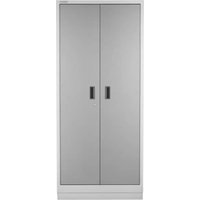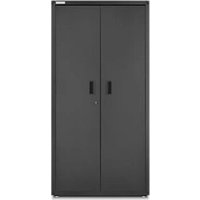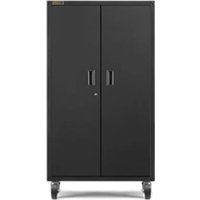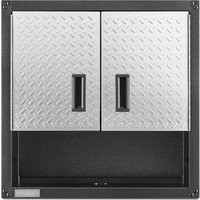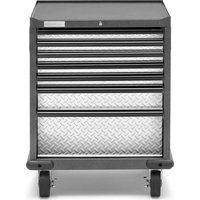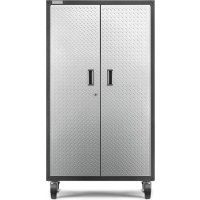
GALG36CKXG - Wardrobe Gladiator - Free user manual and instructions
Find the device manual for free GALG36CKXG Gladiator in PDF.



User questions about GALG36CKXG Gladiator
0 question about this device. Answer the ones you know or ask your own.
Ask a new question about this device
Download the instructions for your Wardrobe in PDF format for free! Find your manual GALG36CKXG - Gladiator and take your electronic device back in hand. On this page are published all the documents necessary for the use of your device. GALG36CKXG by Gladiator.
USER MANUAL GALG36CKXG Gladiator
GALG36CKXG - Hammered Granite / Silver Tread
GALG36CKKW - Hammered White / Gray Slate
GALG36CKSG - Hammered Granite / Hammered Granite
ARMARIO GRANDE
MOVIBLE
ASSEMBLY INSTRUCTIONS. 3
Tools and Parts 3
Cabinet Use Requirements. 3
Unpack Cabinet Parts. 3
Assemble Cabinet. 3
Install Casters 5
Complete Assembly. 7
ACCESSIONS. 7
WARRANTY. 8
SECURITE DE L'ARMOIRE 9
PIECES 9
INSTRUCTIONS D'ASSEMBLAGE...10
www.gladiatorgarageworks.com
www.gladiatorgarageworks.ca
CABINET/LOCKER SAFETY
Your safety and the safety of others are very important.
We have provided many important safety messages in this manual and on your appliance. Always read and obey all safety messages.

This is the safety alert symbol.
This symbol alerts you to potential hazards that can kill or hurt you and others.
All safety messages will follow the safety alert symbol and either the word "DANGER" or "WARNING."
These words mean:
ADANGER
You can be killed or seriously injured if you don't immediately follow instructions.
WARNING
You can be killed or seriously injured if you don't follow instructions.
All safety messages will tell you what the potential hazard is, tell you how to reduce the chance of injury, and tell you what can happen if the instructions are not followed.
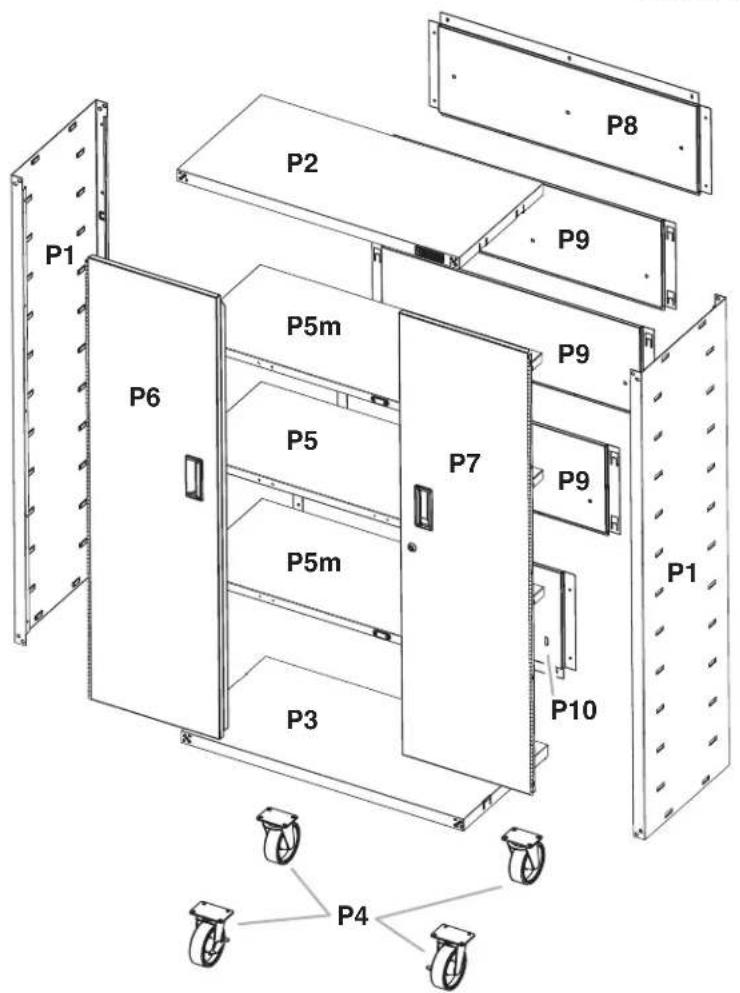
PARTS
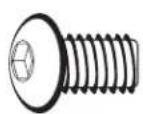

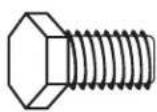
F1 F3c F14
ASSEMBLY INSTRUCTIONS
Tools and Parts
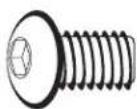
F1
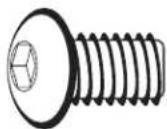
5/16"Allen-head bolt (16)
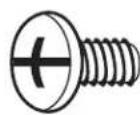
F3c F14
Phillips-head screw (32)
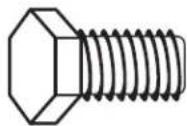
Hex head bolt (16)
Gather the required tools and parts before starting installation.
Tools Needed:
1/2"Wrench
Level
Phillips screwdriver
Tool Supplied:
■Allen wrench
Part Supplied:
Key
Cabinet Use Requirements
■Intended for use in a garage.
Maximum weight limit is 50 lbs (22.7kg) for each shelf.
Maximum weight limit is 300 lbs (136 kg) for the cabinet.
Unpack the Cabinet
- Remove and verify the contents. Contents include an Allen wrench, a key, and the parts and fasteners shown in "Parts."
- Dispose of/recycle all packaging materials.
Assemble Cabinet
WARNING
Excessive Weight Hazard
Use two or more people to move, assemble or install cabinet.
Failure to do so can result in back or other injury.
IMPORTANT: Two people may be required to complete the assembly. As you assemble the cabinet frame, make sure the edges with the loops are facing up. The cabinet top (P2) is intentionally designed so that the tabs will match with the loops on the sides only when it is positioned correctly. If the tabs on the cabinet top do not match up with the loops on the side panel (P1), turn the cabinet top around.
1a. Install Cabinet
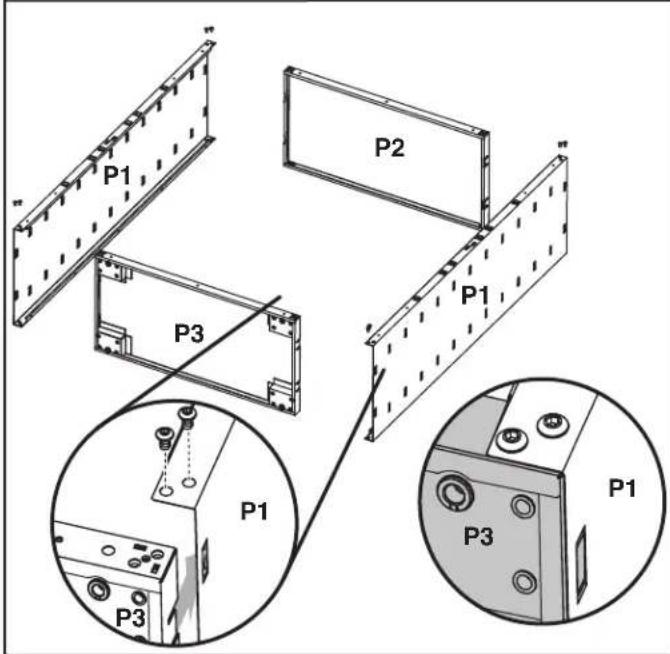
Place side panel (P1) on a flat, firm surface so that the edge with the loops is facing up as shown. Align the tabs in the cabinet top (P2) with the loops in the cabinet side (P1). Slide the cabinet top between the edges of side panel.
NOTE: Make sure each tab is inserted fully behind the loop. Align the two holes in each corner. Using Allen-head bolts (F1), fasten the side panel (P1) to the top (P2) as shown. Do not tighten completely. Repeat steps 2 and 3 for the other cabinet side (P1). With the smooth side toward the cabinet interior, align the four tabs in the cabinet bottom (P3) with the loops in the cabinet sides (P1). Slide the cabinet bottom between the edges of side panels.
NOTE: Make sure each tab is fully inserted behind the loop. Align the two holes in each corner. Using Allen-head bolts (F1), fasten the side panels (P1) to the bottom (P3) as shown. Do not tighten completely.
1b. Attach Side Panels
F1
F1 5/16" Allen-head bolt (12)
2. Attach Back Panels
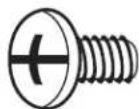
F3c
F3c Phillips-head screw (32)
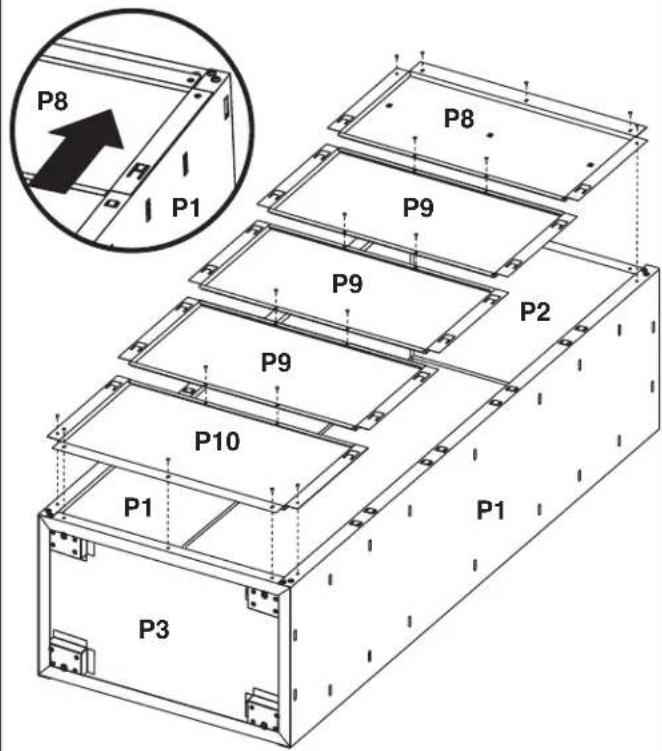
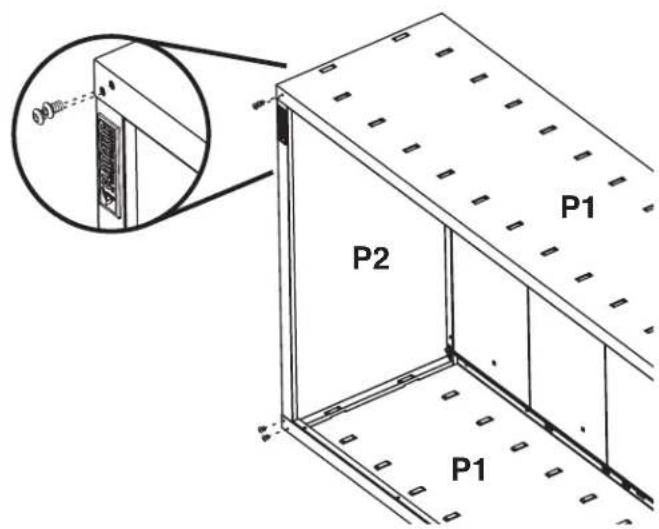
Turn the cabinet onto its side and fasten the two bolts at each front corner of the cabinet frame. Using the Allen wrench (provided), completely tighten all 16 cabinet bolts.
IMPORTANT: Attach the back panels starting at the top of the cabinet with back panel (P8) and working down to the cabinet bottom. Each back panel will overlap the panel below. Align the tabs in back panel (P8) with the loops in the top (P2) and sides (P1) of the cabinet. Slide back panel (P8) toward the cabinet top (P2) until the back panel is firmly in place.
NOTE: Make sure each tab is inserted fully behind the loop as shown. Slide back panel (P9) upward until the top of panel (P9) is under back panel (P8) and the tabs are inserted in each loop.
NOTE: Each back panel will slightly overlap the panel below. Repeat Step 3 to assemble the remaining back panels ending with back panel (P10). Using Phillips-head screws, attach each back panel to the panel below. Using Phillips-head screws, attach panel (P8) to the cabinet top (P2) and panel (P10) to the cabinet bottom (P3). Completely tighten all back panel screws starting with the sides and continuing with the top, middle and bottom.
Install Casters
The Gladiator Garageworks Large Mobile GearBox is designed to either roll on casters or be mounted on a wall. See "Accessories" to order a Mounting Bracket kit.
IMPORTANT: If you decide to mount the cabinet on Gladiator GearWalf panels or GearTrack channels, you do not need to install casters.
3. To install casters
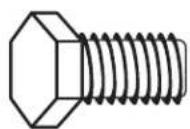
F14 Hex head bolt (16)
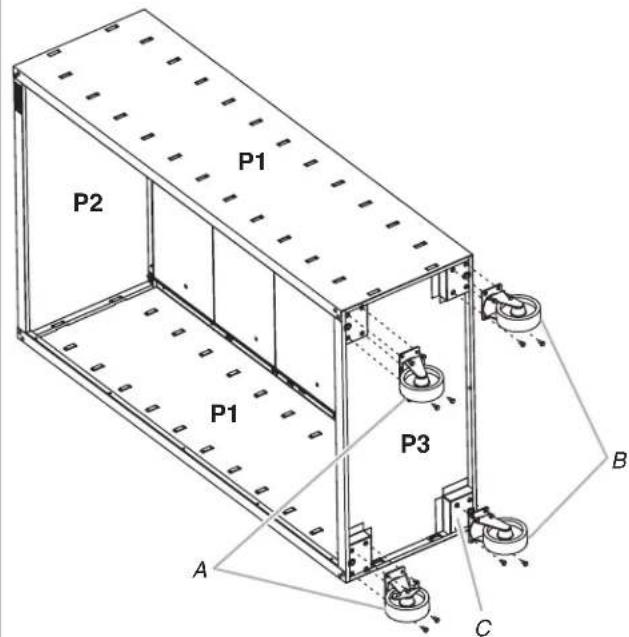
A. Rigid casters B. Swivel casters
C. Caster mounting box
IMPORTANT: Install the casters on the cabinet bottom with the two rigid casters on the front of the cabinet and the two swivel casters on the rear of the cabinet. With the brake toward the inside of the cabinet, align the holes in a rigid caster mounting plate with the holes in a mounting box at the front side of the cabinet bottom.
NOTE: The holes in the caster mounting plates will align only with the intended holes in the cabinet bottom to ensure the correct placement of the casters. Using four hex head bolts, attach the caster to the cabinet. Repeat steps 1 and 2 for the remaining three casters making sure to install the other rigid caster on the front and both swivel casters on the rear. Tighten all the hex head bolts. Lock the front casters, and stand the cabinet upright.
NOTE: Locking the casters will help keep the cabinet from moving while it is being lifted. Unlock the front casters and move cabinet to desired location.
NOTE: To keep the cabinet from rolling, lock the casters.
4a. Install Shelves
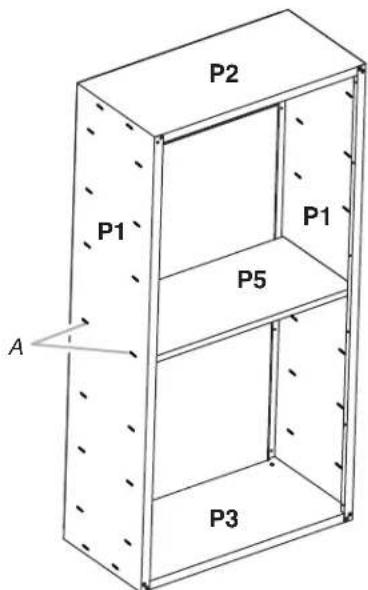
A.Middle pair of slots in cabinet side
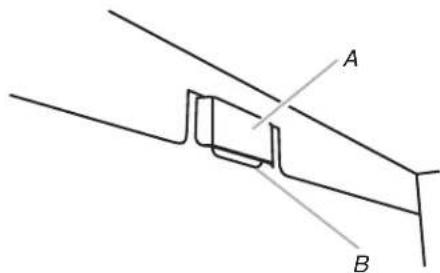
4b. Install Shelves
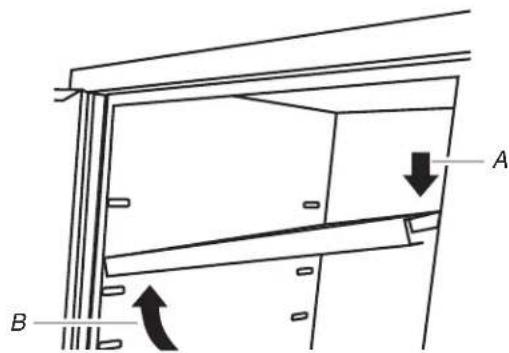
A. Push down
B. Lift up
A. Cabinet slot
B. Shelf tab
The shelves are supported by the metal slots on the cabinet sides.
IMPORTANT: Install shelf (P5) in the center of the cabinet so the door will lock. Install shelves (P5m) in the cabinet so that one is above and one is below center shelf (P5) to best use the magnetic closures. Make sure the long edges with the magnets are facing the cabinet front. Place shelf (P5) so that the two tabs in the shelf ends are aligned with the pair of slots in the middle of the cabinet sides.
Tilt the shelf so that one end is higher than the other as shown. Insert the shelf into the cabinet so that the higher end is directly above the desired slots and push the shelf down into place behind the side slots. Raise the lower end so it is directly above the desired slots and push the shelf down.
NOTE: You may need to slightly bend the shelf tabs outward for the tabs to engage in the slots. Make sure the shelf tabs are in place behind all the slots, as shown. Repeat steps 2 and 3 for the remaining two shelves.
Adjust the Shelves
Lift up on the underside of the shelf until the shelf tabs are free of the cabinet slots. Tilt the shelf up to reposition it within the cabinet or to remove it from the cabinet.
5. Install Doors
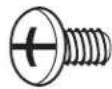
F3c
F3c Phillips-head screw (12)
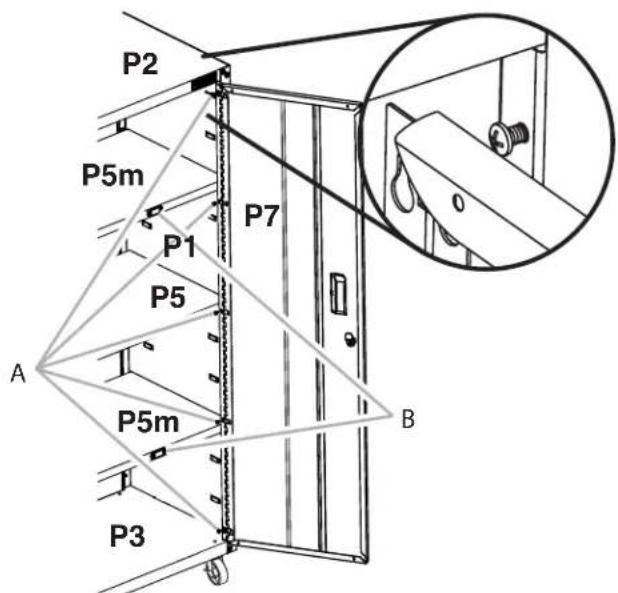
A. Phillips-head screws
B. Door closure magnets
IMPORTANT: The door with the lock assembly (P7) should be installed on the right-hand side of the cabinet. The door hinges are designed with keyhole slots at the top and bottom so the door will hang on the cabinet while you are fastening the screws. Start Phillips-head screws (F3c) in both the top and bottom holes on each side of the cabinet. Hang the right-hand side door (P7) from the top and bottom screws, and hand tighten. Insert the middle screws through the door hinge into the cabinet and hand tighten. Repeat steps 2 and 3 to attach the left-hand door (P6). Align the doors and completely tighten the door screws
Complete Assembly
- Make sure there is a bolt or screw in each hole of the cabinet frame.
NOTE: The back panels may have additional holes along the sides that are not used. - Move the cabinet to its final location.
- Place a level on an inside shelf, and if necessary, level the cabinet by adjusting the height of the leveling legs. Turn to the left to raise or to the right to lower the leveling leg.
- If the doors are not aligned, loosen all the screws attaching the door hinge to the cabinet.
- Adjust door to the desired height, and fully tighten the screws.
ACCESSIONS
To order the accessories listed below or to inquire about other available accessories call 1-866-342-4089 or contact your authorized Gladiator brand dealer.
In Canada, call 1-800-807-6777.
Mounting Bracket Kit -To mount the cabinet on Gladiator Garageworks GearWall panels or GearTrack channels.
Order Part # GABK362PSS
WARRANTY
For warranty information:
In the U.S.A. call 1-866-342-4089 or visit our website at
www.GliadiatorGW.com
In Canada call 1-800-807-6777 or visit our website at
www.gladiatorgarageworks.ca
SECURITE DE L'ARMOIRE
www.GliadiatorGW.com
www.gladiatorgarageworks.ca
www.GliadiatorGW.com
www.gladiatorgarageworks.ca