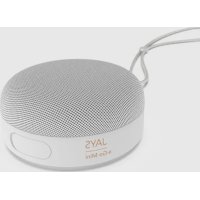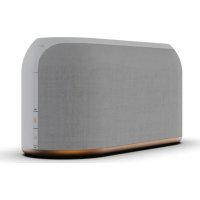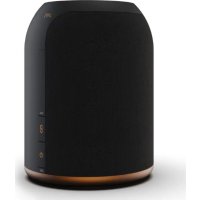
sLiving One - Speaker JAYS - Free user manual and instructions
Find the device manual for free sLiving One JAYS in PDF.



User questions about sLiving One JAYS
0 question about this device. Answer the ones you know or ask your own.
Ask a new question about this device
Download the instructions for your Speaker in PDF format for free! Find your manual sLiving One - JAYS and take your electronic device back in hand. On this page are published all the documents necessary for the use of your device. sLiving One by JAYS.
USER MANUAL sLiving One JAYS
s-Living Ones Living Three
Getting started, safety and warranty
Thank You!
Welcome to the new world of JAYS speakers.
Designed and developed with elegance and simplicity as key factors by our Scandinavian team.
Our s-Living line are all wireless speakers using the newest Wi-Fi streaming technology, so that music can be enjoyed in many different settings.
We are very excited to present our new speaker line and hope you will enjoy the divine sound performance.
Enjoy,
Henrik Andersson
CEO,JAYS
EN:User guide in English. 4-19
DK: Brugervjledning pà dansk. 20-35
SE: Bruksanvising pa Svenska. 36-51
DE: Benutzerhandbuch auf Deutsch 52-67
FR: Guide d'utilisateur en français. 68-83
RU: RaBik pykoOoCTBa nonb3oBaTeRy: Pycckn..84-99
US Compliance Information. 100
Canada Compliance Information. 101
EU Declaration of Conformity. 102
Appendix 103
Check our website for user guide in other languages.
Getting started, safety and warranty
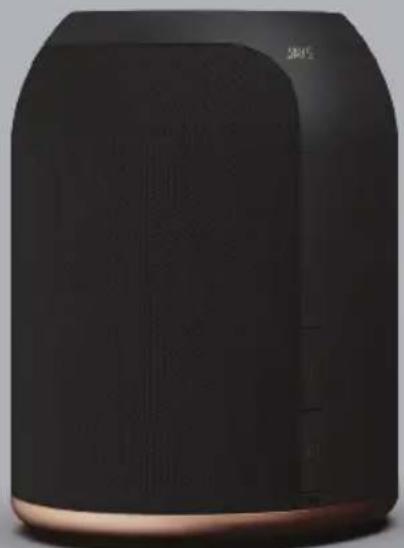
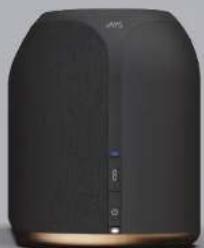
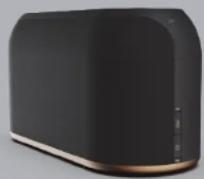
s-Living One
1 x s-Living One smart home speaker
1xAC/DC power adapter
1 x User guide in multiple languages
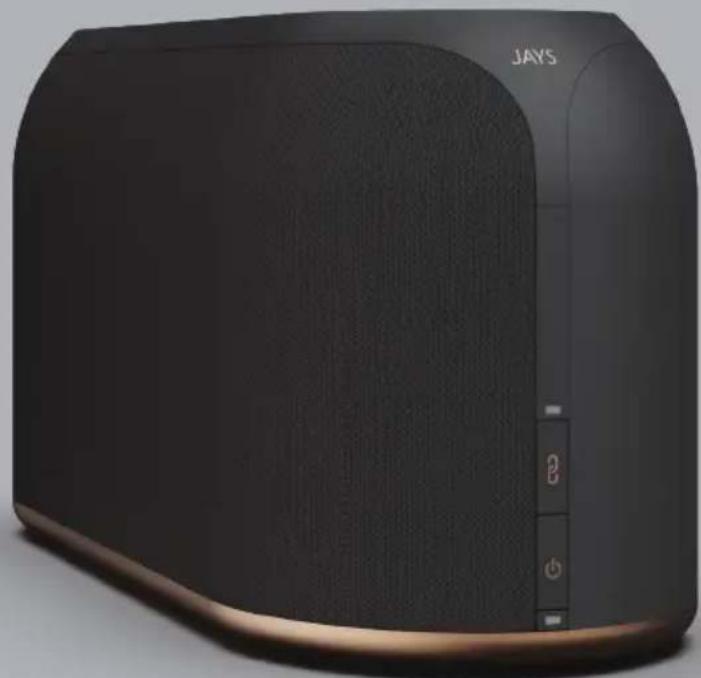
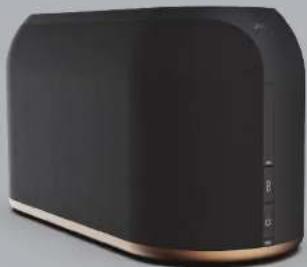
s-Living Three
1 x s-Living Three smart home speaker
3 x AC power cables for EU, US and UK plugs
1 x User guide in multiple languages
FIRE UP YOUR
s-LIVING SPEAKER
FIRE UP YOUR S-LIVING SPEAKER
How to start
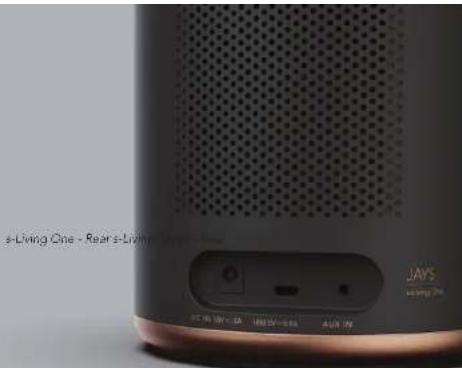
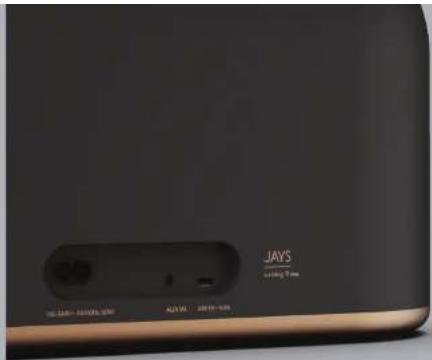
- Connect power to your speaker. Use included AC/DC power adapter for s-Living One or AC power cables for s-Living Three, and connect to an AC power outlet.
- Press power button for 2-3 seconds to power ON the speaker and it will boot up, which takes around 35 seconds (need to power OFF, then press 2-3 seconds again).
- Once you hear a voice message from the speaker, you are ready to continue.
The speaker modes
When the speaker is powered ON and ready, you can switch between different modes. Pressing power button once will switch among different speaker modes.
You can choose:
Wi-Fi mode System LED will show PURPLE color (this is default mode)
- Bluetooth mode System LED will show BLUE color
- AUX-In mode System LED will show GREEN color
Note
Wi-Fi mode operation require the speaker to be connected to a Wi-Fi network. And this is also needed if you want to use Wi-Fi features such as Google Cast, AirPlay or Spotify Connect. Furthermore, the speaker is compatible with voice assistants from Google and Apple (Google Assistant and Siri) if the speaker is also "paired" with Google Home and/or Apple Home (Apple Homekit). The speaker DO NOT have the voice assistant function built-in directly.
Important note
If LED's shortly after power ON is flashing RED, or if you suddenly notice LED's flashing RED, then DO NOT remove the power plug. Speaker is then doing an automatic software update.
6-ENGLISH ENGLISH-7
LED INDICATIONS AND START UP
LED INDICATIONS AND START UP
Power on
During start up (power ON the speaker) the power LED will flash fast. Note: When you power ON the speaker it will always start up in Wi-Fi mode.
Search state
When the speaker is powered ON it will start by being in "search state" trying to search for and connect to the last Wi-Fi network. During this state, both LED's will be doing a double flash. The same will happen (double flash) if the speaker is put into "Bluetooth mode", where you are now able to establish connection with a previously paired Bluetooth device.
Setup mode or pairing mode
In "Wi-Fi mode" the speaker will automatically enter the "setup mode" within 20 seconds, if the speaker during "search state" does not successfully re-connect to the previous Wi-Fi network. In "setup mode" both LED's will flash continuously. Same LED behavior will occur if the speaker is set into "Bluetooth pairing mode". For "setup mode" and "pairing mode", read more on page 10.
Playback state
During playback both LED's will be ON (solid) and the color of the system LED (Purple, Blue, Green) will indicate what "mode" the speaker is in (Wi-Fi playback, Bluetooth playback, AUX playback).
Idle mode / network standby mode (sleep mode)
LED or LED's will be breathing slowly indicating "no action" or "I am sleeping". "Idle mode" will happen as soon as music is paused (no action). "Network standby mode" will happen if there is no action for 20 mins. When speaker is in Network standby mode, the speaker power consumption is less than 2W.
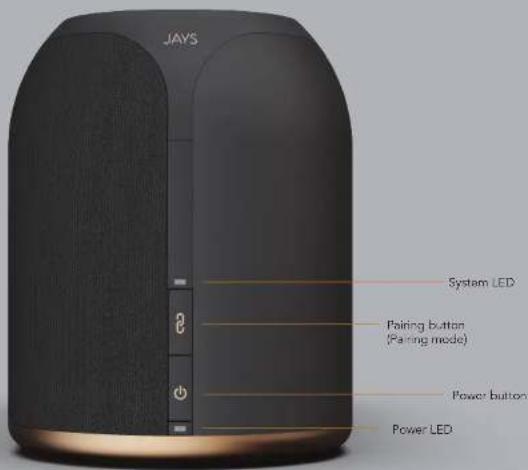
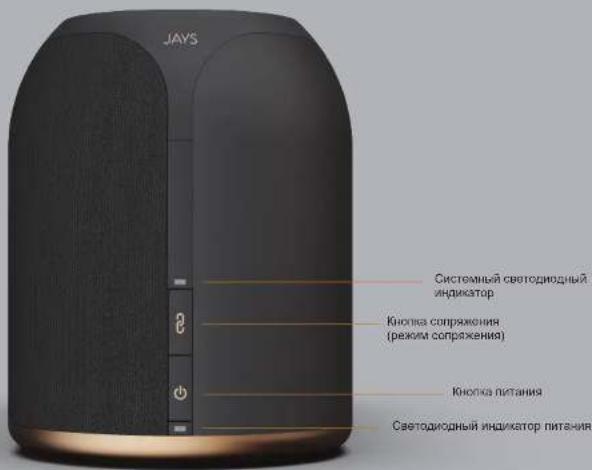
s-Living One & Three - Buttons
SETUP MODE
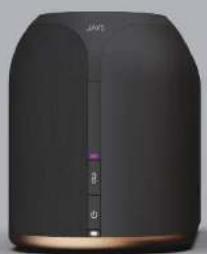
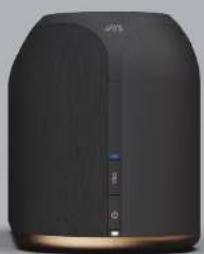
Purple LED-WiH mode"Blue LED-"Bluepath mode"
"Wi-Fi setup mode" or "Bluetooth pairing mode" is needed for either connecting the speaker to a Wi-Fi network or connecting a new Bluetooth device to the speaker. (See page 12)
For "Wi-Fi setup", the speaker will automatically enter "setup mode" if the previous connection cannot be established. But even though the speaker is already connected to a Wi-Fi network you can manually force this "mode" by pressing the "pairing button" for 3 seconds. NB: The speaker must be in "Wi-Fi mode" first (see page 6). Forcing this setup mode will only enable Apple setup mode (WAC).
For "Bluetooth pairing mode" (if you need to pair a new Bluetooth device with your speaker), you need to press the "pairing button" for 3 seconds. NB: The speaker must be in "Bluetooth mode" first (see page 6).
Reset speaker / disable wireless connections: The speaker can be reset to factory defaults by pressing and holding "pairing button" and "power button" for 4-5 seconds. This will clear all speaker settings and afterwards it will be ready for Wi-Fi setup again. A reset will also disable all wireless connections.
10-ENGLISH ENGLISH-11

VOICE MESSAGES
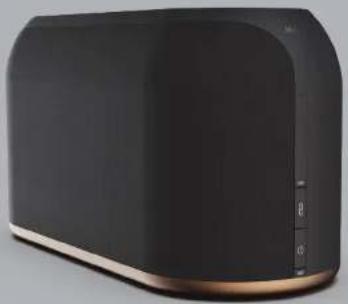
Voice messages from your speakerSetting up your speaker
WAITING FOR CONNECTION
If you hear this message, the speaker is either in "Wi-Fi setup mode" waiting for Wi-Fi connection to be set up or the speaker is in "Bluetooth mode" waiting for previous paired devices to connect.
CONNECTION SUCCESSFUL, TIME TO PLAY
If you hear this message, the speaker is successfully connected to a Wi-Fi network or you have successfully re-connected a previous paired Bluetooth device. You are now ready to play music.
READY FOR PAIRING
If you hear this message you have put the speaker into "Bluetooth pairing mode", enabling you to pair new devices to the speaker.
PAIRED
If you hear this message, you have successfully paired a new Bluetooth device to the speaker, and you are ready to play music.
CONNECT TO WI-FI OR BLUETOOTH PAIRING USING YOUR SPEAKER FOR PLAYBACK
Wi-Fi setup Wi-Fi playback
There are two methods of connecting your speaker to a Wi-Fi network, while the speaker is in "Wi-Fi setup mode". In either case you need to follow the Google or Apple setup methods, and you must be within close range of your speaker while doing so.
NB: The speaker will reply "Connection Successful, Time To Play" once connection is ready.
Using the Google Home App
You need to download and install the Google Home App on any of your compatible devices (e.g. smart phone or tablet). Your device must be connected to the same Wi-Fi network of which you want the speaker(s) to be connected. Open the Google Home App and follow the on-screen guidelines for setting up a new device (in this case, connecting your speaker).
NOTE: For more information about using Google Home App and setting up your speaker to Google Home, and to Wi-Fi networks through the Google Home App, please refer to Google's website.
Using Apple setup methods
- (WAC setup) Open Wi-Fi settings on your iOS device. On the "Choose a network..." list, you will find your speaker listed with the headline "Setup new AirPlay speaker". Follow these steps and your speaker will connect to the Wi-Fi network.
- Download and install the Apple Home App to setup the speaker to your Wi-Fi and the Apple Homekit universe. Please refer to Apple's website for using the Apple Home App.
Bluetooth pairing
Set your speaker into "Bluetooth pairing mode" (See page 6) and open the Bluetooth settings screen on your device. The speaker will appear on the list, simply choose it to pair it to your device. If your device supports NFC then bring it close to the speaker to make the pairing much easier. The speaker's "pairing mode" is only active for 2 minutes.
NB: The speaker will reply "paired" when your device is successfully paired to the speaker.
12-ENGLISH ENGLISH-13
With the speaker connected to a Wi-Fi network you can use any of the following streaming technologies for playback:

Apple AirPlay: Requires an Apple device. Please refer to Apple's website about using AirPlay.

Chromecast Built-In: This is supported by many devices and apps including, but not limited to, Android devices. Many apps support Google Cast and some TV's have Google Cast built-in. Please refer to Google's website for information about using Google Cast.

Spotify Connect: Supported in the Spotify App only, but on multiple platforms. Ready to play some music?
Listen on your speakers or TV, using the Spotify app as a remote.
Learn More: https://www.spotify.com/int/connect/
Bluetooth playback
Switch to "Bluetooth mode" first (System LED will turn blue). Then make sure your device has established the Bluetooth connection to the speaker. Now you are ready to play music.
AUX playback
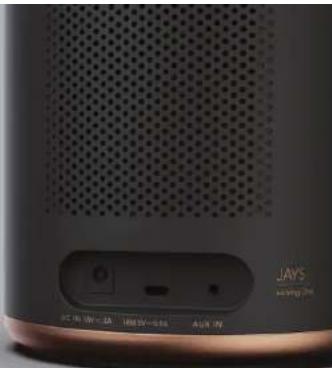
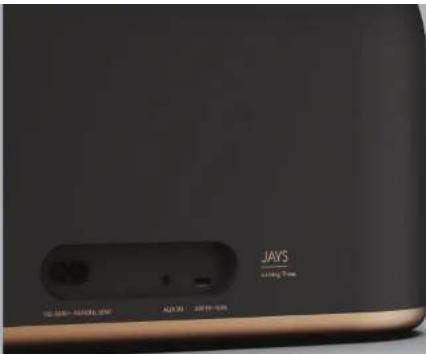
Simply switch the speaker to "AUX mode" (System LED will turn green) and connect a device to the AUX-input on the back of the speaker.
NB: Remember that in this mode you can control the volume on your device as well as on the speaker.
USING YOUR SPEAKER USING YOUR SPEAKER
Touch panel control - see next page for image reference
- Slide in circles over the dots, to adjust the volume.
Clockwise is "Volume up", Counterclockwise is "Volume down". - Single tap in the middle to PAUSE/PLAY
- Slide from left to right for PREVIOUS song.
Slide from right to left for NEXT song.
- Slide up or down, to toggle between our pre-defined EO settings.
JAYS Signature Sound - POP - ROCK - JAZZ - CLASSICAL - JAYS Signature Sound (default)
NOTE: You will hear "Beep" every time you switch. When you hear "Beep-Beep" you have returned to
default EQ (JAYS Signature Sound)
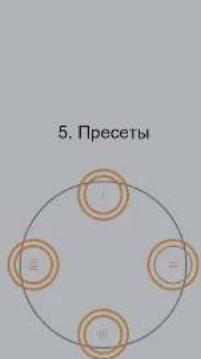
- Each corner, East, West, North, South has a number for Preset (I - II - III - III)
Presets are currently only for "presetting" your favorite Spotify playlists or albums etc.
Press and hold for 3 seconds to store a new preset, the speaker will reply 'beep-beep'. To play a preset
double tap on the preset number.
NOTE: To store a Spotify preset it is required that you are using Spotify Connect streaming. You cannot
preset an AirPlay or Google Cast audio stream.

1. Volume
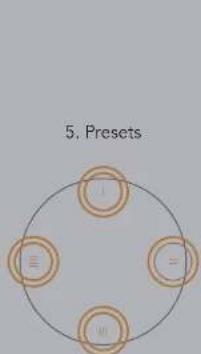
2. Play/Pause


3. Next/Previous

4.EQ
MAIN TECHNICAL SPECIFICATIONS MAIN TECHNICAL SPECIFICATIONS
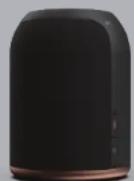
s-Living One s-Living Three
General
- 2-way compact desktop mono speaker
15V DC power input
1,8KG.0140mm×185mm
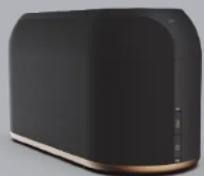
General
-
2-way large desktop stereo speaker
100-240V AC 50/60Hz power input -
3,9KG. 360mm x 150mm x 190mm
Technical
Power out: 1x10W tweeeter, 1x20W woofer
- Amp.: TPA3118D (Class D)
- SPL: 84dB (1m/1W), 97dB(max)
Technical
Power out: 2x10W tweeeter, 2x25W woofer
- Amp.: TAS5715 (Class D)
SPL:87dB(1m/1W),103dB(max)
Both models
- Dual band Wi-Fi 2.4GHz / 5GHz & Bluetooth v4.1 BLE
Wi-Fi standards 802.11a/b/g/n/ac
Frequency response: 60Hz -22KHz (-3dB) - Streaming: Apple AirPlay, Google Cast, Spotify Connect & Bluetooth
- Streaming module: Librewireless LS9AD
DSP, Sigma DSP ADAU1761
Mode:802.11 a/b/g/n/ac
Frequency:
2.4GHz: 2.412 ~ 2.483 GHz
5.0GHz:5.180GHz-5.825GHz
Transmitting power max
2.4GHz
802.11b:18dBm(11Mbps)
802.11g : 15 dBm (54Mbps)
802.11n:14dBm(MCS7)
5.0GHz
802.11a:14dBm(54Mbps)
802.11n:13 dBm (MCS7)
802.11ac: 15 dBm (MCS 0)
802.11ac: 13 dBm (MC57)
802.11ac:10 dBm (MCS 9)
WARRANTY AND SAFETY INFORMATION
Warranty
Your JAYS s-Living speaker(s) is of course covered by warranty according to regional laws depending on country of purchase. Please always consult your local dealer about warranty issues.
Safety
Only use a compatible power source to power the speaker/s.
- Do not use your JAYS s-Living speaker/s in wet or dusty environments as it might damage your device and void warranty.
JAYS s-Living speaker/s should not be used in direct sunlight. Damages caused by sunlight or severe heat will risk voiding your warranty.
- Never try to open or repair your JAYS Living speaker(s). It will void warranty and you will risk personal injury. Risk of electric shock.
Always place your s-Living speaker(s) on a flat and stable surface. Failure to do so will increase risk of speaker falling, hence getting damaged or you might get a personal injury.
- Warning. This product contains magnets which might be harmful to pacemaker wearers.
Always disconnect your speaker from power before cleaning. Do not use any liquids and chemicals when cleaning.
INDHOLD I KASSEN
DANSK
LED INDIKATIONER OG OPSTART
LED INDIKATIONER OG OPSTART
Taend (Power on)
WAITING FOR CONNECTION
Hvissluherdenesbesekerderahtalertenenti"Wi-Fi setup tilstand"og venterpafetablererencwi-Fi forndsbiselehjtaierenor"Bluetooth tilstand" og venterpafet a tisdigereforndsbiseblierabetraret.
CONNECTION SUCCESSFUL, TIME TO PLAY
Huis du herer denne besked sa har higtalerten succesfuldt fordunbet ot Wi-Fi netwaerk, eler du his accuradl tilslutet en ticligere parret Bluetooth enhed. Du or nu klar til at spilie musik.
READY FOR PAIING
Went with Apple AirPlay
Apple AirPlay: Kraver drug at Apple enheder. VI henviser til Apple's lijemmeside omkring Apple AirPlay.

Chromecast built-in
Chromecast BuIn: Denne streaming technologi (Google Cast) understoties af mange eneder og Appx inklusiv, men icke begraesert til, Android eneder.
Mode:802.11 a/b/g/n/ac
Frekvens:
2.4GHz: 2.412 ~ 2.483 GHz
5.0GHz:5.180GHz-5.825GHz
Sendestyike - max
2.4GHz
802.11b:18dBm(11Mbps)
802.11g:15dBm(54Mbps)
802.11n : 14 dBm (MCS 7)
5.0GHz
802.11a:14dBm(54Mbps)
802.11n:13dBm(MCS7)
802.11ac: 15 dBm (MCS 0)
802.11ac: 13 dBm (MCS7)
802.11ac:10dBm(MCS9)
GARANTI OG SIKKERHEDSINFORMATION
Garanti
Din JAYS Living higtaler er selve gelig omflattet af garanti i henhold til lovgieningen, i det land hvori den er kobt. Kontakt altid din lokale forhandier vedrereende eventuale garantisporgsmal
Sikkerhed
WAITING FOR CONNECTION
Write with Apple AirPlay
Apple AirPlay: Kramer en Apple-enhet. Vänligen se Apples hemsida for instruktioner gillande AirPlay.

Chromecast
Built-in
WAITING FOR CONNECTION
INDICATIONS LED ET MISE EN MARCHE
INDICATIONS LED ET MISE EN MARCHE
Mettre sous tension
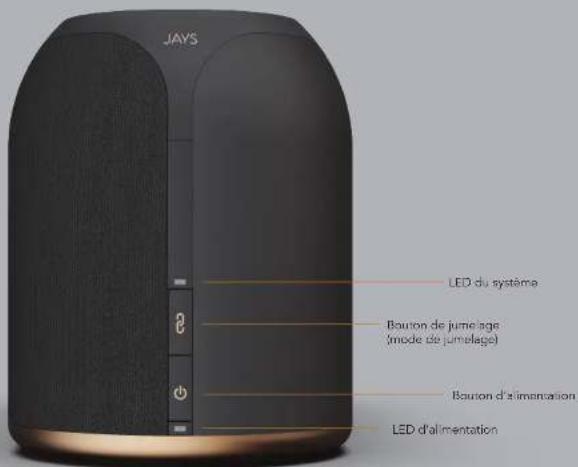
s-Living One at Three - Boutons
72-FRANCAIS FRANCAIS-73
MODE DE CONFIGURATION MESSAGES VOCAUX
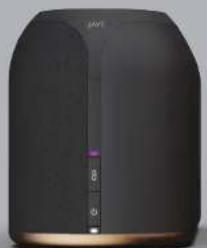
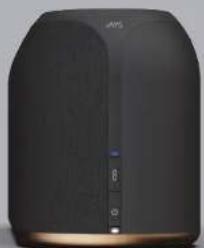
LED violet+mode Wi-Fi LED bieu- mode Bluetooth
WAITING FOR CONNECTION
Mode:802.11a/b/g/n/ac
Fréquence :
2.4GHz: 2.412 ~ 2.483 GHz
5.0GHz:5.180GHz-5.825GHz
YMHARbIbRaaycknckKaKoONKa s-Living Three-1 wT.
HpybntaHnO t cTc oBpOecko, amepkAHCKO H6ptAHCKOBUNKAMM-3wT.
PykoBocCTBa nonbObaTeHa HeckonbKx 3bIkaX-1uT.
BKJIOHNTCE CBOKOLIOHKY s-LIVING
s-Living One-BNDcaaa
BKJIOHNTE CBOIO KOJIOHKY s-LIVING
s-LIMng Three - 3n0 caapn
Hauano pa60tb
- NpkiHHTe nHTAHHe K KOONHKe. HcnoIbEyTe npnlaeMaB aadantep nTtAHN oCtEaIKyMylATopap a dL-SLiving One an Kaenrnnn TnAHHa nepeMeHHoro Toka Ira s-Living Three n NpkiHHTe K PoosTe nepeMeHHOrO ToKa.
2.HaKMMteN ydeepKbMaTe HKOHN KNTAHNA BTeHHe 2-3c,HTO6bI BKIOHHTK KOHOH. Ee aRpy3a3HHMAET OKo 35 c (He6xodmBoBkHnHTb TnTAHNE, aTeM CHOBA HAKATb N yDcpKbHbTa KHONY nTtAHNA B TeHHe 2-3c). - KaT tonbko ycnblwnte ronocoboe coo6ueHHe m3 duHAMKa, moHO npOdoNkTa.
Pekmblpa60bI KOIOHN
KoJ4aONKHO BKNIOHb Hnro8sA KpOBe,MOHO NpeKPOHHTBcMEXDy PekmMMH. PpeKPOHHE MEXDy PekmmAMC OoccyTBEOTCHQ DOKOHATMHN HKHATIMK HOHITINIHTAHIA.
MoXHO Hb6paB
- Pekim Wi-Fi CNTeMbHCBetDIOHbHINdAcatOPHeMIEFIONETOBiI qET (30PekimNo yomTANHIO)
PexMM Bluetooth CnTeMnHb caToDnHb HmdkaTop mMeT CnHmUeB - Pekim AUX-Int Ciehtembl CBETODIOHbIbIbIbIbIbIbIbIbIbIbIbIbIbIbIbIbIbIbIbIbIbIbIbIbIbIbIbIbIbIbIbIbIbIbIbIbIbIbIbIbIbIbIbIbIbIbIbIbIbIb
PnmuMeaHne
Pabota B pexMMe Wi-Fi tpebyet noKIOHHeHH KONOKH K c aMn Wi-Fi. TaKae 3to nOpeBycER,ecm Bb xaototte hcnlaoBathyuknn Wi-Fi, Hapmpep Googc Cast, AirPlay nn Spoity Connect. Eonee toro, KOHOKA coNpEeTMA C rONOCBHM NOMOHKAMN ot Google n Apple (Goagle Assistant n Sini), ecm OHa TAKKE conopKHe C Googce MwMn Apple Home (Apple Homekit). B KOHOke HET HENOPCDeTHeHo BCTPOEHHO FyHKUIN RONOCBOrO NOMOHIIKA.
BaxHoe 3aMeaHne
ECHBKOPOHNCBIOOCHNBEQIOOHNHINIKHATOPMRAKKPACHbIMNIECNBbIAPpy3AMETHN, 7TO CEBOTNOHb INIKHATOP MNAET KPACHbIM, TO HE OTKIOHAYTE BNYU HYPa NHTAHN. B 30TM CNYAe KONHOBAHNIATOMATMHCKOE OBOHHNEHRe pnprrammmor oobceeyHN.
CBETOIOHOHAR INHINKALIY 3ANYCK
BkHIOeHHnIHTAHN
Pp 379aCyeK (BIOHcENH NITANAH KOHON) cEBOTNOHN HINIKAKOT PbyET 6bCTPO MHTAB, PPmEhyAe. Pp 210KHOENH KOHONKA acerda zIaCcyACAETB aPEHHMI WFi-
CocToHHe NoNcKa
Pocne BnIOHHeN KONOHKA HANHaeB p6oTb B CooTHN NOKKA, NbTaRc B HAHTN NODKNIOHTBCK K
NoCnHOH NcHIOH OBOAUBHcHcB MmW-Fl, B 30tOM cOcTHNOH bOcBaTOOHN HXINHAKATOPa BYI MTARb
peKIMme DpOHOH BCbUHKn. To xe camoe (DpOHOH BCbUHKn) bOeTb HAOBdOaC, eCN MCONOHKA NepEbePeHa B
peKIMn BLeOaH, B KOToPOM Tanebp MOHO XyTcAHOH CpeAHc CONPKeHHM yctpOAMr BluOoH.
Pekim HactpoKn nn conpKaehna
B pekmme Wi-Fi KOONHc aTOMATNecck MoIeT B pekn HAcTPOH N TceHHe 20 c, eCN B CcoCTOHN
noHkAn OH nCMOKET BHOB NOKINOHCTBCa K npdeBuDyuei CETn Wi-Fi.
B pekmme HAcTPOH OBA cBeTOIOHbIX MNNHAtOPA HnepePbHO MHTAOJ. To Xe noNeDEHc CBtooNDHyX
HIMNATopoA BSyTe HAIIOHdAe, cCN NKOHN HepepeEHa B peKM compRaeHHo No Bluetooth. OrncanHe
pekmOB hAcTPOH IN compRaeHHa npBeDeHO Ha ctrp. 90.
CocTOrHHe BOCnpon3BeDHeHn
B0BpeMBOCPOH3EHEbO6BaTeIOHOHbIX INHcKATOPA 6DyB KInIOHeB (HENPePbIbOE CBeHEne),aLETB CnCTEMHO RHO HINHcKATOPA (Phonotobin, CInneH, SeeneH) bDeT yAsBaTa, a KaKOM pMeIMX HxOJNTK TcKOHNHc BocpOImBAEHEHne No Wi-Fi, BOCpOImBAEHEHne No BluTeiollh, BOCpOImBAEHEHne c BHeHmero BXOJa (AUIX).
DekyphbpekmnpemoknndaHcTnpeKmCHa)
CBeTOIOHbIe MHINKATOpB lydyT MeNHeHIO MMRtB, OOHAYA HET DeHCTBAH INN CnAIM pKHM.
Dekpyhbn peKMn AKTHBNYPTcN, KAK TONbKO BOCNPNOB3EHNHE MYBkN CTABNTCA HA Naysy (HT DEHCTBAH.
POMK ONKANAH CnT AKNHBYPTcN, KEN DECHTRH HOT B TOEHNA 20 MNN, Pocne IepEXOa B pKHM
OKUdHaM CnT KOKNKAOTnopeMHTMeH 2 Br.
88-PYCKN PYYCKN-89
CBETOIOIDHAR INDINKALUNI 3ANYCK
s-Living One n Three - Honors
PEKIMHACTPOIKI TOLOCOBbIE COOJIeHnA
ΦΦΦΦBCTBCTBCTBNTBNTBNTBNTBNTBNTBNTBNTBNTBNTBNTBNTBNTBNTBNTBNTBNTBNTBNTBNTBNTBNTBNTBNTBNTBNTBNTBNTBNTBNTBNTBNTBNTBNTBNTBNTBNTBNTBNTBNTBNTBNTBNTBNTBNTBNTBNTBNTBNTBNTB
CmHc ceratoaohn HhNtakatop -peimnBluotooth
RIMM HACTPOW Hi-WI: PRRN CROKTHENH NO BLOOHTB HIXEOYD KIOHOJIOHONKOHOK K CEMI Wi-Fi, Ni6o for nandoaioho HOBORO UCTROPAE BTOOoth K KOHOJE (cm. ctrp. 92).
IINHACPTPOIKW-Fi KONOKHA aTOMATNHHECKNEPEIDETPBKIM HAcTPOHK,ecn He ydaCTcRyCTAHOBHTNpeBNDUUEe coDHNHHe. HO daKe BCNI KONOKKA yKE NOKDNOHENA K OEtN Wi-Fi,MOKNHO BYHYKOAKTNBPCKAHTBTOFtPMMK,NAKKB N DEPKMBRA KNOKCI PAPKHO B TEOHHe 3 C.IpPMMEHMA:KOIOKHYHXHO CHANA NEPEBECNTB P KEMKWi-Fi (CM. ctp.86).PiN BIKNOVHNN 3TOO PEHMBA BpyHYIO AKTNBPYERTCNIIPEKMIHACPTPOIKApple(WAC).
DnA activaaum pexkmmu coprkehna Bluteoth (ecnn Hyno bunnohtb coprkehme horo yctpoKCTBa Bluteoth c konokn),Haxmte n y deprkmae hknokny copkrkehme B tenehe 3 C. PnpmeHaHe: konokky Hxky chana nepebeetb v pexkmmu Bluteoth (cm. 107.6).
C6poc KOHnIK OTKKHeHE He 6ecpOBOHbX COeHHHeH. KOHcy MOHX C6pocHT bIO 3aBcOckx HAcTPOE, HAKAH YdEePKBA KHOKNK COpAKHeH N NHTAHN ODHOpEMEHNO B TceHHe 4-5 C, 3TO OHCTNT BCE HAcTPOKNI KONOHKA, NOCE HrO OHa CHOB A yDert roTaB K HAcTPOKe Wi-Fi.C6poc Takke npBcHIT K OTKnKHeHIO Bcax 6ecpOBOHbX CoeHHHeH. 90-PYCCKNI PYCKNI -91

TOnocobie coo6ueHnO T BaeW KeKoONHnHaCtpoKa Baew KonoHKn
WAITING FOR CONNECTION
Egnbblcblnnte3tocoobuHnne,coNIOHAHXoJNTCnBnloBpRokmMn HacptoiKmWi-Fi,oxdlaayyctaHOBnEHoeCoaHnOeHmWi-Fi,noBpRokmHn Bleothood,oxdlaaynoKlKnHnEHnpeBbduyuxmCOnPckKeHHxycTPOCTB.
CONNECTION SUCCESSFUL, TIME TO PLAY
Ecnbl Bn Cbntaute 370 cooBcHne, KOLOKHO yceuHIO noOxKNOHINAC b ceN Wi-Fi nn npdeDyUeMo cnpAekHOMy no BLeotho yctpoCTBy. Tenebp MoXHO BCOpONBDOBDI My3bIKy.
READY FOR PAIRING
EINBblcblnnte 370coo5ueHHe,KOONHOpepeDHeBA pexHM cponpaenHHNo Blueoth,TOI noaonrnoT noKnOHTHB NoBBy yctpoCTBa kAkytCHNECKC KCTME.
PAIRED
EINHbCnHnHtB 30c0o6uHHe,HOOBYcypOCTBDBlUeOoHycNHeIOaKAYcTcckOHN CNTEME,HOA rTOBa.8OcPONsBOADHTMyBk
IIOKIIIOUeyHIE K WI-FI IIN COIPRAJXEHNE IO BLUETOOTH IICNOJIb3OBAHNE KOJIOHKN IIN BOCPON3BEJEHNA
Hactpoika Wi-Fi Bocnpon3BedeHne no Wi-Fi
Ecn konohka haoodtbr peknme hactpoyn Wi-Fi, noqkiuytcbca k cetwi Fi mokho dmym crncocobmm. B 106cm cyuey hkyhco cneobta MeotdAm hactpoyn Googl nnu Apple, npri thom bbl doonkhlhaxdohtcb B H enoepctdehenb nnocct OTOHNOH.
PIMMUEHHE. KAK TONIko coeHNHe HBeET roTOBO K paOBe, KOHOHa COo6HHT «Connection successful, time to play’.
IcnoB3OBAHne npnloKeHHa Google Home
Bam He60xJIMMO 3aRpy3Hb yctAHOBHTb npnIOXeHHe Goog He H a nioo6 coomecTMMoe yctpoCTBO (hainmpmep, cmaTPOH INI nnHuaHT)YcTOpCTBO JNOKHO 6bTTN NOKIOHcKO T KOT KE CTNI Wl-Fl, K KOtpor Bb XOHTHE NOKIOHKTQNOKHY. OTKPoiTe pnpOKeHHe Goog H a nCeyIte NHCPTPKMnH A hKpahe DnHACPTKMI HOBOY CTOPTCAIBA (a daHHOM cnHae NOKIOHcTKEONIKH).
PIMMEAHWE. YoBb NOnyNtB, DpOINHHTeNHe BcAeDhena 6oNnOla3aONHn pnpnoXeHHa Google Home n HactpoKe KOnIOKn B Googe Hame, a TAKKE B CTeRg Wi-Fi cPiOMouIb pnpIOXeHHa Google Hore, nocetITte caTt Google.
IcnoB3OBAHnMeToOB HAcTpoKnApple
- (HactpoHa WAC) OTKpoIte HactpoHn Wi-Fi Ha cboem yctpoIcBe iOS. B cIMKe «Bb6peIte cTeI...» Bi haJIeTbe cIOI KOHNYC h 2aTcOBKAM «HactpoHn HOB JKOHOHK AirPlay», BiOnOHITe cNeJyoUme DeKTAH, M u KAIPO HAOHOHIOJIuTHC K CETI Wi-Fi.
- 3aepyntte nyctahOBHe npnOKeHme AppleHome, yTo6bHnactpontb konOHky dny Wi-Fin nporpaHHo fpeimmbopka Apple Homekit. 06ncnons3oBaHHm npnOKeHMe Apple Home cm. cait Apple.
Copjxne no Bluetooth
YCTAHONBt KOnOHy B PEXKOM pCpRkHnno N BoUoOoHx (cm. cTp) 86) nKOTPOIe kXpA HACrTOaK BiUooH h CBOm yctpoCTBe. KOLOHK NOBITCB B cINCKE, pOcTO bIbEpMte e nn DcnpKHe M C BAWIM yctpoCTBOM. ECNI BAA EYCTPOHCTBO NOIDEPKRAHETNFC (EeBPCOBNDHYC83B BNKKHO PAJDAeCAEHTBN), NDIECHTE erO bIKKE K KOLOHK, YTObI YNPoCTHb COpRkHeNc. PEXKM COpRkHnno KOLOKHK AHTIBEH TOnIO B TceHHNE 2 MMH. PIPMEHAnHE. Nocne ycNeuHoro cPcRkHeNMa BAwero yctpoCTBa C KOLOHK Bbl YcNBIMTe rONOCOBo cOOOHeJIe [Paired].
92-PYCKN PYYCKN-93
IIOKNIKIVB KONOKY K CETN Wi-Fi, MOXHO HcONb3OBaTB NIO6yO H3 CNEyHOuNX TExHONrN noTOKOBn nepedau nIra BoCpno3aeDema.

Apple AirPlay: Tpe6yertc8yctpoictBo Apple. Hnctpykun no nnonbsobAHIO AirPlay cm. ha cairee Apple.

BCTpoehnHh Chromecast: NOdeepxmbaetcM HONMH yctpoctBaAMN INPnloKeHHMAH, B TOM Wcne yctpoctBaAMN Android.
Mhme rnoeKHeHn noDekpKaBaOar Google Cast, a HeKOTOpLe TneBbApOy IMeIOI BCToEHnli GooG Cast. 6C nncnsobanng HooG Cast cm.Caiy Google

Spotify Connect: noidepknBaetc Ta ToBko B npnoxemn Spotify, Ho Ha HeckonbKnx nntapopMax.
TOTOBBBI BKNHOHTMb My3bIKy?
CnuayiHre ee cheepa konohny ihi na Tebehoine, nncnlyyra pinnokoehe Sphye k nybI dmtacnnoHHoro yynapaneHH. YN3atb 6oBnue: https://www.sftyf.com/int/ntconnel/
Bocnpoun3BeDene no Bluetooth
ChanahepeKIOHHTNEBcPekMH Bluteoth (CHCTEMHbCaTeOaHOH HINHXATOP CTAEHT CEBTITCB CHNMM) 3atem ybeDteCtBaTOBa YcTaHOBmIO CoeHNHEHn NO Buteoth c KOHOKHO Tenebp MOXHO BoNTPOHBOHOTMB My3bIKY
Bocnpoun3BeDene C BHeuHero BXoDa
PINOCTO ENEKHOHIOITE KOONOKY B POKHAM AUX (CINEMETHB CEBTOKOHOHBO HNDOKATOP CTAHET 3EENHOH) M IPOKNOHOTYE UXYAOH AHAADHE CTOPHOLOKHOH.
PpmeHHe. B 3tOM pexmme rpmKoctb 3Byka MoXHO perynnpoBaT Ka Ha yCTpoCTBe, TaH Ha KONOHKe
NCIOJIb3OBAHNE BAIEN KOJIOHKN NCIOJIb3OBAHNE BAIEN KOJIOHKN
KoCHNTecb naHn ynpaBHeHn -cm. nIIOCTpaun Ha cneyioe ctpanie.
- DnnyperynipOBKn rpoMkOCTN O6BOnTe nAaBcEM KpyKbBOKpyTouE.K
No hacobn ctpenke -ybnmne Hpomkocn. IpotnB hacobn ctpenkn -ymhbsne Hpomkocn.
2.OnHO KacaHHe B capeHHe -IAY3A IINBOCPON3BEJHEHIE - Ckonskhenne cneba HnpaBn -PNEbIyUIN TpeK Ckonskhenne cnpaba Hnapeo -CNEVDIOUIN TpeK
- CkokbkeHne Bepx Knn BNn -peepknueHne MeKdy npedopnpenHnHMn HactpKaNN 3XbnaiKepea (EQ). JAYS Signature Sound-POP-ROCK-JAZZCLASSICAL-JAYSignatureSound(noymonHaHIO) PNIMEHAHNE.PnKkdoompeepknueHHBbyycbwnTe kopoTkn 3EykoBcnHn.EcnnBb ycnblauDBA kopoTkn 3EykoBcx CNHana,BbyeepnyncbKnpeceTy 3Abaanape noymonHNO(JAYS SignatureSound).
5.BKAKDOMyIy(BOCTOK,3aHn,CABEP,K)IMMEETCRHOHMepIINPecTeA(I,II,III,III). B HACTOUEBPEMnpceTbpeDHaAHAHEnbTOknoIraBaWmXn6paHbXbSpOtfy CmckOB npoipRbAHn,an6COMoN T.D. HAKMMTEuYdEpxKaBHeBteBtEHENe3c,T06bCoXPaHbTHOBbIPecTe;PN3OTMOKONKA Bldact DaKoPOTKx38yKbXbCmHnA,T06bBoCpONL3OBatbcrePecTeOM,DaKAnDkoCHNTcEeroHomepa.PIPMEUAHNE.IINcoxAOPAHENHnpceTaSpOtfyTrepyetncnONb3OBatntOKoBkynepePaHSpOtfy Connect.3a4abPecTeJnayOnIOKTAAirPlaynGooGileCastHenb3.

1.PomKoCTb
2. Bocnpoun3BedeHne/nay3a


3.Cnepdyuouin/npebidyuouin

4.3KbanaI3ep
OCHOHBHIE TEXHnueCKNE XAPAKTEPNCTNIKIO OCHOHBHIE TEXHnueCKNE XAPAKTEPNCTNIK
s-Living One s-Living Three
Obuzne
2-Nonohoch Kompankhah HactoIbHaH MOHOHOH-CKEAK KOHOHA
15 B noct. Toka
1.8KT0140×185MM
TexHueckne daHHbie
BbXoDHA MOOHOCTb: B4-DHAMHK 1× 10 Bt, H4-DHAMHK 1× 20 Bt
- Ycunurenb:TPA3118D (xnacc D)
- YOpenbesh 3BvKo8oDaIeNHe: 84 □5 (1 M/1 Bt), 97 □6 (M8Kc).
O6uhe
- 2-nonochorom KOMTHAKTHA HACOTNHAR CTEPEODHIVCEKAR KOHNKA
100-240B nep. Toka, 50/60 T
-3.9KRT360×150×190MM
TexHueeckn DaHHbIe
BuxdoHuaMoHooCTb:BHT-DHHAMHK2×10BT, HHT-DHHAMHK2×25BT
- Ycnnntenb: TAS5715 (knacc D)
- UpoBHe 3BvKOBoToBaIaJIeHn: B7 □B (1 M / 1 Br), 103 □B (MakC).
OBe moJen
- DByxHnanaaonHHb Wi-Fi 2,4 FTu / 5 FTu n Bluetooth v4.1 BLE
- Cτηπαρβί Wi-Fi 802.11a/b/g/n/ac
- Dmaa30H BocponnBodmblx qactoT: ot 60 F,do 22 xF (3D5)
- Notokobai nepeda: Apple AirPlay, Google Cast, Spotify Connect n Bluetooth
- Modynl naToKoBn nepedau: Librewireless LS9AD
- Lümpobaa 6pb6oTka CnHana: Sigma DSP ADAU1761
PekMM:802.11 a/b/g/n/ac
Yactota:
2.4GHz: 2.412 - 2.483 GHz
5.0 GHz; 5.180GHz ~ 5.825GHz
MoHooTb nepeaun -MaKc.
2.4 GHz
802.11b:18dBm(11Mbps)
802.11g:15dBm(54Mbps)
802.11n : 14 dBm (MCS 7)
5.0 GHz
802.11a:14dBm(54Mbps)
802.11n:13dBm(MCS7)
802.11ac: 15 dBm (MCS 0)
802.11ac: 13 dBm (MCS7)
802.11ac:10 dBm (MCS 9)
INHOPMAI O TAPAHINHbIX OB3ATEJIbCTBAX INBE3OPIACHOCTN
TapaHTHnHbIe 06a3aTeJIbCTBa
IINKONOKH JAYS L-IVEINGcBeyHTO RAPAHNTNHE BAOSSATCBTA B COOTCTBCHN C 2AKOHODTCTCBOM, nPHANTH B c TPAH NPOPBOETHN. NOIPOPTAM RAPAHNTB OAPSAHTCEK K BAUMWEN PERHOKHABHOMY INDNEY
Seonachoctb
-ДЯ NITAHIM KONOHOK HICNOLBAYITE TOJIbKO COBMECTMBAH MCTOHTHK NITAHIM.
He nnoyIytebc KonoHKMAM JAYS-I-SLWING BO BnXaHIOH INI bIbNHOcpeE: 3TO MOKET PnBECTN K NaopexdKeHNO yCTPObTAA hAnHyINPOBaHNO rApaHANTJ.
Beipenre KOJIHNJ YAMS S-Living y cynoNbX npAmor coJIHcHOr caTa3. IpobekxHn, bIaBaHHe CIOJIHNHbCtOM NIN DEPEBOM, MOPTyPNECTK A KAHYNPDHREK DAPARTHA.
He nataTeec kapktyn pokny nims peomHtnpoab laue cytoPtoJAYs s-Living, 30e npmbedet K anhynpobanrnaphtyn, a bbl pckyote noptyTb TpBv. OAnchotc nppeaenek nneKTPCnEYAMK
Bcerda paaeauaie KonoHm s-Living ha poBHn y ctoi-mbo nOBepxocTH. Hnahe KOONHk MoKet yntactb, noyHM nobpeckdHn mnpHmHB TpaMbl.
PnpndpypeDneHc. B 30m ppoKyTe MCIOIyAOCTMaHHTu, KOtObe MyOT pnpctabTbIbOnaHcOhtbI dNIOBtoateparKIOHCTMnHTOPO8.
BcDzra OTOeHNHRe TE KOLOHcy OT XIOOHTNIA HNTAHNApeE YIcKOn. He IcNIObIyTe XIKIOCTXnHXIMNKATbPn PHi cYtck.
98-PYCKN PYYCKN-99
US COMPLIANCE INFORMATION
CANADA COMPLIANCE INFORMATION
This device complies with Part 15 of the FCC Rules. Operation is subject to the following two conditions:
(1) This device may not cause harmful interference, and
(2) This device must accept any interference received, including interference that may cause undesired operation.
Note: This product has been tested and found to comply with the limits for a Class B digital device, pursuant to Part 15 of the FCC Rules. These limits are designed to provide reasonable protection against harmful interference in a residential installation. This product generates, uses, and can radiate radio frequency energy and, if not installed and used in accordance with the instructions, may cause harmful interference to radio communications. However, there is no guarantee that interference will not occur in a particular installation. If this product does cause harmful interference to radio or television reception, which can be determined by turning the equipment off and on, the user is encouraged to try to correct the interference by one or more of the following measures:
Reorient or relocate the receiving antenna.
- Increase the separation between the equipment and receiver.
- Connect the equipment into an outlet on a circuit different from that to which the receiver is connected.
- Consult the dealer or an experienced radio/TV technician for help.
Please take attention that changes or modification not expressly approved by the party responsible for compliance could void the user's authority to operate the equipment.
This equipment complies with FCC/IC RSS-102 radiation exposure limits set forth for an uncontrolled environment. This equipment should be installed and operated with minimum distance 20cm between the radiator & your body.
This device complies with Industry Canada licence-exempt RSS standard(s). Operation is subject to the following two conditions:
Under Industry Canada regulations, this radio transmitter may only operate using an antenna of a type and maximum (or lesser) gain approved for the transmitter by Industry Canada. To reduce potential radio interference to other users, the antenna type and its gain should be so chosen that the equivalent isotropically radiated power (e.i.r.p.) is not more than that necessary for successful communication.
This equipment complies with FCC/IC RSS-102 radiation exposure limits set forth for an uncontrolled environment. This equipment should be installed and operated with minimum distance 20cm between the radiator & your body.
EU DECLARATION OF CONFORMITY

APPENDIX
JAYS Group AB
Nellickevagen 22
41263 Goteborg
Sweden
Hereby declare that JAY5 s-Living One and s-Living Three Wireless speakers
(Item: SLIVING101 and item: SLIVING301):
Comply with European CE-RED Directive 2014/53/EU, standards:
ETSIEN EN 301489-1/-3/-17
ETSI EN 300 328
ETSI EN 301 893
ETSIEN300330
ETSI EN 62311
ETSIEN62368-1
Comply with European RoHS Directive 2011/65/EU.
Goteborg, Sweden, October 2019
René Larsen
Head of Product Development


Chromecast built-in
Chromecast is a trademark of Google LLC.

Spotify

The Spotfly Software is subject to third party licenses found here: www.spotfly.com/connect/third-party-licenses.

Works with
Apple AirPlay
Use of the Works with Apple badge means that an accessory has been designed to work specifically with the technology identified in the badge and has been certified by the developer to meet Apple performance standards.
Apple, iPad, iPad Air, iPad Pro, iPhone and AirPlay are trademarks of Apple Inc., registered in the U.S. and other countries.
To control this AirPlay 2-enabled speaker, iOS 11.4 or later is required.
JAYS
s-Living
Getting started, safety and warranty
User Guide Rev. 2.0 for
JAYS s-Living One and s-Living Three, Wi-Fi multiroom speakers
We accept no liability for printing errors
Specifications are subject to change without notice - JAYS 2019
www.jaysheadphones.com