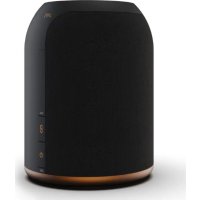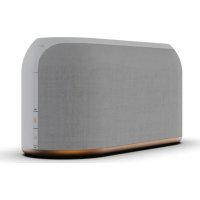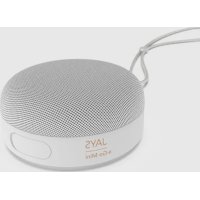
sGo Mini - Speaker JAYS - Free user manual and instructions
Find the device manual for free sGo Mini JAYS in PDF.


User questions about sGo Mini JAYS
0 question about this device. Answer the ones you know or ask your own.
Ask a new question about this device
Download the instructions for your Speaker in PDF format for free! Find your manual sGo Mini - JAYS and take your electronic device back in hand. On this page are published all the documents necessary for the use of your device. sGo Mini by JAYS.
USER MANUAL sGo Mini JAYS
Welcome to the new world of JAYS!
Designed and developed with elegance and simplicity as key factors by our Scandinavian team.
Our s-Go Mini is a wireless speaker engineered for simplicity so that music can be enjoyed in many different settings.
We are very excited to present our new speaker and hope you will enjoy it as you create memories for a lifetime.
Enjoy,
Henrik Andersson
CEO, JAYS
Important safety instructions
- Read, follow and keep these instructions.
- For the best possible experience, always use the product as described by the manufacturer.
- Always handle your speaker with care and protect them from external damage.
- Clean your speaker using a soft dry cloth. Never use water, cleaning detergent, leather polish or other substances as they may damage your earphones permanently.
- Avoid exposure to extreme conditions such as very cold or hot temperatures, magnetic fields or damp environments.
- Listening to music at high volume for prolonged periods of time can cause permanent damage to your hearing.
- Contains small parts and are not suitable for children age three (3) and below.
- The speaker contain magnetic material.
- The speaker contain a Lithium battery. If misused or damaged it can become a hazard and is at risk of explosion.
- Should a battery cell leak, do not allow the liquid to come in contact with skin or eyes.
- The speaker must not be disposed of with regular household waste.
- Please dispose of in accordance with local regulations.
- Do not use your speaker in the immediate proximity (10 cm) of a pacemaker. Do not subject the earphones and included accessories to abnormal wear and tear.
- Do not expose the speaker to temperatures below -20^ or above +45^ .
- Do not charge the speaker in temperatures below 0^ or above +45^ .
- Do not attempt to burn the speaker. The battery could explode causing injury and death.
- Do not attempt to open, modify, disassemble, repair or in other way access the internal structure of the earphones. They are not user serviceable.
- Do not use or store the speaker near to a vehicle airbag due to risk of injury.
- Do not use speaker while driving, jogging or walking through traffic areas.
- Do not drop, sit on or cause other unusual impact to the speaker.
- Do not expose to fire, water or high voltage equipment.
- Do not use the speaker near water, bathtubs, sinks, saunas, pools, other liquids or moist areas.
Statements
EU Declaration of conformity
Hereby Northbaze Distribution AB declares that this product is in compliance with the essential requirements and other relevant provisions of Directive 2014/53/EU and all other EU directive requirements. The complete declaration of conformity can be found at www.jaysheadphones.com.
Caution
Risk of explosions if battery box is damaged or opened. Dispose of usedbattery according to your local waste disposal authority.
Model name: SGM01

Complies with
IMDA Standards
DA106614
EN English
Getting started
Power on/off and pairing
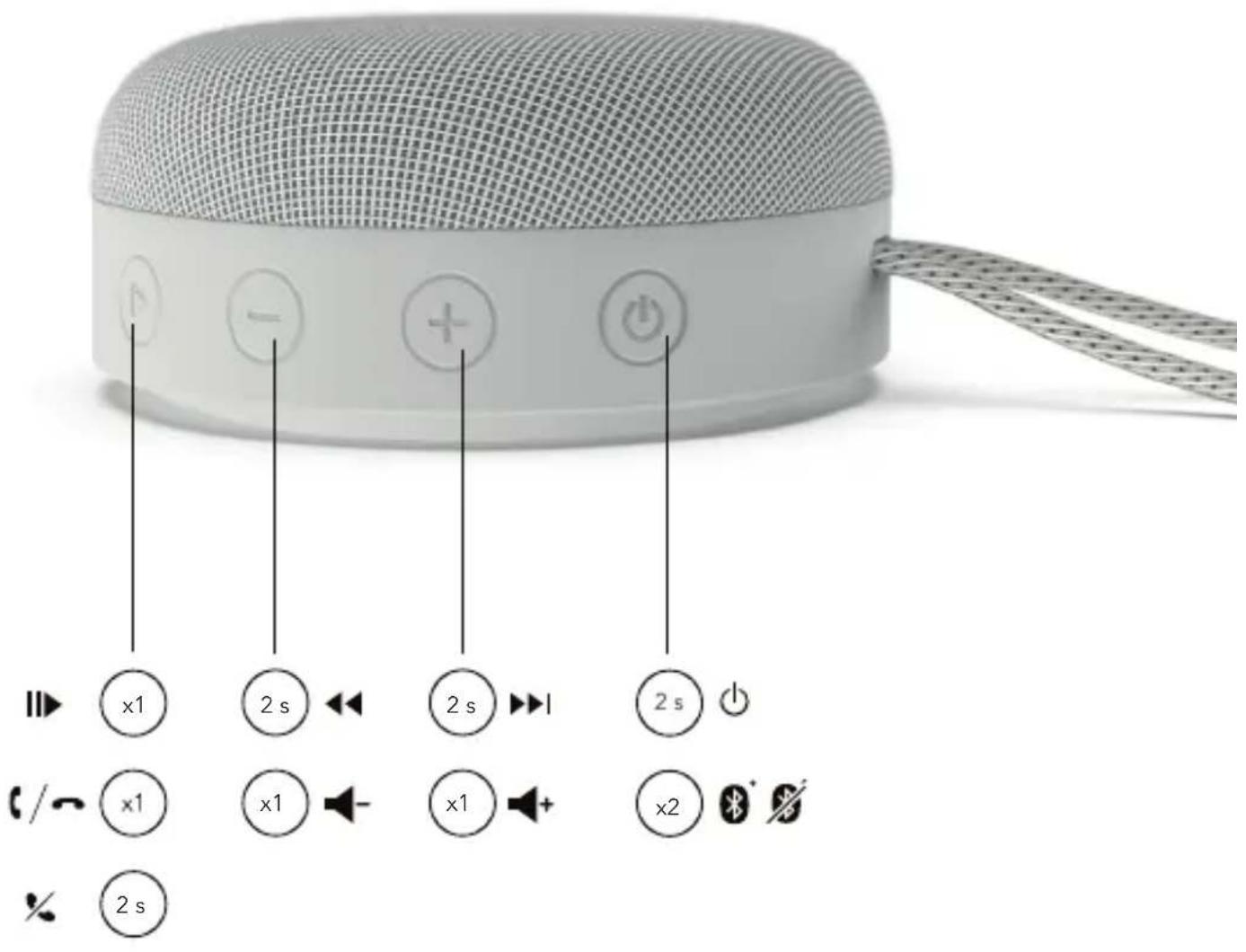
To power on, press and hold the on/off button for 2s, the LED will flash as it enters Bluetooth connection mode. To pair, go to Bluetooth® settings on your device and select "Jays s-Go Mini". The blinking LED will turn into a constant light upon a successful connection followed by a short audio beep. To power off, press and hold the on/off button for 2s, the LED will turn off.
Reconnecting
Next time you power on, the s-Go Mini will automatically try to reconnect to the most recently used device. If not found, or if you manually disconnect through your device, pairing mode will automatically be initiated again. To force pairing mode, press and hold the on/off button for 5s from off state.
True wireless function
This speaker is true wireless. This means you can connect other compatible speakers to create stereo sound. Before connecting to your device, press the Play/Pause button for 2 seconds to enter TWS connection. Once connected, long press to disconnect TWS connection.
Bluetooth connection status
Double press the on/off button to disconnect the current connection and double press to connect to the last disconnected device.
Battery status and charging
When paired with iOS devices, the battery status of the speaker is shown in the upper right corner on the iOS device. Charge by connecting the included USB cable to the USB jack and connect it to any certified USB power output. A full 100% charge will take around 2-2,5 hours (depending on temperature and charger). Charging is indicated by a solid red light on the charging LED, and a full charge is indicated by the LED switching off.
Troubleshooting
Problem pairing and connecting
- Make sure the speaker are not connected to another device.
Disable and enable Bluetooth on your device - Move the speaker closer to the device or alter their positions to avoid Bluetooth interference
- Verify no other wireless equipment interfere with your telephone Bluetooth signal
- Reset the speaker by pressing the power button for 8 seconds.
Problem with sound transmission
Move the streaming device to another position. Your body, distance, different materials and other wireless equipment can interfere with the wireless signal between your device and telephone.
FAQ and quickstart guide
Visit jaysheadphones.com for more instructions and help on this product.
Legal & Warranty
Environmental information
This product complies with international directives, including but not limited to WEEE Directive (2012/19/EU). Do not dispose with normal household waste. Please consult your local waste disposal authority for guidance on how to properly recycle or dispose of this product.
Manufacturer's limited warranty
Your original Northbaze Distribution AB product is covered by a warranty of twelve (12) months from the date of purchase of a brand new, unused Northbaze Distribution AB product by the original purchaser. Northbaze Distribution AB guarantees that the product is free from faults in the materials, design and workmanship when it was sold to the purchaser. If you are not able to submit the receipt when making a warranty claim you may be obliged to pay for any repairs carried out. Proof of purchase must clearly state the date of purchase, name of the product and authorized resellers' details.
The Warranty Period cannot be extended or renewed due to subsequent resale or replacement of the product. This Limited Warranty does not affect your legal rights under your applicable national laws relating to the sale of consumer electronic products. Defective parts replaced within the Limited Warranty Claim shall become the property of Northbaze Distribution AB.
What is not covered by the limited warranty?
- Faults caused by wear and tear, age-related battery capacity loss, accidents, dropping, mechanical damage, moisture, chemical products, abnormal impact damage or force majeure.
- Modifications or repairs performed by yourself or third party without Northbaze Distribution AB approval.
How to get warranty service
If you wish to make a Warranty Claim within the Limited Warranty Period, please contact the reseller of your product for further help. You will need to provide the proof of purchase and the affected part. Any defective parts covered by the Limited Warranty will be repaired or replaced free of charge. Replaced or repaired parts provided during the Warranty Period will be warranted for the remainder of the original Warranty Period or for sixty (60) days from the date of repair or replacement, whichever is longer. For FAQ please visit www.jaysheadphones.com.

Komma igang
YcTpaHHe HEnCnpaBHOCTeI
PpO6JIeMa c coPRAxKeHEm n POnKIIIOUeHEm HayuHNKOB
- Y6eIntecb, yTO KOJIOHka He NODKJIIOHeHa K DpyrOmy yCTpoiCTBy OTKIIIOHTe H CHOBA BKNIOHTe Bluteoth Ha cBOEM yCTpoiCTBe.
- PnDnBnHbTe KOnOHky 6nKke K yCTpoiCTBy nIN n3MeHnTe erO nIOxKeHne BO n36eXaHne nomex c Bluetooth-coEINHeHnEM.
- Y6eintecb,чTo dpyroe 6ecnpoBHOe obopyOBAHne He co3daet nomexdna Bawero Bluetooth-cirnana.
-Pepe3arpy3nTe KONOHy, HaxaB KHONky NITAHN ydepxNBaa ee B TeueHne 8 cekyHd.
PpO6IeMa c nepeDaey 3Byka
I3MeHInTe NonoXeHHe KONoHKn. BaSe Teno, pacCToHHe, pa3NHyHbIte MATEpHaIbI n IpyRo 6ecnpoBODHoe 6obpyDoBaHHe MOrY Co3JaBaTbN oMEXn IJIg 6ecnpoBDOHorO CnHaIa, yCtahOBNeHHoro MExdKONoHKOn N HayuHNKAMn.
Yacto 3aabaembIe Bonpocbl N KpaTKoe pyKOBOcCTBONb30BATEN
Дя получениnomоииболee noДрбовинфорmaцио pa6oTe yctpoCTBa nocetinte Be6-caIT jaysheadphones.com.
IOpndnueckne n rapaHTnHbIe o6ra3aTeJIbCTBa
3KoIorHueckKa HOpmaun
JaHHoe H3dJIeNE COOTBETCTByET Tpe6oBaHnM MeKdyHapOndbIX
DInPeKTHB, BKNIOUaH (HO He OpraHmNBaRcB eN), DInpeKTHBY EC o6
yTINH3aUNI 3JIeKTPnueCCKOR IO 3JIeKTPoHORO 06OpyDOBAHn
(2012/19/EU). He Bb6paBbAte YcTPOCTBO BMeCTe C 6bUHyBMn
6bITOBbIMN OTXoAMM. IINI NOUYEHN INHOPMaUNI O npABINbHOJ
nepePabOTKe IINI yTINH3aUNI DaHHORO yCTPOINCTBa
IPOKCHCyIbTIPyITcB Co CNeuAnNCtOM MecTHOH OprAHn3aUNI NO
yTINH3aUNI OTXoDOB
OrpaHueHHra rapAHTn npOn3BODnteT
Ha opnHnAbhI npOyIK KomnAHn Northbaze Distribution AB npedocTbIeTc rapaHTN CpOKOM DBeHaDcaTb (12) MeCaeB c DaTb IOKyIKN abCONIOHO HOBO, HcNOnb3oBaHORO nDeHN KOMnAHN Northbaze Distribution AB.
Northbaze Distribution AB rapaHTnpyET nonHyio pa60tocno6hocTB, a taKke OTCYCTBNE deEeKTOB MaTePnaIOB KOHCTpyKUN N3dEINB B MOMENT eO npOdaKn POKyTAteNo. PInp OTCYCTBNI KBNTAHmN 6 ONnATE B MOMENT NOaun ppeTHeNn NO rapaHTn NOKyNaTeNb BbHyJKeH cAmocToTeJIbHO ONnATn TpON3BeDeHHb peMOHT. NoTBePckDHeHem NOKyIKN RABNeTcRdoKyMeHT, B KOTOpM YeTKo yKa3aHa DaTaNOKyKN, H3BaHne N3dEINN n peKBn3ntbl yNONHOOMOeHHbIX dIeNepOB.
Cpok DeiCTBnI rapaHTn He MoKet 6bIt npOJIeH IIN BO306HOBnEH B C8a3n C nocNeyUoJ nepePdoJaee Hn 3aMeHOH N3dEIny.
HaCToaue OrpaHNeHHra rapaHTn He 3aTparNBaET 3aKOHbIX npab
IOkynatEn B COOTBeTcTBn C pImHeIMbIM HaOnHOJIbHbIM
3aKoHOaTeBCTBOM, KacaIoUIMcR npOaIK NTpe6bTeBcKHX
3JeKtPOHNbIX TObApOB.HeCNpABHbIe Detan, 3aMeHeHHbIe B paMKax
OrpaHueHHo rapaHTm, CTaHOBITc Co6CTBEHHOCTbIO KOMNaHIN
Northbaze Distribution AB.
ПОЛOMКИ ИЕССРАВНOCТИ,HA KOTOPБЕ He paCпрocТpaHЯETcR orpaHnueHHa rapaHTn?
HeicnpabHocnBpe3yIbTaTeN3Hoca,ymeHbSeHHeEMKoCTn
aKKMyJrTopaC TeueHMe BpEmHn,HecactHbIe CnyuAn,NaDeHne,
MexaHmEckNe NOBpeXdHn,NONaHaHne BLaTn,NOBpeXdHnB
pe3yIbTaTe yapa NnBO3dEChTBn XmMuecknx BeueCTB,a TaKke
phiC-MaxOpHbIe 06CTOReTbCTBa.
936010000000000000000000000000000000000000
1
P
www.7ww.7ww.7ww.7ww.7ww.7ww.7ww.7ww.7ww.7ww.7ww.7ww.7ww.7ww.7ww.7ww.7ww.7ww.7ww.7ww.7ww.7ww.7ww.7ww.7ww.7ww.7ww.7ww.7ww.7ww.7ww.7ww.7ww.7ww
2017年/9月16日
Pn 1000000000000000000000000000000000000000000
1
H
0590717N71H
103977
y
Pn
y
XeNnBn Dnneae A 897010000000000000000000000000000000000000000000
H
n 10000000000000000000000000000000000000000000000000
mnnnnae
P
nannnnn nnnnne nnnn nnnn nnnn nnnn nnnn nnnn nnnn nnnn nnnn nnnn nnnn nnnn nnnn nnnn nnnn nnnn nnnn nnnn nnnn nnnn nnnn nnnn nnnn nnnn nnnn nnnn nnnn nnnn nnnn nnnn nnnn nnnn nnnn nnnn nnnee
mnnnne nnnnne
p0136 124
1
Nn
yannnnnneanr
nannnnn nnnn nn nnnn nnnn nnnn nnnn nnnn nnnn nnnn nnnn nnnn nnnn nnnn nnnn nnnn nnnn nnnn nnnn nnnn nnnn nnnn nnnn nnnn nnnn nnnn nnnn nnnn nnnn nnnn nnnn nnnn nnnn nnnn nnnn nnnn nnnn nnne

Northbaze Distribution AB
Nellickevagen 22, Gothenburg,412 63 Sweden
www.jaysheadphones.com

jaysheadphones facebook.com/jays
Version 1.0 | Please visit www.jaysheadphones.com for latest manual version.