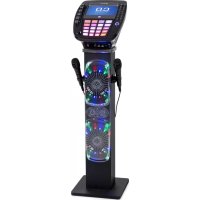
KaraBig Kids - Karaoke system Auna - Free user manual and instructions
Find the device manual for free KaraBig Kids Auna in PDF.


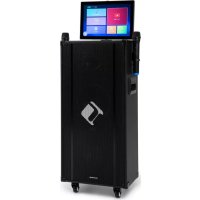
| Brand | Auna |
| Model | KaraBig Kids |
| Category | Karaoke system |
| Power supply | Mains adapter 230 V, 50 Hz |
| Audio output | 40 W RMS |
| CD player | CD / CD+G |
| Frequency range | 100 Hz - 20 kHz |
| Signal-to-noise ratio | 50 dB |
| Microphone | Dynamic, -73 dB, 600 ohms, 6.3 mm jack |
| Bluetooth | Yes, frequency 2402-2480 MHz, max power 10 dBm |
| Karaoke functions | Tone control (Key +/-), echo effect, vocal balance, automatic vocal control (AVC) |
| Recording | To USB flash drive (USB1 port) |
| Light effects | Yes, LIGHT ON/OFF switch |
| Display | TFT, with SCREEN ON/OFF switch |
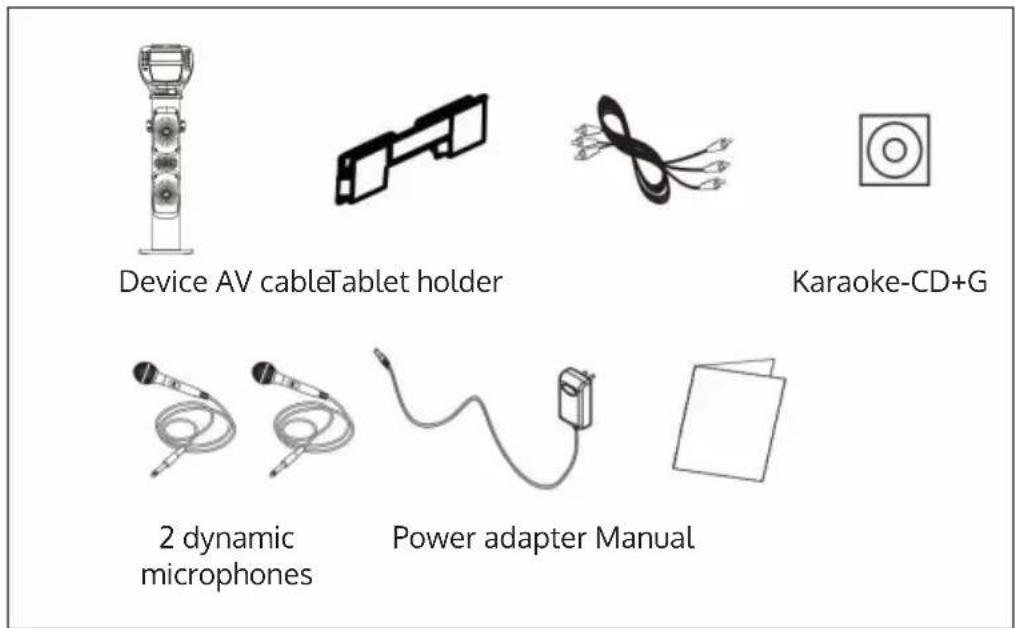
| Package contents | Unit, 2 dynamic microphones, tablet stand, AV cable, CD+G karaoke, mains adapter, instruction manual |
| Safety | Do not expose to heat, do not open, use only original replacement parts |
| Maintenance | Clean with a dry, soft cloth, avoid any liquid |
| Recycling | Do not dispose of with household waste, take to a collection point for electrical equipment |
Frequently Asked Questions - KaraBig Kids Auna
User questions about KaraBig Kids Auna
0 question about this device. Answer the ones you know or ask your own.
Ask a new question about this device
Download the instructions for your Karaoke system in PDF format for free! Find your manual KaraBig Kids - Auna and take your electronic device back in hand. On this page are published all the documents necessary for the use of your device. KaraBig Kids by Auna.
USER MANUAL KaraBig Kids Auna
INHALTSVERZEICHNIS
natural_image
Line drawing of a medical device with attached electrical outlet and cable (no text or symbols)Videoanschluss
natural_image
Line drawing of a computer setup with monitor, audio input panel, and connected ports (no text or symbols)Audioanschluss
Member of Berlin Brands Group
Handwerkerstr. 11
15366 Dahlwitz-Hoppegarten
Deutschland
natural_image
Symbol of a trash bin crossed with a diagonal line, representing no waste or discharge (no text or labels)Berlin Brands Group UK Ltd
PO Box 1145
Oxford, OX1 9UW
United Kingdom
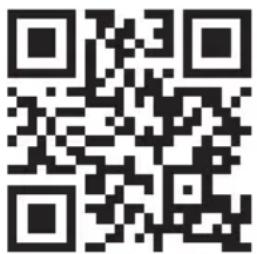
Congratulations on purchasing this device. Please read the following instructions carefully and follow them to prevent possible damages. We assume no liability for damage caused by disregard of the instructions and improper use. Scan the QR code to get access to the latest user manual and more product information.
CONTENT
Safety Instructions 18
Technical Data 19
Scope of Delivery 19
Overview and key functions 20
Display indicators 22
Commissioning and Connections 23
General Operation 25
CD/USB 25
Karaoke Functions 26
Recording 26
BT Functions 26
Troubleshooting 27
Disposal Considerations 28
Declaration of Conformity 28
SAFETY INSTRUCTIONS
General information
- Lightning - If you are not going to use the device for a long time or if there is a storm, disconnect the plug from the electrical outlet and disconnect the device from the antenna connector. This will avoid damage to the product that may be caused by lightning or overvoltage.
- Overload - Do not overload power outlets, extension cords, or built-in power outlets, as this may result in a fire or electric shock.
- Foreign objects and liquid - Never push objects of any kind through openings in the device as they may touch dangerous voltage points or short out parts, which could result in a fire or electric shock. Never spill liquids of any kind on the device.
- Repairs and maintenance - Do not attempt to service this product yourself, as opening or removing covers will expose you to dangerous voltages or other hazards. Leave all maintenance to qualified service personnel.
- Damage requiring service - Disconnect the power plug from the outlet and consult a qualified specialist if any of the following conditions occur:
a) If the power cord or plug is damaged.
b) If liquid has been spilled or objects have fallen onto the product.
c) If the product has been exposed to rain or water.
d) If the product has been dropped or damaged.
e) If the product has a markedly reduced performance.
- Replacement parts - When replacement parts are required, make sure that the service professional who replaces the parts only uses replacement parts that have been approved by the manufacturer or that have the same characteristics as the original part. Unauthorized replacement may result in fire, electric shock or other hazards.
- Heat - Do not place the unit near heat sources such as radiators, heaters, stoves or other products (including amplifiers).
Note: This device may be only used by children 8 years old or older and persons with limited physical, sensory and mental capabilities and / or lack of experience and knowledge, provided that they have been instructed in use of the device by a responsible person who understands the associated risks.
TECHNICAL DATA
| Item number 10030796 | |
| Power supply Power adaptor (230 V @50 Hz) | |
| Audio output 40 W RMS | |
| CD player CD/CD+G | |
| Frequency response 100 Hz - 20 kHz, SNR 50 dB | |
| Microphones Dynamic, -73 dB 600 ohms, jack: ∅6.3 mm | |
| BT frequency 2402-2480 MHz | |
| BT radio-frequency power (max.) 10 dBm | |
SCOPE OF DELIVERY
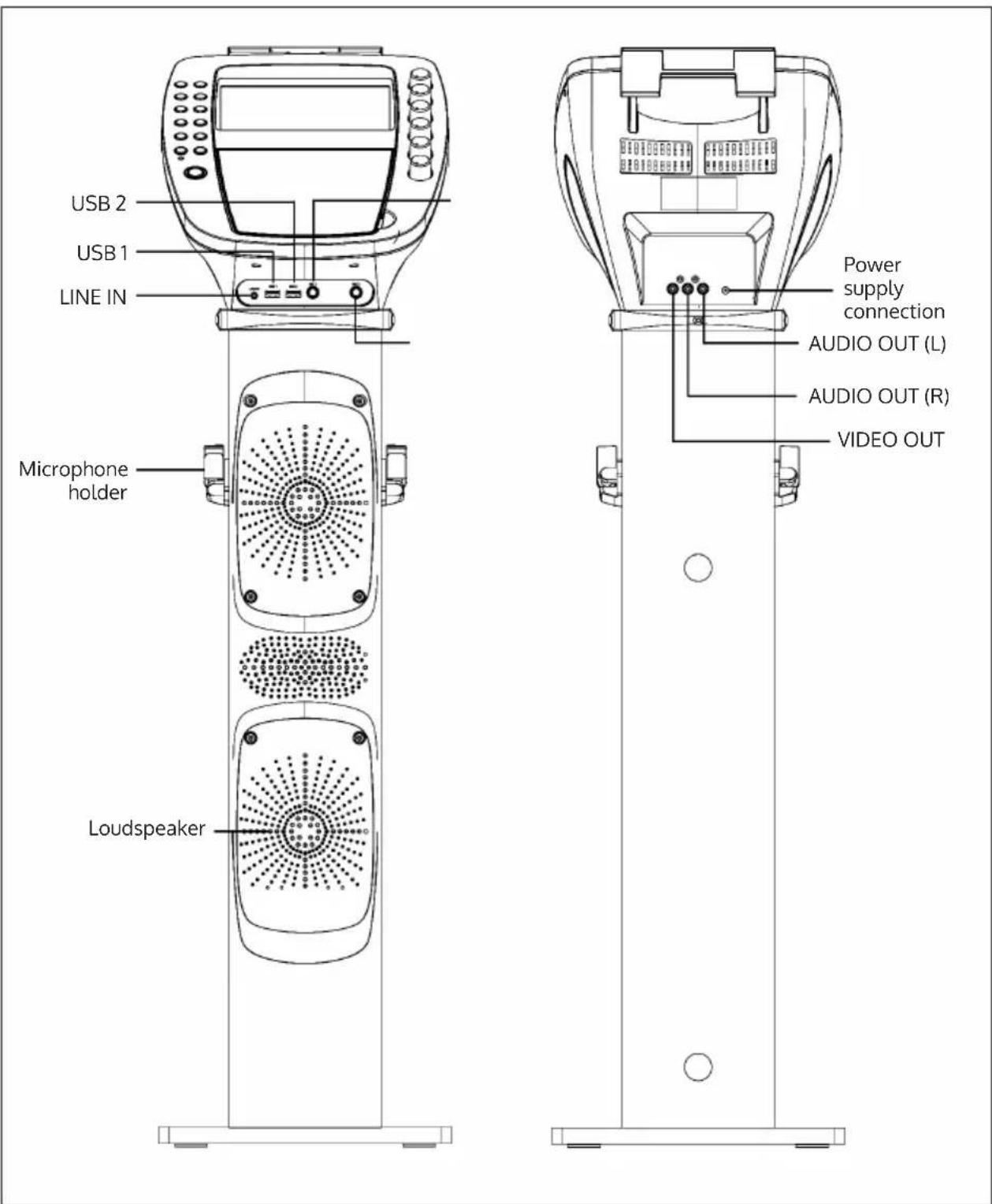
OVERVIEW AND KEY FUNCTIONS
DISPLAY INDICATORS
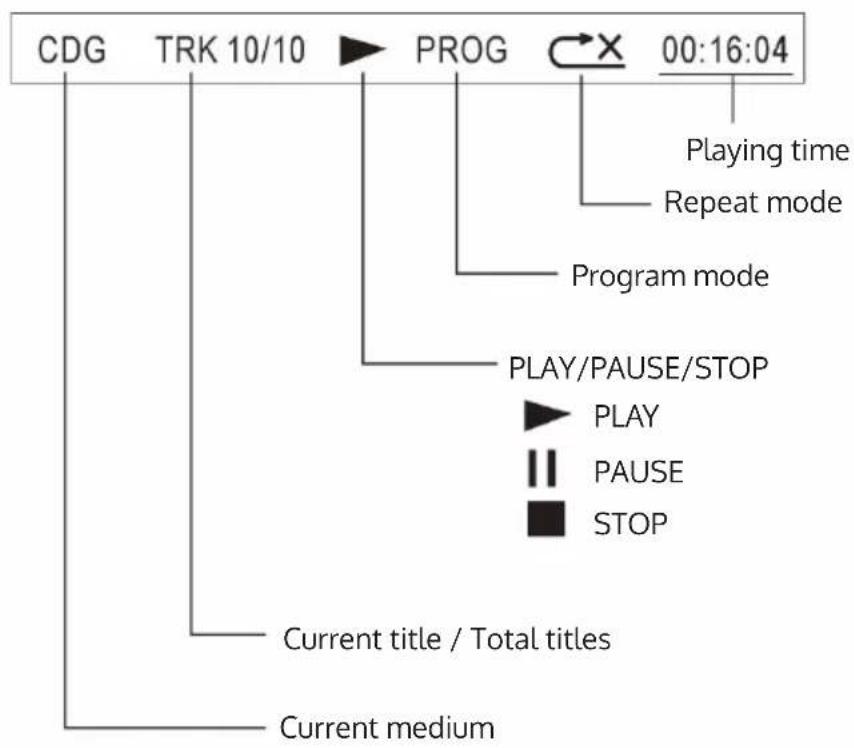
flowchart
graph TD
    A["CDG"] --> B["TRK 10/10"]
    B --> C["PROG"]
    C --> D["00:16:04"]
    D --> E["Playing time"]
    D --> F["Repeat mode"]
    C --> G["Program mode"]
    G --> H["PLAY/PAUSE/STOP"]
    H --> I["PLAY"]
    H --> J["PAUSE"]
    H --> K["STOP"]
    L["Current title / Total titles"] --> M["Current medium"]
COMMISSIONING AND CONNECTIONS
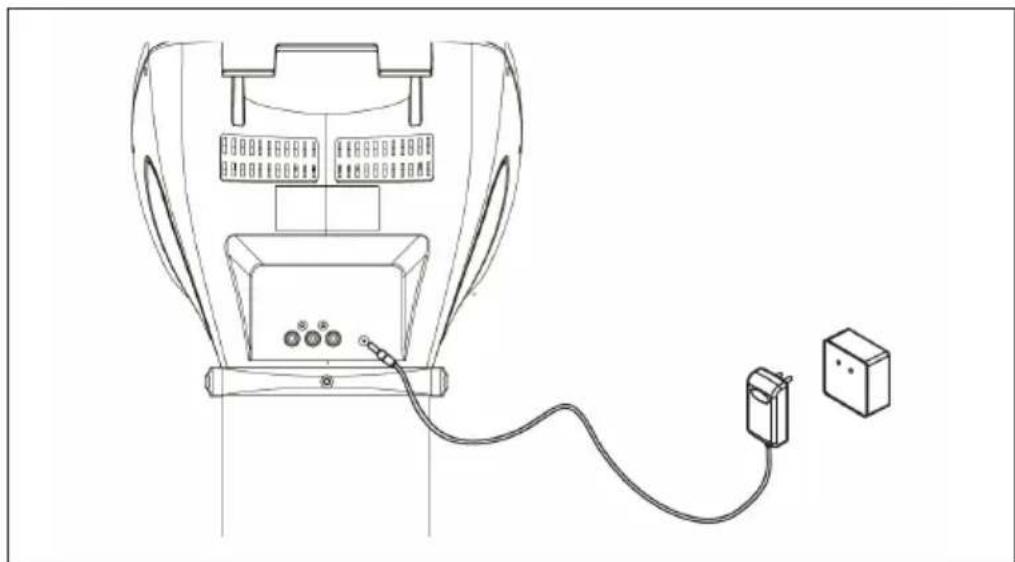
Power connection
Connect the device to a household power outlet using the supplied power supply.
natural_image
Line drawing of a medical device with attached electrical outlet and cable (no text or symbols)Video connection
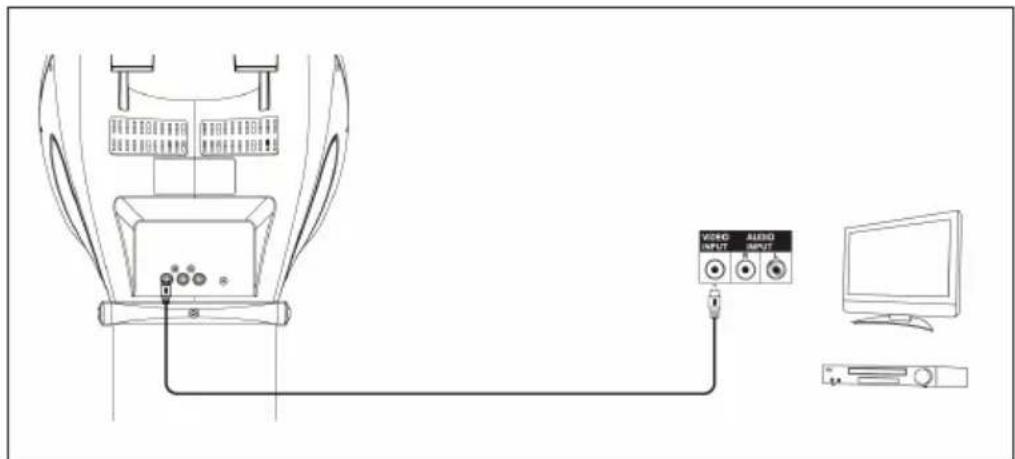
Use the supplied video cable (yellow) to connect the video output (Video Out) of the karaoke system to the video input (Video In) of your TV/beamer/ etc. In most cases, you will need to select the input source on the TV/ beamer accordingly. While some devices have corresponding menus, others may have input channels that are behind or ahead of the regular receive channels or on „0“. Please consult the operating instructions/help files of your TV sets in this regard.
Audio connection
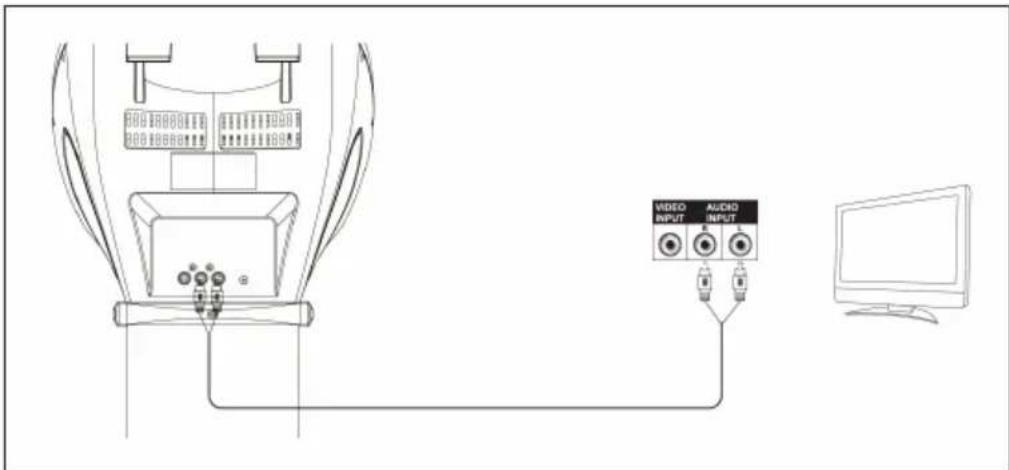
LINE OUT: Use the included RCA cable (red-white) to connect the audio output (Audio Out) of your karaoke system to the audio input of your stereo system, TV or similar.
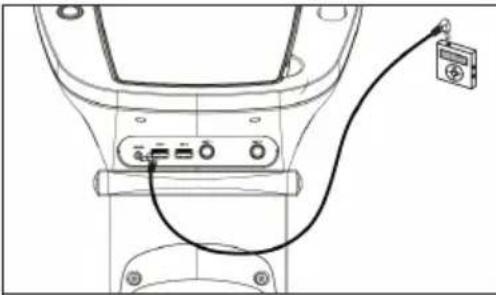 | 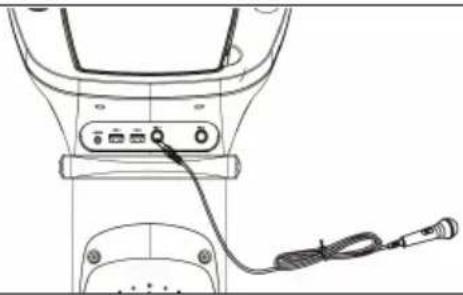 |
| LINE IN: Connect external sound sources to the line-in of the karaoke system. Make sure that the external media device being used is playing sound. Then adjust the output volume (Master Volume) on the karaoke system. | MICROPHONE: Connect the microphones to the MIC 1 and MIC 2 connectors on the front panel. Turn on the microphones with the switches on these themselves. The microphone signals are mixed with the music playback from CD/CD+G. To prevent feedback loops, do not point the microphone capsules toward the speakers and do not cover the capsules with your hands. |
GENERAL OPERATION
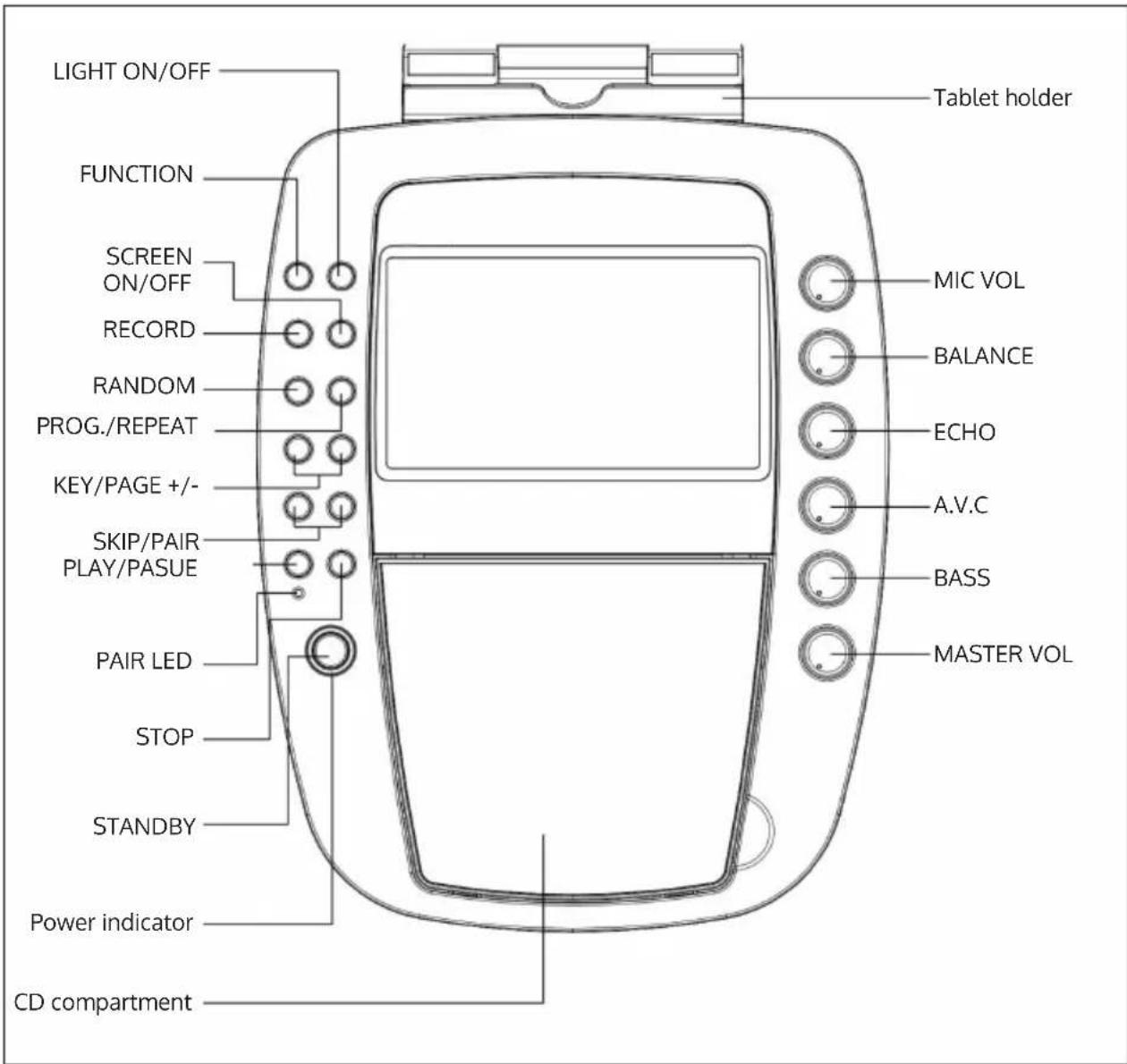
- POWER: Switch the KaraBig on and off with POWER.
- MASTER VOLUME: Adjust the volume level here.
- SELECTING THE AUDIO SOURCE: Press FUNCTION to select CDG, USB or BT.
- LIGHT EFFECT: Turn the built-in light effect on or off here.
CD/USB
Open the CD compartment and insert a CD (printed side down). Then close the CD compartment again. Or: Connect a USB data carrier with MP3 files to the USB port.
After a short moment during which the device reads the inserted medium, a corresponding note appears on the display. Use the PLAY/PAUSE, NEXT/PREVIOUS and PAGE+/- keys (the latter in stop mode) to control playback.
Repeat function
Press PROGRAM/REPEAT several times during playback to select the playback modes REPEAT 1 (repeat current track) - REP FOLDER (for MP3 CDs/USB: repeat current folder) - REP ALL (repeat all) - or NO REP (repeat function off).
Program playlists
Stop playback. In stop mode, you can program playlists with up to 20 entries:
- Press PROGRAM/REPEAT. „PROG SET 01:00“ appears on the display.
- Use the FORWARD/ BACK buttons to select the desired track. Then press PROGRAM to add the selected track to your playlist.
- Repeat this process up to 20 times.
- Press PLAY/PAUSE to play.
- Press STOP twice to stop playing and clear the playlist.
KARAOKE FUNCTIONS
- PAGE+ / PAGE: Skip 10 tracks or scroll when displaying text.
- KEY+ / KEY-: Adjust the karaoke track on CD+Gs to match your vocal pitch (maximum 6 semitones +/-).
- ECHO: Adjust the built-in reverb effect here.
- BALANCE: Adjust the volume balance of the disc's voice track and the music track here (for karaoke discs (CD + G) ).
- AUTO VOICE CONTROL: Set the threshold at which the (recorded) vocal track fades out and your vocal performance replaces it.
- MIC VOLUME: Use the MIC VOL knob to adjust the percentage of the overall volume that the microphone volume contributes.
- SCREEN ON/OFF: Switch the TFT screen on/off.
RECORDING
You can record your performance to a USB flash drive connected to USB 1:
- Connect a (blank) USB stick to USB 1.
- Press FUNCTION several times to select the recording or karaoke source. You can sing to tracks from USB 2 / BT / LINE IN or of course CD and record the result as MP3 file.
- Use PLAY/PAUSE, NEXT/PREVIOUS and PAGE+/- buttons (the latter in stop mode) to control playback.
- Press RECORD to start recording. Press RECORD again to stop recording.
BT FUNCTIONS
- Press FUNCTION to switch to BT mode. If the karaoke system is not automatically in pairing mode, press and hold PAIR until the blue LED flashes rapidly.
- Activate BT on your smartphone/tablet and connect with KARABIG in the list of found devices in range.
- You can now stream the sound content of your mobile media library through the karaoke system.
TROUBLESHOOTING
| Problem Possible cause | Solution approach | |
| The device does not turn on. | Check the seat of the power supply and the function of the socket (fuses?). | |
| TV does not output sound from the karaoke system. | TV VOL is at minimum? | |
| TV switched off? | ||
| Cinch cable loose? | ||
| TV: audio input not selected? | ||
| CD player does not work correctly. | Disc inserted upside down? | |
| Disc dirty or damaged? | ||
| Disc not compatible? Only audio CDs, CD+G and MP3 CDs can be read. | ||
| Moisture in the CD tray? Allow any condensation that may have appeared to dry for 20-30 minutes. | ||
| Switch off the device and switch it on again after a while. | ||
| The TV does not output sound. | Check if the correct audio input has been set on your TV and the RCA cables have been connected to the correct connectors. | |
| RCA cable loose? | ||
| Song lyrics do not appear on the TV screen. | Check the connection and fit of the video cable. | |
| Check if the correct video input has been selected on your TV. | ||
| No microphone signal. | MIC VOL turned to minimum? | |
| Microphone switched off? | ||
| No video display on the screen. | TFT switched off? | |
| No karaoke CD (CD+G) inserted? | ||
| No sound in BT mode | Was the pairing process successful? | |
| BT device muted? | ||
DISPOSAL CONSIDERATIONS
natural_image
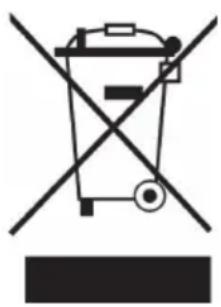
Symbol of a trash bin crossed with a diagonal line, representing no waste or discharge (no text or labels)If there is a legal regulation for the disposal of electrical and electronic devices in your country, this symbol on the product or on the packaging indicates that this product must not be disposed of with household waste. Instead, it must be taken to a collection point for the recycling of electrical and electronic equipment. By disposing of it in accordance with the rules, you are protecting the environment and the health of your fellow human beings from negative consequences. For information about the recycling and disposal of this product, please contact your local authority or your household waste disposal service.
DECLARATION OF CONFORMITY
CE UK CA
Manufacturer:
Chal-Tec GmbH, Wallstrasse 16, 10179 Berlin, Germany.
Importer for Great Britain:
Berlin Brands Group UK Ltd
PO Box 1145
Oxford, OX1 9UW
United Kingdom
Hereby, Chal-Tec GmbH declares that the radio equipment type KaraBig is in compliance with Directive 2014/53/EU. The full text of the EU declaration of conformity is available at the following internet address: use.berlin/10030796
For Great Britain: Hereby, Chal-Tec GmbH declares that the radio equipment type KaraBig is in compliance with the relevant statutory requirements. The full text of the declaration of conformity is available at the following internet address: use.berlin/10030796
Estimado cliente:
ÍNDICE
natural_image
Line drawing of a medical device with attached electrical outlet and cable (no text or symbols)Conexión de vídeo
natural_image
Line drawing of a computer setup with monitor, audio input panel, and connected ports (no text or symbols)Conexión de audio
natural_image
Symbol of a trash bin crossed out by a diagonal line, with no text or labels present.Berlin Brands Group UK Ltd
PO Box 1145
Oxford, OX1 9UW
United Kingdom
Cher client, chère cliente,
SOMMAIRE
natural_image
Line drawing of a medical device with attached electrical outlet and cable (no text or symbols)Connexion vidéo
Connexion audio
natural_image
Symbol of a trash bin crossed out by a diagonal line, with no text or labels present.DÉCLARATION DE CONFORMITÉ

Fabricant :
Chal-Tec GmbH, Wallstraße 16, 10179 Berlin, Allemagne.
Berlin Brands Group UK Ltd
PO Box 1145
Oxford, OX1 9UW
United Kingdom
INDICE
natural_image
Line drawing of a medical device with attached electrical outlet and cable (no text or symbols)Connessione video
Connessione audio
natural_image
Symbol of a trash bin crossed out by a diagonal line, with no text or labels present.Berlin Brands Group UK Ltd
PO Box 1145
Oxford, OX1 9UW
United Kingdom
natural_image
Abstract white logo design on dark background, resembling stylized letter 'S' or wave form (no text or symbols)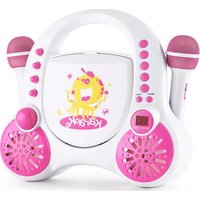
- INHALTSVERZEICHNIS
- Videoanschluss
- Audioanschluss
- Member of Berlin Brands Group
- Handwerkerstr. 11
- Dahlwitz-Hoppegarten
- Deutschland
- CONTENT
- SAFETY INSTRUCTIONS
- General information
- TECHNICAL DATA
- SCOPE OF DELIVERY
- OVERVIEW AND KEY FUNCTIONS
- DISPLAY INDICATORS
- COMMISSIONING AND CONNECTIONS
- Power connection
- Video connection
- Audio connection
- GENERAL OPERATION
- CD/USB
- Repeat function
- Program playlists
- KARAOKE FUNCTIONS
- RECORDING
- BT FUNCTIONS
- TROUBLESHOOTING
- DISPOSAL CONSIDERATIONS
- DECLARATION OF CONFORMITY
- CE UK CA
- Manufacturer:
- Importer for Great Britain:
- Estimado cliente:
- ÍNDICE
- Conexión de vídeo
- Conexión de audio
- Cher client, chère cliente,
- SOMMAIRE
- Connexion vidéo
- Connexion audio
- DÉCLARATION DE CONFORMITÉ
- Fabricant :
- INDICE
- Connessione video
- Connessione audio
Brand : Auna
Model : KaraBig Kids
Category : Karaoke system