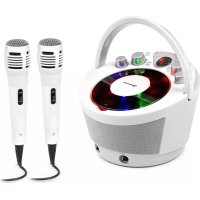
SingSing BT - Karaoke system Auna - Free user manual and instructions
Find the device manual for free SingSing BT Auna in PDF.


| Product type | Karaoke system |
| Brand | Auna |
| Model | SingSing BT |
| Item numbers | 10035790, 10035791 |
| Mains power | 220-240 V ~ 50/60 Hz |
| Battery power | 6 C-type batteries (not included) |
| CD player | CD, CD-R/RW, CD+G (karaoke) |
| Bluetooth connection | Yes, with pairing and remote control |
| Display | Red 2-digit LED |
| Microphone inputs | 2 (MIC 1 and MIC 2) |
| Video output | Composite RCA |
| Audio output | Stereo RCA |
| Built-in speakers | Yes |
| Light effects | LED, with on/off switch |
| Automatic voice control (AVC) | Yes, adjustable by knob |
| Echo adjustment | Yes, by knob |
| Repeat | 1 track or all |
| CD programming | Up to 20 tracks |
| Cleaning | Soft, slightly damp cloth, do not immerse |
| Safety | Class 1 laser radiation, do not open, avoid water |
| Recycling | Do not dispose of with household waste, take to collection point |
| Package contents | Microphone, RCA audio/video cable, power cable |
Frequently Asked Questions - SingSing BT Auna
User questions about SingSing BT Auna
0 question about this device. Answer the ones you know or ask your own.
Ask a new question about this device
Download the instructions for your Karaoke system in PDF format for free! Find your manual SingSing BT - Auna and take your electronic device back in hand. On this page are published all the documents necessary for the use of your device. SingSing BT by Auna.
USER MANUAL SingSing BT Auna
SingSing BT Spokeanlage the System karakok sake
10035790 10035791 Karaokeanlage Karaoke System Equipo de karaoke Chaîne Karaoke Impianto per karaoke
au
www.auna-multimedia.com

bar
| Category | Value | |---|---| | Category 1 | 100 | | Category 2 | 100 | | Category 3 | 100 | | Category 4 | 100 | | Category 5 | 100 | | Category 6 | 100 | | Category 7 | 100 | | Category 8 | 100 | | Category 9 | 100 | | Category 10 | 100 | | Category 11 | 100 | | Category 12 | 100 | | Category 13 | 100 | | Category 14 | 100 | | Category 15 | 100 | | Category 16 | 100 | | Category 17 | 100 | | Category 18 | 100 | | Category 19 | 100 | | Category 20 | 100 | | Category 21 | 100 | | Category 22 | 100 | | Category 23 | 100 | | Category 24 | 100 | | Category 25 | 100 | | Category 26 | 100 | | Category 27 | 100 | | Category 28 | 100 | | Category 29 | 100 | | Category 30 | 100 | | Category 31 | 100 | | Category 32 | 100 | | Category 33 | 100 | | Category 34 | 100 | | Category 35 | 100 | | Category 36 | 100 | | Category 37 | 100 | | Category 38 | 100 | | Category 39 | 100 | | Category 40 | 100 | | Category 41 | 100 | | Category 42 | 100 | | Category 43 | 100 | | Category 44 | 100 | | Category 45 | 100 | | Category 46 | 100 | | Category 47 | 100 | | Category 48 | 100 | | Category 49 | 100 | | Category 50 | 100 | | Category 51 | 100 | | Category 52 | 100 | | Category 53 | 100 | | Category 54 | 100 | | Category 55 | 100 | | Category 56 | 100 | | Category 57 | 100 | | Category 58 | 100 | | Category 59 | 100 | | Category 60 | 100 | | Category 61 | 100 | | Category 62 | 100 | | Category 63 | 100 | | Category 64 | 100 | | Category 65 | 100 | | Category 66 | 100 | | Category 67 | 100 | | Category 68 | 100 | | Category 69 | 100 | | Category 70 | 100 | | Category 71 | 100 | | Category 72 | 100 | | Category 73 | 100 | | Category 74 | 100 | | Category 75 | 100 | | Category 76 | 100 | | Category 77 | 100 | | Category 78 | 100 | | Category 79 | 100 | | Category 80 | 100 | | Category 81 | 100 | | Category 82 | 100 | | Category 83 | 100 | | Category 84 | 100 | | Category 85 | 100 | | Category 86 | 100 | | Category 87 | 100 | | Category 88 | 100 | | Category 89 | 100 | | Category 90 | 100 | | Category 91 | 100 | | Category 92 | 100 | | Category 93 | 100 | | Category 94 | 100 | | Category 95 | 100 | | Category 96 | 100 | | Category 97 | 100 | | Category 98 | 100 | | Category 99 | 100 | | Total (Total) |INHALTSVERZEICHNIS
1 Display
2 Play/Pause/BT
VORSICHT
Member of Berlin Brands Group
Handwerkerstr. 11
15366 Dahlwitz-Hoppegarten
Deutschland
natural_image
Symbol of a trash bin crossed with a diagonal line, representing no waste or discharge (no text or labels)Congratulations on purchasing this device. Please read the following instructions carefully and follow them to prevent possible damages. We assume no liability for damage caused by disregard of the instructions and improper use. Scan the QR code to get access to the latest user manual and more product information.
CONTENTS
Technical Data 15
Safety Instructions 16
Device Overview 18
Commissioning and Connections 20
CD & CD+G 22
BT 22
Automatic Voice Control (AVC) 23
Cleaning and Care 23
Disposal Considerations 24
Declaration of Conformity 24
TECHNICAL DATA
| Item number 10035790, 10035791 | |
| Power supply 220-240 V ~ 50/60 Hz | |
| Battery operation 6 batteries, size C (not included) | |
Features
• BT
• Top-load CD player: CD, CD-R/RW
- Karaoke: CD+G
• 2-digit red LED display
• Automatic voice control
- Echo control
• Microphone volume control
- Repeat 1 or ALL play
- LED light effects
- Composite video output
• 2 microphone inputs
• RCA stereo audio outputs
- Analog volume control
- Built-in speaker
- Carry handle
Scope of delivery
- Microphone
• RCA audio cable/video cable - AC power cable
SAFETY INSTRUCTIONS
Note: This device may be only used by children 8 years old or older and persons with limited physical, sensory and mental capabilities and / or lack of experience and knowledge, provided that they have been instructed in use of the device by a responsible person who understands the associated risks.
- Lightning - If you are not going to use the device for a long time or if there is a storm, disconnect the plug from the electrical outlet and disconnect the device from the antenna connector. This will avoid damage to the product that may be caused by lightning or overvoltage.
• Overload - Do not overload power outlets, extension cords, or built-in power outlets, as this may result in a fire or electric shock. - Foreign objects and liquid - Never push objects of any kind through openings in the device as they may touch dangerous voltage points or short out parts, which could result in a fire or electric shock. Never spill liquids of any kind on the device.
- Repairs and maintenance - Do not attempt to service this product yourself, as opening or removing covers will expose you to dangerous voltages or other hazards. Leave all maintenance to qualified service personnel.
- Damage requiring service - Disconnect the power plug from the outlet and consult a qualified specialist if any of the following conditions occur:
a) If the power cord or plug is damaged.
b) If liquid has been spilled or objects have fallen onto the product.
c) If the product has been exposed to rain or water.
d) If the product has been dropped or damaged.
e) If the product has a markedly reduced performance.
- Replacement parts - When replacement parts are required, make sure that the service professional who replaces the parts only uses replacement parts that have been approved by the manufacturer or that have the same characteristics as the original part. Unauthorized replacement may result in fire, electric shock or other hazards.
- Heat - Do not place the unit near heat sources such as radiators, heaters, stoves or other products (including amplifiers).
- Ventilation - The appliance should be situated so that its location or position does not interfere with its proper ventilation. Do not place on bed, sofa, rug or similar surface that may block the ventilation openings, in a built-in installation, such as a bookcase or cabinet that may impede the flow of air through the ventilation openings.
- Power supply - The appliance may only be connected to a power supply as described in the instructions or as marked on the appliance.
- Power cord - Power supply cords should be routed so that they are not likely to be walked on or pinched by items placed upon or against them.
- Electrostatic discharge - If the display does not operate correctly or does not respond to the operation of the controls due to electrostatic discharge, switch the appliance off and unplug the power cord. Reconnect the appliance after a few seconds.
- Batteries - Do not expose batteries to excessive heat such as direct sunlight, fire or the like. Do not swallow batteries, risk of burns!

WARNING
Risk of injury! Invisible laser radiation when the appliance is open or the locks are unlocked. Do not expose yourself to laser radiation.
DEVICE OVERVIEW
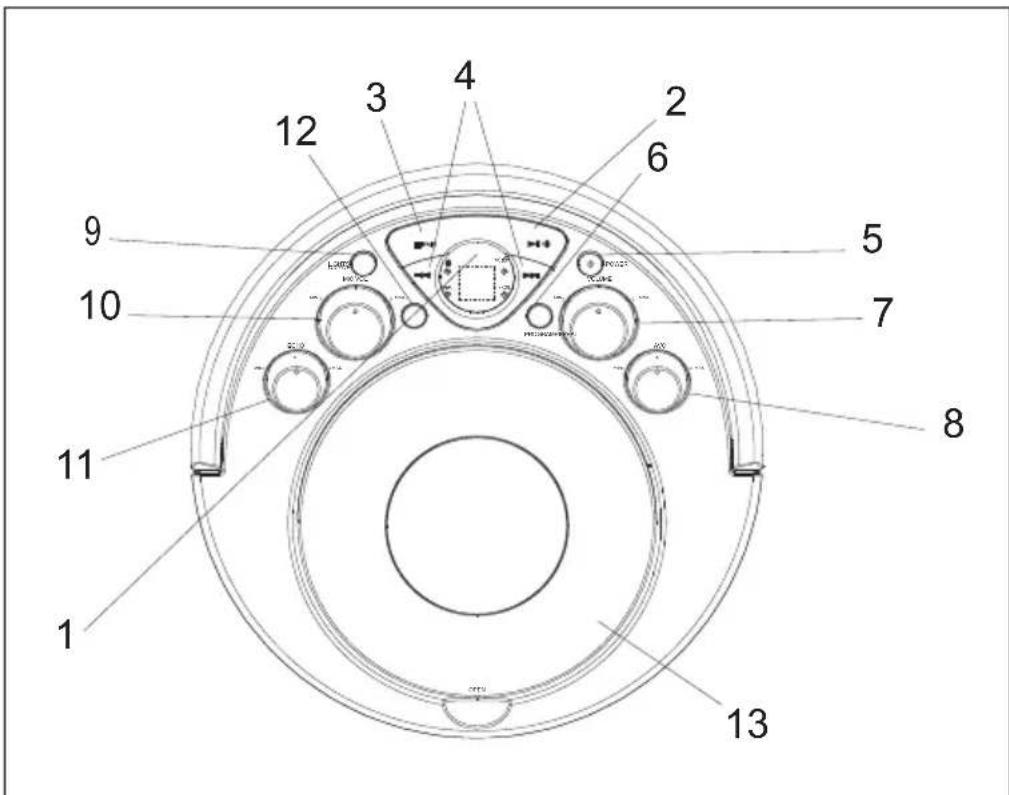
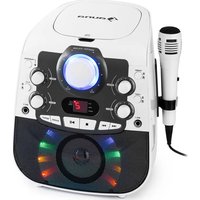
1 Display
2 Play/Pause/BT
- Press and hold this button for a few seconds to switch between CD+G and BT.
- Press this button to play or pause a loaded CD.
3 Stop/Pair
- Press this button to stop a CD during playback.
- Press and hold this button for a few seconds to find and fair the BT source.
4 Skip/Suche
- Press the button to skip between tracks on a loaded CD.
- Press and hold the button to fast forward or fast rewind the current track on a loaded CD.
NOTE: Fast forward and rewind does not work with CD+G.
5 POWER
- Press this button to switch the appliance on or off.
6 Programm
- Press this button to program a loaded CD to play tracks in a specific order.
7 Master Volume
- Turn the knob to adjust the master volume.
8 Automatic Voice Control (AVC)
- Turn the knob to adjust the automatic voice control.
9 Lights On/Off
- Press the button to turn the lights on or off.
10 Microphone Volume
- Turn the knob to adjust the volume of the microphones.
11 Echo
- Turn the knob to adjust the echo.
12 Repeat
- Press repeatedly to set the current track or the entire album to repeat.
13 CD door
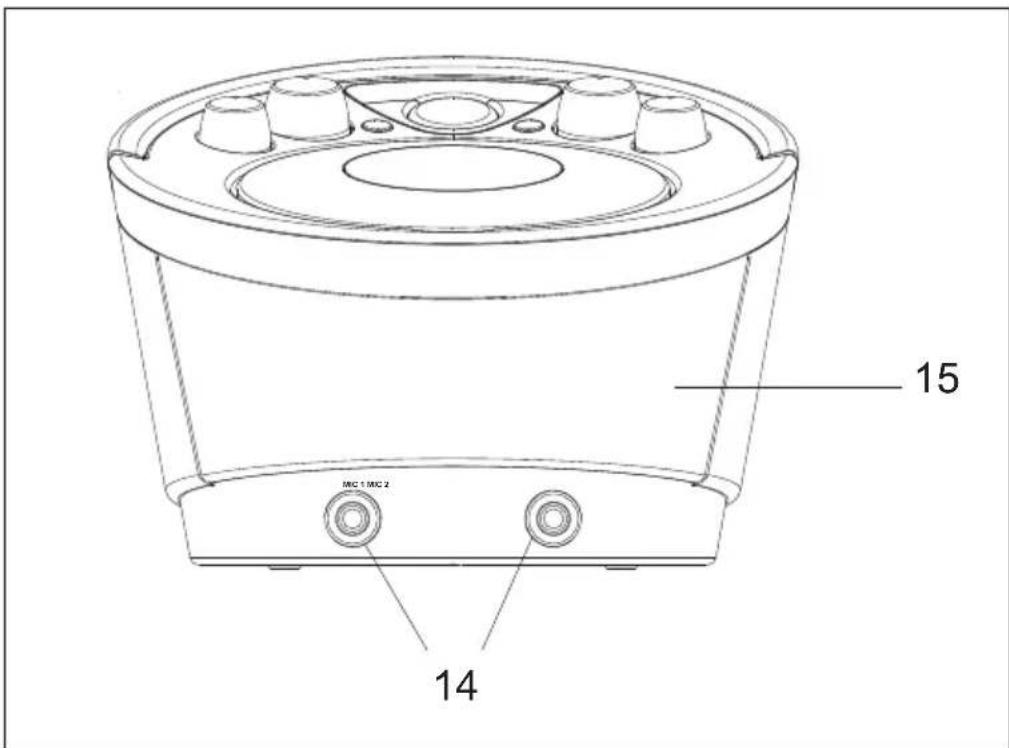
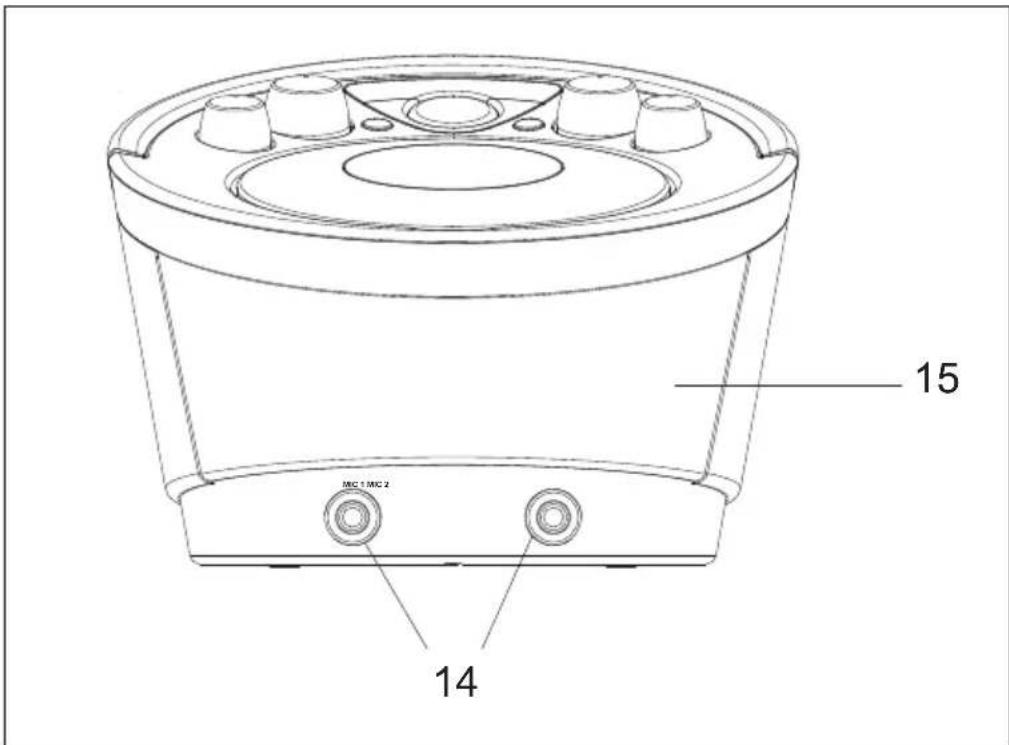
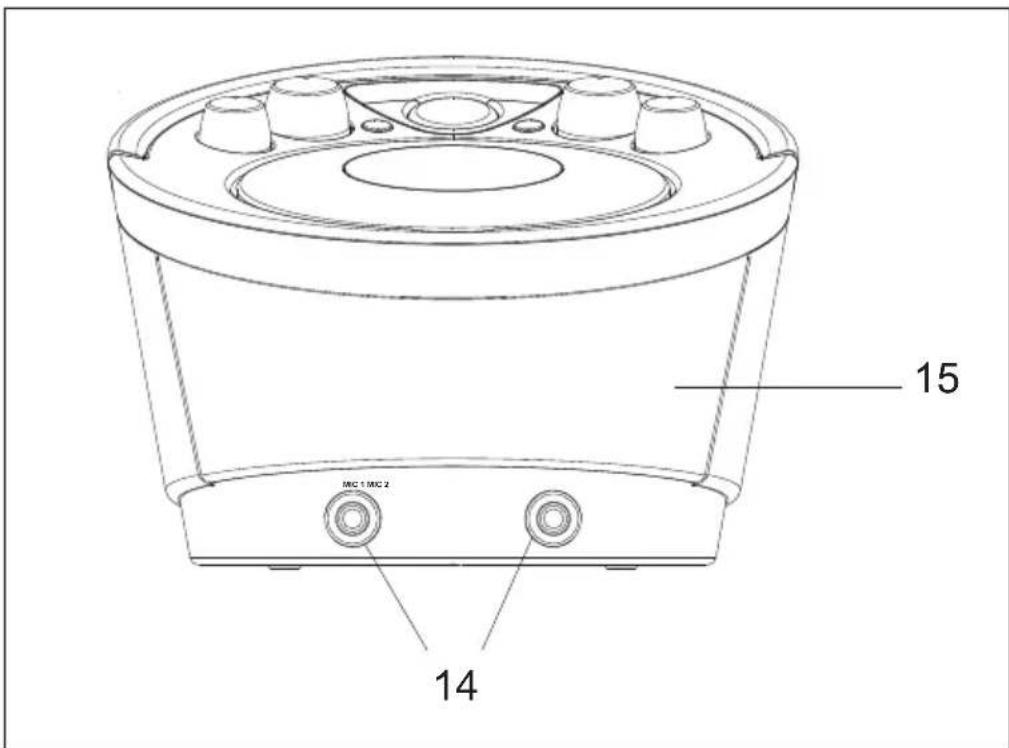
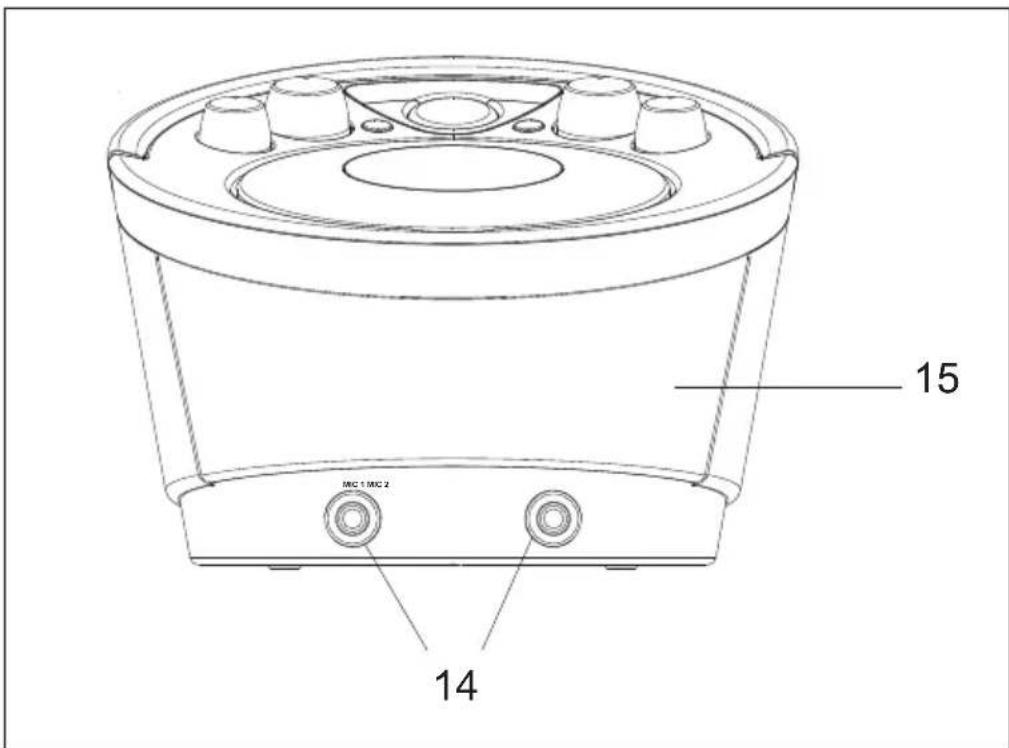
14 Microphone Inputs MIC 1 & MIC 2
15 Main Speaker (Front)
COMMISSIONING AND CONNECTIONS
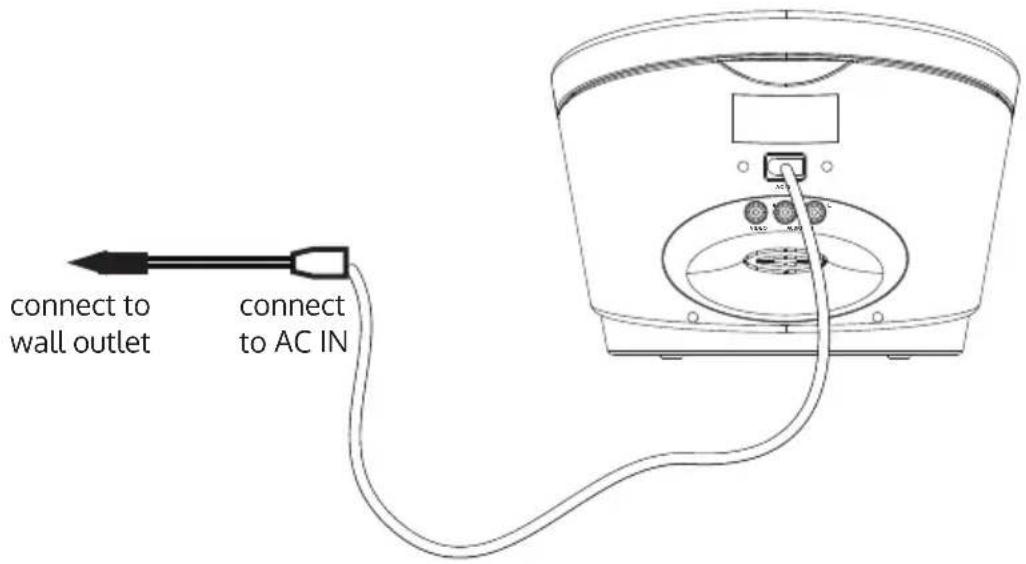
Power Connection
To supply power to the appliance, connect the AC power cord into the AC power input on the rear of the appliance and insert the mains plug into a standard power outlet.
Battery Operation
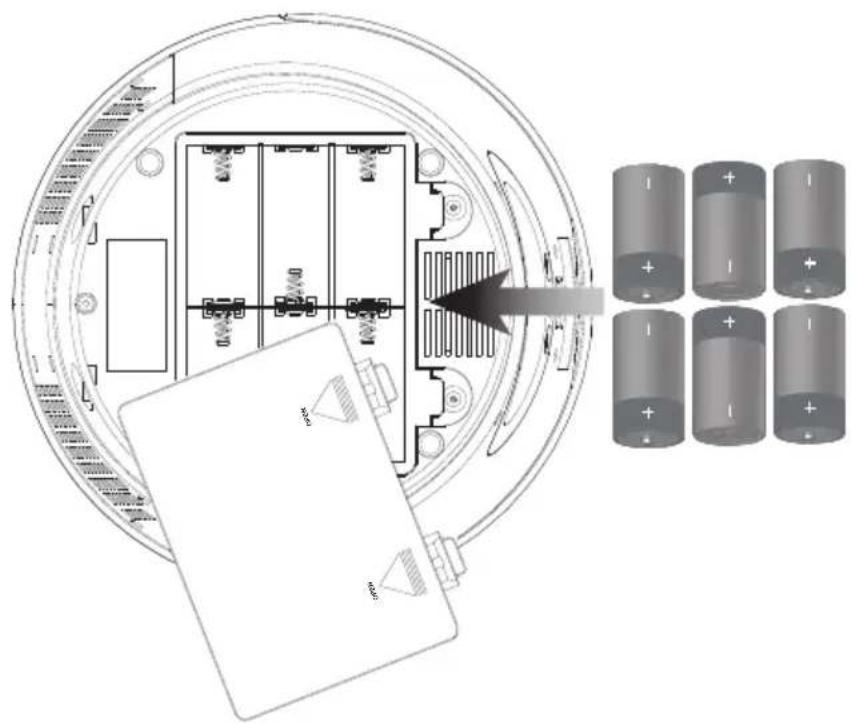
For battery operation, the appliance requires 6 size C batteries (not included).
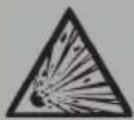
CAUTION
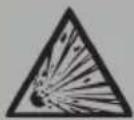
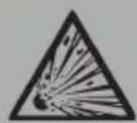
Risk of explosion! Always insert batteries in the battery compartment the right way round according to the plus/ minus poles. Replace batteries only with batteries of the same type.
Composite Video Output
Use an RCA video cable (supplied).
- Connect the RCA video cable to the RCA video output of the karaoke machine and to the video input of your TV set.
- Set the TV source to the input used in step 1.
- The contents played back via the karaoke machine will now be displayed on the connected TV set.
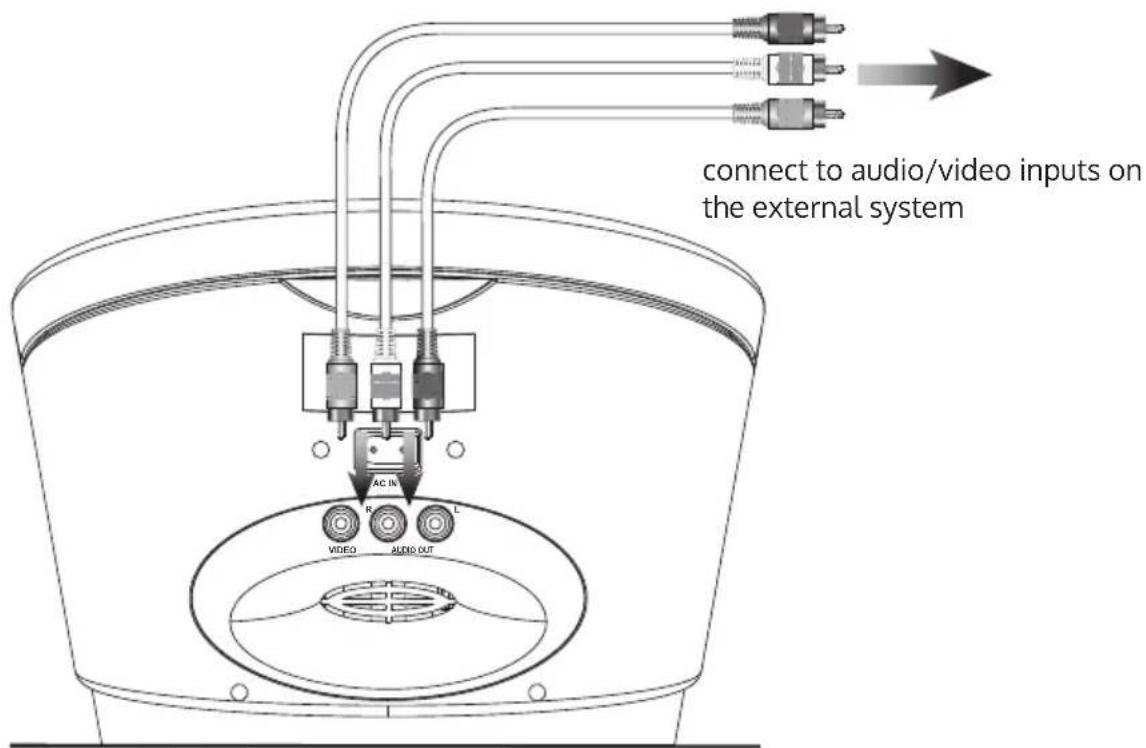
RCA Audio Output
Use an RCA audio cable (supplied).
- Connect RCA audio cables to the RCA audio output of the karaoke machine and the audio input of an external audio system.
- Set the source of the external audio system to the input used in step 1.
- The sound played back from the karaoke machine is now played back through the connected stereo system.
CD & CD+G
Notes on the Use of CDs
| Only use functional CDs with the following label: | 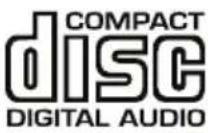 |
• This appliance is not compatible with MP3 CDs.
- A dirty or scratched CD may skip during playback and cause other problems. Clean or replace the CD.
Loading a CD
- Press the POWER button to turn on the appliance.
- Press the Open button on the CD door to open it.
- Insert a CD, CD-R/RW or CD+G into the karaoke appliance with the label side facing up
- Close the CD door.
Playing a Loaded CD
- Connect the supplied microphone to the MIC 1 or MIC 2 microphone input.
- Press the Play/Pause button to start playing the loaded CD.
BT
If the appliance has never been connected to a BT device, you will need to follow the pairing instructions below to connect the karaoke machine to your BT device.
NOTE: If you cannot connect the appliance to your BT-enabled device, turn your appliance off and on again to resolve the problem.
- Turn on the appliance.
- Press and hold the Play/Pause/BT button for a few seconds to activate BT. The BT indicator lights up.
- Press and hold the Stop/Pair button for 4-5 seconds. The BT indicator blinks and the appliance enters pairing/discoverable mode.
-
Turn on the BT function of your BT device and activate the search or browse function to find the appliance in the list.
-
Select "SingSing BT" from the device list when it appears on the display of your BT device. If necessary, enter the code "0000" to connect the appliance to your BT device.
- After successfully pairing (linking) the BT enable device the BT indicator lights up continuously and a short signal tone is heard.
- You can control your karaoke machine from your BT device or by using the Play/Pause, Stop, Forward/Rewind buttons on the appliance. (Fast Forward/Rewind does not work on the appliance when the BT device is connected).
Programming a Loaded CD
- Press the Stop button to stop the loaded CD.
- Press the Program button.
- Press the Skip/Search buttons to select a track from the loaded CD.
- Press the Program button to program the selected track.
- Repeat steps 4 and 5 to program up to 20 tracks to be played in a specified order.
- Press the Stop button to cancel the programming.
AUTOMATIC VOICE CONTROL (AVC)
With the AVC control for Automatic Voice Control, you can adjust the volume of the appliance to compensate for varying levels of volume from the microphone. Turn the dial to adjust the degree to which the Automatic Voice Control compensates for variations in volume.
To manually adjust voice control use the Echo knob on the front of the appliance.
CLEANING AND CARE
Note: Switch off the unit before cleaning. Remove the AC adapter and/or the batteries.
- Never immerse the unit in water or other liquids for cleaning.
- Clean the surface with a soft, slightly damp cloth. Make sure that no water enters the device.
- Never use abrasive cleaners or hard objects, such as scouring pads, for cleaning.
- Dry the unit thoroughly after cleaning.
- Store the unit in a cool, dry place.
DISPOSAL CONSIDERATIONS
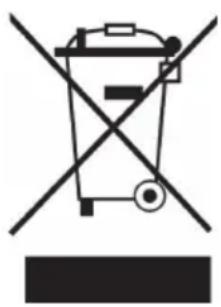
natural_image
Symbol of a trash bin crossed with a diagonal line, representing no waste or discharge (no text or labels)If there is a legal regulation for the disposal of electrical and electronic devices in your country, this symbol on the product or on the packaging indicates that this product must not be disposed of with household waste. Instead, it must be taken to a collection point for the recycling of electrical and electronic equipment. By disposing of it in accordance with the rules, you are protecting the environment and the health of your fellow human beings from negative consequences. For information about the recycling and disposal of this product, please contact your local authority or your household waste disposal service.
This product contains batteries. If there is a legal regulation for the disposal of batteries in your country, the batteries must not be disposed of with household waste. Find out about local regulations for disposing of batteries. By disposing of them in accordance with the rules, you are protecting the environment and the health of your fellow human beings from negative consequences.
DECLARATION OF CONFORMITY

Manufacturer:
Chal-Tec GmbH, Wallstrasse 16, 10179 Berlin, Germany.
Importer for Great Britain:
Berlin Brands Group UK Ltd
PO Box 1145
Oxford, OX1 9UW
United Kingdom
Hereby, Chal-Tec GmbH declares that the radio equipment type SingSing BT is in compliance with Directive 2014/53/EU. The full text of the EU declaration of conformity is available at the following internet address: use.berlin/10035790
For Great Britain: Hereby, Chal-Tec GmbH declares that the radio equipment type SingSing BT is in compliance with the relevant statutory requirements. The full text of the declaration of conformity is available at the following internet address: use.berlin/10035790
Chère cliente, cher client,
SOMMAIRE
1 Écran
2 Play/Pause/BT
ATTENTION
natural_image
Symbol of a trash bin crossed with a diagonal line, representing no waste or discharge (no text or labels)DÉCLARATION DE CONFORMITÉ

Fabricant :
Chal-Tec GmbH, Wallstraße 16, 10179 Berlin, Allemagne.
Berlin Brands Group UK Ltd
PO Box 1145
Oxford, OX1 9UW
United Kingdom
ÍNDICE
15 Altavoz principal (frontal)
¡ATENCIÓN!
natural_image
Symbol of a trash bin crossed out by a diagonal line, with no text or labels present.Berlin Brands Group UK Ltd
PO Box 1145
Oxford, OX1 9UW
United Kingdom
INDICE
1 Display
2 Play/Pausa/BT
ATTENZIONE!
natural_image
Symbol of a trash bin crossed with a diagonal line, representing no waste or discharge (no text or labels)Berlin Brands Group UK Ltd
PO Box 1145
Oxford, OX1 9UW
United Kingdom
natural_image
Abstract white logo design on dark background, resembling stylized letter 'S' or wave form (no text or symbols)
- INHALTSVERZEICHNIS
- Display
- Play/Pause/BT
- VORSICHT
- Member of Berlin Brands Group
- Handwerkerstr. 11
- Dahlwitz-Hoppegarten
- Deutschland
- CONTENTS
- Features
- Scope of delivery
- SAFETY INSTRUCTIONS
- WARNING
- DEVICE OVERVIEW
- Stop/Pair
- Skip/Suche
- POWER
- Programm
- Master Volume
- Automatic Voice Control (AVC)
- Lights On/Off
- Microphone Volume
- Echo
- Repeat
- CD door
- Microphone Inputs MIC 1 & MIC 2
- Main Speaker (Front)
- COMMISSIONING AND CONNECTIONS
- Power Connection
- Battery Operation
- CAUTION
- Composite Video Output
- RCA Audio Output
- CD & CD+G
- Notes on the Use of CDs
- Loading a CD
- Playing a Loaded CD
- BT
- Programming a Loaded CD
- AUTOMATIC VOICE CONTROL (AVC)
- CLEANING AND CARE
- DISPOSAL CONSIDERATIONS
- DECLARATION OF CONFORMITY
- Manufacturer:
- Importer for Great Britain:
- Chère cliente, cher client,
- SOMMAIRE
- Écran
- ATTENTION
- DÉCLARATION DE CONFORMITÉ
- Fabricant :
- ÍNDICE
- Altavoz principal (frontal)
- ¡ATENCIÓN!
- INDICE
- Play/Pausa/BT
- ATTENZIONE!
Brand : Auna
Model : SingSing BT
Category : Karaoke system