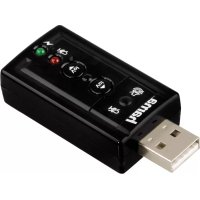
7.1 Surround 051620 - Soundcard HAMA - Free user manual and instructions
Find the device manual for free 7.1 Surround 051620 HAMA in PDF.


| Product type | USB 7.1 Sound Card |
| Brand | Hama |
| Model | 7.1 Surround 051620 |
| Connectivity | USB |
| Power supply | 5V, 30 mA (via USB port) |
| Compatible operating system | Windows 11/10/8/7 |
| Audio channels | 7.1 surround channels |
| Equalizer | 11 presets |
| Sound effects | 27 environmental effects + 3 room sizes |
| Karaoke function | Yes (pitch adjustment, voice cancellation) |
| Mixer | Total volume, per-source volumes, left/right balance, mute |
| Microphone amplifier | Yes (adjustable) |
| Dimensions (approx.) | 8 cm x 3 cm x 1 cm |
| Weight (approx.) | 20 g |
| Package contents | USB sound card, driver CD, user manual |
| Safety | Do not open, avoid shocks and humidity, moderate volume |
| Care and cleaning | Clean with a dry cloth, no liquids |
| Warranty | Compliance with European directives, mandatory recycling |
| Spare parts and repairability | Not planned, sealed product |
Frequently Asked Questions - 7.1 Surround 051620 HAMA
User questions about 7.1 Surround 051620 HAMA
0 question about this device. Answer the ones you know or ask your own.
Ask a new question about this device
Download the instructions for your Soundcard in PDF format for free! Find your manual 7.1 Surround 051620 - HAMA and take your electronic device back in hand. On this page are published all the documents necessary for the use of your device. 7.1 Surround 051620 by HAMA.
USER MANUAL 7.1 Surround 051620 HAMA
Operating Instructions
Bedienungsanleitung
Moded'employoi
Instruccionesdeuso
Gebruiksaanwijzing
Istruzioneiperl'uso
Manualdeinstruções
GB
D
F
E
NL
1
P
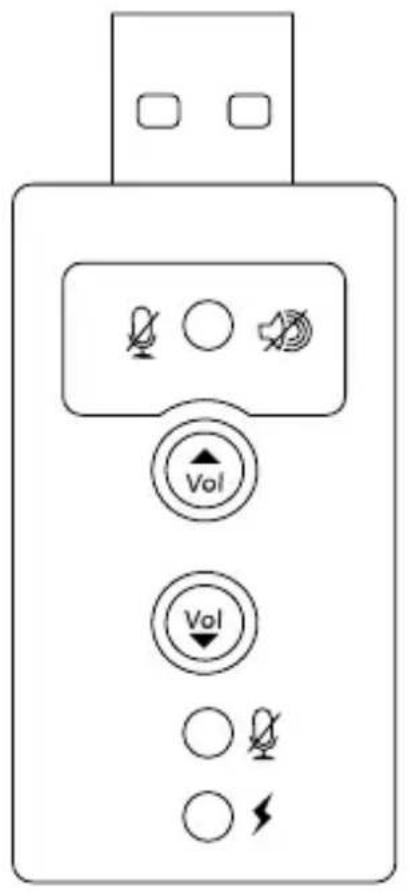
-USBsoundcard 7.1
Disk
- T heseoperatinginstructions
3.SafetyNotes
T heproductisintendedforprivate,non-commercialuseonly.
- U setheproductforitsintendedpurposeonly.
- P rotectheproductfromdirt, moisture a n d overheatinganduseitindryroomsonly.
- D o n otusetheproductintheimmediatevicinityof heatersorotherheatsourcesorindirectsunlight.
- D o n otdroptheproductanddonotexposeitto anymajorshocks.
- D isposeofpackagingmaterialimmediately accordingtolocallyapplicableableregulations.
- Do not modify the product in any way. Doing so voidsthewarranty.
- Make sure that cables do not pose a tripping hazard or b lockemergency exits.
Warning

Donotopentheproduct.Donotcontinueto operatetheproductifitisdamaged,whichmay beindicatedbysmoke,odoursorloudnoises. Contactyourdealerorourservicedepartment immediately(see"ServiceandSupport").

Warning

Alwayskeepthevolumeata re a s on a b l e level.Loudvolumes,evenovershort periods,cancausehearingloss.
4.Installation
- Closeallprogrammesusedforsoundreproduction.
- Plug the USB sound card in to a free USB port and wait until the operationsystem detects and activates the device.
- Youroperatingsystemmightnotautomatically use thesoundcard a s a d efaultdevice. Inthiscase, you must manually select USBaudiodevice"or hama USB sound card 7.1 as a default device in the SoundsandAudioDevices"menuor_Sound" menu(Vista)intheControlPanel.
- The sound card is now ready for operation. If you want to use, 7.1 Virtual Surround Sound and other software functions, such as the equalizer, you must install the driver from the enclosed CD.
- InserttheCDinyourCD-ROMdrive.Themask for theinstallationprocedure o pensautomatically.
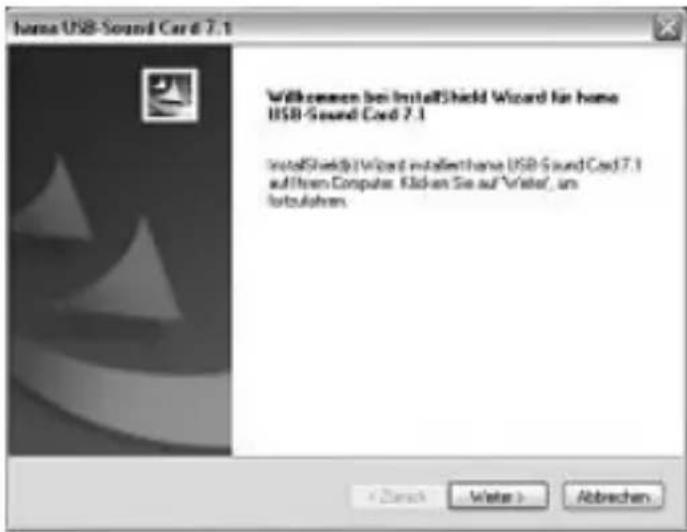
Click, Next".
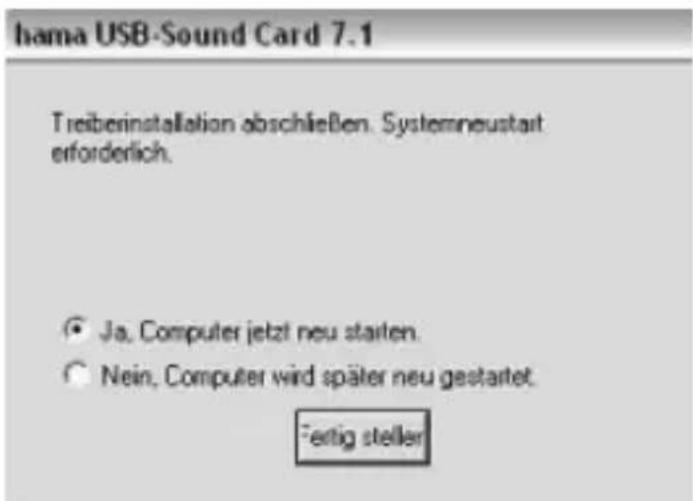
- Click,Finish"toendtheinstallationprocedure and restart the computer.
- Clickthe,"hama" i coninthenaskbaratthe bottom-rightofthescrentoopenthesoftware menu.
5.Settings
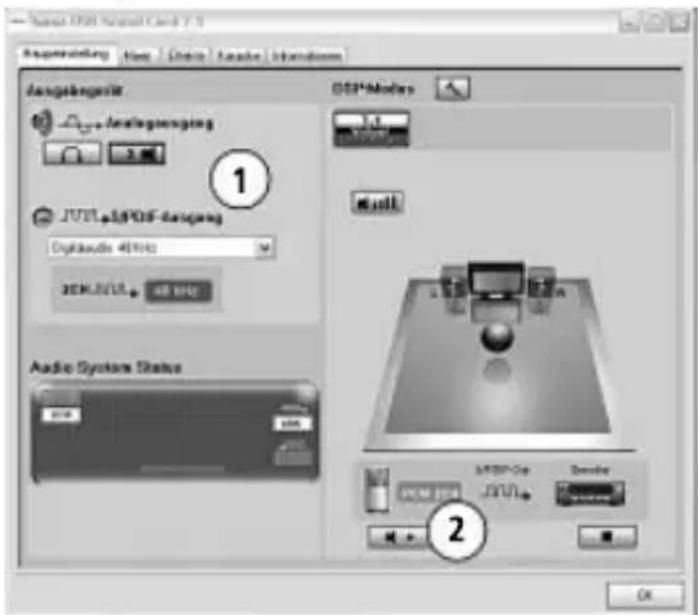
1.Here you oucanselectwhetheryouconnected headphonesorloudspeakerstothesoundcard.
2. Here you oucantesttheindividualloudspeakers.
Mixer
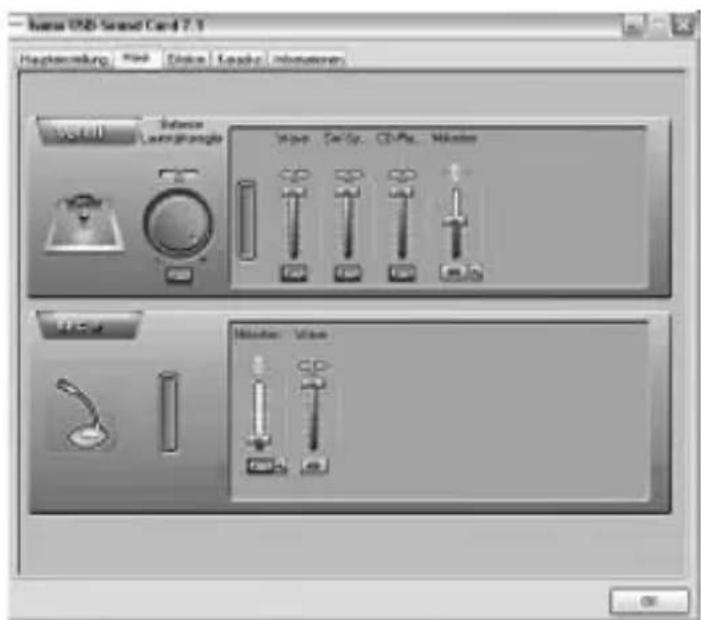
Inthismask, you can mute or set the total volume control, the volume for individual audiosignals or the signal strength for themicrophone. You can also change the balance between the right and left loudspeakers.
- Ifthesignalstrengththemicrophoneisnot sufficient, although the microphonecontrolist turned all the way up, then click on the hammer symbol next to the scale.
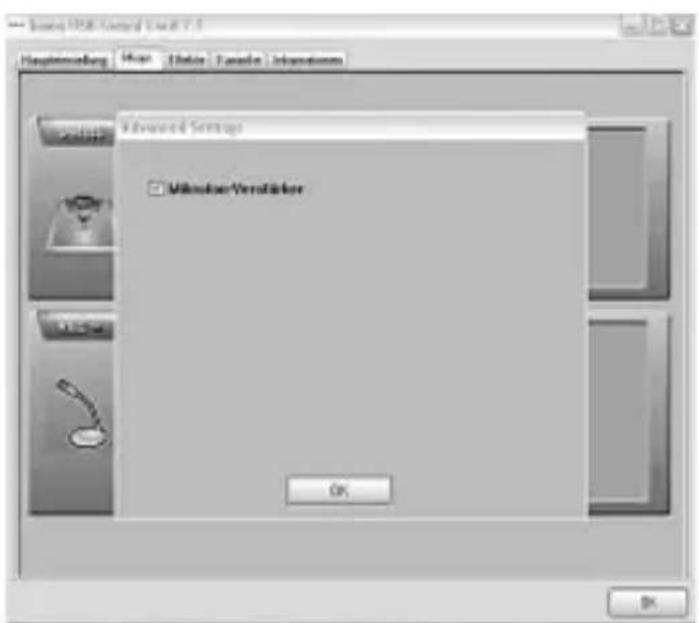
Checktheboxnextto „Microphoneamplifier"and click OK".
Effecte
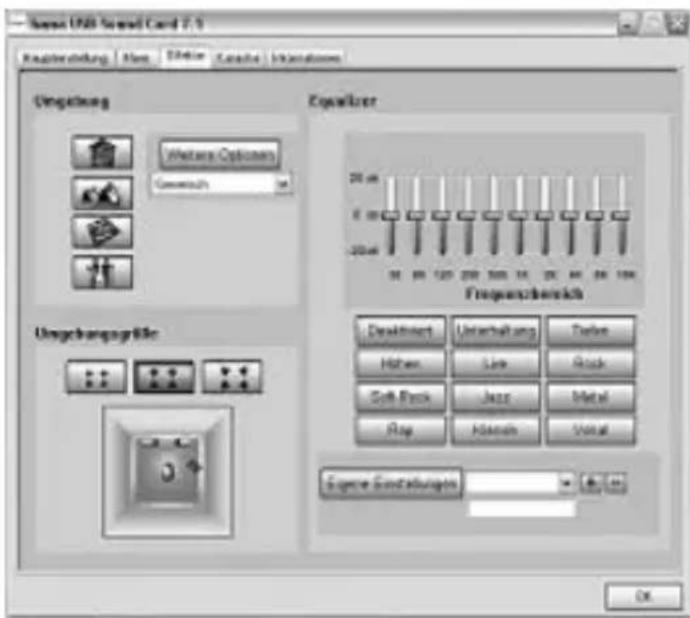
Inthe,Effects" m ask,youcanchoosefrom27 variousoundeffectsand3 d differntroomsizes. You a isohaveanequalizerwith11differentpresets.
Karaoke
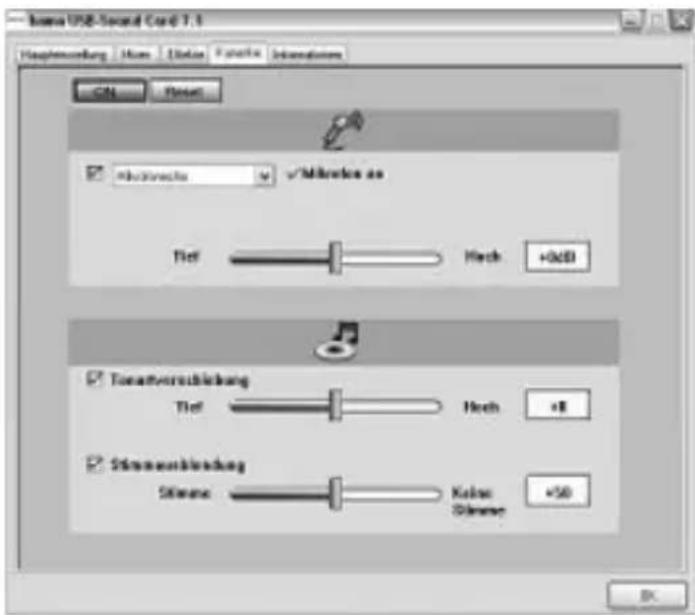
Here you can adjust the tone as required and mute the voice.
5.WarrantyDisclaimer
Hama GmbH & Co KG assumes no liability and providesnowwarrantyfordamageresultingfrom improperinstallation/mounting,improperuseof theproductorfromfailure to o bservetheoperating instructionsand/orsafetynotes.
6. Specifications
| ConnectionUSB | |
| Chargingvoltage5V30mA | --- |
| SystemRequirementsWindows11/10/8/7 | |
AftertheimplementationoftheEuropeanDirective2012/19/EUand2006/66/EUnthenationallegalsystem,thefollowingapplies:
Electricandecronicidevicesaswellasbatterymustnotbedisposedofwithhouseholdwaste.
Consumersareobligedbylawtoreturnelectricalandecronicdevicesaswellasbatteryssattheend oftheirservicelivestothepubliccollectingpointssetupforthispurposeorpointofsale.Detailstothisis aredefinedbythenationalawoftherespectivecountry.
This symbol on the product, the instruction manual or the package indicates that a product is subject to theses regulations.
Byrecycling,reusingthematerialsorotherformsofutilisingolddevices/Batteries,youremakingan importantcontributiontoprotectingourenvironment.
F
Remarquesconcernantlaprotectiondel'environnement: