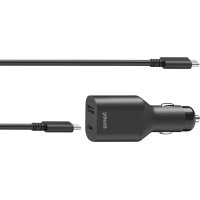
00200010 - Battery charger HAMA - Free user manual and instructions
Find the device manual for free 00200010 HAMA in PDF.


| Brand | Hama |
| Model | 00200010 |
| Product type | Universal USB-C laptop battery charger |
| Input power | 12-24 V DC (vehicle cigarette lighter socket) |
| Output voltages (USB-C) | 5V / 9V / 12V / 15V / 20V |
| Output current (USB-C) | 3 A max |
| Maximum output power | 70 W |
| USB-A port | 5V, 2A |
| Charging technology | Power Delivery (PD) / Thunderbolt™ 3 |
| Operating temperature | 0°C to 40°C |
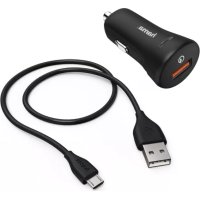
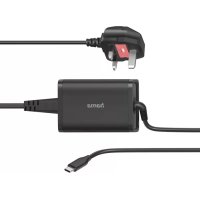
| Package contents | Universal power adapter, USB-C 2.0 3A cable, user manual |
| Main functions | Fast charging of laptops via USB-C, recharging tablets and smartphones |
| Maintenance and cleaning | Unplug before cleaning; use a slightly damp lint-free cloth; avoid harsh detergents |
| Safety | Do not open, avoid moisture, shocks, short circuit; use only in vehicles with 12-24V circuit; do not use if cable damaged |
| Spare parts and repairability | Repair only by qualified technician; no spare parts supplied |
| Warranty | Warranty void if instructions not followed |
| General information | Universal laptop charger, compatible with PD/TBT3, for vehicle use |
Frequently Asked Questions - 00200010 HAMA
User questions about 00200010 HAMA
0 question about this device. Answer the ones you know or ask your own.
Ask a new question about this device
Download the instructions for your Battery charger in PDF format for free! Find your manual 00200010 - HAMA and take your electronic device back in hand. On this page are published all the documents necessary for the use of your device. 00200010 by HAMA.
USER MANUAL 00200010 HAMA
Operating Instructions
Bedienungsanleitung
Moded'employi
Instruccionesdeuso
Gebruiksaanwijzing
Istruzioniperl'uso
Instrukcjaobslugi
Hasznalatiutmutató
Manualdeutilizare
Návodk p oužití
Návodnapoužitie
Manualdeinstruções
Bruksanvisning
PykoBOOCTBOONKcNlyatauIN
Pa6oTHaHnHcTpkyKzna
Oδηνεςχρήσς
Kullanmakilavuzu
Käyttoohje

1.Explanationof warningsymbolsandnotes
RiskofElectricshock

Thisssymbolindicatesa riskelectricshockfrom touchingproductpartscarryinghazardousvoltage.
Warning

Thissymbolisusedtoindicatesafetyinstructionsorto draw your attention to specific hazards and risks.
Note

Thissymbolisusedtoindicateadditionalinformationor importantnotes.
2.Packagecontents
UniversalUSB-CCarNotebookPowerSupplyUnit
-USB-C2.0Cable3A
Theseoperatinginstructions
3.Safetyinstructions
- Use the product only for the intended purpose.
- Donotusetheproductintheimmediatevicinity of heaters, other heatsourcesorindirectsunlight.
-Onlyusetheartleundermoderateclimaticconditions. - Donotusetheproductinareasinwhichelectronic productsare n ot permitted.
- Do not use the product in a damp environment and avoids splashing water.
- Donotshort-circuitthebatteryoftheopenedterminal device.There is a riskofexplosion.
- Protect the product from dirt, moisture and overheating anduseitindryenvironmentsonly.
- Donotdroptheproductanddonotexposeittoany majorshocks.
- Donotoperatetheproductoutsidethepowerlimits specified inthetechnicaldata.
- Always pull directly on the plug when disconnecting the cable, never on the cable itself.
- Make sure that cables do not pose a tripping hazard or blockemergency exits.
- Donotbendorcrushthecable.
-
Aswithallelectricalproducts, thisdevicesshouldbekept outofthereachofchildren.
-
Do not modify the device in any way. Doing so voids the warranty.
- Keep the packaging material out of there each of children duetotheriskofsuffocation.
- Disposefpackagingmaterialimmediatelyin accordancewiththelocallyapplicable管理条例.
- Ensure there is sufficient scope for heat dissipation and ventilation.
- When using this product, observe the applicable local traffic laws and regulations.
- Take care that components such as airbags, safety areas, controls, instruments, etc. and visibility are not blocked or restricted.
- Ensure that the product is securely mounted before every journey.
- Donotallowyourselftobedistractedbytheproduct whendrivinga v vehicle.Alwayspayattentiontothe surroundingtraffic a ndyourenvironment.
- Make sure that the connected device meets the requirements for supply through class PS3 powersources. If there is any doubt, ask your device manufacturer.
RiskofElectricshock

- Donotopenthedeviceorcontinuetooperateititif becomesdamaged.
- Donotusetheproductifthechargingcable,adapter cableorpowercableisdamaged.
- Donotatempttoserviceorrepairtheproduct yourself. Leave any and all service work to qualified experts.
4.Start-upandoperation

Note-mainsvoltage12-24V
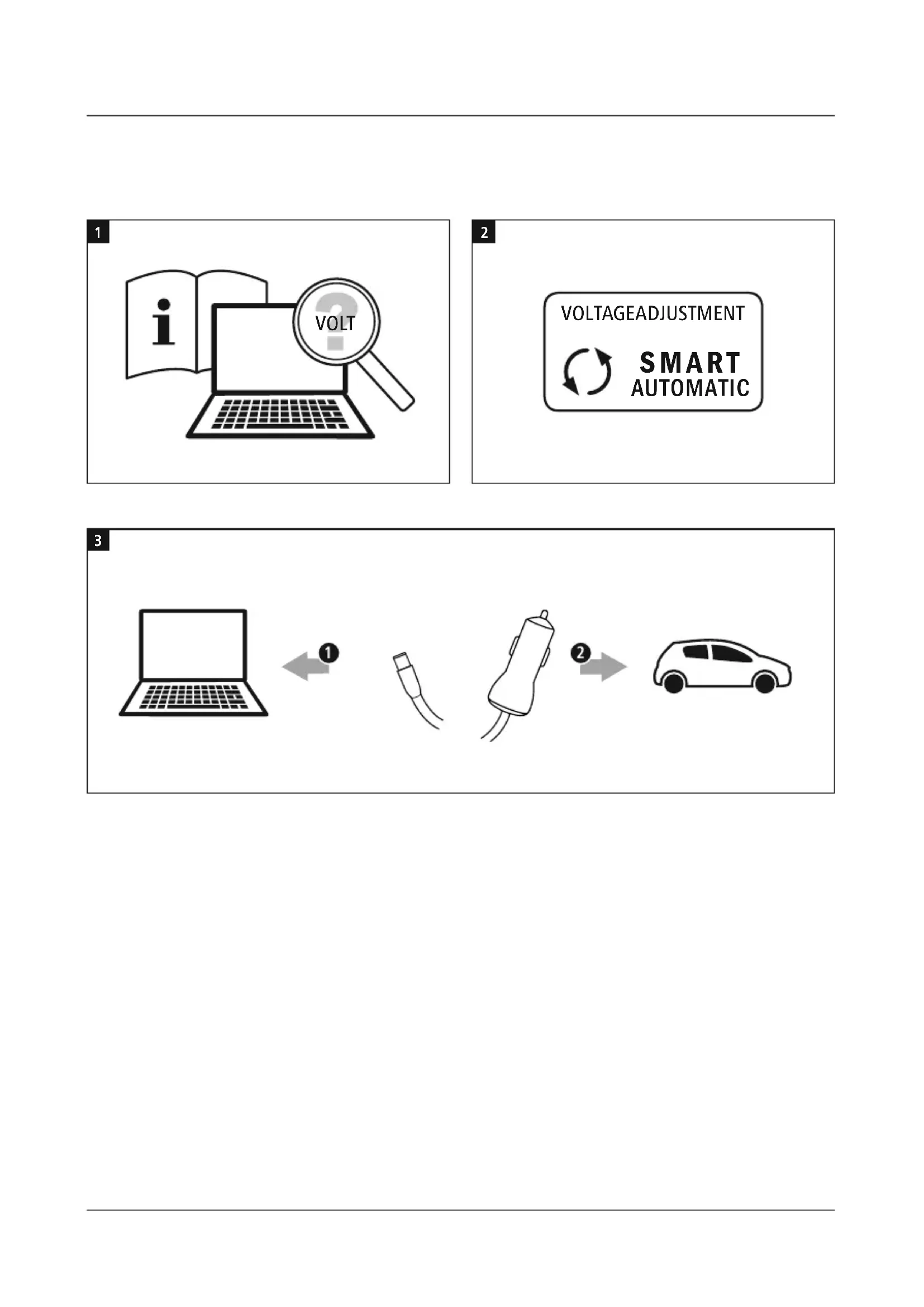
Onlyoperatethepowersupplyunitoncarelectrical networks with a network voltage of 12 - 24V
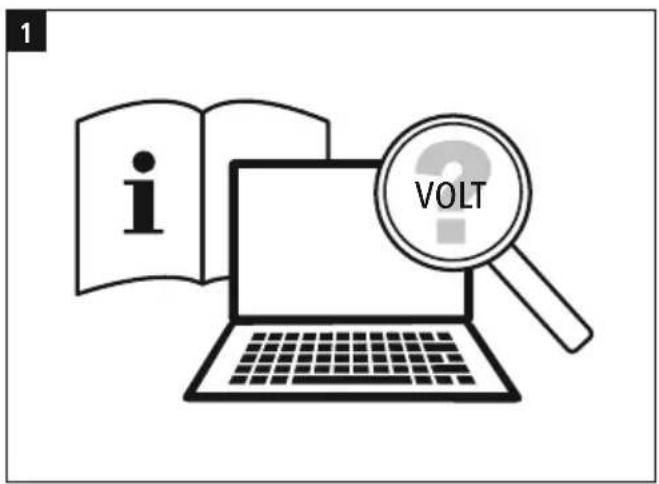
- Ensure that your notebook requires a supply voltage of 5V / 9V / 12V / 15V / 20V (+/-1Volt)
- You can find this information on the original power supplyunitorinyourterminaldevice'soperating manual.Ifnecessary, a skthed dealerwhosupplied yourterminaldeviceorcontactyourterminaldevice manufacturer'supportservice.
Warning

- Donotusetheuniversalnotebookpowersupplyunitif you are unable to definitively determine your terminal device'ssupplyvoltage.
- Ensure that the notebook's total power consumption does not exceed the power supply unit's rated output of 70W.
- Failure to comply with this may cause damage to the universal notebookpowersupply unit and the connected terminal device!
Notetheinstructionsinyourdevice'soperatingmanual. Ifthesedonotcontainanyinstructionsexpresslytothe contrary,proceedasfollows:
Note-PowerDelivery

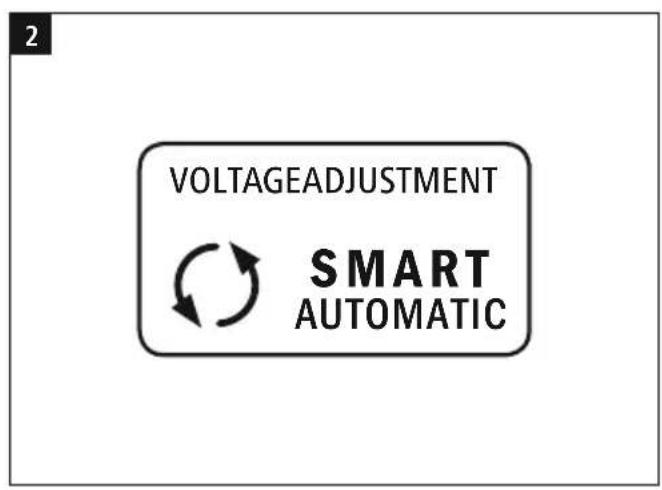
- Plug & GO: no additional software required, simply pluginandstart: ThankstoPowerDelivery/Thunderbolt™3,thevoltage andpowerare a djustedautomatically.
- Be aware that, for efficient and optimised charging, yourterminaldeviceustsupportthePD(Power Delivery)/TBT3(Thunderbolt™3)function.
- If you have a large number of PD/TBT3-enabled terminal devices with different firmware updates, it maybethat the functionisnotfullysupported.
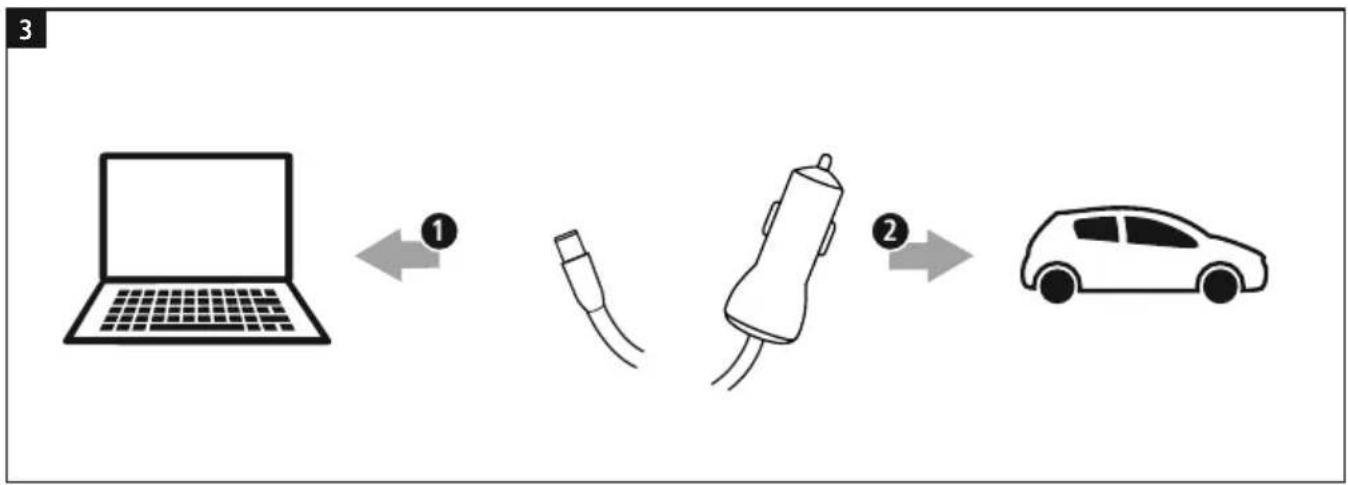
- ConnecttheUSB-Ccabletothepowersupplyunit and yourterminaldevice.
- Thenconnectthemainsconnectortothecarelectrical system'scarsocket.
- Theterminaldevicecannowbeusedandswitchedon/ charged.
Noteregardingthecarbattery

- Withsomevehicles, it can happen that power continues to be used in the event of an emergency.
- You should therefore disconnect the product from the carelectricalsystemafterswitchingtheengineoffto protectyourcarbatteryfrombeingdrained.
NoteregardingtheUSB-A socket

You h avetheoptionofchargingoroperatingUSB devicesfromthepowersupplyunit'sUSBsocket,e.g. tabletPC,smartphone,etc.Themaxumoutputcurrent fromtheUSBsocketis2 A.
5.CareandMaintenance

Note
Disconnecttheproductfromthemainsbefore c leaning.
- Only clean this product with a slightly damp, lint-free clothanddonotuseaggressivecleaningagents.
- Ensure that no water is able to enter the product.
6.WarrantyDisclaimer
Hama GmbH & Co KG assumes no liability and provides no warranty for damages resulting from improper installation/ mounting, improper use of the product from failure to observe the operating instructions and/or safety notes.
7. Technical data

| Inputvoltage12-2 4V DC | == |
| Outputvoltage/ current | 5 V 3 A 9 V 3 A 12V3A 15V3A 20V3A |
| Max.outputpower70W | |
| USB-A5V | == 2 A |
| Ambient temperature | 0° - 40°C |
Information-U SB-A-uttag

DuharmojljighetattladdaellerdrivaUSB-enheterfrn nataldens USB-utttag,t.ex.lasplatta,smartphonem.m. USB-uttagetsmaximalautgangsströmär2 A.
5. Serviceochskötsel
Information

Kopplabortproduktenfranelnätetinnandurengörden.
3.Yka3aHn83a6e30nacHoCT
-ИзпοлзВаиТeнpoДуКТаСaМоЗаПаpeДВиДeHaTацEL.
He n3noI3BaIte npOdykTa B HENOCpeIcTBeHa 6n3oCT DOOTOnJIInTeJHnHypeJN,dpYrnn3TOUHNuHaTOnJIHa nnHaDnpeKTHaCnBHeBacBETnHa.
-ИЗнолзВаиТeпpoДуКТасamОмрnyМepeHnKЛIMMaTиHn YCЛOBИЯ.
He n3noI3BaIte npOdykTa B 30Hn, B KOnTo He ca pa3peWHeHneKtpoHHnnpOdykTn.
-Heu3no3BaHTenpoDyKTabBbBnJaxHacpeaN 36raTbaTeBOdHnPbckn.
BHMaBaTe Da He CtaHe KbCo CbeHHeHne C 6aTepeHra HaOTBOpeHOtOKpaHHOyOCTPOINCTBO.CbIeCTByBa onaCHOCTOTEKnIO3n!
- Na3eTe npodykTa OT 3aMbpcBaHe, Bnara n npperpaBHe. Iro n3noJ3BaIte cMo B CyxN NOMeUeHn.
HEno3BoJBaIteHaTnpOdykTaIaIaIaN He rO n3JaarTeHaCnJIHNBUN6paun.
-Heu3noJ3BaIteNpoDyKtAn3BbHHeRObTepepaHnHaMOUHOCTTa,IOCOUeHN BTEXHueCKNTe DaHH.
3aun3KIOUbaHeHaKa6eJaIbPnaTepnpeKTHOueEepa H NKORA6eJa.
-ПОLOXETeBCuKka6eNTaKa,YeDAHeBb3HnKBa onaCHOCT OT cNbBaHe n Da He Ce 6IIOKpAT NbTuMaTa 3a ebakyaunia!
He npeyynBaIe n He npTuCKaIe Ka6ena.
-ПоюбногаBCNчКиЕнгТрчЕСКИngpoДуKTN,TO3n npOукт themselvesaBaaDanonaabPbueTeHaJaEca!
He npabete npomeHbypeda.Taka ue 3ary6nte npabo HABCAkBnragapAHNIOHHnpeTeHN.
-3aIbJIKHTeHIOJbXkTeMaJKNTeEuaJaIaeUOT OnaKOBbYHHMaTePnaJ,NMaONaCHOCTOTaNyBaBaHe.
-ИЗХБВРЛЕТОПАКOBБЧИМATEРпАЛBEДНАгСБГлACHO
ДeINCTBAUNTeHAMЯСТОРа3ПОЕбИЗАИЗXBБРЛЯHEHa
OTПАДьCU.
BHNMaBaIte3aIOCTaTBHbB3MOXHOCT3aOTBeXJaHe HATONJIINHATAI B EHTINaCn.
- Пи уnotpe6а на поруктавдвжehnetо по nbtuata Baxatpa3nope6nteHa3akoha3adBxkeHneto NBtuata.
BHHmabaTeKOMNoHEnTKaToebp6er,npedna3HN 30HN,eIemEHn 3a 06cnyXbaHe,NHCTpyMeHTN T.H. ININBIMOCCTTadahe6bDaTNOkPuTNlNOrpaHueHn.
-ПоберяваитpeДИВСЯКОЛТУВАЕСИЧУРНЯМоТаж
НарpoДукта.
-Пипьтуваес м OTOPнОпБОЗнOCрЕДТВОЕ
сера3сeнBaITeчpe3пpoДуКТС ЛeдTeNbTHaТа
образовкAn O 6kpьжehнTo.
- YBepete ce, ye Cbbp3aHOTO yCTpoiCTBO e noDxOJaIO 3a 3axpaHbaHeTO cN3ToUHK Ha HAppeKeHne OT KlaC PS3. Ako mATE cbMHeHn, ce DonuTaIe Do npOn3BOJnteHaYCTPOICTBOTO.
OnachocToTtOKoByap

HeotbapraTepnoDyKtan npnOBpeaHnpoJbJxabaTeaRaOn3NoJ3BaTe.
-Heu3noJ3BaIte npOyKta,aKocanOBpeJeHn Ka6eJIbT3a3apExKaJaHe,Ka6eJIbTHaAanTepaHm MPexKOBnTka6eJI.
HeceonntBaTecamnaO6cnykBaTeu npemOntnpatenpoNyka.TocabTeBCaKaBb TexHnueckanoDpBXKaHaKOMNeTeHTHNTe CneuaJIInCTN.
4. BbBexKaHe B eKcnNoaTaunn n ekCnNoaTaunn

Yka3aHne-MpeXoBOHaNpeXeHne 12-24V
I3noJI3BaIte3axpaHbAaTOOyCTpoiCTBOCaMOKbM npeBnIeHN3aueJIta6OpIOBIMpeXNC H anpeXeHne 12-24V.
- YBepete ce, ye HOyTbkykT Bn ce Hxjdae OTe 3axpaHbauo HapexekHe 5V/9V/12V/15V/20V(+/-1BOnt).
TaaHnΦopMaunIe HAmepTe Bbpxy OpunHaHHTO 3axpaHbauoyctpoiCTBOUNIB y nTBaHETo 3 a 06cnyBaHe Ha BaWeTo yctpoiCTBO. Pn Heo6xOIMOC T nonTaTe3aTOBAnpntbproBecaHaBaWeTo yctpoiCTBO nn Ype3 NOpdpkKaTa Ha npOn3BOJNTeHa HaBaWeTo y cTPOiCTBO.
PpeynpexdneHc

- Hen3noJ3BaTeyHnBepcaJHnOto3axpaHbAuo yctpoiCTBO 3a HoY6yK, aKO He MoXe Ta onpeIeNt6e3cbMHeHne3axpaHbAioTo HanpexeHnEHaBaTeo y cTPOCTBO.
- Ybepete Ce, Ye LJIaTa KOHcympaHa MOUHOCT Ha HOyToyKaHeHaIbBnBaHOMHaJIHaTaN3XoJHa MOUHOCT Ha 3axpaHbAaTO yCTpOiCTBO OT 70W.
-Пинеспа3BaHee He 3KIOUeHaNoBpeДaHa yHnBepcaHOT03axpaHBAIoOyCTpoiNCTBO3aHOYToKy, KaKTO n Ha CBbp3aHOTo yCTpoiNCTBO!
Cb6IIOdaBaIte yka3aHnraT B ynbTaBHeTo 3a 06cnyXbaHe Ha BaIeTO yCTpoiCTBO.AKO Te ce CbIbpxat n3pnuHO dpyu INHCTpykUn, pnoueDnpaTe, KaKTo cneDbA:
Yka3aHne-PowerDelivery

Plug & Go: He ca Heo6xOdMn pBHyN HAcTpoiKn, CBbpxTe n cIapTnpaIe: Ype3 Power Delivery/ThunderboltTM 3 aBTOMaTHUHO ce HAcTpoiBaT HanpexKeHHeTo N MoUHOCCTTa.
-06bpeBnMaHne,ye3aeΦeKTHBHOI onTmN3npaHozapexkdaHeyHKuYtAPD(Power Delivery)/TBT3(ThunderboltTM3)HaBaWeTo yctpoiCTB0rpa6BaadacenOndpbxa.
- Pn rOJAM 6pOy yCtpoiCTBa c PD/TBT3 c pa3nHn BepcHn Ha φbPMyepa e Bb3MOxHo ΦyHKuYra Da He CenOndbpxHaHaBJIHO.
CbpxKeTe USB-C ka6eIa cbc 3axpaHbaUTo yCTpoiCTBO n B aWEto y CTPOICTBO.
CneToba CBpKTe MpeXOBnIeKeP cABTomObHnHOKTaKTHa6OpDobatampeka.
KpaHOTyycTPOIcTBoBeYeMoKeJaCeN3nOJI3BaNda CeBkJIIOH/3apeNi.
Yka3aHHe3aABTomo6nHnaakymyIaTop

-ПинякоаВТOMO6NJIIN3axpaHBAHeTOC T OKMOKeДanpoIbJIIXINBbIpeKnI3KJIIOueHONOJaBaHeHaKOHTaKT.
-3aTobapaeHHeTe npOyKtaOpDopOBaTampexacneIN3KIOUbaHHeAdbuRatEJI,3aDanpeIpa3nTeabTOMObHnHnCnakymlaTApOtpa3peXdahe.

Yka3aHneUSB-A6yKca
IMaTeBb3MoXHOCTHaUSB6yKcTaHa3aXpaHBaUTo yCTpoiCTBOda3apexdAteuNnDaUN3NoJ3BaTe USBycTPOICTBa,Hanp.Ta6JIe,TcMapTfoHnDp. MaKcMaHnHnTn3XoJeHTOKHaUSB6yKcatae2A.

5.Texnueckoo6cnyxBaHEn nOdPbXkKa
Yka3aHne
Pa3eunHeTe npOyKta OTmpexKaTnpei nOuNCBaHeTo.
-ПочиCTBaIteTO3nnpOdyKTcAmOcJIeKOHaBlaJxHeHa Kbpna6e3BJaCunHKnH HeN 3NoI3BaITeaRpeCUNBn NOUChTBAuINpEnapATn.
BHHMaBaIeJaHe nonaDa BOnaB npOdyKta.
6.N3KJIIOUBAHeHaOITROBOPHOCT
HamaGmbHcK G HenoemaotroBopHocnI npaHua3anOBpeN,KOHTOCAPEzytatOTHe npaBnHa nHCTaJauN,MOHTax N yNoTpe6a Ha npOyKta nIN OT HeCna3BaHeHaynbTBaHeTo3a06cnyxBaHeu/nnHa yKa3AHraTa3a6e3oNaCHOCT.
7.TexHnuecknDaHHN

After the implementation of the European Directive 2012/19/EU and 2006/66/EU in the national legal system, the following applies: Electric and electronic devices as well as batteries must not be disposed of with household waste. Consumers are obliged by law to return electrical and electronic devices as well as batteries at the end of their service lives to the public collecting points set up for this purpose or point of sale. Details to this are defined by thenationallawoftherespectivecountry.
This symbol on the product, the instruction manual or the package indicates that a product is subject to these regulations. By recycling, reusing the materials or other forms of utilising old devices/Batteries, you are making an important contribution to protecting our environment.
86652Monheim/Germany
Service& Support

www.hama.com

+499091502-0
D GB
- 1.Explanationof warningsymbolsandnotes
- RiskofElectricshock
- Warning
- Note
- 2.Packagecontents
- 3.Safetyinstructions
- 4.Start-upandoperation
- Note-mainsvoltage12-24V
- Note-PowerDelivery
- Noteregardingthecarbattery
- NoteregardingtheUSB-A socket
- 5.CareandMaintenance
- 6.WarrantyDisclaimer
- Technical data
- Information-U SB-A-uttag
- Serviceochskötsel
- Information
- 3.Yka3aHn83a6e30nacHoCT
- OnachocToTtOKoByap
- BbBexKaHe B eKcnNoaTaunn n ekCnNoaTaunn
- Yka3aHne-MpeXoBOHaNpeXeHne 12-24V
- PpeynpexdneHc
- Yka3aHne-PowerDelivery
- Yka3aHHe3aABTomo6nHnaakymyIaTop
- Yka3aHneUSB-A6yKca
- 5.Texnueckoo6cnyxBaHEn nOdPbXkKa
- Yka3aHne
- 6.N3KJIIOUBAHeHaOITROBOPHOCT
- 7.TexHnuecknDaHHN
Brand : HAMA
Model : 00200010
Category : Battery charger