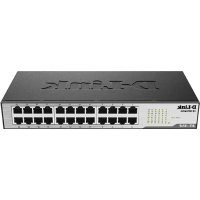
DES1024D - Switch D-LINK - Free user manual and instructions
Find the device manual for free DES1024D D-LINK in PDF.



| Product Type | Unmanaged Fast Ethernet Switch |
| Number of Ports | 24 ports 10/100 Mbit/s |
| Dimensions | 440 x 200 x 44 mm (19-inch rack compatible) |
| Weight | Approximately 2.5 kg |
| Power Supply | AC 100-240 V, 50/60 Hz, power adapter included |
| Power Consumption | Approximately 12 W (estimated) |
| Speed | 10/100 Mbit/s, full duplex and half duplex |
| Auto-MDI/MDIX | Yes, on all ports |
| LED Indicators | Power, Link/Act, FDX/Col, 100Mbps |
| Cable Type | UTP twisted pair category 3/5/5e |
| Switching Mode | Store-and-forward |
| Bandwidth | 4.8 Gbit/s (non-blocking) |
| MAC Address Table | 8K entries |
| Mounting Support | Desktop, shelf or 19-inch rack mounting (brackets included) |
| Cooling | Fanless (passive cooling) |
| Operating Temperature | 0° to 40°C |
| Operating Humidity | 10% to 90% non-condensing |
| Package Contents | Switch, quick installation guide, user guide, power cord, rack mount kit, rubber feet |
| Standards | IEEE 802.3u (Fast Ethernet), IEEE 802.3 (Ethernet) |
| Warranty | Manufacturer warranty (varies by country) |
| Maintenance and Cleaning | Unplug before cleaning. Use a soft, dry cloth. Do not use chemicals. |
| Safety | Use only with the provided power cord. Do not expose to water or heat sources. |
| Spare Parts and Repairability | Not applicable (device not user-repairable). Contact technical support for repairs. |
Frequently Asked Questions - DES1024D D-LINK
User questions about DES1024D D-LINK
0 question about this device. Answer the ones you know or ask your own.
Ask a new question about this device
Download the instructions for your Switch in PDF format for free! Find your manual DES1024D - D-LINK and take your electronic device back in hand. On this page are published all the documents necessary for the use of your device. DES1024D by D-LINK.
USER MANUAL DES1024D D-LINK
10/100M Fast Ethernet Switch
Before Your Begin
This Quick Installation Guide gives step-by-step instructions for setting up the D-Link DES-1024D 10/100M Fast Ethernet Switch. The model you have purchased may appear slightly different from those shown in the illustrations. For more detailed information about the switch, its components, making network connections and technical specifications, please refer to the User's Guide included you're your switch.
Check Your Package Contents
These are the items included with your DES-1024D purchase:
- DES-1024D 10/100M Fast Ethernet Switch
- User Manual
- Quick Installation Guide
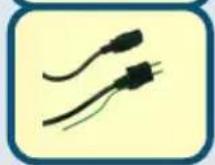
- Power Cord
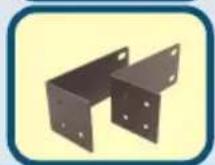
-Rack-mount Bracket
If any of the above items are missing, please contact your resel
Using a power supply with a different voltage rating will damage and void the warranty for this product.

Setup The DES-1024D 10/100M Fast Ethernet Switch
The setup of the Switch can be performed using the following steps:
A. The surface must support at least 5 ~kg .
B. The power outlet should be within 1.82 meters (6 feet) of the device.
C. Visually inspect the power cord and see that it is secured fully to the AC power connector.
D. Make sure that there is proper heat dissipation from and adequate ventilation around the Switch. Do not place heavy objects on the Switch.

Desktop or Shelf Installation
When installing the Switch on a desktop or shelf, the rubber feet included with the device must be first attached. Attach these cushioning feet on the bottom at each corner of the device. Allow enough ventilation space between the device and the objects around it.
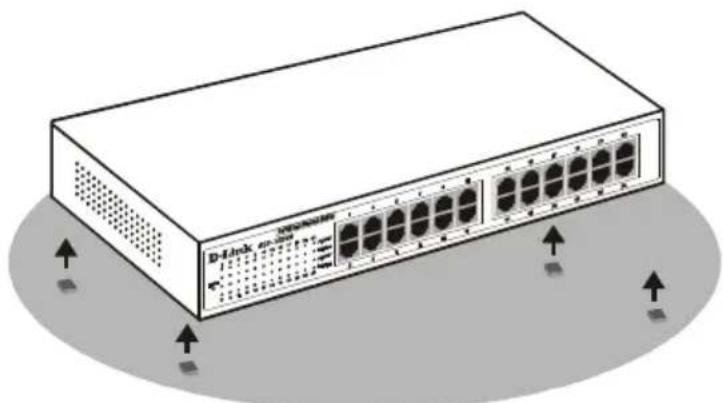
Fast Ethernet Switch installed on a Desktop or Shelf

Rack Installation
The Switch can be mounted in an EIA standard size, 19-inch rack, which can be placed in a wiring closet with other equipment. To install, attach the mounting brackets on the switch's front panel (one on each side) and secure them with the screws provided.
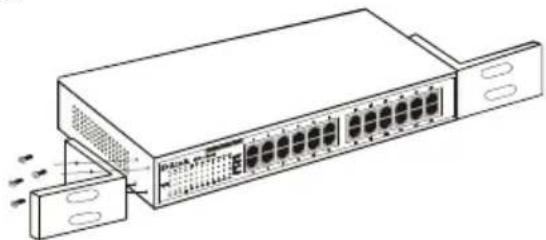
Attaching the mounting brackets to the Switch
Then, use the screws provided with the equipment rack to mount the Switch in the rack.
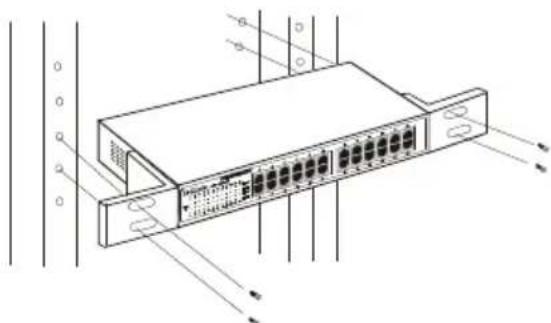
Installing the Switch in an equipment rack

Connecting Network Cable
The Fast Ethernet Switch supports four 10/100Mbps Fast Ethernet ports. These port runs both half duplex and full duplex while it's running in 10Mbps or 100Mbps.
These ports are Auto-MDI type port, these ports can auto transform to MDI-II or MDI type, so you can just make an easy connection that without worrying if you are using standard or crossover cable.

Power
The Switch can be used with AC power sources 100 - 240 VAC, 50 - 60 Hz. The Switch's power supply will adjust to the local power source automatically and may be turned on without having any or all LAN segment cables connected.

LED Indicators
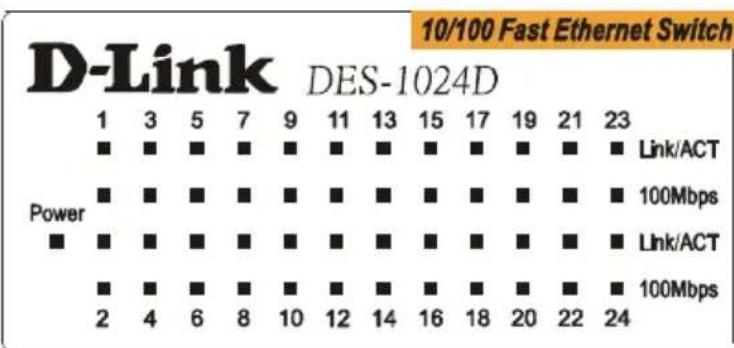
The LED indicators of the Switch include Power, Link/Act, FDX/Col and 100Mbps. The following shows the LED indicators for the Switch along with an explanation of each indicator.
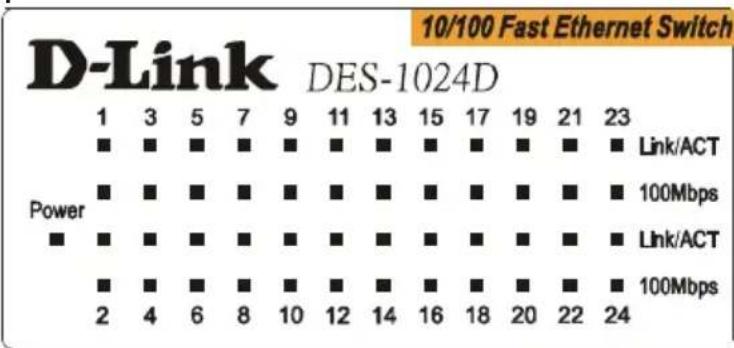
The Switch LED indicators
■ POWER This indicator lights green when the Switch is receiving power, otherwise, it is off.
- Link/Act. These LED indicators are lighted up when there is a secure connection (or link) to any ports. The LED indicators blink whenever there is reception or transmission (i.e. Activity--Act) of data occurring at a port.
100Mbps. These LED indicators are lighted up when there is a secure connection (or link) to 100Mbps Fast Ethernet device at any of the ports.
Technical Support
You can find software updates and user documentation on the D-Link website.
D-Link provides free technical support for customers within the United States and within Canada for the duration of the warranty period on this product.
U.S. and Canadian customers can contact D-Link technical support through our website, or by phone.
Tech Support for customers within the Unit States:
D-Link Technical Support over the Telephone:
(877) 453-5465
24 hours a day, seven days a week.
D-Link Technical Support over the Internet:
http://support.dlink.com
email:support@dlink.com
Tech Support for customers within Canada:
D-Link Technical Support over the Telephone:
(800)361-5265
Monday to Friday 8:30am to 9:00pm EST
D-Link Technical Support over the Internet:
http://support.dlink.ca
email:support@dlink.ca
D-Link
Quick Installation Guide
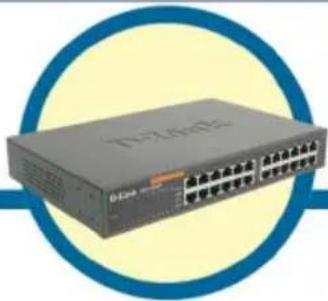
DES-1024D
10/100 MBit/s Fast Ethernet Switch
Vor dem Start
Assistance technique
E-mail :support@dlink.fr
D-Link®
Building Networks for People
D-Link
Quick Installation Guide
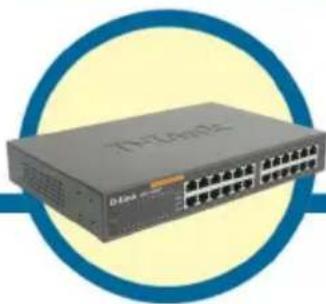
DES-1024D
Conmutador Fast Ethernet a 10/100
Mbps de 24 puertos
Antes de empezar
Building Networks for People
D-Link
Quick Installation Guide
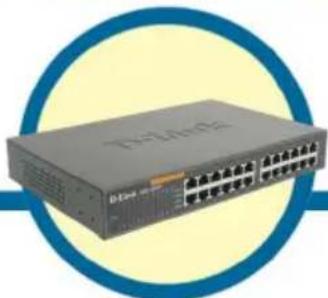
DES-1024D
Switch Fast Ethernet a 24
porte 10/100Mbps
Prima di cominciare
Building Networks for People
D-Link
Quick Installation Guide
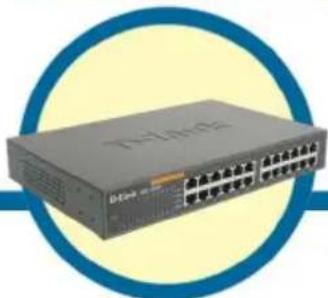
DES-1024D
10/100 Fast Ethernet MyTato
Праздем начать
B HactoIeM PyKOBODCTBe n3IOKeHbI INHCTpyKuIN NO yCTaHOBKe HaCTOJIbHbIX KOMMyTaTOPOB 10/100 Fast Ethernet DES-1024D. ImeIoUeecr yCTpOJcTBO MOKeT HECKoJIbKO OTLIuHaTbCS IO BHeUHEmy BVdY OT NOKa3aHHbIX Ha IINIOCTpaCuaJx. 3a BoJeE NOdpOBHoi INΦopMaUeNei O KomMyTaTope, erO KOMNoHEtAX, opraHn3aUeN CeTeBbIX COeINHeHNI 3a TEXHnueCKmN CneUΦnKaUeMn ObaPaUaITeCb K BXODJaEMy B KOMPiJIeKT NOCTaBKn pyKOBODCTBy User's Guide.
NcnoJb3OBaHne NCTOuHnKa NHTAHN C
DpyrIMn XapakTepcntkamn
HnapjKeHnEM MoKet
NOBney BblOJ n3 CTpoj
YCTpOJCTBa I NOTeP0
rapaHTn
EcnIyTO-Jn6o I3 nepeHncJIeHHoro OTCyTCTByET, o6paTNTecb K BaUeMy NoCTaBunKy.

YctaHOBka KOMMyTaTopa DES-1024D
При разmeшени Коммутатoga на павочем мосте HeobхODIMO yuHTbIBaTb cLEDyUOUINE MOMENTbl:
A. Поверхноctь Должна Великовытб BEC He MeHee 5Kt.
B. CúnoBa pO3eTKa DoJxHa HaxoIITcHa paCCTOarHm MeHee 1.8M OT YCTPOIcTbA.
C. Bn3yaJIbHo y6eI NTecb, YTO CInIOBOI Ka6eJIb PIIOTHO BCTaBNeH B pO3ETKU NITAHNIA.
D. Y6eIntecb B HaJIuHn IOCTaTOUHOro CBO6OJHO rpoCTpaHCTBa BOKpyr yCTpOiCTBa Ira OTBoJa TEnJa N BeHTnJaCnn. He pa3MeuAaTe TjXeJIbI ppeMToBHa KOMMyTaTope.

YctaHObKa Ha NOBepXHOCTb CToJa
Ipn yctahOBke KommyTaTopa Ha nobepxHocTb cToJa Heo6XODIMO npKneITb K Hemy nOCTabJREMbIE B KOMnKeTe pe3HHOBbie HOKKN. OHN DoJIKHbI pa3MeUaTbcr Ha dHe No YrIaM YcTPOiCTBa.
Обесень Te Достатуну Вьтпяи М exду KOMMyTaTOpM n dpyrIMn IpeDmetamn BOKpyr Hero.
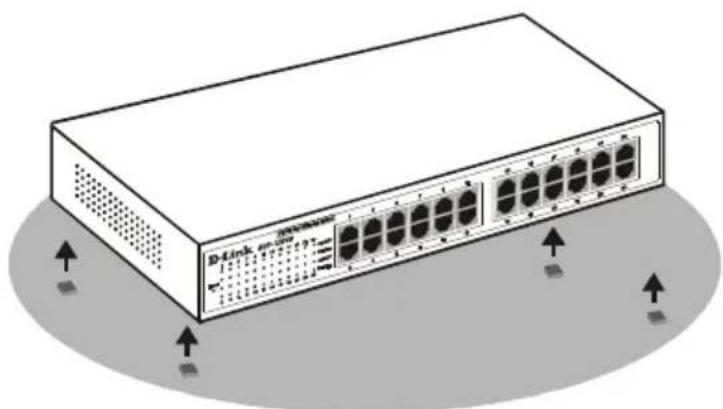
YcmaHOeHHbI Ha noBepxHocmb cmoJa KOMymamop Fast Ethernet

YctaHOBka B CToiKy
KOMMyTaTOP MOKeT 6bITb CMOHTnPOBaH B CTOnKy CTAndapTHOro pa3Mepa EIA 19", KOTopA, KaK npabNIO, pa3MeUaETcB CepBepHOJ KOMHaTe BMeCTe C dpyrIM o6OpyIDOBaHNem.ДЯ yCTaHOBKn yCTpoIcTBa pRJIooXnTe MOHTaKHBie yToJKN K 60KOBbIM NaHeJIaM KOMMyTaTopa (No ODNomy C KaJDoN CTOpOHy) IN 3aФИKcHpyIte Ix npINarAOUzIMMNcB BVHTaMn.
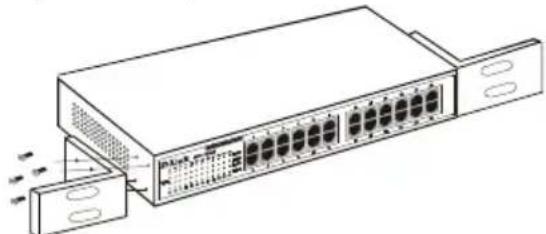
KpenneHue MoHmaXhBix y2oNko8 Ha Komymamope
3aTeM, nCNoJIb3yB BnHTbI OT cToiKn, 3aKpeIInTe Ha Hei KOMMyTaTOP.
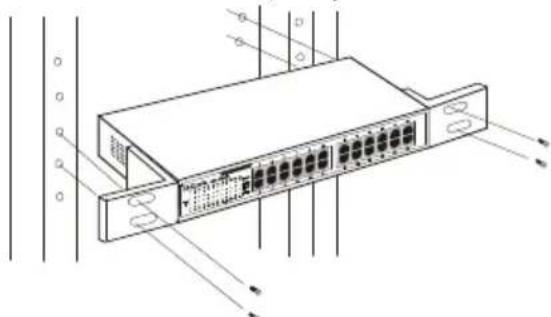
KpenneHue Kommymamopa K cmouke

CbeToIIOHbIe NHdNkaTOpbl
Ha KommyTaTope yCTaHOBHeHbI INdNKaTOpbI NITaHnA Power, coeINHeHnA Link/Act, ckopocTei nepeDaun FDX/Col n 100 M6nt/c. HnKe POKa3aHbI 3TN INdNKaTOpbIC NOrCHeHnA Mn.
Cae mooohhie uukamopbl
LEDPower Link/Act FDX/Col 100Mbps.
以LED
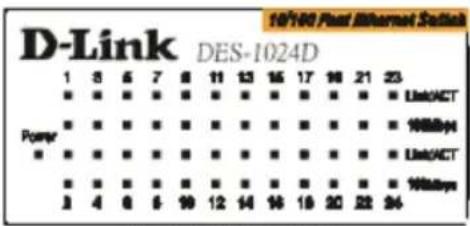
The Switch LED indicators
POWER
Link/Act. 雪LED
Activity--Act),LED