OptiV8 - Iron H.KOENIG - Free user manual and instructions
Find the device manual for free OptiV8 H.KOENIG in PDF.



Pick your language and provide your email: we'll send you a specifically translated version.
User questions about OptiV8 H.KOENIG
0 question about this device. Answer the ones you know or ask your own.
Ask a new question about this device
No questions yet. Be the first to ask one.
Download the instructions for your Iron in PDF format for free! Find your manual OptiV8 - H.KOENIG and take your electronic device back in hand. On this page are published all the documents necessary for the use of your device. OptiV8 by H.KOENIG.
USER MANUAL OptiV8 H.KOENIG
H
Instruction Manual
Manuel d'instructions
Bedienungsanleitung
Gebruiksaanwijzing
Manual de instrucciones
Manuale d'uso
Instrukcja obstugi

natural_image
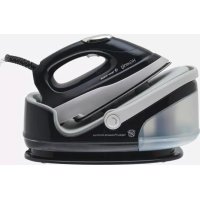
Exterior view of a Hkenig Vertical Steam iron with visible branding and control buttons (no text-heavy elements)
Steam ironing system
Centrale vapeur
Dampfbügelstation
Stoominstallatie
Central vapor
Centrale Vapore

text_image
QR code image containing encoded data, no visible human-readable text
ENGLISH
IMPORTANT SAFEGUARDS
1. Make sure to read all the safety precautions below and look at the illustrations before you start using the appliance.
2. Use the appliance for its intended use only described in this manual.
3. The appliance is intended for household use only.
4. In order to protect against the risk of electric short, do not immerse iron power base into water or any other liquids.
5. Connect the appliance only to an alternating current of the voltage specified on the rating plate and only to an earthed socket. To avoid a circuit overload, do not operate another high wattage appliance in the same circuit.
6. Turn the appliance to OFF before plugging or unplugging from outlet. Never yank cord to disconnect from outlet; instead, grasp plug and pull to disconnect.
7. Do not allow power cord or supply hose to touch hot surface.
8. Unplug the appliance from main socket before filling or empty or when not in use.
9. Do not operate the appliance with a damaged cord or if the appliance has been dropped or damaged. To avoid a hazard such as the risk of electric shock, do not disassemble the appliance, it must be taken to a qualified serviceman or manufacturer or its service agent for examination and repair. Incorrect re-assembly can cause a risk of electric shock when the iron is used.
10. Place the iron out of reach of children; close supervision is necessary for any appliance being used by or near children. Do not leave the iron unattended while connected to the supply mains.
11. During use, always place its stand on a stable, level and horizontal surface or ironing board.
12. Always place the iron on its stand, and do not allow the hot soleplate touch power cord or supply hose.
13. Burns can occur from touching hot metal parts, hot water or steam. Use caution when using the appliance.
14. Never use the iron facing towards people because the steam can cause burns.
15. The surface are liable to get hot during use.
16. Never twist the supply hose during use.
17. The iron shall be placed on the separate stand only. When placing the iron on its stand, ensure that the surface on which the stand is placed is stable.
18. The iron is not to be used if it has been dropped, if there are visible signs of damage or if it is leaking.
19. The iron must not be left unattended while it is connected to the supply mains.
20. The appliance must be rest or stocked on a stable, level and horizontal surface.
21. During use, if no water in the reservoir, it will produce noise <70dBA.
22. This appliance may be used by persons with reduced physical, sensory or mental capabilities or lack of experience or knowledge, provided that they are supervised or instructed in the safe use of the appliance and that they fully understand the potential hazards.
23. Cleaning and user maintenance shall not be made by children without supervision.
24. Keep the iron and its cord out of reach of children less then 8 years of age when it is energized or cooling down.
25. This appliance may be used by children of at least 8 years of age, as long as they are supervised and have been given instructions about using the appliance safely and are fully aware of the dangers involved.
26. Cleaning and maintenance should not be carried out by children unless they are at least 8 years of age and are supervised by an adult.
27. When using electrical equipment, safety precautions must always be taken to prevent the risk of fire, electric shock and/or injury in the event of misuse.
28. Make sure that the voltage rating on the typeplate corresponds to your main voltage of your installation. If this is not the case, contact the dealer and do not connect the unit.
29. The device must not be used if it has been dropped, it obvious signs of damage are visible or if it has leaks.
30. The device is not intended to be operated by external timer means or a remote control system.
31. This appliance is only intended for domestic and indoor use.
32. Never immerse the appliance, its power cord or the power outlet in water or any other liquid.
Your appliance has been designed for domestic use only. It is not intended for use in the following situations which are not covered by the warranty:
\- in staff kitchen areas in shops, offices and other professional environments,
\- in farm hostels,
\- by guests in hotels, motels and other residential
\- in staff kitchen areas in shops, offices and other professional environments,
- in farm hostels,
- by guests in hotels, motels and other residential
environments,
\- in bed and breakfast type environments.
PARTS AND FEATURES
1 Water tank
② Handle
③ Sole-plate
4 Function setting display
⑤ Selection button
6 Steam release
7 Power cord/Connecting supply
8 Power cord
9 Handle button
10 Filter
11 Water tank lock

text_image
SUPREME STEAM
ECO STEAM
CLEANING
DRY
SETTING
Function setting display

text_image
Water tank lock
1
2
3
4
5
6
7
8
9
10
Fabric Setting Chart
Temperature Setting DRY ECO STEAM SUPREME STEAM Fabric Synthetics, Silk, Nylon, Arcrylic, Acetate Synthetic, Wool Polyester Polyester Cotton Linen Wool Ironing Instruction Dry Ironing Steam Ironing Steam Ironing Steam Selection / 

Ironing Temperature Setting Guide
1. Follow up the ironing instructions on the garment label. If there is not any instruction label, but you know what kind of the fabric is, please refer to the fabric setting chart described in this instruction manual.
2. The fabric setting chart is only valid for plain fabrics and not for materials to which finishes, glosses etc., have been applied. Textile to which some kind of finish has been applied (gloss, crinkle, relief etc.) is best ironed at lower temperature
3. First sort laundry according to ironing temperature setting guide: wool with wool, cotton with cotton, etc.
4. The iron heats up more quickly than it cools down. Therefore, start ironing articles that need to be ironed at the lowest temperature, such as those made of synthetic fibres.
5. If you do not know what kind of fabric the article is made of, iron a piece of the material which is not visible when you wear to find out the appropriate temperature for your articles.
6. When steam ironing woollen fabrics, shiny patches may occur. You may prevent this by turning the article inside out and ironing the reverse side.
7. After using of steam ironing for cotton fabrics, do not iron articles required by lower temperature (such as nylon etc.) immediately. It is advisable to adjust the selection button to the lower setting, waiting for about 2-4 minutes till the blue indicator light turn off, and then you can start ironing.
IMPORTANT HINTS:
Do not fill water tank with vinegar, perfume, starch, chemically descaled water or descaling agents.
How to use your steam station
Prepare the appliance for use
1. Check if the rating indicated in the rating plate corresponding to the main voltage in your home
2. Press handle button to lay handle down.(Fig.1) (Note: When handle lift up, the unit is shut off, it will be ON when handle is laid down.)
3. Remove the protective foil or sticker or card from the sole-plate.
4. Fully unwind and straighten the power cord and the supply hose.
5. Place the appliance on a stable, level and horizontal surface, such as ironing board.
6. Place the iron onto the iron rest plate horizontally at the base unit.
Fill water tank
1. Press the water tank lock upwards and slide the detachable water tank outwards from the base.(Fig.2)
2. Take the filter upwards out from the water fill hole. (You can take the filter out of the opening for filling water into water tank, or fill water into water tank directly with the filter existing in the opening)(Fig.3)
3. Fill the water tank up to or below the "MAX" fill line with clean tap water.(Fig.4)
4. Replace filter back into water filling hole.(Fig.5)
5. Replace the water tank into the base unit again. It will be locked in place with the base unit until a "click" sound is provided.(Fig.6)
6. Always pour out the remaining water after use.(Fig.7)
Note: When the water level reaches a low level or empty, pump will provide sound to indicate refilling. It must stop to use the appliance immediately and refill water tank as the methods mentioned above.

natural_image
Diagram of a rope harness with attached cable and rope (no text or symbols)
Fig.1

natural_image
Line drawing of a steam iron with directional arrows indicating motion (no text or symbols)
Fig. 2

Fig. 3

Fig. 4

Fig. 5

Fig. 7


Fig. 6
Steam ironing
1. Fill water tank with clean tap water refer to above filling instruction. For better performance, please immerse filter in water for several minutes
before install it into the water tank)
2. Connect the appliance into a suitable socket outlet, power indicator light (red) " ⏻ "at iron unit lights up, it shows that
the unit has been connected to the power supply. (FIG.8)

text_image
SETTING
8
Fig. 8
3. Set selection button to desired position according to fabric setting chart mentioned above. (FIG.9) Setting indicator light (blue) at iron unit blinks
slowly to indicate the unit being heated up. When the blue indicator light change to light up steadily and an audible "Bi" signal produced, the desired temperature has been reached.
It is ready for steam ironing. During use, temperature

text_image
SUPREME STEAM
ECO STEAM
CLEANING
DRY
SETTING
Fig. 9
indicator light sometimes blinks, and sometimes lights up steadily, it does not indicate a defects or hazard, it is just because the appliance are temperature constant.
4. Before every first time use, it is proposed to clean iron unit as following methods: Take the iron up from the base unit, press steam button underneath the handle to allow steam ON for 30 seconds, and then OFF for 30 seconds, this cycle should be repeated for 2 times. When blue indicator light stop blinking, it is ready for use.
5. During steam ironing, steam should be automatically adjusted according to sole-plate temperature, which can most effectively prevent water trailing from sole-plate.
6. After use, put iron unit back onto the base unit again, set selection button to" 🔊", and then unplug the appliance from main socket.
7. Slide out the water tank and pour out the remaining water.
Note:
a. Pre-heat for about 3 minutes before first time use.
b. For every first time use, it is normal that is a slightly vibration sound may be occurred from electrical pump inside the base unit for a few seconds when steam ironing started. It is because there is air inside the filter, it will stop till
The air inside the filter has been pumped out. If these abnormal conditions continue happen for more than 60 seconds, please check whether water tank and filter assembled correctly or not
C. When set selection button at "DRY" position, no steam escaped since it only just suits for dry ironing.
Dry ironing
1. Connect the appliance to a suitable socket outlet, lay handle down. Power "⊕" indicator light (red) on iron unit light up, it indicates that the unit has been connected to power supply.
2. Set selection button to desired position according to above fabric setting chart. Blue indicator light at iron unit blinks slowly to indicate the unit being heated up. When the blue indicator light changes to light up steadily and an audible "Bi" signal produced, the desired temperature has been reached. During use, blue indicator light will cycle from blinking to light on steadily, and then from steady mode to On. It does not indicate a defects or hazard, it is just because the appliance is temperature constant.
3. After use, put iron unit back onto the base unit again, turn selection button to "⊕", and then unplug the appliance from main socket.
Note:
1. When changing your Temp setting from higher setting to lower, it is proposed that not to start ironing immediately since it may cause burns to your fabrics. Please wait till blue indicator light lights up steadily, and then start ironing.
2. This kind of iron has timing function. Press the steam button for 1 second at set intervals abound 10 minute and the function will re-timing.
Application methods of vertical ironing:
Our special vertical ironing function makes the ironing for wrinkles on hanging clothes curtains or wallpapers.
1. Setting the temperature at max gear, the iron can be used when the indicator lamps lightened up.
2. Taking up the iron next to the cloth and pressing the steam button, we can start to iron clothes.

natural_image
Line drawing showing a jacket and a hand using an iron, both without any text or symbols
Auto shut off function
If there are no actions has been made on the steam switch for about 15 minutes during use, the iron will be power-off automatically, the temperature indicator light OFF and making a 'BEEP' sound 3 times. If u want to restart the iron, please press the temperature button again.
Auto-cleaning function
A lot of incrustation is left in the steam dome after using a long time. The steam holes will be blocked when there are too much incrustation. Soleplate needed to be washed after
10-15 times of using the water tank.
1. Filling water into water tank and plugging in.
2. Preparing a large basin, carrying the iron horizontally above the basin.
3. Pressing the "SETTING" button 3 seconds, pump will be started to work, the "CLEAN-ING" light blinking.
4. The iron will be heated and washed automatically after pumping, then a lot of hot water flow out through the steam holes with cleaning the incrustation at the same time. Until there is no any water and steam, turn off the iron for cooling.
5. Use a wet cloth to wipe up the soleplate after cooling.
Note: if you want to stop the iron during the cleaning press the "setting" button

text_image
SUPREME STEAM
ECO STEAM
CLEANING
DRY
φ
SETTING
Handle
Handle attached to the base unit used to carry the appliance, it also serve as a power on/off switch: Lift the handle up, power OFF, put the handle down, power ON. Before use, please put the handle down as following method: Press down two handle buttons synchronously, and then lay the handle down.
(Fig.10)After use, allow the appliance completely cool down, then wind power cord around the cord storage of base unit and put the iron onto base unit. Lift handle up until a "click" sound is provided, it indicates that the handle has been locked in place and you can carry the appliance by the handle.(Fig.11)

natural_image
Technical line drawing of a mechanical device with rope and clamped components (no text or symbols)
Fig.10

natural_image
Line drawing of a steam iron with an arrow indicating upward motion (no text or symbols)
Fig.11
Cord storage
1. Unique design for cord storage of base unit provide not only beautiful features, but also easy storage.
2. After use, unplug the unit from main socket, pour out the remaining water from water tank after the unit has been completely cooled down.
3. Rest iron on power base, fold connecting supply in half, (FIG.12) and wind the connecting supply counter-clockwise around cord slot of the base unit.(Fig.13) Then tie power
cord and connecting supply with cord tie at near ended area. Wind the remaining power cord clockwise around cord slot, then put plug between connecting supplies in order to tighten fully.(Fig.14)
4. Well store the appliance for further use.
Note: This feature is not included for model G-1033STB-E.

Fig.12

Fig.13

Fig.14
Replacement of filter
Method: Slide water tank out from base unit, take the filter out from water tank, and then replace with a new one. After new filter has been installed well into water tank, fill water into water tank to Max fill level, and then slide water tank back into base unit. (Immerse filter in water for several minutes in order to gain better performance in future use.
Anti-calc system
1. The filter is designed to reduce the buildup of limescale which occurs during steam ironing, this will prolong the working life of your iron. However, please note that the filter will not completely stop the natural process of limescales build-up.
2. The filter should be replaced with a new one after two - three months. Before replace, the filter can still be used continuously. However, limescales may be most probably built up in steam chamber, this happens always depending on your local water quality. 1 t is proposed that replace filter as soon as possible or mix your water with 50% proportion of distilled water.
Emptying and storing
1. Disconnect the appliance from the power supply and allow the appliance to cool down for 60 minutes at least.
2. After use, siide out the water tank and pour out all the remaining water.
3. Wind the power cord around cord storage of the base unit.
4. The iron should be place on the iron rest plate and they can store together.
Cleaning and Maintenance
1. Unplug the appliance tram the main supply and let the iron cool down.
2. Clean the iron with a damp cloth.
3. Wipe off scale and any other deposits on the soleplate with a damp cloth or non-abrasive (liquid) cleaner. Never clean the appliance under the tap water.
Trouble shooting
Problems Possible causes Solution Iron won't heat Incorrect connection to the main socket Re-plug the unit to main socket. Handle has not been laid down Lay handle down Temp setting at " 🔊" position Select the required ironing temperature according to fabric setting chart. Unknown malfunctions Take to a qualified serviceman or manufacturer or its service agent for examination and repair. No steam go out when pressing steam switch after the desired temperature is reached. Temp setting at DRY position Select the required ironing temperature according to fabric setting chart. No water in water tank Fill water into water tank Filter has not been well installed into water tank. Install filter into water tank Water tank has not been well installed. Slide water tank into the power base and it will be locked in place until a "click" sound produced. " " 🔊" blink quickly, other fabric indicator turn off, buzzesound a "Bi". All buttons are non- workin. it will resume when re-energized again. Defects with internai circuit, unit corne into self protect mode Re-energized the unit again. If it still can not resume, please take it to its service agent or similarly qualified persans for repair.
WARRANTY
The warranty period for our products is 2 years, unless otherwise stated, starting from the date of initial purchase or the date of delivery.
If you have any problems or questions, you can easily access our help pages, troubleshooting tips, FAQ, and user manuals on our service site: https://sav.hkoenig.com.
By typing the reference name of your device in the search bar, you can access all available online support, designed to best meet your needs.
If you still cannot find an answer to your question or problem, then click on "Did the answer solve your problem?". This will direct you to the Customer Support Request Form, which you can fill out to validate your request and get help.
WARRANTY CONDITIONS
The warranty covers all failures occurring under normal use, in accordance with the usage and specifications in the user's manual.
This warranty does not apply to packaging or transportation problems during shipment of the product by the owner. It also does not include normal wear and tear of the product, nor maintenance or replacement of consumable parts.
EXCLUSION OF WARRANTY
- Accessories and wearing parts (\*).
- Normal maintenance of the device.
- All breakdowns resulting from improper use (shocks, failure to comply with power supply recommendations, poor conditions of use, etc.), insufficient maintenance or misuse of the device, as well as the use of unsuitable accessories.
- Damage of external origin: fire, water damage, electrical surge, etc.
- Any equipment that has been disassembled, even partially, by persons other than those authorized to do so (notably the user).
- The products whose serial number would be missing, deteriorated or illegible that would not allow its identification.
- The products subjected to leasing, demonstration, or exhibition.
(\*) Some parts of your device, called wear parts or consumables, deteriorate with time and frequency of use of your device. This wear and tear are normal but can be accentuated by poor conditions of use or maintenance of your device. These parts are therefore not covered by the warranty.
The accessories supplied with the device are also excluded from the warranty. They cannot be exchanged or refunded. However, some accessories can be purchased directly through our website: https://sav.hkoenig.com/.

Never dispose of your product with other household waste. Please inform yourself about the local rules on the separate collection of electrical and electronic products. The correct disposal of your old product helps prevent potentially negative consequences on the environment and human health.
Adeva SAS / H.Koenig Europe - 8 rue Marc Seguin, 77290 Mitry-Mory, France www.hkoenig.com - sav@hkoenig.com - contact@hkoenig.com - Tél: +33 1 64 67 00 05
FRANÇAIS
MISE EN GARDE IMPORTANTES
Assurez-vous d'avoir lu toutes les précautions de sécurité ci-dessous et observez les illustrations avant d'utiliser l'appareil.
1. Lisez toutes les instructions avec soin avant utilisation.
2. N'utilisez l'appareil que pour l'usage pour lequel il a été conçu.
3. L'appareil est destiné à un usage domestique uniquement.
4. Pour prévenir tout risque d'électrocution, ne pas immerger l'appareil dans l'eau ni dans aucun autre liquide (Fig.1)
5. Ne raccordez l'appareil que sur courant alternatif, sous la tension indiquée sur la plaque signalétique, et uniquement via une prise reliée à la terre.
6. L'appareil doit toujours être éteint – sur OFF – avant de le brancher ou de le débrancher. Ne tirez pas brutalement sur le cordon pour le débrancher : saisissez la prise et tirez-la pour la déconnecter.
7. Ne laissez pas le câble d'alimentation ni le tuyau d'alimentation toucher la surface chaude.
8. Débranchez toujours la prise de l'appareil quand vous le remplissez d'eau, quand vous le videz et quand vous ne vous en servez pas.
9. Ne faites pas fonctionner l'appareil avec un câble endommagé, ou si vous l'avez laissé tomber ou endommagé. Pour prévenir tout risque d'électrocution, ne
démontez pas l'appareil : vous devez l'apporter à un réparateur qualifié, au fabricant ou à son service après-vente qui l'examinera et le réparera. Un réassemblage incorrect peut entraîner un risque d'électrocution quand vous utiliserez le fer à repasser.
10. Placez le fer à repasser hors de portée des enfants. Soyez attentive si vous utilisez un appareil en présence ou à proximité d'enfants. Ne laissez pas le fer à repasser sans surveillance branché sur le secteur.
11. Placez toujours l'appareil sur une surface stable, régulière et horizontale, ou sur la planche à repasser.
12. Placez toujours le fer à repasser à l'horizontale sur sa plaque support. Ne laissez pas le fer chaud sur le câble électrique ni sur le tuyau d'alimentation.
13. Vous risquez de vous brûler en cas de contact avec des pièces métalliques chaudes, de l'eau chaude ou de la vapeur. Si vous laissez le fer sur sa plaque support quand vous vous en servez, la surface du support risque de chauffer : ne touchez pas la plaque ni la semelle située dessus tant qu'elles n'ont pas refroidi.
14. N'utilisez jamais le fer tourné vers quelqu'un, parce que la vapeur peut entraîner des brûlures.
15. Les surfaces sont susceptibles de chauffer pendant l'utilisation.
16. N'entortillez pas le tuyau quand vous l'utilisez.
17. Le fer ne doit pas rester sans surveillance quand il est branché sur le secteur.
18. Le fer doit être utilisé et laissé à reposer sur une surface stable.
19. Quand vous disposez le fer sur son support, assurez-vous que la surface sur laquelle le support repose est stable.
20. Le fer ne doit pas être utilisé si vous l'avez laissé tomber, s'il y a des signes visibles de dommages ou s'il fuit.
21. Si le cordon d'alimentation électrique est endommagé, il doit être remplacé par le fabricant, son service après-vente ou une personne qualifiée pour prévenir tout risque.
22. Cet appareil peut être utilisé par des personnes dont les capacités physiques, sensorielles ou mentales sont réduites ou dont l'expérience ou les connaissances ne sont pas suffisantes, à condition qu'elles bénéficient d'une surveillance ou qu'elles aient reçu des instructions quant à l'utilisation de l'appareil en toute sécurité et qu'elles en comprennent bien les dangers potentiels.
23. L'appareil peut produire un son >70 dB s'il fonctionne sans eau dans la cuve.
24. Cet appareil ne peut être utilisé par des enfants âgés d'au moins 8 ans et des personnes à mobilité réduite que si on leur a montré comment s'en servir au préalable, qu'ils ont conscience des dangers éventuels et sous supervision. En aucun cas ne doit-on permettre à des enfants de jouer avec l'appareil. Le nettoyage de l'appareil ne doit pas être conduit par des enfants sans surveillance.
25. Maintenez le fer et son cordon hors de portée des enfants de moins de 8 ans lorsqu'il est branché ou bien pendant qu'il refroidit.
26. Cet appareil peut être utilisé par des enfants âgés d'au moins 8 ans, à condition qu'ils bénéficient d'une surveillance ou qu'ils aient reçu des instructions quant à l'utilisation de l'appareil en toute sécurité et qu'ils comprennent bien les dangers encourus.
27. Le nettoyage et l'entretien par l'utilisateur ne doivent pas être effectués par des enfants, à moins qu'ils ne soient âgés de plus de 8 ans et qu'ils soient sous la surveillance d'un adulte.
28. Lors de l'utilisation d'appareils électriques, des précautions de sécurité doivent toujours être prises pour prévenir tout risque d'incendie, de choc électrique et/ou de blessure en cas de mauvaise utilisation.
29. Vérifier que le voltage indiqué sur la plaque signalétique de l'appareil correspond bien à celui de votre installation électrique. Si ce n'est pas le cas, adressez-vous au revendeur et ne branchez pas l'appareil.
30. L'appareil ne doit pas être utilisé s'il est tombé, s'il présente des signes évidents de dommages ou s'il présente des fuites.
31. L'appareil n'est pas destiné à être actionnés par des moyens de minuterie externe ou un système de télécommande.
32. Cet appareil est uniquement prévu pour un usage domestique et en intérieur.
Ne plongez jamais l'appareil, son cordon d'alimentation ou la prise de courant dans l'eau ou tout autre liquide.
Votre appareil a été conçu pour un usage domestique seulement. Elle n'a pas été conçue pour être utilisée dans les cas suivants qui ne sont pas couverts par la garantie : – dans des coins de cuisines réservés au personnel dans des magasins, bureaux et autres environnements professionnels,
\- dans des fermes auberges,
- par les clients des hôtels, motels et autres environnements à caractère résidentiel,
\- dans des environnements de type chambres d'hôtes.
PIECES ET FONCTIONS
1 Cuve
2 Poignée
3 Patin
4 Affichage du paramétrage des fonctions
5 Bouton de sélection
6 Lâcher de vapeur
7 Câble d'alimentation/Branchement
8 Câble d'alimentation
9 Bouton de la poignée
10 Filtre
11. Verouillage de la cuve

text_image
VAPEUR
VAPEUR ECO
NETTOYAGE
S EC
SETTING
Affichage du paramétrage des fonctions
REGLAGE DU FER SELON LES TISSUS
Réglage temperature SEC VAPEUR ECO VAPEUR Tissu Synthétiques, Soie, Nylon, Acrylique, Acétates Synthétique, Laine, Polyester Polyester, Coton, Lin, Laine Instructions de repassage Dry Ironing Steam Ironing Steam Ironing Sélection vapeur 


GUIDE DE REGLAGE
DE LA TEMPERATURE DE REPASSAGE
1. Suivez les instructions de repassage sur l'étiquette du vêtement. S'il n'y a pas d'étiquette sur le vêtement, mais si vous savez de quel tissu il s'agit, reportez-vous au tableau de réglage du fer selon les tissus dans ce manuel d'instructions.
2. Le tableau de réglage selon les tissus n'est valable que pour des tissus mono-fibres et pas pour des tissus sur lesquels a été appliquée une finition (brillant, crêpage, relief, etc.) pour lesquels il vaut mieux employer une température de repassage plus basse.
3. Commencez par trier le linge suivant le guide de réglage de la température de repassage : la laine avec la laine, le coton avec le coton, etc.
4. Le fer chauffe plus vite qu'il ne refroidit. Par conséquent, commencez par repasser les articles qui ont besoin d'être repassés à basse température, tels que ceux en synthétique.
5. Si vous ne savez pas de quelle sorte de tissu il s'agit, repassez un morceau de tissu qui ne sera pas visible quand vous la porterez pour trouver la bonne température pour l'article.
6. Quand on repasse des tissus en laine à la vapeur, il peut se former des taches brillantes. Vous pouvez prévenir leur apparition en retournant l'article l'intérieur à l'extérieur et en repassant ainsi le revers.
7. Après avoir utilisé le repassage vapeur pour des articles en coton, ne repassez pas immédiatement des articles nécessitant une température plus basse (comme le nylon, etc.) Il est recommandé de placer le bouton de réglage de la température sur une température plus basse, d'attendre environ 2 à 4 minutes que le voyant d'alimentation électrique s'éteigne, et alors seulement vous pourrez recommencer à repasser.

text_image
Technical diagram of a portable air conditioner with numbered parts and exploded views
RECOMMANDATIONS IMPORTANTES :
Ne remplissez pas la cuve avec du vinaigre, de l'amidon, de l'eau déminéralisée ou des agents de déminéralisation.
COMMENT UTILISER VOTRE CENTRALE VAPEUR
Préparation de l'appareil
1. Vérifiez si la tension indiquée sur la plaque signalétique correspond à la tension du secteur.
2. Appuyez sur le bouton de la poignée pour la poser (Fig.
1) (Note : Quand on soulève la poignée, l'appareil se coupe ; il ne s'allume que lorsque la poignée est posée)
3. Enlevez la feuille, l'autocollant ou la carte de protection de la semelle.
Déroulez entièrement le cordon et le tuyau d'alimentation et veillez à ce qu'ils soient bien droits.
4. Déposez l'appareil sur une surface stable et horizontale telle qu'une planche à repasser.
5. Disposez le fer horizontalement sur son support (de l'unité support).
Remplissage de la cuve
1. Poussez le bouton de détachement vers le haut et glissez le réservoir amovible hors de la centrale vapeur (Fig. 2).
2. Enlevez le filtre de l'orifice de remplissage (vous pouvez extraire le filtre de l'orifice de remplissage pour y verser l'eau ou y verser l'eau directement avec le filtre en place) (Fig. 3).
3. Remplissez le réservoir jusqu'à la ligne "MAX" ou juste en dessous avec de l'eau du robinet (Fig. 4).
4. Remettez le filtre en place dans l'orifice de remplissage (Fig. 5).
5. Remettez le réservoir en place dans la centrale vapeur. Lorsque vous entendrez un "clic", le réservoir sera bloqué bien en place (Fig. 6).
6. Videz toujours le reste d'eau après usage (Fig. 7).
Note : Lorsque le niveau d'eau atteint le niveau bas ou que le réservoir est vide, la pompe fait entendre un bruit qui indique qu'il faut le remplir à nouveau. Il faut arrêter immédiatement d'utiliser la centrale vapeur et remplir le réservoir comme indiqué ci-dessus.

natural_image
Line drawing of a mechanical component with no visible text or symbols
Fig. 1

natural_image
Line drawing of a steam iron with a separate side-view view (no text or symbols)
Fig. 6

Fig. .2

text_image
SETTING
Fig. 8

text_image
Fig. 3 Fig. 4
Fig. 5 Fig, 7

Repassage à la vapeur
1. Remplissez la cuve d'eau du robinet. Reportez-vous aux instructions de remplissage plus haut. Pour un meilleur fonctionnement, immergez le filtre dans l'eau plusieurs minutes avant de l'installer dans la cuve.
2. Branchez l'appareil à une prise adéquate. L'indicateur d'alimentation électrique s'allume en rouge : cela montre que l'appareil est connecté à l'alimentation électrique (Fig. 8).
3. Placez le bouton de sélection à la position désirée en fonction du tableau de réglage du fer selon les tissus indiqués plus haut (Fig. 9). Le voyant indicateur de réglage (bleu) clignote lentement pour indiquer que l'appareil chauffe. Quand le voyant bleu cesse de clignoter pour rester constamment allumé et qu'un bip se fait entendre, la température désirée est atteinte. L'appareil est prêt pour le repassage à la vapeur. En cours d'utilisation, parfois le voyant indicateur clignotera, parfois il restera allumé en continu. Cela n'indique aucun défaut ni aucun danger : c'est juste dû au fait que l'appareil reste à température constante.
4. Avant de l'utiliser pour la première fois, il est recommandé de nettoyer le fer en suivant la méthode suivante : Soulevez le fer de sa base, appuyez sur le bouton de vapeur sous la poignée pour activer la vapeur pendant 30 secondes, puis relâchez-la pendant 30 secondes - répétez ce cycle 2 fois. Quand le voyant indicateur bleu cesse de clignoter, le fer est prêt à l'emploi.
5. Pendant le repassage à la vapeur, la vapeur doit être automatiquement adaptée en fonction de la température de la semelle : c'est la façon la plus efficace de prévenir l'écoulement de l'eau de la semelle.
6. Après utilisation, remettez le fer sur sa base. Remettez le bouton de sélection suns, et
débranchez l'appareil.
7. Sortez la cuve et videz-la de l'eau résiduelle.
Notes :
a) Préchauffez pendant 3 minutes environ avant la première utilisation.
b) A la première utilisation, il est normal d'entendre pendant quelques secondes un léger son de vibration en provenance de la pompe électrique à l'intérieur de la base au démarrage du repassage à la vapeur. C'est dû à la présence d'air dans le filtre. Cela s'arrêtera quand l'air à l'intérieur du filtre aura été entièrement pompé. Si cette anomalie perdure plus de 60 secondes, vérifiez que la cuve et le filtre sont bien assemblés.
c) Quand le bouton de sélection est sur SEC, il n'y aura pas de vapeur, car le nylon n'accepte que le nettoyage à sec.
Repassage à sec
1. Branchez l'appareil à une prise adéquate. L'indicateur d'alimentation électrique s'allume en rouge : " cela montre que l'appareil est connecté à l'alimentation électrique.
2. Placez le bouton de sélection à la position désirée en fonction du tableau de réglage du fer selon les tissus. Le voyant indicateur de réglage (bleu) clignote lentement pour indiquer que l'appareil chauffe. Quand le voyant bleu cesse de clignoter pour rester constamment allumé et qu'un bip se fait entendre, la température désirée est atteinte. En cours d'utilisation, parfois le voyant indicateur clignotera, parfois il restera allumé en continu. Cela n'indique aucun défaut ni aucun danger : c'est juste dû au fait que l'appareil reste à température constante.
3. Après utilisation, remettez le fer sur sa base. Remettez le bouton de
sélection sur "φ" et débranchez l'appareil.

natural_image
Illustration of a jacket and a hand washing a garment (no text or symbols)
Note :
1. Quand vous changez le réglage de température pour passer à une température plus basse, ne commencez pas à repasser pas immédiatement, car vous risquez de brûler vos tissus. Attendez que le voyant bleu reste allumé fixement. Alors seulement commencez à repasser.
2. Ce type de fer a une fonction de minuterie. Appuyez sur la touche vapeur pendant 1 seconde à intervalles réguliers de 10 minutes et la fonction se remettra en marche.
Méthode de repassage vertical :
Notre fonction spéciale de repassage vertical permet de repasser les plis sur les vêtements suspendus♦, les rideaux ou les papiers peints.
1. En réglant la température au maximum, le fer à repasser peut être utilisé lorsque les voyants lumineux s'allument.
2. En mettant le fer près du tissu et en appuyant sur la touche vapeur, on peut commencer à repasser les vêtements.
FONCTION D'INTERRUPTION AUTOMATIQUE
Si l'interrupteur de vapeur n'a pas été actionné pendant environ 15 minutes au cours de l'utilisation, le fer s'éteindra automatiquement : le témoin de température s'éteindra et un BIP retentira 3 fois. Si vous souhaitez redémarrer le fer à repasser, appuyez à nouveau sur le
témoin de température.
Fonction d'auto-nettoyage
Beaucoup de dépôts s'accumulent dans le circuit vapeur après une longue période d'utilisation. Les trous de la semelle finiront par se boucher, c'est pourquoi elle doit être lavée après avoir rempli 10 à 15 réservoirs d'eau.
1. Remplir le réservoir d'eau et brancher le fer.
2. Prendre une bassine et mettre le fer à repasser horizontalement au-dessus.
3. En appuyant sur la touche RÉGLAGES pendant 3 secondes, la pompe à eau se met en marche et le voyant NETTOYAGE clignote.
4. Le fer chauffe et se nettoie automatiquement après le pompage : une grande quantité d'eau chaude s'écoule par les trous de la semelle en entraînant les dépôts. Une fois qu'il n'y a plus d'eau et de vapeur, éteindre le fer pour qu'il refroidisse..

text_image
SUPREME STEAM
ECO STEAM
CLEANING
DRY
⊕
SETTING
5. Employer un chiffon humide pour essuyer la semelle quand elle est froide.
Remarque : si vous désirez arrêter le fer pendant le nettoyage, appuyez sur la touche Réglages
POIGNEE
La poignée attachée au support sert à porter l'appareil mais sert aussi d'interrupteur marche/arrêt : soulever la poignée coupe l'alimentation électrique, la rabaisser la rétablit. Avant utilisation, abaissez la poignée de la façon suivante : Appuyez simultanément sur les deux boutons de la poignée, puis abaissez-la (Fig. 10). Après utilisation, laissez l'appareil refroidir complètement, puis enroulez le câble d'alimentation dans sa réserve dans le support et posez le fer sur le support. Soulevez la poignée jusqu'à entendre un clic : cela indique que la poignée est verrouillée et que vous pouvez porter l'appareil avec (Fig. 11).
Fig.11

natural_image
Diagram of a rope or cable structure with directional arrows, no visible text or symbols
ENROULEMENT DU CÂBLE

natural_image
Line drawing of a steam iron with directional arrow indicating motion (no text or symbols)
1. Le design unique de l'enroulement du câble est non seulement beau mais permet aussi de le conserver facilement à l'abri.
2. Après utilisation, débranchez l'appareil et videz l'eau résiduelle de la cuve lorsque l'appareil a complètement refroidi.
3. Posez le fer sur sa base, pliez le câble d'alimentation à moitié (Fig. 12) et enroulez-le autour de la fente prévue pour lui autour du support (Fig. 13). Ensuite, attachez le câble et la prise à son extrémité. Enroulez le reste du câble dans le sens des aiguilles d'une montre autour de la fente et mettez la prise en place pour bien serrer le tout (Fig. 14).
4. Conservez l'appareil bien à l'abri pour une utilisation ultérieure.

Fig.12

Fig.13

Fig.14
REPLACEMENT DU FILTRE
Procédé : Faites glisser la cuve hors du support de base, extrayez le filtre de la cuve, puis remplacez-le par un filtre neuf. Lorsque le nouveau filtre est bien installé dans la cuve, versez-y de l'eau jusqu'au niveau max. de remplissage, puis refaites glisser la cuve dans le support de base (immergez le filtre plusieurs minutes pour obtenir une meilleure performance pour une utilisation future).
SYSTÈME ANTI-CALCAIRE
1. Le filtre est conçu pour réduire la formation de calcaire qui survient pendant le repassage à la vapeur : cela prolongera la durée de vie de votre fer. Toutefois, notez que le filtre n'arrêtera pas complètement le processus naturel de formation du calcaire.
2. Le filtre doit être remplacé par un filtre neuf après deux à trois mois. Avant remplacement, on peut continuer à utiliser le filtre en continu. Toutefois, le calcaire aura plus de chances de se former dans la chambre de vapeur. Sa production dépend toujours de la qualité de votre eau. Il est recommandé de remplacer le filtre dès que possible ou de mélanger votre eau à 50% d'eau distillée.
VIDANGE ET REMPLISSAGE
1. Débranchez l'appareil et laissez-le refroidir au moins 60 minutes.
2. Après utilisation, faites glisser la cuve hors du support de base et videz-en l'eau résiduelle.
3. Enroulez le câble d'alimentation électrique autour du support de base.
4. Placez le fer sur son support et stockez-les ensemble.
1. NETTOYAGE ET MAINTENANCE
2. Débranchez l'appareil et laissez-le refroidir.
3. Nettoyez le fer avec un linge humide.
4. Éliminez tout dépôt de tartre ou autre sur la semelle avec un linge humide ou un produit nettoyant non-abrasif.
5. Ne nettoyez jamais l'appareil sous le robinet.
RESOLUTION DES PROBLEMES
Problème Causes possibles Solution Le fer ne chauffe pas Mauvaise connexion de la prise d'alimentation électrique Rebranchez l'appareil La poignée n'a pas été abaissée Abaissez la poignée Réglage de la température en position Sélectionnez la température de repassage nécessaire en fonction du tableau de réglage du fer selon les tissus Panne inconnue Apportez l'appareil à un réparateur qualifié ou chez le fabricant ou à son service après-vente pour examen et réparation Aucune vapeur ne sort quand on appuie sur le bouton de vapeur, alors que la température désirée est atteinte Réglage de la température en position Nylon Sélectionnez la température de repassage nécessaire en fonction du tableau de réglage du fer selon les tissus Pas d'eau dans la cuve Versez de l'eau dans la cuve Le filtre n'est pas bien en place dans la cuve Installez le filtre dans la cuve La cuve n'a pas été bien installée Glissez la cuve dans le support de base : elle sera verrouillée quand un clic se fera entendre Le premier voyant indicateur clignote rapidement, l'autre est éteint, et un bip retentit. Aucun bouton ne fonctionne. L'appareil redémarre quand on le rebranche. Circuit interne défectueux. L'appareil est passé en mode de sécurité. Rebranchez l'appareil. S'il ne redémarre pas, portez-le au service après-vente ou à toute personne qualifiée pour réparation,
GARANTIE
La durée de garantie de nos produits est de 2 ans, sauf décret en vigueur, à compter de la date d'achat initiale ou la date de livraison.
En cas de problèmes ou d'interrogations, vous pouvez facilement accéder à nos pages d'aides, conseils de dépannage, FAQ et modes d'emplois sur notre site SAV : https://sav.hkoenig.com.
En tapant le nom de référence de votre appareil dans la barre de recherche, vous accédez à tous les supports en ligne disponibles, conçus pour vous répondre au mieux à vos besoins.
Si vous ne trouvez toujours pas de réponse à votre question ou votre problème, alors cliquez sur « Est-ce que la réponse a résolu votre problème ? ». Vous accéderez alors au formulaire de demande d'assistance SAV, qu'il vous suffira de compléter pour valider votre demande et obtenir de l'aide.
CONDITIONS DE GARANTIE
La garantie couvre l'ensemble des pannes survenant dans le cadre d'une utilisation normale, conforme aux usages et spécifications présentes sur le manuel d'utilisation.
Cette garantie ne s'applique pas aux problèmes d'emballage ou de transport pendant l'expédition du produit par son propriétaire. Elle n'inclut également pas l'usure normale du produit, ni la maintenance ou le remplacement de pièces consommables.
EXCLUSION DE GARANTIE
- Les accessoires et les pièces d'usure (\*).
- L'entretien normal de l'appareil.
- Toutes pannes survenant par suite d'une mauvaise utilisation (chocs, non-respect des préconisations d'alimentation électrique, mauvaises conditions d'utilisation, etc.), d'un entretien insuffisant ou d'un détournement de fonction de l'appareil, ainsi que l'usage d'accessoires non appropriés.
- Les dommages d'origine externe : incendie, dégâts des eaux, surtension électrique, etc.
- Tout matériel qui aura été démonté même partiellement par des personnes autres que celles habilitées (notamment l'utilisateur).
- Les produits dont le numéro de série serait absent, détérioré ou illisible que ne permettrait pas son identification.
- Les produits soumis à la location, à la démonstration ou à l'exposition.
(\*) Certaines pièces de votre appareil dites pièces d'usure ou consommables se détériorent avec le temps et la fréquence d'usage de votre appareil. Cette usure est normale, mais peut être accentuée par des mauvaises conditions d'utilisation ou entretien de votre appareil. Ces pièces ne sont donc pas couvertes par la garantie.
Les accessoires fournis avec l'appareil sont également exclus du champ de la garantie. Ils ne peuvent donc être ni échangés, ni remboursés. Toutefois, certains accessoires peuvent être directement achetés via notre site : https://sav.hkoenig.com/.

Ne jamais jeter cet appareil dans la poubelle avec les ordures ménagères. Veuillez-vous renseigner sur les dispositions à prendre pour la prise en charge d'appareils électriques et électroniques dans votre ville, afin d'éviter des conséquences négatives sur l'environnement et sur la santé.
Adeva SAS / H.Koenig Europe - 8 rue Marc Seguin, 77290 Mitry-Mory, France www.hkoenig.com - sav@hkoenig.com - contact@hkoenig.com - Tél: +33 1 64 67 00 05
DEUTSCH
WICHTIGE HINWEISE
Vergewissern Sie sich das Sie alle Sicherheitshinweise vor de benuetzung der Dampfstation sorgfaeltig durchlesen.
1. Lesen Sie alle Hinweise aufmerksam durch.
2. Benutzen Sie das Geraet nur wozu es hergestellt wurde.
3. Das Geraet ist nur fuer den Haushalt nutz bestimmt.
4. Un die Elektroschockgefahr zu vermeiden tauchen Sie das Geraet nicht ins Wasser. (Fig.1)
5. Stecken Sie das Geraet nur in (AC) Wechselstromnetz, nur unter der Spannung die auf dem Geraet angezeigt ist und an einen geerdeten Stromauslass.
6. Das Geraet muss immer auf OFF sein wenn Sie es austecken oder einstecken. Ziehen Sie nicht am Kabel, ziehen Sie direkt am Stecker.
7. Lassen Sie das Kabel un den Schlauch nicht die heisse Oberflaeche des Eisens beruehren.
8. Stecken Sie das Geraet immer aus wenn Sie es mit Wasser auffuellen, leeren oder nicht benutzen.
9. Benutzen sie das Geraet nicht mit beschaedigten Kabel oder wenn Sie es fallen gelassen haben. Um die Elektroschockgefahr zu vermeiden versuchen Sie nicht das Geraet zu oeffnen. Kontaktieren Sie einene autorisierten Techniker der das Geraet reparieren wird. Eine inkorrekte reparatur koennte zu Elektroschockgefahr fuehren.
10. Lassen Sie die Kinder nicht mit dem Geraet spielen. Seien Sie vorsichtig wenn Sie das Geraet in der naehe von
Kindern benutzen. Lassen Sie das Geraet nicht unbeaufsichtigt funktionieren.
11. Stellen Sie das Geraet immer uf einer ebenene Operflaeche oder auf dem Buegelbrett.
12. Stellen Sie das Buegeleisen immer horizontal auf dem Support. Stellen Sie das heisse Buegeleisen nis auf das Kabel oder den Schlauch.
13. Sie koenne sich mit den Eisen, Dampf oder Wasser verbrennen. Wenn Sie das Eisen auf dem Support lassen wird der Support heiss! Beruehren Sie ihn nicht bis er wieder abgekuehlt ist.
14. Stellen Sie das heisse Eisen niemals in Richtung einer Person da der heisse Dampf diese verbrennen koennte.
15. Die Flächen werden während der Nutzung heiß.
16. Die Oberfläche des Eisens wird waehrend der Benutzung heiss.
17. Verdrehen Sie den Schlauch nicht wenn Sie ihn benutzen.
18. Das Eisen darf nicht unbeufsichtigt sein wenn es eingesteckt ist.
19. Wenn Sie das Buegeleisen auf dem Support lassen vergewissern Sie sich das diese auf einer stabilen Oberflaeche ist.
20. Das Geraet sollte nicht benutz werden wenn Sie es fallen gelassen haben oder es ein Lecken hinweisst.
21. Wenn das Kabel beschaedigt ist muss es von einem autorisierten Techniker ausgetauscht werden.
22. Dieses Gerät kann von Personen mit eingeschränkten körperlichen, sensorischen oder geistigen Fähigkeiten oder mangelnder Erfahrung und Kenntnis benutzt werden, vorausgesetzt, dass sie beaufsichtigt oder in der sicheren
Benutzung des Gerätes unterwiesen werden und die möglichen Gefahren vollständig verstehen.
23. Das Geraet mach ein >70dB Gerausch wenn es ohne Wasser benutzt wird.
24. Beim Abkühlen oder während der Zeit, die Sie an das Netz angeschlossen ist, muss das Eisen von Kindern entfernt sein.
25. Dieses Gerät darf von Kindern ab 8 Jahren benutzt werden, sofern diese beaufsichtigt werden oder eine Einweisung in den sicheren Gebrauch des Geräts erhalten haben und die damit verbundenen Gefahren verstehen.
26. Kinder dürfen das Gerät nur reinigen oder pflegen, wenn sie mindestens 8 Jahre alt sind und von einem Erwachsenen beaufsichtigt werden.
27. Bei der Verwendung elektrischer Geräte sind stets Sicherheitsvorkehrungen zu treffen, um bei unsachgemäßer Verwendung die Gefahr von Bränden, elektrischen Schlägen und/oder Verletzungen zu vermeiden.
28. Achten Sie darauf, dass die auf dem Typenschild angegebene Nennspannung mit Ihrer Netzspannung übereinstimmt Ihrer Installation. Wenn dies nicht der Fall ist, wenden Sie sich an den Händler und schließen Sie das Gerät nicht an.
29. Das Gerät darf nicht benutzt werden, wenn es fallen gelassen wurde, wenn auffällige Zeichen von Beschädigungen sichtbar sind oder wenn es undicht ist.
30. Das Gerät darf nicht mit externen Zeitgebern oder einer Fernbedienung betrieben werden.
31. Dieses Gerät ist nur für den Haus- und Innenbereich bestimmt.
32. Tauchen Sie das Gerät, das Netzkabel oder die
Steckdose niemals in Wasser oder andere Flüssigkeiten.
Ihr Gerät ist nur für den Hausgebrauch bestimmt. Es ist nicht für die Verwendung in den folgenden Situationen vorgesehen, die nicht von der Garantie abgedeckt sind:
- in Personalküchen in Geschäften, Büros und anderen professionellen Umgebungen,
- in Landgasthöfen,
- von Gästen in Hotels, Motels und anderen Wohnumgebungen,
- in Bed-and-Breakfast-Umgebungen.
TEILE UND FUNKTIONEN
① Tank
② Griff
③ Eisen
4 Regelungsanzeige
5 Funktionseinstellanz
6 Dampsauslassknopf
7 Kabel
⑧ Kabel / Stecker
9 Griffknopf
10 Filter
⑪ Tankblockierung

text_image
HÖCHSTER
DAMPF ECO
DAMPF
REINIGUNG
TROCKEN
SETTING
Funktionseinstellanzeige

text_image
Tankblockierung
1
2
3
4
5
6
7
8
9
10
REGELUNG DES EISENS JE NACH STOFF
Temperatregelung TROCKEN ECO DAMPF HÖCHSTER DAMPF Stoff Synthetisch, Nylon, Acryl, Azetat, Seide Synthetisch, Wolle, Polyester Ployester, Baumwolle, Leinen, Wolle Buegel- hinweise Trocken buegeln Mit Dampf buegeln Mit Dampf buegeln Dampf- regelung 


TEMPERATURREGELUNGS ANWEISUNGEN
1. Folgem Sie die Anweisungen auf dem Kleidungstuecketikett. Wenn das Kleidungsstueck kein Etikett hat, aber Sie wissen aus welchen Stoff es hergestellt ist sehen Sie die Anzeige.
2. Die anzeige ist nur fuer Monofasern gueltigg, nicht fuer Stoffe auf denen etwas gedruckt wurde. Fuer diese Stoffe benutzen Sie lieber eine tiefere Temperatur.
3. Beginne Sie mit dem sortieren der Waesche die Sie buegeln werden. Bauwolle mit Baumwolle, Leinen mit Leinen, etc
4. Das Eisen heizt sich schneller als es sich abkuehlt. Beginne Sie mit den Kleidungsstuecken die eine tiefere Temperatur benoetigen.
5. Falls das Kleidungsstueck aus gemischten Stoffen hergestellt ist waehlen sie immer die tiefere Buegeltemperatur. Bsp: Ein Kleidungsstueck aus 60% Polyester und 40% Baumwolle sollte mit der Temperatur der Baumwolle gebuegelt werden.
6. Falls sie nicht wissen aus welchem Stoff das Kleidungstueck ist, testen Sie es an einer Stelle zu buegeln die man beim Tragen nicht sieht.
7. Die Stoffe aus purer Wolle (100% Wolle) muessen mit Dampf auf der Baumwoll Regelung und mit einem feuchten Buegeltuch gebuegelt werden.
8. Wenn Sie Wolle buegeln koennen glaenzende flecken auftauchen, um diese zu vermeiden buegeln sie das Kleidungsstueck auf der Innenseite.
9. Wenn Sie Baumwolle mit Dampf gebuegelt haben warten Sie bevor Sie andere Stoffe wie Nylon, etc buegeln wollen. Es wird empfohlen 2-4 Minuten zu warten bis sich das LED ausmacht um auf einer tieferen Temperatur zu buegeln. Nur danach koenne Sie auf der tieferen Temperatur weiter buegeln.
WICHTIGE HINWEISE:
Fuellen Sie den Tank nicht mit Essig, Staerke oder demineralisiertem Wasser.
BENUTZUNG DER DAMPFSTATION
Voirbereitung des Geraetes:
1. Vergewissern Sie sich das die Spannung ihrer Region mit dem Geraet vereinstimmt.
2. Druecken Sie auf den Knopf am Griff um Sie zu posieren. (Fig.1) (Hinweis: Wenn man den Griff abnimmt wird es abgestellt. Posieren Sie das Buegeleisen um es wieder anzumahcen.)
3. Nehmen Sie die Folie aus der Einlage.
4. Entrollen Sie das Kabel und den Schlauch, achten Sie das beide gerade sind.
5. Stellen Sie das Geraet auf einer ebene und stabilen Flaeche.
6. Stellen Sie das Buegeleisen auf die Station.

natural_image
Simple line drawing of a rope or rope structure with no text or symbols

natural_image
Line drawing of a steam iron (no text or symbols)
Fig. 2
Auffuellen des Tanks:
1. Druecken Sie den Entlassknopf nach oben und nehmen Sie den Tank aus der Station. (Fig.2)
2. Entfernen Sie den Filter in der fuellungs oeffnung (Sie koenne den Tank auch mit dem Filter auffuellen) (Fig.3)
3. Fuellen Sie den Tank bis auf „MAX“ (Fig.4).
4. Legen Sie den Filter wieder in die Oeffnung. (Fig.5)
5. Stellen Sie den Tank wieder in seine Stelle in der Dampfstation. Wenn Sie ein Klick hoeren ist der Tank korrekt eingestellt. (Fig.6)
6. Leeren Sie nach dem gebrauch das restiliche Wasser im Tank. (Fig.7)
Hinweis: Wenn der Wasserpegel uf das mindeste kommt wird die Pumpe ein Geraeusch machen. Hoeren Sie sofort auf das Geraet zu benutzen und fuellen Sie den Tank auf.

Fig. 3

Fig. 4

Fig. 5

Fig. 7
Buegeln mit Dampf:
1. Fuellen Sie den Tank mit Wasser. Folgen Sie die Auffuellhinwei tauchen Sie den Filter mherere minuten lang ins Wasser.
2. Stecken Sie das geraet ans Stromnetz. Das LED wird Rot aufleuchten. Das weist hin das das Geraet ans Stromnetz gesteckt ist. (Fig.8)
3. Stellen Sie den Regelungsknopf in die Position des Stoffes das Sie buegeln wollen. (Fig.9) Das Blaue licht blinkt um anzuzeigen das das Geraet heizt. Wenn das Blaue Licht aufgeleuchtet bleibt und man ein Bip hoert, ist die gewuenschte Temperatur erreicht. Das Geraet ist bereit fuer das Buegeln. Waehrend des Buegelns wird das blaue licht wieder leuchten, dies weisst nur an das das Geraet auf einer konstanten Temperatur ist.
4. Vor dem ersten benutzen wird es empfohlen das Buegeleisen folgende gen: Entfernene Sie das Buegeleisen vom Support, druecken Sie auf den Dampfablassknopf waehrend 30 Sekunden. Danach lassens Sie waehrend 30 Sekunden los und wiederholesn Sie dies zweimal.

natural_image
Line drawing of a steam iron machine with a separate side-view view (no text or symbols)


gen:
Wenn das blaue Licht nicht mehr leuchtet ist das Buegeleisen betriebsbereit.
5. Waehrend des buegelns mit Dampf muss die Dampftemperatur automatisch geregelt werden, dies hilft dazu das das Wasser bei der Einalge nicht laeuft.
6. Nach dem buegeln setzen Sie das Buegeleisen wieder auf den Support und setzen Sie den Regelungsknopf auf „” und ziehen Sie den Stecker aus.
7. Entfernene Sie den Tank un leeren Sie ihn.
Hinweise:
a) Wärmen Sie das Gerät vor der ersten Nutzung für ca. 3 Minuten auf.
b) Bei der ersten Benutzung ist wes normal das man eine leichte Vibrationen bei der Pumpe wahrnehmen kann. Dies liegt daran das der Filter noch Luft enthält. Dies sollte nach ungefaehr 60 Sekunden aufhoeren. Vergewissern Sie sich das der Tank und der Filter gut befestigt sind.
c) Wenn der Wahlknopf auf TROCKEN ist wird das Buegeleisen keinen Dampf produtzieren. Dies liegt daran das man Nylon nicht mit Dampf buegelt.
Trocken buegeln:
1. Stecken Sie das Geraet an das Stromnetz. Das Licht wird leucht aufleuchten um anzuzeigen das das Geraet an das Netz geschlossen ist.
2. Setzen Sie den Auswahlknopf auf die gewuenschte Stoffart. Das blaue Licht wird blinken um anzuzeigen das das Geraet sich heizt. Wenn Das blau Licht nicht mehr blinkt und mann ein Bip hoert, hat das Geraet die gewuenschte Temperatur erreicht. Waehrend des Buegelns wird das blaue licht wieder leuchten, dies weisst nur an das das Geraet auf einer konstanten Temperatur ist.
3. Setzen Sie nach jedem gebrauch das Buegeleisen wieder auf den Support. Drehen Sie den Wahlknopf auf „und stecken Sie das Geraet aus dem Netz.
Hinweise:
1. Wenn Sie den Auswahlknopf wechseln und Sie eine andere Stoffart waehlen, buegeln Sie nicht weiter. Sie koennten das Kleidungsstueck verbrennen, warten Sie bis das blaue Licht fest leuchtet das weisst hin das das Buegeleisen die gewuenschte Temperatur erreicht hat. Nur dann sollten Sie weiter buegeln.
2. Diese Art vom Bügeleisen verfügt über eine Timing-Funktion. Halten Sie die Dampftaste für 1 Sekunde jede 10 Minuten gedrückt und die Funktion wird neuaktiviert.
Anwendungsverfahren des vertikalen Bügelns:
Unsere besondere Vertikal-Bügelfunktion macht das Bügeln von hängenden Kleidungsstücken, Vorhängen oder Tapeten möglich.
1. Stellen Sie die Temperatur auf die höchste Einstellung ein; das Bügeleisen kann benutzt werden, sobald die Lichtanzeige aufgeht.
2. Halten Sie das Bügeleisen an dem Stoff und drücken Sie auf die Dampftaste, Sie können sofort mit dem Bügeln anfangen.

natural_image
Line drawing of a jacket and a hand washing a garment (no text or symbols)
Automatische Abschaltfunktion:
Wenn der Dampfschalter während der Nutzung innerhalb von ca. 15 Minuten nicht betätigt wird, wird das Gerät automatisch abgeschaltet; die Temperaturanzeige wird ausgehen und Sie werden 3 Pieptöne hören. Wenn Sie das Bügeleisen neustarten möchten, drücken Sie bitte
erneut auf die Temperaturtaste.
Automatische Reinigungsfunktion
Zahlreiche Inkrustationen bleiben nach einer längeren Nutzung in der Dampfwölbung. Wenn da zu viele Verkrüstungen sind, werden die Dampföffnungen blockiert. Die Sohle muss nach jede 10-15 Wasserbehälternutzungen gereinigt werden.
1. Füllen Sie den Wasserbehälter und schließen Sie das Gerät an.
2. Bereiten Sie ein großes Becken vor, halten Sie das Bügeleisen senkrecht über das Becken.
3. Halten Sie die Taste "EINSTELLUNG" für 3 Sekunden gedrückt, die Pumpe wird anfangen zu arbeiten, die Anzeige "REINIGUNG" wird blinken.
4. Das Bügeleisen wird nach dem Pumpen automatisch erhitzt und gereinigt, dann wird viel heißes Wasser aus den Dampföffnungen ausfließen und gleichzeitig die Verkrüstungen entfernen.
5. Benutzen Sie ein feuchtes Tuch, um die Sohle nach dem Abkühlen abzuwischen.
Hinweis: wenn Sie den Reinigungsvorgang abbrechen möchten, drücken Sie auf die Einstellungstaste.

text_image
SUPREME STEAM
ECO STEAM
CLEANING
DRY
SETTING
GRIFF
Der Griff der Dampfstation ist da um das Geraet tragen zu koennen aber ista auch als Ein/Aus Schalter da. Das hochheben des Griffes unterbricht den Stromzulass, das runterheben macht den Stronzulass wieder moeglich. Vor dem Gebrauch, druecken Sie auf beide Knoepfe des Griffes und druecken sie runter (Fig.10). Nach dem Gebrauch lassen Sie das Geraet abkuehlen, rollen Sie das Kabel ein und legen Sie es in seinen Platz. Setzen Sei das Buegeleisen auf den Support. Heben Sie den Griff, Sie werden ein Klick hoeren, das zeigt an das der Griff eingerastet hat und das Sie die Dampfstation transportieren koennen. (Fig. 11).

natural_image
Diagram of a mechanical component with arrows indicating direction (no text or symbols)
Fig.10

natural_image
Line drawing of a steam iron with directional arrows indicating motion (no text or symbols)
Fig.11
EINROLLEN DES KABLES
1. Das einzigartige Design des Einrollmekanisums ist nicht nur schoen, hilft auch das Kabel zu schuetzen.
2. Stecken Sie nach jedem Gebrauch das Geraet aus den Strometz, leeren Sie den Wassertank nach dem abkuehlen des Eisens.
3. Setzen Sie das Buegeleisen auf den Support un falten Sei das Kabel zur haelfte (Fig.12) und rollen Sie es in den Schlitz das um das Geraet entlang geht (Fig.13). Danach heften Sei den Stecker und den rest des Kables an den Support. (Fig.14)
4. Bewahren Sie das Geraet in einem sicheren Ort auf.

Fig.12

Fig.13

Fig.14
WECHSELN DES FILTERS
Nehmen Sie den Tank aus dem Support, entfernen Sie den Filter. Setzen Sie einen neuen Filter ein. Wenn der neue Filter eingesetzt ist, fuellen Sie den Tank mit Wasser und legen Sie den Tank wieder in seine Position. (Tauchen Sie den Filter waehrend mehrerer Minuten ins Wasser um eine bessere Leistung zu haben).
ANTI-KALK SISTEM
1. Der Filter ist da um die Kalkherstellung waehrend des buegelns zu verringern. Dies hilft dazu die Lebensdauer des Buegeleisens zu verlaengern. Dies vermeidet aber nicht die moegliche herstellung von Kalk.
2. Der Filter muss alle 3 Montate gewechselt werden. Vor dem Wechseln kann man den Filter immer noch benutzen, es ist aber moeglich das die Kalkherstellung schneller ist. Die
Kalkherstellung kommt auf die Wasserqualitaet an. Es wird empfohlen das Wasser mit 50% destillierten Wasser zu mischen.
LEEREN UND AUFFUELLEN
1. Stecken Sie das Geraet aus dem Stromnetz und lassen Sie es waherend mindestens 60 Minuten abkuehlen.
2. Nach dem Gebrauchentfernene Sie den Tank und leeren Sie das uebrige Wasser.
3. Rollen Sie das Kabel um die Dampfstation.
4. Setzen Sie das Buegeleisen in den Support und versorgen Sie es.
REINIGUNG
1. Stecken Sie das Geraet su den Stronnetz und lassen Sie es abkuehlen.
2. Reinigen Sie das Buegeleisen mit einem feuchten Tuch.
3. Entfernene Sie alle moeglichen reste auf der Einlage mit einem feuchten Tuch oder einem „nicht“ Scheuermittel.
4. Waschen Sie das Geraet niemals unter dem Wasserhan.
PROBLEMBEHEBUNG
Problem Mögliche Ursachen Loesung Das Buegeleisen heizt nicht Schlechter Stromverbindung Stecken Sie den Stecker gut ein Der Griff ist nicht heruntergedrueckt Druecken Sie den Griff runter Auswahlsknopf in anderer Position Waehlen Sie den Stofftyp den Sie benoetigen im Auswahlsknopf Unbekanntes Problem Bringen Sie das geraet zu einen autorisierten Techniker Es kommt kein Dampf aus dem Buegeleisen, auch wenn die gewuenschte Teperatur erreicht worden ist. Der Auswahlsknopf ist auf TROCKEN Waehlen Sie den gewuenschten Stofftyp. Kein Wasser im Tank Fuellen Sie den Tank mit Wasser Der Filter ist nicht gut eingeleg Legen Sie den Filter gut ein Der Tank ist nicht gut eingelegt Legen Sie den Tank gut ein Das Indikationslicht blinkt schnell, das andere Licht ist aus und man hoert ein Bip. Kein Knopf funtkioniert und das Geraet wird neugestartet bei jedem wieder einstecken an das Stromnetz. Ein internes Sistem is defekt. Das Geraet ist im Sicherheitsmodus Stecken Sie das Geraet wieder an das Netz, wenn es nicht neustartet, dann leeren sie das Wasser und bringen Sie es zu einem autorisierten Techniker.
GARANTIE
Die Garantiezeit für unsere Produkte beträgt 2 Jahre, sofern keine anderen Bestimmungen gelten, ab dem Datum des ursprünglichen Kaufs oder ab dem Lieferdatum.
Bei Problemen oder Fragen können Sie sich an unsere Hilfeseiten, Tipps zur Fehlerbehebung, FAQs und Bedienungsanleitungen auf unserer Kundendienst-Website wenden:
https://sav.hkoenig.com.
Wenn Sie den Referenznamen Ihres Geräts in die Suchleiste eingeben, erhalten Sie Zugang zu allen verfügbaren Online-Supports.
Wenn Sie immer noch keine Antwort auf Ihre Frage oder Ihr Problem finden, dann klicken Sie auf "Hat die Antwort Ihr Problem gelöst?". Sie können dieses Formular ausfüllen, um Ihre Anfrage zu bestätigen und Hilfe zu erhalten.
GARANTIEBEDINGUNGEN
Die Garantie deckt alle Defekte ab, die bei normalem, bestimmungsgemäßem Gebrauch und den in der Bedienungsanleitung enthaltenen Spezifikationen auftreten.
Diese Garantie gilt nicht für Probleme mit der Verpackung oder dem Transport während des Versands des Produkts durch den Eigentümer. Sie umfasst auch nicht den normalen Verschleiß des Produkts, die Wartung oder den Austausch von Verschleißteilen.
AUSSCHLUSS DER GARANTIE
- Zubehör und Verschleißteile (\*).
- Die normale Wartung des Geräts.
- Alle Defekte, die durch unsachgemäßen Gebrauch (Stöße, Nichteinhaltung der empfohlenen Stromzufuhr, schlechte Nutzungsbedingungen usw.), unzureichende Wartung oder
Zweckentfremdung des Geräts auftreten, sowie die Verwendung von ungeeignetem Zubehör.
- Schäden durch äußere Einflüsse: Brand, Wasserschäden, elektrische Überspannung usw.
- Alle Geräte, die von anderen als den befugten Personen (insbesondere dem Nutzer) auch nur teilweise auseinandergebaut wurden.
- Produkte, deren Seriennummer fehlt, beschädigt oder unleserlich ist, sodass sie nicht identifiziert werden können.
- Produkte, die vermietet, vorgeführt oder ausgestellt werden.
(\*) Einige Teile Ihres Geräts, die als Verschleißteile oder Verbrauchsmaterialien bezeichnet werden, verschleiben mit der Zeit und der Häufigkeit der Nutzung Ihres Geräts. Diese Abnutzung ist normal, kann aber durch falsche Nutzung oder Pflege Ihres Geräts noch verstärkt werden.
Diese Teile sind daher nicht durch die Garantie abgedeckt.
Das mit dem Gerät gelieferte Zubehör ist ebenfalls von der Garantie ausgeschlossen. Sie können daher weder umgetauscht noch erstattet werden. Einige Zubehörteile können jedoch direkt über unsere Website https://sav.hkoenig.com/ erworben werden.
Achtung

Entsorgen Sie das Produkt mit dem Hausmüll. Bitte erkundigen Sie sich bei örtlichen Vorschriften darüber, wie der Elektronik / Elektrotechnik und Entsorgen Sie das Produkt gemäß den Regeln ihrer Gemeinschaft zu entsorgen. Die korrekte Entsorgung der Geräte so dazu beitragen, negative Auswirkungen auf die Umwelt und die menschliche Gesundheit zu verhindern.
Adeva SAS / H.Koenig Europe - 8 rue Marc Seguin, 77290 Mitry-Mory, France www.hkoenig.com - sav@hkoenig.com - contact@hkoenig.com - Tél: +33 1 64 67 00 05
NEDERLAND
VOORZORGSMAATREGELEN
Zorg ervoor dat u alle onderstaande voorzorgsmaatregelen en illustraties leest en begrijpt voordat u het apparaat gaat gebruiken.
1. Lees deze instructies voordat u het apparaat gaat gebruiken.
2. Gebruik het apparaat alleen voor het doel waarvoor het is ontworpen.
3. Dit apparaat is alleen voor huishoudelijk gebruik bedoeld.
4. Om het risico van elektrocutie te voorkomen, mag het apparaat niet in water of andere vloeistoffen ondergedompeld worden. (Fig. 1).
5. Sluit het apparaat alleen op wisselstoom aan of onder de spanning die op het type plaatje staat vermeld, en alleen door middel van een geaard stopcontact.
6. Het apparaat moet altijd op "OFF" staan voordat u de stekker verwijdert. Trek niet te hard aan het kabel om het apparaat los te koppelen: Houd de stekker vast om de verbinding te verbreken.
7. Houd het kabel uit de buurt van heete oppervlakken.
8. Verwijder altijd het kabel voor dat u het apparaat met water bijvult of leegt wanneer u het niet gaat gebruiken.
9. Gebruik het apparaat niet als het kabel of het apparaat zelf beschadigt is. Om het risico van elektrocutie te voorkomen, NOOIT ZELF REPAREREN. Het kabel of apparaat moeten door de fabrikant, een gekwalificeerde reparateur of de Klanten Service beoordeeld en gemaakt
worden. Onjuiste montage kan bij het gebruik van het strijkijzer tot risico van elektrocutie leiden.
10. Plaats het strijkijzer buiten het bereik van kinderen. Wees voorzichtig als het apparaat in de nabijheid van kinderen wordt gebruikt. Verlaat de ruimte niet als het strijkijzer nog aan staat.
11. Plaats het strijkijzer altijd op een stabiele, horizontale oppervlakte of op de strijkplank.
12. Plaats het apparaat altijd horizontaal op zijn steunplaat. Strijk nooit over het elektrische kabel.
13. Bij het contact met hete metalen onderdelen, heet water of stoom kunt u brandwondingen oplopen. Als u het strijkijzer tijdens het gebruik op de steunplaat zet kan de plaat opwarmen: Raak de plaat niet aan tot deze afgekoeld is.
14. Richt het stoom nooit op iemand, omdat de heete stoom blessures kan veroorzaken.
15. De oppervlakte van het ijzer is heet tijdens het gebruik.
16. Laat geen knik in het kabel komen wanneer u het apparaat gebruikt.
17. Laat het apparaat nooit onbeheerd achter wanneer het aangesloten is.
18. Het strijkijzer moet op een stabiele oppervlakte worden gebruikt. 19. Wanneer u het strijkijzer op standaard mode gebruikt, zorg ervoor dat het oppervlak waarop de steunplaat rust stabiel is.
20. Gebruik het apparaat niet als druppels ontsnappen of er andere zichtbare tekenen van schade of lekken zijn.
21. Als het kabel beschadigd is, moet het door de fabrikant, een gekwalificeerde persoon of de Klanten Service vervangen worden om elk risico van verwondingen en
elektrocutie te voorkomen.
22. Dit apparaat kan worden gebruikt door personen met verminderde fysieke, zintuiglijke of mentale vermogens of met gebrek aan ervaring of kennis, op voorwaarde dat zij onder toezicht staan of instructies hebben gekregen over het veilige gebruik van het apparaat en dat zij de mogelijke gevaren volledig begrijpen.
23. Het apparaat beschikt over de 70 dB functie, om het apparaat zonder water te kunnen gebruiken.
24 Het apparaat mag niet Physiche of psychische problemen worden nooit gebruik van kinderen onder de 8 jaar of mensen hebben. Je moet altijd onder toezicht van een volwassene. Kinderen moeten altijd over je waken om te voorkomen dat het spelen met het apparaat.
25 Tijdens het koelen of tijdens de tijd dat je verbonden bent met het netwerk, moet het ijzer van de kinderen worden verwijderd.
26 Dit apparaat mag worden gebruikt door kinderen vanaf 8 jaar en ouder indien dit gebeurt onder toezicht,als zij van tevoren instructies hebben ontvangen betreffende het veilige gebruik van het apparaat en als zij de mogelijke gevaren kennen.
27 Reiniging en onderhoud mogen niet worden uitgevoerd door kinderen tenzij ze 8 jaar of ouder zijn en onder toezicht van een volwassene staan.
28 Bij het gebruik van elektrische apparatuur moeten altijd veiligheidsmaatregelen worden genomen om het risico van brand, elektrische schokken en/of letsel in geval van verkeerd gebruik te voorkomen.
29 Controleer of de spanning op het typeplaatje overeenkomt met de spanning die op het typeplaatje staat van uw installatie. Als dit niet het geval is, neem dan contact
op met de dealer en sluit het apparaat niet aan.
30 Het apparaat mag niet worden gebruikt als het is gevallen, er zijn duidelijke tekenen van schade zichtbaar of er zijn lekken.
31 Het apparaat is niet bedoeld om te worden bediend door externe timermiddelen of een afstandsbedieningssysteem.
32 Dit apparaat is alleen bedoeld voor huishoudelijk en binnengebruik.
33 Dompel het apparaat, het snoer of het stopcontact nooit onder in water of een andere vloeistof.
Uw apparaat is uitsluitend ontworpen voor huishoudelijk gebruik. Het is niet bedoeld voor gebruik in de volgende situaties, die niet onder de garantie vallen:
- in personeelskeukens in winkels, kantoren en andere professionele omgevingen,
- in boerderijherbergen,
- door gasten in hotels, motels en andere residentiële omgevingen,
- in bed & breakfast-omgevingen.
ONDERDELEN EN FUNCTIES
1. Tank
2. Handvat
3. Remblok
4. Display met functies
5. Selectie Knop
6. Stoom Bevrijder
7. Kabel/ Voedingskabel
8. Voedingskabel
9. Knop Filter Handvat

text_image
SUPERSTOOM
ECO-STOOM
SCHOOLMAKEN
DROOG
SETTING
10. Tank Slot
11. Vergrendeling
Display met functies
TEXTIEL REGELAAR
Temperatuur Regelaar DROOG ECO-STOOM SUPERSTOOM Textiel Synthetisch, Zijde, Nylon, Acryl, Acetates Synthetisch, Linnen, Polyester Polyester, Katoen, Linnen Voorschrift van Strijken Droog Strijken Stoom Strijken Stoom Strijken Stoom Selectie 


GIDS VOOR DE TEMPERATUUR REGELAAR
1. Volg de instructies van het strijken! Controleer het kledings etiket. Als de kleding niet met een etiket is voorzien, maar je weet wat soort stof het is, controleer de tafel van de textiel regelaar om he strijkijzer op de stof aan te passen.
2. De Tafel van de Textiel Regelaar is alleen geldig voor mono-vezels en niet voor vezels die niet van toepassing zijn (glanzend, crépe, reliëf). Voor deze soort van textiel is het beter om de strijktemperatuur te verlagen.
3. Begin met het sorteren van de was volgens de Temperatuur gids: Linnen met Linnen, Katoen met Katoen.
4. Het strijkijzer warmt sneller op dan dat het afkoelt. Daarom is het beter om met de kleding te beginnen die op lage temperatuur moet worden gestreken, zoals synthetische kleding.
5. Als u er niet zeker van bent wat voor soort stof het is, bijvoorbeeld een doorzichtig kleding stuk, controleer de Temperatuur gids om een selectie te maken.
6. Waneer u de eerste keer over het Linnen strijkt, kunnen zich schitterende vlekken vormen.
Om deze te verwijderen, hoeft u allen weer over dezelfde plek te strijken, van voren naar achteren.
7. Na het strijkijzer voor artikelen zo als Eaton te hebben gebruikt, gebruik het strijkijzer niet onmiddelijk opnieuw voor kelding stukken die een lagere temperatuur vereisen (Nylon, enz.). Het wordt aanbevolen om de temperatuur regelaar eerst op een lagere positie te zetten en dan ongeveer 2 tot 4 minuten te wachten, tot dat het controle lampje blust. Dan kunt u opnieuw beginnen te strijken.
BELANGRIJKE RECOMMENDATIES:
Vul de tank nooit met azijn, zetmeel, gedeïoniseerd water of demineralisatie agenten.
HET GEBRUIK VAN HET STOOM STRIJKIJZER
Voorbereiding van het apparat
1. Controleer of de spanning op het type plaatje overeenkomt met de spanning in uw huis.
2. Druk op de hendel om vast te zetten. Als u de handvat verhoogd, gaat het apparaat uit, het controle lampje steekt alleen op als het handvat goed is geplaatst.
3. Verwijder de folie, sticker of kaart van de beschermende verpakking.
4. Wikkel het kabel en het voedingskabel uit en zorg ervoor dat ze goe
5. Plaats het apparaat op een stabiele oppervlakte zoals een strijkplank
6. Plaats het Strijkijzer horizontaal op zijn steun.
Het vullen van de tank
1. Duw de onthechtings knop naar boven en glijdt het afneembare reservoir naar buiten (Fig. 2).
2. Verwijder het Filter! Vul het reservoir (Verwijder het filter voor dat u het water leegt en laat de filter in zijn plaats als u het bijvult, giet het water direct op de filter. (Fig. 3).
3. Vul de tank tot aan de "MAX" lijn met water uit de kraan(Fig. 4).
4. Plaats het filter terug op zijn plaats. (Fig. 5).
5. Zet de tank op zijn plaats in het Centraal Stoom Strijkijzer (Fig. 6).
6. Leeg de rest van het water altijd na gebruik(Fig. 7).
Nota : Wanneer het waterniveau laag is of de tank leeg is, maakt de pomp een geluid dat aangeeft dat het reservoir bijgevult moet worden. Stop onmiddelijk met het gebruik van het Centraal Stoom Strijkijzer en vul het reservoir op zoals hierboven aangegeven.

natural_image
Diagram of a mechanical or electrical component with no visible text, numbers, or symbols
Fig.1

natural_image
Line drawing of a steam iron (no text or symbols)
Fig. 2

Fig. 3

Fig. 4

Fig. 5

Fig. 7

natural_image
Line drawing of a steam iron with a side arm and handle (no text or symbols)
Fig. 6
Het strijken met stoom
1. Vul de tank met kraanwater. Bekijk de instructies van het bijvullen hierboven. Voor de beste prestaties, dompel het filter gedurende een aantal minuten onder water! Installeer de tank.
2. Sluit het apparaat op een geschikte stopcontact aan. De Indicator van elektrische energie licht rood op: dit geeft aan dat het apparaat aangesloten is. (Fig. 8).
3. Plaats de select knop op de gewenste positie, afhankelijk van het soort Textiel, zoals aangegeven op het Textiel Gids (Fig.9).Wanneer het blauwe lampje niet meer constant knippert en een pieptoon opklinkt, is de gewenste temperatuur bereikt. Het apparaat is klaar voor stoom strijken.


Tijdens het gebruik zal het lampje soms knipperen, soms blijft het gewoon
branden. Dit duidt niet op een gebrek of gevaar: het geeft alleen aan dat het apparaat op dezelfde temperatuur blijft.
4. Voor dat u het apparaat voor de eerste keer gebruikt, is het raadzam om het strijkijzer op volgende manier te reinigen: Til het strijkijzer op en druk de stoomknop op het handvat gedurende 30 seconden om de stoom te activeren en laat dan 30 seconden los. Herhaal deze cyclus twee keer. Wanneer het blauwe lampje stopt met knipperen, is het strijkijzer klaar voor gebruik.
5. Tijdens het strijken met stoom moet de temperatuur automatsich worden aangepast om meer efficiënt te kunnen werken en het wegstromen van water te voorkomen.
6. Na het gebruik, plaats het strijkijzer terug in zijn steun. Druk de knop van selectie en schakel het apparaat uit.
7. Verwijder de tank en leeg het overblijvende water.
Notas:
a. Laat het ongeveer 3 minuten voorverwarmen voor het eerste gebruik.
b. Na het eerste gebruik is het normaal, dat een vibrerend geluid via de elektrische pomp in de steun ontsnapt, dit is de druk van lucht in het filter. Zodra al de lucht volledig door het filter wordt gepompt, zal dit stoppen. Als deze anomalie langer dan 60 seconden duur, controleer dan of her filter en de tank goed zijn gemonteerd.
c. Wanneer de select knop op DROOG plaatst, zal er geen stoom ontsnappen omdat Nylon stoom reiniging accepteert.
Droog Strijken
1. Sluit het apparaat op en geschikte stopcontact aan. De Indicator van elektrische energie licht rood op: dit geeft aan dat het apparaat op elektrische voeding aangesloten is.
2. Plaats de select knop op de gewenste positie, afhankelijk van het soort Textiel. Het blauwe lampje (aanpassing) knippert om het opwarmen aan te geven. Wanneer het blauwe lichtje niet meer knippert, klinkt een pieptoon om aan te geven dat de gewenste temperatuur bereikt is. Tijdens het gebruik zal het lampje soms knipperen, soms blijft het branden. Dit dudt niet op een gebrek of gevaar: het geeft alleen aan dat het apparaat op constante temperatuur blijft.
3. Na gebruik, plaats het strijkijzer terug op zijn steun. Draai de select knop terug op en "∅" koppel het apparaat los.
Nota:
1. Als u de temperatuur over wilt schakelen op een lagere temperatuur, begin dan niet onmiddelijk met strijken ander kunnen de vezels slijten. Wacht tot het blauwe lampje permanent gaat branden, slechts dan kunt u beginnen met strijken.
2. Dit type strijkijzer heeft een timingsfunctie. Druk de stoomknop 1 seconde in om intervallen van 10 minuten in te stellen en de timer wordt ingesteld.
Methoden om verticaal te strijken:
Met onze speciale verticale strijkfunctie kunt u kreukels uit hangende kleding of posters halen.
1. Stel de temperatuur in op maximaal, het strijkijzer kan gebruikt worden als de indicator brandt.
2. Houd het strijkijzer naast de kleding en druk op de stoomknop, u kunt kleding gaan strijken.
AUTOMATISCHE ONDERBREKING

natural_image
Line drawing of a pair of clothes: a jacket and a steam iron (no text or symbols)
Als er niets gebeurt gedurende 15 minuten tijdens gebruik, schakelt het strijkijzer zichzelf automatisch uit, de temperatuurindicator gaat UIT en er klinkt 3 keer een 'PIEP'. Als u weer wilt strijken, druk dan nogmaals op de temperatuurknop.
Automatische schoonmaakfunctie
Er kunnen veel afzettingen in het stoomgedeelte achterblijven na veel gebruik. De stoomgaten raken verstopt als dit te veel wordt. De strijkzool dient te worden schoongemaakt na elke 10-15 keer gebruikmaken van de watertank.
1. Doe water in de watertank en steek de stekker in het stopcontact.
2. Zet een grote bak klaar, houdt het strijkijzer horizontaal boven de bak.
3. Druk 3 seconden op de "Instellingen"-knop, de pomp gaat werken, en "SCHOONMAKEN" gaat branden.
4. Het strijkijzer wordt opgewarmd en automatisch gereinigd na het pompen, vervolgens stroomt er veel heet water uit de stoomopeningen en verwijdert zo de ophopingen. Als er geen water en stoom meer uitkomt, schakelt u het strijkijzer uit en laat u het afkoelen.
5. Gebruik een vochtige doek om de strijkzool na afkoeling schoon te maken.
Opmerking: als u tijdens het schoonmaken wilt stoppen, druk dan op de "instellingen"-knop.

text_image
SUPREME STEAM
ICO STEAM
CLEANING
DRY
⊕
SETTING
HANDVAT
Het Handvat op de steun wordt gebruikt om het apparaat te kunnen verplaatsen maar dient ook als Aan/Uit schakelaar: Het optillen van het handvat verbrekt de elektrische verbinding, het lageren herstelt de vebinding. Voor dat u het apparaat gaat gebruiken, verlaag het handvat als volgt: Druk beide knoppen tegelijkertijd in en laat deze dan zakken (Fig.10). Laat het apparaat na gebruik volledig afkoelen en wikkel het kabel rond zijn reserves van de houder en plaats het strijkijzer op zijn steun tot het klikt. Dit geeft aan dat het handvat gesloten is en u het apparaat kan verplaatsen (Fig.11).

natural_image
Diagram of a carabiner with rope routing and two arrows indicating direction (no text or labels)
Fig.10

natural_image
Line drawing of a steam iron with handle and side arm (no text or symbols)
Fig.11
HET KABEL OPROLLEN
1. Het unieke ontwerp voor het oprollen van het kabel is niet alleen mooi maar ook heel envoudig.
2. Na gebruik, verwijder de stekker en leeg de tank nadat het apparaat volledig is afgekoeld.
3. Plaats het strijkijzer op ziin steun, buig het kabel op de helft (Fig.12) en wikkel het rond het slot (Fig. 13). Rol de rest van het kabel in de richting van de klok mee rond het slot en druk het goed vast (Fig. 14).
4. Sla het apparaat op een goede plek op.
HET VERVANGEN VAN HET FILTER
Procedure: Verwijder de tank uit het Centraal Stoom Strijkijzer. Verwijder het filter en vervang deze door een nieuwe. Wanneer het nieuwe filter is geïnstalleerd, giet water tot de "MAX" bij en plaats de tank terug (dompel het filter enkele minuten onder water voor betere prestatie voor toekomstig gebruik)
ANTI-KALK SYSTEEM
1. Het verwijderen van kalk formatie op het filter zal het leven van uw strijkijzer verlengen. Het filter kan het natuurlijke proces van kalk niet volledig tegenhouden.
2. Het filter moet om de twee tot drie maanden worden vervangen, om continue verder te kunnen gaan met uw strijkijzer. De kalk heeft meer kans om in de stoomkamer te vormen. De productie van kalk is altijd afhankelijk van de kwaliteit van het water. Het wordt aanbevolen om het filter regelmatig te vervangen of het water met 50% gedestilleerd water te mengen.
DRAINAGE EN BIJVULLEN
1. Verwijder de stekker en laat het apparaat gedurende 60 minuten afkoelen.
2. Na gebruik, verwijder de tank en leeg het resterende water.
3. Wikkel het elektrische kabel rond de steun.
4. Plaats het strijkijzer op zijn steun en vouw ze samen.
SCHOONMAAK EN ONDERHOUD
1. Verwijder de stekker van het apparaat en laat het

Fig.12

Fig.13

Fig.14
afkoelen.
2. Maak het ijzer met een vochtige doek schoon.
3. Verwijder eventuele kalk of vuil van het steun met een vochtig doek of schoonmaakmiddel (nooit schurende middelen gebruiken)
4. Reinig het toestel nooit onder de kraan.
PROBLEMEN EN OPLOSSINGEN
Probleem Mogelijke Oorzaak Oplossing Het strijkijzer wordt niet warm Slechte aansluiting op het elektrische stopcontact Koppel het apparaat los De handgreep is niet verlaagd Verlaag het Handvat De temperatuur positie is niet juist Selecteer de temperatuur afhankelijk van de gids van Temperatuur, in aanpassing met het textiel Gebrek Breng het toestel naar de fabrikant of een Klanten Service Er komt geen stoom uit wanneer u de stoomknop indrukt terwijl de gewenste De Temperatuur regelaar staat op DROOG of Polyester Selecteer de temperatuur die u nodig heeft, afhankelijk van het textiel gids Er zit geen water in de tank Vul water bij Het filter is niet goed in de tank geplaatst Installeer het filter in de tank De tank is niet goed geïnstalleerd Schuif de tank terug in zijn steun_ als u een klik hoort is deze vergrendeld De eerste Indicator knippert snel, de andere is uitgeschakeld, en een pieptoon klinkt. Geen knop is actief. Het apparaat start opnieuw wanneer u Interne circuit defect. Het apparaat schakelt over op veiligheid mode. Koppel het apparaat los. Als het niet opnieuw opstart, breng het naar de fabrikant of een Klanten Service.
GARANTIE
De garantieperiode op onze producten is 2 jaar, tenzij anders vermeld, beginnend vanaf de datum van de initiele aankoop of bezorgdatum.
Als u problemen of vragen heeft, kunt u eenvoudig onze hulppagina's bezoeken voor tips om problemen op te lossen, de FAQ's en andere gebruikershandleidingen op onze website: https://sav.hkoenig.com.
Door de referentienaam van uw apparaat in de zoekbalk te typen, krijgt u toegang tot alle beschikbare online hulpmiddelen, ontworpen om aan uw behoeften te voldoen.
Als u toch niet geen antwoord op uw vraag kunt vinden, klik dan op "Heeft het antwoord uw probleem opgelost? Hierdoor gaat u naar het Aanvraagformulier voor Klantenondersteuning, dat u in kunt vullen om uw verzoek te valideren en hulp te ontvangen.
De garantie dekt alle mankementen die voortkomen uit normaal gebruik, volgens de sectie gebruik en specificaties in de gebruikershandleiding.
Deze garantie omvat niet verpakkings- of transportproblemen tijdens het vervoer van het product door de eigenaar. Het omvat ook niet de normale slijtage van het product, noch het onderhoud of vervangen van verbruiksartikelen.
UITSLUITINGEN VAN DE GARANTIE
- Accessoires en verbruiksartikelen (\*).
- Normaal onderhoud van het apparaat.
- Alle mankementen veroorzaakt door verkeerd gebruik (schokken, het niet opvolgen van de aanbevolen stroomvoorziening, in slechte omstandigheden gebruiken, etc.), onvoldoende onderhoud of ondeugdelijk gebruik van het apparaat, alsook het gebruik van ongeschikte accessoires.
- Schade van buitenaf: vuur, waterschade, elektrische stroompiek, etc.
- Apparaten die uit elkaar zijn gehaald, ook gedeeltelijk, door personen die niet er niet gekwalificeerd voor zijn (zoals de gebruiker).
- Producten waarvan het serienummer verdwenen, beschadigd of onleesbaar is, waardoor we het niet kunnen identificeren.
- Producten die verhuurd werden of ter demonstratie of showmodel waren.
(\*) Sommige onderdelen van uw apparaat, genaamd verbruiksartikelen, slijten naar verloop van tijd en bij veel gebruik van uw apparaat. Deze slijtage is normaal, maar kan verergerd worden door slechte omstandigheden of onderhoud van uw apparaat. Deze onderdelen worden daarom niet gedekt door de garantie.
De accessoires meegeleverd met het apparaat zijn ook uitgesloten van de garantie. Ze kunnen niet vervangen of gerestitueerd worden. Echter, sommige accessoires zijn te koop via onze website: https://sav.hkoenig.com/.

Gooi het product met huishoudelijk afval. Neem contact op met de plaatselijke regelgeving over hoe de elektronica / elektrotechniek en afvoeren naar Gooi het product volgens de regels van hun gemeenschap. Bijdragen aan de goede verkoop van apparatuur als om negatieve effecten op het milieu en de menselijke gezondheid te voorkomen.
Adeva SAS / H.Koenig Europe - 8 rue Marc Seguin, 77290 Mitry-Mory, France www.hkoenig.com - sav@hkoenig.com - contact@hkoenig.com - Tél: +33 1 64 67 00 05
ESPANOL
PRECAUCIONES IMPORTANTES:
Asegúrese de leer todas las precauciones de seguridad y observar las ilustraciones antes de utilizar el dispositivo.
1. Lea atentamente las instrucciones antes de usar.
2. Utilice el dispositivo únicamente para el propósito para el cual fue diseñado.
3. El dispositivo está diseñado solamente para uso doméstico.
4. Para evitar descargas eléctricas no lo sumerja en agua u otros líquidos (Fig. 1).
5. Sólo conecte el dispositivo a corriente alterna que coincida con el voltaje indicado en la placa del dispositivo y sólo a través de un tomacorriente conectado a tierra.
6. El dispositivo siempre debe estar en la posición OFF antes de enchufarlo o desenchufarlo. No tire con fuerza del cable para desenchufarlo: agarre el enchufe y tire para sacarlo.
7. No deje que el cable de alimentación o el tubo de alimentación toquen superficies calientes.
8. Desenchufe siempre el dispositivo cuando lo esté llenando con agua, cuando lo vacíe y cuando no esté en uso.
9. No haga funcionar el dispositivo con un cable dañado, o si éste se ha caído o dañado. Para evitar descargas eléctricas, no desmonte el dispositivo: usted debe llevarlo a un servicio calificado, al fabricante o a un agente de servicio que harán la revisión y reparación. El montaje
incorrecto puede causar una descarga eléctrica cuando se utilice el dispositivo.
10. Coloque la plancha fuera del alcance de los niños. Tenga cuidado si utiliza un dispositivo con o cerca de niños. No deje el dispositivo desatendido cuando está enchufado.
11. Siempre coloque el dispositivo sobre una base estable, regular y horizontal.
12. Siempre coloque la plancha en posición horizontal en la placa de apoyo. No deje la plancha caliente sobre el cable de alimentación o sobre el tubo de suministro.
13. Usted se puede quemar si se pone en contacto con partes metálicas calientes, agua caliente o vapor. Si deja la plancha sobre la placa de apoyo cuando está en uso, la superficie del de la base de apoyo puede calentarse: No toque la placa hasta que se haya enfriado.
14. No apunte la plancha hacia personas, porque el vapor puede causar quemaduras.
15. No doblar la manguera cuando se utiliza.
16. La plancha deberá ser puesta sobre una base separada.
17. La plancha no debe quedar desatendida mientras está enchufada.
18. Cuando deja la plancha sobre su soporte, asegúrese de que la superficie sobre la que el soporte está colocado sea estable.
19. La plancha no debe ser utilizada si ésta se le ha caído o si hay signos visibles de daños o fugas.
20. Si el cable de alimentación está dañado, debe ser reemplazado por el fabricante, un agente de servicio o una persona calificada para evitar cualquier riesgo.
21. Este aparato puede ser utilizado por personas con
capacidades físicas, sensoriales o mentales reducidas o con falta de experiencia o conocimientos, siempre que sean supervisadas o instruidas en el uso seguro del aparato y que entiendan perfectamente los peligros potenciales.
22. Durante el enfriamiento o durante el tiempo que esté conectada la plancha a la red eléctrica hay que mantenerla alejada de niños menores de 8 años.
23. El dispositivo puede producir un sonido <70 dB si se opera sin agua en el tanque.
24. Este aparato puede ser utilizado por niños de al menos 8 años de edad, siempre que cuenten con supervisión y hayan recibido instrucciones sobre el uso seguro del electrodoméstico y sean plenamente conscientes de los peligros que implica.
25. La limpieza y mantenimiento de la máquina no debe ser efectuada por niños a menos que tengan como mínimo 8 años de edad y cuenten con la supervisión de un adulto.
26. Al utilizar equipos eléctricos, siempre se deben tomar precauciones de seguridad para evitar el riesgo de incendio, descarga eléctrica y/o lesiones en caso de uso indebido.
27. Asegúrese de que la tensión nominal de la placa de características corresponde a la tensión de red de su instalación. Si no es así, póngase en contacto con el distribuidor y no conecte la unidad.
28. El dispositivo no debe utilizarse si se ha caído, si hay signos evidentes de daño o si hay fugas.
29. El dispositivo no está diseñado para funcionar con un temporizador externo o un sistema de control remoto.
30. Este electrodoméstico está diseñado solo para uso
doméstico e interior.
31. Nunca sumerja el aparato, su cable de alimentación o la toma de corriente en agua u otro líquido.
Su aparato ha sido diseñado únicamente para uso doméstico. No ha sido diseñado para ser utilizado en las siguientes situaciones que no están cubiertas por la garantía:
- en áreas de cocina para el personal en tiendas, oficinas y otros entornos profesionales,
- en albergues agrícolas,
- en hoteles, moteles y otros entornos residenciales,
- en entornos de tipo bed and breakfast.
PARTES Y FUNCIONES:
1. Tanque
2. Mango
3. Base
4. Pantalla de funciones
5. Botón de selección
6. Liberación de vapor
7. Cable de alimentación / conexión
8. Cable de alimentación
9. Botón del mango
10. Filtro
11. Seguridad del tanque

text_image
VAPOR MÁXIMO
VAPOR ECO
LIMPIAR
SECAR
⊕
SETTING
Pantalla de funciones

text_image
Technical diagram of a portable air conditioner with numbered parts and exploded views
CONFIGURACIÓN DE LA PLANCHA SEGÚN LA TELA:
Ajuste de la temperatura SEGAR VAPOR ECO Lino Tejido sintético, seda, nylon, acrílico, acetato Sintético, lana, Poliéster Poliéster, algodón, lino, Lana Instrucciones de planchado Planchado en seco Planchado a vapor Planchado a vapor Selección de vapor 


GUÍA PARA EL AJUSTE DE LA TEMPERATURA DE PLANCHADO:
1. Siga las instrucciones de planchado en la etiqueta de la prenda. Si no hay etiqueta en la prenda, pero usted conoce el tipo de tela, vea el cuadro de configuración de la plancha según el tipo de tela.
2. El cuadro de configuración sólo es válido para los tejidos mono-fibra y no para los tejidos en los que se ha aplicado algún acabado (brillante, rizado, relieve, etc.) Para los cuales es mejor usar una temperatura de planchado más baja.
3. Empiece agrupando la ropa de acuerdo a la guía de configuración de la temperatura de planchado: lana con lana, algodón con algodón, etc.
4. La plancha se calienta más rápido de lo que se enfría. Por lo tanto, empiece a planchar los artículos que necesitan ser planchados a baja temperatura, tales como los de tela sintética.
5. Si usted no sabe qué tipo de tela es la prenda, planche una parte de la tela que no será visible cuando la lleve puesta para encontrar la temperatura adecuada para la prenda.
6. Cuando se plancha tejidos de lana a vapor, se pueden formar manchas brillantes.
Usted puede evitar que esto suceda planchando la prenda por el interior.
7. Después de haber planchado a vapor las prendas de algodón, no planche inmediatamente las prendas que necesitan una temperatura inferior (como el nylon, etc.).
Se recomienda colocar la perilla de la temperatura en una temperatura más baja, espere alrededor de 2 a 4 minutos hasta que la luz verde se apague, cuando esto pase, usted puede empezar a planchar.
CONSEJO IMPORTANTE:
No llene el tanque con vinagre, almidón, agua desionizada o agentes de desmineralización.

natural_image
Simple line drawing of a rope tied with a loop (no text or symbols)
Fig.1
CÓMO UTILIZAR SU CENTRAL VAPOR
Preparación del dispositivo
1. Verifique si el voltaje descrito en la placa corresponde al voltaje de su hogar.
2. Presione el botón del mango para colocarla (Fig. 1) (Nota: cuando se levante el mango, el dispositivo se apaga, sólo se enciende cuando el mangó está en su lugar).
3. Retire la pegatina o la hoja de protección de la base.
4. Desenrolle completamente el cable y el tubo de alimentación y asegurarse de que gueden rectos.
5. Coloque la unidad sobre una superficie estable y plana como una tabla de planchar.
6. Coloque la plancha en posición horizontal en su base.
Llenado del tanque
1. Pulse el botón de seguridad y saque el tanque de la Central Vapor (Fig. 2).
2. Quite el filtro del orificio de llenado (se puede quitar el filtro del orificio de llenado para verter agua o vierta agua directamente con el filtro en su lugar (Fig. 3).
3. Llene el tanque con agua del grifo hasta la línea de nivel "MAX" o justo debajo de ella (Fig. 4).
4. Vuelva a colocar el filtro en su lugar en el orificio de llenado (fig. 5).
5. Ponga de nuevo el tanque en la Central Vapor. Cuando escuche un "clic", el tanque estará en su lugar (Fig. 6).
6. Siempre vacíe el agua restante después de su uso (fig. 7).
Nota:
Cuando el nivel del agua alcanza un nivel bajo o el tanque está vacío, la bomba hace un ruido que indica la necesidad de volver a llenar el tanque. Se debe dejar de usar la Central Vapor y llenar el depósito como se describió anteriormente.


Fig. 9
Planchado a vapor
1. Llenar el depósito con agua del grifo. Consulte las instrucciones de llenado del tanque. Para un rendimiento óptimo, sumerja el filtro en agua durante varios minutos antes de colocarlo en el tanque.
2. Conectar el equipo a una toma de corriente adecuada. El indicador de alimentación de color rojo: indica que el dispositivo está conectado a la fuente de alimentación (Fig. 8).
3. Coloque el botón de selección de temperatura a la posición deseada de acuerdo con el cuadro de planchado de los diferentes tejidos enumerados anteriormente (fig. 9). El indicador azul parpadea lentamente para indicar que el dispositivo esta calentándose. Cuando la luz azul deja de parpadear, escuchará un bip, esto quiere decir que la temperatura deseada ha sido alcanzada. El dispositivo está listo para planchar con vapor. Cuando el dispositivo está en uso, el
indicador luminoso parpadeará en ocasiones. Esto no indica ningún defecto o peligro: esto se debe a que el dispositivo se mantiene a temperatura constante.
4. Antes de utilizar por primera vez, se recomienda limpiar la plancha de la siguiente manera: Levante la plancha de la base, presione el botón del vapor en el mango para activar el vapor durante 30 segundos, luego deje de presionarlo durante 30 segundos, repita este ciclo dos veces. Cuando el indicador azul deje de parpadear, la plancha estará lista.
5. Durante el planchado a vapor, el vapor debe ser automáticamente adaptado de acuerdo a la temperatura de la plancha.
6. Después del uso, ponga la plancha sobre su base. Vuelva a colocar el botón de selección
en yy desenchufe el dispositivo.
7. Retire el depósito y vacíe el agua restante.
Notas
a. Antes del primer uso es recomendado precalentar por 3 minutos.
b. Durante el primer uso, es normal que durante unos segundos usted oiga un pequeño sonido de vibración proveniente de la bomba eléctrica dentro de la base cuando empieza a planchar a vapor. Esto es debido a la presencia de aire en el filtro. Esto se detendrá cuando el aire dentro del filtro esté totalmente bombeado.
Si la anomalía persiste por más de 60 segundos, compruebe que el tanque y el filtro están bien montados.
c. Cuando el botón de selección está en nylon, no saldrá vapor, porque el nylon sólo se limpia en seco.
Planchar en seco
1. Conectar el dispositivo a una toma de corriente adecuada. El indicador de alimentación rojo se iluminraá: esto muestra que el dispositivo está conectado a la fuente de alimentación.
2. Coloque el botón de selección de temperatura a la posición deseada de acuerdo con el cuadro de planchado de los diferentes tejidos. El indicador azul parpadea lentamente para indicar que el dispositivo esta calentándose. Cuando la luz azul deja de parpadear, escuchará un bip, esto quiere decir que la temperatura deseada ha sido alcanzada. El dispositivo está listo para planchar con vapor. Cuando el dispositivo está en uso, el indicador luminoso parpadeará en ocasiones. Esto no indica ningún defecto o peligro: esto se debe a que el dispositivo se mantiene a temperatura constante.
3. Después del uso, ponga la plancha sobre su base. Vuelva a colocar el botón de selección en y desenchufe el dispositivo.
Nota
1. Cuando cambie el ajuste de temperatura para cambiar a una temperatura más baja, no empiece a planchar de forma inmediata, porque los tejidos se pueden quemar. Espere hasta que la luz azul permanezca constantemente iluminada. Sólo entonces empiece a plancha.
2. Este tipo de plancha tiene función de sincronización. Presione el botón de vapor durante 1 segundo cada 10 minutos y la plancha volverá a sincronizar.
PLANCHAR A VAPOR VERTICALMENTE
Nuestra función especial de planchado vertical permite planchar las arrugas de la ropa colgada, cortinas o empapelados.
1. Ajuste la temperatura máxima y use la plancha cuando las lámparas indicadoras se enciendan.

natural_image
Line drawing of a jacket and a hand washing an airfoil (no text or symbols)
2. Coloque la plancha junto a la pieza y presione el botón de vapor para iniciar el planchado.
FUNCIÓN DE APAGADO AUTOMÁTICO
Si durante el uso no se presiona el botón de vapor en un intervalo de 15 minutos, la plancha se apagará automáticamente. El indicador de temperatura se apagará emitiendo un pitido 3 veces. Si desea reiniciar la plancha, vuelva a presionar el botón de temperatura.
Función de limpieza automática
Después de un uso prolongado se acumula mucha incrustación en la cúpula de vapor haciendo con que los orificios de vapor se bloqueen. Por eso es recomendado que la suela se lave después de 10 a 15 veces de uso.
1. Llene el tanque de agua y enchufe la plancha.
2. Prepare una palangana grande y lleve la plancha horizontalmente hasta la palangana.
3. Presione el botón "AJUSTE" durante 3 segundos, la bomba comenzará a funcionar y la luz "LIMPIAR" parpadeará.
4. La plancha se calentará y lavará automáticamente después de bombear, luego saldrá mucha agua caliente a través de los orificios de vapor limpiando la incrustación al mismo tiempo. Apague la plancha cuando no haya agua ni vapor y déjela enfriar.
5. Utilice un paño húmedo para limpiar la suela después de enfriar.
Nota: si desea detener la plancha durante la limpieza, presione el botón "ajuste".

text_image
SUPREME STEAM
ECO STEAM
CLEANING
DRY
SETTING
MANGO
El mango sirve para movilizar el dispositivo, pero también sirve como un interruptor de Encendido / Apagado: levantar el mango corta la energía eléctrica, bajarlo restaura la energía eléctrica. Antes de su uso, baje el mango de la siguiente manera: pulse simultáneamente los dos botones en el mango y bájelo (fig. 10). Después del uso, deje que el dispositivo se enfríe por completo, a continuación, enrolle el cable en el soporte y coloque la plancha sobre el soporte. Levante el mango hasta escuchar un clic: esto indica que el mango está asegurado y que usted puede usar el dispositivo con él (Fig. 11)

ENROLLADO DEL CABLE
1. El diseño único de enrollado del cable no sólo es atractivo sino que también puede
garantizar su seguridad.
2. Después del uso, desenchufe la unidad y vacíe el agua residual del tanque cuando la unidad se haya enfriado completamente.
3. Coloque la plancha sobre su base, pliegue el cable de alimentación por la mitad (Fig. 12) y envuélvalo alrededor de la ranura dispuesta para ello en la base (Fig. 13). Luego, asegure el cable y el enchufe en el extremo. Envuelva el resto del cable en la dirección de las agujas del reloj alrededor de la ranura y coloque el enchufe asegurando fuertemente (fig. 14).
4. Mantenga el dispositivo bien protegido para su uso futuro.
CAMBIO DEL FILTRO

Fig.12

Fig.13

Fig.14
Procedimiento: Saque el tanque de la base, extraiga el filtro del depósito y sustitúyalo por uno nuevo. Cuando el filtro nuevo esté bien instalado en el tanque, vierta agua hasta el nivel máximo de llenad. Luego, coloque el tanque en la base (asegúrese de sumergir el filtro por varios minutos para obtener un mejor rendimiento en su uso futuro).
SISTEMA ANTICAL
1. El filtro está diseñado para reducir la formación de cal que se produce durante el planchado a vapor: esto prolongará la vida útil de su plancha. Sin embargo, tenga en cuenta que el filtro no detiene completamente el proceso natural de formación de cal.
2. El filtro debe ser reemplazado por un filtro nuevo después de dos a tres meses. Antes de reemplazarlo, se puede seguir utilizando el filtro de forma continua. Sin embargo, la cal
será cada vez más propensa a seguir formándose en la cámara de vapor. La producción de cal depende mucho de la calidad del agua. Se recomienda cambiar el filtro tan pronto como sea posible o mezclar el agua al 50% con agua destilada.
VACIADO Y LLENADO
1. Desenchufe el dispositivo y deje que se enfríe por lo menos 60 minutos.
2. Después de su uso, saque el tanque de la base de apoyo y vacíe el agua restante.
3. Envuelva el cable de alimentación alrededor de la base de apoyo.
4. Coloque la plancha sobre su soporte y guárdelos juntos.
LIMPIEZA Y MANTENIMIENTO
1. Desenchufe el dispositivo y deje que se enfríe.
2. Limpie la plancha con un paño húmedo.
3. Elimine cualquier acumulación de sarro o de otro tipo de la base con un paño húmedo o con un producto de limpieza que no sea abrasivo.
4. Nunca limpie el dispositivo exponiéndolo
directamente a un chorro de agua, como limpiarlo debajo del grifo.
SOLUCIÓN DE PROBLEMAS
Problema Causa Posible Solución La plancha no se calienta Mala conexión a la toma de corriente Vuelva a conectar el dispositivo El mango no ha sido bajado Baje el mango Configuración de la temperatura Seleccione la temperatura de planchado necesaria siguiendo las indicaciones de configuración de temperatura según el tipo de tela Problema desconocido Lleve el dispositivo a un servicio de reparación calificado, al fabricante o a su servicio post venta para su revisión y reparación No sale vapor cuando se presiona el botón de vapor, cuando la temperatura deseada ha sido alcanzada La configuración de la temperatura está en posición de SECAR Seleccione la temperatura de planchado necesaria siguiendo las indicaciones de configuración de temperatura según el tipo de tela No hay agua en el tanque Vierta agua en el tanque El filtro no está correctamente colocado en el tanque Coloque bien el filtro en el tanque El tanque no se ha instalado correctamente Coloque bien el tanque en la base de apoyo: este estará asegurado cuando se escucha un clic La primera luz indicadora parpadea rápidamente, y la otra permanece apagada y suena un pitido. Ningún botón funciona. La unidad se reinicia cuando vuelva a conectarse. Circuito interno defectuoso. El dispositivo está en modo de seguridad Vuelva a enchufar el dispositivo no se reinicia, llévelo al servicio post venta o a cualquier persona calificada para su reparación
GARANTÍA
El periodo de garantía de nuestros productos es de 2 años, salvo que la ley estipule lo contrario, a partir de la fecha de la compra inicial o de la fecha de entrega.
Si tiene algún problema o pregunta, puede acceder fácilmente a nuestras páginas de ayuda, consejos para solucionar problemas, preguntas frecuentes y manuales de usuario en nuestro sitio de servicio: https://sav.hkoenig.com.
Al escribir el nombre de referencia de su dispositivo en la barra de búsqueda, puede acceder a toda la asistencia en línea disponible, diseñada para satisfacer mejor sus necesidades.
Si sigue sin encontrar una respuesta a su pregunta o problema, haga clic en "¿La respuesta ha resuelto su problema? Esto le llevará al formulario de solicitud de asistencia posventa, que puede rellenar para validar su solicitud y obtener ayuda.
CONDICIONES DE GARANTÍA
La garantía cubre todos los fallos que se produzcan en el contexto de un uso normal, de acuerdo con los usos y especificaciones del manual de usuario.
Esta garantía no se aplica a los problemas de embalaje o transporte durante el envío del producto por parte del propietario. Tampoco incluye el desgaste normal del producto, ni el mantenimiento o la sustitución de piezas consumibles.
EXCLUSIÓN DE GARANTÍA
- Accesorios y piezas de desgaste (\*).
- Mantenimiento normal del aparato.
- Todas las averías derivadas de un uso incorrecto (golpes, incumplimiento de las recomendaciones de alimentación eléctrica, malas condiciones de uso, etc.), de un mantenimiento insuficiente o de un mal uso del aparato, así como del uso de accesorios inadecuados.
- Daños de origen externo: incendio, daños por agua, sobrecarga eléctrica, etc.
- Cualquier equipo que haya sido desmontado, incluso parcialmente, por personas que no estén autorizadas a hacerlo (en particular el usuario).
- Productos cuyo número de serie falte, esté dañado o sea ilegible, lo que no permitiría su identificación.
- Productos sujetos a alquiler, demostración o exposición.
(\*) Algunas piezas de su aparato, conocidas como piezas de desgaste o consumibles, se deterioran con el tiempo y la frecuencia de uso de su aparato. Este desgaste es normal, pero puede acentuarse por las malas condiciones de uso o de mantenimiento de su aparato. Por lo tanto, estas piezas no están cubiertas por la garantía.
Los accesorios suministrados con el aparato también están excluidos de la garantía. No se pueden cambiar ni reembolsar. No obstante, algunos accesorios pueden adquirirse directamente en nuestro sitio web: https://sav.hkoenig.com/

No desechar el producto con los desechos caseros. Por favor infórmese de la normativa local de cómo desechar productos electrónicos/eléctricos y deseche el producto según las reglas de su comunidad. El desecho correcto de so aparato ayudara a evitar consecuencias negativas sobre el medio ambiente y la salud de los humanos.
Adeva SAS / H.Koenig Europe - 8 rue Marc Seguin, 77290 Mitry-Mory, France
www.hkoenig.com - sav@hkoenig.com - contact@hkoenig.com - Tél: +33 1 64 67 00 05
ITALIANO
AVVERTENZE:
Vi preghiamo di leggere tutte le avvertenze qui riportate e di osservare le illustrazioni prima di utilizzare il dispositivo.
1. Leggere attentamente le istruzioni prima dell'uso.
2. Utilizzare il dispositivo solo per lo scopo per cui è stato progettato.
3. Il dispositivo è destinato esclusivamente a uso domestico.
4. Per evitare scosse elettriche non immergere in acqua o altri liquidi (Fig. 1).
5. Collegare l'apparecchio solo a una presa con corrente alternata e con tensione uguale a quella riportata sulla placca segnaletica. Utilizzare solo prese elettriche con messa a terra.
6. L'interruttore deve essere sempre impostato su OFF prima di collegare o scollegare la spina elettrica.
Per scollegare la spina, afferrarla direttamente e non tirare mai con forza il cavo.
7. Non lasciare che il cavo di alimentazione o il tubo di alimentazione entrino in contatto con superfici calde.
8. Scollegare sempre la presa quando l'apparecchio non è in uso e quando si riempie o si svuota il serbatoio.
9. Non utilizzare l'apparecchio quando è danneggiato o in seguito a una caduta o quando il cavo di alimentazione è danneggiato. Per evitare scosse elettriche, non smontare il dispositivo: è necessario affidarlo al produttore, al centro assistenza o presso un tecnico qualificato. Uno scorretto riassemblaggio può causare scosse elettriche durante l'utilizzo della centrale vapore.
10. Tenere il ferro da stiro fuori dalla portata dei bambini. Prestare la massima attenzione quando si utilizza il dispositivo alla presenza di bambini. Non lasciare mai incustodito il ferro quando è collegato alla presa.
11. Collocare sempre l'apparecchio su una superficie stabile, regolare e orizzontale o sull'apposita piastra.
12. Riporre sempre il ferro in posizione orizzontale sulla sua piastra di supporto. Mai lasciare il ferro da stiro caldo sul cavo o sul tubo di alimentazione.
13. Prestare attenzione perché è possibile scottarsi quando si entra in contatto con le parti metalliche calde, acqua calda o vapore. Se si lascia il ferro sulla piastra di supporto durante l'uso, la superficie del substrato in grado di riscaldare: Non toccare la piastra o la flangia trova al di sopra fino a quando non si sono raffreddate.
14. Non usare mai il ferro rivolto a qualcuno, perché il vapore può causare ustioni.
15. Le superfici possono riscaldarsi durante l'utilizzo.
16. Non piegare il tubo durante l'utilizzo.
16. Il ferro non deve essere lasciato incustodito quando è collegato.
17. Il ferro dovrebbe essere riposto esclusivamente sulla sua pedana.
18. Quando disponete il ferro sul suo supporto, assicuratevi che la superficie sulla quale il supporto è riposto sia stabile
19. Il ferro non deve essere utilizzato in seguito a una caduta, se vi sono segni visibili di danni o perdite.
20. Se il cavo di alimentazione è danneggiato, deve essere sostituito dal produttore, dal centro assistenza o da un tecnico qualificato, al fine di evitare qualsiasi rischio.
21. Questo apparecchio può essere usato da persone con ridotte capacità fisiche, sensoriali o mentali o con mancanza di esperienza o conoscenza, a condizione che siano sorvegliate o istruite sull'uso sicuro dell'apparecchio e che comprendano pienamente i potenziali pericoli.
22. Il dispositivo può produrre un suono <70 dB se messo in funzione senza acqua nel serbatoio.
23. Tenere sempre il ferro e il suo cavo di alimentazione lontano dalla portata dei bambini al di sotto degli 8 anni, sia quando il ferro è acceso, sia quando si sta raffreddando.
24. Questo apparecchio può essere utilizzato da bambini a partire da 8 anni, purché sorvegliati e istruiti all'uso sicuro dell'apparecchio e pienamente a conoscenza dei pericoli che comporta.
25. La pulizia e la manutenzione non devono essere eseguite da bambini a meno che abbiano più di 8 anni e siano sorvegliati da un adulto.
26. Quando si utilizzano apparecchiature elettriche, è necessario adottare sempre misure di sicurezza per prevenire il rischio di incendi, scosse elettriche e/o lesioni in caso di uso improprio.
27. Accertarsi che la tensione nominale sulla targhetta corrisponda alla tensione principale della vostra installazione. In caso contrario, contattare il rivenditore e non collegare l'unità.
28. Il dispositivo non deve essere utilizzato se è stato lasciato cadere, sono visibili evidenti segni di danneggiamento o se presenta perdite.
29. Il dispositivo non è progettato per essere utilizzato con un timer esterno o un sistema di controllo remoto.
30. Questo apparecchio è destinato esclusivamente
all'uso domestico e interno.
31. Non immergere mai l'apparecchio, il suo cavo di alimentazione o la presa di corrente in acqua o altri liquidi.
Il vostro apparecchio è stato progettato esclusivamente per un uso domestico. Non è destinato all'uso nelle seguenti situazioni che non sono coperte dalla garanzia:
- in cucine per il personale in negozi, uffici e altri ambienti professionali,
- in ostelli agricoli,
- da ospiti in hotel, motel e altri ambienti residenziali,
- in ambienti tipo bed and breakfast.
Parti e funzioni:
1. Serbatoio
2. Manico
3. Pattinare
4. Display settaggio funzione
5. Tasto di selezione
6. Rilascio di vapore
7. Cavo di
alimentazione/connessione
8. Cavo di alimentazione
9. Pulsante sulla maniglia
10. Filtro
11. Blocco del serbatoio

text_image
STIRATURA
SUPREME
STIRATURA
ECO
PULIZIA
STIRATURA A
SECCO
SETTING
Display settaggio funzione

text_image
Technical diagram of a steam iron device with numbered parts for identification and assembly reference.
IMPOSTAZIONE DEL FERRO SECONDO IL TIPO DI TESSUTO
Regolare la temperatura A SECCO STIRATURA ECO STIRATURA SUPREME Tessuto Sintetico, seta, nylon, acrilico, acetato Sintetico, lana, poliestere Poliestere, cotone, lino, lana Istruzioni per la stiratura Stiratura a secco Stiratura a vapore Stiratura a vapore Regolare l'intensità del vapore
GUIDA PER LA REGOLAZIONE DELLA TEMPERATURA DI STIRATURA
1. Seguire le istruzioni per la stiratura riportate sull'etichetta del capo. Se non c'è alcuna etichetta, ma si sa di che tessuto si tratta, controllare l'impostazione sulla tabella presente all'interno di questo manuale d'istruzioni.
2. La tabella per la regolazione del ferro secondo il tessuto è valida solo per i capi mono fibra e non per quelli sui quali è stata impiegata una rifinizione (brillantini, increspature, rilievi, ecc.), per cui è preferibile utilizzare una temperatura di stiratura inferiore.
3. Iniziare organizzando la biancheria in base alla guida per l'impostazione della temperatura di stiratura: la lana con la lana, il cotone con il cotone, etc.
4. Il ferro si riscalda più velocemente rispetto a quando si raffredda. Pertanto, iniziare con lo stirare gli articoli che richiedono una temperatura più bassa, come ad esempio di tessuto sintetico.
5. Se non sapete di che tessuto si tratti, stirate un pezzo di stoffa che non sarà visibile quando indosserete il capo, al fine di trovare la temperatura giusta per l'articolo.
6. Quando si stira a vapore un tessuto di lana, si possono formare delle macchie brillanti. È possibile impedire che questo si verifichi stirando il capo al rovescio.
7. Dopo aver utilizzato il ferro da stiro per articoli in cotone, non stirare immediatamente gli articoli che richiedono una temperatura più bassa (come il nylon). Si consiglia di disporre la manopola per la regolazione della temperatura su una temperatura più bassa, attendere dai 2 ai 4 minuti fino a quando la spia luminosa si spegne; solo allora si potrà iniziare a stirare.
Avvertenze: Non riempire il serbatoio con aceto, amido, acqua deionizzata o agenti demineralizzanti.
COME UTILIZZARE IL VOSTRO FERRO DA STIRO A VAPORE
Preparazione dell'apparecchio
1. Verificare che la tensione riportata sulla targhetta segnaletica corrisponda alla tensione della corrente elettrica utilizzata.
2. Premere sul pulsante sulla maniglia per afferrarla (Fig. 1) (Nota: quando si solleva la maniglia, il dispositivo si spegne, e si riaccende solo quando la maniglia è abbassata).
3. Rimuovere la pellicola protettiva, l'adesivo o la carta protettiva.
4. Srotolate completamente il cavo e il tubo di alimentazione e assicuratevi che siano dritti.
5. Disponete l'apparecchio su una superficie stabile e orizzontale come un asse da stiro.
6. Disponete l'apparecchio orizzontalmente sul suo supporto (del gruppo di supporto).

natural_image
Simple line drawing of a rope tied with two arrows indicating direction (no text or symbols)
Fig.1


Riempimento del serbatoio
1. Spingere verso l'alto il bottone per lo sbloccamento e rimuovere il serbatoio dalla centrale vapore (Fig. 2).
2. Togliere il filtro dal foro di riempimento (è possibile versare acqua rimuovendo il filtro o farlo direttamente con il filtro in posizione (Fig. 3).
3. Riempire il serbatoio fino o appena sotto la linea "MAX" con acqua di rubinetto (Fig. 4).
4. Rimettere il filtro in posizione nel foro di riempimento (Fig. 5).
5. Rimettere il serbatoio in posizione nella centrale a vapore. Quando si sente un "click", vuol dire che il serbatoio è bloccato bene nella sua posizione (Fig. 6).
6. Svuotare il serbatoio dall'acqua residua dopo ogni utilizzo (Fig. 7).
Nota: Quando l'acqua raggiunge il livello basso o il serbatoio è vuoto, la pompa emette un rumore che indica la necessità di aggiungere acqua. Si deve smettere immediatamente di usare l'impianto a vapore e riempire il serbatoio come descritto sopra.
STIRATURA A VAPORE
1. Riempire il serbatoio con acqua di rubinetto. Vedere sopra le istruzioni per il riempimento. Per un migliore funzionamento, immergere il filtro in acqua per alcuni minuti prima di inserirlo nel serbatoio.
2. Collegare l'apparecchio a una presa di corrente appropriata. L'indicatore di alimentazione elettrica s'illumina di rosso: questo dimostra che il dispositivo è collegato all'apparecchio (Fig. 8).
3. Posizionare il selettore nella posizione desiderata in base alla tabella di regolazione del ferro secondo i tessuti indicata sopra (Fig. 9).
L'indicatore di regolazione della luce (blu) lampeggia lentamente per indicare che l'unità si sta riscaldando. Quando la luce blu smette di lampeggiare per rimanere costantemente illuminata ed emettendo un segnale acustico, la temperatura desiderata è stata raggiunta. L'apparecchio è pronto per la stiratura a vapore.
Durante l'utilizzo, l'indicatore luminoso a volte lampeggia, a volte rimane fisso. Questo non indica alcun tipo di danno o pericolo e dipende solo dal fatto che l'apparecchio si mantiene a una temperatura costante.
4. Precedentemente al primo utilizzo, si raccomanda di lavare il ferro con il metodo seguente: sollevare il ferro dalla sua base, Premere il pulsante del vapore presente sul manico per 30 secondi, quindi rilasciare per 30 secondi – ripetere questo ciclo due volte. Quando l'indicatore blu smette di lampeggiare, il ferro è pronto.
5. Durante la stiratura a vapore, il vapore deve essere automaticamente regolato secondo la temperatura della piastra.
6. Dopo l'uso, rimettere il ferro sulla sua base. Spegnere l'interruttore e staccare la spina.
7. Rimuovere il serbatoio e svuotarlo dall'acqua residua.
Note:
a. Preriscaldare per circa 3 minuti prima del primo utilizzo.
b. Al primo utilizzo, è normale sentire per alcuni secondi una piccola vibrazione sonora proveniente dalla pompa elettrica all'interno della base per avviare la stiratura. Ciò è dovuto alla


presenza di aria nel filtro e si arresta quando l'aria viene completamente buttata fuori. Se l'anomalia persiste per più di 60 secondi, verificare che il serbatoio e il filtro siano ben assemblati.
c. Quando il pulsante di selezione è su Nylon, non c'è vapore, poiché per il nylon è adatta solo la stiratura a vapore.
STIRATURA A SECCO
1. Collegare l'apparecchio a una presa di corrente adeguata. La spia dell'alimentazione s'illumina di rosso: ciò indica che il dispositivo è collegato alla corrente elettrica.
2. Disporre il selettore nella posizione desiderata in base alla tabella per la regolazione del ferro secondo il tessuto. La spia luminosa (blu) indica che l'apparecchio si sta riscaldando. Quando la luce blu smette di lampeggiare per rimanere fissa ed emettendo un segnale acustico, la temperatura desiderata è stata raggiunta. Durante l'uso, a volte la spia rimane fissa. Questo non indica alcun difetto o pericolo, bensì che l'unità rimane a una temperatura costante.
3. Dopo l'uso. Rimettere il ferro sulla sua base. Spegnere l'interruttore e staccare la spina.
Nota:
1. Quando si modifica l'impostazione della temperatura per passare a una temperatura più bassa, non iniziar a stirare immediatamente, perché i vostri capi potrebbero bruciarsi. Attendere che la spia blu rimanga costantemente accesa. Solo allora iniziare a stirare.
2. Il suo tipo di ferro ha una funzione di temporizzazione. Premere il pulsante del vapore per 1 secondo a intervalli di 10 minuti e la funzione verrà sincronizzata.
STIRATURA A VAPORE VERTICALE
La nostra speciale funzione di stiratura verticale consente di stirare le pieghe sui vestiti appes, tende o carte da parati.

natural_image
Line drawing of a jacket and a hand washing a garment (no text or symbols)
1. Impostando la temperatura alla potenza massima, il ferro può essere utilizzato quando le spie luminose sono accese.
2. Prendendo il ferro vicino al panno e premendo il pulsante vapore, possiamo iniziare a stirare i vestiti
FUNZIONE D'INTERRUZIONE AUTOMATICA
Se non vengono eseguite azioni sull'interruttore vapore per circa 15 minuti durante l'uso, il ferro si spegne automaticamente, la spia della temperatura si spegne e l'apparecchio emetterà un triplo "BEEP". Se si desidera riavviare il ferro, premere nuovamente il pulsante della temperatura.
Funzione di autopulizia
Nell'apparato del vapore rimane molta incrostazione dopo un lungo utilizzo. I fori del vapore potrebbero bloccarsi per via delle incrostazioni. La piastra dovrebbe essere lavata dopo 10-15 volte di utilizzo dell'intero serbatoio dell'acqua.
1. Riempire l'acqua nel serbatoio e collegare l'apparecchio.
2. Preparare una grande bacinella e posizionare il ferro orizzontalmente sopra la bacinella.
3. Premendo il pulsante "SETTING" per 3 secondi, la pompa inizierà a funzionare, la spia "CLEANING" lampeggerà.
4. Il ferro verrà riscaldato e lavato automaticamente dopo il pompaggio, a quel punto una
elevata quantità di acqua calda uscirà dai fori del vapore pulendo allo stesso tempo le incrostazioni. Quando l'apparecchio smette di erogare acqua e vapore, spegnerlo per farlo raffreddare.
5. Utilizzare un panno umido per pulire la piastra dopo il raffreddamento.
Nota: se si desidera spegnere il ferro durante la pulizia, premere il pulsante "setting".

text_image
SUPREME STEAM
ECO STEAM
CLEANING
DRY
SETTING
MANIGLIA
La maniglia attaccata al supporto ha una doppia funzione: non solo serve a impugnare l'apparecchio, ma funge anche da interruttore (sollevando la maniglia l'apparecchio si spegne, mentre riabbassandola si riaccende)(Fig. 10). Prima dell'uso, abbassare il manico come qui riportato: premere contemporaneamente i due pulsanti presenti su di esso, quindi abbassarlo. Dopo l'uso, lasciare raffreddare completamente l'apparecchio, quindi riavvolgere il cavo di alimentazione nell'apposito vano e riporre il ferro sul supporto.
Sollevare la maniglia fino allo scatto, che indica che il manico è bloccato e che si può portare l'apparecchio con sé (Fig. 11).

natural_image
Diagram of a car climbing rope system with arrows indicating direction (no text or labels)
Fig.10

natural_image
Line drawing of a steam iron (no text or symbols)
Fig.11
RIAVVOLGIMENTO DEL CAVO
3. Il design unico per il riavvolgimento del cavo non solo è bello, ma è ottimo anche per tenerlo facilmente al sicuro.
4. Dopo l'uso, scollegare l'unità e, quando si è completamente raffreddata, svuotare il serbatoio dall'acqua di scarico.
5. Posizionare il ferro sulla sua base, piegare a metà il cavo di alimentazione (Fig. 12) e avvolgere intorno all'apposita scanalatura situata intorno al supporto (Fig. 13). Quindi, collegare il cavo e la spina alle rispettive estremità. Avvolgere il resto del cavo in senso orario intorno alla fessura e inserire la spina per fissare tutto (Fig. 14).
6. Conservare bene l'apparecchio per un uso futuro.

text_image
Fig.12
Fig.13
Fig.14
SOSTITUZIONE DEL FILTRO
Metodo: rimuovere il serbatoio dal supporto di base, estrarre il filtro e sostituirlo con uno nuovo. Quando il nuovo filtro è installato nel serbatoio, versare dell'acqua fino al livello "Max", poi reinserire nuovamente il serbatoio nel suo supporto di base (immergere il filtro per diversi minuti, al fine di ottenere una migliore prestazione).
SISTEMA ANTICALCARE
1. Il filtro è progettato per ridurre la formazione di incrostazioni che si verifica durante la stiratura a vapore e, quindi, prolungare la durata del vostro ferro da stiro. Si noti, tuttavia, che il filtro non interrompe completamente il processo naturale di formazione del calcare.
2. Il filtro deve essere sostituito dopo due o tre mesi. Prima della sostituzione, si può continuare a utilizzare il filtro. Tuttavia, è più probabile che il calcare si formi nella centrale vapore. La sua formazione dipende dalla qualità della vostra acqua. Si raccomanda di sostituire il filtro non appena possibile o mescolare l'acqua con un 50% di acqua distillata.
DRENAGGIO E CONSERVAZIONE
1. Staccare la spina e consentire al dispositivo di raffreddarsi per almeno 30 minuti.
2. Dopo l'utilizzo, rimuovere il serbatoio e svuotarlo.
3. Riavvolgere il cavo di alimentazione attorno al supporto di base.
4. Il ferro da stiro deve essere collocato sulla base e conservato in blocco.
PULIZIA E MANUTENZIONE
1. Scollegare la spina e consentire al dispositivo di raffreddare.
2. Pulire la piastra del ferro con un panno.
3. Pulire tutte le parti con un panno o un detergente delicato.
4. Non pulire mai il ferro da stiro sotto l'acqua corrente.
SOLUZIONI DEI PROBLEMI
Problema Possibili cause Soluzione Il ferro non si riscalda Collegamento errato alla presa elettrica Ricollegare l’apparecchio La maniglia non è stata abbassata Abbassare la maniglia Regolatore della temperatura in posizione Selezionare la temperatura di stiratura seguendo le indicazioni riportate sulla tabella “IMPOSTAZIONE DEL FERRO SECONDO IL TIPO DI TESSUTO” Guasto sconosciuto Per esaminare il danno, affidare l'apparecchio a un tecnico qualificato, al produttore o al centro assistenza. Quando si preme l'apposito pulsante il vapore non esce anche quando viene raggiunta la temperatura desiderata. Regolare la temperatura su A SECCO Selezionare la temperatura di stiratura seguendo le indicazioni riportate sulla tabella “IMPOSTAZIONE DEL FERRO SECONDO IL TIPO DI TESSUTO” Manca acqua nel serbatoio Aggiungere acqua nel serbatoio Il filtro non è correttament inserito nel serbatoio Installare il filtro nel serbatoio Il serbatoio non è stato installato correttamente Far scivolare il serbatoio nel supporto base: sarà correttamente bloccato quando si sentirà un clic La prima spia lampeggia rapidamente, l'altra spia si spegne e si accende un segnale acustico. Non funziona nessun pulsante. L'apparecchio si riavvia una volta riconnesso. L'apparecchio è passato in modalità sicurezza. Ricollegare l'apparecchio. Se non si riavvia, sarà necessario affidarlo al centro assistenza o a un tecnico qualificato.
GARANZIA
Il periodo di garanzia per i nostri prodotti è di 2 anni, se non diversamente stabilito dalla legge, a partire dalla data di acquisto iniziale o di consegna.
Se avete problemi o domande, potete facilmente accedere alle nostre pagine di aiuto, consigli per la risoluzione dei problemi, FAQ e manuali d'uso sul nostro sito post-vendita:
https://sav.hkoenig.com.
Digitando il nome di riferimento del tuo dispositivo nella barra di ricerca, puoi accedere a tutto il supporto online disponibile, progettato per soddisfare al meglio le tue esigenze.
Se ancora non riesci a trovare una risposta alla tua domanda o al tuo problema, allora clicca su "La risposta ha risolto il tuo problema? Questo vi porterà al modulo di richiesta di supporto post-vendita, che potete completare per convalidare la vostra richiesta e ottenere aiuto.
CONDIZIONI DI GARANZIA
La garanzia copre tutti i guasti derivanti da un uso normale, in conformità con gli usi e le specifiche del manuale utente.
Questa garanzia non si applica a problemi di imballaggio o di trasporto durante la spedizione del prodotto da parte del proprietario. Non include inoltre la normale usura del prodotto, né la manutenzione o la sostituzione delle parti di consumo.
ESCLUSIONE DELLA GARANZIA
- Accessori e parti soggette a usura (\*).
- Normale manutenzione dell'apparecchio.
- Tutti i guasti derivanti da un uso improprio (urti, mancato rispetto delle raccomandazioni sull'alimentazione, cattive condizioni d'uso, ecc.), da una manutenzione inadeguata o da un uso improprio dell'apparecchio, nonché dall'uso di accessori inadeguati.
- Danni di origine esterna: incendio, danni d'acqua, sovratensione elettrica, ecc.
- Qualsiasi attrezzatura che sia stata smontata, anche parzialmente, da persone diverse da quelle autorizzate a farlo (in particolare l'utente).
- Prodotti per i quali il numero di serie è mancante, danneggiato o illeggibile, il che non permetterebbe la sua identificazione.
- Prodotti soggetti a noleggio, dimostrazione o esposizione.
(\*) Alcune parti del suo apparecchio, note come parti soggette a usura o materiali di consumo, si deteriorano con il tempo e la frequenza d'uso del suo apparecchio. Questa usura è normale, ma può essere accentuata da cattive condizioni d'uso o di manutenzione del vostro apparecchio. Queste parti non sono quindi coperte dalla garanzia.
Anche gli accessori forniti con l'apparecchio sono esclusi dalla garanzia. Non possono essere scambiati o rimborsati. Tuttavia, alcuni accessori possono essere acquistati direttamente dal nostro sito web: https://sav.hkoenig.com/.

Non gettare mai questo apparecchio tra i rifiuti domestici. Si prega di informarsi sul sistema di raccolta locale dei prodotti elettrici ed elettronici. Il corretto smistamenteo eviterà i potenziali pericoli che potrebbero essere cuasati da sostanze pericolose, le quali hanno effetti dannosi sull'ambiente e sulla nostra salute.
Adeva SAS / H.Koenig Europe - 8 rue Marc Seguin, 77290 Mitry-Mory, France www.hkoenig.com - sav@hkoenig.com - contact@hkoenig.com - Tél: +33 1 64 67 00 05
Instruction Manual
Manuel d'instructions Bedienungsanleitung Gebruiksaanwijzing Manual de instrucciones Manuale d'uso Instrukcja obstugi natural_image
Exterior view of a Hkenig Vertical Steam iron with visible branding and control buttons (no text-heavy elements)Steam ironing system
Centrale vapeur Dampfbügelstation Stoominstallatie Central vapor Centrale Vapore text_image
QR code image containing encoded data, no visible human-readable textENGLISH
IMPORTANT SAFEGUARDS
1. Make sure to read all the safety precautions below and look at the illustrations before you start using the appliance. 2. Use the appliance for its intended use only described in this manual. 3. The appliance is intended for household use only. 4. In order to protect against the risk of electric short, do not immerse iron power base into water or any other liquids. 5. Connect the appliance only to an alternating current of the voltage specified on the rating plate and only to an earthed socket. To avoid a circuit overload, do not operate another high wattage appliance in the same circuit. 6. Turn the appliance to OFF before plugging or unplugging from outlet. Never yank cord to disconnect from outlet; instead, grasp plug and pull to disconnect. 7. Do not allow power cord or supply hose to touch hot surface. 8. Unplug the appliance from main socket before filling or empty or when not in use. 9. Do not operate the appliance with a damaged cord or if the appliance has been dropped or damaged. To avoid a hazard such as the risk of electric shock, do not disassemble the appliance, it must be taken to a qualified serviceman or manufacturer or its service agent for examination and repair. Incorrect re-assembly can cause a risk of electric shock when the iron is used. 10. Place the iron out of reach of children; close supervision is necessary for any appliance being used by or near children. Do not leave the iron unattended while connected to the supply mains. 11. During use, always place its stand on a stable, level and horizontal surface or ironing board. 12. Always place the iron on its stand, and do not allow the hot soleplate touch power cord or supply hose. 13. Burns can occur from touching hot metal parts, hot water or steam. Use caution when using the appliance. 14. Never use the iron facing towards people because the steam can cause burns. 15. The surface are liable to get hot during use. 16. Never twist the supply hose during use. 17. The iron shall be placed on the separate stand only. When placing the iron on its stand, ensure that the surface on which the stand is placed is stable. 18. The iron is not to be used if it has been dropped, if there are visible signs of damage or if it is leaking. 19. The iron must not be left unattended while it is connected to the supply mains. 20. The appliance must be rest or stocked on a stable, level and horizontal surface. 21. During use, if no water in the reservoir, it will produce noise <70dBA. 22. This appliance may be used by persons with reduced physical, sensory or mental capabilities or lack of experience or knowledge, provided that they are supervised or instructed in the safe use of the appliance and that they fully understand the potential hazards. 23. Cleaning and user maintenance shall not be made by children without supervision. 24. Keep the iron and its cord out of reach of children less then 8 years of age when it is energized or cooling down. 25. This appliance may be used by children of at least 8 years of age, as long as they are supervised and have been given instructions about using the appliance safely and are fully aware of the dangers involved. 26. Cleaning and maintenance should not be carried out by children unless they are at least 8 years of age and are supervised by an adult. 27. When using electrical equipment, safety precautions must always be taken to prevent the risk of fire, electric shock and/or injury in the event of misuse. 28. Make sure that the voltage rating on the typeplate corresponds to your main voltage of your installation. If this is not the case, contact the dealer and do not connect the unit. 29. The device must not be used if it has been dropped, it obvious signs of damage are visible or if it has leaks. 30. The device is not intended to be operated by external timer means or a remote control system. 31. This appliance is only intended for domestic and indoor use. 32. Never immerse the appliance, its power cord or the power outlet in water or any other liquid. Your appliance has been designed for domestic use only. It is not intended for use in the following situations which are not covered by the warranty: \- in staff kitchen areas in shops, offices and other professional environments, \- in farm hostels, \- by guests in hotels, motels and other residential \- in staff kitchen areas in shops, offices and other professional environments, - in farm hostels, - by guests in hotels, motels and other residential environments, \- in bed and breakfast type environments.PARTS AND FEATURES
1 Water tank ② Handle ③ Sole-plate 4 Function setting display ⑤ Selection button 6 Steam release 7 Power cord/Connecting supply 8 Power cord 9 Handle button 10 Filter 11 Water tank lock text_image
SUPREME STEAM ECO STEAM CLEANING DRY SETTINGtext_image
Water tank lock 1 2 3 4 5 6 7 8 9 10| Temperature Setting | DRY | ECO STEAM | SUPREME STEAM |
| Fabric | Synthetics, Silk, Nylon, Arcrylic, Acetate | Synthetic, Wool Polyester | Polyester Cotton Linen Wool |
| Ironing Instruction | Dry Ironing | Steam Ironing | Steam Ironing |
| Steam Selection | / | | |
Ironing Temperature Setting Guide
1. Follow up the ironing instructions on the garment label. If there is not any instruction label, but you know what kind of the fabric is, please refer to the fabric setting chart described in this instruction manual. 2. The fabric setting chart is only valid for plain fabrics and not for materials to which finishes, glosses etc., have been applied. Textile to which some kind of finish has been applied (gloss, crinkle, relief etc.) is best ironed at lower temperature 3. First sort laundry according to ironing temperature setting guide: wool with wool, cotton with cotton, etc. 4. The iron heats up more quickly than it cools down. Therefore, start ironing articles that need to be ironed at the lowest temperature, such as those made of synthetic fibres. 5. If you do not know what kind of fabric the article is made of, iron a piece of the material which is not visible when you wear to find out the appropriate temperature for your articles. 6. When steam ironing woollen fabrics, shiny patches may occur. You may prevent this by turning the article inside out and ironing the reverse side. 7. After using of steam ironing for cotton fabrics, do not iron articles required by lower temperature (such as nylon etc.) immediately. It is advisable to adjust the selection button to the lower setting, waiting for about 2-4 minutes till the blue indicator light turn off, and then you can start ironing.IMPORTANT HINTS:
Do not fill water tank with vinegar, perfume, starch, chemically descaled water or descaling agents.How to use your steam station
Prepare the appliance for use
1. Check if the rating indicated in the rating plate corresponding to the main voltage in your home 2. Press handle button to lay handle down.(Fig.1) (Note: When handle lift up, the unit is shut off, it will be ON when handle is laid down.) 3. Remove the protective foil or sticker or card from the sole-plate. 4. Fully unwind and straighten the power cord and the supply hose. 5. Place the appliance on a stable, level and horizontal surface, such as ironing board. 6. Place the iron onto the iron rest plate horizontally at the base unit.Fill water tank
1. Press the water tank lock upwards and slide the detachable water tank outwards from the base.(Fig.2) 2. Take the filter upwards out from the water fill hole. (You can take the filter out of the opening for filling water into water tank, or fill water into water tank directly with the filter existing in the opening)(Fig.3) 3. Fill the water tank up to or below the "MAX" fill line with clean tap water.(Fig.4) 4. Replace filter back into water filling hole.(Fig.5) 5. Replace the water tank into the base unit again. It will be locked in place with the base unit until a "click" sound is provided.(Fig.6) 6. Always pour out the remaining water after use.(Fig.7) Note: When the water level reaches a low level or empty, pump will provide sound to indicate refilling. It must stop to use the appliance immediately and refill water tank as the methods mentioned above. natural_image
Diagram of a rope harness with attached cable and rope (no text or symbols)natural_image
Line drawing of a steam iron with directional arrows indicating motion (no text or symbols)Steam ironing
1. Fill water tank with clean tap water refer to above filling instruction. For better performance, please immerse filter in water for several minutes before install it into the water tank) 2. Connect the appliance into a suitable socket outlet, power indicator light (red) " ⏻ "at iron unit lights up, it shows that the unit has been connected to the power supply. (FIG.8) text_image
SETTING 8text_image
SUPREME STEAM ECO STEAM CLEANING DRY SETTINGNote:
a. Pre-heat for about 3 minutes before first time use. b. For every first time use, it is normal that is a slightly vibration sound may be occurred from electrical pump inside the base unit for a few seconds when steam ironing started. It is because there is air inside the filter, it will stop till The air inside the filter has been pumped out. If these abnormal conditions continue happen for more than 60 seconds, please check whether water tank and filter assembled correctly or not C. When set selection button at "DRY" position, no steam escaped since it only just suits for dry ironing.Dry ironing
1. Connect the appliance to a suitable socket outlet, lay handle down. Power "⊕" indicator light (red) on iron unit light up, it indicates that the unit has been connected to power supply. 2. Set selection button to desired position according to above fabric setting chart. Blue indicator light at iron unit blinks slowly to indicate the unit being heated up. When the blue indicator light changes to light up steadily and an audible "Bi" signal produced, the desired temperature has been reached. During use, blue indicator light will cycle from blinking to light on steadily, and then from steady mode to On. It does not indicate a defects or hazard, it is just because the appliance is temperature constant. 3. After use, put iron unit back onto the base unit again, turn selection button to "⊕", and then unplug the appliance from main socket.Note:
1. When changing your Temp setting from higher setting to lower, it is proposed that not to start ironing immediately since it may cause burns to your fabrics. Please wait till blue indicator light lights up steadily, and then start ironing. 2. This kind of iron has timing function. Press the steam button for 1 second at set intervals abound 10 minute and the function will re-timing.Application methods of vertical ironing:
Our special vertical ironing function makes the ironing for wrinkles on hanging clothes curtains or wallpapers. 1. Setting the temperature at max gear, the iron can be used when the indicator lamps lightened up. 2. Taking up the iron next to the cloth and pressing the steam button, we can start to iron clothes. natural_image
Line drawing showing a jacket and a hand using an iron, both without any text or symbolsAuto shut off function
If there are no actions has been made on the steam switch for about 15 minutes during use, the iron will be power-off automatically, the temperature indicator light OFF and making a 'BEEP' sound 3 times. If u want to restart the iron, please press the temperature button again.Auto-cleaning function
A lot of incrustation is left in the steam dome after using a long time. The steam holes will be blocked when there are too much incrustation. Soleplate needed to be washed after 10-15 times of using the water tank. 1. Filling water into water tank and plugging in. 2. Preparing a large basin, carrying the iron horizontally above the basin. 3. Pressing the "SETTING" button 3 seconds, pump will be started to work, the "CLEAN-ING" light blinking. 4. The iron will be heated and washed automatically after pumping, then a lot of hot water flow out through the steam holes with cleaning the incrustation at the same time. Until there is no any water and steam, turn off the iron for cooling. 5. Use a wet cloth to wipe up the soleplate after cooling. Note: if you want to stop the iron during the cleaning press the "setting" button text_image
SUPREME STEAM ECO STEAM CLEANING DRY φ SETTINGHandle
Handle attached to the base unit used to carry the appliance, it also serve as a power on/off switch: Lift the handle up, power OFF, put the handle down, power ON. Before use, please put the handle down as following method: Press down two handle buttons synchronously, and then lay the handle down. (Fig.10)After use, allow the appliance completely cool down, then wind power cord around the cord storage of base unit and put the iron onto base unit. Lift handle up until a "click" sound is provided, it indicates that the handle has been locked in place and you can carry the appliance by the handle.(Fig.11) natural_image
Technical line drawing of a mechanical device with rope and clamped components (no text or symbols)natural_image
Line drawing of a steam iron with an arrow indicating upward motion (no text or symbols)Cord storage
1. Unique design for cord storage of base unit provide not only beautiful features, but also easy storage. 2. After use, unplug the unit from main socket, pour out the remaining water from water tank after the unit has been completely cooled down. 3. Rest iron on power base, fold connecting supply in half, (FIG.12) and wind the connecting supply counter-clockwise around cord slot of the base unit.(Fig.13) Then tie power cord and connecting supply with cord tie at near ended area. Wind the remaining power cord clockwise around cord slot, then put plug between connecting supplies in order to tighten fully.(Fig.14) 4. Well store the appliance for further use. Note: This feature is not included for model G-1033STB-E.  Fig.12  Fig.13  Fig.14Replacement of filter
Method: Slide water tank out from base unit, take the filter out from water tank, and then replace with a new one. After new filter has been installed well into water tank, fill water into water tank to Max fill level, and then slide water tank back into base unit. (Immerse filter in water for several minutes in order to gain better performance in future use.Anti-calc system
1. The filter is designed to reduce the buildup of limescale which occurs during steam ironing, this will prolong the working life of your iron. However, please note that the filter will not completely stop the natural process of limescales build-up. 2. The filter should be replaced with a new one after two - three months. Before replace, the filter can still be used continuously. However, limescales may be most probably built up in steam chamber, this happens always depending on your local water quality. 1 t is proposed that replace filter as soon as possible or mix your water with 50% proportion of distilled water.Emptying and storing
1. Disconnect the appliance from the power supply and allow the appliance to cool down for 60 minutes at least. 2. After use, siide out the water tank and pour out all the remaining water. 3. Wind the power cord around cord storage of the base unit. 4. The iron should be place on the iron rest plate and they can store together.Cleaning and Maintenance
1. Unplug the appliance tram the main supply and let the iron cool down. 2. Clean the iron with a damp cloth. 3. Wipe off scale and any other deposits on the soleplate with a damp cloth or non-abrasive (liquid) cleaner. Never clean the appliance under the tap water.Trouble shooting
| Problems | Possible causes | Solution |
| Iron won't heat | Incorrect connection to the main socket | Re-plug the unit to main socket. |
| Handle has not been laid down | Lay handle down | |
| Temp setting at " 🔊" position | Select the required ironing temperature according to fabric setting chart. | |
| Unknown malfunctions | Take to a qualified serviceman or manufacturer or its service agent for examination and repair. | |
| No steam go out when pressing steam switch after the desired temperature is reached. | Temp setting at DRY position | Select the required ironing temperature according to fabric setting chart. |
| No water in water tank | Fill water into water tank | |
| Filter has not been well installed into water tank. | Install filter into water tank | |
| Water tank has not been well installed. | Slide water tank into the power base and it will be locked in place until a "click" sound produced. | |
| " " 🔊" blink quickly, other fabric indicator turn off, buzzesound a "Bi". All buttons are non- workin. it will resume when re-energized again. | Defects with internai circuit, unit corne into self protect mode | Re-energized the unit again. If it still can not resume, please take it to its service agent or similarly qualified persans for repair. |
WARRANTY
The warranty period for our products is 2 years, unless otherwise stated, starting from the date of initial purchase or the date of delivery. If you have any problems or questions, you can easily access our help pages, troubleshooting tips, FAQ, and user manuals on our service site: https://sav.hkoenig.com. By typing the reference name of your device in the search bar, you can access all available online support, designed to best meet your needs. If you still cannot find an answer to your question or problem, then click on "Did the answer solve your problem?". This will direct you to the Customer Support Request Form, which you can fill out to validate your request and get help.WARRANTY CONDITIONS
The warranty covers all failures occurring under normal use, in accordance with the usage and specifications in the user's manual. This warranty does not apply to packaging or transportation problems during shipment of the product by the owner. It also does not include normal wear and tear of the product, nor maintenance or replacement of consumable parts.EXCLUSION OF WARRANTY
- Accessories and wearing parts (\*). - Normal maintenance of the device. - All breakdowns resulting from improper use (shocks, failure to comply with power supply recommendations, poor conditions of use, etc.), insufficient maintenance or misuse of the device, as well as the use of unsuitable accessories. - Damage of external origin: fire, water damage, electrical surge, etc. - Any equipment that has been disassembled, even partially, by persons other than those authorized to do so (notably the user). - The products whose serial number would be missing, deteriorated or illegible that would not allow its identification. - The products subjected to leasing, demonstration, or exhibition. (\*) Some parts of your device, called wear parts or consumables, deteriorate with time and frequency of use of your device. This wear and tear are normal but can be accentuated by poor conditions of use or maintenance of your device. These parts are therefore not covered by the warranty. The accessories supplied with the device are also excluded from the warranty. They cannot be exchanged or refunded. However, some accessories can be purchased directly through our website: https://sav.hkoenig.com/.  Never dispose of your product with other household waste. Please inform yourself about the local rules on the separate collection of electrical and electronic products. The correct disposal of your old product helps prevent potentially negative consequences on the environment and human health. Adeva SAS / H.Koenig Europe - 8 rue Marc Seguin, 77290 Mitry-Mory, France www.hkoenig.com - sav@hkoenig.com - contact@hkoenig.com - Tél: +33 1 64 67 00 05FRANÇAIS
MISE EN GARDE IMPORTANTES
Assurez-vous d'avoir lu toutes les précautions de sécurité ci-dessous et observez les illustrations avant d'utiliser l'appareil. 1. Lisez toutes les instructions avec soin avant utilisation. 2. N'utilisez l'appareil que pour l'usage pour lequel il a été conçu. 3. L'appareil est destiné à un usage domestique uniquement. 4. Pour prévenir tout risque d'électrocution, ne pas immerger l'appareil dans l'eau ni dans aucun autre liquide (Fig.1) 5. Ne raccordez l'appareil que sur courant alternatif, sous la tension indiquée sur la plaque signalétique, et uniquement via une prise reliée à la terre. 6. L'appareil doit toujours être éteint – sur OFF – avant de le brancher ou de le débrancher. Ne tirez pas brutalement sur le cordon pour le débrancher : saisissez la prise et tirez-la pour la déconnecter. 7. Ne laissez pas le câble d'alimentation ni le tuyau d'alimentation toucher la surface chaude. 8. Débranchez toujours la prise de l'appareil quand vous le remplissez d'eau, quand vous le videz et quand vous ne vous en servez pas. 9. Ne faites pas fonctionner l'appareil avec un câble endommagé, ou si vous l'avez laissé tomber ou endommagé. Pour prévenir tout risque d'électrocution, ne démontez pas l'appareil : vous devez l'apporter à un réparateur qualifié, au fabricant ou à son service après-vente qui l'examinera et le réparera. Un réassemblage incorrect peut entraîner un risque d'électrocution quand vous utiliserez le fer à repasser. 10. Placez le fer à repasser hors de portée des enfants. Soyez attentive si vous utilisez un appareil en présence ou à proximité d'enfants. Ne laissez pas le fer à repasser sans surveillance branché sur le secteur. 11. Placez toujours l'appareil sur une surface stable, régulière et horizontale, ou sur la planche à repasser. 12. Placez toujours le fer à repasser à l'horizontale sur sa plaque support. Ne laissez pas le fer chaud sur le câble électrique ni sur le tuyau d'alimentation. 13. Vous risquez de vous brûler en cas de contact avec des pièces métalliques chaudes, de l'eau chaude ou de la vapeur. Si vous laissez le fer sur sa plaque support quand vous vous en servez, la surface du support risque de chauffer : ne touchez pas la plaque ni la semelle située dessus tant qu'elles n'ont pas refroidi. 14. N'utilisez jamais le fer tourné vers quelqu'un, parce que la vapeur peut entraîner des brûlures. 15. Les surfaces sont susceptibles de chauffer pendant l'utilisation. 16. N'entortillez pas le tuyau quand vous l'utilisez. 17. Le fer ne doit pas rester sans surveillance quand il est branché sur le secteur. 18. Le fer doit être utilisé et laissé à reposer sur une surface stable. 19. Quand vous disposez le fer sur son support, assurez-vous que la surface sur laquelle le support repose est stable. 20. Le fer ne doit pas être utilisé si vous l'avez laissé tomber, s'il y a des signes visibles de dommages ou s'il fuit. 21. Si le cordon d'alimentation électrique est endommagé, il doit être remplacé par le fabricant, son service après-vente ou une personne qualifiée pour prévenir tout risque. 22. Cet appareil peut être utilisé par des personnes dont les capacités physiques, sensorielles ou mentales sont réduites ou dont l'expérience ou les connaissances ne sont pas suffisantes, à condition qu'elles bénéficient d'une surveillance ou qu'elles aient reçu des instructions quant à l'utilisation de l'appareil en toute sécurité et qu'elles en comprennent bien les dangers potentiels. 23. L'appareil peut produire un son >70 dB s'il fonctionne sans eau dans la cuve. 24. Cet appareil ne peut être utilisé par des enfants âgés d'au moins 8 ans et des personnes à mobilité réduite que si on leur a montré comment s'en servir au préalable, qu'ils ont conscience des dangers éventuels et sous supervision. En aucun cas ne doit-on permettre à des enfants de jouer avec l'appareil. Le nettoyage de l'appareil ne doit pas être conduit par des enfants sans surveillance. 25. Maintenez le fer et son cordon hors de portée des enfants de moins de 8 ans lorsqu'il est branché ou bien pendant qu'il refroidit. 26. Cet appareil peut être utilisé par des enfants âgés d'au moins 8 ans, à condition qu'ils bénéficient d'une surveillance ou qu'ils aient reçu des instructions quant à l'utilisation de l'appareil en toute sécurité et qu'ils comprennent bien les dangers encourus. 27. Le nettoyage et l'entretien par l'utilisateur ne doivent pas être effectués par des enfants, à moins qu'ils ne soient âgés de plus de 8 ans et qu'ils soient sous la surveillance d'un adulte. 28. Lors de l'utilisation d'appareils électriques, des précautions de sécurité doivent toujours être prises pour prévenir tout risque d'incendie, de choc électrique et/ou de blessure en cas de mauvaise utilisation. 29. Vérifier que le voltage indiqué sur la plaque signalétique de l'appareil correspond bien à celui de votre installation électrique. Si ce n'est pas le cas, adressez-vous au revendeur et ne branchez pas l'appareil. 30. L'appareil ne doit pas être utilisé s'il est tombé, s'il présente des signes évidents de dommages ou s'il présente des fuites. 31. L'appareil n'est pas destiné à être actionnés par des moyens de minuterie externe ou un système de télécommande. 32. Cet appareil est uniquement prévu pour un usage domestique et en intérieur. Ne plongez jamais l'appareil, son cordon d'alimentation ou la prise de courant dans l'eau ou tout autre liquide. Votre appareil a été conçu pour un usage domestique seulement. Elle n'a pas été conçue pour être utilisée dans les cas suivants qui ne sont pas couverts par la garantie : – dans des coins de cuisines réservés au personnel dans des magasins, bureaux et autres environnements professionnels, \- dans des fermes auberges, - par les clients des hôtels, motels et autres environnements à caractère résidentiel, \- dans des environnements de type chambres d'hôtes.PIECES ET FONCTIONS
1 Cuve 2 Poignée 3 Patin 4 Affichage du paramétrage des fonctions 5 Bouton de sélection 6 Lâcher de vapeur 7 Câble d'alimentation/Branchement 8 Câble d'alimentation 9 Bouton de la poignée 10 Filtre 11. Verouillage de la cuve text_image
VAPEUR VAPEUR ECO NETTOYAGE S EC SETTING| Réglage temperature | SEC | VAPEUR ECO | VAPEUR |
| Tissu | Synthétiques, Soie, Nylon, Acrylique, Acétates | Synthétique, Laine, Polyester | Polyester, Coton, Lin, Laine |
| Instructions de repassage | Dry Ironing | Steam Ironing | Steam Ironing |
| Sélection vapeur | | | |
GUIDE DE REGLAGE
DE LA TEMPERATURE DE REPASSAGE
1. Suivez les instructions de repassage sur l'étiquette du vêtement. S'il n'y a pas d'étiquette sur le vêtement, mais si vous savez de quel tissu il s'agit, reportez-vous au tableau de réglage du fer selon les tissus dans ce manuel d'instructions. 2. Le tableau de réglage selon les tissus n'est valable que pour des tissus mono-fibres et pas pour des tissus sur lesquels a été appliquée une finition (brillant, crêpage, relief, etc.) pour lesquels il vaut mieux employer une température de repassage plus basse. 3. Commencez par trier le linge suivant le guide de réglage de la température de repassage : la laine avec la laine, le coton avec le coton, etc. 4. Le fer chauffe plus vite qu'il ne refroidit. Par conséquent, commencez par repasser les articles qui ont besoin d'être repassés à basse température, tels que ceux en synthétique. 5. Si vous ne savez pas de quelle sorte de tissu il s'agit, repassez un morceau de tissu qui ne sera pas visible quand vous la porterez pour trouver la bonne température pour l'article. 6. Quand on repasse des tissus en laine à la vapeur, il peut se former des taches brillantes. Vous pouvez prévenir leur apparition en retournant l'article l'intérieur à l'extérieur et en repassant ainsi le revers. 7. Après avoir utilisé le repassage vapeur pour des articles en coton, ne repassez pas immédiatement des articles nécessitant une température plus basse (comme le nylon, etc.) Il est recommandé de placer le bouton de réglage de la température sur une température plus basse, d'attendre environ 2 à 4 minutes que le voyant d'alimentation électrique s'éteigne, et alors seulement vous pourrez recommencer à repasser. text_image
Technical diagram of a portable air conditioner with numbered parts and exploded viewsRECOMMANDATIONS IMPORTANTES :
Ne remplissez pas la cuve avec du vinaigre, de l'amidon, de l'eau déminéralisée ou des agents de déminéralisation.COMMENT UTILISER VOTRE CENTRALE VAPEUR
Préparation de l'appareil
1. Vérifiez si la tension indiquée sur la plaque signalétique correspond à la tension du secteur. 2. Appuyez sur le bouton de la poignée pour la poser (Fig. 1) (Note : Quand on soulève la poignée, l'appareil se coupe ; il ne s'allume que lorsque la poignée est posée) 3. Enlevez la feuille, l'autocollant ou la carte de protection de la semelle. Déroulez entièrement le cordon et le tuyau d'alimentation et veillez à ce qu'ils soient bien droits. 4. Déposez l'appareil sur une surface stable et horizontale telle qu'une planche à repasser. 5. Disposez le fer horizontalement sur son support (de l'unité support).Remplissage de la cuve
1. Poussez le bouton de détachement vers le haut et glissez le réservoir amovible hors de la centrale vapeur (Fig. 2). 2. Enlevez le filtre de l'orifice de remplissage (vous pouvez extraire le filtre de l'orifice de remplissage pour y verser l'eau ou y verser l'eau directement avec le filtre en place) (Fig. 3). 3. Remplissez le réservoir jusqu'à la ligne "MAX" ou juste en dessous avec de l'eau du robinet (Fig. 4). 4. Remettez le filtre en place dans l'orifice de remplissage (Fig. 5). 5. Remettez le réservoir en place dans la centrale vapeur. Lorsque vous entendrez un "clic", le réservoir sera bloqué bien en place (Fig. 6). 6. Videz toujours le reste d'eau après usage (Fig. 7). Note : Lorsque le niveau d'eau atteint le niveau bas ou que le réservoir est vide, la pompe fait entendre un bruit qui indique qu'il faut le remplir à nouveau. Il faut arrêter immédiatement d'utiliser la centrale vapeur et remplir le réservoir comme indiqué ci-dessus. natural_image
Line drawing of a mechanical component with no visible text or symbolsnatural_image
Line drawing of a steam iron with a separate side-view view (no text or symbols)text_image
SETTING Fig. 8text_image
Fig. 3 Fig. 4Repassage à la vapeur
1. Remplissez la cuve d'eau du robinet. Reportez-vous aux instructions de remplissage plus haut. Pour un meilleur fonctionnement, immergez le filtre dans l'eau plusieurs minutes avant de l'installer dans la cuve. 2. Branchez l'appareil à une prise adéquate. L'indicateur d'alimentation électrique s'allume en rouge : cela montre que l'appareil est connecté à l'alimentation électrique (Fig. 8). 3. Placez le bouton de sélection à la position désirée en fonction du tableau de réglage du fer selon les tissus indiqués plus haut (Fig. 9). Le voyant indicateur de réglage (bleu) clignote lentement pour indiquer que l'appareil chauffe. Quand le voyant bleu cesse de clignoter pour rester constamment allumé et qu'un bip se fait entendre, la température désirée est atteinte. L'appareil est prêt pour le repassage à la vapeur. En cours d'utilisation, parfois le voyant indicateur clignotera, parfois il restera allumé en continu. Cela n'indique aucun défaut ni aucun danger : c'est juste dû au fait que l'appareil reste à température constante. 4. Avant de l'utiliser pour la première fois, il est recommandé de nettoyer le fer en suivant la méthode suivante : Soulevez le fer de sa base, appuyez sur le bouton de vapeur sous la poignée pour activer la vapeur pendant 30 secondes, puis relâchez-la pendant 30 secondes - répétez ce cycle 2 fois. Quand le voyant indicateur bleu cesse de clignoter, le fer est prêt à l'emploi. 5. Pendant le repassage à la vapeur, la vapeur doit être automatiquement adaptée en fonction de la température de la semelle : c'est la façon la plus efficace de prévenir l'écoulement de l'eau de la semelle. 6. Après utilisation, remettez le fer sur sa base. Remettez le bouton de sélection suns, et débranchez l'appareil. 7. Sortez la cuve et videz-la de l'eau résiduelle.Notes :
a) Préchauffez pendant 3 minutes environ avant la première utilisation. b) A la première utilisation, il est normal d'entendre pendant quelques secondes un léger son de vibration en provenance de la pompe électrique à l'intérieur de la base au démarrage du repassage à la vapeur. C'est dû à la présence d'air dans le filtre. Cela s'arrêtera quand l'air à l'intérieur du filtre aura été entièrement pompé. Si cette anomalie perdure plus de 60 secondes, vérifiez que la cuve et le filtre sont bien assemblés. c) Quand le bouton de sélection est sur SEC, il n'y aura pas de vapeur, car le nylon n'accepte que le nettoyage à sec.Repassage à sec
1. Branchez l'appareil à une prise adéquate. L'indicateur d'alimentation électrique s'allume en rouge : " cela montre que l'appareil est connecté à l'alimentation électrique. 2. Placez le bouton de sélection à la position désirée en fonction du tableau de réglage du fer selon les tissus. Le voyant indicateur de réglage (bleu) clignote lentement pour indiquer que l'appareil chauffe. Quand le voyant bleu cesse de clignoter pour rester constamment allumé et qu'un bip se fait entendre, la température désirée est atteinte. En cours d'utilisation, parfois le voyant indicateur clignotera, parfois il restera allumé en continu. Cela n'indique aucun défaut ni aucun danger : c'est juste dû au fait que l'appareil reste à température constante. 3. Après utilisation, remettez le fer sur sa base. Remettez le bouton de sélection sur "φ" et débranchez l'appareil. natural_image
Illustration of a jacket and a hand washing a garment (no text or symbols)Note :
1. Quand vous changez le réglage de température pour passer à une température plus basse, ne commencez pas à repasser pas immédiatement, car vous risquez de brûler vos tissus. Attendez que le voyant bleu reste allumé fixement. Alors seulement commencez à repasser. 2. Ce type de fer a une fonction de minuterie. Appuyez sur la touche vapeur pendant 1 seconde à intervalles réguliers de 10 minutes et la fonction se remettra en marche.Méthode de repassage vertical :
Notre fonction spéciale de repassage vertical permet de repasser les plis sur les vêtements suspendus♦, les rideaux ou les papiers peints. 1. En réglant la température au maximum, le fer à repasser peut être utilisé lorsque les voyants lumineux s'allument. 2. En mettant le fer près du tissu et en appuyant sur la touche vapeur, on peut commencer à repasser les vêtements.FONCTION D'INTERRUPTION AUTOMATIQUE
Si l'interrupteur de vapeur n'a pas été actionné pendant environ 15 minutes au cours de l'utilisation, le fer s'éteindra automatiquement : le témoin de température s'éteindra et un BIP retentira 3 fois. Si vous souhaitez redémarrer le fer à repasser, appuyez à nouveau sur le témoin de température.Fonction d'auto-nettoyage
Beaucoup de dépôts s'accumulent dans le circuit vapeur après une longue période d'utilisation. Les trous de la semelle finiront par se boucher, c'est pourquoi elle doit être lavée après avoir rempli 10 à 15 réservoirs d'eau. 1. Remplir le réservoir d'eau et brancher le fer. 2. Prendre une bassine et mettre le fer à repasser horizontalement au-dessus. 3. En appuyant sur la touche RÉGLAGES pendant 3 secondes, la pompe à eau se met en marche et le voyant NETTOYAGE clignote. 4. Le fer chauffe et se nettoie automatiquement après le pompage : une grande quantité d'eau chaude s'écoule par les trous de la semelle en entraînant les dépôts. Une fois qu'il n'y a plus d'eau et de vapeur, éteindre le fer pour qu'il refroidisse.. text_image
SUPREME STEAM ECO STEAM CLEANING DRY ⊕ SETTINGPOIGNEE
La poignée attachée au support sert à porter l'appareil mais sert aussi d'interrupteur marche/arrêt : soulever la poignée coupe l'alimentation électrique, la rabaisser la rétablit. Avant utilisation, abaissez la poignée de la façon suivante : Appuyez simultanément sur les deux boutons de la poignée, puis abaissez-la (Fig. 10). Après utilisation, laissez l'appareil refroidir complètement, puis enroulez le câble d'alimentation dans sa réserve dans le support et posez le fer sur le support. Soulevez la poignée jusqu'à entendre un clic : cela indique que la poignée est verrouillée et que vous pouvez porter l'appareil avec (Fig. 11). Fig.11 natural_image
Diagram of a rope or cable structure with directional arrows, no visible text or symbolsnatural_image
Line drawing of a steam iron with directional arrow indicating motion (no text or symbols)REPLACEMENT DU FILTRE
Procédé : Faites glisser la cuve hors du support de base, extrayez le filtre de la cuve, puis remplacez-le par un filtre neuf. Lorsque le nouveau filtre est bien installé dans la cuve, versez-y de l'eau jusqu'au niveau max. de remplissage, puis refaites glisser la cuve dans le support de base (immergez le filtre plusieurs minutes pour obtenir une meilleure performance pour une utilisation future).SYSTÈME ANTI-CALCAIRE
1. Le filtre est conçu pour réduire la formation de calcaire qui survient pendant le repassage à la vapeur : cela prolongera la durée de vie de votre fer. Toutefois, notez que le filtre n'arrêtera pas complètement le processus naturel de formation du calcaire. 2. Le filtre doit être remplacé par un filtre neuf après deux à trois mois. Avant remplacement, on peut continuer à utiliser le filtre en continu. Toutefois, le calcaire aura plus de chances de se former dans la chambre de vapeur. Sa production dépend toujours de la qualité de votre eau. Il est recommandé de remplacer le filtre dès que possible ou de mélanger votre eau à 50% d'eau distillée.VIDANGE ET REMPLISSAGE
1. Débranchez l'appareil et laissez-le refroidir au moins 60 minutes. 2. Après utilisation, faites glisser la cuve hors du support de base et videz-en l'eau résiduelle. 3. Enroulez le câble d'alimentation électrique autour du support de base. 4. Placez le fer sur son support et stockez-les ensemble.1. NETTOYAGE ET MAINTENANCE
2. Débranchez l'appareil et laissez-le refroidir. 3. Nettoyez le fer avec un linge humide. 4. Éliminez tout dépôt de tartre ou autre sur la semelle avec un linge humide ou un produit nettoyant non-abrasif. 5. Ne nettoyez jamais l'appareil sous le robinet.RESOLUTION DES PROBLEMES
| Problème | Causes possibles | Solution |
| Le fer ne chauffe pas | Mauvaise connexion de la prise d'alimentation électrique | Rebranchez l'appareil |
| La poignée n'a pas été abaissée | Abaissez la poignée | |
| Réglage de la température en position | Sélectionnez la température de repassage nécessaire en fonction du tableau de réglage du fer selon les tissus | |
| Panne inconnue | Apportez l'appareil à un réparateur qualifié ou chez le fabricant ou à son service après-vente pour examen et réparation | |
| Aucune vapeur ne sort quand on appuie sur le bouton de vapeur, alors que la température désirée est atteinte | Réglage de la température en position Nylon | Sélectionnez la température de repassage nécessaire en fonction du tableau de réglage du fer selon les tissus |
| Pas d'eau dans la cuve | Versez de l'eau dans la cuve | |
| Le filtre n'est pas bien en place dans la cuve | Installez le filtre dans la cuve | |
| La cuve n'a pas été bien installée | Glissez la cuve dans le support de base : elle sera verrouillée quand un clic se fera entendre | |
| Le premier voyant indicateur clignote rapidement, l'autre est éteint, et un bip retentit. Aucun bouton ne fonctionne. L'appareil redémarre quand on le rebranche. | Circuit interne défectueux. L'appareil est passé en mode de sécurité. | Rebranchez l'appareil. S'il ne redémarre pas, portez-le au service après-vente ou à toute personne qualifiée pour réparation, |
GARANTIE
La durée de garantie de nos produits est de 2 ans, sauf décret en vigueur, à compter de la date d'achat initiale ou la date de livraison. En cas de problèmes ou d'interrogations, vous pouvez facilement accéder à nos pages d'aides, conseils de dépannage, FAQ et modes d'emplois sur notre site SAV : https://sav.hkoenig.com. En tapant le nom de référence de votre appareil dans la barre de recherche, vous accédez à tous les supports en ligne disponibles, conçus pour vous répondre au mieux à vos besoins. Si vous ne trouvez toujours pas de réponse à votre question ou votre problème, alors cliquez sur « Est-ce que la réponse a résolu votre problème ? ». Vous accéderez alors au formulaire de demande d'assistance SAV, qu'il vous suffira de compléter pour valider votre demande et obtenir de l'aide.CONDITIONS DE GARANTIE
La garantie couvre l'ensemble des pannes survenant dans le cadre d'une utilisation normale, conforme aux usages et spécifications présentes sur le manuel d'utilisation. Cette garantie ne s'applique pas aux problèmes d'emballage ou de transport pendant l'expédition du produit par son propriétaire. Elle n'inclut également pas l'usure normale du produit, ni la maintenance ou le remplacement de pièces consommables.EXCLUSION DE GARANTIE
- Les accessoires et les pièces d'usure (\*). - L'entretien normal de l'appareil. - Toutes pannes survenant par suite d'une mauvaise utilisation (chocs, non-respect des préconisations d'alimentation électrique, mauvaises conditions d'utilisation, etc.), d'un entretien insuffisant ou d'un détournement de fonction de l'appareil, ainsi que l'usage d'accessoires non appropriés. - Les dommages d'origine externe : incendie, dégâts des eaux, surtension électrique, etc. - Tout matériel qui aura été démonté même partiellement par des personnes autres que celles habilitées (notamment l'utilisateur). - Les produits dont le numéro de série serait absent, détérioré ou illisible que ne permettrait pas son identification. - Les produits soumis à la location, à la démonstration ou à l'exposition. (\*) Certaines pièces de votre appareil dites pièces d'usure ou consommables se détériorent avec le temps et la fréquence d'usage de votre appareil. Cette usure est normale, mais peut être accentuée par des mauvaises conditions d'utilisation ou entretien de votre appareil. Ces pièces ne sont donc pas couvertes par la garantie. Les accessoires fournis avec l'appareil sont également exclus du champ de la garantie. Ils ne peuvent donc être ni échangés, ni remboursés. Toutefois, certains accessoires peuvent être directement achetés via notre site : https://sav.hkoenig.com/.  Ne jamais jeter cet appareil dans la poubelle avec les ordures ménagères. Veuillez-vous renseigner sur les dispositions à prendre pour la prise en charge d'appareils électriques et électroniques dans votre ville, afin d'éviter des conséquences négatives sur l'environnement et sur la santé. Adeva SAS / H.Koenig Europe - 8 rue Marc Seguin, 77290 Mitry-Mory, France www.hkoenig.com - sav@hkoenig.com - contact@hkoenig.com - Tél: +33 1 64 67 00 05DEUTSCH
WICHTIGE HINWEISE
Vergewissern Sie sich das Sie alle Sicherheitshinweise vor de benuetzung der Dampfstation sorgfaeltig durchlesen. 1. Lesen Sie alle Hinweise aufmerksam durch. 2. Benutzen Sie das Geraet nur wozu es hergestellt wurde. 3. Das Geraet ist nur fuer den Haushalt nutz bestimmt. 4. Un die Elektroschockgefahr zu vermeiden tauchen Sie das Geraet nicht ins Wasser. (Fig.1) 5. Stecken Sie das Geraet nur in (AC) Wechselstromnetz, nur unter der Spannung die auf dem Geraet angezeigt ist und an einen geerdeten Stromauslass. 6. Das Geraet muss immer auf OFF sein wenn Sie es austecken oder einstecken. Ziehen Sie nicht am Kabel, ziehen Sie direkt am Stecker. 7. Lassen Sie das Kabel un den Schlauch nicht die heisse Oberflaeche des Eisens beruehren. 8. Stecken Sie das Geraet immer aus wenn Sie es mit Wasser auffuellen, leeren oder nicht benutzen. 9. Benutzen sie das Geraet nicht mit beschaedigten Kabel oder wenn Sie es fallen gelassen haben. Um die Elektroschockgefahr zu vermeiden versuchen Sie nicht das Geraet zu oeffnen. Kontaktieren Sie einene autorisierten Techniker der das Geraet reparieren wird. Eine inkorrekte reparatur koennte zu Elektroschockgefahr fuehren. 10. Lassen Sie die Kinder nicht mit dem Geraet spielen. Seien Sie vorsichtig wenn Sie das Geraet in der naehe von Kindern benutzen. Lassen Sie das Geraet nicht unbeaufsichtigt funktionieren. 11. Stellen Sie das Geraet immer uf einer ebenene Operflaeche oder auf dem Buegelbrett. 12. Stellen Sie das Buegeleisen immer horizontal auf dem Support. Stellen Sie das heisse Buegeleisen nis auf das Kabel oder den Schlauch. 13. Sie koenne sich mit den Eisen, Dampf oder Wasser verbrennen. Wenn Sie das Eisen auf dem Support lassen wird der Support heiss! Beruehren Sie ihn nicht bis er wieder abgekuehlt ist. 14. Stellen Sie das heisse Eisen niemals in Richtung einer Person da der heisse Dampf diese verbrennen koennte. 15. Die Flächen werden während der Nutzung heiß. 16. Die Oberfläche des Eisens wird waehrend der Benutzung heiss. 17. Verdrehen Sie den Schlauch nicht wenn Sie ihn benutzen. 18. Das Eisen darf nicht unbeufsichtigt sein wenn es eingesteckt ist. 19. Wenn Sie das Buegeleisen auf dem Support lassen vergewissern Sie sich das diese auf einer stabilen Oberflaeche ist. 20. Das Geraet sollte nicht benutz werden wenn Sie es fallen gelassen haben oder es ein Lecken hinweisst. 21. Wenn das Kabel beschaedigt ist muss es von einem autorisierten Techniker ausgetauscht werden. 22. Dieses Gerät kann von Personen mit eingeschränkten körperlichen, sensorischen oder geistigen Fähigkeiten oder mangelnder Erfahrung und Kenntnis benutzt werden, vorausgesetzt, dass sie beaufsichtigt oder in der sicheren Benutzung des Gerätes unterwiesen werden und die möglichen Gefahren vollständig verstehen. 23. Das Geraet mach ein >70dB Gerausch wenn es ohne Wasser benutzt wird. 24. Beim Abkühlen oder während der Zeit, die Sie an das Netz angeschlossen ist, muss das Eisen von Kindern entfernt sein. 25. Dieses Gerät darf von Kindern ab 8 Jahren benutzt werden, sofern diese beaufsichtigt werden oder eine Einweisung in den sicheren Gebrauch des Geräts erhalten haben und die damit verbundenen Gefahren verstehen. 26. Kinder dürfen das Gerät nur reinigen oder pflegen, wenn sie mindestens 8 Jahre alt sind und von einem Erwachsenen beaufsichtigt werden. 27. Bei der Verwendung elektrischer Geräte sind stets Sicherheitsvorkehrungen zu treffen, um bei unsachgemäßer Verwendung die Gefahr von Bränden, elektrischen Schlägen und/oder Verletzungen zu vermeiden. 28. Achten Sie darauf, dass die auf dem Typenschild angegebene Nennspannung mit Ihrer Netzspannung übereinstimmt Ihrer Installation. Wenn dies nicht der Fall ist, wenden Sie sich an den Händler und schließen Sie das Gerät nicht an. 29. Das Gerät darf nicht benutzt werden, wenn es fallen gelassen wurde, wenn auffällige Zeichen von Beschädigungen sichtbar sind oder wenn es undicht ist. 30. Das Gerät darf nicht mit externen Zeitgebern oder einer Fernbedienung betrieben werden. 31. Dieses Gerät ist nur für den Haus- und Innenbereich bestimmt. 32. Tauchen Sie das Gerät, das Netzkabel oder die Steckdose niemals in Wasser oder andere Flüssigkeiten. Ihr Gerät ist nur für den Hausgebrauch bestimmt. Es ist nicht für die Verwendung in den folgenden Situationen vorgesehen, die nicht von der Garantie abgedeckt sind: - in Personalküchen in Geschäften, Büros und anderen professionellen Umgebungen, - in Landgasthöfen, - von Gästen in Hotels, Motels und anderen Wohnumgebungen, - in Bed-and-Breakfast-Umgebungen.TEILE UND FUNKTIONEN
① Tank ② Griff ③ Eisen 4 Regelungsanzeige 5 Funktionseinstellanz 6 Dampsauslassknopf 7 Kabel ⑧ Kabel / Stecker 9 Griffknopf 10 Filter ⑪ Tankblockierung text_image
HÖCHSTER DAMPF ECO DAMPF REINIGUNG TROCKEN SETTINGtext_image
Tankblockierung 1 2 3 4 5 6 7 8 9 10REGELUNG DES EISENS JE NACH STOFF
| Temperatregelung | TROCKEN | ECO DAMPF | HÖCHSTER DAMPF |
| Stoff | Synthetisch, Nylon, Acryl, Azetat, Seide | Synthetisch, Wolle, Polyester | Ployester, Baumwolle, Leinen, Wolle |
| Buegel- hinweise | Trocken buegeln | Mit Dampf buegeln | Mit Dampf buegeln |
| Dampf- regelung | | | |
TEMPERATURREGELUNGS ANWEISUNGEN
1. Folgem Sie die Anweisungen auf dem Kleidungstuecketikett. Wenn das Kleidungsstueck kein Etikett hat, aber Sie wissen aus welchen Stoff es hergestellt ist sehen Sie die Anzeige. 2. Die anzeige ist nur fuer Monofasern gueltigg, nicht fuer Stoffe auf denen etwas gedruckt wurde. Fuer diese Stoffe benutzen Sie lieber eine tiefere Temperatur. 3. Beginne Sie mit dem sortieren der Waesche die Sie buegeln werden. Bauwolle mit Baumwolle, Leinen mit Leinen, etc 4. Das Eisen heizt sich schneller als es sich abkuehlt. Beginne Sie mit den Kleidungsstuecken die eine tiefere Temperatur benoetigen. 5. Falls das Kleidungsstueck aus gemischten Stoffen hergestellt ist waehlen sie immer die tiefere Buegeltemperatur. Bsp: Ein Kleidungsstueck aus 60% Polyester und 40% Baumwolle sollte mit der Temperatur der Baumwolle gebuegelt werden. 6. Falls sie nicht wissen aus welchem Stoff das Kleidungstueck ist, testen Sie es an einer Stelle zu buegeln die man beim Tragen nicht sieht. 7. Die Stoffe aus purer Wolle (100% Wolle) muessen mit Dampf auf der Baumwoll Regelung und mit einem feuchten Buegeltuch gebuegelt werden. 8. Wenn Sie Wolle buegeln koennen glaenzende flecken auftauchen, um diese zu vermeiden buegeln sie das Kleidungsstueck auf der Innenseite. 9. Wenn Sie Baumwolle mit Dampf gebuegelt haben warten Sie bevor Sie andere Stoffe wie Nylon, etc buegeln wollen. Es wird empfohlen 2-4 Minuten zu warten bis sich das LED ausmacht um auf einer tieferen Temperatur zu buegeln. Nur danach koenne Sie auf der tieferen Temperatur weiter buegeln.WICHTIGE HINWEISE:
Fuellen Sie den Tank nicht mit Essig, Staerke oder demineralisiertem Wasser.BENUTZUNG DER DAMPFSTATION
Voirbereitung des Geraetes:
1. Vergewissern Sie sich das die Spannung ihrer Region mit dem Geraet vereinstimmt. 2. Druecken Sie auf den Knopf am Griff um Sie zu posieren. (Fig.1) (Hinweis: Wenn man den Griff abnimmt wird es abgestellt. Posieren Sie das Buegeleisen um es wieder anzumahcen.) 3. Nehmen Sie die Folie aus der Einlage. 4. Entrollen Sie das Kabel und den Schlauch, achten Sie das beide gerade sind. 5. Stellen Sie das Geraet auf einer ebene und stabilen Flaeche. 6. Stellen Sie das Buegeleisen auf die Station. natural_image
Simple line drawing of a rope or rope structure with no text or symbolsnatural_image
Line drawing of a steam iron (no text or symbols)Auffuellen des Tanks:
1. Druecken Sie den Entlassknopf nach oben und nehmen Sie den Tank aus der Station. (Fig.2) 2. Entfernen Sie den Filter in der fuellungs oeffnung (Sie koenne den Tank auch mit dem Filter auffuellen) (Fig.3) 3. Fuellen Sie den Tank bis auf „MAX“ (Fig.4). 4. Legen Sie den Filter wieder in die Oeffnung. (Fig.5) 5. Stellen Sie den Tank wieder in seine Stelle in der Dampfstation. Wenn Sie ein Klick hoeren ist der Tank korrekt eingestellt. (Fig.6) 6. Leeren Sie nach dem gebrauch das restiliche Wasser im Tank. (Fig.7) Hinweis: Wenn der Wasserpegel uf das mindeste kommt wird die Pumpe ein Geraeusch machen. Hoeren Sie sofort auf das Geraet zu benutzen und fuellen Sie den Tank auf.  Fig. 3  Fig. 4  Fig. 5  Fig. 7Buegeln mit Dampf:
1. Fuellen Sie den Tank mit Wasser. Folgen Sie die Auffuellhinwei tauchen Sie den Filter mherere minuten lang ins Wasser. 2. Stecken Sie das geraet ans Stromnetz. Das LED wird Rot aufleuchten. Das weist hin das das Geraet ans Stromnetz gesteckt ist. (Fig.8) 3. Stellen Sie den Regelungsknopf in die Position des Stoffes das Sie buegeln wollen. (Fig.9) Das Blaue licht blinkt um anzuzeigen das das Geraet heizt. Wenn das Blaue Licht aufgeleuchtet bleibt und man ein Bip hoert, ist die gewuenschte Temperatur erreicht. Das Geraet ist bereit fuer das Buegeln. Waehrend des Buegelns wird das blaue licht wieder leuchten, dies weisst nur an das das Geraet auf einer konstanten Temperatur ist. 4. Vor dem ersten benutzen wird es empfohlen das Buegeleisen folgende gen: Entfernene Sie das Buegeleisen vom Support, druecken Sie auf den Dampfablassknopf waehrend 30 Sekunden. Danach lassens Sie waehrend 30 Sekunden los und wiederholesn Sie dies zweimal. natural_image
Line drawing of a steam iron machine with a separate side-view view (no text or symbols)Hinweise:
a) Wärmen Sie das Gerät vor der ersten Nutzung für ca. 3 Minuten auf. b) Bei der ersten Benutzung ist wes normal das man eine leichte Vibrationen bei der Pumpe wahrnehmen kann. Dies liegt daran das der Filter noch Luft enthält. Dies sollte nach ungefaehr 60 Sekunden aufhoeren. Vergewissern Sie sich das der Tank und der Filter gut befestigt sind. c) Wenn der Wahlknopf auf TROCKEN ist wird das Buegeleisen keinen Dampf produtzieren. Dies liegt daran das man Nylon nicht mit Dampf buegelt.Trocken buegeln:
1. Stecken Sie das Geraet an das Stromnetz. Das Licht wird leucht aufleuchten um anzuzeigen das das Geraet an das Netz geschlossen ist. 2. Setzen Sie den Auswahlknopf auf die gewuenschte Stoffart. Das blaue Licht wird blinken um anzuzeigen das das Geraet sich heizt. Wenn Das blau Licht nicht mehr blinkt und mann ein Bip hoert, hat das Geraet die gewuenschte Temperatur erreicht. Waehrend des Buegelns wird das blaue licht wieder leuchten, dies weisst nur an das das Geraet auf einer konstanten Temperatur ist. 3. Setzen Sie nach jedem gebrauch das Buegeleisen wieder auf den Support. Drehen Sie den Wahlknopf auf „und stecken Sie das Geraet aus dem Netz.Hinweise:
1. Wenn Sie den Auswahlknopf wechseln und Sie eine andere Stoffart waehlen, buegeln Sie nicht weiter. Sie koennten das Kleidungsstueck verbrennen, warten Sie bis das blaue Licht fest leuchtet das weisst hin das das Buegeleisen die gewuenschte Temperatur erreicht hat. Nur dann sollten Sie weiter buegeln. 2. Diese Art vom Bügeleisen verfügt über eine Timing-Funktion. Halten Sie die Dampftaste für 1 Sekunde jede 10 Minuten gedrückt und die Funktion wird neuaktiviert.Anwendungsverfahren des vertikalen Bügelns:
Unsere besondere Vertikal-Bügelfunktion macht das Bügeln von hängenden Kleidungsstücken, Vorhängen oder Tapeten möglich. 1. Stellen Sie die Temperatur auf die höchste Einstellung ein; das Bügeleisen kann benutzt werden, sobald die Lichtanzeige aufgeht. 2. Halten Sie das Bügeleisen an dem Stoff und drücken Sie auf die Dampftaste, Sie können sofort mit dem Bügeln anfangen. natural_image
Line drawing of a jacket and a hand washing a garment (no text or symbols)Automatische Abschaltfunktion:
Wenn der Dampfschalter während der Nutzung innerhalb von ca. 15 Minuten nicht betätigt wird, wird das Gerät automatisch abgeschaltet; die Temperaturanzeige wird ausgehen und Sie werden 3 Pieptöne hören. Wenn Sie das Bügeleisen neustarten möchten, drücken Sie bitte erneut auf die Temperaturtaste.Automatische Reinigungsfunktion
Zahlreiche Inkrustationen bleiben nach einer längeren Nutzung in der Dampfwölbung. Wenn da zu viele Verkrüstungen sind, werden die Dampföffnungen blockiert. Die Sohle muss nach jede 10-15 Wasserbehälternutzungen gereinigt werden. 1. Füllen Sie den Wasserbehälter und schließen Sie das Gerät an. 2. Bereiten Sie ein großes Becken vor, halten Sie das Bügeleisen senkrecht über das Becken. 3. Halten Sie die Taste "EINSTELLUNG" für 3 Sekunden gedrückt, die Pumpe wird anfangen zu arbeiten, die Anzeige "REINIGUNG" wird blinken. 4. Das Bügeleisen wird nach dem Pumpen automatisch erhitzt und gereinigt, dann wird viel heißes Wasser aus den Dampföffnungen ausfließen und gleichzeitig die Verkrüstungen entfernen. 5. Benutzen Sie ein feuchtes Tuch, um die Sohle nach dem Abkühlen abzuwischen. Hinweis: wenn Sie den Reinigungsvorgang abbrechen möchten, drücken Sie auf die Einstellungstaste. text_image
SUPREME STEAM ECO STEAM CLEANING DRY SETTINGGRIFF
Der Griff der Dampfstation ist da um das Geraet tragen zu koennen aber ista auch als Ein/Aus Schalter da. Das hochheben des Griffes unterbricht den Stromzulass, das runterheben macht den Stronzulass wieder moeglich. Vor dem Gebrauch, druecken Sie auf beide Knoepfe des Griffes und druecken sie runter (Fig.10). Nach dem Gebrauch lassen Sie das Geraet abkuehlen, rollen Sie das Kabel ein und legen Sie es in seinen Platz. Setzen Sei das Buegeleisen auf den Support. Heben Sie den Griff, Sie werden ein Klick hoeren, das zeigt an das der Griff eingerastet hat und das Sie die Dampfstation transportieren koennen. (Fig. 11). natural_image
Diagram of a mechanical component with arrows indicating direction (no text or symbols)natural_image
Line drawing of a steam iron with directional arrows indicating motion (no text or symbols)EINROLLEN DES KABLES
1. Das einzigartige Design des Einrollmekanisums ist nicht nur schoen, hilft auch das Kabel zu schuetzen. 2. Stecken Sie nach jedem Gebrauch das Geraet aus den Strometz, leeren Sie den Wassertank nach dem abkuehlen des Eisens. 3. Setzen Sie das Buegeleisen auf den Support un falten Sei das Kabel zur haelfte (Fig.12) und rollen Sie es in den Schlitz das um das Geraet entlang geht (Fig.13). Danach heften Sei den Stecker und den rest des Kables an den Support. (Fig.14) 4. Bewahren Sie das Geraet in einem sicheren Ort auf.  Fig.12  Fig.13  Fig.14WECHSELN DES FILTERS
Nehmen Sie den Tank aus dem Support, entfernen Sie den Filter. Setzen Sie einen neuen Filter ein. Wenn der neue Filter eingesetzt ist, fuellen Sie den Tank mit Wasser und legen Sie den Tank wieder in seine Position. (Tauchen Sie den Filter waehrend mehrerer Minuten ins Wasser um eine bessere Leistung zu haben).ANTI-KALK SISTEM
1. Der Filter ist da um die Kalkherstellung waehrend des buegelns zu verringern. Dies hilft dazu die Lebensdauer des Buegeleisens zu verlaengern. Dies vermeidet aber nicht die moegliche herstellung von Kalk. 2. Der Filter muss alle 3 Montate gewechselt werden. Vor dem Wechseln kann man den Filter immer noch benutzen, es ist aber moeglich das die Kalkherstellung schneller ist. Die Kalkherstellung kommt auf die Wasserqualitaet an. Es wird empfohlen das Wasser mit 50% destillierten Wasser zu mischen.LEEREN UND AUFFUELLEN
1. Stecken Sie das Geraet aus dem Stromnetz und lassen Sie es waherend mindestens 60 Minuten abkuehlen. 2. Nach dem Gebrauchentfernene Sie den Tank und leeren Sie das uebrige Wasser. 3. Rollen Sie das Kabel um die Dampfstation. 4. Setzen Sie das Buegeleisen in den Support und versorgen Sie es.REINIGUNG
1. Stecken Sie das Geraet su den Stronnetz und lassen Sie es abkuehlen. 2. Reinigen Sie das Buegeleisen mit einem feuchten Tuch. 3. Entfernene Sie alle moeglichen reste auf der Einlage mit einem feuchten Tuch oder einem „nicht“ Scheuermittel. 4. Waschen Sie das Geraet niemals unter dem Wasserhan.PROBLEMBEHEBUNG
| Problem | Mögliche Ursachen | Loesung |
| Das Buegeleisen heizt nicht | Schlechter Stromverbindung | Stecken Sie den Stecker gut ein |
| Der Griff ist nicht heruntergedrueckt | Druecken Sie den Griff runter | |
| Auswahlsknopf in anderer Position | Waehlen Sie den Stofftyp den Sie benoetigen im Auswahlsknopf | |
| Unbekanntes Problem | Bringen Sie das geraet zu einen autorisierten Techniker | |
| Es kommt kein Dampf aus dem Buegeleisen, auch wenn die gewuenschte Teperatur erreicht worden ist. | Der Auswahlsknopf ist auf TROCKEN | Waehlen Sie den gewuenschten Stofftyp. |
| Kein Wasser im Tank | Fuellen Sie den Tank mit Wasser | |
| Der Filter ist nicht gut eingeleg | Legen Sie den Filter gut ein | |
| Der Tank ist nicht gut eingelegt | Legen Sie den Tank gut ein | |
| Das Indikationslicht blinkt schnell, das andere Licht ist aus und man hoert ein Bip. Kein Knopf funtkioniert und das Geraet wird neugestartet bei jedem wieder einstecken an das Stromnetz. | Ein internes Sistem is defekt. Das Geraet ist im Sicherheitsmodus | Stecken Sie das Geraet wieder an das Netz, wenn es nicht neustartet, dann leeren sie das Wasser und bringen Sie es zu einem autorisierten Techniker. |
GARANTIE
Die Garantiezeit für unsere Produkte beträgt 2 Jahre, sofern keine anderen Bestimmungen gelten, ab dem Datum des ursprünglichen Kaufs oder ab dem Lieferdatum. Bei Problemen oder Fragen können Sie sich an unsere Hilfeseiten, Tipps zur Fehlerbehebung, FAQs und Bedienungsanleitungen auf unserer Kundendienst-Website wenden: https://sav.hkoenig.com. Wenn Sie den Referenznamen Ihres Geräts in die Suchleiste eingeben, erhalten Sie Zugang zu allen verfügbaren Online-Supports. Wenn Sie immer noch keine Antwort auf Ihre Frage oder Ihr Problem finden, dann klicken Sie auf "Hat die Antwort Ihr Problem gelöst?". Sie können dieses Formular ausfüllen, um Ihre Anfrage zu bestätigen und Hilfe zu erhalten.GARANTIEBEDINGUNGEN
Die Garantie deckt alle Defekte ab, die bei normalem, bestimmungsgemäßem Gebrauch und den in der Bedienungsanleitung enthaltenen Spezifikationen auftreten. Diese Garantie gilt nicht für Probleme mit der Verpackung oder dem Transport während des Versands des Produkts durch den Eigentümer. Sie umfasst auch nicht den normalen Verschleiß des Produkts, die Wartung oder den Austausch von Verschleißteilen.AUSSCHLUSS DER GARANTIE
- Zubehör und Verschleißteile (\*). - Die normale Wartung des Geräts. - Alle Defekte, die durch unsachgemäßen Gebrauch (Stöße, Nichteinhaltung der empfohlenen Stromzufuhr, schlechte Nutzungsbedingungen usw.), unzureichende Wartung oder Zweckentfremdung des Geräts auftreten, sowie die Verwendung von ungeeignetem Zubehör. - Schäden durch äußere Einflüsse: Brand, Wasserschäden, elektrische Überspannung usw. - Alle Geräte, die von anderen als den befugten Personen (insbesondere dem Nutzer) auch nur teilweise auseinandergebaut wurden. - Produkte, deren Seriennummer fehlt, beschädigt oder unleserlich ist, sodass sie nicht identifiziert werden können. - Produkte, die vermietet, vorgeführt oder ausgestellt werden. (\*) Einige Teile Ihres Geräts, die als Verschleißteile oder Verbrauchsmaterialien bezeichnet werden, verschleiben mit der Zeit und der Häufigkeit der Nutzung Ihres Geräts. Diese Abnutzung ist normal, kann aber durch falsche Nutzung oder Pflege Ihres Geräts noch verstärkt werden. Diese Teile sind daher nicht durch die Garantie abgedeckt. Das mit dem Gerät gelieferte Zubehör ist ebenfalls von der Garantie ausgeschlossen. Sie können daher weder umgetauscht noch erstattet werden. Einige Zubehörteile können jedoch direkt über unsere Website https://sav.hkoenig.com/ erworben werden.Achtung
 Entsorgen Sie das Produkt mit dem Hausmüll. Bitte erkundigen Sie sich bei örtlichen Vorschriften darüber, wie der Elektronik / Elektrotechnik und Entsorgen Sie das Produkt gemäß den Regeln ihrer Gemeinschaft zu entsorgen. Die korrekte Entsorgung der Geräte so dazu beitragen, negative Auswirkungen auf die Umwelt und die menschliche Gesundheit zu verhindern. Adeva SAS / H.Koenig Europe - 8 rue Marc Seguin, 77290 Mitry-Mory, France www.hkoenig.com - sav@hkoenig.com - contact@hkoenig.com - Tél: +33 1 64 67 00 05NEDERLAND
VOORZORGSMAATREGELEN
Zorg ervoor dat u alle onderstaande voorzorgsmaatregelen en illustraties leest en begrijpt voordat u het apparaat gaat gebruiken. 1. Lees deze instructies voordat u het apparaat gaat gebruiken. 2. Gebruik het apparaat alleen voor het doel waarvoor het is ontworpen. 3. Dit apparaat is alleen voor huishoudelijk gebruik bedoeld. 4. Om het risico van elektrocutie te voorkomen, mag het apparaat niet in water of andere vloeistoffen ondergedompeld worden. (Fig. 1). 5. Sluit het apparaat alleen op wisselstoom aan of onder de spanning die op het type plaatje staat vermeld, en alleen door middel van een geaard stopcontact. 6. Het apparaat moet altijd op "OFF" staan voordat u de stekker verwijdert. Trek niet te hard aan het kabel om het apparaat los te koppelen: Houd de stekker vast om de verbinding te verbreken. 7. Houd het kabel uit de buurt van heete oppervlakken. 8. Verwijder altijd het kabel voor dat u het apparaat met water bijvult of leegt wanneer u het niet gaat gebruiken. 9. Gebruik het apparaat niet als het kabel of het apparaat zelf beschadigt is. Om het risico van elektrocutie te voorkomen, NOOIT ZELF REPAREREN. Het kabel of apparaat moeten door de fabrikant, een gekwalificeerde reparateur of de Klanten Service beoordeeld en gemaakt worden. Onjuiste montage kan bij het gebruik van het strijkijzer tot risico van elektrocutie leiden. 10. Plaats het strijkijzer buiten het bereik van kinderen. Wees voorzichtig als het apparaat in de nabijheid van kinderen wordt gebruikt. Verlaat de ruimte niet als het strijkijzer nog aan staat. 11. Plaats het strijkijzer altijd op een stabiele, horizontale oppervlakte of op de strijkplank. 12. Plaats het apparaat altijd horizontaal op zijn steunplaat. Strijk nooit over het elektrische kabel. 13. Bij het contact met hete metalen onderdelen, heet water of stoom kunt u brandwondingen oplopen. Als u het strijkijzer tijdens het gebruik op de steunplaat zet kan de plaat opwarmen: Raak de plaat niet aan tot deze afgekoeld is. 14. Richt het stoom nooit op iemand, omdat de heete stoom blessures kan veroorzaken. 15. De oppervlakte van het ijzer is heet tijdens het gebruik. 16. Laat geen knik in het kabel komen wanneer u het apparaat gebruikt. 17. Laat het apparaat nooit onbeheerd achter wanneer het aangesloten is. 18. Het strijkijzer moet op een stabiele oppervlakte worden gebruikt. 19. Wanneer u het strijkijzer op standaard mode gebruikt, zorg ervoor dat het oppervlak waarop de steunplaat rust stabiel is. 20. Gebruik het apparaat niet als druppels ontsnappen of er andere zichtbare tekenen van schade of lekken zijn. 21. Als het kabel beschadigd is, moet het door de fabrikant, een gekwalificeerde persoon of de Klanten Service vervangen worden om elk risico van verwondingen en elektrocutie te voorkomen. 22. Dit apparaat kan worden gebruikt door personen met verminderde fysieke, zintuiglijke of mentale vermogens of met gebrek aan ervaring of kennis, op voorwaarde dat zij onder toezicht staan of instructies hebben gekregen over het veilige gebruik van het apparaat en dat zij de mogelijke gevaren volledig begrijpen. 23. Het apparaat beschikt over de 70 dB functie, om het apparaat zonder water te kunnen gebruiken. 24 Het apparaat mag niet Physiche of psychische problemen worden nooit gebruik van kinderen onder de 8 jaar of mensen hebben. Je moet altijd onder toezicht van een volwassene. Kinderen moeten altijd over je waken om te voorkomen dat het spelen met het apparaat. 25 Tijdens het koelen of tijdens de tijd dat je verbonden bent met het netwerk, moet het ijzer van de kinderen worden verwijderd. 26 Dit apparaat mag worden gebruikt door kinderen vanaf 8 jaar en ouder indien dit gebeurt onder toezicht,als zij van tevoren instructies hebben ontvangen betreffende het veilige gebruik van het apparaat en als zij de mogelijke gevaren kennen. 27 Reiniging en onderhoud mogen niet worden uitgevoerd door kinderen tenzij ze 8 jaar of ouder zijn en onder toezicht van een volwassene staan. 28 Bij het gebruik van elektrische apparatuur moeten altijd veiligheidsmaatregelen worden genomen om het risico van brand, elektrische schokken en/of letsel in geval van verkeerd gebruik te voorkomen. 29 Controleer of de spanning op het typeplaatje overeenkomt met de spanning die op het typeplaatje staat van uw installatie. Als dit niet het geval is, neem dan contact op met de dealer en sluit het apparaat niet aan. 30 Het apparaat mag niet worden gebruikt als het is gevallen, er zijn duidelijke tekenen van schade zichtbaar of er zijn lekken. 31 Het apparaat is niet bedoeld om te worden bediend door externe timermiddelen of een afstandsbedieningssysteem. 32 Dit apparaat is alleen bedoeld voor huishoudelijk en binnengebruik. 33 Dompel het apparaat, het snoer of het stopcontact nooit onder in water of een andere vloeistof. Uw apparaat is uitsluitend ontworpen voor huishoudelijk gebruik. Het is niet bedoeld voor gebruik in de volgende situaties, die niet onder de garantie vallen: - in personeelskeukens in winkels, kantoren en andere professionele omgevingen, - in boerderijherbergen, - door gasten in hotels, motels en andere residentiële omgevingen, - in bed & breakfast-omgevingen.ONDERDELEN EN FUNCTIES
1. Tank 2. Handvat 3. Remblok 4. Display met functies 5. Selectie Knop 6. Stoom Bevrijder 7. Kabel/ Voedingskabel 8. Voedingskabel 9. Knop Filter Handvat text_image
SUPERSTOOM ECO-STOOM SCHOOLMAKEN DROOG SETTING| Temperatuur Regelaar | DROOG | ECO-STOOM | SUPERSTOOM |
| Textiel | Synthetisch, Zijde, Nylon, Acryl, Acetates | Synthetisch, Linnen, Polyester | Polyester, Katoen, Linnen |
| Voorschrift van Strijken | Droog Strijken | Stoom Strijken | Stoom Strijken |
| Stoom Selectie | | | |
GIDS VOOR DE TEMPERATUUR REGELAAR
1. Volg de instructies van het strijken! Controleer het kledings etiket. Als de kleding niet met een etiket is voorzien, maar je weet wat soort stof het is, controleer de tafel van de textiel regelaar om he strijkijzer op de stof aan te passen. 2. De Tafel van de Textiel Regelaar is alleen geldig voor mono-vezels en niet voor vezels die niet van toepassing zijn (glanzend, crépe, reliëf). Voor deze soort van textiel is het beter om de strijktemperatuur te verlagen. 3. Begin met het sorteren van de was volgens de Temperatuur gids: Linnen met Linnen, Katoen met Katoen. 4. Het strijkijzer warmt sneller op dan dat het afkoelt. Daarom is het beter om met de kleding te beginnen die op lage temperatuur moet worden gestreken, zoals synthetische kleding. 5. Als u er niet zeker van bent wat voor soort stof het is, bijvoorbeeld een doorzichtig kleding stuk, controleer de Temperatuur gids om een selectie te maken. 6. Waneer u de eerste keer over het Linnen strijkt, kunnen zich schitterende vlekken vormen. Om deze te verwijderen, hoeft u allen weer over dezelfde plek te strijken, van voren naar achteren. 7. Na het strijkijzer voor artikelen zo als Eaton te hebben gebruikt, gebruik het strijkijzer niet onmiddelijk opnieuw voor kelding stukken die een lagere temperatuur vereisen (Nylon, enz.). Het wordt aanbevolen om de temperatuur regelaar eerst op een lagere positie te zetten en dan ongeveer 2 tot 4 minuten te wachten, tot dat het controle lampje blust. Dan kunt u opnieuw beginnen te strijken.BELANGRIJKE RECOMMENDATIES:
Vul de tank nooit met azijn, zetmeel, gedeïoniseerd water of demineralisatie agenten.HET GEBRUIK VAN HET STOOM STRIJKIJZER
Voorbereiding van het apparat
1. Controleer of de spanning op het type plaatje overeenkomt met de spanning in uw huis. 2. Druk op de hendel om vast te zetten. Als u de handvat verhoogd, gaat het apparaat uit, het controle lampje steekt alleen op als het handvat goed is geplaatst. 3. Verwijder de folie, sticker of kaart van de beschermende verpakking. 4. Wikkel het kabel en het voedingskabel uit en zorg ervoor dat ze goe 5. Plaats het apparaat op een stabiele oppervlakte zoals een strijkplank 6. Plaats het Strijkijzer horizontaal op zijn steun.Het vullen van de tank
1. Duw de onthechtings knop naar boven en glijdt het afneembare reservoir naar buiten (Fig. 2). 2. Verwijder het Filter! Vul het reservoir (Verwijder het filter voor dat u het water leegt en laat de filter in zijn plaats als u het bijvult, giet het water direct op de filter. (Fig. 3). 3. Vul de tank tot aan de "MAX" lijn met water uit de kraan(Fig. 4). 4. Plaats het filter terug op zijn plaats. (Fig. 5). 5. Zet de tank op zijn plaats in het Centraal Stoom Strijkijzer (Fig. 6). 6. Leeg de rest van het water altijd na gebruik(Fig. 7). Nota : Wanneer het waterniveau laag is of de tank leeg is, maakt de pomp een geluid dat aangeeft dat het reservoir bijgevult moet worden. Stop onmiddelijk met het gebruik van het Centraal Stoom Strijkijzer en vul het reservoir op zoals hierboven aangegeven. natural_image
Diagram of a mechanical or electrical component with no visible text, numbers, or symbolsnatural_image
Line drawing of a steam iron (no text or symbols)natural_image
Line drawing of a steam iron with a side arm and handle (no text or symbols)Het strijken met stoom
1. Vul de tank met kraanwater. Bekijk de instructies van het bijvullen hierboven. Voor de beste prestaties, dompel het filter gedurende een aantal minuten onder water! Installeer de tank. 2. Sluit het apparaat op een geschikte stopcontact aan. De Indicator van elektrische energie licht rood op: dit geeft aan dat het apparaat aangesloten is. (Fig. 8). 3. Plaats de select knop op de gewenste positie, afhankelijk van het soort Textiel, zoals aangegeven op het Textiel Gids (Fig.9).Wanneer het blauwe lampje niet meer constant knippert en een pieptoon opklinkt, is de gewenste temperatuur bereikt. Het apparaat is klaar voor stoom strijken.   Tijdens het gebruik zal het lampje soms knipperen, soms blijft het gewoon branden. Dit duidt niet op een gebrek of gevaar: het geeft alleen aan dat het apparaat op dezelfde temperatuur blijft. 4. Voor dat u het apparaat voor de eerste keer gebruikt, is het raadzam om het strijkijzer op volgende manier te reinigen: Til het strijkijzer op en druk de stoomknop op het handvat gedurende 30 seconden om de stoom te activeren en laat dan 30 seconden los. Herhaal deze cyclus twee keer. Wanneer het blauwe lampje stopt met knipperen, is het strijkijzer klaar voor gebruik. 5. Tijdens het strijken met stoom moet de temperatuur automatsich worden aangepast om meer efficiënt te kunnen werken en het wegstromen van water te voorkomen. 6. Na het gebruik, plaats het strijkijzer terug in zijn steun. Druk de knop van selectie en schakel het apparaat uit. 7. Verwijder de tank en leeg het overblijvende water.Notas:
a. Laat het ongeveer 3 minuten voorverwarmen voor het eerste gebruik. b. Na het eerste gebruik is het normaal, dat een vibrerend geluid via de elektrische pomp in de steun ontsnapt, dit is de druk van lucht in het filter. Zodra al de lucht volledig door het filter wordt gepompt, zal dit stoppen. Als deze anomalie langer dan 60 seconden duur, controleer dan of her filter en de tank goed zijn gemonteerd. c. Wanneer de select knop op DROOG plaatst, zal er geen stoom ontsnappen omdat Nylon stoom reiniging accepteert.Droog Strijken
1. Sluit het apparaat op en geschikte stopcontact aan. De Indicator van elektrische energie licht rood op: dit geeft aan dat het apparaat op elektrische voeding aangesloten is. 2. Plaats de select knop op de gewenste positie, afhankelijk van het soort Textiel. Het blauwe lampje (aanpassing) knippert om het opwarmen aan te geven. Wanneer het blauwe lichtje niet meer knippert, klinkt een pieptoon om aan te geven dat de gewenste temperatuur bereikt is. Tijdens het gebruik zal het lampje soms knipperen, soms blijft het branden. Dit dudt niet op een gebrek of gevaar: het geeft alleen aan dat het apparaat op constante temperatuur blijft. 3. Na gebruik, plaats het strijkijzer terug op zijn steun. Draai de select knop terug op en "∅" koppel het apparaat los.Nota:
1. Als u de temperatuur over wilt schakelen op een lagere temperatuur, begin dan niet onmiddelijk met strijken ander kunnen de vezels slijten. Wacht tot het blauwe lampje permanent gaat branden, slechts dan kunt u beginnen met strijken. 2. Dit type strijkijzer heeft een timingsfunctie. Druk de stoomknop 1 seconde in om intervallen van 10 minuten in te stellen en de timer wordt ingesteld.Methoden om verticaal te strijken:
Met onze speciale verticale strijkfunctie kunt u kreukels uit hangende kleding of posters halen. 1. Stel de temperatuur in op maximaal, het strijkijzer kan gebruikt worden als de indicator brandt. 2. Houd het strijkijzer naast de kleding en druk op de stoomknop, u kunt kleding gaan strijken.AUTOMATISCHE ONDERBREKING
natural_image
Line drawing of a pair of clothes: a jacket and a steam iron (no text or symbols)Automatische schoonmaakfunctie
Er kunnen veel afzettingen in het stoomgedeelte achterblijven na veel gebruik. De stoomgaten raken verstopt als dit te veel wordt. De strijkzool dient te worden schoongemaakt na elke 10-15 keer gebruikmaken van de watertank. 1. Doe water in de watertank en steek de stekker in het stopcontact. 2. Zet een grote bak klaar, houdt het strijkijzer horizontaal boven de bak. 3. Druk 3 seconden op de "Instellingen"-knop, de pomp gaat werken, en "SCHOONMAKEN" gaat branden. 4. Het strijkijzer wordt opgewarmd en automatisch gereinigd na het pompen, vervolgens stroomt er veel heet water uit de stoomopeningen en verwijdert zo de ophopingen. Als er geen water en stoom meer uitkomt, schakelt u het strijkijzer uit en laat u het afkoelen. 5. Gebruik een vochtige doek om de strijkzool na afkoeling schoon te maken. Opmerking: als u tijdens het schoonmaken wilt stoppen, druk dan op de "instellingen"-knop. text_image
SUPREME STEAM ICO STEAM CLEANING DRY ⊕ SETTINGHANDVAT
Het Handvat op de steun wordt gebruikt om het apparaat te kunnen verplaatsen maar dient ook als Aan/Uit schakelaar: Het optillen van het handvat verbrekt de elektrische verbinding, het lageren herstelt de vebinding. Voor dat u het apparaat gaat gebruiken, verlaag het handvat als volgt: Druk beide knoppen tegelijkertijd in en laat deze dan zakken (Fig.10). Laat het apparaat na gebruik volledig afkoelen en wikkel het kabel rond zijn reserves van de houder en plaats het strijkijzer op zijn steun tot het klikt. Dit geeft aan dat het handvat gesloten is en u het apparaat kan verplaatsen (Fig.11). natural_image
Diagram of a carabiner with rope routing and two arrows indicating direction (no text or labels)natural_image
Line drawing of a steam iron with handle and side arm (no text or symbols)HET KABEL OPROLLEN
1. Het unieke ontwerp voor het oprollen van het kabel is niet alleen mooi maar ook heel envoudig. 2. Na gebruik, verwijder de stekker en leeg de tank nadat het apparaat volledig is afgekoeld. 3. Plaats het strijkijzer op ziin steun, buig het kabel op de helft (Fig.12) en wikkel het rond het slot (Fig. 13). Rol de rest van het kabel in de richting van de klok mee rond het slot en druk het goed vast (Fig. 14). 4. Sla het apparaat op een goede plek op.HET VERVANGEN VAN HET FILTER
Procedure: Verwijder de tank uit het Centraal Stoom Strijkijzer. Verwijder het filter en vervang deze door een nieuwe. Wanneer het nieuwe filter is geïnstalleerd, giet water tot de "MAX" bij en plaats de tank terug (dompel het filter enkele minuten onder water voor betere prestatie voor toekomstig gebruik)ANTI-KALK SYSTEEM
1. Het verwijderen van kalk formatie op het filter zal het leven van uw strijkijzer verlengen. Het filter kan het natuurlijke proces van kalk niet volledig tegenhouden. 2. Het filter moet om de twee tot drie maanden worden vervangen, om continue verder te kunnen gaan met uw strijkijzer. De kalk heeft meer kans om in de stoomkamer te vormen. De productie van kalk is altijd afhankelijk van de kwaliteit van het water. Het wordt aanbevolen om het filter regelmatig te vervangen of het water met 50% gedestilleerd water te mengen.DRAINAGE EN BIJVULLEN
1. Verwijder de stekker en laat het apparaat gedurende 60 minuten afkoelen. 2. Na gebruik, verwijder de tank en leeg het resterende water. 3. Wikkel het elektrische kabel rond de steun. 4. Plaats het strijkijzer op zijn steun en vouw ze samen.SCHOONMAAK EN ONDERHOUD
1. Verwijder de stekker van het apparaat en laat het  Fig.12  Fig.13  Fig.14 afkoelen. 2. Maak het ijzer met een vochtige doek schoon. 3. Verwijder eventuele kalk of vuil van het steun met een vochtig doek of schoonmaakmiddel (nooit schurende middelen gebruiken) 4. Reinig het toestel nooit onder de kraan. PROBLEMEN EN OPLOSSINGEN| Probleem | Mogelijke Oorzaak | Oplossing |
| Het strijkijzer wordt niet warm | Slechte aansluiting op het elektrische stopcontact | Koppel het apparaat los |
| De handgreep is niet verlaagd | Verlaag het Handvat | |
| De temperatuur positie is niet juist | Selecteer de temperatuur afhankelijk van de gids van Temperatuur, in aanpassing met het textiel | |
| Gebrek | Breng het toestel naar de fabrikant of een Klanten Service | |
| Er komt geen stoom uit wanneer u de stoomknop indrukt terwijl de gewenste | De Temperatuur regelaar staat op DROOG of Polyester | Selecteer de temperatuur die u nodig heeft, afhankelijk van het textiel gids |
| Er zit geen water in de tank | Vul water bij | |
| Het filter is niet goed in de tank geplaatst | Installeer het filter in de tank | |
| De tank is niet goed geïnstalleerd | Schuif de tank terug in zijn steun_ als u een klik hoort is deze vergrendeld | |
| De eerste Indicator knippert snel, de andere is uitgeschakeld, en een pieptoon klinkt. Geen knop is actief. Het apparaat start opnieuw wanneer u | Interne circuit defect. Het apparaat schakelt over op veiligheid mode. | Koppel het apparaat los. Als het niet opnieuw opstart, breng het naar de fabrikant of een Klanten Service. |
GARANTIE
De garantieperiode op onze producten is 2 jaar, tenzij anders vermeld, beginnend vanaf de datum van de initiele aankoop of bezorgdatum. Als u problemen of vragen heeft, kunt u eenvoudig onze hulppagina's bezoeken voor tips om problemen op te lossen, de FAQ's en andere gebruikershandleidingen op onze website: https://sav.hkoenig.com. Door de referentienaam van uw apparaat in de zoekbalk te typen, krijgt u toegang tot alle beschikbare online hulpmiddelen, ontworpen om aan uw behoeften te voldoen. Als u toch niet geen antwoord op uw vraag kunt vinden, klik dan op "Heeft het antwoord uw probleem opgelost? Hierdoor gaat u naar het Aanvraagformulier voor Klantenondersteuning, dat u in kunt vullen om uw verzoek te valideren en hulp te ontvangen. De garantie dekt alle mankementen die voortkomen uit normaal gebruik, volgens de sectie gebruik en specificaties in de gebruikershandleiding. Deze garantie omvat niet verpakkings- of transportproblemen tijdens het vervoer van het product door de eigenaar. Het omvat ook niet de normale slijtage van het product, noch het onderhoud of vervangen van verbruiksartikelen.UITSLUITINGEN VAN DE GARANTIE
- Accessoires en verbruiksartikelen (\*). - Normaal onderhoud van het apparaat. - Alle mankementen veroorzaakt door verkeerd gebruik (schokken, het niet opvolgen van de aanbevolen stroomvoorziening, in slechte omstandigheden gebruiken, etc.), onvoldoende onderhoud of ondeugdelijk gebruik van het apparaat, alsook het gebruik van ongeschikte accessoires. - Schade van buitenaf: vuur, waterschade, elektrische stroompiek, etc. - Apparaten die uit elkaar zijn gehaald, ook gedeeltelijk, door personen die niet er niet gekwalificeerd voor zijn (zoals de gebruiker). - Producten waarvan het serienummer verdwenen, beschadigd of onleesbaar is, waardoor we het niet kunnen identificeren. - Producten die verhuurd werden of ter demonstratie of showmodel waren. (\*) Sommige onderdelen van uw apparaat, genaamd verbruiksartikelen, slijten naar verloop van tijd en bij veel gebruik van uw apparaat. Deze slijtage is normaal, maar kan verergerd worden door slechte omstandigheden of onderhoud van uw apparaat. Deze onderdelen worden daarom niet gedekt door de garantie. De accessoires meegeleverd met het apparaat zijn ook uitgesloten van de garantie. Ze kunnen niet vervangen of gerestitueerd worden. Echter, sommige accessoires zijn te koop via onze website: https://sav.hkoenig.com/.  Gooi het product met huishoudelijk afval. Neem contact op met de plaatselijke regelgeving over hoe de elektronica / elektrotechniek en afvoeren naar Gooi het product volgens de regels van hun gemeenschap. Bijdragen aan de goede verkoop van apparatuur als om negatieve effecten op het milieu en de menselijke gezondheid te voorkomen. Adeva SAS / H.Koenig Europe - 8 rue Marc Seguin, 77290 Mitry-Mory, France www.hkoenig.com - sav@hkoenig.com - contact@hkoenig.com - Tél: +33 1 64 67 00 05ESPANOL
PRECAUCIONES IMPORTANTES:
Asegúrese de leer todas las precauciones de seguridad y observar las ilustraciones antes de utilizar el dispositivo. 1. Lea atentamente las instrucciones antes de usar. 2. Utilice el dispositivo únicamente para el propósito para el cual fue diseñado. 3. El dispositivo está diseñado solamente para uso doméstico. 4. Para evitar descargas eléctricas no lo sumerja en agua u otros líquidos (Fig. 1). 5. Sólo conecte el dispositivo a corriente alterna que coincida con el voltaje indicado en la placa del dispositivo y sólo a través de un tomacorriente conectado a tierra. 6. El dispositivo siempre debe estar en la posición OFF antes de enchufarlo o desenchufarlo. No tire con fuerza del cable para desenchufarlo: agarre el enchufe y tire para sacarlo. 7. No deje que el cable de alimentación o el tubo de alimentación toquen superficies calientes. 8. Desenchufe siempre el dispositivo cuando lo esté llenando con agua, cuando lo vacíe y cuando no esté en uso. 9. No haga funcionar el dispositivo con un cable dañado, o si éste se ha caído o dañado. Para evitar descargas eléctricas, no desmonte el dispositivo: usted debe llevarlo a un servicio calificado, al fabricante o a un agente de servicio que harán la revisión y reparación. El montaje incorrecto puede causar una descarga eléctrica cuando se utilice el dispositivo. 10. Coloque la plancha fuera del alcance de los niños. Tenga cuidado si utiliza un dispositivo con o cerca de niños. No deje el dispositivo desatendido cuando está enchufado. 11. Siempre coloque el dispositivo sobre una base estable, regular y horizontal. 12. Siempre coloque la plancha en posición horizontal en la placa de apoyo. No deje la plancha caliente sobre el cable de alimentación o sobre el tubo de suministro. 13. Usted se puede quemar si se pone en contacto con partes metálicas calientes, agua caliente o vapor. Si deja la plancha sobre la placa de apoyo cuando está en uso, la superficie del de la base de apoyo puede calentarse: No toque la placa hasta que se haya enfriado. 14. No apunte la plancha hacia personas, porque el vapor puede causar quemaduras. 15. No doblar la manguera cuando se utiliza. 16. La plancha deberá ser puesta sobre una base separada. 17. La plancha no debe quedar desatendida mientras está enchufada. 18. Cuando deja la plancha sobre su soporte, asegúrese de que la superficie sobre la que el soporte está colocado sea estable. 19. La plancha no debe ser utilizada si ésta se le ha caído o si hay signos visibles de daños o fugas. 20. Si el cable de alimentación está dañado, debe ser reemplazado por el fabricante, un agente de servicio o una persona calificada para evitar cualquier riesgo. 21. Este aparato puede ser utilizado por personas con capacidades físicas, sensoriales o mentales reducidas o con falta de experiencia o conocimientos, siempre que sean supervisadas o instruidas en el uso seguro del aparato y que entiendan perfectamente los peligros potenciales. 22. Durante el enfriamiento o durante el tiempo que esté conectada la plancha a la red eléctrica hay que mantenerla alejada de niños menores de 8 años. 23. El dispositivo puede producir un sonido <70 dB si se opera sin agua en el tanque. 24. Este aparato puede ser utilizado por niños de al menos 8 años de edad, siempre que cuenten con supervisión y hayan recibido instrucciones sobre el uso seguro del electrodoméstico y sean plenamente conscientes de los peligros que implica. 25. La limpieza y mantenimiento de la máquina no debe ser efectuada por niños a menos que tengan como mínimo 8 años de edad y cuenten con la supervisión de un adulto. 26. Al utilizar equipos eléctricos, siempre se deben tomar precauciones de seguridad para evitar el riesgo de incendio, descarga eléctrica y/o lesiones en caso de uso indebido. 27. Asegúrese de que la tensión nominal de la placa de características corresponde a la tensión de red de su instalación. Si no es así, póngase en contacto con el distribuidor y no conecte la unidad. 28. El dispositivo no debe utilizarse si se ha caído, si hay signos evidentes de daño o si hay fugas. 29. El dispositivo no está diseñado para funcionar con un temporizador externo o un sistema de control remoto. 30. Este electrodoméstico está diseñado solo para uso doméstico e interior. 31. Nunca sumerja el aparato, su cable de alimentación o la toma de corriente en agua u otro líquido. Su aparato ha sido diseñado únicamente para uso doméstico. No ha sido diseñado para ser utilizado en las siguientes situaciones que no están cubiertas por la garantía: - en áreas de cocina para el personal en tiendas, oficinas y otros entornos profesionales, - en albergues agrícolas, - en hoteles, moteles y otros entornos residenciales, - en entornos de tipo bed and breakfast. PARTES Y FUNCIONES: 1. Tanque 2. Mango 3. Base 4. Pantalla de funciones 5. Botón de selección 6. Liberación de vapor 7. Cable de alimentación / conexión 8. Cable de alimentación 9. Botón del mango 10. Filtro 11. Seguridad del tanque text_image
VAPOR MÁXIMO VAPOR ECO LIMPIAR SECAR ⊕ SETTINGtext_image
Technical diagram of a portable air conditioner with numbered parts and exploded viewsCONFIGURACIÓN DE LA PLANCHA SEGÚN LA TELA:
| Ajuste de la temperatura | SEGAR | VAPOR ECO | Lino |
| Tejido | sintético, seda, nylon, acrílico, acetato | Sintético, lana, Poliéster | Poliéster, algodón, lino, Lana |
| Instrucciones de planchado | Planchado en seco | Planchado a vapor | Planchado a vapor |
| Selección de vapor | | | |
GUÍA PARA EL AJUSTE DE LA TEMPERATURA DE PLANCHADO:
1. Siga las instrucciones de planchado en la etiqueta de la prenda. Si no hay etiqueta en la prenda, pero usted conoce el tipo de tela, vea el cuadro de configuración de la plancha según el tipo de tela. 2. El cuadro de configuración sólo es válido para los tejidos mono-fibra y no para los tejidos en los que se ha aplicado algún acabado (brillante, rizado, relieve, etc.) Para los cuales es mejor usar una temperatura de planchado más baja. 3. Empiece agrupando la ropa de acuerdo a la guía de configuración de la temperatura de planchado: lana con lana, algodón con algodón, etc. 4. La plancha se calienta más rápido de lo que se enfría. Por lo tanto, empiece a planchar los artículos que necesitan ser planchados a baja temperatura, tales como los de tela sintética. 5. Si usted no sabe qué tipo de tela es la prenda, planche una parte de la tela que no será visible cuando la lleve puesta para encontrar la temperatura adecuada para la prenda. 6. Cuando se plancha tejidos de lana a vapor, se pueden formar manchas brillantes. Usted puede evitar que esto suceda planchando la prenda por el interior. 7. Después de haber planchado a vapor las prendas de algodón, no planche inmediatamente las prendas que necesitan una temperatura inferior (como el nylon, etc.). Se recomienda colocar la perilla de la temperatura en una temperatura más baja, espere alrededor de 2 a 4 minutos hasta que la luz verde se apague, cuando esto pase, usted puede empezar a planchar.CONSEJO IMPORTANTE:
No llene el tanque con vinagre, almidón, agua desionizada o agentes de desmineralización. natural_image
Simple line drawing of a rope tied with a loop (no text or symbols)CÓMO UTILIZAR SU CENTRAL VAPOR
Preparación del dispositivo
1. Verifique si el voltaje descrito en la placa corresponde al voltaje de su hogar. 2. Presione el botón del mango para colocarla (Fig. 1) (Nota: cuando se levante el mango, el dispositivo se apaga, sólo se enciende cuando el mangó está en su lugar). 3. Retire la pegatina o la hoja de protección de la base. 4. Desenrolle completamente el cable y el tubo de alimentación y asegurarse de que gueden rectos. 5. Coloque la unidad sobre una superficie estable y plana como una tabla de planchar. 6. Coloque la plancha en posición horizontal en su base.Llenado del tanque
1. Pulse el botón de seguridad y saque el tanque de la Central Vapor (Fig. 2). 2. Quite el filtro del orificio de llenado (se puede quitar el filtro del orificio de llenado para verter agua o vierta agua directamente con el filtro en su lugar (Fig. 3). 3. Llene el tanque con agua del grifo hasta la línea de nivel "MAX" o justo debajo de ella (Fig. 4). 4. Vuelva a colocar el filtro en su lugar en el orificio de llenado (fig. 5). 5. Ponga de nuevo el tanque en la Central Vapor. Cuando escuche un "clic", el tanque estará en su lugar (Fig. 6). 6. Siempre vacíe el agua restante después de su uso (fig. 7).Nota:
Cuando el nivel del agua alcanza un nivel bajo o el tanque está vacío, la bomba hace un ruido que indica la necesidad de volver a llenar el tanque. Se debe dejar de usar la Central Vapor y llenar el depósito como se describió anteriormente.    Fig. 9Planchado a vapor
1. Llenar el depósito con agua del grifo. Consulte las instrucciones de llenado del tanque. Para un rendimiento óptimo, sumerja el filtro en agua durante varios minutos antes de colocarlo en el tanque. 2. Conectar el equipo a una toma de corriente adecuada. El indicador de alimentación de color rojo: indica que el dispositivo está conectado a la fuente de alimentación (Fig. 8). 3. Coloque el botón de selección de temperatura a la posición deseada de acuerdo con el cuadro de planchado de los diferentes tejidos enumerados anteriormente (fig. 9). El indicador azul parpadea lentamente para indicar que el dispositivo esta calentándose. Cuando la luz azul deja de parpadear, escuchará un bip, esto quiere decir que la temperatura deseada ha sido alcanzada. El dispositivo está listo para planchar con vapor. Cuando el dispositivo está en uso, el indicador luminoso parpadeará en ocasiones. Esto no indica ningún defecto o peligro: esto se debe a que el dispositivo se mantiene a temperatura constante. 4. Antes de utilizar por primera vez, se recomienda limpiar la plancha de la siguiente manera: Levante la plancha de la base, presione el botón del vapor en el mango para activar el vapor durante 30 segundos, luego deje de presionarlo durante 30 segundos, repita este ciclo dos veces. Cuando el indicador azul deje de parpadear, la plancha estará lista. 5. Durante el planchado a vapor, el vapor debe ser automáticamente adaptado de acuerdo a la temperatura de la plancha. 6. Después del uso, ponga la plancha sobre su base. Vuelva a colocar el botón de selección en yy desenchufe el dispositivo. 7. Retire el depósito y vacíe el agua restante.Notas
a. Antes del primer uso es recomendado precalentar por 3 minutos. b. Durante el primer uso, es normal que durante unos segundos usted oiga un pequeño sonido de vibración proveniente de la bomba eléctrica dentro de la base cuando empieza a planchar a vapor. Esto es debido a la presencia de aire en el filtro. Esto se detendrá cuando el aire dentro del filtro esté totalmente bombeado. Si la anomalía persiste por más de 60 segundos, compruebe que el tanque y el filtro están bien montados. c. Cuando el botón de selección está en nylon, no saldrá vapor, porque el nylon sólo se limpia en seco.Planchar en seco
1. Conectar el dispositivo a una toma de corriente adecuada. El indicador de alimentación rojo se iluminraá: esto muestra que el dispositivo está conectado a la fuente de alimentación. 2. Coloque el botón de selección de temperatura a la posición deseada de acuerdo con el cuadro de planchado de los diferentes tejidos. El indicador azul parpadea lentamente para indicar que el dispositivo esta calentándose. Cuando la luz azul deja de parpadear, escuchará un bip, esto quiere decir que la temperatura deseada ha sido alcanzada. El dispositivo está listo para planchar con vapor. Cuando el dispositivo está en uso, el indicador luminoso parpadeará en ocasiones. Esto no indica ningún defecto o peligro: esto se debe a que el dispositivo se mantiene a temperatura constante. 3. Después del uso, ponga la plancha sobre su base. Vuelva a colocar el botón de selección en y desenchufe el dispositivo.Nota
1. Cuando cambie el ajuste de temperatura para cambiar a una temperatura más baja, no empiece a planchar de forma inmediata, porque los tejidos se pueden quemar. Espere hasta que la luz azul permanezca constantemente iluminada. Sólo entonces empiece a plancha. 2. Este tipo de plancha tiene función de sincronización. Presione el botón de vapor durante 1 segundo cada 10 minutos y la plancha volverá a sincronizar.PLANCHAR A VAPOR VERTICALMENTE
Nuestra función especial de planchado vertical permite planchar las arrugas de la ropa colgada, cortinas o empapelados. 1. Ajuste la temperatura máxima y use la plancha cuando las lámparas indicadoras se enciendan. natural_image
Line drawing of a jacket and a hand washing an airfoil (no text or symbols)FUNCIÓN DE APAGADO AUTOMÁTICO
Si durante el uso no se presiona el botón de vapor en un intervalo de 15 minutos, la plancha se apagará automáticamente. El indicador de temperatura se apagará emitiendo un pitido 3 veces. Si desea reiniciar la plancha, vuelva a presionar el botón de temperatura.Función de limpieza automática
Después de un uso prolongado se acumula mucha incrustación en la cúpula de vapor haciendo con que los orificios de vapor se bloqueen. Por eso es recomendado que la suela se lave después de 10 a 15 veces de uso. 1. Llene el tanque de agua y enchufe la plancha. 2. Prepare una palangana grande y lleve la plancha horizontalmente hasta la palangana. 3. Presione el botón "AJUSTE" durante 3 segundos, la bomba comenzará a funcionar y la luz "LIMPIAR" parpadeará. 4. La plancha se calentará y lavará automáticamente después de bombear, luego saldrá mucha agua caliente a través de los orificios de vapor limpiando la incrustación al mismo tiempo. Apague la plancha cuando no haya agua ni vapor y déjela enfriar. 5. Utilice un paño húmedo para limpiar la suela después de enfriar. Nota: si desea detener la plancha durante la limpieza, presione el botón "ajuste". text_image
SUPREME STEAM ECO STEAM CLEANING DRY SETTINGMANGO
El mango sirve para movilizar el dispositivo, pero también sirve como un interruptor de Encendido / Apagado: levantar el mango corta la energía eléctrica, bajarlo restaura la energía eléctrica. Antes de su uso, baje el mango de la siguiente manera: pulse simultáneamente los dos botones en el mango y bájelo (fig. 10). Después del uso, deje que el dispositivo se enfríe por completo, a continuación, enrolle el cable en el soporte y coloque la plancha sobre el soporte. Levante el mango hasta escuchar un clic: esto indica que el mango está asegurado y que usted puede usar el dispositivo con él (Fig. 11) ENROLLADO DEL CABLE
1. El diseño único de enrollado del cable no sólo es atractivo sino que también puede garantizar su seguridad. 2. Después del uso, desenchufe la unidad y vacíe el agua residual del tanque cuando la unidad se haya enfriado completamente. 3. Coloque la plancha sobre su base, pliegue el cable de alimentación por la mitad (Fig. 12) y envuélvalo alrededor de la ranura dispuesta para ello en la base (Fig. 13). Luego, asegure el cable y el enchufe en el extremo. Envuelva el resto del cable en la dirección de las agujas del reloj alrededor de la ranura y coloque el enchufe asegurando fuertemente (fig. 14). 4. Mantenga el dispositivo bien protegido para su uso futuro.CAMBIO DEL FILTRO
 Fig.12  Fig.13  Fig.14 Procedimiento: Saque el tanque de la base, extraiga el filtro del depósito y sustitúyalo por uno nuevo. Cuando el filtro nuevo esté bien instalado en el tanque, vierta agua hasta el nivel máximo de llenad. Luego, coloque el tanque en la base (asegúrese de sumergir el filtro por varios minutos para obtener un mejor rendimiento en su uso futuro).SISTEMA ANTICAL
1. El filtro está diseñado para reducir la formación de cal que se produce durante el planchado a vapor: esto prolongará la vida útil de su plancha. Sin embargo, tenga en cuenta que el filtro no detiene completamente el proceso natural de formación de cal. 2. El filtro debe ser reemplazado por un filtro nuevo después de dos a tres meses. Antes de reemplazarlo, se puede seguir utilizando el filtro de forma continua. Sin embargo, la cal será cada vez más propensa a seguir formándose en la cámara de vapor. La producción de cal depende mucho de la calidad del agua. Se recomienda cambiar el filtro tan pronto como sea posible o mezclar el agua al 50% con agua destilada.VACIADO Y LLENADO
1. Desenchufe el dispositivo y deje que se enfríe por lo menos 60 minutos. 2. Después de su uso, saque el tanque de la base de apoyo y vacíe el agua restante. 3. Envuelva el cable de alimentación alrededor de la base de apoyo. 4. Coloque la plancha sobre su soporte y guárdelos juntos.LIMPIEZA Y MANTENIMIENTO
1. Desenchufe el dispositivo y deje que se enfríe. 2. Limpie la plancha con un paño húmedo. 3. Elimine cualquier acumulación de sarro o de otro tipo de la base con un paño húmedo o con un producto de limpieza que no sea abrasivo. 4. Nunca limpie el dispositivo exponiéndolodirectamente a un chorro de agua, como limpiarlo debajo del grifo.
SOLUCIÓN DE PROBLEMAS| Problema | Causa Posible | Solución |
| La plancha no se calienta | Mala conexión a la toma de corriente | Vuelva a conectar el dispositivo |
| El mango no ha sido bajado | Baje el mango | |
| Configuración de la temperatura | Seleccione la temperatura de planchado necesaria siguiendo las indicaciones de configuración de temperatura según el tipo de tela | |
| Problema desconocido | Lleve el dispositivo a un servicio de reparación calificado, al fabricante o a su servicio post venta para su revisión y reparación | |
| No sale vapor cuando se presiona el botón de vapor, cuando la temperatura deseada ha sido alcanzada | La configuración de la temperatura está en posición de SECAR | Seleccione la temperatura de planchado necesaria siguiendo las indicaciones de configuración de temperatura según el tipo de tela |
| No hay agua en el tanque | Vierta agua en el tanque | |
| El filtro no está correctamente colocado en el tanque | Coloque bien el filtro en el tanque | |
| El tanque no se ha instalado correctamente | Coloque bien el tanque en la base de apoyo: este estará asegurado cuando se escucha un clic | |
| La primera luz indicadora parpadea rápidamente, y la otra permanece apagada y suena un pitido. Ningún botón funciona. La unidad se reinicia cuando vuelva a conectarse. | Circuito interno defectuoso. El dispositivo está en modo de seguridad | Vuelva a enchufar el dispositivo no se reinicia, llévelo al servicio post venta o a cualquier persona calificada para su reparación |
GARANTÍA
El periodo de garantía de nuestros productos es de 2 años, salvo que la ley estipule lo contrario, a partir de la fecha de la compra inicial o de la fecha de entrega. Si tiene algún problema o pregunta, puede acceder fácilmente a nuestras páginas de ayuda, consejos para solucionar problemas, preguntas frecuentes y manuales de usuario en nuestro sitio de servicio: https://sav.hkoenig.com. Al escribir el nombre de referencia de su dispositivo en la barra de búsqueda, puede acceder a toda la asistencia en línea disponible, diseñada para satisfacer mejor sus necesidades. Si sigue sin encontrar una respuesta a su pregunta o problema, haga clic en "¿La respuesta ha resuelto su problema? Esto le llevará al formulario de solicitud de asistencia posventa, que puede rellenar para validar su solicitud y obtener ayuda.CONDICIONES DE GARANTÍA
La garantía cubre todos los fallos que se produzcan en el contexto de un uso normal, de acuerdo con los usos y especificaciones del manual de usuario. Esta garantía no se aplica a los problemas de embalaje o transporte durante el envío del producto por parte del propietario. Tampoco incluye el desgaste normal del producto, ni el mantenimiento o la sustitución de piezas consumibles.EXCLUSIÓN DE GARANTÍA
- Accesorios y piezas de desgaste (\*). - Mantenimiento normal del aparato. - Todas las averías derivadas de un uso incorrecto (golpes, incumplimiento de las recomendaciones de alimentación eléctrica, malas condiciones de uso, etc.), de un mantenimiento insuficiente o de un mal uso del aparato, así como del uso de accesorios inadecuados. - Daños de origen externo: incendio, daños por agua, sobrecarga eléctrica, etc. - Cualquier equipo que haya sido desmontado, incluso parcialmente, por personas que no estén autorizadas a hacerlo (en particular el usuario). - Productos cuyo número de serie falte, esté dañado o sea ilegible, lo que no permitiría su identificación. - Productos sujetos a alquiler, demostración o exposición. (\*) Algunas piezas de su aparato, conocidas como piezas de desgaste o consumibles, se deterioran con el tiempo y la frecuencia de uso de su aparato. Este desgaste es normal, pero puede acentuarse por las malas condiciones de uso o de mantenimiento de su aparato. Por lo tanto, estas piezas no están cubiertas por la garantía. Los accesorios suministrados con el aparato también están excluidos de la garantía. No se pueden cambiar ni reembolsar. No obstante, algunos accesorios pueden adquirirse directamente en nuestro sitio web: https://sav.hkoenig.com/  No desechar el producto con los desechos caseros. Por favor infórmese de la normativa local de cómo desechar productos electrónicos/eléctricos y deseche el producto según las reglas de su comunidad. El desecho correcto de so aparato ayudara a evitar consecuencias negativas sobre el medio ambiente y la salud de los humanos. Adeva SAS / H.Koenig Europe - 8 rue Marc Seguin, 77290 Mitry-Mory, France www.hkoenig.com - sav@hkoenig.com - contact@hkoenig.com - Tél: +33 1 64 67 00 05ITALIANO
AVVERTENZE:
Vi preghiamo di leggere tutte le avvertenze qui riportate e di osservare le illustrazioni prima di utilizzare il dispositivo. 1. Leggere attentamente le istruzioni prima dell'uso. 2. Utilizzare il dispositivo solo per lo scopo per cui è stato progettato. 3. Il dispositivo è destinato esclusivamente a uso domestico. 4. Per evitare scosse elettriche non immergere in acqua o altri liquidi (Fig. 1). 5. Collegare l'apparecchio solo a una presa con corrente alternata e con tensione uguale a quella riportata sulla placca segnaletica. Utilizzare solo prese elettriche con messa a terra. 6. L'interruttore deve essere sempre impostato su OFF prima di collegare o scollegare la spina elettrica. Per scollegare la spina, afferrarla direttamente e non tirare mai con forza il cavo. 7. Non lasciare che il cavo di alimentazione o il tubo di alimentazione entrino in contatto con superfici calde. 8. Scollegare sempre la presa quando l'apparecchio non è in uso e quando si riempie o si svuota il serbatoio. 9. Non utilizzare l'apparecchio quando è danneggiato o in seguito a una caduta o quando il cavo di alimentazione è danneggiato. Per evitare scosse elettriche, non smontare il dispositivo: è necessario affidarlo al produttore, al centro assistenza o presso un tecnico qualificato. Uno scorretto riassemblaggio può causare scosse elettriche durante l'utilizzo della centrale vapore. 10. Tenere il ferro da stiro fuori dalla portata dei bambini. Prestare la massima attenzione quando si utilizza il dispositivo alla presenza di bambini. Non lasciare mai incustodito il ferro quando è collegato alla presa. 11. Collocare sempre l'apparecchio su una superficie stabile, regolare e orizzontale o sull'apposita piastra. 12. Riporre sempre il ferro in posizione orizzontale sulla sua piastra di supporto. Mai lasciare il ferro da stiro caldo sul cavo o sul tubo di alimentazione. 13. Prestare attenzione perché è possibile scottarsi quando si entra in contatto con le parti metalliche calde, acqua calda o vapore. Se si lascia il ferro sulla piastra di supporto durante l'uso, la superficie del substrato in grado di riscaldare: Non toccare la piastra o la flangia trova al di sopra fino a quando non si sono raffreddate. 14. Non usare mai il ferro rivolto a qualcuno, perché il vapore può causare ustioni. 15. Le superfici possono riscaldarsi durante l'utilizzo. 16. Non piegare il tubo durante l'utilizzo. 16. Il ferro non deve essere lasciato incustodito quando è collegato. 17. Il ferro dovrebbe essere riposto esclusivamente sulla sua pedana. 18. Quando disponete il ferro sul suo supporto, assicuratevi che la superficie sulla quale il supporto è riposto sia stabile 19. Il ferro non deve essere utilizzato in seguito a una caduta, se vi sono segni visibili di danni o perdite. 20. Se il cavo di alimentazione è danneggiato, deve essere sostituito dal produttore, dal centro assistenza o da un tecnico qualificato, al fine di evitare qualsiasi rischio. 21. Questo apparecchio può essere usato da persone con ridotte capacità fisiche, sensoriali o mentali o con mancanza di esperienza o conoscenza, a condizione che siano sorvegliate o istruite sull'uso sicuro dell'apparecchio e che comprendano pienamente i potenziali pericoli. 22. Il dispositivo può produrre un suono <70 dB se messo in funzione senza acqua nel serbatoio. 23. Tenere sempre il ferro e il suo cavo di alimentazione lontano dalla portata dei bambini al di sotto degli 8 anni, sia quando il ferro è acceso, sia quando si sta raffreddando. 24. Questo apparecchio può essere utilizzato da bambini a partire da 8 anni, purché sorvegliati e istruiti all'uso sicuro dell'apparecchio e pienamente a conoscenza dei pericoli che comporta. 25. La pulizia e la manutenzione non devono essere eseguite da bambini a meno che abbiano più di 8 anni e siano sorvegliati da un adulto. 26. Quando si utilizzano apparecchiature elettriche, è necessario adottare sempre misure di sicurezza per prevenire il rischio di incendi, scosse elettriche e/o lesioni in caso di uso improprio. 27. Accertarsi che la tensione nominale sulla targhetta corrisponda alla tensione principale della vostra installazione. In caso contrario, contattare il rivenditore e non collegare l'unità. 28. Il dispositivo non deve essere utilizzato se è stato lasciato cadere, sono visibili evidenti segni di danneggiamento o se presenta perdite. 29. Il dispositivo non è progettato per essere utilizzato con un timer esterno o un sistema di controllo remoto. 30. Questo apparecchio è destinato esclusivamente all'uso domestico e interno. 31. Non immergere mai l'apparecchio, il suo cavo di alimentazione o la presa di corrente in acqua o altri liquidi. Il vostro apparecchio è stato progettato esclusivamente per un uso domestico. Non è destinato all'uso nelle seguenti situazioni che non sono coperte dalla garanzia: - in cucine per il personale in negozi, uffici e altri ambienti professionali, - in ostelli agricoli, - da ospiti in hotel, motel e altri ambienti residenziali, - in ambienti tipo bed and breakfast.Parti e funzioni:
1. Serbatoio 2. Manico 3. Pattinare 4. Display settaggio funzione 5. Tasto di selezione 6. Rilascio di vapore 7. Cavo di alimentazione/connessione 8. Cavo di alimentazione 9. Pulsante sulla maniglia 10. Filtro 11. Blocco del serbatoio text_image
STIRATURA SUPREME STIRATURA ECO PULIZIA STIRATURA A SECCO SETTINGtext_image
Technical diagram of a steam iron device with numbered parts for identification and assembly reference.| Regolare la temperatura | A SECCO | STIRATURA ECO | STIRATURA SUPREME |
| Tessuto | Sintetico, seta, nylon, acrilico, acetato | Sintetico, lana, poliestere | Poliestere, cotone, lino, lana |
| Istruzioni per la stiratura | Stiratura a secco | Stiratura a vapore | Stiratura a vapore |
| Regolare l'intensità del vapore |
GUIDA PER LA REGOLAZIONE DELLA TEMPERATURA DI STIRATURA
1. Seguire le istruzioni per la stiratura riportate sull'etichetta del capo. Se non c'è alcuna etichetta, ma si sa di che tessuto si tratta, controllare l'impostazione sulla tabella presente all'interno di questo manuale d'istruzioni. 2. La tabella per la regolazione del ferro secondo il tessuto è valida solo per i capi mono fibra e non per quelli sui quali è stata impiegata una rifinizione (brillantini, increspature, rilievi, ecc.), per cui è preferibile utilizzare una temperatura di stiratura inferiore. 3. Iniziare organizzando la biancheria in base alla guida per l'impostazione della temperatura di stiratura: la lana con la lana, il cotone con il cotone, etc. 4. Il ferro si riscalda più velocemente rispetto a quando si raffredda. Pertanto, iniziare con lo stirare gli articoli che richiedono una temperatura più bassa, come ad esempio di tessuto sintetico. 5. Se non sapete di che tessuto si tratti, stirate un pezzo di stoffa che non sarà visibile quando indosserete il capo, al fine di trovare la temperatura giusta per l'articolo. 6. Quando si stira a vapore un tessuto di lana, si possono formare delle macchie brillanti. È possibile impedire che questo si verifichi stirando il capo al rovescio. 7. Dopo aver utilizzato il ferro da stiro per articoli in cotone, non stirare immediatamente gli articoli che richiedono una temperatura più bassa (come il nylon). Si consiglia di disporre la manopola per la regolazione della temperatura su una temperatura più bassa, attendere dai 2 ai 4 minuti fino a quando la spia luminosa si spegne; solo allora si potrà iniziare a stirare. Avvertenze: Non riempire il serbatoio con aceto, amido, acqua deionizzata o agenti demineralizzanti.COME UTILIZZARE IL VOSTRO FERRO DA STIRO A VAPORE
Preparazione dell'apparecchio
1. Verificare che la tensione riportata sulla targhetta segnaletica corrisponda alla tensione della corrente elettrica utilizzata. 2. Premere sul pulsante sulla maniglia per afferrarla (Fig. 1) (Nota: quando si solleva la maniglia, il dispositivo si spegne, e si riaccende solo quando la maniglia è abbassata). 3. Rimuovere la pellicola protettiva, l'adesivo o la carta protettiva. 4. Srotolate completamente il cavo e il tubo di alimentazione e assicuratevi che siano dritti. 5. Disponete l'apparecchio su una superficie stabile e orizzontale come un asse da stiro. 6. Disponete l'apparecchio orizzontalmente sul suo supporto (del gruppo di supporto). natural_image
Simple line drawing of a rope tied with two arrows indicating direction (no text or symbols)Riempimento del serbatoio
1. Spingere verso l'alto il bottone per lo sbloccamento e rimuovere il serbatoio dalla centrale vapore (Fig. 2). 2. Togliere il filtro dal foro di riempimento (è possibile versare acqua rimuovendo il filtro o farlo direttamente con il filtro in posizione (Fig. 3). 3. Riempire il serbatoio fino o appena sotto la linea "MAX" con acqua di rubinetto (Fig. 4). 4. Rimettere il filtro in posizione nel foro di riempimento (Fig. 5). 5. Rimettere il serbatoio in posizione nella centrale a vapore. Quando si sente un "click", vuol dire che il serbatoio è bloccato bene nella sua posizione (Fig. 6). 6. Svuotare il serbatoio dall'acqua residua dopo ogni utilizzo (Fig. 7). Nota: Quando l'acqua raggiunge il livello basso o il serbatoio è vuoto, la pompa emette un rumore che indica la necessità di aggiungere acqua. Si deve smettere immediatamente di usare l'impianto a vapore e riempire il serbatoio come descritto sopra.STIRATURA A VAPORE
1. Riempire il serbatoio con acqua di rubinetto. Vedere sopra le istruzioni per il riempimento. Per un migliore funzionamento, immergere il filtro in acqua per alcuni minuti prima di inserirlo nel serbatoio. 2. Collegare l'apparecchio a una presa di corrente appropriata. L'indicatore di alimentazione elettrica s'illumina di rosso: questo dimostra che il dispositivo è collegato all'apparecchio (Fig. 8). 3. Posizionare il selettore nella posizione desiderata in base alla tabella di regolazione del ferro secondo i tessuti indicata sopra (Fig. 9). L'indicatore di regolazione della luce (blu) lampeggia lentamente per indicare che l'unità si sta riscaldando. Quando la luce blu smette di lampeggiare per rimanere costantemente illuminata ed emettendo un segnale acustico, la temperatura desiderata è stata raggiunta. L'apparecchio è pronto per la stiratura a vapore. Durante l'utilizzo, l'indicatore luminoso a volte lampeggia, a volte rimane fisso. Questo non indica alcun tipo di danno o pericolo e dipende solo dal fatto che l'apparecchio si mantiene a una temperatura costante. 4. Precedentemente al primo utilizzo, si raccomanda di lavare il ferro con il metodo seguente: sollevare il ferro dalla sua base, Premere il pulsante del vapore presente sul manico per 30 secondi, quindi rilasciare per 30 secondi – ripetere questo ciclo due volte. Quando l'indicatore blu smette di lampeggiare, il ferro è pronto. 5. Durante la stiratura a vapore, il vapore deve essere automaticamente regolato secondo la temperatura della piastra. 6. Dopo l'uso, rimettere il ferro sulla sua base. Spegnere l'interruttore e staccare la spina. 7. Rimuovere il serbatoio e svuotarlo dall'acqua residua.Note:
a. Preriscaldare per circa 3 minuti prima del primo utilizzo. b. Al primo utilizzo, è normale sentire per alcuni secondi una piccola vibrazione sonora proveniente dalla pompa elettrica all'interno della base per avviare la stiratura. Ciò è dovuto alla    presenza di aria nel filtro e si arresta quando l'aria viene completamente buttata fuori. Se l'anomalia persiste per più di 60 secondi, verificare che il serbatoio e il filtro siano ben assemblati. c. Quando il pulsante di selezione è su Nylon, non c'è vapore, poiché per il nylon è adatta solo la stiratura a vapore.STIRATURA A SECCO
1. Collegare l'apparecchio a una presa di corrente adeguata. La spia dell'alimentazione s'illumina di rosso: ciò indica che il dispositivo è collegato alla corrente elettrica. 2. Disporre il selettore nella posizione desiderata in base alla tabella per la regolazione del ferro secondo il tessuto. La spia luminosa (blu) indica che l'apparecchio si sta riscaldando. Quando la luce blu smette di lampeggiare per rimanere fissa ed emettendo un segnale acustico, la temperatura desiderata è stata raggiunta. Durante l'uso, a volte la spia rimane fissa. Questo non indica alcun difetto o pericolo, bensì che l'unità rimane a una temperatura costante. 3. Dopo l'uso. Rimettere il ferro sulla sua base. Spegnere l'interruttore e staccare la spina.Nota:
1. Quando si modifica l'impostazione della temperatura per passare a una temperatura più bassa, non iniziar a stirare immediatamente, perché i vostri capi potrebbero bruciarsi. Attendere che la spia blu rimanga costantemente accesa. Solo allora iniziare a stirare. 2. Il suo tipo di ferro ha una funzione di temporizzazione. Premere il pulsante del vapore per 1 secondo a intervalli di 10 minuti e la funzione verrà sincronizzata.STIRATURA A VAPORE VERTICALE
La nostra speciale funzione di stiratura verticale consente di stirare le pieghe sui vestiti appes, tende o carte da parati. natural_image
Line drawing of a jacket and a hand washing a garment (no text or symbols)FUNZIONE D'INTERRUZIONE AUTOMATICA
Se non vengono eseguite azioni sull'interruttore vapore per circa 15 minuti durante l'uso, il ferro si spegne automaticamente, la spia della temperatura si spegne e l'apparecchio emetterà un triplo "BEEP". Se si desidera riavviare il ferro, premere nuovamente il pulsante della temperatura.Funzione di autopulizia
Nell'apparato del vapore rimane molta incrostazione dopo un lungo utilizzo. I fori del vapore potrebbero bloccarsi per via delle incrostazioni. La piastra dovrebbe essere lavata dopo 10-15 volte di utilizzo dell'intero serbatoio dell'acqua. 1. Riempire l'acqua nel serbatoio e collegare l'apparecchio. 2. Preparare una grande bacinella e posizionare il ferro orizzontalmente sopra la bacinella. 3. Premendo il pulsante "SETTING" per 3 secondi, la pompa inizierà a funzionare, la spia "CLEANING" lampeggerà. 4. Il ferro verrà riscaldato e lavato automaticamente dopo il pompaggio, a quel punto una elevata quantità di acqua calda uscirà dai fori del vapore pulendo allo stesso tempo le incrostazioni. Quando l'apparecchio smette di erogare acqua e vapore, spegnerlo per farlo raffreddare. 5. Utilizzare un panno umido per pulire la piastra dopo il raffreddamento. Nota: se si desidera spegnere il ferro durante la pulizia, premere il pulsante "setting". text_image
SUPREME STEAM ECO STEAM CLEANING DRY SETTINGMANIGLIA
La maniglia attaccata al supporto ha una doppia funzione: non solo serve a impugnare l'apparecchio, ma funge anche da interruttore (sollevando la maniglia l'apparecchio si spegne, mentre riabbassandola si riaccende)(Fig. 10). Prima dell'uso, abbassare il manico come qui riportato: premere contemporaneamente i due pulsanti presenti su di esso, quindi abbassarlo. Dopo l'uso, lasciare raffreddare completamente l'apparecchio, quindi riavvolgere il cavo di alimentazione nell'apposito vano e riporre il ferro sul supporto. Sollevare la maniglia fino allo scatto, che indica che il manico è bloccato e che si può portare l'apparecchio con sé (Fig. 11). natural_image
Diagram of a car climbing rope system with arrows indicating direction (no text or labels)natural_image
Line drawing of a steam iron (no text or symbols)RIAVVOLGIMENTO DEL CAVO
3. Il design unico per il riavvolgimento del cavo non solo è bello, ma è ottimo anche per tenerlo facilmente al sicuro. 4. Dopo l'uso, scollegare l'unità e, quando si è completamente raffreddata, svuotare il serbatoio dall'acqua di scarico. 5. Posizionare il ferro sulla sua base, piegare a metà il cavo di alimentazione (Fig. 12) e avvolgere intorno all'apposita scanalatura situata intorno al supporto (Fig. 13). Quindi, collegare il cavo e la spina alle rispettive estremità. Avvolgere il resto del cavo in senso orario intorno alla fessura e inserire la spina per fissare tutto (Fig. 14). 6. Conservare bene l'apparecchio per un uso futuro. text_image
Fig.12 Fig.13 Fig.14SOSTITUZIONE DEL FILTRO
Metodo: rimuovere il serbatoio dal supporto di base, estrarre il filtro e sostituirlo con uno nuovo. Quando il nuovo filtro è installato nel serbatoio, versare dell'acqua fino al livello "Max", poi reinserire nuovamente il serbatoio nel suo supporto di base (immergere il filtro per diversi minuti, al fine di ottenere una migliore prestazione).SISTEMA ANTICALCARE
1. Il filtro è progettato per ridurre la formazione di incrostazioni che si verifica durante la stiratura a vapore e, quindi, prolungare la durata del vostro ferro da stiro. Si noti, tuttavia, che il filtro non interrompe completamente il processo naturale di formazione del calcare. 2. Il filtro deve essere sostituito dopo due o tre mesi. Prima della sostituzione, si può continuare a utilizzare il filtro. Tuttavia, è più probabile che il calcare si formi nella centrale vapore. La sua formazione dipende dalla qualità della vostra acqua. Si raccomanda di sostituire il filtro non appena possibile o mescolare l'acqua con un 50% di acqua distillata.DRENAGGIO E CONSERVAZIONE
1. Staccare la spina e consentire al dispositivo di raffreddarsi per almeno 30 minuti. 2. Dopo l'utilizzo, rimuovere il serbatoio e svuotarlo. 3. Riavvolgere il cavo di alimentazione attorno al supporto di base. 4. Il ferro da stiro deve essere collocato sulla base e conservato in blocco.PULIZIA E MANUTENZIONE
1. Scollegare la spina e consentire al dispositivo di raffreddare. 2. Pulire la piastra del ferro con un panno. 3. Pulire tutte le parti con un panno o un detergente delicato. 4. Non pulire mai il ferro da stiro sotto l'acqua corrente. SOLUZIONI DEI PROBLEMI| Problema | Possibili cause | Soluzione |
| Il ferro non si riscalda | Collegamento errato alla presa elettrica | Ricollegare l’apparecchio |
| La maniglia non è stata abbassata | Abbassare la maniglia | |
| Regolatore della temperatura in posizione | Selezionare la temperatura di stiratura seguendo le indicazioni riportate sulla tabella “IMPOSTAZIONE DEL FERRO SECONDO IL TIPO DI TESSUTO” | |
| Guasto sconosciuto | Per esaminare il danno, affidare l'apparecchio a un tecnico qualificato, al produttore o al centro assistenza. | |
| Quando si preme l'apposito pulsante il vapore non esce anche quando viene raggiunta la temperatura desiderata. | Regolare la temperatura su A SECCO | Selezionare la temperatura di stiratura seguendo le indicazioni riportate sulla tabella “IMPOSTAZIONE DEL FERRO SECONDO IL TIPO DI TESSUTO” |
| Manca acqua nel serbatoio | Aggiungere acqua nel serbatoio | |
| Il filtro non è correttament inserito nel serbatoio | Installare il filtro nel serbatoio | |
| Il serbatoio non è stato installato correttamente | Far scivolare il serbatoio nel supporto base: sarà correttamente bloccato quando si sentirà un clic | |
| La prima spia lampeggia rapidamente, l'altra spia si spegne e si accende un segnale acustico. Non funziona nessun pulsante. L'apparecchio si riavvia una volta riconnesso. | L'apparecchio è passato in modalità sicurezza. | Ricollegare l'apparecchio. Se non si riavvia, sarà necessario affidarlo al centro assistenza o a un tecnico qualificato. |