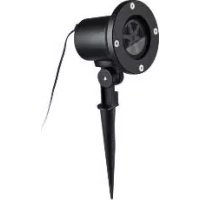
IAN 290072 - Lighting MELINERA - Free user manual and instructions
Find the device manual for free IAN 290072 MELINERA in PDF.

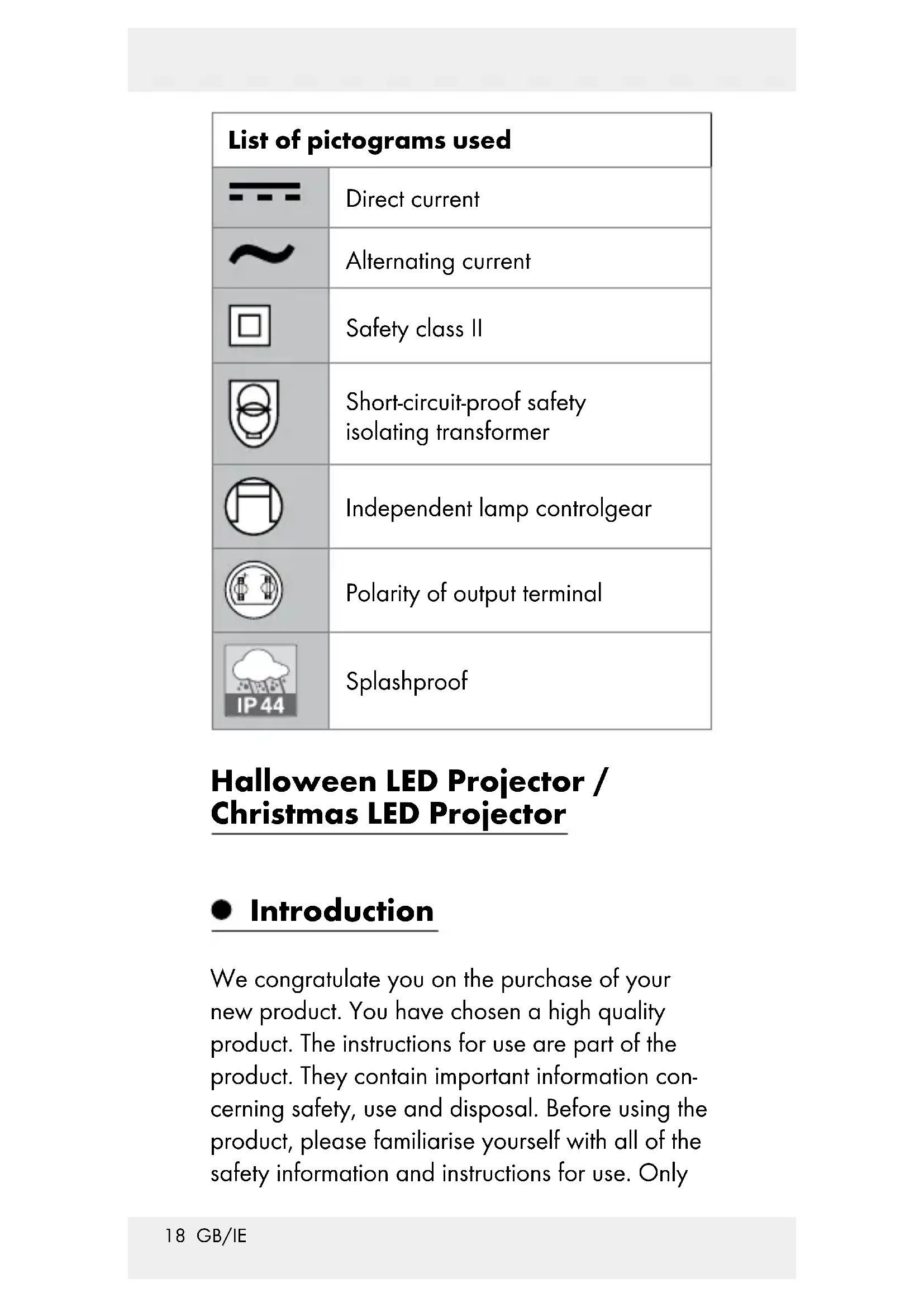


| Brand | Melinera |
| Model | IAN 290072 |
| Category | LED decorative lighting |
| Product type | LED projector for Halloween/Christmas |
| Power consumption | Approx. 5 W |
| Operating voltage | 230 V ~, 50 Hz |
| Protection rating | IP44 (splash-proof) |
| Protection class | II |
| Power adapter | Input 220-240 V ~, 50-60 Hz ; Output 12 V =, 6 W ; Model JT-DC12V6W-H1-IP44 |
| Operating temperature | Down to -25 °C |
| Use | Indoor and outdoor, household use only |
| Package contents | 1 LED projector, 1 power adapter, 1 stake with screw, 1 instruction manual |
| Main functions | Decorative projection, timer 6h on / 18h off, continuous light |
| Control | 3-position ON/OFF button on the adapter |
| Installation | Stake driven into the ground, min. distance 1 m from projection surface |
| Cleaning | Dry lint-free cloth, do not immerse in water |
| Safety | Do not open, do not replace bulbs, use only the supplied adapter |
| Warranty | 3 years from date of purchase |
| Disposal | Product and packaging recyclable, do not dispose of with household waste |
Frequently Asked Questions - IAN 290072 MELINERA
User questions about IAN 290072 MELINERA
0 question about this device. Answer the ones you know or ask your own.
Ask a new question about this device
Download the instructions for your Lighting in PDF format for free! Find your manual IAN 290072 - MELINERA and take your electronic device back in hand. On this page are published all the documents necessary for the use of your device. IAN 290072 by MELINERA.
USER MANUAL IAN 290072 MELINERA
HALLOWEEN-LED-PROJEKTOR/WEIHNACHTS- LED-PROJEKTOR/HALLOWEEN LED PROJECTOR/ CHRISTMAS LED PROJECTOR / PROJECTEUR LED HALLOWEEN / PROJECTEUR LED DE NOËL
DE AT CH
Operation and Safety Notes
FR BE
PROJECTEUR LED HALLOWEEN / PROJECTEUR LED DE NOËL
GB / IE Operation and Safety Notes Page 17
Description of parts......Page 19
Technical data......Page 20
Included items ......Page 20
Safety information......Page 21
Before use......Page 23
Setting up the product......Page 24
Switching on/off and timer function......Page 25
Cleaning and care......Page 25
| List of pictograms used | |
 | Direct current |
 | Alternating current |
 | Safety class II |
 | Short-circuit-proof safety isolating transformer |
 | Independent lamp controlgear |
 | Polarity of output terminal |
 | Splashproof |
Halloween LED Projector / Christmas LED Projector
- Introduction
We congratulate you on the purchase of your new product. You have chosen a high quality product. The instructions for use are part of the product. They contain important information concerning safety, use and disposal. Before using the product, please familiarise yourself with all of the safety information and instructions for use. Only
use the product as described and for the specified applications. If you pass the product on to anyone else, please ensure that you also pass on all the documentation with it.
• Proper use
This product is suitable for use indoors and outdoors. This product is intended for use in private, domestic environment only and not for commercial purposes.
■ Not suitable for household room

illumination.
This product is suitable for extreme temperature up to -25 °C.
• Description of parts
1 Locking screw
2 Spike
3 Lamp body
4 Plug cap
5 Connection plug
6 Mains adapter
7 On/off button
- Technical data
Mains adapter + Halloween LED Projector / Christmas LED Projector:
Total power consumption: approx. 5 W
Halloween LED Projector / Christmas LED Projector:
Operating voltage: 230V \~, 50Hz
Degree of protection: IP44 (Splashproof)
Model No. HG02460 (Halloween LED Projector),
HG02595 (Christmas LED Projector)
TÜV SÜD/GS certified.
Mains adapter:
Input voltage: 220-240 V \~,
50-60Hz
Output voltage: 12V = 6W
Protection class: ☐/II
Degree of protection: IP44 (Splashproof)
Mains adapter (Model No.:
JT-DC12V6W-H1-IP44) SGS GS certified.
Included items
1 Halloween LED Projector / Christmas LED Projector
1 Mains adapter
1 Ground spike with screw
1 Operating instructions

Safety information
YOU SHOULD STORE ALL SAFETY INFORMATION AND INSTRUCTIONS IN A SAFE PLACE IN CASE YOU NEED TO REFER TO THEM AGAIN IN THE FUTURE!
Always keep children away from the product.
This product is not a toy and should not be played by children. Children are not able to understand the dangers that can occur when handling this product.
This product can be used by children aged from 8 years and above and persons with reduced physical, sensory or mental capabilities or lack of experience and knowledge if they have been given supervision or instruction concerning use of the product in a safe way and understand the hazards involved. Children shall not play with the product. Cleaning and user maintenance shall not be made by children without supervision.
■ Ensure that the product is installed by suitably experienced or qualified persons only.
CAUTION! RISK OF OVERHEATING!
Do not operate the product inside the packaging.
■ After use, keep the product in the packaging to prevent unwanted damage.
- Do not pull the mains cable and make sure it is laid down properly so that no one walks or trips over it.
DANGER OF INJURY! Make sure that when the LED projector is removed, the ground spike is also removed so that it is not a hazard (eg tripping). - Do not attach any other objects to the product.

WARNING!
This product must not be used without properly installed.
Avoid the danger of death from electric shock!
Before use, ensure that the mains voltage available is the same as the required operating voltage for the product (220–240 V\~).
Before connecting the product to the mains you should always check the lamp body 3 and the mains adapter 6 for any damage.
■ Never use the product if you discover that it is damaged in any way.
This mains cable of the product is nonreplaceable. Hence if it becomes damaged you must dispose of the entire product.
■ Never open any of the electrical parts or insert any kind of object into them.
■ Protect the mains cable from sharp edges, mechanical loads and hot surfaces.
- Do not install with sharp fasteners or nails.
■ Always unplug the mains adapter 6 from the socket before installation, dismantling or cleaning.
■ Never touch the connection plug 5 of the product or the product itself with wet hands.
If the product is not in use for any length of time (e.g. holidays), disconnect it from the power supply.
If you have any questions about the product or are unsure about any of its aspects, please seek the advice of an electrical equipment specialist.
■ Only use the product with the supplied mains adapter 6 for the type (Model No.: JT-DC12V6W-H1-IP44); all warranty claims will otherwise expire.
The illuminants are not replaceable.
If the illuminants fail at the end of their lifes, the entire product must be replaced.
Please note that the mains adapter continues to draw a small amount of power even if the product is turned off as long as the mains adapter is plugged into a power outlet. To switch the product off completely, unplug the mains adapter from the socket.
- Before use
Note: Remove all packaging materials from the product.
- Setting up the product
Take out locking screw 1 from spike 2 by screwing in anti-clockwise direction (fig. A).
☐ Use locking screw 1 to connect spike 2 to lamp body 3 (fig. B).
☐ Insert the spike 2 deep into the ground, lawn or flower bed (indoor or outdoor) for it to be stable (Fig. D).
Note: For better projection performance, suggest to place the product at least 1 meter away from the projection surface (wall, ceiling, etc.).
☐ Insert the connection plug 5 of the LED spot-light into the socket of the mains adapter 6. Note: Lay the cable so that tripping is avoided.
Turn the plug cap 4 in clockwise direction to fix the connection (fig. C).
☐ Insert the mains adapter 6 into the mains socket. The product is ready to use.
☐ Please note that the mains adapter 6 continues to draw a small amount of power even if the product is switched off as long as the mains adapter 6 is plugged into a power outlet. To switch the product off completely, unplug the mains adapter 6 from the socket.
●Switchingon/off and timer function
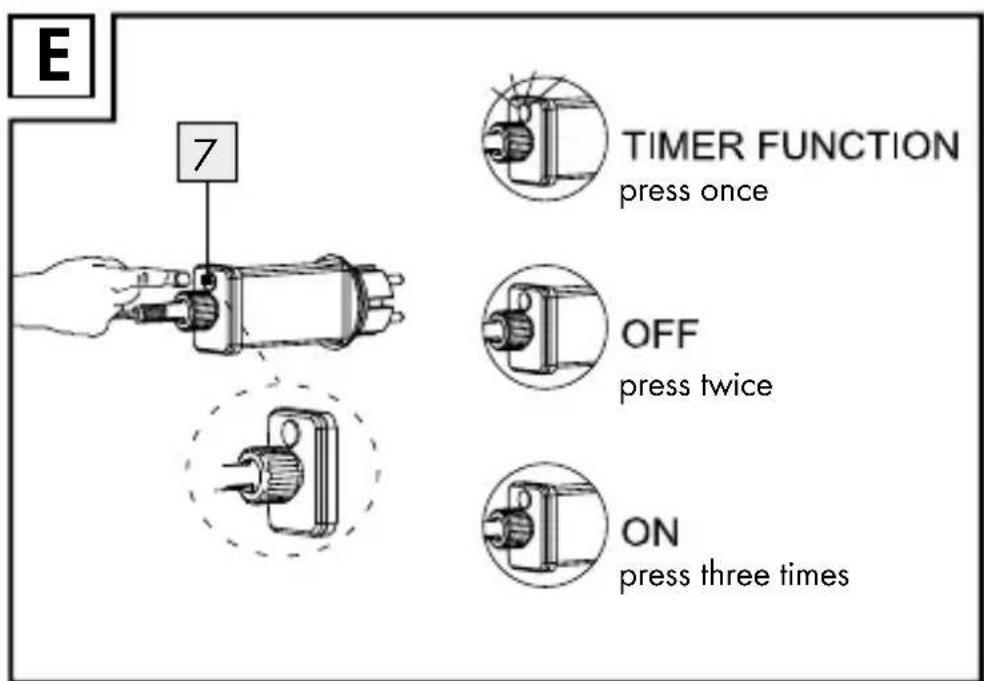
The on/off button 7 on mains adapter 6 has below three functions.
After inserting the mains adapter, the product lights up:
Press once
☐ The on/off button 7 will turn into green light, and timer is activated. The product lights up for 6 hours and will be followed by a subsequent pause of 18 hours. Afterwards, the product will light up again at its designated turn on time for 6 hours followed by a subsequent pause of 18 hours.
Press twice
☐ The product is switched off.
Press three times
☐ The product is switched on permanently.
- Cleaning and care
CAUTION! DANGER OF ELECTRIC
SHOCK! First pull the mains adapter 6 out of the mains socket.
CAUTION! DANGER OF ELECTRIC
SHOCK! For reasons of electrical safety the product must never be immersed in water.
■ Do not use any solvents, petrol or similar items. This would damage the product.
□ Clean the product regularly with a dry, lint-free cloth. Use a slightly dampened cloth to remove more stubborn dirt.
- Disposal

The packaging is made entirely of recyclable materials, which you may dispose of at local recycling facilities. The Green Dot is not valid for Germany.

Observe the marking of the packaging materials for waste separation, which are marked with abbreviations (a) and numbers (b) with following meaning: 1–7: plastics / 20–22: paper and fibre-board / 80–98: composite materials.

The product and packaging materials are recyclable, dispose of it separately for better waste treatment. The Triman logo is valid in France only.

Contact your local refuse disposal authority for more details of how to dispose of your worn-out product.

To help protect the environment, please dispose of the product properly when it has reached the end of its
useful life and not in the household waste. Information on collection points and their opening hours can be obtained from your local authority.
- Warranty
The product has been manufactured to strict quality guidelines and meticulously examined before delivery. In the event of product defects you have legal rights against the retailer of this product. Your legal rights are not limited in any way by our warranty detailed below.
The warranty for this product is 3 years from the date of purchase. Should this product show any fault in materials or manufacture within 3 years from the date of purchase, we will repair or replace it – at our choice – free of charge to you.
The warranty period begins on the date of purchase. Please keep the original sales receipt in a safe location. This document is required as your proof of purchase. This warranty becomes void if the product has been damaged, or used or maintained improperly.
The warranty applies to defects in material or manufacture. This warranty does not cover product parts subject to normal wear, thus possibly considered consumables (e.g. batteries) or for
damage to fragile parts, e.g. switches, rechargeable batteries or glass parts.
CE IP44
Halloween-led-projector / Kerst-led-projector:


- SAFETY INFORMATION......PAGE 21
- BEFORE USE......PAGE 23
- SETTING UP THE PRODUCT......PAGE 24
- SWITCHING ON/OFF AND TIMER FUNCTION......PAGE 25
- CLEANING AND CARE......PAGE 25
- HALLOWEEN LED PROJECTOR / CHRISTMAS LED PROJECTOR
- INTRODUCTION
- PROPER USE
- DESCRIPTION OF PARTS
- TECHNICAL DATA
- MAINS ADAPTER + HALLOWEEN LED PROJECTOR / CHRISTMAS LED PROJECTOR
- MAINS ADAPTER
- INCLUDED ITEMS
- SAFETY INFORMATION
- CAUTION! RISK OF OVERHEATING
- AVOID THE DANGER OF DEATH FROM ELECTRIC SHOCK
- BEFORE USE
- SETTING UP THE PRODUCT
- ●SWITCHINGON/OFF AND TIMER FUNCTION
- PRESS ONCE
- PRESS TWICE
- PRESS THREE TIMES
- CLEANING AND CARE
- CAUTION! DANGER OF ELECTRIC
- DISPOSAL
- WARRANTY
- CE IP44
- HALLOWEEN-LED-PROJECTOR / KERST-LED-PROJECTOR
Brand : MELINERA
Model : IAN 290072
Category : Lighting