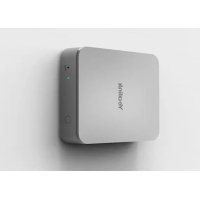
CPW90 - Microphone Yealink - Free user manual and instructions
Find the device manual for free CPW90 Yealink in PDF.



| Product type | Wireless extension microphone |
| Brand | Yealink |
| Model | CPW90 |
| Compatibility | Yealink CP960 conference phone |
| Maximum number of additional microphones | 2 |
| Operating range | Up to 20 meters without obstacles |
| Audio coverage area | 360°, 3-meter radius |
| Power supply | Built-in rechargeable battery, charging via micro-USB |
| Battery life | Varies depending on usage, built-in battery indicator |
| LED indicators | Battery indicator (red/green) and mute indicator (red/green/yellow) |
| Mute function | Microphone activation/deactivation via dedicated key |
| Radio frequency band | DECT 1880 - 1900 MHz |
| Dimensions (approx.) | 90 mm diameter, 30 mm height (estimated) |
| Weight (approx.) | 100 g (estimated) |
| Operating temperature | 0 °C to 40 °C (estimated) |
| Operating humidity | 10% to 90% without condensation (estimated) |
| Included accessories | Charging cradle, micro-USB cable (0.3 m), quick start guide |
| Care and cleaning | Unplug the device, use a soft, dry anti-static cloth. Keep the plug clean and dry. |
| Safety | Do not expose to water, flames, or magnetic fields. Use only the provided accessories. Do not disassemble. |
| Recycling | Do not dispose of with household waste. Comply with local regulations. |
| Spare parts and repairability | Contact the Yealink authorized service center. Do not attempt to repair yourself. |
| General information | Manual available for free download at notice-facile.com. Compliant with EC directives. |
Frequently Asked Questions - CPW90 Yealink
User questions about CPW90 Yealink
0 question about this device. Answer the ones you know or ask your own.
Ask a new question about this device
Download the instructions for your Microphone in PDF format for free! Find your manual CPW90 - Yealink and take your electronic device back in hand. On this page are published all the documents necessary for the use of your device. CPW90 by Yealink.
USER MANUAL CPW90 Yealink
CP Wireless Expansion Mic
CPW90
English | Deutsch | Español | Français
Quick Start Guide (V1.1)
Table of Contents
English 1
Deutsch 11
Español 21
Français ....31
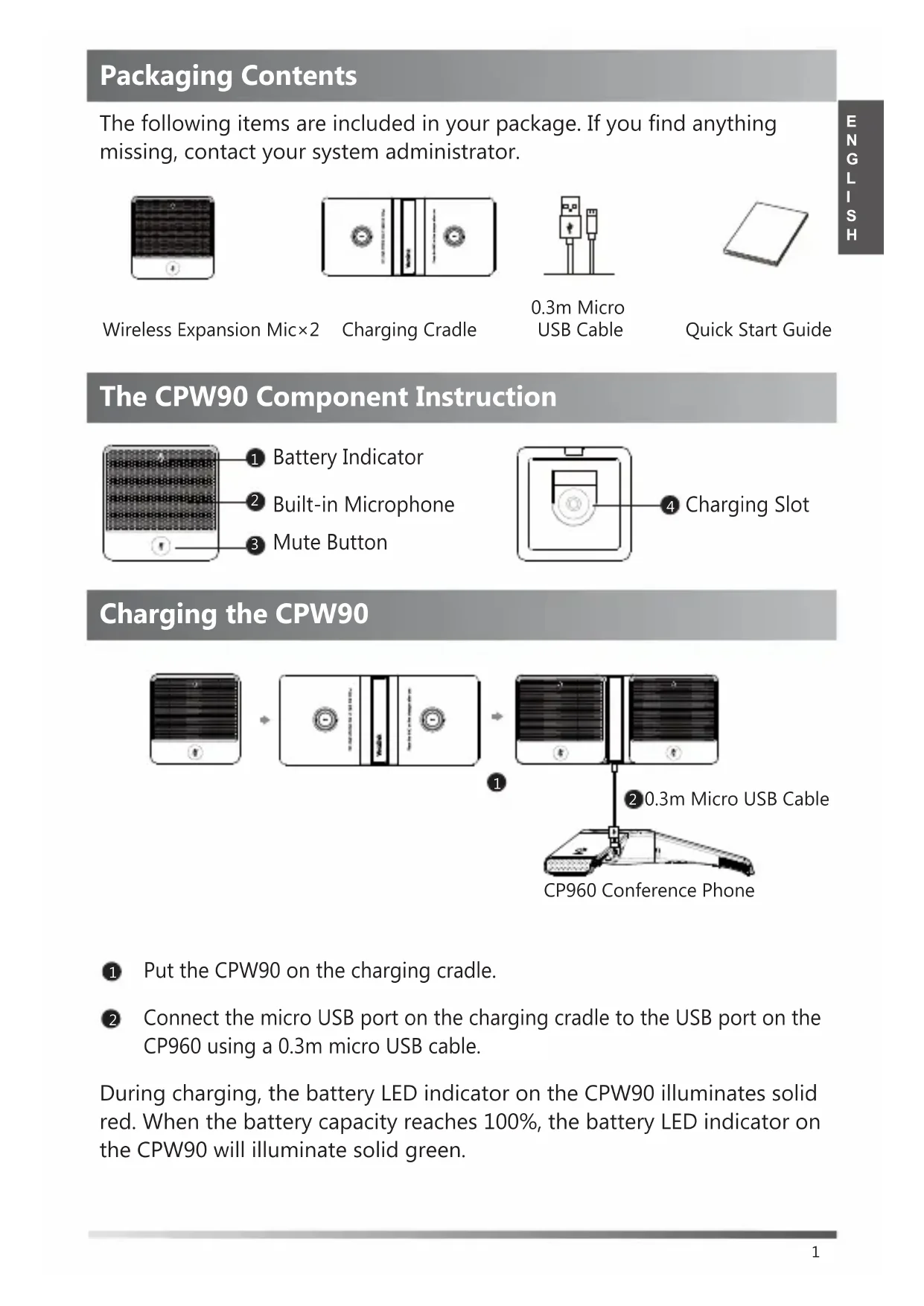
Packaging Contents
The following items are included in your package. If you find anything missing, contact your system administrator.
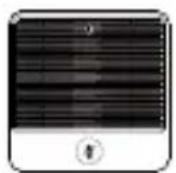
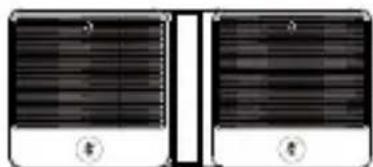
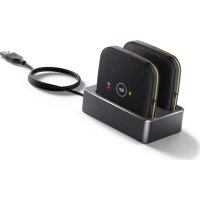
Wireless Expansion Mic×2
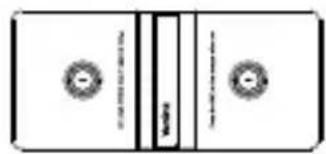
Charging Cradle
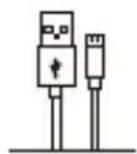
0.3m Micro USB Cable
Quick Start Guide
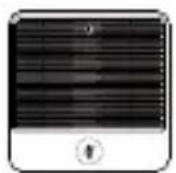
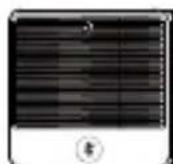
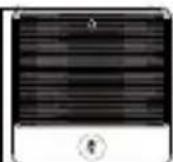
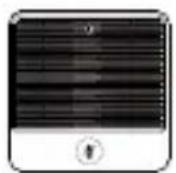
The CPW90 Component Instruction
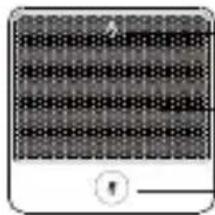
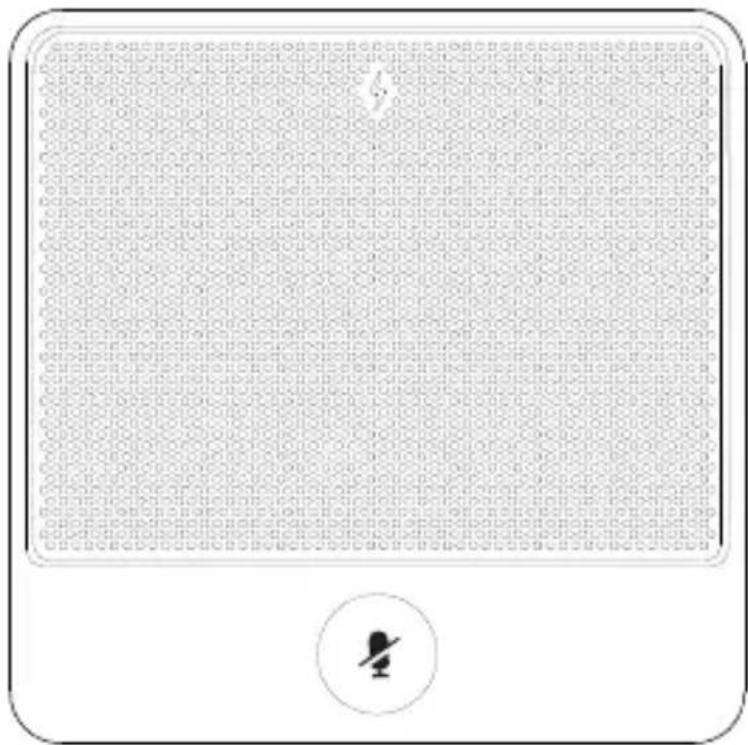
1 Battery Indicator
2 Built-in Microphone
3 Mute Button
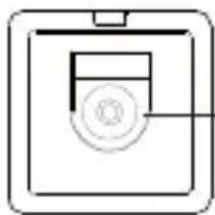
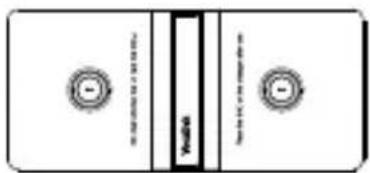
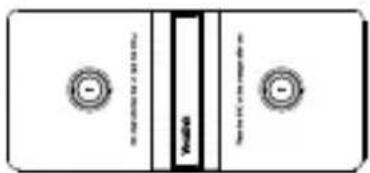
4 Charging Slot
Charging the CPW90



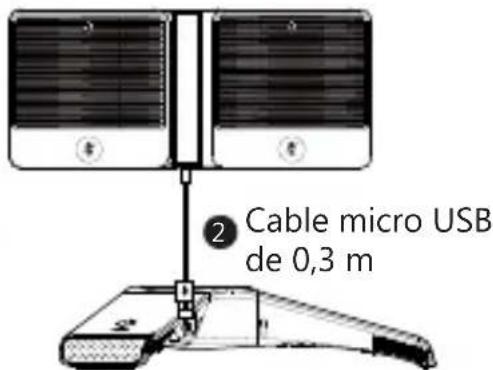
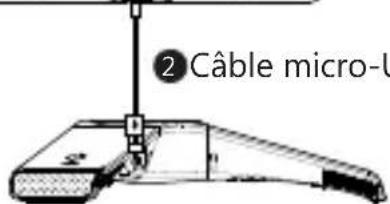
20.3m Micro USB Cable
CP960 Conference Phone
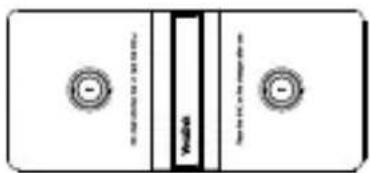
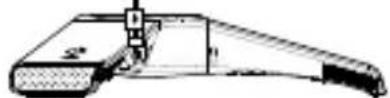
1 Put the CPW90 on the charging cradle.
2 Connect the micro USB port on the charging cradle to the USB port on the CP960 using a 0.3m micro USB cable.
During charging, the battery LED indicator on the CPW90 illuminates solid red. When the battery capacity reaches 100%, the battery LED indicator on the CPW90 will illuminate solid green.
When you charge the CPW90, the CPW90 will start up automatically. If you do not charge the CPW90, long tap the mute button on the CPW90 for 3 seconds to turn on the CPW90.
Note: If it is the first time you use the CPW90, you need to fully charge the CPW90 for normal use. If the CPW90 is not in use, we recommend you to charge the CPW90 even when the battery is full.
Registering the CPW90 with the CP960 Conference Phone
If you buy CP960-WirelessMic, the CPW90 is registered with the CP960 conference phone by default. In this situation, you can skip this chapter. If the CPW90 is not registered with the CP960 conference phone, you should register the CPW90 with the CP960 conference phone manually. So that the CPW90 can work as expansion microphone of the CP960 conference phone.
To register the CPW90 with the CP960 conference phone:
- Do the following on the CP960 conference phone:
Tap 🙏 ->Wireless Microphone. Tap + to search for a CPW90.
- Turn on the CPW90.
The CPW90 enters the registration mode automatically. And the mute indicator LED on the CPW90 fast flashes yellow. The CPW90 registers with the CP960 conference phone automatically. If the registration is successful, the mute indicator LED on the CPW90 goes out and the touch screen of CP960 conference phone prompts the CPW90 information: battery, work time and standby time.
Note: You can connect up to two wireless expansion microphones to a CP960 conference phone.
LED Instruction
There are two indicators on the CPW90. The indicators display the CPW90 work status.
Mute indicator LED on the CPW90:
| LED Status Description | |
| Solid green | The phone enters the pre-dialing screen.Call mute mode is deactivated. |
| Slowly flashing red | The phone is receiving an incoming call. |
| Solid red | Call mute mode is activated. |
| Fast flashing yellow | The CPW90 is in the registration mode. |
| Slowly flashing yellow | The CPW90 has registered with the phone, but the CPW90 is out of range.The CPW90 has registered with the phone, but the CP960 is turned off. |
| Flashing red and green alternately | The phone is searching for the CPW90 which has registered with it. |
| Off | The CPW90 is in the idle mode. |
Battery indicator LED on the CPW90:
| LED Status Description | |
| Solid green for one second and then off | The CPW90 is turned on. |
| Solid green for 3 seconds and then off | The CPW90 is in the idle mode. |
| Solid green | The CPW90 is fully charged. |
| Solid red | The CPW90 is being charged. |
| Fast flashing red 3 times and then off | The battery capacity is too low to turn on the CPW90. |
| Slowly flashing red | The battery capacity is less than 10%. |
| Off | If you tap the mute button, the battery indicator LED on the CPW90 is still off, it means the CPW90 is turned off. |
Placing the CPW90
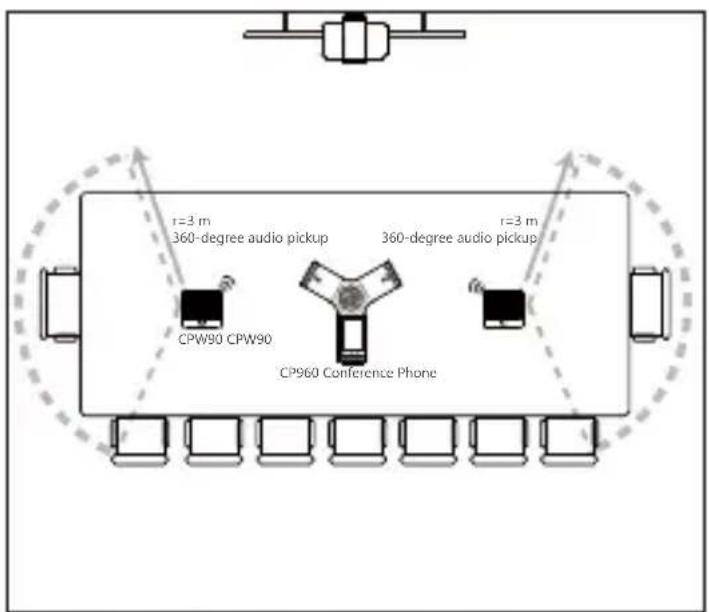
The CPW90 is a wireless expansion mic which can work as expansion microphone of the CP960 conference phone. It supports 360-degree audio pickup at a radius of up to 3 meters. The CPW90 has a rubber pad on its base to prevent it from sliding. You can place the CPW90 on a conference table.
Do the following to ensure optimal voice quality:
● The CPW90 should be less than 20 meters distant from the CP960 conference phone, and is not disturbed by obstacles.
- Place the CPW90 on a stable surface and keep it away from obstacles so that it can effectively pick up sounds.
Muting or Unmuting the CPW90
When the CPW90 works as an expansion microphone of the CP960 conference phone of the CP960 conference phone and the CP960 conference phone is in a call, you can tap the mute button on the CPW90 to mute or unmute the CPW90.
1. How to turn off the CPW90?
Long tap the mute button on the CPW90, until the battery indicator LED on the CPW90 illuminates solid red for 3 seconds and then goes out.
2. How to find the CPW90 which has registered with the CP960 conference phone?
1) Tap 🙏 ->Wireless Microphone.
2) Select the desired mic, and then tap Find.
The mute indicator LED on the CPW90 flashes red and green alternately.
3. How to register the CPW90 with another CP960 conference phone?
The CPW90 can only be registered with one CP960 conference phone. If you want to register the CPW90 to another CP960 conference phone, the CPW90 will be deregistered from the previous CP960 conference phone automatically.
To register the CPW90 with another CP960 conference phone:
1) Do the following on another CP960 conference phone:
Tap -> Wireless Microphone.
Tap + to search for a CPW90.
2) Put the CPW90 on the charging cradle and make sure it is charging.
3) Long tap the mute button on the CPW90 for 5 seconds.
The CPW90 enters the registration mode. And the mute indicator LED on the CPW90 fast flashes yellow.
The CPW90 registers with another CP960 conference phone automatically, and is deregistered from the previous CP960 conference phone.
4. What is the idle mode?
When the CPW90 registers with the CP960 conference phone successfully, the CPW90 enters the idle mode.
In idle mode, if you tap the mute button on the CPW90, the battery indicator LED on the CPW90 will illuminate solid green for 3 seconds and then go out.
5. How to deregister the CPW90 from the CP960 conference phone?
1) Tap → Wireless Microphone.
2) Select the desired mic, and then tap Detail.
3) Tap Unbind to deregister the CPW90.
Save these instructions. Read these safety instructions before use!
The following basic safety precautions should always be followed to reduce risk of fire, electrical shock, and other personal injury.

General Requirements
- Before you install and use the device, read the safety instructions carefully and observe the situation during operation.
- During the process of storage, transportation, and operation, please always keep the device dry and clean.
- During the process of storage, transportation, and operation, please avoid collision and crash of the device.
- Please attempt not to dismantle the device by yourself. In case of any discrepancy, please contact the appointed maintenance center for repair.
- Without prior written consent, no organization or individual is permitted to make any change to the structure or the safety design of the device. Yealink is under no circumstance liable to consequences or legal issues caused by such changes.
- Please refer to the relevant laws and statutes while using the device. Legal rights of others should be respected as well.

Environmental Requirements
- Place the device at a well-ventilated place. Do not expose the device under direct sunlight.
- Keep the device dry and free of dusts.
- Place the device on a stable and level platform.
- Please place no heavy objects on the device in case of damage and deformation caused by the heavy load.
- Keep at least 10 cm between the device and the closest object for heat dissipation.
- Do not place the device on or near any inflammable or fire-vulnerable object, such as rubber-made materials.
- Keep the device away from any heat source or bare fire, such as a candle or an electric heater.
- Keep the device away from any household appliance with strong magnetic field or electromagnetic field, such as a microwave oven or a refrigerator.

Operating Requirements
- Do not let a child operate the device without guidance.
- Do not let a child play with the device or any accessory in case of accidental swallowing.
-
Please use the accessories provided or authorized by the manufacturer only.
-
The power supply of the device shall meet the requirements of the input voltage of the device. Please use the provided surge protection power socket only.
- Before plugging or unplugging any cable, make sure that your hands are completely dry.
- Do not spill liquid of any kind on the product or use the equipment near water, for example, near a bathtub, washbowl, kitchen sink, wet basement or near a swimming pool.
- Do not tread on, pull, or over-bend any cable in case of malfunction of the device.
- During a thunderstorm, stop using the device and disconnect it from the power supply. Unplug the power plug and the Asymmetric Digital Subscriber Line (ADSL) twisted pair (the radio frequency cable) to avoid lightning strike.
- If the device is left unused for a rather long time, disconnect it from the power supply and unplug the power plug.
- When there is smoke emitted from the device, or some abnormal noise or smell, disconnect the device from the power supply, and unplug the power plug immediately. Contact the specified maintenance center for repair.
- Do not insert any object into equipment slots that is not part of the product or auxiliary product.
- Before connecting a cable, connect the grounding cable of the device first. Do not disconnect the grounding cable until you disconnect all other cables.

Cleaning Requirements
- Before cleaning the device, stop using it and disconnect it from the power supply.
- Use a piece of soft, dry and anti-static cloth to clean the device.
- Keep the power plug clean and dry. Using a dirty or wet power plug may lead to electric shock or other perils.

ENVIRONMENTAL RECYCLING

Never dispose of the device with domestic waste
Ask your Town Council about how to dispose of it in an environmentally friendly way. The cardboard box, plastic packaging and player components may be recycled in accordance with prevailing recycling regulations in your country.
Always adhere to prevailing regulations
Those who fail to do so may be fined or prosecuted in accordance with the law. The crossed out garbage can that appears on the device means that when it has reached the end of its useful life, it should be taken to a special waste disposal centre and treated separately to general urban waste.
Declaration of Conformity
We,
YEALINK (XIAMEN) NETWORK TECHNOLOGY CO.,LTD
Address: 309, 3th Floor, No.16, Yun Ding North Road, Huli District, Xiamen City, Fujian, P.R. China
CE DATE: 14th/Jane/2017
declare that the product
Type: CP Wireless Expansion Mic
Model: CPW90 (DECT: 1880-1900MHz)
meets the essential requirements and other relevant provisions according to the following EC directive
Directive: 2014/30/EU, 2014/35/EU, RED 2014/53/EU;
The presumption of conformity with the essential requirement is ensure according to:
Article 3.1 a : (protection of the health &the safety of the user)
Safety: EN 60950-1:2006+A11:2009+A1:2010+A12:2011+A2:2013
SAR: ETSI EN 62311:2008
Article 3.1 b : (protection requirement with respect to electromagnetic compatibility)
EMC: EN55032:2012/AC:2013, EN55024:2010,
EN301489-6 V2.1.1, EN301489-1 V2.1.1
Article 3.2 (effective use of the radio spectrum)
Radio: ETSI EN 301406 V2.2.2
Directive 2011/65/EU of the European Parliament and of the Council of 8 June 2011 on the restriction of the use of certain hazardous substances in electrical and electronic equipment (RoHS)
Directive 2012/19/EU of the European Parliament and of the Council of 24 July, 2012 on Waste electrical and electronic equipment (WEEE)
Regulation (EC) No.1907/2006 of the European Parliament and of the Council of 18. December. 2006 on Registration, Evaluation, Authorization, and Restriction of Chemicals (REACH)
NAME: Stone Lu
DATE: 2017-06-14
TITLE: Vice President

YEALINK (EUROPE) NETWORK TECHNOLOGY B.V.
Address: Strawinskylaan 3127, Atrium Building, 8th floor, 1077ZX Amsterdam, the Netherlands
Telephone:+31(0)646111373
Email: EUROPE@Yealink.com
About Yealink
Yealink (Stock Code: 300628) is a global leading unified communication (UC) terminal solution provider that primarily offers video conferencing systems and voice communication solutions. Founded in 2001, Yealink leverages its independent research and development and innovation to pursue its core mission: "Easy collaboration, high productivity." The company's high-quality UC terminal solutions enhance the work efficiency and competitive advantages of its customers in over 100 countries. Yealink is the world's second-largest SIP phone provider and is number one in the China market.
Technical Support
Visit Yealink WIKI (http://support.yealink.com/) for the latest firmware, guides, FAQ, Product documents, and more. For better service, we sincerely recommend you to use Yealink Ticketing system (https://ticket.yealink.com) to submit all your technical issues.

YEALINK(XIAMEN) NETWORK TECHNOLOGY CO.,LTD.
Web: www.yealink.com
Addr: 309, 3th Floor, No.16, Yun Ding North Road, Huli District, Xiamen City, Fujian, P.R. China
Copyright © 2017 Yealink Inc. All rights reserved.
Verpackungsinhalt
Ladestation
0,3 m langes MicroUSB-Kabel
Erste Schritte
Adresse: 309, 3rd Floor, No.16, Yun Ding North Road, Huli District, Xiamen City, Fujian, P.R. China
Funk: ETSI EN 301406 V2.2.2
TITLE: Vice President

YEALINK (EUROPE) NETWORK TECHNOLOGY B.V.
Address: Strawinskylaan 3127, Atrium Building, 8th floor, 1077ZX Amsterdam, the Netherlands
Telephone:+31(0)646111373
Email: EUROPE@Yealink.com
Über Yealink
Adresse: 309, 3th Floor, No.16, Yun Ding North Road, Huli District, Xiamen City, Fujian, P.R. China
4 Ranura de carga
Carga del CPW90



Dirección: 309, 3th Floor, No.16, Yun Ding North Road, Huli District, Xiamen City, Fujian, P.R. China
TITLE: Vice President

YEALINK (EUROPE) NETWORK TECHNOLOGY B.V.
Address: Strawinskylaan 3127, Atrium Building, 8th floor, 1077ZX Amsterdam, the Netherlands
Telephone:+31(0)646111373
Email: EUROPE@Yealink.com
Acerca de Yealink
Fente de chargement
Chargement du CPW90



Adresse : 309, 3th Floor, No.16, Yun Ding North Road, Huli District, Xiamen City, Fujian, P.R. Chine
TITLE: Vice President

YEALINK (EUROPE) NETWORK TECHNOLOGY B.V.
Address: Strawinskylaan 3127, Atrium Building, 8th floor, 1077ZX Amsterdam, the Netherlands
Telephone:+31(0)646111373
Email: EUROPE@Yealink.com
À propos de Yealink
Assistance technique
CPW90-4L
YEALINK (XIAMEN) NETWORK TECHNOLOGY CO.,LTD.
Adresse : 309, 3th Floor, No.16, Yun Ding North Road, Huli District, Xiamen City, Fujian, République populaire de Chine
- CP WIRELESS EXPANSION MIC
- CPW90
- TABLE OF CONTENTS
- PACKAGING CONTENTS
- THE CPW90 COMPONENT INSTRUCTION
- CHARGING THE CPW90
- REGISTERING THE CPW90 WITH THE CP960 CONFERENCE PHONE
- TO REGISTER THE CPW90 WITH THE CP960 CONFERENCE PHONE
- LED INSTRUCTION
- PLACING THE CPW90
- MUTING OR UNMUTING THE CPW90
- HOW TO TURN OFF THE CPW90
- HOW TO FIND THE CPW90 WHICH HAS REGISTERED WITH THE CP960 CONFERENCE PHONE
- HOW TO REGISTER THE CPW90 WITH ANOTHER CP960 CONFERENCE PHONE
- TO REGISTER THE CPW90 WITH ANOTHER CP960 CONFERENCE PHONE
- WHAT IS THE IDLE MODE
- HOW TO DEREGISTER THE CPW90 FROM THE CP960 CONFERENCE PHONE
- SAVE THESE INSTRUCTIONS. READ THESE SAFETY INSTRUCTIONS BEFORE USE
- GENERAL REQUIREMENTS
- ENVIRONMENTAL REQUIREMENTS
- OPERATING REQUIREMENTS
- CLEANING REQUIREMENTS
- ENVIRONMENTAL RECYCLING
- NEVER DISPOSE OF THE DEVICE WITH DOMESTIC WASTE
- ALWAYS ADHERE TO PREVAILING REGULATIONS
- DECLARATION OF CONFORMITY
- ABOUT YEALINK
- TECHNICAL SUPPORT
- VERPACKUNGSINHALT
- ÜBER YEALINK
- CARGA DEL CPW90
- ACERCA DE YEALINK
- CHARGEMENT DU CPW90
- À PROPOS DE YEALINK
- ASSISTANCE TECHNIQUE
Brand : Yealink
Model : CPW90
Category : Microphone