IAN 347714 - Night light Lupilu - Free user manual and instructions
Find the device manual for free IAN 347714 Lupilu in PDF.



User questions about IAN 347714 Lupilu
0 question about this device. Answer the ones you know or ask your own.
Ask a new question about this device
Download the instructions for your Night light in PDF format for free! Find your manual IAN 347714 - Lupilu and take your electronic device back in hand. On this page are published all the documents necessary for the use of your device. IAN 347714 by Lupilu.
USER MANUAL IAN 347714 Lupilu
natural_image
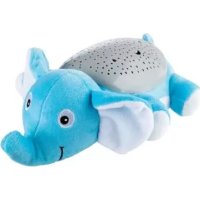
Plush toy of a cartoon animal with patterned body and large ears (no text or symbols)
text_image
PDF ONLINE www.lidl-service.com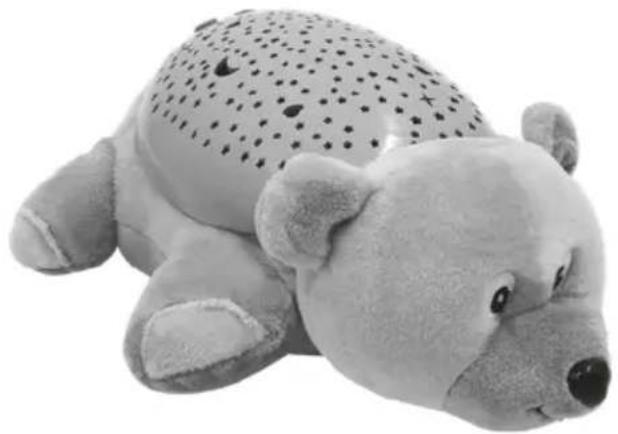
natural_image
Plush toy of a teddy bear with a dotted pattern on its head (no text or symbols visible)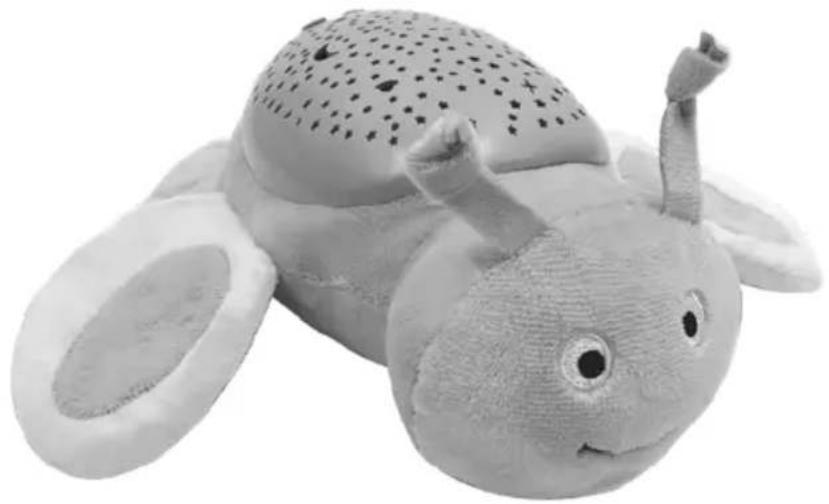
natural_image
Black-and-white photo of a knitted snail toy with textured body and small protrusions (no text or symbols visible)Instructions for use
CE
IAN 347714_2001
A
text_image
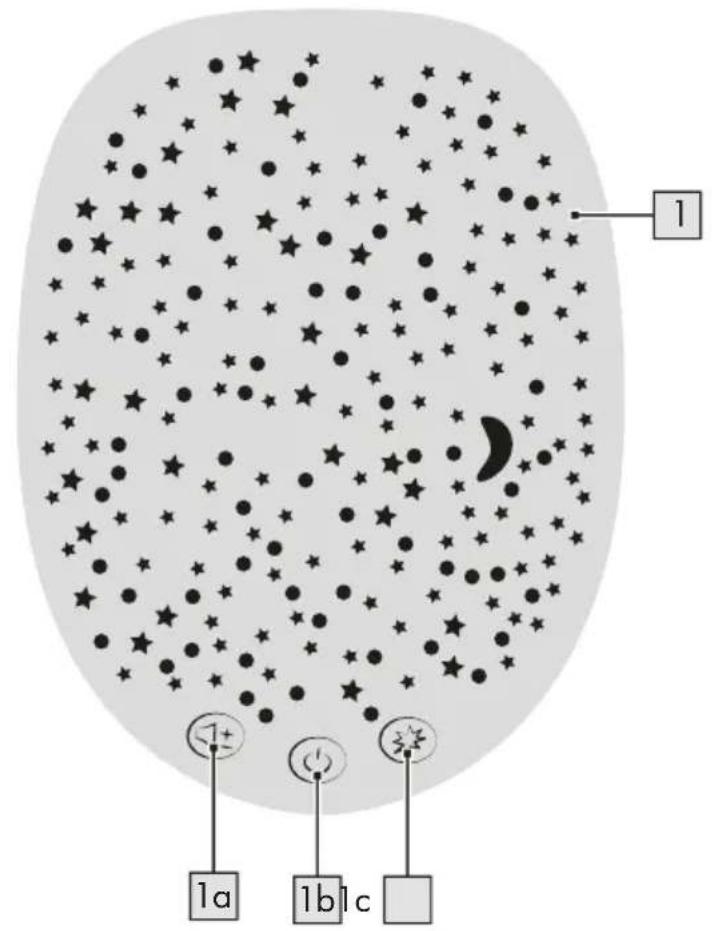
1 1a 1b1cB
text_image
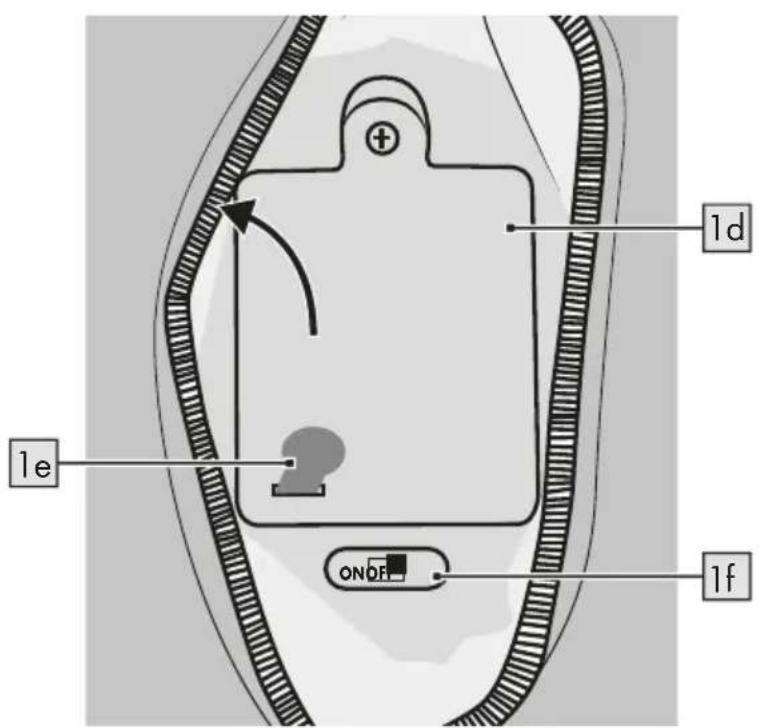
1d 1e ONDF 1f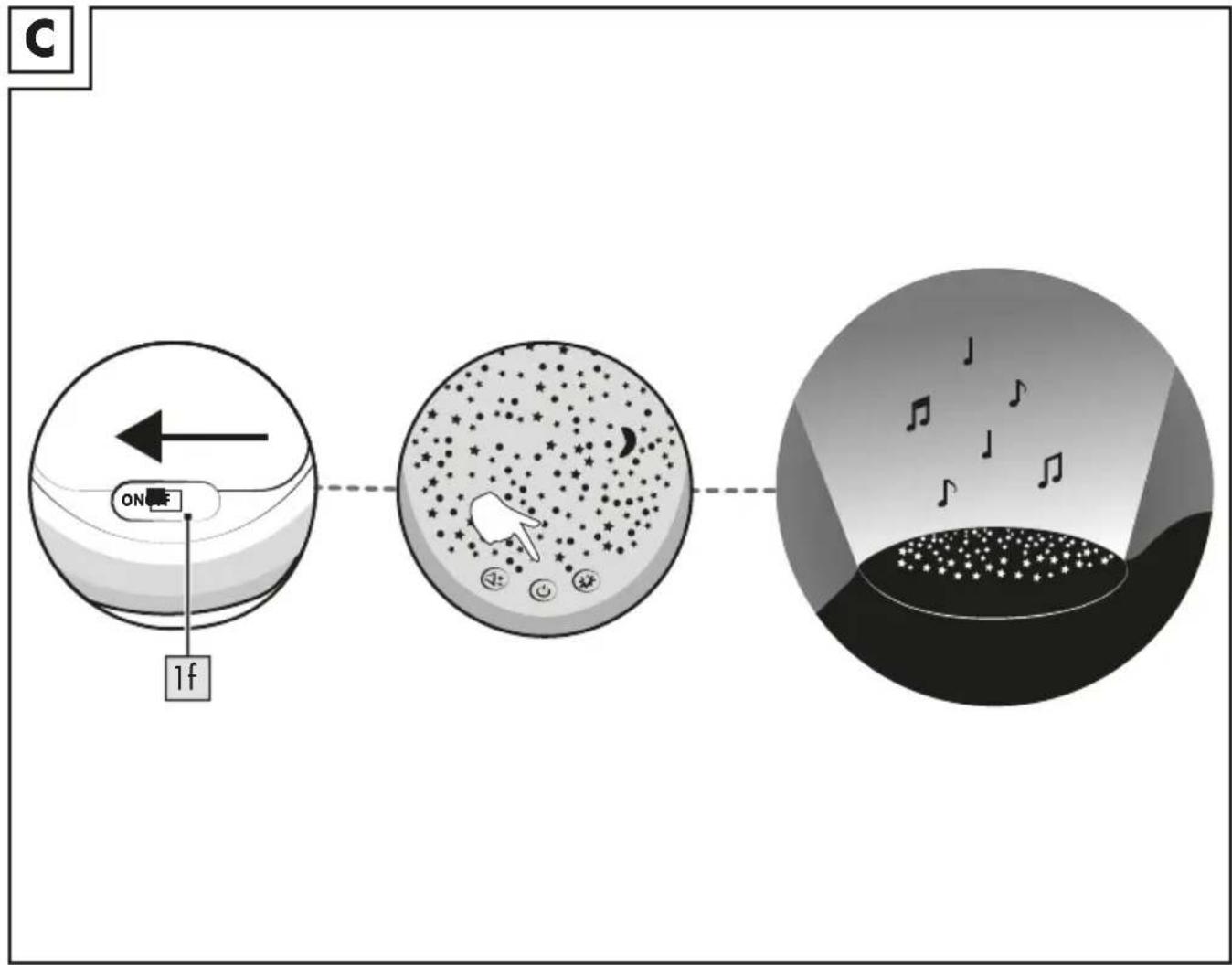
flowchart
graph LR
    A["Start"] --> B["Move on a sphere"]
    B --> C["Move on a bowl with musical notes"]
    C --> D["End"]
text_image
D 1g 1f 1dYou have chosen to purchase a high-quality product. Familiarise yourself with the product before using it for the first time.

Read the following instructions for use carefully.
Use the product only as described and only for the given areas of application. Store these instructions for use carefully. When passing the product on to third parties, please also hand over all accompanying documents.
Scope of delivery
1 x product with night light (1)
3 x battery (1.5V = ER6, AA)
1 x instructions for use
Technical data
Battery type: 3 x 1.5V - ER6, AA

Symbol for DC voltage

Date of manufacture (month/year): 06/2020
Intended use
This product is a toy for children of any age and for private use.

Safety instructions
- Warning. None of the packaging and fastening materials are considered part of the toy and must always be removed for safety reasons before the product can be given to children to play with.
- Warning. Do not use close to the ear. Inappropriate use can lead to hearing impairment.

Warnings regarding integrated batteries!
- Remove the batteries if they are dead or if the product is not going to be used for an extended period of time.
-
Do not mix battery types/makes, new and used batteries, or batteries of different capacities because they run out and can thus cause damage.
-
Observe the polarity (+/-) when installing.
- Replace all batteries together at the same time and dispose of the old batteries in accordance with the regulations.
- Warning! Batteries may not be charged or reactivated by other means, nor may they be disassembled, thrown onto a fire, or short-circuited.
• Always store batteries out of reach of children. - Do not use any rechargeable batteries!
- Cleaning and user maintenance may not be performed by children without supervision.
- When needed, clean the battery and device terminals before inserting.
- Do not expose the batteries to extreme conditions (e.g. radiators or direct sunlight). Otherwise there is an increased risk of leakage.
- If swallowed, batteries can be life-threatening. For this reason keep batteries out of the reach of small children. If a battery has been swallowed, seek medical attention immediately.

Danger!
- Handle a damaged or leaking battery with extreme care and dispose of it immediately as per regulations. Wear gloves for this.
- If you come into contact with battery acid, wash the affected area with soap and water. If battery acid gets into your eye, rinse it out with water and seek medical treatment immediately!
- The terminals must not be short-circuited.
Switching the light on and off (fig. B)
- Open the zip on the bottom of the product.
Note: For safety reasons the zip does not have a slider so that children cannot open the product.
Use a paper clip or some other item of everyday use to open. Attach the item used to the eyelet in the zip and pull on it.
Close the product the same way. Be sure to remove the item used before you give the product to your child.
Note: Remove the plastic tongue (1e) from the battery compartment lid (1d) before first use.
- Slide the switch (1f) to ON to switch it on, or to OFF to switch it off.
Features
- Slide the switch (1f) to ON in order to switch the product on (fig. C).
- Press on the button (1b) to switch features on or off.
Note: When you switch the features on, the melody is at highest volume and the light is in alternating mode.
Note: When not in use the features switch off automatically after about 45 minutes.
Switching soothing melody on and off
When the features are switched on, the soothing melody is automatically switched on.
- Press the button (1a) twice to switch the soothing melody off.
- Press the button again to switch the melody on.
- Press the button (1a) once to set the volume at low level.
Note: The melody is played back at the highest volume when you switch the features on and it switches off automatically after about 45 minutes.
Note: The product plays 15 melodies automatically in a continuous loop.
Adjusting volume
The product has three volume modes.
- Press the button (1a) to regulate the volume.
Note: When you switch on the features, it is set at the highest volume.
- Press the button down until you have reached the desired volume level.
When regulating the volume the sequence is as follows:
High - Low - Off
Switching light projection on and off
The product has four colour modes for the light projection.
- Press the button (1c) repeatedly until you have reached the desired light projection.
Note: When you switch on the light projection the sequence is as follows:
Alternating - Green - Red - Blue - Off
Note: The light projection switches off automatically after approx. 45 minutes.
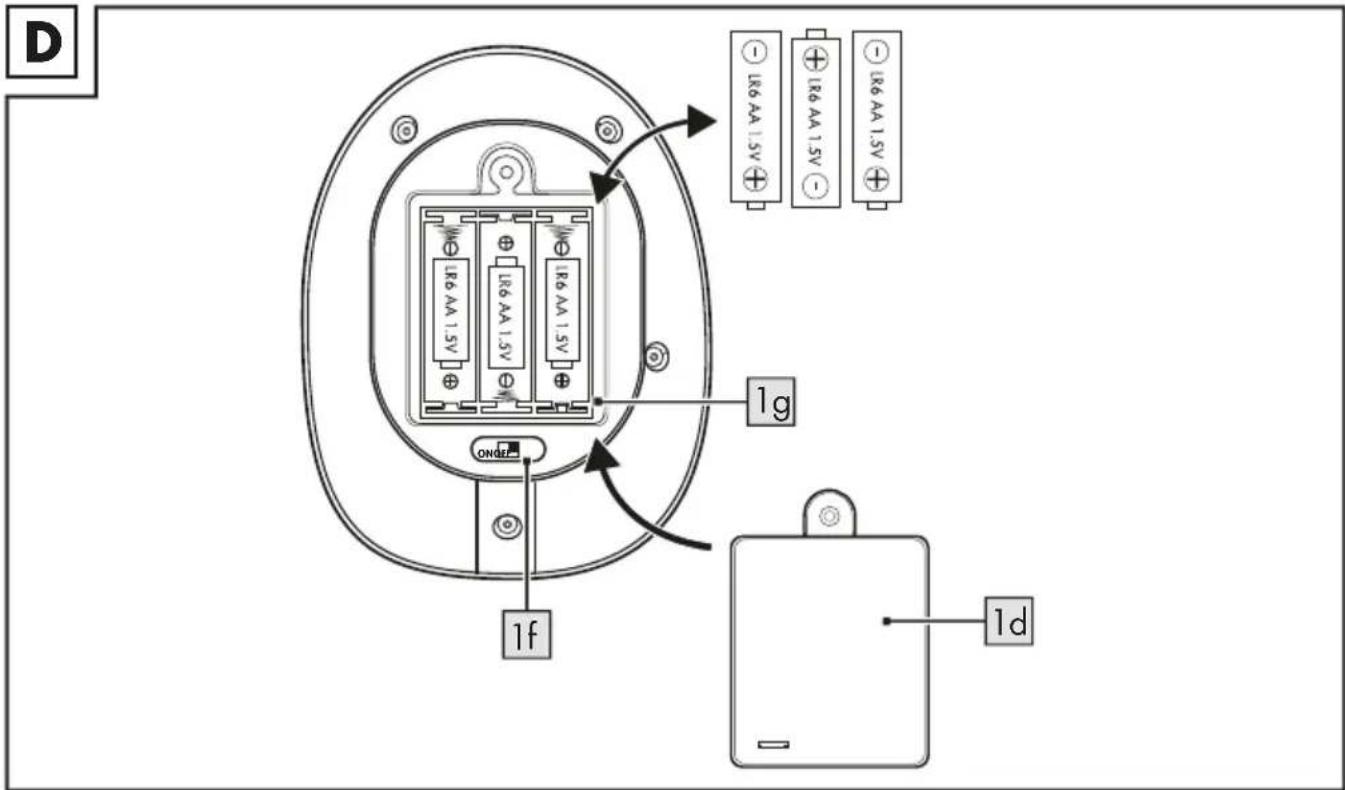
Replacing batteries (fig. D)
WARNING! Follow these instructions to avoid mechanical and electrical damage.
The product comes with three batteries.
If the batteries no longer work, replace them as follows:
- Open the zip on the bottom of the product.
- Switch the product off by sliding the switch (1f) to OFF.
Note: For safety reasons the zip does not have a slider so that children cannot open the product.
Use a paper clip or some other item of everyday use to open. Attach the item used to the eyelet in the zip and pull on it.
Close the product the same way. Be sure to remove the item used before you give the product to your child.
- Using a suitable screwdriver loosen the screw on the lid of the battery compartment (1d) and remove it.
- Take out the batteries inside the product.
- Carefully insert the new batteries into the battery compartment (1g). The batteries must be fully seated in the battery compartment.
Note: Pay attention to the plus/minus polarity of the batteries and their correct installation.
- Screw the battery compartment lid (1d) back on tight and close the zip.
Storage, cleaning
When not in use, always store the product dry, clean, without batteries, and at room temperature. Simply wipe with a damp cleaning cloth.
IMPORTANT! Never clean the product with harsh cleaning agents.
Disposal
In the interest of protecting the environment, do not throw your product into the household waste once you are finished with it, but rather take it to a
specialty disposal facility. Find out about collection sites and their hours of operation from your local authority.
Defective or used batteries must be recycled pursuant to Directive 2006/66/EC and changes to it. Return batteries and/or the product via the collecting sites provided. Packaging materials, such as plastic bags, must be kept away from children. Keep the packaging materials out of reach of children.
Environmental damage caused by improper disposal of batteries! Batteries may not be disposed of with household waste. They may contain toxic heavy metals and are subject to hazardous waste treatment. The chemical symbols of the heavy metals are as follows: Cd = cadmium, Hg = mercury, Pb = lead. Dispose of used batteries at a municipal collection site.

Dispose of the product and packaging in an environmentally friendly manner.

Note the label on the packaging materials when separating waste, as these are labelled with abbreviations (a)
and numbers (b) with the following meaning: 1–7: plastics/20–22: paper and cardboard/80–98: composite materials.
The product and the packaging materials can be recycled, dispose of them separately for better treatment of waste. The Triman logo only applies to France. Find out how to dispose of the used product from your municipal or city administration.
Notes on the guarantee and service handling
The product was produced with great care and under constant supervision. You receive a three-year warranty for this product from the date of purchase. Please retain your receipt.
The warranty applies only to material and workmanship and does not apply to misuse or improper handling. Your statutory rights, especially the warranty rights, are not affected by this warranty.
With regard to complaints, please contact the following service hotline or contact us by e-mail.
Our service employees will advise as to the subsequent procedure as quickly as possible. We will be personally available to discuss the situation with you.
Any repairs under the warranty, statutory guarantees or through goodwill do not extend the warranty period. This also applies to replaced and repaired parts. Repairs after the warranty are subject to a charge.
IAN: 347714_2001

Service Great Britain
Tel.: 0800 404 7657
E-Mail: deltasport@lidl.co.uk
DELTA-SPORT HANDELSKONTOR GMBH
Wragekamp 6 • DE-22397 Hamburg
GERMANY

06/2020