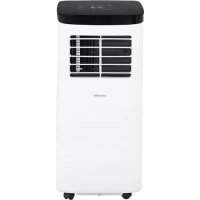
MS 7928 - Air Conditioning Mesko - Free user manual and instructions
Find the device manual for free MS 7928 Mesko in PDF.



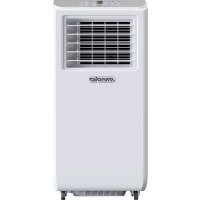
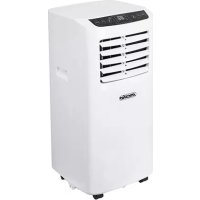
| Product type | Local air conditioner (monoblock) |
| Brand | Mesko |
| Model | MS 7928 |
| Cooling capacity | 7000 BTU/h (2050 W) |
| Power consumption (cooling) | 792 W |
| Airflow | 300 m³/h |
| Energy class | A |
| Dehumidification capacity | 17 L/24h |
| Refrigerant | R290, 130 g |
| Power supply | 220-240 V ~50 Hz, grounded plug |
| Functions | Cooling, ventilation, dehumidification, sleep mode, timer (1-24 h), remote control |
| Ventilation modes | Low and high (selectable) |
| Temperature range | 16 °C to 31 °C (cooling mode) |
| Protection | Compressor (3 min delay), overflow (auto shut-off), freeze (temporary stop) |
| Filter maintenance | Clean every 2 weeks with warm water and neutral detergent |
| Housing cleaning | Soft damp cloth, no harsh chemicals |
| Drainage | Through the drain hole (rubber cap and plastic nut) |
| Included accessories | Exhaust hose, window adapter, remote control with batteries |
| Minimum distance to walls | 50 cm on each side |
Frequently Asked Questions - MS 7928 Mesko
User questions about MS 7928 Mesko
0 question about this device. Answer the ones you know or ask your own.
Ask a new question about this device
Download the instructions for your Air Conditioning in PDF format for free! Find your manual MS 7928 - Mesko and take your electronic device back in hand. On this page are published all the documents necessary for the use of your device. MS 7928 by Mesko.
USER MANUAL MS 7928 Mesko
natural_image
White portable air conditioner unit with black top and control panel, no visible text or symbols on bodyMS 7928
PICTURE E
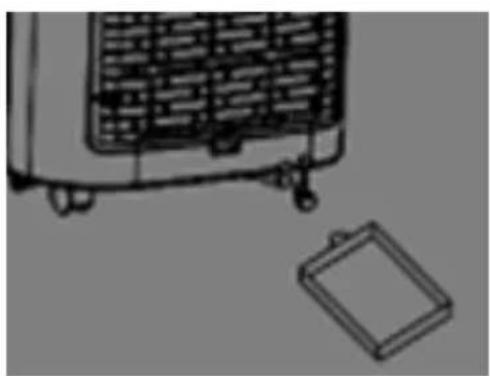
PICTURE G
natural_image
Line drawing of a portable air conditioner unit with a separate close-up of its cover (no text or symbols)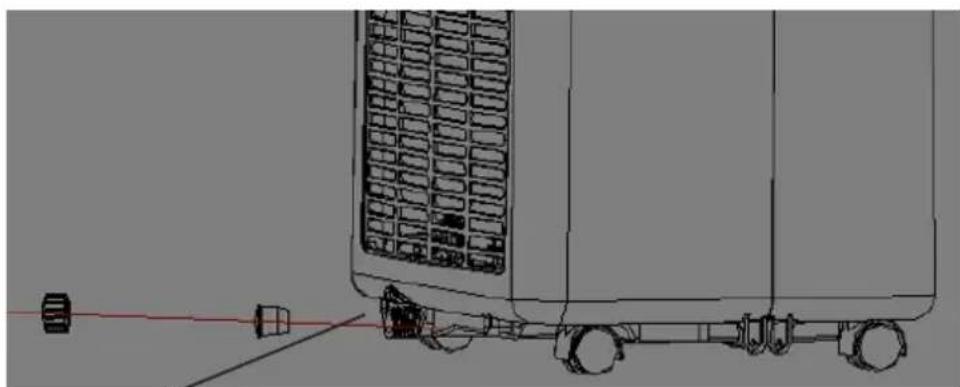
natural_image
Technical line drawing of a vehicle chassis with wheels and a side-mounted panel (no text or symbols)- PICTURE F
ENGLISH
SAFETY CONDITIONS. IMPORTANT INSTRUCTIONS ON SAFETY OF USE PLEASE READ CAREFULLY AND KEEP FOR FUTURE REFERENCE
- Before using the device, read the operating manual and follow the instructions contained in it. The manufacturer is not liable for damages caused by using the device contrary to its intended purpose or improper operation.
- The device is for home use only. Do not use for other purposes that are not for its intended purpose.
- The device should only be connected to an AC outlet with a grounded 220-240V \~ 50Hz. To increase operational safety, multiple electrical devices should not be connected to one current circuit at the same time.
- Use extreme caution when using the device when children are nearby. Do not allow children to play with the device, do not allow children or people unfamiliar with the device to use it.
- WARNING: This equipment may be used by children over 8 years of age and people with limited physical, sensory or mental ability, or people who have no experience or knowledge of the equipment, if this is done under the supervision of a person responsible for their safety or have been granted them information on the safe use of the device and are aware of the dangers of using it. Children should not play with the equipment. Cleaning and maintenance of the device should not be performed by children, unless they are over 8 years old and these activities are carried out under supervision.
- Always disconnect the power plug by holding the socket with your hand after use. DO NOT pull on the power cord.
- Do not immerse the cable, plug and the whole device in water or any other liquid. Do not expose the device to atmospheric conditions (rain, sun, etc.) or use in conditions of high humidity (bathrooms, damp mobile homes).
- Periodically check the condition of the power cord. If the power cord is damaged, it should be replaced by a specialist repair shop to avoid danger.
- Do not use the appliance with a damaged power cord or if it has been dropped or damaged in any other way or if it is not working properly. Do not repair the device yourself, as there is a risk of electric shock. Take the damaged device to an appropriate service center for checking or repair. All repairs may only be carried out by authorized service points. Incorrectly performed repairs can cause serious danger for the user.
- Place the device on a cool, stable surface, away from hot kitchen appliances such as: electric stove, gas burner, etc.
- Make sure that nothing is blocking the air inlet and outlet of the device
- Use the device only on a level surface to prevent the condensation from spilling out
-
To provide additional protection, it is advisable to install a residual current device (RCD) in the electric circuit with a rated residual current not exceeding 30mA. Ask an electrician for this.
-
Clean the air filter regularly. The frequency of cleaning depends on the cleanliness of the air.
- After turning off the machine, wait at least 5 minutes before turning it back on.
- Do not use the device in sunny places. When the device overheats, the overheat protection will switch on the device.
- To ensure effective cooling, a distance of at least 50 cm should be kept between the side walls of the device and the wall or furniture or curtains.
- Due to the limited performance of the device, if the difference between the target temperature and the ambient temperature is too great, the target temperature may not be reached.
- To reduce the risk of fire, electric shock or injury when using the air conditioner, observe the following basic precautions:
a) Connect to a grounded outlet with 3 pins.
b) Do not remove the grounding prong.
c) Do not use the adapter.
d) Do not use an extension cord.
e) Disconnect the air conditioner before servicing.
f) Use two or more people to move and install the air conditioner.
-
Do not use agents accelerating the defrosting or cleaning process other than those recommended by the manufacturer.
-
The device should be stored in a room without constantly operating sources of ignition, for example: open fire, gas appliances or electric heaters.
BEFORE FIRST USE
When moving the device make sure that it is in an upright position. Before using the air conditioner keep it upright for 2 hours at least.
Device Description - LOCAL AIR CONDITIONER MS7928 - Picture A
- Control panel
- Cold air outlet
- Remote controller (picture E)
- Handle
- Air inlets
- Air exhaust pipe
- Exhaust connector
- Drain hole with rubber cap and plastic nut (picture F)
- Window exhaust adapter
- Connector of air exhaust pipe
- Air filter
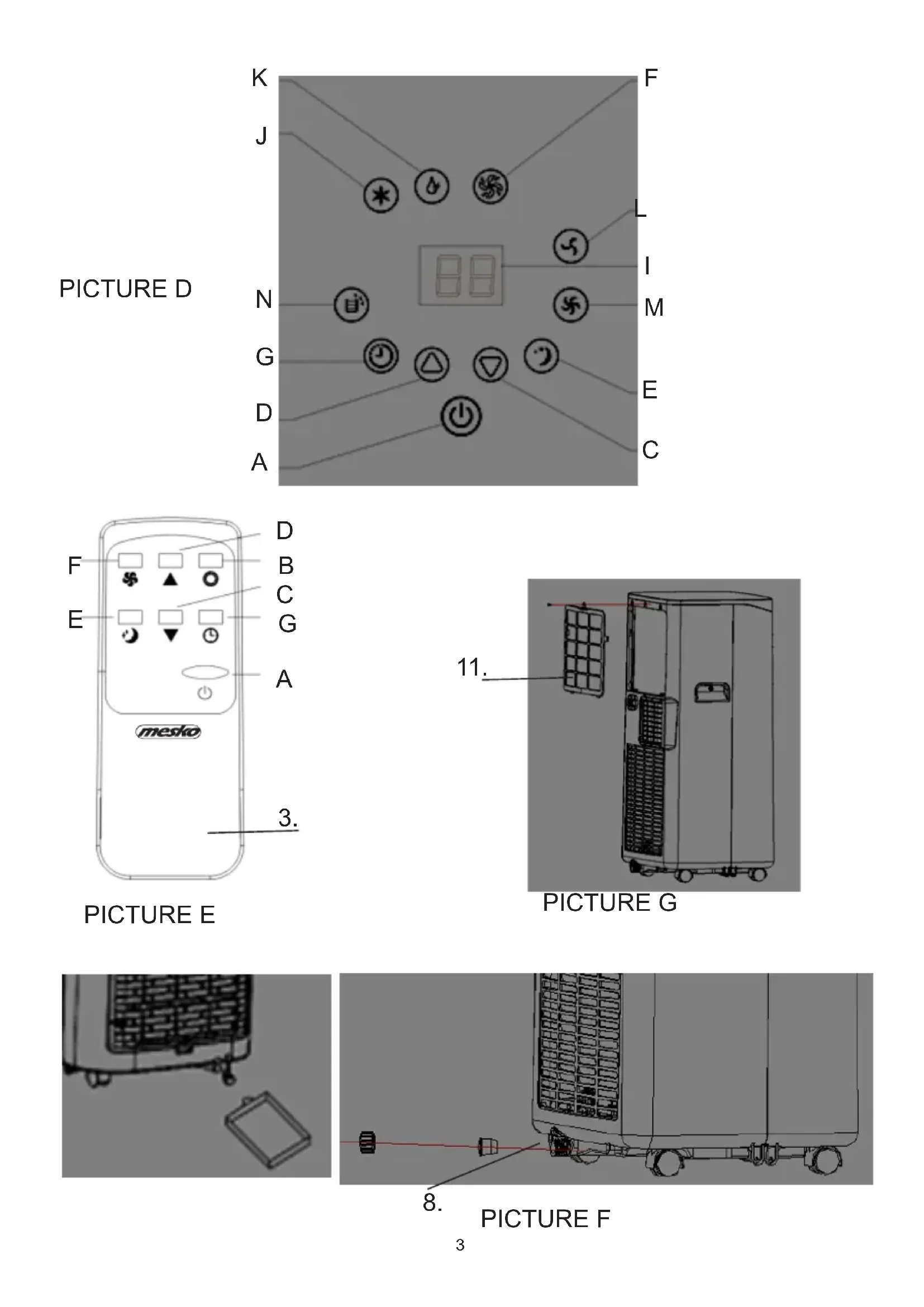
Control Panel Description - Picture D.
A. Power button
C. Temperature down / timer down button in cooling mode
D. Temperature up / timer up button in cooling mode
E. Sleep model button
F. Fan mode button
G. Timer button
I. LED screen
J. Cool mode button
K. Dehumidifying button
L. Slow fan speed button
M. Fast fan speed button
N. Water full indicator light
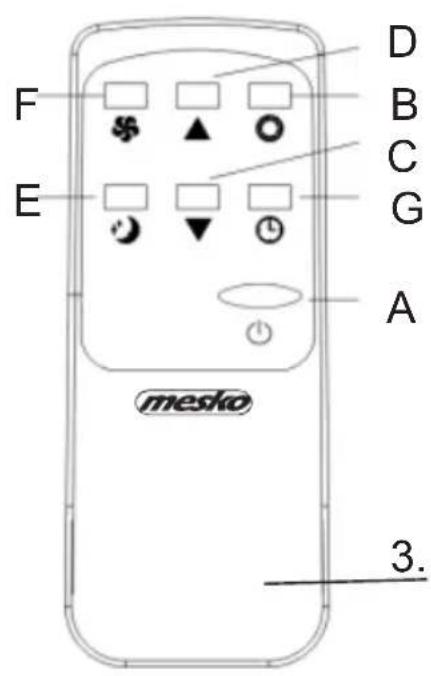
Remote controller – Picture E
A. Power button
B. Mode selection button
C. Temperature / timer down button
D. Temperature / timer up button
E. Sleep mode button
F. Fan speed selection button
G. Timer button
CONTROL PANEL manual operation – picture D
When the is powered on for the first time, the buzzer will shout, and then the device will get into standby status.
Press button "A" to turn on and turn off the device, the buzzer will play signal once.
MODE SELECTION on manual operation of control panel –
When the device is power on, choose mode you need between cooling mode or fan mode or dehumidifying mode as below:
Press the up and down buttons at the same time when you need shift °F to °C.
Cooling mode -
- Press button "J" to select cooling mode, next press the button "L" to get slow fan speed button or press the button "M" to get fast fan speed button. Next press button "C" or "D" to adjust required temperature from 16°C to 31°C, buttons are not available in fan or dehumidifying mode.
Fan mode -
- Press button "F" to select fan mode, the LCD screen will show "FA", next press the button "L" to get slow fan speed button or press the button "M" to get fast fan speed button. During fan mode operation the temperature and sleeping functions cannot be setup.
Dehumidifying mode –
- Press button "K" to select dehumidifying mode, the LCD screen will show "dh". Under dehumidifying mode, sleep mode cannot be setup, and fan speed is fixed on slow fan speed automatically and cannot be changed. In order to switch off the dehumidifying mode select other operation mode: cooling or fan mode.
Timer set up -
- When the device is not working, press button "G", the LCD screen flashes, press the button "C" or "D" to set up the quantity of hours after the device will start to operate. The LCD screen stops flashing and timer icon will be illuminated.
- When the device is working, press button "G", the LCD screen flashes, press the button "C" or "D" to set up the quantity of hours need to pass before the device will shut off automatically. The LCD screen stops flashing, the timer icon will be illuminated, LCD screen shows required to achieve temperature. This is a delayed start function.
Timer operation range can be fixed by each one hour from 1 to 24 hours.
Sleep mode –
- At first Press button "J" to cooling mode, next press button "E" to turn on the sleep mode, then the device will work on Energy-Saving and quiet type.
- Next press button "C" or "D" to adjust required temperature from 16°C to 31°C.
- The sleep mode is automatically programmed. After the first hour of operation, the temperature will increase by 1 °C , after the second hour of operation, the temperature will increase by another 1 °C , and then remain at the same level.
- Press button "E" again to cancel sleep mode.
NOTE: Sleep mode is not available in dehumidify and fan modes.
Water full -
The water full indicator lamp "N" will be illuminated and the buzzer will alarm for several second, then the compressor will stop to work when the inner device water tank will be full.
REMOTE CONTROLLER operation – picture E
The remote controller transmits signals to the system.
Button "A" - the device will be started when it is energized or will be stopped, if you press this button again.
Button "B" - press it to select operation mode: cool mode → dry mode → fan mode.
Button "C" / "D" - press to set up the operation time from 1 to 24 hours or required room temperature from 15 to 31°C when cooling mode is switched on.
Button "E" - press it to set up or cancel sleep mode.
Button "F" - press it to select fan speed in sequence: slow / fast wind speed.
Button "G" - press it to set up or cancel timer.
PROTECTION DEVICES
- Compressor protection: Three minutes later after power on / restart, compressor starts to run.
- Overflow protection function: when the water full indicator lamp "N" will be illuminated and the buzzer will alarm for several second, the device turn off automatically. In this case, you need to drainage the water (details see Drainage Instructions at the end of this chapter). After the water is emptied, the device will get into standby status.
- Frost Protection Function: In cooling mode, if the temperature of the EVA pipe sensor is too low, the device will automatically enter protection status. When the temperature of the EVA pipe sensor rises to a certain temperature, it can automatically revert to normal operation.
DRAINAGE INSTRUCTIONS:
This device is equipped in auto-water-evaporating system. Condensed water cycle will cool down the condenser, which will not only improve cooling efficiency, but also save energy.
- If inner water tank is full, the water full indicator lamp "N" will be illuminated, the device enter into standby mode, buzzer shouts, compressor stops and all buttons is invalid till the device recovers to be normal, after water drainage.
- Power off the device.
- Prepare flat container (not included to set) to drain the water. Locate it under the drain hole (8)
- Unscrew white drainage cover and remove the rubber cap from the drain hole (8) – picture F. The water will automatically flow into the water container.
- During water drainage, the device can be tilted slightly backwards.
- After water stops to pouring out, close the rubber cap and screw white drainage cover again.
- Restart the device, the device will runs normally.
CLEANING & MAINTENANCE
Cleaning: before cleaning and maintenance, turn off the device and unplug the plug.
a) Housing cleaning
Clean with surface of device with a wet soft cloth. Don't use chemicals, such as benzene, alcohol, gasoline, otherwise, the surface of the device will be damaged or even the whole device will be damaged.
b) Net nylon filter cleaning
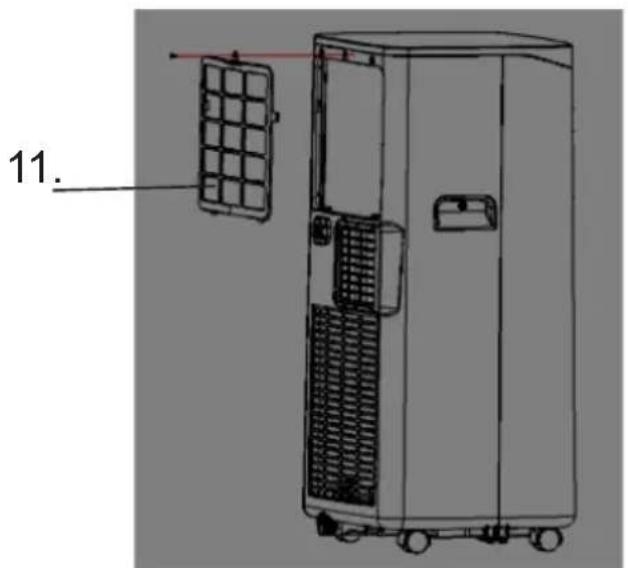
If an air filter (11) is clogged with dust, then the effectiveness of the device is reduced, be sure to clean the filter once every two weeks.
- Unscrew one middle screw under filter's frame and force down from the outside the latch of filter frame with hands and pull out to yourself to remove the filter (11).
- After remove, clean an air filter (11) – picture G.
- Put an air filter (11) into warm water with neutral detergent (about 40°C / 104°F) and dry it in the shade after rinsing clean.
STORAGE
If the device will be unused for a long time, please do as following :
-
Pull out drainage plug (8) to flow out water.
-
Let the device runs under fan mode for 2 hours to dry out the device's internal.
-
Turn off the device and pull out plug.
-
Clean and dry filters, then reinstall them.
-
Pull out exhaust pipe for safe keeping.
-
Put the device into plastic bag, and place it on a dry place.
-
Remove batteries of the remote control and keep them properly.
Storage the device and all device components in dry place.
TROUBLESHOOTING
Problem I.: The air conditioning does not work.
Reason 1: There is no electricity. So, turn it on after connecting it to a socket with electricity.
Reason 2: The water full indicator light "N" is illuminated. So, discharge the water.
Problem II.: The device auto-restarts frequently.
Reason1: Direct sunlight. So, drawn the curtains.
Reason 2: Door and windows are open, many heat sources in the room. So, close the door and windows, move out heat sources.
Reason 3: Filters are too dirty. So, clean or replace filters.
Reason 4: Air-inlet or air out-let is blocked. So, remove blockage.
Problem III.: Big Noise
Reason: The device is not placed on a flat surface. So, put the device on a flat and hard place to reduce noise.
Problem IV.: Compressor does not work.
Reason: Compressor time-delay protection turn on. So, wait for 3 minutes until the temperature is lowered, and then restart the device.
Note: when abnormal situations are occurred, turn off device and pull out plug, then contact with professional service for help.
Do not repair the device yourself. Not qualified repair will void the warranty.
Caution, risk of fire.
Do NOT pierce or burn.
Be aware that the refrigerant may not contain an odour.
To protect your environment: please separate carton boxes and plastic bags and dispose them in corresponding waste bins. Used appliance should be delivered to the dedicated collecting points due to hazarsous components, which may effect the environment. Do not dispose this appliance in the common waste bin.
DEUTSCH
INSTRUCTIONS DE DRAINAGE:



INSTRUCTIUNI DE DRAINAGE:

Atentie, risc de incendiu.


РУССКИЙ







: معلومات تقبنية

natural_image
Close-up of a black and red handheld electric shaver with three buttons (no visible text or symbols)ELECTRIC SHAVER MS 2926
natural_image
A textured gray fabric pillow with a small object attached to its side, resembling a knitted or knitted fabric item (no text or symbols visible).HEATED PAD MS 7429
natural_image
Modern stainless steel kettle with black handle and brand logo (no visible text or symbols on body)ELECTRIC KETTLE MS 1288
natural_image
White electric air conditioner with cooling fan and wheels (no visible text or symbols)AIR COOLER MS 7914
natural_image
Black and white photo of a microwave grater with a control knob (no visible text or symbols)SANDWICH MAKER 3IN1 MS 3045
natural_image
White electrician meat maker with handle and side button (no visible text or symbols)MEAT MINCER MS 4805
natural_image
White hair dryer with orange cable and gold handle, no visible text or symbolsHAIR DRYER MS 2250
natural_image
Red and black hairbrush with a brush, resting on a black base with a metallic clip (no visible text or symbols)TRIMMER SET MS 2931
natural_image
Exterior view of a modern stainless steel steamer with three eggs inside (no text or symbols visible)Egg Boiler MS 4485
mesko
natural_image
White glass juice organizer with yellow liquid and a white lid, no visible text or symbolsCITRUS JUICER MS 4010
Milk Frother
MS 4493
natural_image
White blender with purple liquid and black handle, no visible text or symbols on the device itself.BLENDER WITH JAR MS 4079
natural_image
Black kitchen stand mixer with whisk inside a bowl (no visible text or symbols)MIXER WITH BOWL MS 4217
natural_image
Digital kitchen scale with a glass bowl and digital display (no visible text or symbols)KITCHEN SCALE MS 3165
natural_image
White water purifier with clear blue liquid and a black handle, no visible text or symbolsAIR HUMIDIFIER MS 7965
Weather Station MS 1177
natural_image
Black and white photo of a precision ear cleaner (no visible text or symbols)NOSE TRIMMER
MS 2929
MOSQUITO KILLER LAMP
MS 7933
mesko
natural_image
Black and white photo of a black watermelon-shaped kettle with handle and side panel (no visible text or symbols)ELECTRIC KETTLE MS 1284
natural_image
Black and white photo of a Mexico 300 grater with a red and green button (no visible text or symbols)SANDWICH MAKER MS 3032
natural_image
Product photo of a white hand mixer with a small container and a clear glass bottle (no text or symbols visible)HAND BLENDER MS 4624
natural_image
Black microwave oven with two baked goods inside a glass pan (no visible text or symbols)ELECTRIC OVEN MS 6021
natural_image
Black and white photo of a black electronic device with a circular handle and metallic rim (no visible text or symbols)NUT MAKER MS 3041
natural_image
Exterior view of a modern stainless steel juiceizer with a side cup (no visible text or symbols)JUICE EXTRACTOR MS 4126
natural_image
White portable electric heat exchanger with a circular top and black panel (no visible text or symbols)CERAMIC FAN HEATER MS 7736
natural_image
White and black hair dryer with a single button, no visible text or symbols on the device body.HAIR DRYER MS 2262
natural_image
White industrial air conditioner unit with control panel and ventilation slots (no visible text or symbols)AIR CONDITIONER MS 7911

- MS 7928
- ENGLISH
- SAFETY CONDITIONS. IMPORTANT INSTRUCTIONS ON SAFETY OF USE PLEASE READ CAREFULLY AND KEEP FOR FUTURE REFERENCE
- BEFORE FIRST USE
- PROTECTION DEVICES
- DRAINAGE INSTRUCTIONS:
- CLEANING & MAINTENANCE
- STORAGE
- TROUBLESHOOTING
- DEUTSCH
- INSTRUCTIONS DE DRAINAGE:
- INSTRUCTIUNI DE DRAINAGE:
- РУССКИЙ
- mesko
Brand : Mesko
Model : MS 7928
Category : Air Conditioning