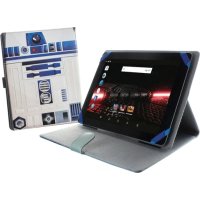
Star Wars - Tablet eSTAR - Free user manual and instructions
Find the device manual for free Star Wars eSTAR in PDF.


| Product type | Touchscreen tablet |
| Brand | eSTAR |
| Model | Star Wars (JUPITER HD QUAD CORE) |
| Screen | HD capacitive touchscreen |
| Dimensions | Approximately 240 x 170 x 10 mm |
| Weight | Approximately 500 g |
| Power supply | Rechargeable Li-ion battery, USB mains charger |
| Processor | Quad-core |
| RAM memory | 1-2 GB (estimated) |
| Internal storage | 8-16 GB, expandable via microSD card (up to 32 GB) |
| Camera | Front and rear |
| Connectivity | Wi-Fi 802.11 b/g/n, Bluetooth |
| Sensors | Accelerometer |
| Operating system | Android |
| Care and cleaning | Clean with a soft, dry cloth. Do not use products containing alcohol, benzene, or thinner. |
| Safety | Do not expose to moisture, shocks, extreme temperatures. Do not use while driving. |
| Spare parts and accessories | Charger, USB cable, earphones (depending on country/region) |
| Reparability | Contact an authorized eSTAR service center |
| Warranty | Manufacturer warranty, not applicable in case of damage due to moisture or unauthorized modifications |
Frequently Asked Questions - Star Wars eSTAR
User questions about Star Wars eSTAR
0 question about this device. Answer the ones you know or ask your own.
Ask a new question about this device
Download the instructions for your Tablet in PDF format for free! Find your manual Star Wars - eSTAR and take your electronic device back in hand. On this page are published all the documents necessary for the use of your device. Star Wars by eSTAR.
USER MANUAL Star Wars eSTAR
“eSTAR” Smart Tablet
Model No:
eSTAR JUPITER HD QUAD CORE
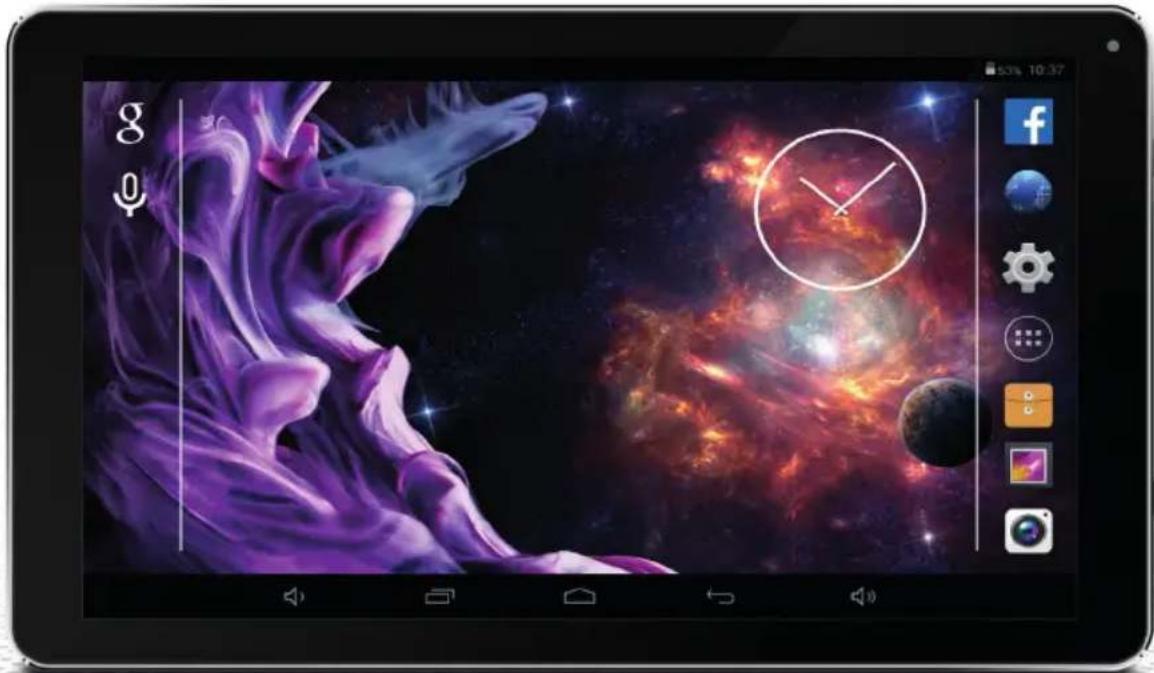
natural_image
Digital tablet displaying a cosmic scene with purple smoke, nebula, and a glowing orange planet (no readable text or symbols)
A detailed manual may be found on the following website
www.estar.eu
Thank you for purchasing “eSTAR” smart tablet. Before starting using it, we recommend reading this quick start guide. A detailed manual may be found on the website www.estar.eu.
The content of this quick start guide may differ from software and hardware configuration of your “eSTAR” model;
- Quick start guide contains information subject to change without prior notice. The latest version is available on the website www.estar.eu;
- Equipment of “eSTAR” products and/or accessories may differ by regions/countries;
- Equipment of “eSTAR” products is designed specifically for certain model and may be incompatible with other “eSTAR” products;
- “eSTAR” shall not be responsible for malfunctions, caused by usage of incompatible accessories (chargers, earphones, etc.);
- Additional accessories for “eSTAR” products can be purchased from regional “eSTAR” products representative;
- “eSTAR” shall not be responsible for missing information and failures, caused by improper usage of hardware and software, or other accidents.
Safety measures
In order to use the device in a safe manner – to avoid injuries or failures, please read the following information:
- High volume, while using earphones, can lead to adverse effect to your hearing. Please adjust the volume properly, in order to avoid hearing damage.
- Warning: be careful for not to cause electric shock, fire and explosion;
- Do not touch “eSTAR” product and its parts with wet hands, and do not use the device, while charging it;
- Do not pull the charger by cable;
- Do not bend or damage power cord;
- Do not use damaged or faulty charger;
- Do not drop and break the charger or device.
- Do not use the device during thunderstorm – it could affect the operation of the device and increase the risk of electric shock;
- Do not disassemble the product by yourself;
- When cleaning the screen of your tablet or smart phone, do not use alcohol, thinner, or benzene, as this could lead to permanent damage of your device screen;
- Most of “eSTAR” products are not resistant to moisture or water; in case of using “eSTAR” products under these conditions, the device can become permanently damaged;
- Do not press the tablet or smart phone screen too hard – it may become damaged;
- Do not use the device while driving, it could cause a traffic accident.
Protect the environment. Ensure the appropriate disposal of "eSTAR" device
- When disposing devices, follow the local rules and regulations.
- Use the “eSTAR”- approved batteries and chargers, specifically designed for your device. Using an incompatible charger can lead to failure or damage of your device.
- Do not burn the devices that are no longer used.
- Do not place the devices on heating equipment, such as microwave ovens, cookers, or radiators. Batteries may explode when overheated.
- Do not crush or puncture the device. Make sure that the device is not under pressure from the outside - it can result in internal short circuit or device may overheat.
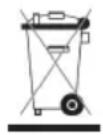
This symbol on the product or accompanying documents means that the device and electronic accessories (e.g.: charger, earphones, USB cable, etc.) should not be mixed with general household waste. USER, protect yourself and the surrounding environment, take the opportunity to contribute to conservation of nature for future generations, recycle waste and give it for recycling.
- For information, where and how to deliver this electronic waste for safe handling, the private persons should contact the seller of the product (shop, online shop, etc.) or local authorities;
- For information, where and how to deliver this electronic waste for safe handling, the legal persons should address the supplier of this product, and if they have agreement with electronic waste recycling organization concluded, they should give it for recycling directly.

CE marking on the product (or its package) shows that this product complies with European Union safety, health, and environmental protection requirements.

RoHS mark shows that the parts are made from the recycled materials.
Important information
- Battery will be fully charged by discharging and charging it for 2-3 times.
- Extreme temperatures (heat / cold) can deform your device and reduce the battery charge, and it may affect the shorter lifetime of the device.
Device usage in restricted areas or premises
Warning: when using the device in restricted areas, observe all safety warnings and instructions.
- Always turn off your device where it's usage is forbidden;
- Do not use your device near other electronic appliances;
- Most electronic devices use radio frequency signals. Your device may interfere with other electronic appliances.
- Do not put your device near the heart pacemaker. If possible, try not to hold your device closer than 15 cm from heart pacemaker; your device can interfere with pacemaker. In order to reduce the likelihood of interference with heart pacemaker, hold the device on the opposite side of the body than a pacemaker.
- Do not use your device in hospital or close to medical appliances, the radio frequencies of which could interfere;
- In case you are using any medical device, contact it's manufacturer and make sure that its radio frequency does not interfere;
- Turn of the device when near to potentially explosive places;
• Always follow the instructions, markings and signs for the potentially explosive places;
- Do not use the device when fuelling (in gas station) or near flammable materials or chemicals;
- In place where the device, its parts or accessories are stored, do not keep any flammable liquids, gas or explosive materials;
- Your main responsibility is to drive safely. Never use the device while driving, if rules forbid that;
- Turn off your device, when taking off and landing. The device may interfere with aircraft navigation system.
Suitable maintenance and usage of "eSTAR" product
Keep the device in a dry place
- Moisture and the liquids of all kinds can permanently damage the parts or device itself;
- Do not turn on the device, if it is wet. If the device is already turned on, turn it off immediately and take out the battery. If the device cannot be turned off or you cannot take out the battery – do nothing. Wipe the device with a towel and bring it to a service centre.
- Manufacturer's guarantee does not cover the failures, caused by moisture.
Do not use, do not store the device in dusty, dirty places
- The dust that gets into the device can negatively affect its functioning.
Do not keep the device on sloping surfaces
- If the device falls down, it may be damaged.
Do not store the device in cold or hot places
- Use the device only in temperatures of -20 + 45^ ;
- In case of hot weather, the device, left in the closed vehicle, can explode as the temperature inside may reach +80 °C;
- Do not keep the device in direct sunlight for a long time (for example, on car deck);
Do not keep the device near magnetic fields
- Due to effect of magnetic fields the device may start functioning improperly or the battery may become discharged;
Do not keep the device near or on heaters, for example, in microwave ovens, cooking appliances or high pressure containers
- The device may overheat, cause fire or explode.
Do not drop and hit your device
- You can break the screen of device;
- The device or its parts can be damaged or start functioning improperly, when bended and deformed.
Do not allow your device to contact with metal items: coins, keys, chains
- The device or its screen may become scratched.
Protect your eyes from the adverse effect of light flashes
- The room, where you use your device, must be at least minimally illuminated, do not keep the screen very close to eyes.
- While watching movies or playing video games for a long time, your vision might be temporarily reduced due to exposure to bright light. If you feel unpleasant symptoms, turn off the device immediately.
Reduce the risk of injuries cause by repetitive motions
- In case of constant and the same actions: pressing the same keys, writing text, playing games, you may experience discomfort in the hands, neck, shoulders, or other body parts. In case of prolonged use of this device, keep it with the hand relaxed, unstrained, we advise you to have regular breaks. If unpleasant symptoms persist, while using device, stop using it and consult a physician.
Ensure the maximum lifetime of charger and battery
- Do not leave the battery in charge for longer than a week, since overcharging can reduce its lifetime.
• Over time, the unused batteries discharge by themselves, and must be re-charged before using. - Disconnect the chargers from the mains, when not using them.
Protect your hearing, while using earphones
- Too loud sound can be harmful to your hearing;
- Loud sound, while driving, can distract and cause an accident;
- Before connecting the earphones to sound source, decrease the volume. Set minimum volume parameter, required for listening to conversation or music;
- If you are in dry premises, static electricity may build up in the earphones. Avoid using the earphones in dry premises or, before connecting the earphones to device, touch them to a piece of metal to cause the electrostatic discharge.
In case of using the device, while walking or moving, follow the safety measures
• Always observe the environment to avoid injuries to yourself and others.
Do not dissemble, modify or repair device by yourself
- You will lose the manufacturer's warranty in case of any changes or modifications, made by yourself (including unauthorized changes in manufacturer's software). Please bring the broken "eSTAR" device to the nearest authorized "eSTAR" service centre;
- Do not paint the device and do not place stickers on it.
Device cleaning instructions:
- Clean the device and charger with dry towel/sponge or specifically designed means.
- Do not use chemicals or disinfectants.
Do not use the device, if the screen is broken or damaged
- Broken glass can cause injuries to your face and hands. Bring the device to “eSTAR” customer service centre for repair.
Use the device only for its intended purpose
When using the device in a public place, try not to disturb others
Be careful with SIM and memory cards
- Do not pull out a card, when the device is downloading or uploading information, as it can lead to data loss, and (or) card or device damage.
- Protect the cards from shocks, static electricity, electrical noise, caused by other devices.
- Do not touch the gold-coloured contacts or clips of memory card with fingers. If dirty, clean the card with soft cloth.
Protect your personal and other important data
- Do not forget to backup important data, while using the device. “eSTAR” shall not be responsible for data loss;
- When giving the device to the authorized “eSTAR” service centre for repair, make copies of important data and delete important information, if possible. “eSTAR” shall not be responsible for data loss;
- Before factory reset of software, take care of backup of important data;
- If you decided to dispose of your device, make sure that no important or personal information is left therein;
- In case of theft or loss of device, do not forget to change the passwords of your accounts, in order to protect your personal information.
Getting started
The main components
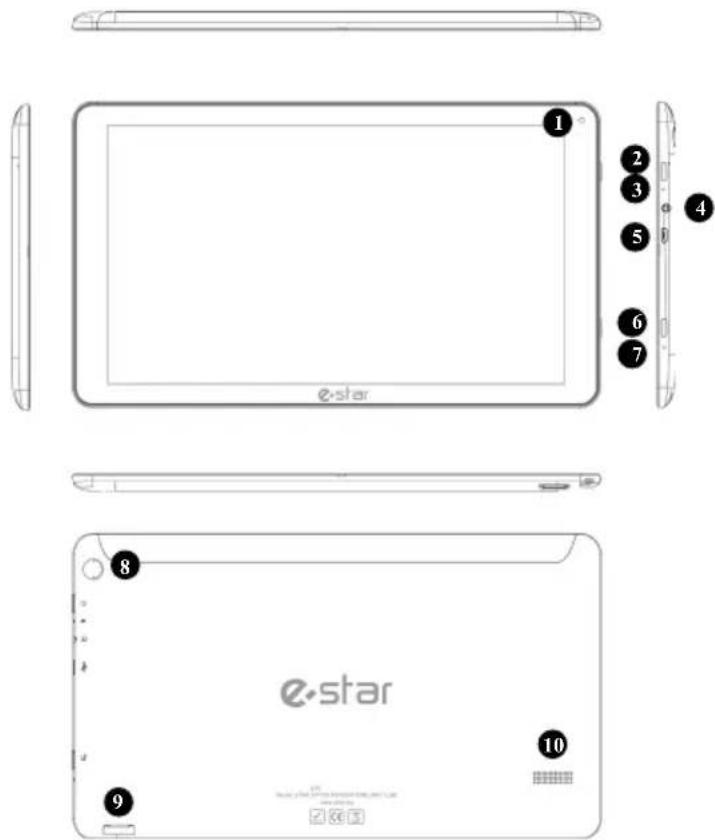
| Function/explanation | |
| 1. Front camera/video camera | |
| 2. Power button | |
| 3. "RESET" button | |
| 4. Earphones socket | |
| 5. USB Socket | |
| 6. "BACK" button | |
| 7. Microphone (MIC) | |
| 8. Back camera/video camera | |
| 9. Micro SD(HC) slot | |
| 10. Speakers | |
Battery charge
- Before using the device for the first time, fully charge its battery.
- Use “eSTAR” chargers, designed specifically for your device. Other chargers can lead to permanent damage of your device.
Power on/off
- In order to turn the device on, press Power button. If the device does not turn on, please check, whether it is charged;
- Upon turning the device on for the first time, set it according to the on-screen wizard. In order to use the applications that interact with Google, you have to create a new one or sign in existing Google Account;
• In order to turn the device off, press Power button.
Note: In order to make a factory reset of software, for example, if an application fails to start, press and hold Power button until the device reboots.
Connection to the Internet
• To connect to the Internet, use WiFi (WLAN) function:
- ⏻→ ⚙️ Settings → ⚫ WLAN-ON. When connecting to certain WiFi (WLAN) access, passwords may be required;
- If the device has the possibility to use mobile data (2G/3G/4G), this function can be turned on in this way: Settings-Mobile data-ON. Please contact your mobile network operator for further configuration instruction. Attention! Connection and data download may be subject to additional charges. More detailed information on rates shall be provided by your mobile network operator.
CONDITIONS OF WARRANTY
Warranty period: 12 months.
During warranty period for the product the manufacturer assumes obligations stated in the warranty. Warranty period starts from the moment of retail sale of the product. The product is characterized by appropriate qualitative properties and will function without obstructions if you will follow the attached manual in operation. In case of obstructions in functioning the relevant authorized service-centre according to the request order of warranty owner during warranty period and on own account provide elimination of obstructions and malfunctions of the product.
Maximum term of repairing by the service-centre is 45 days. Warranty period is extended for the time of repairing. If repair will not be fulfilled by the time fixed the seller/manufacturer will replace the product with new one.
Exceptions are the cases of malfunctions due to improper or careless use of the product.
Warranty is valid if the date of sale is confirmed by the seller's stamp and signature and if there is a receipt confirmed this purchase on sheet of the warranty.
Warranty is valid in the presence of all original parts/components.
The device is intended not for professional, but exceptionally for in-home use!
Warranty is terminated in the following cases:
-when it is defined that unauthorized person broke the product integrity or installation of unoriginal parts/components took place;
-if malfunction occurred due to electric shock or inflammation;
-if product contacted with water or any other liquid;
-if malfunction occurred by any other reason beyond the control of the manufacturer;
-if malfunction occurred due to mechanical damage;
-if product was used or stored at the temperature below +5°C and above +40°C at humidity over 60%;
WARRANTY SERVICE COUPON
Serial number
Warranty period: 12 months
Date of sale
Stamp and signature of the seller
Full name of the buyer
Street
City
Telephone
AUTHORIZED SERVICE-CENTRE:
Midia Ltd, Unit B, Montone Business Park,
Oak Road, Dublin 12, Ireland
Telephone +3531 4199700
Email joedoyle@midia.ie
EC DECLARATION OF CONFORMITY
Date of Issue: 2015-04-14
We, the
Mikrovisata UAB,
Address: Savanoriu pr. 125, Kaunas, Lithuania
Declare the product
Description: eSTAR GRAND HD Quad core (MIDI128) tablet PC 10,1" inch screen, 8GB flash
Brand Name: eSTAR
Model No.: eSTAR GRAND HD Quad core (MID1128)
Relevant Standards
Specifications/Directives:
EN 62479:2010
Assessment of the compliance of low power electronic and electrical equipment with the basic restrictions related to human exposure to electromagnetic fields (10 MHz to 300 GHz)
ETSI EN 300 328 V1.8.1 (2012-06):
Electromagnetic compatibility and Radio spectrum Matters (ERM); Wideband Transmission systems; Data transmission equipment operating in the 2.4 GHz ISM band and using wide band modulation techniques; Harmonize EN covering essential requirements und Article 3.2 of the R&TTE Directive
ETSI EN 301 489-1 V1.9.2 (2011-09):
Electromagnetic compatibility and Radio spectrum Matters (ERM); Electro Magnetic Compatibly (EMC) standard for radio equipment and services; Part 1: Common technical requirements
ETSI EN 301 489-17 V2.2.1 (2012-09):
Electromagnetic compatibility and Radio spectrum Matters (ERM) Electromagnetic Compatibility (EMC) standard for radio equipment and services Part 17: Specific conditions for Broadband Data Transmission Systems
EN 60950-1:2006 + A11:2009 + A1:2010 + A12:2011
Information Technology Equipment – Safety requirements Safety Part 1: General requirements
EN55022: 2010
Information technology equipment - Radio disturbance characteristics - Limits and method of measurement
EN61000-3-2: 2006 + A1: 2009 + A2: 2009
Electromagnetic compatibility (EMC) - Part 3-2: Limits - Limits for harmonic current emissions (equipment input current up to and including 16A per phase)
EN61000-3-3: 2013
Electromagnetic compatibility (EMC) - Part 3-3: Limits - Limitation of voltage changes, voltage fluctuations and flicker in public low-voltage supply systems, for equipment with rated current ≤ 16A per phase and not subject to conditional connection
EN55024: 2010
Information technology equipment - Immunity characteristics - Limits and methods of measurement
Radio Equipment and Telecommunications Terminal Equipment Directive (1999/5/EC) - R&TTE Article 3.1(a), 3.1(b) & Article 3.2
CEO Mindaugas Anilionis

CE
CONSUMER ELECTRONICS

www.estar.eu

www.tvstar.eu

natural_image
Digital tablet displaying a cosmic scene with purple swirling patterns and a glowing orange nebula against a cosmic background (no text or symbols visible)
natural_image
Digital tablet displaying a cosmic scene with purple swirling patterns and a glowing orange nebula against a cosmic background (no text or symbols visible)
natural_image
Digital tablet displaying a cosmic scene with purple swirling patterns and a glowing orange nebula against a cosmic background (no readable text or symbols)
natural_image
Digital tablet displaying a cosmic scene with purple swirling patterns and a glowing orange nebula against a cosmic background (no text or symbols visible)
Tipus: Type and name of product
Gyári szám:
natural_image
Digital tablet displaying a cosmic scene with purple smoke, nebula, and cosmic background (no readable text or symbols)
CEO Mindaugas Anilionis

e-star
www.estar.eu

CONSUMER ELECTRONICS

www.tvstar.eu


natural_image
Digital tablet displaying a cosmic scene with purple swirling patterns and a glowing orange nebula against a cosmic background (no text or symbols visible)
natural_image
Digital tablet displaying a cosmic scene with purple swirling patterns and a glowing orange nebula against a cosmic background (no text or symbols visible)
natural_image
Digital tablet displaying a cosmic scene with purple swirling patterns and a glowing orange nebula against a cosmic background (no text or symbols visible)
natural_image
Digital tablet displaying a cosmic scene with purple swirling patterns and a glowing orange nebula against a cosmic background (no text or symbols visible)
natural_image
Digital tablet displaying a cosmic scene with purple swirling patterns and a glowing orange nebula against a cosmic background (no readable text or symbols)
natural_image
Digital tablet displaying a cosmic scene with purple swirling patterns and a glowing orange nebula against a cosmic background (no text or symbols visible)
natural_image
Digital tablet displaying a cosmic scene with purple swirling patterns and a glowing orange nebula against a cosmic background (no text or symbols visible)
natural_image
Digital tablet displaying a cosmic scene with purple swirling patterns and a glowing orange nebula against a cosmic background (no text or symbols visible)
natural_image
Digital tablet displaying a cosmic scene with purple swirling patterns and a glowing orange nebula against a cosmic background (no text or symbols visible)
CEO Mindaugas Anilionis

CE
CONSUMER ELECTRONICS

www.estar.eu

www.tvstar.eu

natural_image
Digital tablet displaying a cosmic scene with purple swirling patterns and a glowing orange nebula against a cosmic background (no text or symbols visible)
natural_image
Digital tablet displaying a cosmic scene with purple swirling patterns and a glowing orange nebula against a cosmic background (no text or symbols visible)
Detaljno uputstvo za upotrebu dostupno je na sajtu
www.estar.eu
Hvala Vam na kupovini smart-uredaja „eSTAR“. Pre početka upotrebe preporučujemo pročitati ovo kratko uputstvo za upotrebu. Detaljno uputstvo za upotrebu je dostupno na sajtu www.estar.eu.
Sadržaj kratkog uputstva za upotrebu može da se razlikuje od modela „eSTAR“ koji ste Vi kupili u zavisnosti od softverskog paketa i hardverske opreme;
- Informacije koje su navedene u ovom kratkom uputstvu za upotrebu mogu da budu promenjene bez prethodnog obaveštenja. Poslednja verzija je dostupna na sajtu www.estar.eu;
- Sastav proizvoda i/ili dodatne opreme koja se prodaje od strane „eSTAR“ mogu da se razlikuju u zavisnosti od regiona/države;
- Sastav proizvoda „eSTAR“ namenjen je konkretno za taj model i može da bude nekompatibilan sa drugim proizvodima „eSTAR“;
- „eSTAR“ ne snosi odgovornost za neispravnosti uređaja izazvane korišćenjem nekompatibilne dodatne opreme (punjača, slušalica ili dr.);
- Dodatnu opremu, kompatibilnu sa proizvodima „eSTAR“, možete nabaviti kod regionalnog predstavnika „eSTAR“;
- „eSTAR“ ne snosi odgovornost za izgubljene informacije i za neispravnosti koje su izazvane nepravilnim korišćenjem hardverskog i softverskog paketa ili za druge nesrećne slučajeve.
Mere bezbednosti
natural_image
Digital tablet displaying a cosmic scene with purple swirling patterns and a glowing orange nebula against a cosmic background (no readable text or symbols)
natural_image
Digital tablet displaying a cosmic scene with purple swirling patterns and a glowing orange nebula against a cosmic background (no text or symbols visible)
natural_image
Digital tablet displaying a cosmic scene with purple swirling patterns and a glowing orange nebula against a cosmic background (no text or symbols visible)
natural_image
Digital tablet displaying a cosmic scene with purple swirling patterns and a glowing orange nebula against a cosmic background (no text or symbols visible)