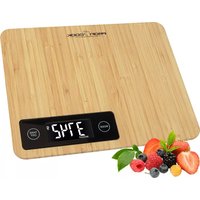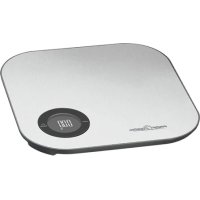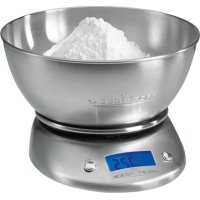
PCKW 1040 - Kitchen scales PROFICOOK - Free user manual and instructions
Find the device manual for free PCKW 1040 PROFICOOK in PDF.



| Product type | Kitchen scale |
| Brand | ProfiCook |
| Model | PCKW 1040 |
| Maximum load | 5 kg |
| Power supply | 2 AA batteries (1.5 V) |
| Net weight | 0.6 kg |
| Display | Digital display with indicators: TARE ZERO, Lo, Err, UnSt |
| Measurement units | g, lb:oz, ml, oz |
| Tare function | Reset to zero for successive weighings |
| Automatic shut-off | After about 160 seconds |
| Screen off | After about 45 seconds to save energy |
| Bowl included | Yes |
| Cleaning | Damp cloth, do not immerse |
| Precautions | Do not expose to water, do not drop, avoid shocks |
Frequently Asked Questions - PCKW 1040 PROFICOOK
User questions about PCKW 1040 PROFICOOK
0 question about this device. Answer the ones you know or ask your own.
Ask a new question about this device
Download the instructions for your Kitchen scales in PDF format for free! Find your manual PCKW 1040 - PROFICOOK and take your electronic device back in hand. On this page are published all the documents necessary for the use of your device. PCKW 1040 by PROFICOOK.
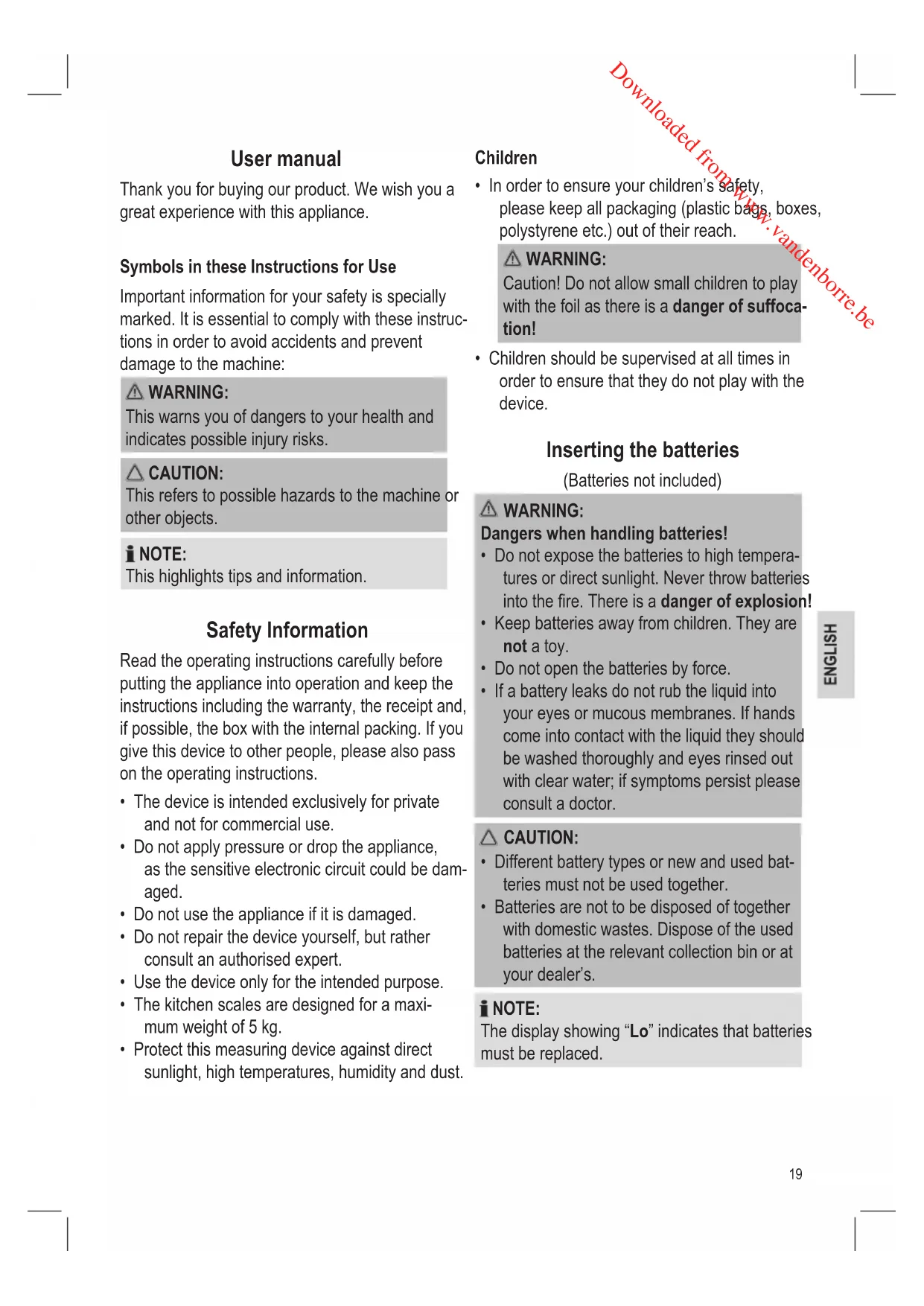
USER MANUAL PCKW 1040 PROFICOOK
(Piles non fournies)

AVERTISSEMENT:
Thank you for buying our product. We wish you a great experience with this appliance.
Symbols in these Instructions for Use
Important information for your safety is specially marked. It is essential to comply with these instructions in order to avoid accidents and prevent damage to the machine:
WARNING:
This warns you of dangers to your health and indicates possible injury risks.
CAUTION:
This refers to possible hazards to the machine or other objects.
NOTE:
This highlights tips and information.
Safety Information
Read the operating instructions carefully before putting the appliance into operation and keep the instructions including the warranty, the receipt and, if possible, the box with the internal packing. If you give this device to other people, please also pass on the operating instructions.
- The device is intended exclusively for private and not for commercial use.
- Do not apply pressure or drop the appliance, as the sensitive electronic circuit could be damaged.
- Do not use the appliance if it is damaged.
- Do not repair the device yourself, but rather consult an authorised expert.
- Use the device only for the intended purpose.
- The kitchen scales are designed for a maximum weight of 5kg .
- Protect this measuring device against direct sunlight, high temperatures, humidity and dust.
Children
In order to ensure your children's safety, please keep all packaging (plastic bags, boxes, polystyrene etc.) out of their reach.
WARNING:
Caution! Do not allow small children to play with the foil as there is a danger of suffocation!
Children should be supervised at all times in order to ensure that they do not play with the device.
Inserting the batteries
(Batteries not included)
WARNING:
Dangers when handling batteries!
- Do not expose the batteries to high temperatures or direct sunlight. Never throw batteries into the fire. There is a danger of explosion!
- Keep batteries away from children. They are not a toy.
- Do not open the batteries by force.
- If a battery leaks do not rub the liquid into your eyes or mucous membranes. If hands come into contact with the liquid they should be washed thoroughly and eyes rinsed out with clear water; if symptoms persist please consult a doctor.
CAUTION:
- Different battery types or new and used batteries must not be used together.
- Batteries are not to be disposed of together with domestic wastes. Dispose of the used batteries at the relevant collection bin or at your dealer's.
NOTE:
The display showing "Lo" indicates that batteries must be replaced.
- Open the battery compartment on the bottom of the scale.
- Insert 2 batteries of type AA/R6. Please ensure that the polarity is correct (see the loor of the battery compartment)!
- Close the battery compartment again.
Using the Scales
The kitchen balance was developed to display the weight of food and ingredients.
Display Indication
| TARE ZERO | Ready to weigh |
| Lo Battery Low | |
| Err Overload | |
| UnSt Not standing on a stable surface | |
Switching On
- Place the scales on a flat, smooth surface.
- Place the bowl onto the scale.
- Press the ON/Z/T button. All segments are briefly illuminated in the display followed by "0".
Weighing
Use the UNIT button to select the desired unit of measurement: "a", "lb:oz", "ml" or "fl:oz".
- Fill the bowl with the ingredients to be weighed. The result will be displayed.
Tare Function
If you would like to add a further ingredient to the first ingredient and then weigh it:
- Press the ON/Z/T button briefly.
The scales are reset to "0". - If you now place further ingredients on the scales their weight is displayed.
Switching Off
NOTE:
The display background light will turn off after approx. 45 seconds in order to save energy.
- With the automatic switch-off the scales turn off automatically after approximately 160 seconds.
If you want to turn off the scale earlier, press and hold the ON/Z/T button for approx. 3 seconds.
Periods of non-usage
If you do not use the appliance for a longer period of time, remove the batteries in order to prevent "leakage" of battery acid.
Cleaning

CAUTION:
- Do not immerse the appliance in water: the electronic components can be damaged.
- Do not use a wire brush or any abrasive items.
-
Do not use any acidic or abrasive detergents
-
Clean the device with a slightly moist cloth.
Make sure that no humidity or waters seeps into the device! - Dry the device well after cleaning with a dry and soft cloth.
- Clean the bowl in warm soapy water. Dry thoroughly afterwards.
Storage
Keep the appliance in a clean, dry place.
Technical Data
Model: PC-KW 1040
Power supply: ....2 batteries 1.5 V Type "AA" / "R6"
Max. weight load: 5 kg (11 lb)
Net weight: approx. 0.6 kg
The right to make technical and design modifications in the course of continuous product development remains reserved.
This device has been tested according to all relevant current CE guidelines, such as electromagnetic compatibility and low voltage directives, and has been constructed in accordance with the latest safety regulations.
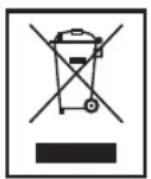
Disposal
Meaning of the "Dustbin" Symbol
Protect our environment: do not dispose of electrical equipment in the domestic waste.
Please return any electrical equipment that you will no longer use to the collection points provided for their disposal.
This helps avoid the potential effects of incorrect disposal on the environment and human health.
This will contribute to the recycling and other forms of reutilisation of electrical and electronic equipment.
Information concerning where the equipment can be disposed of can be obtained from your local authority.
(6atapeiKn He doaioTbca)
PONEPEIXEHH
BydTe o6epeXHi 3 6aTapeKamn!
He niDaaBaiTe 6aTapeKn BnNBy BnCOKoI Tempeatypn a60 npMm COHnHm npoMiHHaM. HikoN He BnKaaiTe 6aTapeKy B OOrHb. IcHyc He6e3neka Bn6yxy!
He daBaIte 6aTapeKn dITm. BaTapeKn He e irpaWKamn.
He BiDkpuBaIte 6aTaapeKn 3a DOnOMoTOO cnJN.
- RaKuo i3 6aTapeeKn Bntik ii 3mict, To cyi pDnHa dyXe Hebe3neuHa dIy ouei i CIn3OBHX oboHOK - yHkaIte KOHTaKTu dIy ix 3axNcTy. RaKuo KOHTaKTu yHkHyTu He BdAnOcR, To cnId peTeJIbHO BmITn pyKn, IpOMiTn Oci BeINKOIO KIIbkICTU YnCTO'BODn, a RaKuo npo6Bemn 3aIIuAOTbcra TpNBaInu N ac, To cnId 3BepHyTncr 3a DOnomOrOIO Do Nikapr.

YBAGA.
- Batapei pi3Horo Tnny a6o HObi i Bxe 3actocobahi 6atapei He MOxHa BnKOpNCTOByBaTn pa3OM.
- BaTaapei He MoXHa BnKnDaTn B DomaHc cmITr. IpocmO BiDAtn Ncyti BaTaapei Ha cneiaJIbHi NyHKtn 36Opy He6e3neHnx BiXoJIB a60 NobepHyTn B Mara3nH, De Bn Kynnn npnilad.

ПРИМITKA.
I03HaKa "Lo" Ha ekpaH i 03HaJaE 3aMHy 6aTape- NOK.
- BiDkpiTe BiDiiNOK nIg 6aTapeiok 3Hn3y.
2.ПoknaiTb 26aTapeKn Tny AA/R6.3BepHiTb yBaryHa npabunbHy noJapHicTb 6aTapeNOK (INB.No3NaUKN Ha CTInu npNuady)! - 3akpiTe BiDIIIOK JIg 6aTapeiOK.
BnKOpncTaHn npnlaNy
Kyxohhi Baru 6yni po3p06leni dny toro, no Ka3ybaTn Bary npodykTIB xapuyBaHHra ta iHrpedi EHTB.
P03NaeHHHa dncnnei
KIO npnlaH He BnKOpNCTOByEbCra DOBrn Yac
Ku npna He 6yde BnKOpncTOByBaTnCra DOBrn Yac, BnMItb 6atapeKn, 0o6 3anO6irn BNtikaHHIO KNCNOTn 3 Hx.
OuHueHHa

YBAGA.
He 3aHypoIe Bnp6 y Body, iHaKwe MoXHa NOxKOHTN eNeKTPOHHi KOMnOHeHTN.
He BnKOpNCTaIte IJIa OUnIeHNa IpO 1tKn a6o iHsi a6pa3NBHi npuIaN.
He 3actocobyTe iDki a6o abpa3nBhi 3acobn DnOuHnEHH.
OuynyTe npnna3nerka BOnoro, He MokpoTo raHicko. 3BepTaTe yBary Ha Te, 06B npnna He notpanna BoNora abo pDHa!
- PpOtpiB npnnaD nicna OunueHHa cyxoIO i M'koIO raHupKoIO.
MnTe yauy TeNIO MInbHO BOIO. NToIM peteBHO BucuItb.
36epirahnna
36epiraTe Baru y uNCTOMy cyxomy micui.
Texhihi napametpn
MoeIb: PC-KW 1040
IopaHHJxNBHeHHJ:
26atapeyn Tiny 1,5B“AA”/“R6"
MaKcM. HabaHTaXeHHra: 5 Kr (11ФyHTn)
Bara HeTTo: npu6n. 0,6 Kr
IpaBO HaTexHi 3miHn Ta 3miHn y dN3aHni 36epiraetbcny npoobK npoeccy po3po6kn npoDky.
Ley npna6 byno nepebipeho 3riHNO Bcix Bi-nobiHNx,akTyalbHnx dIpeKTHB CE,Hanpknad zoO eJIeKtpomarHiTHoCymichocTi Ta Hn3bKO-BOBbTHOД napeKTHBn,Ta 36ydoBaHO 3 a HOBITIMN IIOJoxHHaMn TexhIKN 6e3neKn.
PykoBoOdCTBO nOlb3OBaTeJIa
Yka3bIbaeT Ha BO3MOxHyO ONaCHOCTbДЯH3dJIINI IN DpyrNIX OKpyxKaIOUx INpeDMETOB.

IPIMMEUAHJRA:
JaetcoBtbiHΦopMaζHQ.
Yka3aHnnoTexHnke6e3OnacHOCTn
Ipeed hauanom 3Kcnpnyataun npnbopa BnmaTeNbHO npouHTaTe npnilaraemyu INHCTpyKunIO NO 3Kcnpnyataunu COxpaHnte ee B HadeXHom MeCTe, BmecTe C rapaHTnHBIM TaIOHOM, KaccOBbIM YekOM N, PO BO3MOxHOCTN, KapTOHHO KoPobKOc ynaKOBouhBM MaepnAion. Ecn DaTe KOMy-1n60 nnonJb3ObaTbc npnbopom, o8aTeNbHO daIte Bnpndauy daHHUo INHCTpyKUnIO NO 3Kcnpnyataun.
- YcTpoIcTBo IpeHa3HaueHo NCKIIOuHTeJIb-HO DnI JInHOrO, a He dIa KOMMepueckOro nC-ONb3OBaHnI!
3anpeaaetc npnlaratb ycnnna K npnbopy nn6pocatb ero, taK kaT o moKeT NOBpeDNTb 3JIeKTPOHHyO CXEmy.
He nCnoB3yIte yCTpoiCTBO,ecnOHO NOBpeXdEHO.
HepeMOHTnpyTe yCTPOINCTBO pAMOCToTaeNbHO,JIyUWe nPoKOHcyJBnTpPyITECbY CneuHaNInCTa.
- IcnoIb3yIte yCTpOITCBO TOnbKO nHa3HaueHNO.
Kyxohhble Becbl npedHa3NaueHbI dny B3Be- shBaHnra rpy3a He 6oone 5 kr.
- BepeIte 3TO n3MepuTeJIbHOe ycTpoIcTBO OT BO3DeIcTBnI pRmblX COJIHeUHbIX NlyeN, BblCOKNX TemnepaTyp, BnaJxHOCTN I nbIIN.
Be30nacHocTh deTei
- I3 coobpaxeHn 6e3oNaChocTn dIy DeTeH He octabnIte JexKaTb yNakOBky (IInaCTNKOBbie MeuKN, KapTOH, neHONlaCT n T.D.) 6e3 npICMOTpa.

PPEyIPEXDEHNE:
He no3BOJnTe DeTm nIgpaTb c NOJIaTnJIeHOBoN pJIeHKOJ. OnacNoctb ydysb!
- DeTN Bcerda DOJXHbI HAXOINTbcra NOD npn-CMOTpOM, YTO6bl rapaHTnpoBaTb, YTO OHn He INrpaOT C yCTPOINCTBOM.
Bctabka 6atapeek
(BaTapeB KOMnJIeKr He BxOJaT)

PENDyPEXDEHNE:
06paTntb BHMaHne Ha pUcKn, CB83aHHbIe C nCNoJIb3OBAHnem 6aTaapeek!
He noDBepraIte 6aTapeKu BO3DeIcTBIO BbICOKIX TeMnepaTp IIN NpRmBIX COJIHeUHbIX Lyuei. HnkOrDa He 6pocaiTe 6aTapeKu B OROHb. OnacHocTb B3pbIba!
XpaHnTe 6aTapeKn B MeCTe, HeoctynHom dIa detei. 3To He irpyuka!
HeOTKpbBaIte6aTapeiKn.
- Ecni 6atapeiKa hauJa npoTeKaTb, He BtpanTe XnIkoCTb B Ila3a NIIcN3NCTbIE oboJouKn. Ecni pyKn KOHTaKTnpoBaJIc cToI JnIkoCTbIO, IN CneIyET TuaTeJIbHO BbIMbITb, a Ira3a CnoIOChyTb YnCTOJ BOIoJ. EcNI 6oJe3HeHHbIe CmMTOMbl He npeKpaTAYbC, ObaTntecb K BpaCy.
BHIMAHHE:
- BaTapeKn pa3NnHbIX TINOB, a TaKKe cTaPbIe HOBBle 6aTapeKn He DoJXHb I NCNoJIb-30BaTbcr BMeCTe.
-Баразец He cIeJyET BbIbpaCbIBaTb BMeCTe CdpyIMN 6bITOBbIMN OTXoJaMn. CdaTe 6BaTapeKn B COOTBeTCTByUOuN IyHKT yTNIN3aUN NIN CBOEmY npOaNBy.
ПОНМЕЧАЙ:
IoiBJIeHHe Ha 3KpaHe COO6UeHnra "Lo" (Hn3Kn) yKa3bIbAeT Ha Heo6XoDnMoCTb 3aMeHHTb 6aTapeiKy.
- OtkpoIte otceK dIy yCTaHOBKn 6aTapeiKn B HIXHeY uactn BEcoB.
- BCTaBbTe 2 6aTapeKn Tnna AA/R6. Y6eHInTEcB, yTO CO6JIHOdeHa IIOJIaRHOcTB (CM. OTMeTKN Ha dHe 6aTapeHOrO OTCeKa)!
- Choba 3aKpoTe 6aTapeuHbI OTcE.
NcNoJb3OBaHne BecOB
Kyxohhbie Bcbl 6bln pa3pa60TaHb I nIra OTo6paXeHnB Beca NIIeBbIX IpOdyKTOB IN HrpnDneHTOB.
HnkaaHa dnCnnee
Pepnobl, korga np6op He nCnoB3yeTc
При дinteьнOM HeICNoIb3OBAHnnp6opa BblTaunTe 6atapeiKn dny npedotBpaueHnra "BbITEKaHn" aKKyMylTOpHOn KcNtbl.
UcTka
BHIMAHNE:
He norpykaTe yctpoNCTBO B BODy: 3TO MoKxET NOBpeNTb 3JIeKTPOHHbIe KOMNoHEHTbl.
He nCnoJb3yIte npoBOIoUHyU 5eTKy IIN dpyrue abpa3nBhIe npedMeTbl.
He nCnoB3yIe KaKne-No6o KnCNoTHbIe nn a6pa3NBHbIe MOUcne cpeDCTBa.
- UnCTHTe yCTPOINCTBO C NOMOUICNEIKA BnaXHOI TKAHN. Y6eINTecb, YTO Bnra IIN BOda He nonana BHyTPb yCTPOINCTBA!
- BbITpuTe yCTpoiCTBO NocNe YnCTKn C NOMO- ⅢbIO cyXoN MraKoN TkaHn.
- ПомоTe УашуВ TeNIOМыЛьнОВ OODE.3aTEM BbITpIte Hacyxo.
XpaHeHne
XpaHInTe yCTpOInCTBO B CyXOM YnCTOM MeCTe.
TexHnueckne daHHbIe
MoeIb: .PC-KW 1040
3NeKtpoNTaHne:26aTapeKn1,5B,Tin“AA”/“R6"
MaKc.Bec: 5Kr(11ФyHTOB)
Bec HeTTo: npn6n. 0,6 Kr
CoxpaheNo npaBo Ha TexHnueckne I KOHCTpyKuONHHbIe N3MeHeHnB pAMkAs npoDoJkaHoUeNcpa3pa60TKn npOdykTa.
3TO n3deneHne npoJIO BCE Heo6xOaHMBie n aK-TyaJIbHbIe IPOBepKn, npEaNcAHbIe DnpeKTHBoi CE, K npIM. Ha 3NeKtpomarHHTHyIO COMeCTUMOCt b N COOTBeTCTBNE Tpe6OBaHNM K Hn3KOBOJIbTHOH TEXHKe, OHO 6blIO TaKKe CkOHCTpyuPobAHO INocTpoEHo C yHeTom PocJeDNHX Tpe6OBaHNI NO TEXHKe 6e3OnaCHOCTN.
pss
a 1
y
i j 1
Caliisallplabllj jn jnrjnl cial
法一:
a.
JlJIyIg JalaI IjbiA 1
Jia jai y Jai Jai Jai Jai Jai Jai Jai Jai Jai Jai Jai Jai Jai Jai Jai Jai Jai Jai Jai Jai Jai Jai Jai Jai Jai Jai Jai Jai Jai Jai Jai Jai Jai Jai Jai Jai Jai Jai Jai Jai Jai Jai Jai Jai Jai Jai Jai Jai Jai Jai JAI
Ji,JIaJIyI Jglii jcJcJcJIyJIyJIyJIyJIyJIyJIyJIyJIyJIyJIyJIyJIyJIyJIyJIyJIyJIyJIyJIyJIyJIyJIyJIyJIyJIyJIyJIyJIyJIyJIyJIyJIyJIyJIyJIyJIyJIyJIyJIyJIyJIyJIyJIyJIyJIyJIyJIyJIyJIyJIY
4 t_2 = _2^2 + t_1^2 - t_2^2
g aolilizagl jn CyljBpaiaaii pae 100aiaiaaa g ydaia iIb b
Cllalall GcyljBpall no calil l.
g alaiinall CyljBpall no calisi .aljiall
sblalll sgl gl wlaialll qgi
:
"Lo" jJ J 100
1