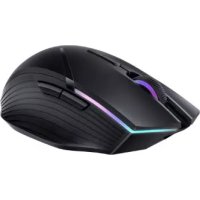
Wireless Mouse GT AD21 - Mouse HUAWEI - Free user manual and instructions
Find the device manual for free Wireless Mouse GT AD21 HUAWEI in PDF.



| Product Type | Wireless Mouse |
| Brand | Huawei |
| Model | Wireless Mouse GT AD21 |
| Connectivity | Bluetooth 5.0, 2.4 GHz wireless, USB-C wired |
| Buttons | 7 buttons: left, right, scroll wheel (middle click), forward, backward, DPI+, DPI- |
| Scroll Wheel | Yes, with click function |
| DPI Resolution | Adjustable in steps via DPI buttons |
| Sensor | Optical |
| Power Source | Built-in rechargeable battery (Li-ion) |
| Charging | USB-C (wired) and wireless (Qi) |
| LED Indicator | DPI level and charging indicator |
| OS Compatibility | Windows 7+, Android 5.0+, macOS 10.10+ |
| Radio Frequency | 2.4 GHz / Bluetooth |
| Wireless Range | Approximately 10 m (typical) |
| Operating Temperature | 0°C to 35°C |
| Storage Temperature | -10°C to 45°C |
| Dimensions | Approximately 120 x 70 x 35 mm (estimated) |
| Weight | Approximately 90 g (estimated) |
| Safety | Complies with EU standards, safety distance for implants (15 cm) |
| Box Contents | Mouse, wireless USB receiver, USB-C cable |
Frequently Asked Questions - Wireless Mouse GT AD21 HUAWEI
User questions about Wireless Mouse GT AD21 HUAWEI
0 question about this device. Answer the ones you know or ask your own.
Ask a new question about this device
Download the instructions for your Mouse in PDF format for free! Find your manual Wireless Mouse GT AD21 - HUAWEI and take your electronic device back in hand. On this page are published all the documents necessary for the use of your device. Wireless Mouse GT AD21 by HUAWEI.
USER MANUAL Wireless Mouse GT AD21 HUAWEI
KpaTKoe pyKOBoDCTBO NOIb3OBaTeJIa
Guía de inizio=rápido
n
Panduan Mulai Cepat
ケイクスローガイド
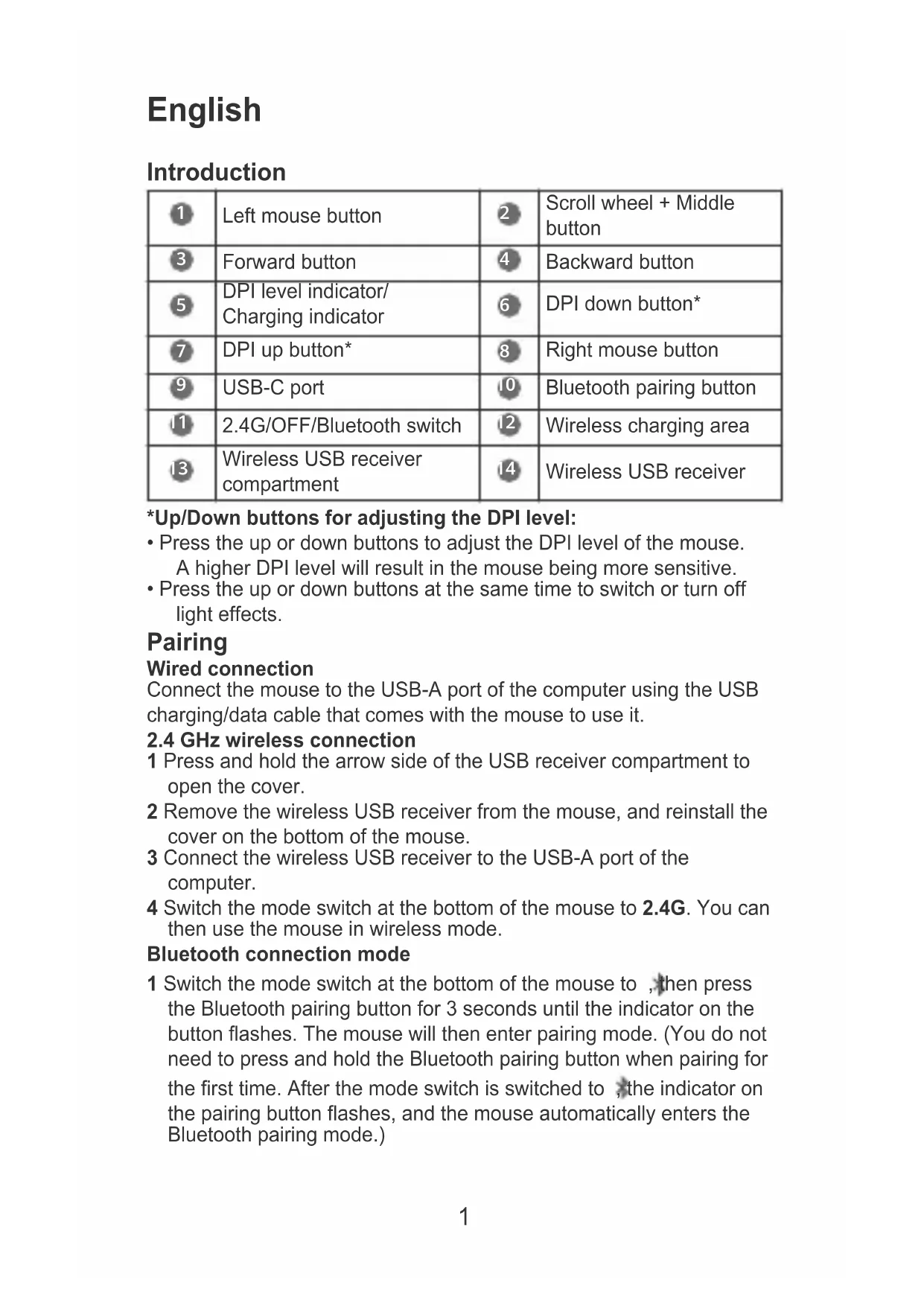
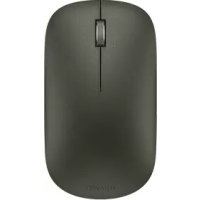
| 1 | Left mouse button | 2 | Scroll wheel + Middle button |
| 3 | Forward button | 4 | Backward button |
| 5 | DPI level indicator/ Charging indicator | 6 | DPI down button* |
| 7 | DPI up button* | 8 | Right mouse button |
| 9 | USB-C port | 10 | Bluetooth pairing button |
| 11 | 2.4G/OFF/Bluetooth switch | 12 | Wireless charging area |
| 13 | Wireless USB receiver compartment | 14 | Wireless USB receiver |
*Up/Down buttons for adjusting the DPI level:
- Press the up or down buttons to adjust the DPI level of the mouse. A higher DPI level will result in the mouse being more sensitive.
- Press the up or down buttons at the same time to switch or turn off light effects.
Pairing
Wired connection
Connect the mouse to the USB-A port of the computer using the USB charging/data cable that comes with the mouse to use it.
2.4 GHz wireless connection
1 Press and hold the arrow side of the USB receiver compartment to open the cover.
2 Remove the wireless USB receiver from the mouse, and reinstall the cover on the bottom of the mouse.
3 Connect the wireless USB receiver to the USB-A port of the computer.
4 Switch the mode switch at the bottom of the mouse to 2.4G. You can then use the mouse in wireless mode.
Bluetooth connection mode
1 Switch the mode switch at the bottom of the mouse to, then press the Bluetooth pairing button for 3 seconds until the indicator on the button flashes. The mouse will then enter pairing mode. (You do not need to press and hold the Bluetooth pairing button when pairing for the first time. After the mode switch is switched to, the indicator on the pairing button flashes, and the mouse automatically enters the Bluetooth pairing mode.)
2 Initiate the Bluetooth pairing on the Bluetooth device. After the pairing is complete, you can use the mouse in Bluetooth connection mode.

The mouse can only work with devices that run Windows 7 or later, Android 5.0 or later, and macOS 10.10 or later. Certain Android and macOS models may not be compatible with the Bluetooth mouse.
Charging
The mouse has a built-in (irremovable) rechargeable battery that supports wired and wireless charging.
Wired charging
To charge the mouse, connect it to the USB-A port of the computer or a power adapter using the USB charging/data cable that comes with the mouse.
Wireless charging
The mouse is compatible with the Qi wireless charging standard. The mouse can be charged by placing the mouse on the wireless charging panel and aligning the wireless charging area at the bottom of the mouse with the wireless charging area on the wireless charging panel.
The wireless charging panel needs to be purchased separately.

More functions
Visit https://consumer.huawei.com/en/support/, search for your device name, then download and install the mouse driver to start exploring more mouse functions.
Safety information
- Please consult your doctor and the device manufacturer to determine if using your device may interfere with the operation of your medical device.
- Avoid using the device in a dusty, damp, or dirty place, or near a magnetic field.
- Ideal temperatures: 0^ to 35^ for operating, -10^ to +45^ for storage.
- When charging, an adapter should be plugged into a socket nearby and easily accessible. Use approved power adapters and chargers.
- Ensure that the power adaptor meets the requirements of Annex Q of IEC/EN 62368-1 and has been tested and approved according to national or local standards.
- Unplug the charger from electrical outlets and the device if the device is not used for a long time.
- The device nameplate is on the bottom of the device.
- Keep the battery away from fire, excessive heat, and direct sunlight. Do not place it on or in heating devices. Do not disassemble, modify, throw, or squeeze it. Do not insert foreign objects into it,
submerge it in liquids, or expose it to external force or pressure, as this may cause it to leak, overheat, catch fire, or even explode.
- Do not attempt to replace the battery yourself — you may damage the battery, which could cause overheating, fire, and injury. The built-in battery in your device should be serviced by Huawei or an authorized service provider.
- Keep this device and its accessories that may contain small components out of the reach of children. Otherwise, children may damage this device and its accessories by mistake, or swallow the small components, which may cause choking.
Disposal and recycling information
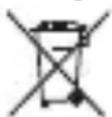
The symbol on the product, battery, literature, or packaging means that the products and batteries should be taken to separate waste collection points designated by local authorities at the end of the lifespan. This will ensure that EEE waste is recycled and treated in a manner that conserves valuable materials and protects human health and the environment. For more information, please contact your local authorities, retailer, or household waste disposal service or visit the website https://consumer.huawei.com/en/.
Reduction of hazardous substances
This device and its electrical accessories comply with local applicable rules on the restriction of the use of certain hazardous substances in electrical and electronic equipment, such as EU REACH regulation, RoHS and Batteries (where included) directive. For declarations of conformity about REACH and RoHS, please visit the website https://consumer.huawei.com/certification.
RF Exposure Information
Your device is a low-power radio transmitter and receiver. As recommended by international guidelines, the device is designed to comply with the limits established by the market that the device will be placed on.
EU Regulatory Conformance
Hereby, Huawei Device Co., Ltd. declares that this device AD21 is in compliance with the following Directive: RED 2014/53/EU, RoHS 2011/65/EU. The full text of the EU declaration of conformity, and most recent information about accessories & software are available at the following internet address: https://consumer.huawei.com/certification
Frequency Bands and Power
Bluetooth / SRD 2.4GHz: 13dBm
Disposal and recycling information (India)
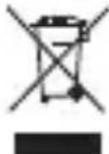
This symbol on the device or on its packaging indicates that the device (including its electrical accessories) should not be disposed of as normal household garbage.
Do not dispose this product with Regular Household, Dry and Wet Waste. If you wish to discard this product, please contact on the details below and follow the correct method of disposal as guided:
E-mail: service.hw.in@huawei.com, Service hotline: 1800-209-6555 (Toll-Free) 9AM-9PM all 7 days, except public holidays.
For further information, log on to:
Huawei E-waste Policy:
https://consumer.huawei.com/in/support/e-waste-process-policy/.
Official Recycling Partner: Reteck Envirotech Private Limited.
Plot-4A, Sanghi Udyog, Near Navade Railway Station, Tal-Panvel, Dist. - Raigad, Taloja MIDC-410208.
info@reteck.in
www.reteck.in / www.reteck.co
Reduction of hazardous substances(India)
This device is compliant with the E-Waste (Management) Rules, 2016 and does not contain hazardous substances regulated by the Rules except for the applications of exemption.
ISED Canada Compliance
ISED Statement
This device complies with CAN ICES-3 (B)/NMB-3(B).
This device complies with the Innovation, Science and Economic Development Canada (ISED) license-exempt RSS standard(s).
Operation is subject to the following two conditions: (1) this device may not cause interference, and (2) this device must accept any interference, including interference that may cause undesired operation of the device.
Radiation Exposure Statement
This device complies with the Canada portable RF exposure limit set forth for an uncontrolled environment and are safe for intended operation as described in this manual. The further RF exposure reduction can be achieved if the product can be kept as far as possible from the user body or set the device to lower output power if such function is available.
Copyright © Huawei 2021. All rights reserved.
The Bluetooth® word mark and logos are registered trademarks owned by Bluetooth SIG, Inc. and any use of such marks by Huawei
Technologies Co., Ltd. is under license. Huawei Device Co., Ltd. is an affiliate of Huawei Technologies Co., Ltd.
Other trademarks, product, service and company names mentioned may be the property of their respective owners.
Privacy Policy
To better understand how we protect your personal information, please see the privacy policy at https://consumer.huawei.com/privacy-policy.

ALL PICTURES AND ILLUSTRATIONS IN THIS GUIDE, INCLUDING BUT NOT LIMITED TO THE DEVICE COLOR, SIZE, AND DISPLAY CONTENT, ARE FOR YOUR REFERENCE ONLY. THE ACTUAL DEVICE MAY VARY. NOTHING IN THIS GUIDE CONSTITUTES A WARRANTY OF ANY KIND, EXPRESS OR IMPLIED.
English (United Kingdom)
Introduction
| 1 | Left mouse button | 2 | Scroll wheel + Middle button |
| 3 | Forward button | 4 | Backward button |
| 5 | DPI level indicator/Charging indicator | 6 | DPI down button* |
| 7 | DPI up button* | 8 | Right mouse button |
| 9 | USB-C port | 10 | Bluetooth pairing button |
| 11 | 2.4G/OFF/Bluetooth switch | 12 | Wireless charging area |
| 13 | Wireless USB receiver compartment | 14 | Wireless USB receiver |
*Up/Down buttons for adjusting the DPI level:
- Press the up or down buttons to adjust the DPI level of the mouse. A higher DPI level will result in the mouse being more sensitive.
- Press the up or down buttons at the same time to switch or turn off light effects.
Pairing
Wired connection
Connect the mouse to the USB-A port of the computer using the USB charging/data cable that comes with the mouse to use it.
2.4 GHz wireless connection
1 Press and hold the arrow side of the USB receiver compartment to open the cover.
2 Remove the wireless USB receiver from the mouse, and reinstall the cover on the bottom of the mouse.
3 Connect the wireless USB receiver to the USB-A port of the computer.
4 Switch the mode switch at the bottom of the mouse to 2.4G. You can then use the mouse in wireless mode.
Bluetooth connection mode
1 Switch the mode switch at the bottom of the mouse to, then press the Bluetooth pairing button for 3 seconds until the indicator on the button flashes. The mouse will then enter pairing mode. (You do not need to press and hold the Bluetooth pairing button when pairing for the first time. After the mode switch is switched to, the indicator on the pairing button flashes, and the mouse automatically enters the Bluetooth pairing mode.)
2 Initiate the Bluetooth pairing on the Bluetooth device. After the pairing is complete, you can use the mouse in Bluetooth connection mode.

The mouse can only work with devices that run Windows 7 or later, Android 5.0 or later, and macOS 10.10 or later. Certain Android and macOS models may not be compatible with the Bluetooth mouse.
Charging
The mouse has a built-in (irremovable) rechargeable battery that supports wired and wireless charging.
Wired charging
To charge the mouse, connect it to the USB-A port of the computer or a power adapter using the USB charging/data cable that comes with the mouse.
Wireless charging
The mouse is compatible with the Qi wireless charging standard. The mouse can be charged by placing the mouse on the wireless charging panel and aligning the wireless charging area at the bottom of the mouse with the wireless charging area on the wireless charging panel.
The wireless charging panel needs to be purchased separately.

More functions
Visit https://consumer.huawei.com/en/support/, search for your device name, then download and install the mouse driver to start exploring more mouse functions.
Safety information
- Please consult your doctor and the device manufacturer to determine if using your device may interfere with the operation of your medical device.
-
Avoid using the device in a dusty, damp, or dirty place, or near a magnetic field.
-
Ideal temperatures: 0^ to 35^ for operating, -10^ to +45^ for storage.
- When charging, an adapter should be plugged into a socket nearby and easily accessible. Use approved power adapters and chargers.
- Ensure that the power adapter meets the requirements of Annex Q of IEC/EN 62368-1 and has been tested and approved according to national or local standards.
- Unplug the charger from electrical outlets and the device if the device is not used for a long time.
- The device nameplate is on the bottom of the device.
- Keep the battery away from fire, excessive heat, and direct sunlight. Do not place it on or in heating devices. Do not disassemble, modify, throw, or squeeze it. Do not insert foreign objects into it, submerge it in liquids, or expose it to external force or pressure, as this may cause it to leak, overheat, catch fire, or even explode.
- Do not attempt to replace the battery yourself — you may damage the battery, which could cause overheating, fire, and injury. The built-in battery in your device should be serviced by Huawei or an authorised service provider.
- Keep this device and its accessories that may contain small components out of the reach of children. Otherwise, children may damage this device and its accessories by mistake, or swallow small components, which may cause choking.
Disposal and recycling information

The symbol on the product, battery, literature, or packaging means that the products and batteries should be taken to separate waste collection points designated by local authorities at the end of the lifespan. This will ensure that EEE waste is recycled and treated in a manner that conserves valuable materials and protects human health and the environment. For more information, please contact your local authorities, retailer, or household waste disposal service or visit the website https://consumer.huawei.com/en/.
Reduction of hazardous substances
This device and its electrical accessories comply with local applicable rules on the restriction of the use of certain hazardous substances in electrical and electronic equipment, such as EU REACH regulation, RoHS and Batteries (where included) directive. For declarations of conformity about REACH and RoHS, please visit the website https://consumer.huawei.com/certification.
RF Exposure Information
Your device is a low-power radio transmitter and receiver. As recommended by international guidelines, the device is designed to
comply with the limits established by the market that the device will be placed on.
EU Regulatory Conformance
Hereby, Huawei Device Co., Ltd. declares that this device AD21 is in compliance with the following Directive: RED 2014/53/EU, RoHS 2011/65/EU. The full text of the EU declaration of conformity, and most recent information about accessories & software are available at the following internet address: https://consumer.huawei.com/certification.
Frequency Bands and Power
Bluetooth / SRD 2.4GHz: 13dBm
Copyright © Huawei 2021. All rights reserved.
The Bluetooth® word mark and logos are registered trademarks owned by Bluetooth SIG, Inc. and any use of such marks by Huawei
Technologies Co., Ltd. is under license. Huawei Device Co., Ltd. is an affiliate of Huawei Technologies Co., Ltd.
Other trademarks, products, services and company names mentioned herein may be the property of their respective owners.
Privacy Policy
To better understand how we protect your personal information, please see the privacy policy at https://consumer.huawei.com/privacy-policy.

ALL PICTURES AND ILLUSTRATIONS IN THIS GUIDE, INCLUDING BUT NOT LIMITED TO THE DEVICE COLOUR, SIZE, AND DISPLAY CONTENT, ARE FOR YOUR REFERENCE ONLY. THE ACTUAL DEVICE MAY VARY. NOTHING IN THIS GUIDE CONSTITUTES A WARRANTY OF ANY KIND, EXPRESS OR IMPLIED.
François
Présentation
https://consumer.huawei.com/certification.
https://consumer.huawei.com/privacy-policy.

https://consumer.huawei.com/certification.
https://consumer.huawei.com/privacy-policy.

KAIKKI TÄMÄN OPPAAAN KUVAT JA PIIRUSTUKSET, MUKAAN LUKIEN ESIM. LAITTEEN VÄRI, KOKO JA NÄYTÖN SISÄLTÖ, OVAT VAIN VIITTEELLISÄ. VARSINAINEN LAITE VOI OLLA ERILAINEN. MITKAÄN TÄSSÄ OPPAASSA ESITETYT ASIAT EIVÄT MUODOSTA MINKÄANLAISTA TAKUUTA, SUORAA TAIKKA EPÄSUORAA.
Türkce
Tanitim
https://consumer.huawei.com/tr/support/warranty-policy/
https://consumer.huawei.com/tr/legal/privacy-policy/
No.2 of Xincheng Road, Songshan Lake Zone, Dongguan, Guangdong 523808, People's Republic of China
Tel: 0086-755-28780808
Web: www.huawei.com
E-mail: mobile.tr@huawei.com
https://consumer.huawei.com/tr/
mobile.tr@huawei.com

Yetkili Servisler:
3TOT cIMBOJ Ha yctpoiCTBe, 6aTaee, HNCTpyKuIN IJIH
ynaKOBke 03HaayeT, yTO cAmO yCTpoIcTB O n erO 6aTape no NCTeueHn Cpoka Cnyk6bl DOJXHbI 6bITb yTNIn3nPoBaHb I B CneuaJIbHbIX NyKtax npHeMa, yUpeJxDeHHbIX TOpOdCKoI aDMnHnCTpaun. 3TO oBeCneuNBAeT hAdJeKaun c6op IN yTNIn3aunHO 3JeKTPoHnOro IN 3JeKTPnueckoro 6OpyDoBAnHn, PO3BOJAE T NOBTOPOH NoONb3OBA Tb CEHNbE MaTePnAbl I 3aUNrTb 3DopOBbe YelOBeka IN OKpykaOnyIO cpey. JIA POnyehn 6Olee NODpObHO INΦopMaun N OpaauTecb B MeCTHyIO rOpOdCKyIO aDMnHnCTpaunIO, Cnyk6by yHNHToxKeHn 6bITOBbIX OTXODOB INN MaRa3IN H PO3HNuHO TOpROBNI, B KOTOPOM
6bIIO npno6peTeHo yCTpoiCTBO, IIn6o nocetnte Be6-caIT https://consumer.huawei.com/en/.
CokpauneBbI6pocOB BpeHbIX BeueCTB
Данhoe устю и erо щелковескne akceccyapbl OTbeuaHT PerlaMeHTy EC no pernctpaunu, oueHke, noLyuHNo pa3peWeHnru orpaHnueHIO npimHeHn yIMnuecknx BeueCTB (EU REACH), DupeKTNBe EC o6 orpaHnueHn coedjKaHnry BpeDhbx BeueCTB (RoHS) u DupeKTNBe o6 nCnoIb3OBAHn u yTInI3aunu aKKymJyTophIx 6aTapei (ecn ecTB).ДЯ noLyuHnna 6oJIee noJro6HOHn u HΦopMaunu O COOTBeTCTBnN ySTPOJCTBa Tpe6ObaHnma perlaMeHTa REACH u DupeKTNbBi RoHS noCeTnte Be6-caNT https://consumer.huawei.com/certification.
Papnoactothoe n3nyeHne
Copyright © Huawei 2021. Bce npaba 3aunuehbl.
CNoBecHbI 3HaK n IoroTn Bluetoth BvIyOTc
3apeRnCTpnpOBaHHbIMn TOBaPbIMn 3HaKaAMn Bluetoth SIG, Inc. n
NcNoJIb3yOTcKOMnAHnei Huawei Technologies Co., Ltd. B pamKax
JIuIeH3nn. Huawei Device Co., Ltd. JBIAETcAΦΦnIpOBaHHbIM
JIuIcM Huawei Technologies Co., Ltd.
DpyrHe TOBapHbIe 3HaKn, HAnMeHOBaHNy I3dEIny, ycLyr N
KOMnAHn, yNOMaHyTbIe B HaCToJsem pyKOBoIDCTBe, npINHaJNeXaT
NX BlaJeNbUaM.
PoiNTnKa KOHΦnDeHcnaJIbHoCTN
Mepbl, npHnMaemble KOMnaHne dIaunbI BaWeJ NHyHOHnOpMaun, ONncabI B NOHTKe KOHnDeHuaJIbHoCTN, ony6NIKOBaHHoHa caTe
https://consumer.huawei.com/privacy-policy.

BCE I3OBPAKHeH B DAHHOM PYKOBODCTBE, BKJIIOUaY A CBET IN PA3MEP YCTPOICTBA, A TAKKE I3OBPAKHeH N HA 3KPAHE, PINBEDEHbI DnA CnPABKN. PPNOBPETEHHOE YCTPOICTBO MOKET OTNIuATbcr OT I3OBPAKHeHOrO B DAHHOM PYKOBODCTBE. NOLOXeHn HACToIeTO PYKOBODCTBA HE IOJPA3yMEBAHOT HNKAKNX TAPAHn, RHBblx INI IN HeBbIX.
EAC
BklaDbIsh K kpaTkomy pyKOBoDCTBy noIb30BaTeJra
BknaIbIsh K kpaTKomy pyKOBoDCTBy nOJIb30BaTeJIa(ToIbko dIpeCny6nIKn BeIapycb)
https://consumer.huawei.com/certification.
https://consumer.huawei.com/privacy-policy.

4 2.4G n nn nnnn nnnn nnnn nnnn nnnn nnnn nnnn nnnn nnnn nnnn nnnn nnnn nnnn nnnn nnnn nnnn nnnn nnnn nnnn nnnn nnnn nnnn nnnn nnnn nnnn nnnn nnnn nnnn nnnn nnnn nnnn nnnn nnnn nnnn
1aauuunnnnnaannuuunrnnn u 3 nwnns w 7w 7w 7w 7w 7w 7w 7w 7w 7w 7w 7w 7w 7w
mnaananaananaananaananaananaananaananaananaananaananaananaananaananaananaananaananaananaananaananaananaananaananaananaananaananaananaananaananaananaananaananaananaananaananaananaananaananaananaananaananaananaananaananaananaananaananaananaananaananaananaanaraannaa
VnVnVnVnVnWnVnNnWnWn USB-A
UvunwWnWnVnWnWnWnWnWnWnWn
V/Anu USB nwnnnna
nVnVnVnVnVn
yQi aunrnnnnae nnnnne nnne ne nnnnne nnnnne nnnnne nnnnne nnnnne nnnnne nnnnne nnnnne nnnnne nnnnne nnnnne nnnnne nnnnne nnnnne nnnnne nnnnne nnnnne nnnnne nnnnne nnnnne nnnnne nnnnne nnnnne nnnnne nnnnne nnnnnee
i
WnBuiuui
y
https://consumer.huawei.com/en/support/ nnu
yuaanwuaon
- 1
- nannnnae nnrnnnnaaennnnnne nnnnnae nnnnnae
·:0℃ 35℃ a n
·WwWwWwWwWwWwWwWwWwWwWwWwWwWwWwWwWwWwWwWwWwWwWwWwWwWwWwWwWwWwWwWwWwWwWwWwWwWwWwWwWwWwWwWwWwWwWwWwWwWwW
·nnaaunnnnnae nn nnnnnnnnnnnnnnnnnnnnnnnnnnnnnnnnnnnnnnnnnnnnnnnnnnnnnnnnnnnnnnnnnnnnnnnnnnnnnnnnnnnnnnnnnnnnnnnnnnnnnnnnnnnnnnnnnnnnnnnnnnnnnnnnnnnnnnnnnnnnnnnnnnnnnnnnnnnnnnnnnnnnn
- 1
·V 1
·nnuuuee e nnuwW nnuuuee uuuu uuuu uuuu uuuu uuuu uuuu uuuu uuuu uuuu uuuu uuuu uuuu uuuu uuuu uuuu uuuu uuuu uuuu uuuu uuuu uuuu uuuu uuuu uuuu uuuu uuuu uuuu uuuu uuuu uuuu uuuu uuuu uuuu uuuu
Huawei
·nunnuuunnuuunnuunnuunnuunnuunnuunnuunnuunnuunnuunnuunnuunnuunnuunnuunnuunnuunnuunnuunnuunnuunnuunnuunnuunnuunnuunnuunnuunnuunnu
yuaanrnnnnaaannr

aannnnnnaanennnnnnnnnnnnnnnnnnnnnnnnnnnnnnnnnnnnnnnnnnnnnnnnnnnnnnnnnnnnnnnnnnnnnnnnnnnnnnnnnnnnnnnnnnnnnnnnnnnnnnnnnn
U
Wnwnnnnnaaennnnnne nnnnnnnnnnnnnnnnnnnnnnnnnnnnnnnnnnnnnnnnnnnnnnnnnnnnnnnnnnnnnnnnnnnnnnnnnnnnnnnnnnnnnnnnnnnnnnnnnnnnnnnnnnnnnnnnnnnnnnnnnnnnnnnnnnnnnnnnnnnnnnnnnnnnnnnnnnnnnnnnnn nn nannn nn nannn nn nannn nn nannn nn nannn nn nannn nn nannn nn nannn nn nannn nn nannn nn nannn nn nannn nn nannn nn nannn nn nannn nn nannn nn nannn nn nannn nn nannn nn nannn nn nannn nn nannn nn nannn nn nannn nn nannn nn nennn nn nannn nn nannn nn nannn nn nannn nn nannn nn nannn nn nannn nn nannn nn nannn nn nannn nn nannn nn nannn nn nannn nn nannn nn nannn nn nannn nn nannn nn nannn nn nannn nn nannn nn nannn nn nannn nn nannn nn nannn nn n ann
https://consumer.huawei.com/privacy-policy.

SEMUA GAMBAR DAN ILUSTRASI DALAM PANDUAN INI, TERMASUK TETAPI TIDAK TERHAD KEPADA WARNA, SAIZ, DAN KANDUNGAN PAPARAN PERANTI, ADALAH UNTUK RUJUKAN ANDA SAHAJA. PERANTI SEBENAR MUNGKIN BERBEZA. TIADA APA-APA DALAM PANDUAN INI MEMBENTUK MANA-MANA JENIS JAMINAN, NYATA ATAU TERSIRAT.
日本語
概要
https://consumer.huawei.com/certification
Copyright © Huawei 2021. All rights reserved.
- *Up/Down buttons for adjusting the DPI level:
- Pairing
- Wired connection
- GHz wireless connection
- Bluetooth connection mode
- Charging
- Wired charging
- Wireless charging
- More functions
- Safety information
- Disposal and recycling information
- Reduction of hazardous substances
- RF Exposure Information
- EU Regulatory Conformance
- Frequency Bands and Power
- Disposal and recycling information (India)
- Reduction of hazardous substances(India)
- ISED Canada Compliance
- ISED Statement
- Radiation Exposure Statement
- Copyright © Huawei 2021. All rights reserved.
- Privacy Policy
- English (United Kingdom)
- François
- Türkce
- Yetkili Servisler:
- CokpauneBbI6pocOB BpeHbIX BeueCTB
- Papnoactothoe n3nyeHne
- Copyright © Huawei 2021. Bce npaba 3aunuehbl.
- PoiNTnKa KOHΦnDeHcnaJIbHoCTN
- EAC
- 日本語
Brand : HUAWEI
Model : Wireless Mouse GT AD21
Category : Mouse