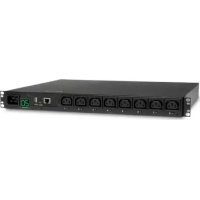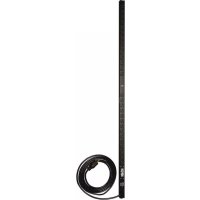
PDUV2060 - Power strip Tripp Lite - Free user manual and instructions
Find the device manual for free PDUV2060 Tripp Lite in PDF.



User questions about PDUV2060 Tripp Lite
0 question about this device. Answer the ones you know or ask your own.
Ask a new question about this device
Download the instructions for your Power strip in PDF format for free! Find your manual PDUV2060 - Tripp Lite and take your electronic device back in hand. On this page are published all the documents necessary for the use of your device. PDUV2060 by Tripp Lite.
USER MANUAL PDUV2060 Tripp Lite
Important Safety Instructions 2
ImportantWarnings 2
Installation 3
Features 4
Warranty & Product Registration 5
Espanol 6
Français 11
WARRANTY REGISTRATION
Register your product today and be automatically entered to win an ISOBAR surge protector in our monthly drawing!
triplite.com/warranty



Manufacturing Excellence.
1111 W. 35th Street, Chicago, IL 60609 USA · triplite.com/support
Copyright © 2020 Tripp Lite. All rights reserved.
C
Installation
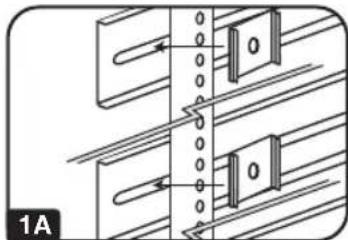
1A
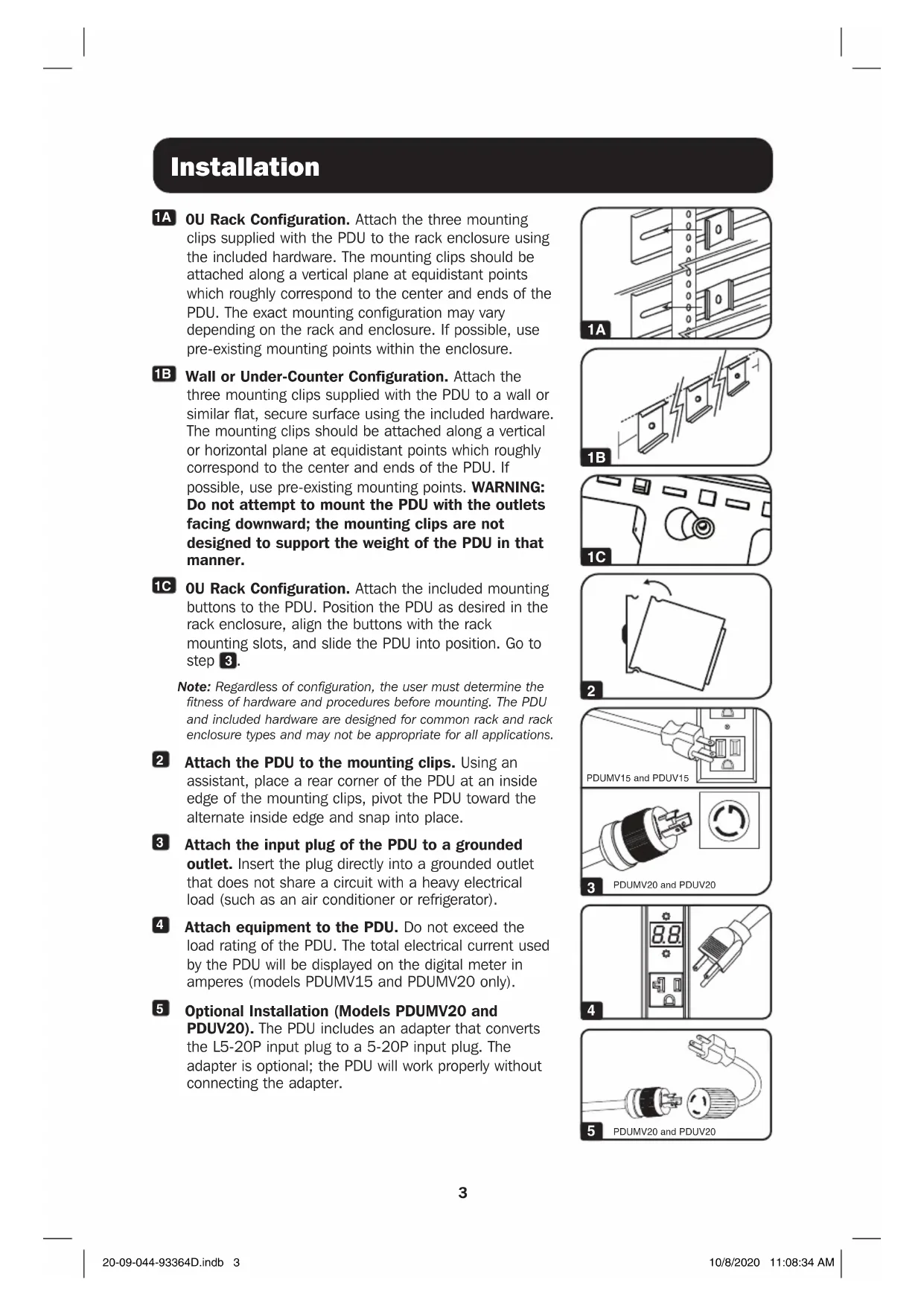
OU Rack Configuration. Attach the three mounting clips supplied with the PDU to the rack enclosure using the included hardware. The mounting clips should be attached along a vertical plane at equidistant points which roughly correspond to the center and ends of the PDU. The exact mounting configuration may vary depending on the rack and enclosure. If possible, use pre-existing mounting points within the enclosure.
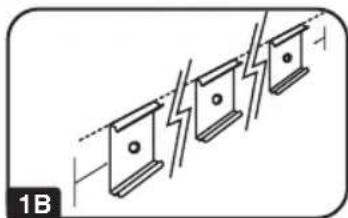
1B
Wall or Under-Counter Configuration. Attach the three mounting clips supplied with the PDU to a wall or similar flat, secure surface using the included hardware. The mounting clips should be attached along a vertical or horizontal plane at equidistant points which roughly correspond to the center and ends of the PDU. If possible, use pre-existing mounting points. WARNING: Do not attempt to mount the PDU with the outlets facing downward; the mounting clips are not designed to support the weight of the PDU in that manner.
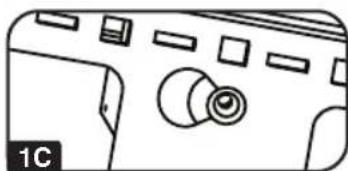
1C
OU Rack Configuration. Attach the included mounting buttons to the PDU. Position the PDU as desired in the rack enclosure, align the buttons with the rack mounting slots, and slide the PDU into position. Go to step 3.
Note: Regardless of configuration, the user must determine the fitness of hardware and procedures before mounting. The PDU and included hardware are designed for common rack and rack enclosure types and may not be appropriate for all applications.
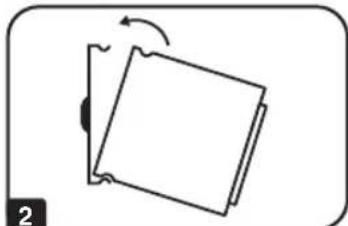
2
Attach the PDU to the mounting clips. Using an assistant, place a rear corner of the PDU at an inside edge of the mounting clips, pivot the PDU toward the alternate inside edge and snap into place.
3
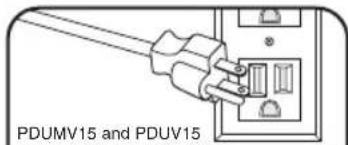
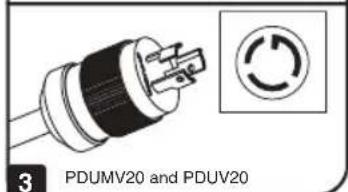
Attach the input plug of the PDU to a grounded outlet. Insert the plug directly into a grounded outlet that does not share a circuit with a heavy electrical load (such as an air conditioner or refrigerator).
4
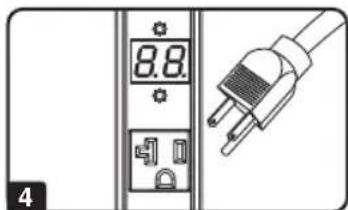
Attach equipment to the PDU. Do not exceed the load rating of the PDU. The total electrical current used by the PDU will be displayed on the digital meter in amperes (models PDUMV15 and PDUMV20 only).
5
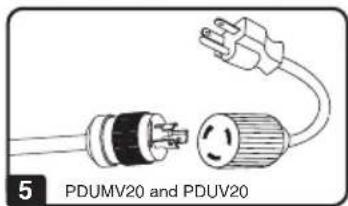
Optional Installation (Models PDUMV20 and PDUV20). The PDU includes an adapter that converts the L5-20P input plug to a 5-20P input plug. The adapter is optional; the PDU will work properly without connecting the adapter.
Features
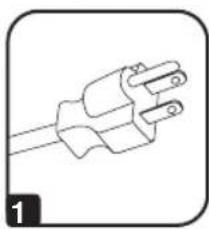

1 NEMA 5-15P Input Plug (Models PDUMV15 and PDUV15)
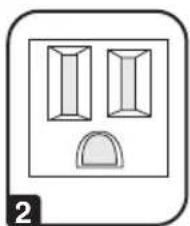
2 NEMA 5-15R Outlets (Models PDUMV15 and PDUV15)
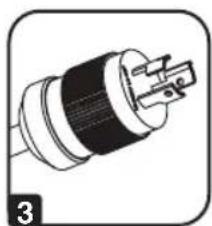
3 NEMA L5-20P Input Plug (Models PDUMV20 and PDUV20)
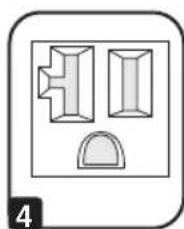
4 NEMA 5-15/20R Outlets (Models PDUMV20 and PDUV20)
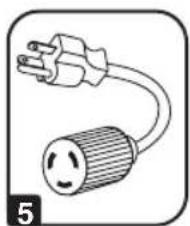
5 NEMA 5-20P Plug Adapter (Models PDUMV20 and PDUV20): The adapter converts the input plug from NEMA L5-20P to NEMA 5-20P.
6 Circuit Breaker: If the current drawn by the equipment connected to the PDU exceeds the Maximum Load Rating, the circuit breaker will trip to prevent possible damage. When the circuit breaker trips, its plunger will pop up. Disconnect excess equipment and allow the breaker to cool at least one minute before depressing the plunger to reset the breaker.
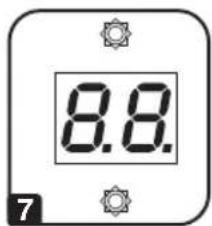
7 Ammeter (Models PDUMV15 and PDUMV20 only): The total electrical current used by the PDU will be displayed on the digital meter in amperes.
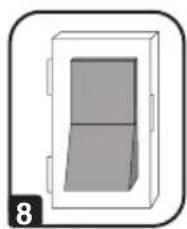
8 Illuminated Power Switch with Cover (Models PDUMV15 and PDUMV20 only)
Warranty & Product Registration
LIMITED WARRANTY
Seller warrants this product, if used in accordance with all applicable instructions, to be free from original defects in material and workmanship for a period of 5 years (basic models) or 2 years (metered models) from the date of initial purchase. If the product should prove defective in material or workmanship within that period, Seller will repair or replace the product, in its sole discretion. Service under this Warranty can only be obtained by your delivering or shipping the product (with all shipping or delivery charges prepaid) to: Tripp Lite, 1111 W. 35th Street, Chicago, IL 60609 USA. Seller will pay return shipping charges. Visit www.triplite.com/support before sending any equipment back for repair.
THIS WARRANTY DOES NOT APPLY TO NORMAL WEAR OR TO DAMAGE RESULTING FROM ACCIDENT, MISUSE, ABUSE OR NEGLECT. SELLER MAKES NO EXPRESS WARRANTY OTHER THAN THE WARRANTY EXPRESSLY SET FORTH HEREIN. EXCEPT TO THE EXTENT PROHIBITED BY APPLICABLE LAW, ALL IMPLIED WARRANTYES, INCLUDING ALL WARRANTYES OF MERCHANTABILITY OR FITNESS, ARE LIMITED IN DURATION TO THE WARRANTY PERIOD SET FORTH ABOVE; THIS WARRANTY EXPRESSLY EXCUSES ALL INCIDENTAL AND CONSEQUENTIAL DAMAGES. (Some states do not allow limitations on how long an implied warranty lasts, and some states do not allow the exclusion or limitation of incidental or consequential damages, so the above limitations or exclusions may not apply to you. This Warranty gives you specific legal rights, and you may have other rights which vary from jurisdiction to jurisdiction.)
WARNING: The individual user should take care to determine prior to use whether this device is suitable, adequate or safe for the use intended. Since individual applications are subject to great variation, the manufacturer makes no representation or warranty as to the suitability or fitness of these devices for any specific application.
PRODUCT REGISTRATION
Visit www.triplite.com/warranty today to register your new Tripp Lite product. You'll be automatically entered into a drawing for a chance to win a FREE Tripp Lite product!*
- No purchase necessary. Void where prohibited. Some restrictions apply. See website for details.
Regulatory Compliance Identification Numbers
For the purpose of regulatory compliance certifications and identification, your Tripp Lite product has been assigned a unique series number. The series number can be found on the product nameplate label, along with all required approval markings and information. When requesting compliance information for this product, always refer to the series number. The series number should not be confused with the marketing name or model number of the product.
Tripp Lite has a policy of continuous improvement. Specifications are subject to change without notice. Photos and illustrations may differ slightly from actual products.


1111 W. 35th Street, Chicago, IL 60609 USA • triplite.com/support
20 09 044 93 364D_RevB
Owner's Manual
Copyright © 2020 Tripp Lite. All rights reserved.
1111 W. 35th Street, Chicago, IL 60609 USA • triplite.com/support
20 09 044 93 364D_RevB
Metered Models: PDUMV15
Copyright © 2020 Tripp Lite. All rights reserved.