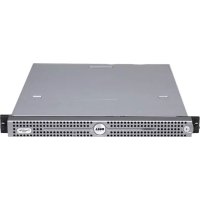
PowerEdge R200 - Server DELL - Free user manual and instructions
Find the device manual for free PowerEdge R200 DELL in PDF.



| Product type | 1U rack server |
| Dimensions (H x W x D) | 4.45 cm x 43.4 cm x 61.1 cm |
| Weight | Approximately 15 kg |
| Processor | Intel Xeon 3000 series (quad-core or dual-core) |
| Maximum memory | 8 GB ECC DDR2-667/800 |
| Internal storage | Up to 2 SATA 3.5\" hard drives |
| Power supply | 300 W (non-redundant) |
| Networking | 2 integrated Gigabit Ethernet ports |
| RAID controller | Optional SAS RAID (SAS 5i/R, etc.) |
| Main features | Entry-level server for small businesses, remote management via optional DRAC, support for light virtualization |
| Maintenance and cleaning | Dust with a soft dry cloth; use an antistatic wrist strap before any internal intervention |
| Safety | Disconnect the system before any intervention; reserved for qualified technicians for opening the hood |
| Spare parts and repairability | Hard drives, power supply, fans, motherboard field-replaceable (CRU) |
| Supported operating systems | Windows Server 2003/2008, SUSE Linux Enterprise Server, Red Hat Enterprise Linux |
| Warranty | Standard Dell limited warranty (according to contract) |
Frequently Asked Questions - PowerEdge R200 DELL
User questions about PowerEdge R200 DELL
0 question about this device. Answer the ones you know or ask your own.
Ask a new question about this device
Download the instructions for your Server in PDF format for free! Find your manual PowerEdge R200 - DELL and take your electronic device back in hand. On this page are published all the documents necessary for the use of your device. PowerEdge R200 by DELL.
USER MANUAL PowerEdge R200 DELL
A CAUTION indicates a potential for property damage, personal injury, or death.
Information Update
SUSE® Linux Enterprise Server 9 Installation Notes
SATA optical disk drives are not supported by SUSE Linux Enterprise Server 9 SP3. The following error messages may appear when attempting to install the operating system from a SATA optical drive:
cannot read media
device not mounted
To resolve this issue, install the operating system from the network (using the NIC1 connector), or from an external USB optical drive.
System Setup Program Update
On the CPU Information screen of the System Setup Program, the default setting for the Demand-Based Power Management option is Enabled.
SAS RAID Controller Fan Update
Your system supports an external-storage SAS RAID controller that does not require a PCI cooling fan, contrary to the information stated in your system user documentation. A PCI fan is required only for the external-storage SAS RAID controller that has a RAID battery connector on the card. See the user documentation for your SAS RAID device for more information.
If you ordered an external-storage SAS RAID controller that requires the PCI fan, the fan was included in the installation kit. If no fan was included with your kit, the fan is not required for that controller.
Removing and Installing the Optional SATA Optical Disk Drive
The following section updates the optical disk drive removal and installation procedures in your system documentation.
Removing the Optical Drive

CAUTION: Only trained service technicians are authorized to remove the system cover and access any of the components inside the system. Before you begin this procedure, review the safety instructions that came with the system.
1 Turn off the system and attached peripherals, and disconnect the system from the electrical outlet and peripherals.
2 Open the system. See "Opening the System" in your Hardware Owner's Manual.
3 Disconnect the SATA power and data cables from the optical drive. See Figure 1.
4 Press the bracket release lever that secures the optical drive to the hard drive 0 carrier.
5 Lift and tilt the optical drive up and out of the bracket.
Figure 1. Removing and Installing the Optional SATA Optical Drive

1 SATA data cable 2 SATA power cable 3 retaining pins (4)
4 mounting holes (4) 5 bracket release lever 6 hard drive 0
Installing the Optical Drive

CAUTION: Only trained service technicians are authorized to remove the system cover and access any of the components inside the system. Before you begin this procedure, review the safety instructions that came with the system.
1 Align the optical drive's mounting holes with the retaining pins on the hard drive 0 bracket. See Figure 1.
2 Rotate the drive downward until it snaps into place.
3 Connect the SATA data and power cables to the optical drive.
4 Close the system. See "Closing the System" in your Hardware Owner's Manual.
Information in this document is subject to change without notice.
© 2007-2008 Dell Inc. All rights reserved. Printed in Malaysia.
Reproduction in any manner whatsoever without the written permission of Dell Inc. is strictly forbidden.
Trademarks used in this text: Dell and the DELL logo are trademarks of Dell Inc.;
SUSE is a registered trademark of Novell, Inc. in the United States and other countries.
Other trademarks and trade names may be used in this document to refer to either the entities claiming the marks and names or their products. Dell Inc. disclaims any proprietary interest in trademarks and trade names other than its own.
关于警告
cannot read media (无法读取介质)
cannot read media (那麼就可以写入的少就会写入)
Brand : DELL
Model : PowerEdge R200
Category : Server