
DJ350LED - Speaker IBIZA SOUND - Free user manual and instructions
Find the device manual for free DJ350LED IBIZA SOUND in PDF.



| Product type | DJ kit with 10" active speakers, integrated mixer and amplifier |
| Brand | Ibiza Sound |
| Model | DJ350LED |
| Category | Speaker (complete DJ system) |
| Power supply | 12V mains adapter for mixer; 230V mains for amplifier |
| Main functions | USB / Bluetooth playback, RCA line inputs (2 channels), microphone input (6.35mm jack), crossfader, bass/treble EQ per channel, Master and REC outputs, headphone output, SPEAKON and binding post speaker outputs |
| Connectivity | Bluetooth (device name: DJ350LED), USB, RCA inputs, 6.35mm jack, XLR, SPEAKON, speaker binding posts |
| Settings | Gain, bass, treble per channel; mic volume, headphone volume, master volume; crossfader |
| Outputs | Master RCA output, REC RCA output, headphone output 6.35mm jack, speaker outputs: SPEAKON and binding posts (min. impedance 8 Ohms if both used) |
| Maintenance and cleaning | Disconnect before cleaning; use a soft damp cloth; avoid water inside |
| Safety | Do not use near water; do not obstruct ventilation; avoid heat sources; disconnect during storms or prolonged non-use; refer repairs to qualified technician |
| Spare parts and repairability | Use only manufacturer-approved spare parts; request routine tests after repair |
| General information | CE certification; safety, EMC and radio standards; recycling: do not dispose of with household waste |
Frequently Asked Questions - DJ350LED IBIZA SOUND
User questions about DJ350LED IBIZA SOUND
0 question about this device. Answer the ones you know or ask your own.
Ask a new question about this device
Download the instructions for your Speaker in PDF format for free! Find your manual DJ350LED - IBIZA SOUND and take your electronic device back in hand. On this page are published all the documents necessary for the use of your device. DJ350LED by IBIZA SOUND.
USER MANUAL DJ350LED IBIZA SOUND
Imported from China by
LOTRONIC S.A.
Avenue Zénobe Gramme 9
B-1480 Saintes




IMPORTANT SAFETY INSTRUCTIONS
1) Read the manual prior to using this unit and keep it for future reference.
2) Adhere to all warnings and instructions marked on the unit and contained in the manual.
3) Don't place the unit close to water, e.g. in a bathroom, near a wash tub, a swimming pool, etc.
4) The unit must match carriage and rack recommended by the manufacturer. Sudden stops, great power and rough surface may cause combination turns over.
5) Keep away from heat sources such as radiator, stove and amplifier etc.
6) Operate the unit only with the rated power supply. Please ask your dealer or local power supply company if you are not sure about your type of power supply. If the unit is operated with batteries or other power supplies, please refer to this booklet.
7) Do not walk on or squeeze the power cord.
8) Clean this unit with a soft cloth. Prevent water and/or other liquids to enter into the housing.
9) Unplug the power cord if the unit is not used for a long time or during a thunderstorm to prevent voltage surges to damage the inner circuitry.
10) Prevent objects and liquids to enter into unit.
11) If one of the following happens, refer to qualified service personnel:
A) Power cord or plug a damaged; or
B) An object or liquid has entered into the unit; or
C) The unit has been exposed to rain; or
D) The unit doesn't work; or
E) The unit has fallen or doesn't work normally.
12) Repair ---Do not attempt to repair the unit yourself. All repairs must be carried out by a qualified technician. The user is only allowed to perform manipulations, settings and controls specified in this manual.
13) Ventilation --- Do not cover the ventilation openings to prevent overheating of the unit. Do not place the unit on bed, blanket, sofa or similar soft surface. Do not place unit inside a bookcase, a closed cupboard, etc.
14) Accessories---Not use parts that hare not recommended by the manufacturer in order to avoid damage.
15) Auxiliary equipment ---Do not place this unit on unstable vehicle, shelf, tripod or table. It will cause serious harm to child or adult if the unit falls down. Please use the vehicle, shelf, tripod or table recommended by the manufacturer.
16) Spare parts---If the unit requires spare parts, use only spares recommended by the manufacturer and that are in all aspects identical to the original parts. .
17) Safety check--After repairing, repairer must test the unit for security.
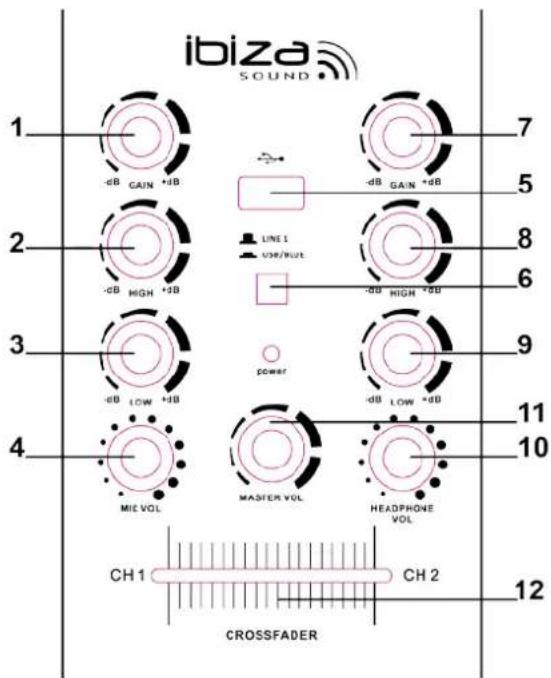
MIXER
- CH 1 Gain Control: Use this knob to adjust the gain of LINE 1 input signal
- CH 1 Treble Control: Use this knob to adjust the treble of LINE 1 input signal
- CH 1 Bass control: Use this knob to adjust the bass of the LINE 1 input signal
- MIC VOL: Use this knob to adjust the volume of the microphone volume
- USB Input: Connect the USB here
- USB/Bluetooth & Line Selector: Press the selector to switch the input between USB/Bluetooth and Line input.
- CH 2 Gain Control: Use this knob to adjust the gain of LINE 2 input signal
- CH 2 Treble: Use this knob to adjust the treble of LINE 2 input signal
- CH 2 Bass Control: Use this knob to adjust the bass of the LINE 2 input signal
- Headphone Vol: Use this knob to adjust the volume of headphone output
- Master VOL: Use this knob to adjust the master volume
- Line signal selector: Set the selector to the left side to mute the CH2 input signal and set the selector to the right side to mute the CH 1 input signal. If the selector is in the middle position, both CH 1 input signal & CH 2 input signal will be mixed and sent to OUTPUT Jacks.
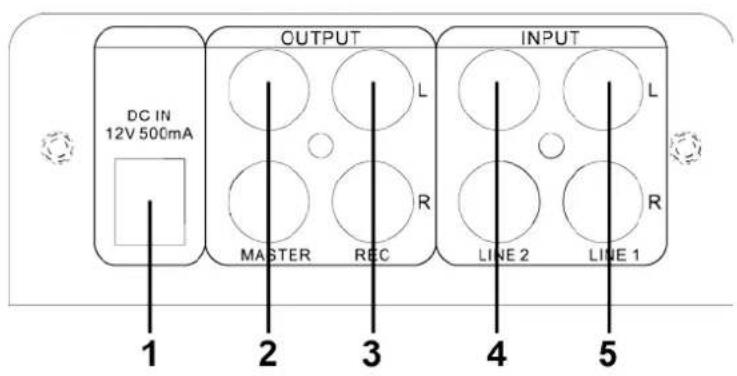
REAR PANEL CONTROLS:
- 12V Power supply: Connect the adapter here
- Master output: Connect this output to the RCA input of an amplifier or active speaker
- REC output: Connect this output to the RCA input of a tape recorder, amplifier or active speaker.
- Line 2 input: Connect the Line 2 Signal here. This is CH 2 signal.
- Line 1 input: Connect the Line 1 signal here. This is CH 1 signal.
CONTROLS
- MIC input: Connect the microphone here
- USB/Bluetooth Selector: Press this button to switch the input between USB & Bluetooth.
- Play/Pause: Press this button to play the
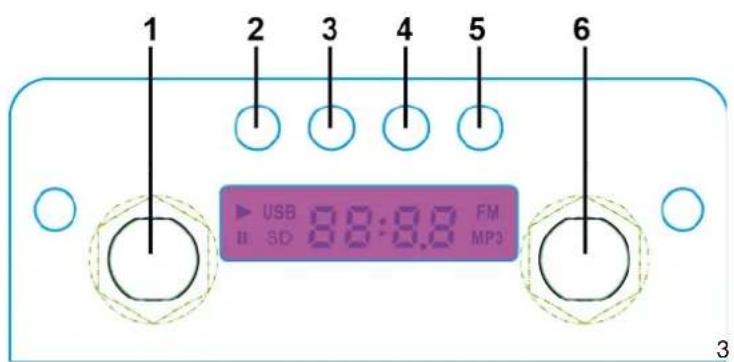
signal from USB & Bluetooth. Press again to pause.
- PREVIOUS: Press this button to go back to previous track on USB & Bluetooth signal.
- Next: Press this button to go to next track on USB & Bluetooth.
- Headphone output: Connect the headphone here
Bluetooth Connection:
To play Bluetooth signal, enable the Bluetooth function on a Bluetooth device like cell phone and set the mixer to Bluetooth input mode and then search for available Bluetooth devices nearby on cell phone. The Bluetooth name of the mixer is "DJ350LED". Pair and connect. There is no pairing code.
Note: The DJ350LED is only discoverable when input is set to Bluetooth.
AMPLIFIER

- Power: Press this button to power ON/OFF the unit.
- L Volume: Use this knob to adjust the volume of left channel of main speaker output
- R Volume: Use this knob to adjust the volume of right channel of main speaker output.
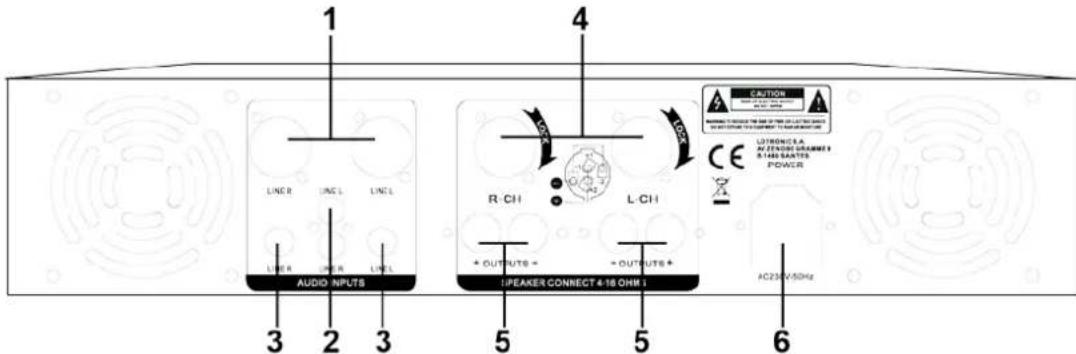
- XLR Line input: Use the XLR connectors to connect to Line signal source to the XLR input of the amplifier.
- RCA Line input: Use the RCA cables to connect the line signal source to the RCA line input of the amplifier.
- 1/4'' Line input: Use suitable jacks to connect the line signal source to the 1/4'' line input of the amplifier.
- SPEAKON OUTPUT: Connect the speakon outputs to the input of passive speakers.
- MAIN Speakers output: Connect the main speaker outputs to the input of passive speakers.
Note: If there are four speakers connected to the speakon outputs and main speaker outputs, the impedance of each speaker must be 8ohms at least to protect the amplifier.
- Power Cord: Use the power cord provided with the amplifier to connect to the power outlet.
Electric products must not be put into household waste. Please bring them to a recycling centre. Ask your local authorities or your dealer about the way to proceed.
USB/BLUETOOTH BEDIENFELD
EC Declaraon of Conformity
Hereby we, LOTRONIC SA
Avenue Zénobe Gramme, 9
1480 SAINTES
Belgium
+32.2.390.91.91
Cerfy and declare under our sole responsibility that the following product:
Trade name: IBIZA SOUND
Product name: DJ KIT DISCO WITH 10"LED SPEAKERS AND USB-BT MIXER
Type or model: DJ350LED
Conforms to the essenal requirements of the:
LVD direcve 2014/35/EU, RED direcve 2014/53/EU and EMC direcve 2014/30/EU
Based on the following specicaons applied:
Safety: IEC 60065:2014
Place and date of issue: Saintes (Belgium), on 01/09/2016
AKBAR Guive
Technical manager
CE
Responsible technique
LOTRONIC SA
Av. Zenobe Gramme 9
1480 Saintes - Belgium
Tel. +32.2.390.91.91
Fax +32.2.390.93.19
info@lotronic.net
www.lotronic.com
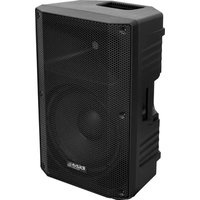
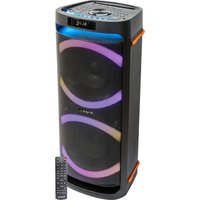
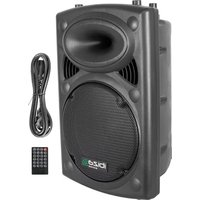
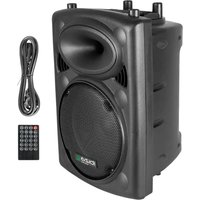
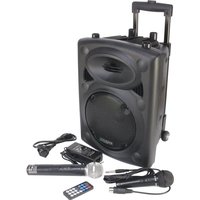
Brand : IBIZA SOUND
Model : DJ350LED
Category : Speaker