55UX960H - Television LG - Free user manual and instructions
Find the device manual for free 55UX960H LG in PDF.



| Product Type | LED Television |
| Brand | LG |
| Model | 55UX960H |
| Screen Size | 55 inches (139 cm) diagonal |
| Resolution | 3840 x 2160 (4K UHD) |
| Backlight | LED |
| Built-in Tuner | DVB-T/T2/C/S/S2 (depending on country) |
| Connectivity | HDMI (x4), USB (x2), SCART, LAN, Wi-Fi, Bluetooth |
| 3D Function | Yes, with 3D glasses (optional) |
| Audio | Dolby Digital / Dolby Digital Plus |
| Audio Power | 20 W |
| Power Supply | 100-240 V ~ 50/60 Hz |
| VESA Wall Mount | 300 x 300 mm |
| Smart TV Features | Yes (webOS, Magic Remote) |
| Security | Kensington Lock, wall mount recommended |
| Screen Care | Soft dry cloth, avoid chemical products |
| Remote Control Batteries | 2 AAA batteries |
| Package Contents | Television, remote control, power cord, documentation |
| Repairability | Use an LG authorized service |
| Warranty | Check with retailer |
Frequently Asked Questions - 55UX960H LG
User questions about 55UX960H LG
0 question about this device. Answer the ones you know or ask your own.
Ask a new question about this device
Download the instructions for your Television in PDF format for free! Find your manual 55UX960H - LG and take your electronic device back in hand. On this page are published all the documents necessary for the use of your device. 55UX960H by LG.
USER MANUAL 55UX960H LG
Safety and Reference
LED TV*
- LG LED TV applies LCD screen with LED backlights.
Please read this manual carefully before operating your set and retain it for future reference.
Safety instructions

Please read these safety precautions carefully before using the product.

WARNING
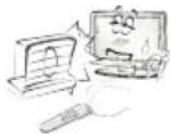
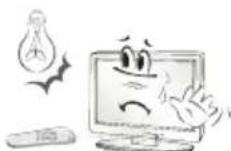
Do not place the TV and/or remote control in the following environments:
A location exposed to direct sunlight
An area with high humidity such as a bathroom
Near any heat source such as stoves and other devices that produce heat
Near kitchen counters or humidifiers where they can easily be exposed to steam or oil
An area exposed to rain or wind
Near containers of water such as vases
Otherwise, this may result in fire, electric shock, malfunction or product deformation.
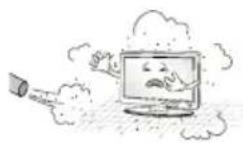
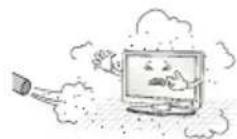
Do not place the product where it might be exposed to dust. This may cause a fire hazard.
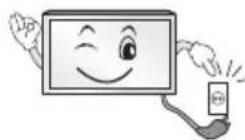
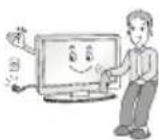
Mains Plug is the TV connecting/disconnecting device to AC mains electric supply. This plug must remain readily attached and operable when TV is in use.
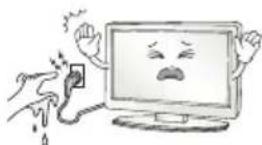
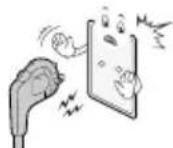
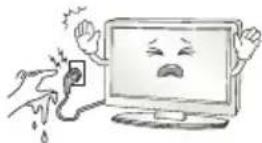
Do not touch the power plug with wet hands. Additionally, if the cord pin is wet or covered with dust, dry the power plug completely or wipe dust off. You may be electrocuted due to excess moisture.
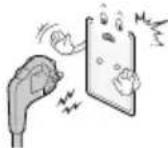
Make sure to connect Mains cable to compliant AC mains socket with Grounded earth pin. (Except for devices which are not grounded on earth.) Otherwise possibility you may be electrocuted or injured.
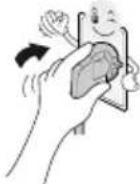
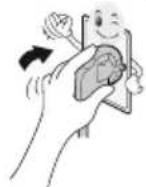
Insert power cable plug completely into wall socket otherwise if not secured completely into socket, fire ignition may break out.
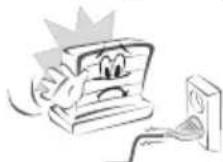
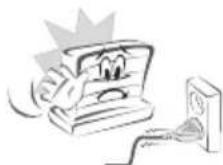
Ensure the power cord does not come into contact with hot objects such as a heater. This may cause a fire or an electric shock hazard.
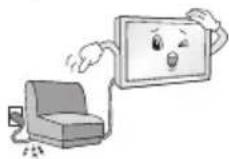
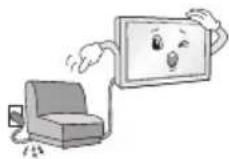
Do not place a heavy object, or the product itself, on power cables. Otherwise, this may result in fire or electric shock.
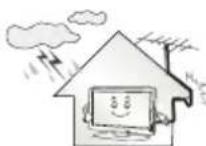
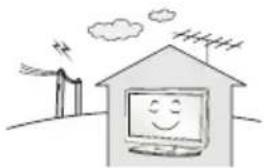
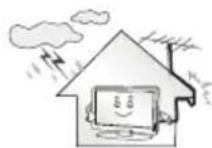
Bend antenna cable between inside and outside building to prevent rain from flowing in. This may cause water damaged inside the Product and could give an electric shock.
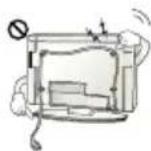
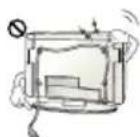
When mounting TV onto wall make sure to neatly install and isolate cabling from rear of TV as to not create possibility of electric shock / fire hazard.
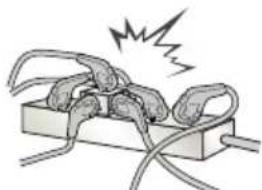
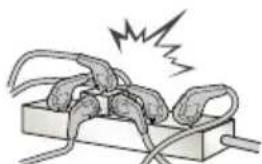
Do not plug too many electrical devices into a single multiple electrical outlet. Otherwise, this may result in fire due to over-heating.
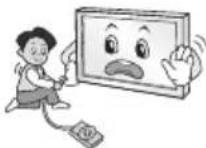
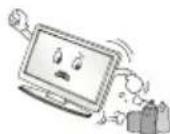
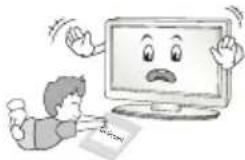
Do not drop the product or let it fall over when connecting external devices. Otherwise, this may result in injury or damage to the product.
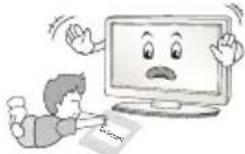
Keep the anti-moisture packing material or vinyl packing out of the reach of children. Anti-moisture material is harmful if swallowed. If swallowed by mistake, force the patient to vomit and visit the nearest hospital. Additionally, vinyl packing can cause suffocation. Keep it out of the reach of children.
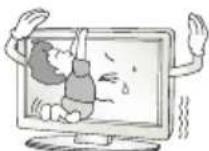
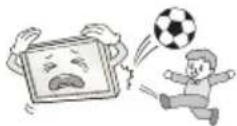
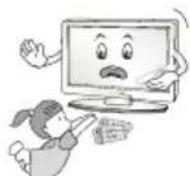
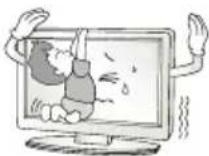
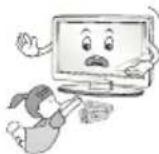
Do not let your children climb or cling onto the TV. Otherwise, the TV may fall over, which may cause serious injury.
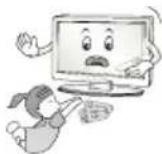
Dispose of used batteries carefully to ensure that a small child does not consume them. Please seek Doctor- Medical Attention immediately if child consumes batteries.
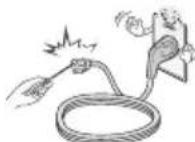
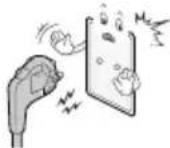
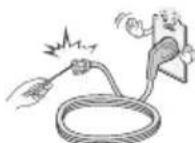
Do not insert any metal objects/conductors (like a metal chopstick/ cutlery/screwdriver) between power cable plug and input Wall Socket while it is connected to the input terminal on the wall. Additionally, do not touch the power cable right after plugging into the wall input terminal. You may be electrocuted. (Depending on model)
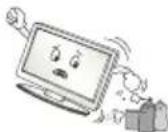
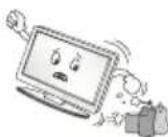
Do not put or store inflammable substances near the product. There is a danger of combustion/explosion or fire due to careless handling of the inflammable substances.
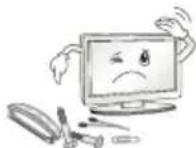
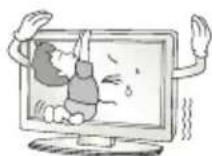
Do not drop metallic objects such as coins, hair pins, chopsticks or wire into the product, or inflammable objects such as paper and matches. Children must pay particular attention. Electrical shock, fire or injury can occur. If a foreign object is dropped into the product, unplug the power cord and contact the service centre.
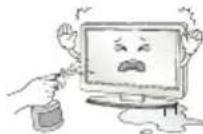
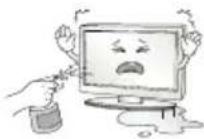
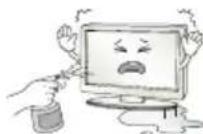
Do not spray water on the product or scrub with an inflammable substance (thinner or benzene). Fire or electric shock accident can occur.
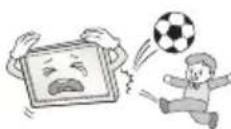
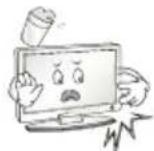
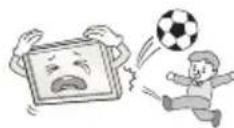
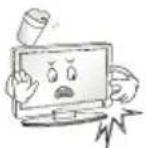
Do not allow any impact, shock or any objects to fall into the unit, and do not drop anything onto the screen. You may be injured or the product can be damaged.
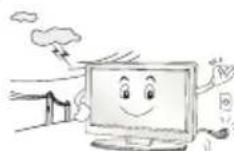
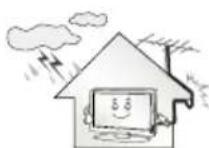
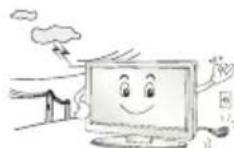
Never touch this product or antenna during a thunder or lighting storm. You may be electrocuted.
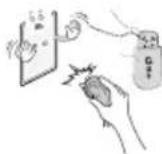
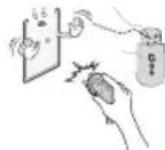
Never touch the wall outlet when there is leakage of gas, open the windows and ventilate. It may cause a fire or a burn by a spark.
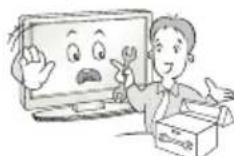
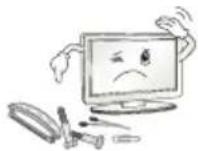
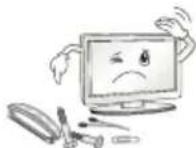
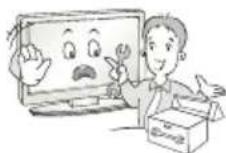
Do not disassemble, repair or modify the product at your own discretion. Fire or electric shock accident can occur.
Contact the service centre for check, calibration or repair.
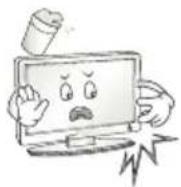
If any of the following occur, unplug the product immediately and contact your local service centre.
The product has been impacted by shock
The product has been damaged
Foreign objects have entered the product
The product produced smoke or a strange smell
This may result in fire or electric shock.
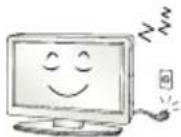
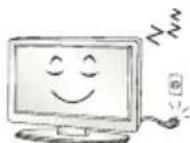
Unplug the TV from AC mains wall socket if you do not intend to use the TV for a long period of time. Accumulated dust can cause fire hazard and insulation deterioration can cause electric leakage/shock/fire.
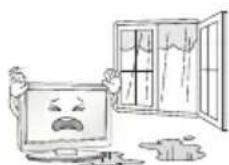
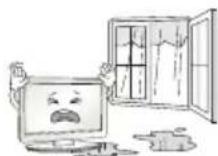
Apparatus shall not be exposed to dripping or splashing and no objects filled with liquids, such as vases, shall be placed on the apparatus.
Do not install this product on a wall if it could be exposed to oil or oil mist. This may damage the product and cause it to fall.
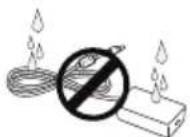
If water enters or comes into contact with TV, AC adapter or power cord please disconnect the power cord and contact service centre immediately. Otherwise, this may result in electric shock or fire.
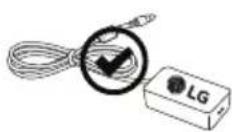
Only use an authorized AC adapter and power cord approved by LG Electronics. Otherwise, this may result in fire, electric shock, malfunction or product deformation.
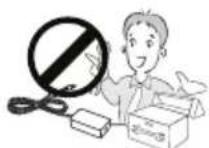
Never Disassemble the AC adapter or power cord. This may result in fire or electric shock.

CAUTION
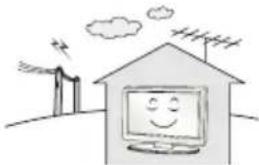
Install the product where no radio wave occurs.
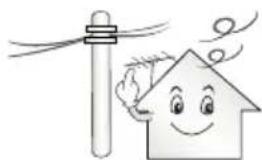
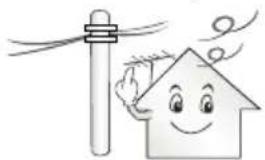
There should be enough distance between an outside antenna and power lines to keep the former from touching the latter even when the antenna falls. This may cause an electric shock.
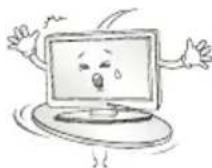
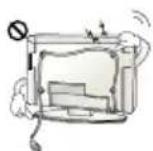
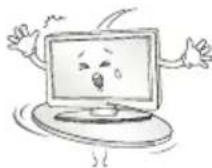
Do not install the product on places such as unstable shelves or inclined surfaces. Also avoid places where there is vibration or where the product cannot be fully supported. Otherwise, the product may fall or flip over, which may cause injury or damage to the product.
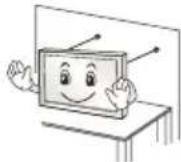
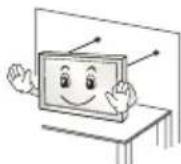
If you install the TV on a stand, you need to take actions to prevent the product from overturning. Otherwise, the product may fall over, which may cause injury.
If you intend to mount the product to a wall, attach VESA standard mounting interface (optional parts) to the back of the product. When you install the set to use the wall mounting bracket (optional parts), fix it carefully so as not to drop.
Only use the attachments / accessories specified by the manufacturer.
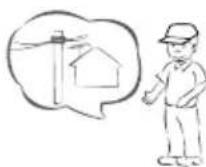
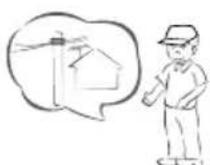
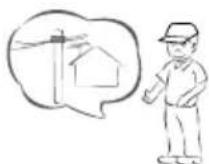
When installing the antenna, consult with a qualified service technician. If not installed by a qualified technician, this may create a fire hazard or an electric shock hazard.
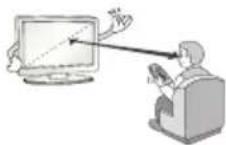
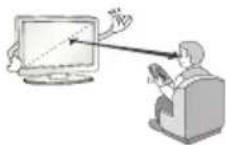
We recommend that you maintain a distance of at least 2 to 7 times the diagonal screen size when watching TV. If you watch TV for a long period of time, this may cause blurred vision.
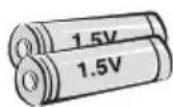
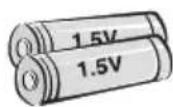
Only use the specified type of battery. This could cause damage to the remote control.
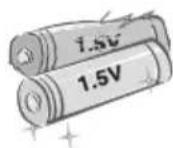
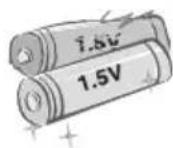
Do not mix new batteries with old batteries. This may cause the batteries to overheat and leak.
Batteries should not be exposed to excessive heat. For example, keep away from direct Sunlight, open fireplace and electric heaters.
Do not place non-rechargeable batteries in charging device.
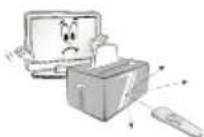
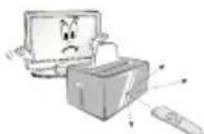
Make sure there are no objects between the remote control and its sensor.
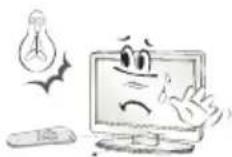
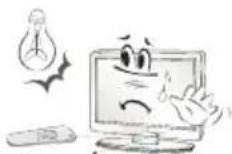
Signal from Remote Control can be interrupted due to external/internal lighting eg Sunlight, fluorescent lighting. If this occurs turn off lighting or darken viewing area.
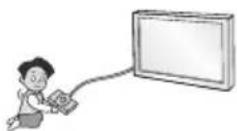
When connecting external devices such as video game consoles, make sure the connecting cables are long enough. Otherwise, the product may fall over, which may cause injury or damage the product.
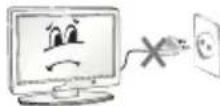
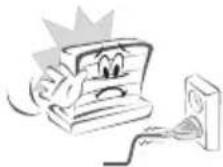
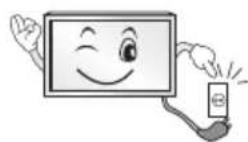
Do not turn the product On/Off by plugging-in or unplugging the power plug to the wall outlet. (Do not use the power plug for switch.) It may cause mechanical failure or could give an electric shock.
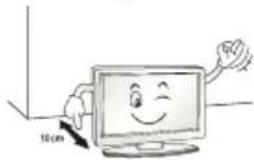
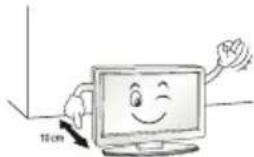
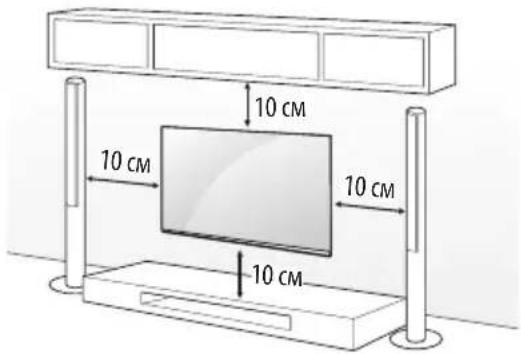
Please follow the installation instructions below to prevent the product from overheating.
The distance between the product and the wall should be more than 10cm
-
Do not install the product in a place with no ventilation (e.g., on a bookshelf or in a cupboard).
-
Do not install the product on a carpet or cushion.
Make sure the air vent is not blocked by a tablecloth or curtain. Otherwise, this may result in fire.
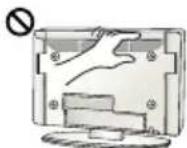
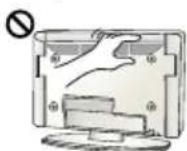
Take care not to touch the ventilation openings when watching the TV for long periods as the ventilation openings may become hot. This does not affect the operation or performance of the product.
Periodically examine the cord of your appliance, and if its appearance indicates damage or deterioration, unplug it, discontinue use of the appliance, and have the cord replaced with an exact replacement part by an authorized servicer.
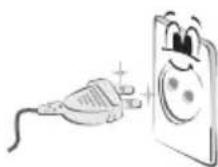
Prevent dust collecting on the power plug pins or outlet. This may cause a fire hazard.
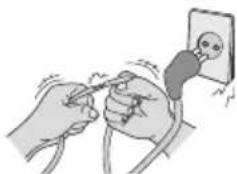
Protect the power cord from physical or mechanical abuse, such as being twisted, kinked, pinched, closed in a door, or walked upon. Pay particular attention to plugs, wall outlets, and the point where the cord exits the appliance.

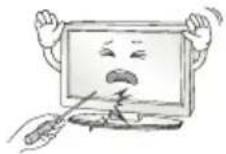
Do not press strongly upon the panel with a hand or sharp object such as nail, pencil or pen, or make a scratch on it, as it may cause damage to screen.
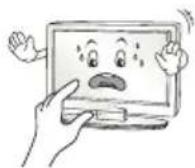
Avoid touching the screen or holding your finger(s) against it for long periods of time. Doing so may produce some temporary or permanent distortion/damage to screen.
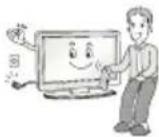
When cleaning the product and its components, unplug the power first and wipe it with a soft cloth. Applying excessive force may cause scratches or discoloration. Do not spray with water or wipe with a wet cloth. Never use glass cleaner, car or industrial shiner, abrasives or wax, benzene, alcohol etc., which can damage the product and its panel. Otherwise, this may result in fire, electric shock or product damage (deformation, corrosion or breakage).
As long as this unit is connected to the AC wall outlet, it is not disconnected from the AC power source even if you turn off this unit by SWITCH.
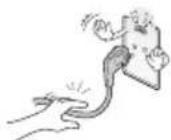
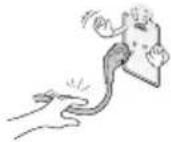
When unplugging the cable, grab the plug and unplug it, by pulling at the plug.
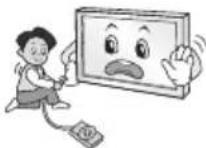
Don't pull at the cord to unplug the power cord from the power board, as this could be hazardous.
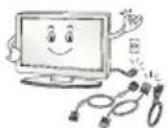
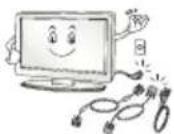
When moving the product, make sure you turn the power off first. Then, unplug the power cables, antenna cables and all connecting cables. The TV set or power cord may be damaged, which may create a fire hazard or cause electric shock.
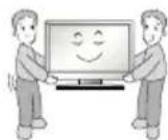
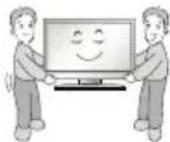
When moving or unpacking the product, work in pairs because the product is heavy. Otherwise, this may result in injury.
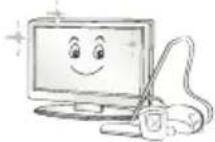
Contact the service centre once a year to clean the internal parts of the product.
Accumulated dust can cause mechanical failure.
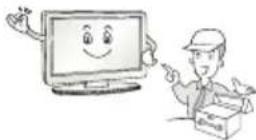
Refer all servicing to qualified service personnel. Servicing is required when the apparatus has been damaged in any way, such as power supply cord or plug is damaged, liquid has been spilled or objects have fallen into the apparatus, the apparatus has been exposed to rain or moisture, does not operate normally, or has been dropped.
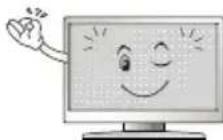
If the product feels cold to the touch, there may be a small "flicker" when it is turned on. This is normal, there is nothing wrong with product.

The panel is a high technology display product with resolution of two million to six million pixels. You may see tiny black dots and/or brightly coloured dots (red, blue or green) at a size of 1 ppm on the panel. This does not indicate a malfunction and does not affect the performance and reliability of the product.
This phenomenon also occurs in third-party products and is not subject to exchange or refund.
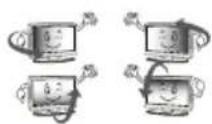
You may find different brightness and color of the panel depending on your viewing position(left/right/top/down).
This phenomenon occurs due to the characteristic of the panel. It is not related with the product performance, and it is not malfunction.
Displaying a still image for a prolonged period of time may cause image sticking. Avoid displaying a fixed image on the TV screen for a long period of time.
Generated Sound
"Cracking" noise: A cracking noise that occurs when watching or turning off the TV is generated by plastic thermal contraction due to temperature and humidity. This noise is common for products where thermal deformation is required. Electrical circuit humming/panel buzzing: A low level noise is generated from a high-speed switching circuit, which supplies a large amount of current to operate a product. It varies depending on the product.
This generated sound does not affect the performance and reliability of the product.
Do not use high voltage electrical goods near the TV (e.g. electric mosquito-swatter). This may result in product malfunction.
Viewing 3D imaging (Only 3D models)

WARNING
Viewing environment
Viewing Time - When watching 3D contents, take 5 - 15 minute breaks every hour. Viewing 3D contents for a long period of time may cause headache, dizziness, fatigue or eye strain.
Those that have a photosensitive seizure or chronic illness
Some users may experience a seizure or other abnormal symptoms when they are exposed to a flashing light or particular pattern from 3D contents.
- Do not watch 3D videos if you feel nausea, are pregnant and/or have a chronic illness such as epilepsy, cardiac disorder, or blood pressure disease, etc.
3D Contents are not recommended to those who suffer from stereo blindness or stereo anomaly. Double images or discomfort in viewing may be experienced.
If you have strabismus (cross-eyed), amblyopia (weak eyesight) or astigmatism, you may have trouble sensing depth and easily feel fatigue due to double images. It is advised to take frequent breaks than the average adult.
If your eyesight varies between your right and left eye, revise your eyesight prior to watching 3D contents.
Symptoms which require discontinuation or refraining from watching 3D contents
- Do not watch 3D contents when you feel fatigue from lack of sleep, overwork or drinking.
-
When these symptoms are experienced, stop using/watching 3D contents and get enough rest until the symptom subsides.
-
Consult your doctor when the symptoms persist. Symptoms may include headache, eyeball pain, dizziness, nausea, palpitation, blurriness, discomfort, double image, visual inconvenience or fatigue.
Viewing environment
Viewing Distance
- Maintain a distance of at least twice the screen diagonal length when watching 3D contents. If you feel discomfort in viewing 3D contents, move further away from the TV.
Viewing age
-
Infants/Children
-
Usage/Viewing 3D contents for children under the age of 6 are prohibited.
-
Children under the age of 10 may overreact and become overly excited because their vision is in development (for example: trying to touch the screen or trying to jump into it). Special monitoring and extra attention is required for children watching 3D contents.
-
Children have greater binocular disparity of 3D presentations than adults because the distance between the eyes is shorter than that of adults. Therefore they will perceive more stereoscopic depth compared to adults for the same 3D image.
Teenagers
- Teenagers under the age of 19 may react with sensitivity due to stimulation from light in 3D contents. Advise them to refrain from watching 3D contents for a long time when they are tired.
Elderly
- The elderly may perceive less 3D effect compared to the young. Do not sit closer to the TV than the recommended distance.
Cautions when using the 3D glasses
Make sure to use LG 3D glasses. Otherwise, you may not be able to view 3D videos properly.
- Do not use 3D glasses instead of your normal glasses, sunglasses or protective goggles.
- Using modified 3D glasses may cause eye strain or image distortion.
- Do not keep your 3D glasses in extremely high or low temperatures. It will cause deformation.
- The 3D glasses are fragile and are easily scratched. Always use a soft, clean piece of cloth when wiping the lenses. Do not scratch the lenses of the 3D glasses with sharp objects or clean/wipe them with chemicals.
Preparing

NOTE
If the TV is turned on for the first time after it was shipped from the factory, initialization of the TV may take a few minutes.
Image shown may differ from your TV.
- Your TV's OSD (On Screen Display) may differ slightly from that shown in this manual.
The available menus and options may differ from the input source or product model that you are using.
New features may be added to this TV in the future.
- The TV can be placed in standby mode in order to reduce the power consumption. And the TV should be turned off if it will not be watched for some time, as this will reduce energy consumption.
- The energy consumed during use can be significantly reduced if the level of brightness of the picture is reduced, and this will reduce the overall running cost.
- The items supplied with your product may vary depending on the model.
- Product specifications or contents of this manual may be changed without prior notice due to upgrade of product functions.
- For an optimal connection, HDMI cables and USB devices should have bezels less than 10mm thick and 18mm width. Use an extension cable that supports USB 2.0 if the USB cable or USB memory stick does not fit into your TV's USB port.
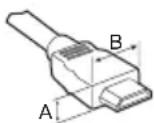
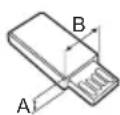
Use a certified cable with the HDMI logo attached.
If you do not use a certified HDMI cable, the screen may not display or a connection error may occur. (Recommended HDMI Cable Types)
- High-Speed HDMI®/TM Cable (3 m or less)
- High-Speed HDMI®/TM Cable with Ethernet (3 m or less)

CAUTION
- Do not use any unapproved items to ensure the safety and product life span.
- Any damage or injuries caused by using unapproved items are not covered by the warranty.
Some models have a thin film attached on to the screen and this must not be removed. - When attaching the stand to the TV set, place the screen facing down on a cushioned table or flat surface to protect the screen from scratches.
- Make sure that the screws are inserted correctly and fastened securely. (If they are not fastened securely enough, the TV may tilt forward after being installed.) Do not use too much force and over tighten the screws; otherwise screw may be damaged and not tighten correctly.
Separate purchase
Separate purchase items can be changed or modified for quality improvement without any notification. Contact your dealer to buy these items. These devices only work with certain models.
The model name or design may be changed depending on the upgrade of product functions, manufacturer's circumstances or policies.
Depending on model)
| AG-F**** Cinema 3D Glasses | AN-MR600 Magic Remote |
| LG Audio Device |
Maintenance
Cleaning your TV
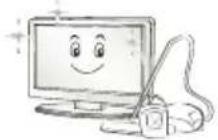
Clean your TV regularly to keep the best performance and to extend the product lifespan.
Make sure to turn the power off and disconnect the power cord and all other cables first.
- When the TV is left unattended and unused for a long time, disconnect the power cord from the wall outlet to prevent possible damage from lightning or power surges.
Screen, frame, cabinet and stand
To remove dust or light dirt, wipe the surface with a dry, clean, and soft cloth.
To remove major dirt, wipe the surface with a soft cloth dampened in clean water or a diluted mild detergent. Then wipe immediately with a dry cloth.
- Avoid touching the screen at all times, as this may result in damage to the screen.
- Do not push, rub, or hit the screen surface with your fingernail or a sharp object, as this may result in scratches and image distortions.
- Do not use any chemicals as this may damage the product.
- Do not spray liquid onto the surface. If water enters the TV, it may result in fire, electric shock, or malfunction.
Power cord
Remove the accumulated dust or dirt on the power cord regularly.
Lifting and moving the TV
Please note the following advice to prevent the TV from being scratched or damaged and for safe transportation regardless of its type and size.
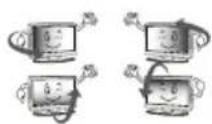
It is recommended to move the TV in the box or packing material that the TV originally came in.
Before moving or lifting the TV, disconnect the power cord and all cables.
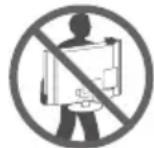
- When holding the TV, the screen should face away from you to avoid damage.
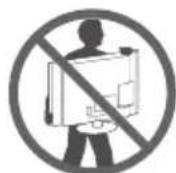
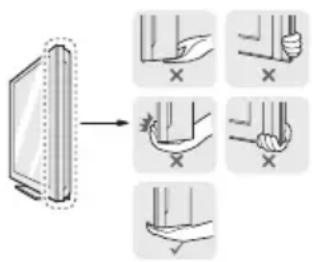
- Hold the top and bottom of the TV frame firmly. Make sure not to hold the transparent part, speaker, or speaker grill area.
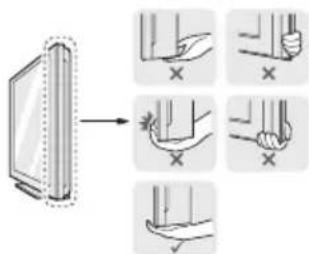
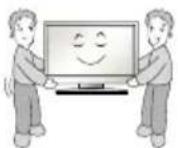
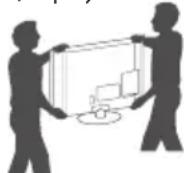
- When transporting a large TV, there should be at least 2 people.
- When transporting the TV by hand, hold the TV as shown in the following illustration.
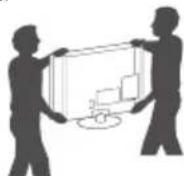
- When transporting the TV, do not expose the TV to jolts or excessive vibration.
- When transporting the TV, keep the TV upright, never turn the TV on its side or tilt towards the left or right.
- Do not apply excessive pressure to cause flexing/bending of frame chassis as it may damage screen.
- When handling the TV, be careful not to damage the protruding joystick button.

CAUTION
- Avoid touching the screen at all times, as this may result in damage to the screen.
- Do not move the TV by holding the cable holders, as the cable holders may break, and injuries and damage to the TV may occur.

Using the joystick button
(Image shown may differ from your TV.)
You can simply operate the TV functions, pressing or moving the joystick button up, down, left or right.
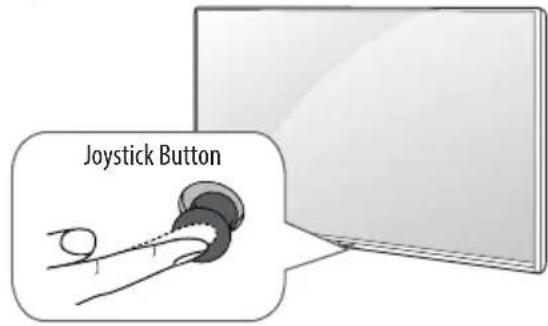
Basic functions
| Power On | When the TV is turned off, place your finger on the joystick button and press it once and release it. | |
| Power Off | When the TV is turned on, place your finger on the joystick button and press it once for a few seconds and release it. All running apps will close, and any recording in progress will stop. | |
| Volume Control | If you place your finger over the joystick button and move it left or right, you can adjust the volume level you want. | |
| Programmes Control | If you place your finger over the joystick button and move it up or down, you can scrolls through the saved programmes you want. |
Adjusting the menu
When the TV is turned on, press the joystick button one time. You can adjust the Menu items moving the joystick button up, down, left or right.
| ○ | Turns the power off. |
| × | Clears on-screen displays and returns to TV viewing. |
| ← | Changes the input source. |
| → | Accesses the Quick Settings. |

NOTE
- When your finger over the joystick button and push it to the up, down, left or right, be careful not to press the joystick button. If you press the joystick button first, you may not be able to adjust the volume level and saved programmes.
Mounting on a table
(Image shown may differ from your TV.)
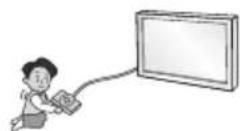
1 Lift and tilt the TV into its upright position on a table.
- Leave a 10cm (minimum) space from the wall for proper ventilation.
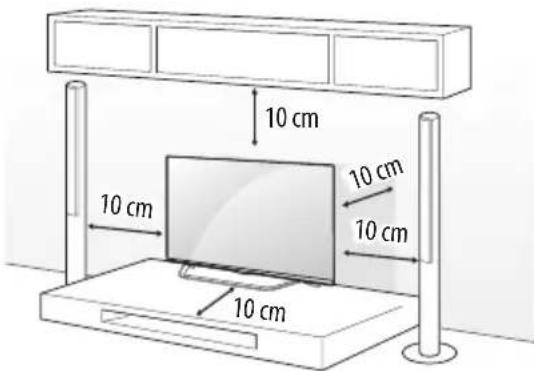
2 Connect the power cord to a wall outlet.

CAUTION
- Do not place the TV near or on sources of heat, as this may result in fire or other damage.
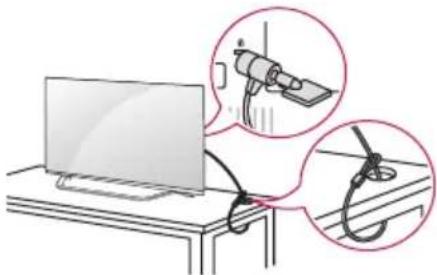
Using the kensington security system
(This feature is not available for all models.)
- Image shown may differ from your TV.
The Kensington security system connector is located at the rear of the TV. For more information of installation and using, refer to the manual provided with the Kensington security system or visit http://www.kensington.com. Connect the Kensington security system cable between the TV and a table.
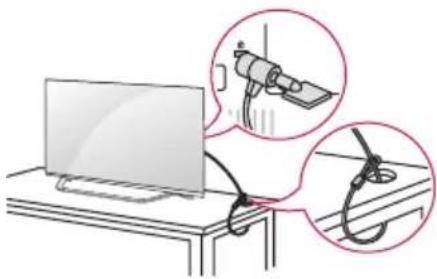
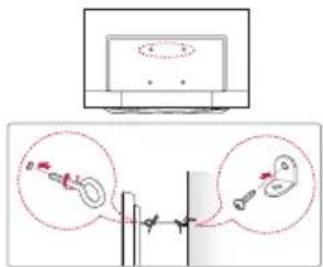
Securing the TV to a wall
(This feature is not available for all models.)
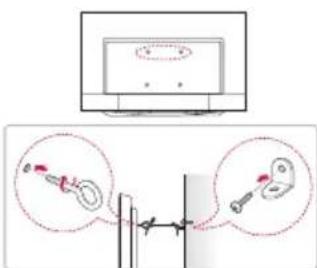
1 Insert and tighten the eye-bolts, or TV brackets and bolts on the back of the TV.
If there are bolts inserted at the eye-bolts position, remove the bolts first.
2 Mount the wall brackets with the bolts to the wall. Match the location of the wall bracket and the eye-bolts on the rear of the TV.
3 Connect the eye-bolts and wall brackets tightly with a sturdy rope. Make sure to keep the rope horizontal with the flat surface.
CAUTION
Make sure that children do not climb on or hang on the TV.
NOTE
Use a platform or cabinet that is strong and large enough to support the TV securely.
- Brackets, bolts and ropes are not provided. You can obtain additional accessories from your local dealer.
Mounting on a wall
Attach an optional wall mount bracket at the rear of the TV carefully and install the wall mount bracket on a solid wall perpendicular to the floor. When you attach the TV to other building materials, please contact qualified personnel. LG recommends that wall mounting be performed by a qualified professional installer. We recommend the use of LG's wall mount bracket. LG's wall mount bracket is easy to move with cables connected. When you do not use LG's wall mount bracket, please use a wall mount bracket where the device is adequately secured to the wall with enough space to allow connectivity to external devices. It is advised to connect all the cables before installing fixed wall mounts.
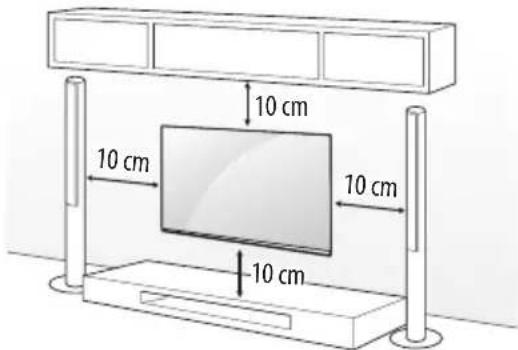
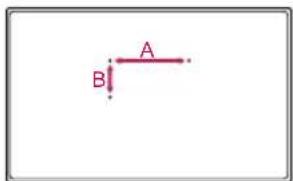
Make sure to use screws and wall mount bracket that meet the VESA standard. Standard dimensions for the wall mount kits are described in the following table.
Separate purchase (Wall mounting bracket)
| Model 49/55UX96** 60UX96** | ||
| VESA (mm) (A x B) 300x 300 300x 300 | ||
| Standard screw M6 M6 | ||
| Number of screws 4 4 | ||
| Wall mount bracket | LSW350BMSW240 | LSW350B |

CAUTION
- Disconnect the power first, and then move or install the TV. Otherwise electric shock may occur.
- Remove the stand before installing the TV on a wall mount by performing the stand attachment in reverse.
- If you install the TV on a ceiling or slanted wall, it may fall and result in severe injury. Use an authorised LG wall mount and contact the local dealer or qualified personnel.
- Do not over tighten the screws as this may cause damage to the TV and void your warranty.
- Use the screws and wall mounts that meet the VESA standard. Any damages or injuries by misuse or using an improper accessory are not covered by the warranty.

NOTE
- Use the screws that are listed on the VESA standard screw specifications.
- The wall mount kit includes an installation manual and necessary parts.
- The wall mount bracket is not provided. You can obtain additional accessories from your local dealer.
- The length of screws may differ depending on the wall mount.
Make sure to use the proper length. - For more information, refer to the manual supplied with the wall mount.
Connections (notifications)
Connect various external devices to the TV and switch input modes to select an external device. For more information of external device's connection, refer to the manual provided with each device.
Available external devices are: HD receivers, DVD players, VCRs, audio systems, USB storage devices, PC, gaming devices, and other external devices.

NOTE
- The external device connection may differ from the model.
- Connect external devices to the TV regardless of the order of the TV port.
If you record a TV program on a DVD recorder or VCR, make sure to connect the TV signal input cable to the TV through a DVD recorder or VCR. For more information of recording, refer to the manual provided with the connected device.
Refer to the external equipment's manual for operating instructions.
If you connect a gaming device to the TV, use the cable supplied with the gaming device. - In PC mode, there may be noise associated with the resolution, vertical pattern, contrast or brightness. If noise is present, change the PC output to another resolution, change the refresh rate to another rate or adjust the brightness and contrast on the PICTURE menu until the picture is clear.
- In PC mode, some resolution settings may not work properly depending on the graphics card.
Only a USB storage device is recognizable.
If ULTRA HD content is played on your PC, video or audio may become disrupted intermittently depending on your PC's performance. (Depending on model)
Antenna connection
Connect the TV to a wall antenna socket with an RF cable (75Ω).
Use a signal splitter to use more than 2 TVs.
If the image quality is poor, install a signal amplifier properly to improve the image quality.
If the image quality is poor with an antenna connected, try to realign the antenna in the correct direction.
An antenna cable and converter are not supplied.
Supported DTV Audio: MPEG, Dolby Digital, Dolby Digital Plus, HE-AAC
- For a location that is not supported with ULTRA HD broadcasting, this TV cannot receive ULTRA HD broadcasts directly. (Depending on model)
Satellite dish connection
(Only satellite models)
Connect the TV to a satellite dish to a satellite socket with a satellite RF cable (75Ω).
Euro scart connection
Depending on model)
Transmits the video and audio signals from an external device to the TV set. Connect the external device and the TV set with the euro scart cable.
| Output Type Current input mode | AV (TV Out1) |
| Digital TV Digital TV | |
| Analogue TV, AV | Analogue TV |
| HDMI |
1 TV Out : Outputs Analogue TV or Digital TV signals.
Any Euro scart cable used must be signal shielded.
- When watching digital TV in 3D imaging mode, only 2D out signals can be output through the SCART cable. (Only 3D models)
CI module connection
Depending on model)
View the encrypted (pay) services in digital TV mode.
- Check if the CI module is inserted into the PCMCIA card slot in the right direction. If the module is not inserted properly, this can cause damage to the TV and the PCMCIA card slot.
If the TV does not display any video and audio when Cl + CAM is connected, please contact to the Terrestrial/Cable/Satellite Service Operator.
USB connection
Depending on model)
Some USB Hubs may not work. If a USB device connected through a USB Hub is not detected, connect it directly to the USB port on the TV.
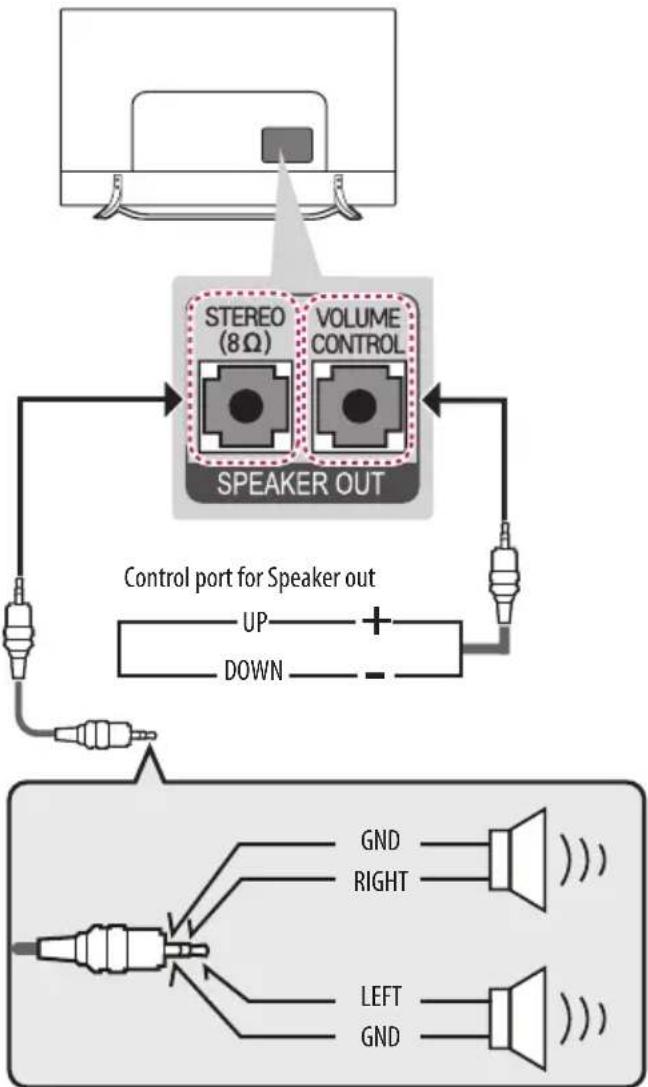
Speaker output setup

NOTE
- Do not connect your headphones or earphones to the port for connecting an external speaker.
Use only with the 3 Pole 3.5mm Stereo Jack.
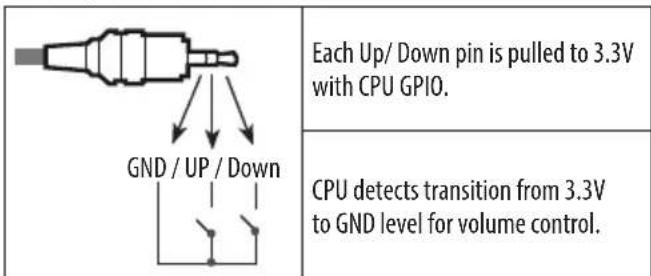
Method of volume control port
- Cable Spec.
Network setup
Wired network connection
This TV can be connected to a Pro:Centric server via the LAN port. After making the physical connection, the TV needs to be set up for network communication.
Connect the LAN port of the Modem or Router from Pro:Centric server to the LAN port on the TV.
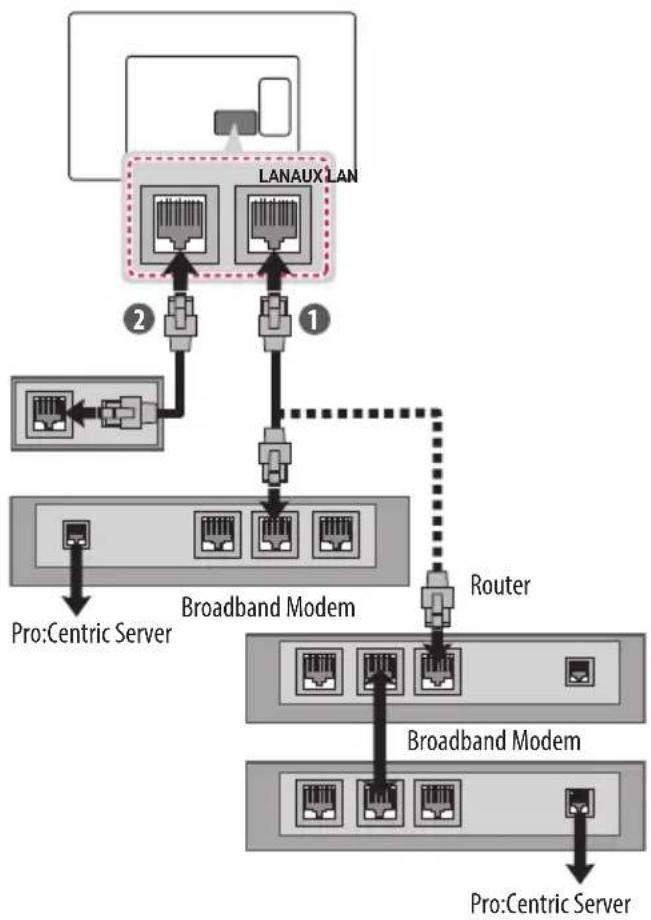
1 Connect the LAN port of the Modem or Router to the LAN port on the TV.
Connect the LAN port of the PC to the AUX LAN port on the TV.

CAUTION
- Do not connect a modular phone cable to the LAN port.
- Since there are various connection methods, please follow the specifications of your telecommunication carrier or internet service provider.
Other connections
Connect your TV to external devices. For the best picture and audio quality, connect the external device and the TV with the HDMI cable. Some separate cable is not provided.
Colour
- On: Support 4K @ 50/60 Hz (4:4:4, 4:2:2, 4:2:0)
- Off: Support 4K @ 50/60 Hz (4:2:0)
If the device connected to Input Port also supports ULTRA HD Deep Colour, your picture may be clearer. However, if the device doesn't support it, it may not work properly. In that case, connect the device to a different HDMI port or change the TV's HDMI ULTRA HD Deep Colour setting to Off.
(This feature is available on certain models which are supported ULTRA HD Deep Colour only.)
Remote control
The descriptions in this manual are based on the buttons on the remote control. Please read this manual carefully and use the TV correctly.
To replace batteries, open the battery cover, replace batteries (1.5 V AAA) matching the and ends to the label inside the compartment, and close the battery cover. To remove the batteries, perform the installation actions in reverse.

CAUTION
- Do not mix old and new batteries, as this may damage the remote control.
The remote control will not be included for all sales market.
Make sure to point the remote control toward the remote control sensor on the TV.
Depending on model)
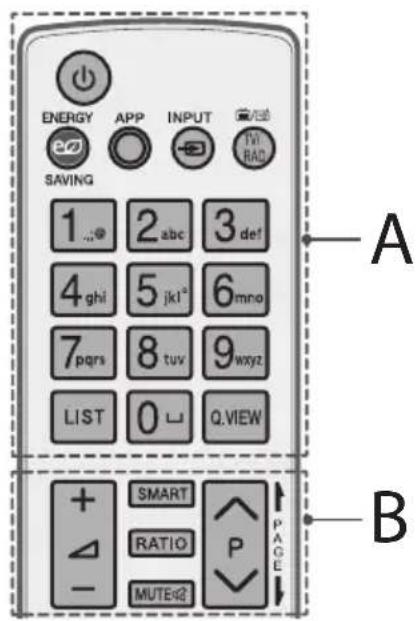

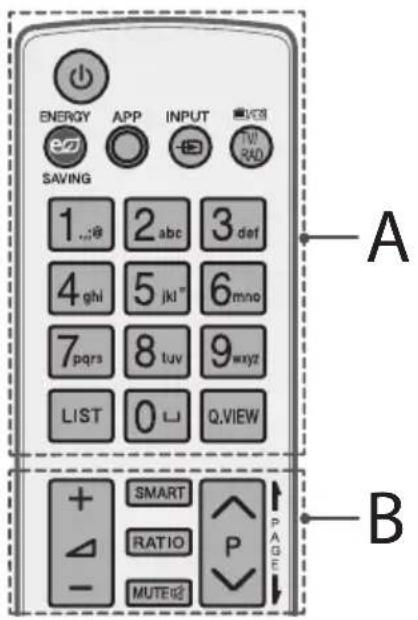
A
(POWER) Turns the TV on or off.
eEENrSavHightness of the screen to reduce energy consumption.
APP Shows the previous history.
INCHATges the input source.
TV/RAD Radio, TV and DTV programme.
Number buttons Enters numbers.
LIST Accesses the saved programme list.
(Space) Opens an empty space on the screen keyboard.
Q.VIEW Returns to the previously viewed programme.
B
+Adjuststhevolumelevel.
SMART Accesses the Home menu.
RATIO Resizes an image.
MUTE Mutes all sounds.
P Scrol1s through the saved programmes.
PAGE Moves to the previous or next screen.
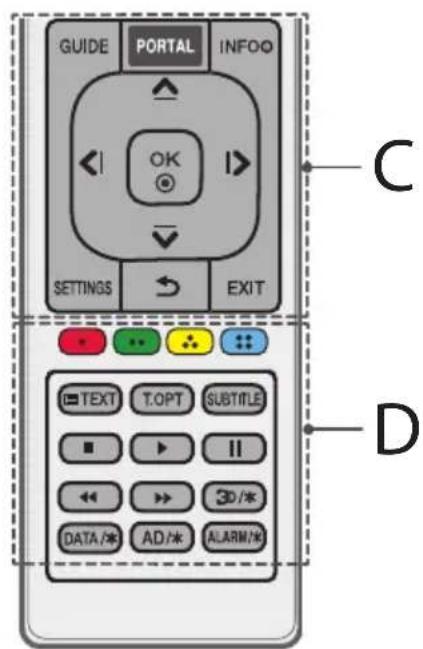
C
GUIDE Shows programme guide.
PORTAL Displays and removes hotel interactive menu.
INFO ① Views the information of the current programme and screen. Navigation buttons (up/down/left/right) Scrol1s through menus or options.
OK ④elects menus or options and confirms your input.
SETTINGs Accesses the Quick Settings.
(1) Returns to the previous level.
EXIT Clears on-screen displays and returns to TV viewing.
D
Coloured buttons These access special functions in some menus.
Red:GreenYellow,Blue
Teletext buttons (E)teSetbortns are used for teletext.
SUBTITLE Recalls your preferred subtitle in digital mode.
Control buttons Colplothe
contents, SmartShare menus or the SIMPLINK compatible devices (USB or SIMPLINK).
3D/* Used for viewing 3D video. (depending on model)
DATA 水 Selects the MHP TV menu source. (depending on model)
AD/* By Pressing AD button, audio descriptions function will be enabled. (depending on model)
ALARM/* Sets the alarm function. (depending on model)
Licenses
Supported licenses may differ by model. For more information about licenses, visit www.lg.com.

DOLBY.
DIGITAL PLUS
Manufactured under license from Dolby Laboratories. Dolby and the double-D symbol are trademarks of Dolby Laboratories.

HIGH-DEFINITION MULTIMEDIA INTERFACE
The terms HDMI and HDMI High-Definition Multimedia Interface, and the HDMI logo are trademarks or registered trademarks of HDMI Licensing LLC in the United States and other countries.

This DivX Certified device has passed rigorous testing to ensure it plays DivX® video.
To play purchased DivX movies, first register your device at vod.divx.com. Find your registration code in the DivX VOD section of your device setup menu.
DivX Certified® to play DivX® video up to HD 1080p, including premium content.
DivX, DivX Certified and associated logos are trademarks of DivX, LLC and are used under license.
Covered by one or more of the following U.S. patents: 7,295,673; 7,460,668; 7,515,710; 7,519,274.


For DTS patents, see http://patents.dts.com. Manufactured under license from DTS Licensing Limited. DTS, DTS-HD, the Symbol, & DTS or DTS-HD and the Symbol together are registered trademarks of DTS, Inc. © DTS, Inc. All Rights Reserved.
Open source software notice information
To obtain the source code under GPL, LGPL, MPL, and other open source licenses, that is contained in this product, please visit http://opensource. lge.com.
In addition to the source code, all referred license terms, warranty disclaimers and copyright notices are available for download.
LG Electronics will also provide open source code to you on CD-ROM for a charge covering the cost of performing such distribution (such as the cost of media, shipping, and handling) upon email request to opensource@lge.com. This offer is valid for three (3) years from the date on which you purchased the product.
Troubleshooting
The software version can be updated for improvement in performance. Customer needs to ensure the compatibility of customer's equipment with LGE software. If needed, please consult with LGE and upload revised software version according to the guidance provided by LGE.
Cannot control the TV with the remote control.
- Check the remote control sensor on the product and try again.
- Check if there is any obstacle between the product and the remote control.
- Check if the batteries are still working and properly installed to to.
No image display and no sound is produced.
Check if the product is turned on.
- Check if the power cord is connected to a wall outlet.
- Check if there is a problem in the wall outlet by connecting other products.
The TV turns off suddenly.
- Check the power control settings. The power supply may be interrupted.
- Check if the Automatic Standby (Depending on model) / Sleep Timer / Timer Power Off is activated in the Timers settings.
If there is no signal while the TV is on, the TV will turn off automatically after 15 minutes of inactivity.
When connecting to the PC (HDMI), 'No signal' or 'Invalid Format' is displayed.
- Turn the TV off/on using the remote control.
- Reconnect the HDMI cable.
Restart the PC with the TV on.
Specifications
Wireless module specification
- Because band channel used by the country could be different, the user can not change or adjust the operating frequency and this product is set for the regional frequency table.
This device should be installed and operated with minimum distance 20cm between the device and your body. And this phrase is for the general statement for consideration of user environment.
C€0197①
| Wireless module (LGSBW41) specification | |||
| Wireless LAN Bluetooth | |||
| Standard IEEE 802.11a | b/g/n Standard Bluetooth Version 4.0 | ||
| Frequency Range | 2400 to 2483.5 MHz5150 to 5250 MHz5725 to 5850 MHz (for Non EU) | Frequency Range 2400 to 2483.5 MHz | |
| Output Power (Max.) | 802.11a: 13 dBm802.11b: 15 dBm802.11g: 14 dBm802.11n - 2.4 GHz: 16 dBm802.11n - 5 GHz: 16 dBm | Output Power (Max.) 10 dBm or Lower | |
| CI Module (W x H x D) 100.0 mm x 55.0 mm x 5.0 mm | |
| Environment condition | Operating Temperature 0 °C to 40 °C |
| Operating Humidity Less than 80 % | |
| Storage Temperature -20 °C to 60 °C | |
| Storage Humidity Less than 85 % | |
| Digital TV Analogue TV | ||
| Television system | DVB-T/T2* DVB-C DVB-S*/S2* | PAL/SECAM B/G/I/D/K, SECAM L/L' |
| Programme coverage | VHF, UHF, C-Band*, Ku-Band* | VHF: E2 to E12, UHF: E21 to E69, CATV: S1 to S20, HYPER: S21 to S47 |
| Maximum number of storable programmes 6,000 | 1,500 | |
| External antenna impedance | 75 Ω | |
- Only DVB-T2/C/S/S2 support models.

HDMI-DTV supported Mode
| Resolution | Horizontal Frequency (kHz) | Vertical Frequency (Hz) |
| 720 x 480 | 31.47 | 59.94 |
| 31.50 | 60.00 | |
| 720 x 576 31.25 | 50.00 | |
| 1280 x 720 | 44.96 | 59.94 |
| 45.00 | 60.00 | |
| 37.50 | 50.00 | |
| 1920 x 1080 | 28.12 | 50.00 |
| 33.72 | 59.94 | |
| 33.75 | 60.00 | |
| 26.97 | 23.97 | |
| 27.00 | 24.00 | |
| 33.71 | 29.97 | |
| 33.75 | 30.00 | |
| 56.25 | 50.00 | |
| 67.43 | 59.94 | |
| 67.50 | 60.00 | |
| 3840 x 2160 | 53.95 | 23.98 |
| 54.00 | 24.00 | |
| 56.25 | 25.00 | |
| 61.43 | 29.97 | |
| 67.50 | 30.00 | |
| 112.50 | 50.00 | |
| 135.00 | 59.94 | |
| 135.00 | 60.00 | |
| 4096 x 2160 | 53.95 | 23.98 |
| 54.00 | 24.00 | |
| 56.25 | 25.00 | |
| 61.43 | 29.97 | |
| 67.50 | 30.00 | |
| 112.50 | 50.00 | |
| 125.00 | 59.94 | |
| 135.00 | 60.00 |
1:OnlyHDMI IN1,HDMI IN2port
HDMI-PC supported Mode
PC audio is not supported
| Resolution | Horizontal Frequency (kHz) | Vertical Frequency (Hz) |
| 640 x 350 31.46 | 70.09 | |
| 720 x 400 31.46 | 70.08 | |
| 640 x 480 31.46 | 59.94 | |
| 800 x 600 37.87 | 60.31 | |
| 1024 x 768 48.36 | 60.00 | |
| 1152 x 864 54.34 | 60.05 | |
| 1280 x 1024 63.98 | 60.02 | |
| 1360 x 768 47.71 | 60.01 | |
| 1920 x 1080 67.50 | 60.00 | |
| 3840 x 2160 | 67.50 | 30.00 |
| 56.25 | 25.00 | |
| 54.00 | 24.00 | |
| 4096 x 2160 | 53.95 | 23.97 |
| 54.00 | 24.00 |
3D supported mode (Only 3D models)
Video, which is input as below media contents is switched into the 3D screen automatically. The method for 3D digital broadcast may differ depending on the signal environment. If video is not switched automatically into 3D, manually convert the settings to view 3D images. For models supporting Miracast / Intel WiDi, you can set the 3D mode.
| 3D supported mode automatically | ||||
| Input Signal | Horizontal Frequency (kHz) | Vertical Frequency (Hz) | Playable 3D video format | |
| RF | 1280 x 720 37 | 50 50.00 | 2D to 3D, Side by Side, Top & Bottom | |
| 1920 x 1080 28 | 13 50.00 | |||
| HDMI | 640 x 480 | 31.46 / 31.50 | 59.94/ 60.00 | Top & Bottom, Side by Side (Half), Side by Side (Full) |
| 62.93 / 63.00 Frame Packing, Line Alternative | ||||
| 720 x 480 | 31.46 / 31.50 | 59.94 / 60.00 | Top & Bottom, Side by Side (Half), Side by Side (Full) | |
| 62.93 / 63.00 Frame Packing, Line Alternative | ||||
| 720 x 576 | 15.62 | 50.00Bottom, Side by Side (Half), Side by Side (Full) | Top & Bottom, Side by Side (Half), Side by Side (Full), Frame Packing | |
| 31.25 Top & 60.00Frame Packing, Line Alternative | ||||
| 62.50 Frame | ||||
| 1280 x 720 | 37.50 50.00 | Top & Bottom, Side by Side (Half), Side by Side (Full) | ||
| 44.96 / 45.00 59.94 / 60.00 | ||||
| 75.00 50.00 | Frame Packing, Line Alternative | |||
| 89.91/90.00 59.94 / 60.00 | ||||
| 1920 x 1080 | 28.12 50.00 | Top & Bottom, Side by Side (Half), Side by Side (Full) | ||
| 33.72 / 33.75 59.94 / 60.00 | ||||
| 56.25 50.00 | Frame Packing | |||
| 67.43/67.50 59.94 / 60.00 | ||||
| 26.97 / 27.00 23.97 / 24.00 | Top & Bottom, Side by Side (Half), Side by Side (Full) | |||
| 28.12 25.00 | ||||
| 33.71 / 33.75 29.97 / 30.00 | ||||
| 43.94 / 54.00 23.97 / 24.00 | Frame Packing, Line Alternative56.25 25.00 | |||
| 67.43 / 67.50 29.97 / 30.00 | ||||
| 56.25 50.00 | Top & Bottom, Side by Side (Half) | |||
| 67.43 / 67.50 59.94 / 60.00 | ||||
| USB | 1080p | 33.75 30.00 | Side by Side (Half), Top & Bottom, Checker Board, MPO (Photo), JPS (Photo) | |
| 2160p | 67.50 30.00 | |||
| Signal | Playable 3D video format | |||
| DTV | Frame Compatible | Side by Side (Half), Top & Bottom | ||
| 3D supported mode manually | ||||
| Input | Signal | Playable 3D video format | ||
| Resolution | Horizontal Frequency (kHz) | Vertical Frequency (Hz) | ||
| DTV / ATV (SCART) | HD / SD -- | 2D to 3D, Side by Side (Half), Top & Bottom | ||
| SD -- | ||||
| HDMI-PC | 1024 x 768 48.36 | 60.00 | 2D to 3D, Side by Side (Half), Top & Bottom | |
| 1360 x 768 47.71 | ||||
| 1920 x 1080 67.50 | 2D to 3D, Side by Side (Half), Top & Bottom, Checker Board, Row Interleaving, Column Interleaving | |||
| 3840 x 2160 | 54.00 24.00 | 2D to 3D, Side by Side (Half), Top & Bottom (half) | ||
| 56.25 25.00 | ||||
| 67.50 30.00 | ||||
| 4096 x 2160 54.00 | 24.00 | |||
| Others -- | 2D to 3D, Side by Side (Half), Top & Bottom | |||
| HDMI-DTV | 720 x 480 31.50 | 60.00 | 2D to 3D, Side by Side (Half), Top & Bottom, Checker Board, Row Interleaving, Column Interleaving | |
| 720 x 576 31.25 | 50.00 | |||
| 1280 x 720 | 45.00 60.00 | |||
| 37.50 50.00 | ||||
| 1920 x 1080i | 33.75 60.00 | 2D to 3D, Side by Side (Half), Top & Bottom | ||
| 28.12 50.00 | ||||
| 1920 x 1080p | 27.00 24.00 | 2D to 3D, Side by Side (Half), Top & Bottom, Checker Board, Row Interleaving, Column Interleaving | ||
| 28.12 25.00 | ||||
| 33.75 30.00 | ||||
| 67.50 60.00 | ||||
| 56.25 50.00 | ||||
| 3840 x 2160 | 53.95 23.97 | 2D to 3D, Side by Side (Half), Top & Bottom (Half) | ||
| 4096 x 2160 | 54.00 24.00 | |||
| 56.25 25.00 | ||||
| 61.43 29.97 | ||||
| 67.50 30.00 | ||||
| 112.50 50.00 | 2D to 3D, Side by Side (Half), Top & Bottom | |||
| 135.00 60.00 | ||||
1:OnlyHDMI IN1,HDMI IN2port
| 3D supported mode manually | ||||
| Input | Signal | Playable 3D video format | ||
| Resolution | Horizontal Frequency (kHz) | Vertical Frequency (Hz) | ||
| USB (Movie) | Under 704 x 480 -- | 2D to 3D | ||
| Over 704 x 480 under 1080p interlaced | - | - | 2D to 3D, Side by Side (Half), Top & Bottom | |
| Over 704 x 480 under 1080p progressive | - 50.00 / 60.00 | 2D to 3D, Side by Side (Half), Top & Bottom, Checker Board, Row Interleaving, Column Interleaving | ||
| - Others | ||||
| Over 2160p - 24/25/30/50/60 | 2D to 3D, Side by Side (Half), Top & Bottom | |||
| USB (Photo) | Under 320 x 240 -- | 2D to 3D | ||
| Over 320 x 240 -- | 2D to 3D, Side by Side (Half), Top & Bottom | |||
| Miracast/Intel® WiDi | ---- 2D to 3D | |||
Photo format
| File Format | Format Resolution | |
| .jpeg, jpg, jpe | JPEG | Minimum: 64 x 64 Maximum: 15,360 (W) x 8,640 (H) / Progressive Type: 1,920 (W) x 1,440 (H) |
| .png PNG | Minimum: 64 x 64 Maximum: 5,760 (W) x 5,760 (H) | |
| .bmp BMP | Minimum: 64 x 64 Maximum: 1,920 (W) x 1,080 (H) | |
| .jps JPS | Minimum: 64 x 64 Maximum: 15,360 (W) x 8,640 (H) | |
| .mpo MPO | ||
1:Only 3D mode
Audio format
| File Format | Item Info | |
| .mp3 | Bit rate 32 Kbps - 320 Kbps | |
| Sample freq. 16 kHz - 48 kHz | ||
| Support MPEG1, MPEG2 | ||
| Channels mono, stereo | ||
| .wav | Bit rate - | |
| Sample freq. ~384 kHz | ||
| Support PCM | ||
| Channels mono, stereo | ||
| .ogg | Bit rate 64 Kbps - 500 Kbps | |
| Sample freq. 8 kHz - 48 kHz | ||
| Support Vorbis | ||
| Channels mono, stereo | ||
| .wma | Bit rate | ~1.5 Mbps |
| Sample freq. 8 kHz - 192 kHz | ||
| Support | WMA | |
| Channels | up to 6 ch |
Video codec
| Extension | Codec | |
| .asf .wmv | Video | VC-1 Advanced Profile (WMVA excluded), VC-1 Simple and Main Profiles |
| Audio | WMA Standard (WMA v1/WMA Speech excluded), WMA 9 Professional | |
| .divx .avi | Video | DivX3.11, DivX4, DivX5, DivX6, XViD(except 3 warp-point GMC), H.264/AVC, Motion Jpeg, MPEG-4 |
| Audio | MPEG-1 Layer I, II, MPEG-1 Layer III (MP3), Dolby Digital, LPCM, ADPCM, DTS | |
| .mp4 .m4v .mov | Video | H.264/AVC, MPEG-4, HEVC |
| Audio | AAC, MPEG-1 Layer III (MP3) | |
| .3gp .3g2 | Video | H.264/AVC, MPEG-4 |
| Audio | AAC, AMR-NB, AMR-WB | |
| .mkv | Video | MPEG-2, MPEG-4, H.264/AVC, VP8, VP9, HEVC |
| Audio | Dolby Digital, PCM, DTS, MPEG-1 Layer I, II, MPEG-1 Layer III (MP3), AAC | |
| .vs .trp ,tp .mts | Video | H.264/AVC, MPEG-2, HEVC |
| Audio | MPEG-1 Layer I, II, MPEG-1 Layer III (MP3), Dolby Digital, Dolby Digital Plus, AAC, PCM | |
| .mpg .mpeg .dat | Video MPEG-1, MPEG-2 | |
| Audio | MPEG-1 Layer I, II, MPEG-1 Layer III (MP3) | |
| .vob | Video MPEG-1, MPEG-2 | |
| Audio | Dolby Digital, MPEG-1 Layer I, II, DVD-LPCM | |
| .rm .rmvb | Video | RV30, RV40 |
| Audio | Realaudio6(cook), AAC LC, HE-AAC | |
| ·This feature is available in certain countries only. | ||
- The number of supported programmes may vary depending on the sample frequency.

Record the model number and serial number of the TV. Refer to the label on the back cover and quote this information to your dealer when requiring any service.
MODEL
SERIAL

Digital Video Broadcasting

y
Jaiuall
y 1
aaiy jll Jl 1000 100000000000000000000000000000
jss aiau eai g aai Iaill sll u nn nnnn nnnn nnnn nnnn nnnn nnnn nnnn nnnn nnnn nnnn nnnn nnnn nnnn nnnn nnnn nnnn nnnn nnnn nnnn nnnn nnnn nnnn nnnn nnnn nnnn nnnn nnnn nnnn nnnn nnnn nnnn nnnn nnnn nnnn

y
y 1
ailllll lllll 1 1 1 1 1 1 1 1 1
a aallll llae y b j 1
0
·
y j 1
jao aibio
·
- 15.2023年4月2日
y 1
1 2
y 111 111 111 111 111 111 111 111 111 111 111
-
-
-
-
-
-
-
-
-
-
-
-
-
-
-
-
-
-
-
-
-
-
-
-
-
- 1
-
-
-
-
-
-
-
-
-
-
-
-
-
-
-
-
-
-
-
-
-
-
-
-
JyI JyI yI yI yI yI yI yI yI yI yI yI yI yI yI yI yI yI yI yI yI yI yI yI yI yI yI yI yI yI yI yI yI yI yI yI yI yI yI yI yI yI yI yI yI yI yI yI yI yI yI yI
Jaiyao 10000000000000000000000000000000000000000000000000000
Jia jiall no g iuall gai yagulll soli aol gai jil 1gai jaiyai yagulll soli aol gai Jia bly Jglia oj 1jay
le jaiyai Jaiyai Jaiyai Jaiyai Jaiyai Jaiyai Jaiyai Jaiyai Jaiyai Jaiyai Jaiyai Jaiyai
y jolaljolaljab1 2 y
a 1 a 1 1 1 1 1 1 1 1 1 1 1 1 1 1 1 1 1 1

()
Jia 111111111111111111111111111111111
aLullll jn lss
jai jia jia jia jia jia jia jia jia jia jia jia jia jia jia jia jia jia jia jia jia jia jia jia jia jia jia jia jia jia jia jia jia jia jia jia jia jia jia jia jia jia jia jia jia jia
C 1111111111111111111111111111111111111111111
aaii
Jgolao 1s y 1y 5 5 5 5 5
ailllll 1000000000000000000000000000000000000000000
yall yjly lgl gag g g gaaill gaaag a
gge jraal plic! gale alll oag g g g
j 100 100 100 100 100 100 100 100 100 100 100 100 100 100 100 100 100 100 100 100 100 100 100 100 100 10
i 1
aaiiie 1jai i jaiil gao yao aaiii jy jaiil
Jocj j 10000000000000000000000000000000000000000000000000000000000000000000000000000
aiee ie iiey"iiey" bai aae aed ie jy eiiill jls 1
j 1 j 1 j 1 j 1 j 1 j 1 j 1 j 1 j 1 j 1 j 1 j 1 j 1 j 1 j 1 j 1 j 1 j 1 j 1 j 1 j 1 j 1 j 1 j 1 j 1 j 1 j 1 j 1 j 1 j 1 j 1 j 1 j 1 j 1 j
aal aaii i algho jaiy
baal j caiol g sial pae jie aie yie g jai
J 1
j 1 j 1 j 1 j 1 j 1 j 1 j 1 j 1 j 1 j 1 j 1 j 1 j 1 j 1 j 1 j 1 j 1 j 1 j 1 j 1 j 1 j 1 j 1 j 1 j 1 j 1 j 1 j 1 j 1 j 1 j 1 j 1 j 1 j 1 j
i 1
Jalil 1 Jalil 1 Jalil 1 Jalil 1 Jalil 1 Jalil 1 Jalil 1 Jalil 1 Jalil 1 Jalil 1 Jalil 1 Jalil 1 Jalil 1 Jalil 1 Jalil 1 Jalil 1 Jalil 1 Jalil 1 Jalil 1 Jalil 1 Jalil 1
(S)
y 1
y 1
i i
J 1
aaiiaaiiie
$$ \therefore \text {H D M I} \text {J u s p a r a t e d} $$
$$ \text {H D M I} \left(\frac {1}{2}, \frac {1}{2}\right) \text {(1)} \text {(2)} \text {(3)} $$
HDMI 50
(1)
aaii aaii ci iiaie
TM JSL - (Jai jai 3).GraH
TM 1s -Ethernet
(3)
4.11 !
Jg, aLdl jiaial 2a 1 g
aill 1
y
S OBC = S COD + S_ BOC
1
Jaiy 1 aaii 4 g jiljll Jalal
jua chw j peli jduy albaia jlg bgc
a|b|c|d|e|f|g|h|i|j|k|l|m|n|o|p|q|r|s|t|u|v|w|x|y|
jai jaii 1
Jy j 1j y j gaiy (Auiu
A

Jalg jalil Jaa Jaaia Jaiy bai yjaiy
aiai jaiil aill lal yll ocl jy jy alao jaiill jai sic jaiill gnioc jaiill jaiill jaiill jaiill jaiill jaiill
y 1 y
4
j j jll p aai jia i d. bdd cjl jll jao co cldg oia Jaa
alao j gaiinall jaliil Jg 4j
1
m = 311
a
- = 0.
Cil yalall gobilall ic ciill wg gao gblg 1 jali lalll a
3 bilal
aJll 1c aol all JsS. gJbWgJy Sjwll
4 !
| - | = | a^ - b^ |
.4
J 1
S OBC = S COD + S_ BOC
()
e 1 j j j j j j j j j j j j j j j j j j j j j j j j j j j j j j j j j j j j j j j j j j j j j j j j j j j j j j j j j
aill lll 10j: a o jaiil a i 10j 10j 10j 10j 10j 10j 10j 10j 10j 10j 10j 10j 10j 10j 10j 10j 10j 10j 10j 10j 10j 10j 10j 10j 10j 10
45
jidiill iiaio jji
J 1 J 1 J 1 J 1 J 1 J 1 J 1 J 1 J 1 J 1 J 1 J 1 J 1 J 1 J 1 J 1 J 1 J 1 J 1 J 1 J 1 J 1 J 1 J 1 J 1 J 1 J 1 J 1 J 1 J 1 J 1 J 1 J 1 J 1 J
a
ULTRAHD 13
L 12
g
RF 5 p1211y blll 5c yg yag jalil 75
3.2015 2014
aannn nnnn nn nnnn nnnn nnnn
Dolby, MPEG: HeAAC, Dolby Digital Plus, Digital ULTRA HD) ULTRA HD (Jb)
J 1 J 1 J 1 J 1 J 1 J 1 J 1 J 1 J 1 J 1 J 1 J 1 J 1 J 1 J 1 J 1 J 1 J 1 J 1 J 1 J 1 J 1 J 1 J 1 J 1 J 1 J 1 J 1 J 1 J 1 J 1 J 1 J 1 J 1
·a#!
.USB jj 1
.
RF J5 75 aag
. .
.
.
.
.
.
.
.
.
.
.
.
.
.
.
.
.
.
.
.
.
.
.
.
.
.
.
.
.
.
.
.
.
.
.
.
.
.
.
.
.
.
.
.

G
(baa (sclll)Satellite gag jaiy jiljal) plisily sclllnssg ciaaegcnae jajlill Jusy 75 aag y cllll y
Euro scart
(j)
jll jlll g (aegal) o jgal lclal
PCMCIA CCI Jn .PCMCIA
45
·
Cll pbi jia Jua C+ CAM
gail gilwai jia glui
山
Jai/1cJ 3.3 GPIO
yjssall aalll 32g
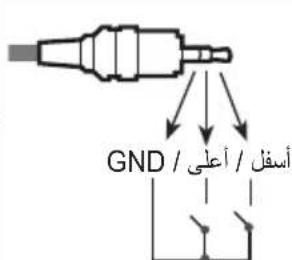
jgl jgl jgl jgl jgl jgl jgl jgl jgl jgl jgl jgl jgl jgl jgl jgl jgl jgl jgl jgl jgl jgl jgl jgl jgl jgl jgl jgl jgl jgl jgl jgl jgl jgl jgl jgl jgl jgl jgl jgl jgl jgl jgl jgl jgl jgl jgl jgl jgl jgl jgl
HDMI

: HDMI ULTRA HD Deep Colour
50/60 4K (J) On -
(4:2:0 4:2:2 4:4:4)
J 151 J 151 J 151 J 151 J 151 J 151 J 151 J 151 J 151 J 151 J 151 J 151 J 151 J 151 J 151 J 151 J 151 J 151 J 151 J 151 J 151
.LGE
aiee aee eae eae eae eae
e 100
DivX Certified
DivX
J 1
gao 1 jai jia Jn Jn Jn Jn DvX
Divx.com
jiaol 1 aai jao VOD

y
DivX Certified
1080p
- no bilal y 89 ball jiān 64 kù 2 gè yu 10.
DivX Certified, DivX
DivX, LLC
7,515,710 7,460,668 7,295,673
Automatic Standby 7,519,274
aBb b
Sleep Timer / (jll) (
() Timer Power Off / (m)
. (C) Timers 1
15 1
blui jui li
2" (HDMI)
"zil
For DTS patents, see http://patents.dts.
com. Manufactured under license from DTS
Licensing Limited. DTS, DTS-HD, the Symbol,
& DTS and the Symbol together are registered
trademarks of DTS, Inc. © DTS, Inc. All Rights
Reserved.
m = 1 或 m = - 1
.HDMI
jilil jyLioie gaii jiaai li
1
4.5LwD12 32gdl C
a 1
S OBC = S COD + S_ BOC
- clauo jao jai 20 aie aie gajll
CE0197
aallll lallll lallll lallll lallll
Miracast / Intel® WiDi
2
For DTS patents, see http://patents.dts.com. Manufactured under license from DTS Licensing Limited. DTS, DTS-HD, the Symbol, & DTS and the Symbol together are registered trademarks of DTS, Inc. © DTS, Inc. All Rights Reserved.
For DTS patents, see http://patents.dts.com. Manufactured Inférieure à license from DTS Licensing Limited. DTS, DTS-HD, the Symbol, & DTS and the Symbol together are registered trademarks of DTS, Inc. © DTS, Inc. All Rights Reserved.
For DTS patents, see http://patents.dts.com. Manufactured under license from DTS Licensing Limited. DTS, DTS-HD, the Symbol, & DTS and the Symbol together are registered trademarks of DTS, Inc. © DTS, Inc. All Rights Reserved.
For DTS patents, see http://patents.dts.com. Manufactured under license from DTS Licensing Limited. DTS, DTS-HD, the Symbol, & DTS and the Symbol together are registered trademarks of DTS, Inc. © DTS, Inc. All Rights Reserved.
For DTS patents, see http://patents.dts.com. Manufactured under license from DTS Licensing Limited. DTS, DTS-HD, the Symbol, & DTS and the Symbol together are registered trademarks of DTS, Inc. © DTS, Inc. All Rights Reserved.
For DTS patents, see http://patents.dts.com. Manufactured under license from DTS Licensing Limited. DTS, DTS-HD, the Symbol, & DTS and the Symbol together are registered trademarks of DTS, Inc. © DTS, Inc. All Rights Reserved.
For DTS patents, see http://patents.dts.com. Manufactured under license from DTS Licensing Limited. DTS, DTS-HD, the Symbol, & DTS and the Symbol together are registered trademarks of DTS, Inc. © DTS, Inc. All Rights Reserved.
CeTeBa BUNKa CnyKNT DnI OTKNUOeHnYcTPOcTBa.BUNKa DOJXHa OCTaBaTbCnnpaBHO.
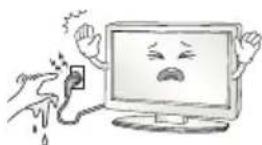
He npkacaiTecb K BNIke MOKpbIM pykAMn. Kpome TOrO, ecnn shyprBnaXhbi NnN NOKpbIT nbIbIO, KaK CneNyET npocuWite BnIKy ninn COUHpyaNbIb. N36bTOOHAR BlraFMOKeT npNBecTN K npopaxHeHIO 3JIeKTpuueckm TokOM.
P03ETka, K KOTOPON NOKJIIOUaETcY cTPOINCTBO, DOnKHa 6bITb 3a3eMJIeHa (KpOme He3a3eMJIeMbIX YcTPOINCTB). B nPoTnBHOM Cnyae, BO3MOxH0 NopaxKeHne 3JIeKTPnueCKN M TOKOM INI INHAR TpaBMa.
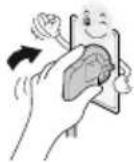
IIIOTHO BCTABJIte Ka6eJIb NITAHN B pa3beM. EcII Ka6eJIb NITAHN BCTABJIeH HENILOTHO, MOKET BO3HNKHYtB IOJap.
Ka6eIb NITaHn He DoJIxHe COnpNkCaTbCc TAcKIMN PpeMetAm, KaK HArpeBaTeIi. 3To MoXeT npBecTu K NoXkapy IIn NopaxKeHHIO 3JIeKTpUueCKM TOKOM.
He cneyuET CTaBtB TAgKeIbe npEIMeTb IIN cam TeLeBu3Op Ha UHyp NITaHn. 3To MoKTe npUBeCTN K NoXapy INN NopAkeHIO 3JIeKTPuueCKM TOKOM.
Bo n36exaHHe I nonadHn DOxDeB0 B0bI no aHTEHOMy Ka6eIO, ero cneYET BBODITb ChapyKn 3daHn B NOMEueHne CHN3y BBeP. InonadHHe BObI BHyTp b yctpoCTBa MoKeT npBecTu K erO nobpeXdEHIO nopaxeHHIO 3JIeKTPNueCKM TOKOM.
PnMOHTaKe TeneBn3OpHa CTeHy CNeIyEt y6eIITbcra, YTO TeEbn3Op He BnCt Ha Ka6eIe NITAHN I CnHbHbIX Ka6eIax. 3To MoKET cTb npuHnHO NoXapa nnnpaXeHn EJIeKtpueeCKM TOKOM.
He noKIOUaTe CNIuKOM MHOro 3NEKtpuecknx yCTpoiCTB K OJHO pO3ETKe Ha HeCKoJIbKO nTope6nTeNe. To MoKeT npJBecTu K BO3rOpAHIO No npuHne nepepeBa.
PnnoKIOueHmBHeuHxUCTB CNEIte3a TEM,HTO6bI TeNEBUN3Op He ynaHnHE ONPOKHync.3TO MoKET PnBECTN K HaHeceHnBAM TpaMbI Hn NOBpeKDeHnTeNEBUN30pa.
Дерхиerte BlafoHepnoHuaeMbI ynaKOBouHbI MaTePnAn I BnHIOBByO ynaKOBky B MeTe, HeIOCTyINHom dJa DeTei. BnarOnrIoUaHmMaTePnAn MoKeT HaHeCTu Bpe np nporNaIbBAHN. PnCnyaHOM nonaHaHm MaTePnAna BHyTpB opraHIma, CneJyET Bbl3BaTb y NoCTpaDaBWeRo pBOTu N o6paNTbcR B 6nHexaIwe MeDyUpeXdHeHne. KpOme TOrO, BnHIOBay ynaKOBka MoKet PnpBeCTN K UdyUeHNIO. DePxNiTe ee B HeIOCTyINHom dJa DeTei MeCTe.
He papewaute TnTAM 3a6npatbca nnn depkaTbca 3a TebeN3Op. Teebn3op MoKet ynaCTb, YTO MOKeT npNBecNT K TAnKeBm TpaBMam.
YTNIN3NpyntncnOb3OBaHHbIe 6aTapeHdoJXHBIM 06pa3OM n CNEIHTe 3a TEM, YTO6bI DETn HE npOrIOTNI INx. Ecnn 3To npOn3oNo, HEmEneHNO 6paTNTecb 3a MeduHckn POMouBIO.
Korda Ka6ebIb NITAHIN BCTABNEH B PO3ETKY, He BCTABJIte npOboHNK (HaNPIMep, MetaJIINueCKyIO CnNcY) B DpyroI KOHeU Ka6eJI. KpOme TOrO, He pPikacaiTecb K DpyrOmy KOuY Ka6eJIra NITAHIN, Korda Ka6ebIb BCTABNeH B PO3ETKY. Bo3MOxHNO nopaxKeHne 3JIeKTpuCckm TokOM.
He pa3MeaIte n He xpaHITe rOIOue BeIeCTBa OKoN oYcTPOiCTBa. 13-3a HeocToPoxHOro O6paUeHHn C rOpIOuHMn BeIeCTBaMn MoKet B03HNKHyTB B3pbIB WII NOxap.
He poHnIte BHTpb yCTpOcTB MaTALNueckne npEmdTeB (MOHtbl, 3aKoIKN DnRA BOLOC, CmUcbl, KcCKn PPOBOda NT.I), a TaKKe JERKOBCPNaMeHIOUeCA npEmdTeB (HaNPIMep, 6yMaRy nn CnUKN). CneDyET BHMATEbHO CNEITb 3a DeTbMn, KOrDa OHn HAXOJrTa B6nn3u yCTpOcTBa. Bo3MoXHo nopaxKeHne 3JIeKTPnueckm TokOM, Noxap NIN NHBle TpaMbI. EcnB yCTpOcTB Ononan NOCTOPOHn IpeDMet, OTcoEHNHTe Ka6eNb NITAHn IN o6paNTeCb B cepBnCHbl ueHTp.
He paCnblIyIe BOy Ha yCTpOiCTBO H He OUYIaIe erO rOpUOUMB BeIeCTBaMn (6eH3IN NIn PaCTBOPTeJIb). Bo3MOxHO nopApaeHne 3JIeKTPuueCKIM TOKOM NIN NoXap.
He onnyckaiTe ynapOB no yctpoiCTBy n nonaHaHnNoctopoHHnx npedMeTOB BHytpb yctpoiCTBa, He cTyuIte No ekpaHy. Hec6bnIOeHne 3THX MEP npeoCTOPOXHOCTMOxET pINBEcTn K HaHeceHIO Bam TpaMbI INI NOBpeJDeHIO yctpoiCTBa.
He npKacaiTecb KycTpOciCTBy nAn aHTeHBe BO Bpemrpo3bl. Bo3MOxHO nopajKeHne 3nEKeTpuceKIM TOKOM.
He npikacaiTeB K cteHHoI po3eK B clyae yteKn r3a. OTKpoTe OKHa I npOBetPitne NOMEeHne. NCKpa MoKcT Bb3BaTb NoXap, N Bbl MoKcTe NOLyUHTb OXor.
He cneyuET caMOCTOaTeNbHO pa3bnpaTb, pmoHTnPOBaTb
m MoDnHcNUPoBaTb ycTpoIcTBo. Bo3MoXHo nopaxKeHne
3NeKTPuueckm TOKOM mnoJoxap.
Длп поверкн, калбровки плpemoHTa устpoиCTBa o6paцайТecьВ срвсын сеHTP.

Ecn npn30nET YTO-n6o n3 nepeuHcneHHoro, HEmeJHHeO TKNIOHTe yCTPOCTBO O TNeKTPocetn U o6paTntEcB CepBNCbH ueHTp:
- UcTpoIcTBo 6bIIO NOBBePHyTO 3JIeKTPnueckOMy pa3pIyD.
- UcpoNCTBO 6bIIO NOBpeXdeHO.
ByctpoCTBO nonanIOCTOPOHHmI pEmTbI. - Ⅲ yctpojCTBa IeI DbIM WnI CTpaHHbI 3aNAx.
3To MoKeT npBecTeK N ToXapy IIn NopaxeHIO 3NeKtpueckm TOkOM.
EcnBbHe Co6napeTeCb NlB3OBaTcB yCtpoiCTBOM B TeeHne
IInTeBHoro BpeMeH,OTcoeHNHTe OT Hero Ka6JIb NITAHNA.
IbIb IIN Blara, MOrY CTaTb PnUHHoYteuKN ToKa HApUSeHna
I30JIuN, YTO MoKet PnBecT K NoXapy IIN NopaxKeHIO
3JIeKTpuCeCKM TOKOM.
Ha yctpoCTBO He doJXHbI nonaTaB KaNN JxuKoctu nn 6pb3n. HeIb3ra TAKKe CTaBtB Ha HrO npEaMeTb, HAnONHeHHbIe JxuKoCTbIO (HanpImep, Ba3bl).
He yctaHabnBaIte 3To yCTpoiCTBO Ha CTeHy, rDe OHO MoKet 6bITb noDBepKeHo BO3deNCTBnIO MaCnIbIX napOB (HaNPmEp, Ha KxHe, pIOM C PIIuTo). 3To MOKET NOBpeiNTb yCTpoiCTBO I npNBecT N K ero naJeHIO.
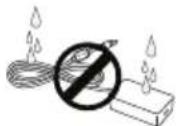
EcnB yctpoiCTBO (Hanpimep, aadantep nepemehnHO ToKa, Ka6eNb nTaHn, TeeneB3Op) nonaTe BODa nn Dpyroe BeuecTBo, OTKIOUHTe Ka6eNb nIITAHN H HeMeDInEHo 0bpaNTecb B cepBnCHb ueTp. B npOTNBHom Cnyae 3TO MOKeT npINBeCTN K NoXapy nn NopaxHeHIO 3JIeKTPuYeCKM TOKOM.
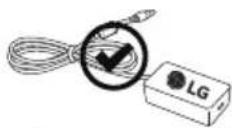
IcnoB3yTe TOnbKO Oo6peHbIe KOMnAHne LG Electronics aanTep nepemehoro ToKa I Ka6eJIb NITaHry. B IpOTNBHom Cnyae 3To MoKET npuBeCTN K Noxkapy, NopaxKeHIO 3NeKtpueckm TOKOM, NOBpeXdEHIO INI DeOpMaUIN UCTPOJCTBa.

Hikorda He pa36upaite aadantep nepemehoro Toka Ka6ebn nTaHn. B npotubHom clyae 3TO MoKET npmbctN K noxapuy nOpaxeHIO 3JKeTpuueckm TOkOM.

BHIMAHHE!
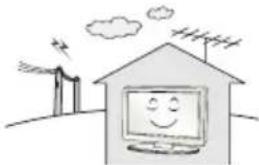
YCTAHOBITYE YCTPOINCTBO MMeTe, Tne HET paHIOHOMEx.
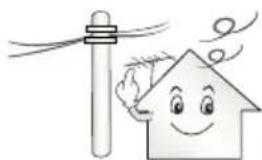
CneyuT oecneuMb DoCTaTOHoe paCCToHHe Meky HapxHoH aHTeHHo N Ka6eIeM nITAHn BO u36eKaHHe ux cOpNKOCHOHn dAke B Cnyae NaDeHn AHTeHHbl. 30 MoKet npNBecTN K nopaxHeHIO 3NEKTpuueckm TOKOM.
He yctaHaBnBaIte yCTpoiCTBO Ha HeyCTOuNBbIe NONK INHn HAKIOHbIe NOBepxHOCTn. TaKKe CNeJyET N36eRaTb MeCT, rDe yCTPOICTBO NODBepraTeCBA6paunAM, INN MeCT C HENONHO ONOPOI. HecobJeHne Yka3aHHbIX Mep IpeIOCTOpOXHOCTm MOKe TnpVBcT K TOMY, YTO yCTPOICTBO YnaTeT INN NepeBepHEcTc, YTO MOKeT NOBHeCb 3a cObo HaHeceHne BaM TpaBMbl INN NOBpeXdHne yCTPOICTBa.
Pny uYCTAHOBKe TENEBU3Opa Ha NOCTABky HxKy NpEePiNHTb Mepbl no npEoTbpaueHIO ero onpOKuDbIbAHn. Pny HecO6NIoDEHN yKa3aHHbIX MEP npEoocTopoxHOCTHyCtpoiCTBO MoKet yNaCTb, YTO MOKET pINBecTI K HAHeCEHIO Bam TpaBMbl.
Ecn Tpe6yetc3aKpEnntb yctpoCTBO Ha CTHe, yCTaHOBtceTahdapthoe VESA-KpEnHne dIg MoNTaKa Ha CTHe (DOnONHHTeNbIbIe IeTaII)Ha erO 3aHNe NaHEn. Pnp yCTaHOBKe yCTPOCTBa Ha CTHe C NOMOsbIO KPOHITeHa dIg HAcTeHHoro KpENHeNn (DOnONHHTeNbIbIe IeTaII)HaJeXHo 3aKpEnnte erO Bo n36ExAHne naHEny yCTpoCTBa.
IcnoB3yTe TOnbKO KpenJIeHn-/akceccyapbl,peKomeHdoBaHHbe n3rTOBHTeEM.
IyCTaHOBKn aHTeHHbI o6paTntecb K KBaIIuΦnUpoBaHHOMcneuaJIncTy.CamocToTeHbHa YCTaHOBKa MoKET npVBecn K noKapuynn nopaxHeHIO 3JKeKTPnuCeKN TOKOM.
Pn npocmtpe TeneB30pa peKomeHnyetc co6nOdaTb paCtOHNHe, paBHoe He Mehee 2-7 daRaHOHaAM eKpHaTe neB30pa. IpocmTp TeneB30pa B TeueHne dInTeNbHO BpeMeHH MoKeT npNBecTN K CHNKeHIO OCTpoTb 3peHna.
IcnoB3yTe TOnbko yka3aHHb Tn6bTapeH. Heco6JIOHeHne 3TOrTope6OBAHm MOKeT pNBECTK NOBpeXDeHIO NybTa DY.
He nCnoB3yIte HOBIIe 6aTapeu BMeCTe CO CTapbIMN.3To MoKET npNBecNT K NepeRpeBy N npoteUkAM 6aTapei.
3JIeMeHTbI NITaHnHe DoJXHbIOBBePaTcHArpeByOT npMbx COHHeHbIX Nyue,OrHnNnEJIeKtpuecknx O6OpeBaTeen.
He BCTabnIte Henepe3apJXaEMbI eJIeMeHTbl NtAHN B 3apJHoe yCTPOINCTBO.
Mexky npbTom Dy n DaTnKOM He DoJxho 6bItb HnKaKnx npedMetOB.
CnHAn OT NylbTa DY MoKet 6bItb NoaBHeN CoNHeYbIM CBeTOM INI INpyHM NCTOuHnikom npKO rCBeta. B3OM CNyue B KOMHaTe CJIeNyET CEnaTb CBt MeHee JPKM.
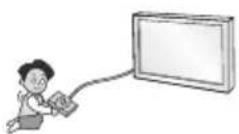
PnnoKIOH H BHeHNx yCTPOCTB, TAKHX KAK MRPOBBIE KOHCOIN, y6eINTecbBTOM, YTO NOKIOHaeMbIe KaEBN NMeOT DOCTaTOHYO dHHy. HAHe yCTPOCTBO MOXET yNaCTb, YTO pNBeTe K HaHeceHIO BAM TpaMBI INI NobpeKeDeHIO yCTPOCTBa.
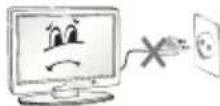
He cneuyET BKNIOUaTb/BblKIOUaTb TeneBn3Op, NOcOeHNHnI INN OTOeINHnBUNy OT HAcTeHHoP03eTKn (He nCNOJb3yIte BNkNy IINBKNIOUeHn). 3TO MOKeT CTaTb PnPHHOm MEXAHueCKOrO OTKa3a INN Nopaxhenr 3NeKTPnueckm TOKOM.
Co6IIOdaTe INCTpyKcnn No yCTAHOBKe, npuBeEHbIe daJIee, TTo6bl npEoTbPaTb nepepeBvCTpoiCTBa:
PacctoHme MeKdy TeJIeBn3OpOM u CTeHOJ DoJIxHO 6bITb He MeHee 10 cm.
He yctaHabnBaIte yctpoiCTBO B MeCtax 6e3 BeHTnlau (HaNPmep, Ha KHNKHOJ NOJIke NINB CepBaHTe).
He yctaHabnBaIte ycTpoCtBO Ha KOBep mI npDyKy.
- Y6eIITecb B TOM, qTO BEHTnlaQIOHhBIE OTBepCTMa He 3aKpbTbCKaTePbIO HJU WTOPOI.
B npotmbom cnyae, moKet npon30Tu Bo3ropaHne.
He npikacaiTecb K BeHTnlaIOHHbIM OTBepCTNm npnpocmotpe TeIeBu3Opa B TeueHne DOIroTO BpEmH, NockoJIbKy OH MOrTy CInbHO HarpeTBc. 3To He BnAeT Ha pa60Tu nn npou3BOJTeNbHocTb yCTpoCTBa.
IepnoDnueckn OcmatpmbaTe Ka6nb yctpoCTba N Cnyae BNDMoro n3HocA mN NOBpeXdEHHB BbHbTe erO u3 p03eTKu 3aMeHNTe Ha Ka6b, peKoMeHNObAHbI ABTOPI3OBaHHbIM CneuaHNTOM no 06CnyKbAHNo.
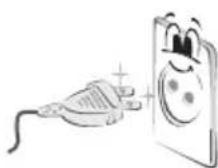
He donyckaIte cKoJIeHnIbIIN Ha KOHTaKTax pa3beMOB nIiHa pO3ETke.3To MoKeT npUBeCTN K noXapy.
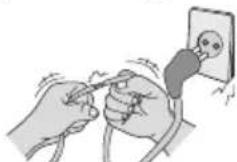
He donyckaIte fni3nueckoro nnn MexaHueckoro BO3deCTBna Ha uHyp 3neKtpoNTaHn, a mEmHo nepeKpyuBaHn, 3ab3bHaHn, nepernbHn uHypa. He 3axmMaTe uHyp dBepbU n He hactynaTe Ha Hero. O6paauTe oc06oe BnHMaHne Ha BnKn, HacteHHbIe po3eTKn I TOUK CoeINHeHn IpOBOda C cytPoNCTBOM.

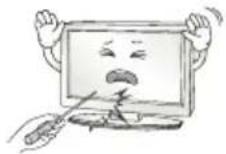
He haxmuTe CnIbHO Ha naHEnb pyKo nnOCTpbIM npEmdetOM (rbo3dEm, kapaHaDawom nnpyko). He napanaTe naHEnb.
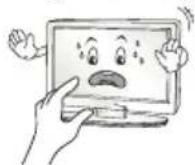
CTapaTecb He npKacatbca K ekpaHy n He depXaTb Ha HEM naBcbl TeueHne npOJnxTeNbHor nepNoDa BpeMeHn. 3To MOKeT BbI3BaTb BpeMeHhble NCKaxKeHnHa 3KpaHe.
PnUcTKe yCTpoCTBa n erO KOMnoHEtOB, Chayana, OTOeHNHTe BUNKy UHpya NITAHnA OT PO3eTKu, a 3aTeM npoTpIte yCTpoCTBO MArKoN TKAhBIO. PnpmeHeHne u36bIToCHbIX ycNIM MoXeT PpNBecTN K NOBLeHnIO capaunN ININ ObecuBeHBAHHIO NOBepxHOCTN. He paCbIyIe BOy n Hne pOnIpaIte yCTpoCTBO MOKPOI TKAhBIO. HIKoRda He NOp3yIteCb OuncTInTeJAMN dJa CTeKoI, ABTOMO6NlbHbIMN ININ IpOMbIJIeHHbIMN IONIpONAMN, abpa3NHBIMn CpeCTBaMn ININ BOCOM, 6eH3OLOm, CNIPrOM T.N.I. KOtOpBle MOYr NOBpeNTB yCTpoCTBO n erO NaHEnb. HecO6NHOHeHne YkazAHbIX MEP npedocTopoXHOCTn MOXeT npUBcETN K Bo3rOpaHHIO, NOPaJHexHIO JIeKTPueeCKIM TOKOM ININ NOBpeXDeHnIO yCTpoCTBa (deOpMaun, Kopp03nn ININ NOnOMKe).
EcnyycpoTbNOdknloyeHoKpo3eKepeMeHHoroToKa,OHOHe OTKIOUaETcO NTOChOnHnKa PHTAHNNEpeMeHHoroToKa,DaJKe npBbIKIOUeHN C NOMOsbI OpeKIOUaTeN PHTAHN.
OTKnIOUa np6Op OT 3JIeKtpuecko pO3ETKn, 6epNTecb pyKo 3a BuNKy.
OToeHHeHne npoBIOB BHyTpN Ka6eMa MoKeT npNBecn K Bo3rpaHIO.
Pn nepemeuen yctpoinCTBa Chayana y6eHntecb TOM,TO OHO OTKIOUeHOOTcEN.3aTeM OTcoeHNHTe Ka6eIN NITAHN, aHTEHbIe Ka6eIN N OCTaJIbHBe NOkNIouaemblc Ka6eIN.
TeneBn3Op nI K6eIb nITaHnM OryT 6bITb NOBpeXeHbI, YTO MOKET CO3DaTb ONaCHOCTb BO3rOpaHn IIN NopaxKeHn 3JeKTpuYeCKIM TOKOM.
IpepeeHne nn pacnakOBky yctpoiCTBa cneJeT npOn3BOaNTb DByM IIOJAM, T.K. OHO TAgKeNoE. HNaue Bo3MOxHo NOnyueHne TpaBmbl.
Pa3B rOJ OTaBAIte yCTPOINCTBO B cepBnCHbI CEHTP DnA YNCTKn ero BHyTpeHHnx qACTe. HAKONWBaaCn PbJIb MoKET npNBecTN K MexAHmecKOmy NOBpeXDeHIO.
IIO6oe 06cnyxmbaHne DoJXhbl npOn3BOuNTb KBaIIuΦnUPOBaHbIe cneuaanctbl. 06cnyxmbaHne Tpe6yeTc, KOrda yCTpoiCTBO 6blno nobpekeJeHO KaKIM-Im6o 6bpa3OM (NobpeKeH Nk6bNtAHn HIN BnKa, IpOJIta KnKoCTb, BHyTpB NpAn NocToPOHHN IpeMeT, yCTpoiCTBO NOcTaJaIO OT DoJXdN INBn BnA, YCTpoiCTBO He pa6oTaET dONXhbl 6bpa3OM, INI erO yPoHN).
Ecn yctpoCTBO KaKETcXoIoNbIM Ha Ouynb, npn erO BKIOueHn BO3MOxHO He6oBbOe MepuaHne.3To HopMaIbHoe ABLenHe, C yctpoCTBOM Bce B nopAKe.
KK-naneB-3TO BbICOKOTExHOrOHyoe H3dEne C MaTpue c pa3peeHnem ot 2do6MmIIOHOB NIKcene.Ha naHeN MOryt NOBtBcMe NKNe YepHbte TOCKN/INRpKne ZBeTHbte TOck (KpaChbie,CNHNE INN 3eJeHbte) pa3Mpom 1 ppm.3TO He ABJAreTc HEcnpaBHocTBIO HbNraET Ha pOn3BODHTeHbOCTb HAdexKHOCTb yCTPOCTBa.
3Ta npo6Iema TaKke BCTpeaETcB CTOpOHHX npOyKTax N He AIBIeTc NOBOOM IIN O6MeHa INI DeHxHO Ro3MeueHn (DeHxHNO KOMnEcaun).
B 3abucnmoCTHOT MeCTa npocmotpa (CneBa/cnpaba/Cbepxy/chn3y)
ApKoCTb NCBETHOCTb NaHeIM MoKeT N3MeHrTaCBA.
3TO pONCXODIT BBND OOCeHHOCTe CTPOeHIN NaHeIN.3TO
He CBraHO C pON3BOIDTeNBHOCTbIO YCTPOiCTBa N He ABnReTCa
HeCNpapBHOCTbIO.
0To6paXeHne CTaTHHO rN3o6paXeHn IINTeNbHOe BpeMa MoXeT npBecTu K NOBHeHIO OCTaTOHoro N3o6paXeHn.
I36eraute OTo6paXeHn HEnOdBHXHOr N3o6paXeHn B TeueHne dInTeNbHO rBpeMeHn Ha TeneBu3ope.
3BykN, n3daBaemble yctpOiCTBOM
Tpeck: KOtOpbMoXHOyCblIaTaB npn pOcMOrpe NIN BbIKNoeHN TeneBn30pa, Bbl3BaH TeNIOBbIM CkATmE MIIaCTnKa B pe3yNbTaTe N3MeHeHr TEMpePaTypBI IN BlaxHoCTN. DaHHb Iwym ABJIaETc8 O6bUHbIM ABLneHHeM npn NCNOB3oBAHm INpoDyKTOB, NOdBepKeHHbIX TEMpePaTyPno DeOpMaun.
IydeHne 3eKtpuecko een/KyXkaHne naHn: n3 BbICOKOCKOPcTHo KOMMyTaUHOH CXEmbl yCTpoNCTBa MoKeT NcXoNTb Tuxm Wym, 6Opa3OBAHHb npn IpOxoxKeHN 60JIbWoTO Ka, Heo6XoDMoro dna pa6oTb yCTpoNCTBa. 3To 3aBNCUT OT ycTPOINCTBa. DaHHb 3Byk He BnAeT Ha pa6oTy n HAdexKHOCTb npodykta.
He nCnoB3yIte 3JNEKTPoN3dEINBA BICOKO Ro HAnpXeHNBa6n3n TeneBu3Opa (HaNPmep, 3JNEKTPuYeCKyIO MyxO6OyKy).Bpe3yIbTaTe yCTPOCTBO MOKeT 6bITb NOBpeXKeDeHO.
PpHaJneKHOCTn, npNo6peTaembIe OTdelenbHo
OTdIbHbIe 3IeMeHTbI KaTalOra MoYr 6bItb N3MeHeHb IINMOnuNcPobAHbI 6e3 yBeOMnEHHa.ДЯ npNo6peTeHHa 3TNXPnHaJIeXKHOCTeO6paTntEcB KДIepy.ДaHbIe YcTpoiCTBa pa6oTaOTToIbKO C COBMeCTUMbIMMoDEJAMn.Ha3BaHne MoDEII INIe KOHCTpyKUIMMOKeT N3MeHArbC B 3aBcUmOcTn OT ΦyHKUHOHaJIbHbIXOBHOJIeHH,peSeHHa PpON3BODInTeJI INIOT ETOIINTKN.
(B3aBcMocTnOTMoJeN)
| AG-F***3D-очkin | AN-MR600Пульт ду Magic |
| Сayндбар LG |
06cnyxmbaHne
OuInCTKa TeIeBn3opa
Дя coхpaehnna npebocxodho Kauectba n3o6paxeHHN I dIITeIbHOrO cpoKa cnjx6bl npOyKta Heo6xoJMo perynapHO uCTNTb TeJeBu3Op.
- Peped oucntKoT TeleBn3Opa BbIKIOUHTe NITAHne NOTKIOUHTe UHyp nITAHN INpyrue Ka6eni.
Ecn TeIeBn3Op He nCOnb3yeTcB TceHne nnTeNbHorOBpeMeHN,OTKInOHTe 1hUP NITaHn O T pO3eTK, YTO6bI N36ExKaTbNOBpeXeHn I3-3a pa3paJa MoHNn INn cKaUcHa HnPaJKeHn.
3KpaH, naHenb, Kopnyc n ochobahne
IydaenHnNbnnnHe3HaHTebhBix 3aPra3HeHm NcnoB3yTe cyxyu, uCTyU nMaKyU TkaHb.
IydaenH3aHTbHbIX 3aTpaHHeHn npToHpTaNEOBepxHOCTb MTKoN TkaHbIO,CMoehHO B uCTO BOe NIM MfKOM paCTBOpe MOUeO cpeCTBa. Pocne 3TOrO cpa3y JKe npOTpuTe kpan n pAMky cyXoTKaHbIO.
Bcerda n36eraIte KacaHna 3KpaHa, TaK KaK 3TO MoKET pINBeCTN Kero noBpeXdEHHO.
He haxmaite, He tptte Hne 6eHte NIO NOBepxHOCTN HOITAM INIO OCTpbIMn IpeDMeTAM, TaK KaK 3TO MOXET PnIBcTe NK IOABJIeHIO UapannH Na 3KpaHne NCKaKHeHIO 1306paKeHna.
He nCnoIb3yIte XmMnueCkne BeUeCTBa, TaK KaK 3TO MoKcET npVBecT N NOBpeKdHnIO NOBepXHOCTN.
He HaHocite KnIKKoCTb HenOcpeIcTBeHHo Ha NOBepXHoCTb. Ipn nonaHaHm BObl BHyTpB KopnyCa TeleBu3opa cyuEcTBye TpCK BO3NtKHOBeHn NoXapa, npaXeHn 3JIeKtpUyeCKM TOKOM HEnCnpaBHOCTn.
Ka6eIb nHTaHna
PeryIpaHO ouHuaTe uHyp nHTaHnO tHaKoNbWeeCnblnnn npra3n.
Подные посяши.
Ipeep nepeMeueHnem nIIOHaTne TeneBu3Opa 03HaKoMbTeCb co cIeDyUoMMN INCTpyKcuaMBO n36exKaHne NOBpeXdEHHu IINp o6ecneueHH 6e3oNaCHO TpaHCnOpTNPOBKn He3aBNCMo OT Tnna npa3Mepa TeneBu3Opa.
TeBn3Op npednoTntbNo nepemaeaTb B opnHaHbHO Kopo6ke nn ynaKOBQHOM MaTePnaJe.
Ipeed npemeenuem nnoNDHnEM TeeBu3opa OTKIOHTe Ka6eJb NtAHn I BCE OCTaJIbHbIe Ka6eIN.
Bo n36ekaHne 1apanHH, KOrJa Bbl IepKHTe TeneBn3Op, 3KpaH DonJKeH 6bTb HnPaBHeN B CTopoHy OT Bac.
Kpenko ydepkunBaTe BepxHIOU HnXHHIOu qactu Kopnyca TeleBn3opa. He doTpaunBaItecb Do npo3paHou qactu, DnHaMka nn 0bnactn peWetkn DnHaMka.
BolbToTeneBn3OpDOnJXHbIpeHeOcntbHeMeHee2-xYeNoBek.
- Pnp TpaHcnpTnpoBKe TeNeBn3Opa B pyKa yJepeKnBaIte erO, KaK noka3aHO Ha CneDyUoE M pcyHke.
- PnT TpaHcnpTnpOBKe He noBepraIe TepeBn3Op TpAcke NmN 36bItoHoi Bn6paun.
Ipn TpaHcnpTIpOBKe DePxNte TeleBn3Op BepTnKaJIbHO, He CTaBtE erO Ha 60K n He HAKIOHrTe BBeBO nn BNpABO.
Heoka3bIaIeTpe3MepHOro daBHeHnHa KaPKaC paMbI, BeDyueero Kee cRbAHHo-/deOpMaun, TAK KaK 3To MoKcET npIBecTn K NOBpeXDeHIO eKpaHa. - PnO6paueHmC TeBEN3Opom 6yIbTe OCTopoXhbl, YTO6bl He NOBpeuNTb KHOKNy-DKoNCTNK, BbICTyNaIOUyU N3 Kopnyca.

BHIMAHHE!
ИзбeraиTe KacanЯЗкpaHa,Tak KaK 3TO MoKeT npNBecTN K erO NOBpeXKeHnIO.
He nepemeaTe TeneBn3Op 3a depkataeI nla Ka6enei, T.K. OH MOryT NopBaTbCra, YTO MoXeT npVBcTn K TpaBMm INOBpeKJdeHnM TeneBn3Opa.

(3TOT KOMNHOENT DoCTyEN He DnB Bcex MoJeIe.)
- PnBedeHHOe 306paXeHHe MoKcTe OTNuaTbCt OBaJero TeneBu3opa.
Pa3bem CNTEmbl 6e3oNaCHOCTN Kensington haxOHTcHa Ha 3aHHe KpbIuKe TeneBn3Opa. IOnoJIHInTeIbHa INΦOpMaun O6 yTaHOBKe mCINoJIb3OBaHH npUBeDHa B pyKOBoIDCTBe K CNTeMe 6e3oNaCHOCTN Kensington nHa caiTe http://www.kensington.com. IpoJeBaHne Ka6eJIa CNTEmbl 6e3oNaCHOCTN Kensington uepe3 TeneBn3Op u OTBepCTHe B CTone.
3aKpeHne TeIeBn3opa Ha cTeHe
(3TOT KOMNHOENT IOCTUEN He IINBCEX MoJeIe.)
1 BCTaBbTe n 3aTaNHe T6oTbI cyuKaMn nn 6oTbI KPOHHTeHOB TB Ha 3aDHeN NaHeN TeBeN3Opa.
ECINBMecTAXIIN60NTOBcYUKMAMyXeYCTAHOBHeHbIpyrNE 60NTbTOCHaJANBBIBHTNTEUX
2 3aKpenTe KPOHHTeHbI Ha CTHe c NOMOu6oTob. CoBMeCTe KPOHHTeHn 6oNTbI cyuKaMn Ha 3aDHeN naHEn TeneBu3opa.
3 KpenkIM WHypOM HAdExKHO npBraXnTe 60NTb cyuKaMn K KPOHHTeHAM. Y6eHnTEcB TOM, YTO WHyp paCnoIoxKeH roPn3OHTaJIbHO.

BHIMAHHE!
CneIte 3a Tem, YTO6bI DeTn He 3a6upanncn He BuceJIN Ha TENEBU3ope.

PIMMEUHNE
IcnoB3yIte nlaTOpMy nnu kka doCTaTOHoo 6oJIbwoI npOuyhB, yTO6bl BbIeDPKaTB BEVCTPOUICTBA.
KpOHHTeHbI, BnHTbI uHypbI He BXoJrT B KOMJIeKT NocTaBKn DOnONHITeHbIe akceccyapbl MOxH0 npno6peTr y MeCTHO nnepa.
Kpenenne Ha cTeHe
Octopokno npnkpenite HacteHHbI KPOHHTeHH (npno6peTaembl OTeNbHO)K3aHeN qACTn TeneBn30pa I npnkpenite ero K npouho CTne NepneHnkyIrpHo nOly. Jn moTaxka Tebeu30pa HA CTeHbI N3 dpynx CTponTehbX MaTePnaNoB 06paaJTEcb K KBaHnΦuipOBaHHbIM cneuaHnCTam. KomNaHr LG peKomeHdyet Bb3bBAbTB KBaHnΦuipOBaHHo MaCTepa I nA KpennHnra TeneBn30pa K CTne. PekomeHnyETcN pONb30BaT b KPOHHTeHH I nA hacteHHoro KpennHnLG. KPOHHTeHH I nA hacteHHoro KpennHnLA GObecneuHaET yDobCTBO HaCTpoKn NIOJOKeHNy TV, cNOkNIOUeHNMy Ka6eMaM. EcnBb I NCnOB3yTe KPOHHTeHH I nA hacteHHoro KpennHnI DpyrO rpn3BOuNTen, peKomeHnyETcN pONb30BaT b KPOHHTeHH, KOtOpBn oBeceuHaET HaDEXHOE KpennHe MeCTBa H CTne H aHaUNue DoCTaTOHOro MecTa 3a yCTpoINCTBOM, I nyaD6Horo NOcOeHNHeHNBCex BHEuHNx YCTPOINCTB. PeKomeHnyETcN pOKJIQUaTB BCE Ka6eN Do yCTAHOBKN FIKCIPOBaHHbIX HAcTeHHbIX KpeJIeHn.
Y6eNTecb B TOM, YTO BNHTbI N HaCTeHHbI KPOHHTeH OTBeaIO TcAndaptam VESA.B Cnedyuoue Ta6nue npBbeHebl CTandapThbI ra6apntbI dNkOMnEKTOB HAcTeHHOro KpeNHeH.
PpHnAdnHexHoCTn, npNo6peTaemble OTdEnbHO (KPOHHTeIN dna HactehHoro KpenneHna)
(B3aBcIMMoCTnOTMOeJI)
Ia nepeaun aHaanorOBbIX BnDeo- n ayDnOcHrAnOB OT BHeHero yCTPOINCTBa Ha TeneBn3Op. IOnKInouTe TeneBn3Op K BHeHemy yCTPOINCTBy c NOMOsbIO Ka6eRA Euro CKAPT.
(B3aBcIMMoCTnOTMOeJI)
PpocMToP 3aKoIupOBaHHbIX (nlaTHbIX) KaHaIOB B pexmE uΦpoBOrTOB.
IpoBepbTe, npabunbHo nn yctahOBnEH CAM (CI)-MoynB pa3bem PCMCIA. HenpabunbHaay ctaHOBKa Moyn MoKet npBecTu K noBpeKdEHHo CAM (CI)-Moynu npa3bema PCMCIA.
EcnB TeIeBn3ope OTCyTCTBYOT BUNDeON36paXeHne N 3Byk npN noKIOUeHHOM Cl+ CAM-Moynb, CBaKInTeCb cOnepaTopom KInENTCKO CNyK6bl Ha3EMHOr/Ka6enbHOr/CnyTHNKOBOr BOuHaHn.
ПовлоченUE USB
(B3aBcIMMoCTnOTMOJeN)
HekotopbIe KOHcEHTpaTOpbI USB Moryt He pa6oTaB. Ecnu USB -yctpoiCTBO, NOKJIIOUeHHoe c NOMOUsIO KOHcEHTpaTopa USB, He 0bHApYKeHo, NOcOeDHNHe erO HENOCpeDCTBeHHO K npTy USB Ha TeNeBu3ope.
HapabnIte npblT yHa TeBn3Op.
(B3aBmmoCTnOT moJeIN)
A
(NTAHNE) BkIOUeHne I bIKIOUeHne TeneBUN3opa.
EENERYPAHOPKoCTN3KpaHaIJIaCHIXKeHnA 3HepronoTpe6neHnA.
OAPP0To6paXeHHe npdeBdyuNX DeiCTBn.
IMBHeHnIcTOUHMKa BXoHOrO CnHaHa.
TV/RADpeKIOueHne pexIMOB:paio-/uOp.TB/ aHaor. TB.
UΦpObIe KhoIKn BBOI HOMepa KaHana(BBOI qncen). LISTBb3bIbaET CNICOK KaHANOB.
(IIpo6eBBoD npo6eHa Ha 3KpaHHo KlaBnaType.
Q.VIEW Bo3BpaT Kapee npocMaTpnaEmo nporpamme.
B
+HaTpoNka rpoMkoCTn.
SMART Doctyn K domaunne naen CMAPT TB.
RATIO IV3MeHeHHeΦoPMaTa ΕΚpaHa.
MUTE KJl./OTKn.3Byka.
PocneobatbHoe nepeKIOueHne KaHaIOB.
PAGE:tpaHnHoe npoNCTbBaHne CNCKOB.
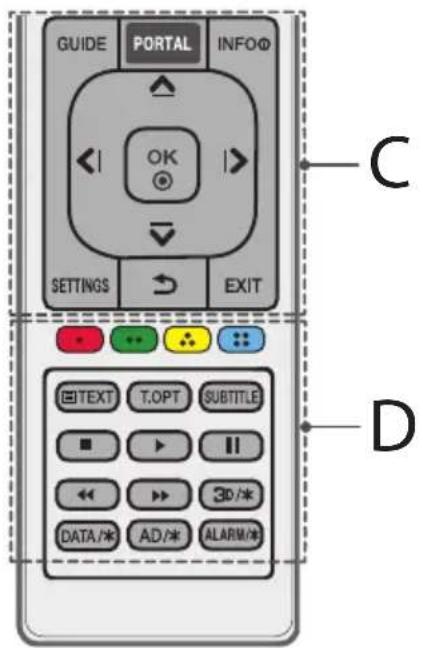
C
GUIDE OTo6paXeHne nporpaMMbI nepea.
PORTAL OTo6paKeHne nCKpbITNe roCTmHnHOro mHTepaKTNBHOrO MEHIO.
INFO ① OTo6paXeHne INhOpMaun o TeKyuuei nporpamme nn Bxode.
KhoNk Nabraaun (BBepx/Bn3/BneBo/Bnpabo)
TocneoBaTeBHaHabnuaaB MeHb B bIpaHOM HapbaHeHH.
OK Bb6op MeHIOIIN npaMeTPOB N IONTBepXJdEHNBEBOda.
SETTINGsIOCTyN K6bICTpbIM HAcTpoiKaM.
(SHA3A) Bo3Bpa Hnpebduuyn ypoBeH MeHIO.
EXIT 3aKpbTne OKOH npoCMOTpa Ha kpaHe N Bo3BpaT K npocMOTpy TB.
D
UBeTHbIe KnaBnIIOCTyN K CneuaNbHbIM yHKuMaHEKOTOpbIX MEHO.
:KpaHn, :3eHn, :XenTaN.

KhoNk TeneTeKCTa (TETKHOHNCIOJIb3yIOTc 1npa60tbc TeneTEKCTOM.
SUBTITLE ⅡIyIuIφpObIx KaHaJIOB CkPbIBaET/OTOppaKaET cy6TnTpbl pN nX haHmUH.
KhONKn ynpaBneHn YpapbHnE,
codepkmbim PpeMm-KoHTHa,SmartShare nn SIMPLINKCOBMeCTMbIM yCTPOINCTBaMn (USB,SIMPLINK).
3D/*Bkn./OTkn.3D-pexmna.(B3aBcIMoCTnOT moeinn)
DATA/8b6op HxHHO NCTOCHNKA B MeHIO MHP TeneBn3opa.(B 3aBNCUMOCTNOTMOeIN)
AD/naHaxaTnKHOKN AD BKnOuaeTcAynKuay ayno onncAHn.(B3abNCmOCTnOT moJeJN)
ALARM/类TaHOBKa CnHaJa.(B3aBcMocTnOT MoJeN)
JIuueH3nn
IopdepKbBaemble NueH3MmOryT OTnuaTbcB 3aBcNMOCTn O T Moen. DonoJIHHTeBHaN HOpMauno NueH3nHex HaxoDNTcno aDpecy www.lg.com.

DOLBY DIGITAL PLUS
Ipon3BvEeHNo IINueH3nn Dolby Laboratories.
Ha3BaHne Dolby u CnBBoC dBOHOn 6yKBoD rAJIOTc TOpRObIMM MapkAmu Dolby Laboratories.

7,295,673; 7,460,668; 7,515,710; 7,519,274.

dts-HD
For DTS patents, see http://patents.dts.com. Manufactured under license from DTS Licensing Limited. DTS, DTS-HD, the Symbol, & DTS and the Symbol together are registered trademarks of DTS, Inc. © DTS, Inc. All Rights Reserved.
YBeDOMJIeHne O nporpaMMHom o6ecpeHnC OTKpbITbIM ICXODHbIM KOdOM
Дя получени NCxODHOrO KOda NO yCnOBnIM NIneH3M GPL, LGPL, MPLи ДPyrnx NIneH3N COTKpbITbIM NCxODHbIM KODOM, KOTOpbI IN coEpJNTcB B DaHHOM npOdyKTe, nocetnte Be6-caT: http:// opensource.lege.com.
Kpome nCxOndHOro KoJa,ДЯ 3aRpy3Kn IOCTynHbI BCE coOTBeTcBvIoUe yCIOBnI NmIeH3N,OTKa3 OT rapaHTn I yBeOMJIeHnO6 aBTOpcKnx npabax.
LG Electronics TAKKHe npEOCTABNAET NCXOHNbI KOd Ha KOMnAaKT-DmCKe 3a PnATy, KOtOpA NOKpbIBaET CTMOOCb BbINOJIHEnHr 3ToI paccBILKn (B YacTHOCTN, CTMOOCb MeINaHOCNTeIN, nepeCbIKN u O6pa6OTKN) nocpeCTBOM 3anpocOB LG Electronics no aDpecy: opensource@lge. com. DAnHoe npEIOJoxKeHne DeIcTBNTelbHO B TeueHne Tpex (3) Iet c DaTbI npNo6peTeHn H3denn.
YcTpaHHeNHeNCnPaBHOCTeI
TeneBn3Op He pearnpyET Ha KOMaHdbI nybTa dNCTaHcNoHHoro ynpabNeHn (nybTa D).
IpoBepbTe DaTnK D'Ha TneBn3ope n NobTOPte nOblKy.
- y6eIntecb BOTCYCTBnnpenTCTBmMeKdyTeleBu3Opom nnybTom dy.
- Y6eINTEcB, yTo 6TapeHn HaxOAnTcB pa6Oyem CoCToHN n npaBnIbHO yCTaHOBInHebl (K, K)
TB He BKNIOUaetc:OTCYTCTBYOT N3O6paKe Hne n 3ByK.
- Y6eIuTecb B TOM, yTO TeLEBn3Op BKnIOueH.
- 6eNTecb B TOM,HTO UHyp NITaHnnoKIOueH K po3eTke.
- y6eIITecbBTOM,HTo p03ETKa pa60TaET,IOKJIIOuINB KHei DpyTne yCTpOInCTBa.
TeneBn3Op camOnpOn3-BoIbHo BbIKIouaetcA.
IpoBepbTe npaMeTpby ynpabHeHHn 3HepePOnOTpe6HeHnEM. Bo3MoXHO, pON30We n C6oB B cTeN 3NeKTPoNtAHn.
-Пюверьт,ВКлочаиФункшьАВТ.рж.oxидань(B 3aBUCIMOCTNOTMOdeJI) /ТаМер са/ОТКлоченe TB no taMepy B MeHIO TaMepbl.
- ECN TELEBN3NOHbI CnHAI OTCYCTBYET B TeueHne 15 MmHyT, TELEB3Op BbIKHOaETcA abTomATuYeCKN.
PnnooCoeHHeHmK KombIOpTepy (HDMI), oTo6paXaetc coo6ueHne "Het CunHana" uH "HeBepHbI pOpMaT".
BbKIOUeHHe/BKIOUeHHe TeneBUN3opa c nOMOuIy npIbTa IY.
- Nobtophoe noikJIOUeHne Ka6eH HDMI.
- Ipe3anyctnte KOMnIbIoTep, noka TeJIeBn3Op BKnIOueH.
TexHnueckne xapakTepncTNKn
BecnpoBODno MOdynb:TexHnueckne XapakTepeNTKu
- NocnBky dnaana30H, nCnoB3yEmbI dIraCTpaHbl, MoXeT OTnHaTbCBA, noJIb3ObaTeJIb He MoXeT 3MeHArb HacTaPbBaTb pa6oyu hAcToTy. TOT npOdyKT NaCTpoEH B COOTBeTcBm C TaBnuei YeAchToB pEnerHOax.
MHHMaJIbHoe pa6Ooee pacCTOHaHne do nolb3OBaTeIa npu yCTaHOBe ycTPOcTBa coCTaBnEe 20 cm. DaHHyIO INCTpyKcNIO MOxHO CHTaTb 06UIM noJoxKeHHe m npu HAcTpoKe ycNoBn pa6Otbl.
CE0197
For DTS patents, see http://patents.dts.com. Manufactured under license from DTS Licensing Limited. DTS, DTS-HD, the Symbol, & DTS and the Symbol together are registered trademarks of DTS, Inc. © DTS, Inc. All Rights Reserved.
::Kirmizi, :Yes[+Sari, :Mavi]

Teletext bugmeleri (B) BUDgoter teletext icin kullanir.
For DTS patents, see http://patents.dts.com. Manufactured under license from DTS Licensing Limited. DTS, DTS-HD, the Symbol, & DTS and the Symbol together are registered trademarks of DTS, Inc. © DTS, Inc. All Rights Reserved.
LG Electronics Inc. LG Twin Towers 20, Yeoi-do-dong, Yeongdeungpo-gu, Seoul, KOREA 150-721
Tel:82-2-3777-1114