D2IC 6000 - Cooktop Adventys - Free user manual and instructions
Find the device manual for free D2IC 6000 Adventys in PDF.



User questions about D2IC 6000 Adventys
0 question about this device. Answer the ones you know or ask your own.
Ask a new question about this device
Download the instructions for your Cooktop in PDF format for free! Find your manual D2IC 6000 - Adventys and take your electronic device back in hand. On this page are published all the documents necessary for the use of your device. D2IC 6000 by Adventys.
USER MANUAL D2IC 6000 Adventys
natural_image
Exterior view of a modern office building (no signage)Chère cliente, cher client,
natural_image
Simple line drawing of a trash bin with crossed lines indicating no waste or discharge (no text or symbols)natural_image
Pure mechanical assembly diagram showing two connected components with no text or symbolsnatural_image
Pure mechanical assembly diagram showing a bolted joint and connection lines without any text or symbolsInstallation Commande
natural_image
Close-up of a metallic appliance front panel with two black switches and mounting holes (no text or symbols visible)natural_image
Close-up of a dark, glossy, circular object with a protruding rod (no visible text or symbols)natural_image
Close-up of a black electronic device with a red indicator light (no visible text or symbols)
natural_image
Close-up of a dark, glossy, mechanical component with no visible text or symbolstext_image
BADVENTYS Made in Francenatural_image
Close-up of a hand holding a metallic tray with grid-like patterns, no visible text or symbols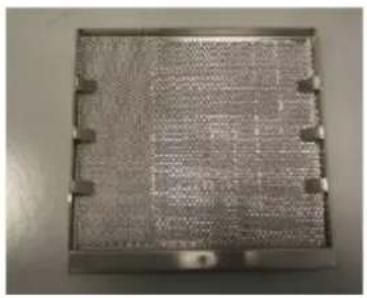
natural_image
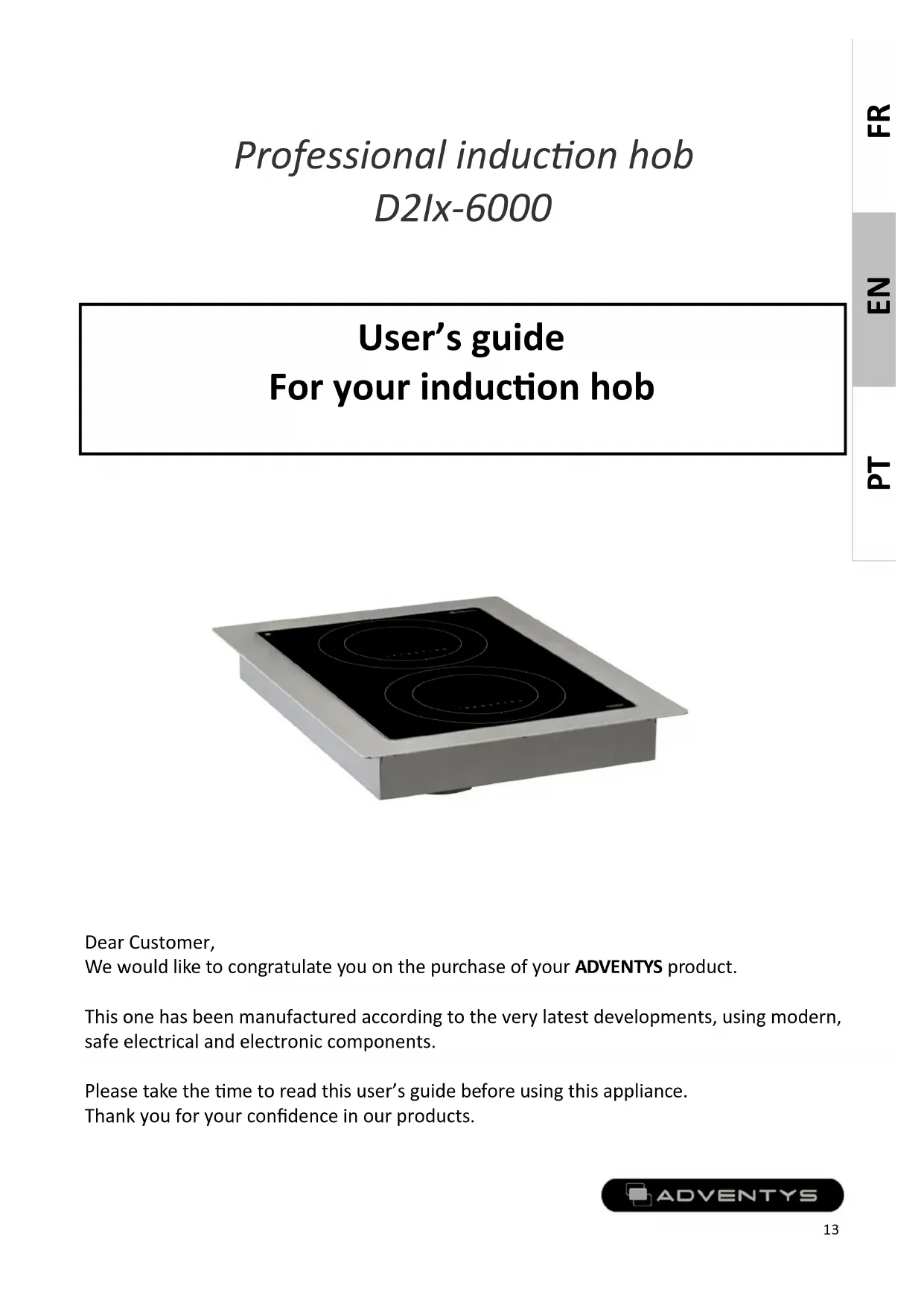
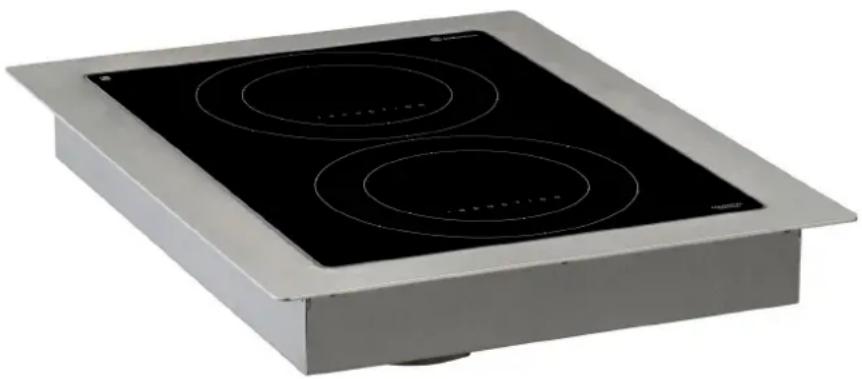
Metallic rectangular panel with grid pattern and mounting holes (no visible text or symbols)Professional induction hob
D2Ix-6000
User's guide
For your induction hob
natural_image
Exterior view of a modern office building (no signage)Dear Customer,
We would like to congratulate you on the purchase of your ADVENTYS product.
This one has been manufactured according to the very latest developments, using modern, safe electrical and electronic components.
Please take the time to read this user's guide before using this appliance.
Thank you for your confidence in our products.
Contents
Technical information 14
Declaration of Compliance and disposal of appliance 14 Throughout this guide:
Installing your hob 15
Electrical connection 15
Installing your hob command 16
Using your induction hob
How the hob works 18
Cookware recommended 21
How to maintain and care for your hob 21
Small problems and their remedies 23
Garantiee 24

Indicates important Safety information
Technical specifications
| Model: | D2Ix-6000 |
| Name: | Integrated induction hob |
| Matérials: | Stainless steel and EZ / Vitroceramic plate |
| Power: | 6000W |
| Electricity supply: | single phase 230V +/-10% 50Hz |
| Current: | 13 + 13 A |
| Controls | Knob command or 4 Capacitive touches and boost |
| Dimensions of appliance: | W 440 X D 580 X H 112 mm |
| Dimensions of the vitroceramic glass | 340 x 490 x 4 mm |
| Dimensions of the inductor: | 2 x 210 mm |
| Maximun weight allowed on the appliance: | 20 kg + 20kg |
| Net weight of the appliance: | 13kg |
Compliance and waste statement
This product complies with current EU directives. We certify this in the EU compliance statement. We can send you a copy of the compliance statement in question if required.
The packing materials in which this appliance is packed are recyclable. Please recycle them by disposing of them in the appropriate containers at your local facility. In so doing, you will be making a contribution to the protection of the environment.
At the end of its useful life, the appliance to be scrapped must be destroyed in accordance with the applicable national regulations that govern the elimination and recycling of waste.
We recommend you contact a company that specialises in waste disposal.
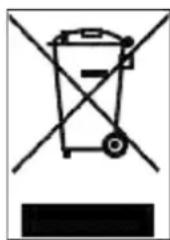
natural_image
Simple line drawing of a trash bin with crossed lines indicating no waste or discharge (no text or symbols)WARNING :
To avoid all risks associated with the destruction of the appliance, ensure that it is disconnected from themains and that the mains cable is removed.
PLEASE NOTE!
When destroying the appliance, local rules and the applicable regulations in your country or geographical zone must be adhered to.
Installing your hob
1) Realize a cut to embed products: 41 X 55 cm
Respect a distance of 5cm with regard to any vertical wall, and an available depth of at least 13 cms
2) Applying a joint in silicone:
A food joint in silicone (type Novasil S56) must be realized to assure the perfect waterproofness between the product and the counter.
3) Installing the fixing braket:
The device is delivered with 4 fixing bracket which must be used to maintain the device. It is recommend to arrange 2 bracket in front and 2 bracket in the back, which are to be screwed with the existing nuts along the case of the device.
Step 1:
Placed the supplied clamp
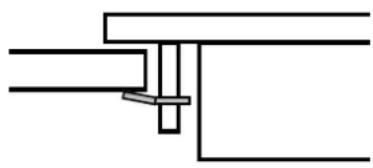
natural_image
Pure mechanical assembly diagram showing two connected components with no text or symbolsStep 2:
Placed the washer and nut
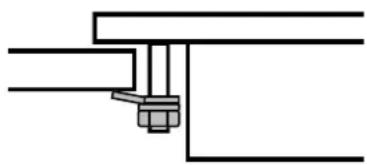
natural_image
Pure technical line drawing of a mechanical assembly with no text or symbolsStep 3:
Make a silicone seal and tighten the nut
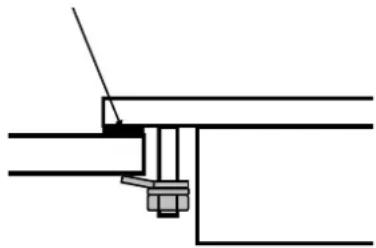
natural_image
Pure mechanical assembly diagram showing a bolted joint and connection lines without any text or symbols4) Connecting fresh air entrie:
To obtain the best performances of the device, it is advisable to bring of the fresh air through a pipe that it is necessary to link on the present funnel under the device. The fresh air must be taken in the bottom of the piece of furniture, in the most convenient place.
Electrical connection
Connecting on a 32A electric socket on single-phase network 208 / 240V 50 Hz :
Connect the BLUE/ BROWN wire on NEUTRAL of the electric socket.
Connect the GREY wire and BLACK wire on PHASE of the electric socket.
Connect the GREEN and YELLOW wire on GROUND of the electric socket.
Connecting on three-phase network 400V 50 Hz 16A by phase:
Connect the BLUE/ BROWN wire on NEUTRAL of the electric socket.
Connect the GREY wire on PHASE_1 of the electric socket.
Connect the BLACK wire on PHASE_2 of the electric socket.
Connect the GREEN and YELLOW wire on GROUND of the electric socket.
Installing your hob command
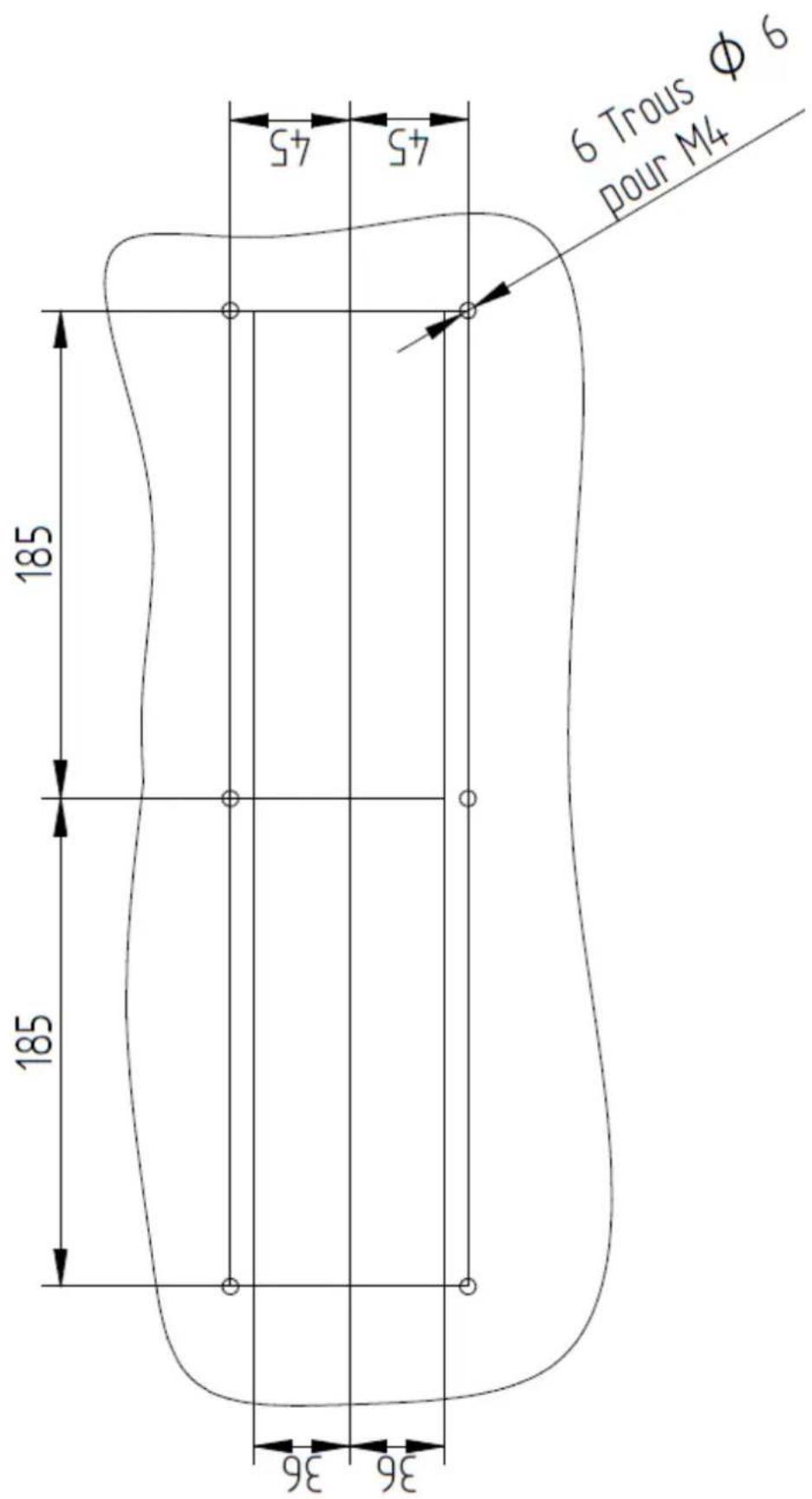
1) Realize a cut to embed the command following the plan below:
Using your hob safety
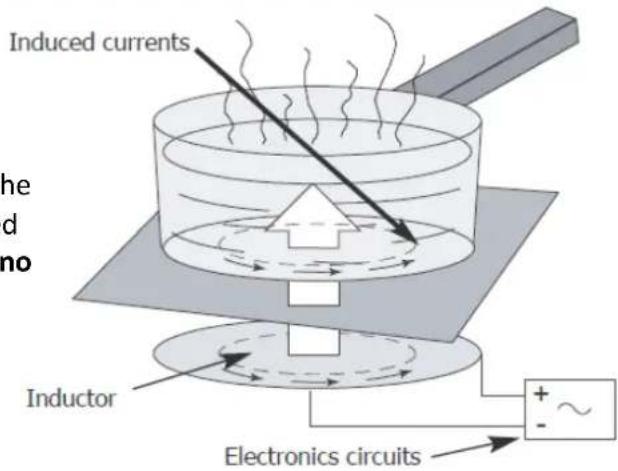
The induction principle
After the appliance is switched on and a power level is selected, electronic circuits produce induced currents in the base of the pan which instantly transmits the heat produced to the foodstuffs. Cooking takes place with practically no energy loss with a very high energy output.
If you have a heart pacemakerOr other active implant fitted :
text_image
Induced currents the d no Inductor Electronics circuitsThe functioning of the hob complies with the currently applicable norms concerning electromagnetic disturbance. Your induction cooking hob therefore fully meets the legal requirements (89/336/CEE directives). It has been designed not to cause disturbance to other electric appliances insofar as they also meet the requirements of the same regulations. Your induction hob emits magnetic fields in its immediate surroundings.
To avoid the possibility of interference between your cooking hob and a heart pacemaker, the latter must be designed to comply with the regulations that apply to it.
In this respect, we can therefore only guarantee the compliance of our own appliance. With regard to the compliance of a heart pacemaker or any eventual incompatibility, we recommend that you consult its manufacturer or your doctor.

If a crack appears in the surface of the glass, disconnect the appliance immediately from the mains supply to avoid the risk of electric shock. To do this, remove the fuses or operate the cut-off switch.
Do not use your appliance again until the vitroceramic glass has been replaced.
Only appropriate cookware should be placed on the hob. Do not put any other object on it, no matter what it is. Ensure that the mains cable of any electric appliance that is plugged into a socket located in the immediate vicinity of the hob does not come into contact with the cooking zones.
When cooking, never use aluminium foil and never place products that are wrapped in aluminium or frozen products in aluminium trays, on the hob. The aluminium will melt and will permanently damage your appliance.
Do not clean your hob with huge amounts of water. Use a little bit of household alcohol.
Do not use a steam cleaner.
If the mains cable is damaged, it must be replaced by the manufacturer, their After Sales Service or a person with similar qualifications to avoid risk.
This appliance is not intended for use by anyone (including children) whose physical, sensory or mental capacities are reduced, or lacking experience or knowledge, unless they have been able to benefit from prior instructions as to the use of the appliance or supervision by a person who is responsible for their safety.
Supervise children to ensure that they do not play with the appliance.
Users should exercise caution if wearing items such as rings, watches or similar objects when using the appliance since these may heat up when positioned very close to the cooking surface.
Only use pans of the type and size recommended.
Repairs must only be carried out by a technician who has been trained or recommended by the manufacturer.
Take care that the coating and the surrounding areas do not contain metal surfaces.
Your induction cooking appliance is not intended to be operated by means of an external timer or a separate remote control.
Operating instruction
D2IM-6000
natural_image
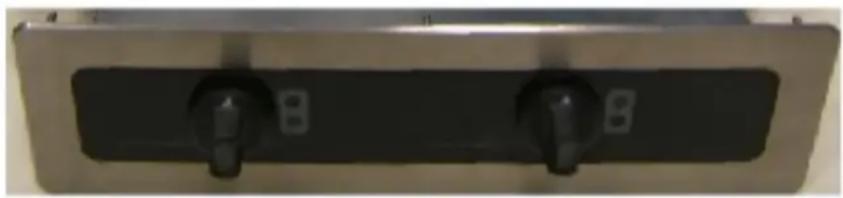
Close-up of a black electrical switch panel with two terminals, mounted on a metal frame (no visible text or symbols)Knobs command
Switch On the device
natural_image
Close-up of a dark, glossy, circular object with a curved edge, possibly a knob or knob (no visible text or symbols)Turn the ON/OFF control knob, the light will go on.
Power setting
When a pan is compatible with the induction technology, it is possible all to adjust the level of the power by turning the control knob.
The red light remains lit to indicate that the device working well.
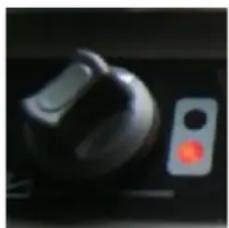
natural_image
Close-up of a black electronic device with a red indicator light (no visible text or symbols)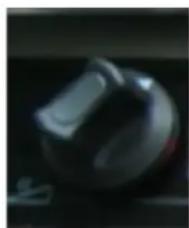
natural_image
Close-up of a dark, glossy, metallic object with no visible text or symbolsWhen the pan is pick-up of the cooking zone, the selected light will start to blink with a frequency of 1Hz, which means that the pan is missing.
If the light keep blinking when a pan is on top of the cooking zone, it means that:
The pan is NOT induction friendly or the diameter of the pan is two small
After switching off, if the temperature of the vitrocéramique is greater than 60°C, the light blink.
Operating instruction
Use your device with ease
D2IC-6000 ALTERNATIVE MODE KEYBOARD
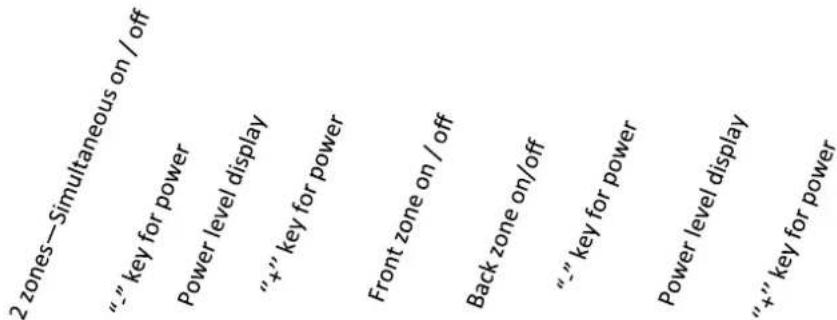
text_image
2 zones—Simultaneous on / off “-” key for power Power level display “+” key for power Front zone on / off Back zone on/off “-” key for power Power level display “+” key for power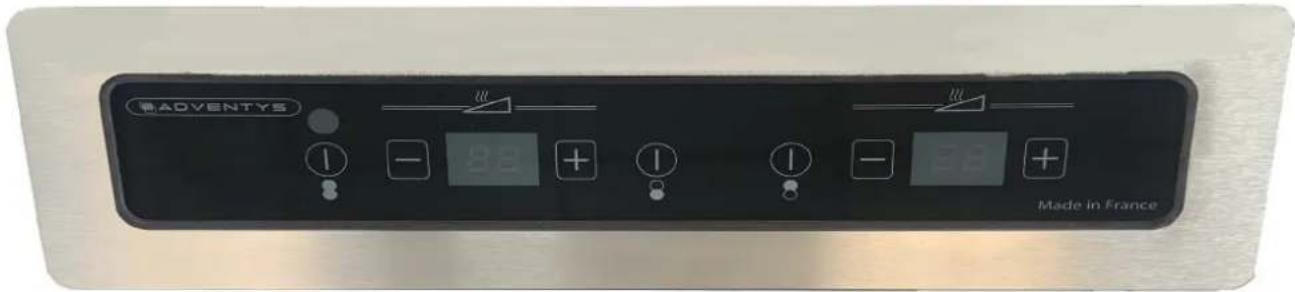
text_image
ADVENTYS Made in FranceSwitch On the device
Connect your device to the appropriate socket on a 208/240 V60Hz single-phase network.
Press the ON / OFF button to start the product. No power is yet sent at this stage.
Then press one of the "+" POWER "keys to send the power to the pan. The power level display then indicates the power level corresponding to the key.
The left on / off button allows you to manage the setting of the two cooking zones simultaneously. The middle on / off buttons allow you to adjust each zone independently.
1 zone = 30 power levels / 2 zones = 60 power levels
Switch Off the device
Press the « ON/OFF » touch to sswitch off the product. The power is cut and the display turns off.
After removing the pan from the cooktop, an « H » (stands for « Hot ») might be flashing on the display as long as the temperature on the vitroceramic glass exceeds 60°C (140°F).
Operating instruction
Power setting D2IM
Your appliance has a heating power of between 50 and 3000 w by inductors, regulated by the control knobs.
The regulation of power will vary progressively.
Power setting D2IC
| D2IC (2 X 3000W) | |||
| Front cooking zone Rear cooking zone | |||
| Position | Watts | Position | Watts |
| 1 | 50 | 1 | 50 |
| 2 | 100 | 2 | 100 |
| 3 | 150 | 3 | 150 |
| 4 | 200 | 4 | 200 |
| 5 | 300 | 5 | 300 |
| 6 | 400 | 6 | 400 |
| 7 | 500 | 7 | 500 |
| 8 | 600 | 8 | 600 |
| 9 | 700 | 9 | 700 |
| 10 | 800 | 10 | 800 |
| 11 | 1000 | 11 | 1000 |
| 12 | 1200 | 12 | 1200 |
| 13 | 1400 | 13 | 1400 |
| 14 | 1600 | 14 | 1600 |
| 15 | 1800 | 15 | 1800 |
| 16 | 2000 | 16 | 2000 |
| 17 | 2200 | 17 | 2200 |
| 18 | 2400 | 18 | 2400 |
| 19 | 2700 | 19 | 2700 |
| 20 | 3000 | 20 | 3000 |
Cookware Recommended
Your induction hob is able to recognize the majority of pans and recipients.
Testing a pan: place the pan on the cooking zone with a power level set : if indicator 4stays on, your pan is compatible, if it flashes, your pan has not been recognised and cannot be used.
You can also test with the aid of a magnet: if it "sticks" to the base of the pan, then the pan is compatible with induction technology.
Induction-compatible pans are:
- enamelled steel pans with or without a non-stick coating.
- stainless-steel pans designed for induction.
Most stainless steel pans are suitable if they pass the pan test. - cast-iron pans with or without an enamelled base.
- aluminium pans with special bases.
Cookware whose base is not perfectly flat can be used if the bottom is not too distorted.
- NOTE
Pans made from glass, ceramic material, clay, aluminium (without special pan base), and copper, as well as certain non-magnetic stainless steels are not compatible with induction cooking. The indicator for the power level selected will flash to inform you of this.

Containers made of plastic must not be placed on hot surfaces
How to maintain and care for your hob
Avoid shocks when handling the pans.
The glass surface is very strong, however it is not unbreakable.
Avoid rubbing the pans over the surface of the appliance.
Centre your pan on the induction cooking zone.
Do not leave an empty pan on the induction zone.
Do not pre-heat foodstuffs on the highest power setting if you are using a pan with an anti-stick coating (of the teflon type) without or with a tiny a mount of cooking fat or oil.
Do not heat an unopened tin can, as it might burst.
Use maximum power (3000W) only for boiling or deep-frying.
All these defects that do not cause a non operation or inability to use are not covered by the guarantee.

Do not leave metal cooking utensils, lids, knives or any other metal objects on the induction cooking zone. These objects are liable to heat up if they remain too close to the magnetic field generated by the induction cooking zone.
How to maintain and care for your hob
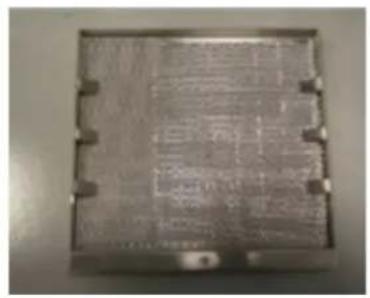
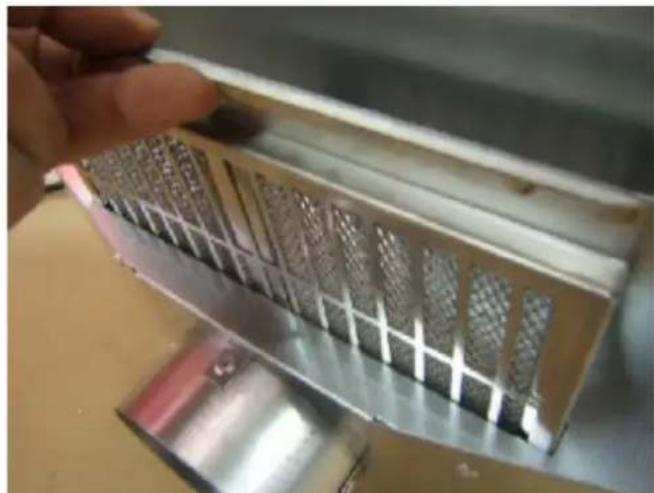
Clean approximately every week with soapy water the filter placed under your device (or put it in the dishwasher). Put it back very dry before any use. This filter protects your device from dust and fats.
natural_image
Close-up of a hand holding a metallic tool with grid-like patterns, no visible text or symbols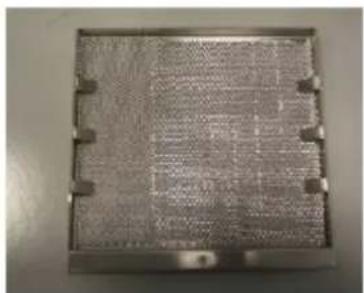
natural_image
Metallic square component with a grid pattern and mounting holes (no visible text or symbols)Your device is cleaned easily, to help you, here is some advice:
| Type of spots How to proceed Use | ||
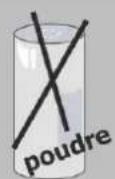
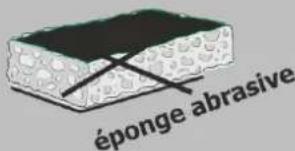
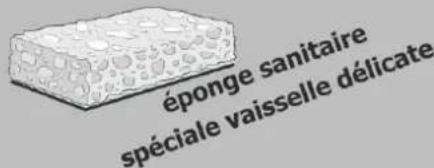
| Slight | Dilute well the zone to clean with hot water then wipe. | Sanitary sponges |
| Accumulation of recooked spots | Dilute well the zone to clean with hot water, use a special scraper for glass to rough-hew, finish with the scraper side of a sanitary sponge, then wipe. | Sanitary sponges special scraper for glass |
| Haloes and tracks of limestone | Apply some hot spirit vinegar to the spot, let act, wipe with a soft cloth. Use a domestic product. | Special vitroceramic glass dough |
| Inlays following the over-flowing of sugar, aluminium or molten plastic | Apply to the surface a special product for vitroceramic glass, rather containing some solicone (protective effect). | Special vitroceramic glass product |
text_image
éponge abrasive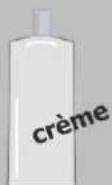
Small problems and their remedies
If you think that your hob is not functioning correctly ..... this does not necessarily mean that a fault has occurred. Please verify the following in all cases :
| YOU NOTICE THAT ... | POSSIBLE CAUSES | WHAT YOU CAN DO |
| When putting into service, a bright display appears | Regular functioning | NOTHING: everything is normal |
| When putting into service, your installation short-circuits | The connection of you device is defective | Verify your connection or the conformity of the connection |
| The ventilation continues a few minutes after stopping the device | Cooling of the device | It's normal |
| The device doesn't work. The display on the casing stays off | The device is not supplied. The supply or the connection is defective | Inspect fuses and the circuit breaker of your electric installation |
| « F- » appears on the power or temperature display | There is a touch activated permanently on the control keyboard | If the default doesn't disappear, call the after-sales service |
| « F7 » appears on the power or temperature display | Electric circuits are over heating | Inspect the ventilation of the device and check if it is operational |
| The device doesn't work, another code appears on the display | Electric circuits doesn't work well | Call the after-sales service |
| After switching on the device and starting the cooking zone, the selected indicator continues to flash | The pan you are using is not compatible with the induction technology or is of a diameter smaller than 12 cm | See « Cookware Recommended section » |
| Pan makes noise while cooking | It's a vibration generated by the circulation of the current in the pan | This phenomenon is normal with some type of pans. There is no danger |
| The device releases a smell during the first cookings | New device | Run the cooking during half an hour with a pan full of water |
If the vitroceramic hob suffers a breakage, split or crack, no matter how small, disconnect the appliance immediately and contact After-Sales Service.
Garantee
Keep the proof of purchase to use the guarantee service of your product.
Any modification such as drilling, welding, criimping, clinching, etc., is not permitted and is not covered by the manufacturer's warranty.
Any wrong modification or installation, which does not respect ADVENTYS' standards, is not covered by the manufacturer's warranty and will be permanently suspended.
The guarantee is subject to the non-modification of the product and its mechanical and electrical specifications. Opening the product cancels any form of warranty.
Any defects in appearance caused by the use of abrasive products or friction of cookware on the ceramic glass hob that does not result in a non-functioning or inability to use the appliance is not covered in the guarantee. The vitroceramic glass and the casing are not subject to warranty.
ANY REPAIRS MUST BE CARRIED OUT BY A QUALIFIED TECHNICIAN APPROVED BY ADVENTYS.
Only the distributors of our brand:
- KNOW YOUR APPLIANCE PERFECTLY AND HOW IT WORKS.
- FULLY APPLY OUR METHODS OF ADJUSTEMENT, MAINTENANCE AND REPAIRS.
- USE ONLY ORIGINAL SPARE PARTS.
In case of a claim or if you wish to order spare parts from your distributor, please specify the full reference numbers of your appliance (appliance type and serial number). This information appears on the plate fixed under the metal casing of the appliance.
The descriptions and characteristics given in this booklet are for information purposes only and do not imply commitment from the manufacturer. Concerned about the quality of our products, we reserve the right to carry out necessary changes or improvements without prior notice.
Original spare parts: ask your retailer for certified original spare parts during a maintenance operation.
text_image
ADVENTYSMade In France
natural_image
Exterior view of a modern office building (no signage)Prezado(a) cliente,
natural_image
Simple line drawing of a trash bin with no text or symbolsnatural_image
Pure mechanical assembly diagram showing two connected components with no text or symbolsnatural_image
Pure mechanical assembly diagram showing a bolted joint and connection lines without any text or symbolsnatural_image
Close-up of a black electrical switch panel with two black terminals and a metallic frame (no visible text or symbols)Bloco de comando de manípulo separado
Ligação do aparelho
natural_image
Close-up of a dark, glossy, circular object with no visible text or symbolsnatural_image
Close-up of a black electronic device with a red indicator light (no visible text or symbols)
natural_image
Close-up of a dark, glossy, metallic object with no visible text or symbolstext_image
ADVENTYS Made in FranceLigar o dispositivo
natural_image
Close-up of a hand holding a metallic electronic device with grid-like internal components (no visible text or symbols)