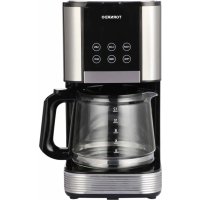
TCM1429BGS - Coffee machine TORNADO - Free user manual and instructions
Find the device manual for free TCM1429BGS TORNADO in PDF.



| Product Type | Filter coffee machine |
| Brand | Tornado |
| Model | TCM1429BGS |
| Power supply | 220-240 V ~ 50/60 Hz |
| Power | 1000 W |
| Water tank capacity | 1.25 L |
| Carafe capacity | 12 cups |
| Dimensions (L x D x H) | 260 x 200 x 340 mm |
| Weight | 1.5 kg |
| Main functions | Normal or strong coffee preparation, delayed start, automatic shut-off after 40 min, cleaning function |
| Maintenance and cleaning | Removable parts washable with soapy water, regular descaling recommended |
| Safety | Automatic shut-off, overheat protection, safety lock |
| Spare parts and repairability | Replacement glass carafe available, repairs by authorized personnel |
| General information | Silver and black color, plastic and glass material, paper filter required |
| Included accessories | Glass carafe, funnel, measuring spoon |
| Descaling | Recommended with citric acid or commercial descaler (water/descaler ratio 4:1) |
| Delayed start | Yes, programming up to 24 hours in advance |
| Strength indicator | Strength button for strong coffee, red indicator |
| Automatic cleaning | Reminder after 90 cycles, 10-minute cycle then 30 min rest |
Frequently Asked Questions - TCM1429BGS TORNADO
User questions about TCM1429BGS TORNADO
0 question about this device. Answer the ones you know or ask your own.
Ask a new question about this device
Download the instructions for your Coffee machine in PDF format for free! Find your manual TCM1429BGS - TORNADO and take your electronic device back in hand. On this page are published all the documents necessary for the use of your device. TCM1429BGS by TORNADO.
USER MANUAL TCM1429BGS TORNADO
American Coffee Maker
TCM-1429B-GS
Important Safeguards
When using electrical appliance. Basic safety precautions should always be followed including the following:
- Read all instructions.
- Make sure that your outlet voltage corresponds to the voltage stated on the rating label of the coffee maker.
- To protect against fire, electric shock and injury to persons do not immerse cord, plug, or in water or other liquid.
- Close supervision is necessary when any appliance is used by or near children.
- Unplug from outlet when not in use and before cleaning. Allow to cool before putting on or taking off parts, and before cleaning the appliance.
- Do not operate any appliance with a damaged cord or plug or after the appliance malfunctions, or has been damaged in any manner. Return appliance to an authorized service facility for examination, repair or adjustment.
- If the supply cord is damaged, it must be replaced by the manufacturer, its service agent or similarly qualified persons in order to avoid a hazard.
- The use of accessory not recommended by the appliance manufacturer may result in fire, electric shock or injury to persons.
- Do not use outdoors.
- Do not let cord hang over edge of table or counter, or touch hot surface.
- Do not place on or near a hot gas or electric burner, or in a heated oven.
- Do not use appliance for other than intended use.
- Do not clean container with cleansers, steel wool pads, or other abrasive material.
- To disconnect, turn any control to "Off", remove plug from wall outlet. Always hold the plug. But never pull the cord.
- Scalding may occur if the cover is removed during the brewing cycles. Be careful not to get burned by the steam.
- Some parts of appliance are hot when operated, so do not touch with hand. Use handles or knobs only.
- Do not set a hot container on a hot or cold surface.
- Never leave the empty carafe on the warming plate otherwise the carafe is liable to crack.
- Never use the appliance if the carafe shows any signs of cracks or carafe having a loose or weakened handle. Only use the carafe with this appliance. Use carefully as the carafe is very fragile.
- Do not let the coffee maker operate without water.
- To reduce the risk of fire or electrical shock, do not remove the cover. No user serviceable parts inside. Repair should be done by authorized service personnel only.
- The container is designed for use with this appliance. It must never be used on a range top.
- The appliance must not be immersed.
- Appliances can be used by persons with reduced physical, sensory or mental capabilities or lack of experience and knowledge if they have been given supervision or instruction concerning use of the appliance in a safe way and they understand the hazards involved.
- This appliance can be used by children aged from 8 years and above if they have been given supervision or
instruction concerning use of the appliance in safe way and if they understand the hazards involved. Cleaning and user maintenance shall not be made by children unless they are older than 8 and supervised. Keep the appliance and its cord out of reach of children aged less than 8 years.
- Children shall not play with the appliance.
-
This appliance is intended to be used in household and similar applications such as:
-
staff kitchen areas in shops, offices and other working environments;
-farm houses;
- by clients in hotels, motels and other residential type environments;
- bed and breakfast type environments.
26. Save these instructions.
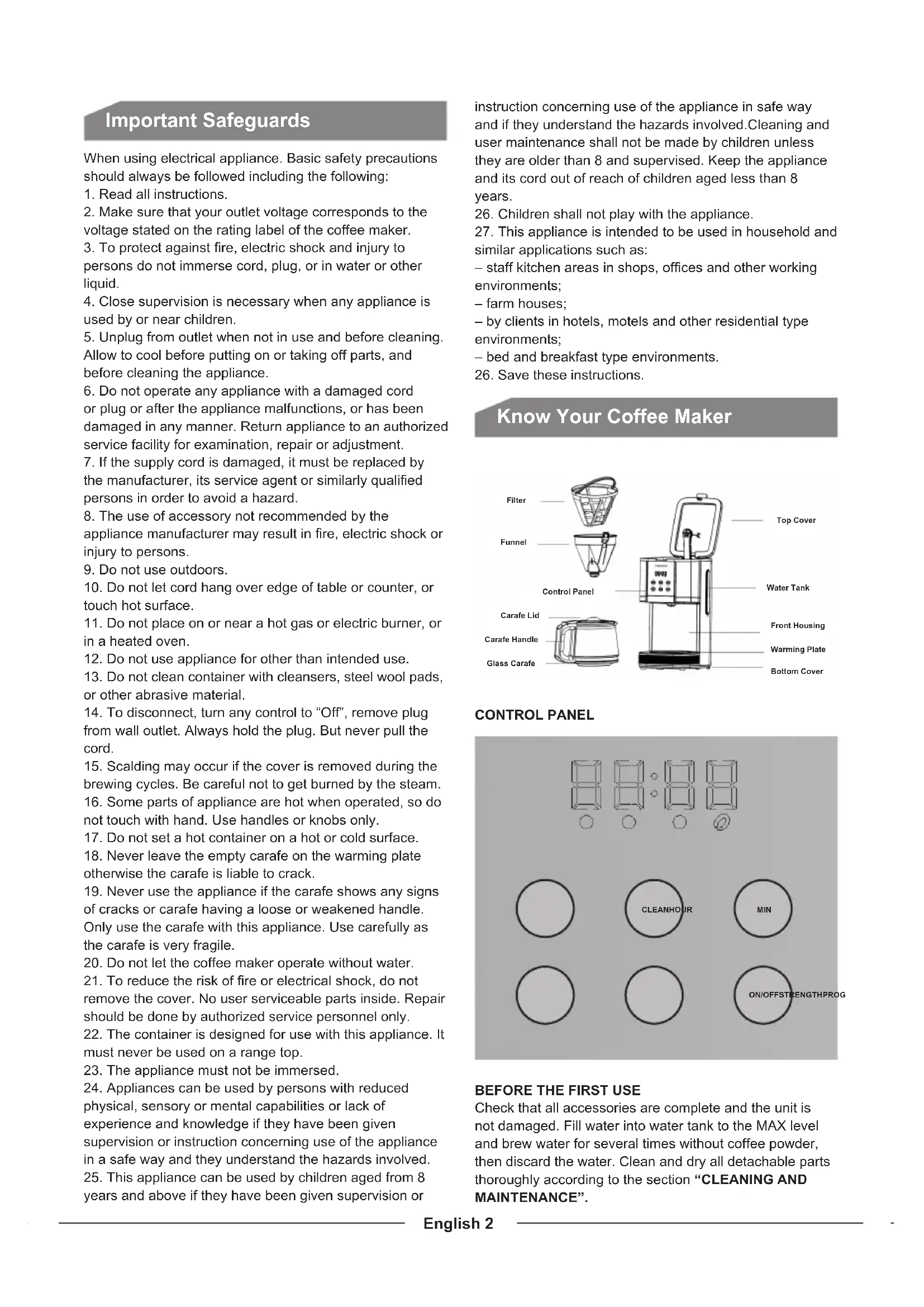
Know Your Coffee Maker
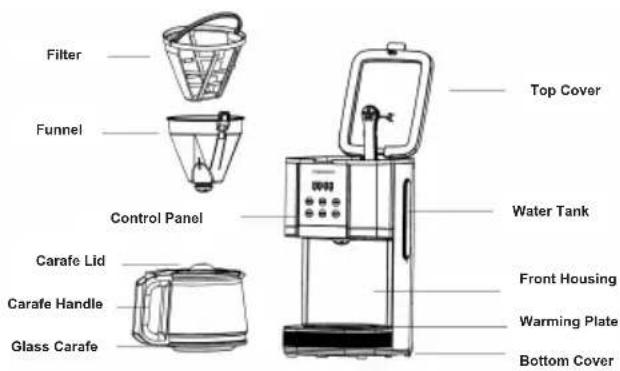
CONTROL PANEL
BEFORE THE FIRST USE
Check that all accessories are complete and the unit is not damaged. Fill water into water tank to the MAX level and brew water for several times without coffee powder, then discard the water. Clean and dry all detachable parts thoroughly according to the section "CLEANING AND MAINTENANCE".
- Open the water tank lid and fill the water tank with drinking water. The water level should not exceed MAX level as indicated on the water gauge.
- Place the funnel into the funnel support, make sure it is assembled correctly, otherwise the water tank lid can not be closed. Place a paper filter in the funnel.
- Add coffee powder into the paper filter. Usually a cup of coffee needs a level spoon of coffee powder, but you may adjust according to personal taste. Close the water tank lid completely.
- Insert the glass carafe onto the warming plate horizontally.
- Plug the power cord into the outlet. If you want to adjust the coffee strength, you can press "Strength" button once, and then the "Strength indicator" illuminates in red and the appliance will brew thick coffee. If you do not want to adjust the coffee strength, just follow the following operation to brew normal coffee.
NOTE: Press the "Strength" button again if you want to cancel the function of brewing thick coffee.
- Press "On/Off" button, the "On/Off indicator" illuminates in red, the display indicates "12:00" then the appliance begins to work.
NOTE: During brewing process, the buttons of "Prog", "Clean" "Hour" and "Min" are invalid.
- The brewing process can be interrupted by pressing the "On/Off" button at any time. And the appliance will continue brewing once the "On/Off" button is pressed again.
NOTE: You can take out the carafe, pour and serve at any time. The appliance will stop dripping automatically. But the time cannot exceed 30 seconds.
- Remove out carafe to serve when finish brewing (about one minute later after the coffee stops dripping out.)
NOTE: The coffee you get will be less than the water you have added, as some water is absorbed by coffee ground.
-
When the process is finished, if you do not want to serve immediately, keep the coffee maker be energized, and the coffee can be kept warm on the warming plate. And the appliance will shut off automatically after 40 minutes from the ON/OFF button being activated if it has not been manually disconnected at the completion of brewing. For an optimum coffee taste, serve it just after brewing.
-
Always turn the appliance off and disconnect the power supply when not use.
NOTE: Pay attention to pour the coffee out, otherwise you may be hurt as the temperature of coffee just finished is high.
DELAY FUNCTION
If you do not want the coffee maker to start operation immediately, for example now it is 8:10, you hope that the coffee maker will automatically start working at 13:00, first follow steps 1 to 5 of above section, and then you can set the auto-start function as follows:
- Set the current time by pressing "Hour" and "Min" button repetitively, that is 8:10.
NOTE: The time cycle is 24 hours. - Press "Prog" button once and the "Program indicator" blinks in white.
- Set the auto-start time by pressing "Hour" and "Min" button repetitively that is 13:00.
- Press the "Prog" button again, the "Program indicator"
illuminates in white solidly. After a while, the display will indicate the current clock.
NOTE: You may cancel the auto-start function by pressing "Prog" button again. If you want to change the auto-start time, only following the above 2-4 steps again.
5. When the time is due, the On/Off indicator will illuminate in red and the appliance starts brewing.
6. When the process is finished, if you do not want to serve immediately, keep the coffee maker be energized, and the coffee can be kept warm on the warming plate. And the appliance will shut off automatically after 40 minutes from the On/Off button being activated if it has not been manually disconnected at the completion of brewing. For an optimum coffee taste, serve it just after brewing.
NOTE: During brewing process, the buttons of "Prog", "Hour" and "Min" are invalid.
Clean function
When the use cycle number reaches 90 times, the CLEN word shines. To remind the user that it is time to CLEAN the coffee machine, press the "clean" button, the cleaning light will turn on and enter the clean state of the coffee machine, the CLEN word will be long and bright, the heating pipe will power on for 9 seconds and break off for 27 seconds, after alternating working for 10 minutes, the heating pipe will be closed for 30 minutes. The heating tube is re-energized for heating, and the scale remoster in the tank is boiled until the thermostat is disconnected, the CLEAN indicator light is off, and the cleaning procedure is completed with three long rings. The number of service cycles is cleared and the standby state is returned. You can enter the cleaning mode even if it does not reach 90 times. After cleaning, the number of service cycles will be cleared to zero and return to the standby state.
Cleaning and Maintenance
CAUTION: Be sure to unplug this appliance before cleaning. To protect against electrical shock, do not immerse cord, plug or unit in water or liquid. After each use, always make sure plug is first removed from wall outlet.
- Clean all detachable parts after each use in hot sudsy water.
- Wipe the exterior surface of unit with a soft, damp cloth to remove stains.
- Water droplets may buildup in the funnel and drip onto the product base during brewing. To control the dripping, wipe off the area with a clean, dry cloth after each use.
- Use a damp cloth to gently wipe the warming plate. Never use abrasive cleaner to clean it.
- Replace all parts and keep for next use.
REMOVING MINERAL DEPOSITS
To keep your coffee maker operating efficiently, periodically you should clean away the mineral deposits left by the water according to the water quality in your area and the use frequency, we recommend removing mineral deposits as follows:
- Fill the tank with water and descaler to the max level as indicated on water gauge (the scale of water and descaler is 4:1, the detail refers to the instruction of descaler. Please use "household descaler", you may also
use the citric acid instead of the descaler (one hundred parts of water and three parts of citric acid).
- Insert the glass carafe onto the warming plate horizontally.
- Make ensure funnel is assembled in place.
- Switch on the appliance and allow it to "brew" de-scaling solution.
- After "brew" one-cup solution, switch off the appliance.
- Leave the solution stay for 15 minutes and repeat step 4-6.
- Switch on the appliance and run off the solution until the water tank is completely empty.
- Rinse by operating the appliance with water at least 3 times.
HINTS FOR GREAT-TASTING COFFEE
- A clean coffee maker is essential for making great-tasting coffee. Regularly clean the coffee maker as specified in the "CLEANING AND MAINTENANCE" section. Always use fresh, cold water in the coffee maker.
- Store unused coffee powder in a cool, dry place. After opening a package of coffee powder, reseal it tightly and store it in a refrigerator to maintain its freshness.
- For an optimum coffee taste, buy whole coffee beans and finely grind them just before brewing.
- Do not reuse coffee powder since this will greatly reduce the coffee' flavor. Reheating coffee is not recommended as coffee is at its peak flavor immediately after brewing.
- Clean the coffee maker when over-extraction causes oiliness. Small oil droplets on the surface of brewed, black coffee are due to the extraction of oil from the coffee powder.
- Oiliness may occur more frequently if heavily roasted coffees are used.
Correct Disposal of This Product
(Waste Electrical & Electronic Equipment) (Applicable in countries with separate collection systems)
This marking on the product, accessories or literature indicates that the product and its electronic accessories should not be disposed of with other household waste.
To prevent possible harm to the environment or human health from uncontrolled waste disposal, please separate these items from other types of waste and recycle them responsibly to promote the sustainable reuse of material resources.
Household users should contact either the retailer where they purchased this product, or their local government office, for details of where and how they can take these items for environmentally safe recycling.

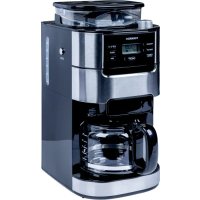
Brand : TORNADO
Model : TCM1429BGS
Category : Coffee machine