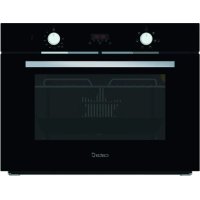
MD 5007 BK - Oven CATA - Free user manual and instructions
Find the device manual for free MD 5007 BK CATA in PDF.



| Product Type | Built-in oven |
| Brand | CATA |
| Model | MD 5007 BK |
| Power Supply | 230 V / 50 Hz, 13 A |
| Bottom Element Power | 1.30 kW |
| Top Element Power | 0.90 kW |
| Convection Element Power | 2.30 kW |
| Grill Element Power | 1.35 kW |
| Cooking Functions | Convection, top element, bottom element, circular with fan, semi-convection, grill, maxi-grill, fan grill, defrost |
| Electronic Timer | Yes, with duration and end-of-cooking programming, alarm |
| Interior Lighting | Yes, 15-25 W bulb, type E-14, 300 °C |
| Cleaning System | AquaSmart (steam cleaning) and manual cleaning |
| Removable Door | Yes, for easy cleaning |
| Included Accessories | Grid, drip tray, screws and covers for fixing |
| Power Cable | H07RN-F 3x1.5 mm² |
| Installation | Built-in, class I, mandatory grounding |
| Maximum Temperature | 250 °C |
| Rating Plate | Visible when door is open |
Frequently Asked Questions - MD 5007 BK CATA
User questions about MD 5007 BK CATA
0 question about this device. Answer the ones you know or ask your own.
Ask a new question about this device
Download the instructions for your Oven in PDF format for free! Find your manual MD 5007 BK - CATA and take your electronic device back in hand. On this page are published all the documents necessary for the use of your device. MD 5007 BK by CATA.
USER MANUAL MD 5007 BK CATA
Operating and maintenance instructions for built-in ovens
IT
REEMPLACEMENT DE L'AMPOULE DU FOUR
DIMENSIONS INTÉRIÉURES
Hauteur: 340 mm
Largeur: 440 mm
Profondeur: 390 mm
Volume utile: 40 litres
INFORMATIONS ÉLECTRIQUES
Tension nominale:
220V-240V\~50Hz
Thank you for choosing one of our products. We hope this household appliance provides you with the best service. Therefore, we suggest you read the instructions and suggestions contained in this manual carefully in order to use our products correctly.
The specifications plate for this oven is available on this appliance. This plate, visible by opening the door, displays all the necessary identification information for this appliance for ordering replacement parts.
GENERAL INFORMATION
Please read this manual carefully before using the appliance. It is important that all the control functions are understood before beginning to cook with this appliance.
Heed the advice and warnings included under the title "IMPORTANT - Safety advice and instructions".
- This appliance has been designed for private domestic use and can be integrated into standard kitchen furnishings or similar.
- In order to use in caravan-type vehicles, the suitable indications included in the Installation Instructions should be borne in mind.
- Use of this appliance for any other purpose or in any other environment without the manufacturer's express agreement will invalidate any guarantee or liability.
- This new appliance is guaranteed against electrical or mechanical defects, subject to certain exclusions indicated in the Manufacturer's Terms and Conditions of the Guarantee.
The above does not affect your statutory rights.
Ensure that all protective packaging and covering has been removed before using this appliance.
To collaborate in protecting the environment, separate the packaging materials into the different types and dispose of them according to local waste disposal regulations.
The packaging is designed so as not to harm the environment; it can be recovered or recycled as it is an ecological product.
By recycling the packaging, you will contribute to saving raw materials and reducing the volume of industrial and domestic waste.
Any additional information on waste disposal may be requested from your local environmental agency.
When used for the first time, a slight smell from the protective covering or damp may be noticeable, which will disappear after a short time.
The symbol on the product or its packaging indicates that this product cannot be treated as normal household waste. This product must be handed over to an electric and electronic equipment collection point for recycling. On ensuring that this product is disposed of correctly, you will help to avoid possible negative consequences for the environment and public health,
which could occur if this product is not handled correctly. To receive more detailed information about recycling this product, contact your local government, domestic waste disposal services or the outlet where the product was bought.
This appliance has been built and distributed in compliance with the essential requirements of the following EEC EUROPEAN LAWS AND DIRECTIVES:
EC Symbol - 93/68 Low voltage - 73/23 CEM-89/336
Safety Rules - EN 60 335-1, EN 60 335 - 2 - 6.
This appliance respects laws of the suppression of radio-interference.
As the Manufacturer has a policy of continuous product improvement, it reserves the right to adapt and carry out any modification considered necessary without prior warning.
IMPORTANT NOTICE SAFETY INSTRUCTIONS AND WARNING
- This appliance complies with all current European safety legislation, however, the Manufacturer must emphasise that this compliance does not prevent the surfaces of the appliance from heating up during use and remaining hot during its operation.
- Therefore, the Manufacturer highly recommends that this appliance is kept out of the reach of babies and small children.
- If children cannot be kept out of the kitchen, they must be watched at all times.
- We also recommend that great care is taken during use and cleaning. Read the cleaning and maintenance sections for this appliance carefully.
- Do not place heavy objects on this oven or lean on the door when opening it, as this may damage the hinges.
- Do not leave hot oil or fats unattended as they may catch light.
- Do not place oven dishes or trays of the lower part of the oven or cover it in aluminium foil.
- Never store flammable objects inside the oven as they may catch light.
- Do not allow the accessories or electric cables to touch the hot parts of the appliance.
- Do not use the appliance for special heating or drying clothes.
- Do not install the appliance near curtains or upholstered furniture.
- Do not try to lift or move kitchen appliances by pulling any door or handle as this may cause damage.
- If the oven join is very dirty, the door will not close properly when the oven is working. The fronts of neighbouring furniture may be damaged. Keep the oven join clean.
- During operation the appliance will heat up. Care must be taken to avoid touching heating elements inside the oven.
- Open the oven carefully. Steam may escape and burn anyone nearby.
-
Do not pour water inside a very hot oven. The enamel may be damaged.
-
This appliance must be installed correctly by a suitably qualified person, strictly following the manufacturer's instructions
- The Manufacturer declines all liability for personal or material damage as a result of misuse or incorrect installation of this appliance.
- Heat, vapour and humidity are produced during use, avoid all kinds of personal damage and ensure that the room is suitably ventilated. If used for a prolonged period of time, additional ventilation may be necessary - consult a qualified installer if you have any doubts about the necessary volume.
INSTRUCTIONS
This User Manual must be kept for future reference and use by someone who is not familiar with the appliance.
Before using the oven, carefully clean the inside with a non-abrasive detergent and warm water. Introduce the grill and tray in their respective runners. Once the operation is complete, turn the oven on to the maximum temperature for approximately 20 minutes to remove any traces of manufacturing grease, oil or resins which may cause unpleasant odours when cooking.
WARNING: During this first heating some smoke or unpleasant odours may appear. Should this happen ventilate the room suitably until the first operation is finalised.
Once this simple operation has been carried out the oven is ready to use for cooking.
This appliance is exclusively for domestic use.
Use the oven to cook food only.
USING THE OVEN
The oven is controlled by a thermostat between 50^ and 250 ^ C , depending on the temperature required. The thermostat pilot light turns on and off to indicate the temperature control during use.
The required cooking mode is selected using the multi-functional control button. The functions that may be selected are:

A. OVEN LIGHT. Automatic when selecting the cooking mode for all models. The oven light remains on when using the oven.

B. CONVECTION MODE. Provides traditional cooking with heat from the upper and lower elements.

C. UPPER ELEMENT MODE. For gentle cooking, brown- ing or keeping cooked dishes warm.

D. LOWER ELEMENT MODE. For slow cooking and heating food.

E. FAN-ASSISTED CIRCULAR ELEMENT MODE. Provides uniform heating with the fan and allows different dishes to be cooked at the same time on different levels.

F. FAN-ASSISTED LOWER ELEMENT MODE. This provides heating by semi-convection with the lower element for delicate dishes.

G. FAN-ASSISTED CONVECTION MODE. This provides convection heating of the upper and lower elements for uniform cooking.

H. GRILL. For gratinating and browning food.

I. MAXI-GRILL. As above, but the grill element provides a larger area for roasting.

J. FAN-ASSISTED GRILL. This provides fast browning so that food remains juicy. For convection baking, this is the most energy-efficient function.

K. THAWING MODE
The fan works without heat to reduce the thawing time for frozen food.
USEFUL ADVICE
- Before cooking, make sure all oven accessories that are not required are removed from the oven.
- Pre-heat the oven to the cooking temperature before using it.
- Place the cooking trays in the centre of the oven and leave space in between when using more than one, so that the air can circulate.
- Do not fill the tray to full when preparing a juicy, fruit cake. Any fruit juice that drips from the tray will produce stains that cannot be removed.
- Do not put oven trays on the base of the oven or cover it with aluminium foil. This will cause thermal accumulation. The cooking and roasting times will not coincide and the enamel may be damaged.
- Try to open the oven door as little as possible to see the food (the oven light remains on during cooking).
- Take care when opening the door to avoid contact with hot parts and steam.
COOKING INSTRUCTIONS
Read the information of the food packaging for the cooking temperatures and times. Once familiar with the performance of the appliance, the temperatures and times may be varied to adapt them to your personal tastes.
Check that frozen food is completely thawed before cooking, unless indicated otherwise.
| Type of food Temp. °C Runners Cooking time | Personal | |
| in minutes Suggested | ||
| Cake mixture desserts in moulds | ||
| Sponges or buns 175 2 55-65 | ||
| Cake 175 3 60-70 | ||
| Short pastry desserts in moulds | ||
| Pie base 200 3 08-10 | ||
| Cheesecake pie base 200 3 25-35 | ||
| Fruit pie base 200 3 25-35 | ||
| Raised dough desserts in moulds | ||
| Pie base 180 3 30-45 | ||
| Soft bread 1 kg of flour 200 3 25-35 | ||
| Small pastries | ||
| Short pastry 200 3 10-15 | ||
| Doughnut dough 200 2 35-45 | ||
| Biscuit dough 200 3 15-20 | ||
| Lasagne 225 2 40-50 | ||
| Meats (Cooking time per cm of thickness) | ||
| Long roasts 200 2 120-150 | ||
| Short roasts 200 2 60-90 | ||
| Meatballs | 200 2 30-40 | |
| Poultry | ||
| Duck 1 1/2 Kg 200 2 | 120-180 | |
| Goose 3 Kg | 200 2 | 150-210 |
| Roast chicken | 200 2 60-90 | |
| Turkey 5Kg | 175 2 | 240-260 |
| Game | ||
| Hare | 200 2 60-90 | |
| Leg of venison | 200 2 | 90-150 |
| Vegetables | ||
| Oven-baked potatoes 220 2 30-40 | ||
| Cooked vegetable flan | 200 2 40-50 | |
| Fish | ||
| Trout 200 2 40-50 | ||
| Sea Bream | 200 2 40-50 | |
| Pizza | 240 3 10-20 | |
| Grill | ||
| Chops | 4 | 8-12 |
| Sausages | 4 10-12 | |
| Grilled chicken | 2 25-35 | |
| Spit-roasted veal 0,6Kg | 50-60 | |
- The runner number is counted from the bottom of the oven up (Excluding the base of the oven as trays cannot be placed on it)
THE POSITION INFORMATION IS INDICATIVE BECAUSE THE COOKING TYPE AND TIMES CHANGE DEPENDING ON THE QUANTITY AND QUALITY OF THE FOOD.
HOW TO USE THE GRILL
Place the food to be browned on the grid or in the shallow tray. The grid has to be placed on the highest runner, whilst the tray for collecting fat should be on the lower runner. Connect the grill using the following positions of fan-assisted oven selector knob or in the position of the multi-function oven selection knob.
Depending on the type of food (meat, fish, poultry, etc.) it will be necessary to turn it over to expose both sides to the infra-red rays of the grill. For guidance only, we indicate some cooking times below:
| Food to be grilled | Cooking times in minutes Suggested |
| Lean or thin meat | 4-6 |
| Normal meat | 5-8 |
| Fish without scales | 8-10 |
| Fish (e.g. Trout, salmon) 12-15 | |
| Sausages | 10-12 |
| Sandwiches | 2-5 |
WARNING
- Do not use aluminium foil to cover the grill tray or heat.
- Do not wrap elements in aluminium foil or place them under the grill - the great reflective quality of aluminium may damage the grill element.
USE OF THE ELECTRONIC TIMER

Description of the timer functions:
Warning alarm
Cooking in automatic mode (duration)
End of cooking time (time at end)
Setting the clock. Clock with 24-hour display.
Description of the buttons:

Reduce Minutes

Timer function selector

Increase Minutes
Warning alarm
An independent audible signal that can be set to a maximum time of 23 hours and 59 minutes. To set the time, press once. The alarm indicator will flash for 5 seconds, during which time we can select the required time by pressing and the countdown will start immediately. At the end of the time, the indicator will flash and an intermittent sound signal will be triggered, which can be interrupted by pressing the button. If it is not stopped, it will do so automatically after 2 minutes. The warning alarm does not control any of the oven functions.
Semi-automatic cooking
A. Cooking time setting
By pressing twice, set the cooking time using and The cooking will start immediately and appear on the indicator. At the end of the set time, the cooking will be interrupted and the intermittent sound signal will be heard. Cancel it as indicated above.
Note that the oven will continue to work after the end of the cooking process and when the alarm has been stopped. It must be turned off manually.
B. Setting the cooking end time
By pressing three times, set the chosen cooking end time using and . The cooking will start immediately and appear on the indicator. When the cooking time ends, the cooking will stop and the intermittent sound signal will be heard. Cancel it as indicated above.
The programming status can be seen at any time by pressing F. The programming can also be cancelled at any time by pressing and resetting the display. Pressing after this will prepare the oven for manual operation.
Note that the oven will continue to work after the end of the cooking process and when the alarm has been stopped. It must be turned off manually.
Automatic cooking.
(Start and end of cooking)
1)Programme the cooking time by pressing twice and selecting the required time with and
2) Set the end of the cooking time by pressing F3 times and selecting the required time with and.
3) Select the required temperature and function using the thermostat controls and selector.
After these operations, the and indicators will continue to be shown on the display, showing that the oven has been programmed.
Practical example:
We want to cook for 45 minutes and for the cooking to end at 2 p.m.
- We press twice and select 0.45 by using
We press three times and select 14.00 with - After these operations, the current time will reappear on the display and the and indicators will show that our programming has been understood and memorised.
- At 1.15 p.m. (2 p.m. less 45 minutes), the oven will start automatically.
- At 2 p.m. the cooking will stop automatically and the intermittent sound signal will be heard.
- We can switch it off by pressing any button.
Note that the oven will continue to work after the end of the cooking process and when the alarm has been stopped. It must be turned off manually.
Setting the clock
When turning on the oven (and also after any possible power cut) the numbers 12.00 will appear in the panel and the indicator will flash until we enter the right time.
To set the right time, press or adjust. There is a 5-second lapse for acceptance during which no button must be touched. The rate of change will increase considerably a few seconds after the buttons have been depressed.
To change the clock time, we can press 4 times until the indicator flashes and set the correct time with and. +
NB
WARNING! any power cut cancels the programmed functions, including the clock. When the power supply returns, the indicator will flash and can be reprogrammed
CLEANING THE APPLIANCE
IMPORTANT
As a safety precaution, before beginning to clean the oven always unplug it from the power supply or remove the appliance power lead.
Cleaning an oven that does not self-cleaning panels must be done after use, when it is switched off but still warm, not hot, so that the film of grease produced by the cooking vapours on the walls is still easy to remove, as well as the drips and splashes of fat that are not yet hard and dry.
Remove the chrome-plated wire side supports; pull the front part upwards to unattach them from the wall and remove them from the rear orifices. Clean the oven with a soft cloth soaked in a diluted ammoniac solution; rinse and dry. If there are still stains and splashes, place a damp cloth soaked in ammoniac at the back, close the door and, after a few hours, wash the oven with warm water and liquid detergent, rinse and dry carefully. To clean the shiny metal outside doors, use a soft cloth with soap and water; do not use any powdered products that contain abrasive substances.
Also avoid the use of acid or alkaline substances (lemon juice, vinegar, salt, tomatoes, etc.). Avoid using products containing chlorine, acid or abrasive substances specially for cleaning the varnished walls. Do not use thick steel wool or hard utensils, as they can damage the surface finishes.
Do not use high pressure cleaners or steam appliances for cleaning the oven.
Normally, wiping with a damp soft cloth and warm detergent is enough, but for stubborn stains the following is recommended:
OVEN CLEANING SYSTEM EQUIPPED WITH THE AQUAS-MART SYSTEM
1 Take out the internal components: screen.

2 Pour 200ml of soapy water on the Tray

3.Turnon and set the oven at 200^ for 15 minutes

- Move the temperature control from 200^ to 0^ . Let the oven cool down for 20 minutes.

- Move the AquaSmart function to 0. Wipe clean with a rag or soft cloth.

VTRIFIED ENAMELLED PARTS
Only use a recommended cleaner for this type of material - avoid chloride-based products such as bleach.
GLASSDOOR PANEL
Do not use abrasive products which could damage the glass. Remember that if the surface of the glass panel becomes scratched, it could cause a dangerous failure.

EXTRACCION DE LA PUERTA DEL HORNO REMOVING THE DOOR FROM THE OVEN
To simplify cleaning the interior of the oven, the door can be removed. The process of removing the door for the three types is shown below:
Door type A/B2
The hinges "A" have two moving bolts "B".
When the bolt "B" is lifted, the hinge comes out of its housing.
Then close the door to the half-way position.
Next, lift the door upwards and remove it, sliding it outwards; hold the door by the sides close to the hinges when doing this.
To replace the door, first slide the hinges into their grooves and open the door completely.
Remember to turn the two moving bolts "B" used to engage the two hinges before closing the door (Fig. 3).

WARNING
- Take care not to remove the hinge locking system when taking off the door, as the hinge mechanism can spring back suddenly.
- Never submerge the door in water for any reason.
Door type B1
Open the door fully to position "D"
Lift the two mobile links "A" of the hinges, until fixing at point "B".
Then close the door to the half-way position.
Next, lift the door upwards and remove it, sliding it outwards; hold the door by the sides close to the hinges when doing this.
To replace the door, first slide the hinges into their grooves and open the door completely.
Remember to turn the two moving links "B" used to engage the two hinges before closing the door (Fig. X).

WARNING
- Take care not to remove the hinge locking system when taking off the door, as the hinge mechanism can spring back suddenly.
- Never submerge the door in water for any reason.
Door type C
Open the door and support it firmly.
Using a suitable screwdriver remove the lower hinge by the part fixed to the oven.
Then remove the upper hinge from its place and take off the door.
To replace the door, follow the same steps in reverse.

Oven accessories (Fig. 4)
The oven can be provided with lateral guides fitted to the oven wall. Insert the grid and oven sheet provided on the lateral guides. To remove the guides proceed as follows for the two types:
Bars type 1
To remove the lateral guides press downwards at point A.

Bars type 2
To remove the lateral guides take out the screw using a suitable screwdriver, lift the bars upwards until they are free.

INSTRUCTIONS FOR INSTALLATION
This appliance must be installed by a competent person, in accordance with the current version of the UK Safety Rules and Regulations or their European equivalent:
Urban development regulations (published by the Department of Environment).
Urban development laws (published by the Scottish Executive Development Department).
IEE wiring regulations.
Electricity in labour regulations.
PRIOR START-UP OF THE APPLIANCE
When it is unpacked, check that the following parts are with the oven:
- Instructions and Installation Manual
- Oven grid
1 tray - Screws and stoppers for fitting the appliance in the housing
FITTING THE APPLIANCE (see Fig. 5)
These appliances are classified as Class I.
The earth is obligatory as provided for by law. The manufacturer declines all liability in the event that the accident prevention rules have not been followed.
IMPORTANT
The adjacent piece or furniture or cupboard and all the materials used in the installation must resist a minimum temperature increase of 85^ above the ambient temperature during use of the appliance.
Certain types of vinyl or laminated kitchen furniture are particularly susceptible to damage due to decolouration at temperatures below those indicated.
If the appliance is installed without paying attention to this temperature limit or if it is placed less than 4mm from the adjacent cupboards, liability will belong to the owner.
INSTALLATION NOTES
- The oven has to be installed in a standard gap of 600mm as indicated in Fig. 5, whether under a hob or in a column.
- On inserting the oven in a column, it is essential in order to ensure there is enough ventilation, to remove the rear panel of the furniture and have an opening of at least 85 - 90mm as indicated in Fig. 5.
- Check that the oven has been fixed securely in the housing. Fixing the oven into the cupboard is done using 4 screws "A" Fig.5. One in each corner of the oven door frame.

Fig. 5: Installation distanced for simple electric ovens of 60 cms wide (the shape of the upper casing may vary) and attachment to the cupboard.
BUILT IN DIMENSION FOR OVEN WITH DOOR THICKNESS OF 26mm (dim A)
BUILT IN DIMENSION FOR OVEN WITH DOOR THICKNESS OF 20mm (dim B)

- When installing multipurpose ovens install the s shown in figure n6.

A. The support runner must be removed
B. Spacing of 75 - 90mm between the wall and the rear part of the support shelf and the base of the cupboard
C. Base
D. False box front to be assembled
Fig. 7: Ventilation and gap requirements for the installation of a simple electric oven in a standard cooking unit. Minimum ventilation requirements for upper, base and support shelves for the rear part of the unit.
A.Rearpanel
B.Storagespace
C. Remove the rear part of this section
D.Realpanel
E.Storagespace
F.Base
G. Minimum ventilation gap 80 cm


Fig. 8: Ventilation and gap requirements for the installation of a simple electric oven in an upper cupboard.
ELECTRICAL CONNECTION
Before connecting the appliance, check that the voltage marked on the specifications plate coincides with the voltage of the electricity network.
The NICEIC register is recommended for electrical installations.
WARNING - THIS APPLIANCE MUST BE EARTHED
This appliance must be wired to a 13 A bipolar automatic switch with protected socket, which has a 3mm separation between contacts and is placed in an easily accessible place next to the appliance.
IMPORTANT
The conductors of the network power supply lead are coded by colours are follows:
Green and yellow -Earth
Blue - Neutral
Brown - Live
- The green and yellow conductor must be connected to the terminal marked "E" or with the symbol of the earth or which is green and yellow.
- The blue conductor must be connected to the terminal marked "N".
- The brown conductor must be connected to the terminal marked "L".
The lead must not reach a temperature higher than 50^ above the ambient temperature at any point. - If the power lead is damaged, it must be replaced by a special lead or unit supplied by the manufacturer or it after-sales service.
REPLACEMENT OF THE NETWORK POWER SUPPLY LEAD
If it is necessary to replace the network power supply lead, proceed as follows:
- Disconnect the appliance from the power supply, unscrews the fastening screws and remove the rear panel.
- Unscrew the fastening screws and those of the terminals to free the existing lead.
- Assemble the replacement lead which must comply with the information listed in the Specifications, ensuring the correct connection of the colour codes and that all the screws are correctly tightened.
MAINTENANCE
Before carrying out maintenance, disconnect the appliance from the power supply.
During the guarantee period, if necessary all services should be commissioned to the Manufacturer's Technical Assistance Service Department. Bear in mind that intervention or repair by unauthorised personnel will invalidate this guarantee.
REPLACEMENT OF THE OVEN LIGHTBULB
Not covered by the appliance guarantee.)
The oven has a light with the following characteristics: 15 W or 25 W, 300^ and type E-14
WARNING: Disconnect the appliance from the electricity supply, remove the oven door (as described above), as well as the oven shelves.
Remove the glass cover that protects the light bulb by turning it anti-clockwise. Fig. 9 (A)
Unscrew the old light bulb and dispose of it safely and ecologically, change it for one as specified in the Specifications and replace the cover.
NOTE - The glass cover may be tight and, therefore, may need a grip to release it.

CARE AND REPLACEMENT OF THE CATALYTIC COVERING
(When assembled, the covering is not covered by the appliance guarantee).
In order to keep the covering "always clean" efficiently, the oven must be heated to a minimum of 200^ whenever there are stubborn stains, so that they do not become permanent.
If the covering becomes black and shiny, they must be replaced. Remove all the internal accessories to facilitate the replacement of the covering.
The replacement covering may be bought directly from the Manufacturer's Replacement Part Department (see details included in the cover). Indicate the reference numbers of the product type described in the specifications plate and/or the series number of the appliance on ordering.
SPECIFICATIONS
INTERIOR DIMENSIONS
Height: 340 mm
Width: 440 mm
Depth: 390 mm
Useful volume: 40 litres
ELECTRICAL INFORMATION
Nominal voltage:
220V-240V\~50Hz
Power connection: 13A (automatic bipolar switch with protected socket, with 3mm separation between contacts)
POWER ABSORPTION
Base Resistance: 1,30 kW
Roof Resistance: 0.90kW
Fan Resistance: 2,30 kW
Grill Resistance: 1,35 kW
Network power cable:
3× 1.5mm^2 type H07RN-F
Oven light bulb:
15 W - 25 W / 300 °C screw type E-14
The Manufacturer declines all liability for damage caused to persons and objects due to incorrect or improper installation of the appliance.
The Manufacturer reserves the right to make any modification it believes necessary and useful to the products, without prior warning.

ISTRUZIONI PER L'UTENTE
Volume utile: 40 litri
DATI ELETTRICI
Tensione nominale:
220V-240V\~50Hz
WAARSCHUWING en VEILIGHEIDSVOORSCHRIFTEN
WAARSCHUWING-DIT APPARAAT MOET GEAARD WORDEN
IcnoB3yTe DxyOBkTOJbKO dJa npnroToBJeHn PnU.
IIOJIb3OBAHNEIINTOI
JaHHaI dyXOBka perynnpyeTc TepMoCTaOM B dnaana3oHe ot 50^ do 250^ B 3abncmoctn OTHyKHO TEMNepaTpyb.IHdkaTopHa JAMNOvKa TepMOCTaBAKIOuAeTcN BbIKIOUaETcJ Iyka3AHNA Ha TeMnepaTyPhbIKOHTPoJIb BO BPEMa NOLbOBAHn.
Heo6xoDmbl pexn rOtBKn Bbl6npaTc npn nOmo- mHOrOfynKUHOHaBHo KHOKn ynpabNeHn. MoKHO Bb6paTb CneIyUOuE fynKUu:

A.OCBEUHEHNE DYXOBKN.OHa aBTOMaTnuecka npBbIbopepeKIMa rTOBKn dJa BCexMoJeNe).OcBeUHeNe DyXOBKn BcerdaBKIOUeHO npn PONb3OBAHN eO.

B.KOHBEKUHOHHbI PEXIM.ObecneuBaET TpaDnIOHHyIO rOTOBky C NOCTyJIeHNEm TEJIa OT BepxHrO N HIXHrO 3JIeMeHTOB.

C.PEKIM BEPXHEO 3JIEMEHTA.ДЯ TOTOBKnHa MeIeHOM OrHe,ДЯ ПОжakpNbAHNЯ NINxpaHeHNA TOTOBbIX 6JIoD TeNlbIMN.

D. PEXKIM HIXHErO 3IeMeHTA. IJIa rOTOBKn Ha MeJHeHOM OrHe N DJIa NOOrpeBaHnN NIIuN.

E. PEXIM KPYROBOTO 3JEMEHTA C ПОДУВOM. 06ecneuBaet OndHoo6pa3Hoe HarpeBaHne C npImeHeHem BeHTnIaTopa I daet BO3MOxHOCTb PnIroTaBnBaTb OndHOBpeMeHHO pa3JIuHbIe 6JIIOda Ha pa3HbIX yPObHx.

F. PEXKIM HIXXHEO 3JEMEHTA C NOIDYBOM. O6ecneuBaET HarpeBaHne C noJyKOHBeKcIeN HIXKHUM 3JEMEHTOM DnA N3bICKaHHbIX6nIOd.

G.KOHBEKUHOHHBIPEXUMCIOIDYBOM. 06ecneuBaet KOHBeKUHOHoe HarpeBaHne BepxHM HHXHM 3JeMeHTaM INIpaBHomep-HoTENLOBOO6pa6oTKn.

NonyaBTOMaTnueckoe npuroToBneHne
A. Hactpoika npoDOnjXmTeNbHOCTn npnroTOBHeHna
Pn DBOHOM HaxaTn Ha KHOKy F MOXHO 3aΦHKcnpoBaTb BpeM npiroTOBHeHn, Bbl6paHHoe npn NMOOu KNOHOK n Cpa3y Jx HaCHETcN npiroTOBHeHne, npn 3Tom Ha INDnKaTope NOBtC. IIO nCTeueHn 3aDaHHoro BpeMeHN npiroTOBHeHne npekpaaeTcN, n 3ByuHT npepbIBnCTbI 3ByKOBo CNHaJI. OTKJIouHte erO, KaK yka3aHO Bblie.
06paTne BHMaHHe, yTo no OKOHuaHN npouecca npiroTOBJeHn I OTKIOUeHn CnHaIa DyXOBOn 6kaΦ 6ydt npOdoJxTa b pa6OtaTb. Ero HxHo OTKIOuHTb BpyHyIO.
6.HaTpoKa yaca OKOHuaHn npuroTOBneHn
Ipn TpOHOM HaxaTHN Ha KHOK Ky MOXHO 3aΦHKCnPOBaTb YAC OKOHuaHnpyrTOOBHeHn, Bbl6paHHb npn NOMOOn KHONOK n Cpa3y Je HAuHTcnprTOBHeHne, npn 3tOM Ha INHdNKaTope NOABNTc. Ipn DOCTNXeHN yCTaHOBHeHHoro Yaca nprTOBHeHne ppeKaaaTeCn, n 3ByuT npepbHbCTbI 3BykoBO cnHaN. OTKnIOUte erO, kak yka3aHO Bblwe.
B JIO60MOMeHT MOXHO NOCMOPTpeTb COCTOARHHe HAcTPOKn, HaxKaB Ha KHOJky F. MoxHO TaKKe B JIO60MOMeHT OTMeHHTb HAcTPOKy, DnA 3TOrO Heo6xoJIMNopeBeCTn 3HaueHne INDnKaTOPHO NaHEnn Ha HyJIb.PocJeNyIooee HaxKaTne nepeBOaNT dYXOBn uKaΦ BpyHoN peKm pa6Otbl.
06paTne BHHMaHHe, yTo no OKOHaHN npoecCa npiroTOBJeHn I OTKIOUeHn CNrHaJa dYXOBOn 1kaΦ 6yDet npOdoJxKaTb pa6OtaTb. Ero HxKHO OTKIOUHTb BpyuHyI.
AbTomatnueckoe npnroToBJeHne.
(Haayano n OKOHyAHne nprirotOBJeHnA)
1) HactpoTe npoDOnJXnTeJIbHOCTb nprirotOBHeHnnyTem HaKaTna 2 pa3a Ha KHOKy F n Bbl6opaHyKHO BoBpeMeHN npu NOMOoun.
2) HactpoTe Yac OKOHuaHn npuROTOBHeHn nyTem HaKaTna 3 pa3a Ha KHONky BBb6opa HyxHoro yaca npn NOMOUn.
3) BbI6epnte HxKHyIO TemnepaTypy u yHKuio npn omoi opraHOynpaBneHn TepMOcTaT n nepeKnIOUaTeJI.
Iocne 3Tnx onepaun Ha HndnkaTopHoi nHaen 3aropatc NOCTOHHbIM CBETOM HndnkaTopbI yKa3bBaRa HA TO, YTO dYXOBOn KAcHacTpoeH.
IpaKaTnueckn npImep:
MbyXOTIM 3aDaTb npnroTOBJIeHne B TeueHne 45 MNHyT, KOtOpoe DOJxKHO 3aKOHHTbcR B 14:00.
Haxkmaem 2 pa3a Ha KhoNky Fn Bbl6npaem 0,45 npnOMOUI.
HaxmAmem 3 pa3a Ha KhoNky Bb6npaem 14:00 npnOMOuH. +
- Nocne 3TOrO Ha HnDnKaTOPHOH NaHeHn CHOBa NOBHTcA TeKyuIuN Yac, a TaKKe NoRBArTCa HnDnKaTOPbI; 3TO O3HaayeT, yTO HaWa HaCTpOnKa 6bla yCTaHOBNeHa.
B 13:15 (14:00 MmHyc 45 MmHyT) DnyoBoi WkaaabTomatnueckn 3anyckaetc B pa6oty.
B 14:00 npriroTOBHeHne aBTOMaTnueeCKn npeKpaUaeTc, npa3daeTc npepbIBNCtbn 3ByKOBo CnHaI.
- Ero MoXHO OTKIIOHTb nyTeM HaXaTna IIO6oN KHONK.
06patte BnmaHne, yto no OKOHaHH npoceca npiroTOBHeHn n OTKIOUeHHn CnHnla DyXOBn IkaΦ 6ydet npoOJXkTaB pa6OtaTb. Ero HxKHO OTKIOUHTb BpyuHyIO.
HacpoKa yacob
Cpa3y nocne noKIOUOHe (a TAKKe NOcNe BO3MOxHOro OTKIOUeHn 3NEKTponNTAHn) Ha naHeNn NOBbIeTcA 12:00, n, nokaMbI He BBeDem npabInbHbYac, 6ydet MIRaTb INDnKaTop
YTO6bI BBECrN IpaBnIbHbIyac, Heo6xOJMo HaxIMaTb ②nnn noka He 6ydet DOCTnHyT npabInbHbI yac. Meetc 5-CEkyHdHa 3aepjka PpHrtna, B TeueHHe KOTOpOH He HxKHO HaXkMaTb HnKaNX KHONOK. CkopocTb CMeHbHa INDnKaTOPHO NaHEn 3HaunTeNbHO Bo3pactaET uee3 HeCKoJIbKO ceKyHd Nocne Haayana HaKaTnHa KNOpKn.
YTO6bI N3MeHnTb Yac Ha Yacax, MoXHo HaxaTb 4 pa3a F NOKa He HaHT MIRaTb INHnKaTOp Wnp NiMOnOuN n O yCTaHOBnTb npabnBHyn Yac.
ПРИМЕЧАНЕ
BHIMAHHE! PpekpaueHne noaun 3neKtpo3Heprnn npBOJNT K aHHyInpOBAHNIO HAcTPOeHHbIX fYHKnB, TOM YNCNE yacOB. Nocne BOCCTaHOBNeHNA 3neKtpoINtAHN, 6ydet MraTb INHdNKATOp; B TaKOM Cnyuae Heo6xOJIMO BblONHHTb NOBTOHyO HAcTPOUY.
OuHCTKA DyXOBKn
BAXHOE 3AMEYAHNE:
B kaueCTBe Mepbl npedoctopoxHocTn, npexJe qem cInCTNb DyXOBky, HxKHO 683aTeNbHO OTKnIOHTb ee OT 3JNEKTPOINTaHnI, INI OTCoeDHNITb OT DyXOBKn CInIOBOI Ka6eJIb.
OuNTKa dYxOBKn, He cHa6XeHHo CaMOOuNuaIOUIMnca NaHeIaMn, HxHxHO BbIIOJIHrTb NocIpe pa6Otbl, KOrDa OHa OTKlIOUeHa, Ho eSe TEnJa, He rOpJyA, C Tem, YTO6bl MoXHo 6bIIO JERKO ydaJIaTb XnPHyIO PNeHKy, Obpa3OBaHNHy IO napAMn OT TEnIOBOI O6p6OTKN Ha CTehKax, IN KOrDa eEe He 3aCTbIINn He 3acoXIn NOdTekn IN KaIIIN Xnpa. ChmInte xpomipobAHhbie 60KOBbI npOBOnOHTbIe ONOpbl; NotaHInTe nepeDHIQUcTB BBePx DnIg OTdeneHnreOT cTeHNn CHmINTe INx IN3 ZadHnx OTBepCTn. OChNTe dYxOBKy MArKo TKaHbIO, CMouEHHO B pa36abJeHNHom pactBope xLopNCrTO AMMOHn; IpOMoITe IN BbcUWITE. Ecn IeE octaJIncb PtTHa n 6pbI3Rn, NoLOXnTE C3aIN BlaXHyIO TkaHb, CMouEHHyIO B pACTBOpe XlOpNCrTO AMMOHn, 3akpoITe DBepUy IN uepe3 HeCKONbKO YacOB BbIMOnTe dYxOBKy TENIO BOOIN C XNDKM MOIOUM CpeDCTBOM, IpOMoITe ee n OCTopoXHO BbcUWITE. JnqCTKn HApYXhblx DBePOK C NOBepXHOCTbIO IN3 6NeCTraIe Ro MetaIIa BOCNoJIb3yIteCb MArKoTKaHbIO C MbIINM IN BOO; He NOnb3yIteCb NopoWKOBblm CpeDCTBaMn, TAK KaK B HNX CoepKATcA6pa3NBHble BeueCTBa.
Kpome toro, He noIb3yItecb KNCOTAMn n IeJIOaAMn (NIMMOHHbIM COKOM, YKCycOM, COJIbO, TOMaTAMn n T.D.). He noIb3yItecb npOdyKTAMn, CoepkaUIMn XLOP, KICnotb nn a6pa3NBHbIe BeIecCTBa, ppeHa3HaueHHbIMn CneunalbHO nIra NcHTKn NaKIpOBaHHbIX NOBepxHOCTeN. He noIb3yItecb MeaJInuYeCKoB BaTOHnn TBepdbIMn HnCTpyMeHTAmn, Notomy yTO OHN MOrYT NobpeDntb OTDenkY nobepxHOCTn.
He nonb3yITeCb OUHCTnTeJAMN NOB BbICOKIM DaBHeHneM INI napOBO YNCTKO JINr OUHCTKN DYXOBKn.
O6bHNO IOCTaTOUHO 6bIbae TnpoTnpaHn BnaXHoMЯKoTKaHbIO N TeNbIM MOIOUM CpeDCTBOM, a dIy TpyHOBBbOIDMbIX IaTeH peKOMeHdyETc CneDuOuee:
OuNCTKA DyXOBbIX 1K4AΦOB, O6OPyIOBAHHbIX CNTTEMOn AQUASMART
1 DoctaTb npHaJnEJXHOCTn 3 dYXOBOrO Wka:peWetKy.


2 HaIITb 200 MJI BOBc I CMIOUIM CpeCTBOM HA IOIDOH.

3 Bключтб aQuaSmart TeueHne 15 MUNHyT npu TemnepaType 200^

4ПеревадуpeperyntoptemnepaTypbic 200^ Ha 0^. ДайTe duXOBOMuKaOByocbTbB TeueHne 20 MInHT.

5 NepeBedeTe nepeKIOUaTeIb fynKcIIu AquaSmart Ha 0. PtoptpuTe TkaHbIO IIN MAnrKO caJIeTkoI.

DETAJI, 3MAJIUPOBAHhbIeVITRIFIED
Дя STOra Tuna MaTepnana BOCNoB3yIteCb TOnbko peKoMeHDoBaHHbIM OUChTnTeNem - N36eAraTe npOdyKTOB Ha OCHOBe Xnopa, TAKNX KAK OT6eINBaTeN.
CTEKJIHHHAA IAHIEL DBEPLbl
3aIpeaaeTcNcNoJIb3OBaTb a6pa3nHBHbe cpeCTBa, KOToPbIE MOryT noCuapaNaTb CTekNo. TomHInTe o TOM, YTO NOBHeHne CuapAH Ha NoBepXHOCTn CTekJa MoKet IpNBecTn KBO3HKn HOBeHNIOaCHOcTuayauuN.

KAK BbIHytb DBEPLy Pecn
DBepua neu ChmaeTc nIyOJIeueHn yXoJa 3a BHTpeHne noIOCTbIO neu. HxkeMbI npUBOm ONncAHe pa36OpKN DBepu bNeu dNBA CEx TPex BO3MOKhBIX BNIOB DBepu:
BudBepuA/B2
Дя Дерньх.netель“A"npedycmOTpeHbIДBa NOdBnK- HbIX6oNTa"B".
Pn noHn 6oTbA B",Dbepna nTnB CBO6OHO CHMaETc.
Iocne 3toro 3akpoTe DBepu Do npomexkytoHoro noloxhen.
3aTe mnoHmnte Dbepy no HappaBHeHIO BBepx n BbHbTe ee, NotHyB 3a Hee no HappaBHeHIO HApKy, n npdepkJBBa Dbepy B MeCTax PdOM C neTJAMN.
IIN C6OpKn DBePcbl, BO-NepBbIX, BCTaBbTe DBePbIe neTIN B COOTBeTCTByIOUne Na3bl I NOLHOCTbIO OTKpOITe DBepuy.
He 3a6ydbTe nobepHyb o6a noDbuxhbx 6oTa "B", KOtOpbIe Bbl nOHNn DnA CHTnA Dbepbl, IIN 3akpenneHn O6eNx neTeb nepeD 3akpbITnem Dbepbl (Pnc.3).

BHIMAHHE
BbHmMa DBepy, CneIte 3a Tem, UTo6bl BMeCTe C DBepei BHe BbHyIn CNCTemy 6JIOKIpOBKn peTJIb, TAK KaK B 3TOM Cnyae MexAHnM neTeHoro 3aTBopa pe3KO BEpHEcR B NxCoDHOE NOJOKeHne.
Kateropueckn 3anpeaetcnaorpykaTb DBepuy B BOdy.
BuaDbepuB1 B1
OTkpOte DBepeu HacTexb Do OocTnxKeHn noLoxKeHn "D" POnHMnTe 6o nOdBnKhBie 3BeHa "A" DBePbIX nTeJb, Do 3akpenIeHn Tockn B".
Iocne 3Toro 3aKpOte DBepu y Do DocnXKeHn npomeKyTOUHoro NOJoxHeHn.
3aTe moHmnte Dbepuy no HappaBHeHIO Bbepx n BbInbTe ee, NotaHyB 3a Hee no HappaBHeHIO HapyKy, npuem npn BbINoHHeHn 3TuX DeiCTBuN npudepKnBaTe DBepy B MeCTax PAnOM C NeTJAMN.
Длсборкдеверсь, BO-первьix, BCTaВыTe DBepHbIe neTIN B COOTBeTcTBYIOUSe Na3bl NOnHOCMbO OTKpOIne DBepu.
He 3a6yDbTe NOBepHyb o6a NOBuNXhBix 6oTaN "A", KOTopblb Bbl NODHn Dn CHrtna DBepu, nla 3akpenneHna 0eHX neTbnpeep 3akpbItmE mDBepu (Pnc. X).

BHIMAHHE
BbIHMaJ DBepu, cIeInte 3a Tem, yTO6bl BMeCTe C DBepue Bbl He bblHynn cnCTemy 6nOKIpOBKn neTeNb, TaK KaK B 3TOM Clyuae MexAHN3M nTeJIbHORO 3aTBopa pe3KO BepHeTcB HxCXoHoe NIOxKeHne. Kateropnueckn 3anpeuaetc norpYkaTb DBepu B BODY.
BudBepcic
OrkpoTe DBepuY u Kpenko ee npuepKnTe.
C nOMoBbIO COOTBeTCTByIoUeN OTBePTK, CHMnTe HIXHIO DBepHyIO neTIO, KOtOpA r KpeNIT DBepCu Kneu.
Iocne 3TOrO NOHOCbIO OCBO6OAnTe BepXHO IO neTIO u
CHMnTe DBepCu.
Dna c6OpKn DBepCbI, NOBTopNTe BCE 3TN DeiCTBnR, HO B
06paTHOM NopJKe.

PpHaJNeXHOCn, BXoJaIe B KOMnneKT DBepuB (Pnc.4)
B KOMNJIeKT NeuM OryT BxOaNTb 60KOBbIe HAnpaBIAIOUne, KOtOpBle npNKpeINNeHb K CTHeKc Neu. B 3ToM clyue HaNo BCTaBnTb B 3Tu HAnpaBIAIOUne COOTBeTCTByIOUne peWeTKn, a TaKKe NODIOH, BxOJaUN B KOMNJIeKT neu. HNxpe npNUoDITcOnUscaHne pa36OpKn HAnpaBIAIOUne DnA DBYxC CyIecCTByIOUnx BNIOB:
PeweTka Bm1
ДяСНТЯ 6OKOBbIX HAnpaBJIIOUx IOCTaTOHcIeRka HJaKaTb NO HApBaBJIeHnIO BHN3 Ha ToyKy A.

PeweTka Bm2
ДяСЯТЯ 6OKOBbIX HAnpaBnIQUx,OTBnHTnTe 6OIT COOTBeTCTByIOUeN OTBepTKo,И NOTAHnTe 3a peWetKy NO HAnpaBHeHIO BBePx, NOKa OHa He CHIMETcR.

MHCTPYKlM NIO YCTAHOBKE
DyXOBKa DJIKHa YcTaHaBnBaTbCk KBaIOnuPObAHHbIM CneLnaJNCTOM B COOTBeTCTBm C TeKyUeBepCneHOPM IN PpaBNI TexHnKn 6e3OpNaChOCTn CoeINHeHHoro KoponeBCTBa IN INx EBpOeNcknx aHaJorOB:
Hopmbi rpaOCTponteBCTBa (ony6NIKOBaHbI denapTaMeHTOM OKpykaIOUe Cpebl)
3aKObI rpaOCTponteBCTBa (ony6NIKOBaHbI WOTJHaNCKIM NcONHNTeHBHbIM DenapTAmEtOM pa3BnTu)
3NeKTpoTeXHnueckne npabuNa IHCTnTyTA INHexeHepOB no 3NeKTpNike n 3NeKTPOHnke
3NeKTpNUeCTBO B TpyDobOM 3aKOHOaTeNbCTBe
IEPED BKIOUOHEHEM DYXOBKN
Ppi paacnakOBKe npOBepbTe, HaxoJrTcN B DyXOBKe CneDyUOuNe DeTaTI:
- INHCTpykUIN pykoBOIDCTBO NO yCTaHOBKe.
-NeuHbpepeeTknnn
1 npOTnBHeHb
BnHbI nCTOpbl IJI BCTpaNBaHNy DxyOBKn B HnUy.
MOHTaX dYxOBKn (CMOTpn Pnc.5)
3Tu dYXOBKn KlaaccnphiunpyIOTcno knaccy I.
3aemleHne 063aTeNbHO, KAK TOro Tpe6yET 3aKOH. N3rOToBNTeNB CHIMMaet C Ce68 BCIO OTBeTCTBEHHOCTb npn HecO6IIODeHN npabN ppeoTbpauence Hecuacthblx cnyaeB.
BAXHOE 3AMEYAHNE:
Pnmbkaoaa Me6bI uN uKaΦ, a TaKxe Bce MaTepnAbl, IcNoIb3yEmblpe npu yCTaHOBKe, DOJIKHbI BblepKnBaTb, KaMHNmym, NOBbiueHne TemnepaTypbHa 85°C BiIiwe TemnepaTypbOkpykaioe Cpebl BO Bpempa60tbl dyXOBKn.
OnpeeneHHbte TnblkyxOHHO Me6enn n3 BnHnna nn CIONCTORO Pnactika OCO60 yBCTBnteHbI K NOBpeKdHnM B CBa3n C o6ecuBeuNbAHnEM npn TempepaTpyax Hnke yKa3aHHo. Ecn nyOBka yctahabInBaetc 6ez yeta 3TORo TEMepaTyphoro npedeena, nnn ecnn OHa yCTaHabINBaETcHa pacCToHHn MeHee 4 MM OT npmbkaUoNix ShkaΦOB,OTBETCTBeHHOCtB 3a 3TO 6yTeH NCTBn BlaDeneuc.
3AMEUHIN NO YCTAHOBKE
PA3MEPbI YTNYBLEHINJI DYXOBOTO IKAΦA CTOJIUNHOI DBEPU2I 20 MM (dim B)
3NEKTPNUECKNE DAHHbIE
HomHaIbHoe HapJxKeHne:
220-240 BoJbT, 50 rep
IopknlouehenenntaHn:13-ampehblnaBtOMaTneckn
BbIKIOaTeIb C 3aunuHHO pO3eTKo, B KOTOPOM
npeDyCMOTpeH 3a3Op 3 MM MekkY KOHTaKTaM
3HEPronOTPE6JIeHHe:
MoUHOCb HxKHeO 3eMeHtA:1,30 kBt
Mouhoctb BepxHero 3JeMeHa:0,90 kBt
MoUHocb BeHTnJIaTopa:2,30 KBT
Mouhoctb rpnla:1,35 kBt
MaKcMaJIbHoe 3HeprOnoTpe6JeHne:2,38 KBT
CteBoi Ka6eB nHTaHn:
3x1,5mm²,TnH07RN-F
Jaamnoka oCbeueHnI dYXOBKn:
15-25 BaTT, 300^ TIN pe3b6bl E-14
N3ROTOBNTeIb He Hecet HmKaKo OTBeTCTBeHHOCTb 3a yuepe6, npuHHeHbI NIOJAM m MaTePnAIBHomy mMy-uctBy u3-3a HenpaBnBHO yCTaHOBKn dYXOBKn.
N3ROTOBtEnb coxpaHaret 3a co6o npaBO BHOcntb B N3dennn n3MeHeHH, KOToPbIe, no erO MHeHHIO, RAJIOTc HEO6XODMbIMn nn NOe3HbIMn 6e3 npedBapNTenbHorO yBeDOMLeHH.

用户手册

- REEMPLACEMENT DE L'AMPOULE DU FOUR
- DIMENSIONS INTÉRIÉURES
- INFORMATIONS ÉLECTRIQUES
- GENERAL INFORMATION
- IMPORTANT NOTICE SAFETY INSTRUCTIONS AND WARNING
- INSTRUCTIONS
- USING THE OVEN
- USEFUL ADVICE
- COOKING INSTRUCTIONS
- HOW TO USE THE GRILL
- WARNING
- USE OF THE ELECTRONIC TIMER
- Description of the timer functions:
- Description of the buttons:
- Warning alarm
- Semi-automatic cooking
- Cooking time setting
- Setting the cooking end time
- Automatic cooking.
- Setting the clock
- CLEANING THE APPLIANCE
- IMPORTANT
- OVEN CLEANING SYSTEM EQUIPPED WITH THE AQUAS-MART SYSTEM
- VTRIFIED ENAMELLED PARTS
- GLASSDOOR PANEL
- EXTRACCION DE LA PUERTA DEL HORNO REMOVING THE DOOR FROM THE OVEN
- Door type A/B2
- Door type B1
- Door type C
- Oven accessories (Fig. 4)
- Bars type 1
- Bars type 2
- INSTRUCTIONS FOR INSTALLATION
- PRIOR START-UP OF THE APPLIANCE
- FITTING THE APPLIANCE (see Fig. 5)
- INSTALLATION NOTES
- ELECTRICAL CONNECTION
- WARNING - THIS APPLIANCE MUST BE EARTHED
- REPLACEMENT OF THE NETWORK POWER SUPPLY LEAD
- MAINTENANCE
- CARE AND REPLACEMENT OF THE CATALYTIC COVERING
- SPECIFICATIONS
- INTERIOR DIMENSIONS
- ELECTRICAL INFORMATION
- ISTRUZIONI PER L'UTENTE
- DATI ELETTRICI
- WAARSCHUWING en VEILIGHEIDSVOORSCHRIFTEN
- WAARSCHUWING-DIT APPARAAT MOET GEAARD WORDEN
- IIOJIb3OBAHNEIINTOI
- NonyaBTOMaTnueckoe npuroToBneHne
- Hactpoika npoDOnjXmTeNbHOCTn npnroTOBHeHna
- 6.HaTpoKa yaca OKOHuaHn npuroTOBneHn
- AbTomatnueckoe npnroToBJeHne.
- HacpoKa yacob
- ПРИМЕЧАНЕ
- OuHCTKA DyXOBKn
- BAXHOE 3AMEYAHNE:
- OuNCTKA DyXOBbIX 1K4AΦOB, O6OPyIOBAHHbIX CNTTEMOn AQUASMART
- DETAJI, 3MAJIUPOBAHhbIeVITRIFIED
- CTEKJIHHHAA IAHIEL DBEPLbl
- KAK BbIHytb DBEPLy Pecn
- BudBepuA/B2
- BHIMAHHE
- BuaDbepuB1 B1
- BudBepcic
- PpHaJNeXHOCn, BXoJaIe B KOMnneKT DBepuB (Pnc.4)
- PeweTka Bm1
- PeweTka Bm2
- MHCTPYKlM NIO YCTAHOBKE
- IEPED BKIOUOHEHEM DYXOBKN
- MOHTaX dYxOBKn (CMOTpn Pnc.5)
- 3AMEUHIN NO YCTAHOBKE
- 3NEKTPNUECKNE DAHHbIE
- 3HEPronOTPE6JIeHHe:
- 用户手册
Brand : CATA
Model : MD 5007 BK
Category : Oven