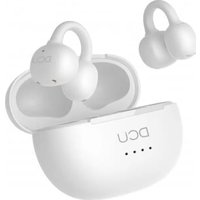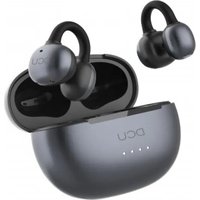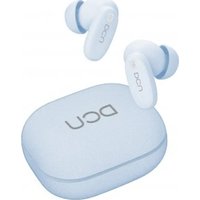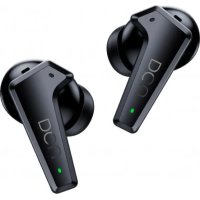
3Feedforward 4152040 - Earphones DCU - Free user manual and instructions
Find the device manual for free 3Feedforward 4152040 DCU in PDF.



User questions about 3Feedforward 4152040 DCU
0 question about this device. Answer the ones you know or ask your own.
Ask a new question about this device
Download the instructions for your Earphones in PDF format for free! Find your manual 3Feedforward 4152040 - DCU and take your electronic device back in hand. On this page are published all the documents necessary for the use of your device. 3Feedforward 4152040 by DCU.
USER MANUAL 3Feedforward 4152040 DCU
Feedforward Active Noise Cancelling Earbuds
Stereo calls and Voice assistant
34152040 / 34152045
Manual de usuario 3
User manual 14
Manual d'usuari 25
Mode d'emploi 36
text_image
Warning symbol with a triangle containing an ear and sound waves, indicating noise or hearing.Peligro
natural_image
Two identical line drawings of a mechanical handle or bracket (no text or symbols)natural_image
Line drawing of a medical device with two open compartments and a circular opening (no text or symbols)ESP
natural_image
Diagram showing two open circular compartments with internal compartments and arrows indicating rotation or movement (no text or symbols)Encendido Apagado
ESP
Conexión Bluetooth:
text_image
Settings Bluetooth Bluetooth MY DEVICES ANC_DCUTECnatural_image
Simple line drawing of a mechanical component or bracket (no text or symbols)Presionar durante 2 s.
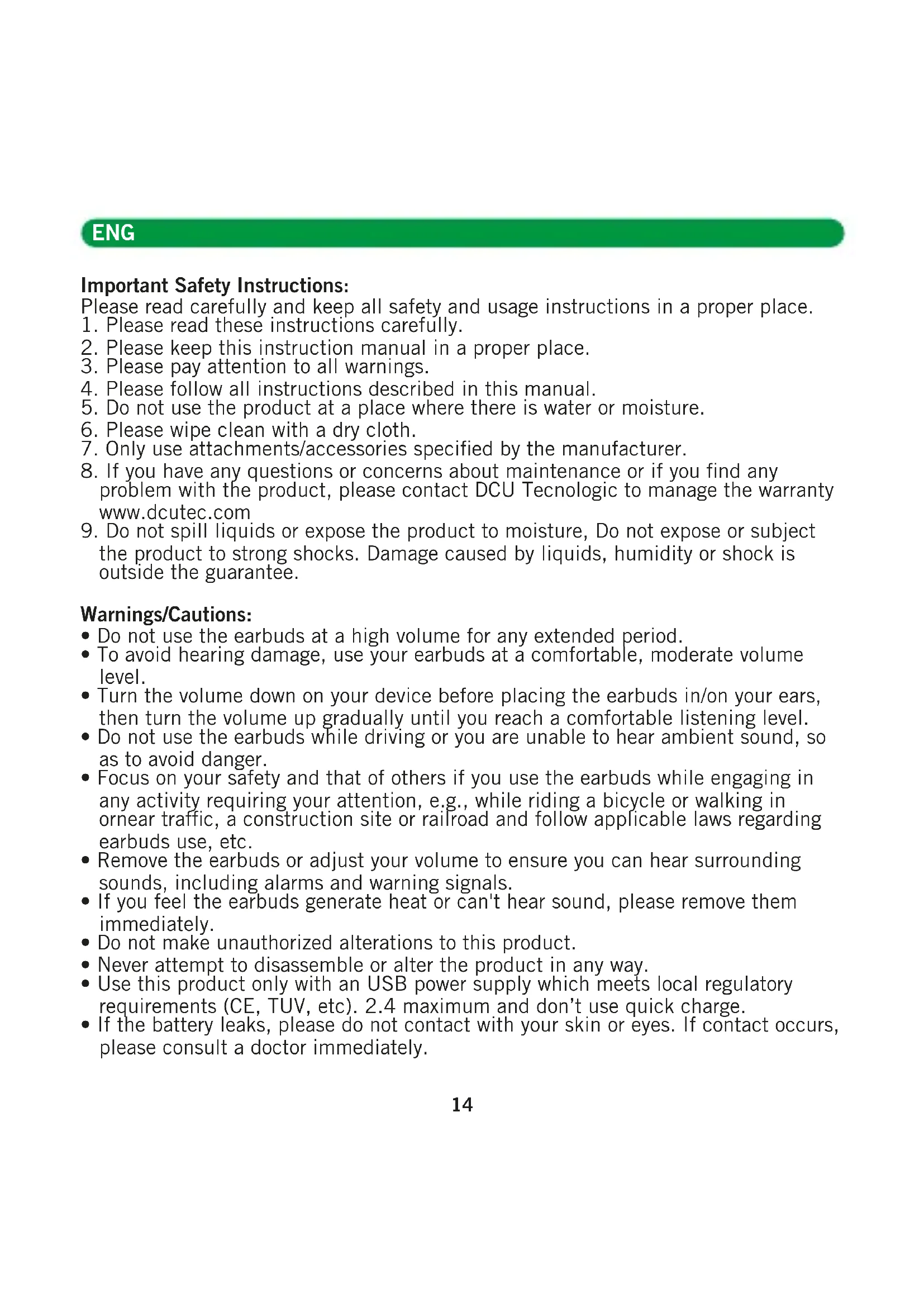
Important Safety Instructions:
Please read carefully and keep all safety and usage instructions in a proper place.
- Please read these instructions carefully.
- Please keep this instruction manual in a proper place.
- Please pay attention to all warnings.
- Please follow all instructions described in this manual.
- Do not use the product at a place where there is water or moisture.
- Please wipe clean with a dry cloth.
-
Only use attachments/accessories specified by the manufacturer.
-
If you have any questions or concerns about maintenance or if you find any problem with the product, please contact DCU Tecnologic to manage the warranty www.dcutec.com
-
Do not spill liquids or expose the product to moisture, Do not expose or subject the product to strong shocks. Damage caused by liquids, humidity or shock is outside the guarantee.
Warnings/Cautions:
- Do not use the earbuds at a high volume for any extended period.
- To avoid hearing damage, use your earbuds at a comfortable, moderate volume level.
- Turn the volume down on your device before placing the earbuds in/on your ears, then turn the volume up gradually until you reach a comfortable listening level.
- Do not use the earbuds while driving or you are unable to hear ambient sound, so as to avoid danger.
- Focus on your safety and that of others if you use the earbuds while engaging in any activity requiring your attention, e.g., while riding a bicycle or walking in ornear traffic, a construction site or railroad and follow applicable laws regarding earbuds use, etc.
- Remove the earbuds or adjust your volume to ensure you can hear surrounding sounds, including alarms and warning signals.
- If you feel the earbuds generate heat or can't hear sound, please remove them immediately.
- Do not make unauthorized alterations to this product.
- Never attempt to disassemble or alter the product in any way.
- Use this product only with an USB power supply which meets local regulatory requirements (CE, TUV, etc). 2.4 maximum and don't use quick charge.
- If the battery leaks, please do not contact with your skin or eyes. If contact occurs, please consult a doctor immediately.
ENG
- Do not expose products containing batteries to excessive heat (e.g. from storage in direct sunlight, fire or the like).
- Wipe off sweat from the earbuds and the charging case before charging.
- IPX5 is not a permanent condition, and resistance might decrease as a result of normal wear.

Contains small parts which may be a choking hazard. Not suitable for children under age 3.

This product contains magnetic material.
Consult your physician on whether this might affect your implantable medical device.
Care and Maintenance:
- Do not drop, squeeze, bend or use excessive force to the product.
- Do not place the product in a damp, cold, extreme environment or for a prolonged period of time. Excessively high or low temperature may cause a fire/explosion of the battery. Keep away from moisture condition, in order to prevent damage of the built-in circuits.
- Do not wipe the product with volatile, irritating liquids. The best way is to clean with a soft cloth or a professional leather cleaner.
- Do not disassemble the product by yourself.
- This product contains magnetic material. Keep the product away from magnetic sensitive products (such as credit cards and video screens) to prevent damage.
Listening Safety:

natural_image
Warning symbol of an ear inside a triangle (no text or numbers)Danger
To avoid harm your hearing, do not listen at high volume for a long time.
Please adjust the volume to a safe range.
If the earbuds volume is too high, the use time should be shortened.
After-sales Service:
This product is covered under warranty for a period of 3 years free maintenance and 30-day unconditional return policies. If you have any quality problems about the product contact DCU Tecnologic at www.dcutec.com
ENG
Product parameters:
Bluetooth Version: V5.0/5.2
Chipset: Bluetrum 8922E Crystal-Clear calling
Noise canceling: FEEDFORWARD FF
Noise Reduction Depth: -25\~-28dB
Working Distance: 10-15m without obstacles
Waterproof Rating: IPX5
Working Time: Music 8h, talk time 8h (70% volum)
Charging Time: Charging case 2h, earbuds 1h
Battery Capacity: 400mAh, Single earbud 50mAh
Speakers: 10mm, 32Ω, S/N: ≥100dB
Working Current: 7mA
Packing Contents
ANC Earphones (Left x1, Right x1)
Earphones charging case x1
USB Type-C cable x1

natural_image
Two identical line drawings of a hand handle with circular handles (no text or symbols)
text_image
DCU


User guide x1
Ear tips x 3 pairs (L/M/S size)
ENG
Product introduction:
A. Charging case B. Earbuds

text_image
Touch panel Charging port Charging case battery indicator Ear tips Status indicator lightBattery charge:
- Charge the case:
- Charge the battery with the provided USB Type C cable. The charging time is about 2h.
- When the product is fully charged, the LED indicator become solid green LED display: charging 25%, 50%, 75%, 100%
- Charge the earbuds:
- Remove the film on the earbuds when taking them out of the battery charging case for the first time.
- Put the earbuds into the charging case and automatically charge when closing the charging case. The charging time is about 1h.
* This product adopts the magnet contact charging

text_image
Type-C port for charging the product PC or adapter USB port
natural_image
Line drawing of a medical device with open casing and two internal compartments (no text or symbols)ENG
- Charging case Indicators:
| Charge the charging case | When charging the charging case, the indicator green light flashes.There are 4 LED lights to represent battery level.Open the charging case to check the battery level.After fully charged, 4 LED lights become solid in green |
| Charge the earbuds with the charging case | When you charge the earbuds with the charging case, the corresponding LED lights solid in green to display the battery level, until earbuds are fully charged. |
Secure fit:
- Please check the "L" and "R"
- Put the earbuds on your ears. Please adjust the angle according to your ears and make surethey fit in the ear securely and comfortably.
Power ON/OFF:
Power on:
Open the charging case cover and the earbuds automatically power on.
Power off:
Put the earbuds into the charging case, the earbuds will automatically power off after closing the charging case cover.
The earbuds will be power off automatically when there is no connection of the left/ right earbud for about 5 min.

text_image
R L
natural_image
Diagram showing two open circular compartments with internal compartments and arrows indicating rotation or movement (no text or symbols)On Off
ENG
Bluetooth connection:
- Open the charging case.
The left and right earbud will automatically power on and pair. - Ready to pair (orange/green light flashes alternately).
Until the left/right earbud flashes orange/green light alternately every 7 seconds, the earbuds are paired successfully.
-
Open your Bluetooth device setting and search "ANC_DCUTEC", then click to complete the connection.
-
If the connection fails, please put the earbuds back into the charging box and repeat the above steps.

text_image
Settings Bluetooth Bluetooth MY DEVICES ANC_DCUTEC* Please tear off the insulation sticker on the earbuds contacts before using it.
* After the first connection, the earbuds will automatically connect back to the last paired device (Bluetooth device needs to be turned on).
Battery display sync:
Support iOS/Android mobile phone displays the earbuds battery level near the upper right corner of the screen.
Clear and repairing Bluetooth connection:
When the charging case is in the charging state, put the earbuds into the charging case, triple-tap the earbuds touch panel to clear Bluetooth pairing record. The earbuds LED indicator lights will flash orange and green lights on for 1s.
ENG
Noise Cancelling & Ambient Sound:
Noise cancelling mode
Active noise cancellation (ANC) reduces unwanted noise providing a clearer, more lifelike audio performance. You can choose the noise cancelling mode based on your listening preferences and environment.
Ambient sound mode
Turn on ambient mode to control how much surrounding noise you let in. With quick ambient mode, you can listen in on street traffic, catch flight announcements, and hear when your kids or co-workers call out to you.

natural_image
Simple line drawing of a mechanical component or bracket (no text or symbols)Long press 2s.
Summary: Turn on the noise cancellation function of your headphones if you want to listen to music without interruption of surrounding noise. Turn on Ambient Sound Mode if you want to hear the sounds around you
Switch between noise cancellation and ambient sound modes
- Please make sure earbuds are power on, enable the noise cancelling function.
- Long press earbuds touch panel for 2s, switch to ambient sound mode.
- Long press earbuds touch panel for 2s again, enable the noise cancelling function.
- Long press earbuds touch panel for 2s again, noise cancelling function is off.
Noise reduction mode switch
When the headset enters the TWS state, press and hold the multi-function button for 2 seconds.
*(When powered on, ANC is off by default)
Note:
* Each Long press earbuds touch panel changes the function.
ENG
Touch Panel Command:
- Voice assistant (Google/Siri) In the paired status, triple-tap the left earbud touch panel
- Game mode In the paired status, triple-tap the right earbuds touch panel.
- Answer the call In the incoming call status, double-tap the earbuds touch panel.
-
Hang up the call In the phone call status, double-tap the earbuds touch panel.
-
Reject the call In the incoming call state, long-press the earbuds touch panel 2s.
- Pause/Play music When connected, Single-tap the earbuds touch panel.
- Next song When connected, Double-tap the right earbud touch panel.
- Previous song When connected, Double-tap the left earbud touch panel.
FAQ:
-
If the earbuds doesn't function as expected, try the following steps to resolve the issue.
-
Find the symptoms of the issue in this User Guide, and try any corrective actions listed.
- Charge the battery: You may be able to resolve some issues by charging the battery.
- Initialize the earbuds: This operation resets the earbuds to the factory settings and deletes all pairing information.
-
Look up information on the issue on the customer support www.dcutec.com
-
Clear Bluetooth pairing record.
- When the charging case is in the charging state, put the earbuds into the charging case, triple-tap the earbuds touch panel to clear Bluetooth pairing record. The earbuds LED indicator lights will flash orange and green lights on for 1s
3. Only one earbud worked
- Earbuds are currently or had already been connected to a Bluetooth device, click forget or remove “ANC_DCUTEC” from your Bluetooth settings and turn off your device Bluetooth.
- Ready to pair (orange/green light flashes alternately). Until the left/right
ENG
earphone orange/green light flashes alternately every 7 seconds, the earbuds are paired successfully each other.
- Then remove the earbuds from the charging case, active your device Bluetooth to connect the earbuds.
- Can't power on the Bluetooth earbuds.
- The battery level is low, please charge the earbuds in time.
- Put into the charging case to charge the battery.
- Unable to make a Bluetooth connection.
- Check that the earbuds are turned on.
- Check that the Bluetooth device is turned on and the Bluetooth function is on.
- Make sure the earbuds are not connected to another device.
- Move your mobile device closer to the earbuds and away from any interference or obstructions.
- Clear the earbuds pairing list and connect again.
- The earbuds are connected to a Bluetooth-enabled device (mobile phone, PC, tablet, etc.), but you can't play a song through the earbuds.
- Refer to your device's user manual and select to play songs through the earbuds.
- For some music playback software, you have to go into the setup interface, and choose to play songs through the earbuds from the list of output devices (it typically occurs on the PC).
-
Poor sound quality.
-
Move your mobile device closer to the earbuds (30 ft. or 10 m) and away from any interference or obstructions.
- Make sure that both earbuds fit securely in your ear.
- Use a different music source.
- Try connecting another mobile device.
-
Clear any debris or wax build-up from the earbuds and earbuds nozzles.
-
Earbuds don't charge.
-
Make sure the earbuds are properly placed in the charging case.
- Make sure the charging case battery is not depleted.
- Make sure there is no dirt or debris covering the charging conductors within the case or on the earbuds.
-
If your earbuds have been exposed to high or low temperatures, let the earbuds return to room temperature and then try charging again.
-
Charging case doesn't charge.
-
Check the case battery level with charge case LED indicator light. If needed, charge the case with the supplied USB cable.
- Secure both ends of the USB cable.
-
If your charging case has been exposed to high or low temperatures, let the case return to room temperature and then try charging again.
-
No sound.
-
Press play on your mobile device to make sure the audio track is playing.
- Place the earbuds in the charging case
ENG
to check the earbuds charging status. If needed, charge the earbuds.
- Increase the volume on the earbuds and mobile device.
- Make sure you are using the correct device.
- Move your mobile device closer to the earbuds (30 ft. Or 10 m) and away from any interference or obstructions.
- Use a different music source.
-
Connect a different mobile device.
-
Cannot hear a person on a call.
-
Check that both the earbuds and the connected device (i.e., smart-phone) are turned on.
- Turn up the volume of the connected device if it is too low.
- Check the audio settings of the Bluetooth device to make sure the sound comes from the earbuds during a call.
- Re-establish the connection using the Bluetooth device.
-
While listening to music with the earbuds, stop playback and press the button on the right or left unit to respond to an incoming call.
-
Earbuds always fall off
- Choose the ear tips that fit the size of your ear.
- Wear the earbuds correctly.
- The Bluetooth connection and sound signal are unstable.
- The Bluetooth device is out of range. Please shorten the distance between the earbuds and the Bluetooth device.
And keep away from any interference or obstacles.
- Do both earbuds have call function when using single earbud?
- Yes, our earbuds can be single-use, each one bud has the call function.
-
Can I use it on Apple products?
-
Supports iPhone, iPad, Samsung, Sony, Huawei, Xiaomi and other smart-phone devices. Supports Bluetooth audio devices.
-
If your device is with Bluetooth version above 4.0, you can use it with the earbuds.
-
What version of Bluetooth is in the earbuds? What is the maximum distance the earbuds will cover?
- Bluetooth version is 5.0. The maximum distance must be less than or equal to 10 meters without obstacles
-
How to charge the earbuds? How many times does the charging case charge the earbuds? How long does it take to charge the earbuds?
-
Place the earbuds into the charging case and close the cover, it will start to charge the earbuds.
- The charging case can charge the earbuds 3 times when it is fully charged.
- It takes about 1 hour to fully charge the earbuds, depending on the actual situation.
ENG
18. Can I use the earbuds when charging?
- The earbuds must be put into the charging case when charging. So you can't use it during charge.
19. Does it support the fast charge function?
- Yes, earbuds use USB type-c cable, which supports fast charge.
20. What are the environmental requirements for the product?
- Please use the product under normal environment where the temperature is between -10 °C and 40 °C.
21. How to disconnect the earbuds from a Bluetooth connected device?
- Put the earbuds into the charging case and close the cover. The earbuds will automatically shut down.
- If the left or right earbud isn't connected to the device for about 5 minutes, the earbuds will automatically power off.
- When the charging case is in the charging state, put the earbuds into the charging case, triple-tap the earbuds touch panel to clear Bluetooth pairing record. The earbuds LED indicator lights will flash orange and green lights on for 1s
- Manually disconnect the earbuds on the Bluetooth connected device.
DCU Tecnologic's Customer service Live web chat: www.dcutec.com/eng Email: info@dcutec.com Telephone: +34 972244105
CAT
Advertiments/Precaucions:
text_image
Warning symbol with a triangle containing a stylized human ear icon
Perill
natural_image
Two identical mechanical lever components with circular end caps, shown in line drawing style (no text or symbols)natural_image
Line drawing of a medical device with two open compartments and a circular opening (no text or symbols)CAT
natural_image
Diagram showing two open circular compartments with internal compartments, each containing a slot or connector (no text or symbols present)Encesa Apagat
CAT
Connexió Bluetooth:
text_image
Settings Bluetooth Bluetooth MY DEVICES ANC_DCUTECnatural_image
Simple line drawing of a mechanical part with no text or symbolsPresionar durarnt 2 s.
DCU Tecnologic's Customer service
Live web chat: www.dcutec.com/eng
Email: info@dcutec.com
Telephone: +34 972244105
FRA
text_image
Warning symbol with a triangle containing an ear and sound waves, indicating noise or sound pressure.
Danger
natural_image
Two identical line drawings of a hand handle (no text or symbols)natural_image
Line drawing of a medical device with two open compartments and a circular opening (no text or symbols)FRA
natural_image
Diagram showing two open circular compartments with internal compartments and arrows indicating rotation or movement (no text or symbols)Allumer Éteindre
FRA
Connexion Bluetooth:
text_image
Settings Bluetooth Bluetooth MY DEVICES ANC_DCUTECnatural_image
Simple line drawing of a mechanical component or bracket (no text or symbols)text_image
Warning symbol with a sine wave inside a triangle, indicating sound or hearing4 Perigo
natural_image
Line drawing of two identical mechanical components with no text or symbolsnatural_image
Line drawing of a medical device with two open compartments and a circular opening (no text or symbols)PORT
natural_image
Diagram showing two open circular compartments with internal compartments, each containing a slot or connector (no text or symbols present)On Off
PORT
Conexão Bluetooth:
text_image
Settings Bluetooth Bluetooth MY DEVICES ANC_DCUTECnatural_image
Simple line drawing of a mechanical component or bracket (no text or symbols)natural_image
Line drawing of a smartphone with 'DCU' branding on its body, partially overlapping a circular object (no text or symbols beyond branding)
CE RoHS

Designed in BCN / Made in PRC / B55166847
DCU
TECNOLOGIC
Good people
www.dcutec.com
C/ Industria, 34