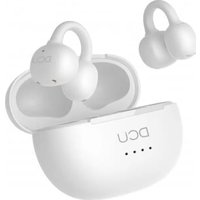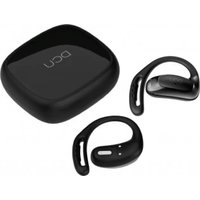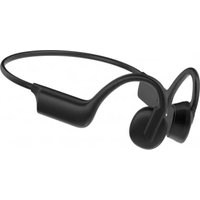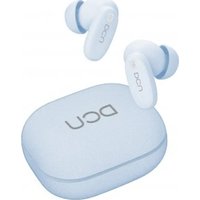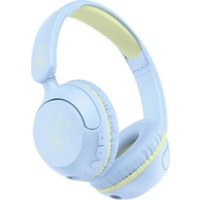
Clip Buds 34152065 - Earphones DCU - Free user manual and instructions
Find the device manual for free Clip Buds 34152065 DCU in PDF.


User questions about Clip Buds 34152065 DCU
0 question about this device. Answer the ones you know or ask your own.
Ask a new question about this device
Download the instructions for your Earphones in PDF format for free! Find your manual Clip Buds 34152065 - DCU and take your electronic device back in hand. On this page are published all the documents necessary for the use of your device. Clip Buds 34152065 by DCU.
USER MANUAL Clip Buds 34152065 DCU
text_image
QR code image containing encoded data, no visible human-readable textSpecial Note: Before using the earphone for the first time, please put the earphone into the ordinary charging case once and then remove it. Only then can touch be effective.
To reduce the risk of injury:
- Keep batteries out of reach of children.
- Do not heat, open, or dispose of battery pack in fire.
- Do not allow metal objects to touch the battery on the device.
- Do not expose battery pack to excessive heat.
- Do not use a high current charger, or the charging line will burn out.
- Do not use over 5V 1A (5W) adapter to charge this product.
PACKAGE CONTENTS:
- 2 x earbud
- 1x Charging case
- 1x User manual
- 1 x USB A-C cable
PRODUCT SPECIFICATION:
• Product model: 34152065 & 34152066
- Bluetooth solutions: JL7106
- Bluetooth version: v6.0
• Frequency response:20Hz-20KHz
- Speaker size: 10mm
• Effective distance: 10m
• Earphones battery capacity: 40mAh
- Charging case battery capacity: 300mAh
- Playing time: total about 20 hours
- Charging time: about 2 hours
CHARGING FUNCTION:
Fully charge the case and earphones before using for the first time. There is a Type-C cable included in the packaging. Connect it to the Type-C charging port and the other end into a USB powered source 5V 1A (5W) to charge your case
PAIRING:
1: Auto Pairing
Taking the earphones out of the charging case, and then the earphones will automatically turn on, sync together and enter pairing mode.
2: Syncing your earphones
When earphones do not sync together or enter disconnected state during use.
1): placing both earphones back into case, closing the charging case and then open the charging case again.
2): Open up Bluetooth setting on your smart device and scan for DCU AirClip.
OPERATION:
1: Power on/off
Take the earphones out of the charging case, automatically turn on; Put the earphones back to the charging case, automatically turn off; Long press 3 seconds to turn on Long press 5 seconds to turn off
2: Play/Pause music.
When listening to music.
Click left /right earphones once to play or pause the music.
3: Previous /Next Song
When listening to music.
Long press right earphones to go to next song.
Long press left earphones to go to previous song.
4: Volume
When listening to music.
Double click left earphone to reduce volume;
Double click right earphone to increase volume;
5: Game mode
When listening to music.
Triple click left earphone to switch game mode/music mode;
6: Answer/Hang up
When there is an incoming call.
Quick tap left or right earphones once to answer the call.
Quick tap left or right earphones again to end the call.
7: Reject
When there is an incoming call.
Double click right or left earphones to reject the call.
8: Voice assistant
Triple click right earphones to activate voice assistant.
SERVICE AND WARRANTY:
- The warranty covers quality problems caused by manufacturing, materials or design within the first 3 years of purchase and battery and charger problems within the first 6 months.
- The guarantee does not cover damage caused by misuse of the product or by the following cases:
1). Disassemble or reassemble the product.
2). Damage caused by falls
3). Any man-made damage or misuse (such as: getting water into it, external force causing it to break, scratch damage to peripheral components, etc.)
4) Damages caused by water are outside the scope of the guarantee.
-
When requesting the warranty, you must provide the purchase receipt with the place and date of purchase.
-
If you have problems using the product, please don't hesitate to contact our customer service:
DCU TECNOLOGIC CUSTOMER SERVICE:
www.dcutec.com
Email: info@dcutec.com
Telephone: +34 972 244 105
ADVERTÈNCIA:
Designed in BCN / Made in PRC / B55166847