PlaySafe 34152540 - Earphones DCU - Free user manual and instructions
Find the device manual for free PlaySafe 34152540 DCU in PDF.


User questions about PlaySafe 34152540 DCU
0 question about this device. Answer the ones you know or ask your own.
Ask a new question about this device
Download the instructions for your Earphones in PDF format for free! Find your manual PlaySafe 34152540 - DCU and take your electronic device back in hand. On this page are published all the documents necessary for the use of your device. PlaySafe 34152540 by DCU.
USER MANUAL PlaySafe 34152540 DCU
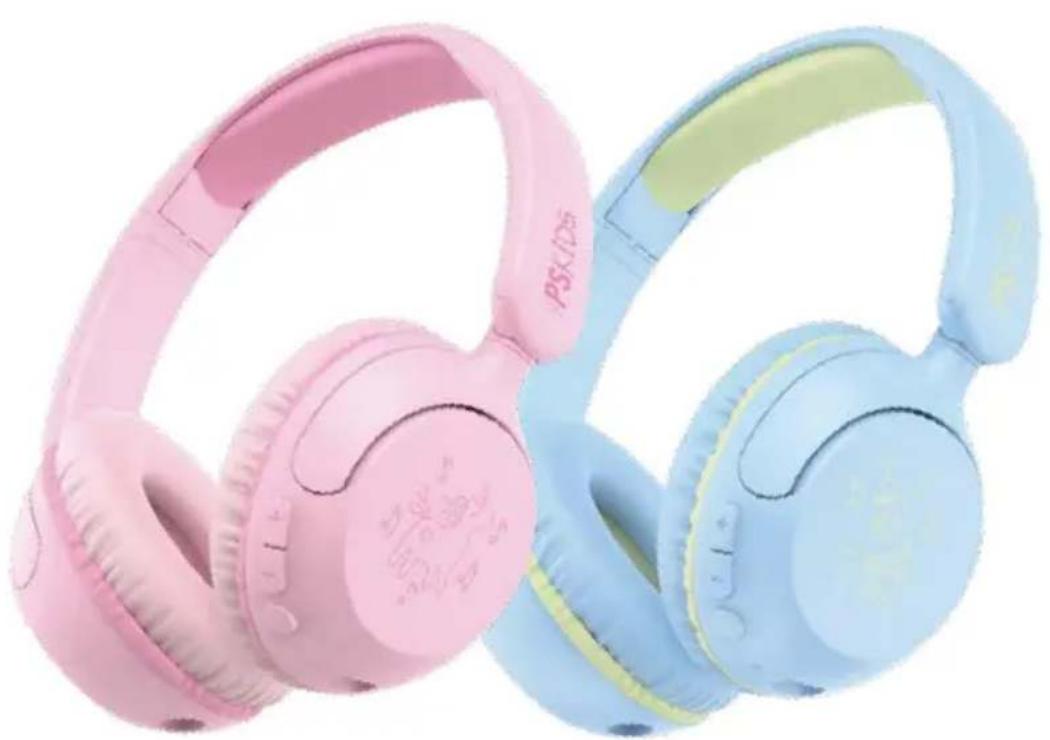
natural_image
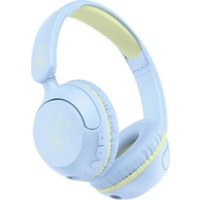
Two colorful headsets (light blue and pink) with a ladybug, shown against a white background (no text or symbols visible)
text_image
LOOK HOW IT WORKS! IMÍRALO AQUI!| Manual de usuario | 3 | ESP |
| User manual | 14 | ENG |
| Manual d'usuari | 25 | CAT |
| Mode d'emploi | 36 | FRA |
| Manual de usuário | 47 | PORT |
ESP
CONTENIDO
text_image
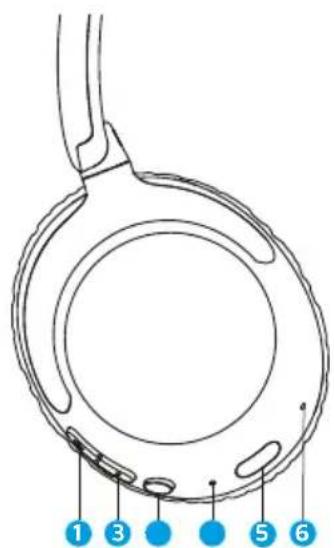
1 3 5 6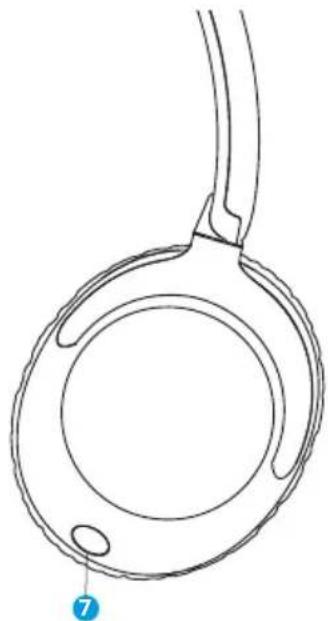
natural_image
Line drawing of a circular mechanical component with a handle and two small oval features, no text or symbols present.natural_image
Illustration of a portable electronic device with control buttons and a pointer, labeled '2s' (no text or symbols on the device itself)
Bluetooth
DCU_KIDS

Conectado ①

natural_image
Line drawing of a handheld electronic device with buttons and ports (no text or symbols)

text_image
2ND 5 secnatural_image
Line drawing of a handheld electronic device with a hand pointing to the button (no text or symbols)natural_image
Line drawing of a pair of headphones with earbuds and buttons (no text or symbols)L
R
natural_image
Diagram showing audio equipment connections: two USB cables connected to a USB port, and a laptop with music notes (no text or symbols)ESP
text_image
2° DCU_KIDS Connect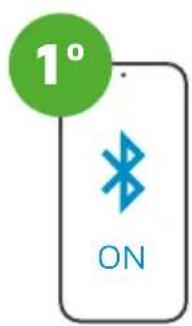
text_image
1° ONtext_image
Diagram of a device with labeled components and a 5S indicator, showing a light source and control buttons.Presione
3 veces
text_image
10S1
c/ Industria 34, 17005-Girona (Spain)
T.: +34 972244105
Email: info@dcutec.com
www.dcutec.com
ENG
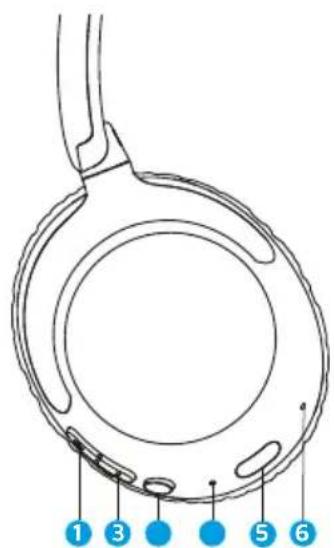
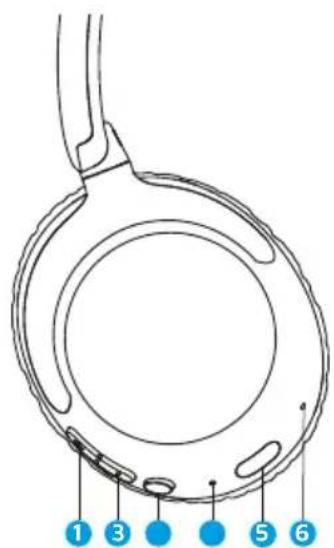
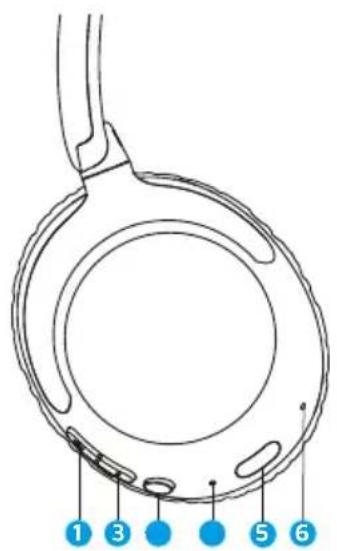
CONTENTS
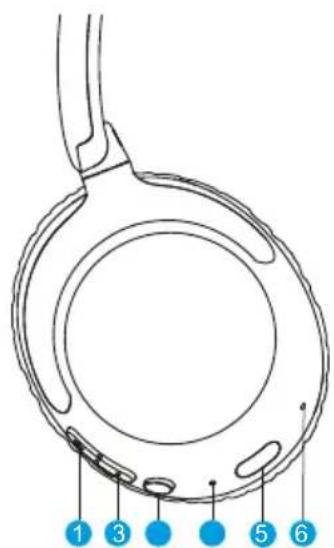
text_image
1 3 5 6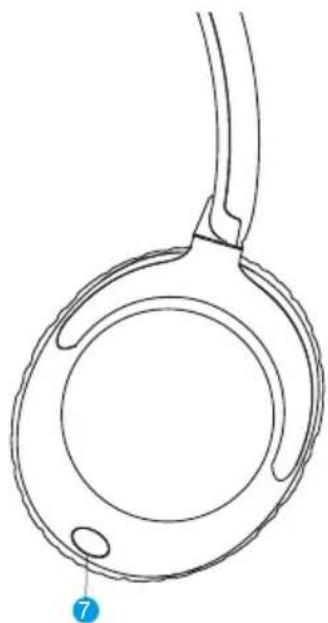
natural_image
Line drawing of a circular mechanical component with a handle and two small oval features, no text or symbols present.1 Volume Up
② Volume Down
3 Power Button (Multi-function)
4 LED Indicator
5 Charging Port
6 Microphone
7 3.5mm Audio Port
8 Manual
9 Charging Cable
10 Jack 3.5mm Cable
11 Jack - USB C

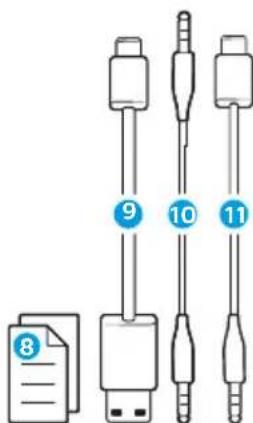
text_image
8 9 10 11ENG
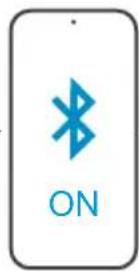
POWER ON CONNECT

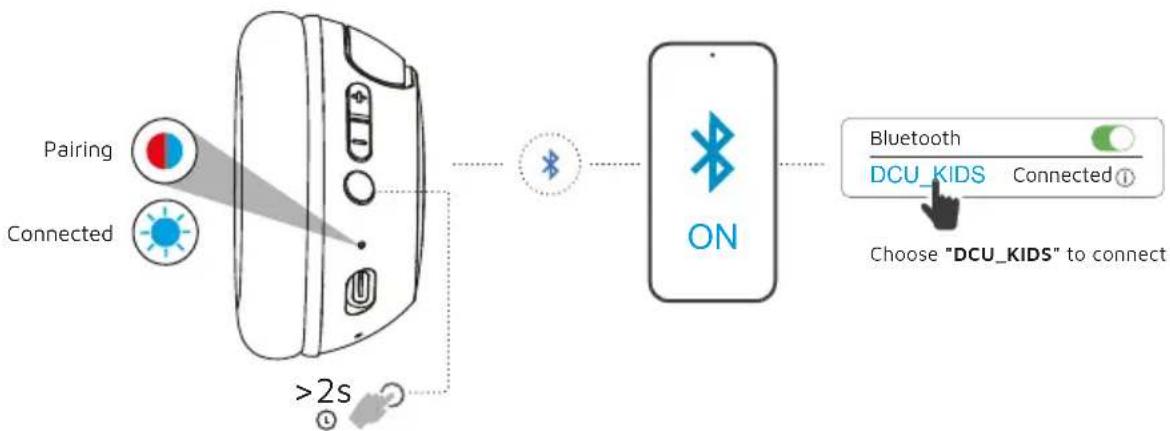
flowchart
graph LR
    A["Pairing"] --> B["Connected"]
    B --> C[">2s"]
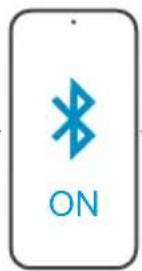
    C --> D["Bluetooth"]
    D --> E["ON"]
    E --> F["Bluetooth Connection"]
    F --> G["DCU_KIDS Connected"]
    G --> H["Choose "DCU_KIDS" to connect"]
VOICE PROMPTS
Power ON
Pairing
Connected
Battery Full: 100%-80%
Battery Medium: 70%-30%
Low Battery: less than 20%
Power on and automatically enter pairing mode
* To enter pairing mode again, power off and then hold PowerButton for 5 seconds
ENG
CONTROL
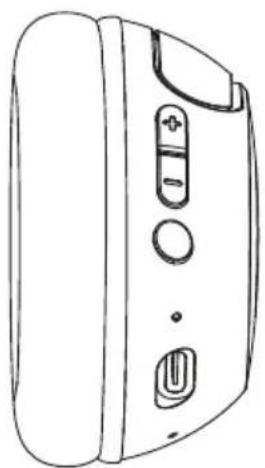
natural_image
Line drawing of a portable electronic device with buttons and ports (no text or symbols)

- Press once to increase volume
— Press and hold to skip forward
- Press once to play, pause, or answer, end a phone call

Press twice to activate Siri or other voice control software
Press and hold 2s to reject incoming calls
— Press and hold to power ON or OFF

- Press once to decrease volume
— Press and hold to skip back
ENG
AUDIO SHARING
(Share between two DCU_KIDS earbuds)

1 Connect FIRST headphone to device.
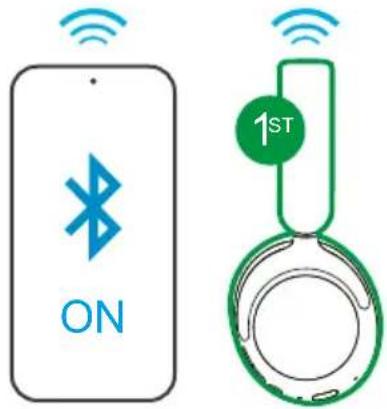
text_image
ON 1ST2 SECOND headphone should be power off. Press hold until flashing blue/red.
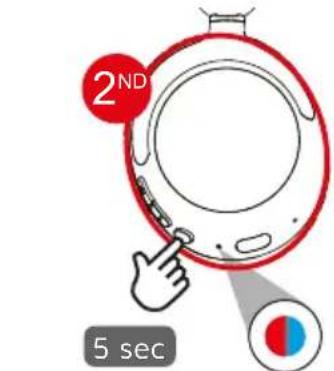
text_image
2ND 5 sec(Flashes blue/red)
ENG
3
On the SECOND headphone Press 3 times and it will flash blue Press 3 times (Flashes blue)
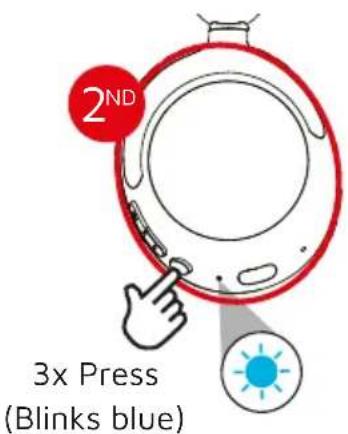
text_image
2ND 3x Press (Blinks blue)4
On the FIRST headphone Press 3 times to share.
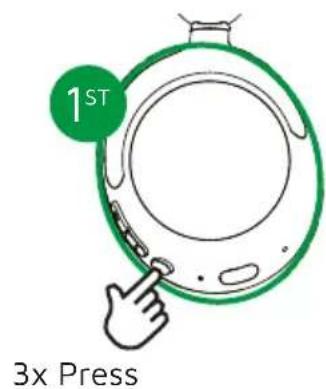
text_image
1ST 3x Press- Press 3 times on either earbud to disconnect from sharing mode.
ENG
SAFE LISTENING

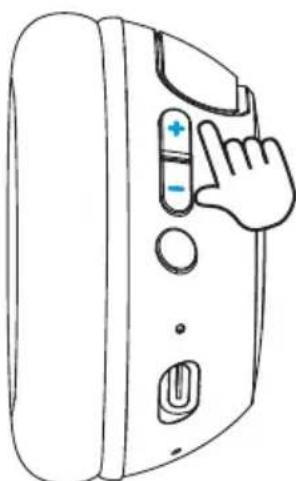
natural_image
Line drawing of a handheld electronic device with a hand pointing to the button (no text or symbols)Press and hold the +/- buttons for 1 second to activate Travel Mode (94dB max).
Studio mode defaults to 85dB max.
ENG
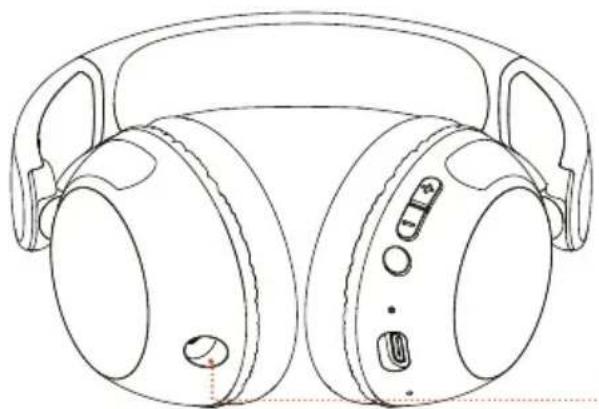
WIRED LISTENING MODE
natural_image
Line drawing of a pair of headphones with adjustable headsets and buttons (no text or symbols)L
R
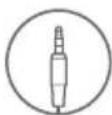
- The button functions will not work when AUX INPUT is connected.
- The volume will be dependent on your AUX device settings. Adjust accordingly.

natural_image
Diagram showing audio equipment connections: two USB cables connected to a laptop with musical notes (no text or symbols)ENG
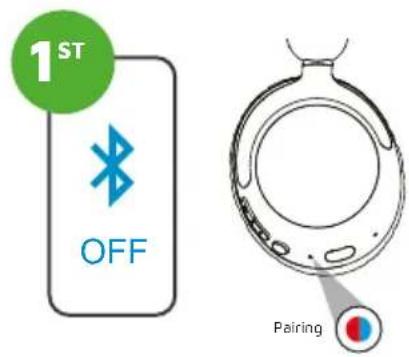
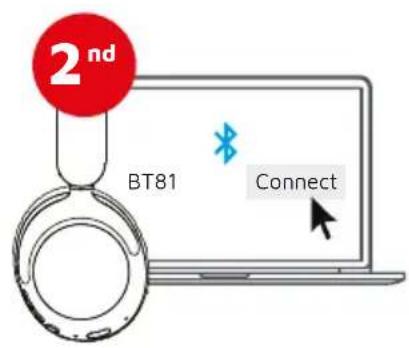
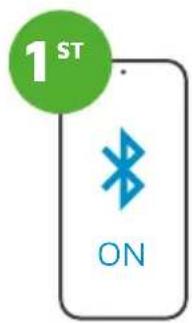
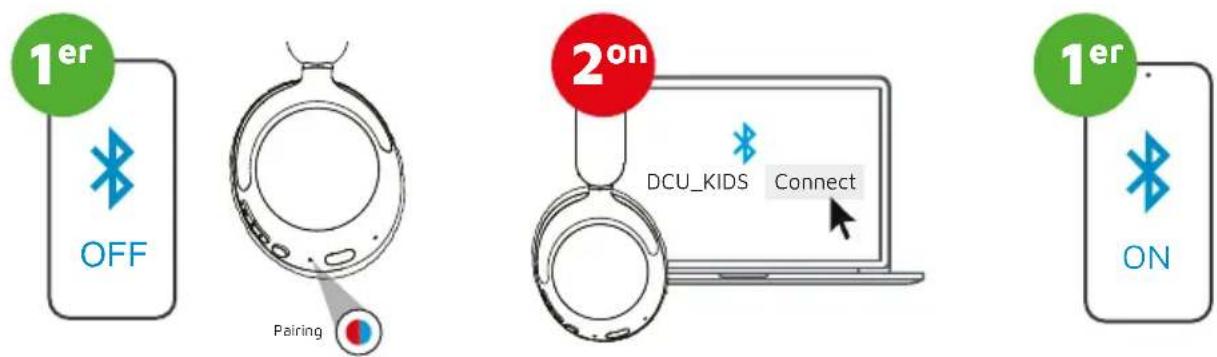
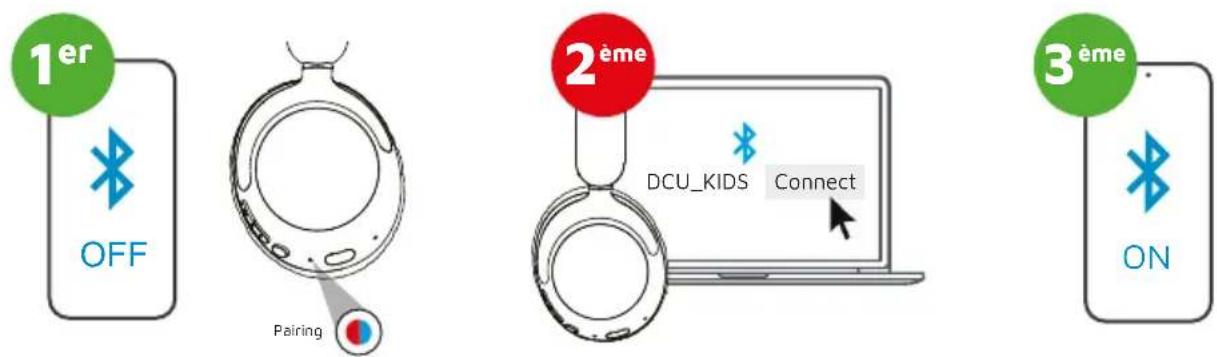
MULTI-POINT CONNECTION
Max 2 devices at a time

text_image
1ST OFF PairingOnce FIRST device has been connected, disable Bluetooth in the device settings. The headphones will automatically enter Bluetooth pairing mode
text_image
2nd BT81 ConnectGo into the Bluetooth settings on your SECOND device and connect to the headphones.
text_image
1ST ONGo into the settings on your FIRST device. Turn on Bluetooth and reconnect the headphones.
ENG
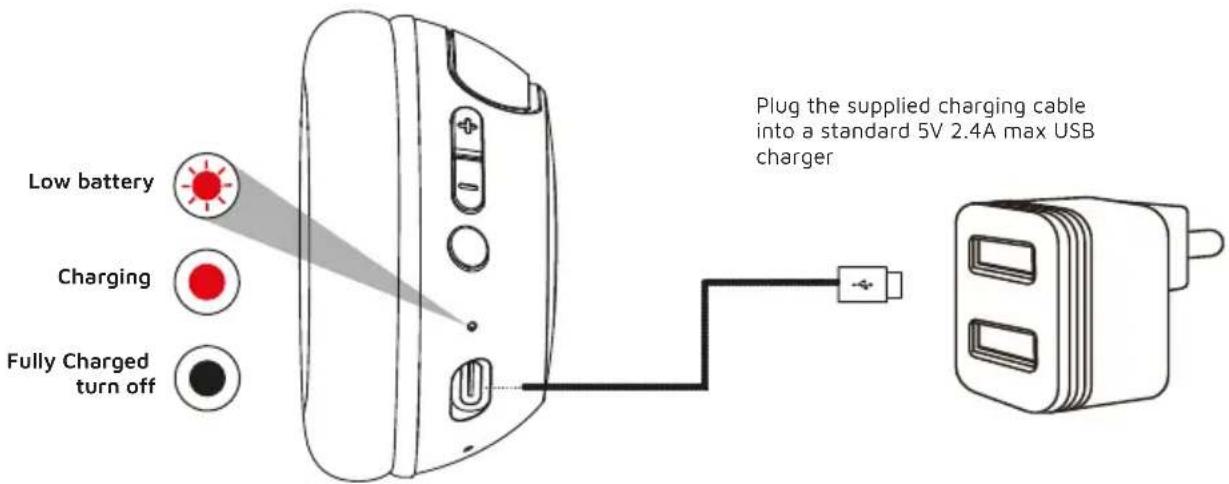
CHARGING

text_image
Low battery Charging Fully Charged turn off Plug the supplied charging cable into a standard 5V 2.4A max USB chargerENG
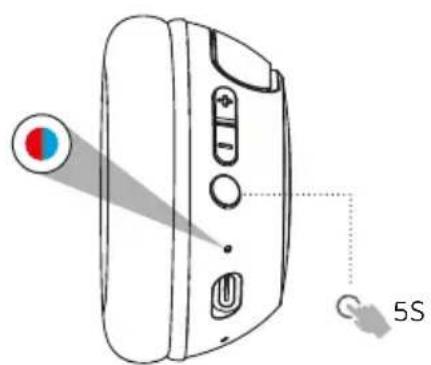
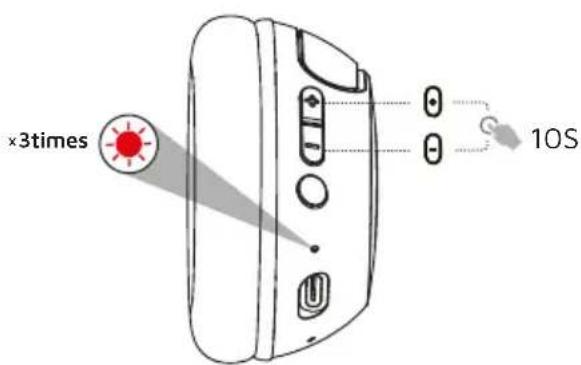
FACTORY RESET
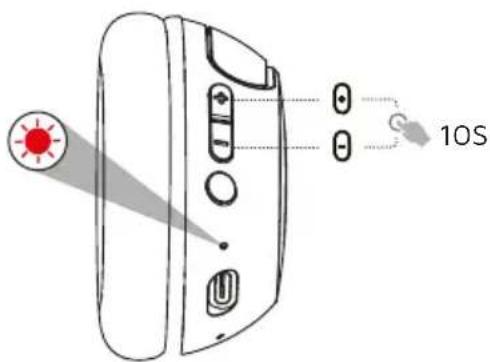
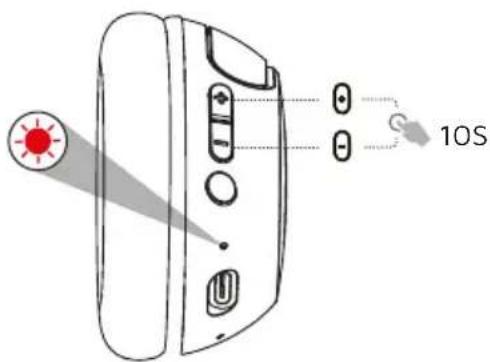
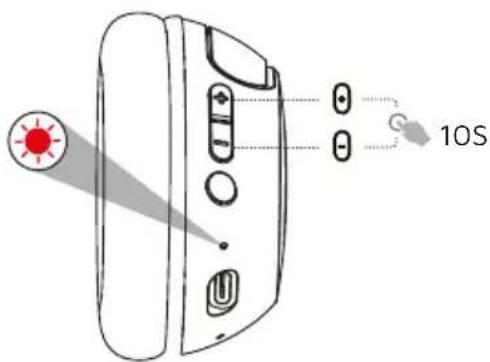
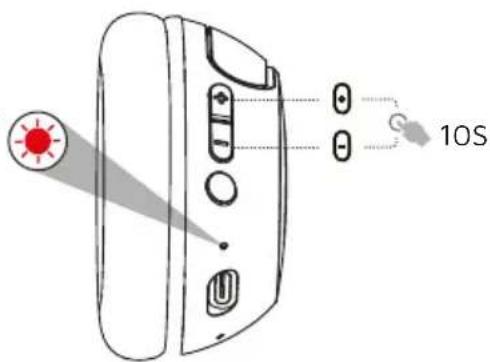
Make sure to disconnect and forget the "DCU_KIDS" device from your phone's Bluetooth device list before doing the reset

text_image
Diagram of a device with labeled components and a 5S indicator, showing a pointer and screen interface.1 When powered off, press and hold the power button for 5 seconds until the light flashes blue and red.
text_image
×3times 10S2 Press and hold the +/- buttons simultaneously for 10 seconds until you see the red-light flash 3 times. The headphones will automatically turn off
ENG
Please read this manual carefully before use.

Safety warnings
Do not expose the batteries (batteries installed) to excessive heat such as fire or the like.
Please dispose of batteries responsibly and be aware of the environmental effects of battery disposal.

Warning
To avoid possible hearing damage, do not listen at high volume for extended periods. For your own safety, be aware of your surroundings when using these headphones.
Warranty
- The warranty covers if quality problems caused by manufacturing, materials or design appear within the first 3 years of purchase and battery and charger problems within the first 6 months.
- The warranty does not cover damage caused by misuse of the product or the following cases:
1). Disassembling or reassembling the product.
2). Damage caused by falling.
3). Any artificial damage or misuse.
4) Water damage is outside the scope of the warranty.
- When applying for the warranty, you must provide the purchase receipt with the place and date of purchase.
- If you have any problems while using the product, please contact our customer service:
DCU Tecnologic Customer Service
c/ Industria 34, 17005-Girona (Spain)
T.: +34 972244105
Email: info@dcutec.com
www.dcutec.com
CAT
CONTINGUT
text_image
1 3 5 6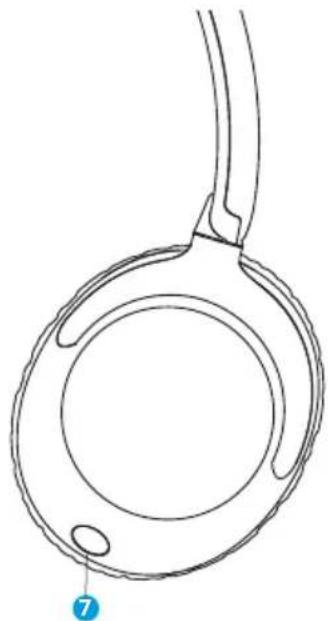
natural_image
Line drawing of a circular mechanical component with two protruding rods and a labeled point (7) at the end (no text or symbols on the diagram itself)natural_image
Line drawing of a portable electronic device with buttons and ports (no text or symbols)

text_image
2ON 5 secnatural_image
Line drawing of a handheld electronic device with a hand pointing to the button (no text or symbols)natural_image
Line drawing of a pair of headphones with adjustable head and front tabs (no text or symbols)natural_image
Diagram showing audio equipment connections: two USB cables connected to a USB port, and a laptop with musical notes (no text or symbols)CAT
CONNEXIÓ MULTI-PUNT
MÀXIM 2 DISPOSITIUS A LA VEGADA

text_image
Diagram of a device with labeled components and a 5S indicator, showing a pointer and screen interface.Premeu 3 vegades
text_image
10Sc/ Industria 34, 17005-Girona (Spain)
T.: +34 972244105
Email: info@dcutec.com
www.dcutec.com
FRA
COMPREND
text_image
1 3 5 6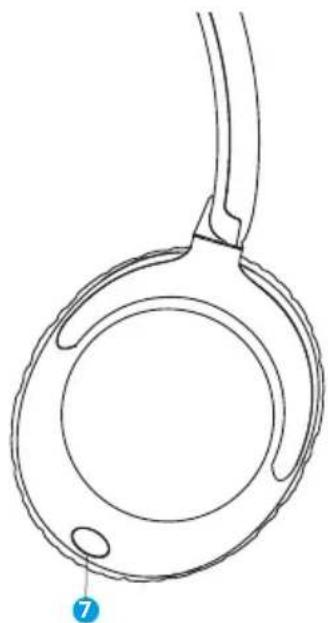
natural_image
Line drawing of a circular mechanical component with a handle and two small oval features, no text or symbols present.natural_image
Line drawing of a portable electronic device with buttons and a pointer (no text or symbols)

Bluetooth
DCU_KIDS

Connected ⓘ

natural_image
Line drawing of a portable electronic device with buttons and ports (no text or symbols)

text_image
2ND 5 secnatural_image
Line drawing of a handheld electronic device with a hand pressing the button (no text or symbols)natural_image
Line drawing of a pair of headphones with adjustable headsets and buttons (no text or symbols)natural_image
Diagram showing audio equipment connections: two USB cables connected to a USB port, and a laptop with music notes (no text or symbols)FRA
CONNEXION MULTIPOINT
MAXIMUM 2 APPAREILS À LA FOIS

text_image
Diagram of a device with labeled components and a 5S indicator, showing light path and control buttons.Appuyez
3 fois
text_image
10SService client DCU Tecnologic
c/ Industria 34, 17005-Girona (Spain)
T.: +34 972244105
Email: info@dcutec.com · www.dcutec.com
PORT
CONTENTE
text_image
1 3 5 6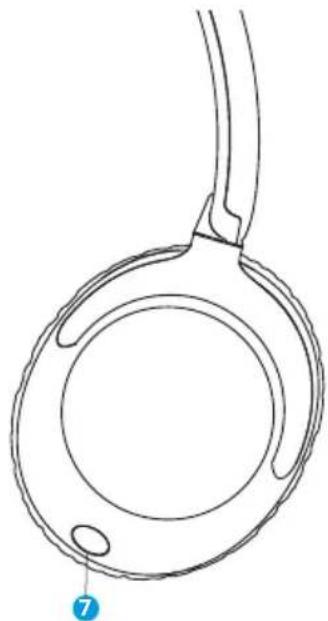
natural_image
Line drawing of a circular mechanical component with a handle and two small oval features, no text or symbols present.natural_image
Line drawing of a portable electronic device with control buttons and a pointer, labeled '2s' (no text or symbols on the device itself)
Bluetooth
DCU_KIDS

Conectado ①

natural_image
Line drawing of a portable electronic device with buttons and ports (no text or symbols)

text_image
2ND 5 secnatural_image
Line drawing of a handheld device with a hand pressing the button (no text or symbols)natural_image
Line drawing of a pair of headphones with adjustable headsets and buttons (no text or symbols)natural_image
Diagram showing audio equipment connections: two USB cables connected to a USB port, and a laptop with music notes (no text or symbols)PORT
LIGAÇÃO MULTI-PONTO
text_image
Diagram of a device with labeled components and a 5S indicator, showing a pointer and screen interface.Pressione
3 vezes
text_image
10S1
c/ Industria 34, 17005-Girona (Spain)
T.: +34 972244105
Email: info@dcutec.com
www.dcutec.com
natural_image
Two colorful headsets with pink and blue models, one featuring a logo and 'PSX123' branding (no visible text or symbols on the devices themselves)
CE RoHS

text_image
DCUTECNOLOGIC
Any questions about our products:
www.dcutec.com
C/ Industria, 34
Designed in BCN / Made in PRC / B55166847