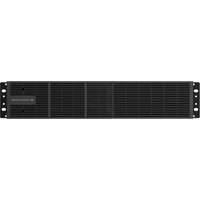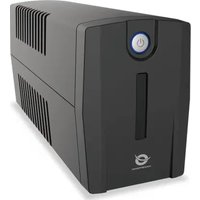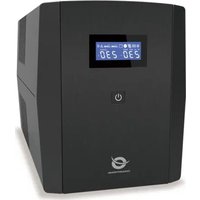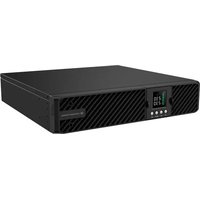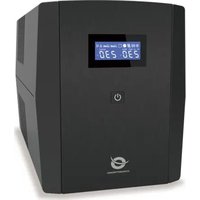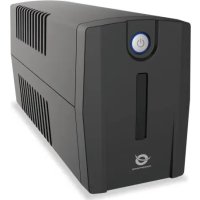
ZEUS01ESP - Uninterruptible power supply CONCEPTRONIC - Free user manual and instructions
Find the device manual for free ZEUS01ESP CONCEPTRONIC in PDF.



| Product Type | Uninterruptible Power Supply (UPS) |
| Brand | Conceptronic |
| Model | ZEUS01ESP |
| Capacity | 650 VA / 360 W |
| Waveform | Simulated sine wave |
| Input Voltage | 230 V AC, 50/60 Hz |
| Output Outlets | Battery backup and surge-protected outlets |
| Protection | Overload protection (circuit breaker), surge protection |
| Communication | USB port for PC connection and Power Master software |
| Display | LED indicators: normal status, discharging, low battery, overload, fault |
| Alarms | Beep according to status; silent mode available (double press button) |
| Typical Runtime | Approximately 10–15 minutes at full load (estimate) |
| Recharge Time | 8 hours for full charge; 4 hours after discharge |
| Dimensions (L x W x H) | 280 x 100 x 140 mm (estimate) |
| Weight | Approximately 5 kg (estimate) |
| Installation | Plug into a grounded wall outlet; do not plug in laser printer or high-consumption device |
| Included Software | Power Master (download from powermonitor.software) |
| Maintenance | Recharge the battery every 3 months in storage; keep plugged in permanently |
| Safety | Do not open; risk of electric shock; indoor installation |
| Intended Use | Computers and peripherals |
Frequently Asked Questions - ZEUS01ESP CONCEPTRONIC
User questions about ZEUS01ESP CONCEPTRONIC
0 question about this device. Answer the ones you know or ask your own.
Ask a new question about this device
Download the instructions for your Uninterruptible power supply in PDF format for free! Find your manual ZEUS01ESP - CONCEPTRONIC and take your electronic device back in hand. On this page are published all the documents necessary for the use of your device. ZEUS01ESP by CONCEPTRONIC.
USER MANUAL ZEUS01ESP CONCEPTRONIC
Multi Language Quick Guide
UPS
ZEUS01E / ZEUS02E / ZEUS03E / ZEUS04E
ZEUS01ES / ZEUS02ES / ZEUS03EM / ZEUS04EM
ZEUS01EP / ZEUS02EP / ZEUS03EP / ZEUS04EP
ZEUS01ESP / ZEUS02ESP / ZEUS03EMP / ZEUS04EMP
Conceptronic UPS
1. Specifications
• Capacity: ZEUS01E / ZEUS01ES / ZEUS01EP / ZEUS01ESP (650VA 360W) ZEUS02E / ZEUS02ES / ZEUS02EP / ZEUS02ESP (850VA 480W) ZEUS03E / ZEUS03EM / ZEUS03EP / ZEUS03EMP (1200VA 720W) ZEUS04E / ZEUS04EM / ZEUS04EP / ZEUS04EMP (2200VA 1320W)
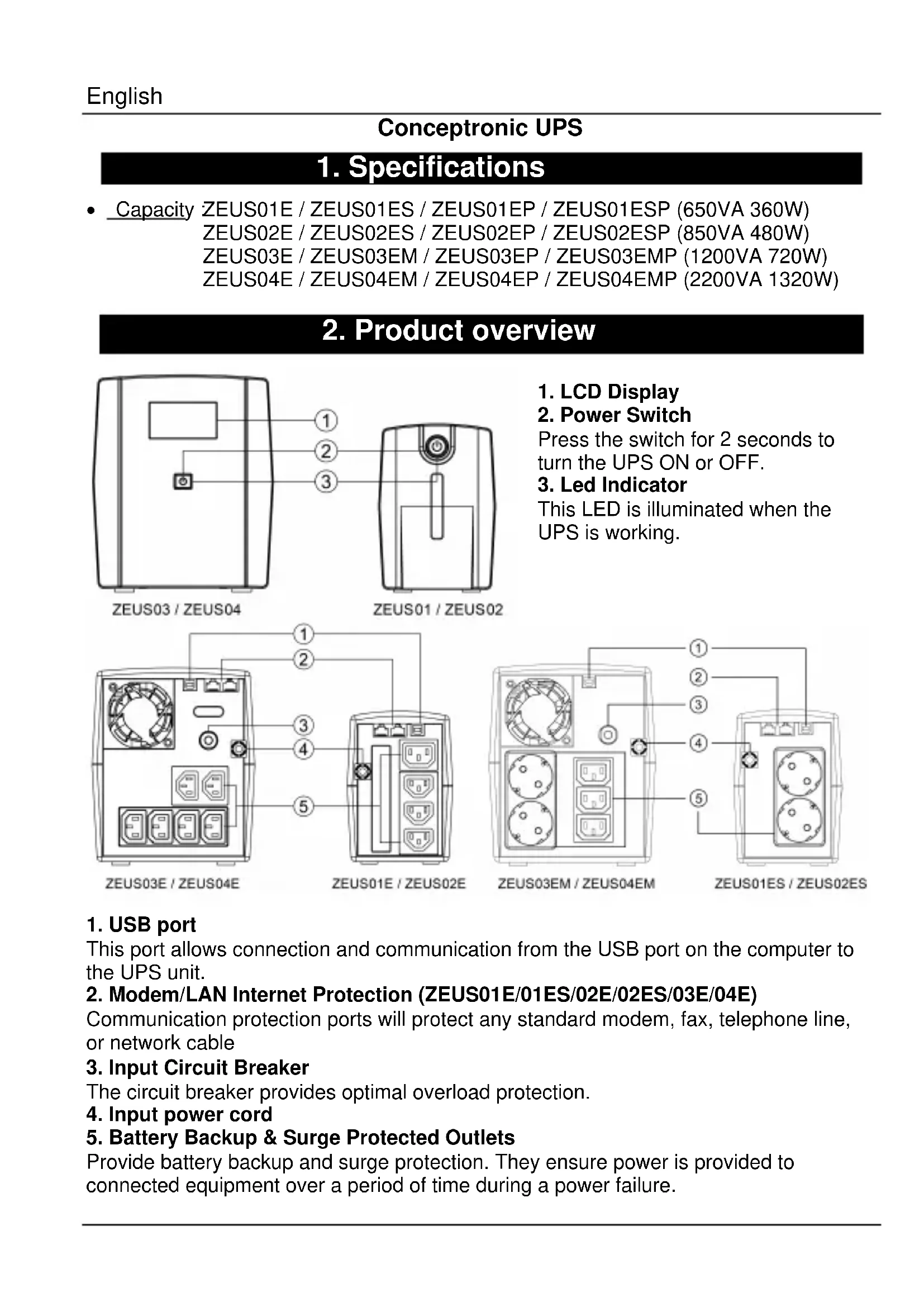
2. Product overview
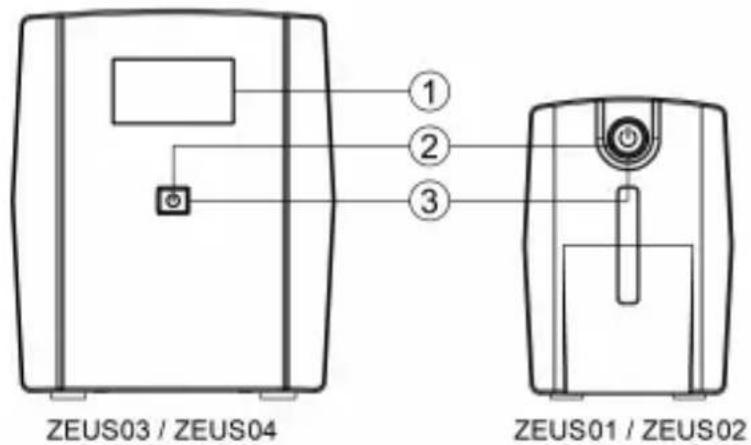
text_image
ZEUS03 / ZEUS04 ① ② ③ ZEUS01 / ZEUS02- LCD Display
- Power Switch
Press the switch for 2 seconds to turn the UPS ON or OFF.
- Led Indicator
This LED is illuminated when the UPS is working.
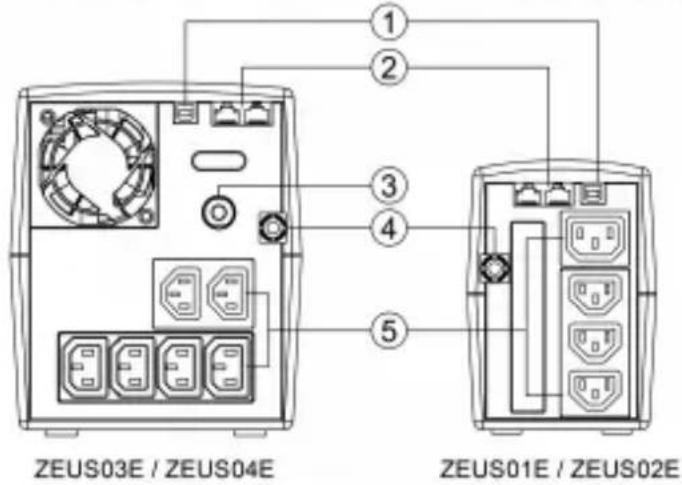
text_image
ZEUS03E / ZEUS04E ① ② ③ ④ ⑤ ZEUS01E / ZEUS02E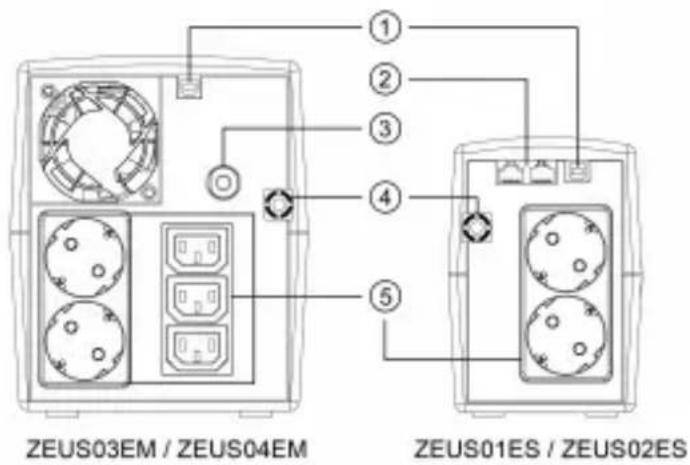
text_image
① ② ③ ④ ⑤ ZEUS03EM / ZEUS04EM ZEUS01ES / ZEUS02ES- USB port
This port allows connection and communication from the USB port on the computer to the UPS unit.
- Modem/LAN Internet Protection (ZEUS01E/01ES/02E/02ES/03E/04E)
Communication protection ports will protect any standard modem, fax, telephone line, or network cable
- Input Circuit Breaker
The circuit breaker provides optimal overload protection.
-
Input power cord
-
Battery Backup & Surge Protected Outlets
Provide battery backup and surge protection. They ensure power is provided to connected equipment over a period of time during a power failure.
ZEUS01 / ZEUS02
Definitions for alarm
| LED Status | Alarm | |
| Normal | LED lighting | off |
| Battery Discharge | Flash once every 30 sec | Beep once every 30 sec |
| Battery Low | Flash once every 2 sec | Beep once every 2 sec |
| Overload | Flash once every 0.5 sec | Beep once every 0.5 sec |
| Off charging mode | LED off | off |
| Fault | LED off | Continuous alarm |
Mute setting: The audible alarm can be turned OFF or ON by quickly pressing the power button twice. The default setting is for the Alarm On. You will hear two short beeps when the Alarm is turned off.
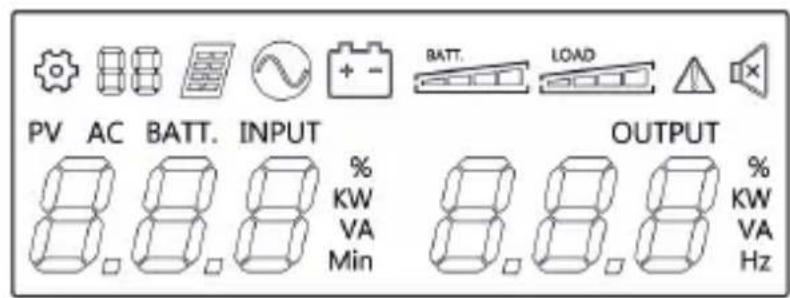
ZEUS03 / ZEUS04
Definitions for illuminated lcd indicators
text_image
PV AC BATT. INPUT % KW VA Min BATT. LOAD OUTPUT % KW VA Hz | Setting Item |  | Line mode |
 | PV mode |  | Bat-mode |
 | Fault |  | Sound disable |
RATT | Bat mode: battery capacityLine mode:1. Battery charging: cycle lighting2. Battery full charged: lighting3. Line mode without charger:battery capacity | 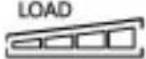 | Load capacity |
3. Installation & usage
Hardware installation guide
- Your new UPS may be used immediately upon receipt. However, recharging the battery for at least 8 hours is recommended to ensure that the battery's maximum charge capacity is achieved. Charge loss may occur during shipping and storage. To recharge the battery, simply leave the unit plugged into an AC outlet. The unit will charge in both the on and off position.
- With the UPS unit off and unplugged, connect the computer, monitor, and any externally powered data storage device (Zip drive, Jazz drive, Tape drive), etc. into the battery power supplied outlets. DO NOT plug a laser printer, copier, space heater, vacuum, paper shredder or other large electrical device into the battery power supplied outlets. The power demands of these devices will overload and possibly damage the unit.
- Plug the UPS into a 2 pole, 3 wire grounded receptacle (wall outlet). Make sure the wall branch outlet is protected by a fuse or circuit breaker and does not service equipment with large electrical demands (e.g. air conditioner, refrigerator, copier, etc. Avoid using extension cords.
- Press the power switch to turn the unit on. The power on indicator light will illuminate and the unit will "beep".
- If an overload is detected, an audible alarm will sound and the unit will emit one long beep. To correct this, turn the UPS off and unplug at least one piece of equipment from the battery power supplied outlets. Wait 10 seconds. Make sure the circuit breaker / fuse is normal and then turns the UPS on.
- To maintain optimal battery charge, leave the UPS plugged into an AC outlet at all times.
- To store your UPS for an extended period, cover it and store with the battery fully charged. Recharge the battery every three months to ensure battery life.
Software Installation on your PC
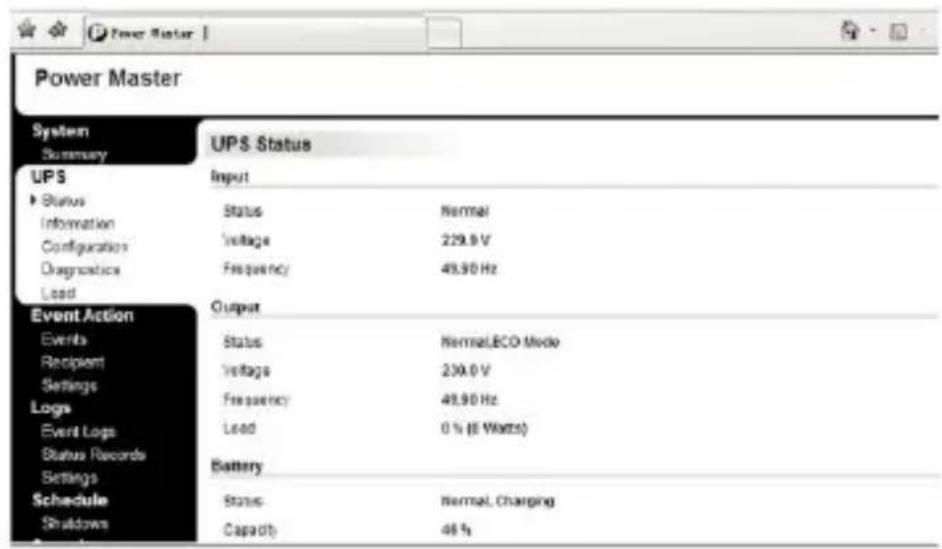
Power Master management software provides a user-friendly interface for your power systems. The graphic user-interface is intuitive and displays essential power information at a glance. Please follow procedure below to install the software.
Installation procedure:
- Download Power Master from the website: http://www.powermonitor.software/
- Double-click the file and follow the installation steps. When your computer restarts, the Power Master software will appear as a blue icon located in the system tray.
text_image
Power Master System Summary UPS Status Input Status Normal Voltage 229.9 V Frequency 49.90 Hz Output Events Status Normal,ECO Mode Recipient Voltage 230.0 V Settings Frequency 48.90 Hz Load 0 % (6 Watts) Battery Schedule Status Normal, Charging Shutdown Capacity 46 % Event ActionCaution:
- To prevent the risk of fire or electric shock, install in a temperature and humidity controlled indoor area, free of conductive contaminants.
- Risk of electric shock, do not remove the cover. No user serviceable parts. Refer servicing to qualified service personnel.
- Risk of electric shock, hazardous live parts inside this UPS can be energized from the battery supply even when the input AC power is disconnected.
- Risk of electric shock, Battery Circuit is not isolated from AC input, hazardous voltage may exist between battery terminals and ground. Test before touching.
Note: This manual contains important safety instructions. Please follow all instructions carefully during installation. Read this manual thoroughly before attempting to unpack, install or operate.
Note: The UPS is designed to be for use with computer loads only.
Trouble shooting
| Problem | Possible Cause | Solution |
| The UPS does not perform expected runtime | Batteries are not fully charged. | Recharge the battery by leaving the UPS plugged in. |
| The UPS will not turn on | The on/off switch is designed to prevent damage by rapidly turning it off and on. | Turn the UPS off. Wait 10 seconds and then turn the UPS on. |
| The unit is not connected to an AC outlet. | The unit must be connected to a 230Vac 50/60Hz outlet. | |
| Outlets do not provide power to equipment | Circuit breaker is tripped due to overload | Turn the UPS off and unplug at least one piece connected equipment. Unplug the power cord of the UPS then press the circuit breaker knob. |
| Batteries are discharged | Allow the unit to recharge for at least 4 hours. |




Conceptronic UPS
1. Technische Daten
• Kapazität:ZEUS01E / ZEUS01ES / ZEUS01EP / ZEUS01ESP (650VA 360W)
ZEUS02E / ZEUS02ES / ZEUS02EP / ZEUS02ESP (850VA 480W)
ZEUS03E / ZEUS03EM / ZEUS03EP / ZEUS03EMP (1200VA 720W)
ZEUS04E / ZEUS04EM / ZEUS04EP / ZEUS04EMP (2200VA 1320W)
text_image
Power Master System Summary UPS Status Status Voltage Frequency Output Event Action Events Recipient Settings Logs Event Logs Status Records Settings Schedule Shutdown UPS Status Input Status Voltage Frequency Load Battery Status Capacity Nonrot, Charging 229.0 V 45.90 Hz Nonrot, ECO Mode 230.0 V 45.90 Hz 0 % (0 Watts)Achtung
text_image
Diagram showing six different types of plastic waste and waste symbols: a recycling bin, a recycling symbol, a sunburst, a heat exchanger, and a cloud with particles.Conceptronic UPS
1. Spécifications
- Capacité ZEUS01E / ZEUS01ES / ZEUS01EP / ZEUS01ESP (650VA 360W) ZEUS02E / ZEUS02ES / ZEUS02EP / ZEUS02ESP (850VA 480W) ZEUS03E / ZEUS03EM / ZEUS03EP / ZEUS03EMP (1200VA 720W) ZEUS04E / ZEUS04EM / ZEUS04EP / ZEUS04EMP (2200VA 1320W)