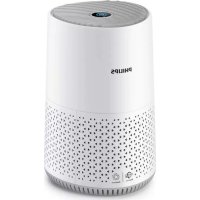
USER MANUAL 600 series AC0651 PHILIPS
-1
1_
-
1
-1
1_
-1
1
-1
1_
-1
1
English 6
Čeština 19
Dansk 32
Deutsch 45
Eesti 60
Español 73
Français 86
Hrvatski 99
Italiano 112
Latviešu 125
Lietuviškai 138
Magyar 151
Nederlands 164
Norsk 177
Polski 190
Português 203
Română 216
Shqip 229
Slovenščina 242
Slovensky 255
Srpski 268
Suomi 281
Svenska 294
Türkçe 307
Ελληνικά 320
Български 334
Македонски 347
Українська 361
한국어 374
386 العربية
Important
Read this user manual carefully before you use the appliance, and save it for future reference.
To ensure the best performance, kindly suggest your purifier is upgraded to the latest version. You can do this upgrade via the Air+ app.
Danger
- Do not clean the appliance with water, any other liquid, or a (flammable) detergent, nor let them enter the appliance, to avoid electric shock and/or a fire hazard.
- Do not spray any flammable materials such as insecticides or fragrance around the appliance.
Warning
- Check if the voltage indicated on the appliance corresponds to the local power voltage before you connect the appliance.
- If the power cord is damaged, you must have it replaced by Philips, a service center authorized by Philips, or similarly qualified persons in order to avoid a hazard.
- Do not use the appliance if the adapter, the power cord, or the appliance itself is damaged.
- Only use the approved adapter (KA1201A-2400500EU) provided with the appliance.
- This appliance can be used by children aged from 8 years and above and persons with reduced physical, sensory or mental capabilities or lack of experience and knowledge if they have been given supervision or instruction concerning use of the appliance in a safe way and understand the hazards involved.
- Children shall not play with the appliance.
- Cleaning and maintenance shall not be made by children without supervision.
- Do not block the air inlet and outlet, e.g. by placing items on the air outlet or in front of the air inlet.
- Make sure that foreign objects do not fall into the appliance through the air outlet.
- Standard WiFi interface based on 802.11b/g/n at 2.4GHz with a maximum output power not higher than 100 mW EIRP.
- Bluetooth version 5.0 (LE) at frequency 2.4GHz with RF output Less than 10 mW EIRP.
Caution
Hereby, DAP B.V. declares that the radio equipment type AC0651 is in compliance with Directive 2014/53/EU. The full text of the EU declaration of conformity is available at the following internet address: www.philips.com.
8 English
Your air purifier
Congratulations on your purchase, and welcome to Philips!
To fully benefit from the support that Philips offers, register your product at www.philips.com/support.
Product Overview
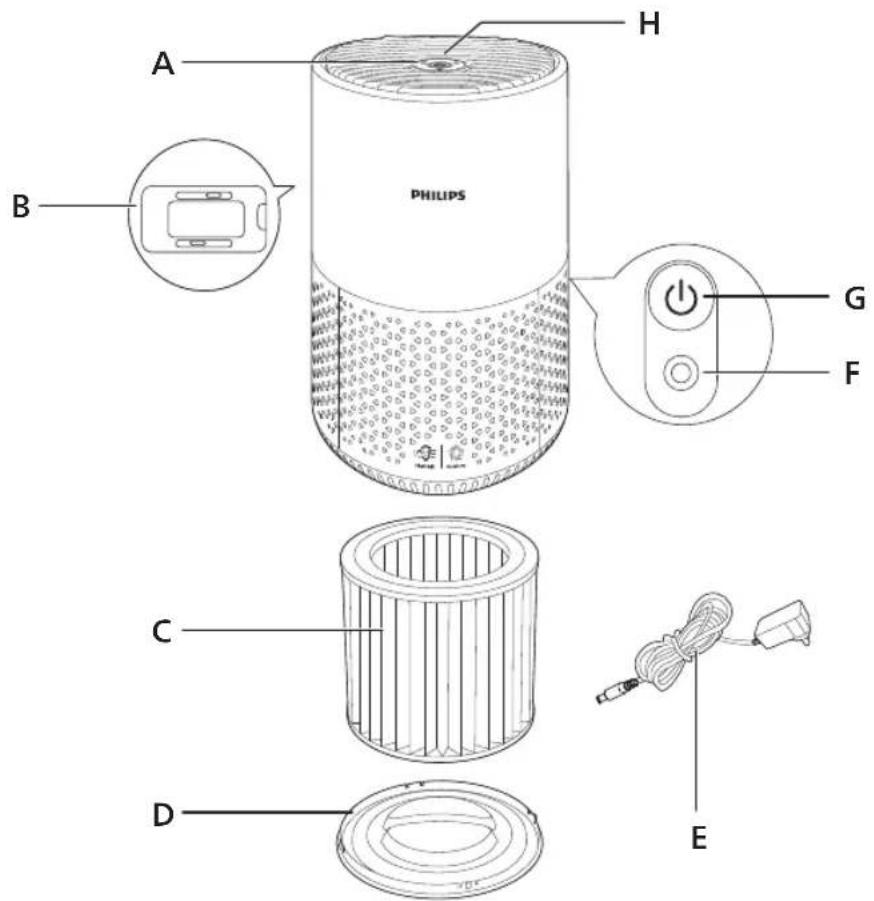
A Air outlet E Adapter (KA1201A-2400500EU)
B Air quality sensor F Power socket
C NanoProtect HEPA and pre-filter(FY0611) G Power on/off button
D Base H Control panel
Controls Overview
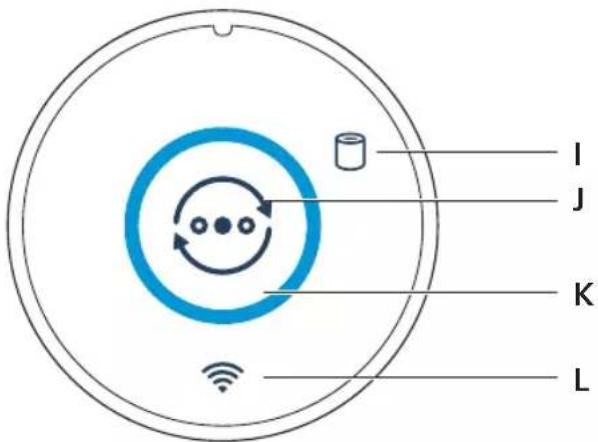
I Filter replacement alert K Air quality ring
J Mode switch button L Wi-Fi indicator
Getting started
Installing the filter
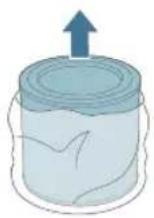
Remove all packaging of the filter before use.
Note: Make sure the air purifier is unplugged from the electrical outlet before installing the filter.
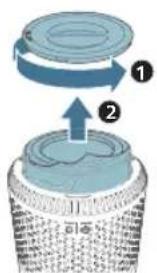
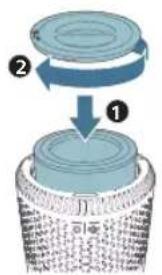
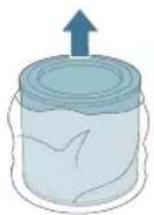
1 Rotate the base anti-clockwise to remove it from the appliance. Pull the filter out from the appliance.
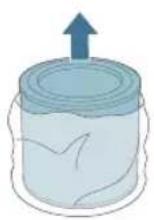
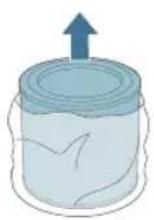
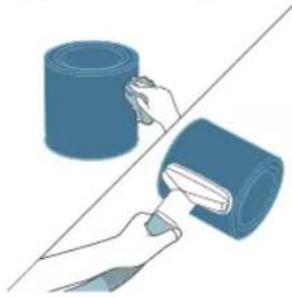
2 Remove all packaging materials of the air purification filter.
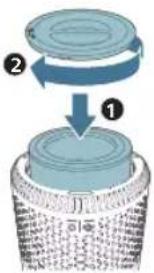
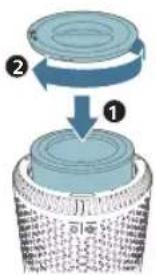
3 Put the filter back into the appliance. Reattach the base and rotate it clockwise to fasten the base.
Understanding Wi-Fi indicator
Wi-Fi icon status Wi-Fi connection status
Blink in orange Connecting to the smart phone
Stable in orange Connected to the smart phone
Blink in white Connecting to the server
Stable in white Connected to the server
Off Wi-Fi function disabled
Wi-Fi connection

Setting up the Wi-Fi connection for the first time
1 Download and install the Philips "Air+" app from the App Store or Google Play.
2 Put the plug of the air purifier in the power socket and press to turn on the air purifier.
- The Wi-Fi indicator 📋 blinks orange for the first time.
3 Make sure that your smart phone or tablet is successfully connected to your Wi-Fi network.
Note: Enable Bluetooth feature on your smart phone to ensure the smooth pairing.
4 Launch the Philips "Air+" app and click on "Add a device" or press the "+" button on the screen. Follow the on-screen instructions to connect the air purifier to your network.
Note:
This instruction is only valid when the air purifier is being set up for the first time. If the network has changed or the setup needs to be performed again (see 'Reset the Wi-Fi connection').
If you want to connect more than one air purifier to your smart phone or tablet, you have to do this one by one.
Make sure that the distance between your smart phone or tablet and the air purifier is less than 10 m without any obstructions.
Reset the Wi-Fi connection
1 Put the plug of the air purifier in the power socket and press ☐ turn on the air purifier.
2 Press for 3 seconds until you hear a beep.
- The air purifier goes to pairing mode.
- The Wi-Fi indicator 📤 blinks orange.
3 Follow the steps 3-4 in "Setting up the Wi-Fi connection for the first time" section.
Connecting power
Warning: Risk of electric shock! When you unplug the AC power cord, always pull the plug from the socket. Never pull the cord.
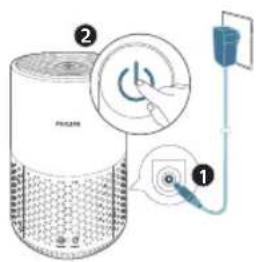
Connect the power adapter to:
- First, the power socket on the appliance.
- Then, the wall outlet.
Using the air purifier
Turning on and off
Note: For optimum purification performance, close doors and windows.
1 Press the power button on the back of the air purifier to switch on.
- The air purifier operates in the Auto mode by default.
2 Press the power button again to switch off the air purifier.
Changing the mode setting
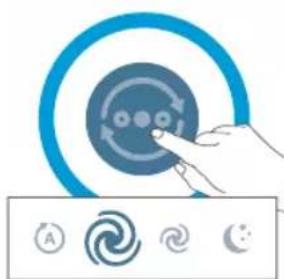
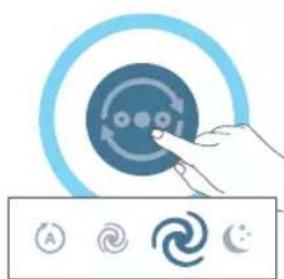
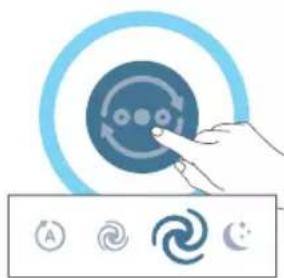
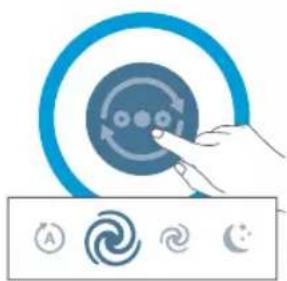
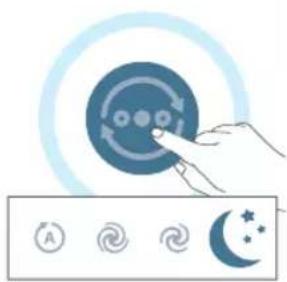
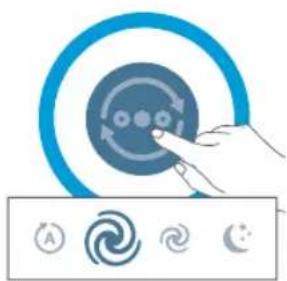
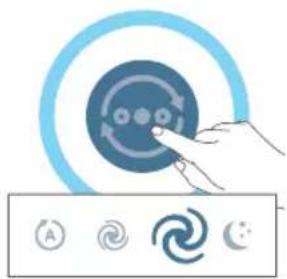
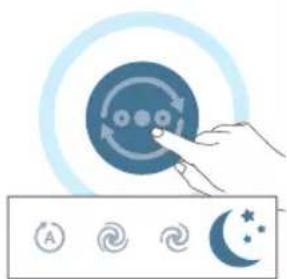
You can choose the Auto mode, Turbo mode, Medium mode, or the Sleep mode by pressing the mode switch button ⚙The brightness of the air quality ring reflects the current running mode:
- Auto mode:
button on, auto level brightness, and the light of white ring on
- Turbo mode:
button off, highest level brightness
- Medium mode:
button off, mid level brightness
- Sleep mode:
button off, lowest brightness
12 English
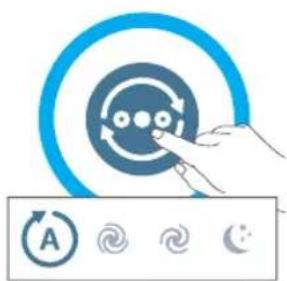
In the Auto mode, the appliance automatically adjusts the fan speed in accordance with the ambient air quality.
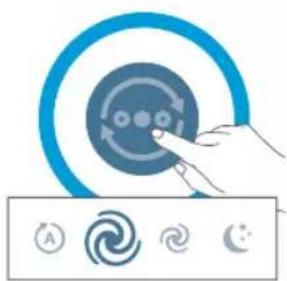
In the Turbo mode, the air purifier operates on the highest speed.
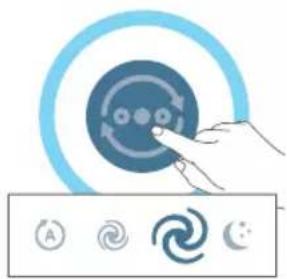
In the Medium mode, the air purifier operates on a medium speed.
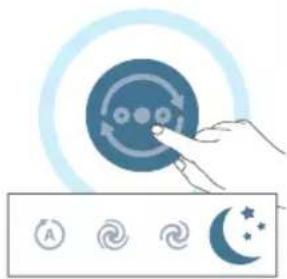
In the Sleep mode, the appliance operates quietly at a low speed.
Factory reset
Reset the air purifier to return to the default status.
Reset the Wi-Fi connection when your default network or Philips account has changed.
- Press the and button at the same time for 10 seconds until you hear a beep.
Cleaning
Note: Never use abrasive, aggressive, or flammable cleaning agents such as bleach or alcohol to clean any part of the appliance.
Cleaning schedule
| FrequencyWhen necessary | Cleaning methodWipe the surface of the appliance with a soft dry cloth |
| Clean the air outlet cover |
Every four weeks Clean the surface of the filter
Cleaning the body of the air purifier
Regularly clean the inside and outside of the air purifier to prevent dust from collecting.
1 Use a soft, dry cloth to clean both the interior and exterior of the air purifier.
2 The air outlet can also be cleaned with a dry, soft cloth.
Cleaning the particle sensor
Clean the particle sensor every 2 months for optimal functioning of the appliance.
Note:
If the air purifier is used in a dusty environment, it may need to be cleaned more often.
If the humidity level in the room is very high, condensation may develop on the particle sensor and the air quality light may indicate a more poor air quality even though the air quality is actually good. If this occurs, clean the particle sensor.
1 Switch off the air purifier and unplug from the power socket.
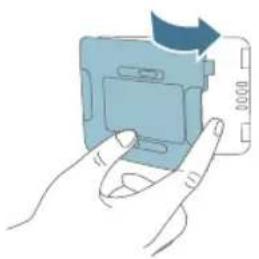
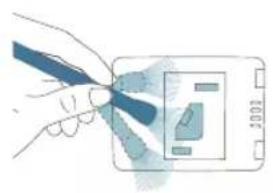
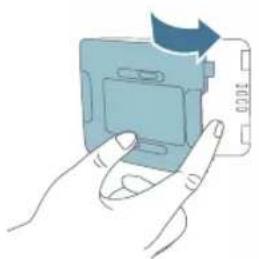
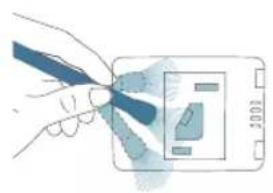
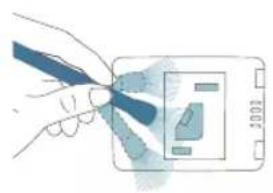
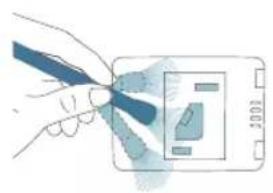
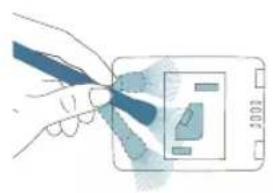
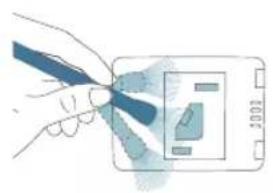
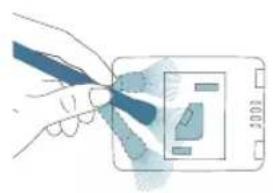
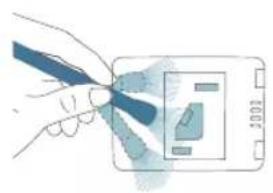
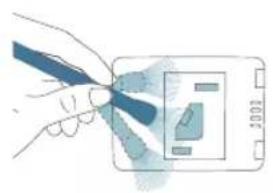
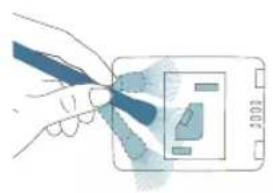
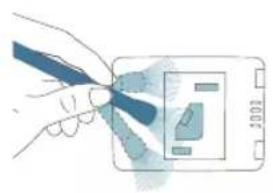
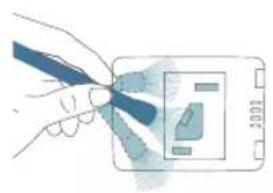
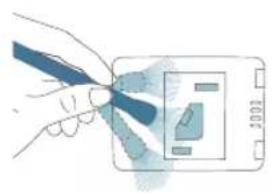
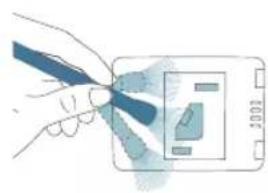
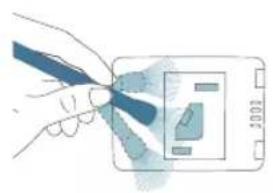
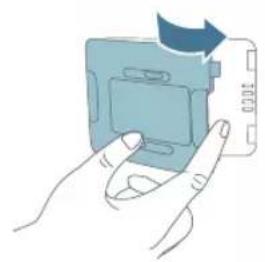
2 Open the air quality sensor cover.
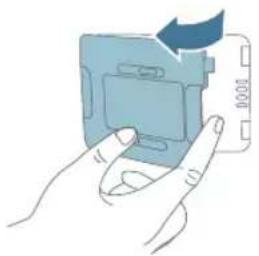
14
English
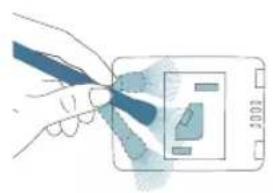
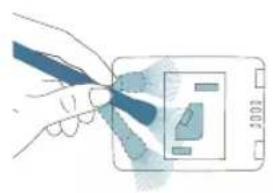
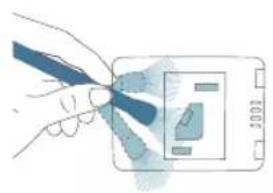
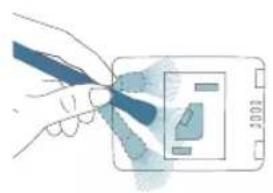
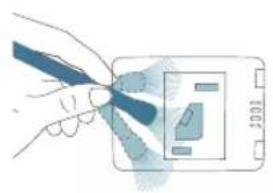
3 Clean the particle sensor with a damp cotton swab.
4 Dry all parts thoroughly with a dry cotton swab.
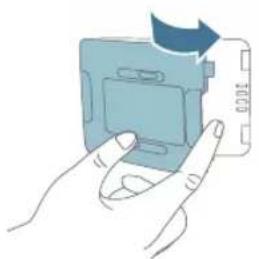
5 Close the air quality sensor.
Cleaning the surface of the filter
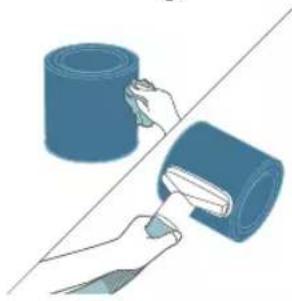
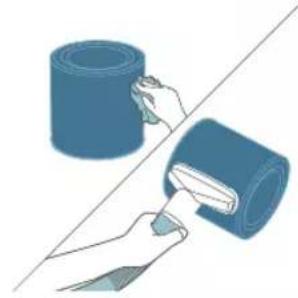
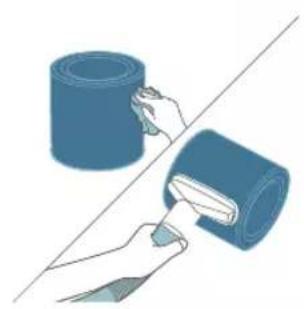
Wipe the surface of the filter with soft wet cloth or clean the surface of the filter with a vacuum cleaner.
Note: If you use a high power/ industrial vacuum cleaner, it may damage the filter.
Replacing the filter
Understanding the healthy air protect lock
This appliance is equipped with the healthy air protect lock to make sure that the NanoProtect filter is in optimal condition when the appliance is operating. When the filter is almost expired, the filter replacement alert ( lights up, which indicates that it needs to be replaced.
Replacing the filter
Note:
The filter is not washable or reusable.
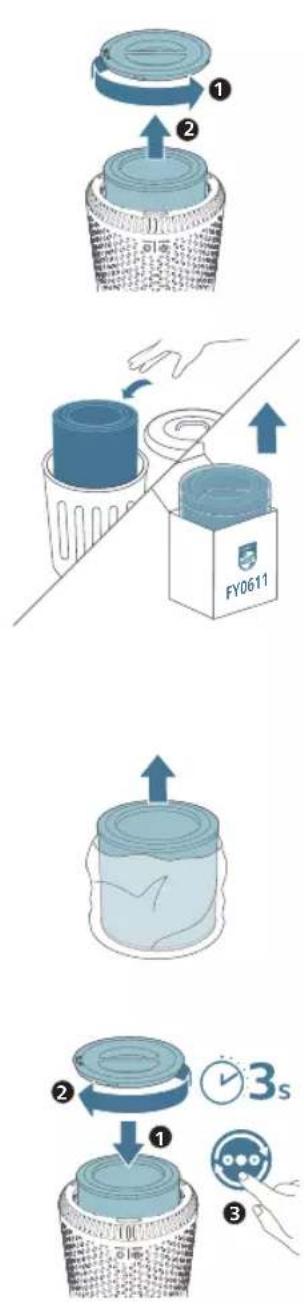
Always turn off the air purifier and unplug from the electrical outlet before replacing the filter.
1 Rotate the base anti-clockwise to remove it from the appliance. Pull the filter out from the appliance.
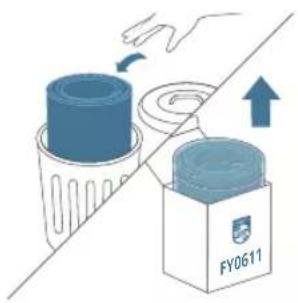
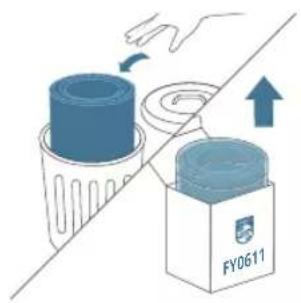
2 Discard the used filter.
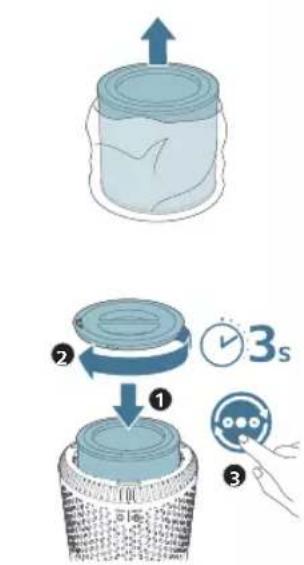
3 Remove all packaging materials of the new filter.
4 Put the filter into the appliance. Reattach the base and rotate it clockwise to fasten the base.
5 Put the plug of the air purifier in the power socket.
6 Press the power button to switch on the appliance.
7 Press and hold for 3 seconds to reset the filter lifetime counter.
8 Wash your hands thoroughly after replacing the filter.
Filter reset
You can replace the filter even before filter replacement alert (☐) displays on the screen. After replacing a filter, you need to reset the filter lifetime counter manually.
1 Press the power button to turn on the appliance.
2 Within 10 seconds after power on, press and hold the mode switch button © for 5 seconds to reset the filter lifetime counter.
Storage
1 Turn off the air purifier and unplug from the power socket.
2 Clean the air purifier and the surface of the filter (see 'Cleaning').
3 Let all parts air dry thoroughly before storing.
4 Wrap the filter in air tight plastic bags.
5 Store the air purifier, filter in a cool, dry location.
6 Always thoroughly wash hands after handling a filter.
Troubleshooting
This chapter summarizes the most common problems you could encounter with the appliance. If you are unable to solve the problem with the information below, contact the Consumer Care Center in your country.
Problem Possible solution
| The appliance does not work even though it is plugged in. | The filter replacement alert is flashing but you have not replaced the corresponding filter. As a result, the appliance is now locked. In this case, replace the filter and reset the filter lifetime counter. |
| The airflow that comes out of the air outlet is significantly weaker than before. | The surface of the filter is dirty. Clean the surface of the filter (see 'Cleaning'). |
| The air quality does not improve, even though the appliance has been operating for a long time. | Check if the packing material is removed from the filter. |
| Make sure that the filter is properly installed. |
| Room size is large or the outdoor air quality is poor. |
| For optimum purification performance, please close the doors and windows when operating the air purifier. |
| There are indoor pollution resources. For instances, smoking, cooking, incense. |
| Filter reaches the end of life. Replace the filter with a new one. |
| The appliance produces a strange smell. The first few times you use the appliance, it may produce a plastic smell. This is normal. However, if the appliance produces a burnt smell even if removing the filter, contact your Philips dealer or an authorized Philips service center. The filter may produce smell after being used for a while because of the absorption of indoor gases. It's recommended that you reactivate the filter by putting it in direct sunlight for repeated use. If odor still exists, replace the filter. |
| The appliance is extra loud. Check if the packing of the filter is removed. |
| The appliance will run in high speed when the air quality is poor, which will causes higher noises. When using the appliance in a bedroom at night, choose the Sleep speed.if anything drops into air outlet, it may also cause abnormal loud sounds. Immediate turn off appliance, turn appliance upside down, to get foreign objectives out of appliance. |
| The appliance still indicates that I need to replace a filter, but I already did. | Perhaps you did not reset the filter lifetime counter. Switch on the appliance. Then press and hold the mode switch button (💡) for 3 seconds until disappears. |
| The Wi-Fi setup is not successful. If the router your appliance is connected to is dual – band and currently it is not connecting to a 2.4GHz network, please switch to another band of the same router (2.4GHz) and try to pair your purifier again. 5GHz networks are not supported. |
| Web authentication networks are not supported. |
| Check if the appliance is within range of the Wi-Fi router. You can try to locate the air purifier closer to the Wi-Fi router. |
| Check if the network name is correct. The network name is casesensitive. |
| Check if the Wi-Fi password is correct. The password is casesensitive. |
| Retry the setup with the instructions in the chapter “Wi-Fi connection”. |
| The Wi-Fi connectivity can be interrupted by electromagnetic or other interferences. Keep the appliance away from other electronic devices that may cause interferences. |
| Check if the mobile device is in airplane mode. Make sure to have the airplane mode deactivated when connecting to the Wi-Fi network. |
| Consult the help section in the app for extensive and up-to-date troubleshooting tips. |
Notices
Electromagnetic fields (EMF)
This appliance complies with the applicable standards and regulations regarding exposure to electromagnetic fields.
Recycling

This symbol means that this product shall not be disposed of with normal household waste (2012/19/EU).
Follow your country's rules for the separate collection of electrical and electronic products. Correct disposal helps prevent negative consequences for the environment and human health.
Warranty and support
Versuni offers a two-year warranty after purchase on this product. This warranty is not valid if a defect is due to incorrect use or poor maintenance. Our warranty does not affect your rights under law as a consumer. For more information or for invoking the warranty, please visit our website www.philips.com/support.
Order parts or accessories
If you have to replace a part or want to purchase an additional part, go to your Philips dealer or visit www.philips.com/support.
If you have problems obtaining the parts, please contact the Philips Consumer Care Center in your country.
5 Luk luftkvalitetssensoren.
Prije upotrebe uklonite svu ambalažu s filtra.
Napomena: Prije ugradnje filtra provjerite je li pročišćivač zraka iskopčan iz električne utičnice.
U načinu rada Turbo pročišćivač zraka radi najvišom brzinom.
U stanju mirovanja pročišćivač zraka radi tiho i malom brzinom.
3 Očistite senzor čestica vlažnim pamučnim štapićem.
4 Sve dijelove temeljito osušite suhim pamučnim štapićem.
5 Zatvorite senzor kvalitete zraka.
5 Aizveriet gaisa kvalitātes sensoru.
Galios adapterio prijungimas:
- Miego režimas:
172 Nederlands
I Auto-modus justerer apparatet automatisk viftehastigheten i henhold til luftfuktigheten.
I Medium-modus jobber luftrenseren på middels hastighet.
5 Lukk luftkvalitetssensoren.
- Tryb snu:
- Modo Sono:
224 Română
1 Podstavek obrnite v levo, da ga odstranite z aparata. Filter povlecite iz aparata.
3 Filter namestite nazaj v aparat. Znova namestite podstavek in ga obrnite v desno, da ga pritrdite.
V samodejnem načinu aparat samodejno prilagodi hitrost ventilatorja glede na kakovost zraka v prostoru.
250 Slovenščina
3 Senzor delcev očistite z vlažno vatirano paličico.
4 Vse dele temeljito osušite s suho vatirano paličico.
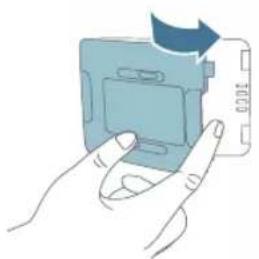
1 Podstavek obrnite v levo, da ga odstranite z aparata. Filter povlecite iz aparata.
4 Filter vstavite v aparat. Znova namestite podstavek in ga obrnite v desno, da ga pritrdite.
5 Vtič čistilnika zraka priključite v električno vtičnico.
6 Aparat vklopite z gumbom za vklop
7 Za 3 sekunde pridržite da ponastavite števec življenjske dobe filtra.
8 Ko zamenjate filter, si temeljito umijte roke.
Ponastavitev filtra
V režime turbo pracuje čistič vzduchu pri najvyšších otáčkach.
Povrch filtra utrite navlhčenou jemnou handričkou alebo ho vyčistite pomocou vysávača.
1 Okrenite postolje suprotno od smera kazaljke na satu da biste ga skinuli sa aparata. Izvucite filter iz aparata.
2 Uklonite svu ambalažu filtera za prečišćavanje vazduha.
272 Srpski
3 Vratite filter u aparat. Vratite postolje na mesto i okrenite ga u smeru kazaljke na satu da biste ga fiksirali.
Razumevanje Wi-Fi indikatora
Status Wi-Fi ikone Status Wi-Fi veze
Treperi narandžasto Povezivanje sa pametnim telefonom
Svetli narandžasto Uspostavljena je veza sa pametnim telefonom
Treperi belo Povezivanje na server
Svetli belo Uspostavljena je veza sa serverom
U srednjem režimu prečišćivač vazduha radi srednjom brzinom.
U režimu za spavanje aparat radi tiho, malom brzinom.
Resetovanje na fabričke postavke
5 Zatvorite senzor za kvalitet vazduha.
Čišćenje površine filtera
Obrišite površinu filtera mekom vlažnom krpom ili je očistite usisivačem.
Napomena: Upotreba snažnog/industrijskog usisivača može da ošteti filter.
Zamena filtera
4 Vratite filter u aparat. Vratite postolje na mesto i okrenite ga u smeru kazaljke na satu da biste ga fiksirali.
Liitä verkkolaite
302 Svenska
Türkçe
5 공기 상태 센서를 닫습니다.
필터 표면 청소
참고:
لتر تنقية الهواء.
الساعة لᵗثبيتها.
Wi-Fi مؤشر فهم
منquentرطب.
منquent جاف.
عر جودة الهواء.5
تنظيف سطح الفلتر
الفتر من الجهاز.
- فلتر المستعمل
ن الف SPR الجديد.
(
(
الساعة لتشبيتها.4.
ماخذ الكهربائي.
letشفيل الجهاز.
استهلاك الفلتر.
استبideal الفلتر.
إعادة تعيين الفلتر
PHILIPS and the Philips Shield Emblem are registered trademarks of Koninklijke Philips N.V. and are used under license.
This product has been manufactured by and is sold under the responsibility of Versuni Holding B.V., and Versuni Holding B.V. is the warrantor in relation to this product.
2023 © Versuni Holding B.V.
3000.000.0000.1 (08/2023)