
513628 - Weather Station THOMSON - Free user manual and instructions
Find the device manual for free 513628 THOMSON in PDF.
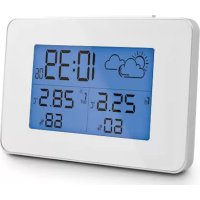



| Product type | Weather station with wireless outdoor sensor |
| Brand | Thomson |
| Model | 513628 |
| Station dimensions | 129 x 87.5 x 38.5 mm |
| Probe dimensions | 92 x 40 x 23 mm |
| Station power supply | 2 LR06 (AA) 1.5 V batteries not included |
| Probe power supply | 2 LR03 (AAA) 1.5 V batteries not included |
| Battery life | 1 to 2 years under normal conditions |
| Radio frequency | 433.92 MHz |
| Range between probe and station | 60 m in open field |
| Indoor temperature range | 0 °C to 50 °C (32 °F to 122 °F) |
| Outdoor temperature range | -20 °C to 60 °C (-4 °F to 140 °F) |
| Humidity range | 20 %RH to 95 %RH |
| Temperature unit | Celsius (°C) or Fahrenheit (°F) |
| Main functions | Display indoor/outdoor temperature/humidity, radio-controlled time (DCF77), daily alarm, min/max functions, 12/24 h display selection |
| Maintenance and cleaning | Disconnect before cleaning, use a slightly damp soft cloth, do not use abrasive or corrosive products |
| Safety | Do not install outdoors, avoid direct sunlight exposure, keep batteries out of reach of children, do not dispose of used batteries in household waste |
| Warranty | 2 years parts and labor |
| After-sales service | 0 892 701 369 (€0.35/min + call price), Mon-Fri 9am-12pm and 2pm-6pm |
Frequently Asked Questions - 513628 THOMSON
User questions about 513628 THOMSON
0 question about this device. Answer the ones you know or ask your own.
Ask a new question about this device
Download the instructions for your Weather Station in PDF format for free! Find your manual 513628 - THOMSON and take your electronic device back in hand. On this page are published all the documents necessary for the use of your device. 513628 by THOMSON.
USER MANUAL 513628 THOMSON
1 Weather station
Wireless weather station

12h/24h

Alarm clock


Backlight
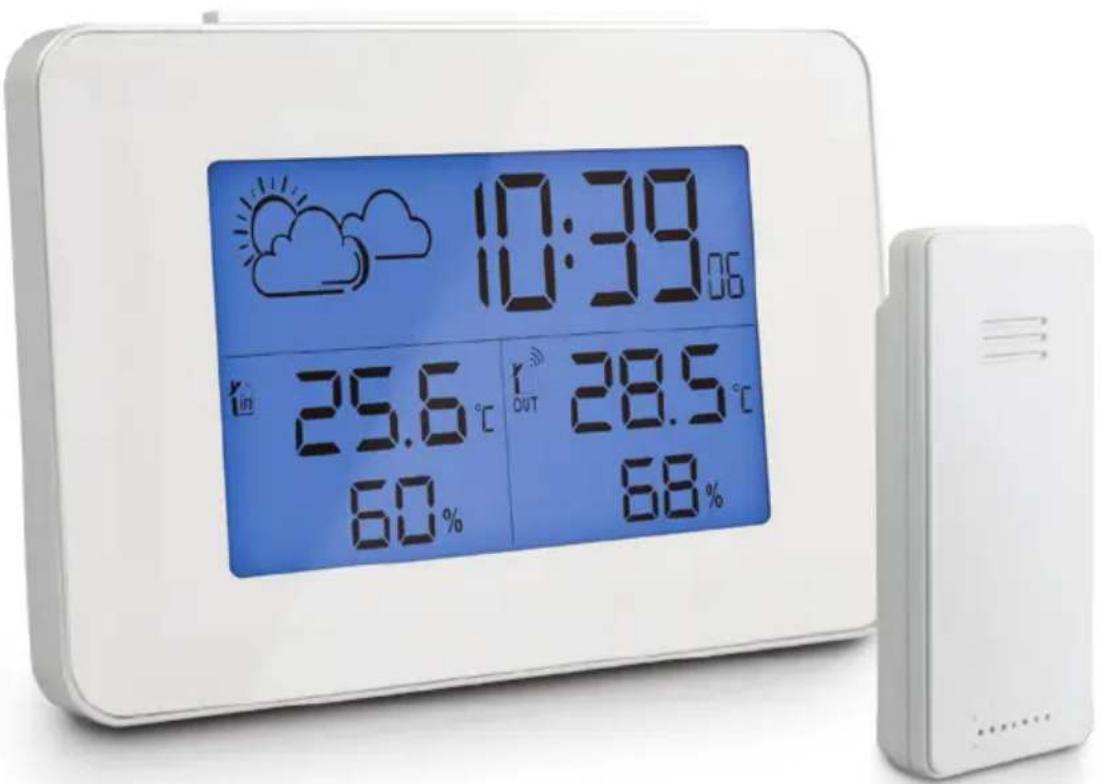
TABLE OF CONTENTS
A - SAFETY INSTRUCTIONS 05
1 - OPERATING PRECAUTIONS 05 2 - MAINTENANCE AND CLEANING 05 3 - RECYCLING 05
B - PRODUCT DESCRIPTION 06
1 - CONTENTS OF THE KIT 06 2 - WEATHER STATION 06 3 - MAIN FUNCTIONS 07
- The weather station must not be installed where the screen may be vulnerable to scratching and dirt.
- The weather station is not designed for outside use and should not be installed in locations that are subject to extremes of humidity or temperature.
- Do not expose the sensor to direct sunlight or any reflected light source.
- Do not daisy-chain extension cords and/or multi-socket adapters.
- Do not install near acidic chemicals, ammonia or sources of toxic gases.
2 - MAINTENANCE AND CLEANING
• Always unplug the product from the mains before carrying out any maintenance. - Never use abrasive or corrosive substances to clean the products. - Use a soft, slightly damp cloth. - Never use an aerosol to spray the product as this may damage the internal workings.
3 - RECYCLING

This logo indicates that electrical and electronic waste must not be disposed of with household waste. They are likely to contain hazardous substances which are dangerous to both health and the environment. Return the equipment to
your local distributor or use the recycling collection service provided by your local council.
A - SAFETY INSTRUCTIONS

It is forbidden to throw used batteries into the dustbin. Batteries/accumulators containing harmful substances are marked with symbols (shown opposite) which indicate that they cannot be
thrown away as ordinary waste. The corresponding heavy metals are referred to as follows: Cd = cadmium, Hg = mercury, Pb = lead. You can dispose of these batteries/accumulators at local recycling amenities (centres for sorting recyclable materials) which are required to accept them. Keep batteries/button cells/accumulators out of reach of children and store them in a safe place not accessible to them. as they could be swallowed by children or pets. May be fatal if swallowed! In the event that a battery is swallowed, consult a doctor or go to A&E immediately. Never short-circuit the batteries, and do not burn or recharge them. They may explode!

B - PRODUCT DESCRIPTION
1 - CONTENTS OF THE KIT
1 x 1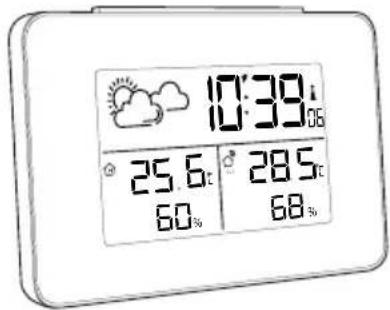
2 x 1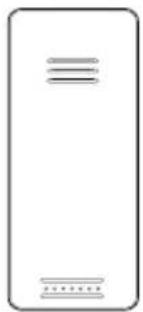
1 Weather station
2 Temperature sensor
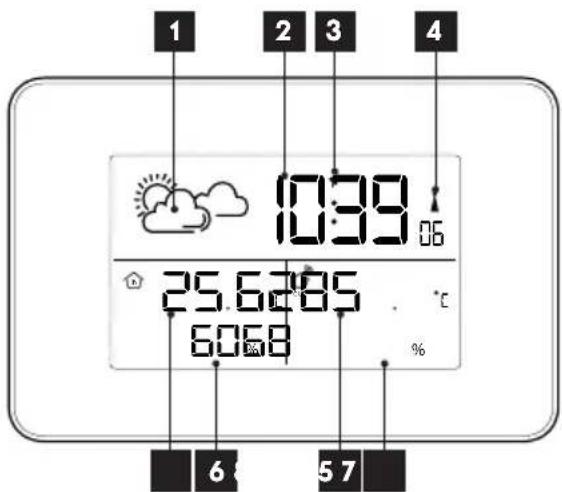
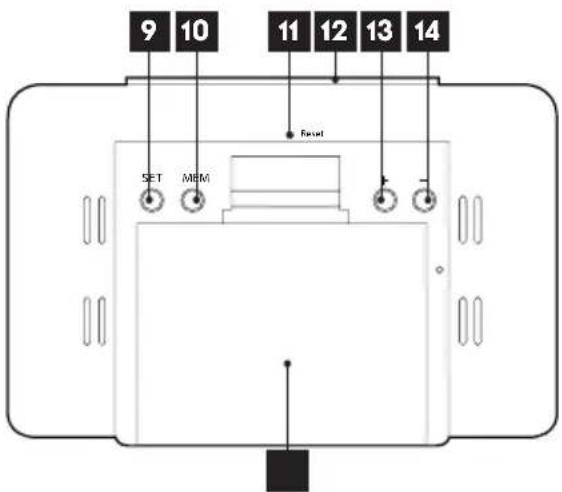
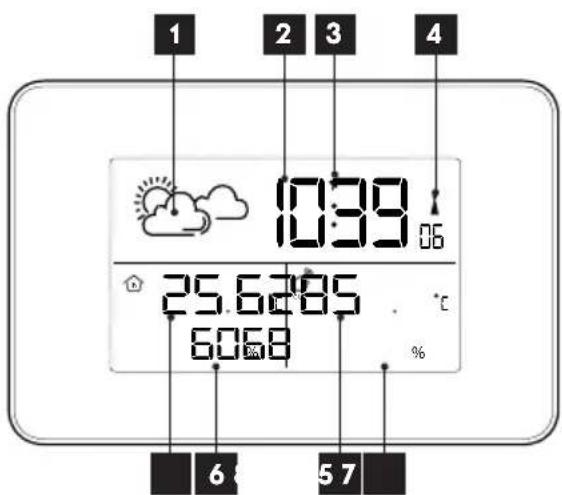
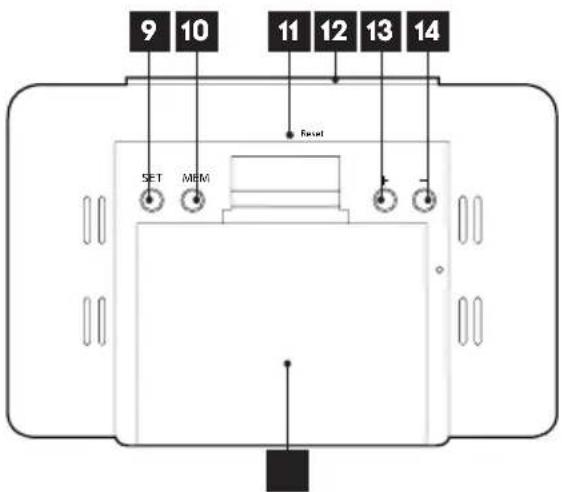
2 - WEATHER STATION
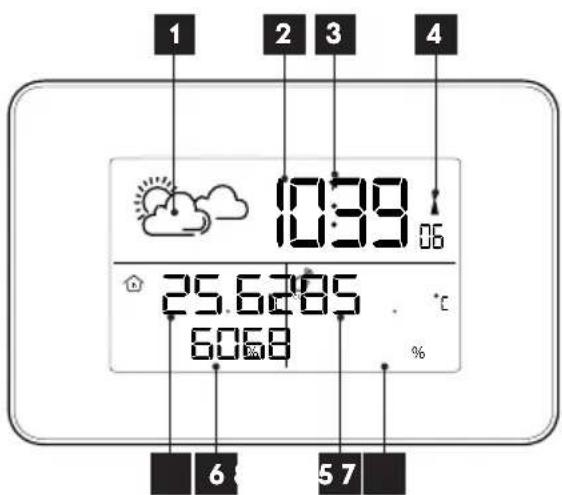
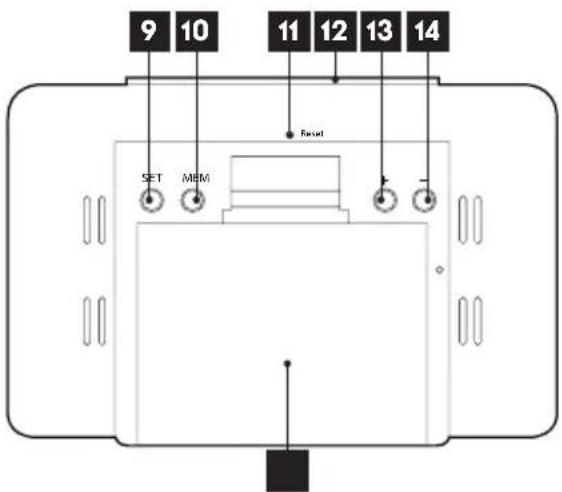
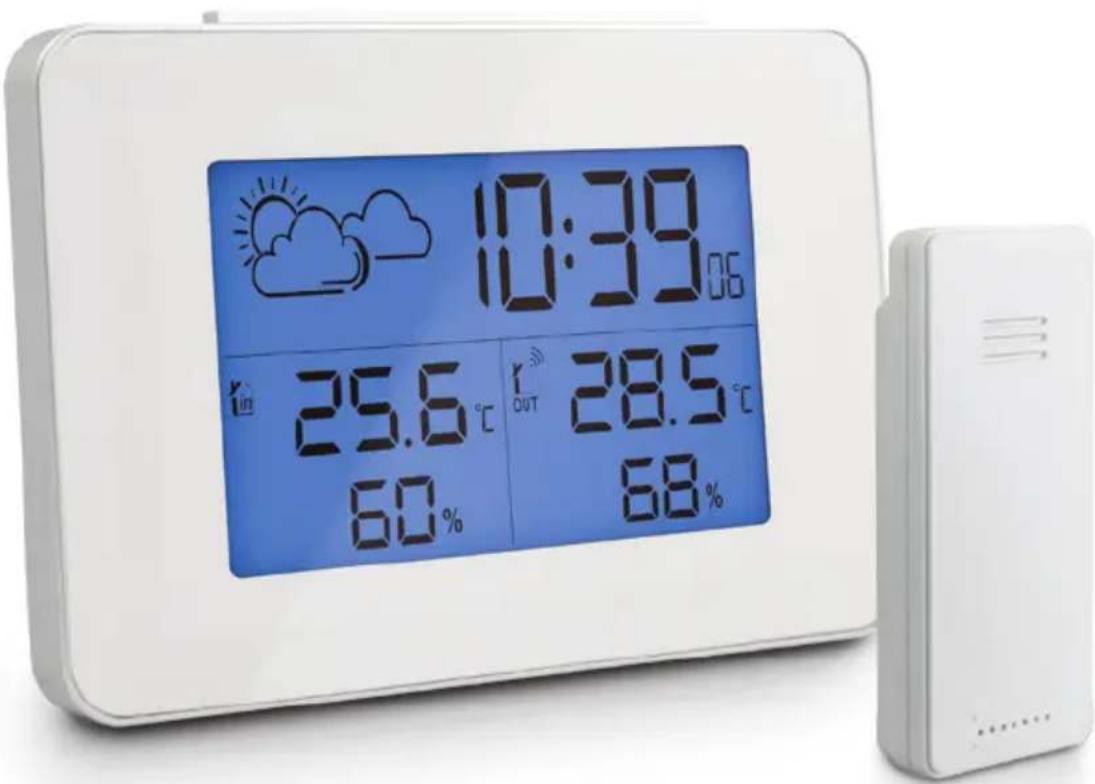
| 1 | Time indicator |
| 2 | Time |
| 3 | Alarm icon |
| 4 | Radio-control LED |
| 5 | Time |
| 6 | Indoor humidity indicator |
| 7 | Outside temperature |
| 8 | Outside humidity indicator |
| 9 | SET button |
| 10 | MEM button |
| 11 | Resetbutton |
| 12 | SNOOZE/LIGHTbutton |
| 13 | + button |
| 14 | - button |
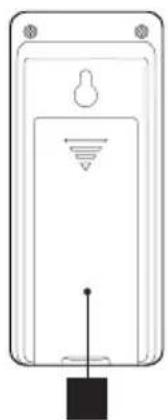
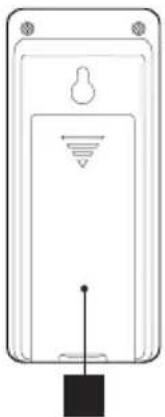
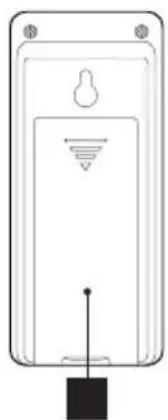
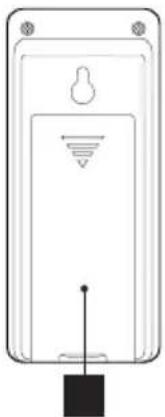
| 15 | Battery compartment (2 x LR06 AA) |
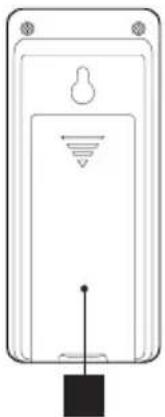
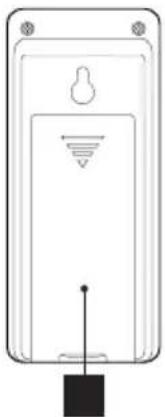
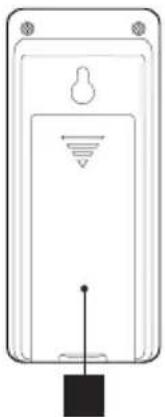
| 16 | Battery compartment (2 x LR03 AAA) |
3 - MAIN FUNCTIONS
- Displays the indoor and outdoor temperatures and humidity rates
- Displays the time in 12 and 24-hour format
- Radio clock (DCF77)
- Daily alarm
- Wireless external sensor
C - CONFIGURATION
1 - QUICK START-UP
These steps must be followed in order.
Insert 2 AA LR06 batteries (not supplied) into the station 15. Then insert the 2 AAA LR03 batteries (not supplied) into the outdoor sensor, ensuring that the polarity is respected 16.
PAIRING THE SENSOR TO THE STATION
Pairing is automatic once the batteries are inserted. To force pairing, if required:
- On the station, press and hold the button for 5
seconds DOWN, the indicator OUT starts blinking
- On the outdoor sensor, remove then reinsert the batteries, positioning yourself near the weather station
TIME AND DATE SETTING
- Hold the SET button until the "°C" starts flashing.
- Set the measurement unit choice using the + and
- buttons (°C = Celsius or °F = Fahrenheit).
Confirm using the SET key.
- 24h or 12h flashes on the screen. Set the time display format using the + and - buttons.
Confirm using the SET key.
- Both digits: 00 flashes on the screen: set the time zone using the UP and DOWN buttons.
Confirm using the SET key.
- Then set the hour using the + and - buttons.
Confirm using the SET key.
- Set the minutes using the + and - buttons.
Then confirm using the SET key.
ALARM SETTING
- Press the SET button once: the letters AL appear on the hour side.
- Press and hold the SET button for 3 seconds: The hour of the alarm flashes on the screen.
Set the hour of the alarm using the + and - buttons.
- Press the SET button to confirm. The minutes flash on the screen.
- Set the minutes of the alarm using the + and - buttons.
- Press the SET button to confirm. Zz 05 flashes on the screen.
- Set the alarm snooze duration using the + and - buttons.
- Finish the configuration by pressing quickly on the SET button.
- When the alarm goes off, pressing the Snooze/ Light button cuts off the alarm and postpones it to the pre-set time (Zz).
To set the alarm, press once on the + button: a bell icon appears between the hour and the minutes.
To turn off the alarm, press the + button once: the bell disappears.
The tone lasts for a maximum of 2 minutes.
AUTOMATIC TIME SETTING
To launch the automatic time setting for the station, press and hold the + button until the LED flashes (4). The station switches to radio reception (for 7 minutes) and attempts to pick up the DCF77 time signal to automatically update the time and date.
Note: the time zone must be set correctly for a correct display. If reception is insufficient, please set the station near a window.
Ensure that you leave a gap of 2.5 m between the station and any source of interference (television, router, microwaves, etc.)
The signal search can be cut off at any point by pressing the + button, if the signal is not available.
MIN - MAX VALUE DISPLAY
- Quickly pressing on MEM displays the maximum values measured; pressing MEM again displays the minimum values.
A third press on MEM returns to the current value display. Pressing and holding for 3 seconds on MEM erases the MIN/MAX values saved.
RESETTING THE WEATHER STATION:
If there is a problem, incorrect setting or malfunction, the station can be reset to factory settings by pressing the reset button (B.6). You will need to start the configuration again.
D - TECHNICAL AND LEGAL INFORMATION
1 - TECHNICAL CHARACTERISTICS
| Weather station | |
| Power supply | - The station operates with 2 LR6 batteries (not included) - The sensor operates with 2 LR3 batteries (not included) |
| Battery life | 1 to 2 years under normal operating conditions. |
| Frequency | 433.92 MHz |
| Range between the sensor and the station | 60 m in open air. |
| Range of indoor temperatures | 0°C (32°F) ~ 50°C (122°F) |
| Range of outdoor temperatures | -20°C (-4°F) ~ 60°C (140°F) |
| Humidity measurement range | 20% RH ~ 95% RH |
| Temperature measurement unit | Celsius (°C) or Fahrenheit (°F). |
| Station dimensions | 129mm x 87.5mm x 38.5mm |
| Sensor dimensions | 92mm x 40mm x 23mm |
| Materials | ABS |
2 - REPLACING THE BATTERIES
The battery life is one to two years under normal operation.
Use 2 alkaline LR06 AA 1.5 V batteries for the station and 2 alkaline LR03 AAA 1.5 V batteries for the external sensor, ensuring that you comply with the indicated polarity.
3 - WARRANTY
- This product is under warranty for parts and labour for 2 years from the date of purchase. Proof of purchase must be retained for the duration of the warranty period.
- The warranty does not cover damage caused by negligence, knocks or accidents.
- The warranty will be void if the device is tampered with.
4 - HELP AND ADVICE
- If, despite the care we have taken in designing our products and drafting these instructions, you do encounter difficulties when installing your product or you have any questions, we recommend you contact one of our specialists who will be glad to help.
- If you encounter operating problems during the installation or a few days afterwards, it is essential that you are in front of your installation when contacting us, so that one of our technicians can diagnose the source of the problem, as it will probably be the result of a setting that is incorrect or an installation that is not to specification. If the problem is caused by the product itself, the technician will give you an RMA number so that you can return the unit to the shop. Without this RMA number, the shop may refuse to exchange the product.
D - TECHNICAL AND LEGAL INFORMATION
Contact our After Sales Service team technicians on:
0 892 701 369 Service 0.35 €/min + call price
Monday to Friday, 9AM to 12PM and 2PM to 6PM.
Avidsen undertakes to keep a stock of spare parts for this product throughout the contractual warranty period.
5 - DECLARATION OF CONFORMITY
Per the RED directive
Avidsen declares that the following equipment: Weather station 513628
Complies with the 2014/53/EU directive and its conformity has been assessed pursuant to the applicable standards in force:
EN62479:2010
EN301 489-1 V1.9.2:2011-09
EN301 489-3 V1.6.1:2013-08
EN300 220-1 V2.4.1:2012-05
EN300 220-2 V2.4.1:2012-05
Chambray les Tours, date: 01/03/2017 Alexandre Chaverot, CEO
THOMSON is a TECHNICOLOR S.A. brand used under licence by:
Avidsen France S.A.S - 32, rue Augustin Fresnel
37170 CHAMBRAY LES TOURS - France
513628
NL Draadloos weerstation

12h/24h

Alarm clock


Backlight
INHOUDSOPGAVE
A - VEILIGHEIDSVOORSCHRIFTEN 05
1 - GEBRUIKSVOORSCHRIFTEN 05 2 - ONDERHOUD EN REINIGING 05 3 - RECYCLAGE 05
B - BESCHRIJVING VAN HET PRODUCT 06
1 - CONTENTS OF THE KIT 06 2 - WEATHER STATION 06 3 - MAIN FUNCTIONS 07
C - CONFIGURATION 08
1 - QUICK START 08 CONNECTING THE PROBE TO THE STATION 08 SETTING DATE AND TIME 08 SETTING ALARM 08 AUTOMATIC TIME SETTING 08 DISPLAYING MIN-MAX VALUES 08 RESETTING THE WEATHER STATION 09
D - TECHNICAL AND LEGAL INFORMATION 10
1 - TECHNICAL SPECIFICATIONS 10 2 - REPLACING BATTERIES 10 3 - WARRANTY 10 4 - HELP AND TIPS 10 5 - DECLARATION OF CONFORMITY 11
1 - INSTRUCTIONS FOR USE
2 x 1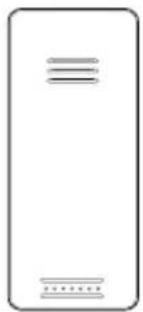
1 Weather station
2 Temperature probe
WEATHER STATION
DISPLAYING MIN-MAX VALUES
2 x 1
1 Weather station
2 Temperature probe
2 - WEATHER STATION
2 x 1
From Monday to Friday, between 9 a.m. and 1 p.m. and between 2 p.m. and 6 p.m.
2 x 1
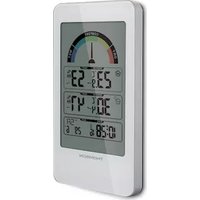

- WIRELESS WEATHER STATION
- TABLE OF CONTENTS
- A - SAFETY INSTRUCTIONS
- B - PRODUCT DESCRIPTION
- MAINTENANCE AND CLEANING
- RECYCLING
- CONTENTS OF THE KIT
- WEATHER STATION
- MAIN FUNCTIONS
- C - CONFIGURATION
- QUICK START-UP
- PAIRING THE SENSOR TO THE STATION
- TIME AND DATE SETTING
- ALARM SETTING
- AUTOMATIC TIME SETTING
- MIN - MAX VALUE DISPLAY
- RESETTING THE WEATHER STATION
- D - TECHNICAL AND LEGAL INFORMATION
- TECHNICAL CHARACTERISTICS
- REPLACING THE BATTERIES
- WARRANTY
- HELP AND ADVICE
- DECLARATION OF CONFORMITY
- NL DRAADLOOS WEERSTATION
- INHOUDSOPGAVE
- A - VEILIGHEIDSVOORSCHRIFTEN
- B - BESCHRIJVING VAN HET PRODUCT
- INSTRUCTIONS FOR USE
- DISPLAYING MIN-MAX VALUES
Brand : THOMSON
Model : 513628
Category : Weather Station