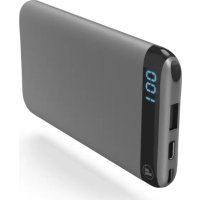
LED6S 00183361 - Power bank HAMA - Free user manual and instructions
Find the device manual for free LED6S 00183361 HAMA in PDF.

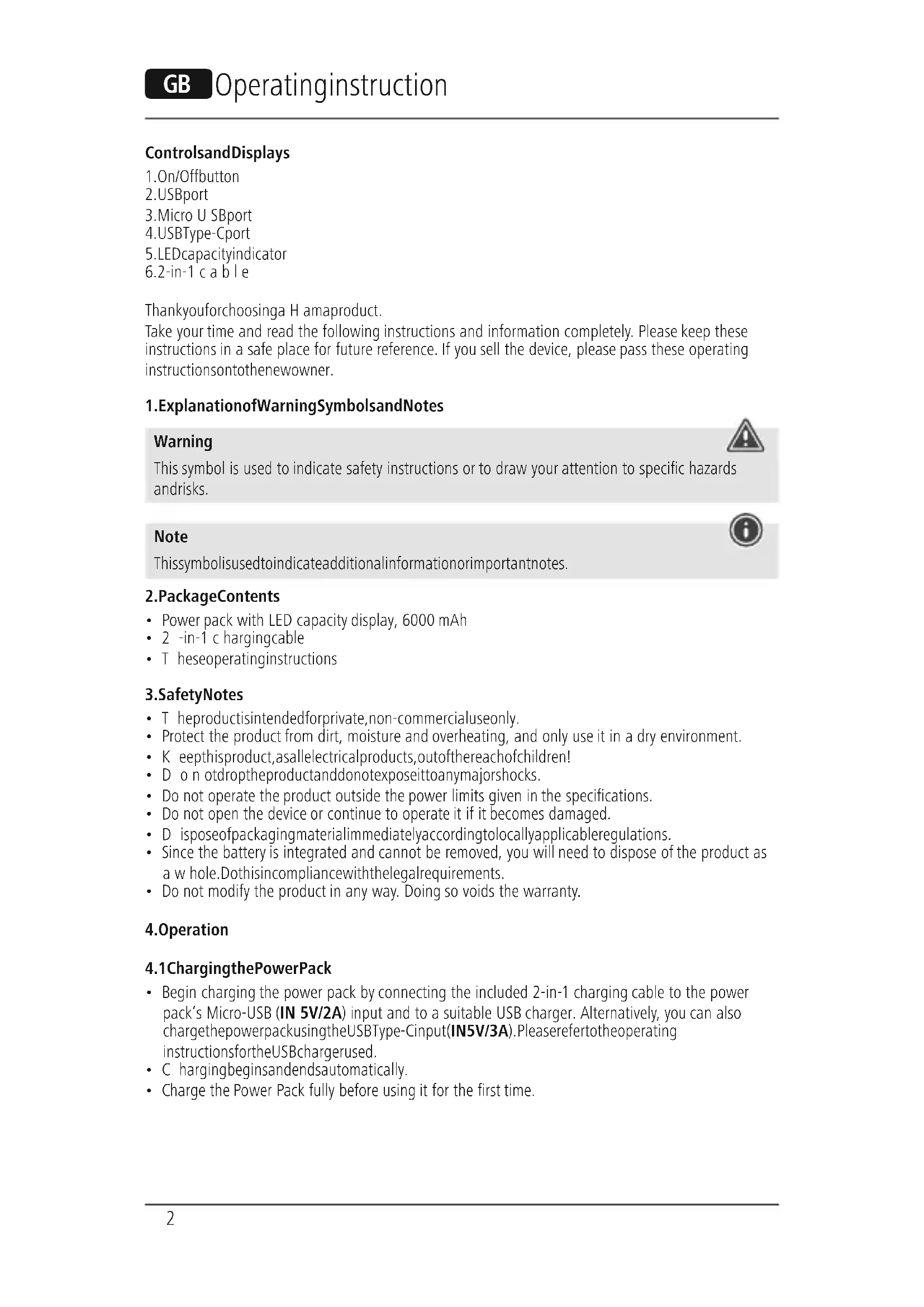


| Brand | Hama |
| Model | LED6S 00183361 |
| Category | Portable battery |
| Battery capacity (type) | 6000 mAh / 22.2 Wh |
| Minimum capacity | 5795 mAh / 21.44 Wh |
| Battery type | Lithium-Polymer (Li-Po) 3.7 V |
| Micro USB input | 5 V / 2 A |
| USB Type-C input | 5 V / 3 A |
| USB Type-C output | 5 V / 3 A |
| USB output | 5 V / 2.4 A |
| Total max output current | 3 A |
| Package contents | Power bank, 2-in-1 charging cable, user manual |
| Capacity display | LED indicators showing charge percentage |
| Charge optimization function | Automatic recognition of connected device for optimal charging |
| Power off | Long press on switch (approx. 2 s) or automatic if no device connected |
| Safety instructions | Do not open, do not expose to moisture or heat, use only suitable chargers |
| Cleaning and maintenance | Clean with a slightly damp, lint-free cloth, without detergent |
| Storage maintenance charge | Recharge at least once every quarter |
| Recycling | Do not dispose of with household waste, deposit at a collection point |
Frequently Asked Questions - LED6S 00183361 HAMA
User questions about LED6S 00183361 HAMA
0 question about this device. Answer the ones you know or ask your own.
Ask a new question about this device
Download the instructions for your Power bank in PDF format for free! Find your manual LED6S 00183361 - HAMA and take your electronic device back in hand. On this page are published all the documents necessary for the use of your device. LED6S 00183361 by HAMA.
USER MANUAL LED6S 00183361 HAMA
Thankyouforchoosinga H amaproduct.
Take your time and read the following instructions and information completely. Please keep these instructions in a safe place for future reference. If you sell the device, please pass these operating instructions onto thenewowner.
1.ExplanationofWarningSymbolsandNotes
Warning

This symbol is used to indicate safety instructions or to draw your attention to specific hazards andrisks.
Note

This symbolis used to indicate additional information or important notes.
2.PackageContents
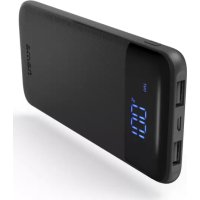
Power pack with LED capacity display, 6000 mAh
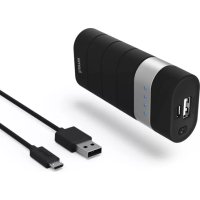
- 2 -in-1 c hargingcable
- T heseoperatinginstructions
3.SafetyNotes
T heproductisintendedforprivate,non-commercialuseonly.
- Protect the product from dirt, moisture and overheating, and only use it in a dry environment.
- K eepthisproduct,asallelectricalproducts,outofthereachofchildren!
- D o n otdroptheproductanddonotexposeittoanymajorshocks.
- Do not operate the product outside the power limits given in the specifications.
- Do not open the device or continue to operate it if it becomes damaged.
- D isposeofpackagingmaterialimmediatelyaccordinglylocallyapplicable管理条例.
- Since the battery is integrated and cannot be removed, you will need to dispose of the product as a w hole. Dothisincompliancewiththelegalrequirements.
- Do not modify the product in any way. Doing so voids the warranty.
4. Operation
4.1ChargingthePowerPack
- Begin charging the power pack by connecting the included 2-in-1 charging cable to the power pack's Micro-USB (IN 5V/2A) input and to a suitable USB charger. Alternatively, you can also charge the powerpack using the USBType-Cinput(IN5V/3A). Please refer to the operating instructions for the USB charger used.
C hargingsbingsandendsautomatically. - Charge the Power Pack fully before using it for the first time.
Note-Capacity

T hecapacityisalwaysshownwhenthePowerPackischarging.
- The LED capacity display gives the current charge level as a percentage. The capacity display flashes during charging.
- If the capacity display shows a constant 100% , the power pack is fully charged.
- Press the button of the Power Pack to switch it on and to check its current capacity.
- To switch off the power pack, press and hold the button until the LED display goes out.
Warning-Battery

- O nlyusesuitablechargingdevicesorUSBconnectionsforcharging.
- As a rule, do not charge devices or USB connections that are defective and do not try to repair them yourself.
- Do not overcharge the product or allow the battery to completely discharge.
- A voidstoring, charging or using batteries in extremetemperatures.
- When stored over a long period of time, batteries should be charged regularly (at least every three months).
4.2Chargingterminaldevices
- Connect the included 2-in-1 charging cable to the power pack's USB connection (see 8. Technical Data) and to the Micro-USB or USB Type-C connection of your terminal device (mobile phone, smartphone, etc.).
- T heincludedcharging/connectioncablemaynotbesuitablefortheUSBportofyourterminal device. Inthiscase,usetheUSBcablethatwasincludedwithyourterminaldevice.
- Charging begins automatically. The LED capacity display shows the remaining capacity of the powerpack when charging.
- T hecurrentbatterystatusofyourterminaldevicewillappearonthisdevice.
- Press the button on the power pack and hold it for approximately 2 seconds to stop charging and to switch the powerpackoff. The LED display goes out.
- The Power Pack will automatically switch off if it is not connected to a terminal device.
Warning- C onnectingterminaldevices

- Before connecting a terminal device, check whether the power output of the charger can supply sufficientpowerforthedevic.
- Ensure that the total power consumption of the connected terminal device does not exceed the limitvalue(seepoint8.TechnicalData).
- P leaserefertotheinstructionsintheoperatingsmanualofyourterminaldevice.
- It is essential that you observe these specifications and the safety instructions regarding the powersupply of your devices.
- T hepowerpackmustnotbechargedanddischargedatthesametime!
Note- O optimisedcharging

- O optimisedchargingmeansthatthePowerPackrecognisestheconnectedterminaldeviceand suppliesitwiththeoptimalcurrenttominimisechargingtime.
Warning

- N everconnectthechargingcableofthePowerPacktoboththeinputandtheoutputofthe PowerPackatthesametime. Thiscoulddamagethebattery.
- Do not connect any terminal devices while the Power Pack is charging. This could damage the PowerPack and the connected device.
5.CareandMaintenance
Only clean this product with a slightly damp, lint-free cloth and do not use aggressive cleaning agents.
6.WarrantyDisclaimer
Hama GmbH & Co KG assumes no liability and provides no warranty for damage resulting from improper installation/mounting, improper use of the product or from failure to observe the operating instructionsand/or safety notes.
7. Technical Data
| Micro-USBinput5 V 2 A | --- |
| USBV-type-Cinput5 V 3 A | --- |
| USBV-type-Coutput5 V 3 A | --- |
| USBoutput5 V 2,4A | --- |
| Outputtotal3 A (max.) | |
| Batterytype3.7V/Li-Po | |
| Min_capacity5795mAh/ 2 1.44Wh | |
| Typ_capacity | 6000mAh/ 2 2.2Wh |
8.RecyclingInformation
Noteonenvironmentalprotection:
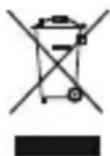
AftertheimplementationoftheEuropeanDirective2012/19/EUand2006/66/Euinthe
nationallegalsystem,thefollowingapplies:Electricandecronicidevicesaswellas
batteries must not be disposed of with household waste. Consumers are obliged by law to
returnelectricalandeanlectronicdevicesaswellasbatteriesattheendoftheirservicelives
tothepubliccollectingpointssetupforthispurposeorpointofsale.Detailstothisare
defined by the national law of the respective country. This symbol on the product, the instruction manual or the package indicates that a product is subject to these regulations. By recycling, reusing the materials or other forms of utilising old devices/Batteries, you are making an important contribution to protecting our environment.
BHHMaHHe-AKKymyIaTOp

-Приименят bToIbKO COOTBETCTBYIOUe 3apAДны yCtpoNCTBa.
3anpeaaetcnaKcnnyatnpoBaTb npemOHnpoBaTb HncnpaBhble yctpOCTBa.
- He noDBepraTb akkymyIaTOpbI rny6okO pa3pIKe n nepe3apIKe.
- Bepeb ot BbICOKnx TemnepaTp npxpaHenn, 3apJe n EKcnnyataun.
- Ppi dIInTeBbHom XpaHEnn 3apXaTb He pexe Ondoro pa3a B Tprn Mecaua.
4.23apraKaOKoHeuHbIXyCxptOB
-ПоДКЛЮЧИТЕЗAPЯДнIHΚAбЕЛБ«2В1»(ВКOMПЛЕКTe)USB-pa3beMOMakKуМЛТOPHOrO6nOKa nITAHN(CM.N.8«TexHnueckneхapakTePncTnKn)》KMkpopa3bemyUSBиn pa3bemy USB-C OKoHeHOrOyCTpoIcTBa(TeJefoH,cMaprfoHnT.D.).
3apnHbI/CoEHHHTeHbI Ka6JIb I3 KOMnJIeKTA aKKyMylrTOPHO 6IOKa NITAHN MoXeT He npOHTn K pa3bemy USB OKoHeuHoro yCTPOINCTBa. B 3tOM Cnyae BocnoJb3yInTeCB USB-Ka6eJeM yCTPOINCTBa.
- Ipocecc 3aqrpy3kn HaueHecra ABToMaTnueckn. Bo BpeM 3apAekn TeKyuzae mKocb OTO6paKaetcCBETOIOIDhIMINHdkaTOPOM.
Xo3ap4nKcCMOTpnteHaIINCJIeEOKOHeuHOrOyCTpoNCTBa.
- TTo6bl OTKIIIOUHTb npOuecc 3apRANK N BbIKIOUHTb 6IOK nITAHNA, HAXMNTe N ydepXnBaYKe KHOKNy Ha 6I0ke nITAHN B TeHHeN npIMepHO 2 c. CBeTOIDNOHbN INHINKaTOp rachET.
- Ecnn 3apraeaemoe yctpoiCTBO He nodklouyeHo, aKKymyIaTOpHbI 6LOK aBTOMaTnueckn BbIKJIIOHaETcR.
BHHMaHHe-NoKJIIOueHHeOKeOHeHybIXyCTPoIcTB

- Ipeed nocknueHem 3apxmaero yctpoicBa y6eintecb, yto eroxapaKtepuctkn COOTBeTCTBYOT aKKyMnTOpHOMy bLOky nHTAHn.
He npebbiwate o6uHn noTpebIeMbIn TK NOdkNIOUeHHbIX yCTPOINCTB (CM. n. 8 «TexHnueckne xapaKTePncTknR»).
CobJIOaIte HnctpyKuIN NO KcNlyatauyn yCTPOINCTB.
-Co6JIIOJaTEnpabNJaTexHnKn6e3OnaChOCTNuONITAHUoycPoICTB. - AkkymyITophB 6nok nHTaHn 3anpeuaetcOndHOBpeMeHNO 3apJXaTb pa3pJXaTb.
PpimeyaHne-OnTImaJIbHaJ3apJaKa

- Pexm ONTImaJIbHO 3apJKN o6cneuNbae T ONo3HaBaHne yCTpOInCTBA, BbIbOp ToKa ONTImaJIbHO BEINUHHb I O6cneueHne MInHMaJIbHOr BO BpeMeHN 3apJKN.
BHHMaHHe

3anpeaaetc coeHHaB kaebIb M BxOu N BbIXoAkkymyIaTOPHO 6noka.3TO MoKET cTaTb npuHOn BixOda aKKymyIaTOPa n3 CTPOJ.
He nodkluyaTe oKOHeHbIe yCTpoiCTBa BO BpeM 3apJkN aKKMyJIaTOpHOrO 6nKa nITAHnB. B npOTNBHom Cnyae 3TO MOxET npVBecTN K bIXOy N3 CTPOr 6nKa nITAHnN OKOHeHOrO yCTPOiCTBa.
5.YxOuTexHnueckOe06cnyKuBaHne
YnCTky n3denn npOn3BODntb ToIbko 6e3BOPCOB cnEka BnaXHO caFetKo. 3anpeaetc npImeHrTaRpeCCNBhieuCTraUneCpeDCTBa.
6.0Tka3OTrapaHTnHbIXo6raTeIbCTB
Kompanha Hama GmbH & Co KG He heceT OTBeTCTBHeHOctb 3a yUeep6, BO3NkUn BcIeDCTBHe HnpaBnIbHO MOHTaxa, NOKNoueHn IcNoJIb3OBAHn I3JeINr He No Ha3NaueHIO, a TaKxE BCNEdCTBne Heco6JIoDeHn IHCTpyKuIN PO KcNpLyatauIN TexHKn 6e3OnaChOCTN.
7.TexHnuecknHexapakTepncTNKn
| ВхodMicro-USB5 V 2 A | --- |
| ВхodUSBType-C5 V 3 A | --- |
| ВьхodUSBType-C5 V 3 A | --- |
| ВьхodUSB5 V 2,4A | --- |
| Овsiн(Bыход) | 3 A (max.) |
| Типбатарeɪ | 3,7V/Li-Po |
| МинимуМ EMKость | 5795 mAч / 21,44Вт.ч |
| Тип.EMКость | 6000 mAч / 22,2Вт.ч |
8.IHCTpyKcunnoyTuJn3aun
OxpaHaokpykaIooueIcpebl:
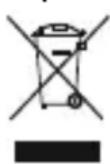
C MOMENTa nepexoHa NaioHbHO 3aKoHOaTeBCTBa Ha eBPOneCKne HOpMaTnBbl 2012/19/EU n 2006/66/EU DeiCTBtBHo CNeIyOuee: 3JeKtpuYeCKne I NeKTPoHHbIe np6opbl, a TAKKe 6atapen 3anpeaaetcra yTNlN3npOBaTb C obUYhIM Mycopom.
Iotppe6nteJIb, corglachO 3aKOHy, 6o3aH yTuJIn3npoBaT b 3JeKtpnueckne n 3NeKtpoHHbIe np60bpI, a TAKKe 6atapen u akKymyTAToPbI NocJe IN NCNoJIb3OBaHnB CnEuaJIbHO
PpeHa3HaeHHbIXIyI3TOIpyHKtax C60pa, IIOBOIpyHKtax npOaXn. DeTaIbHaPeIamEHTaun 3Tnx Tpe6OBaHm OcyUeCTBnRETCoOTBETCTBYOUUM MeCTHBIM 3aKOHODaTeJIbCTBOM.
Heo6xOJIMOCtB c06HIODeHn IaHHbIX npeDnIcaHn 063HaayTcO6bIM 3NaUKOM Ha i3JeHN, HNCTpykCNI NO 3KcIIyatauHn IIN ynaKOBKe. PIn nepepa6OTke, NOBTOPHM NCNOBJ3OBAHnn MaTePnAIOB IIN pRn dpyroI φOpMe yTuIN3aun 6bIBwX B yNtpe6JIeHN pRi6Opob Bbl NOMoraTe Oxpae OkpykaIoSeI cpeDbI. B COOTBeTcBn C npeDnIcaHnMn PO o6paueHIO C 6bTaapeMn, B TepMaHn BblIeHa3BaHHbIe HopMaTNBdI DeIcTByIOT dIra yTuIN3aun 6bTaapeN aKKymyIATOPOB.
Bedieningseinlementenweergaven
| Intrare m icro-USB5 V 2 A | --- |
| Intrare U SBType-C5 V 3 A | --- |
| Ilesire USB Type-C | 5V—3A |
| Ilesire U SB5 V 2,4A | --- |
| Ilesire total | 3A (max.) |
| Tip baterie | 3,7V/Li-Po |
| Min.capacitate5795mAh/21,44Wh | |
| Tip.capacitate | 6000mAh/22,2Wh |
8.Informatiipentureciclare
- 1.ExplanationofWarningSymbolsandNotes
- Warning
- Note
- 2.PackageContents
- 3.SafetyNotes
- Operation
- 4.1ChargingthePowerPack
- Note-Capacity
- Warning-Battery
- 4.2Chargingterminaldevices
- Warning- C onnectingterminaldevices
- Note- O optimisedcharging
- 5.CareandMaintenance
- 6.WarrantyDisclaimer
- Technical Data
- 8.RecyclingInformation
- Noteonenvironmentalprotection:
- BHHMaHHe-AKKymyIaTOp
- 4.23apraKaOKoHeuHbIXyCxptOB
- BHHMaHHe-NoKJIIOueHHeOKeOHeHybIXyCTPoIcTB
- PpimeyaHne-OnTImaJIbHaJ3apJaKa
- BHHMaHHe
- 5.YxOuTexHnueckOe06cnyKuBaHne
- 6.0Tka3OTrapaHTnHbIXo6raTeIbCTB
- 7.TexHnuecknHexapakTepncTNKn
- 8.IHCTpyKcunnoyTuJn3aun
- OxpaHaokpykaIooueIcpebl:
- Bedieningseinlementenweergaven
- 8.Informatiipentureciclare
Brand : HAMA
Model : LED6S 00183361
Category : Power bank