EasyManual
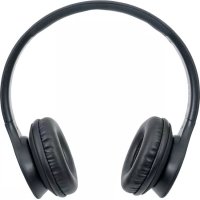
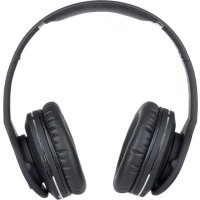
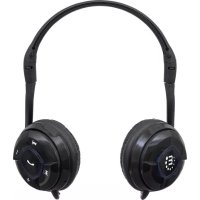
FreeStyle 178754 - Helmet MANHATTAN - Free user manual and instructions
Find the device manual for free FreeStyle 178754 MANHATTAN in PDF.


User questions about FreeStyle 178754 MANHATTAN
0 question about this device. Answer the ones you know or ask your own.
Ask a new question about this device
Download the instructions for your Helmet in PDF format for free! Find your manual FreeStyle 178754 - MANHATTAN and take your electronic device back in hand. On this page are published all the documents necessary for the use of your device. FreeStyle 178754 by MANHATTAN.
USER MANUAL FreeStyle 178754 MANHATTAN
ENGLISH Initial Setup / Built-in Battery Charging Prior to initial use as a wireless headset, the built-in battery needs to be charged. A full charge can take up to 12 hours, but you can listen to music or make phone calls while charging. 1 Use the included USB-to-micro USB cable to connect the headset (A) to a powered computer or other charging device. 2 The LED (G) lights red while charging and turns off when the charge is complete. Note: The LED flashes red to indicate low voltage. Recharge the battery as soon as you can. Bluetooth Pairing & Operation This product utilizes the latest in Bluetooth wireless technology; wireless performance may vary from device to device. If using this product with a Mac or PC, ensure that your Bluetooth driver is up to date. If it isn’t, visit your computer manufacturer’s website for details and updates. 1 Press the Multifunction button (F) for about 8 seconds, until the LED (G) alternately flashes red and blue. 2 With the headset LED (G) alternately flashing red and blue, activate your device’s Bluetooth function and search for Bluetooth devices. Refer as needed to the manual of your phone, tablet, computer, etc. regarding the Bluetooth operation of your source device. 3 Once the device finds “MH Freestyle,” an on-screen prompt will ask if you’re ready for pairing. Click or press OK or Confirm to continue. Note: If the device prompts you to enter a PIN, enter 0000 and click or press Yes or Confirm to continue.
- After a successful connection is made, the LED (G) will flash blue and the headset will beep. If the pairing has failed and the LED is still alternately flashing red and blue, the pairing procedure needs to be re-initiated on your source device.
This headset can connect with two types of devices: those using a Hands-Free or Headset Profile (HFP or HSP), such as smartphones; and those using an Advanced Audio Distribution or Audio/Video Remote Control Profile (A2DP or AVRCP), such as laptops.
FCC Class B This equipment has been tested and found to comply with the limits for a Class B digital device, pursuant to Part 15 of Federal Communications Com- mission (FCC) Rules. These limits are designed to provide reasonable protection against harmful interference in a residential installation. This equipment generates, uses and can radiate radio frequency energy, and if not installed and used in accordance with the instructions may cause harmful interference to radio communications. However, there is no guarantee that interference will not occur in a particular installation. If this equipment does cause harmful interference to radio or television reception, which can be determined by turning the equipment off and on, the user is encouraged to try to correct the interference by one or more of the following measures: reorient or relocate the receiving antenna; increase the separation between the equipment and the receiver; connect the equipment to an outlet on a circuit different from the receiver; or consult the dealer or an experienced radio/TV technician.