
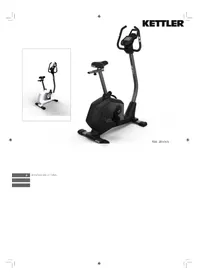
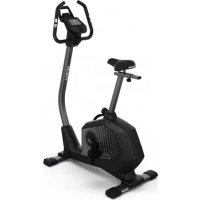
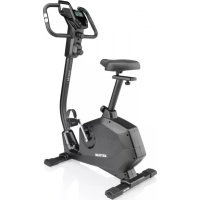
Avior M - Exercise bike KETTLER - Free user manual and instructions
Find the device manual for free Avior M KETTLER in PDF.

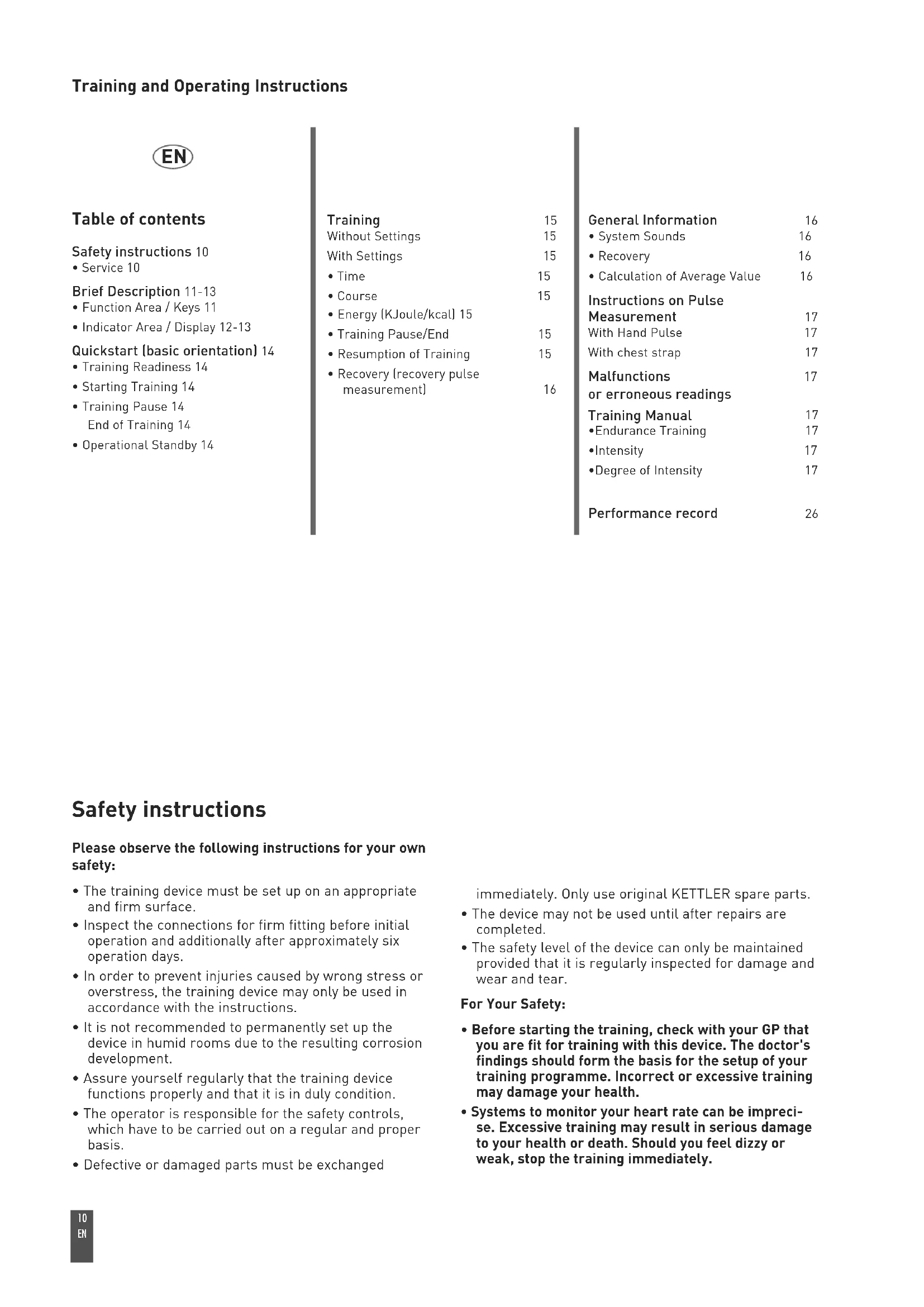


| Product type | Exercise bike |
| Brand | KETTLER |
| Model | Avior M |
| Dimensions (approx.) | 100 x 50 x 130 cm |
| Weight (approx.) | 25 kg |
| Power supply | Batteries (not included) |
| Display | LCD screen with segments: time, distance, energy (kcal/kJ), pulse, speed, pedaling frequency, fitness score |
| Heart rate measurement | Hand sensors on handlebars + receiver for chest strap (not included) |
| Training functions | Free, with preset values (time, distance, energy), recovery program with fitness score |
| Resistance | Adjustable mechanical brake (level by rotation) |
| Number of programs | 2 modes: without preset values (free) and with preset values (time, distance, energy) |
| Resistance range | Not specified |
| Pulse range | 40 – 199 bpm |
| Pulse alarm | Yes, audible beep if maximum set pulse is exceeded |
| Recovery function | Yes (RECOVERY button): measures recovery pulse over 60 s and calculates fitness score (rating from 1.0 to 6.0) |
| Sleep mode | Automatic shutdown after 4 minutes of inactivity |
| Displayed units | km/h or mph, miles or km, kcal or kJ (selection by switch on back) |
| Safety | Consult a doctor before training, check fastenings, use on stable ground, do not use in humid environment |
| Maintenance | Check tightening every 6 days of use, replace defective parts with original KETTLER parts |
| Repairability | Spare parts available (original KETTLER) |
Frequently Asked Questions - Avior M KETTLER
User questions about Avior M KETTLER
0 question about this device. Answer the ones you know or ask your own.
Ask a new question about this device
Download the instructions for your Exercise bike in PDF format for free! Find your manual Avior M - KETTLER and take your electronic device back in hand. On this page are published all the documents necessary for the use of your device. Avior M by KETTLER.
USER MANUAL Avior M KETTLER
natural_image
Simple line drawing of two car parts connected by a string (no text or symbols)natural_image
Four black triangular shapes with white symbols: a triangle, a plus sign, a sun icon, and a heart symbol (no text or labels)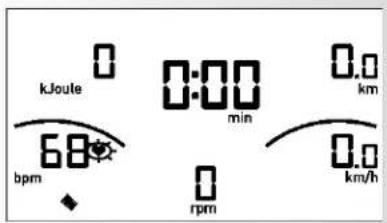
natural_image
Four black geometric shapes with white symbols: triangle, plus sign, gear, and heart (no text or labels)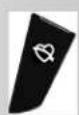
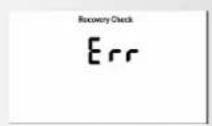
RECOVERY - Funktion

Erholpulsmessung
Safety instructions 10
• Service 10
Brief Description 11-13
• Function Area / Keys 11
- Indicator Area / Display 12-13
Quickstart (basic orientation) 14
- Training Readiness 14
- Starting Training 14
• Training Pause 14 End of Training 14
• Operational Standby 14
Training 15
Without Settings 15
With Settings 15
• Time 15
- Course 15
• Energy (KJoule/kcal) 15
• Training Pause/End 15
• Resumption of Training 15
• Recovery (recovery pulse measurement) 16
General Information 16
• System Sounds 16
• Recovery 16
• Calculation of Average Value 16
Instructions on Pulse
Measurement 17
With Hand Pulse 17
With chest strap 17
Malfunctions 17
or erroneous readings
Training Manual 17
•Endurance Training 17
-Intensity 17
• Degree of Intensity 17
Performance record 26
Safety instructions
Please observe the following instructions for your own safety:
- The training device must be set up on an appropriate and firm surface.
- Inspect the connections for firm fitting before initial operation and additionally after approximately six operation days.
- In order to prevent injuries caused by wrong stress or overstress, the training device may only be used in accordance with the instructions.
- It is not recommended to permanently set up the device in humid rooms due to the resulting corrosion development.
- Assure yourself regularly that the training device functions properly and that it is in duly condition.
- The operator is responsible for the safety controls, which have to be carried out on a regular and proper basis.
• Defective or damaged parts must be exchanged
immediately. Only use original KETTLER spare parts.
- The device may not be used until after repairs are completed.
- The safety level of the device can only be maintained provided that it is regularly inspected for damage and wear and tear.
For Your Safety:
- Before starting the training, check with your GP that you are fit for training with this device. The doctor's findings should form the basis for the setup of your training programme. Incorrect or excessive training may damage your health.
- Systems to monitor your heart rate can be imprecise. Excessive training may result in serious damage to your health or death. Should you feel dizzy or weak, stop the training immediately.
Brief Description
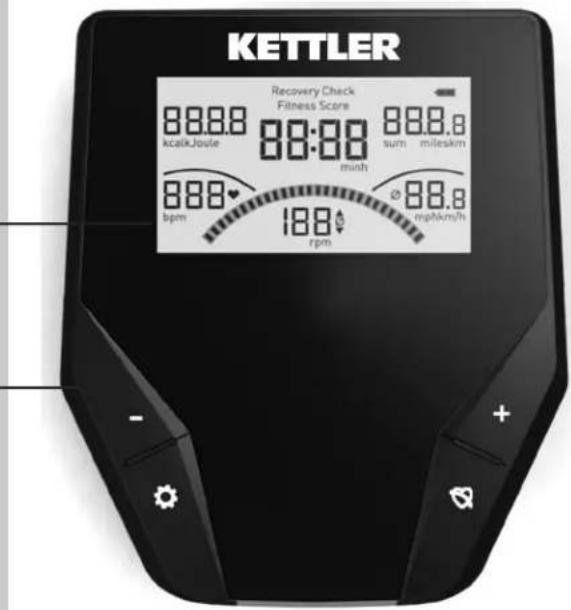
The electronics have a display area (Display) with changeable symbols and graphics, and a function area with keys.
Indicator Area
Display
Function Area
Keys
Instructions (in brief)
Function Area
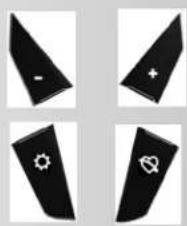
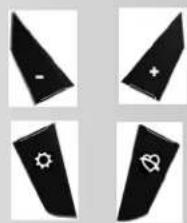
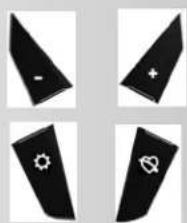
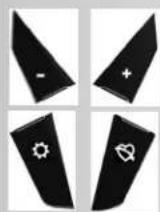
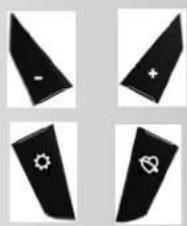
The four keys are briefly explained in the following.

(press quickly)
With this function key, entries are called up.
The selected data is transferred.
Reset (press longer)
The current display is deleted for a restart.
Plus + / Minus -
With these function keys, values are changed in the various entries before the training
- pressed longer > faster display of values series
- "Plus+" and "Minus-" pressed simultaneously:
Value entry jumps to OFF

RECOVERY
With this function key, the Recovery Pulse function is started.
Pulse Measurement
The pulse can be measured via 2 sources:
1. Hand pulse
The connection is located on the back side of the display;
2. Chest strap
The input is located on the back side of the display. Chest strap not always included at delivery.
Only "uncoded" systems function.
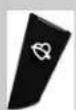
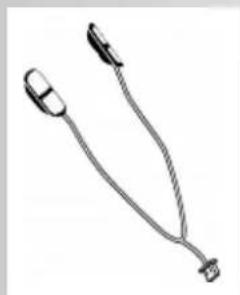
natural_image
Simple line drawing of two car parts connected by a string (no text or symbols)Training and Operating Instructions
Operating Instructions (in brief)
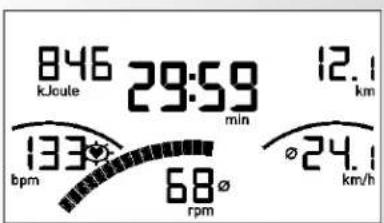
Indicator Area / Display
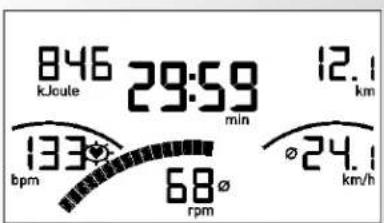
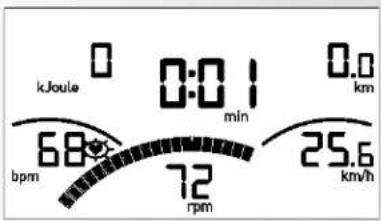
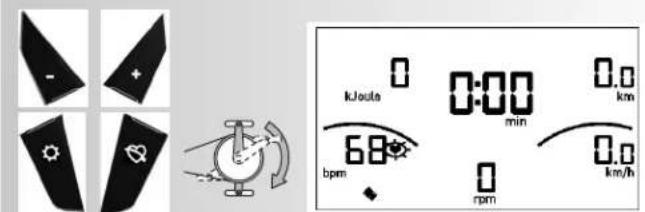
The display area informs you about the various functions.
Energy Consumption
in kcal or kJoule
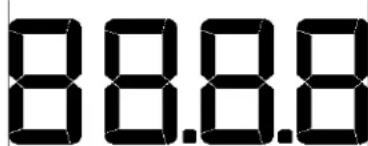
kcalkJoule
Value 0 - 9999
Training Time
Total Training Time (h) after turning on or resetting the display
Time Rewind
found at Recovery Check
Recovery Check
Fitness Score
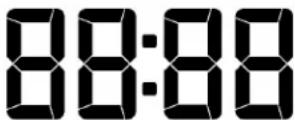
minh
Recovery Pulse Function
Fitness Score > Fitness
Grade Earned
.Value: 0:00 - 99:59
Course
Entire Course (sum)
After turning on or resetting display
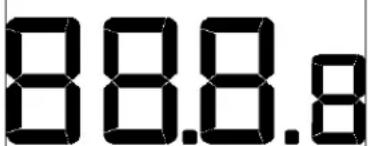
sum
mileskm
-Value 0.00 - 99.99
Display in miles or km
Pulse
Pulse Display
40 - 199 [1/min]
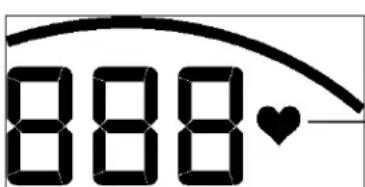
bpm
Heart Symbol
(blinks at rate of heartbeat)
Speed
Average Value Display at Training Pause
∅
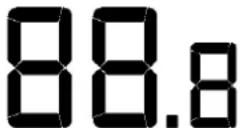
mphkm/h
Value 0 - 99.9
Display in mph or km/h
Cadence (rpm)
14 - 118 rpm
14 - 199 rpm
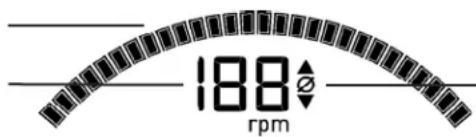
Average Value Display at Training Pause
Battery Charge
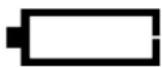
Battery charge is no longer sufficient for pulse measurement.
Change Battery.
Total Training Time, Entire Course, and specifications are lost when battery is changed.
The displays kcal or kJoule and miles or km are set with the slide switches on the reverse side. Changes are made by pressing the Reset key.
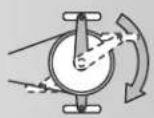
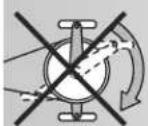
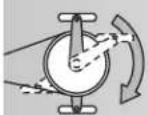
The pedal rotations in the instructions refer to an exercise
machine
60 rpm = 21.3 km/h = 13.3 mph.
For a crosstrainer the allocation is
60 rpm = 9.5 km/h = 5.9 mph.
Training and Operating Instructions
natural_image
Four black triangular shapes with white symbols: a triangle, a plus sign, a sun icon, and a heart symbol (no text or labels)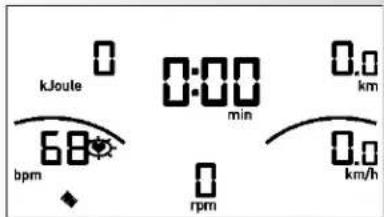
natural_image
Four black geometric shapes with white symbols: triangle, plus sign, gear icon, and heart symbol (no text or labels)Quickstart (for basic orientation)
Without Specific Settings
- Press a key
Display:
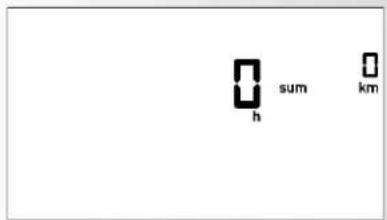
- All segments are briefly displayed. (Segment Test)
- The total hours and kilometers are briefly displayed.
Thereafter, change to the display "Training Readiness"
Training Readiness
Display:
- All areas display "zero" except pulse (if active) Start training by pedaling
Training Start
Display:
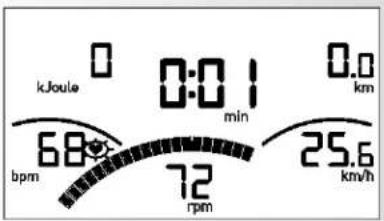
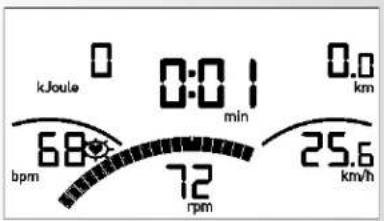
- Pedal Rotation segments, Distance, Speed, Energy and Time: count goes upwards.
- Pulse (if active)
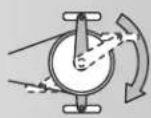
Brake Adjustment:
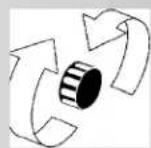
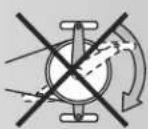
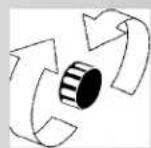
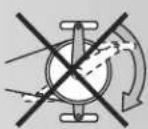
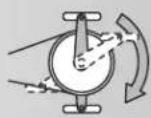
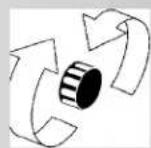
- By turning to the right the brake level is raised, and by turning to the left it is reduced.
Training Pause or End
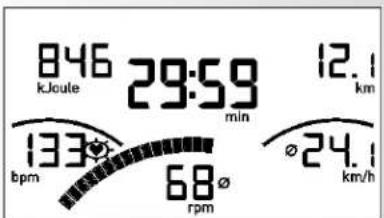
At Training Pause or End, Average Values from the last training unit are displayed with the ∅ symbol.
Display
• Average Values (∅):
Pedal Rotations and Speed
• Total Values
Energy, Distance and Time
- Current Pulse (if active)
Standby Mode
Device switches to Standby mode 4 minutes after Training End.
Press any key; Display begins again with Segment Test, display of total hours, total kilometers and training readiness.
Training
1. Training Without Settings
- Press any key
and/or - tread on pedals (as under Quickstart)
2. Training With Settings
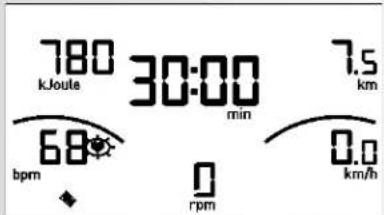
display: "Training Readiness"
- Press "settings area
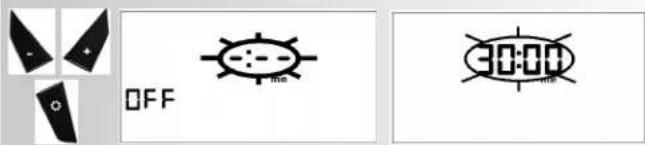
Time Setting (min)
- With "Plus+" or "Minus-", enter value (e.g., 30:00)
onfirm with "
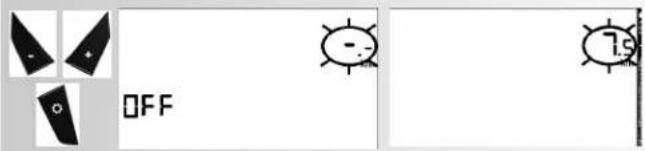
Display: next menu "COURSE"
Setting Course (miles or km)
- With "Plus+" or "Minus-", enter value (e.g., 7.5)
Confirm with “...
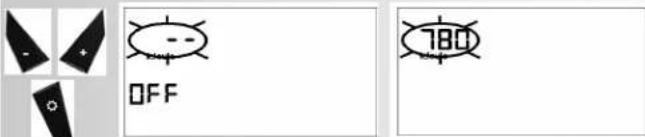
Display: next menu "ENERGY"
Setting Energy (kcal or KJoule)
- With "Plus+" or "Minus-", enter value (e.g., 780)
Confirm with "
Note:
The settings are saved.
- Pedaling
In settings, count goes downwards.
Training Pause or Training End
With less than 14 pedal rpm, the device's electronics recognize a Training Pause. Rotations and Speed are represented as Average Values with the ∅ symbol.
The Training Data is displayed for 4 minutes. If, during this time, you press no keys and do not train, the electronics will switch to Standby mode.
Training Resumption
If Training is continued within 4 minutes, the last values will be further counted or counted down.
M-Display

Training and Operating Instructions

RECOVERY - Function

Recovery Pulse Measurement
At Training End press > RECOVERY.
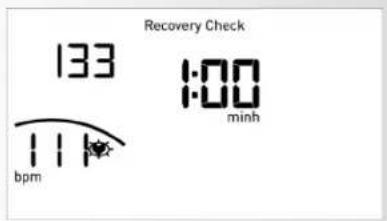
Display
- Recovery Check
Your pulse is measured electronically in a 60 second countdown. Under "Energy", the active pulse (P1) is displayed.
Display
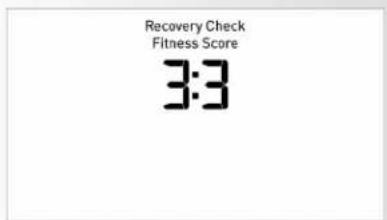
- Fitness Score
After the time returns to its original position (rewinds), the Fitness Score (for example, 3.3) is displayed under Fitness Score.
The display will end after 20 seconds.
RECOVERY interrupts the Recovery Pulse function or Fitness Score display.
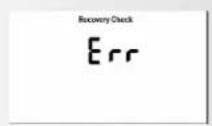
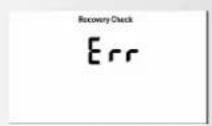
If no pulse is registered, the error message "E
General instructions
System signals
Activation of the device
If you activate the device, a signal is emitted during the segment test.
Presetting
A short signal is emitted, if you reach a presetting like time, distance and KJoule/kcal.
Exceeding of maximum pulse
If the set maximum pulse is exceeded by one pulse beat, two short signals are emitted for the time of exceedance.
Recovery
Calculation of the fitness mark (F):
$$ \operatorname{mark} (\mathbf {F}) = 6. 0 - \left(\frac {1 0 \times (P 1 - P 2)}{P 1}\right) ^ {2} $$
P1 stress pulse P2 = recovery pulse
F1.0 = very good F6.0 = insufficient
Calculation of average value
The calculations of the average values refer to training units in the past until a reset or the sleep mode.
Instructions for pulse measurement
The pulse measurement starts as soon as the heart in the display blinks in time with your pulse beat.
With hand pulse
An extra-low voltage caused by the contractions of your heart is registered by the hand sensors and evaluated by the electronics assembly of the device.
• Always grab the contact faces with both hands.
- Avoid jerky grasping.
- Hold your hands calmly and avoid contractions and rubbing on the contact faces.
With Chest strap
Observe the relevant instructions.
Malfunctions or erroneous readings
After inserting the batteries, and in disorders or false readings press the "button for longer (Reset).
Training Instructions
Sports medicine and training science use cycle ergometry, among other things, for the examination of the functional capability of heart, circulation and respiratory system.
You can find out whether or not you have achieved the desired effect from your training after several weeks using the following method:
- You manage a particular endurance performance with less heart / circulation performance than previously
- You sustain a particular endurance performance with the same heart / circulation performance over a longer period.
- You recover more quickly than previously after a particular heart / circulation performance.
Guide values for the endurance training
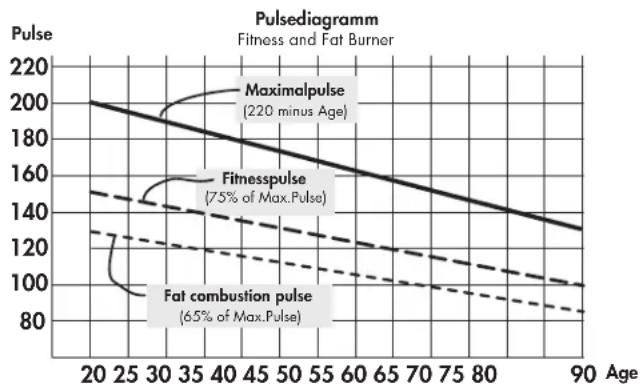
Maximum pulse: maximum strain means the reaching of the individual maximum pulse. The maximum achievable heart rate is dependant on age.
Here, the following empirical formula applies: the maximum heart rate per minute corresponds to 220 heart beats minus age in years.
Example: age 50 years -> 220 - 50 = 170 pulse / min.
Load Intensity
Load pulse: the optimum intensity of load is reached at 65–75% (see also diagram) of the maximum pulse. This value changes depending on age.
line
| Age | Maximalpulse | Fitnesspulse | Fat combustion pulse | | --- | --- | --- | --- | | 20 | 200 | 140 | 130 | | 30 | 180 | 130 | 120 | | 40 | 160 | 120 | 110 | | 50 | 140 | 110 | 100 | | 60 | 120 | 100 | 90 | | 70 | 100 | 90 | 85 | | 80 | 80 | 85 | 80 | | 90 | 65 | 80 | 75 |Extent Of Load
Duration of a training unit and its frequency per week: The optimum extent of load is attained, if 65–75% of the individual heart / circulation performance is achieved over a longer period.
Empirical Formula:
Training frequency Duration of training
daily 10 minutes
2–3 times a week 20–30 minutes
1–2 times a week 30–60 minutes
Beginners should not begin with training units of 30-60 minutes.
The beginner's training can be planned as follows in the first 4 weeks:
Training frequency Extent of training session
1st week
3 times a week 2 minutes of training
Break of 1 minute for physical exercises
2 minutes of training
Break of 1 minute for physical exercises
2 minutes of training
2nd week
3 times a week 3 minutes of training
Break of 1 minute for physical exercises
3 minutes of training
Break of 1 minute for physical exercises
2 minutes of training
3rd week
3 times a week 4 minutes of training
Break of 1 minute for physical exercises
4 minutes of training
Break of 1 minute for physical exercises
3 minutes of training
4th week
3 times a week 5 minutes of training
Break of 1 minute for physical exercises
4 minutes of training
Break of 1 minute for physical exercises
4 minutes of training
It is recommended that you perform approx. 5 minutes of exercises before and after every training unit, in order to warm up and cool down. There should be a training-free day between each two consecutive training units, if you prefer training sessions of 20-30 minutes 3 times a week later on in your training. Otherwise, there is no reason why you should not train daily.
FR
Table des matières
Instructions succinctes
natural_image
Simple line drawing of two car parts connected by a string (no text or symbols)Instructions succinctes
natural_image
Four black triangular shapes with white symbols: a triangle, a plus sign, a sun icon, and a heart symbol (no text or labels)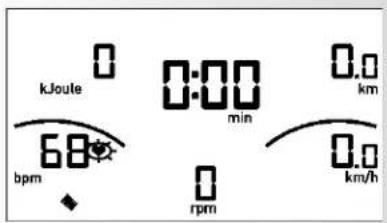
natural_image
Four black triangular shapes with white symbols: a triangle, a plus sign, a gear icon, and a heart symbol (no text or labels)
natural_image
Black-and-white photo of a person exercising on an exercise machine in a dimly lit room with brick walls and a large window (no visible text or symbols)
natural_image
Black-and-white photo of a man sitting on a stationary exercise machine in a gym (no visible text or symbols)
natural_image
Black-and-white photo of a person running on a treadmill in a wet outdoor setting (no visible text or symbols)
natural_image
Black-and-white photo of a man and woman smiling while using an exercise bike (no text or symbols visible)
- RECOVERY - Funktion
- Erholpulsmessung
- Safety instructions 10
- Brief Description 11-13
- Quickstart (basic orientation) 14
- Training 15
- Without Settings 15
- With Settings 15
- General Information 16
- Instructions on Pulse
- Measurement 17
- Malfunctions 17
- or erroneous readings
- Training Manual 17
- Performance record 26
- Safety instructions
- Please observe the following instructions for your own safety:
- For Your Safety:
- Brief Description
- Instructions (in brief)
- Function Area
- (press quickly)
- Reset (press longer)
- Plus + / Minus -
- RECOVERY
- Pulse Measurement
- Hand pulse
- Chest strap
- Training and Operating Instructions
- Operating Instructions (in brief)
- Energy Consumption
- Training Time
- Course
- Pulse
- Speed
- Cadence (rpm)
- Battery Charge
- Quickstart (for basic orientation)
- Training Readiness
- Training Start
- Training Pause or End
- Standby Mode
- Training
- Training Without Settings
- Training With Settings
- Time Setting (min)
- Setting Course (miles or km)
- Setting Energy (kcal or KJoule)
- Note:
- Training Pause or Training End
- Training Resumption
- RECOVERY - Function
- Recovery Pulse Measurement
- Display
- General instructions
- System signals
- Activation of the device
- Presetting
- Calculation of average value
- Instructions for pulse measurement
- With hand pulse
- With Chest strap
- Malfunctions or erroneous readings
- Training Instructions
- Guide values for the endurance training
- Load Intensity
- Extent Of Load
- Empirical Formula:
- Training frequency Duration of training
- Training frequency Extent of training session
- 1st week
- 2nd week
- 3rd week
- 4th week
- FR
- Table des matières
- Instructions succinctes
Brand : KETTLER
Model : Avior M
Category : Exercise bike