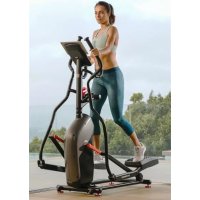
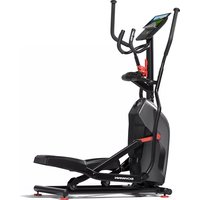
510E - Elliptical bike Schwinn - Free user manual and instructions
Find the device manual for free 510E Schwinn in PDF.



| Product Type | Elliptical Trainer |
| Brand | Schwinn |
| Model | 510E |
| Assembled Dimensions | 136,7 × 61 × 158,8 cm |
| Product Weight | 45,4 kg |
| Max User Weight | 136 kg |
| Power Supply | AC Adapter (included) |
| Resistance | Manually adjustable via buttons (16 levels) |
| Workout Programs | Manual (Quick Start), HIIT Intervals, Challenge, Heart Rate Control |
| Display | LCD Display: Speed, Distance, Time, Calories, Heart Rate, RPM |
| Connectivity | Bluetooth® (for app and chest strap) |
| Heart Rate Sensors | Contact sensors on stationary handles + Bluetooth® (chest strap not included) |
| Pedals | Pedals with foot straps, not adjustable in length (front/back position) |
| Transport | Integrated transport wheels at front |
| Leveling | 4 adjustable leveling feet under frame |
| Warranty | Local after-sales service (details in full manual) |
| Maintenance | Weekly cleaning, rail lubrication with silicone lubricant, bolt inspection |
| Spare Parts | Available via customer service or authorized retailer |
| Repairability | Repairability index not communicated |
| Recommended Minimum Age | 13 years and older |
Frequently Asked Questions - 510E Schwinn
User questions about 510E Schwinn
0 question about this device. Answer the ones you know or ask your own.
Ask a new question about this device
Download the instructions for your Elliptical bike in PDF format for free! Find your manual 510E - Schwinn and take your electronic device back in hand. On this page are published all the documents necessary for the use of your device. 510E by Schwinn.
USER MANUAL 510E Schwinn
Thanks for choosing SCHWINN 510E as your fitness equipment. We are sincerely encourage you to read through this Owner's manual carefully before the assembling of your equipment started, especially of below WARNINGS! WARNINGS WILL REDUCE THE RISK OF BURNS, FIRE, ELECTRICAL SHOCK OR INJURY TO PERSONS.
Before proceeding, find your equipment's serial number located on a white barcode sticker on stabilizer tube and enter it in the s pace provided below.
ENTER YOUR SERIAL NUMBER AND MODEL NAME IN THE BOXES BELOW:
SERIAL NUMBER:
MODEL NAME: SCHWINN 510E
» Refer to the SERIAL NUMBER and MODEL NAME when calling for service.
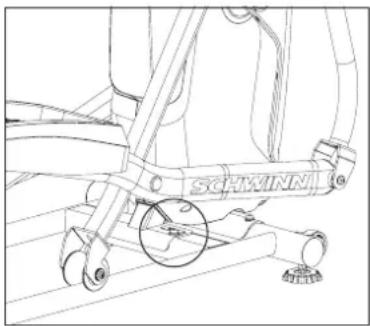
SERIAL NUMBER LOCATION

WARNING
-
FAILURE TO FOLLOW THESE INSTRUCTIONS COULD RESULT IN INJURY!
-
Use this equipment only for its intended use as described in this guide and in the equipment's Owner's Manual.
- At NO time should children under the age of 13 use the equipment.
- At NO time should pets or children under the age of 13 be closer to the equipment than 10 feet / 3 meters.
This equipment is not intended for use by persons with reduced physical, sensory or mental capabilities, or lack of experience and knowledge, unless they are supervised or have been given instruction concerning use of the equipment by a person responsible for their safety. -
Always wear athletic shoes while using this equipment. NEVER operate the exercise equipment with bare feet.
-
Do not wear any clothing that might catch on any moving parts of this equipment.
-
Heart rate monitoring systems may be inaccurate. Over exercising may result in serious injury or death.
If you experience any kind of pain, including but not limited to chest pains, nausea, dizziness, or shortness of breath, stop exercising immediately and consult your physician before continuing. -
Do not jump on the equipment.
- At no time should more than one person be on the equipment.
-
Set up and operate this equipment on a solid level surface.
-
Never operate the equipment if it is not working properly or if it has been damaged.
- Use handlebars to maintain balance when mounting and dismounting, and for additional stability while exercising.
- To avoid injury, do not expose any body parts (for example, fingers, hands, arms or feet) to the drive mechanism or other potentially moving parts of the equipment.
- Connect this exercise product to a properly grounded outlet only.
This equipment should never be left unattended when plugged in. When not in use, and prior to servicing, cleaning, or moving equipment, turn off power, then unplug from outlet.
Do not use any equipment that is damaged or has worn or broken parts. Use only replacement parts supplied by Customer Tech Support or an authorized dealer. - Never operate this equipment if it has been dropped, damaged, or is not working properly, has a damaged cord or plug, is located in a damp or wet environment, or has been immersed in water.
- Keep power cord away from heated surfaces. Do not pull on this power cord or apply any mechanical loads to this cord.
Do not remove any protective covers unless instructed by Customer Tech Support. Service should only be done by an authorized service a technician. - To prevent electrical shock, never drop or insert any object into any opening.
- Do not operate where aerosol (spray) products are being used or when oxygen is being administered.
This equipment should not be used by persons weighing more than the specified maximum weight capacity as listed in the equipment Owner's Manual. Failure to comply will void the warranty. - Do not use this equipment in any location that is not temperature controlled, such as, but not limited to: garages, porches, pool rooms, bathrooms, car ports or outdoors. Failure to comply will void the warranty.
- Contact Customer Tech Support or an authorized dealer for examination, repair and/or service.
Make sure handlebars are secure before each use. - Never rotate the foot pedals by hand.
- Never dismount the equipment until the pedals come to a complete STOP.
- Care should be taken when mounting or dismounting the equipment. Before mounting or dismounting, move the foot pedal on the mounting or dismounting side to its lowest position.
- Keep the topside of the foot support clean and dry.
- When exercising, always maintain a comfortable pace. Do not sprint above 80 RPMs on this machine.
- The elliptical trainer is not equipped with a free wheel and therefore the moving parts cannot be stopped immediately.
LOCATION OF THE ELLIPTICAL
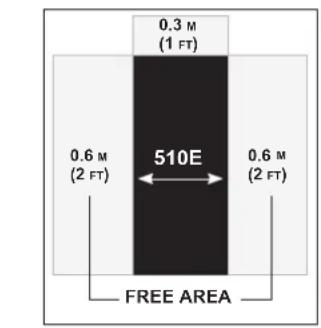
Place the elliptical on a level surface. There should be one foot of clearance in front of the elliptical for the power cord. For ease of access, there should be an accessible space preferentially on both sides and the rear of the elliptical that is at least 0.6m (23.6 inch). Do not place the elliptical in any area that will block any vent or air openings. The elliptical should not be located in a garage, covered patio, near water or outdoors.
MOVING THE ELLIPTICAL
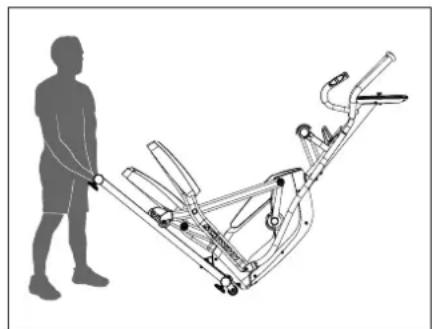
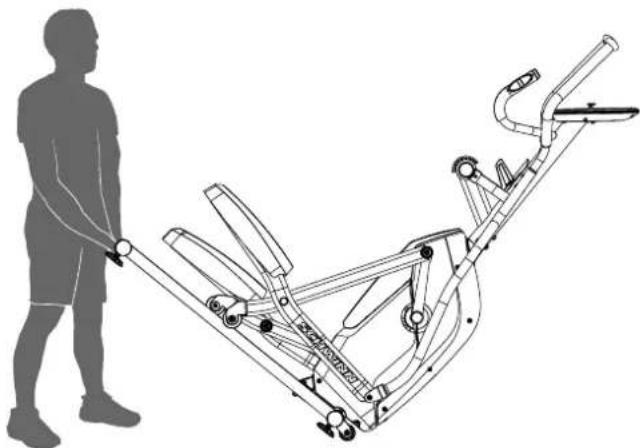
Your elliptical has a pair of transport wheels built into the front stabilizer tube. To move, first remove the power supply and firmly grasp the steel portion in the rear of the elliptical, carefully tilt and roll. Note: be sure to grab the steel bar and not the plastic cover.
LEVELING THE ELLIPTICAL
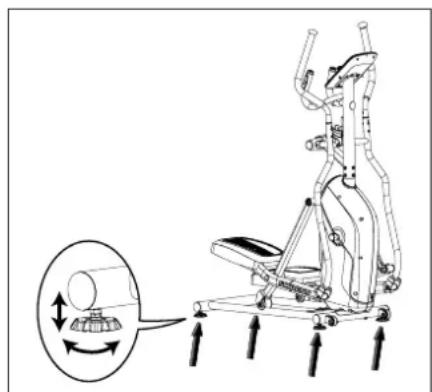
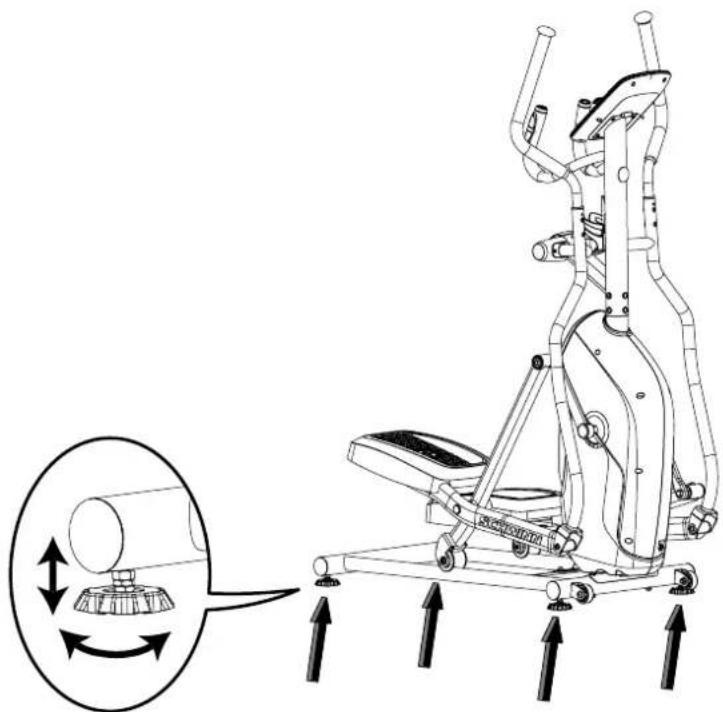
Your elliptical should be level for optimum use. Once you have placed your elliptical where you intend to use it, raise or lower one or both of the adjustable levelers located on the bottom of the frame. A carpenter's level is recommended.
The machine needs to be leveled if your workout area is uneven or if the Rail Assembly is slightly off the floor. To adjust:
- Place the machine in your workout area.
- Loosen the locking nuts and adjust the levelers until they are evenly balanced in contact with the floor. Do not adjust the levelers to such a height that they detach or unscrew from the machine. Injury to you or damage to the machine can occur.
- Tighten the locking nuts. Make sure the machine is level and stable before you exercise.
PROPER USAGE
This elliptical trainer uses a speed-independent braking system. The user is able to adjust the resistance of the braking system independently of the RPM of the crank axle.
This equipment offers a variety of foot positions. Moving your foot forward toward the front of the foot pad increases your step height, which will create a feel similar to a step machine. Placing your foot toward the back of the foot pad decreases your step height and creates more of a gliding feel, similar to a smooth walk or run. Always make sure your entire foot is fully supported by the foot pad.
This equipment also allows you to pedal both forward and backwards to offer a variation to your workout and to focus on other major leg muscle groups such as your hamstrings and calves.
To determine proper workout position, stand on the pedal with your foot on the center of the pedal. Keep your knees slightly bent at all times. You should be able to pedal without locking your knees or shifting your weight from side to side.
DANGER!
- Improper connection of the equipment-grounding conductor can result in a risk of electric shock. Check with a qualified electrician or service provider if you are in doubt as to whether the product is properly grounded. Do not modify the plug provided with the product. If it does not fit the outlet, have a proper outlet installed by a qualified electrician.
This product must be used on a dedicated circuit. To determine if you are on a dedicated circuit, shut off the power to that circuit and observe if any other devices lose power. If so, move devices to a different circuit. Note: There are usually multiple outlets on one circuit.
TECH SPECS
| Assembled Dimensions (L x W x H) | 136.7 x 61 x 158.8 cm / 53.8" x 24" x 62.5" |
| Product Weight | 45.4 kg / 100 lbs. |
| Max User Weight | 136 kg / 300 lbs. |
From now on, you can assemble your equipment at your convenience. For detailed instructions on assembly, operation, programs, troubleshooting, and maintenance, please scan the QR code on the left side to access the complete manual.
If scanning the QR code fails, you can visit the website provided here: https://global.schwinnfitness.com/en/manuals.html
WARRANTY
If your equipment requires warranty service, please contact local Customer Tech Support.

NEED HELP?
If you have any questions, need assistance with missing parts, or require technical support or maintenance for your equipment, please contact Customer Tech Support.
Manufacturer: Johnson Industries (Shanghai) Co., Ltd. | Manufacturer address: No.2217, Hechen Rd., JiaDing District, Shanghai, China
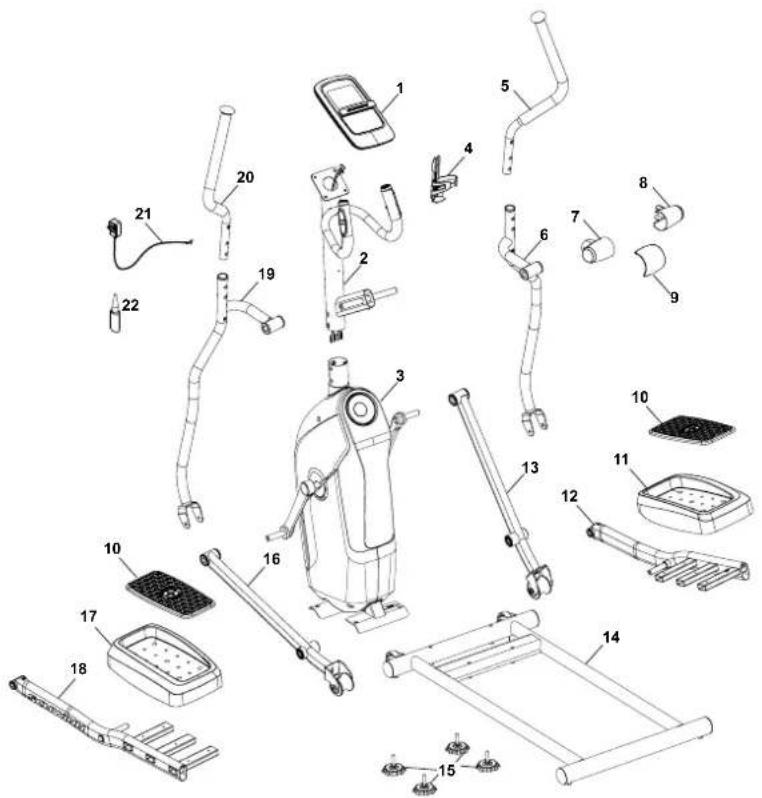
MAIN PARTS INCLUDEED
A decal has been applied to all right ("R") and left ("L") parts to assist with assembly.
| Item Qty Description | Item Qty Description | |||||
| 1 1 Console 12 | 1 Pedal Arm, Right | |||||
| 2 1 Console Mast 13 1 Right Leg | ||||||
| 3 1 Frame Assembly 14 1 Rail Assembly | ||||||
| 4 1 Water Bottle Holder 15 4 Leveler | ||||||
| 5 1 Upper Right Handlebar Arm 16 1 Left Leg | ||||||
| 6 1 Lower Right Handlebar Arm 17 1 Foot Pad, Left | ||||||
| 7 1 Handlebar Shroud, Left 18 1 Pedal Arm, Left | ||||||
| 8 1 Handlebar Shroud, Right | 19 1 Lower Left Handlebar Arm | |||||
| 9 1 Pivot Shroud | 20 1 Upper Left Handlebar Arm | |||||
| 10 | 2 Foot Pad Insert | 21 1 AC Adapter | ||||
| 11 1 Foot Pad, Right | 22 1 Silicone Lubricant, Bottle | |||||
HARDWARE KIT TOOL KIT
Included

| Item | Qty | Description | Item | Qty | Description |
| A | 2 | Button Head Hex Screw, M8x70 | I | 2 | Spacer, Crank Arm |
| B | 2 | Button Head Hex Screw, M8x55 | J | 2 | Spacer, Handlebar |
| C | 18 | Lock Washer, M8 | K | 10 | Pan Phillips Head Screw, M6x10 |
| D | 8 | Curved Washer, M8 | L | 2 | Interior Threaded Bolt |
| E | 2 | Flat Washer, M8 | M | 4 | Button Head Hex Screw, M6x12 |
| F | 14 | Button Head Hex Screw, M8x20 | N | 4 | Carriage Bolt |
| G | 8 | Wide Washer, M8 | O | 2 | Phillips Head Screw, M4x10 |
| H | 6 | Wave Washer, 19.2x25.5mm | P | 2 | Phillips Head Screw, M5x14 |
2
4 mm
(2) 6mm
Note: Select pieces of Hardware have been provided as spares on the Hardware Card. Be aware that there may be remaining Hardware after the proper assembly of your machine.
PRE ASSEMBLY
UNPACKING
Due to the weight of the equipment, it is recommended that two people perform the assembly. Unpack the product where you will be using it. It is recommended that you place a protective covering on your floor. Place the carton on a level flat surface and remove all packing materials; do not dispose of the packing materials until assembly is completed.
NOTE: During each assembly step, ensure that ALL nuts and bolts are in place and partially threaded in before completely tightening any ONE bolt.
NOTE: A light application of grease may aid in the installation of hardware. Any grease, such as lithium bike grease is recommended.

NEED HELP?
If you have any questions or if there are any missing parts, please contact Customer Tech Support.
ASSEMBLY
- Attach Rail Assembly to Frame Assembly
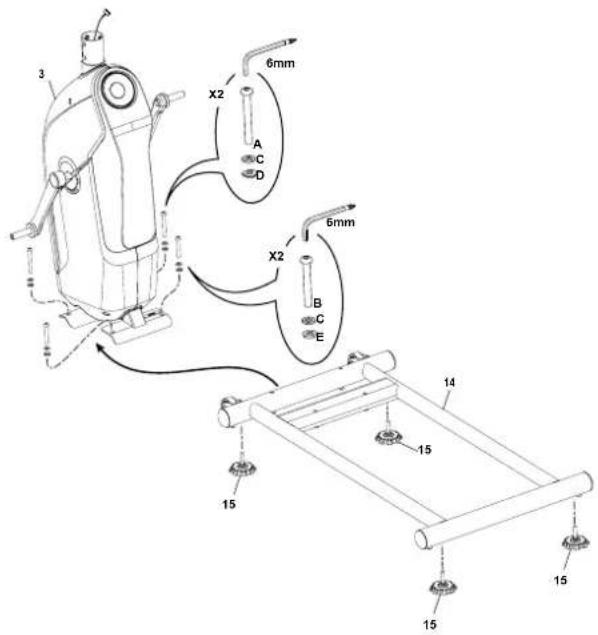
- Connect the Cables and Attach the Console Mast to Frame Assembly
NOTICE: Do not crimp Console Cable.
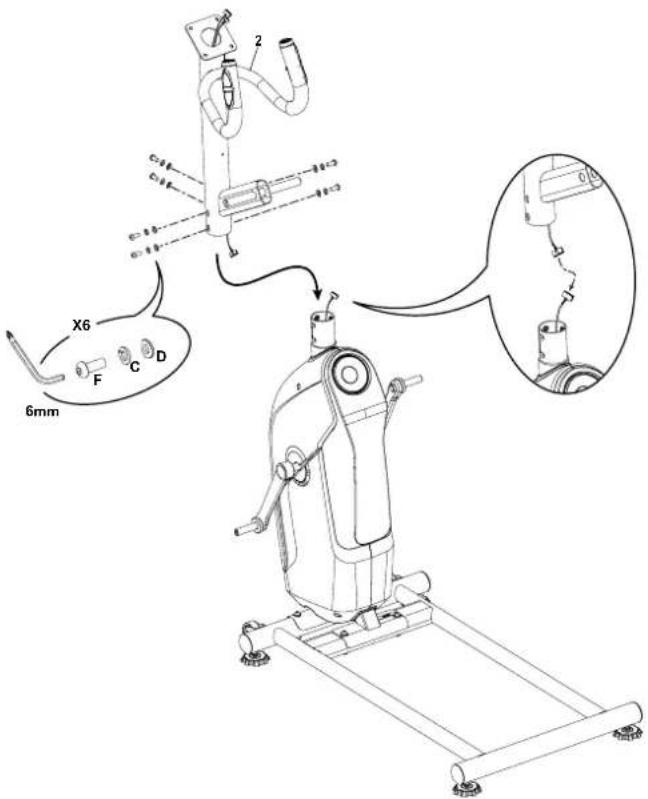
3. Attach Legs to Frame Assembly
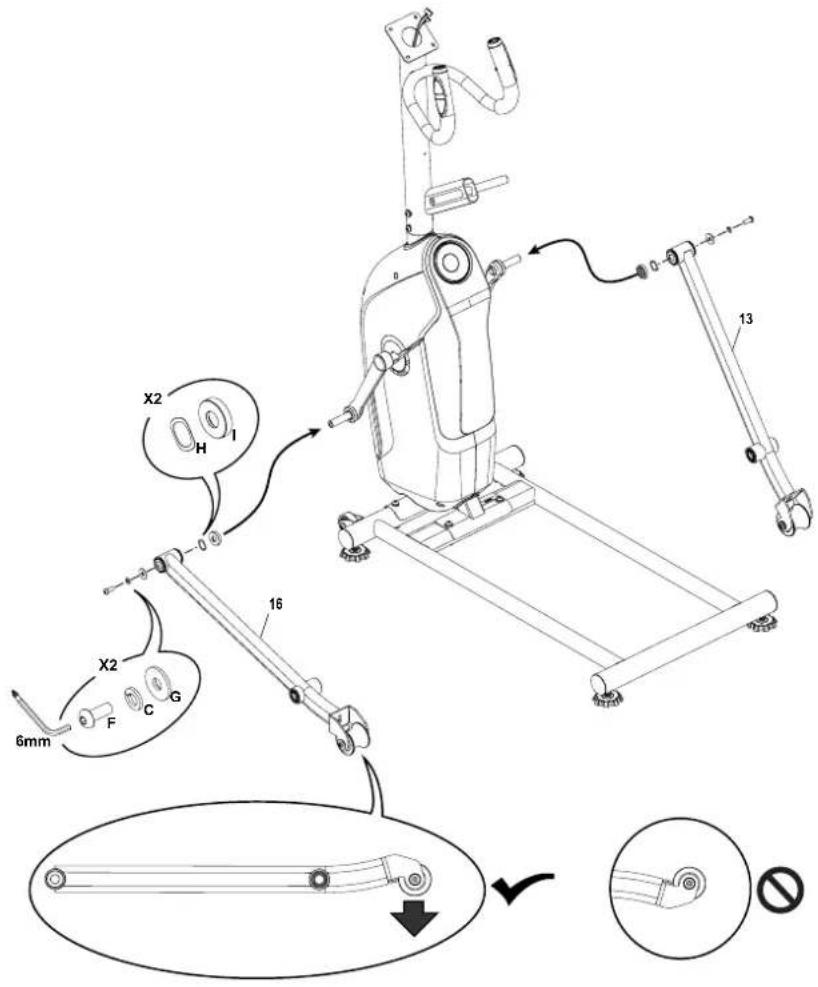
4. Attach Arm Pivot Rod and Lower Handlebar Arms to Frame Assembly
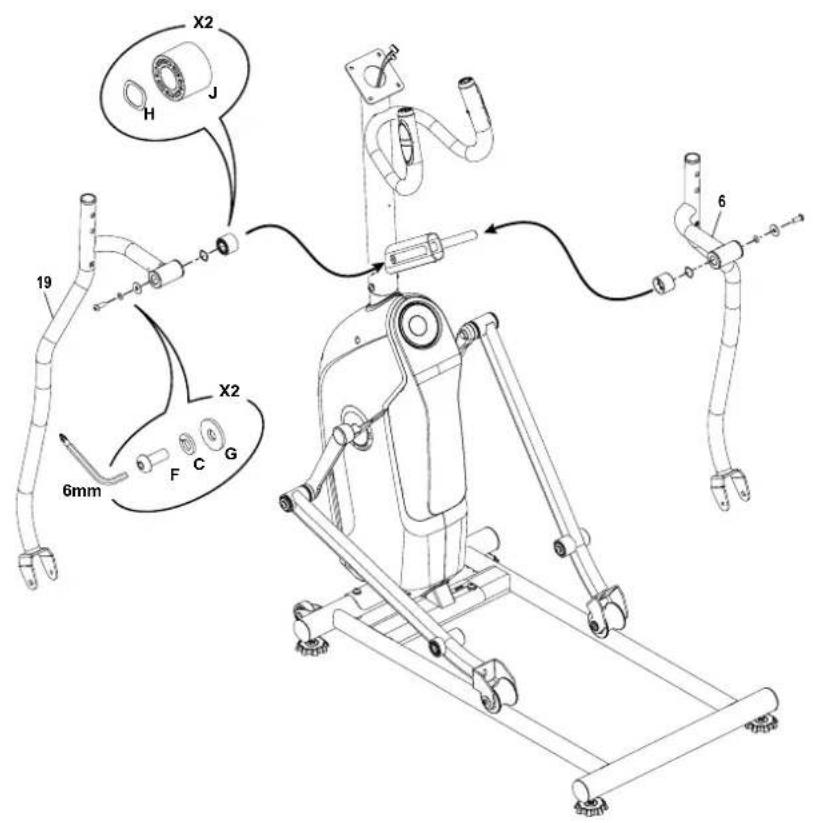
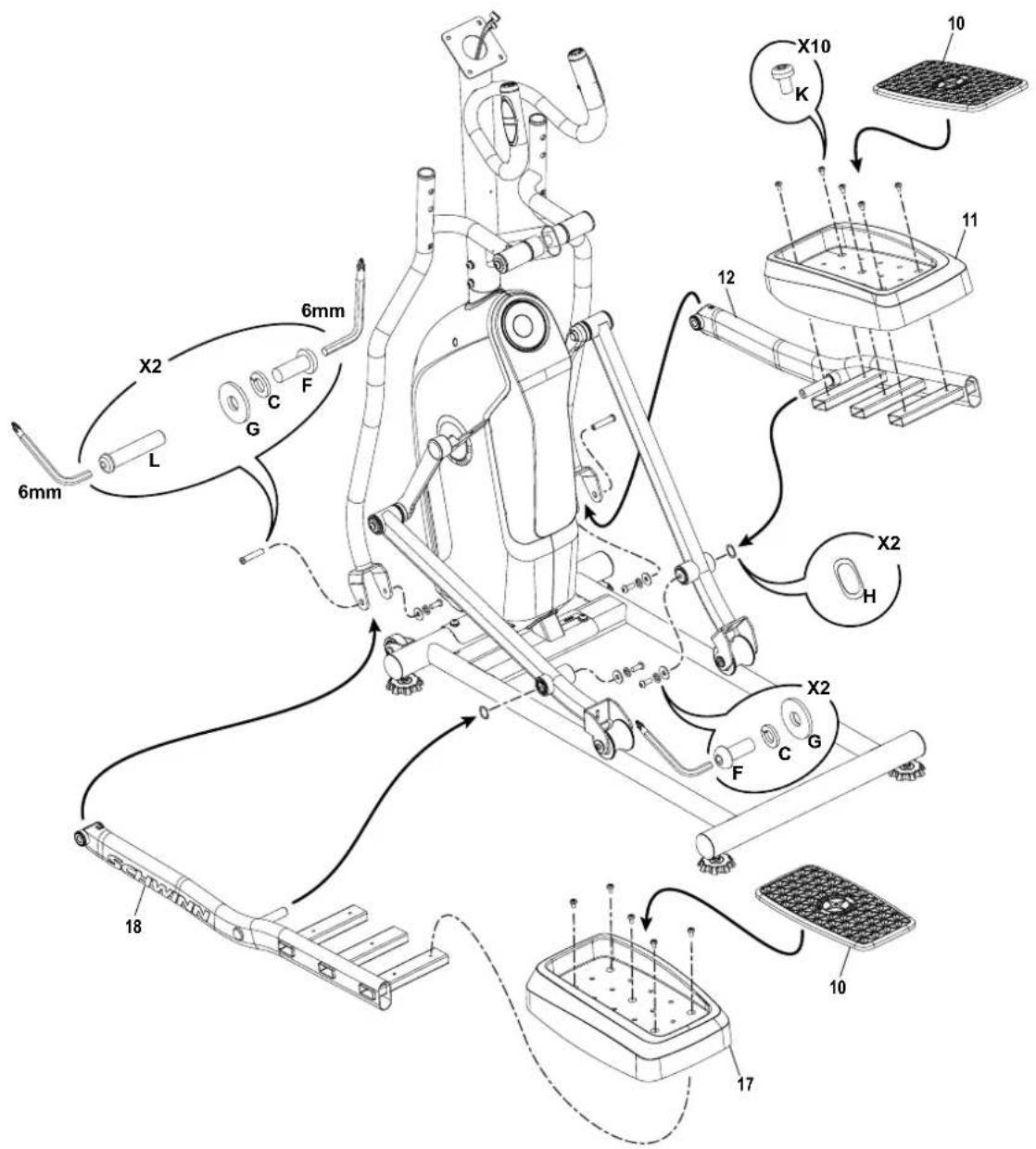
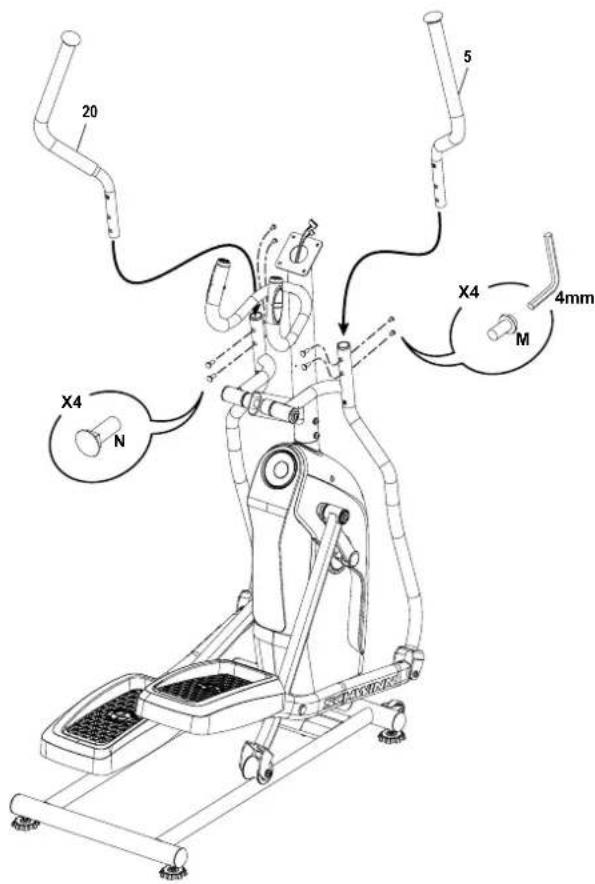
6. Attach the Upper Handlebar Arms to Frame Assembly

Make sure the Upper Handlebar Arms are secure before you exercise.
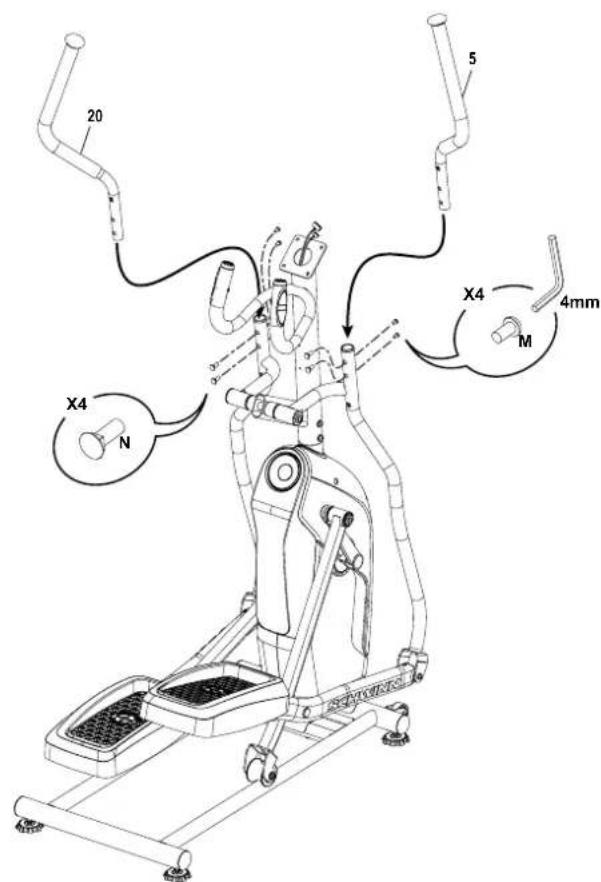
7. Attach Pivot and Handlebar Shrouds to Frame Assembly
8. Attach Water Bottle Holder to Frame Assembly
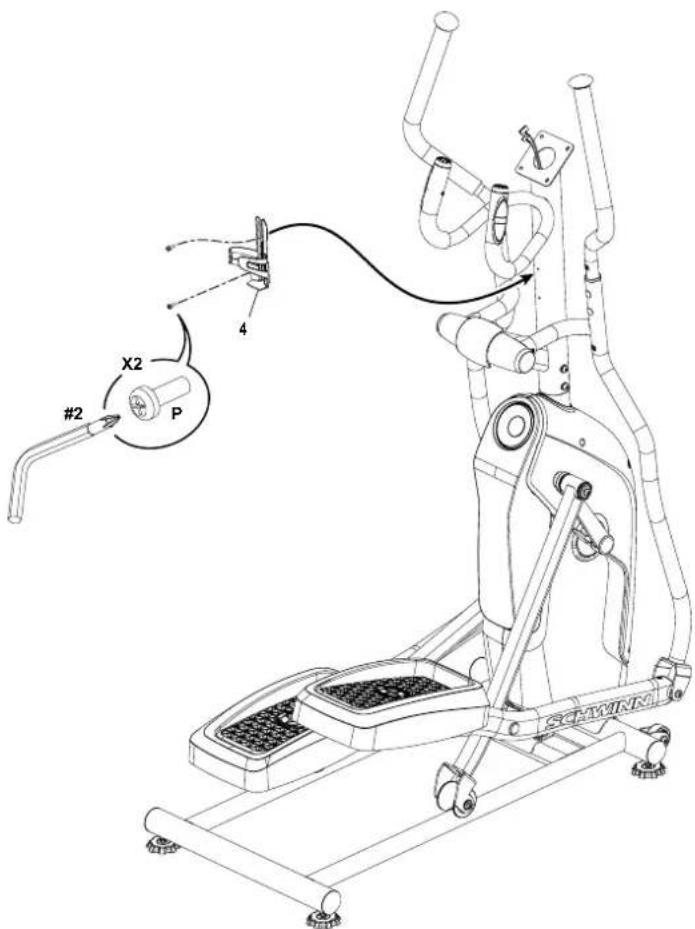
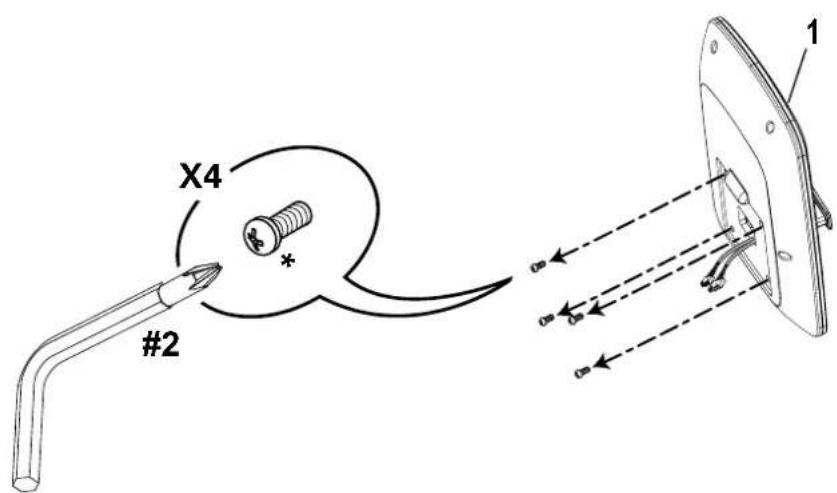
9. Remove Hardware from Console
NOTICE: Do not crimp the cable.
Note: Hardware is pre-installed and not on the Hardware Card.
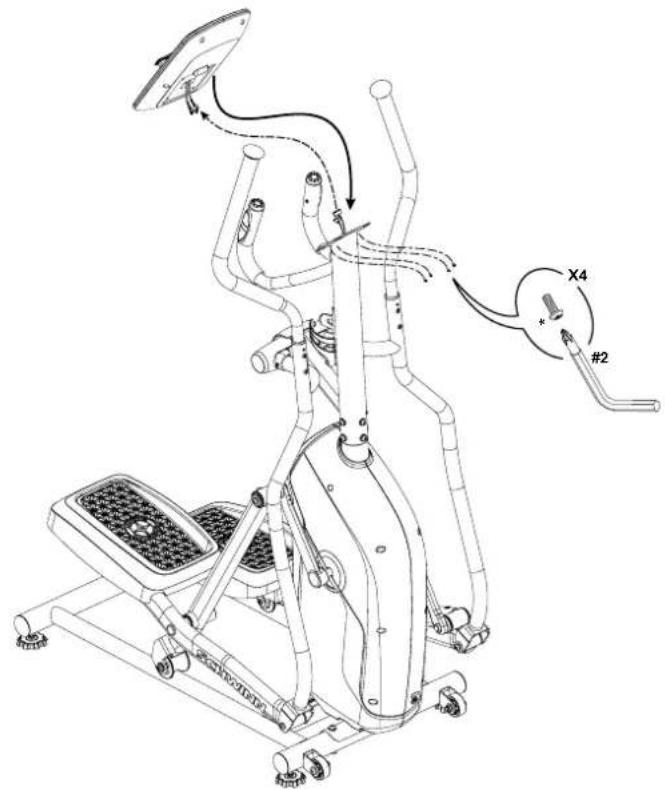
10. Connect Cables and Attach Console to Frame Assembly
NOTICE: Align the clips on the cable connectors and make sure the connectors lock. Do not crimp cables.
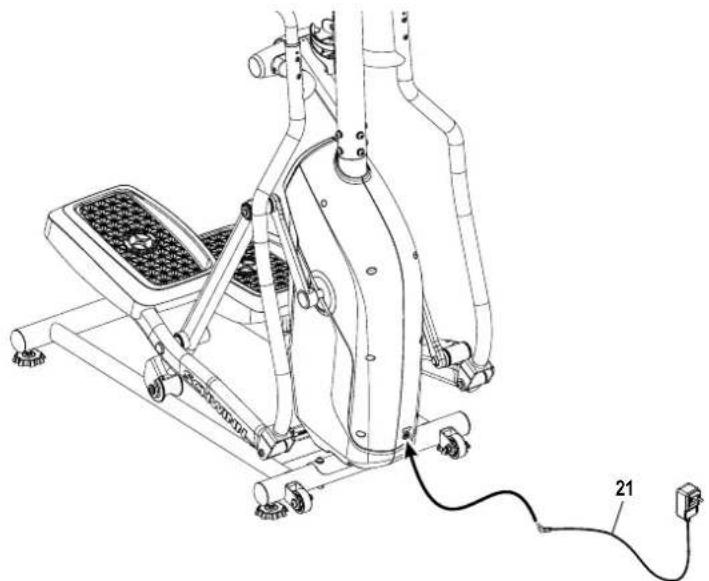
11. Connect the AC Adapter to Frame Assembly

Connect this machine to a properly grounded outlet only.
12. Final Inspection
Inspect your machine to ensure that all hardware is tight and components are properly assembled.
NOTE: Apply silicone lubricant to a cloth and wipe the rails to eliminate roller noise.

Silicone lubricant is not intended for human consumption.
Keep out of reach of children. Store in a safe place.

Do not use until the machine has been fully assembled and inspected for correct performance in accordance
with the Owner's Manual.
Moving the Machine

The machine may be moved by one or more persons depending on their physical abilities and capacities. Make sure that you and others are all physically fit and able to move the machine safely.
- Remove the AC Adapter.
- Use the Transport Handle to carefully lift the machine onto the transport rollers.
- Push the machine into position.
- Carefully lower the machine into position.
NOTICE: Be careful when you move the elliptical. Abrupt motions can affect the computer operation.
Leveling the Machine
The machine needs to be leveled if your workout area is uneven or if the Rail Assembly is slightly off the floor. To adjust:
- Place the machine in your workout area.
- Safely stand on the back of the Rail Assembly for approximately 20 seconds.
- Step off the machine.
- Loosen the locking nuts and adjust the levelers until they all contact the floor.

Do not adjust the levelers to such a height that they detach or unscrew from the machine. Injury to you or damage to the machine can occur.
- Adjust until the machine is level. Tighten the locking nuts.
Make sure the machine is level and stable before you exercise.
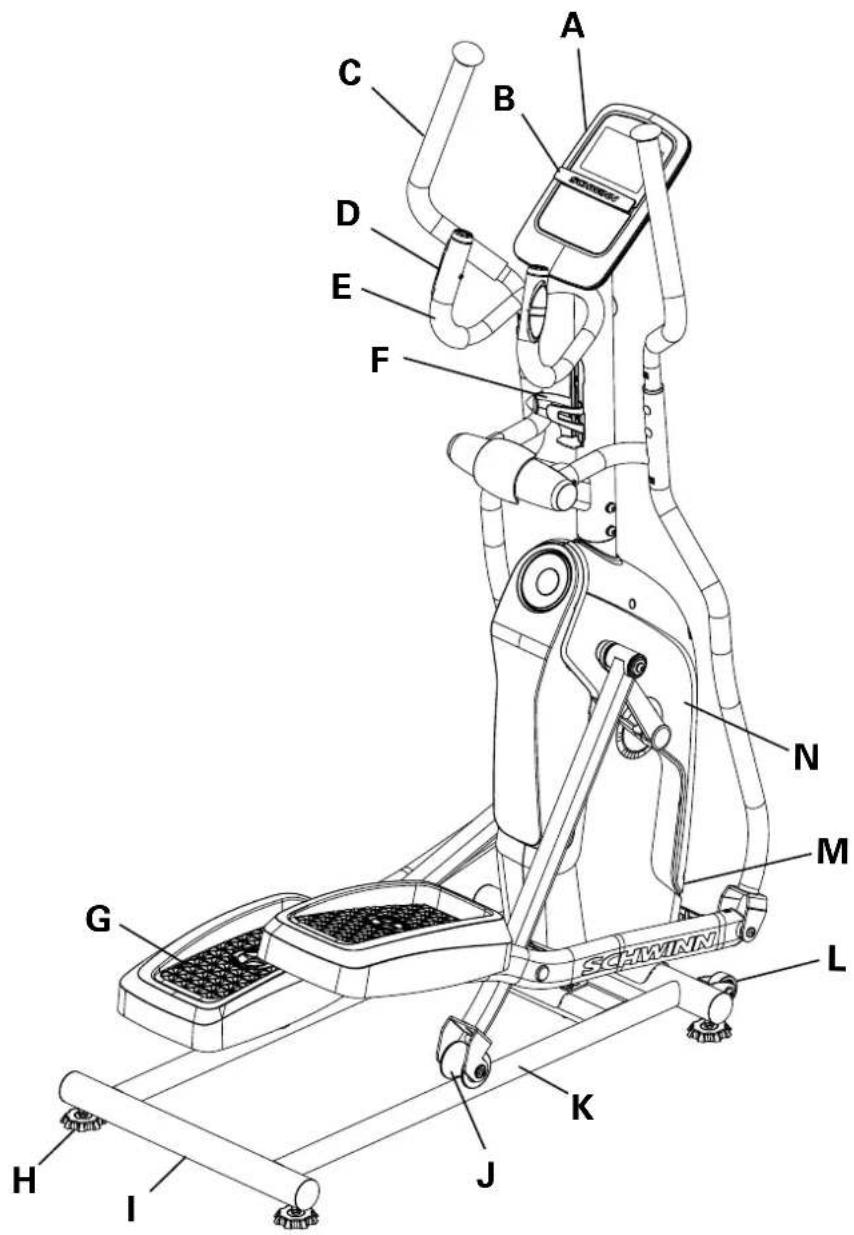
| A | Console | I | Transport Handle |
| B | Media Tray | J | Roller |
| C | Upper Handlebar | K | Rail Assembly |
| D | Contact Heart Rate Sensor | L | Transport Roller |
| E | Static Handlebar | M | Power Inlet |
| F | Water Bottle Holder | N | Fully Shrouded Flywheel |
| G | Foot Pedal | O | Bluetooth® Heart Rate (HR) Receiver (not shown) |
| H | Leveler | P | Bluetooth® Connectivity (not shown) |

Use the values calculated or measured by the machine's computer for reference purposes only. The heart rate displayed is an approximation and should be used for reference only. Over exercising may result in serious injury or death. If you feel faint stop exercising immediately.
CONSOLE
Console Features
The Console provides important information about your workout and lets you control the resistance levels while you exercise.
The Console features touch control buttons to navigate you through the exercise programs.
NOTE: Customized selections made to the Console will not be remembered after a shut down.
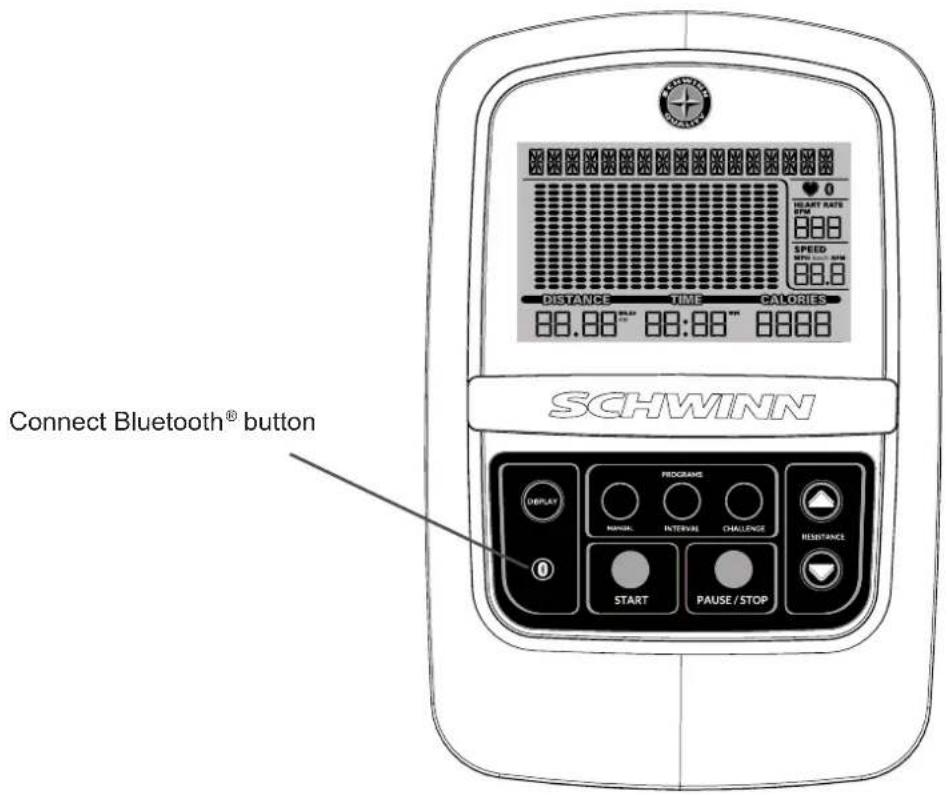
Keypad Functions
DISPLAY button - Allows the user to select the units and other displayed values during a workout.
Connect Bluetooth® button - Makes the Console disconnect any previous connections, and look for a Bluetooth® Heart Rate Chest Strap (quick push and release of the button) or a Bluetooth® enabled device (push and hold down the button for 3 seconds). The Console will actively look for 90 seconds.
PROGRAMS:
MANUAL program button - Selects a Quick Start workout program.
INTERVAL program button - Selects an HIIT Interval (High Intensity, Interval Training) workout program.
CHALLENGE program button - Selects one of the Challenge workout programs.
START button - Starts a Program workout, confirms information, or resumes a paused workout.
PAUSE / STOP button - Pauses an active workout or ends a paused workout.
Resistance Increase (▲) button - Increases the workout resistance level or goal value.
Resistance Decrease (▼) button - Decreases the workout resistance level or goal value
PROGRAM DATA DISPLAY
Program Display
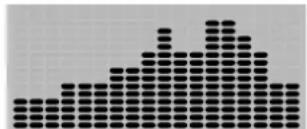
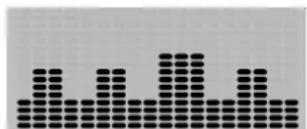
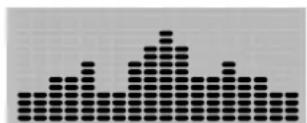
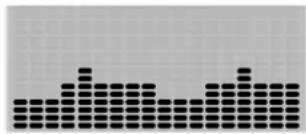
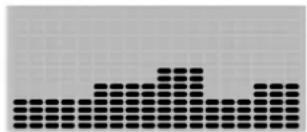
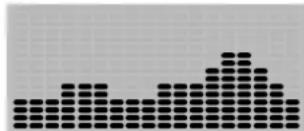
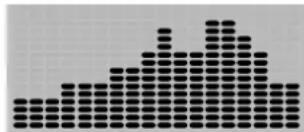
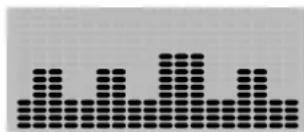
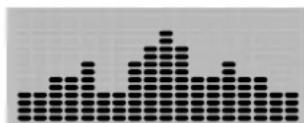
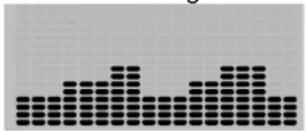
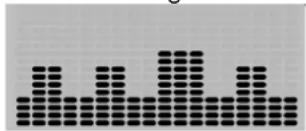
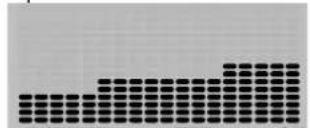
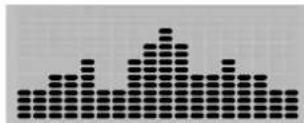
The Program Display shows information to the User and the grid display area shows the course profile for the program. Each column in the profile shows one interval (workout segment). The higher the column, the higher the resistance level. The flashing column shows your current interval.
Program Display
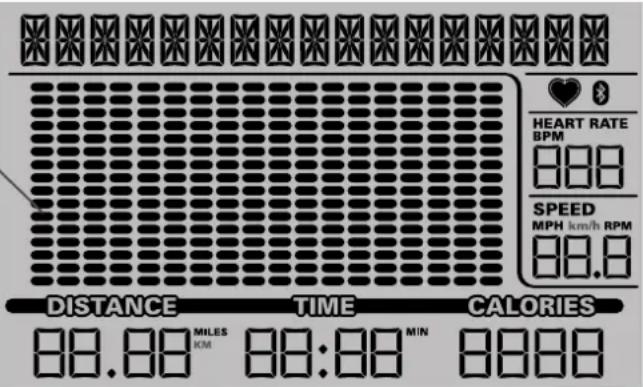

Bluetooth® App Connected icon - Display shows when the Console is paired with the App.
Heart Rate Detected icon - Display shows when the Console receives a heart rate signal from the contact heart rate sensors or a Bluetooth® Heart Rate Chest Strap.
Bluetooth® Heart Rate Chest Strap Connected icon - Display shows when the Console is paired with a Bluetooth® Heart Rate Chest Strap.
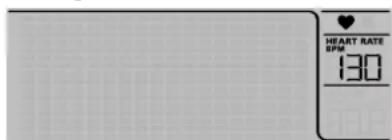
Heart Rate (Pulse) The Heart Rate display shows the beats per minute (BPM) from the heart rate monitor. When a heart rate signal is received by the Console, the icon will flash.

Consult a physician before you start an exercise program. Stop exercising if you feel pain or tightness in your chest, become short of breath, or feel faint. Contact your doctor before you use the machine again.
The heart rate displayed is an approximation and should be used for reference only.
Speed The Speed display field shows the machine speed in miles per hour (mph), kilometers per hour (km/h) or the pedal revolutions per minute (RPM).
Distance The Distance display shows the distance count (miles or km) in the workout.
NOTE: To change the measurement units to English Imperial or metric, push the DISPLAY button (refer to the "Modify Display of Workout Values" section in this manual.
Time The TIME display field shows the total time count of the workout.
Calories The Calories display field shows the estimated calories that you have burned during the exercise.
Bluetooth Heart Rate Chest Strap (not supplied)
Your fitness machine is equipped to be able to receive a signal from a Bluetooth® Heart Rate Chest Strap. When connected, the Console will display the Bluetooth® Heart Rate Chest Strap Connected icon.

If you have a pacemaker or other implanted electronic device, consult your doctor before using a Bluetooth® chest strap or other Bluetooth® heart rate monitor.
- Put on your Bluetooth® Heart Rate Chest Strap and activate it.
- Push the Connect Bluetooth® button. The Console will actively search for any devices in the area. The Bluetooth® Heart Rate Chest Strap Connected icon will flash on the Console while searching.
NOTE: Any previously connected Chest Straps will be disconnected. However, if they are within range, the Console may find them again if unable to locate your Chest Strap.
- The Bluetooth® Heart Rate Chest Strap Connected icon will stop blinking when connected. You are ready to workout.
At the end of your workout, push the Connect Bluetooth® button to disconnect your Chest Strap from the Console.
Contact Heart Rate Sensors
Contact Heart Rate (CHR) sensors send your heart rate signals to the Console. The CHR sensors are the stainless steel parts of the Handlebars. To use, put your hands comfortably around the sensors. Be sure that your hands touch both the top and the bottom of the sensors. Hold firm, but not too tight or loose. Both hands must make contact with the sensors for the Console to detect a pulse. After the Console detects four stable pulse signals, your initial pulse rate will be shown.
Once the Console has your initial heart rate, do not move or shift your hands for 10 to 15 seconds. The Console will now validate the heart rate. Many factors influence the ability of the sensors to detect your heart rate signal:
- Movement of the upper body muscles (including arms) produces an electrical signal (muscle artifact) that can interfere with pulse detection. Slight hand movement while in contact with the sensors can also produce interference.
- Calluses and hand lotion may act as an insulating layer to reduce the signal strength.
- Some Electrocardiogram (EKG) signals generated by individuals are not strong enough to be detected by the sensors.
- The proximity of other electronic machines can generate interference.
If your heart rate signal ever seems erratic after validation, wipe off your hands and the sensors and try again.
Heart Rate Calculations
Your maximum heart rate usually decreases from 220 Beats Per Minute (BPM) in childhood to approximately 160 BPM by age 60. This fall in heart rate is usually linear, decreasing by approximately one BPM for each year. There is no indication that training influences the decrease in maximum heart rate. Individuals of the same age could have different maximum heart rates. It is more accurate to find this value by completing a stress test than by using an age related formula.
Your at-rest heart rate is influenced by endurance training. The typical adult has an at rest heart rate of approximately 72 BPM, whereas highly trained runners may have readings of 40 BPM or lower.
The Heart Rate table is an estimate of what Heart Rate Zone (HRZ) is effective to burn fat and improve your cardiovascular system. Physical conditions vary, therefore your individual HRZ could be several beats higher or lower than what is shown.
The most efficient procedure to burn fat during exercise is to start at a slow pace and gradually increase your intensity until your heart rate reaches between 60 - 85% of your maximum heart rate. Continue at that pace, keeping your heart rate in that target zone for over 20 minutes. The longer you maintain your target heart rate, the more fat your body will burn.
The graph is a brief guideline, describing the generally suggested target heart rates based on age. As noted above, your optimal target rate may be higher or lower. Consult your physician for your individual target heart rate zone.
NOTE: As with all exercises and fitness regimens, always use your best judgment when you increase your exercise time or intensity.
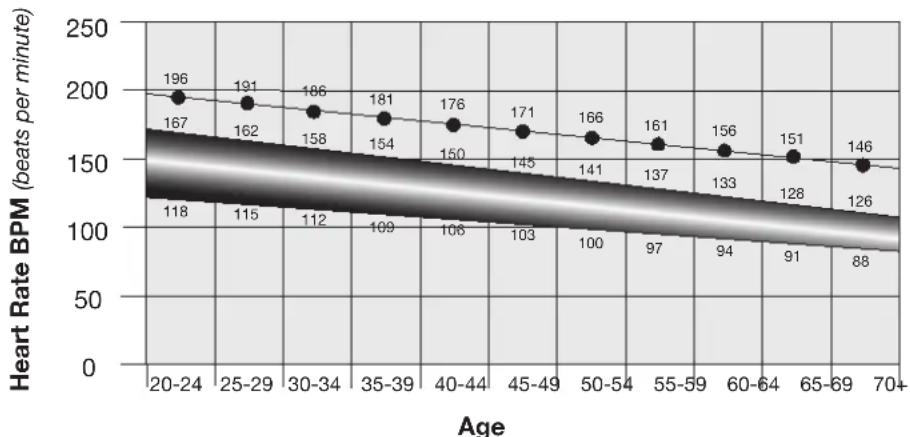
FAT-BURNING TARGET HEART RATE
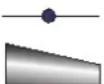
Maximum Heart Rate
Target Heart Rate Zone
(keep within this range
for optimum fat-burning)
OPERATION
What to Wear
Wear rubber-soled athletic shoes. You will need the appropriate clothes for exercise that allow you to move freely.
How Often Should You Exercise

Consult a physician before you start an exercise program. Stop exercising if you feel pain or tightness in your chest, become short of breath, or feel faint. Contact your doctor before you use the machine again. Use the values calculated or measured by the machine's computer for reference purposes only. The heart rate displayed on the console is an approximation and should be used for reference only.
- 3 times a week for 30 minutes each day.
- Schedule workouts in advance and try to follow the schedule.
Mounting and Dismounting the Machine

Care should be used when mounting or dismounting the machine.
Be aware that the Pedals and the Handlebars are connected and when either of these parts move the other does as well. In order to avoid possible serious injury, only grasp the Static Handlebars to steady yourself.
To mount the fitness machine:
- Move the Pedals until the one nearest you is in the lowest position.
- Grasp the Static Handlebars under the Console.
- Steadying yourself with the Static Handlebars, step up onto the lowest Pedal and place your other foot onto the opposite Pedal.
To dismount the fitness machine:
- Move the dismount Pedal to the highest position, and bring the machine to a complete stop.

This machine is not equipped with a free-wheel. Pedal speed should be reduced in a controlled manner.
- Grasp the Static Handlebars under the Console to steady yourself.
- With your weight on the lowest foot, swing the upper foot off the machine and down onto the floor.
- Step off of the machine and release your grip from the Static Handlebars.
Power-Up/ Idle Mode/Welcome screen
The Console will enter Power-Up / Idle Mode if it is plugged into a power source, any button is pushed, or if it receives a signal from the RPM sensor as a result of pedaling the machine.
NOTE:: After a power-up, the Console will have reset to all default values and configurations.
Auto Shut-Off (Sleep Mode)
If the Console does not receive any input in approximately 5 minutes, it will automatically shut off. The LCD display is off while in Sleep Mode.
NOTE: The Console does not have an On/Off switch.
Manual (Quick Start) Program
The Manual (Quick Start) program lets you start a workout without entering any information.
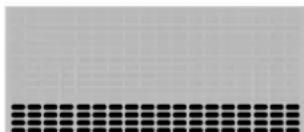
During a Manual Workout, each column represents a 1 minute time period. The active column will advance across the screen every minute. If the workout lasts for more than 18 minutes, the active column will stay to the right where an additional column is added to the workout program.
- Stand on the machine.
- Push the MANUAL button to select the Quick Start Program.
- Push START to begin the workout.
To change the resistance level, push the Resistance Increase/Decrease buttons. The current interval and future intervals are set to the new level. The default Manual resistance level is 4. The time will count up from 00:00.
NOTE: If a Manual workout is performed for more than 99 minutes and 59 seconds (99:59), the units for Time will reset to zero. Be sure to add these values to your final workout results.
- When done with your workout, stop pedaling and push PAUSE/STOP to pause the workout. Push PAUSE/STOP again to end the workout.
Interval Program
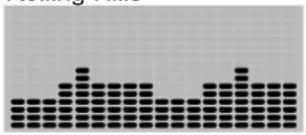
During the HIIT Interval Program (or "High Intensity, Interval Training" Program), the workout will switch between an increased intensity, "Sprint" period (more resistance), to a slower paced, 'catch your breath' time period ("Recover", or less resistance). This shift between Sprint and Recover is repeated over the entire workout. The "Sprint" period is 30 seconds, and the "Recover" period is 90 seconds.
NOTE: Each "Recover" period is represented by 2 columns on the display.
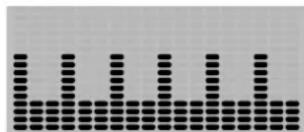
The "Sprint" period of an Interval Program is a suggested increase in resistance level and speed, and should only be followed if your physical fitness level allows.
The default, and minimum, workout time for the HIIT Interval Program is 12 minutes. The workout can be increased in 12 minute increments by pushing the Increase button before the workout starts. The maximum workout time is 96 minutes. During a workout, the Program display will reset for every 12 minutes of a workout.
Challenge Programs
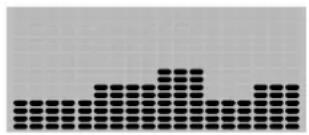
The Challenge programs automate different resistance and workout levels. The Goal for the Workout can be customized.
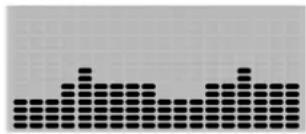
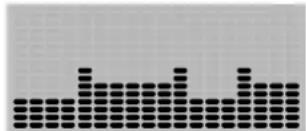
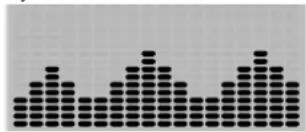
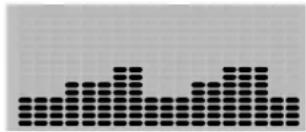
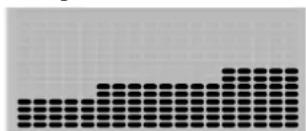
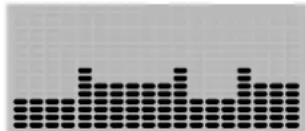
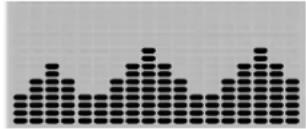
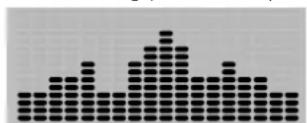
Rolling Hills Ride in the Park
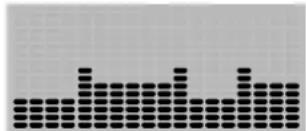
Easy Tour Pike's Peak
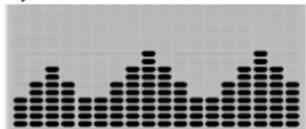
Pyramids Summit Pass
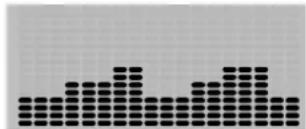
Uphill Finish Cross Training
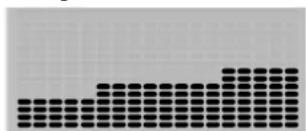
Rolling Hills
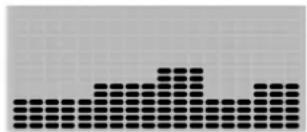
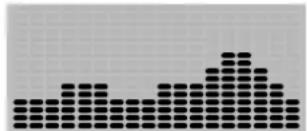
Mount Hood
Heart Rate Control
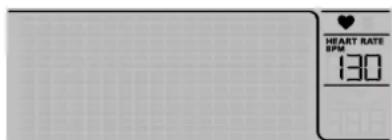
The Heart Rate Control program lets you select a base heart rate for your workout. The Console monitors your heart rate in beats per minute (BPM) from the Contact Heart Rate (CHR) Sensors on the machine or from your Bluetooth® Heart Rate Chest Strap, and adjusts the resistance during a workout to keep your heart rate near the base heart rate value.
Consult a physician before you start an exercise program. Stop exercising if you feel pain or tightness in your chest, become short of breath, or feel faint. Contact your doctor before you use the machine again. Use the values calculated or measured by the machine's computer for reference purposes only.
The default heart rate value for the Heart Rate Control program is 125 BPM. This value can be adjusted before the workout is started with the Increase/Decrease buttons.
NOTE: Be sure to allow time for your heart rate to reach the desired heart rate value when setting the goal. If no heart rate is detected, the Console will display, "NEED HEART RATE".
The Console lets you select a Challenge Program and type of Goal for your workout (Distance, Time or Calories), and set the Time Goal value.
- Stand on the machine.
- Push the CHALLENGE button until the desired Challenge Program is selected.
- Use the Increase(▲) or Decrease(▼) buttons to adjust the goal value. Push and hold down the buttons to rapidly adjust the value. The default workout time is 30 minutes, with a range from 1 minute up to 99 minutes.
NOTE: To rapidly change the workout time, push and hold down the Increase or Decrease button.
4. Push START to begin the goal-oriented workout. The GOAL value will count up during the workout.
Modify Display of Workout Values
Push the DISPLAY button to select the desired display configuration during your workout. The display configuration options can be cycled through until the workout ends.
a.) SPEED- MPH/RPM (Default)
b.) SPEED-MPH only
c.) RPM only (miles)
d.) SPEED- km/h / RPM
e.) SPEED- km/h only
f.) RPM only (kilometers)
NOTE: If the desired display is not the default, it will need to be selected after each power-up.
Changing Resistance Levels
Push the Resistance Level Increase(▲) or Decrease(▼) buttons to change the resistance level at any time in a workout program.
Pausing or Stopping
- Stop pedaling and push the PAUSE/STOP button to pause your workout.
- To continue your workout, push START or begin pedaling.
To stop the workout, push the PAUSE/STOP button. The Console will go into Workout Summary mode.
Muting the Console
The Console has the option to be muted. To disable the audible cues, push and hold down the PAUSE/STOP button for 5 seconds. The Console will confirm that it has been muted by making three audible beeps.
NOTE: The Console will reset to the default (not muted) after each power-up.
Exercise Summary Mode
After a workout, the Console will display the Output Summary values for five minutes. The total output values (Distance, Time, and Calories) are constantly displayed. The Console will cycle between the other Output Summary values every 3 seconds:
a.) SPEED (average) and HEART RATE BPM (average)
b.) RPM (average) and HEART RATE BPM (average)
NOTE: If no Heart Rate was provided during the workout, the Console will not report a value.
TROUBLESHOOTING
| Condition/Problem Things | to Check Solution | |
| No display/partial display/ unit will not turn on | Check electrical (wall) outlet Make | sure unit is plugged into a functioning wall outlet. |
| Check connection at front of unit C | connection should be secure and undamaged. Replace adapter or connection at unit if either are damaged. | |
| Check data cable integrity All wires | in cable should be intact. If any are visibly crimped or cut, replace cable. | |
| Check data cable connections/orientation | Be sure cable is connected securely and oriented properly. Small latch on connector should line up and snap into place. | |
| Check console display for damage | Check for visual sign that console display is cracked or otherwise damaged. Replace Console if damaged. | |
| Console Display If Console only has | as partial display and all connections are fine, replace the Console. | |
| If the above steps do not resolve the problem, contact Customer Service (if inside US/Canada) or your local distributor (if outside US/Canada). | ||
| Unit operates but Contact HR not displayed | HR cable connection at Console Be sure | be sure cable is connected securely to Console. |
| HR cable box connection Be sure | cables from handlebars and cable to Console are secure and undamaged. | |
| Sensor grip Be sure hands are centered on HR sensors. Hands must be kept still with relatively equal pressure applied to each side. | ||
| Dry or calloused hands Sensors may have difficulty with dried out or calloused hands. A conductive electrode cream (heart rate cream) can help make better conduct. These are available on the web or at medical or some larger fitness stores. | ||
| Static Handlebar If tests reveal no other issues, Static Handlebar should be replaced. | ||
| Unit operates but Bluetooth® HR not displayed | Chest Strap (not provided) Make sure strap is directly against skin and contact area is wet. | |
| Chest Strap Batteries If strap has replaceable batteries, install new batteries. | ||
| Interference Try moving unit away from sources of interference (TV, Microwave, etc). | ||
| Replace Chest Strap | If interference is eliminated and HR does not function, replace strap. | |
| Replace Console | If HR still does not function, replace Console. | |
| Unit operates but Bluetooth® HR displayed incorrectly | Connected to previous user | The Console may be still connected to the previous user. Push Connect Bluetooth® button to disconnect from them/ connect to your chest strap. |
| No speed/RPM reading, Console displays “Please Stride” error code | Check data cable integrity All wires | in cable should be intact. If any are cut or crimped, replace cable. |
| Check data cable connections/orientation | Be sure cable is connected securely and oriented properly. Small latch on connector should line up and snap into place. | |
| Check magnet position (requires shroud removal) | Magnet should be in place on pulley. | |
| Check Speed Sensor (requires shroud removal) | Speed sensor should be aligned with magnet and connected to data cable. Realign sensor if necessary. Replace if there is any damage to the sensor or the connecting wire. | |
TROUBLESHOOTING
| Condition/Problem Things | to Check Solution | |
| Resistance does not change (machine turns on and operates) | Check Console Check for visual sign | in that Console is damaged. Replace Console if damaged. |
| Check data cable integrity All wires | in cable should be intact. If any are visibly crimped or cut, replace cable. | |
| Check data cable connections/ orientation | Be sure cable is connected securely and oriented properly. Reseat all connections. Small latch on connector should line up and snap into place. | |
| Check Servo Motor (requires shroud removal) | If magnets move, adjust until they are within the proper range. Replace Servo Motor if not functioning properly. | |
| If the above steps do not resolve the problem, contact Customer Service (if inside US/Canada) or your local distributor (if outside US/Canada) for further assistance. | ||
| Console shuts off (enters sleep mode) while in use | Check electrical (wall) outlet Make | sure unit is plugged into a functioning wall outlet. |
| Check connection at front of unit C | connection should be secure and undamaged. Replace adapter or connection at unit if either are damaged. | |
| Check data cable integrity All wires | in the cable should be intact. If any are cut or crimped, replace cable. | |
| Check data cable connections/ orientation | Be sure cable is connected securely and oriented properly. Small latch on connector should line up and snap into place. | |
| Reset machine Unplug unit from electrical outlet for 3 minutes. Reconnect to outlet. | ||
| Check magnet position (requires shroud removal) | Magnet should be in place on pulley. | |
| Check Speed Sensor (requires shroud removal) | Speed sensor should be aligned with magnet and connected to data cable. Realign sensor if necessary. Replace if there is any damage to the sensor or the connecting wire. | |
| Unit rocks/does not sit level Check leveler adjustment Adjust levels | Check leveler adjustment Adjust levels | until machine is level. |
| Check surface under unit Adjustment | may not be able to compensate for extremely uneven surfaces. Move machine to level area. | |
| Foot pedals loose/unit difficult to operate | Hardware Tightly secure all hardware | on the Pedal Arms and Handlebar Arms. |
| Drive train click/tick noise once per full crank revolution | Check crank/pulley assembly Disc | connect left and right foot assemblies and rotate crank. If sound persists, replace crank/pulley assembly. If sound does not come from rotating crank, check foot assemblies and upper/lower handlebars. |
| Check foot assemblies, leg assemblies, handlebar assembl- bies | Manually move foot, leg, and handlebar assemblies to isolate sound. Replace part making sound. | |
| Check for loose hardware Tightly Sec | secure all hardware on the Stabilizers and the base of the Console Mast. | |
| Knocking sound during machine operation | Check hardware at junction between Lower Handlebar Arms, Pedals, and Legs | Make sure that the hardware is clear of any debris. |
| Squeaking noise that appears a few minutes into a workout and normally will get progressively worse as the workout continues | Bolt that connects the swing arms to the axle running through the console mast | Loosen pivot rod bolt slightly until noise goes away. White lithium grease can also be applied for a temporary fix. Contact Customer Service (if inside US/ Canada) or your local distributor (if outside US/Canada) for further assistance. |
| Roller squeaking on rail | Apply silicone lubricant to a dry cloth and wipe the rails to eliminate roller noise. | |
MAINTENANCE
Read all maintenance instructions fully before you start any repair work. In some conditions, an assistant is required to do the necessary tasks.

Equipment must be regularly examined for damage and repairs. The owner is responsible to make sure that regular maintenance is done. Worn or damaged components must be repaired or replaced immediately. Only manufacturer supplied components can be used to maintain and repair the equipment. If at any time the Warning labels become loose, unreadable or dislodged, replace the labels. If purchased in US/Canada, contact Customer Service for replacement labels. If purchased outside US/Canada, contact your local distributor for them.
To reduce the risk of electrical shock or unsupervised usage of the equipment, always unplug the power cord from the wall outlet and the machine and wait 5 minutes before cleaning, maintaining or repairing the machine. Place the AC Adapter in a secure location.
Daily:
Before each use, examine the exercise machine for loose, broken, damaged, or worn parts. Do not use if found in this condition. Repair or replace all parts at the first sign of wear or damage. After each workout, use a damp cloth to wipe your machine and Console free of moisture.
Note: Avoid excessive moisture on the Console.
Weekly:
Check for smooth roller operation. Wipe the machine to remove dust, dirt, or grime. Clean the rails and surface of the rollers with a damp cloth.
Apply silicone lubricant to a dry cloth and wipe the rails to eliminate roller noise.

Silicone lubricant is not intended for human consumption. Keep out of reach of children. Store in a safe place.
Note: Do not use petroleum based products.
Monthly or after 20 hours:
Make sure all bolts and screws are tight. Tighten as necessary.
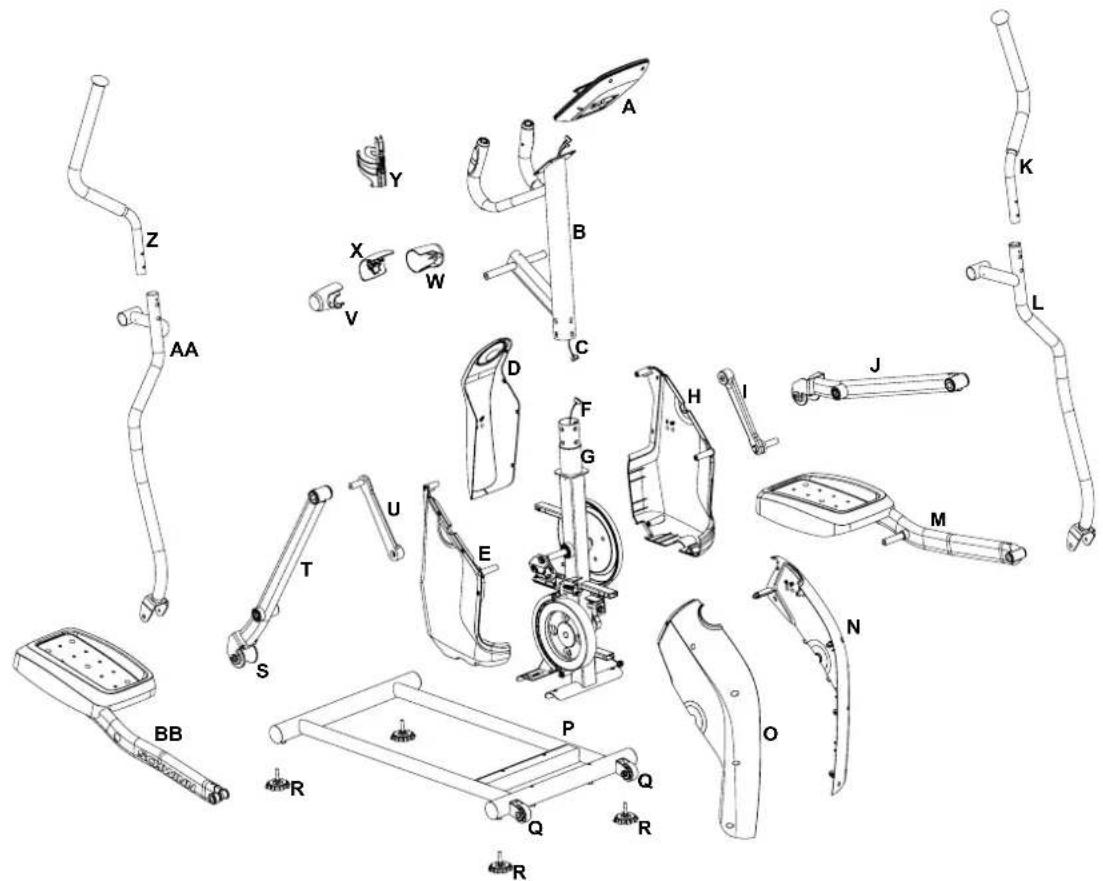
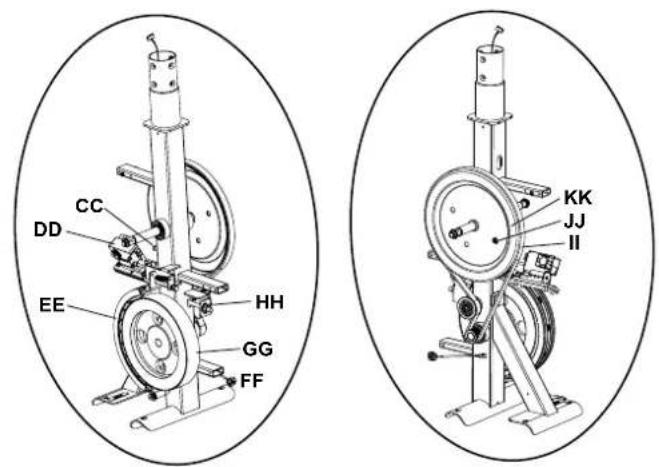
| A | Console | N | Left Front Shroud | AA | Handlebar Arm, Lower Right |
| B | Console Mast | O | Right Front Shroud | BB | Pedal Arm, Right |
| C | Console Cable, Upper | P | Rail Assembly | CC | Speed Sensor |
| D | Rear Shroud | Q | Transport Wheel | DD | Servo Motor |
| E | Right Side Shroud | R | Leveler | EE | Brake Assembly |
| F | Console Cable, Lower | S | Roller | FF | Power Inlet |
| G | Frame Assembly | T | Leg, Right | GG | Fly Wheel |
| H | Left Side Shroud | U | Crank Arm, Right | HH | Tensioner |
| I | Crank Arm, Left | V | Handlebar Shroud, Right | II | Drive Belt |
| J | Leg, Left | W | Handlebar Shroud, Left | JJ | Speed Sensor Magnet |
| K | Handlebar Arm, Upper Left | X | Pivot Shroud | KK | Drive Pulley |
| L | Handlebar Arm, Lower Left | Y | Water Bottle Holder | LL | Silicone Lubricant, Bottle (not shown) |
| M | Pedal Arm, Left | Z | Handlebar Arm, Upper Right |
https://global.schwinnfitness.com/en/manuals.html
GARANTIE
Handmatig (snelstart)programma
Rolling Hills Ride in the Park
Easy Tour Pike's Peak
Pyramids Summit Pass
Uphill Finish Cross Training
Rolling Hills
Mount Hood
Hartslagbeheer
Rolling Hills
Ride in the Park
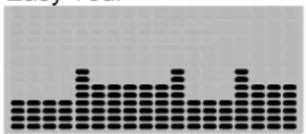
Easy Tour
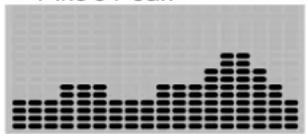
Pike's Peak
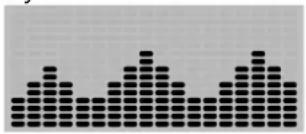
Pyramids
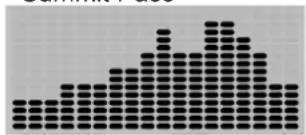
Summit Pass
Stream Crossing
Cross Training
Uphill Finish
Mount Hood
Easy Tour (Tour facile) Pike's Peak
Pyramids (Piramidi) Summit Pass (Passo al vertice)
Cross Training (Monte Hood)
https://global.schwinnfitness.com/en/manuals.html
GARANTÍA


- WARNING
- LOCATION OF THE ELLIPTICAL
- MOVING THE ELLIPTICAL
- LEVELING THE ELLIPTICAL
- PROPER USAGE
- DANGER!
- WARRANTY
- NEED HELP?
- MAIN PARTS INCLUDEED
- HARDWARE KIT TOOL KIT
- 2
- PRE ASSEMBLY
- UNPACKING
- ASSEMBLY
- Attach Legs to Frame Assembly
- Attach Arm Pivot Rod and Lower Handlebar Arms to Frame Assembly
- Attach the Upper Handlebar Arms to Frame Assembly
- Attach Pivot and Handlebar Shrouds to Frame Assembly
- Attach Water Bottle Holder to Frame Assembly
- Remove Hardware from Console
- Connect Cables and Attach Console to Frame Assembly
- Connect the AC Adapter to Frame Assembly
- Final Inspection
- Moving the Machine
- Leveling the Machine
- CONSOLE
- Console Features
- Keypad Functions
- PROGRAMS:
- PROGRAM DATA DISPLAY
- Program Display
- Bluetooth Heart Rate Chest Strap (not supplied)
- Contact Heart Rate Sensors
- Heart Rate Calculations
- OPERATION
- What to Wear
- How Often Should You Exercise
- Mounting and Dismounting the Machine
- To mount the fitness machine:
- To dismount the fitness machine:
- Power-Up/ Idle Mode/Welcome screen
- Auto Shut-Off (Sleep Mode)
- Manual (Quick Start) Program
- Interval Program
- The "Sprint" period of an Interval Program is a suggested increase in resistance level and speed, and should only be followed if your physical fitness level allows.
- Challenge Programs
- Modify Display of Workout Values
- Changing Resistance Levels
- Pausing or Stopping
- Muting the Console
- Exercise Summary Mode
- TROUBLESHOOTING
- MAINTENANCE
- Daily:
- Weekly:
- Monthly or after 20 hours:
- GARANTIE
- Handmatig (snelstart)programma
- GARANTÍA
Brand : Schwinn
Model : 510E
Category : Elliptical bike