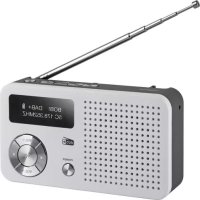
Dabman 13 - Radio Imperial - Free user manual and instructions
Find the device manual for free Dabman 13 Imperial in PDF.



| Brand | Imperial |
| Model | Dabman 13 |
| Product type | Digital DAB+/FM radio with USB and SD card player |
| Reception | DAB / DAB+ (Band III 174-240 MHz) and FM (87.5-108 MHz) |
| Power supply | Li-Ion battery 3.7 V / 800 mAh, charging via micro USB 5V/1A |
| Dimensions (W x D x H) | 137 x 71 x 31 mm |
| Weight | 209 g (with battery) |
| Display | Digital display with station, mode, battery information |
| Speaker | Built-in |
| Headphone jack | Yes, 3.5 mm jack |
| USB port | Yes, for MP3/WAV playback (max. 32 GB support) |
| Micro SD card reader | Yes, for MP3/WAV playback (max. 32 GB) |
| Preset memory | 10 stations in DAB+ and 10 in FM |
| Alarm | Dual alarm with choice of tone, DAB+ or FM |
| Sleep timer | Yes (10, 30, 60, 90 minutes) |
| Functions | Auto search, favorites, radio info display (genre, frequency, bitrate) |
| Antenna | Telescopic (included) |
| Package contents | 1 radio, 1 USB cable, 1 battery, 1 instruction manual, 1 antenna |
| Usage | Indoor only |
| Cleaning | Dry, soft cloth, do not use liquids |
| Safety | Double insulation (class II), do not open the housing |
| Compatible countries | EU, Switzerland, Norway, Liechtenstein, Iceland |
| Warranty | According to legal provisions; TELESTAR customer service |
Frequently Asked Questions - Dabman 13 Imperial
User questions about Dabman 13 Imperial
0 question about this device. Answer the ones you know or ask your own.
Ask a new question about this device
Download the instructions for your Radio in PDF format for free! Find your manual Dabman 13 - Imperial and take your electronic device back in hand. On this page are published all the documents necessary for the use of your device. Dabman 13 by Imperial.
USER MANUAL Dabman 13 Imperial
TELESTAR Service Center,
Am Weiher 14,
56766 Ulmen
e-mail: service@telestar.de
an Wochenenden (Weekends),
einalig (Once)
oder tätig [Daily]
1.FOREWORD 39
1.2. Proper use according to design 39
2.SAFETY INFORMATION 40
2.1.Explanation of symbols 40
2.2. Sicherheitshinweis 42
2.3. Operational safety 43
2.4. Connecting the device 45
2.5. Protecting the device against damage 46
2.6. Risk of injury 47
2.7. Notes on the radio interface 47
2.8. Handling batteries 48
2.9.Cleaning the device 50
2.10. Legal information 50
3. SCOPE OF DELIVERY 51
4. OVERVIEW AND CONNECTIONS 52
5. OPERATION AND FIRST USE 54
5.1. Charging the device 54
5.2. Switching on 54
6. OPERATION 55
6.1. Display information 55
6.2. Station selection 55
6.3. Volume 56
6.4. Switching the reception mode 56
6.5. FM/DAB programme search 56
6.6. Favourite list setup 57
6.7. Accessing the favourite list 57
6.8. Accessing radio information 58
TABLE OF CONTENTS
6.9.Sleep timer 58
6.10. Alarm clock 58
6.11. USB mode 59
6.11.1.Pause music on the USB data carrier 60
6.11.2. Track selection from a USB data carrier 60
6.12. SD card mode 60
6.12.1.Pause music on an SD card 61
6.12.2. Track selection on an SD card 61
7.TROUBLESHOOTING 62
8. STORAGE 62
9. TECHNICAL DATA 63
- DISPOSAL INFORMATION 64
10.1.Disposing of the packaging 64
10.2. Device disposal 64
10.3.Disposing of the batteries. 64
- CE INFORMATION 65
- SERVICE AND SUPPORT 66
1. FOREWORD
Dear customer,
Thank you for choosing this product.
Please read these instructions carefully, and keep them for future reference.
These operating instructions are an integral part of the device! If you sell or distribute the device, please hand over this manual.
1.2. Proper use according to design
This product is an entertainment device.
The device serves as a receiver for DAB/DAB+/UKW radio signals.
Any other use or operation of the device is seen as not intended and may cause personal or material damage.
Do not use this device for any other purpose.
Only use the device indoors.
The device is intended for private use, and thus non-commercial use, only.
We assume that the user of the device has some general knowledge about using electronic entertainment devices. Any liability is voided in the case of improper use of the device.
2. SAFETY INFORMATION
2.1. Explanation of symbols
| Symbol | meaning |
| DANGER! | This signal word describes a hazard with a high level of risk, that may lead to death or severe injury if not followed. |
| WARNING! | This signal word describes a hazard with a medium level of risk, that may lead to death or severe injury if not properly followed. |
| ATTENTION! | This signal word describes a hazard with a low level of risk, that may lead to minor or moderate injuries if not properly followed. |
| NOTE! | This signal word warns against possible material damages and indicates specific instructions to operate the device. This sign warns against danger. |
| Dieses Zeichen warnnt vor Gefahren. |
2. SAFETY INFORMATION
| Symbol | meaning |
| Protection class II Electric devices with a protection class II have an increased or double insulation at the rated insulation voltage between the active and touchable parts (VDE 0100 component 410, 412.1). They are usually not connected to the protective conductor. Even if they have electrically conductive surfaces, they are protected against contact with live parts through an increased or double insulation. | |
| CE | Products labelled with this symbol meet the requirements of the guidelines of the European Community. |
| Devices with this symbol may only be used indoors in a dry environment. |
2. SAFETY INFORMATION
Inspect the device prior to use.
Should there be any damage or a defect on the device it may not be used.
Risk of injury!
There is a risk of injury for children and persons with reduced physical, sensory or mental capacities (for example partially disabled, older persons with limited physical or mental abilities) or a lack of experience and knowledge.
Store the device in a place that is out of reach for children.
This device may be used by children as of the age of 8 as well as by persons with reduced physical, sensory or mental abilities or a lack of experience and/or knowledge, if they are supervised or instructed regarding the safe use of the device and have understood the related risks.
Never allow children to use the device unsupervised.
Risk of choking!
The packaging material is not a toy!
Store the used packaging materials
(bags, polystyrene parts etc.) out of reach for children.
Children may not play with the packaging.
The packaging foil poses a particular risk of choking.
2. SAFETY INFORMATION
2.3. Operational safety

DANGER!
Risk of injury!
There is a risk of injuring oneself through electrocution on the live parts.
There is a risk of electrocution or fire due to unintentional short circuiting.
Check the device for damages prior to every use.
Should you detect visible damages or the device has visible damages, do not use it.
Should you detect a technical or mechanical problem please contact the TELESTAR service.
Only use the power unit that was included! Never use a different power unit.
Never open the casing of the device.
If there is a malfunction, immediately unplug the device from the power supply. To do so, promptly unplug the power unit from the power socket and the device.
Only use replacement parts and accessories that are shipped and approved by us.
Do not physically alter the device and do not use any spare parts or additional devices that were not explicitly approved or shipped by us.
Do not use the device in areas that have a high explosion risk. These include, for example, petrol storage areas, petrol stations,
2. SAFETY INFORMATION
or areas in which solvents are stored or processed.
Do not use the device in areas with air that is polluted with particles (e.g. flour or wood-chip dust). Performance errors may become apparent in the shape of the device becoming hot or smoke developing from the device or the power unit. Loud or unusual sounds may also be a sign of a malfunction.
In such an event, immediately remove the power unit from the socket.
Only touch the casing of the power unit. Never pull the power unit's plug from the socket.
The device may not be used after a malfunction, until a trained person has inspected or repaired it.
If you introduce the device to a cold or warm environment, moisture may develop inside the device.
In such an event, wait approximately one hour before using the device.
Should you be gone for a longer period or in the event of a thunderstorm, unplug the device. Take care to prevent moisture, water or splash water from coming into contact with the device and ensure that receptacles filled with water - e.g. vases - are not placed on or near the power unit.
In the event that foreign objects or liquid should enter the device or power unit, immediately unplug the power unit. Have a qualified specialist inspect the device before using it again.
Otherwise there is a risk of electrocution.
2. SAFETY INFORMATION
Make sure that the device and power unit is not at risk of dripping or splash water and that there are no open flames (e.g. lit candles) near the device or the power unit.
The power unit must never be touched or grabbed with wet or moist hands.
2.4. Connecting the device
Only plug the device into properly installed, earthed and electrically secured power sockets.
Please keep the power source (socket) easily accessible.
Do not bend or squeeze any cables.
Before using the device, check whether the voltage specification on the device corresponds to your local power voltage.
The specifications on the power unit must correspond to the local power grid.
Only plug the device into a properly installed grid socket with 220-240 V alternating current, 50-60 hz.
Place the radio on a solid, even surface.
The device consumes power in standby mode.
To fully switch off the device, the power plug must be pulled from the socket orthe power unit on the back of the device must be switched off.
2.5. Protecting the device against damage

NOTE!
Unfavourable surrounding conditions, such as moisture, excessive heat or a lack of ventilation may damage the device.
Only use the device in dry rooms.
Avoid direct proximity to heat sources, such as
radiations, open fires [e.g. from candles], devices with a strong magnetic field, such as loudspeakers.
Do not expose the device to extreme conditions, such as direct sunlight, severe humidity, moisture, extremely high or low temperatures, open flames.
Ensure sufficient distance to other objects to prevent the device from being obstructed, so that sufficient air ventilation is guaranteed.
Avoid direct sunlight and places with an exceptional amount of dust.
Do not place any heavy objects on the device or the power unit.
Do not use the device in areas that have a high explosion risk.
These include, for example, petrol storage areas, petrol stations, or areas in which solvents are stored or processed.
Do not use the device in areas with air that is polluted with particles (e.g. flour or wood-chip dust)
2. SAFETY INFORMATION
2.6. Risk of injury

WARNING!
Excessive sound pressure levels when using ear- or
headphones may lead to damaging or loss of hearing.
Listening with earphones or headphones at an increased volume over a longer period of time may injure the user.
Please check the volume before putting the earphones or headphones in or onto the ears.
Set the volume at a lower level and only raise the volume to a point that is still comfortable.
2.7. Notes on the radio interface
The device generates an electro-magnetic field.
Please pay attention to any indications in your surroundings that may prohibit or restrict the use of electronic devices.
This may be the case in hospitals, petrol stations and patrol depots or airports, for example.
If there are such warning signs, promptly unplug the device from the power source.
The components contained in the device generate
electro-magnetic energy and magnetic fields. These may inhibit medical devices such as a cardiac pacemaker or
defibrillator. Therefore, please maintain sufficient and safe distance between the radio and medical devices.
Should you have reason to believe that the radio has caused a disruption of a medical device, immediately switch off and unplug the radio from the power source.
2. SAFETY INFORMATION
2.8. Handling batteries

DANGER!
Risk of injury!
An improper use or handling of batteries may cause a risk of injury!
Never open batteries, short-circuit these or toss them into flames.
Never charge these batteries. There is a risk of explosion when charging these batteries.
Make sure to note the polarity! Take care to properly connect the plus [+] and minus [-] poles, to avoid a short circuit.
Only use the batteries specified for this product.
Remove batteries from the device if it is not in use for a longer period of time.
Immediately remove drained or leaking batteries from the device.
Leaking batteries pose a risk of acid-related injuries.
Store new as well as used batteries out of children's reach. Swallowing batteries poses a risk of internal injuries. The battery acid contained inside the batteries may cause injuries if it comes into contact with skin.
After accidental swallowing or if there are signs of skin burns, rinse the affected area with sufficient clear water and seek medical attentionimmediately.
2. SAFETY INFORMATION
Batteries are not toys!
Always keep new and used batteries away from children.
Remove leaking batteries from the device
and clean the contact points before inserting new batteries.

WARNING!

Improper use of batteries may pose a risk of explosion!
Only use batteries of the same type.
Please refrain from combining new and old batteries in one device.
Pay attention to the correct polarisation when inserting batteries.
Never charge these batteries.
Batteries should be stored in a cool and dry place.
Never toss batteries into fire.
If the device is not used for a longer period of time please remove the batteries from the device.
Never expose the batteries to major heat or direct rays of sunlight.
Batteries may not be bent or opened.
2. SAFETY INFORMATION
Stop using the remote if the battery lid no longer closes properly.
2.9. Cleaning the device
Unplug the device from the socket prior to cleaning.
Use a dry, soft cloth to clean the
device. Please refrain from using liquids when cleaning the device.
Do not use any solvent or cleaning agents, as these may damage the surface or labelling on the device.
Children may not clean the device.
2.10. Legal information
The device is intended for us in all countries of the European
Union as well as Switzerland, Norway, Liechtenstein and Iceland.
The range of radio signals to be received meets all legal regulations of these countries.
If the device is to be used in a different country, the
laws of that country must be considered
and complied with.
3. SCOPE OF DELIVERY
Please remove the parts from the packaging and completely dispose of all packaging materials.
Please contact us if one or more of the specified parts are missing:
TELESTAR Service Center,
Am Weiher 14,
56766 Ulmen
e-mail: service@telestar.de
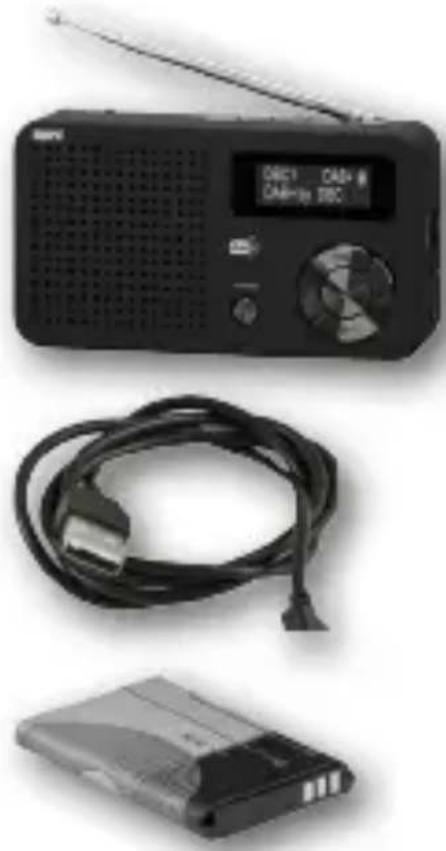
The following components are included in the delivery:
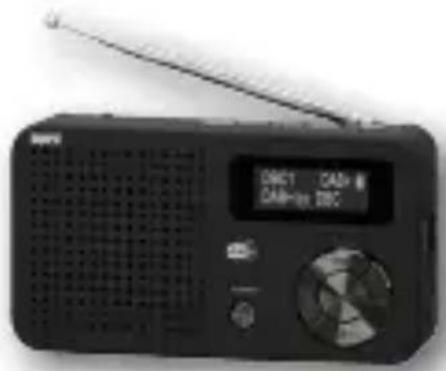
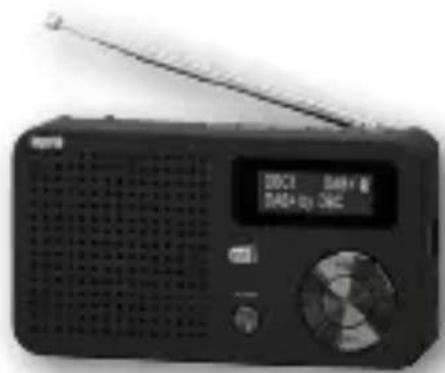
1x DABMAN 13
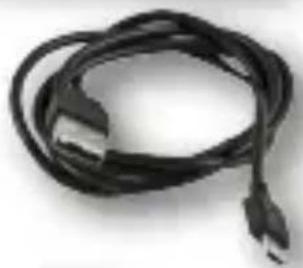
1x USB charging cable
1x battery pack
1x instruction manual
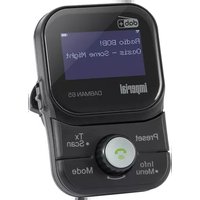
4. OVERVIEW AND CONNECTIONS
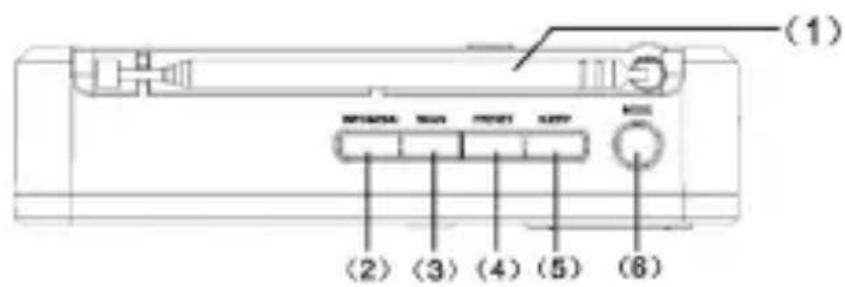
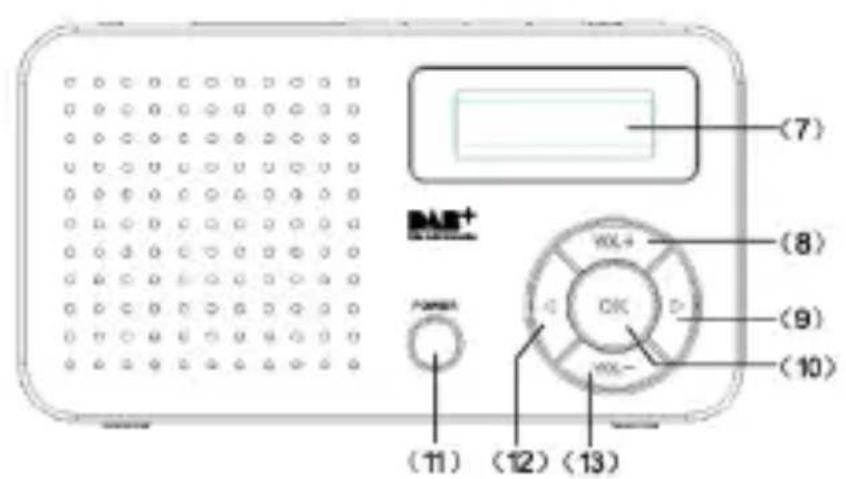
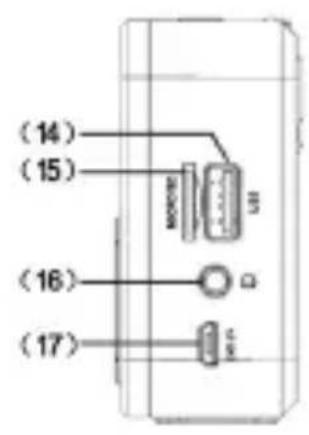
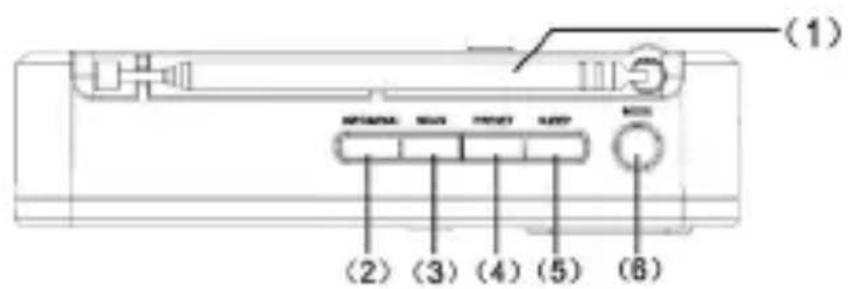
1 Telescopic antenna
2. INFO/MENU
Press the button to view information about the current UKW/DAB transmission.
Press and hold the button to open the menu.
3. SCAN
Starts the station search.
4. PRESET
Opens the saved radio stations or saves a radio station.
5. SLEEP
Switches the radio off after a definable time period.
6. MODE
Press this button to choose between the reception mode FM or DAB/DAB+, the USB music source or the micro SC card.
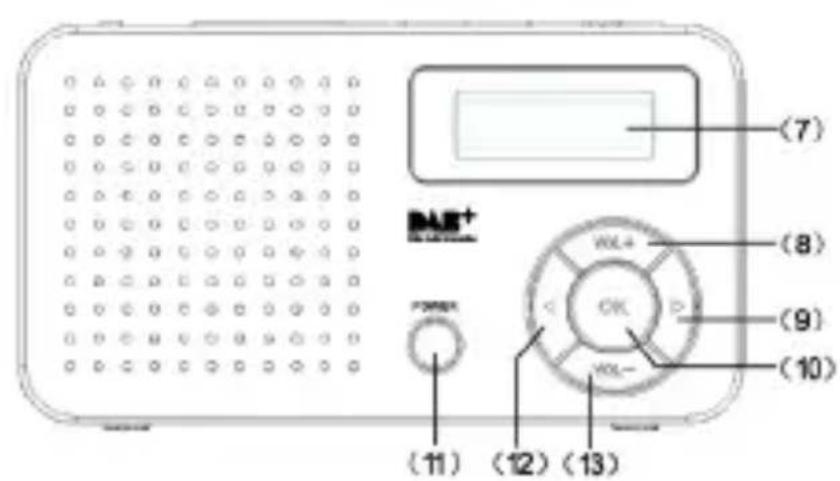
7. Display
8. Volume +
Press this button to raise the
volume.
3. SCOPE OF DELIVERY
9. Navigation station selection
Navigate down the menu with this button or choose a different station.
10. OK confirm button
Confirm an entry or selection with this button.
11. POWER
Press this button to switch the device on or off.
12. Navigation station selection
Navigate up in the menu with this button or select a different station.
13. Volume -
Press this button to lower the volume.
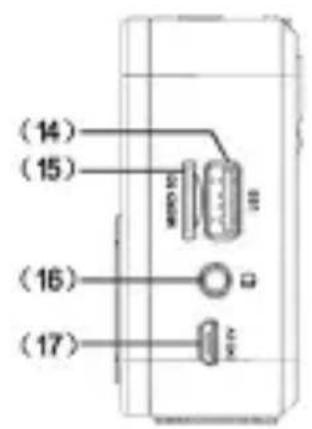
14. USB connection
You can connect a USB data carrier here that has music files on it to play these on this device.
15. Micro SD card reader
You can insert a micro SC card here which has music files stored on it to play these on this device.
16. Headphone jack
Connect your headphones here when needed.
When connecting headphones, the speakers are muted.
17. Micro USB charge connection
Connect the USB charging cable here included in the delivery.
5. OPERATION AND FIRST USE
5.1. Charging the device
Open the battery compartment and insert the battery pack.

There is a risk of explosion if not used properly!
Please read the related safety information in Chapter 2.8.
Pay attention to the correct polarity of the battery!
Connect the device to a USB power supply with the included USB charging cable, e.g. to a PC, a USB power-bank or a notebook.
The charging process begins as soon as a power source is connected. The duration of the charging process is displayed in standby mode.
Prior to the first use, we suggest charging the device for approx. 2 hours.
Fully extend the antenna before switching on the device.
5.2. Switching on
Press the POWER button [6].
The device turns on.
When turning on the device for the first time,
the channel finder automatically starts in DAB reception mode.
Note:
The station finder automatically starts in DAB+ mode when switched on for the first time.
In order to run a search in the analogue UKW range, please read Chapter 6.5.
Any stations detected by the station finder will be automatically saved. After the station search is complete, the first station will be displayed and played.
6. OPERATION
6.1. Display information
The display shows the following information:
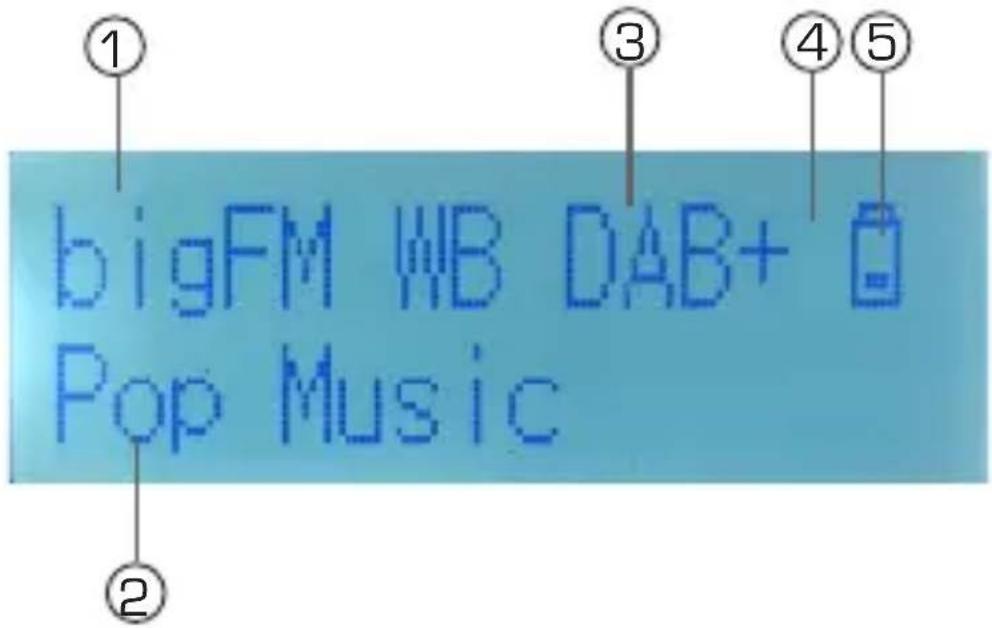
- Name of the current radio station.
- Various information is provided in the lower line which you can access with the INFO button. Please also read Chapter 6.8.
- Receive mode DAB+ or FM
- This symbol is displayed when the key lock is activated.
- This symbol indicates the charge level of the battery.
6.2. Station selection
By using the Navigation buttons (9) (12) you can select a radio station that was detected by the DAB+ station finder.
Press left to select the previous station. Press right button to select the next station.
Note:
The sequence of the stations is either determined by the order they were found in the station finder or they are ar
6. OPERATION
ranged alphabetically.
You may arrange them as follows:
Press and hold the INFO MENU button for approx. 2 seconds.
Using the Navigation button (9) switch to the menu item
Use the Navigation button(9) to select
6.3. Volume
You can raise and lower the volume using the Volume buttons (8), (10).
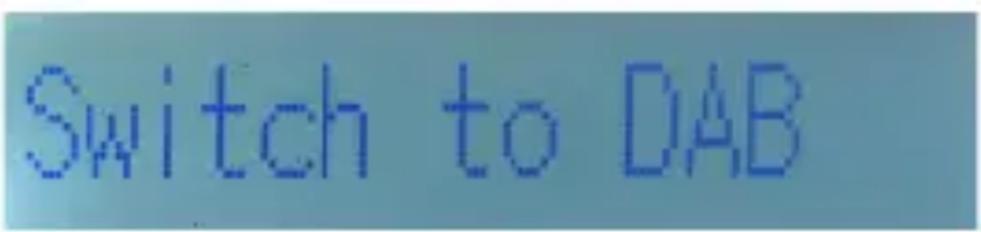
6.4. Switching the reception mode
To switch between the UKW (FM) and DAB+ reception modes press the MODE button. [6]
6.5. FM/DAB programme search
To initiate a search for UKW programmes, switch into the FM mode, as described in Chapter 6.4.
Press the SCAN button [3] to start the search.
The device will now search for the next station that can be received in the frequency range. As soon as a station has been found, the search will stop.
To save a station, please read chapter 6.6.
To start a search for DAP stations, switch to DAB mode, as described in chapter 6.4.
6. OPERATION
Press the SCAN button (3) to start the search.
The device will now search for all available DAB radio stations.
As soon as the search is completed, you can select the available
DAB stations as described in chapter 6.2.
6.6. Favourite list setup
You can store a favourite list in both the analogue FM reception mode as well as in the digital DAB+ radio mode.
Choose the desired station you would like to save via the station selection buttons (9) (12).
Press and hold the PRESET button (5) for approx. 2 seconds.
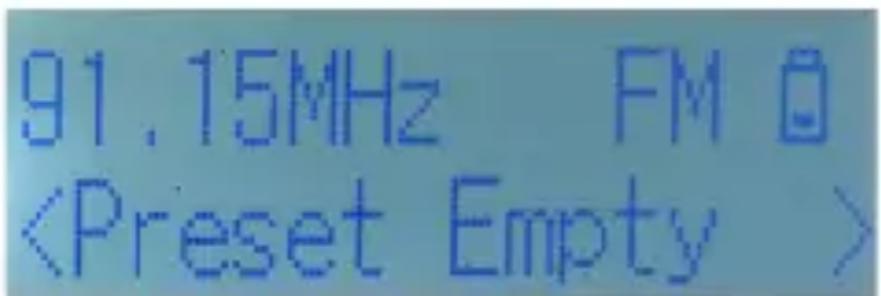
A programme slot will now blink behind the Preset Empty line.
Use the Navigation buttons [9] [12] to now select a channel
slot in which you would like to store the station.
Press the OK button (10).
The programme is now stored.
There are 10 storage slots available in the DAB+ mode as well
as the FM mode.
6.7. Accessing the favourite list
To open a favourite station, press the PRESET button (4) while the device is on.
Use the navigation buttons (9) (12) to select a programme slot.
Confirm your choice with the OK button (4).
6. OPERATION
6.8. Accessing radio information
While the radio is on, press the INFO MENU button.
To retrieve further information, press the button again.
This will display information regarding the genre, frequency, bitrate and station name.
Note: The radio can only display data if the station provides these.
6.9. Sleep timer
The radio will switch into standby mode after a preset time when using the sleep timer.
While the radio is on, press the SLEEP button repeatedly until the desired time until the radio switches off is shown.
The following times can be set:
10 minutes, 30 minutes, 60 minutes, 90 minutes.
6.10. Alarm clock
The device may be used as a radio alarm clock.
You can set up 2 different alarm times.
In addition, you can determine whether the alarm clock will wake you with a sound, a DAB+ radio station or a UKW (FM) station.
To set an alarm, proceed as follows:
Press and hold the PRESET button (5) for approx. 2 seconds.
Use the Navigation button (9) to switch to the menu item
Confirm the
Use the Navigation buttons (9) (12) to switch the alarm 1 to ON.
Press OK.
Now set the time of the alarm.
6. OPERATION
TIME SET
Use the Navigation buttons (9) [12]) to set the hours.
Press OK.
Use the Navigation buttons (9) (12) to set the minutes.
Press OK.
ALARM MODE
Use the Navigation buttons (9) (12) to set whether the alarm should be triggered on
week days, on weekends, once or daily.
Press OK.
ALARM TYPE
Choose the type of alarm using the Navigation buttons [9] [12].
There are 2 different alarm sounds to choose from, as well as FM or DAB+.
Press OK.
ALARM VOLUME
Set the volume of the alarm using the navigation buttons (9) [12].
Press OK to complete the process.
6.11. USB mode
In USB mode, you can play music files [MP3/WAV] stored on a connected USB device.
Simply attach a USB stick to the USB connection [14]. USB sticks up to a max. size of 32 GB are supported.
Press the MODE button repeatedly until USB appears in the display.
6. OPERATION
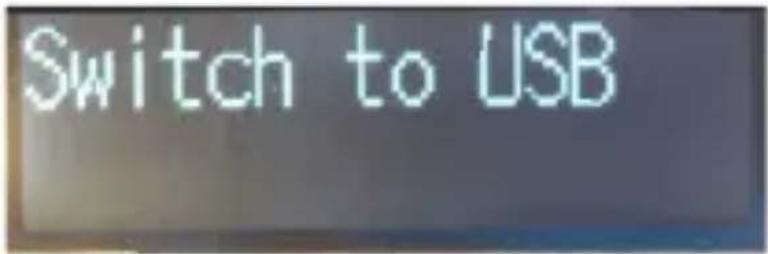
The device will now search all available music content on the USB data carrier and will begin playing the first music file.
6.11.1. Pause music on the USB data carrier
You can pause the playback of the USB music.
Press the OK button (10) to do so.
The playback is paused.
To start playback, press the OK button (10) again.
6.11.2. Track selection from a USB data carrier
Choose the next track with thenavigation button (9).
Choose the previous track with the navigation button [12].
6.12. SD card mode
In SD card mode, music files (MP3/WAV) on an
inserted micro SD card can be played.
Insert a micro SD card into the SD card reader. Micro SD cards with a max. size of 32 GB are supported.
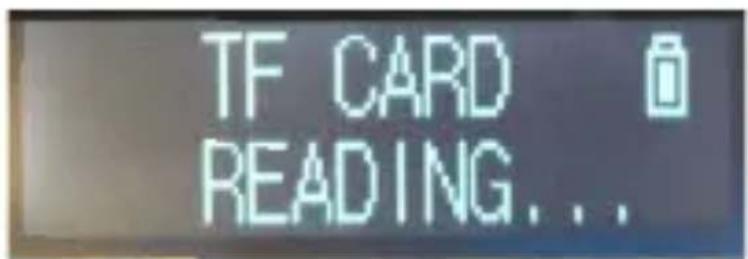
Press the MODE button repeatedly until TF card appears in the
display.
6. OPERATION
The device will now search all available music content on the micro SD card and will begin playing the first music file.
6.12.1. Pause music on an SD card
You can pause the playback of the SD music.
Press the OK button (10) to do so.
The playback is paused.
To start playback, press the OK button (10) again.
6.12.2. Track selection on an SD card
Choose the next track with thenavigation button [9].
Choose the previous track with thenavigation button (12).
7. TROUBLESHOOTING
| Symptom | Possible cause and remedy |
| Device won't switch on. | The device is not connected to a power source. Connect the power unit properly to the power socket and device. Charging the battery pack |
| No sound can be heard. | Increase the volume. |
| The display does not turn on | Disconnect the device from the power source/ briefly remove the battery pack and resupply the device with power. |
| The DAB+/FM signal is poor. | Fully pull out the antenna. Change the position of the antenna or the radio. |
| Poor audio quality when playing music | File with low bit rate. Check the audio file. Tip: For MP3 files the bitrate should be 192Kbit/s or higher. |
8. STORAGE
When not in use, please remove the power unit from the socket, disconnect the radio's cable from the device and store the device in a dry place, protected against dust.
Please remove the battery pack when the device is not used for a longer period of time.
9. TECHNICAL DATA
DABMAN 13
Reception options DAB/DAB+, FM
Power current DC input: 5V / 1A via micro USB
Battery 3.7V 800 mAh li-ion battery unit
USB connection and micro SD card reader
MP3/WAV playback, data carrier max. 32 GB
Frequencies UKW: 87.5-108MHz
DAB/DAB+: Band III 174-240MHz
Audio Output capacity
1.4W RMS @ 1kHz 5% THD
Weight 209g (incl battery)
Dimensions [WxHxD] 137mm x 71mm x 31mm
10. DISPOSAL INFORMATION
10.1. Disposing of the packaging
The packaging consists exclusively of materials that may be recycled. Please dispose of this according to the 'Dual system'.
10.2. Device disposal
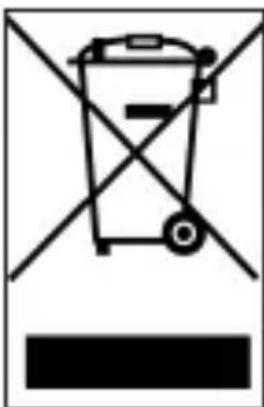
The symbol on the right of
a crossed-out waste bin on wheels
indicates that this device is subject to
Directive 2012 / 19 / EU.
This directive specifies that this device may not
be disposed of in normal household waste at the end of its service life but must be taken to specif
collection centres, recycling centres or waste
disposal companies. This type of disposal is free of charge.
Protect the environment and ensure a proper disposal.
Further information is available at your local waste collection company or your city or municipal office.

10.3. Disposing of the batteries
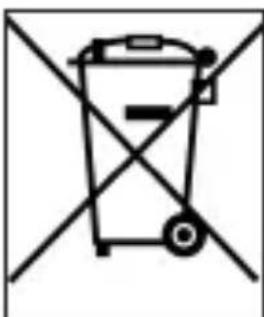
Batteries and power units may not
be disposed of with household waste.
The symbol on the right means that you as a
consumer are required to separately dispose of all batteries and power units.
Suitable collection bins are provided at specialist shops and numerous public facilities.
Information about the disposal of old batteries and power units are additionally provided by waste collections specialists, city and municipal administrations.
11. CE INFORMATION
C E
Your device is labelled with the CE mark and complies with all required EU standards.
TELESTAR DIGITAL GmbH hereby declares
that the IMPERIAL DABMAN 13 device
complies with the essential requirements and
other relevant provisions
of RoHS Directive 2011/65/EU, RE Directive 2014/53/EU
and ErP Directive 2009/125/EC.
The Declaration of Conformity for this product is available at:
Thank you for choosing one of our products. Our product meets the legal requirements and has been manufactured under constant quality control. The technical data correspond to the current status at the time of printing. Subject to changes.
The warranty period for the DABMAN 13 corresponds to the statutory provisions at the time of purchase.
We also offer a
HOTLINE telephone service with professional support.
Professional specialists are ready to offer their assistance in our service area. Here you can ask any questions you may have about TELESTAR products and get suggestions on troubleshooting.
Our technicians are available Monday- Friday from
08:00 - 16:45 at the following phone
number:
02676 / 95 20 101
or by email at: service@telestar.de
If the Service Hotline cannot help you, please send your device to the following address, preferably in its original packaging, but safely packed for transport:
TELESTAR - DIGITAL GmbH
Service Center
9. Navigation selection of stations
12. Navigation selection of stations
1,4 W RMS @ 1 kHz 5% THD
Chere cliente, cher client!
TELESTAR Service Center,
Am Weiher 14,
56766 Ulmen
e-mail: service@telestar.de
1x DABMAN 13
1x USB-laadkabel
1x accu
in weekends [Weekends],
eenmalig (Once)
of via mail op: service@telestar.de
TELESTAR Service Center,
Am Weiher 14,
56766 Ulmen
e-mail: service@telestar.de
1x DABMAN 13
1x Cavo USB per la ricarica
1x Battery
1x Manuale d'uso
4. PANORAMICA E COLLEGAMENTI
1 Antenna telescopica
2. INFO/MENU
All technical data and functions described in this manual reflect the current state at time of printing and may be changed without prior notice. We are not liable for any misprints or mistakes. Reproduction and duplications are only permitted with the express permission of TELESTAR-DIGITAL GmbH.
- TABLE OF CONTENTS
- FOREWORD
- Proper use according to design
- SAFETY INFORMATION
- Explanation of symbols
- Operational safety
- DANGER!
- Connecting the device
- Protecting the device against damage
- NOTE!
- Risk of injury
- WARNING!
- Notes on the radio interface
- Handling batteries
- Cleaning the device
- Legal information
- SCOPE OF DELIVERY
- OVERVIEW AND CONNECTIONS
- Telescopic antenna
- INFO/MENU
- SCAN
- PRESET
- SLEEP
- MODE
- Display
- Volume +
- Navigation station selection
- OK confirm button
- POWER
- Navigation station selection
- Volume -
- USB connection
- Micro SD card reader
- Headphone jack
- Micro USB charge connection
- OPERATION AND FIRST USE
- Charging the device
- Switching on
- Note:
- OPERATION
- Display information
- Station selection
- Volume
- Switching the reception mode
- FM/DAB programme search
- Favourite list setup
- Accessing the favourite list
- Accessing radio information
- Sleep timer
- Alarm clock
- TIME SET
- ALARM MODE
- ALARM TYPE
- ALARM VOLUME
- USB mode
- Pause music on the USB data carrier
- Track selection from a USB data carrier
- SD card mode
- Pause music on an SD card
- Track selection on an SD card
- TROUBLESHOOTING
- STORAGE
- TECHNICAL DATA
- DABMAN 13
- DISPOSAL INFORMATION
- Disposing of the packaging
- Device disposal
- Disposing of the batteries
- CE INFORMATION
- C E
- Navigation selection of stations
- Navigation selection of stations
- PANORAMICA E COLLEGAMENTI
Brand : Imperial
Model : Dabman 13
Category : Radio