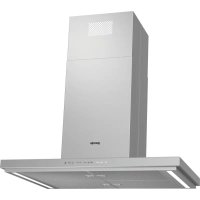
IHT961S2XUK - Basket GORENJE - Free user manual and instructions
Find the device manual for free IHT961S2XUK GORENJE in PDF.



| Brand | Gorenje |
| Model | IHT961S2XUK |
| Product type | Range hood |
| Usage | External extraction or recirculation version (charcoal filter optional) |
| Power supply | 220-240 V ~ 50 Hz (check rating plate) |
| Motor power | Not specified (refer to rating plate) |
| Number of speeds | 3 manual speeds + 2 intensive Power Boost speeds (timed 5 min) |
| Automatic function | Yes, with vapour detection sensor and calibration |
| Air refresh function | Yes, activates every 50 min of inactivity for 10 min at speed 1 |
| Delayed shutdown | Yes, adjustable from 10 to 30 minutes |
| Lighting | LED, adjustable intensity (touch slider or steps depending on model) |
| Controls | Touch controls (LED strip with touch buttons) |
| Filter saturation indicator | Yes, for grease filter (steady light) and charcoal filter (flashing, manual activation) |
| Grease filter | Metallic, dishwasher safe (monthly cleaning) |
| Active charcoal filter | Optional for recirculation version, replace every 4 months max |
| Minimum distance from hob | 65 cm for gas/mixed hob, 50 cm for electric |
| Air outlet diameter | Not specified (refer to connection collar) |
| Materials | Stainless steel (probable) |
| Weight | Not specified |
| Dimensions (W x D x H) | Not specified (90 cm model? check technical sheet) |
| Installation type | Wall mounting or under cabinet (depending on configuration) |
| Safety | Automatic shutdown after 1 min of inactivity, protection against open flames |
| Maintenance | Monthly exterior cleaning, monthly grease filter washing, charcoal change every 4 months |
| Repairability | LED replacement by technical service, spare parts available |
Frequently Asked Questions - IHT961S2XUK GORENJE
User questions about IHT961S2XUK GORENJE
0 question about this device. Answer the ones you know or ask your own.
Ask a new question about this device
Download the instructions for your Basket in PDF format for free! Find your manual IHT961S2XUK - GORENJE and take your electronic device back in hand. On this page are published all the documents necessary for the use of your device. IHT961S2XUK by GORENJE.
USER MANUAL IHT961S2XUK GORENJE
natural_image
Simple geometric diagram of a T-shaped structure with two rectangular bases (no text or symbols)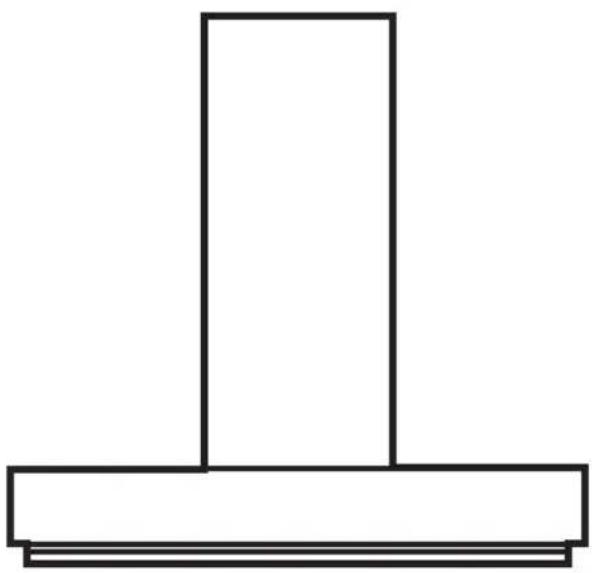
natural_image
Simple line drawing of a T-shaped object with a vertical rectangle on top and two horizontal plates below (no text or symbols)IHT941A2XBG / E100EI1S40BF4EASCB
IHT971S2XBG / A100EI1SB35BH2SEASCB
IHT961S2X / E100EI1S40BF4EASCB
DE 10
DA 18
EN 26
ES 34
ET 42
FI 50
FR 58
IT 66
LT 74
LV 82
NL 90
NO 98
PT 106
SV 114
TR 122
EL 130
natural_image
Illustration of a hand opening a washing machine with a cloth cover, showing part assembly and cleaning steps (no text or symbols)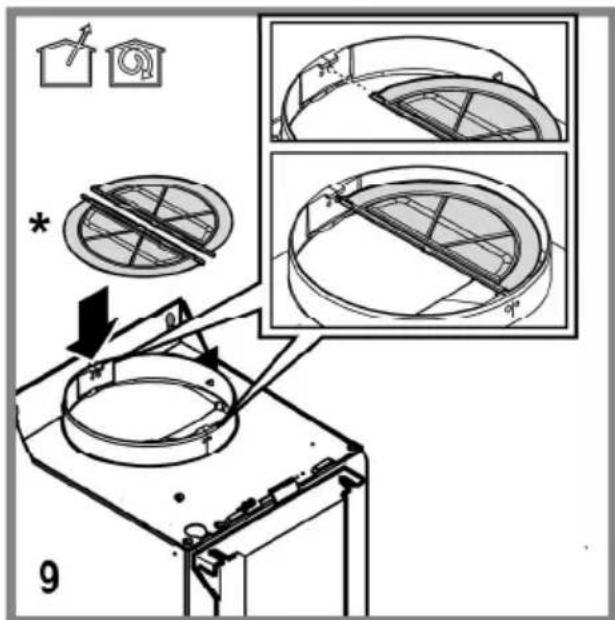
natural_image
Diagram of a cable installation or electrical connection setup with a device and wiring, no visible text or symbols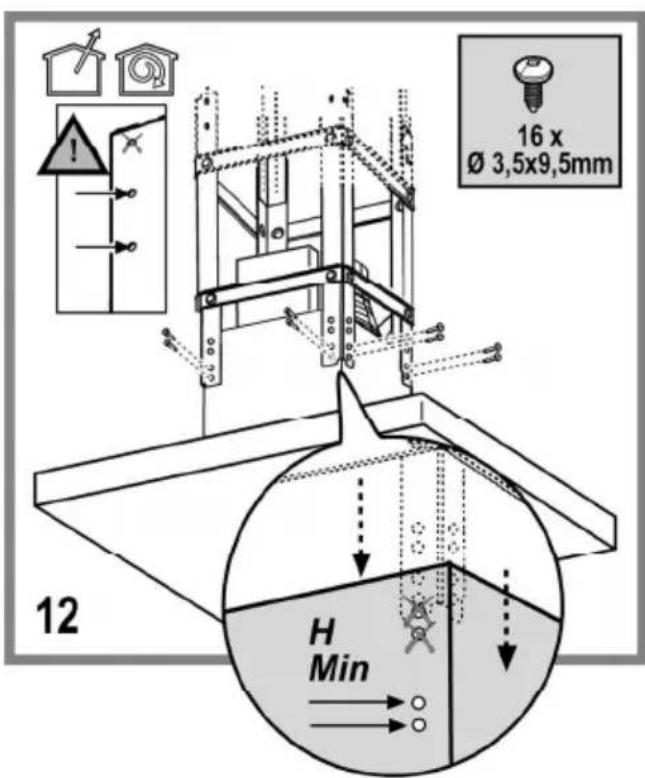
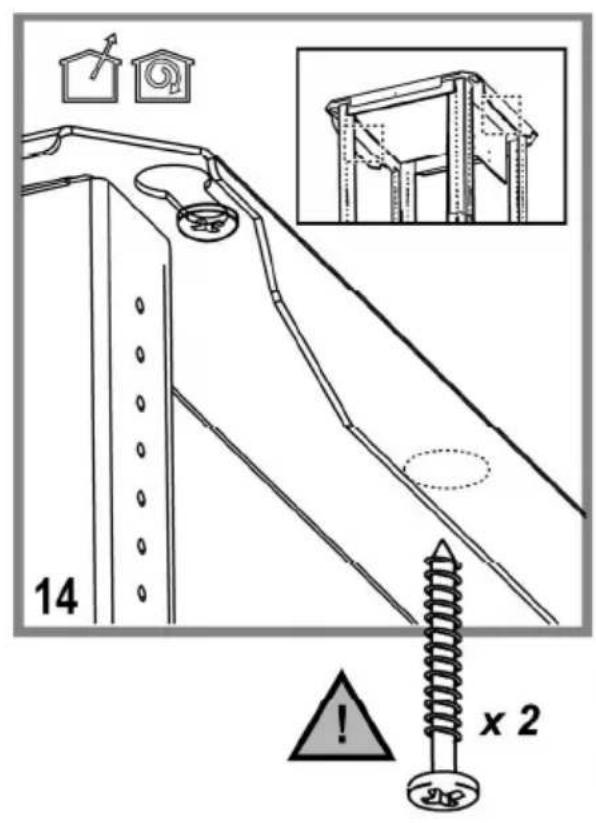
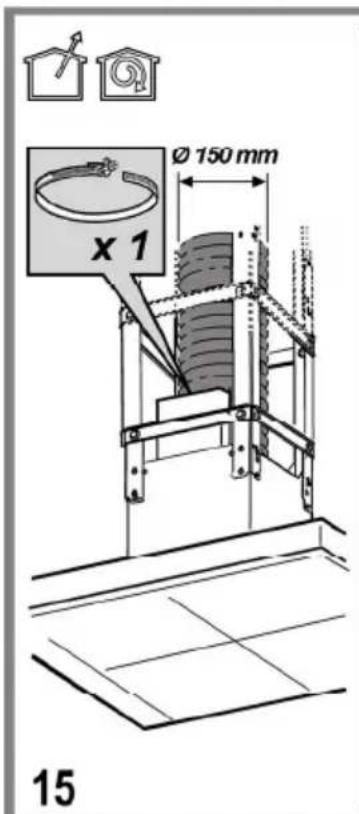
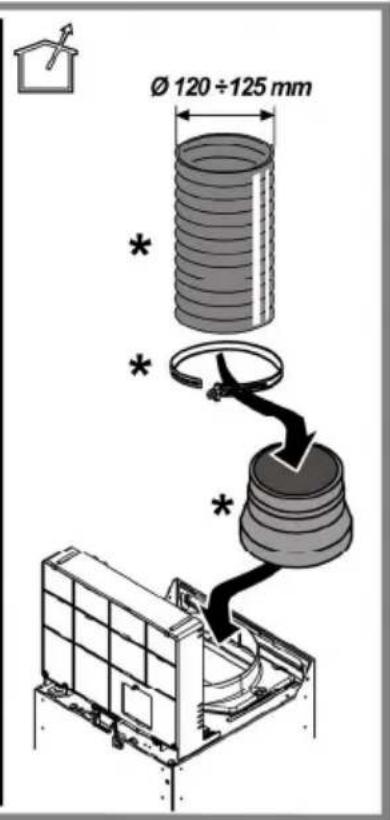

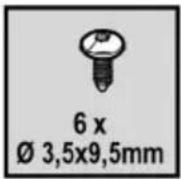
natural_image
Technical diagram showing a mechanical assembly with a 3D box and a directional arrow (no text or symbols)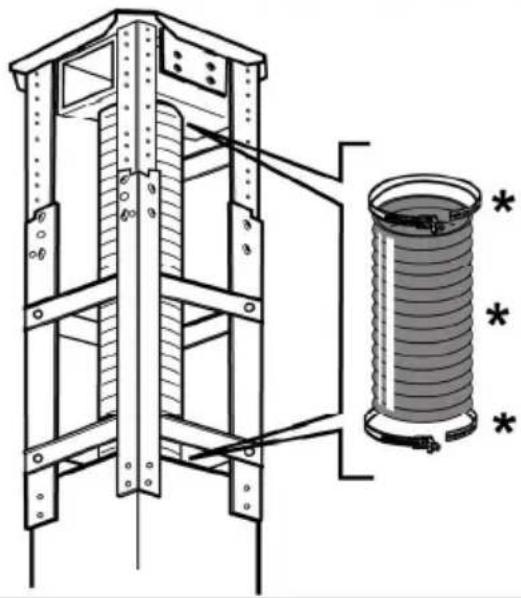
natural_image
Technical line drawing of a mechanical lifting device with a cylindrical component and mounting holes (no text or symbols)16


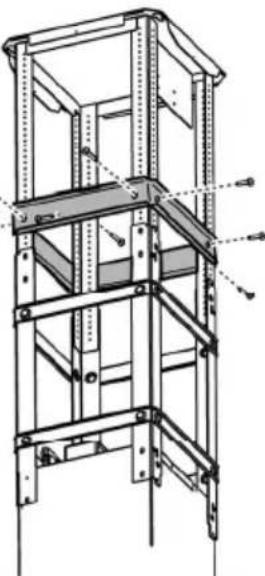
natural_image
Technical line drawing of a multi-level metal shelving unit with vertical supports and structural beams (no text or symbols)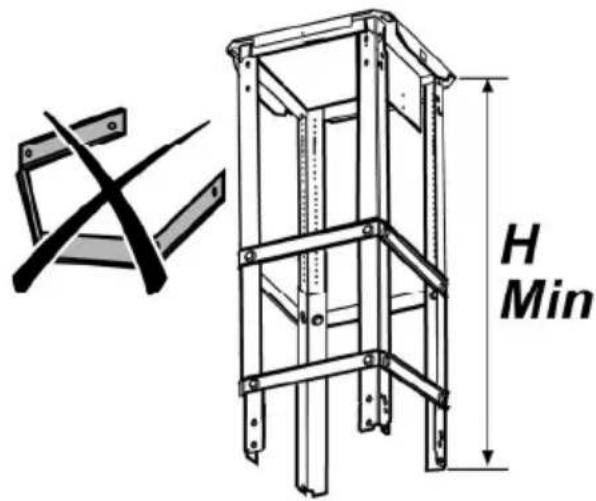
17

natural_image
Illustration of a hand holding a padlock over a grid-patterned roof structure, with no visible text or symbols.DUNSTABZUGSHAUBE
Closely follow the instructions set out in this manual. All responsibility, for any eventual inconveniences, damages or fires caused by not complying with the instructions in this manual, is declined. The hood is conceived for the suction of cooking fumes and steam and is destined only for domestic use.
The hood can look different to that illustrated in the drawings in this booklet. The instructions for use, maintenance and installation, however, remain the same.
! It is important to conserve this booklet for consultation at any moment. In the case of sale, cession or move, make sure it is together with the product.
! Read the instructions carefully: there is important information about installation, use and safety.
! Do not carry out electrical or mechanical variations on the product or on the discharge conduits.
! Before proceeding with the installation of the appliance verify that there are no damaged all components. Otherwise contact your dealer and do not proceed with the installation.
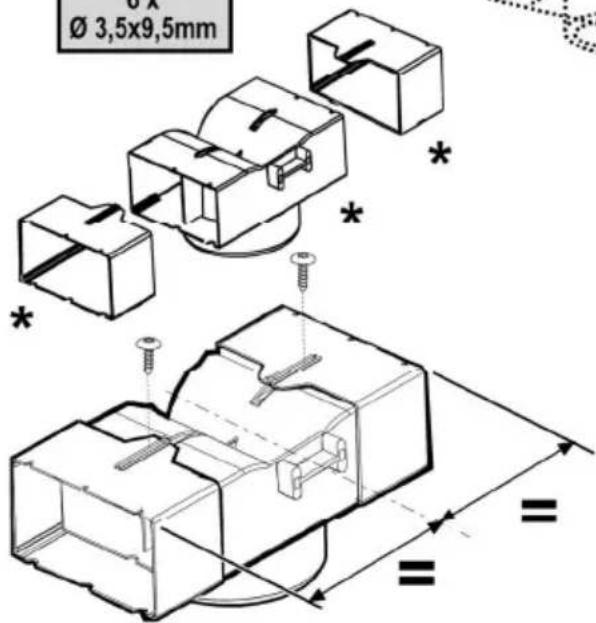
Note: the elements marked with the symbol “(*)” are optional accessories supplied only with some models or elements to purchase, not supplied.

CAUTION
WARNING! Do not connect the appliance to the mains until the installation is fully complete.
Before any cleaning or maintenance operation, disconnect hood from the mains by removing the plug or disconnecting the mains electrical supply.
Always wear work gloves for all installation and maintenance operations.
The appliance is not intended for use by children or persons with impaired physical, sensorial or mental faculties, or if lacking in experience or knowledge, unless they are under supervision or have been trained in the use of the appliance by a person responsible for their safety.
This appliance is designed to be operated by adults, children should be monitored to ensure that they do not play with the appliance.
This appliance is designed to be operated by adults. Children should not be allowed to tamper with the controls or play with the appliance.
Never use the hood without effectively mounted grating!
The hood must NEVER be used as a support surface unless specifically indicated.
The premises where the appliance is installed must be sufficiently ventilated, when the kitchen hood is used together with other gas combustion devices or other fuels.
The ducting system for this appliance must not be connected to any existing ventilation system which is being used for any other purpose such as discharging exhaust fumes from appliances burning gas or other fuels.
The flaming of foods beneath the hood itself is severely prohibited.
The use of exposed flames is detrimental to the filters and may cause a fire risk, and must therefore be avoided in all circumstances.
Any frying must be done with care in order to make sure that the oil does not overheat and ignite.
Accessible parts of the hood may become hot when used with cooking appliance.
With regards to the technical and safety measures to be adopted for fume discharging it is important to closely follow the regulations provided by the local authorities.
The hood must be regularly cleaned on both the inside and outside (AT LEAST ONCE A MONTH).
This must be completed in accordance with the maintenance instructions provided in this manual). Failure to follow the instructions provided in this user guide regarding the cleaning of the hood and filters will lead to the risk of fires.
Do not use or leave the hood without the lamp correctly mounted due to the possible risk of electric shocks.
We will not accept any responsibility for any faults, damage or fires caused to the appliance as a result of the non-observance of the instructions included in this manual.
This appliance is marked according to the European directive 2002/96/EC on Waste Electrical and Electronic Equipment (WEEE). By ensuring this product is disposed of correctly, you will help prevent potential negative consequences for the environment and human health, which could otherwise be caused by inappropriate waste handling of this product.

The symbol ■ on the product, or on the documents accompanying the product, indicates that this appliance may not be treated as household waste. Instead it should be taken to the appropriate collection point for the recycling of electrical and electronic equipment. Disposal must be carried out in accordance with local environmental regulations for waste disposal.
For further detailed information regarding the process, collection and recycling of this product, please contact the appropriate department of your local authorities or the local department for household waste or the shop where you purchased this product.
Appliance designed, tested and manufactured according to:
• Safety: EN/IEC 60335-1; EN/IEC 60335-2-31, EN/IEC 62233.
• Performance: EN/IEC 61591; ISO 5167-1; ISO 5167-3; ISO 5168; EN/IEC 60704-1; EN/IEC 60704-2-13; ISO 3741; EN 50564; IEC 62301.
- EMC: EN 55014-1; CISPR 14-1; EN 55014-2; CISPR 14-2; EN/IEC 61000-3-2; EN/IEC 61000-3-3. Suggestions for a correct use in order to reduce the environmental impact: Switch ON the hood at minimum speed when you start cooking and kept it running for few minutes after cooking is finished. Increase the speed only in case of large amount of smoke and vapour and use boost speed(s) only in extreme situations. Replace the charcoal filter(s) when necessary to maintain a good odour reduction efficiency. Clean the grease filter(s) when necessary to maintain a good grease filter efficiency. Use the maximum diameter of the ducting system indicated in this manual to optimize efficiency and minimize noise.
Additional Installation Specifications:
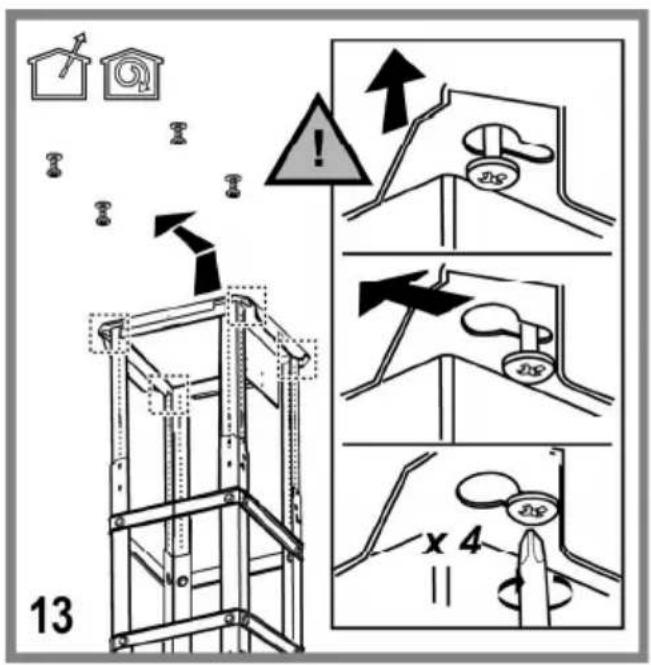
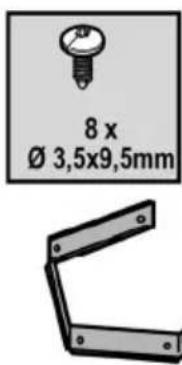
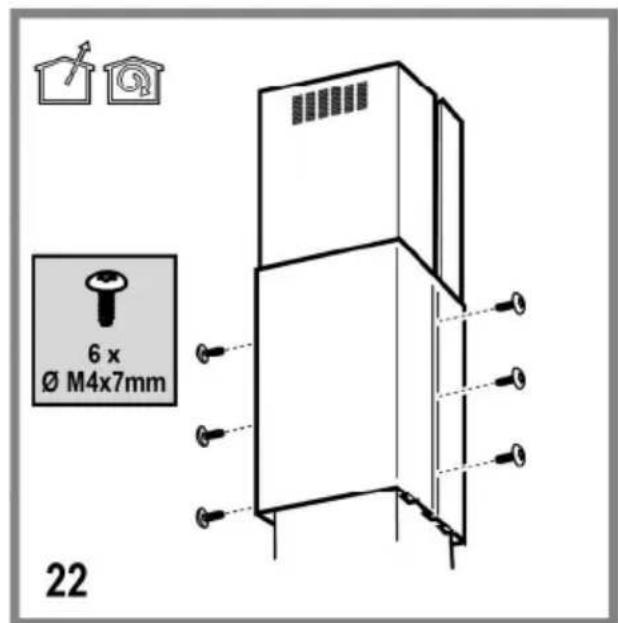
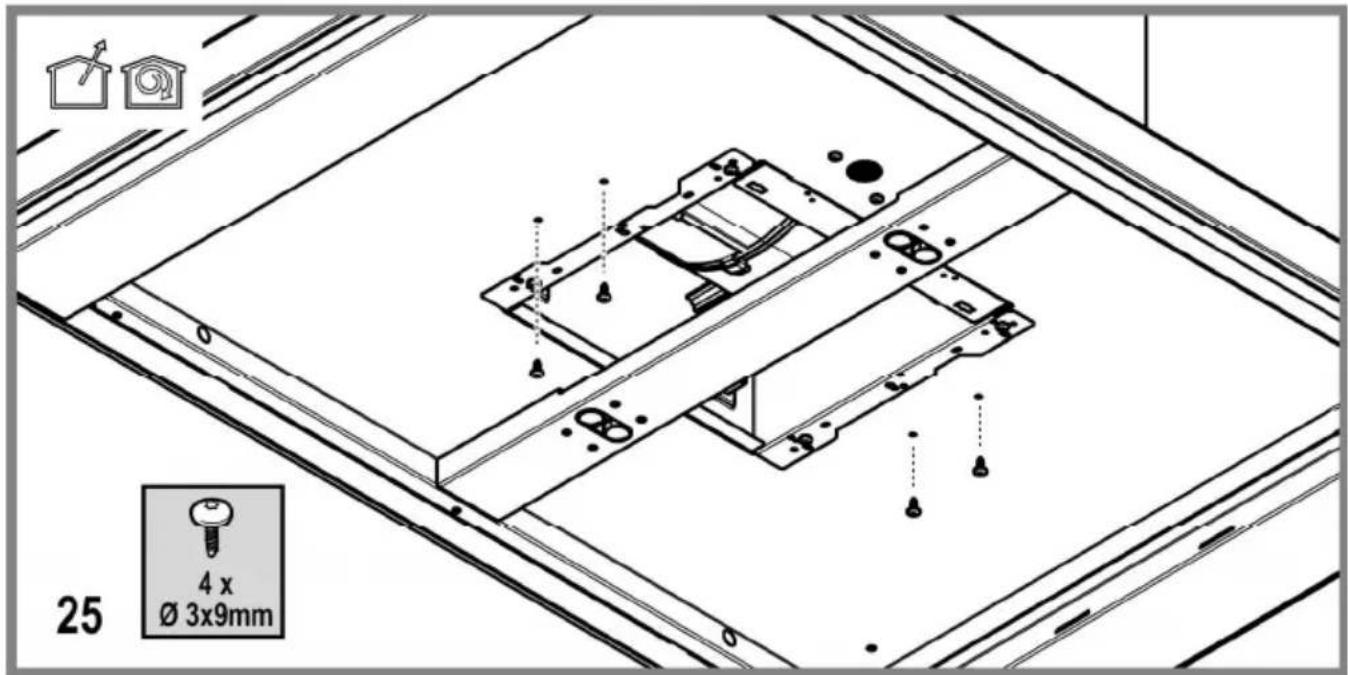
Use only the fixing screws supplied with the product for installation or, if not supplied, purchase the correct screws type.
Use the correct length for the screws which are identified in the Installation Guide.
In case of doubt, consult an authorised service assistance centre or similar qualified person.
WARNING! Failure to install the screws or fixing device in accordance with these instructions may result in electrical hazards.
USE
The hood is designed to be used either for exhausting or filter version.

Ducting version
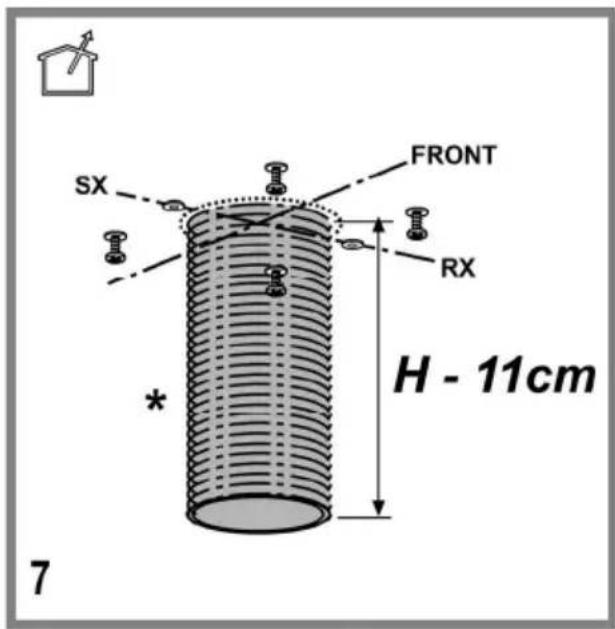
In this case the fumes are conveyed outside of the building by means of a special pipe connected with the connection ring located on top of the hood.
Attention! The exhausting pipe is not supplied and must be purchased apart.
Diameter of the exhausting pipe must be equal to that of the connection ring.
In the horizontal runs the exhausting pipe must be slightly slanted (about 10^ ) and directed upwards to vent the air easily from the room to the outside.
Attention! If the hood is supplied with active charcoal filter, then it must be removed.
Connect the hood and discharge holes on the walls with a diameter equivalent to the air outlet (connection flange).
Using the tubes and discharge holes on walls with smaller dimensions will cause a diminution of the suction performance and a drastic increase in noise.
Any responsibility in the matter is therefore declined.
! Use a duct of the minimum indispensable length.
! Use a duct with as few elbows as possible (maximum elbow angle: 90^ ).
! Avoid drastic changes in the duct cross-section.
! Use a duct as smooth as possible inside.
! The duct must be made of certified material.

Filter version
One active charcoal filter is needed for this and can be obtained from your usual retailer.
The filter removes the grease and smells from the extracted air before sending it back into the room through the upper outlet grid.
INSTALLATION
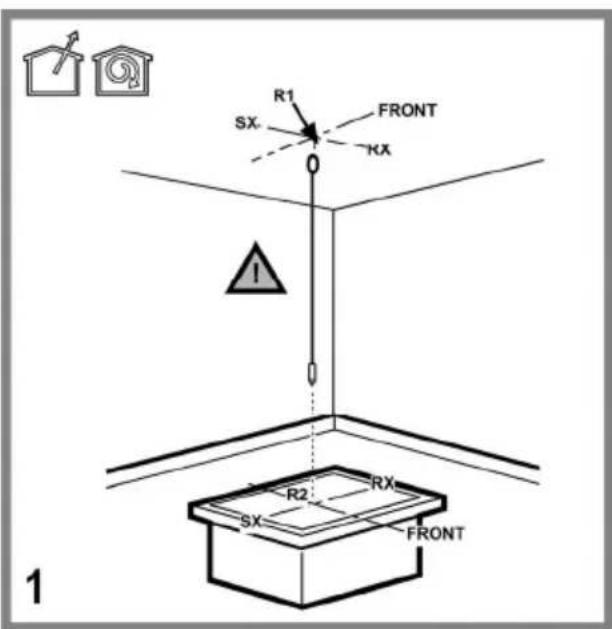
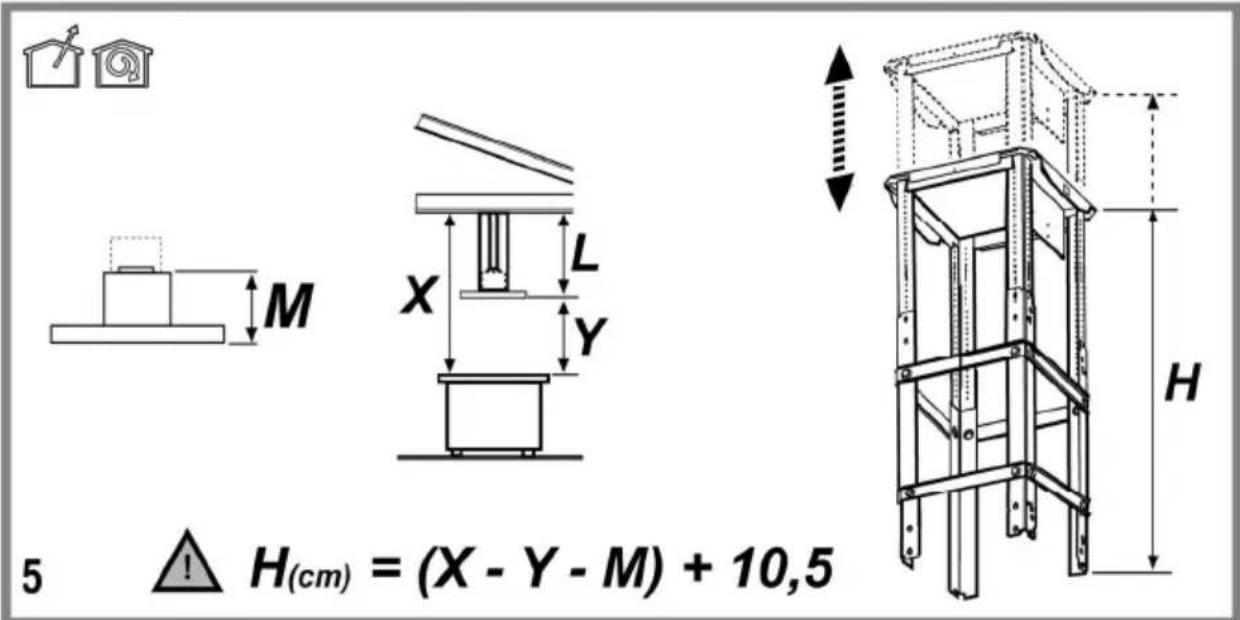
The minimum distance between the supporting surface for the cooking equipment on the hob and the lowest part of the range hood must be not less than 50cm from electric cookers and 65cm from gas or mixed cookers.
If the instructions for installation for the gas hob specify a greater distance, this must be adhered to.

Electrical connection
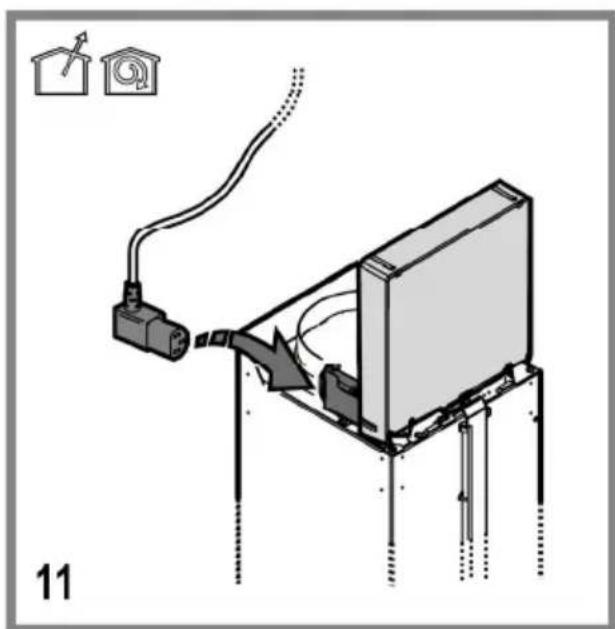
The mains power supply must correspond to the rating indicated on the plate situated inside the hood. If provided with a plug connect the hood to a socket in compliance with current regulations and positioned in an accessible area, after installation. If it not fitted with a plug (direct mains connection) or if the plug is not located in an accessible area, after installation, apply a double pole switch in accordance with standards which assures the complete disconnection of the mains under conditions relating to over-current category III, in accordance with installation instructions.
Warning! Before re-connecting the hood circuit to the mains supply and checking the efficient function, always check that the mains cable is correctly assembled.
The hood is provided with a special power cable; if the cable is damaged, request a new one from Technical Service.
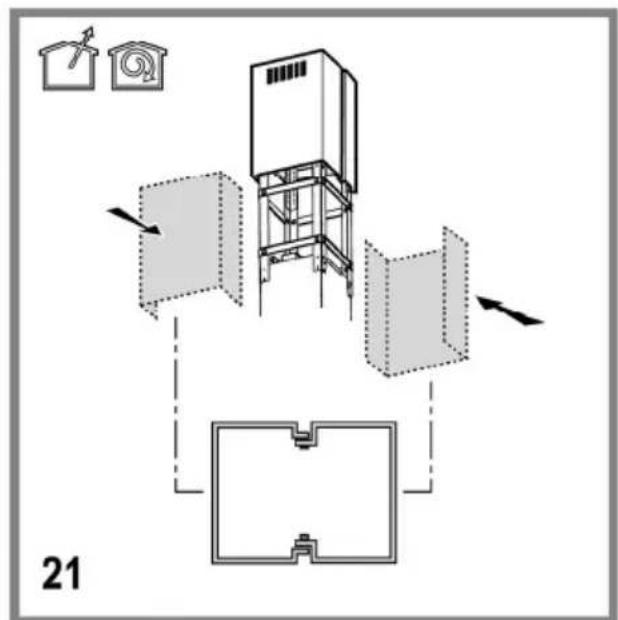
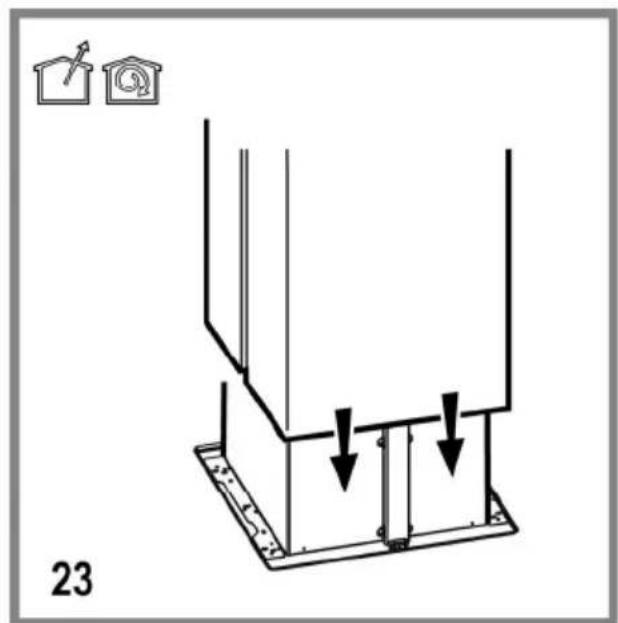
Mounting
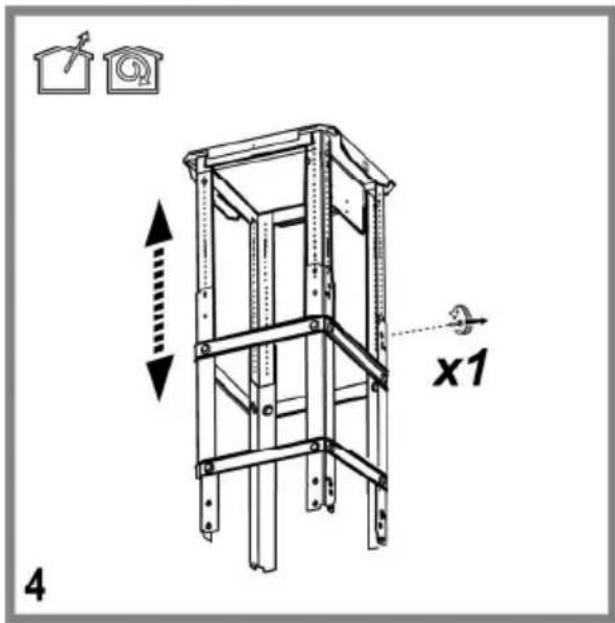
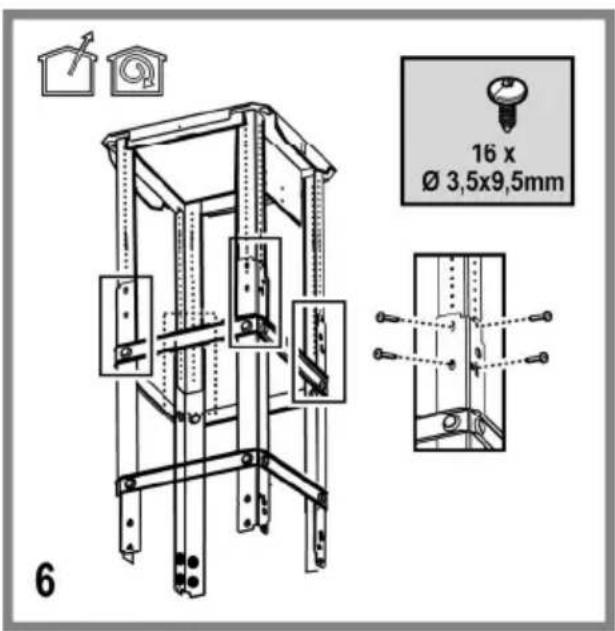
Very heavy product; hood handling and installation must be carried out by at least two persons.
Before beginning installation:
- Check that the product purchased is of a suitable size for the chosen installation area.
- Remove the charcoal (*) filter/s if supplied (see also relative paragraph). This/these is/are to be mounted only if you want to use the hood in the filtering version.
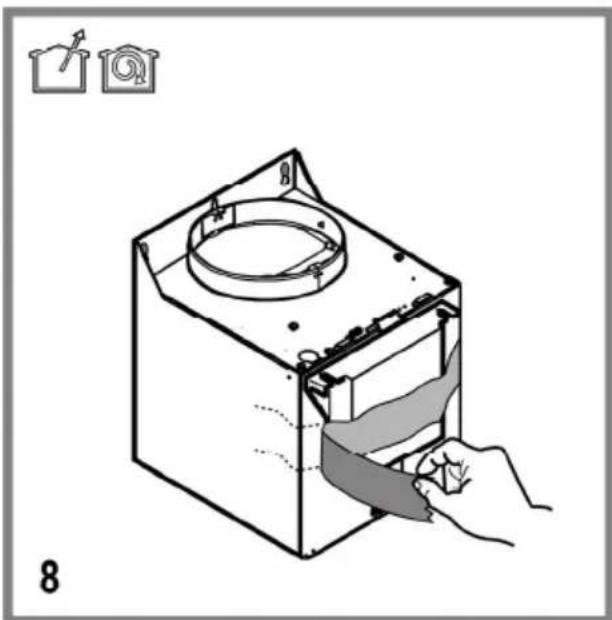
- Check (for transport reasons) that there is no other supplied material inside the hood (e.g. packets with screws (*), guarantees (*), etc.), eventually removing them and keeping them.
- If possible, disconnect and move freestanding or slide-in range from cabinet opening to provide easier access to rear wall/ceiling. Otherwise put a thick, protective covering over countertop, cooktop or range to protect from damage and debris. Select a flat surface for assembling the unit. Cover that surface with a protective covering and place all canopy hood parts and hardware in it.
- In addition check whether near the installation area of the hood (in the area accessible also with the hood mounted) an electric socket is available and it is possible to connect a fumes discharge device to the outside (only suction version).
- Carry out all the masonry work necessary (e.g. installation of an electric socket and/or a hole for the passage of the discharge tube).
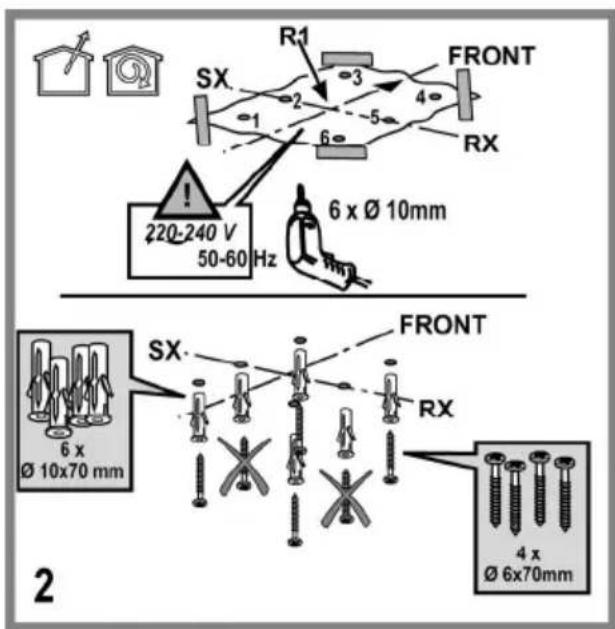
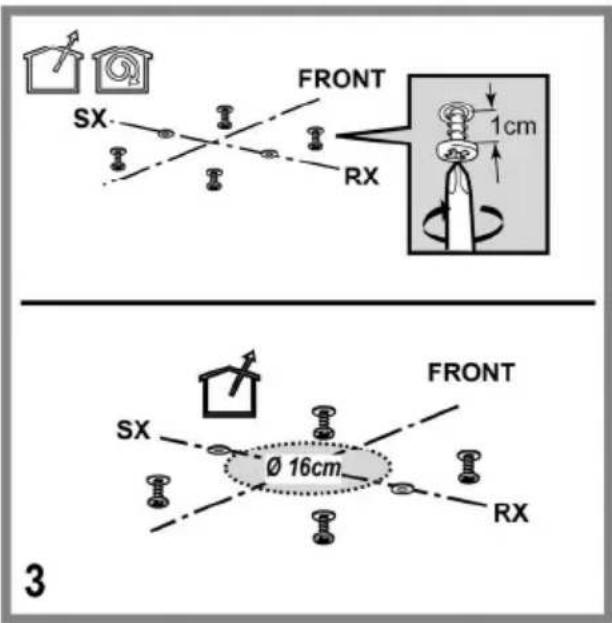
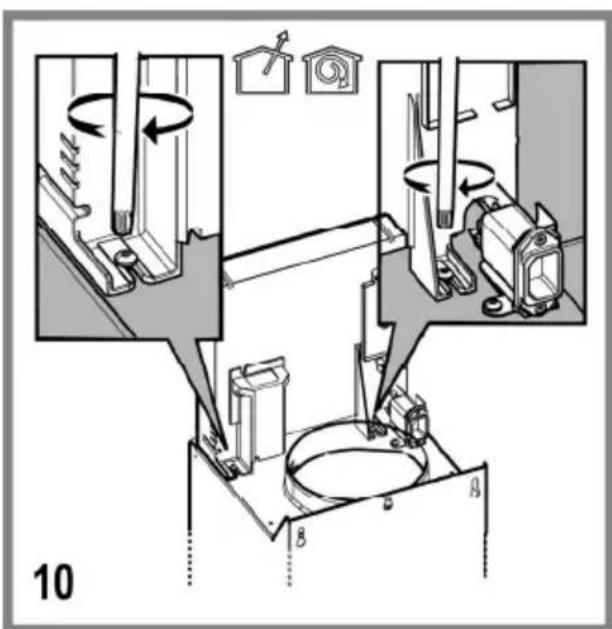
Expansion wall plugs are provided to secure the hood to most types of walls/ceilings. However, a qualified technician must verify suitability of the materials in accordance with the type of wall/ceiling. The wall/ceiling must be strong enough to take the weight of the hood. Do not tile, grout or silicone this appliance to the wall. Surface mounting only.
OPERATION
Use the high suction speed in cases of concentrated kitchen vapours. It is recommended that the cooker hood suction is switched on for 5 minutes prior to cooking and to leave in operation during cooking and for another 15 minutes approximately after terminating cooking.
To select the functions of the hood, simply touch the controls.
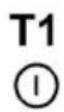
T1. Standby mode (the control panel off – all functions disabled) / ON (control panel switched on)
Note: After about a minute of inactivity (suction and lights), the hood will automatically switch to standby.
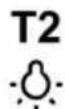
T2. ON/OFF lights
- with the lights on, touch the LED strip SL1 with the fingers towards right or left to increase or decrease the intensity of the light.
Note: the light turns on at the last set intensity before its switching off.
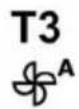
T3. ON/OFF Automatic operation
The hood automatically sets the suction speed (power) 2 to increase if the environmental conditions detected by the hood sensor require it.
If there are no variations in the environmental conditions, after 10 minutes (if the hood is already in suction speed (power) 1), the hood turns off.
Note: for a correct use of this function, first perform the "Setting of the parameters for Automatic Operation" (see corresponding paragraph).
Note: During automatic operation, if the user acts on the other functions that adjust the speed, auto ventilation function is switched off.
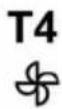
T4. ON/OFF Motor
- with the motor running, touch the led strip SL2 with your fingers towards right or left to increase or decrease the suction speed (power).
Note: the motor starts running at the last suction speed (power) set before switching off.
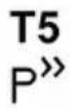
T5. ON/OFF Intensive suction speed (power) "POWER BOOST" (timed)
Note: After 5 minutes of operation the hood returns to its previous state.
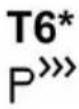
T6. ON/OFF intensive suction speed (power) "POWER BOOST x 2" (timed)
Note: After 5 minutes of operation, the hood goes back to the previous status.
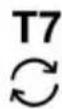
T7. ON/OFF operation mode "Air refresh"
Every 50 minutes of inactivity, the suction speed (power 1 is turned on for 10 minutes.
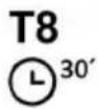
T8. ON/OFF Delayed switch off of the suction speed (power).
Note: this function is available for the speeds that can be selected with button T4.
Press once or repeatedly to choose the delayed switch off time that you want to set (10-20-30 minutes)
T9. Indicator and reset filter saturation
The button lights on automatically with steady light when it is necessary to perform the grease filter maintenance.
The button lights on automatically with flashing light when it is necessary to perform the charcoal filter maintenance.
After performing the maintenance, with the hood off and the button active, press the button for more than 3 seconds to perform the reset of the filter saturation indicator; repeat the operation if necessary (for ex., when both filters are saturated).
Activation of the charcoal filter saturation indicator
The saturation indicator of the charcoal filter is normally disabled. To activate it, proceed in the following manner:
With the display on (ON) and the suction off (OFF), press simultaneously the buttons T8 and T9 for more than 3 seconds; the button T9 lights on with steady light for approx. 5 seconds, to indicate the activation.
To disable it, repeat the operation; the button T9 will flash for approx. 5 seconds to indicate the disabling.
Setting of Automatic Operation parameters
For correct use of the automatic operation, perform "Hood Calibration" and "Selection of the hob".
Hood Calibration
With the display on (ON) and the suction off (OFF), press button T4 for 5 seconds.
The suction speed (power) 2 starts functioning and button T4 flashes to indicate that hood calibration is initiated and it will last for approx. 15 minutes.
Note: to interrupt the calibration, press T4 for 5 seconds; the calibration will be invalidated and should therefore be repeated.
Selection of the cooktop
With the display on (ON) and the suction off (OFF), press button T3 for 5 seconds.
Buttons T3, T5 and T6 light up.
Press the button T5 for the gas cooktop – the button flashes to indicate its selection.
Press the button T6 for the electric cooktop- the button flashes to indicate its selection.
IHT941A2XBG
L1 L2 L3
L4 L5 L6

To select the functions of the hood, simply touch the controls.
T1. Standby mode (the control panel off – all functions disabled) / ON (control panel switched on)
Note: After about a minute of inactivity (suction and lights), the hood will automatically switch to standby.
T2. ON/OFF lights
On certain models only (see drawing above):
press repeatedly to select the desired light intensity:
L1 : low light
L2 : medium light
L3 : high light
Press again to turn off the lights.
T3. ON/OFF Automatic operation
The hood automatically sets the suction speed (power) 1 to increase if the environmental conditions detected by the hood sensor require it.
If there are no variations in the environmental conditions, after 10 minutes (if the hood is already in suction speed (power) 1), the hood turns off.
Note: for a correct use of this function, first perform the "Setting of the parameters for Automatic Operation" (see corresponding paragraph).
Note: During automatic operation, if the user acts on the other functions that adjust the speed, auto ventilation function is switched off.
T4. Manual selection of the suction speed (power):
L4 : suction speed (power) 1
L5 : suction speed (power) 2
L6: suction speed (power) 3
Press again to turn off the hood (OFF).
Note: manual selection excludes any other suction related set function.
T5. Intensive suction speed (power) "POWER BOOST" (timed)
Note: After 5 minutes of operation the hood returns to its previous state.
Press T4 to prematurely return to previous status.
T6*. (Only certain models) intensive suction speed (power) "POWER BOOST x 2" (timed)
Note: After 5 minutes of operation, the hood goes back to the previous status.
Press T4 to prematurely return to previous status.
T7. ON/OFF operation mode "Air refresh"
Every 50 minutes of inactivity, the suction speed (power 1 is turned on for 10 minutes.
T8. ON/OFF Delayed switch off of the suction speed (power) (approx. 30 minutes
Note: this function is available for the speeds that can be selected with button T4.
T9. Indicator and reset filter saturation
The button lights on automatically with steady light when it is necessary to perform the grease filter maintenance.
The button lights on automatically with flashing light when it is necessary to perform the charcoal filter maintenance.
After performing the maintenance, with the hood off and the button active, press the button for more than 3 seconds to perform the reset of the filter saturation indicator; repeat the operation if necessary (for ex., when both filters are saturated).
Activation of the charcoal filter saturation indicator
The saturation indicator of the charcoal filter is normally disabled. To activate it, proceed in the following manner:
With the display on (ON) and the suction off (OFF), press simultaneously the buttons T8 and T9 for more than 3 seconds; the button T9 lights on with steady light for approx. 5 seconds, to indicate the activation.
To disable it, repeat the operation; the button T9 will flash for approx. 5 seconds to indicate the disabling.
Setting of Automatic Operation parameters
For correct use of the automatic operation, perform "Hood Calibration" and "Selection of the hob".
Hood Calibration
With the display on (ON) and the suction off (OFF), press button T4 for 5 seconds.
The suction speed (power) 2 starts functioning and button T4 flashes to indicate that hood calibration is initiated and it will last for approx. 15 minutes.
Note: to interrupt the calibration, press T4 for 5 seconds; the calibration will be invalidated and should therefore be repeated.
Selection of the cooktop
With the display on (ON) and the suction off (OFF), press button T3 for 5 seconds.
Model with 2 levels of intensive power T5 (POWER BOOST) e T6 (POWER BOOST x 2)
Buttons T3, T5 and T6 light up.
Press the button T5 for the gas cooktop – the button flashes to indicate its selection.
Press the button T6 for the electric cooktop- the button flashes to indicate its selection.
Model with one level of intensive power T5 (POWER BOOST)
Buttons T3, T7 and T8 light up.
Press the button T7 for the gas cooktop – the button flashes to indicate its selection.
Press the button T8 for the electric cooktop- the button flashes to indicate its selection.
MAINTENANCE
ATTENTION! Before performing any maintenance operation, isolate the hood from the electrical supply by switching off at the connector and removing the connector fuse.
Or if the appliance has been connected through a plug and socket, then the plug must be removed from the socket.
Cleaning
The cooker hood should be cleaned regularly (at least with the same frequency with which you carry out maintenance of the fat filters) internally and externally. Clean using the cloth dampened with neutral liquid detergent. Do not use abrasive products. DO NOT USE ALCOHOL!
WARNING: Failure to carry out the basic cleaning recommendations of the cooker hood and replacement of the filters may cause fire risks.
Therefore, we recommend observing these instructions.
The manufacturer declines all responsibility for any damage to the motor or any fire damage linked to inappropriate maintenance or failure to observe the above safety recommendations.
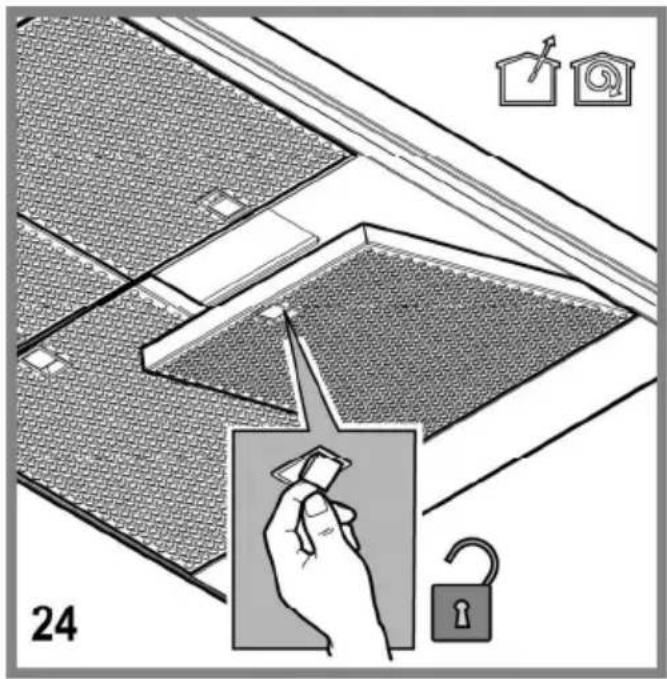
Grease filter
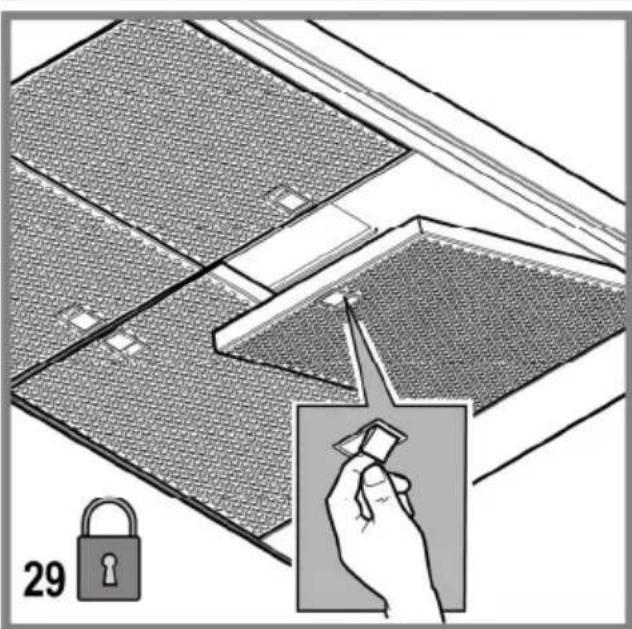
Fig. 24-29
Traps cooking grease particles.
The grease filter must be cleaned once a month using non aggressive detergents, either by hand or in the dishwasher, which must be set to a low temperature and a short cycle. When washed in a dishwasher, the grease filter may discolour slightly, but this does not affect its filtering capacity.
To remove the grease filter, pull the spring release handle.
Charcoal filter (filter version only)
Fig. 26
It absorbs unpleasant odours caused by cooking.
The saturation of the charcoal filter occurs after more or less prolonged use, depending on the type of cooking and the regularity of cleaning of the grease filter.
In any case it is necessary to replace the cartridge at least every four months.
The charcoal filter may NOT be washed or regenerated.
Replacing lamps
The hood is equipped with a lighting system based on LED technology.
The LEDs guarantee an optimum lighting, a duration up to 10 times as long as the traditional lamps and allow to save 90% electrical energy.
For replacement, contact the technical service.
CAMPANA EXTRACTORA
Norint jungti gartraukio funkcijas, pakanka prisiliesti prie valdymo mygtuku.

- DUNSTABZUGSHAUBE
- CAUTION
- Additional Installation Specifications:
- USE
- Ducting version
- Filter version
- INSTALLATION
- Electrical connection
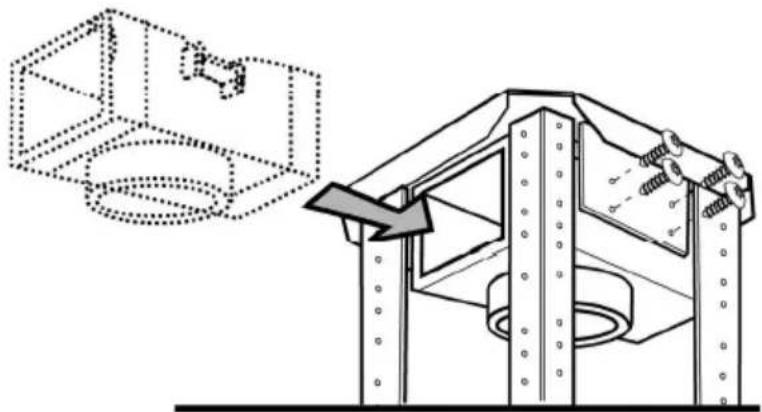
- Mounting
- Before beginning installation:
- OPERATION
- Setting of Automatic Operation parameters
- Hood Calibration
- Selection of the cooktop
- IHT941A2XBG
- MAINTENANCE
- Cleaning
- Grease filter
- Fig. 24-29
- Charcoal filter (filter version only)
- Fig. 26
- Replacing lamps
- CAMPANA EXTRACTORA
Brand : GORENJE
Model : IHT961S2XUK
Category : Basket