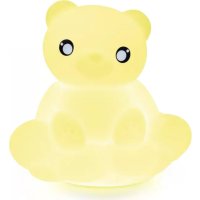
BTLSWBEAR - Docking station BIGBEN INTERACTIVE - Free user manual and instructions
Find the device manual for free BTLSWBEAR BIGBEN INTERACTIVE in PDF.



| Product type | Bluetooth speaker with lighting |
| Brand | Bigben Interactive |
| Model | BTLSWBEAR |
| Bluetooth version | 5.0 |
| RMS power | 3 W |
| Speaker | 2.5" (6.3 cm), 4 Ω |
| Power supply | USB-C 5 V / 1 A |
| Battery | Lithium 2200 mAh |
| Battery life | ~6 h (50% volume), ~2.5 h (100% volume) |
| Charging time | 2 to 3 hours |
| Bluetooth range | 10 m |
| Bluetooth pairing name | Cloud / Castle / Bear |
| Lighting functions | 7 colors, rhythmic flash, scrolling, white |
| Remote control | Yes, CR2025 battery |
| Installation | Wall or flat surface (metal bracket included) |
| Maintenance | Soft cloth, no abrasive products |
| Safety | Do not expose to water or heat |
| Included accessories | USB-C cable, remote control, bracket, template, screws and wall plugs |
Frequently Asked Questions - BTLSWBEAR BIGBEN INTERACTIVE
User questions about BTLSWBEAR BIGBEN INTERACTIVE
0 question about this device. Answer the ones you know or ask your own.
Ask a new question about this device
Download the instructions for your Docking station in PDF format for free! Find your manual BTLSWBEAR - BIGBEN INTERACTIVE and take your electronic device back in hand. On this page are published all the documents necessary for the use of your device. BTLSWBEAR by BIGBEN INTERACTIVE.
USER MANUAL BTLSWBEAR BIGBEN INTERACTIVE
REEMPLACEMENT DE LA PILE (DE LA
TELECOMMANDE) 6
Avertissement ! 6
Waterloo Office Park/Batiment H
Dreve Richelle 161 bte 15 1410 Waterloo, Belgium
Bigben Interactive NEDERLAND b.v.
BELGIQUE, customerservice@bigben-interactive.be
NEDERLAND, customerservice@bigben-interactive.nl
ESPANA, sat@bigbeninteractive.es
ITALIA, support@bigbeninteractive.it
www/bigben.eu
BIGBEN
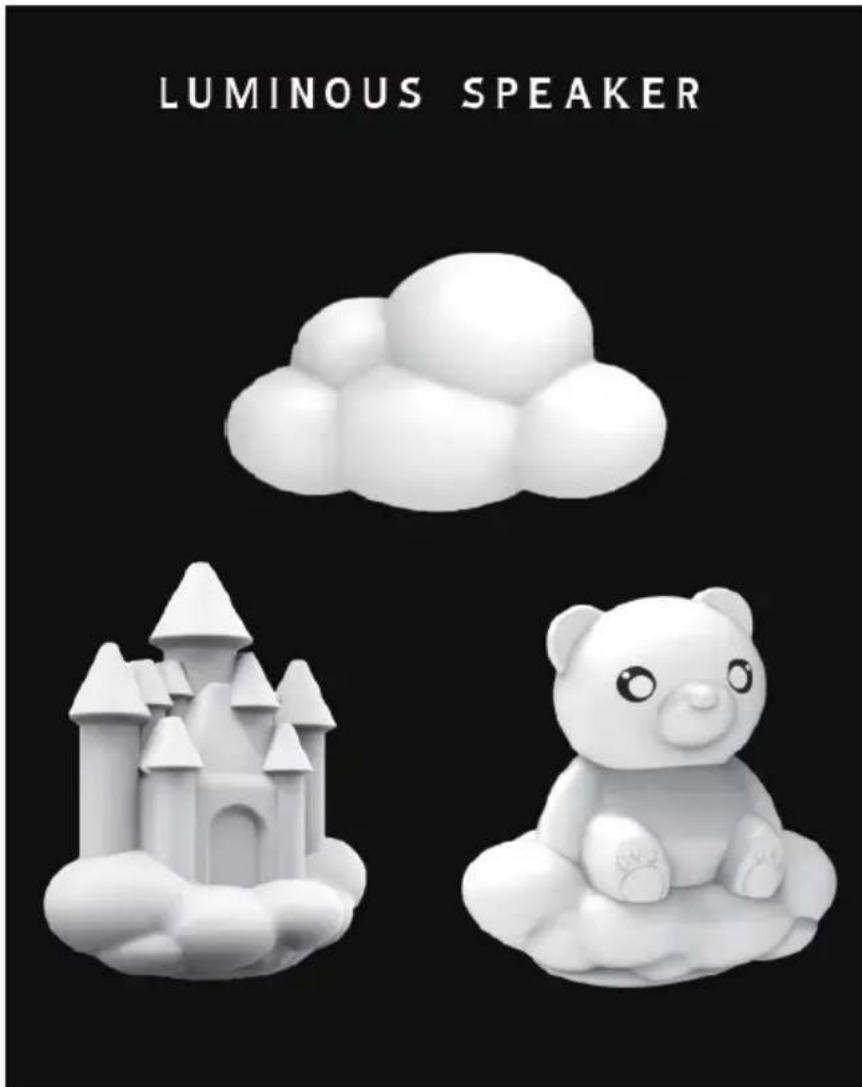
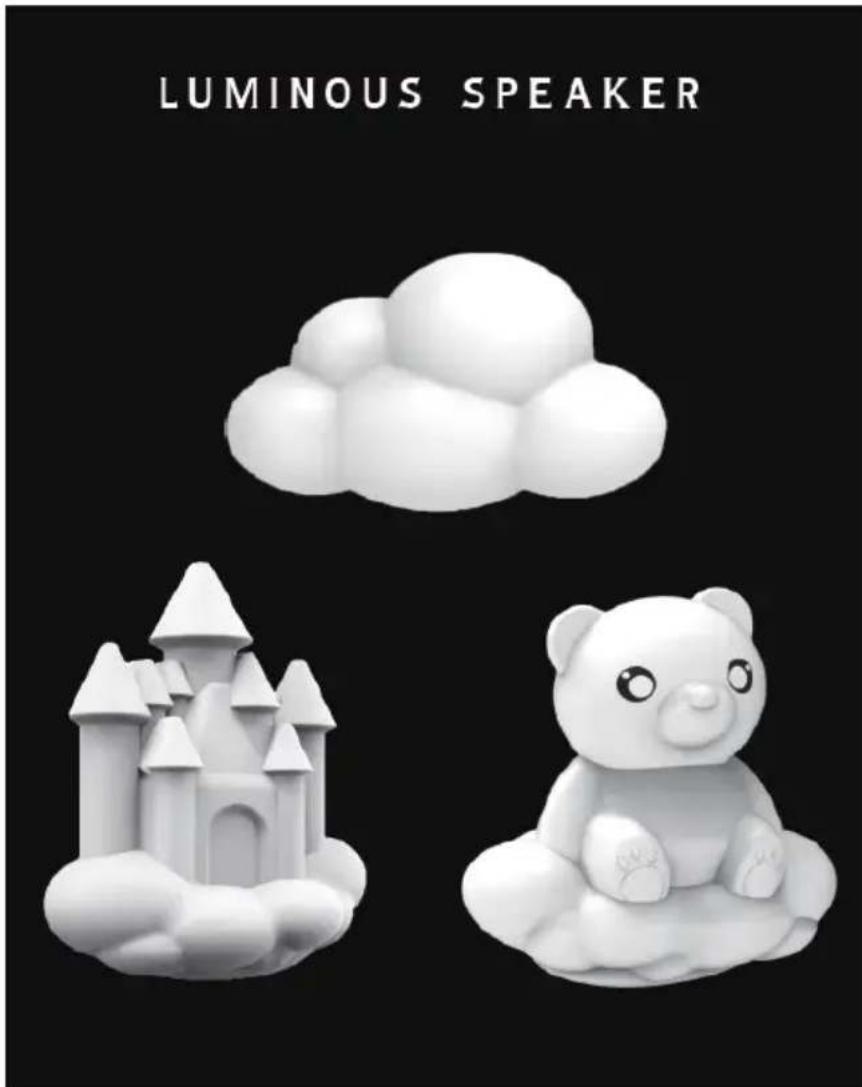
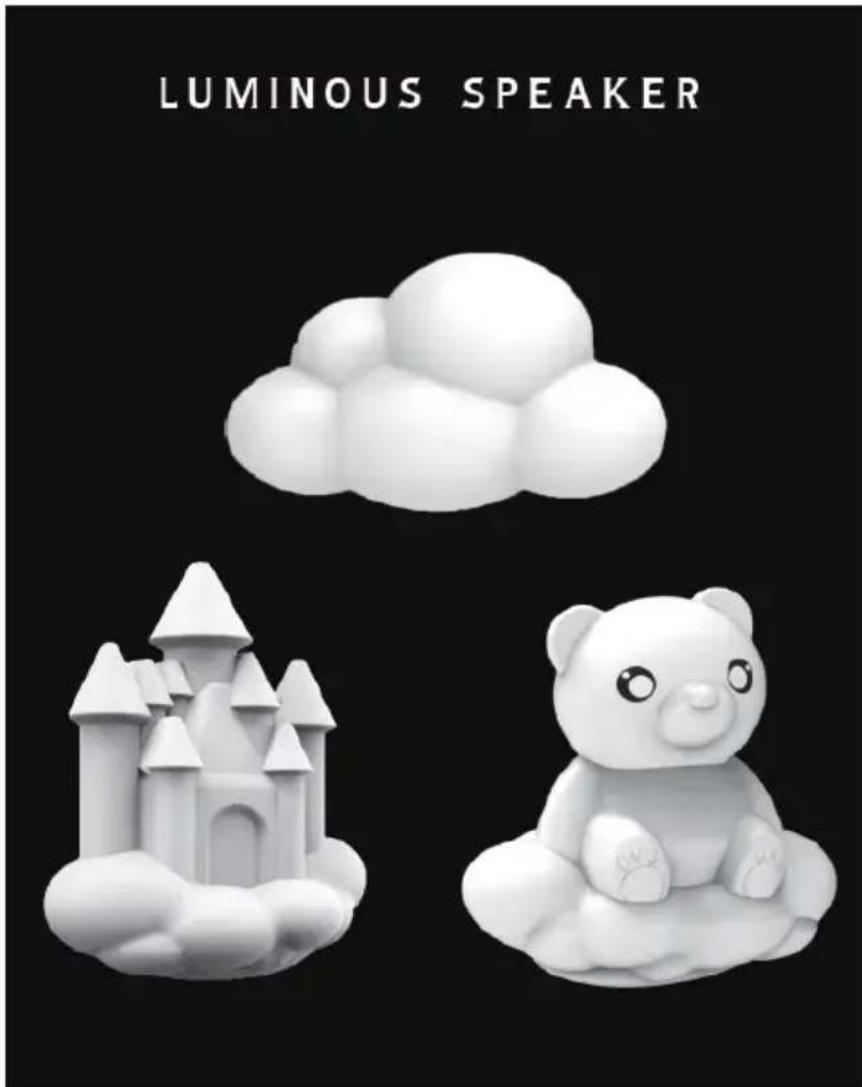
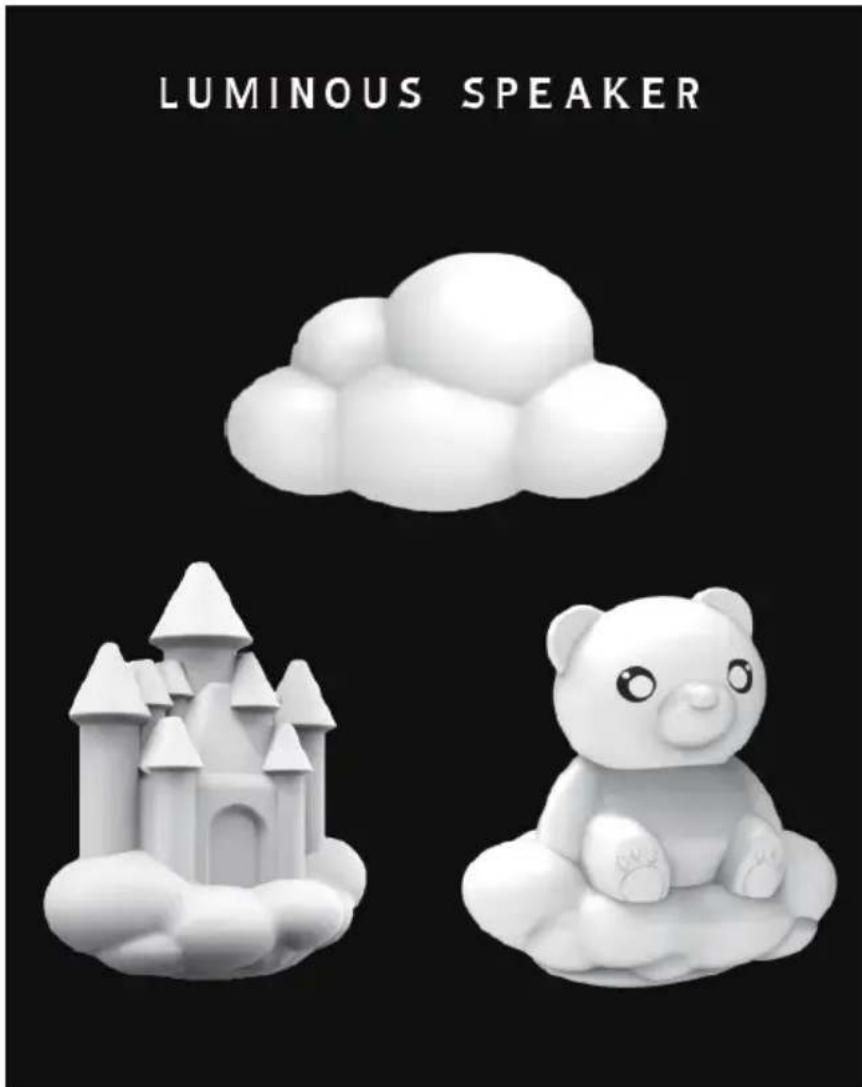
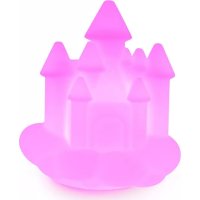
LUMINOUS SPEAKER
OPERATING INSTRUCTIONS
PLEASE READ THIS USER MANUAL CAREFULLY BEFORE OPERATING THIS UNIT AND RETAIN FOR FUTURE REFERENCE
Contents
| Getting Started 1 | Play music by USB player | 5 |
| Safety Warning and Notice 1 | Priority of audio source Bluetooth/USB | 5 |
| What's in the box? 2 | Bluetooth safe mode | 5 |
| Product operation panel 3 | OPERATION BY REMOTE CONTROL | 5 |
| Usage 3 | BATTERY REPLACEMENT | |
| Operation 4 | (FOR REMOTE CONTROL) | 6 |
| Charging 4 | Warning! | 6 |
| Low Power Warning 5 | Product Specification | 7 |
| Play music by Bluetooth 5 | Care of the environment | 7 |
Getting Started
- Remove the appliance from the box.
- Remove any packaging from the product.
- Place the packaging inside the box and either or dispose of safely.
Safety Warning and Notice
- Read and understand all instructions before you use this product. If damage is caused by failure to follow the instructions, the warranty does not apply.

- Don't sleep with the product.
- The product must be at a minimal distance of 20cm from human body when working.
- Never remove the casing of this device.
- Never place this device on other electrical equipment.
- Protect the power cord from being walked on or pinched, particularly at plugs, convenience receptacles, and the point where they exit from the device. Make sure that the power voltage corresponds to the voltage printed on the back label. When you unplug the AC power cord always pull the plug from the socket. Never pull the cord. Before connecting the AC power cord, ensure you have completed all other connections.
-
Only use attachments/accessories specified by the manufacturer.
Refer all servicing to qualified service personnel. Servicing is required when the device has been damaged in any way, such as: -
damaged power-supply cord,
- spilled liquid or objects have inserted into the device,
- the device has been exposed to rain or moisture,
- the device does not operate normally,
-
or the device has been dropped.
-
The rating label is placed on the bottom side of apparatus.
- Make sure there is enough space around the product for ventilation. Do not block any ventilation openings.
- The use of this device must be done in moderate climates, away from direct sunlight, naked flames, heat, heat registers, stoves, or other apparatus (including amplifiers) that produce I install near any heat sources.
-
Batteries (battery pack or batteries installed) shall not be exposed to excessive heat such as sunshine, fire, etc.
-
Unplug before cleaning. Never lubricate any part of this device. Clean the appliance with a soft cloth. Do not use abrasives or harsh cleaners.
Ensure that you always have easy access to the power cord, plug or adaptor to disconnect this device from the power if necessary. - Do not use this apparatus near water. It must not be in contact with dripping or splashing. Do not use this unit in wet or damp conditions.
- Unplug this device during lightning storms or when unused for long periods of time.
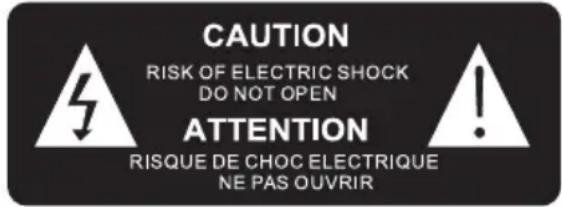
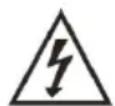
The lightning symbol inside an equilateral triangle warns the user of the presence inside the product of uninsulated hazardous electric voltages powerful enough to represent an electrocution risk.

The exclamation point within a triangle indicates the presence of important operating and maintenance (servicing) instructions in the literature accompanying the unit.
| DIRECT CURRENT | |
| FOR INDOOR USE ONLY |
1) This appliance can be used by children aged from 8 years and above and persons with reduced physical, sensory or mental capabilities or lack of experience and knowledge if they have been given supervision or instruction concerning use of the appliance in a safe way and understand the hazards involved. Children shall not play with the appliance. Cleaning and user maintenance shall not be made by children without supervision.
2) This appliance must only be supplied at safety extra low voltage corresponding to the marking on the appliance.
3) The battery must be removed from the appliance before it is scrapped; The appliance must be disconnected from the supply mains when removing the battery.
What's in the box?
Check and identify the contents of your package:
1 x Luminous speaker
1 x USB C charging cable
1 x User manual
1 x Remote control
1 x Metal stand
1 x Screw hole template
2 x Pan head screw
2 x Screw holder
Product operation panel
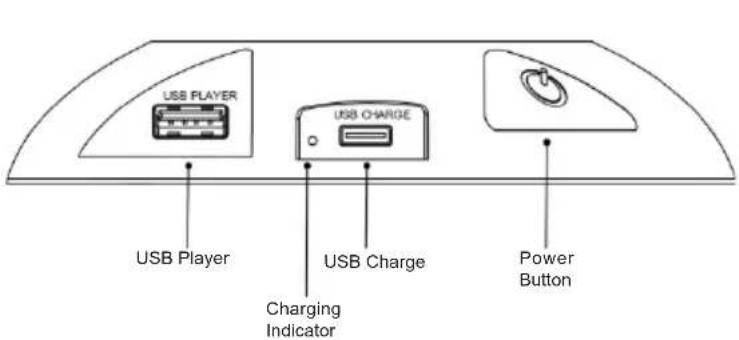
No password is normally required for Bluetooth connection, but some mobile phones may request it.
Default password is: 0000
Bluetooth range is 10M. Receiving range will be reduced as the battery voltage decreases.
Usage
Choose whether to position for speaker on a flat surface or on the wall.
If positioning on a flat surface, attach the metal stand to the rear of the speaker.
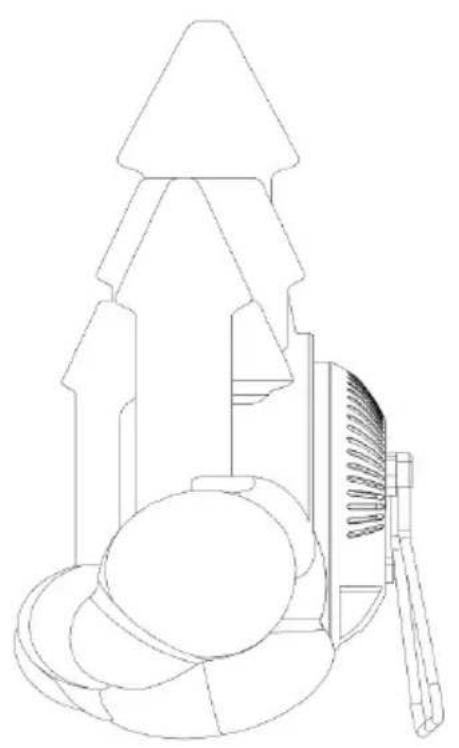
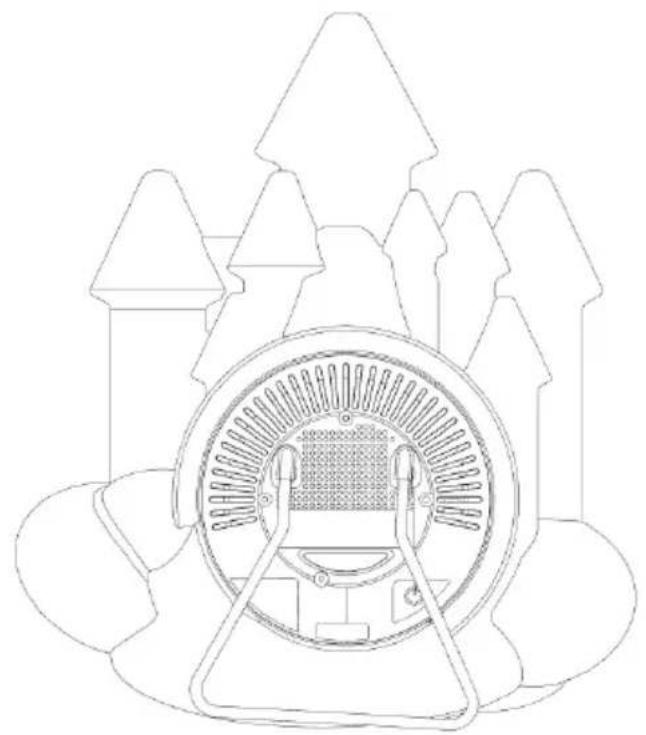
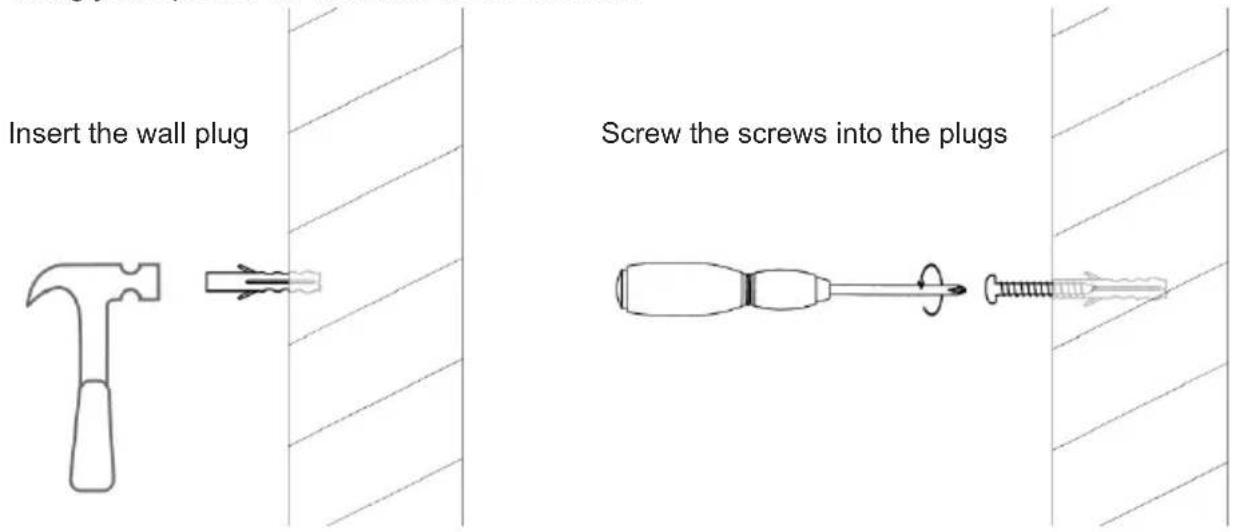
If hanging the speaker on a wall, use the screws and wall plugs provided.
1) Firstly, use the screw hole template to mark the screw holes on your wall. The template has been provided to ensure the spacing is exact. Please ensure that you keep the template horizontal, so the speaker hangs straight.
2) Drill the 2 holes with the correct size drill to hold the 2 wall plugs.
3) Insert the 2 wall plugs into the holes.
4) Screw the 2 screws into the plugs. Leave about 10mm of screw showing to hang the speaker.
5) Hang your speaker on the wall. Ensure it is safe.
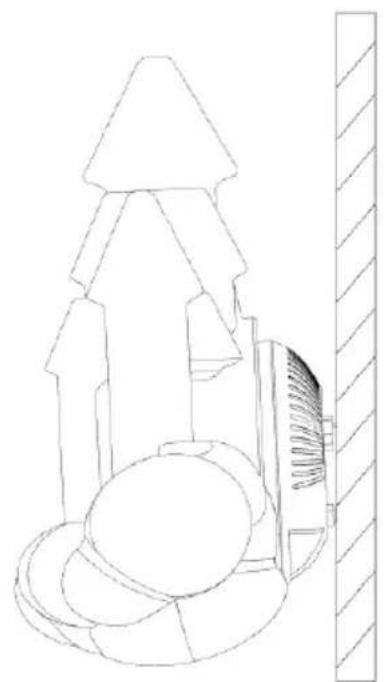
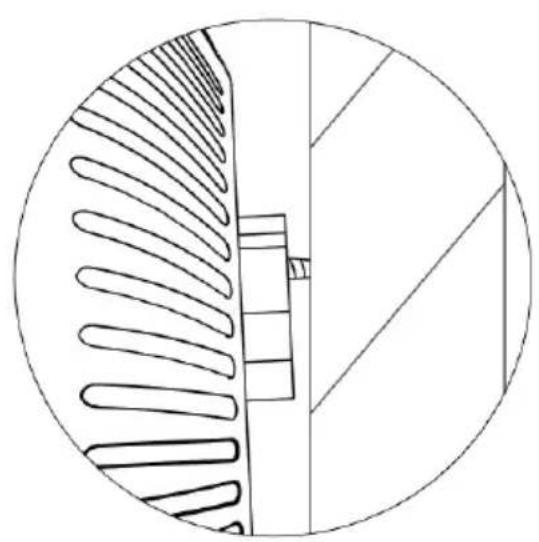
You will need to remove the speaker from the wall occasionally to charge it. Just lift slightly and then remove from the wall.
Operation
Turn on/off the luminous speaker
1) Long press the power button at the bottom of the speaker for 2-3 seconds. The light and Bluetooth will be on automatically.
2) Long press the power button at the bottom of the speaker for 2-3 seconds again, the light and Bluetooth will be off automatically.
Charging
1) Connect the speaker with the USB C charging cable and connect to a USB charging source, i.e., your mobile phone AC adaptor.
2) The Red LED indicator besides the power button will turn ON when charging, and turn OFF when fully charged.
3) Unplug the USB charging cable after fully charged.
Low Power Warning
If your speaker is low on power, it will give you a low warning sign.
When you power on the speaker the lighting will flash red twice.
If the battery is low during use, it will flash red twice again. When you see the red flashing light, please recharge. This will not repeat to avoid causing a distraction.
Play music by Bluetooth
1) Turn on the speaker. Keep the speaker and mobile device within 1 meter of each other.
2) Start the Bluetooth function in the settings menu on your mobile device and select "Cloud, Bear or Castle in the Bluetooth device list. (depending on the Bluetooth version of your device you may have to enter pass code '0000').
3) Play music from your favourite music player or streaming service. You can also play, pause or track skip with the remote control.
Play music by USB player
- Turn on the speaker, insert your USB stick into the USB port and music will automatically play. You can play, pause and track skip with the remote control
Priority of audio source: Bluetooth/USB
- Bluetooth is set as default when powered on if nothing is connected to the USB port and the speaker will play music via Bluetooth after being switched on if a mobile device has been paired previously.
- If you have a USB stick plugged in, the speaker will play music via USB automatically and it will play from the last track position you were listening from.
Bluetooth safe mode
- Double press the power button to enter Bluetooth safe mode The Bluetooth signal will be completely disabled, and Bluetooth will disconnect.
- The Bluetooth signal can be reactivated by 2 methods: 1) press the power button again; 2) Turn off the speaker and Turn on again.
NOTE: Please first pull out the small plastic sheet from the battery cover before below operation.
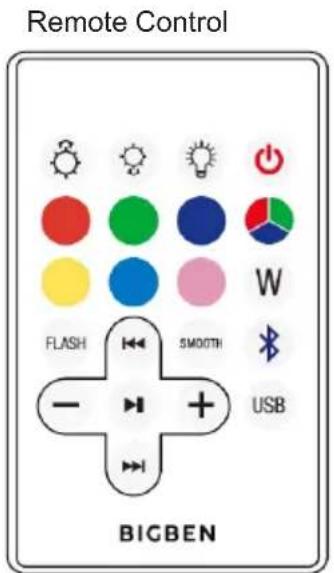
1) Stand by button: After turning on the speaker (by pressing power button which located on the bottom area), short press this button to turn off the light and Bluetooth, short press again to turn on the light and Bluetooth.
2) Brightness intensity button: Change brightness intensity when the light is fixed single color.
3) Light ON/OFF button: Press this button to power the light on and off. Power on is the first step for all functions on remote control. Once the colour light is on, press the light ON/OFF button again only to turn on or turn off the lighting. This colour light has memory storage function when the power is not exhausted. The light can remember the last lighting mode or colour you used. For example, if you turned off the light while using red colour, it will display as red again when you switch the light back on.
4) Bluetooth function button: press this button to switch into Bluetooth mode.
5) USB USB player function button : press this button to switch into USB player mode.
6) Colour selection button: When the light is on, press this button to choose your favorite color as shown on the remote control (six colors).
7) Colour selection button: when the light is on, press this button scroll through your favorite colours (Total 7 colors).
8) Flash Music flash button: the light will flash when music is playing.
9) Smooth button: 7 colours scroll automatically.
10) W White colour button: press this button and the speaker will display white colour.
11) Previous button: when the Bluetooth or USB key is connected and music is on, press this button to select previous music.
12) Next button: when the Bluetooth or USB key is connected and music is on, press this button to select next music.
13) Pause and play: when the Bluetooth or USB key is connected and music is on, press this button to play or pause the music.
14) (-\ +) When the Bluetooth or USB key is connected and music is on, press the “-” to reduce volume, press “+” to increase volume.
BATTERY REPLACEMENT (FOR REMOTE CONTROL)
- If remote control fails to activate the light, replace the battery.
- Move the slot besides the battery cover to right side, then the battery cover will pop out. Then take out the battery and replace a new one. Replace with a 3V CR2025.
- Pay attention to the polarity of the battery when installing them back to the remote control.
Warning!
- Make sure that battery is inserted the right way and with the right polarity
- Remove exhausted battery from the product
- The supply terminals should not be short-circuited
- Dispose of battery safely
Product Specification
| Type Specifications | Type Specifications | ||
| Speaker 2.5" 5W Charging Time 2-3 hours | |||
| Peak Speaker 15W Playing Time 100% Volume: around | 2.5 hours 50% Volume: around 6 hours | ||
| RMS Power 3W Bluetooth Version 5.0 | |||
| EIRP | 5.69dBm (3.71mW)* | ||
| Power Consumptions 0.2W (lights off) 1.5W (lights on) | Bluetooth Frequency 2.40-2.80 GHz | ||
| Power Input USB 5V,1A | Speaker Frequency 80Hz-20kHz | ||
| Speaker + Tweeter Impedance | 4Ω | Input | DC 5V |
| S/N Ratio | ≥50dB | Driver | 2.5" 4 Ohms speaker |
| Battery Type | 2200mAh-Lithium Battery | Battery Capacity | 2200mAh |
| Output (V,A) | 3.7V, 2.2A, 8.14Wh | Transmission Distance | 10m |
| Bluetooth Pairing Name | Cloud / Castle / Bear Battery Weight 47g | ||
Remark: The maximum connection distance is around 10 meters. Please place your Bluetooth speaker as close as possible to this device to avoid connection getting disturbed.
Under the environment with electrostatic discharge, the device may be power off. (EUT could not operate properly). It requires user reset the device by turn on the device to choose the appropriate mode & set time again.
Care of the environment

Your product is designed and manufactured with high quality materials and components, which can be recycled and reused.
Your product contains batteries covered by the European Directive 2006/66/EC, which cannot be disposed with normal household waste. Please inform yourself about the local rules on separate collection of batteries because correct disposal helps to prevent negative consequences for the environmental and human health.
When this crossed-out wheeled bin symbol is attached to a product it means that the product is covered by the European Directive 2002/96/EC. Please inform yourself about the local separate collection system for electrical and electronic products. Please act according to your local rules and do not dispose of your old products with your normal household waste. Correct disposal of your old product helps to prevent potential negative consequences for the environment and human health
Remarks:
Don't discard the electrical and electronic appliances in the regular waste disposal.
a) Take them to a collection point.
b) Some components in these appliances may be hazardous to health and the environment.
- If there is an incoming call while "BTLS range" is connected to your cell phone for music playback, it will pause at once when you answer the call and resume after the call ended. (Sometimes it will pause after end the call, it depends on your cell phone.)
- The Bluetooth® word, mark and logo are registered trademarks owned by Bluetooth SIG, Inc. and any use of such marks by Bigben Interactive is under license. Other trademarks and trade names are those of their respective owners.
DECLARATION OF CONFORMITY
The undersigned, Bigben Interactive declares that the radio equipment of the BTLSWCLOUD, BTLSWCASTLE, BTLSWBEAR type complies with the 2014/53/EU directive.
The complete text is available at https://www/bigben-interactive.co.uk/support/
Made in China
Manufactured by BIGBEN INTERACTIVE
396, Rue de la Voyette
CRT2-FRETIN
CS 90414
59814 LESQUIN Cedex - France
www/bigben.eu
Email: support@bigben-luminus.com






Fabricant:BigbenInteractive FRANCE
396, Rue de la Voyette, C.R.T.2, Fretin, CS90414-59814 Lesquin Cedex, France
Waterloo Office Park/Batiment H
Dreve Richelle 161 bte 15 1410 Waterloo, Belgium
Bigben Interactive NEDERLAND b.v.
BELGIQUE, customerservice@bigben-interactive.be
NEDERLAND, customerservice@bigben-interactive.nl
ESPANA, sat@bigbeninteractive.es
ITALIA, support@bigbeninteractive.it
www/bigben.eu
BIGBEN
ALTAVOZ LUMINOSO
BELGIQUE, customerservice@bigben-interactive.be
NEDERLAND, customerservice@bigben-interactive.nl
ESPANA, sat@bigbeninteractive.es
ITALIA, support@bigbeninteractive.it
www/bigben.eu
BIGBEN
ALTOPARLANTE LUMINOSO
ISTRUZIONI D'USO
PRIMA DI UTILIZZARE L'APPARECCHIO, LEGGERE PER INTERO IL PRESENTE MANUALE E CONSERVARLO PER CONSULTAZIONI FUTURE.
Index
Periniziare 1
Waterloo Office Park/Batiment H
Dreve Richelle 161 bte 15 1410 Waterloo, Belgium
Bigben Interactive NEDERLAND b.v.
BELGIQUE, customerservice@bigben-interactive.be
NEDERLAND, customerservice@bigben-interactive.nl
ESPANA, sat@bigbeninteractive.es
ITALIA, support@bigbeninteractive.it
www/bigben.eu
BIGBEN
PT
COLUNA DE SOM LUMINOSA
BELGIQUE, customerservice@bigben-interactive.be
NEDERLAND, customerservice@bigben-interactive.nl
ESPANA, sat@bigbeninteractive.es
ITALIA, support@bigbeninteractive.it
www/bigben.eu
BIGBEN
Waterloo Office Park / Batiment H
Dreve Richelle 161 bte 15 1410 Waterloo, Belgium
Bigben Interactive NEDERLAND b.v.
BELGIQUE, customerservice@bigben-interactive.be
NEDERLAND, customerservice@bigben-interactive.nl
ESPANA, sat@bigbeninteractive.es
ITALIA, support@bigbeninteractive.it
www/bigben.eu
BIGBEN
Waterloo Office Park/Batiment H
Dreve Richelle 161 bte 15 1410 Waterloo, Belgium
Bigben Interactive NEDERLAND b.v.
BELGIQUE, customerservice@bigben-interactive.be
NEDERLAND, customerservice@bigben-interactive.nl
ESPANA, sat@bigbeninteractive.es
ITALIA, support@bigbeninteractive.it
www/bigben.eu
BIGBEN
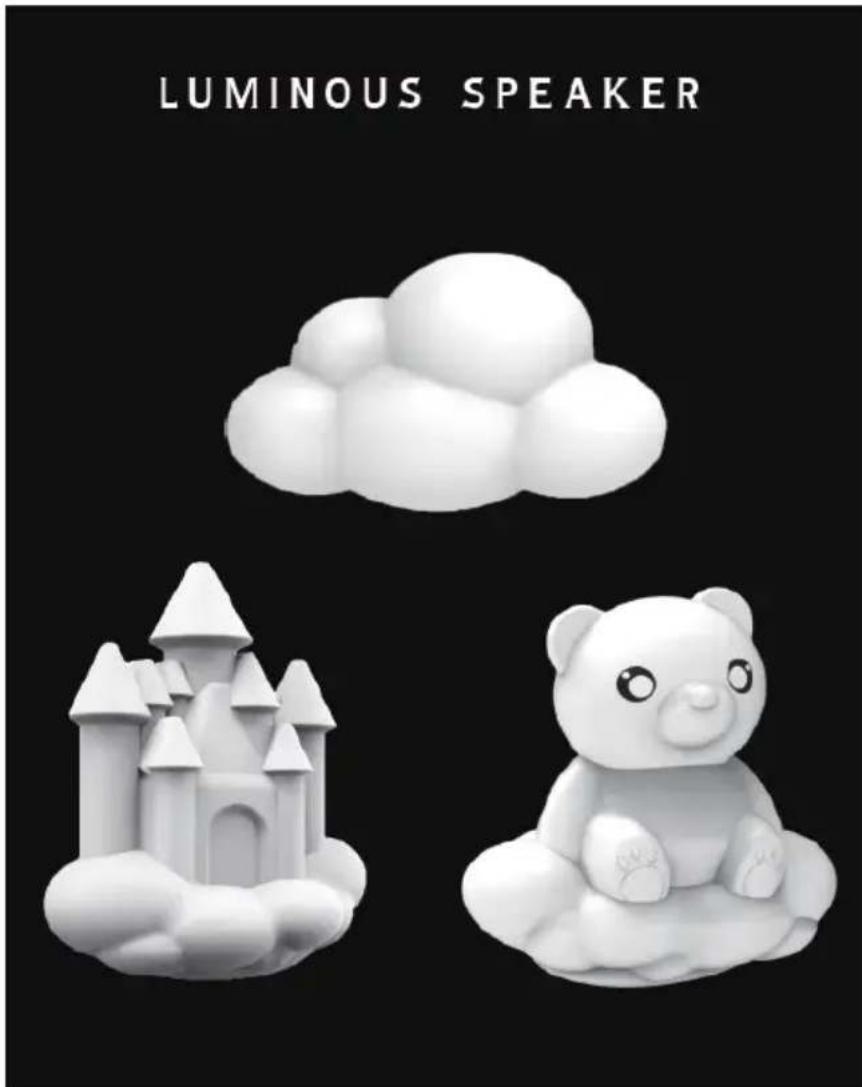
SWIECACY GŁOSNIK
INSTRUKCJA OBSŁUGI
PRZED ROZPOCZECIEM UZYWANIA URZADZENIA NALEZY UWAZNIE PRZECZYTAC NINIEJSZA INSTRUKCJE OBSLUGI. INSTRUKCJE NALEZY ZACHOWAÇ NA PRZYSZŁOSC
Spis tresci
Pierwsze kroki 1
BELGIQUE, customerservice@bigben-interactive.be
NEDERLAND, customerservice@bigben-interactive.nl
ESPANA, sat@bigbeninteractive.es
ITALIA, support@bigbeninteractive.it
www/bigben.eu


- BIGBEN
- LUMINOUS SPEAKER
- CONTENTS
- GETTING STARTED
- SAFETY WARNING AND NOTICE
- WHAT'S IN THE BOX
- PRODUCT OPERATION PANEL
- USAGE
- OPERATION
- CHARGING
- LOW POWER WARNING
- PLAY MUSIC BY BLUETOOTH
- PLAY MUSIC BY USB PLAYER
- PRIORITY OF AUDIO SOURCE: BLUETOOTH/USB
- BLUETOOTH SAFE MODE
- BATTERY REPLACEMENT (FOR REMOTE CONTROL)
- WARNING
- PRODUCT SPECIFICATION
- CARE OF THE ENVIRONMENT
- REMARKS
- DECLARATION OF CONFORMITY
- ALTAVOZ LUMINOSO
- ALTOPARLANTE LUMINOSO
- INDEX
- COLUNA DE SOM LUMINOSA
- SPIS TRESCI
Brand : BIGBEN INTERACTIVE
Model : BTLSWBEAR
Category : Docking station