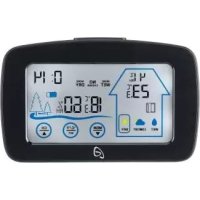
IAN 300037 - Weather Station AURIOL - Free user manual and instructions
Find the device manual for free IAN 300037 AURIOL in PDF.



| Product type | Radio-controlled weather station |
| Model | IAN 300037 |
| Brand | Auriol |
| Power supply (station) | 3 AAA (LR03) 1.5 V batteries |
| Power supply (sensor) | 2 AAA (LR03) 1.5 V batteries |
| Temperature range (indoor) | -9.9 °C to +50 °C |
| Temperature range (outdoor) | -40 °C to +60 °C |
| Temperature accuracy | ±1.5 °C |
| Humidity range | 20 to 95 % RH |
| Humidity accuracy | ±5 % |
| Transmission frequency | 433 MHz |
| Range | 50 m max (open area) |
| Protection rating (sensor) | IPX4 (splash-proof) |
| Main functions | Indoor/outdoor temperature and humidity, max/min values display, climate trend, ventilation recommendation, room climate analysis, backlight, 3 radio channels |
| Display | LCD screen with timed backlight |
| Temperature units | °C or °F (selectable) |
| Time format | 12 h or 24 h |
| Data recording | Max/min over 24 h or permanent (selectable) |
| Cleaning | Soft, dry cloth; avoid moisture |
| Warranty | 3 years |
| Customer service | Tel.: 0800 919270 (France), email: kompernass@lidl.fr |
Frequently Asked Questions - IAN 300037 AURIOL
User questions about IAN 300037 AURIOL
0 question about this device. Answer the ones you know or ask your own.
Ask a new question about this device
Download the instructions for your Weather Station in PDF format for free! Find your manual IAN 300037 - AURIOL and take your electronic device back in hand. On this page are published all the documents necessary for the use of your device. IAN 300037 by AURIOL.
USER MANUAL IAN 300037 AURIOL
Operating instructions
NL BE
DRAADLOOS WEERSTATION
Gebruiksaanwijzing
ES
ESTACIÓN METEOROLÓGICA INALÁMBRICA
Before reading, unfold both pages containing illustrations and familiarise yourself with all functions of the device.
FR BE
GB/IE Operating instructions Page 29
natural_image
Simple line drawing of a rectangular container with a side panel and a numbered label (20) on the side, no text or symbols present.Inhaltsverzeichnis
Einführung 3
natural_image
Simple line drawing of a trash bin with crossed lines indicating no waste or restriction (no text or symbols)natural_image
Simple line drawing of a trash bin with two crossed lines indicating no waste or restriction (no text or symbols)KOMPERNASS HANDELS GMBH
BURGSTRASSE 21
DE-44867 BOCHUM
DEUTSCHLAND
www.kompernass.com
Contents
Introduction 31
Information about these operating instructions ..... 3 1
Intended use 31
Warning notices 32
Safety 33
Basic safety instructions 33
Safety information for batteries 34
Package contents .... 3 5
Description of components .... 36
Use 38
Requirements for the set-up location 38
Operating the outdoor sensor 38
Operating the weather station 39
Handling and use .... 40
Setting the time and measurement data....40
Displays in basic mode 41
Displaying maximum/minimum temperature/humidity ..... 4 5
Changing the temperature unit 45
Background lighting 46
Battery change display 46
Changing the radio channel 46
AURIOL®
Troubleshooting 47
Cleaning 48
Storage 48
Disposal 49
Appendix 50
Technical details 50
Notes on the EU Declaration of Conformity ..... 5 1
Kompernass Handels GmbH warranty ..... 5 1
Service 53
Importer 54
Introduction
Information about these operating instructions
Congratulations on the purchase of your new appliance.
You have selected a high-quality product. The operating instructions are part of this product. They contain important information about safety, usage and disposal. Before using the product, please familiarise yourself with all operating and safety instructions. Use the product only as described and for the range of applications specified. Retain these instructions for future reference. Please also pass these operating instructions on to any future owner.
Intended use
The radio weather station shows you the indoor and outdoor temperatures in Celsius (°C) or Fahrenheit (°F) in addition to the maximum and minimum values. The indoor and outdoor humidity (%) and the maximum and minimum values are also displayed. Other displays include the ventilation recommendation, the room climate evaluation and room climate change.
The appliance is intended solely for private households and not for the commercial sector. The appliance is not intended for any other purpose, nor for use beyond the scope described. Claims of any kind for damage resulting from misuse, incompetent repairs, unauthorised modification or the use of unauthorised spare parts will not be accepted. The risk is borne solely by the user.
Warning notices
The following warning symbols are used in these operating instructions:

DANGER
A warning at this hazard level indicates a potentially hazardous situation.
Failure to avoid this hazardous situation could result in injuries or death.
▶ Follow the instructions in this warning notice to prevent injury.
CAUTION
A warning notice at this hazard level indicates a risk of property damage.
Failure to avoid this situation could result in property damage.
▶ Follow the instructions in this warning notice to prevent property damage.
NOTE
▶ A note provides additional information that makes handling the appliance easier for you.
Safety
This section contains important safety instructions for using the appliance. Improper use may result in personal injury and property damage.
Basic safety instructions
To ensure safe operation of the appliance, follow the safety guidelines set out below:
This appliance may be used by children aged 8 years and above and by persons with limited physical, sensory or mental capabilities or lack of experience and knowledge, provided that they are under supervision or have been told how to use the appliance safely and are aware of the potential risks. Do not allow children to use the appliance as a toy. Cleaning and user maintenance tasks must not be carried out by children unless they are supervised.
■ Before use, ensure that the appliance is undamaged! Never operate an appliance that is damaged.
■ Operate the weather station only in dry indoor rooms.
- Do not expose the weather station to moisture or direct sunlight.
Safety information for batteries

DANGER
Mishandling the batteries can cause fires, explosions, leakages or other hazards!
▶ Keep batteries out of the hands of children. Store batteries out of the reach of children.
▶ If a battery has been swallowed, seek medical assistance immediately.
▶ Batteries must never be short-circuited, taken apart, deformed or thrown into a fire.
▶ Never try to charge non-rechargeable batteries.
Chemicals from leaking or damaged batteries can cause skin irritations when touched, so please use suitable protective gloves if this occurs. In event of contact with your skin, rinse off with plenty of water. If the chemicals come into contact with your eyes, rinse thoroughly with plenty of water, do not rub and consult a doctor immediately.
▶ Always use batteries of the same type! Never mix old batteries with new ones!
▶ Only ever use the stated battery type.
▶ Ensure that the battery is inserted with the correct polarity. This is indicated in the battery compartment.
▶ Clean the battery and appliance contacts before inserting the batteries if necessary.
Remove the batteries if you do not intend to use the appliance for a long time.
▶ Always remove discharged batteries from the appliance immediately.
Package contents
The product includes the following components:
1 radio-controlled weather station
1 outdoor sensor
5 type AAA batteries
3 wall plugs (∅ 5 mm)
3 screws
1 set of operating instructions
NOTE
▶ Check the package for completeness and signs of visible damage.
If the contents are incomplete or damaged due to defective packaging or through transportation, contact the Service Hotline.
- Unpack all parts of the appliance from the packaging and remove all packaging materials.

DANGER
▶ Do not allow children to play with packaging materials. There is a risk of suffocation.
Description of components
For illustrations see fold-out pages
Figure A
Display
① Display for room climate change
② Time panel
③ Outdoor display
4 button
5 button
6 MEM button
⑦ Indoor display
Weather station
8 LIGHT button
⑨ Hangers
⑩ Battery compartment
11 Foot
⑫ Battery compartment cover
Figure B
Outdoor sensor
13 Display
14 Control LED
15 Hanger
16 TX button
⑰ °C/°F button
18 Channel selector switch
19 Battery compartment
20 Battery compartment cover
Use
Requirements for the set-up location
CAUTION
When selecting the installation location, ensure that the appliances are not subjected to direct sunlight, vibration, dust, heat, cold and moisture.
▶ Do not set the appliance up in the vicinity of heat sources such as radiators.
Mount the outdoor sensor at a maximum distance of 50 m from the weather station. Ensure that there are no obstructions between the outdoor sensor and the weather station. Otherwise, transmission can be disrupted.
Both the weather station and the outdoor sensor can be suspended from screws using the hangers ⑨ and ⑮.
Alternatively, you can fold out the foot ⑪ of the weather station and set it up on an even, horizontal surface.
Operating the outdoor sensor
Open the battery compartment 19 on the rear of the appliance by sliding the battery compartment cover 20 in the direction of the arrow.
Insert two type AAA batteries into the battery compartment 19 as shown.
◆ Close battery compartment 19 again. The control LED 14 lights up briefly and the current temperature, humidity and the set radio channel (e.g. CH 1) are shown on the display 13 . The control LED 14 then lights up once a minute to signal that transmission is in progress.
Operating the weather station
Open the battery compartment ⑩ on the rear of the appliance by removing the battery compartment cover ⑫.
- Insert three type AAA batteries into the battery compartment 10 as shown.
◆ Close the battery compartment 10.
Once the power supply has been established, the display will light up and go through a brief check of the display elements. The weather station will now attempt to connect to the outdoor sensor. The reception symbol 📋 above the channel display C+B flashes on the outdoor display ③.
NOTE
If no outdoor temperature and humidity is displayed within around 3 minutes, the weather station will stop the reception search. The reception symbol 📋 goes out, and – and – – – are displayed on the outdoor display ③.
It is possible that no signal can be received due to the surrounding buildings or because the distance is too great.
If you are unable to establish an automatic connection to the outdoor sensor, you can do this manually:
◆ Press and hold the ⏻ button ④ until the reception signal flashes on the outdoor display ③.
- Press the TX button 16 to manually initiate the outdoor sensor radio signal.
Handling and use
Setting the time and measurement data
Press and hold the 📊 button ⑤ for around 3 seconds. The hour display flashes on the time panel ②.
◆ Press the ⏻ button ④ or the ⏱ button ⑥ to set the desired value.
◆ Press the 📊 button ⑤ to confirm your entry. The minute display flashes on the time panel ②.
◆ Press the ⏰ button 4 or the ⏰ button 6 to set the desired value.
◆ Press the button ⑤ to confirm your entry. 24Hr flashes on the time panel ②.
◆ Press the ⏻ button ④ or the ⏱ button ⑥ to set the desired hour format (24-hour or 12-hour clock).
◆ Press the 📊 button ⑤ to confirm your entry. ON flashes on the time panel ② (display for 24-hour measurement data storage).
- Press the button 4 or the MEM button 6 to select the setting OFF if you want to deactivate 24-hour measurement data storage.
◆ Press the ⏻ button ⑤ to confirm your entry. The display will switch to basic mode.
NOTE
If you select the setting for the 24-hour measurement data storage, the saved MIN and MAX values for temperature and humidity will be deleted daily at midnight.
▶ If you select the setting OFF, the data will be permanently saved until the battery is changed.
Displays in basic mode
Once you have set the time and the weather station has received the outdoor sensor signal, it is in basic mode.
In basic mode, the weather station shows the following information on its display:
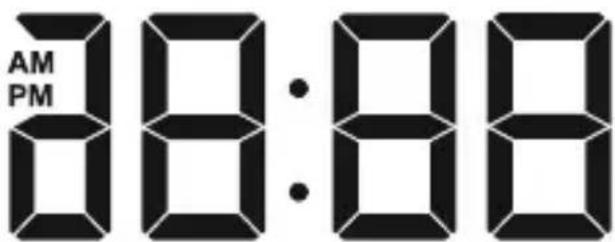
The time panel ②
The time is shown in 24-hour format by default. If you select the 12-hour format, the abbreviation PM (Latin: "post meridiem" = afternoon) is shown in front of the time between 12 noon and 11.59 at night. The abbreviation A(Matin: "ante meridi-em" = morning) is shown in front of the time between 12 mid-night and 11.59 in the morning.
The indoor display ⑦
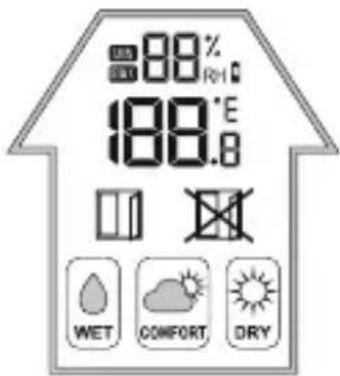
The indoor temperature measured by the weather station is displayed to one decimal place. The temperature unit °(degrees Celsius) is shown on the right. The temperature unit can also be changed to °(degrees Fahrenheit).
If the temperature drops below the measuring range of -9.9ircC to 50ircC (or 14ircF to 122ircF ), is shown; HHs shown if the temperature rises above this range. The relative humidity (RH) around the weather station is shown in \% above the temperature display. If the battery symbol 🔒 appears, the batteries in the weather station should be replaced as soon as possible. The ventilation recommendation and the room climate evaluation are shown underneath the temperature display.
Ventilation recommendation
Based on the temperature and humidity values indoors and outdoors, the weather station recommends opening the window (☐) or closing it (☐) to improve the room climate.
Room climate evaluation
Based on the indoor humidity, the weather station shows the current room climate in three stages:
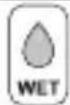 | Damp. Humidity between 66% and 95%. |
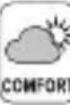 | Optimal. Humidity between 45% and 65%. |
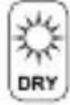 | Dry. Humidity between 20% and 44%. |
Display for room climate change ①
The weather station uses the measured data (indoors and outdoors) to calculate the expected change in the room climate. The symbols show how ventilation will affect the room climate:
| [0214] | Damper. The expected increase in humidity will be 5% or more. |
| [4C1Y] | Constant. The expected increase or decrease in humidity will be max. 4%. |
| [16C6] | Drier. The expected decrease in humidity will be 5% or more. |
The outdoor display ③
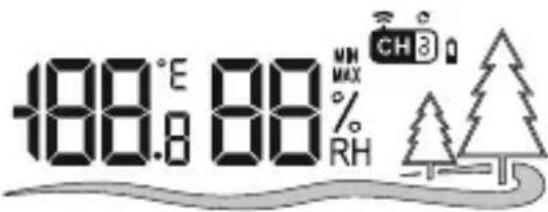
The outdoor temperature is displayed to one decimal place. The temperature unit °(degrees Celsius) is shown on the right. The temperature unit can also be changed to °(degrees Fahrenheit).
If the temperature drops below the measuring range of -40ircC to 60ircC (or -40ircF to 140ircF ), is shown; Hs shown if the temperature rises above this range. The relative humidity (RH) around the outdoor sensor is shown in % next to the temperature display. In addition, the radio channel used by the connected outdoor sensor is shown (e.g. C I D). If the battery symbol appears, the batteries in the outdoor sensor should be replaced as soon as possible.
Displaying maximum/minimum temperature/humidity
Once the power supply and the connection to the outdoor sensor have been established, the maximum and minimum values for temperature and humidity are automatically recorded and saved by the weather station.
In basic mode, press the button ⑥ once. The MAX symbol appears on the two displays (③ and ⑦) next to the display for the humidity and the highest measured values for indoors and outdoors are displayed.
In basic mode, press the button twice. The Symbol appears and the lowest measured values for indoors and outdoors are displayed.
After around 5 seconds, the current values for indoors and outdoors will automatically be displayed.
◆ Press and hold the ⏚ button ⑥ for about 3 seconds to the delete the saved values.
Changing the temperature unit
On delivery, the temperature unit is preset to degrees Celsius (°).
In basic mode, press the button 5 to switch between the temperature units (° or ). The unit changes for both the indoor and outdoor temperature displays.
Press the °C/°F button ⑰ to change the temperature unit on the display ⑬ of the outdoor sensor.
Background lighting
The background lighting on the display switches off after around 5 seconds to save the batteries.
Press the LIGHT button ⑧ to switch on the background lighting of the display for approx. 5 seconds.
Battery change display
If the battery symbol 🔒 is shown on the indoor display ⑦ the batteries in the weather station should be replaced as soon as possible (see also the section Operating the weather station).
If the battery symbol 🔒 appears on the outdoor display ③ or the display ⑬ of the outdoor sensor, you should change the batteries in the outdoor sensor as soon as possible (see also section
Operating the outdoor sensor).
Changing the radio channel
Changing the radio channel on the outdoor sensor
You can select between 3 radio channels. Channel 1 is preset.
Open the battery compartment 19 on the rear of the appliance by removing the battery compartment cover 20.
Select a radio channel by pushing the channel selector switch 18 to CH 1, CH 2 or CH 3.
◆ Press and hold the ⏻ button ④ until the reception signal flashes on the outdoor display ③.
Press the TX button 16 to manually initiate the outdoor sensor radio signal. If reception is successful, the temperature and humidity will now be displayed on the outdoor display 3 on the new radio channel.
◆ Close the battery compartment 19 again.
Changing the radio channel display on the weather station
If the weather station is receiving the outdoor sensor radio signal, it will automatically display the appropriate channel. However, you can also manually set the display of the various radio channels.
- Press button 4 repeatedly to toggle between the displays C1 1 (show only channel 1), C1 2 (show only channel 2), C+3 (show only channel 3) and C scroll through all channels in a loop).
NOTE
▶ Only the values from outdoor sensors which are connected to the weather station will be displayed.
If you are using several outdoor sensors you should select a different radio channel for each outdoor sensor.
Troubleshooting
Connection cannot be made to the outdoor sensor.
Disruptive obstacles or other interference sources such as concrete walls or other radio transmission appliances are located between the weather station and the outdoor sensor.
» Change the installation location and try again.
■ Distance between weather station and outdoor sensor is too great.
» Decrease the distance. "Visual contact" between the outdoor sensor and the weather station often improves the transmission.
■ The batteries in the weather station or the outdoor sensor are dead.
» Replace the batteries.
Cleaning
CAUTION
▶ To avoid irreparable damage to the appliance, ensure that no moisture gets into it during cleaning.
Do not use caustic, abrasive or solvent-based cleaning materials. These can damage the surfaces of the appliance.
- Clean the surfaces of the appliance with a soft, dry cloth. For stubborn dirt, use a slightly damp cloth with a mild detergent.
Storage
If you decide not to use the product for a long period, remove the batteries and store it in a clean, dry place away from direct sunlight.
Disposal
natural_image
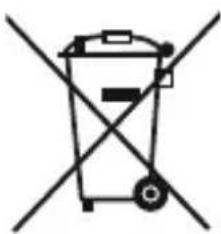
Simple line drawing of a trash bin with crossed lines indicating no waste or restriction (no text or symbols)The symbol showing a crossed-out dustbin means that this appliance is subject to Directive 2012/19/EU. This directive states that this appliance may not be disposed of in the normal household waste at the end of its useful life, but must be handed over to specially set-up collection locations, recycling depots or disposal companies. This disposal is free of charge for the user. Protect the environment and dispose of this appliance properly.
natural_image
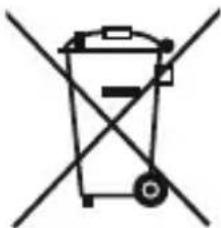
Simple line drawing of a trash bin with crossed lines indicating no waste or restriction (no text or symbols)Batteries should not be disposed of with normal household waste. Consumers are legally obliged to dispose of used batteries at a collection point in their town/district or at a retail store. They may contain poisonous heavy metals and must be disposed of in accordance with the rules for the treatment of hazardous waste. The chemical symbols for heavy metals are as follows: Cd = cadmium, Hg = mercury, Pb = lead. Dispose of batteries only when they are fully discharged.
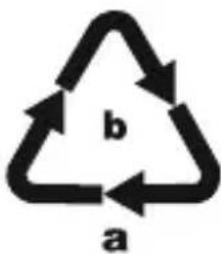
Dispose of the packaging in an environmentally friendly manner. Note the labelling on the packaging and separate the packaging material components for disposal if necessary. The packaging material is labelled with abbreviations (a) and numbers (b)
with the following meanings: 1–7: plastics, 20–22: paper and cardboard, 80–98: composites

Your local community or municipal authorities can provide information on how to dispose of the worn-out product.
Appendix
Technical details
| Weather station | |
| Power supply 3 x 1.5 V | === (direct current)(type AAA/LR03) |
| Temperature measuring range/measuring accuracy | -9.9°C to +50°C(14°F to 122°F)/±1.5°C (±2.7°F) |
| Temperature resolution 0.1°C (0.1°F) | |
| Humidity measuring range/ measuring accuracy | 20 to 95%/±5% |
| Humidity resolution 1% | |
| Outdoor sensor | |
| Power supply 2 x 1.5 V (direct current) | (_______)(type AAA/LR03) |
| Temperature measuring range/measuring accuracy | -40°C to +60°C(-40°F to +140°F)/±1.5°C (±2.7°F) |
| Humidity measuring range/ measuring accuracy | 20 to 95% / ± 5% |
| Humidity resolution 1% | |
| Transmission frequency 433 MHz | |
| Transmission output < 10 dBm | |
| Range max. 50 m (in open terrain) | |
| Protection category IPX4 (splashproof) | |
Notes on the EU Declaration of Conformity
This appliance complies with the essential requirements and other relevant provisions of the RE Directive 2014/53/EU and the RoHS Directive 2011/65/EU.
You can download the complete EU conformity declaration from www.kompernass.com/support/300037_DOC.pdf.
This appliance has a 3-year warranty valid from the date of purchase. If this product has any faults, you, the buyer, have certain statutory rights. Your statutory rights are not restricted in any way by the warranty described below.
Warranty conditions
The validity period of the warranty starts from the date of purchase. Please keep your original receipt in a safe place. This document will be required as proof of purchase.
If any material or production fault occurs within three years of the date of purchase of the product, we will either repair or replace the product for you at our discretion. This warranty service is dependent on you presenting the defective appliance and the proof of purchase (receipt) and a short written description of the fault and its time of occurrence.
If the defect is covered by the warranty, your product will either be repaired or replaced by us. The repair or replacement of a product does not signify the beginning of a new warranty period.
Warranty period and statutory claims for defects
The warranty period is not prolonged by repairs effected under the warranty. This also applies to replaced and repaired components. Any damage and defects present at the time of purchase must be reported immediately after unpacking. Repairs carried out after expiry of the warranty period shall be subject to a fee.
Scope of the warranty
This appliance has been manufactured in accordance with strict quality guidelines and inspected meticulously prior to delivery.
The warranty covers material faults or production faults. The warranty does not extend to product parts subject to normal wear and tear or fragile parts such as switches, batteries, baking moulds or parts made of glass.
The warranty does not apply if the product has been damaged, improperly used or improperly maintained. The directions in the operating instructions for the product regarding proper use of the product are to be strictly followed. Uses and actions that are discouraged in the operating instructions or which are warned against must be avoided.
This product is intended solely for private use and not for commercial purposes. The warranty shall be deemed void in cases of misuse or improper handling, use of force and modifications / repairs which have not been carried out by one of our authorised Service centres.
Warranty claim procedure
To ensure quick processing of your case, please observe the following instructions:
■ Please have the till receipt and the item number (e.g. IAN 12345) available as proof of purchase.
■ You will find the item number on the type plate, an engraving on the front page of the instructions (bottom left), or as a sticker on the rear or bottom of the appliance.
If functional or other defects occur, please contact the service department listed either by telephone or by e-mail.
- You can return a defective product to us free of charge to the service address that will be provided to you. Ensure that you enclose the proof of purchase (till receipt) and information about what the defect is and when it occurred.
You can download these instructions along with many other manuals, product videos and software on www.lidl-service.com.
Service

Service Great Britain
Tel.: 0871 5000 720 (£ 0.10/Min.)
E-Mail: kompernass@lidl.co.uk

Service Ireland
Tel.: 1890 930 034
(0,08 EUR/Min., (peak))
(0,06 EUR/Min., (off peak))
E-Mail: kompernass@lidl.ie
IAN 300037
Importer
Please note that the following address is not the service address. Please use the service address provided in the operating instructions.
KOMPERNASS HANDELS GMBH
BURGSTRASSE 21
DE-44867 BOCHUM
GERMANY
www.kompernass.com
Table des matières
Introduction 57
natural_image
Simple line drawing of a trash bin with crossed lines indicating no waste or restriction (no text or symbols)natural_image
Simple line drawing of a trash bin with crossed lines indicating no waste or restriction (no text or symbols)KOMPERNASS HANDELS GMBH
BURGSTRASSE 21
DE-44867 BOCHUM
ALLEMAGNE
www.kompernass.com
Inhoud
Inleiding 85
natural_image
Simple line drawing of a trash bin with crossed lines indicating no waste or restriction (no text or symbols)natural_image
Simple line drawing of a trash bin with two crossed lines indicating no waste or restriction (no text or symbols)KOMPERNASS HANDELS GMBH
BURGSTRASSE 21
DE-44867 BOCHUM
DUITSLAND
www.kompernass.com
Obsah
Úvod 113
natural_image
Simple line drawing of a trash bin with crossed lines indicating no waste or restriction (no text or symbols)natural_image
Simple line drawing of a trash bin with two crossed lines indicating no waste or restriction (no text or symbols)KOMPERNASS HANDELS GMBH
BURGSTRASSE 21
DE-44867 BOCHUM
NĚMECKO
www.kompernass.com
Índice
natural_image
Simple line drawing of a trash bin with crossed lines indicating no waste or restriction (no text or symbols)natural_image
Simple line drawing of a trash bin with crossed lines indicating no waste or restriction (no text or symbols)KOMPERNASS HANDELS GMBH
BURGSTRASSE 21
DE-44867 BOCHUM
ALEMANIA
www.kompernass.com
Índice
Introdução .... 167
natural_image
Simple line drawing of a trash bin with two crossed lines indicating no waste or restriction (no text or symbols)natural_image
Simple line drawing of a trash bin with crossed lines indicating no waste or discharge (no text or symbols)KOMPERNASS HANDELS GMBH
BURGSTRASSE 21
DE-44867 BOCHUM
ALEMANHA
www.kompernass.com
KOMPERNASS HANDELS GMBH
BURGSTRASSE 21
DE-44867 BOCHUM
GERMANY
www.kompernass.com
Stand der Informationen · Last Information Update · Version des informations
Stand van de informatie · Stav informací · Estado de las informaciones · Estado das informações:


- DRAADLOOS WEERSTATION
- ESTACIÓN METEOROLÓGICA INALÁMBRICA
- FR BE
- Inhaltsverzeichnis
- Einführung 3
- Contents
- Introduction 31
- Safety 33
- Package contents .... 3 5
- Description of components .... 36
- Use 38
- Handling and use .... 40
- AURIOL®
- Introduction
- Information about these operating instructions
- Intended use
- Warning notices
- DANGER
- A warning at this hazard level indicates a potentially hazardous situation.
- CAUTION
- A warning notice at this hazard level indicates a risk of property damage.
- NOTE
- Safety
- Basic safety instructions
- Safety information for batteries
- Mishandling the batteries can cause fires, explosions, leakages or other hazards!
- Package contents
- Description of components
- Figure A
- Display
- Weather station
- Figure B
- Outdoor sensor
- Use
- Requirements for the set-up location
- Operating the outdoor sensor
- Operating the weather station
- Handling and use
- Setting the time and measurement data
- Displays in basic mode
- The time panel ②
- The indoor display ⑦
- Ventilation recommendation
- Room climate evaluation
- Display for room climate change ①
- The outdoor display ③
- Displaying maximum/minimum temperature/humidity
- Changing the temperature unit
- Background lighting
- Battery change display
- Changing the radio channel
- Changing the radio channel on the outdoor sensor
- Changing the radio channel display on the weather station
- Troubleshooting
- Connection cannot be made to the outdoor sensor.
- Cleaning
- Storage
- Disposal
- Appendix
- Technical details
- Notes on the EU Declaration of Conformity
- Warranty conditions
- Warranty period and statutory claims for defects
- Scope of the warranty
- Warranty claim procedure
- Service
- Service Great Britain
- Service Ireland
- Importer
- Table des matières
- Introduction 57
- Inhoud
- Inleiding 85
- Obsah
- Úvod 113
- Índice
- Introdução .... 167
- KOMPERNASS HANDELS GMBH
Brand : AURIOL
Model : IAN 300037
Category : Weather Station