USER MANUAL Easy WiFi AC 750 ESSENTIELB
natural_image
Illustration of three connected devices (laptop, monitor, console) with a central device labeled 'ASX' and circular connections radiating outward (no text or symbols beyond device labels)
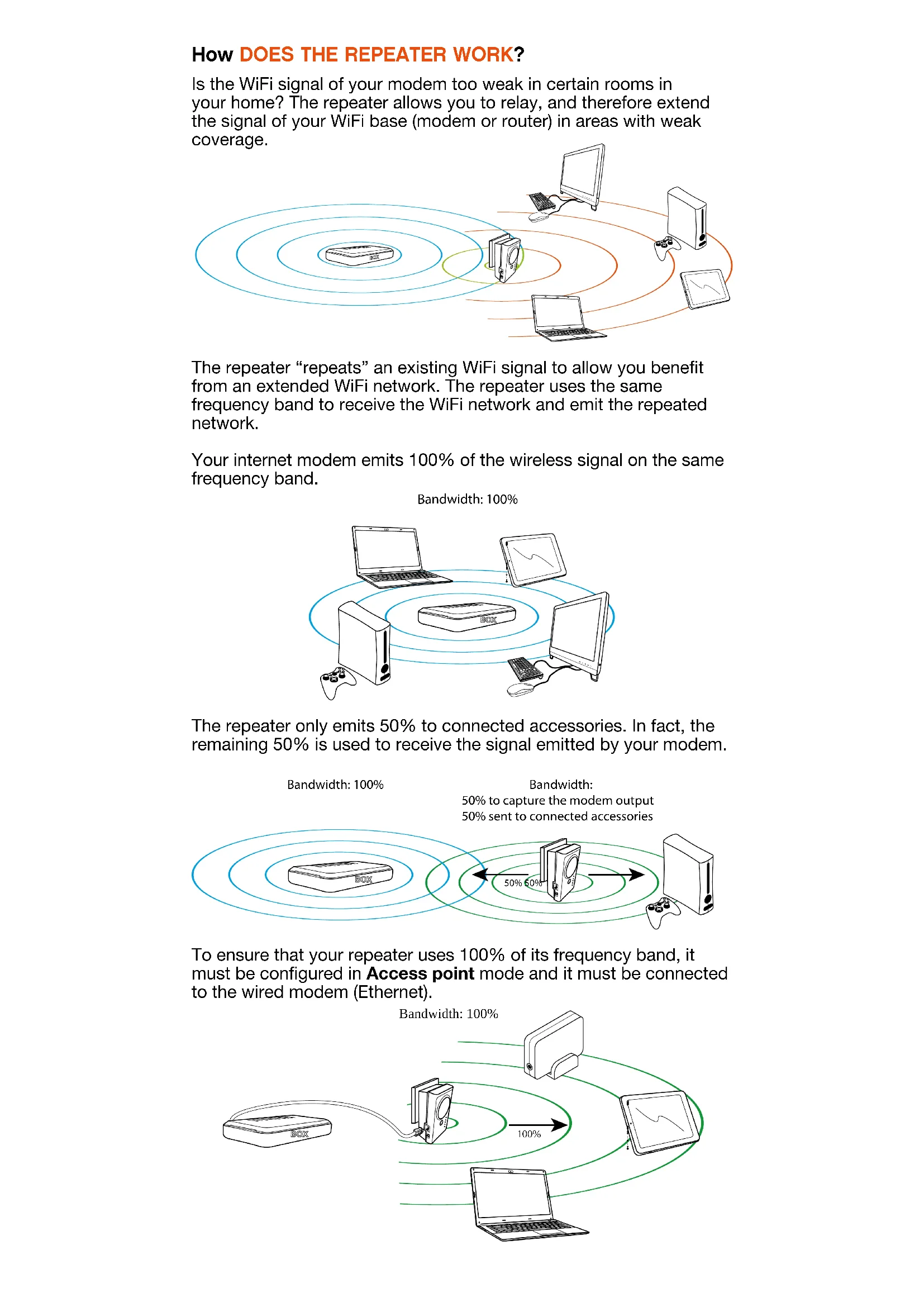
How DOES THE REPEATER WORK?
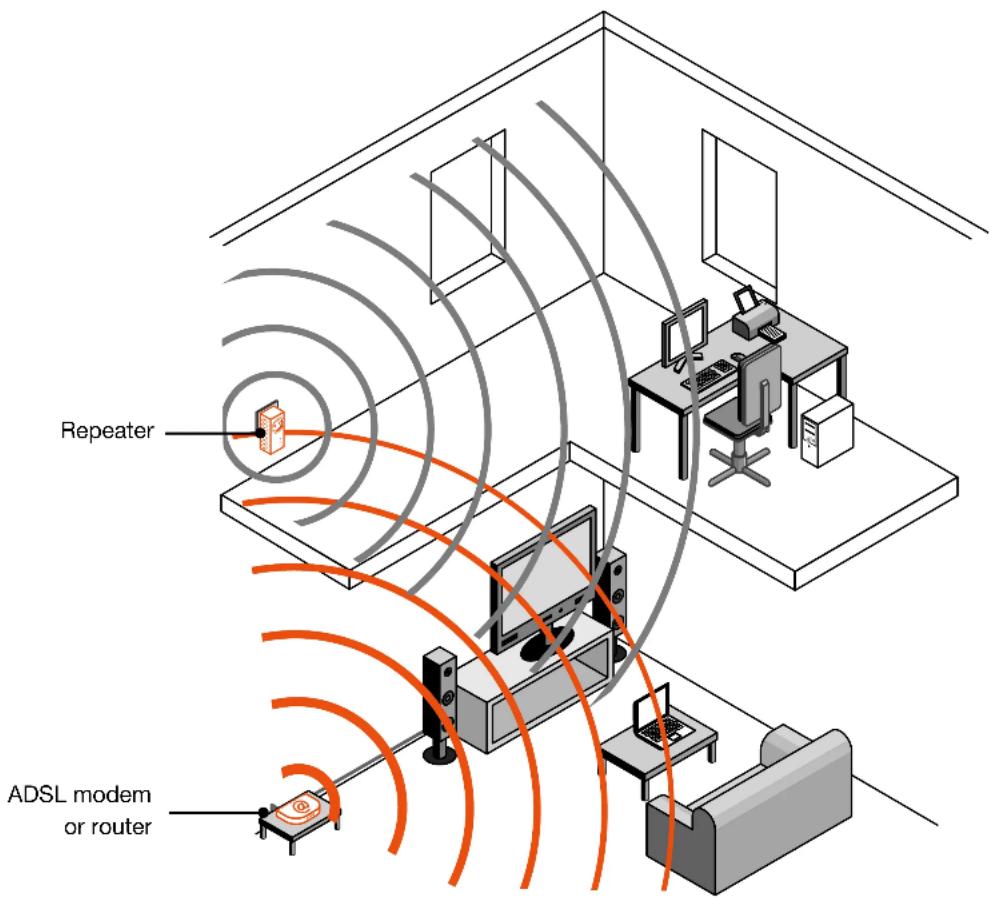
Is the WiFi signal of your modem too weak in certain rooms in your home? The repeater allows you to relay, and therefore extend the signal of your WiFi base (modem or router) in areas with weak coverage.

flowchart
graph TD
    A["Central Device"] --> B["Computer"]
    A --> C["Device"]
    A --> D["Laptop"]
    A --> E["Desktop Computer"]
    B --> F["Monitor"]
    C --> G["Monitor"]
    D --> H["Monitor"]
    E --> I["Monitor"]
The repeater “repeats” an existing WiFi signal to allow you benefit from an extended WiFi network. The repeater uses the same frequency band to receive the WiFi network and emit the repeated network.
Your internet modem emits 100% of the wireless signal on the same frequency band.
Bandwidth: 100%

natural_image
Illustration of three connected devices (laptop, monitor, console) with a central device and circular connections, no text or symbols present.
The repeater only emits 50% to connected accessories. In fact, the remaining 50% is used to receive the signal emitted by your modem.
Bandwidth: 100%
Bandwidth:
50% to capture the modem output
50% sent to connected accessories

To ensure that your repeater uses 100% of its frequency band, it must be configured in Access point mode and it must be connected to the wired modem (Ethernet).

flowchart
graph TD
    A["BOX"] -->|100%| B["Switch"]
    B --> C["Laptop"]
    C --> D["Monitor"]
    D -->|100%| B
    style A fill:#f9f,stroke:#333
    style B fill:#ccf,stroke:#333
    style C fill:#cfc,stroke:#333
    style D fill:#fcc,stroke:#333
    note right of B Bandwidth: 100%
How CAN YOU OPTIMISE RECEPTION OF THE SIGNAL?
To optimise the signal emitted by the repeater, it is important that you position it correctly within the coverage area of your internet modem or router:
If you place it too close to your modem, the repeater will not be able to extend your coverage area.
. If you place it too far away, the quality of the repeated signal will be poor.
The repeater must be placed in an area without any electromagnetic interference, and ideally with the least possible obstacles.
The WiFi coverage of a modem or repeater can significantly be reduced by walls and floors.
Avoid, for example, transmitting through heavy concrete walls, metal objects or having a microwave oven nearby.
How CAN YOU CHECK THE QUALITY OF THE SIGNAL?
A good way to check that you have chosen a good position for the repeater, is to check the signal strength in the settings interface.
To do this, connect to your repeater's interface either through WiFi or as a wired network (Ethernet). Then open your web browser to enter the IP address relevant to your product.
Please refer to the following table to find access information, according to the specific repeater you're using.
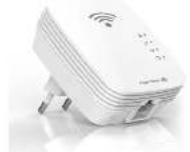 Essentiel b Repeater Easy Wifi N300 Essentiel b Repeater Easy Wifi N300 | Product code 8003983 | |
| IP address | http://easywifi.configor directly 192.168.1.1 |
| Default WiFi network name Easy Wifi 300_XXXXXX |
| Default password | 12345678We advise youto change it |
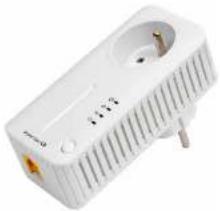 Essentiel b Repeater N300 Easy Wifi 300P Essentiel b Repeater N300 Easy Wifi 300P | Product code 8001726 | |
| IP address | http://easywifi.configor directly 192.168.1.1 |
| Default WiFi network name Easy Wifi 300P_XXXXX |
| Default password | 12345678We advise youto change it |
 Essentiel b Repeater Easy Wifi N300 Essentiel b Repeater Easy Wifi N300 | Product code 8009347 | |
| IP address | http://easywifi.configor directly 192.168.1.1 |
| Default WiFi network name Repeater N300_2.4GHz_XXXXXX |
| Default password | 12345678We advise youto change it |
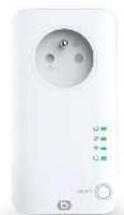 Essentiel b N300 Easy Wifi 300P Repeater Essentiel b N300 Easy Wifi 300P Repeater | Product code 8009346 | |
| IP address | http://easywifi.configor directly 192.168.1.1 |
| Default WiFi network name Repeater N300P_2.4GHz_XXXXXX |
| Default password | 12345678We advise youto change it |
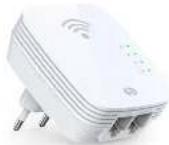 Essentiel b Repeater AC750 Easy Wifi Essentiel b Repeater AC750 Easy Wifi | Product code 8005328 | |
| IP address | http://easywifi.configor directly 192.168.1.200 |
| Default WiFi network name | 2.4G SSID: easywifi_AC750_2.4G_XXXXXX5G SSID: easywifi_AC750_5G_XXXXXX |
| Default password | 12345678We advise youto change it |
 Essentiel b Repeater AC750 Easy Wifi Essentiel b Repeater AC750 Easy Wifi | Product code 8009345 | |
| IP address | http://easywifi.configor directly 192.168.1.200 |
| Default WiFi network name | 2.4G SSID: easywifi_AC750_2.4G_XXXXXX5G SSID: easywifi_AC750_5G_XXXXXX |
| Default password | 12345678We advise you to change it |
 Essentiel b Repeater AC750P Easy Wifi Essentiel b Repeater AC750P Easy Wifi | Product code 8009219 | |
| IP address | http://easywifi.configor directly 192.168.1.200 |
| Default WiFi network name | 2.4G SSID: easywifi_AC750_2.4G_XXXXXX5G SSID: easywifi_AC750_5G_XXXXXX |
| Default password | 12345678We advise you to change it |
| Product code 8008194 | |
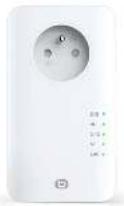 Essentiel b Repeater AC1200 Essentiel b Repeater AC1200 | IP address | http://easywifi.configor directly 192.168.1.12.4 GHz : Repeteur AC 1200_2.4GHz5 GHz : Repeteur AC 1200_5GHz12345678We advise you to change it |
| Default WiFi network name |
| Default password |
You can then access the following settings page (the password is: admin).
essentiel

Please Login

English

Password
Login
Once logged in to the interface, select Universal Repeater mode, then click on Next.
Then click on Site Survey to display the various WiFi networks available.

Select Operation Mode
○ AP
Transform your existing wired network to a wireless network.
Universal Repeater
Extend your existing wireless coverage by relaying wireless signal.
Next

Remote Settings
Click "Site Survey" button to scan the wireless signal, then select the remote AP you want to connect. Click "Close Scan" button to empty the scan list. (Be sure to select the correct channel: 1 \~ 13 channels for the 2.4G wireless channels, the others for the 5G wireless channels)
Remote SSID
Bbox_Blab_24G
2.4G/5G Channel
5540MHz (Channel 108)
Security Mode
WPA - Personal
Encryption

AES
○ TKIP
Password
A table with the list of available WiFi networks displays, with, in the signal column, the strength of each related signal.
5
Select the WiFi network to be extended
- Click on Detection and select your WiFi network (this is generally your modem's WiFi network).
Choose SSID Signal

My WiFi network 90%
Warning! Check that the signal for your chosen network is above 60%. If not, repeating the network will not ensure a sufficient speed.
- Enter the security key of your WiFi network and click on:
Next

Check that the signal you want to amplify is at least 60%. Below this level, the signal strength is too weak to ensure sufficient speed.
If this is the case, move the repeater closer to the modem to improve the signal strength and ensure you are in an open area (without any walls or obstacles) between the repeater and the modem.
Select Operation Mode
○ AP
Transform your existing wired network to a wireless network.
Universal Repeater
Extend your existing wireless coverage by relaying wireless signal.
Next

Remote Settings
Click "Site Survey" button to scan the wireless signal, then select the remote AP you want to connect. Click "Close Scan" button to empty the scan list. (Be sure to select the correct channel: 1 \~ 13 channels for the 2.4G wireless channels, the others for the 5G wireless channels)
Remote SSID
Bbox_Blab_24G
2.4G/5G Channel
5540MHz (Channel 108)
Security Mode
WPA - Personal
Encryption
AES
○ TKIP
Password
......
Back
Next
natural_image
Illustration of three connected devices (TV, gaming console, desktop) with no visible text or symbols