We Ski (Wii) - Game NINTENDO - Free user manual and instructions
Find the device manual for free We Ski (Wii) NINTENDO in PDF.


User questions about We Ski (Wii) NINTENDO
0 question about this device. Answer the ones you know or ask your own.
Ask a new question about this device
Download the instructions for your Game in PDF format for free! Find your manual We Ski (Wii) - NINTENDO and take your electronic device back in hand. On this page are published all the documents necessary for the use of your device. We Ski (Wii) by NINTENDO.
USER MANUAL We Ski (Wii) NINTENDO
4555 Great America Parkway, Suite 201, Santa Clara, CA 95054
www.namcobandaigames.com/games/namcomuseumremix
Ms and the 90% of its technology in Microsoft, © 2004 Networks, NAMCS NAMCS NAMCS NAMCS NAMCS GACO Inc., PSC-NAMCS NAMCS NAMCS NAMCS NAMCS GACO Inc., Canada 1796-01-1373, NAMCS NAMCS GACO Inc., DAS NAMCS NAMCS NAMCS GACO Inc., Google 8000, Brazil 4/01/1997, NAMCS NAMCS GACO Inc., Telekom 504-01-1978, NAMCS NAMCS GACO Inc., Eagle 1796-01-1382, NAMCS NAMCS GACO Inc., HPWYN 4/01/1967, NAMCS NAMCS GACO Inc., SEVRO 5/01/1967, NAMCS NAMCS GACO Inc., Titan 795-01-1967, NAMCS NAMCS GACO Inc., PanCorp 4750, Brazil 11/01/1967, NAMCS NAMCS GACO Inc., Peru 500-01-1967, NAMCS NAMCS GACO Inc., PSC-NAMCS NAMCS NAMCS GACO Inc., PSC-NAMCS NAMCS NAMCS GACO Inc., Italy 400-01-1967, NAMCS NAMCS GACO Inc., USA 500-01-1967, NAMCS NAMCS GACO Inc., Peru 500-01-1967, NAMCS NAMCS GACO Inc., Peru 500-01-1967, NAMCS NAMCS GACO Inc., Peru 500-01-1967, NAMCS NAMCS GACO Inc., Peru 500-01-1967, NAMCS NAMCS GACO Inc., Per Mexico 4/01/1967, NAMCS NAMCS GACO Inc. The leading role is a registered trademark for the Enterprise Software Association. All other trademarks and their sources are the amounts of these revenues.

PRINTED IN U.S.A. IMPRIMÉ AUX É.-U
Wii™
text_image
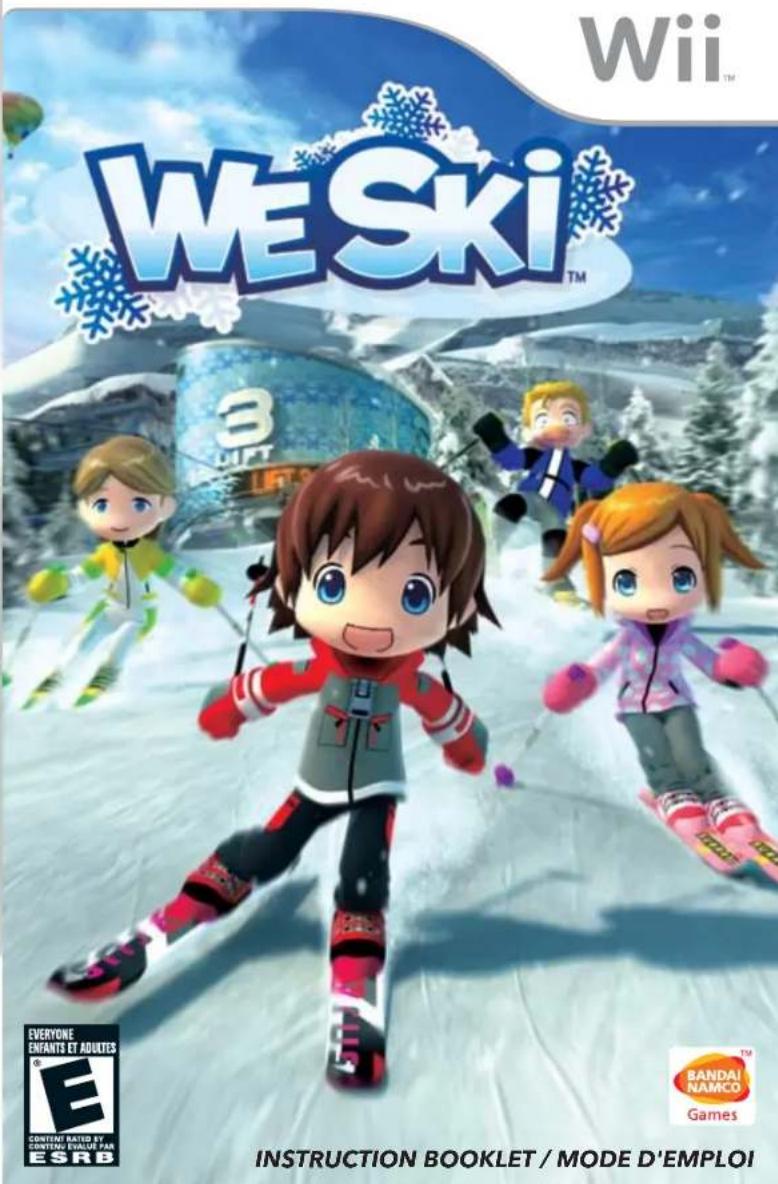
Wii WE Ski™ 3DIFT EVERYONE ENFANTS ET ADULTES E® CONTENT RATED BY CONTERG EVALUER PAR ESRB BANDAI NAMCO Games INSTRUCTION BOOKLET / MODE D'EMPLOIPLEASE CAREFULLY READ THE Wii™ OPERATIONS MANUAL COMPLETELY BEFORE USING YOUR Wii HARDWARE SYSTEM, GAME DISC OR ACCESSORY. THIS MANUAL CONTAINS IMPORTANT HEALTH AND SAFETY INFORMATION.
IMPORTANT SAFETY INFORMATION: READ THE FOLLOWING WARNINGS BEFORE YOU OR YOUR CHILD PLAY VIDEO GAMES.
WARNING - Seizures
- Some people (about 1 in 4000) may have seizures or blackouts triggered by light flashes or patterns, and this may occur while they are watching TV or playing video games, even if they have never had a seizure before.
- Anyone who has had a seizure, loss of awareness, or other symptom linked to an epileptic condition, should consult a doctor before playing a video game.
- Parents should watch their children play video games. Stop playing and consult a doctor if you or your child has any of the following symptoms:
Convulsions Eye or muscle twitching Altered vision Loss of awareness Involuntary movements Disorientation
• To reduce the likelihood of a seizure when playing video games:
1. Sit or stand as far from the screen as possible.
2. Play video games on the smallest available television screen.
3. Do not play if you are tired or need sleep.
4. Play in a well-lit room.
5. Take a 10 to 15 minute break every hour.
WARNING - Repetitive Motion Injuries and Eyestrain
Playing videogames can make your muscles, joints, skin or eyes hurt. Follow these instructions to avoid problems such as tendonitis, carpal tunnel syndrome, skin irritation or eyestrain:
- Avoid excessive play. Parents should monitor their children for appropriate play.
Take a 10 to 15 minute break every hour, even if you don't think you need it. - If your hands, wrists, arms or eyes become tired or sore while playing or if you feel symptoms such as tingling, numbness, burning or stiffness, stop and rest for several hours before playing again.
- If you continue to have any of the above symptoms or other discomfort during or after play, stop playing and see a doctor.
WARNING - Motion Sickness
Playing video games can cause motion sickness in some players. If you or your child feels dizzy or nauseous when playing video games, stop playing and rest. Do not drive or engage in other demanding activity until you feel better.
IMPORTANT LEGAL INFORMATION is designed for use with
any unauthorized device. Use of any such device will invalidate your Nintendo product warranty. Copying of any Nintendo game is illegal and is strictly prohibited by domestic and international intellectual property laws. "Back-up" or "archival" copies are not authorized and are not necessary to protect your software. Violators will be prosecuted.
WARNING - Injury Due to Pre-existing Conditions
Gameplay with the Wii Balance Board may require varying amounts of physical activity. Consult a doctor before using the Wii Balance Board if:
• you are or may be pregnant,
• you have high blood pressure,
- you have difficulty with physical exercise, or
- you have been instructed to restrict physical activity.
- you have heart, respiratory, back, joint or other orthopedic conditions,
While using the Wii Balance Board, if you experience excessive fatigue, shortness of breath, chest tightness, dizziness, discomfort or pain, STOP USE IMMEDIATELY and consult a doctor.
HEALTH AND SAFETY INFORMATION
To prevent injury and/or to prevent damage to the Wii Balance Board or surrounding objects, follow these guidelines during gameplay:
- Be aware of your balance so that you do not slip or fall from the board. Avoid more movement than is needed to operate the game you are playing.
- Do not wear shoes or socks while using the board. Playing barefoot should reduce the risk of slipping or falling. If your feet become damp during gameplay, stop and dry your feet and the board before continuing.
- No more than one person should use the board at a time.
- Make sure you have adequate space between you and any other objects or people during gameplay. Nintendo recommends at least 3 feet (1 meter).
- Avoid stepping or standing on the edges of the board.
- Always place the board on a flat, horizontal and stable surface. Do not use the board on slippery surfaces. If using on thick carpet, use the Wii Balance Board foot extensions included with the Wii Balance Board.
- Do not use the Wii Balance Board if you are under the influence of alcohol or any other substance which could affect your sense of balance or perception and cause you to slip or fall.
IMPORTANT PRECAUTIONS WHEN USED BY CHILDREN:
An adult must explain all Health and Safety Information and usage guidelines and instructions to all children who are going to use the Wii Balance Board. Failure to do so may result in injuries or damage to the system or other property. Observe children during gameplay for proper and safe use of the board.
An adult should assist young children when first playing to make sure they understand correct use.
text_image
WE Ski™| The Official Seal is your assurance that this product is licensed or manufactured by Nintendo. Always look for this seal when buying video game systems, accessories, games and related products. | ||
| We SkiTM & © 2008 NAMCO BANDAI Games Inc. All Rights Reserved. NAMCO BANDAI Games logo is a trademark of NAMCO BANDAI. Published and distributed by NAMCO BANDAI Games America Inc. The ratings icon is a registered trademark of the Entertainment Software Association. Dolby, Pro Logic and the double-D symbol are trademarks of Dolby Laboratories. Manufactured under license from Dolby Laboratories. All other trademarks and trade names are the property of their respective owners. | ||
| DOLBY.PRO LOGIC II | Wii, Wii Remote, Nunchuk, Mii, Wii Balance Board, and the Wii logo are trademarks of Nintendo. © 2006 Nintendo. | Licensed by NintendoNintendo® |
CAUTION: WRIST STRAP USE
Please use the wrist strap to help prevent injury to other people or damage to surrounding objects or the Wii Remote in case you accidentally let go of the Wii Remote during game play.
Also remember the following:
• Make sure all players put on the wrist strap properly when it is their turn.
• Do not let go of the Wii Remote during game play.
• Dry your hands if they become moist.
- Allow adequate room around you during game play and make sure that all areas you might move into are clear of other people and objects.
• Stay at least three feet from the television.
SYSTEM MENU UPDATE
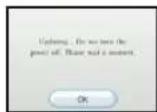
Please note that when first loading the Game Disc into the Wii console, the Wii will check if you have the latest system menu, and if necessary a Wii system update screen will appear. Press OK to proceed.
CONTENTS
Basic Controls....2
Starting the Game....3
Mode Select 4
Setting Number of Skiers....5
Registering Your Skier....6/7
Ski School and Basic Controls....8/9
Freestyle Skiing 10/11
Course Map 12/13
Ski Races 14/15
Photos and Album....16/17
Using the Wii Balance Board 18/19
Credits 20/21


BASIC CONTROLS
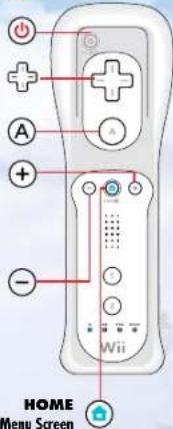
Wii Remote™
Power Button ON/OFF
+Control Pad Move the cursor A Button Confirm
+ Button Pause Menu/Turn page right
- Button Turn page left
Show/Hide Home Menu Screen
text_image
HOME Menu Screen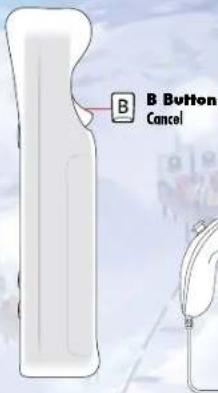
text_image
B Button Cancel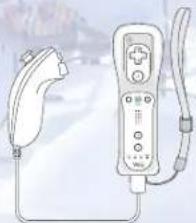
natural_image
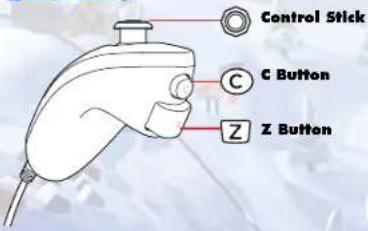
Illustration of a handheld gaming controller with a connector and cable (no text or symbols visible)Nunchuk™
text_image
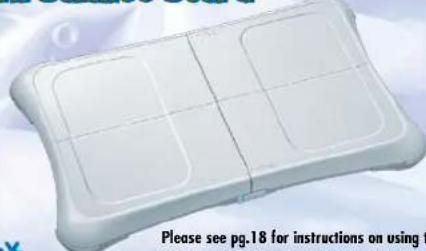
Control Stick C Button Z ButtonWii Balance Board™
natural_image
White ergonomic padlock with grid pattern, no visible text or symbols on the pad itselfPlease see pg.18 for instructions on using the Wii Balance Board. The Wii Balance Board can only be used in the Single Player game. The Wii Balance Board is sold separately.
WELCOME TO
HAPPY SKI RESORT!
STARTING THE GAME
AT THE TITLE SCREEN
Press the A and B Buttons to go to the Main Menu.

text_image
WE Ski Press 8 and 2 OK WE Ski has a back-to- open-up button on the post at 10 PMSELECT MODE
Point to the game mode you want to play and press the A Button.
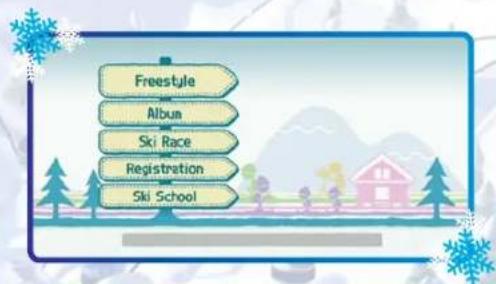
text_image
Freestyle Album Ski Race Registration Ski SchoolABOUT SAVE DATA
• This game requires at least 81 blocks of free space.
- The save data contains character edit information, items, and progress data from "Freestyle" mode for each skier.
• The album data is shared by all skiers.

WELCOME TO HAPPY SKI RESORT!
MODE SELECT
FREESTYLE
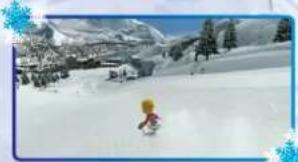
Hop on a lift and ski anywhere you want. Enjoy a great day or an exciting evening on the slopes as you talk to other characters and try to clear various events.
ALBUM
Capture your memories at the Happy Ski Resort into a photo album. You can take photographs and enjoy a slide show.
SKI RACE
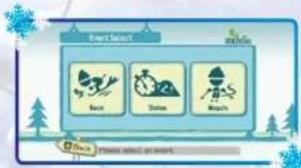
Challenge yourself with 3 types of competitive skiing: Race, Slalom, or Moguls.
REGISTRATION
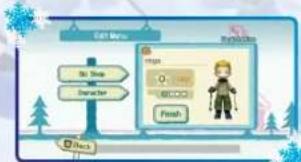
Register your skier here. You can also change your ski gear. See page 6 for details.
SKI SCHOOL
Learn basic skiing skills. If you are new to Happy Ski Resort, you should consider taking a class here.
natural_image
Winter landscape with a child skiing down a snowy slope, surrounded by snow-covered mountains and trees (no text or symbols visible)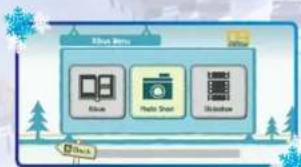
flowchart
graph TD
    A["Data Storage"] --> B["Altium"]
    A --> C["Radio Short"]
    A --> D["Window"]
flowchart
graph TD
    A["Forest Search"] --> B["Back"]
    A --> C["Stature"]
    A --> D["Monters"]
    B --> E["Forest Search"]
    C --> E
    D --> E
flowchart
graph TD
    A["Be a#e"] --> B["Character"]
    B --> C["OK"]
    C --> D["Finish"]
    D --> E["Next"]
flowchart
graph TD
    A["Create friends"] --> B["Go something"]
    B --> C["Sitting"]
    C --> D["Change friends"]
Select Mode and set the number of players!
SET THE NUMBER OF SKIERS
Point to the number of players you want, and press the A Button. Each skier will need a separate Wii Remote and Nunchuk.
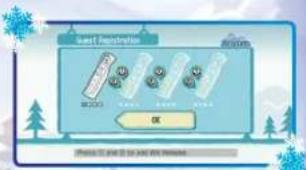
ADD A Wii REMOTE
To add a Wii Remote, point to "Add" and press the A Button. Point the Wii Remote you want to add toward the screen and press ① and ② simultaneously.
SELECT YOUR
SKIER
To select your skier, point to a skier's name from the list and press the A Button. When you play the game for the first time, select "New Registration" and register your skier.
ABOUT Mii™
In We Ski, you can use your Mii which you created in the Mii Channel. Please see page 6 for details.
text_image
Smart Electronics M200 OK iPhone 12 and 13 are not the options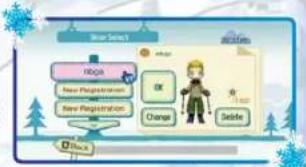
flowchart
graph TD
    A["Hoga"] --> B["New Registration"]
    B --> C["Change"]
    C --> D["Down"]
    style A fill:#f9f,stroke:#333
    style B fill:#ccf,stroke:#333
    style C fill:#cfc,stroke:#333
    style D fill:#fcc,stroke:#333
text_image
Game interface screenshot with character selection icons and a 'B-Week' button

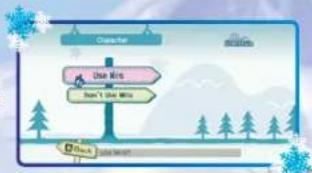
REGISTERING YOUR SKIER (WHEN USING Mii)
1. Select "Use Miis"
Point to "Use Miis" and press the A Button.
* Hats and Goggles cannot be worn if you use Miis.
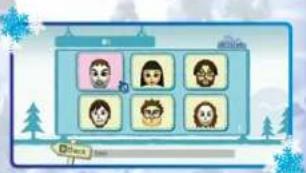
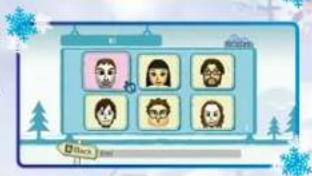
2. Select Your Mii
Choose a Mii you want to use from the ones saved on your Wii console, and press the A Button.
* If you did not create a Mii, you can't choose one.
3. Edit Your Mii
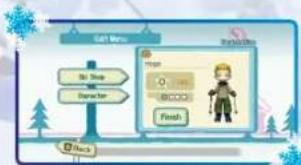
Point to "Ski Shop" or "Character" and press the A Button.
SKI SHOP
You can change your skiwear or skis. To open locked items at the Ski Shop, complete events to earn Star Points, the currency of Happy Ski Resort.
* Hats and Goggles cannot be worn if you use Miis.
CHARACTER
You can go back to the "Use Miis" screen and remake your character.
FINISH
Select "Quit" when you are done preparing your skier.
Finish the registration. Once the screen changes, point to "Finish" and press the A Button to play with that character.
Go to Skier Registration to create more skiers.
flowchart
graph TD
    A["Character"] --> B{Use RIs}
    B -->|Yes| C["Do not Use MIs"]
    B -->|No| D["Don't Use MIs"]
    C --> E["Tree"]
    D --> F["Tree"]
text_image
Game interface screenshot with character selection grid and 'Other' button visible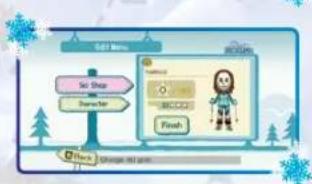
text_image
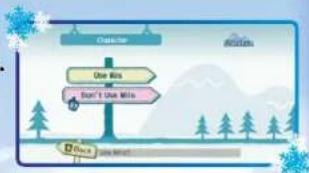
Set Shop Character Finish Get New Save OK CancelREGISTERING YOUR SKIER (WHEN NOT USING Mii)
1. Select "Don't Use Miis"
Point to "Don't Use Miis," and press the A Button.
2. Select Character
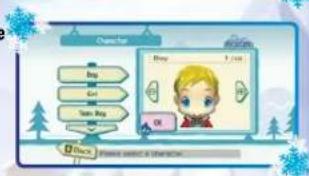
First, choose the character type from the list on the left side of the screen. Point to the type you want and press the A Button.
Next, select your character. Point to the - or + on the screen and press the A Button to change characters. Point to "OK" and press the A Button to select your character.
3. Enter Name
Point to the letters you want to enter and press the A Button. To delete, point to "←". When you are done entering your name, point to "Enter" and press the A Button.
4. Change Body Type
Point to - or + and press the A Button to make your character larger or smaller. Point to "↑"
"↓" and press the A Button to make your character taller or shorter. Point to "OK" and press the A Button to confirm your changes.
5. Edit
Point to "Ski Shop" or "Character" and press the A Button. See page 6 for more details on Ski Shop and Character.
Editing a character that has already been registered
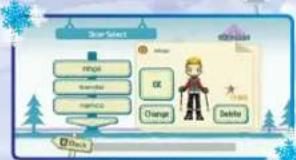
In the Skier Select screen, if you select a character that has already been registered, that character will appear on the right side of the screen. If you point to "Change" and press the A Button, the Edit Menu will appear and you can change that character.
flowchart
graph TD
    A["Outcome"] --> B{Use Yes}
    A --> C{Don't Use Yes}
    B --> D["Tree"]
    C --> E["Tree"]
    D --> F["Tree"]
    E --> G["Tree"]
text_image
Character Buy 1 / 1/2 Buy 1/2/2 Gain 3/2/2 Gain Buy OK eGain Please select a shadow.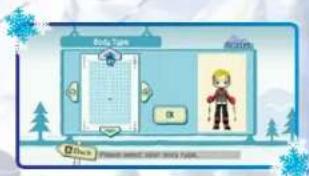
text_image
Body Type Activity Click Please check about body type.


text_image
FROM BASICS TO ADVANCED TECHNIQUES... MASTER THEM ALL!LEARN HOW TO CONTROL YOUR SKIS!
SKI SCHOOL
Select Skier
Point to a skier and press the A Button.
flowchart
graph TD
    A["Star Select"] --> B["Focus"]
    A --> C["Showlist"]
    A --> D["Showlist"]
    A --> E["Change"]
    A --> F["Delete"]
Basic Controls
| Action | Motion |
| Changing DirectionsWhile standing still, tilt the Control Stick left, right, or down to change camera directions. | 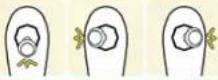 |
| Side-SteppingWhile standing still, change directions to face the slope then swing the Wii Remote and Nunchuk up and down alternately. | 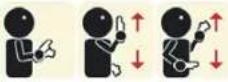 |
| SkatingSwing both the Wii Remote and Nunchuk down at the same time. | 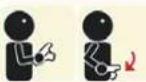 |
| Snow Plow TurnWhile skiing, hold down the C Button. Tilt the Wii Remote and Nunchuk to the left or right to do a snow plow turn, and tilt them inward to do a snow plow brake. |  |
| BrakingTilt the Control Stick down. |  |
| Parallel TurnWhile skiing, tilt the Wii Remote and Nunchuk to the left or right. Tilt further to brake while turning. |  |
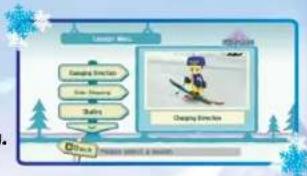
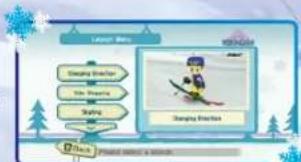
Select Lesson
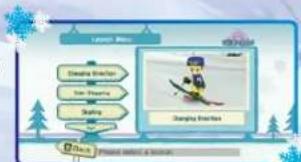
From the Lesson Menu, point to the lesson you want to take and press the A Button to begin. Once you have completed a lesson, a check mark will appear next to that lesson in the Lesson Menu.
flowchart
graph TD
    A["Game Route"] --> B["Sailing"]
    C["Game Route"] --> D["Sailing"]
    E["Game Route"] --> F["Sailing"]
    G["Game Route"] --> H["Sailing"]
    I["Game Route"] --> J["Sailing"]
    K["Game Route"] --> L["Sailing"]
    M["Game Route"] --> N["Sailing"]
    O["Game Route"] --> P["Sailing"]
    Q["Game Route"] --> R["Sailing"]
    S["Game Route"] --> T["Sailing"]
    U["Game Route"] --> V["Sailing"]
    W["Game Route"] --> X["Sailing"]
    Y["Game Route"] --> Z["Sailing"]
    AA["Game Route"] --> AB["Sailing"]
    AC["Game Route"] --> AD["Sailing"]
    AE["Game Route"] --> AF["Sailing"]
    AG["Game Route"] --> AH["Sailing"]
    AI["Game Route"] --> AJ["Sailing"]
    AK["Game Route"] --> AL["Sailing"]
    AM["Game Route"] --> AN["Sailing"]
    AO["Game Route"] --> AP["Sailing"]
    AQ["Game Route"] --> AR["Sailing"]
    AS["Game Route"] --> AT["Sailing"]
    AU["Game Route"] --> AV["Sailing"]
    AW["Game Route"] --> AX["Sailing"]
    AY["Game Route"] --> AZ["Sailing"]
    BA["Game Route"] --> BB["Sailing"]
    BC["Game Route"] --> BD["Sailing"]
    BE["Game Route"] --> BF["Sailing"]
    BG["Game Route"] --> BH["Sailing"]
    BI["Game Route"] --> BJ["Sailing"]
    BK["Game Route"] --> BL["Sailing"]
    BM["Game Route"] --> BN["Sailing"]
    BO["Game Route"] --> BP["Sailing"]
    BQ["Game Route"] --> BR["Sailing"]
    BS["Game Route"] --> BT["Sailing"]
    BU["Game Route"] --> BV["Sailing"]
    BW["Game Route"] --> BX["Sailing"]
    BY["Game Route"] --> BZ["Sailing"]
    CA["Game Route"] --> CB["Sailing"]
    CC["Game Route"] --> CD["Sailing"]
| Action | Motion |
| CrouchingPosition your Wii Remote and Nunchuk parallel to the ground, and twist them 90 degrees outward. Tuck your elbows to your sides, and tilt your body left or right to turn.*If you twist the controllers too much, you will go back to a parallel position. | 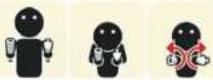 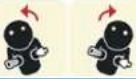 |
| Quick Parallel Turn (Wedeln)Hold down the B and Z Buttons and tilt the Wii Remote and Nunchuk to the left or right.*You can't do air tricks while holding down the B and Z Buttons. | 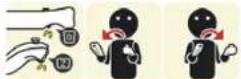 |
| RecoveringIf you start to lose balance, swing the Wii Remote and Nunchuk down together. | 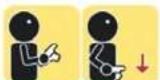 |
| Standing UpAfter you fall down, quickly swing the Wii Remote and Nunchuk up and down alternately. | 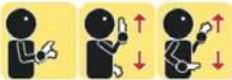 |
| Air TricksHit various air tricks by moving your Wii Remote and Nunchuk while you're in the air.Learn about air tricks in Ski School.Hit Some Cool Air Tricks!Jump off the ramp marked with red arrows to perform air tricks. | |

TIME TO HIT THE SLOPES!
CAN YOU BECOME AN EXPERT SKIER?
FREESTYLE
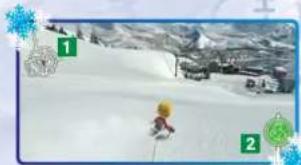
Game Screen
1 Shows your current position.
2 The course icon is displayed at the beginning and end of the course.
natural_image
Snowy mountain slope with a skier in the foreground and snow-covered peaks in the background (no visible text or symbols)PAUSE MENU
Press the + Button to open the Pause Menu.
Map:
Point to the Lift Icon at the top of the map and press the A Button to transport to that area. You can check the current location of your skier by looking for the face icon.
Course Details: See details on every course. If you have previously completed a course, your highest rank will be displayed.
Main Menu:
Return to the Main Menu.
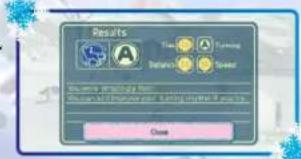
SKI RANKING
When you ski a course, you receive a rank for your performance. If you have not completed a course yet, you will receive a rank of "D". There are six levels of rank: S+, S, A, B, C, and D. Your highest rank will be displayed.
Earn Star Points as you improve your rank on each course, and as you accumulate more Star Points, earn new Pins!
Pin Rank


text_image
Results Time Timing Balance Balance CloseTHERE ARE LOTS OF EVENTS TO ENJOY ON THE SLOPES!
Ride the Lifts, Talk to People, Clear Events...
FREESTYLE
Ride the Lift
Press the A Button in the highlighted lift area to get onto a ski lift.
*The "Lift Area" is the area in pink surrounding a ski lift.
natural_image
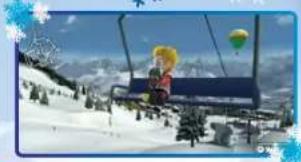
Winter ski resort scene with skier in snowy landscape and hot air balloons (no text or symbols)Take a Lift and Enjoy the View!
While you are on a lift, you can move the camera around with the Control Stick. Look around and take in the scenery. You can also skip by pressing the A Button.
Talk to Other Skiers
If you press the A Button near skiers with a yellow bubble over their heads, you can talk to them and trigger various events like Race, Slalom and Mogul Challenge. You can earn Star Points by clearing each event.
BUBBLES
There are other types of bubbles in addition to those described below. Talk to as many skiers as you can to find them all!

Race
Race against the CPU skier.

Slalom
Pass between the red and blue poles before time runs out.

Mogul
Take on some moguls.

Turn Challenge
Execute and repeat specified turns.

Trick Challenge
Execute specified air tricks.

Look for ○○!
Search for lost skiers.

Rescue
Rescue skiers that have fallen on the slopes.

Lost & Found
Look for and recover lost objects around the slope.

Perfect Stop
Stop precisely at a specified location.

These icons represent the skier's feelings.


ENJOY YOURSELF IN OUR FIRST-CLASS FACILITY!
In Freestyle Mode, you can ski anywhere you want at any time! If at any time you want to go to a different position, press the + Button, and select "Course Map". Simply point at the Ski Lift you want to visit, and press the A Button.
FREESTYLE
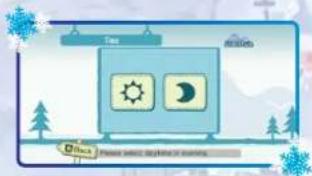
Select the Time of Day
Point to the icon for the time of day you want to ski, and press the A Button.
*If your party includes a first-time skier, then you will always start in the daytime and will not be able to choose the time of day.
text_image
Tues Atmosities Ditch Please select weather of sunoco.
text_image
MAP-5A BEPORTBeginner Course
Intermediate Course
Advanced Course
Air Trick Course
Select your Starting Position
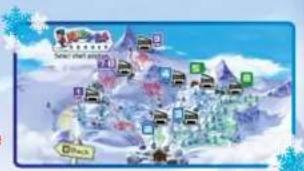
Point to a Lift icon on the map and press the A Button.
* If there are more than 2 players, all players will start from the position chosen by Player 1.
* If your party includes a first-time skier, then you will always start from Rabbit Road and will not be able to choose the starting position.
text_image
熊 SARLISMO DARK
Rabbit Road
Beginner course, suitable for everyone.

Fox Way
A wide course with a gentle slope for beginners.

Deer Step
This beginner course takes you through the forest.

Eaglesight
This intermediate course offers something for everyone.

Owl's Nest
This intermediate course has trees scattered along the way.

Elephant Stage
This intermediate course is full of small hills.

Snake Pass
A narrow and windy course for intermediate skiers.

Wolf Hill
Ungroomed slope for intermediate skiers.

Lion Peak
The hardest course in the resort, for advanced skiers.

Sharkskin
Icy slope for advanced skiers.

Bear Claw
The course with the steepest slope, for advanced skiers.

Camelhump
Magul course for advanced skiers.

Dolphin Park
Various ramps are set up here for air tricks.


PUT YOUR ABILITIES TO THE TEST!

TRY YOUR HAND AT COMPETITIVE SKIING!
SKI RACE
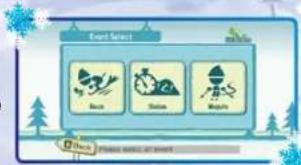
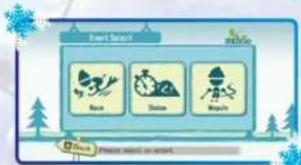
Select a Race
Point to the race you want to enter and press the A Button.
flowchart
graph TD
    A["Event Select"] --> B["Back"]
    A --> C["Show"]
    A --> D["Welcome"]
    B --> E["Event Selection"]
    C --> E
    D --> E
3 Types of Races to Enter
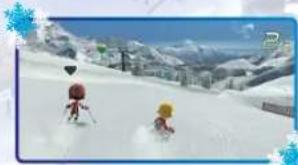
Race
Take on the CPU skier and up to 3 of your friends in this head-to-head downhill speed racing.
natural_image
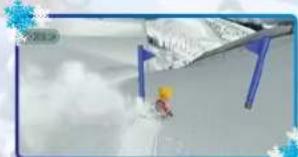
Two cartoon characters skiing on a snowy mountain slope with buildings in the background (no visible text or symbols)Slalom
Skiers will take turns skiing between red and blue flags to complete the course before time runs out.
natural_image
Illustration of a person standing on a snowy slope with a large structure and blue accents (no text or symbols visible)Mogul
Speed through the moguls and hit some cool tricks. Up to 4 players can compete on the mogul course using a split screen.
natural_image
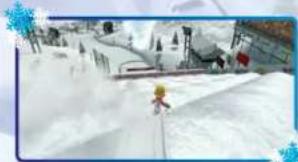
Winter ski slope with a character in yellow and red, overlooking a snowy landscape with trees and hills (no visible text or symbols)Select the Number of Skiers
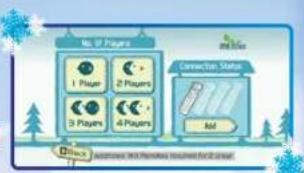
Point to the number of players you want, and press the A Button. Then, select your skier and press the A Button.
* If two or more players are skiing, each skier will need a separate Wii Remote and Nunchuk. See page 5 for details on how to register additional Wii Remotes.
flowchart
graph TD
    A["No. of Players"] --> B["1 Player"]
    A --> C["2 Players"]
    A --> D["3 Players"]
    A --> E["4 Players"]
    F["Connection Status"] --> G["Mid"]
    H["Clock Icon"] --> I["Application: Windows Remote Response System for 20 seconds"]
Select Level
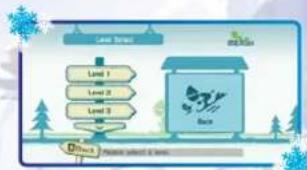
Point to the level you want to play in and press the A Button. The race details will be displayed when you select a level. Point to "Start" and press the A Button to start the race.
flowchart
graph TD
    A["Level 1"] --> B["Level 2"]
    B --> C["Level 3"]
    C --> D["Back"]
    style A fill:#f9f,stroke:#333
    style D fill:#bbf,stroke:#333
See the Replay
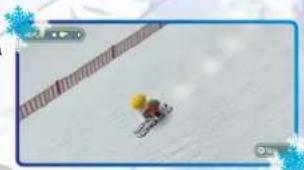
You can watch a replay after the race. Press the A Button to skip. You can press the +Control Pad to the left or right during replay to watch different skiers.
natural_image
Aerial view of a skier on a snowy slope with a trail and snowflakes in the background (no visible text or symbols)See the Race Results
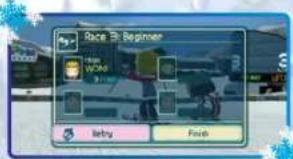
After the replay, the race results will be displayed. If you want to race again, point to "Retry" and press the A Button.
In Freestyle mode, a Smiley Face appears if the event you just entered had previously been cleared. It will not appear in Ski Race mode.
text_image
Race By Beginner Player: WCAO Entry FinishSkier Registration
You can register and edit your skier. See page 5 for details.
SMILE FOR THE CAMERA!
There are two ways to take pictures in We Ski.
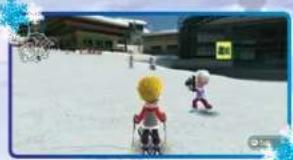
1) In Freestyle, you can have your picture taken by a Photographer on the slopes.
a. Find the Photographer and talk to him (Keep Screenshot).
b. Select "Yes" when asked if you would like to take a picture.
c. Gather your friends and say "Cheesel" - A timer will count down for 5 seconds before the picture snaps. You can change your pose with the +Control Pad.
d. You can save your photos to an album and view them in the Main Menu by selecting "Album."
2) From the main menu, select
"Album" and select "Photo Shoot"
a. Point to the location you would like to conduct a Photo Shoot in, and press the A Button.
b. To add more locations for photo shoots, clear Photo Shoot Events, other specific events, or every lesson in Ski School.
natural_image
Two cartoon characters in strollers on a snowy playground with buildings and a yellow signboard (no readable text or symbols)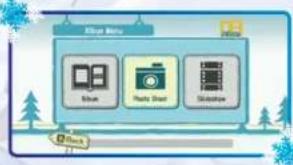
flowchart
graph TD
    A["Open Menu"] --> B["Image"]
    A --> C["Photo Start"]
    A --> D["Selection"]
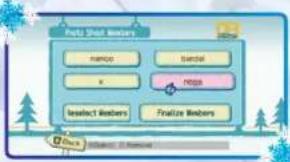
Select Skiers for Photo Shoot
You can choose up to 4 skiers to join a photo shoot. Before the photo shoot, you can change clothes and edit the skiers. See page 7 for details on editing skiers. You can change the skiers poses by pressing +Control Pad.
*You can't change poses during an action Photo Shoot.
* Some locations only allow group photos, and some locations only allow action shots.
* You can save up to 100 photos.
flowchart
graph TD
    A["Pots Shot Members"] --> B["Name"]
    A --> C["Button"]
    B --> D["X"]
    C --> E["Pops"]
    D --> F["Select Members"]
    E --> G["Finalize Members"]

VIEWING AND SHARING PHOTOS
You can view photos in your Album. Point to the Album Menu and press the A Button.
Point to the thumbnail of the photo you want to view and press the A Button.
Album Page Screen
1 Date the photo was taken.
2 Point here and press the A Button to turn the page.
3 Point here and press the A Button to view a larger photo
4 Comments on the photo are displayed here.
5 Album Page Menu. Point to a menu item and press the A Button.
Slideshow
Select "Slideshow" from the Album Menu and enjoy a slideshow with music, using randomly selected photos from your album.
Sharing Photos
You can send photos to the Wii Message Board.
*For more details on the Wii Message Board, please see the Wii Operations Manual.
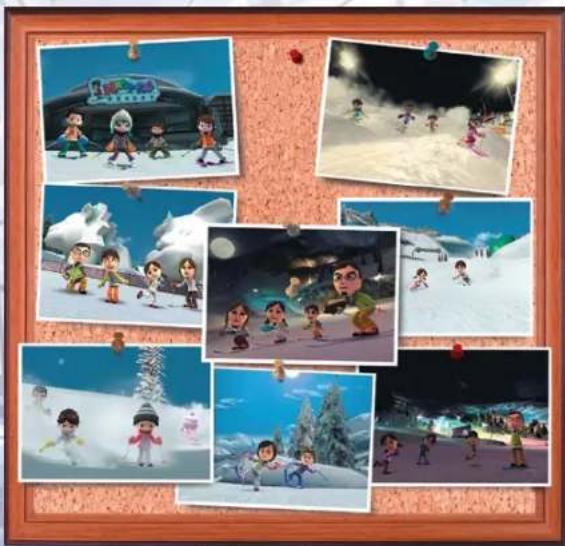
natural_image
Collage of six cartoon character scenes in snowy and icy winter, including a building, skiing, and skiing (no text or symbols visible)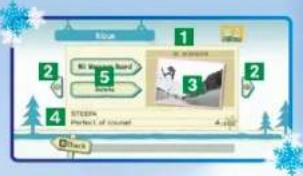
text_image
Bilg 1 2 5 3 4 STEEEN Perfect of rounded 4.000
natural_image
Collage of six cartoon character scenes in snowy and icy winter, including a building, skiing, and skiing (no text or symbols visible)
USE THE Wii BALANCE BOARD TO TURN!
* The Wii Balance Board is included in "Wii Fit," and is sold separately by Nintendo.
* Only one player can ski while the Wii Balance Board is connected.
Connecting the Wii Balance Board
Connect your Wii Balance Board BEFORE you press the A Button or B Button at the Title Screen. A connection screen will appear before you go to the Main Menu. For more information on how to sync your Wii Balance Board, please consult the Wii Balance Board manual.
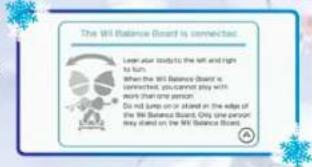
text_image
The Wilt Balance Board is connected. Learn water body to the left and right to turn. When the Wilt Balance Board is connected, you cannot stay with work than some person. Do not jump or sit on the edge of the Wilt Balance Board. Only one person way stood on the Wilt Balance Board.Functionality Check and Calibration
Check for proper function
If the Wii Balance Board is connected, the Wii Balance Board icon will appear in the Main Menu. Point to the icon and press the A Button, then follow the instructions on the screen to perform a functionality check.
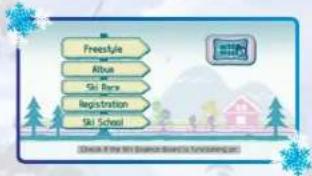
text_image
Freesyle Albus Ski Race Registration Ski SchoolCalibrate your Wii Balance Board
Before you start skiing, follow the instructions on the screen to calibrate your Wii Balance Board.
* Once you have calibrated your Wii Balance Board, you will not be prompted to do it again until you play with another skier.

text_image
Checking of the WIX Balance Board in Taxitabing property. Please get on the WIX Balance Board. Phase 2: May 2014 (or April 2014) start OFFICE.Don't Jump!
Do not jump on your Wii Balance Board. If you jump or get off the Wii Balance Board, the game will pause and a warning message will appear.
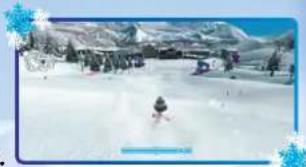
Turn with the Wii Balance Board!
When the Wii Balance Board is connected, you can turn left or right by shifting your weight instead of tilting the Wii Remote and Nunchuk.
Balance Bar: The Balance Bar shows which side your weight is currently on.
Left turn: Put your weight on your left foot.
Right turn: Put your weight on your right foot.
natural_image
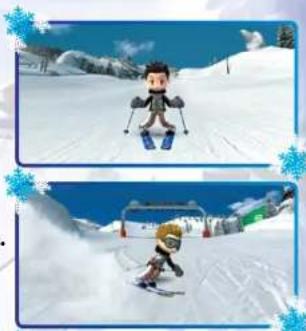
Snowy mountain slope with a skier in the foreground and snow-covered slopes, no visible text or symbolsSnow Plow Turn
While skiing, hold down the C Button and shift your weight left or right to turn.
Parallel Turn
While skiing, shift your weight left or right to turn.
natural_image
Two identical cartoon characters skiing on a snowy slope under a blue sky, with trees and a building in the background (no text or symbols visible)Crouching Turn
Position your Wii Remote and Nunchuk parallel to the ground, and twist them 90 degrees outward. Tuck your elbows to your sides, and shift your weight left or right to turn.
natural_image
Cartoon character skiing on a snowy slope with trees and snowflakes in the background (no text or symbols)Quick Parallel Turn (Wedeln)
Hold down the B and Z Buttons, and shift your weight left or right to turn.
natural_image
Cartoon character skiing on a snowy slope under blue sky (no text or symbols)Inverse Controls
Press ① and ② in the Pause menu to invert the Wii Balance Board turn input. Press again to return to standard input.


CREDITS
DEVELOPED & PRODUCED BY
NAMCO BANDAI Games Inc.
Executive Producers
Shin Unozawa
Takashi Shoji
Chief Producers
Tomoaki Imanishi
Daisuke Uchiyama
Yohzo Sakagami
Producers
Maya Ito
Masaya Kobayashi
Director
Hisashi Kawamura
Product Planners
Kenichi Shimada
Makoto Kawamata
Program Director
Kensuke Nakanishi
Design Director
Manabu Okano
Design Management
Yoshinori Wagatsuma
Sound Director
Hiroshi Okubo
General Manager
Takefumi Hyodo
Senior Localization Manager Selko Fujisawa
Localization Manager
Lindsay Gray
Localization Producer
James Vance
Senior Marketing Manager
Naruo Uchida
Marketing Coordinators (US & Europe)
Tatsuya Kubota
Yutaka Fuse
PUBLISHED BY
NAMCO BANDAI Games America Inc.
Production
Director of Localization
Takahiro Sasanoi
Senior Localization Manager
Taka Akiyama
Localization Manager
Ryota Toyama
Localization Producer
Taiki Homma
CREDITS
Marketing and PR
Director of Marketing and PR
Todd Thorson
Associate Product Marketing Manager
Aaron Krause
Public Relations Manager
Arne Cual-Pedroso
Public Relations Coordinator
Rob Ely
Creative Services Manager
Michiko Wang
Quality Assurance
Senior QA Manager
Tad Hirayabashi
QA Supervisor
Mike Peterson
Project Coordinator for QA
Jesse Mejia
QA Lead
Stephen Chin
Assistant QA Lead
Luis Castillo
QA Team
John Moya
Adam De Anda
Phil Farkaly
Jared Rosmarin
Darren Agellon
Ricky Ortiz
Travis Barbieri
CQC Testers
Billy Dal Porto
Saiho Kwan
Mia Pelayo
Ryan Dagley
Strategic Business Manager
Brian Schorr
National Sales Manager
Terry Carlson
Special Thanks
Genichi Ito
Makoto Iwai
Shuji Nakata
Andrew Lelchuk
Yasu Nishimura
Jennifer Tersigni
Moto Aida
Ryan Chenault
Janna Smith
Matt Peterson
Y Pham
In Joon Hwang
Brian Kruse


VEUILLEZ LIRE ATTENTIVEMENT L'INTÉGRALITÉ DU MODE D'EMPLOI DE LA Wii AVANT D'UTILISER VOTRE SYSTÈME, VOTRE DISQUE DE JEU, OU VOS ACCESSOIRES Wii. CE MODE D'EMPLOI COMPREND D'IMPORTANTES INFORMATIONS SUR VOTRE SANTÉ ET VOTRE SÉCURITÉ.
INFORMATIONS IMPORTANTES CONCERNANT VOTRE SÉCURITÉ: VEUILLEZ LIRE LES PRÉCAUTIONS SUIVANTES AVANT QUE VOUS OU VOTRE ENFANT NE JOUIEZ À VOS JEUX VIDÉO.
Bouton Power MARCHE/ARRET
text_image
WeSki Press 0 and 25 © 2017 WeSki is a local Facebook store. Press the outlet on the post at night of the week.SÉLECTION DU MODE
text_image
Freestyle Album Ski Race Registration Ski Schoolnatural_image
Snowy mountain slope with a person skiing, surrounded by trees and distant hills (no visible text or symbols)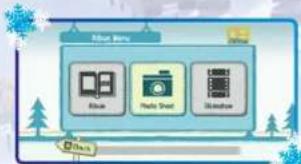
flowchart
graph TD
    A["Blue"] --> B["Hello Sheet"]
    B --> C["Window"]
    style A fill:#f9f,stroke:#333
    style B fill:#ccf,stroke:#333
    style C fill:#cfc,stroke:#333
flowchart
graph TD
    A["Forest Search"] --> B["Bags"]
    A --> C["Shirts"]
    A --> D["Raspets"]
    B --> E["→"]
    C --> F["→"]
    D --> G["→"]
flowchart
graph TD
    A["Go Stop"] --> B["Done"]
    B --> C["Finish"]
    C --> D["GO"]
    style A fill:#f9f,stroke:#333
    style D fill:#ccf,stroke:#333
flowchart
graph TD
    A["Start"] --> B{Flight Start}
    B --> C{Takeoff}
    C --> D["Take Off"]
    D --> E["Flight Suit"]
    E --> F{Flight End}
    F --> G["Flight Pass"]
    G --> H["Flight Pass"]
    H --> I["Flight Pass"]
    I --> J["Flight Pass"]
    J --> K["Flight Pass"]
    K --> L["Flight Pass"]
    L --> M["Flight Pass"]
    M --> N["Flight Pass"]
    N --> O["Flight Pass"]
    O --> P["Flight Pass"]
    P --> Q["Flight Pass"]
    Q --> R["Flight Pass"]
    R --> S["Flight Pass"]
    S --> T["Flight Pass"]
    T --> U["Flight Pass"]
    U --> V["Flight Pass"]
    V --> W["Flight Pass"]
    W --> X["Flight Pass"]
    X --> Y["Flight Pass"]
    Y --> Z["Flight Pass"]
BIENVENUE! VOUS ÊTES COMBIEN, AUJOURD'HUI?
text_image
Game interface screenshot showing character selection grid with 'Drama' buttonENREGISTREMENT DU SKIEUR (EN UTILISANT UN Mii)
text_image
Game interface screenshot showing a grid of character avatars with 'Others' status indicators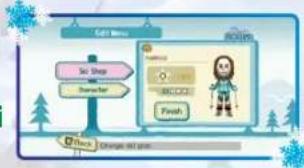
flowchart
graph TD
    A["Set Shop"] --> B["Create"]
    B --> C["Robot Icon"]
    C --> D["Finish"]
    D --> E["Action"]
ENREGISTREMENT DU SKIEUR (SANS UTILISER DE Mii)
text_image
Character Day Action 1 rat OK D:\Users\Please check any action.flowchart
graph TD
    A["Depart to Park"] --> B["Depart to Lake"]
    B --> C["Offshore"]
natural_image
Skier on a snowy slope with snow-covered mountains and trees, no visible text or symbolsMENU PAUSE
text_image
Results Time Timing Balance Scale Closenatural_image
Winter ski resort scene with a child skiing on a snowy slope, hot air balloons visible in the sky (no text or symbols)text_image
Rainfall Weather Rainfall Rainfall Rainfall Rainfall Rainfall Rainfall Rainfall Rainfall Rainfall Rainfall Rainfall Rainfall Rainfall Rainfall Rainfall Rainfall Rainfall Rainfall Rainfall Rainfall Rainfall Rainfall Rainfall Rainfall Rainfall Rainfall Rainfall Rainfall Rainfall Rainfall Rainfall Rainfall Rainfall Rainfall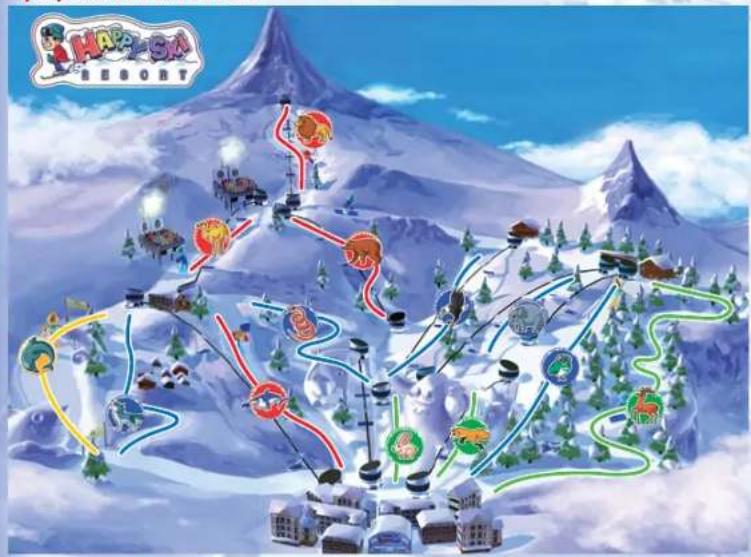
text_image
Hapa-SA RESORTtext_image
Game screenshot showing a fantasy-themed character with multiple characters and icons, including 'SARANT' and 'Drama'
Voie du lapin
natural_image
Two cartoon characters skiing on a snowy slope with a scenic mountain background (no text or symbols visible)Slalom
natural_image
Cartoon character standing on a snowy slope with blue poles and clouds in the background (no text or symbols visible)Bosses
natural_image
Ski resort scene with snow-covered slopes and ski equipment (no visible text or symbols)text_image
No. of Players 1 Player 2 Players 3 Players 4 Players Connection Status Midnatural_image
Aerial view of a skier on a snowy slope with a trail and snow-covered ground (no visible text or symbols)text_image
Beginner Retry Finishnatural_image
Two children skiing on a snowy slope with buildings in the background (no visible text or symbols)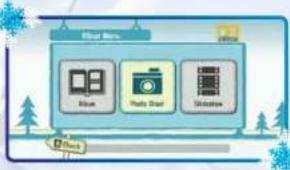
text_image
Media Menu Blue Photo Stream Shadow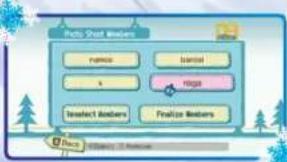
flowchart
graph TD
    A["Body Sheet Members"] --> B["Name"]
    A --> C["Input"]
    A --> D["x"]
    A --> E["Output"]
    A --> F["Select Members"]
    A --> G["Finalize Members"]
VISUALISER ET PARTAGER DES
PHOTOS
text_image
Blue 1 2 3 4 5 6 STEEP Perfect of channelnatural_image
Collage of colorful cartoon character scenes in a snowy landscape, including winter, winter, and autumn (no text or symbols visible)

UTILISEZ LA Wii BALANCE BOARD POUR TOURNER!
text_image
The Will Balance Board is connected. Learn your body to the left and right to turn. When the Will Balance Board is connected, you cannot say with more than one option. Do not jump on or stand on the edge of the Will Balance Board. Only one person way started on the Will Balance Board.text_image
Freestyle Albus Ski Beach Registration Ski Schooltext_image
Checking if the WIX Balance Board is Transitional recently Please get on the WIX Balance Board Class 5 in the 2nd Female Start Planets ANe sautez pas!
natural_image
Snowy mountain slope with a skier in the foreground and snow-covered slopes, no visible text or symbolsnatural_image
Two identical cartoon characters skiing on a snowy slope under a blue sky, with snowflakes in the corner (no text or symbols)Tourner accroupi
natural_image
Cartoon character skiing on a snowy slope with trees and hills in the background (no text or symbols visible)natural_image
Cartoon character skiing down a snowy slope under a blue sky (no text or symbols visible)Ever get stuck and just need that extra edge to beat the level?
Having problems getting your game to work properly?
Now you can get one-on-one help from NAMCO BANDAI Games America Inc.
using your web browser!
Simply go to livehelp.namco.com for more details.
Live Counselors available from 9am-5pm Monday-Friday Pacific Time.
NAMCO BANDAI Games America Inc.
ATTN: Customer Service
4555 Great America Parkway, Suite 201
Santa Clara, CA 95054
Before returning any defective materials to us, please contact us for a Return Merchandise Authorization (RMA) number. You can reach us at the address above, via e-mail at support@namcobandaigames.com or contact us at (408) 235-2222. Please note that any materials sent to us without an RMA number will be refused and returned. We highly recommend that you use a traceable and / or insured method of shipping the materials to us.
Namco Bandai Games America Inc. Online:
www.namcobandaigames.com
Visit our Website to get information about our new titles.
LIMITED WARRANTY
NAMCO BANDAI Games America Inc. warrants to the original purchaser that this NAMCO BANDAI Games America Inc. game pack shall be free from defects in material and workmanship for a period of ninety (90) days from the date of purchase. If a defect covered by this limited warranty occurs during this 90-day limited warranty period, NAMCO BANDAI Games America Inc. will repair or replace the defective game pack or component part, at its option, free of charge.
This limited warranty does not apply if the defects have been caused by negligence, accident, unreasonable use, modification, tampering, or any other cause not related to defective material or workmanship.
LIMITATIONS ON WARRANTY
Any applicable implied warranties of merchantability and fitness for a particular purpose, are hereby limited to ninety (90) days from the date of purchase and are subject to the conditions set forth herein. In no event shall NAMCO BANDAI Games America Inc. be liable for consequential or incidental damages resulting from the possession or use of this product. The provisions of the limited warranty are valid in the United States only. Some states do not allow limitations on how long an implied warranty lasts, or exclusion of consequential or incidental damages, so the above limitation or exclusion may not apply to you. This limited warranty provides you with specific legal rights. You may have other rights which vary from state to state.
DES CONSEILS MAINTENANT OFFERTS EN LIGNE!
4555 Great America Parkway, Suite 201
Santa Clara, CA 95054 USA
To register product online go to
WWW.NAMCOREG.COM
WWW.NAMCOREG.COM