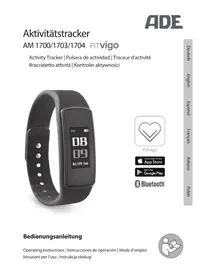
AM 1700 - Sports Watch ADE - Free user manual and instructions
Find the device manual for free AM 1700 ADE in PDF.



| Product type | Activity tracker / Connected sports watch |
| Brand and model | ADE AM 1700 |
| Power supply | Rechargeable lithium battery 75 mAh, USB charging |
| Battery life | Approximately 45 minutes initial charge |
| Display | Touchscreen, activation by touch, raise arm or wrist rotation |
| Water resistance | IP67 (water and dust resistant, no hot water) |
| Connectivity | Bluetooth 4.0 and later |
| Compatible application | FITvigo (free, iOS and Android) |
| Required operating systems | Android 4.4+ or iOS 9.0+ (iPhone 5 and later) |
| Main functions | Step counter, calories, distance, heart rate, sleep, sport modes, alarm, reminders, smart notifications, inactivity alert, smartphone locator |
| Heart rate measurement | Automatic every 10 minutes and manual |
| Sleep monitoring | Automatic between 8 PM and 9 AM |
| Notifications | Messages (WhatsApp, Messenger) and incoming calls with reject option |
| Sport modes | Multiple selectable modes with real-time measurements |
| Alarm and reminders | Programmable via the FITvigo app |
| Inactivity alert | If less than 100 steps per hour between 9 AM and 8 PM |
| Smartphone locator | Triggers phone flash via the app |
| Bracelet | Elastic with clasps, removable part for the tracker |
| Operating temperature | -20°C to 60°C |
| Warranty | 3 years, material or manufacturing defects |
| Care and cleaning | Soft, slightly damp cloth, do not immerse in other liquids |
| Safety | Keep out of reach of children, do not modify, repairs by a professional |
| Package contents | Activity tracker, quick start guide, instruction manual to download |
| Certifications | Compliant with directives 2014/30/EU, 2014/53/EU, 2011/65/EU |
Frequently Asked Questions - AM 1700 ADE
User questions about AM 1700 ADE
0 question about this device. Answer the ones you know or ask your own.
Ask a new question about this device
Download the instructions for your Sports Watch in PDF format for free! Find your manual AM 1700 - ADE and take your electronic device back in hand. On this page are published all the documents necessary for the use of your device. AM 1700 by ADE.
USER MANUAL AM 1700 ADE
natural_image
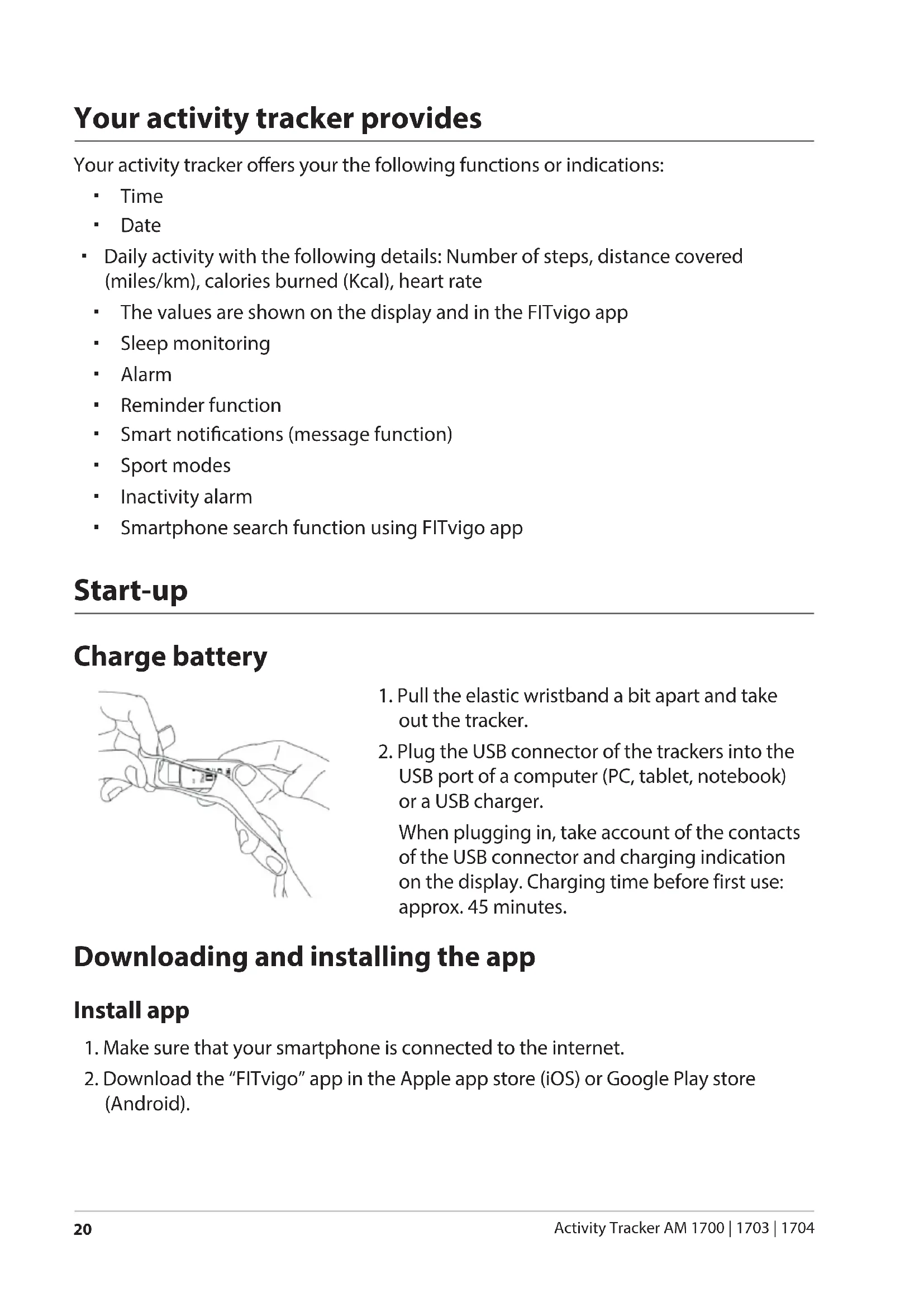
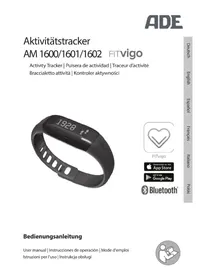
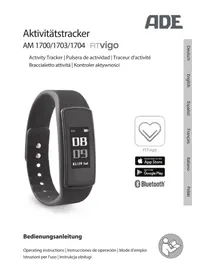
Black fitness tracker with digital display showing 08:09 on Saturday, no visible text or symbols beyond the display.
natural_image
Gray heart-shaped icon with two chevrons inside, enclosed in a rounded square border (no text or symbols)FITvigo
Bedienungsanleitung
Operating instructions | Instrucciones de operación | Mode d'emploi Istruzioni per l'uso | Instrukcja obsługi
natural_image
Icon of a person reading a document inside a circle (no text or symbols)natural_image
Line drawing of hands holding a small object with a ruler, no text or symbols presentnatural_image
Line drawing of a human hand wearing a smartwatch (no text or symbols)natural_image
Illustration of three hand positions with tape, showing finger movement and motion arrows (no text or symbols)22089 Hamburg, Germany
22089 Hamburg, Germany
You have chosen to purchase a product from the FITvigo program from ADE: Activity trackers, bathroom and analyser scales, as well as blood pressure monitors with Bluetooth functionality, which can be connected to the free FITvigo app.
We hope you enjoy your FITvigo product.
Your ADE Team
General information
About this manual

This operating manual describes how to safely use and care for your products. Keep this operating manual in a safe place in case you would like to refer to it later. If you pass this item on to someone else, pass on this manual as well.
Failure to observe the recommendations in this operating manual can lead to injuries or damage to your product.
Explanation of symbols
This symbol, combined with the word DANGER, warns against serious injury.
This symbol, combined with the word WARNING, warns against moderate and mild injuries.
This symbol, combined with the word NOTE, warns against material damage.
This symbol signifies additional information and general advice.
Table of Contents
General information....16
Intended Use....18
Safety....18
Scope of delivery 18
At a glance 19
Possible display indications/functions....19
Your activity tracker provides....20
Start-up 20
Charge battery....20
Downloading and installing the app....20
Connect the device with the app (pairing)....21
Use 21
Wearing the activity tracker....21
Activating the display 21
Navigation 22
Basic operation....22
Using functionality....23
Measuring activity data 23
Measuring heart rate 23
Sleep monitoring 23
Using smart notifications (message function)....24
Using sport modes 24
Using the alarm function....25
Setting reminder 25
Inactivity alarm 25
Looking for the smartphone....26
Cleaning....26
Fault/Remedy....26
Technical Data 27
Declaration of Conformity....27
Guarantee....28
Disposal....28
The activity tracker is used to monitor your sporting activities.
The activity tracker is designed exclusively for use in the private sphere and is not suitable for medical or sports medicine use.
Persons with portable or implanted medical electronic devices such as a cardiac pacemaker should use the activity tracker only after consultation with the attending physician.
Safety
- Children must not play with the item.
- Cleaning and user maintenance must not be carried out by children, unless they are 8 years of age or older and are being supervised.
DANGER for children
- Keep children away from the item and packaging materials. Risk of choking if swallowed. Also beware that children do not pull the packaging material over their heads.
BEWARE of material damage
- The activity tracker is water-proof according to protection type IP67. However, avoid warm water.
- Do not make any modifications to the item. Only allow repairs to be carried out at a specialist workshop. Repairs carried out incorrectly can considerably endanger the user.
Scope of delivery
- Activity Tracker
- Quick start guide
- Detailed manual (for download)
You can download the "FITvigo" app for free from the internet, see "Install App".
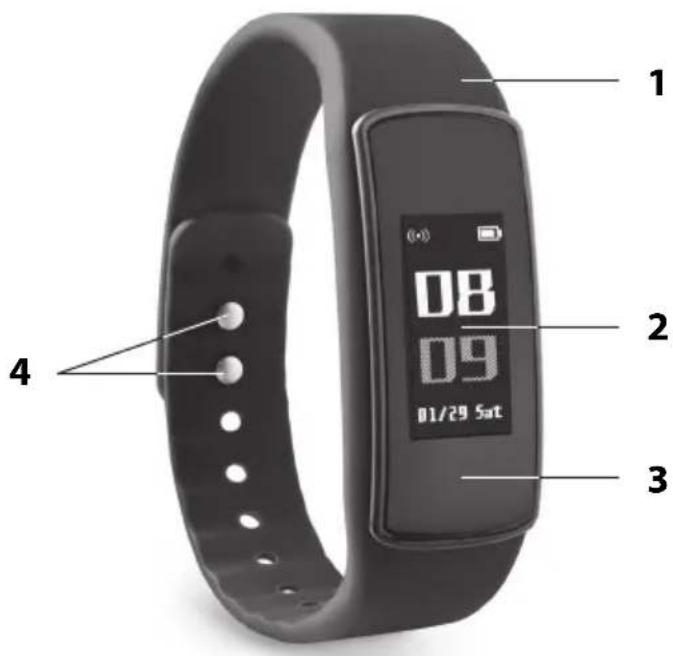
1 elastic wristband
2 Display
3 removable insert with USB connector (tracker)
4 wristband buckle
Possible display indications/functions
| Symbol Function Symbol Function | |||
 | Switching off Training mode | ||
| (1480) | Time | Start | |
| 06/16 | Date | Stop | |
| Mon | Day of the week Call number display, call rejection | ||
| (7540) | Number of steps Messages | ||
| (3024) | Calorie consumption Looking for the smartphone | ||
| Distance Time format | |||
| (9800) | Pulse rate Info | ||
| (9700) | Function setting Resetting to family settings | ||
| Alarm Switch do not disturb function on/off | |||
Reminder Do not disturb function  enabled enabled | |||
| Inactivity alarm | |||
Your activity tracker offers your the following functions or indications:
Time
Date
- Daily activity with the following details: Number of steps, distance covered (miles/km), calories burned (Kcal), heart rate
- The values are shown on the display and in the FITvigo app
- Sleep monitoring
- Alarm
- Reminder function
- Smart notifications (message function)
- Sport modes
- Inactivity alarm
- Smartphone search function using FITvigo app
Start-up
Charge battery
natural_image
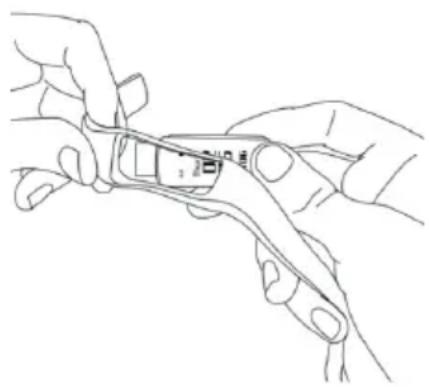
Line drawing of hands holding a tool with a small object inside (no text or symbols)- Pull the elastic wristband a bit apart and take out the tracker.
- Plug the USB connector of the trackers into the USB port of a computer (PC, tablet, notebook) or a USB charger.
When plugging in, take account of the contacts of the USB connector and charging indication on the display. Charging time before first use: approx. 45 minutes.
Downloading and installing the app
Install app
- Make sure that your smartphone is connected to the internet.
- Download the "FITvigo" app in the Apple app store (iOS) or Google Play store (Android).
- Depending on the settings of your smartphone, additional costs may be incurred for the internet connection or data transfer.
- The FITvigo app itself is free.
- We recommend downloading over a wireless network.
Connect the device with the app (pairing)
- Place your smartphone and activity tracker close together.
- Activate Bluetooth on your smartphone.
- Start the "FITvigo" app and follow the instructions.
Pay attention to the information and explanations displayed.
The activity tracker will be connected to the FITvigo app after a short while.
Use
Wearing the activity tracker
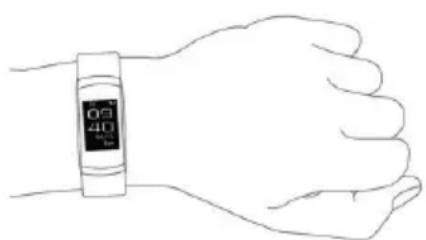
Wear the activity tracker as shown:
natural_image
Line drawing of a human hand wearing a smartwatch (no text or symbols)- Put on the strap in such a way that the activity tracker is comfortable to wear.
- Blood circulation must not be restricted.
- During movement, e.g. when running and especially during pulse measurement, the activity tracker must be well-fitted.
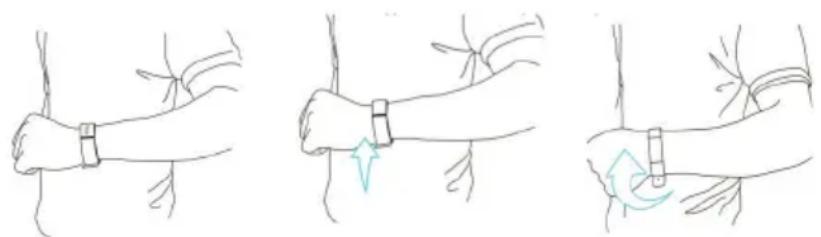
Activating the display
Requirement: The tracker is already switched on.
- Press and hold on the display for about 3 seconds to switch on the tracker.
natural_image
Three-step illustration showing a wrist-worn with a tape measure, indicating finger movement and rotation (no text or symbols)To activate the turned off display:
- Touch the display or
- lift your arm or
- rotate the activity tracker on your wrist.
When the battery is weak, automatic activation of the display by "lifting the arm" or "rotating on the wrist" is inactive. Thereby, power is saved and battery life extended. In this case, activate the display by touching it.
Navigation
- Viewing display contents and functions:
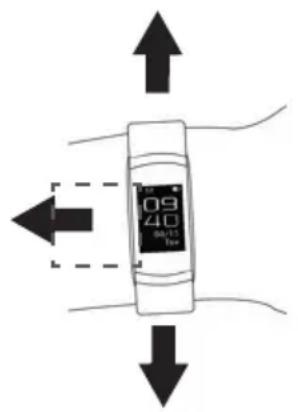
Display actions
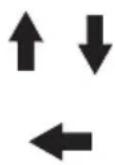
Swipe
-to change the menu level
Tap
-to view the functions
Note:
Depending on the selected function, not all "motion axes" are available.
Basic operation
Switching on
-Press the display for approx. 3 seconds.
Switching off
-Select, then tap and hold.
Selecting the operating level
-Swipe the display up or down.
Viewing functions in an operating level
-Tap the display.
Going back one level
-Swipe upwards on the display.
Selecting a function/Confirming a setting
- Press and hold the display. An additional vibration confirms the successful selection.
Selecting time format
-Select, then tap and hold. -Tap to select the desired time format and hold it down.
Enabling the do not disturb function
-Select, then tap (off) and hold. -If the function is active, ∅ is indicated on the display above the time. -The function is disabled again in the same way.
Using functionality
Measuring activity data
-Display the time and tap repeatedly. Data displayed in succession:
- Number of steps 🎨 - Calories consumed 🔗 - Distance covered 🔘
Measuring heart rate
The heart rate is automatically measured on a regular basis and average values are transferred to FITvigo app in 10 minutes intervals.
To measure heart rate manually:
-Display the time and tap repeatedly until 🤨 appears in the display. After a few seconds, the measured value will be displayed.
Sleep monitoring
The sleep monitoring must not be activated manually. The activity tracker automatically detects whether you are sleeping in the period from 8 p.m. to 9 a.m.
This does not mean that you cannot sleep longer than 9 hours, but you must go to sleep within this timeframe for sleep monitoring to begin.
If you go to sleep outside of this time, it will not be registered.
Using smart notifications (message function)
If you receive messages to your smartphone, e.g. on WhatsApp or Facebook messenger, the tracker detects them and vibrates. Besides, is indicated on the display above time.
To read messages:
-select, then scroll through the displayed messages by tapping.
To delete a message:
- Select the message to be deleted and press the display until the tracker vibrates.
Pay attention to the following:
- Only text is displayed.
- Once you have read all messages, the symbol disappears.
- Whether and which messenger messages are displayed, depends on the settings of your smartphone and permissions in the FITvigo app.
If access is permitted for FITvigo app, phone calls will also appear on your tracker:
- Next to the call symbol a phone number of the caller appears and the tracker vibrates.
- Press and hold the display to reject the call at the tracker if needed.
Using sport modes
The tracker offers a variety of sport modes. Select the one that corresponds to your kind of sport or suits you the best.
- Select R, then select suitable kind of sport by tapping.
- Press on the display for several seconds to start measurement.
- Begin the workout.
- Press and hold the display to stop measurement at the end of the workout.
After that you will receive the summary of all fitness values (heart rate, etc. calorie consumption etc.). Then the values are erased.
By tapping the display you can view different fitness values already in the course of the measurement.
Using the alarm function
The alarm function is set via the FITvigo app.
- Start the FITvigo app.
- Tap Show alarm in the lower right hand corner.
- Tap Add alarm at the bottom edge.
- Tap Set alarm time.
- Specify the time and tap OK.
- Tick to select the desired alarm day.
- Tap Save alarm 1.
The data will be transferred to the tracker
- Tap Done.
The tracker will wake you up at the set time on the selected day by vibration.
Besides, the time and alarm symbol 📋 will be shown on the display.
-Tap the display to delete the indicated data.
Setting reminder
The reminder function is set via the FITvigo app.
The reminder itself occurs by vibration of the tracker, besides a text is displayed, which you can enter yourself.
- Start the FITvigo app.
- Tap the bell symbol in the upper left hand corner.
- Tap Add new reminder.
- Enter the desired reminder text in the input flied in a brief and concise manner.
- Set day and time.
- Then tap again Add new reminder.
The tracker will vibrate and you will receive the entered text at the set time on the selected day.
Inactivity alarm
If you make less than 100 steps within an hour in the period between 9 a.m. and 8 p.m., you will be reminded by the activity tracker about necessary movement:
The tracker will vibrate and show the symbol of inactivity in the display.
Looking for the smartphone
This function will help you finding your smartphone.
-Select, then tap and hold your smartphone starts ringing.
Cleaning
NOTE on material damage
- Do not immerse the tracker in liquids other than water (water-tightness rating IP67).
- Never use harsh or abrasive cleaning agents or the like to clean the tracker. If you do, the surface could be scratched.
- Using a soft lightly dampened cloth, wipe the tracker clean, as needed.
Fault/Remedy
| Fault Possible Cause | |
| No function/display indicator.Activity tracker switches off. | Is the battery completely charged? |
| Apparently incorrect measurement results.Large difference between the last measurements. | You have gone fewer than 10 steps.You’re sliding across the floor or are wearing slippers on your feet. |
| Error message on the display when pairing.Data transmission has failed. | Has Bluetooth been activated on your smartphone?Is the FITvigo app active?Was the distance between the tracker and smartphone too large? Max. permitted distance for Bluetooth: approx. 10 m. |
| The tracker is shown in the app as connected, but no data transfer occurs for several minutes. | Check whether the tracker is also displayed in the Bluetooth settings of the smartphone as connected. Start manual pairing with the tracker via the smarthphone if needed. |
Technical Data
Battery: Lithium battery with 75 mAh
Protection class: IP67
Temperature range: -20 to 60 °C
Bluetooth-compatible: from version 4.0
System requirements: For the smartphones from Android 4.4 / iPhone 5,
5C, 5S, 6, 6 Plus, 6S, 6S Plus, SE, 7, 7 Plus from iOS 9.0
and more recent
Distributor (no service address): Waagen-Schmitt GmbH
Hammer Steindamm 27-29
22089 Hamburg, Germany
Our products are constantly being developed and improved.
For this reason, design and technical modifications are possible at any time.
Declaration of Conformity
Waagen-Schmitt GmbH hereby declares that the electronic activity trackers AM 1700 to AM 1704 comply with the directives 2014/30/EU, 2014/53/EU and 2011/65/EU.
The full text of the EU conformity declaration is available via the following Internet address: www.ade-germany.de/doc
The declaration loses its validity if modifications have been made to the device without our approval.
Hamburg, July 2017
Waagen-Schmitt GmbH
Hammer Steindamm 27-29
22089 Hamburg, Germany
CE
Guarantee
The company Waagen-Schmitt GmbH guarantees for 3 years from the purchase date the cost-free rectification of defects on the basis of material or fabrication errors through repair or exchange.
In the event of a guarantee claim, please return the product with the proof of purchase (stipulating the reason for claim) to your dealer.
Disposal
Disposing of the packaging

Dispose of the packaging with similar materials. Put cardboard with waste paper, films with recyclable materials.
Disposing of the product
Dispose of the product in accordance with the regulations that apply in your country.
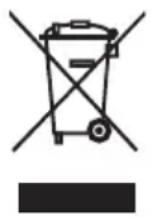
Devices must not be disposed of in normal household waste
At the end of its life, the product must be disposed of in an appropriate way. In this way, valuable materials contained in the device will be recycled and the burden on the environment avoided. Hand in the old device at a collection point for electronic waste or at a recycling depot.
For more information, contact your local waste disposal firm or your local administrative body.
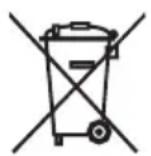
Recyclable and disposable batteries do not belong in household waste
All batteries must be handed in at a collection point in your community, suburb, or at the retailer. Such batteries can thus be disposed of in an environmentally friendly way.
Do you need help or do you have additional questions?
Then please send us an email at: support@fitvigo.de
natural_image
Line drawing of two hands holding a small object with a ruler, no text or symbols presentnatural_image
Line drawing of a human hand wearing a wristwatch (no text or symbols)natural_image
Three-step illustration showing a wrist band being held, with motion arrows indicating movement (no text or symbols)natural_image
Line drawing of hands using a tool to adjust or install a component (no text or symbols visible)natural_image
Line drawing of a human hand wearing a smartwatch (no text or symbols)natural_image
Three-step illustration showing a wrist-worn with a tape measure, indicating finger movement and rotation (no text or symbols)natural_image
Line drawing of two hands holding a small object with a ruler, no text or symbols presentnatural_image
Line drawing of a human hand wearing a smartwatch (no text or symbols)natural_image
Three-step illustration showing a wrist-worn with bandages, indicating finger movement and rotation (no text or symbols)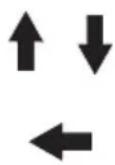
Strisciare
natural_image
Line drawing of hands holding a tool with a small object inside (no text or symbols)natural_image
Line drawing of a human hand wearing a smartwatch (no text or symbols)natural_image
Three-step illustration showing a wrist-worn with a tape measure, indicating finger movement and rotation (no text or symbols)22089 Hamburg, Germany
Hamburg, lipiec 2017
Waagen-Schmitt GmbH
Hammer Steindamm 27-29
22089 Hamburg, Germany
- Bedienungsanleitung
- General information
- About this manual
- Explanation of symbols
- Table of Contents
- Safety
- DANGER for children
- BEWARE of material damage
- Scope of delivery
- Possible display indications/functions
- Start-up
- Charge battery
- Downloading and installing the app
- Install app
- Connect the device with the app (pairing)
- Use
- Wearing the activity tracker
- Activating the display
- Navigation
- Swipe
- Tap
- Basic operation
- Switching on
- Switching off
- Selecting the operating level
- Viewing functions in an operating level
- Going back one level
- Selecting a function/Confirming a setting
- Selecting time format
- Enabling the do not disturb function
- Using functionality
- Measuring activity data
- Measuring heart rate
- Sleep monitoring
- Using smart notifications (message function)
- Using sport modes
- Using the alarm function
- Setting reminder
- Inactivity alarm
- Looking for the smartphone
- Cleaning
- NOTE on material damage
- Technical Data
- Declaration of Conformity
- Guarantee
- Disposal
- Disposing of the packaging
- Disposing of the product
- Devices must not be disposed of in normal household waste
- Recyclable and disposable batteries do not belong in household waste
- Strisciare
Brand : ADE
Model : AM 1700
Category : Sports Watch