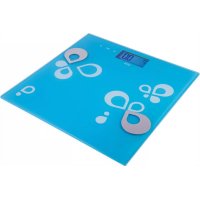
OV 125 - Scale ECG - Free user manual and instructions
Find the device manual for free OV 125 ECG in PDF.



| Product type | Impedance scale with body composition analysis |
| Main functions | Weight, body fat percentage, water content, muscle mass, bone mass, calories, memory for 12 users, simple weighing |
| Maximum capacity | 180 kg |
| Measurement accuracy | 100 g / 0.1% |
| Power supply | 2 AAA 1.5 V batteries (not included) |
| Display | LCD screen |
| Weight units | kg / lb (selectable) |
| Height range adjustable | 100 to 250 cm |
| Age range adjustable | 10 to 100 years |
| Safety | Do not use if you have a pacemaker, are pregnant, have a fever, etc. Do not immerse. Household use only. |
| Maintenance | Clean with a damp cloth, avoid chemicals. Do not submerge in water. |
| Platform material | Metal electrodes for impedance measurement |
| Overload indication | Yes |
| Low battery indication | Yes |
| Auto-off | Yes (after a few seconds of inactivity) |
| Repairability | Any repairs should be carried out by a professional after-sales service |
| Warranty | Not specified in the manual |
Frequently Asked Questions - OV 125 ECG
User questions about OV 125 ECG
0 question about this device. Answer the ones you know or ask your own.
Ask a new question about this device
Download the instructions for your Scale in PDF format for free! Find your manual OV 125 - ECG and take your electronic device back in hand. On this page are published all the documents necessary for the use of your device. OV 125 by ECG.
USER MANUAL OV 125 ECG
natural_image
Two digital kitchen cabinets with water filter designs, one blue and one white, displayed against a white background (no text or symbols visible)OV 125
DIGITÁLNÍ OSOBNÍ VÁHA
NÁVOD K OBSLUZE
DIGITÁLNA OSOBNÁ VÁHA
NÁVOD NA OBSLUHU
CYFROWA WAGA ŁAZIENKOWA
INSTRUKCJA OBSŁUGI
DIGITÁLIS SZEMÉLYMÉRLEG
HASZNÁLATI ÚTMUTATÓ
DIGITALE PERSONENWAAGE
BEDIENUNGSANLEITUNG
DIGITAL BATHROOM SCALE
INSTRUCTION MANUAL
PESE-PERSONNE NUMERIQUE
MODE D'EMPLOI
BILANCIA DIGITALE DA BAGNO
- User memory code
- Female/Male
- Water Index (%)
- Fat/muscle mass/bones index (%)
- Indication of obesity degree
- Height unit
- Age
- Unit of weight
- Calories unit
FR
Do not immerse in water! – Neponořovat do vody!
Upozornění
other
| Condition | Temperature (kg) | Change (%) | |---|---|---| | 1 | 3.4 | 3.4 | | 2 | 52.8 | 52.8 | | 3 | 3.4 | 3.4 | | 4 | 23.8 | 23.8 | | 5 | 100 | 100 | | 6 | 52.3 | 52.3 | | 7 | 3.4 | 3.4 | | 8 | 37.2 | 37.2 | | 9 | 12.0 | 12.0 | | 10 | 184.0 | 184.0 |natural_image
Silhouette of two boots on a flat surface with a downward arrow indicating compression or damage (no text or symbols)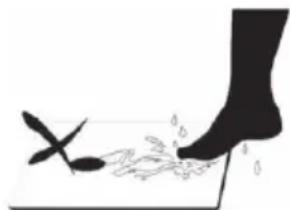
natural_image
Silhouette of a foot pressing down on a surface with a spoon and leaf, no text or symbols presentflowchart
graph TD
    A --> B
natural_image
Illustration of two boots on a mat with a downward arrow indicating compression or force (no text or symbols)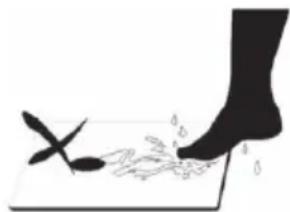
natural_image
Silhouette of a foot pressing down on a surface with scattered droplets (no text or symbols)Automatické zapnutie Pozor: Nebezpečenstvo pošmyknutia
sa na mokrom povrchu!
TECHNICKÉ ÚDAJE
natural_image
Illustration of two boots on a mat with a downward arrow indicating motion or pressure (no text or symbols)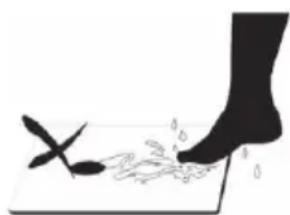
natural_image
Silhouette of a foot stepping on a surface with scattered small objects, no text or symbols presentflowchart
graph TD
    A --> B
natural_image
Illustration of a pair of boots on a mat with a downward arrow indicating compression or force (no text or symbols)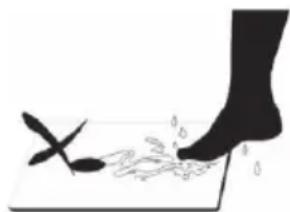
natural_image
Silhouette of a foot stepping on a surface with a small object nearby (no text or symbols)natural_image
Illustration of two boots on a mat with a downward arrow indicating compression or force (no text or symbols)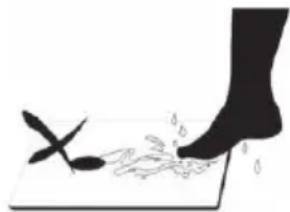
natural_image
Silhouette of a foot stepping on a surface with a small leaf and droplets, no text or symbols presentRead carefully and save for future use!
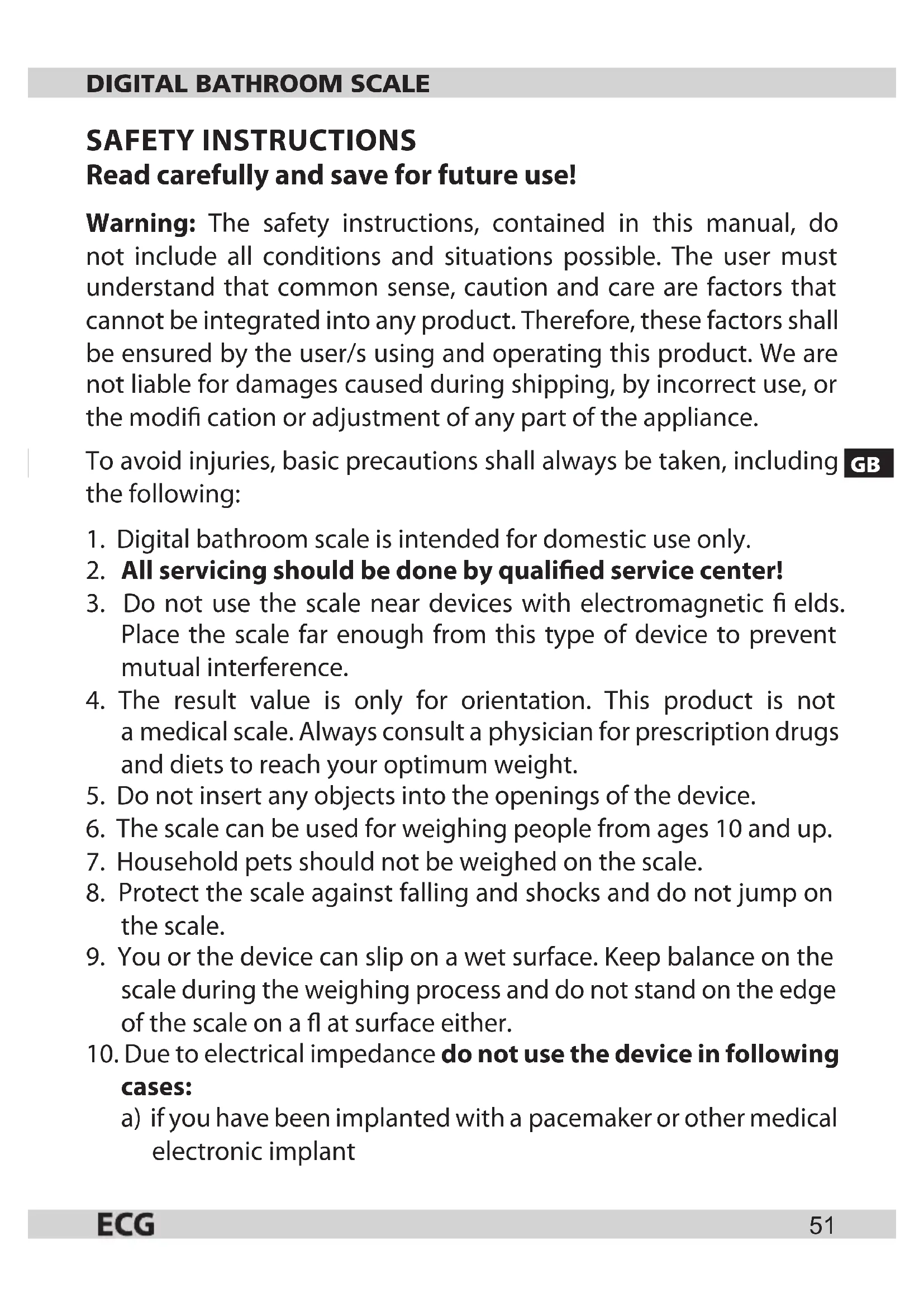
Warning: The safety instructions, contained in this manual, do not include all conditions and situations possible. The user must understand that common sense, caution and care are factors that cannot be integrated into any product. Therefore, these factors shall be ensured by the user/s using and operating this product. We are not liable for damages caused during shipping, by incorrect use, or the modification or adjustment of any part of the appliance.
To avoid injuries, basic precautions shall always be taken, including the following:
- Digital bathroom scale is intended for domestic use only.
- All servicing should be done by qualified service center!
- Do not use the scale near devices with electromagnetic fields. Place the scale far enough from this type of device to prevent mutual interference.
- The result value is only for orientation. This product is not a medical scale. Always consult a physician for prescription drugs and diets to reach your optimum weight.
- Do not insert any objects into the openings of the device.
- The scale can be used for weighing people from ages 10 and up.
- Household pets should not be weighed on the scale.
- Protect the scale against falling and shocks and do not jump on the scale.
- You or the device can slip on a wet surface. Keep balance on the scale during the weighing process and do not stand on the edge of the scale on a flat surface either.
- Due to electrical impedance do not use the device in following cases:
a) if you have been implanted with a pacemaker or other medical electronic implant
b) if you have cardiac problems and illness
c) during pregnancy
d) if you are having dialysis
e) if you have fever
f) if you suffer from osteoporosis
g) if you have edema or swelling
h) if you have had exercise lasting longer than 10 hours
i) your heart rate is below 60 beats per minute
- Use the scale only in accordance with the instructions contained in this manual.
GB
- The manufacturer is not liable for damages caused by the improper use of this device.
- This appliance is not intended for use by persons (including children) whose physical, sensory or mental disability or lack of experience and knowledge prevents them from using the appliance safely, if they are not supervised or were not instructed regarding use of the appliance by a person responsible for their safety. Child supervision is essential to prevent them from playing with the appliance.
Do not immerse in water!
Attention
- Always remove shoes and socks before weighing.
- We recommend weighing yourself every day at the same time.
- The results of the weighing may be misleading after an intense exercise, diet or at extremely high temperatures.
- Measured data on fat, water and muscle mass may have significant deviation in these individuals:
- children younger than 10 years and adults older than 100 years (they can use the device only for basic measurements of body weight).
• adults over 70 years of age.
- persons engaged in fitness or professional athletes.
OPERATING INSTRUCTIONS
Properties and parameters
• High precision tensometric sensor.
- Multifunction mode: index measurement of fat, water, muscle and bone and calculation of the recommended intake of calories.
• Built-in memory for 12 different users.
- Selectable basic weighing mode (skipping parameters settings): Automatic weighing when stepping on the scale and adding weight when reweighing.
- Low battery and overload indicator.
Buttons functions
SET Switching on the scale and advance to the next parameter (please see setting personal parameters)
▲ Each pressing increases the parameter value after each step. Holding down the button will speed up the increase of value.
▼ Each pressing decreases the parameter value after each step. Holding down the button will speed up the decrease of value.
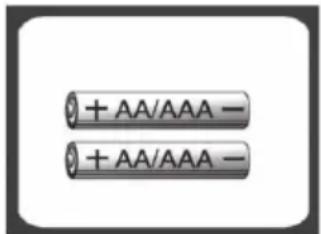
Battery inserting / replacement
- Open the battery compartment cover on the bottom of the scale.
- Remove depleted batteries. If necessary, use a suitable object for removing the batteries.
- Insert new batteries, always one end at a time and then push to ensure the batteries are correctly inserted. Close the battery compartment cover. Make sure the + and - signs indicating proper battery polarity are aligned when inserting new batteries.
Setting the weight unit
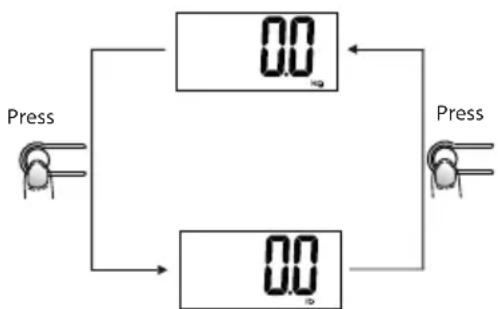
On the bottom of the scale is the button for unit change, see picture. Press this conversion button to change the weight units. When the scale is off, press the conversion button, the LCD display shows the current unit of weight. Press again to switch to the required unit.
After selecting the preferred unit, the scale shuts down automatically after 20 seconds. The next time you turn on the scale, weight will be displayed in the newly selected units.
- When setting units of weight to lb, the of height will default to feet / inches.
- When setting units of weight to kg, the height units will default to centimetres.
Note: The default measurement system of the scale depends on the region.
flowchart
graph TD
    A["Press"] --> B["0.0"]
    B --> C["Press"]
    C --> D["0.0"]
    D --> A
Automatic weight measurement (Without parameters setting)
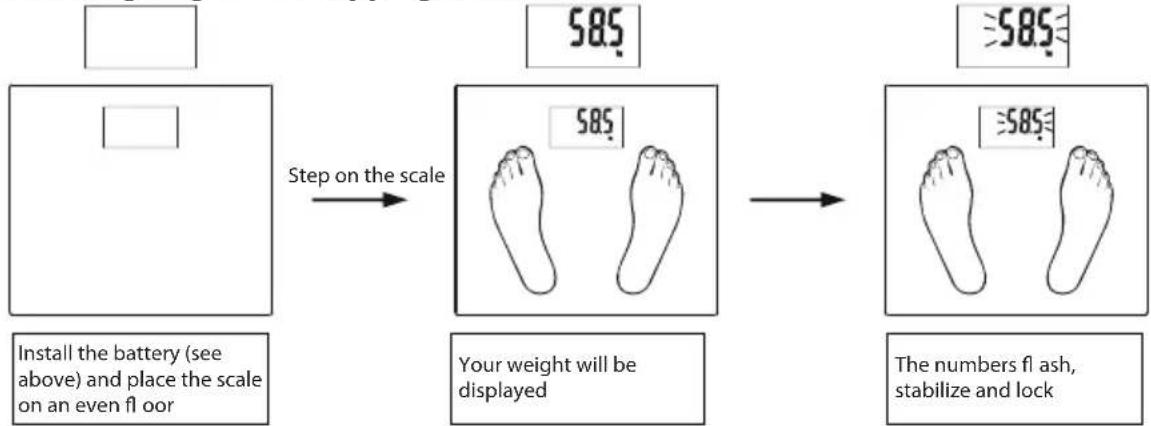
Automatic weighing when stepping on the scale
flowchart
graph LR
    A[" "] --> B["Step on the scale"]
    B --> C["585.0"]
    C --> D["Your weight will be displayed"]
    D --> E["585.0"]
    E --> F["The numbers flash, stabilize and lock"]
    G["Install the battery (see above) and place the scale on an even floor"] --> B
GB
Adding weight
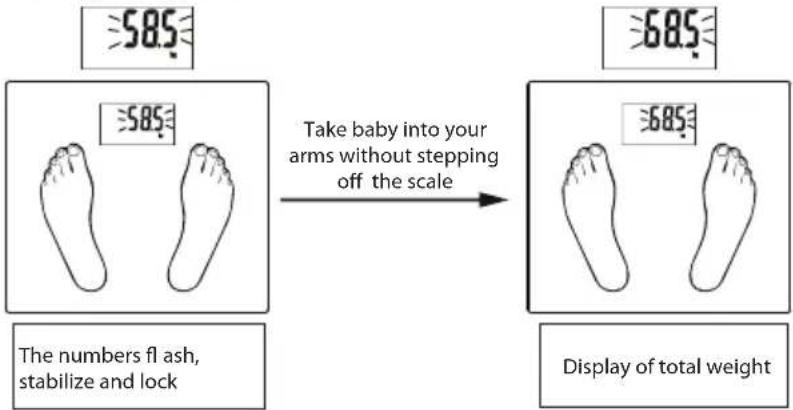
The weighed object must weigh more than 2 kg. If you want to find e.g. the weight of your baby, weigh yourself first (wait until the numbers stabilize), then without stepping off the scale, take the baby in your arms. The numbers start flashing, then they stabilize and the resulting weight stabilizes. Subtracting your own weight from the newly obtained value will give you the weight of your child.
Measurement of body fat, water, muscle mass, bones and calories
Measurement principles
Through human body pass electric signals of a certain frequency, whereby the impedance of body fat is higher than the impedance of muscle or other human tissues. The device generates an alternating electrical current with safe frequency and low voltage. Using the analysis of biological resistance, impeding the passage of the current through the human body (impedance of various tissues, fats and muscles), the percentage of the body fat in human organism is derived from the differences in resistance.
About the percentage of body fat
This index is an indicator of the percentage of body fat in the human body.
The fat content in the body should be maintained around certain level, excess body fat impairs metabolic processes and thus increases the risk of various diseases.
Physical fitness table according to fat/water content
| Age | Fat proportion (F) | Water proportion (F) | Fat proportion (M) | Water proportion (M) | Physical fitness | Indication of obesity degree |
| ≤30 | 4.0-16.0 % 66. | 0-57.8 % 4.0-11.0 | % 66.0-61.2 % too thin | |||
| 16.1-20.5 % 57. | 7-54.7 % 11.1-15. | 5 % 61.1-58.1 % thin | ||||
| 20.6-25.0 % 54. | 6-51.6 % 15.6-20. | 0 % 58.0-55.0 % normal | ||||
| 25.1-30.5 % 51. | 5-47.8 % 20.1-24. | 5 % 54.9-51.9 % obese | ||||
| 30.6-60.0 % 47. | 7-27.5 % 24.6-60. | 0 % 51.8-27.5 % heavily obese | ||||
| >30 | 4.0-20.0 % 66. | 0-55.0 % 4.0-15.0 | % 66.0-58.4 % too thin | |||
| 20.1-25.0 % 54. | 9-51.6 % 15.1-19. | 5 % 58.3-55.3 % thin | ||||
| 25.1-30.0 % 51. | 5-48.1 % 19.6-24. | 0 % 55.2-52.3 % normal | ||||
| 30.1-35.0 % 48. | 0-44.7 % 24.1-28. | 5 % 52.2-49.2 % obese | ||||
| 35.1-60.0 % 44. | 6-27.5 % 28.6-60. | 0 % 49.1-27.5 % heavily obese | ||||
Note: The values stated in this table are merely for orientation purposes.
(1) Setting personal data
- After you insert the battery and turn it on the first time, the default parameters are set to following values:
| Memory Sex Height | Age | ||
| 1 | Male | 165 cm | 25 |
- Parameters can be set within the following range:
| Memory | Sex | Height | Age |
| 1 ~ 12 | Male/Female | 100 ~ 250 cm | 10 ~ 100 |
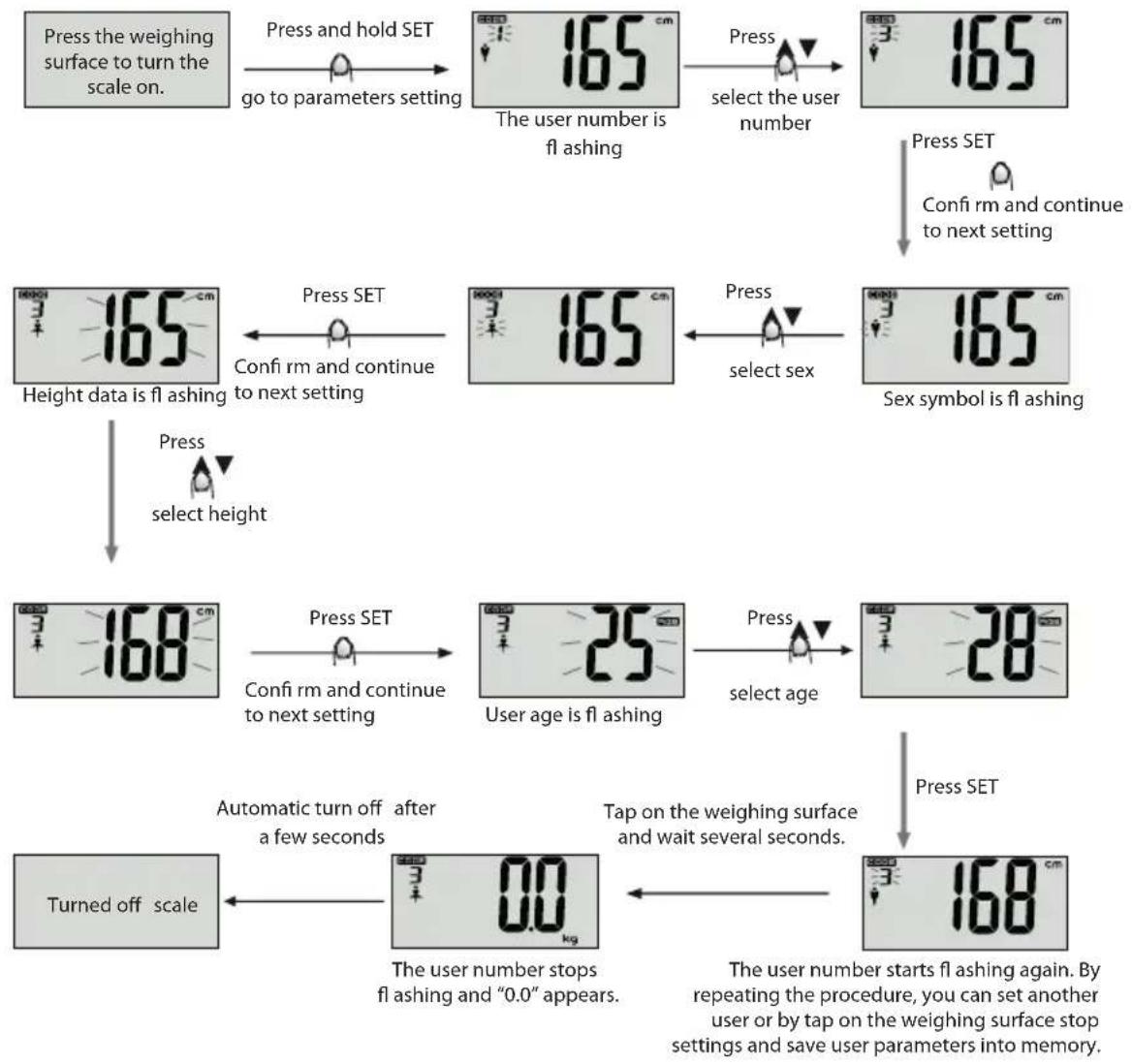
- Setting parameters
Example: User no. 3, a woman, 168 cm, 28 years can set her personal data as follows:
flowchart
graph TD
    A["Press the weighing surface to turn the scale on."] --> B["Press and hold SET"]
    B --> C["165 cm"]
    C --> D["The user number is fl ashing"]
    D --> E["Press"]
    E --> F["select the user number"]
    F --> G["165 cm"]
    G --> H["Press SET"]
    H --> I["Confir rm and continue to next setting"]
    I --> J["165 cm"]
    J --> K["Height data is fl ashing"]
    K --> L["Press SET"]
    L --> M["Confir rm and continue to next setting"]
    M --> N["168 cm"]
    N --> O["Press SET"]
    O --> P["User age is fl ashing"]
    P --> Q["Press"]
    Q --> R["select sex"]
    R --> S["165 cm"]
    S --> T["Sex symbol is fl ashing"]
    T --> U["Press SET"]
    U --> V["168 cm"]
    V --> W["Turned off scale"]
    W --> X["Automatic turn off after a few seconds"]
    X --> Y["0.0 kg of the user number stops fl ashing and "0.0" appears."]
    Y --> Z["Tap on the weighing surface and wait several seconds."]
    Z --> AA["Press SET"]
    AA --> AB["168 cm"]
    AB --> AC["The user number starts fl ashing again. By repeating the procedure, you can set another user or by tap on the weighing surface stop settings and save user parameters into memory."]
Note:
- When you interrupt entering data for a few seconds, the already specified parameters are automatically stored in memory and the display shows "0", which means that you can start measuring body fat content.
- If during the parameters input the display shows "0", you can press and hold SET to return to the personal data setting mode and enter the user number, sex, height and age.
(2) measuring the physical data
Turn the scale on by briefly pressing on it, then press and hold the button SET and using the arrows select the user number. After a short while, when the user number stops flashing, step on the scale. (Make sure that the feet touch the metal electrodes on the weighing surface. Otherwise, it will not be possible to measure the body fat.) To ensure accuracy, remove shoes and socks before stepping on the scale.
Example: User no. 3, female, 168 cm, 28 years can measure herself as follows:
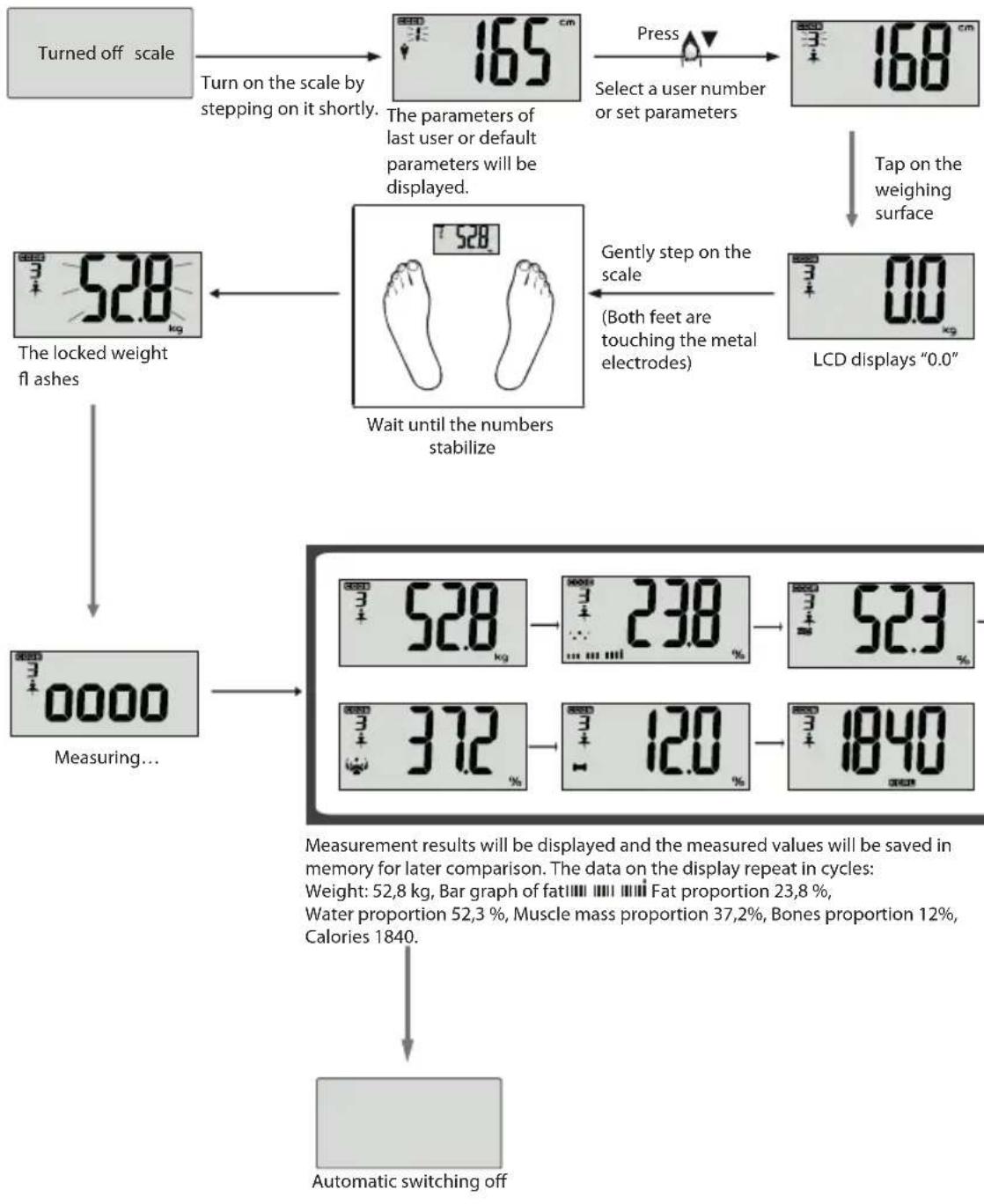
flowchart
graph TD
    A["Turned off scale"] --> B["Turn on the scale by stepping on it shortly."]
    B --> C["The parameters of last user or default parameters will be displayed."]
    C --> D["Press"]
    D --> E["Select a user number or set parameters"]
    E --> F["168 cm"]
    F --> G["Tap on the weighing surface"]
    G --> H["LCD displays "0.0""]
    H --> I["Gently step on the scale (Both feet are touching the metal electrodes)"]
    I --> J["Wait until the numbers stabilize"]
    J --> K["The locked weight fl ashes"]
    K --> L["Measuring..."]
    L --> M["Measurement results will be displayed and the measured values will be saved in memory for later comparison. The data on the display repeat in cycles: Weight: 52,8 kg, Bar graph of fat, Fat proportion 23,8 %, Water proportion 52,3 %, Muscle mass proportion 37,2%, Bones proportion 12%, Calories 1840."]
    M --> N["372%"]
    N --> O["3"]
    O --> P["12.0%"]
    P --> Q["3"]
    Q --> R["1840%"]
    R --> S["Automatic switching off"]
(3) Calling up the last measured values
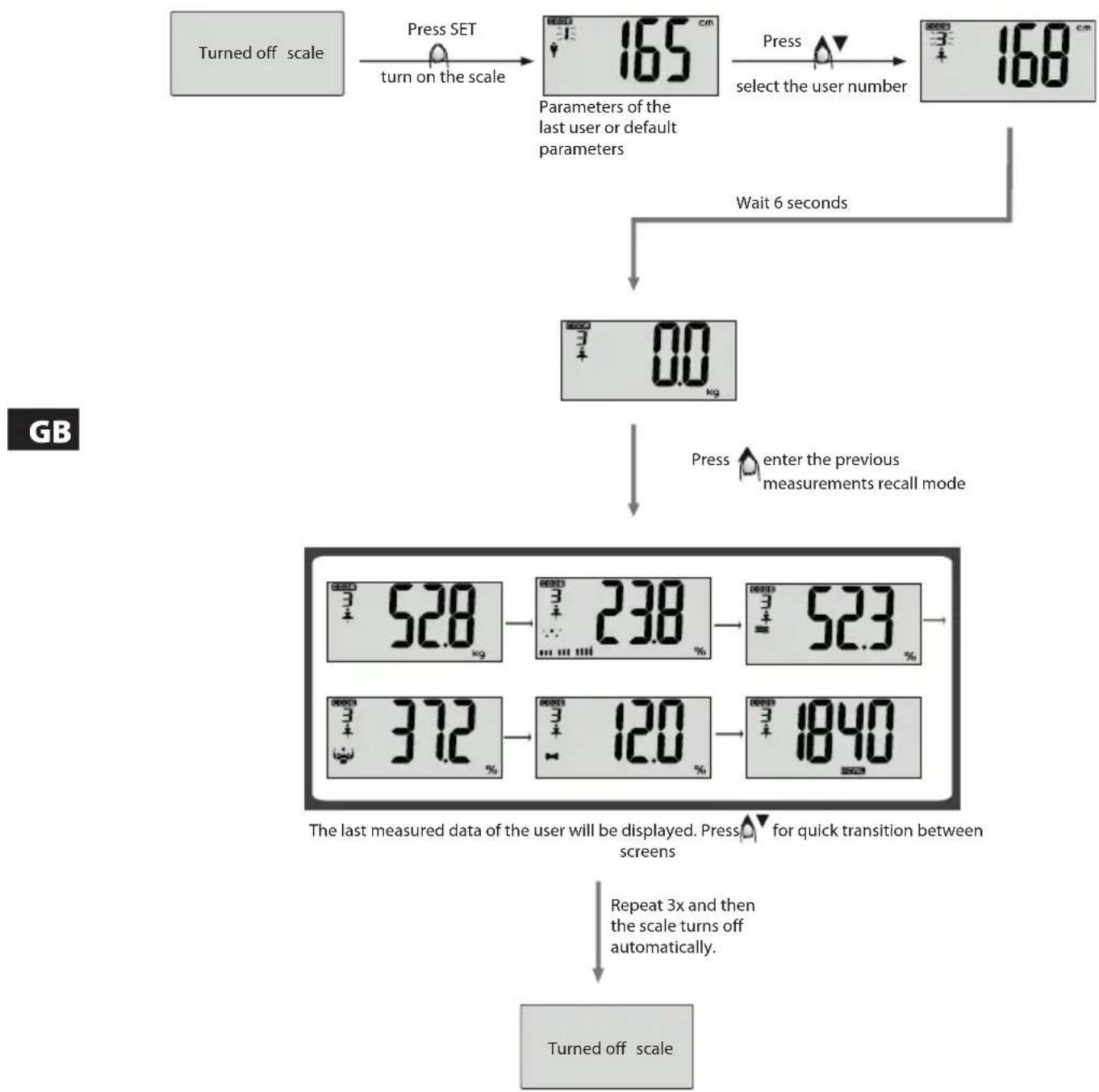
flowchart
graph TD
    A["Turned off scale"] --> B["Press SET turn on the scale"]
    B --> C["Parameters of the last user or default parameters"]
    C --> D["Press select the user number"]
    D --> E["Wait 6 seconds"]
    E --> F["0.0 kg"]
    F --> G["Press enter the previous measurements recall mode"]
    G --> H["The last measured data of the user will be displayed. Press for quick transition between screens"]
    H --> I["Repeat 3x and then the scale turns off automatically"]
    I --> J["Turned off scale"]
DISPLAY RANGE
| Index\Item | Weight Fat | (%) Water (%) | Muscle mass (%) | Bones (%) Calories | |
| Index range | -- 4.0% ~ 60.0% | 27.5% ~ 66.0% | 20.0% ~ 56.0% | 2.0% ~ 20.0% | |
| Scale resolution | 0.1 kg0.2 lb | 0.1% 0.1% | 0.1% 0.1% 1kCal | ||
Notes on the calories
Calorie is an energy unit.
Calories and energy use
The displayed value indicates the energy you need according to your weight, height, age and sex to maintain everyday metabolism and ensure normal activities.
Calories and weight loss
Calories intake control combined with appropriate exercise is an effective method for losing weight. The principle is very simple. Once daily energy intake is insufficient to meet energy expenditure of the organism, the stored sugars and fats start to break down to make their burning cover the energy consumption of the organism. The resulting effect is weight loss.
GB
WARNINGS
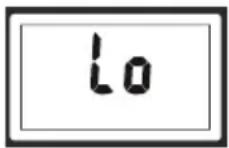
Empty battery
The battery is low, replace with a new battery.
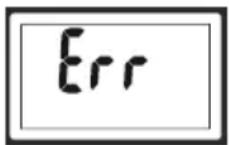
Overload
Overload – exceeding the maximum workload of the scale. Please get off the scale to prevent damage.
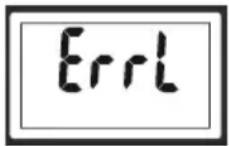
Percentage of body fat too low
The percentage of body fat is too low. Eat more nutritious food and take care of yourself well.
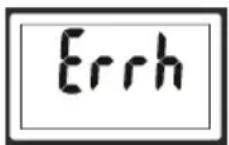
Percentage of body fat too high
The percentage of body fat is too high. Keep an eye on your diet and exercise more.
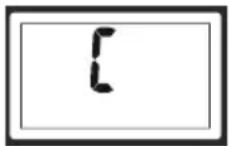
Repeated weighing
If the letter "C" appears on the scale after getting off, it means an error occurred during the weighing process. Please repeat the weighing/measuring process.
MAINTENANCE AND CLEANING
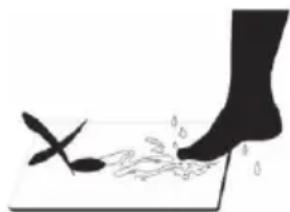
- The scale surface becomes slippery when wet. Keep it dry!
- Stand still while weighing yourself.
- Do not expose the scale to impacts, shocks and do not allow the scale to fall to the ground.
- The scale is an accurate device which must be carefully handled.
- Use a damp towel to clean the scale and make sure no water gets inside the scale. DO NOT USE chemical cleaning agents/agents with abrasive effect. Do not immerse the device into water!
- Use the scale in a cool room with dry air.
- Keep the scale in a level position.
- If you do not manage to switch the scale on, check if the battery is inserted and if it is not empty. Insert the battery again or replace the battery.
- If the display shows an error or if the scale does not switch off for a long time, please, remove the battery for about 3 seconds and then reinsert it. If this does not resolve the problem, please ask your vendor for advice on how to fix your issue.
GB

natural_image
Silhouette of two boots on a mat with a downward arrow indicating compression or force (no text or symbols)Auto power on Attention: Danger of slipping on
natural_image
Silhouette of a foot stepping on a surface with a small object nearby (no text or symbols)wet surface!
TECHNICAL SPECIFICATIONS
Maximum capacity 180 kg
Measuring resolution 100 g / 0,1%
Power: 2 × 1,5 V AAA batteries (not included)
USE AND DISPOSAL OF WASTE
Wrapping paper and corrugated paperboard – deliver to scrapyard. Packing foil, PE bags, plastic elements – throw into plastic recycling containers.
DISPOSAL OF PRODUCTS AT THE END OF LIFETIME
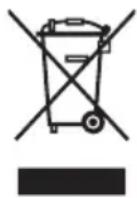
Disposal of electric and electronic equipment (valid in EU member countries and other European countries with an implemented recycling system)
The represented symbol on the product or package means the product shall not be treated as domestic waste. Hand over the product to the specified location for recycling electric and electronic equipment. Prevent negative impacts on human health and the environment by properly recycling your product.
Recycling contributes to preserving natural resources. For more information on the recycling of this product, refer to your local authority, domestic waste processing organization or store, where you purchased the product.
This product complies with EU directive requirements on electromagnetic compatibility and electrical safety.
08/05

The instruction manual is available at website www.ecg.cz.
Changes in text and technical parameters reserved.
CONSIGNES DE SECURITE
natural_image
Illustration of two boots on a mat with a downward arrow indicating compression or force (no text or symbols)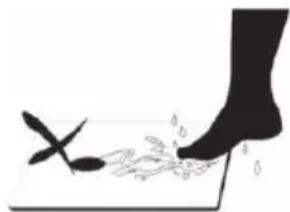
natural_image
Silhouette of a hand pressing down on a surface with scattered leaf-like objects (no text or symbols)natural_image
Illustration of a pair of boots on a mat with a downward arrow indicating compression or force (no text or symbols)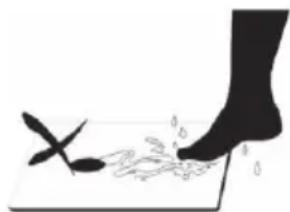
natural_image
Silhouette of a foot stepping on a surface with a small object nearby (no text or symbols)other
| Time (hours) | Temperature (kg) | Change (%) | |---|---|---| | 3 | 52.8 | | | 4 | 23.8 | | | 5 | 52.3 | | | 6 | 37.2 | | | 7 | 12.0 | | | 8 | 1840 | |natural_image
Illustration of two boots on a mat with a downward arrow indicating compression or force (no text or symbols)natural_image
Silhouette of a hand pressing down on a surface with a small object nearby (no text or symbols)



- OV 125
- DIGITÁLNÍ OSOBNÍ VÁHA
- DIGITÁLNA OSOBNÁ VÁHA
- CYFROWA WAGA ŁAZIENKOWA
- DIGITÁLIS SZEMÉLYMÉRLEG
- DIGITALE PERSONENWAAGE
- DIGITAL BATHROOM SCALE
- PESE-PERSONNE NUMERIQUE
- BILANCIA DIGITALE DA BAGNO
- FR
- Do not immerse in water! – Neponořovat do vody!
- Upozornění
- TECHNICKÉ ÚDAJE
- Read carefully and save for future use!
- GB
- Do not immerse in water!
- Attention
- OPERATING INSTRUCTIONS
- Properties and parameters
- Buttons functions
- Battery inserting / replacement
- Setting the weight unit
- Automatic weight measurement (Without parameters setting)
- Automatic weighing when stepping on the scale
- Adding weight
- Measurement of body fat, water, muscle mass, bones and calories
- Measurement principles
- About the percentage of body fat
- Setting personal data
- Note:
- measuring the physical data
- DISPLAY RANGE
- Notes on the calories
- Calories and energy use
- Calories and weight loss
- WARNINGS
- Empty battery
- Overload
- Percentage of body fat too low
- Percentage of body fat too high
- Repeated weighing
- MAINTENANCE AND CLEANING
- TECHNICAL SPECIFICATIONS
- USE AND DISPOSAL OF WASTE
- DISPOSAL OF PRODUCTS AT THE END OF LIFETIME
- CONSIGNES DE SECURITE
Brand : ECG
Model : OV 125
Category : Scale