ALP 200 (2011) - Motorcycle Beta - Free user manual and instructions
Find the device manual for free ALP 200 (2011) Beta in PDF.


User questions about ALP 200 (2011) Beta
0 question about this device. Answer the ones you know or ask your own.
Ask a new question about this device
Download the instructions for your Motorcycle in PDF format for free! Find your manual ALP 200 (2011) - Beta and take your electronic device back in hand. On this page are published all the documents necessary for the use of your device. ALP 200 (2011) by Beta.
USER MANUAL ALP 200 (2011) Beta
natural_image
Abstract geometric logo with a stylized arrow inside an oval (no text or symbols)
the play bike
ALP 125/200cc
natural_image
Mechanical assembly diagram showing a central component with labeled section A (no readable text or symbols)IDENTIFICAZIONE MOTORE ALP 125
natural_image
Close-up of a mechanical component with a circular inset highlighting a spherical feature, labeled 'B' (no text or symbols beyond label)FORNITURA
natural_image
Close-up of mechanical components with a magnified inset showing a circular detail (labeled B), no readable text or symbols present.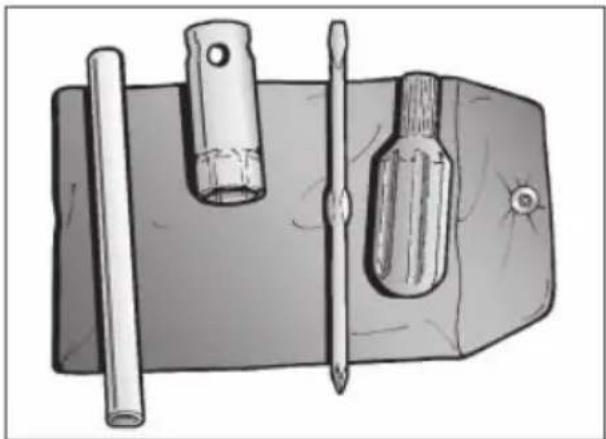
natural_image
Illustration of a mechanical tool with a cylindrical rod, two tools, and a screwdriver inside a rectangular housing (no text or symbols)CARICO
text_image
Labeled diagram of a motorcycle with numbered parts for identification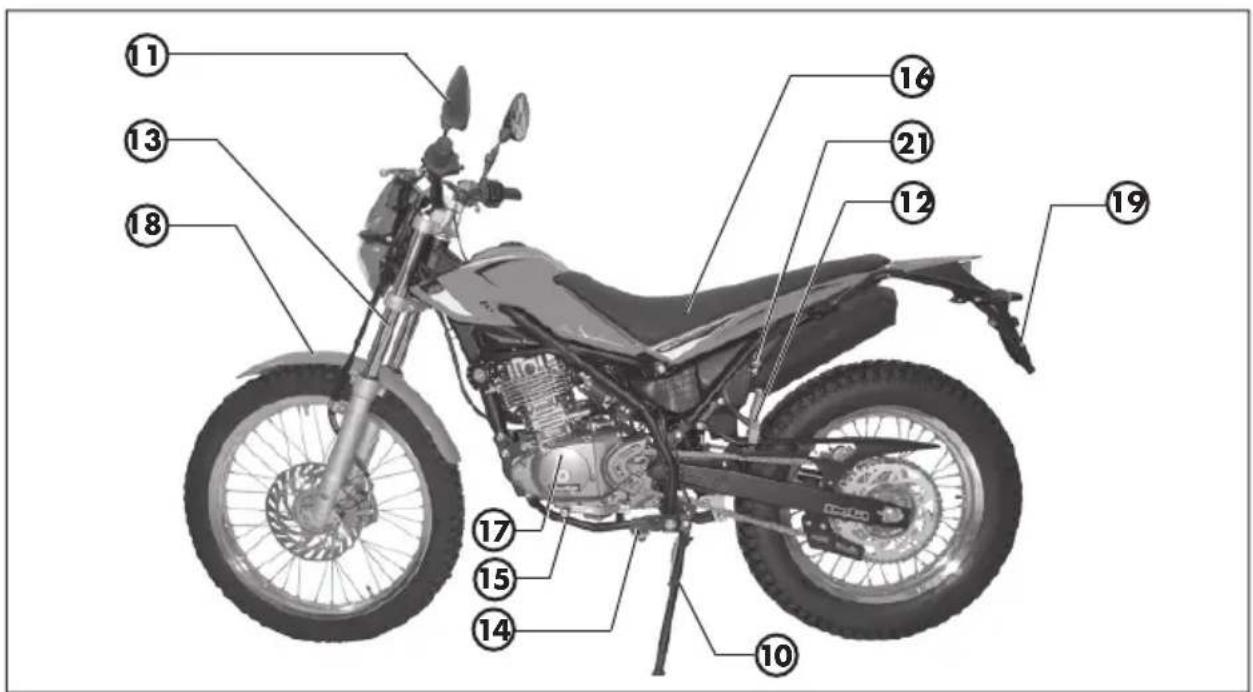
text_image
Labeled diagram of a motorcycle with numbered parts for identificationPREDISPOSIZIONE PER ASSETTO DA TRIAL
natural_image
Two black keys with engraved symbols, one with a circular head and the other with a textured handle (no text or labels visible)COMMUTATORE/BLOCCASTERZO
natural_image
Close-up of a mechanical component with a cylindrical pin and mounting bracket (no visible text or symbols)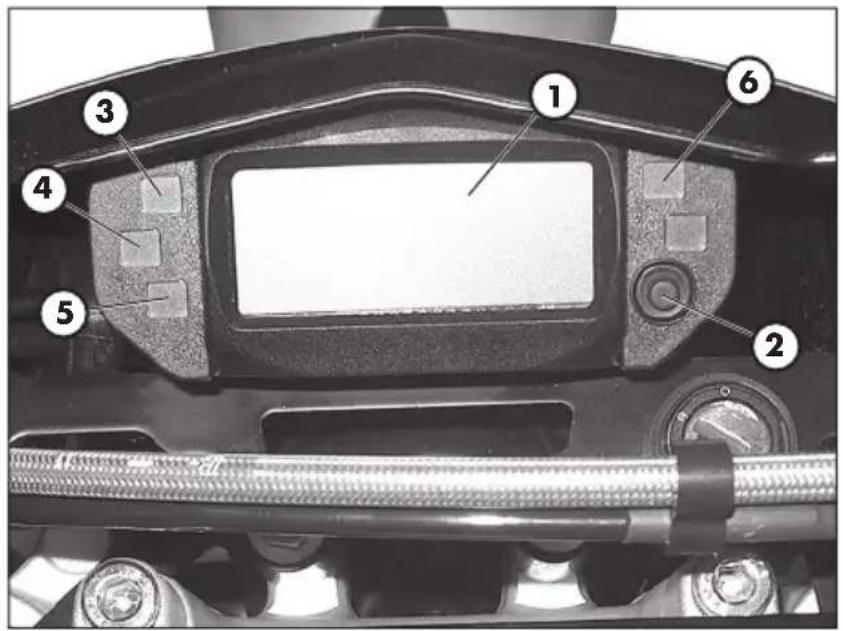
text_image
Labeled mechanical component diagram showing numbered parts for assembly or maintenance reference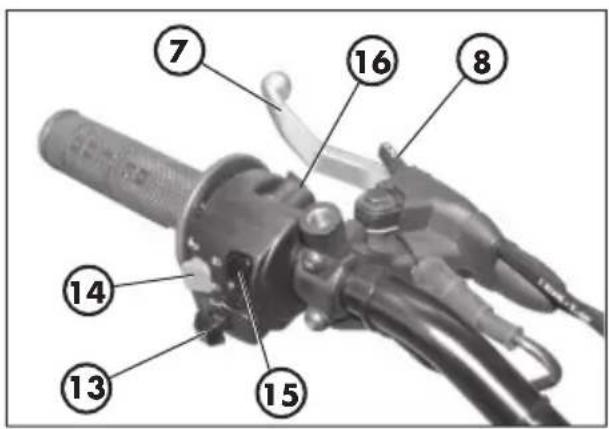
text_image
7 16 8 14 13 15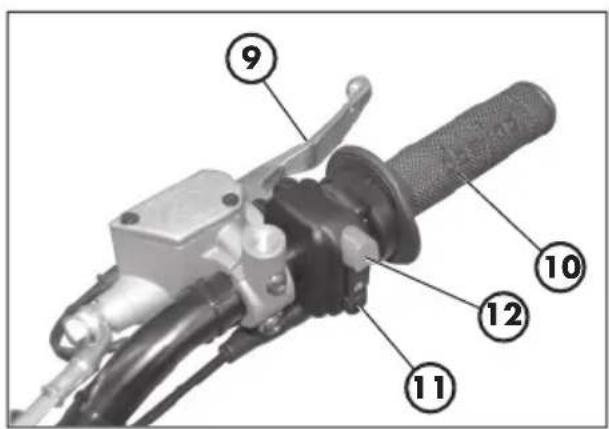
text_image
Labeled mechanical component diagram showing numbered parts for assembly or maintenance reference1-LCD
2 - Tasto MODE
8 SLEEP-MODE E WAKE-UP
1. STRUMENTAZONE DI BORDO
text_image
① ⑧ ⑪ ⑪ ⑫ ⑭ ⑦ ⑩ ⑪ 888.88" max 88:88 TOTAL TD LAP MAX mph km/h H 888 ④ ⑥ ⑤ ③ 88:88 4.5" max 88:88 TOTAL TD LAP MAX mph km/h H 10 11 12 Lbar
| Metric | Value | | :--- | :--- | | MAE | 08788 | | TOTAL | | | km/h | 08:23 | | H | 38 | | L | | | Bar heights | | | Bar heights | | | Bar heights | | | Bar heights | | | Bar heights | | | Bar heights | | | Bar heights | | | Bar heights | | | Bar heights | | | Bar heights | | | Bar heights | | | Bar heights | | | Bar heights | | | Bar heights | | | Bar heights | | | Bar heights | | | Bar heights | | | | Bar heights | 38 | | km/h | 38 |Fig. 12
text_image
M48 08:23Fig. 13
text_image
nAE mph km/hFig. 16
text_image
1 2 3 4 5" 888'8.8" TOTAL TD LAP MAX H L MAE- 88:88 mph km/h 10 11 12 888Fig. 18
candela NGK R CR7 HSA
text_image
Electrical schematic diagram with labeled components and wiring connectionsSCHEMA ELETTRICO ALP 125
text_image
Technical diagram of a vehicle interior with labeled components A and D, showing internal components and wiring.
natural_image
Close-up of a mechanical component with visible wiring and a labeled section marker (E), no readable text or symbols present.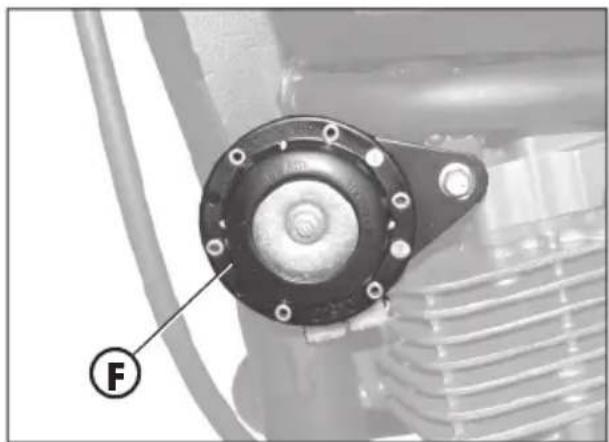
natural_image
Close-up of a mechanical component with a circular housing and labeled point F (no text or symbols beyond label)INTERMITTENZA
natural_image
Close-up of a mechanical assembly with a labeled component (G) and no visible text or symbols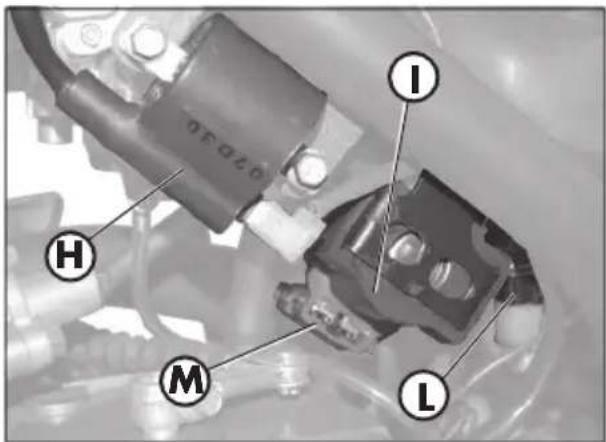
text_image
I H M L
natural_image
Close-up of a mechanical component with a labeled 'N' marker, no readable text or symbols present.1
VALVOLA AIS
natural_image
Close-up of mechanical components with a labeled section A (no readable text or symbols)INDICE ARGOMENTI
CAP. 2 UTILIZZO DEL VEICOLO
natural_image
Mechanical component diagram showing a lever and labeled part 'C' (no readable text or symbols beyond label)STARTER
natural_image
Mechanical component with labeled part D, showing hoses and connectors (no readable text or symbols)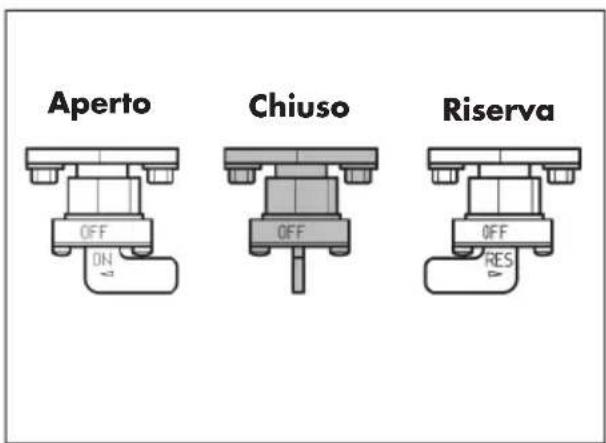
text_image
Aperto Chiuso Riserva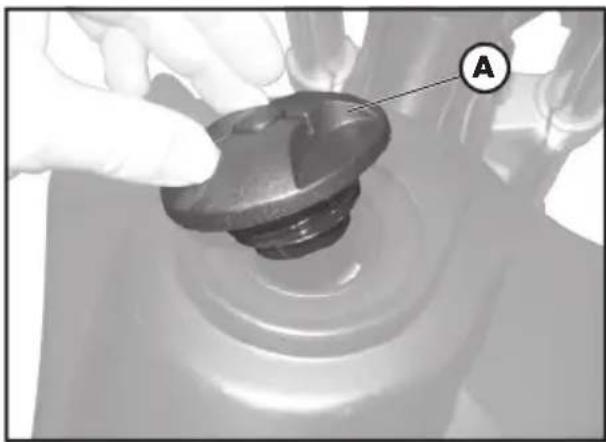
natural_image
Close-up of a gloved hand adjusting a mechanical component with a labeled section A (no text or symbols on the object itself)natural_image
Close-up of a mechanical engine component with visible gears and mounting brackets (no text or symbols)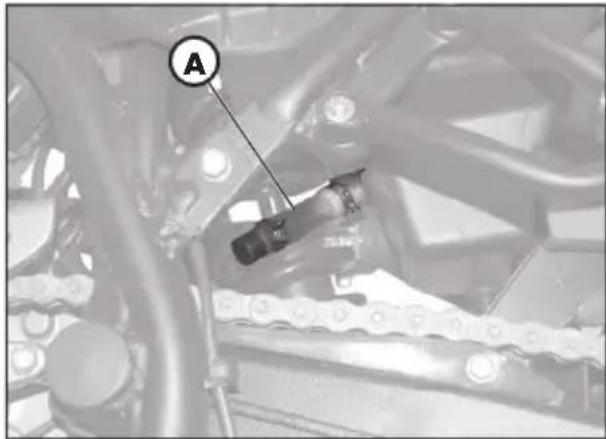
natural_image
Mechanical assembly diagram showing a linkage mechanism with labeled component A (no readable text or symbols beyond label)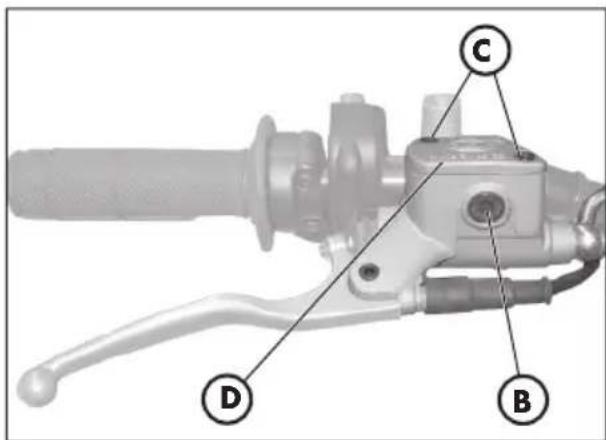
text_image
Technical diagram of a brake lever with labeled parts D, B, and C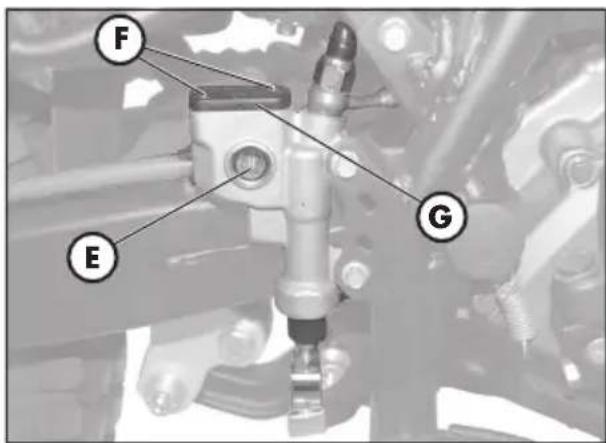
text_image
F E GTUBO RACCOLTA FUMI
text_image
Technical diagram of a mechanical assembly with labeled parts A and B, likely from an engineering or automotive context.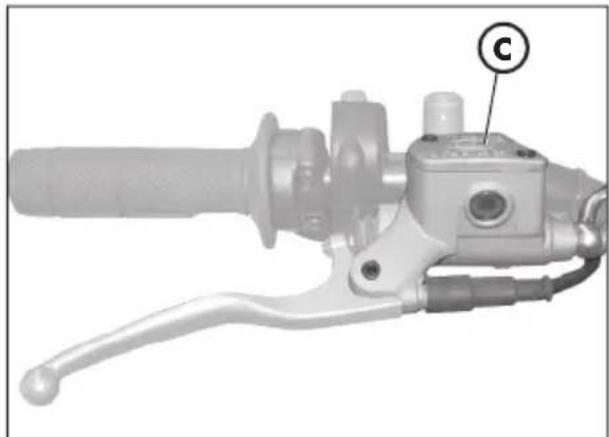
natural_image
Mechanical component with handle and lever mechanism, labeled 'C' (no text or symbols beyond label)Spurgo freno posteriore
natural_image
Mechanical assembly diagram showing a mechanical component with labeled point E (no readable text or symbols beyond label)OLIO FORCELLE
Steli
natural_image
Mechanical gear assembly with a mechanical component and directional arrow (no text or symbols)natural_image
Close-up of a hand holding a black mechanical component, with an arrow pointing to it (no visible text or symbols)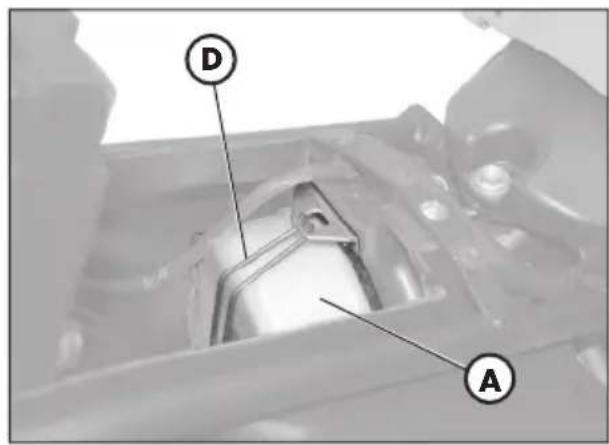
text_image
D A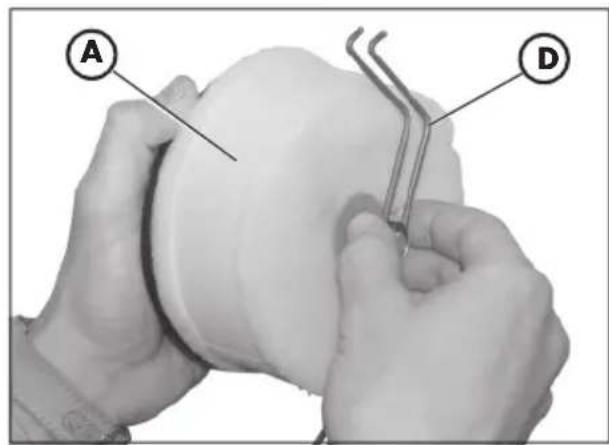
text_image
A DFILTRO ARIA
ALP 200 = NGK DR8 EA
ALP 125 = NGK CR7 HSA
text_image
2 mm 2 mm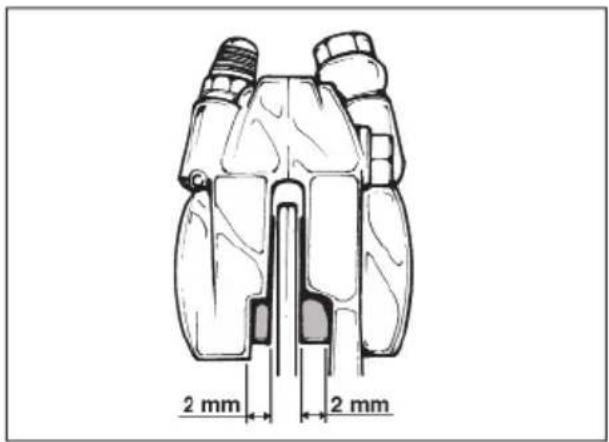
text_image
2 mm 2 mm
text_image
2 mmFRENO ANTERIORE
Controllo
natural_image
Exterior view of a black automotive battery with visible charging and discharging symbols (no text or numbers on body)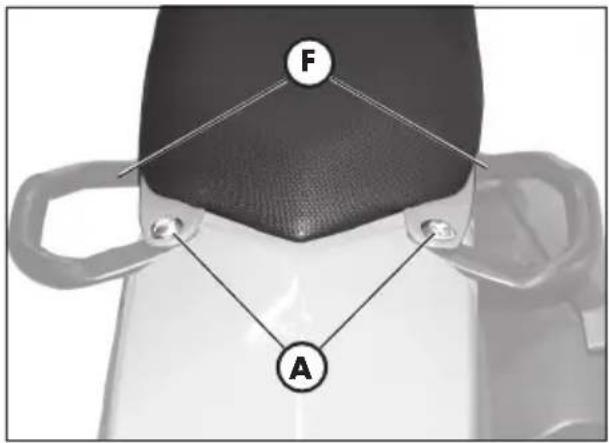
text_image
F A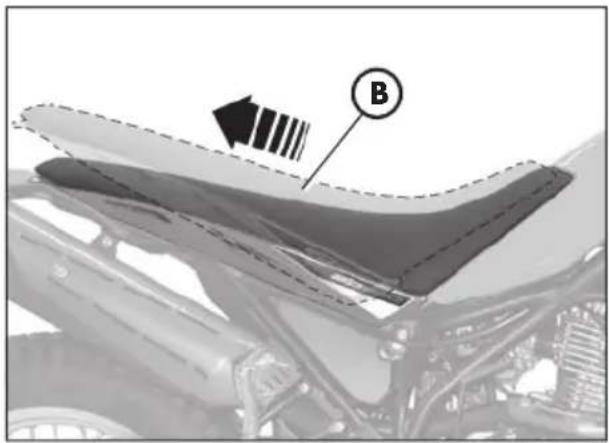
natural_image
Close-up of a car hood with visible structural lines and a labeled component (B), no readable text or symbols present.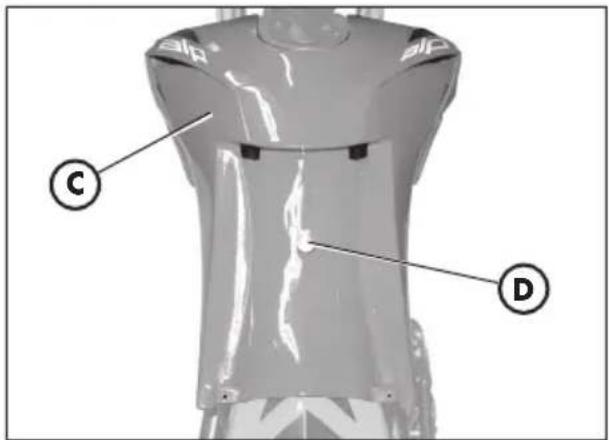
text_image
Technical diagram of a mechanical component with labeled parts C and D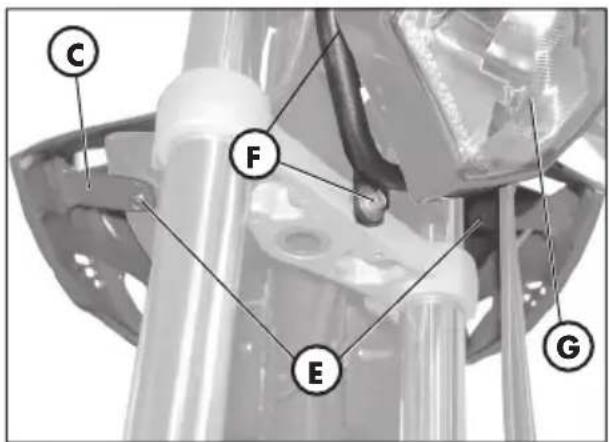
text_image
C F E Gnatural_image
Close-up of a motorcycle's side profile with a dashed line marking the front wheel and a black arrow pointing to a specific area (no text or symbols present)natural_image
Mechanical component with labeled part M, no visible text or symbols beyond the labelnatural_image
Mechanical assembly diagram showing a wheel with a labeled component (C) and connecting rods, no readable text or symbols present.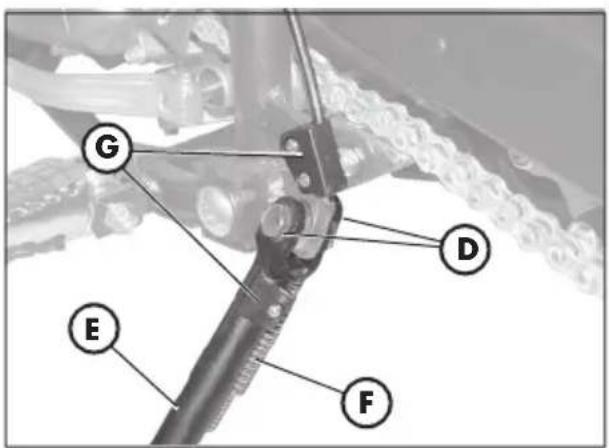
text_image
G D E F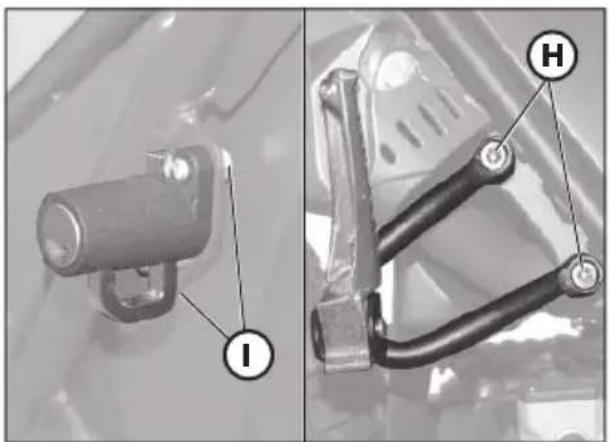
natural_image
Mechanical component diagrams showing a cylindrical component and a bracket with labeled parts (I, H), no readable text or symbols present.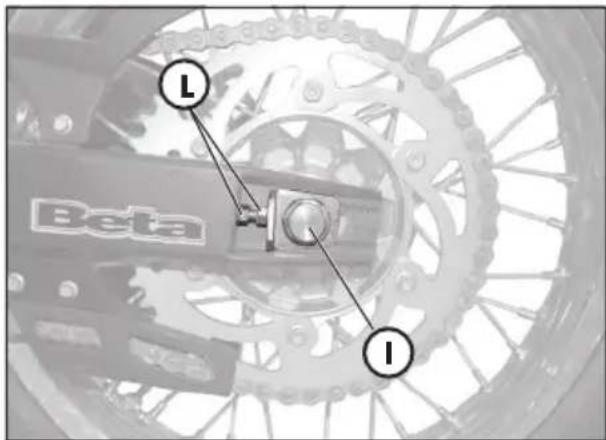
text_image
Beta L I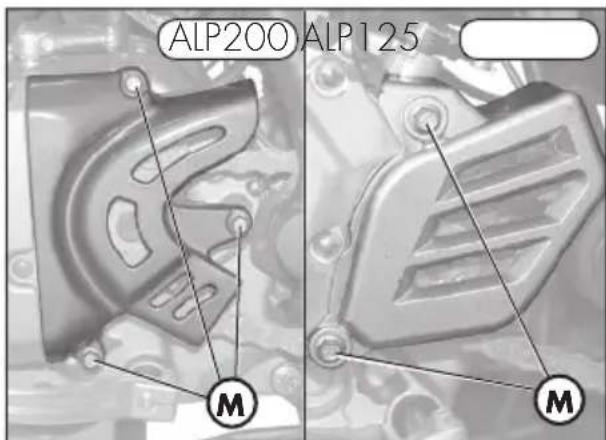
text_image
ALP200 ALP125 M M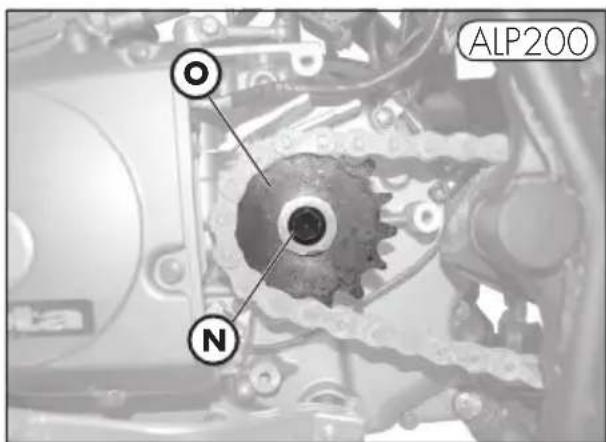
text_image
OL ALP200 N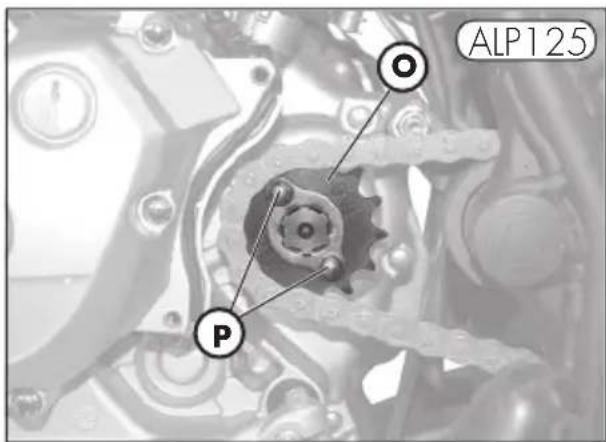
text_image
ALP125 O Pnatural_image
Mechanical tool with handle and lever assembly (no visible text or symbols)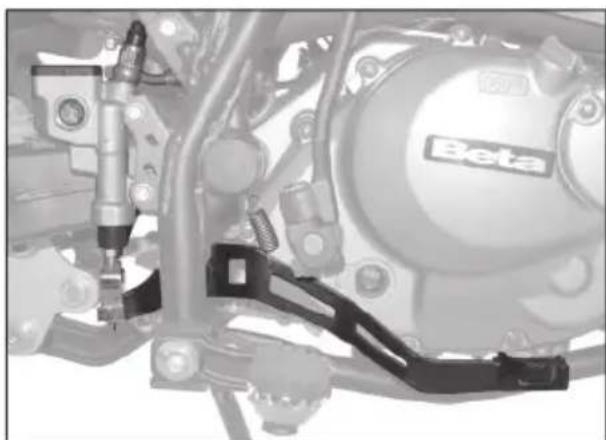
natural_image
Mechanical assembly diagram showing components like a Beta motor and suspension bracket (no readable text or symbols)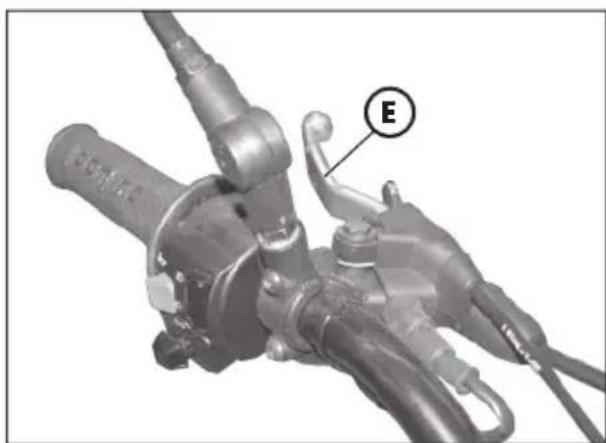
natural_image
Mechanical component with labeled section E, showing hoses and connectors (no readable text or symbols beyond label)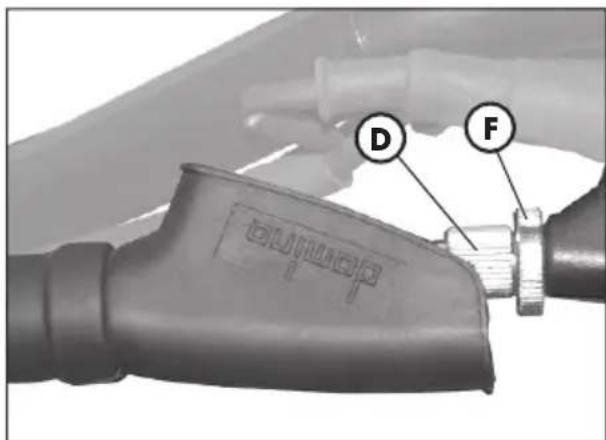
text_image
D FREGOLAZIONE FRENI
Freno anteriore
text_image
ALP200 A D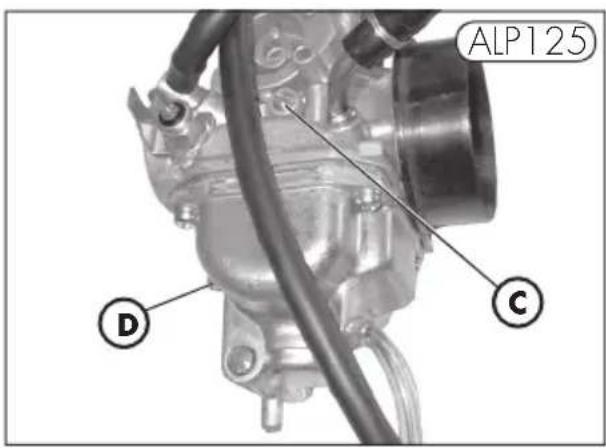
text_image
ALP125 D C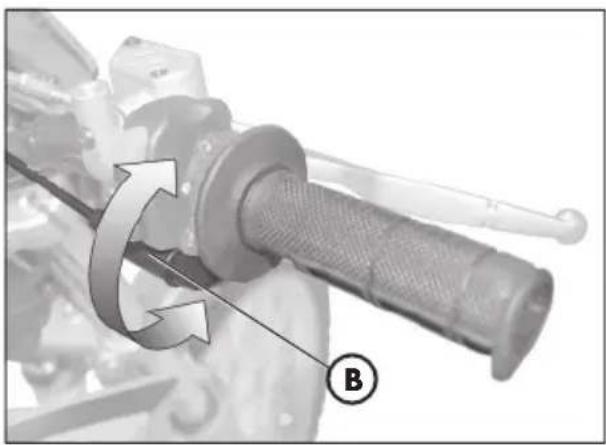
natural_image
Mechanical component with rotational arrow and labeled point B (no text or symbols beyond label)4
natural_image
Top-down view of a motorcycle wheel and suspension system, showing tire alignment with arrows indicating direction (no text or symbols)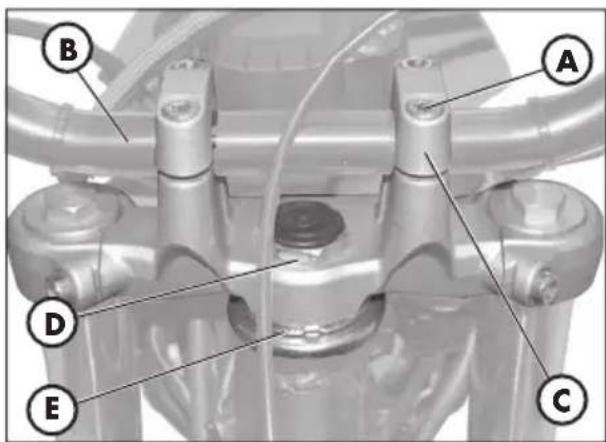
text_image
B A D E Cnatural_image
Close-up of a mechanical component with labeled point B, no visible text or symbols beyond the label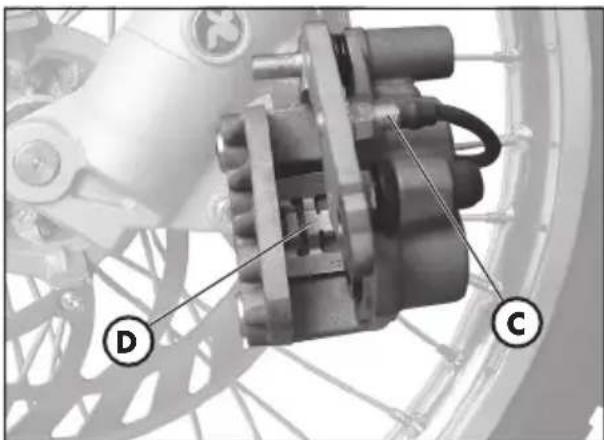
natural_image
Mechanical assembly diagram showing a motor and gear components (no text or symbols visible)SOSTITUZIONE PASTIGLIE FRENI
natural_image
Mechanical assembly diagram showing a motor and linkage component (no text or symbols visible)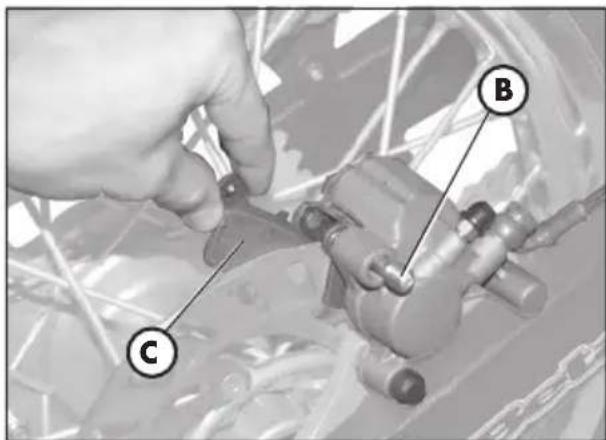
text_image
Technical diagram showing a hand adjusting a mechanical component with labeled parts C and BFreno posteriore
natural_image
Front view of a motorcycle's head with illuminated headlights and no visible text or symbols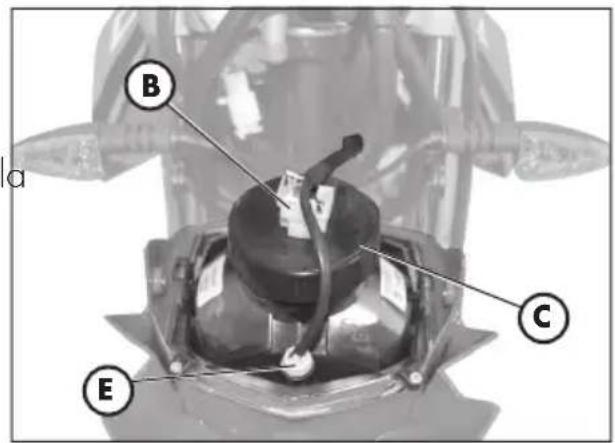
text_image
a B C E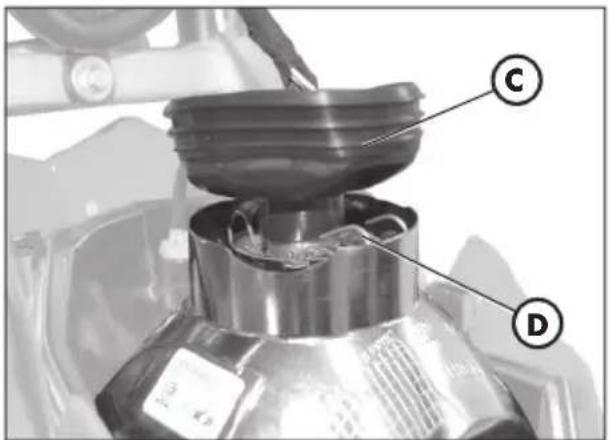
text_image
Technical diagram of a mechanical device with labeled parts C and D, showing a component with a lid and internal structure.natural_image
Close-up of a mechanical component with a labeled tool or probe (A), no visible text or symbols beyond the label.
natural_image
Close-up of a mechanical component with a labeled section (A) and a circular marker, no readable text or symbols present.natural_image
Abstract geometric logo with a stylized arrow inside an oval (no text or symbols)
the play bike
ALP 125/200 cc
Thanks for you preference, and have a good time! This hand-book contains the information you need to properly operate and maintain your motorcycle.
The data and specifications provided in this manual does not constitute an engagement on the part of BETAMOTOR S.p.A. BETAMOTOR reserves the right to make any changes and improvements to its models at any moment and without notice.
IMPORTANT
We recommend checking all the tightenings after the first one or two hours' ride over rough ground. Special attention should be paid to the following parts:
- rear sprocket
- footrest supports
- front brake caliper
- mudguard bracket
- engine bolts
- shock absorber bolts
- wheel spokes
- rear frame
IMPORTANT
For any servicing requirements, please contact Betamotor's authorized service network.
Operating notes 5
Ecologic guide.... 5
Riding safety 6
CHAPTER 1 GENERAL INFORMATION......7
Vehicle identifi cation data 8
Delivery 8
Load 9
Tyres 9
Familiarizing with the vehicle 10
TRIAL trim option 11
Keys and locks 12
Ignition switch / Steering lock 12
Helmetlock 12
Instrument panel and controls 13
Odometer operating instructions 14
Specifications 30
Engine Specifications ALP 125....32
Engine Specifications ALP 200....33
Wiring diagram ALP 125 34
Wiring diagram ALP 200 36
Electrical devices 38
AIS valve 40
Checks and maintenance operations before and after off-road use 42
Recommended lubricants and fluids.... 43
Running-in 43
Starting the engine 44
Starter 45
Shutting off the engine 45
Refuelling 46
CHAPTER 3 CHECKS AND MAINTENANCE 47
Engine oil and oil fi lter ALP 200 48
Engine oil and oil filter ALP 125 50
Fume collecting pipe 51
Brake pump oil - Bleeding the brakes 51
Forkoil 53
Air filter 54
Spark plug 55
Front brake 56
Rear brake 56
Battery 57
How to remove body parts 58
Cleaning and checking the vehicle 62
Checks after cleaning 62
Scheduled maintenance 63
Prolonged inactivity 64
After prolonged inactivity 64
CHAPTER 4 ADJUSTMENTS 65
Adjusting the brakes 66
Adjusting the clutch 66
Adjusting the slow running 67
Fuel flow adjustment 67
Adjusting the throttle play 67
Checking and adjusting the steering play 68
Tensioning the chain 69
Adjusting the headlight 70
CHAPTER 5 REPLACEMENTS 71
Replacing the brake pads 72
Replacing the headlight bulb 74
Replacing the rear light bulb 75
Replacing the plate number light 75
Replacing the turn indicator bulbs 76
Bulbs characteristics 76
CHARTER 6 TROUBLESHOOTING 77
INDEX 79
OPERATING NOTES
- The vehicle must be accompanied by: number-plate, registration document, tax disc and insurance.
- Do not carry any animals or objects which are not securely fastened to the vehicle, or exceed the vehicle's overall dimensions or the maximum load specified by the manufacturer.
- Riding without a helmet is forbidden.
- Any modifications of the engine or other parts resulting in a power and/or speed increase are punishable by severe sanctions including the confi scation of the vehicle.
- To protect your safety and that of others, always wear a helmet and adopt a safe riding conduct.
WARNING
Any modifications and tampering with the vehicle during the warranty period exempt the manufacturer from all responsibility and make the warranty null and void.
ECOLOGIC GUIDE
- Every vehicle powered by an internal combustion engine produces an amount of noise (noise pollution) and gases (air pollution) which varies with the riding style.
- The abatement of noise and air pollution levels is the duty of everybody. Avoid full-throttle starts, sudden acceleration and abrupt braking. This will reduce noise emission as well as the wear and tear of the tyres and mechanical parts, and will also allow a considerable reduction in fuel consumption.
RIDING SAFETY
- Observe the Highway Code.
• Always put on and fasten a homologated helmet.
• Always keep the helmet visor clean.
- Avoid wearing garments with hanging ends.
- Do not keep sharp or brittle objects in your pockets while riding.
- Be sure to correctly adjust the rearview mirrors.
- Always ride in a seated position, with both hands on the handlebars and both feet on the footrests.
• Always pay attention and do not allow anything to distract you while riding.
- Do not eat, drink, smoke, use a mobile phone, etc. while riding.
- Do not wear headphones to listen to music while riding.
- Never ride abreast with other vehicles.
- Do not tow and avoid being towed by other vehicles.
• Always keep a safe distance from other vehicles.
- Ride with the lights (low beam) on, even during the day.
- Do not sit on the vehicle when it is on its stand.
- Do not start off while the vehicle is on its stand.
- Do not pull out the stand when the vehicle is facing downhill.
- Avoid swaying and wheelies as they are extremely dangerous for your own and other people's safety as well as for your vehicle.
• Always apply both brakes on dry roads with no gravel and sand. Using one brake may result in dangerous and uncontrolled skidding.
• To reduce the braking distance, always apply both brakes.
- On wet roads, ride at moderate speed and be very careful, especially when applying the brakes.
- Do not start the engine in closed places.
CONTENTS
CHAPTER 1 GENERAL INFORMATION
Vehicle identifi cation data
Delivery
Load
Tyres
Familiarizing with the vehicle
TRIAL trim option
Keys and locks
Ignition switch / Steering lock
Helmet lock
Instrument panel and controls
Odometer operating instructions
Specifications
Wiring diagram
Electrical devices
AIS valve
1
VEHICLE IDENTIFICATION DATA
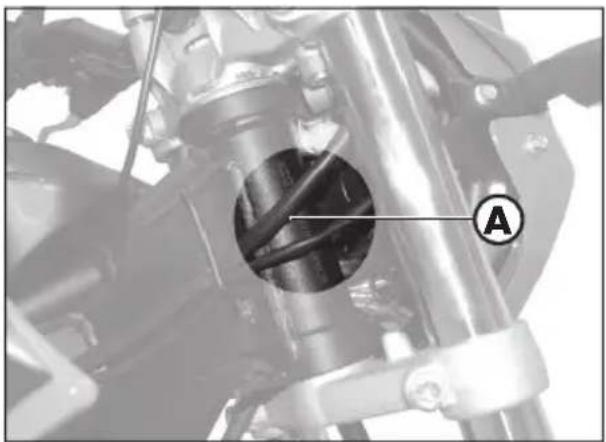
Frame identification data A are stamped on the right side of the steering head tube.
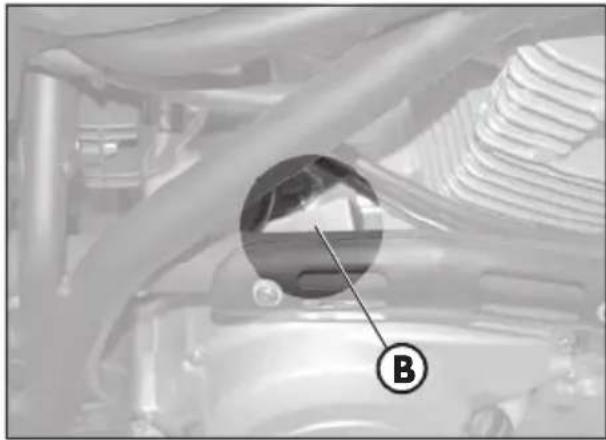
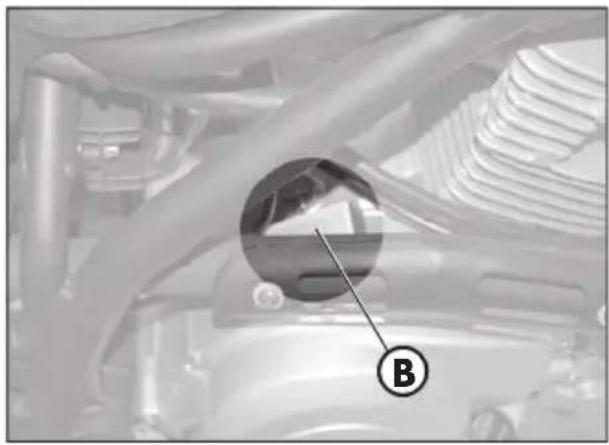
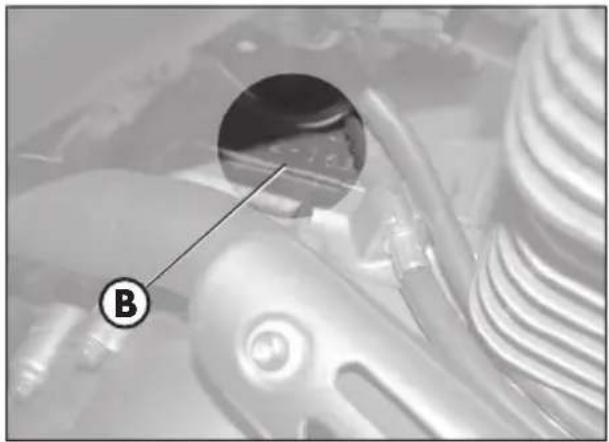
Engine identifi cation data B are stamped in the area shown in the fi gure.

WARNING
Tampering with the identifi cation numbers is severely punished by law.
natural_image
Mechanical assembly diagram showing a rotating component with labeled section A (no readable text or symbols)ENGINE IDENTIFICATION ALP 200
natural_image
Close-up of a mechanical component with a circular inset showing a spherical object, labeled 'B' (no readable text or symbols beyond label)ENGINE IDENTIFICATION ALP 125
natural_image
Close-up of mechanical components with a magnified inset showing a detail labeled 'B' (no readable text or symbols)DELIVERY
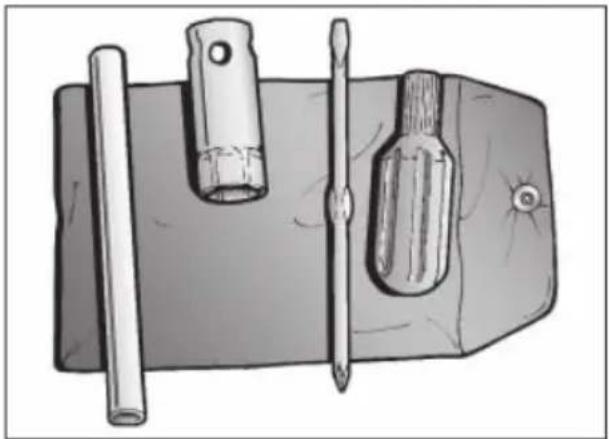
The following items are supplied as standard and are contained in a plastic envelope placed in a compartment under the saddle: operation and maintenance manual, tool kit (ignition spanner, double-function screwdriver).
natural_image
Illustration of a mechanical tool with three tools: a cylindrical rod, a flat screwdriver, and a flat screwdriver (no text or symbols present)LOAD
• Maximum load (rider + passenger): 280 kg.
- To avoid making the vehicle unstable, do not carry bulky or heavy objects.
- Do not carry objects that stick from the vehicle or cover the lighting and signalling devices.
- The helmet must be put in its compartment with the top facing downwards.
TYRES
ENDURO
| Tyre Front | Rear | |
| Dimension | 2,75 - 21 45L | 4,00 R18 64L |
| Pressure | 1,0 ÷ 1,2 bar | 1,0 ÷ 1,2 bar |
| Tyre Front | Rear | |
| Dimension | 2,75 - 21 45P | 4,00 R18 64P |
| Pressure | 1,0 ÷ 1,2 bar | 1,0 ÷ 1,2 bar |
TRIAL
| Tyre Front | Rear | |
| Dimension 90/90- | 21 54S 120/80-18 | 62S |
| Pressure | 1,0 ÷ 1,2 bar | 1,0 ÷ 1,2 bar |
| Tyre Front | Rear | |
| Dimension | 90/90 - 21 54R | 130/80-18 66R |
| Pressure | 1,0 ÷ 1,2 bar | 1,0 ÷ 1,2 bar |

WARNING
- For your riding safety, frequently check the tyres.
- Keep the tyre pressures within the prescribed range.
- Check the tyre pressures every other week.
• Always measure the inflating pressures when the tyres are cold. - Before riding, check the tyres for cuts, cracks, abrasions, bulges, etc. If any defects are found, have the tyres checked by an expert as riding with a damaged tyre can be extremely dangerous.
- If a tyre gets punctured, stop the vehicle immediately. Riding with a flat tyre is dangerous and may seriously damage the tyre itself and the wheel rim.
- Higher inflating pressures are recommended when riding in maximum load condition.
- The tyre (TUBE TYPE) tread depth must never be less than 2 mm. Failure to comply with this rule is punished under the regulations in force.
1
FAMILIARIZING WITH THE VEHICLE
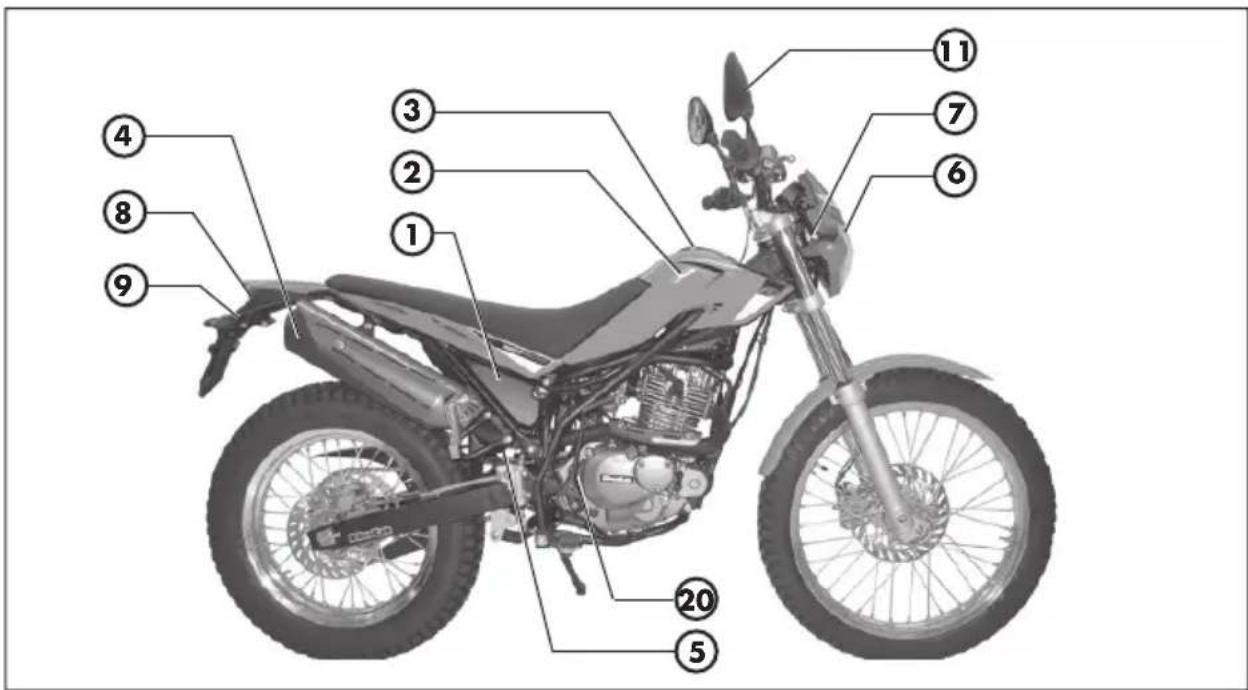
Main parts:
1 - Air filter
2 - Fuel tank
3 - Tank cap
4 - Silencer
5 - Rear shock absorbe
6 - Headlight
7 - Front turn indicators
8 - Rear light
9 - Rear turn indicators
10 - Side stand
11 - Rearview mirror
12 - Foot rests passenger
13 - Fork
14 - Foot rests rider
15 - Engine protection
16 - Saddle
17 - Engine
18 - Front mudguard
19 - Number-plate holder
20 - Kick-start
21 - Helmet lock
text_image
Labeled diagram of a motorcycle with numbered parts for identification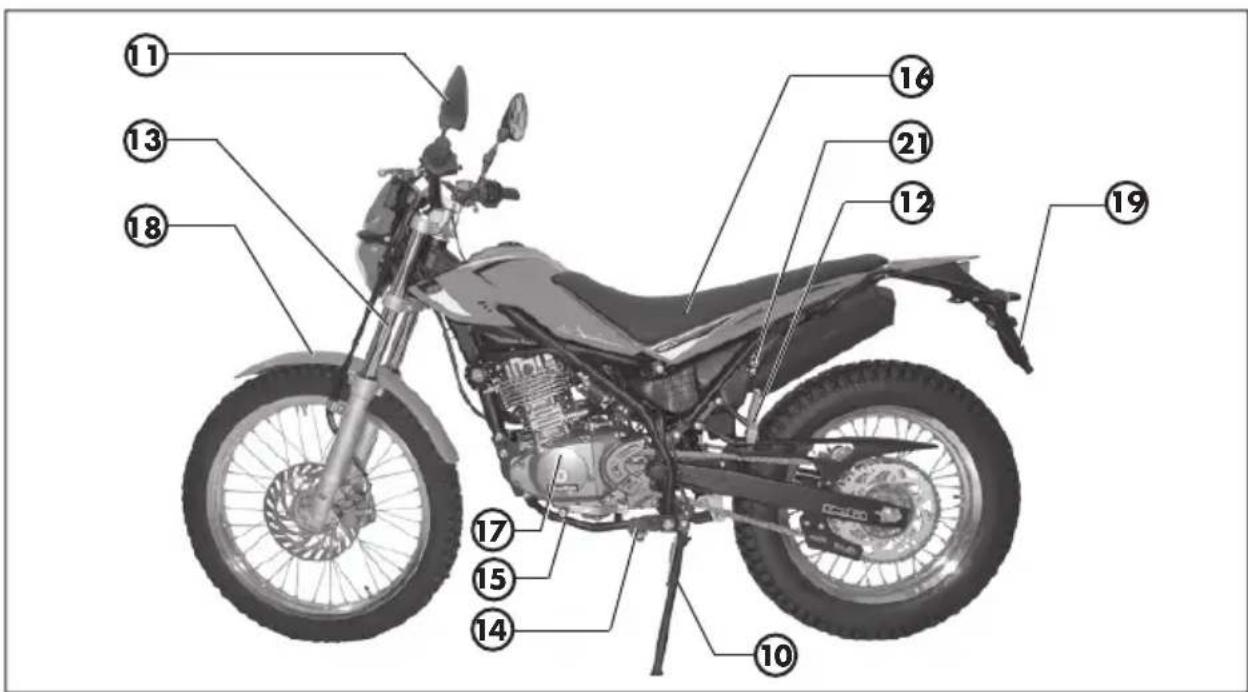
text_image
Labeled diagram of a motorcycle with numbered parts for identificationTRIAL TRIM OPTION
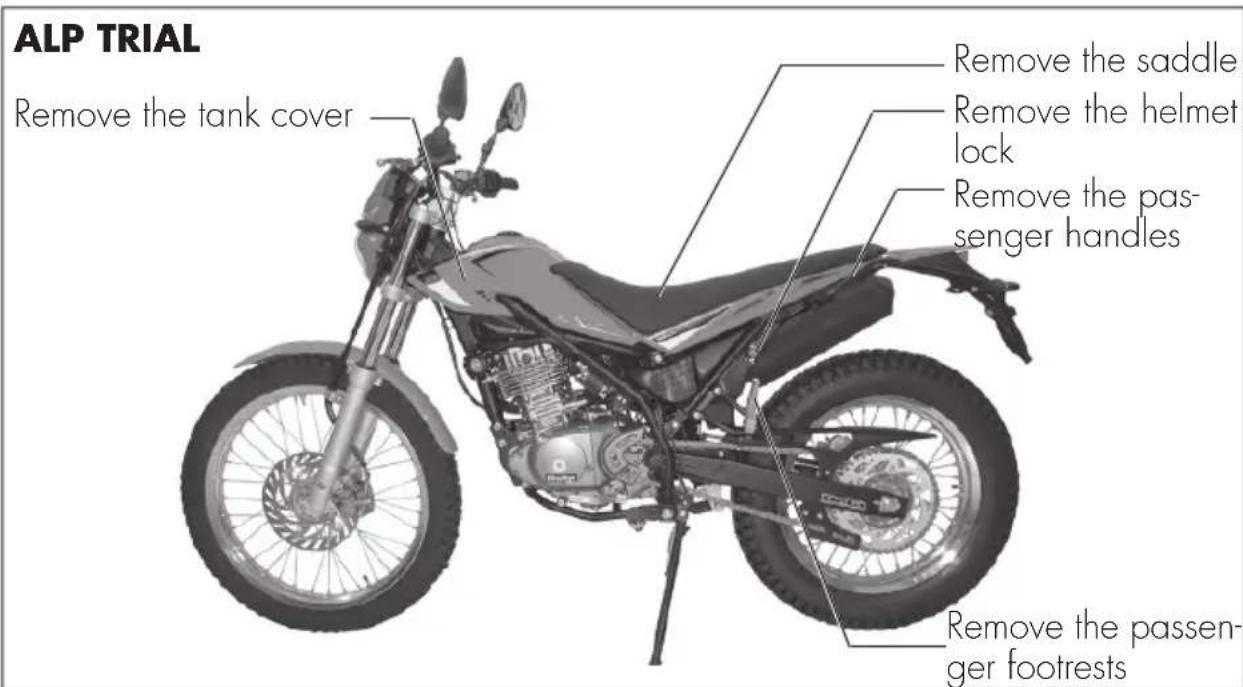
The motorbike has been designed to change trim, depending on the driving requirements.
It is so fl exible that it's like having two motorbikes into one:
- Alp touring: to drive on or off road.
- Alp trial: for extreme driving on rough ground.
To set the motorbike in the Alp trial trim, remove the following parts:
- Remove the saddle,
- Remove the tank cover,
- Remove the passenger handles (without the handles, the vehicle cannot be used to carry passengers),
- Remove the passenger footrests (without the footrests, the vehicle cannot be used to carry passengers),
- Remove the helmet lock.
Notes:
• To remove these parts, see "Removal of body parts" on page 58.
- For an even more extreme driving experience, contact Betamotor Ricambi (Beta-motor spare parts) for the "Extreme" optional kit

Important:
Without these parts, the vehicle cannot be driven on roads. It can only be driven on private tracks and/or traffic c-barred areas.
text_image
ALP TRIAL Remove the tank cover Remove the saddle Remove the helmet lock Remove the passenger handles Remove the passenger footrestsKEYS AND LOCKS
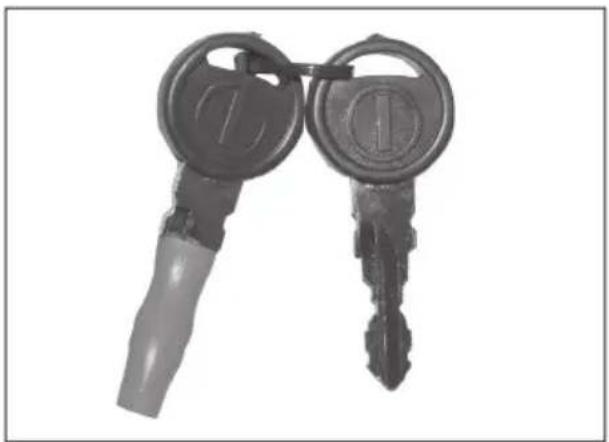
The vehicle is supplied with two keys for the ignition switch/steering lock and the helmet lock.

WARNING
Do not keep the spare keys in the vehicle. Keep the keys in a safe and easy-to-reach place. The code number stamped on the keys should be copied on this manual (or elsewhere) so it can be used to ask for duplicates should both keys be lost.
natural_image
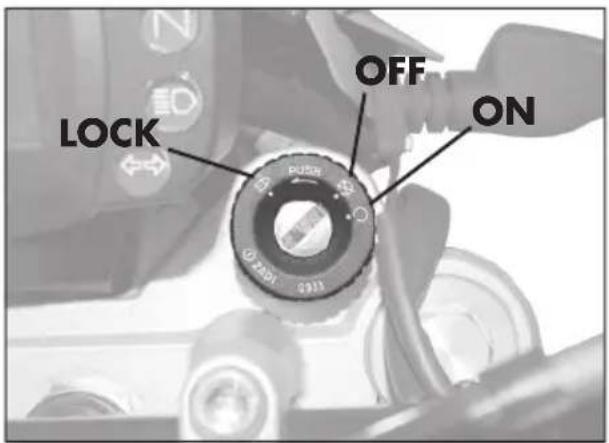
Two black keys with metallic caps and handles, one with a circular emblem on the key (no text or symbols visible)IGNITION SWITCH / STEERING LOCK It controls the ignition circuit and the steering lock, and the opens the saddle.
OFF: Electrical equipment disabled.
ON: The vehicle can be started.
LOCK: Steering lock on.
To lock the handlebar, turn it to the left, press the key, rotate it anticlockwise all the way and then release it.
text_image
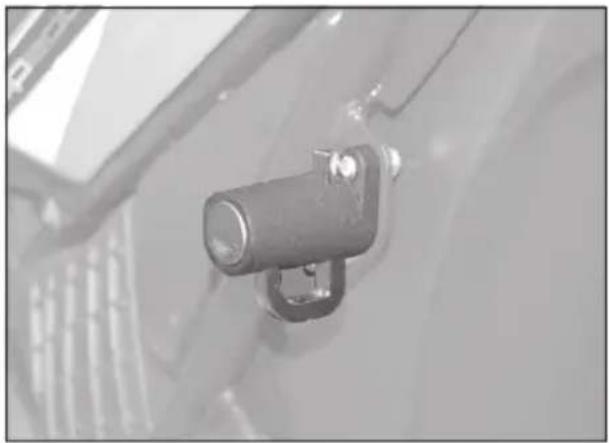
LOCK OFF ONHELMET LOCK
Insert the smaller key into the lock located on the left side under the saddle, and then rotate it anticlockwise to open the helmet hook.
natural_image
Close-up of a mechanical component with a cylindrical lens and mounting bracket (no visible text or symbols)INSTRUMENT PANEL AND CONTROLS
text_image
Labeled mechanical component diagram showing numbered parts including a central screen and threaded rod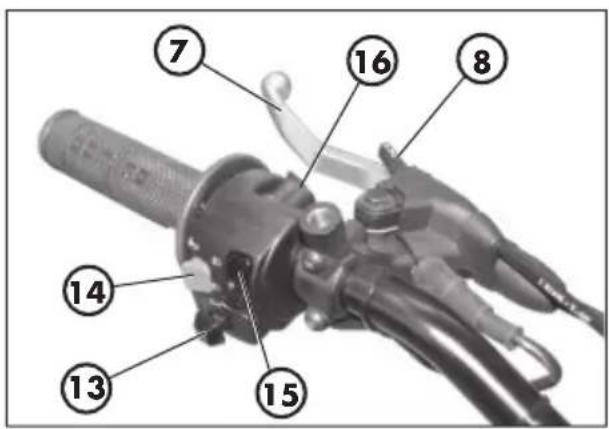
text_image
Labeled diagram of a mechanical device with numbered parts for identification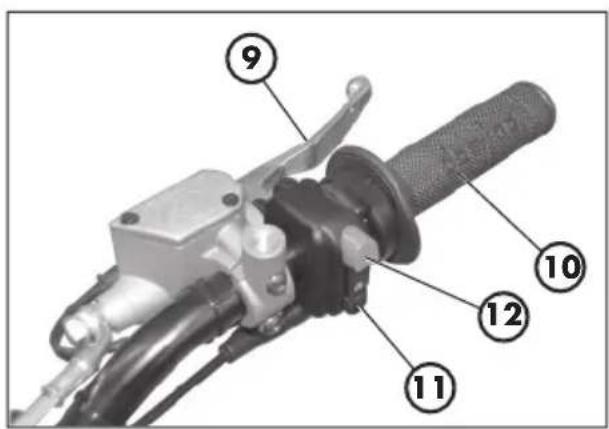
text_image
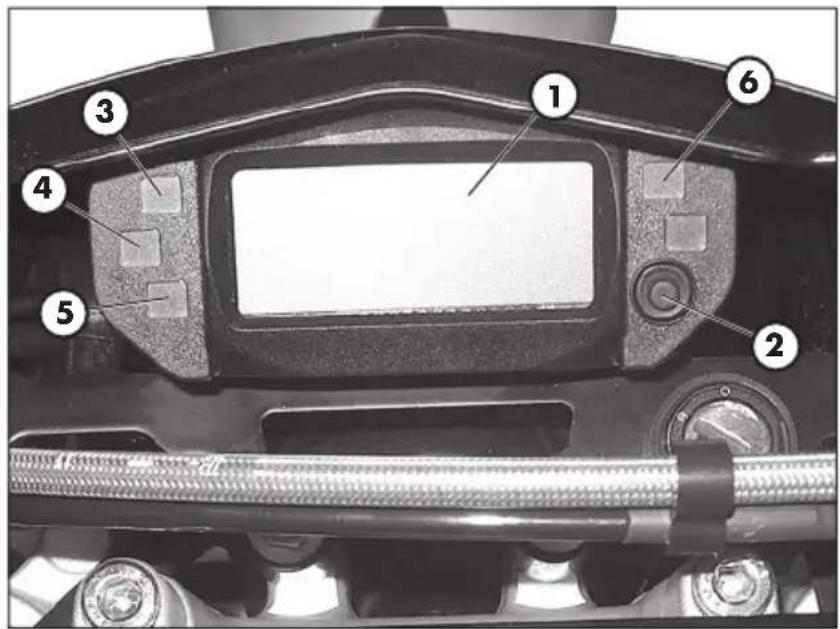
Labeled mechanical component diagram showing numbered parts for assembly or maintenance reference1 - LCD display
2 - MODE button
3 - Indicator warning light
4 - High beam warning light
5-Neutral indicator
6 - Stand-down warning light
7- Clutch lever
8 - Choke unit lever
9- Front brake lever
10 - Throttle twist grip
11 - Starting button
12 - Engine stop button
13 - Direction indicators pushbutton
14 - Horn button
15 - Headlight selector
16 - Passing
Note: The lighting of the stand warning light indicates that the stand is down. For safety reasons, the engine stops as soon as the gears are engaged.
1
ODOMETER OPERATING INSTRUCTIONS
Series Alp 125-200 cc
CONTENTS
1 ONBOARD INSTRUMENTS
2 INSTRUMENT FUNCTIONS
2.1 Instantaneous speed
2.2 Total distance (TOTAL)
2.3 Partial distance (TD)
2.4 Chronometer (LAP)
2.5 Maximum speed (MAX)
2.6 Standby
2.7 Battery charge level
2.8 Clock
2.8.1 Clock adjustment
3 ALARM MANAGEMENT
4.1 Direction indicator lights
4.2 Headlight indicator
4.3 Neutral indicator light
4.4 Side stand indicator light
4.5 LCD and dial backlighting
5 SET-UP MENU
5.1 Change unit of measurement
6 PUSH-BUTTON
6.1 Sequence of functions represented
7 START-UP (SYSTEM START-UP)
8 SLEEP-MODE AND WAKE-UP
1. ONBOARD INSTRUMENTS
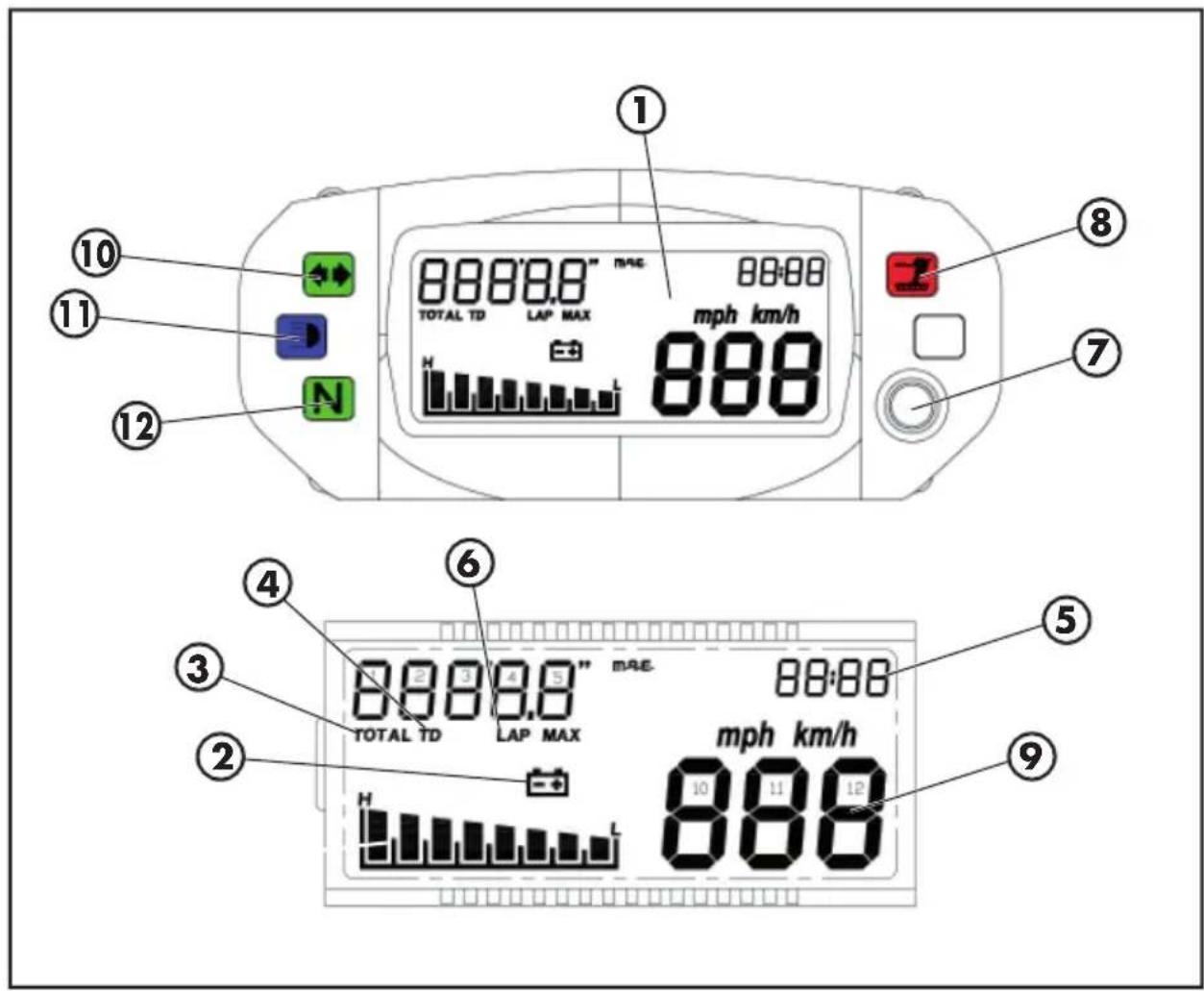
text_image
① ⑧ ⑪ ⑪ ⑫ ⑭ ⑦ ⑩ 8888.8" TOTAAL TD LAP MAX mph km/h 888 ④ ⑥ ⑤ ③ 88:88 TOTAL TD 4.5" LAP MAX 88:88 mRE. ② ⑨ 10 11 12 H L1 Tachometre
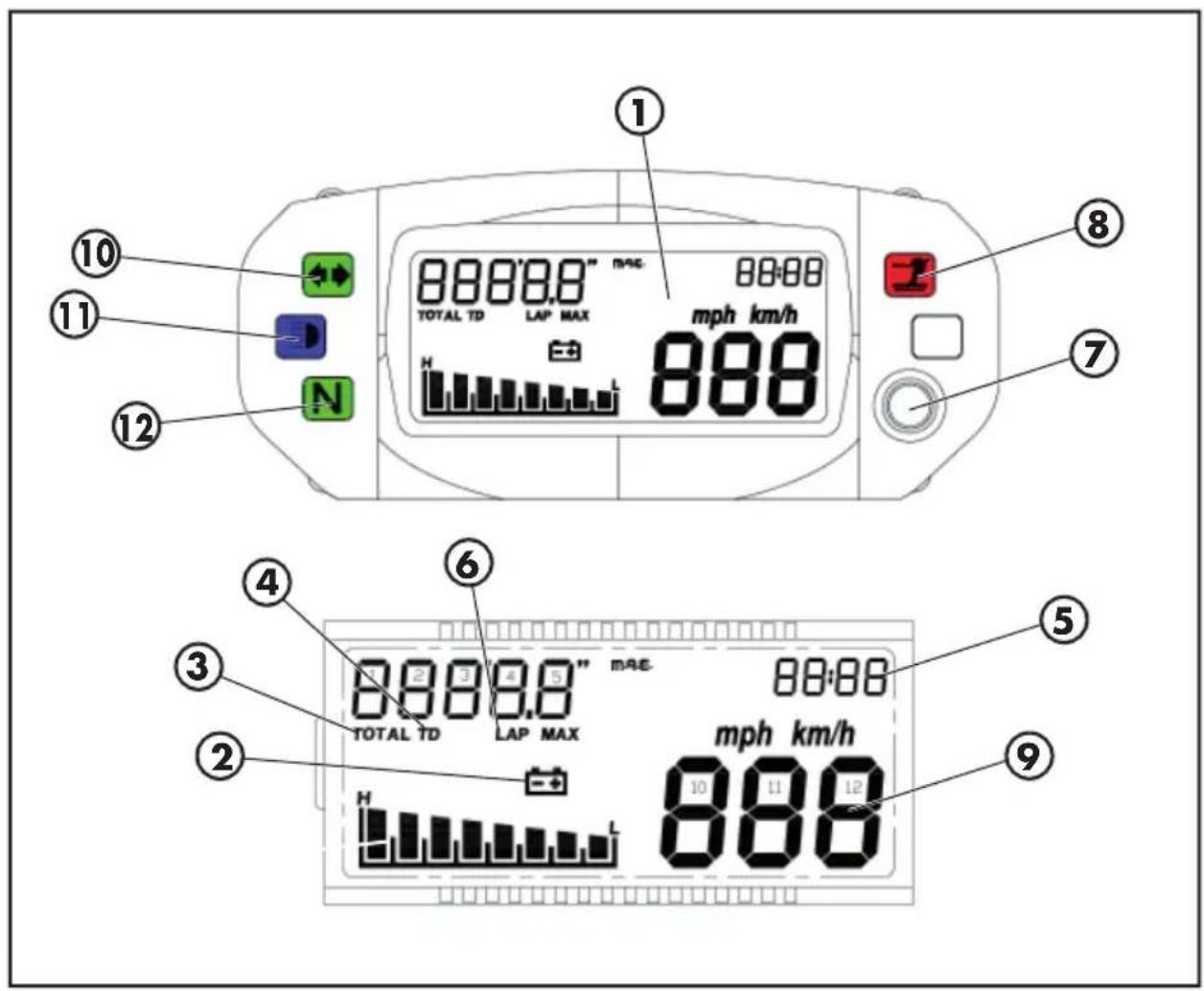
2 Battery hycon
3 TOTAL: total kilometers driven
4 TD: partial result register
5 TIME: clock
6 LAP: chronometer
7 Mode button
8 Side stand tell tale lamp
9 Instantaneous speed
10 Direction indicator tell tale lamp
11 High beam tell tale lamp
12 Neutral tell tale lamp
1
2. INSTRUMENT FUNCTIONS
2.1 Instantaneous speed
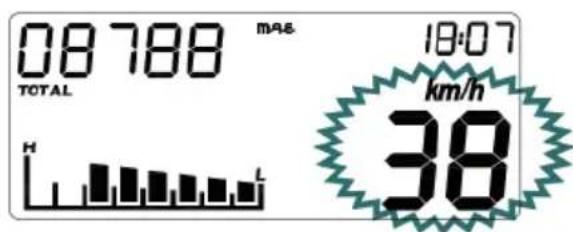
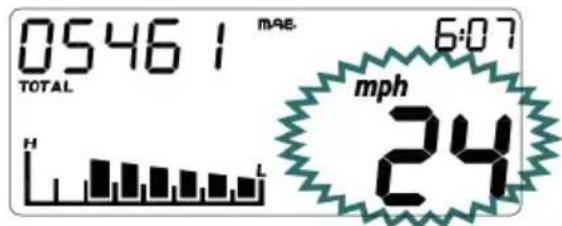
The speed is always displayed with digits 10 - 12 (fi g. 1 and fi g. 2).
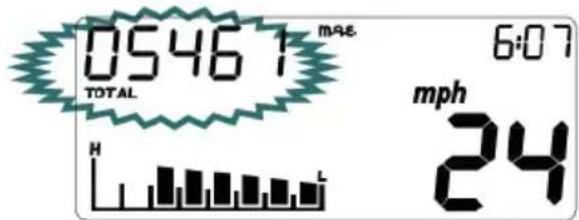
If the selected unit of measurement is Km/h (default unit), the relevant logo is displayed; using the push-button and accessing the Set-up menu, it is possible to change the unit of measurement to mph (fi g. 2).
The value displayed is updated every 0.5 seconds.
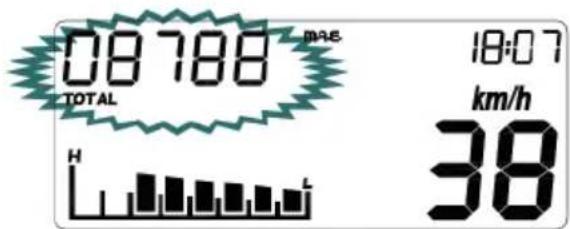
2.2. Total distance (TOTAL)
The total distance is displayed in the upper left corner (digits 1-5) and is accompanied by the word TOTAL, as shown in fig. 3.
The datum is stored permanently in a non volatile memory ( E^2 prom refresh after every Km).
If no data is stored in the memory, the number 00000 is displayed.
The information is always calculated in Km, but when displayed it may be expressed in Km (the default value) or in miles.
The unit of measurement can be changed from the Set-Up Menu.
It is not possible to reset such information during conditions of normal use of the instrument.
text_image
08788 TOTAL H L 18:07 km/h 38Fig. 1
text_image
0546 1 TOTAL H L MAE 6:07 mph 24Fig. 2
text_image
08788 TOTAL H 18:07 km/h 38Fig. 3
text_image
05461 TOTAL H L MAE 6:07 mph 24Fig. 4
2.3 Partial distance (TD)
This function describes the operation/display of the onboard automatic partial totalizator.
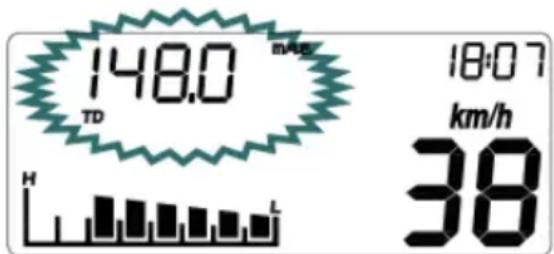
This function is always shown using digits 1-5 and the abbreviation TD (fi g. 5).
The datum displayed represents the distance covered by the vehicle, expressed in miles or Km (depending on the unit of measurement selected), with 0.1 resolution (miles or Km).
This counter is automatically activated at the first impulse given by the speed sensor.
The datum is not stored permanently.
The counter linked to this parameter can be reset by pressing (corresponding to the TD function) the button for approx. 2 seconds, until the value 000.0 appears. TD can be reset when the vehicle is stopped or moving.
If the number is higher than 999.9, the system resets the TD and then restarts the count.
Note: In the absence of mains power, the TD value is irretrievably lost.
text_image
148.0 mAs TD H 18:07 km/h 38Fig. 5
1
2.4 Chronometer (LAP)
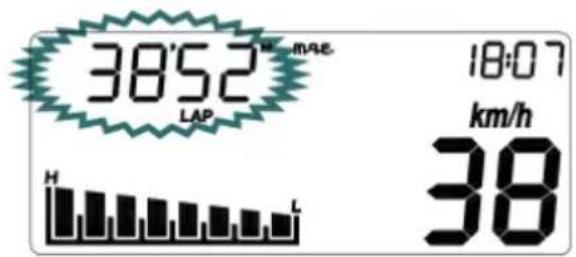
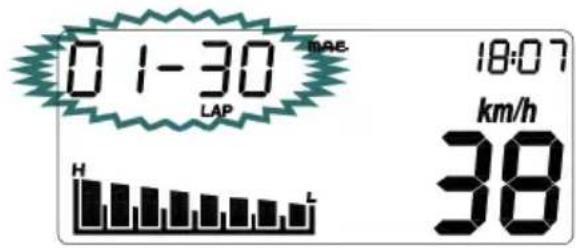
This function describes the operation/ display of the chronometer. The information is displayed using digits 1-5 and the abbreviation LAP.
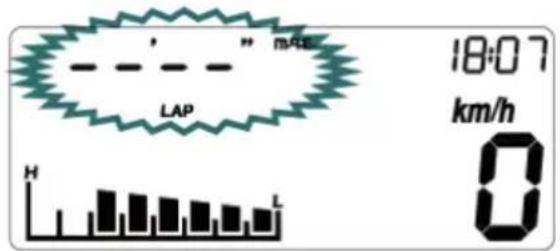
To access the chronometer menu, press and hold down the button that corresponds to the screen, as shown in figure 6, until the chronometer appears (figures 7-8).
The time is displayed in the format mm:ss if hours = 0 or in the format hh:mm if hours > 0
If hours > 0, when LAP is operational, the symbol - that separates the hours from the minutes, is flashing; when LAP is not operational, the symbol is continuous. If hours = 0, when LAP is operational, the "e" symbols that separate the minutes from the minutes, are shown flashing; when LAP is not operational they are continuous.
Start-up: the chronometer can be started in two ways:
1) manually, by pressing the button briefly (< 2 sec);
2) automatically, if the speed becomes >0.
text_image
18:07 km/h 0Fig. 6
text_image
38'52" MAE LAP 18:07 km/h H L 38Fig. 7
text_image
01-30 LAP H L MAE 18:07 km/h 38Fig. 8
Deactivation: the chronometer can be stopped in the following way:
1) automatically, if the speed is = 0 If the speed is = 0, the chronometer stops, even if it has been activated using the button.
Resetting: The chronometer can be reset by pressing and holding down the button (> 5 sec).
Exit: to exit chronometer mode, press and hold down the button for approx. 2 to 5 seconds.
If the chronometer is operating at the moment of exiting, the abbreviation LAP will be shown flashing, independently of the function displayed.
If the speed is >0, the LAP function cannot be accessed: pressing the button causes the function displayed to change.
If the speed is >0, it is not possible to exit the LAP function: pressing the button causes the value indicated to be reset.
The datum is not stored permanently.
If the datum is higher than 23-59 (that is, 23h59'59"), the system resets the LAP and then restarts the count.
Note: In the absence of mains power, the LAP value is irretrievably lost.
1
2.5 Maximum speed (MAX)
This function describes the operation/ display of the maximum speed function.
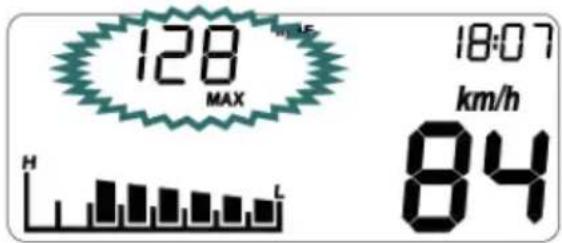
The information is displayed using digits 2-5 and the abbreviation MAX, as shown in fig.9.
The parameter identifies the vehicle's maximum speed reached, expressed in Km/h or in mph, depending on the unit of measurement selected.
The counter linked to this parameter can be reset by pressing the button, near the MAX function, for approx. 2 seconds, until the value 00 appears.
MAX can be reset when the vehicle is stopped or moving.
The value is reset when the unit of measurement is changed.
The datum is not stored permanently.
Note: In the absence of mains power, the MAX value is irretrievably lost.
2.6 Standby
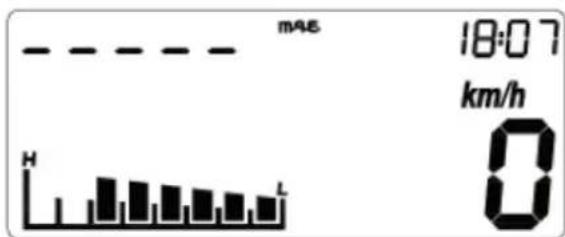
In vehicles without a rev counter, the standby function can be used to adjust the clock (see parag. 2.8.1).
The information is displayed as in figure 10.
text_image
128 MAX H 18:07 km/h 84Fig. 9
bar
| Metric | Value | | :--- | :--- | | H | 18:07 | | km/h | 0 |Fig. 10
2.7 Battery charge level
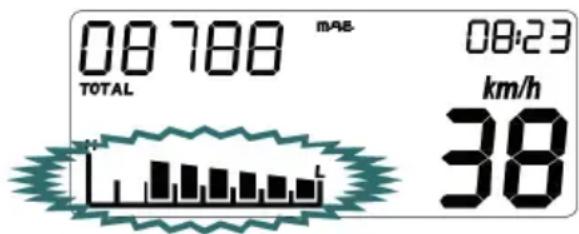
The information is displayed using the digital bar graph in the lower left part, as shown in fig. 11.
The bar graph, updated every 4 seconds, is organised according to the following table (tolerance ±0.1 V):
text_image
08788 m/s TOTAL 08:23 km/h 38Fig. 11
| Voltage (Volt) Active segments | |
| Until 9,99 Volt 1 | |
| From 10,00 V to 10,49 V 2 | |
| From 10,50 V to 10,99 V 3 | |
| From 11,00 V to 11,49 V 4 | |
| From 11,50 V to 11,99 V 5 | |
| From 12,00 V to 12,49 V 6 | |
| From 12,50 V to 12,99 V 7 | |
| Over 13,00 Volt 8 | |
2.8 Clock
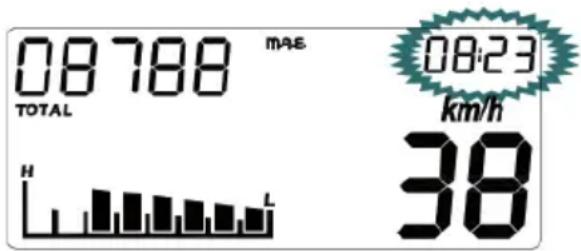
This function describes the correct operation/display of the current time function. This function is always displayed in the format, hh:mm, using digits 6-9 (fi g. 12).
The clock remains active even when the microcontroller enters the low power phase (sleep-mode).
The information is not stored in the memory.
Sequence displayed:
from 0:00 to 23:59 for mode 0-24
from 0:00 to 12:59 for mode 0-12
Am
from 1:00to 11:59 for mode 0-12
Pm
bar
| Metric | Value | | :--- | :--- | | MAE | 08788 | | TOTAL | | | km/h | 08:23 | | H | 38 | | L | 38 |Fig. 12
Clock accuracy: ± 2.5 sec/day
Note: In the absence of mains power, the TIME value is irretrievably lost.
2.8.1 Clock adjustment
The clock can only be adjusted when the vehicle is stopped, keeping the button pressed for approx. 5 sec in correspondence with the standby function.
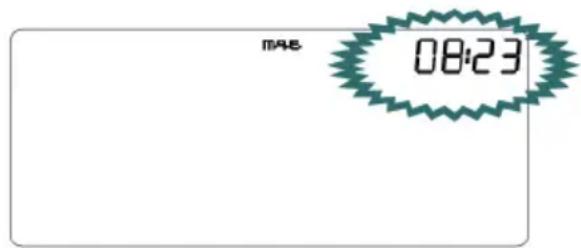
Adjustment is possible once only the segments relating to the clock are active, while all the other segments are switched off (fi gure 13).
It is possible to change the hour first and then the minutes depending on what number is selected (which will be displayed fl ashing with f=1Hz, Duty=50%).
A short press of the button will allow a unit increase of the parameter selected, while a long press of the button will allow for a switch from time adjustment to that of minutes and then to exit adjustment mode.
The clock will be displayed in the format 0-24 if the unit of measurement selected is Km/h, while it will be displayed in format 0-12 if the unit of measurement selected is mph.
text_image
M48 08:23Fig. 13
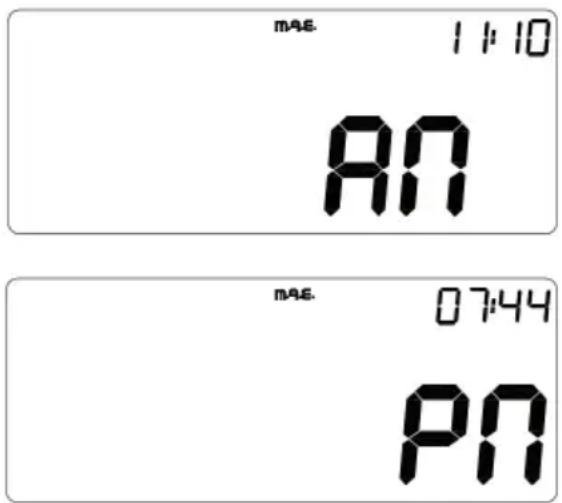
In this case, during adjustment, AM will appear on digits 10 and 11 or PM will appear on digits 11 and 12 as shown in figure 14.
Note: While the Set-up menu is open the clock is NOT updated.
Note: Once in the adjustment menu:
- if 20 sec. go by without the button being pressed, or
- if the vehicle is started (speed>0), or
- if the key switch is set to the OFF position,
the system will automatically be set to the standard operating mode, saving any changes that have been made.
text_image
MAS 11:10 AN MAS. 07:44 PNFig. 14
3. ALARM MANAGEMENT
3.1. Battery voltage alarm
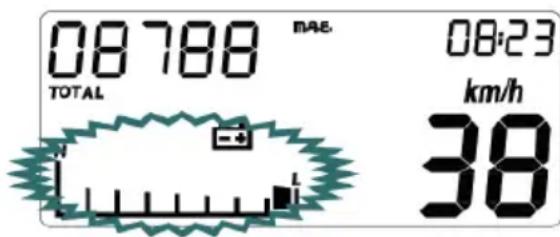
Every time the detected voltage value falls below 10.0 V (±0.1 V), the system activates the alarm procedure to signal that the dashboard may lose its settings, following the vehicle's start-up.
The signalling causes the battery symbol and the outline of the digital bar graph to flash as shown in fig. 15.
The alarm stops when the voltage rises above 11.0 V ( ± 0.1 V).
4. WARNING LIGHTS AND BACK-LIGHTING
4.1 Direction indicator lights
The system activates the indicator with the activation of the direction indicators.
Note: The signal must already be alternate when it reaches the instrumentation.
4.2 Headlight indicator
The system activates the indicator in synchrony with the activation of the mains beams.
4.3 Neutral indicator light
The system activates the indicator in synchrony when the gear lever is put in the neutral position.
4.4 Side stand indicator light
The system activates the indicator when the side stand is lowered.
text_image
08:788 TOTAL MAE. 08:23 km/h 38Fig. 15
4.5 LCD and dial backlighting
The colour of the crystal backlight is orange. The backlight is always lit if key lock is in the ON position.
5. SET-UP MENU
The Set-up menu can only be accessed when the vehicle is stopped (speed = 0 Km/h) by pushing, for approx. 5 seconds, the button in correspondence with the TOTAL function.
To render the changes made within the Set-up menu operational, the user must finish the entire sequence of menu screens, making sure that the Set-up menu (and subsequent repositioning of the instrument in standard operative mode) is exited only, and exclusively using the mode button.
To exit the menu press and hold down the button corresponding to the value selected within the related lap impulse/wheel screen (which is the last screen of the Set-up menu), until the instrument is positioned in the standard operating mode.
Note: Once in the adjustment menu:
- if 20 sec. go by without the button being pressed, or
- if the vehicle is started (speed>0), or
- if the key switch is set to the OFF position,
the system will automatically be set to the standard operating mode, WITHOUT saving any changes that have been made.
5.1 Changing the unit of measurement
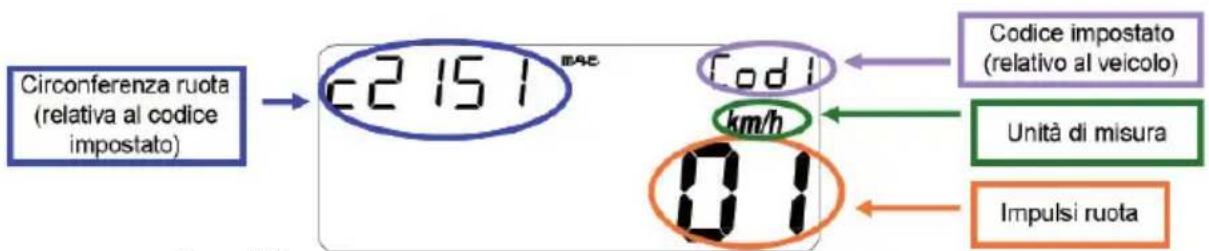
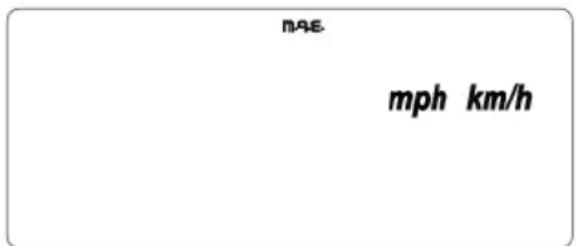
Only the symbols Km/h and mph will be displayed, and the unit selected will be shown fl ashing (with f=1Hz, Duty=50%) (fig. 16).
A short press of the button will cause the selected unit to change while a long press permits switching to the next adjustment or exiting the Set-up menu.
6. PUSH-BUTTON
The purpose of the button is to:
- allow for scrolling through the various functions.
- reset the partial distance and maximum speed values and enable the chronometer.
- access the Set-Up menu.
- adjust the clock.
Scrolling through the functions (i.e. the passage from one function to the next) is always permitted, regardless of the state of motion or rest of the vehicle; simply press the button briefly (tmin = 1 sec.) and, once released, the display will updated with the new function.
The partial distance and the maximum speed can be reset when the vehicle is stopped or moving, as described in the previous paragraphs.
Entry into the Set-Up menu, clock adjustment and chronometer activation is only allowed when the vehicle is stopped and operated as described in chapters 2 and 6.
The button is active when the key switch is set to the ON position.
text_image
nAE mph km/hFig. 16
6.1 Sequence of functions represented
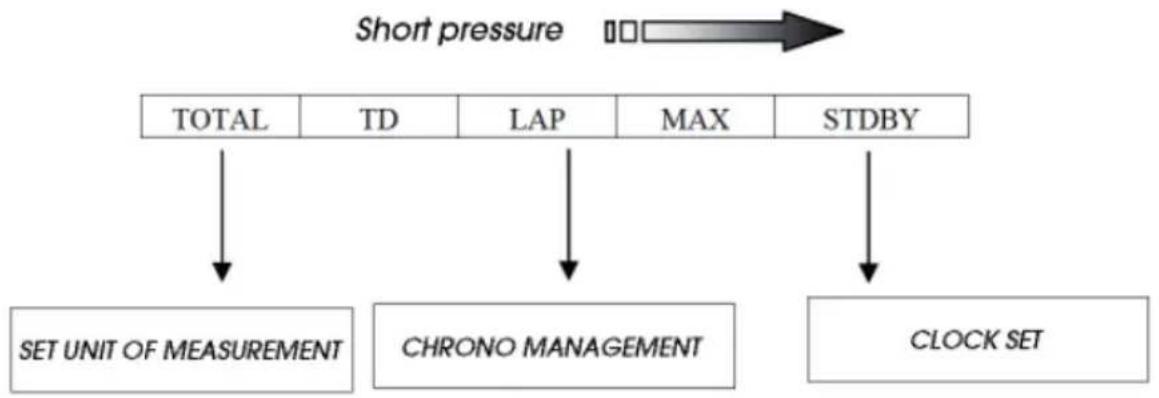
It is always possible to scroll through the functions, whether the vehicle is stationary or moving, using the button according to the sequence shown in the table below:
flowchart
graph TD
    A["Short pressure"] --> B["TOTAL"]
    A --> C["TD"]
    A --> D["LAP"]
    A --> E["MAX"]
    A --> F["STDBY"]
    B --> G["SET UNIT OF MEASUREMENT"]
    C --> H["CHRONO MANAGEMENT"]
    D --> I["CLOCK SET"]
    E --> I
    F --> I
TOTAL total distance covered
TD partial distance covered
LAP Lap time
MAX maximum speed
STDBY clock adjustment
1
7. START-UP (SYSTEM START-UP)
When the instrument is switched on, the system displays a range of information for the user which, to make things easier, is represented on the following screens (pages):
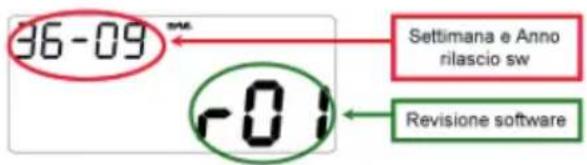
- 1 ^st page (at every connection with vehicle battery): Software version and date of issuing (for approx. 3 seconds) (fig. 17).
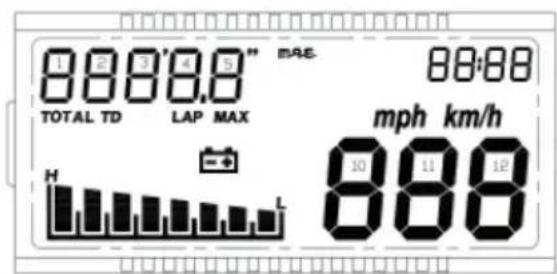
- 2^rd page (every time the instrument is switched on): Check of all Icd segments for approx. 3 seconds (fi g. 18).
- 3^rd page (every time the instrument is switched on): Display of set parameters (fig. 19).
During these screens the system carries out a check of all indicator lights and backlighting: all LEDs are switched on and then are switched off at the end of the display check.
Once the above is fi nished, the system passes to normal display.
text_image
36-09 Settimana e Anno rilascio sw r01 Revisione softwareFig. 17
text_image
1 2 3 4 5" 888'8.8" TOTAL TD LAP MAX H L MAE- 88:88 mph km/h 10 11 12 888Fig. 18
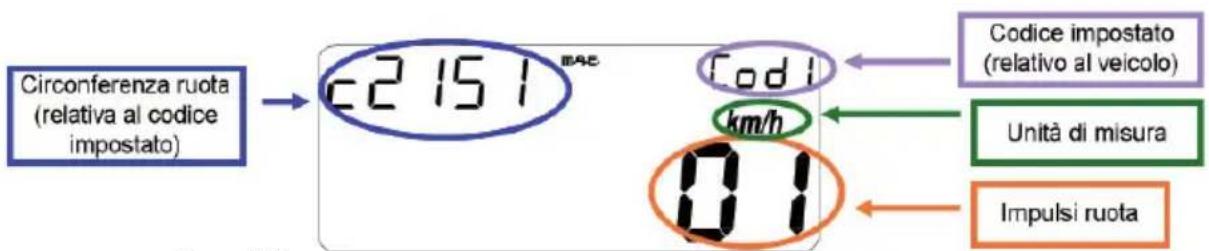
8. SLEEP-MODE AND WAKE-UP
SLEEP MODE - The microcontroller enters the sleep phase, characterised by low power consumption when the shift position switch is in the OFF position.
To conserve power during sleep mode, every operation normally carried out by the instrumentation is suspended; the display and its backlighting are switched off and only the updating of the current time remains active.
Sleep mode is always possible, irrespective of the function selected.
WAKE-UP - Wake-up from sleep mode occurs when the shift position switch is in the ON position.
The following occurs immediately after wake-up of the microcontroller:
- Display and signal indicator check for approx. 3 seconds
- Screens displayed as shown in fig. 17 for approx. 3 sec.
- Activation of the last function displayed before the system went to sleep and enablement of all functions.
1
SPECIFICATIONS
MAXIMUM LOAD
rider + passenger 280 kg
VEHICLE'S KERB (DRY) WEIGHT ALP200 103 kg
VEHICLE'S KERB (DRY) WEIGHT ALP125 101 kg
DIMENSIONS
overall length 2,143 mm
overall width 820 mm
overall height 1,170 mm
wheelbase 1,372 mm
saddle height 836 mm
ground clearance 288 mm
FRAME ...... steel, double closed cradle
CAPACITIES
fuel tank 6
including reserve 1.5
average consumption 25 km/l
FRONT SUSPENSION
Hydraulic fork with ∅ 37 mm.
Amount of oil per stem:
left 310 ± 5 cc
right 310 ± 5 cc
Oil type SHELL EBH16
or LIQUI MOLY RECING SUSPENSION OIL SAE 10W
Oil level 142 mm from tube upper rim with fork at end of travel and no spring
Trail 81,5 mm
REAR SUSPENSION
Single progressive hydraulic shock absorber with adjustable rebound and spring preload
shock absorber travel 63 mm
FRONT BRAKE
∅ 245 mm disc brake with hydraulic control
REAR BRAKE
∅ 220 mm disc brake with hydraulic control
ENGINE SPECIFICATIONS ALP 125
Type ...... Single-cylinder, forward-inclined, four-stroke, SOHC
Bore x stroke 54X54 mm
Displacement 124 cm ^3
Compression ratio 10:1
Carburettor MIKUNI UCAL 5Nh ∅ 26-38
Lubrication oil in sump
Fuel system .....petrol (unleaded, with a minimum octane number of 95), by carburettor
Cooling system by air circulation
Spark plug NGK DR7 HSA
Clutch multiple-disc in oil bath
transmission 5-speed, with constant-mesh gears
Primary gearbox ratio 68/20
Final gearbox ratio 60/14
Gear ratios 1st 37/14
2nd....32/18
3rd
4th 23/22
5th 21/24
Drive chain REGINA 1/2, 5/16 P. 136
Play of valves ...... intake mm 0.08 - 0.12 , exhaust mm 0,10 - 0,14
Starting ..... electric and/or kick-start
Engine oil BARDAHL XTM15W 50
Engine oil capacity 1,000 ml/1,050 ml
ENGINE SPECIFICATIONS ALP 200
Type ...... single-cylinder, four-stroke SUZUKI H402
Bore x stroke 66 x 58.2
Displacement 199 cc
Compression ratio 9.4:1
Carburettor MIKUNI BST31 42AD
Lubrication oil in sump
Fuel system .....petrol (unleaded, with a minimum octane number of 95), by carburettor
Cooling system by air circulation
Spark plug NGK DR8 EA
Clutch multiple-disc in oil bath
Transmission 5-speed, with constant-mesh gears
Primary gearbox ratio 3.157 (60/19)
Final gearbox ratio 3.200 (48/15)
Gear ratios 1st 3.000 (33/11)
2nd....1.933(29/15)
3rd
4th 1.095(23/21)
5th 0,913(21/23)
Drive chain REGINA 5/8, 1/4, P.104
Play of valves ...... intake and exhaust 0.08-0.13 mm
Starting ..... electric and/or kick-start
Engine oil BARDAHL XTM15W 50
Engine oil capacity ...... oil change 850 ml with filter replacement 950 ml
overhaul 1300 ml
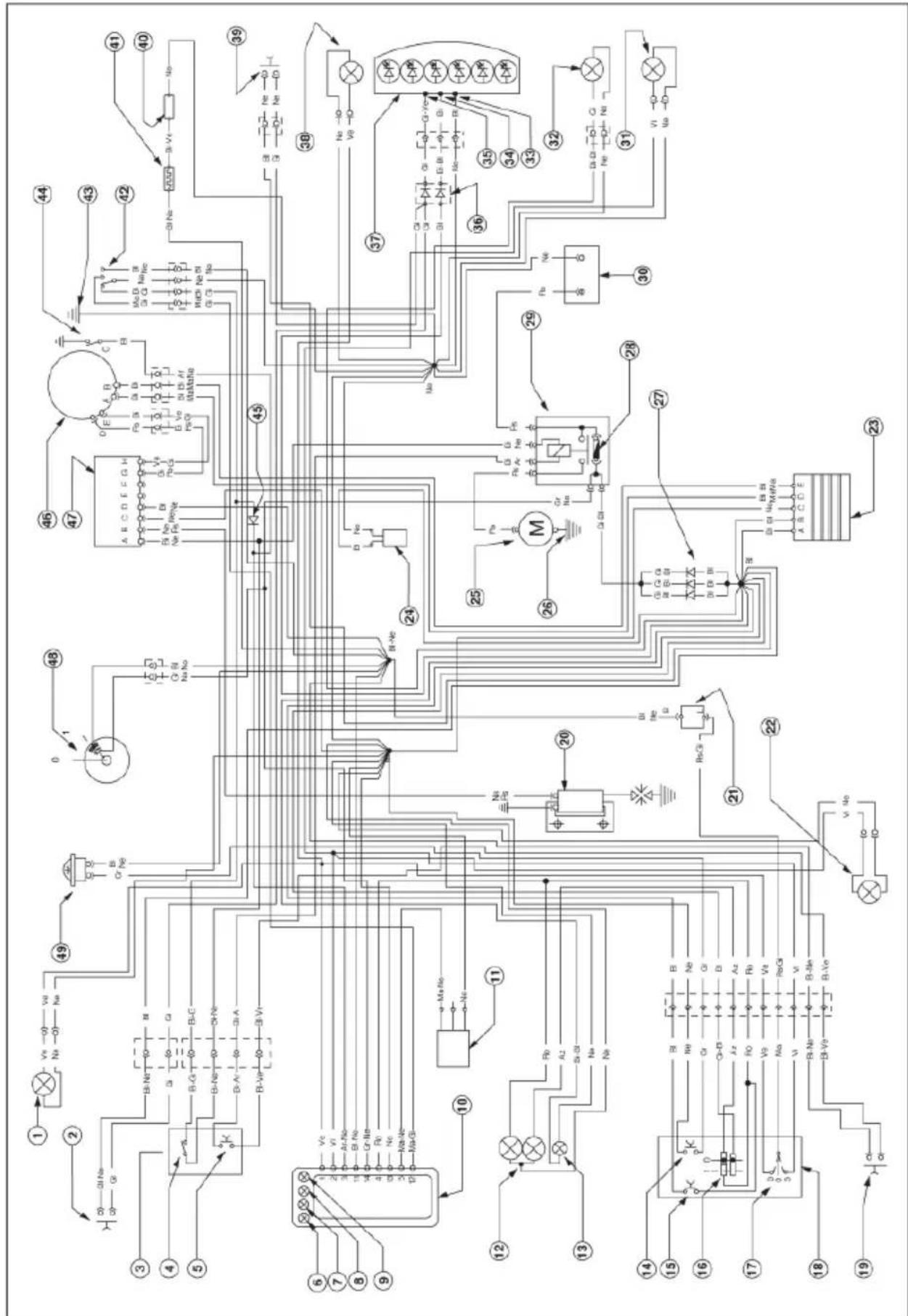
WIRING DIAGRAM ALP 125
GENERAL INFORMATION
flowchart
Electrical circuit diagram with labeled components, relays, and connections for a power system or control system.WIRING DIAGRAM ALP 125
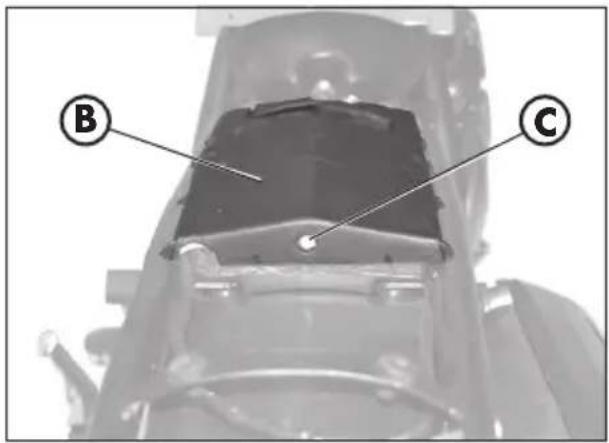
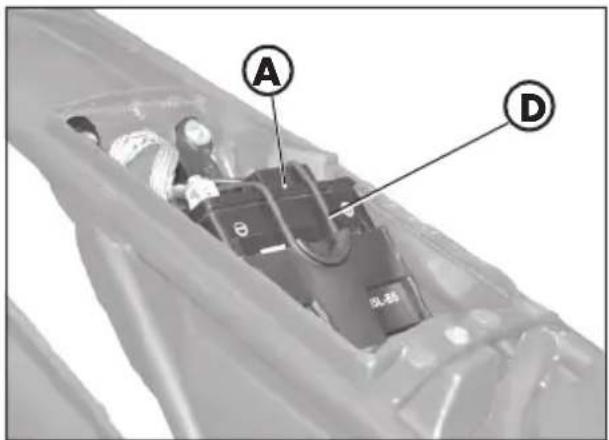
To have access to the battery A, remove the saddle, the tank cover and the undersaddle plastic shield, as described in "Removal of body parts" on page 58.
Remove the cover B by loosening the screw C, release the strap D, disconnect the cables and remove the battery.
text_image
B C
WARNING:
To prevent damage to the electrical system, never disconnect the cables while the engine is running.
text_image
A DReinsert battery A in the specially designed recess under the saddle and fasten it using rubber band D.
Connect the terminal on the black cables to the battery negative (-) terminal and the two red cables to the battery positive (+) terminal, fitting the protective cap as shown in the figure.
natural_image
Close-up of a mechanical component with visible wiring and a labeled section marker (E), no readable text or symbols present.CONTROL UNIT
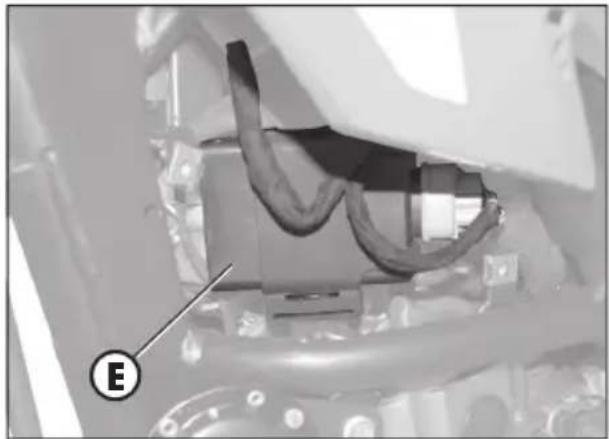
The control unit E is on the left side of the motorbike; to have access to the control unit, remove the left side underneath the tank, as described on page 59.
natural_image
Close-up of a mechanical component with a circular housing and mounting holes, labeled with a letter F (no readable text or symbols beyond the label)KLAXON
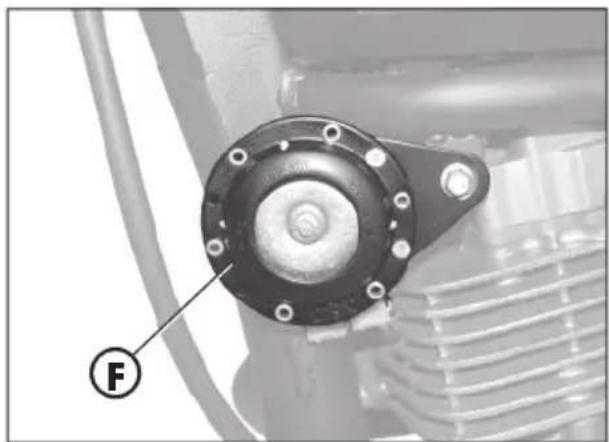
The Klaxon F is at the front, on the left side of the motorbike.
FLICKERING
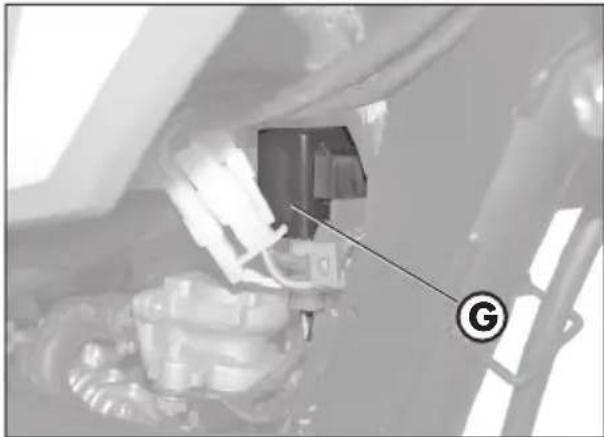
The flickering system G is under the tank; to have access to it, remove the right side underneath the tank, as described on page 59.
HV REEL - STARTER RELAY - STAND RELAY - FUSE
The reel H, the starter relay I, the stand relay L and the fuse M are centrally located on the left side of the motorbike.
The left side contains:
- The klaxon,
- The indicators,
- The instruments.
Notes:
Any burnt fuse must be replaced with an equivalent one. If the new fuse burns out too, contact a BETAMOTOR licensed garage.
The fuse's capacity is 15 Ampere.

WARNING:
Never fit a fuse of a higher power or try to 'repair' it; an improper repair could damage the whole electric system.
VOLTAGE REGULATOR
The voltage regulator N is centrally located.
natural_image
Close-up of a mechanical component with a labeled arrow pointing to a component (no readable text or symbols)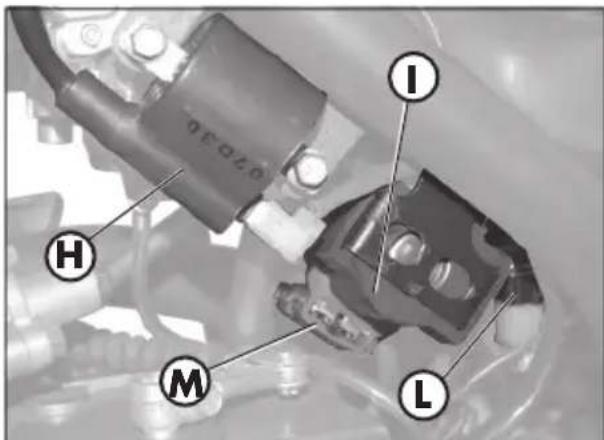
text_image
0.020 I H M L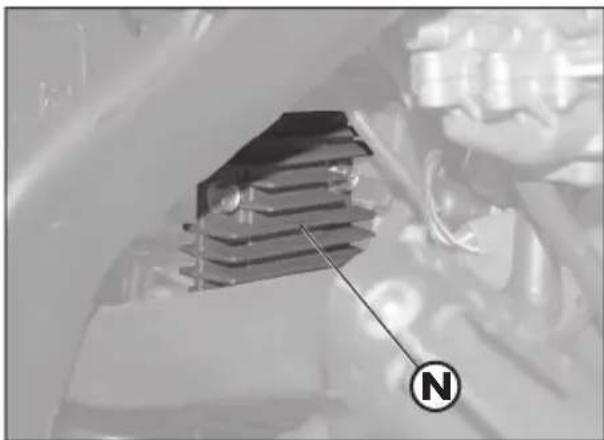
natural_image
Close-up of a mechanical component with a labeled 'N' indicator (no readable text or symbols beyond the label)1
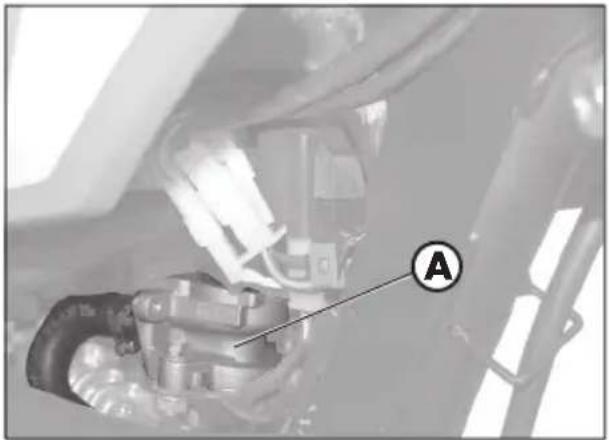
AIS VALVE
It is called AIS valve and is an air inflow system that completes the combustion of that part of un-burnt hydrocarbons that are the by-product of the thermodynamic cycle.
To have access to the valve A, remove the right guard under the tank, as described on page 58.
natural_image
Mechanical assembly diagram showing a valve or connector with labeled component A (no readable text or symbols)CONTENTS
CHAPTER 2 OPERATION
Checks and maintenance operations before and after off-road use
Recommended lubricants and fluids
Running-in
Starting the engine
Starter
Shutting off the engine
Refuelling
CHECKS AND MAINTENANCE OPERATIONS BEFORE AND AFTER OFF-ROAD USE
To avoid trouble during operation, it is advisable to perform a few checks and maintenance operations before and after riding. In addition to making your vehicle safer, a few minutes spent carrying out these operations will enable you to save time and money.
Follow these steps:
TYRES Check the inflating pressures, the general condition, and the tread depth (see page 9).
SPOKES Check the tensioning.
NUTS AND BOLTS Check the tightening of all nuts and bolts.
DRIVE CHAIN Check the tension (play = 20 mm) and if necessary grease.
AIR FILTER Clean the filter and wet it with oil (see page 54).
Note
Check for the presence of the vehicle identification papers.
In cold weather, it is advisable to warm up the engine by letting it idle for a few moments before starting off.
The vehicle needs to be carefully washed every time it is used over rough ground.
RECOMMENDED LUBRICANTS AND FLUIDS
To maximize the vehicle's performance and ensure many years of trouble-free operation, we recommend using the following products:
| PRODUCT TYPE | SPECIFICATIONS |
| ENGINE OIL BARDAHL XTM 15W 50 | |
| BRAKE OIL BARDAHL BRAKE FLUID DOT4 | |
| FORK OIL SHELL EBH 16 | |
| TIE ROD GREASE BARDAHL Outboard Grease NLGI2 | |
Note
It is essential that all renewals should be performed with the products listed in de table above (see pag. 63).
RUNNING-IN
The running-in period lasts approximately 10 hours, during which it is advisable to:
- Warm up the engine well before starting off.
- Avoid riding at constant speed (changing the speed allows the different components to bed in uniformly and in a shorter time).
- Avoid turning the throttle twist grip more than 3/4 of its travel.

WARNING
• After the first 1000 km renew the engine oil.
• Always use high-octane unleaded petrol.
- After using the vehicle on rough ground for the first time, carefully check the tightening of all nuts and bolts.
STARTING THE ENGINE
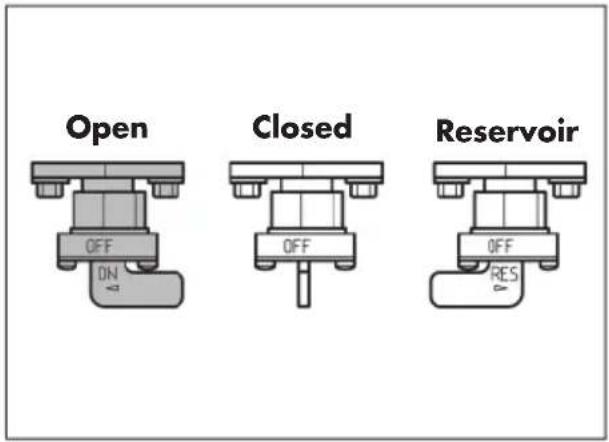
- Turn the fuel tank tap to OPEN (see drawing across).
- Turn the key switch clockwise and make sure the neutral warning light on the switchboard is On (see ref. 5 on page 13).
• Make sure the emergency switch A, on the gas control, is ON.
Electric starter
Pull the clutch lever while pushing the starter button B on the gas control, without turning the gas grip.
Kick-starter
Use the starter lever C; push the foot down hard, then fold back the lever.
Note:
The engine can be started when the stand is down and the red warning light on the switchboard is On, provided the gear pedal is in neutral, as shown by the green warning light on the instrument panel.
For safety reasons, if the motorbike is put into gear even if the clutch is on, the engine will turn off.
Then, close the stand and put the motor-bike into gear.
Note:
The engine can also be started when the stand is down provided that the neutral indicator is lit.
text_image
Open Closed Reservoir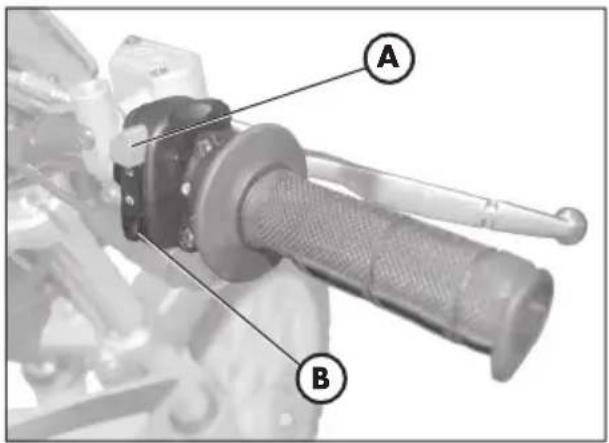
text_image
Technical diagram of a mechanical component with labeled parts A and B, showing a handle and lever mechanism.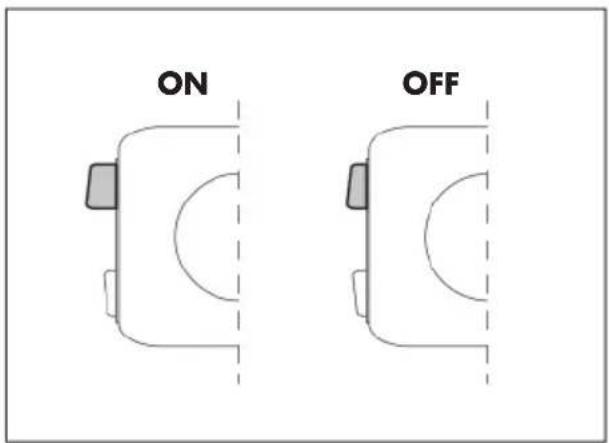
text_image
ON OFF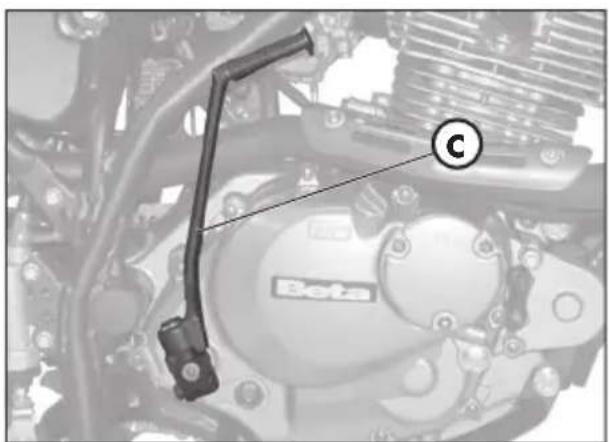
text_image
C BetaSTARTER
The starter is used to start the motorbike more easily even when the engine is cold; to use this device, proceed as follow:
- Press the starter lever D inwards.
- Wait about 2 minutes to warm up the engine, without turning the gas grip, then bring the starter D to the initial position.
SHUTTING OFF THE ENGINE
- While the vehicle is stationary and in neutral gear, rotate the ignition key to the "OFF" position.
- Before stopping the engine after a long ride, it is advisable to let it idle for a few moments.
- With the engine off, turn the fuel tap to CLOSED.

natural_image
Mechanical component with labeled part D, no visible text or symbols beyond the label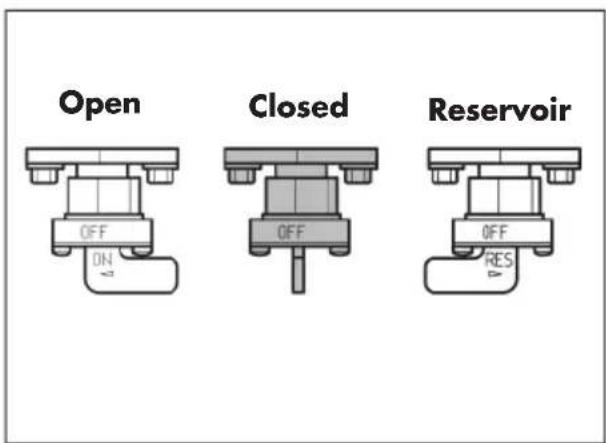
text_image
Open Closed Reservoir
natural_image
Close-up of a gloved hand adjusting a mechanical component with a labeled section A (no text or symbols on the object itself)REFUELLING
- Switch off the engine.
- Remove cap A.
Note
The fuel tank capacity is approximately 6 litres, including 1 litres reserve.

WARNING:
Gasoline is extremely fl ammable.
Immediately remove any leak of gasoline from the body or any other part.
Before refuelling, turn off the engine.
Do not let the gasoline leak out of the tank whi le refuelling.
Do not get close to the fi ller neck with naked fl ames or lighted cigarettes.
Do not inhale harmful fuels.
CONTENTS
CHAPTER 3 CHECKS AND MAINTENANCE
Engine oil and oil filter
Fume collecting pipe
Brake pump oil - Bleeding the brakes
Fork oil
Air filter
Spark plug
Front and rear brakes
Battery
How to remove body parts
Cleaning and checking the vehicle
Checks after cleaning
Scheduled maintenance
Prolonged inactivity
After prolonged inactivity
text_image
Beta A B C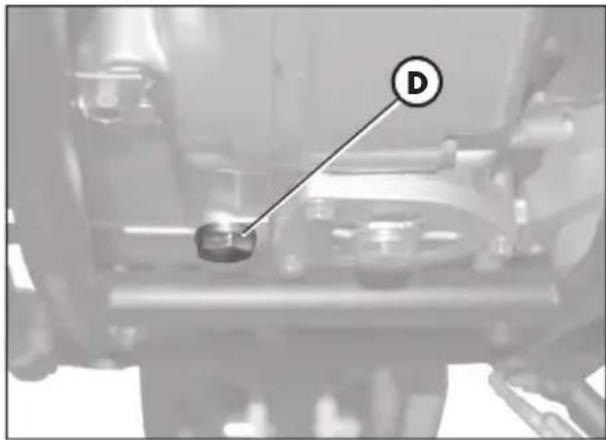
natural_image
Mechanical assembly diagram showing a component labeled 'D' with no visible text or symbolsENGINE OIL AND OIL FILTER ALP 200
Check
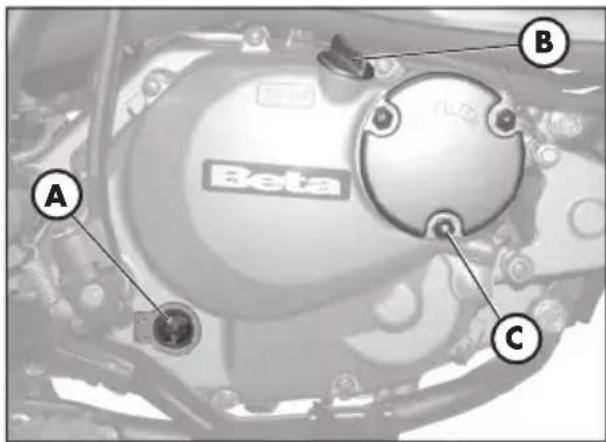
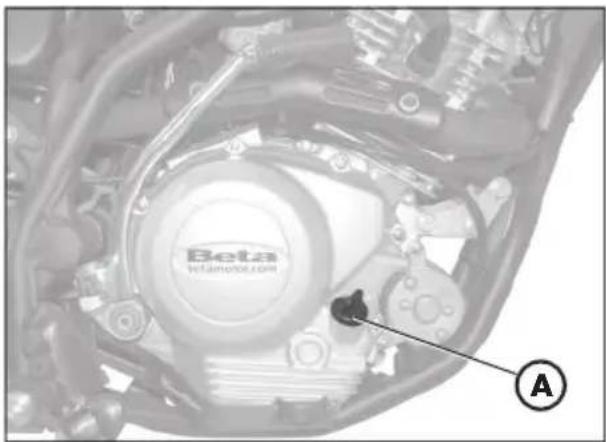
Keep the vehicle in an upright position. Check the oil level through oil level sight
A when the engine is cold. The oil level must never fall below the sight. If necessary, top up after removing filler cap B.
Topping up
Only top up after checking the max level shown on sight A.
Renewal
Always renew the oil when the engine is hot. To avoid burns, take care not to touch the engine and the oil.
-Replace the oil when replacing the oil filter.
- Put the vehicle on its stand.
- Put a container under the engine, right under the drain plug D.
- Unscrew filler plug B and drain plug D.
- Drain all the oil from the crankcase.
- Close plug D.
- Remove the oil filter cover after unscrewing the three nuts C.
- Remove the oil filter and replace it with a new one.
- Apply a thin fi lm of engine oil to the fi lter cover O-ring before insertion.
- Apply a fi lm of engine oil over the fi lter cover O-ring before fi tting it.
- Fit the oil fi lter cover after fi tting the spring and the O-ring, and then tighten the three fastening nuts C.
-
Fill in with the right amount of oil:
-
Oil replacement 850 ml
- With filter replacement ..... 950 ml
-
Overhaul 1300 ml
-
Close the inlet plug B again.dle for a few minutes.
- Turn off the engine and wait for about one minute, then check the level and top up if needed, without exceeding the max level shown on the window A.
Note
Renew the oil after the first 1,000 km.
Subsequent renewals should be every 5,000 km 15 months, (refer to the table on page 63). Always use the lubricants shown on page 43.
The oil fi liter should be replaced for the fi rst time when the oil is fi rst renewed, and subsequently every 10,000 km (30 months).

IMPORTANT
Dispose of used oil in compliance with the regulations in force.
3
ENGINE OIL AND OIL FILTER ALP 125
Check
Keep the vehicle in an upright position. The engine is cold, check for the presence of oil.
Topping up
To restore the level, remove cap A and top up.
Renewal
Always renew the oil when the engine is hot. To avoid burns, take care not to touch the engine and the oil.
- Put the vehicle on its stand.
- Place a container under the engine.
- Unscrew filler plug A and drain plug B.
- Drain all the oil from the crankcase.
- Close plug B.
- Pour in 1000 cc of fresh oil.
- Screw on filler cap A again.

WARNING
Hot oil can cause severe burns.
Note:
the ALPI25 engine contains the rotary oil filter, which is mounted on the clutch side of the drive shaft. To replace it, contact a licensed Betamotor dealer.
Note:
Renew the engine oil after the first 500 km. For the renewal intervals, refer to the table on page 63. Only use the lubricants recommended on page 43.

IMPORTANT
Dispose of used oil in compliance with the regulations in force.
natural_image
Close-up of a car engine bay with Beta brand logo and mechanical components (no readable text or symbols)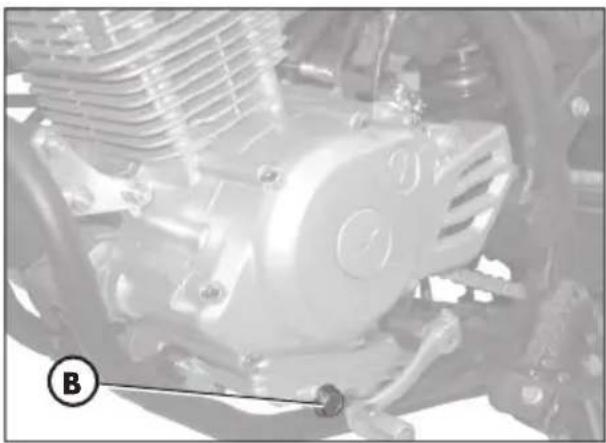
natural_image
Close-up of a mechanical engine component with visible springs and housing (no text or symbols)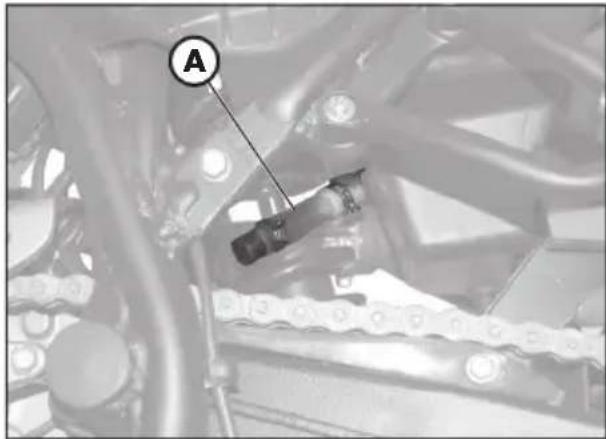
natural_image
Mechanical assembly diagram showing a chain link and labeled component A (no readable text or symbols)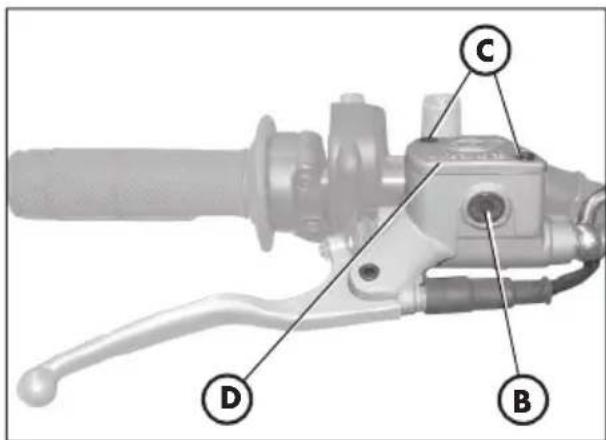
text_image
Technical diagram of a brake lever with labeled parts D, B, and C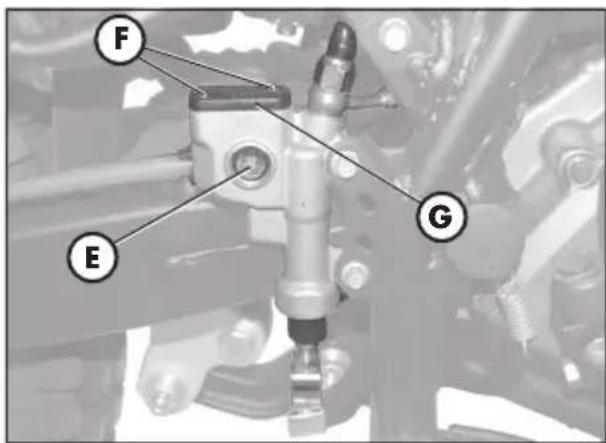
text_image
F E GFUME COLLECTING PIPE
Fume collecting tube A is located on the left side of the vehicle next to the shock absorber. It comes out of the lower part of the Intake sleeve and is designed to collect the fumes produced by the engine oil. It is designed to collect the fumes produced by the engine oil. Should any oil be found in the tube, remove the cap at the lower end of the tube and drain the oil, or the mixture of oil and petrol, into a suitable container. Disposal is to be made according to the regulations in force.
Note
Empty the fume collecting tube every 3,000 km.

IMPORTANT
Dispose of used oil in compliance with the regulations in force.
BRAKE PUMP OIL - BLEEDING THE BRAKES
Front brake
Check that oil is present by looking through oil level sight B. The minimum oil level should never be lower than the mark on sight B.
To restore the oil level, loosen the two screws C, lift cover D and pour in fresh oil.
Rear brake
Check the oil level through the level light E. The min oil level must never drop below the mark shown by the warning light E. To fill up, loosen the two screws F, lift the plug G and pour in the oil.

WARNING
A spongy feel of the brake lever may be due to an air bubble in the braking system. Immediately contact an authorized workshop. In this case, bleed any air out of the braking circuit.
Note
For information on oil renewals, refer to the table on page 63. Use the recommended lubricants shown on page 43.
Bleeding the front brake
Follow these steps to bleed the front brake circuit:
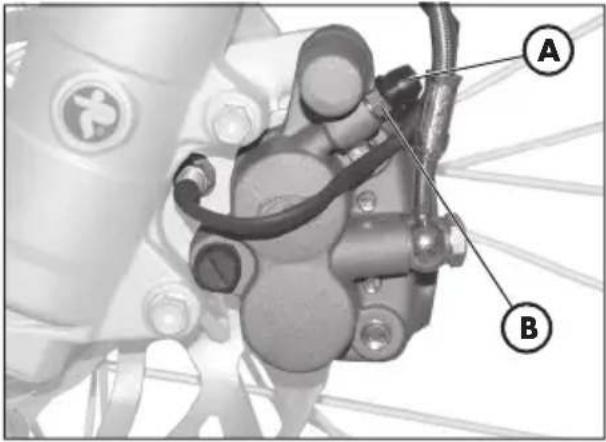
- Remove rubber cap A from valve B.
- Remove the oil reservoir cap C.
- Insert one end of a small tube into valve B and place the other end in a container.
- Unscrew valve B (while pulling the lever) and then pump by repeatedly actuating the brake lever until oil starts flowing out continuously with no air bubbles. During this operation, it is important that the lever should not be released completely and that the brake pump reservoir should be continuously refi lled to make up for the oil that is flowing out.
- Tighten the valve and extract the tube.
- Replace the cap in gomma A.
text_image
Technical diagram of a mechanical assembly with labeled parts A and B, likely for automotive or industrial control.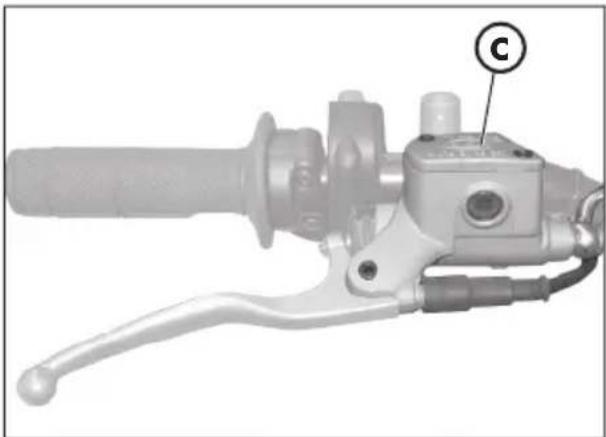
natural_image
Mechanical hand crank and lever component with labeled part 'C' (no text or symbols beyond label)Bleeding the rear brake
Follow these steps to bleed the rear brake circuit:
- Remove rubber cap D.
- Remove the oil reservoir cap E.
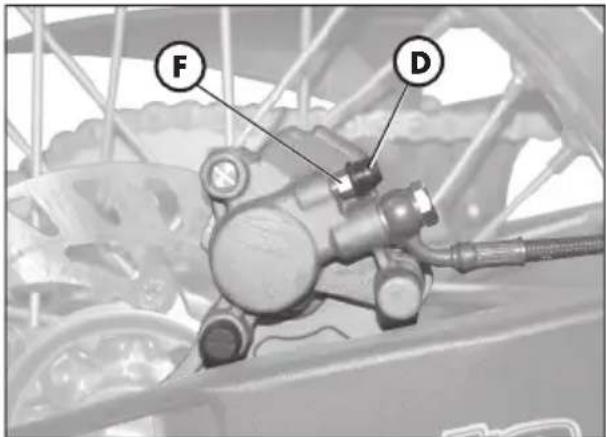
- Insert one end of a small tube into valve F and place the other end in a container.
- Unscrew valve F (while pulling the lever) and then pump by repeatedly actuating the brake lever until oil starts fl owing out continuously with no air bubbles. During this operation, it is important that the lever should not be released completely and that the brake pump reservoir should be continuously refi lled to make up for the oil that is fl owing out.
- Tighten the valve and extract the tube.
- Replace the cap.
text_image
F D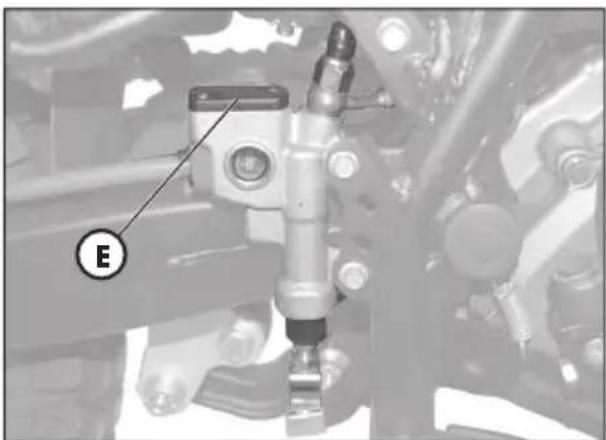
natural_image
Mechanical assembly diagram showing a mechanical component with labeled section E (no readable text or symbols)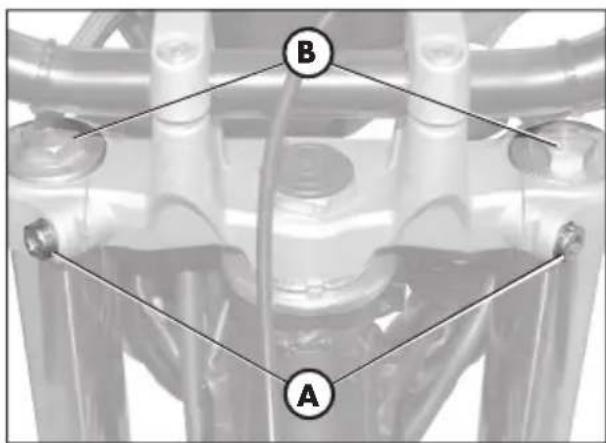
text_image
B A
natural_image
Mechanical gear assembly with a mechanical component and a black arrow indicating motion direction (no text or symbols)FORK OIL
Right-hand rods
The procedure for changing the oil in the forks is provided only for information.
We recommend having the operation performed by a BETAMOTOR authorized workshop.
Follow these steps to renew the oil:
1) Loosen rod clamping screw A.
2) Remove the lower plug (Allen screw in the legging) and upper plug B.
3) Let all the oil drain from the rod.
4) Fit and tighten the legging lower plug.
5) Pour in fresh oil of the type shown in the table on page 43.
6) Fit and tighten upper plug B.
7) Retighten rod clamping screw A.
Note:
The oil change procedure applies to both the left and the right fork legs.
text_image
B C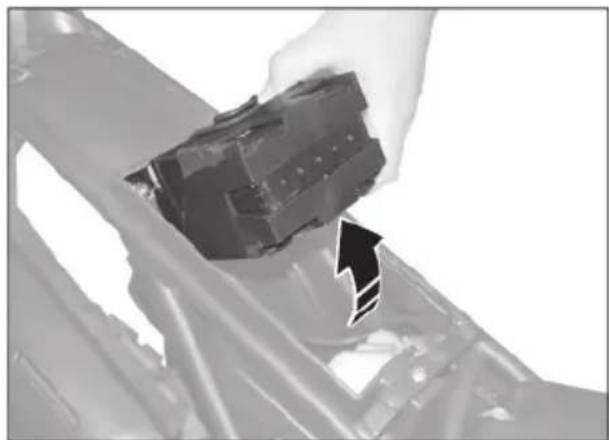
natural_image
Close-up of a hand holding a black mechanical component, possibly an electrical or electronic component, with no visible text or symbols.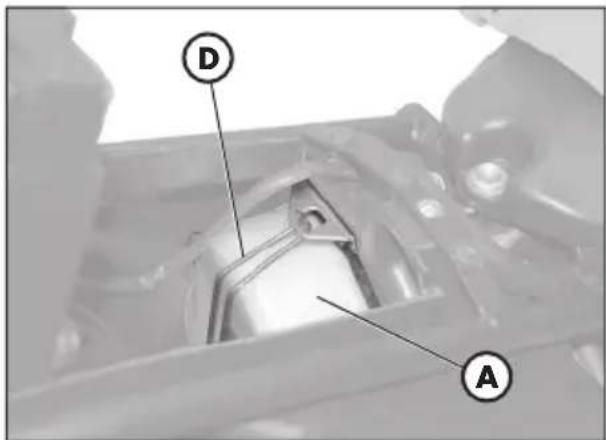
text_image
D A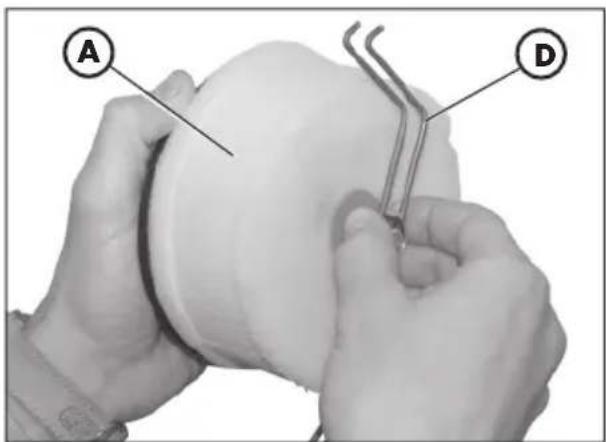
text_image
A DAIR FILTER
To have access to the filter unit A, remove the saddle, the tank cover and the undersaddle plastic shield, as described in "Removal of body parts" on page 58.
- Remove the cover B by loosening the screw C.
- Lift the battery holder, as shown in the figure,
- Release the filter holder D.
- Remove the filter unit A.
- Pull out the holder D and take out the sponge filter.
- Wash it with soap and water.
- Dry the filter.
- Wet the fi lter with fi lter oil. Remove any excess lubricant to prevent it from dripping.
- If necessary, also clean the inside of the filter casing.
- Refi t the parts, making sure of the seal of the rubber gasket.
Note:
If the fi Iter is very dirty, fi rst wash it with a special detergent and then with water and shampoo.
If the filter is damaged, immediately replace it.
Clean the filter every time the vehicle is used off road.

WARNING:
After working on the fi Iter, ensure that nothing is left inside the fi Iter casing.

To avoid burns, put on protective gloves before performing the operation.
Keeping the spark plug in good condition makes for reduced consumption and optimum engine performance.
It is advisable to remove the spark plug when the engine is hot (and naturally off) because the carbon formation and the colour of the insulator provide important information on carburetion, lubrication, and the general condition of the engine. If the insulator appears white, the mixture is probably too lean; conversely, a green insulator denotes a rich mixture. The mixture is correct when the insulator is tan coloured.
To carry out the check, simply remove the current cap and then unscrew the spark plug using the spanner provided.
Carefully clean the electrodes using a wire brush. Blow the spark plug with compressed air to prevent any residues from getting into the engine.
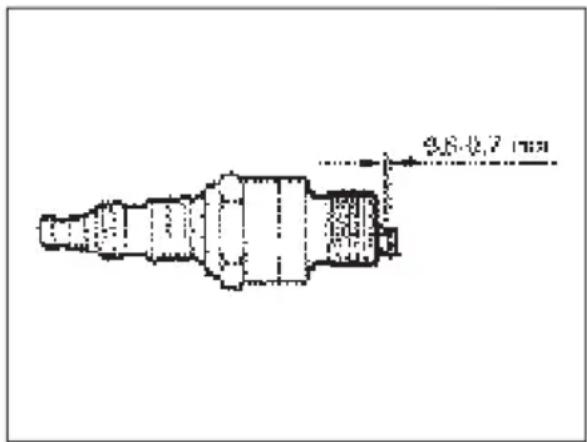
Measure the spark gap with a thickness gauge. The gap should be 0.6-0.7 mm. If the gap is not as specified, restore the proper gap by bending the earth electrode.
Check that the insulator is not cracked and that the electrodes are not corroded, in which case the spark plug should be immediately replaced.
text_image
9.8×0.7 mmNote:
Conduct the check by referring to the table on page 63.
Note:
Lubricate the spark plug thread, and then (when the engine is cold) screw in the spark plug by hand to its abutting end. Finally tighten the spark plug with the spanner.
Note:
Always use spark plugs:
$$ \text { ALP } 2 0 0 = \text { NGK DR8 EA } $$
$$ \text { ALP } 1 2 5 = \text { NGK CR7 HSA } $$
text_image
2 mm 2 mm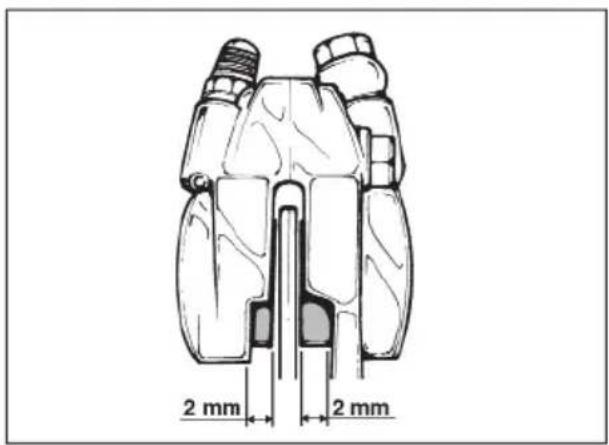
text_image
2 mm 2 mm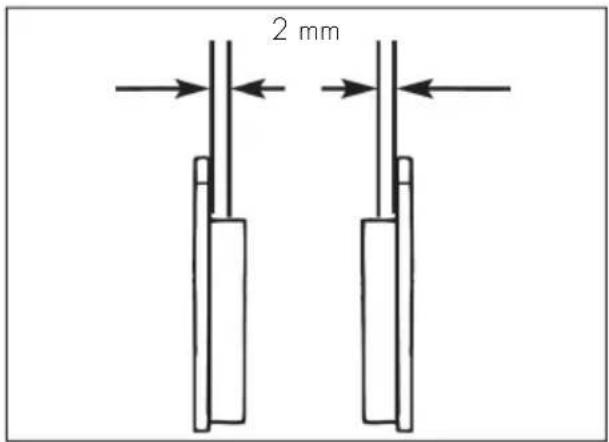
text_image
2 mmFRONT BRAKE
Check
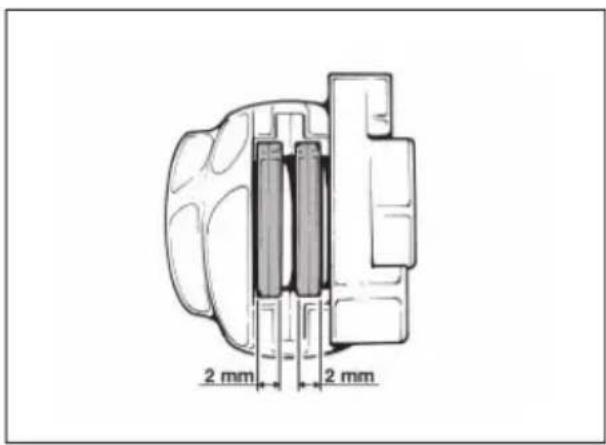
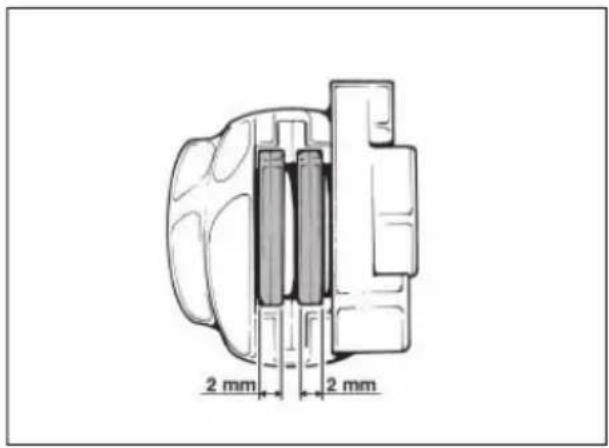
To check the wear of the front brake, visually inspect the brake pad ends by looking at the brake caliper from the front. The brake linings should be at least 2 mm thick. If the linings are thinner, replace the pads immediately.
(see section 5, "Replacements", on page 72).
Note:
Carry out the check at the intervals shown in the table on page 63.
REAR BRAKE
Check
To check the wear of the rear brake, visually inspect the brake pad ends by looking at the brake caliper from above.
The brake linings should be at least 2 mm thick. If the linings are thinner, replace the pads immediately.
(see section 5, "Replacements", on page 72).
Note:
Carry out the check at the intervals shown in the table on page 63.
BATTERY
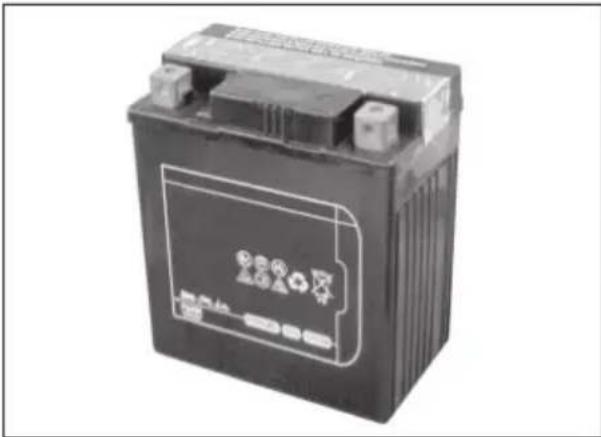
Check the charge of the battery by measuring the voltage with a voltmeter while the battery is at rest (engine off). The voltage must not be less than 12.8 V. There is no need to check the level of the electrolyte or top up with water.
Keep the battery terminals clean. If necessary, protect them with a thin film of acid-free grease.
natural_image
Exterior view of a black automotive battery with visible charging symbol and battery label (no text or symbols on body)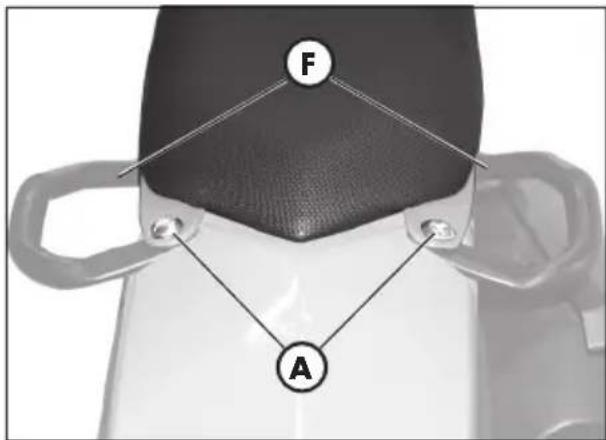
text_image
F A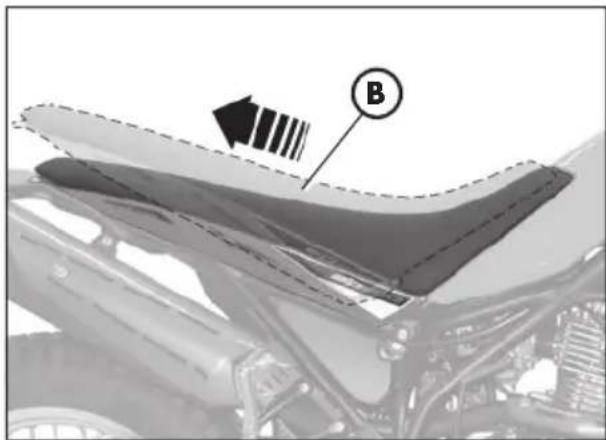
natural_image
Close-up of a car's hood with visible structural details and a labeled component (B), no readable text or symbols present.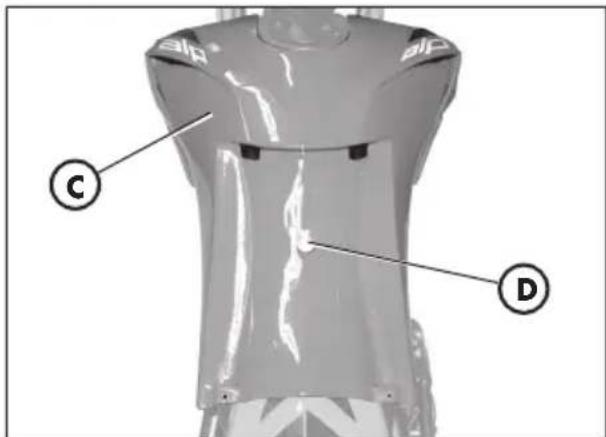
text_image
C D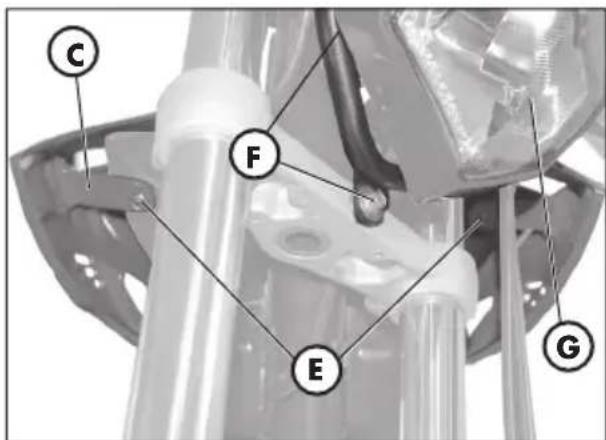
text_image
C F E GHOW TO REMOVE BODY PARTS
Some parts of the body may have to be removed for easier inspections or maintenance.

WARNING:
If these parts are improperly reassembled, they might suddenly come off while driving, and the driver might lose control of the motorbike.
How to remove the saddle
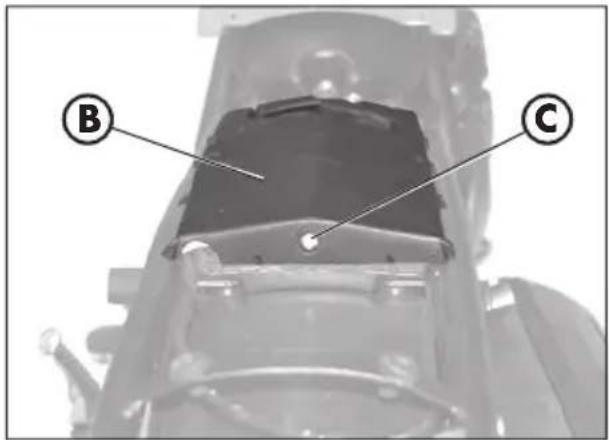
To remove the saddle, just remove the two screws A and pull out the saddle B from the back of the motorbike.
Note:
When removing the saddle, the under-saddle side frame will also come off.
How to remove the tank cover
After removing the saddle, the tank cover C can be removed as well:
- loosen the screw D at the centre of the tank.
- loosen the two clamps E, in the front section of the motorbike.
- remove the tank cover C.
How to remove the front light holder
Disconnect all the electric connections and loosen the two fixing screws F. Remove the light unit G.
How to remove the passenger handles
After removing the saddle, the two handles H can be removed as well:
Loosen the two screws I under the back fender.
Remove the two passenger handles H.
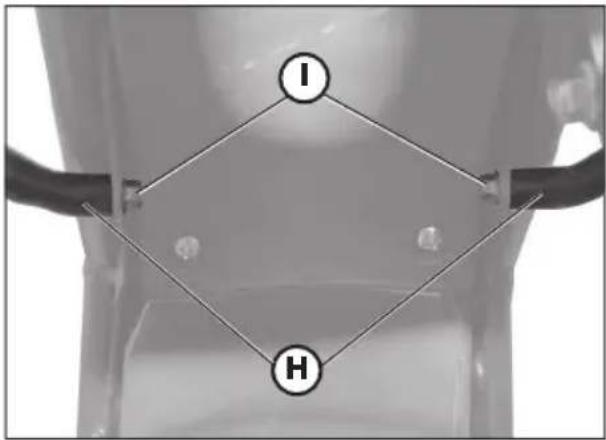
text_image
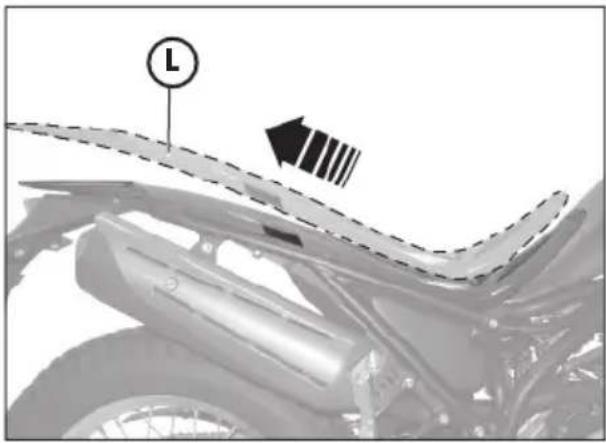
I HHow to remove the under-saddle plastic shield
After removing the saddle, the tank cover and the passenger handles, the undersaddle plastic shield L can be removed as well by pulling it out from the back of the motorbike.
natural_image
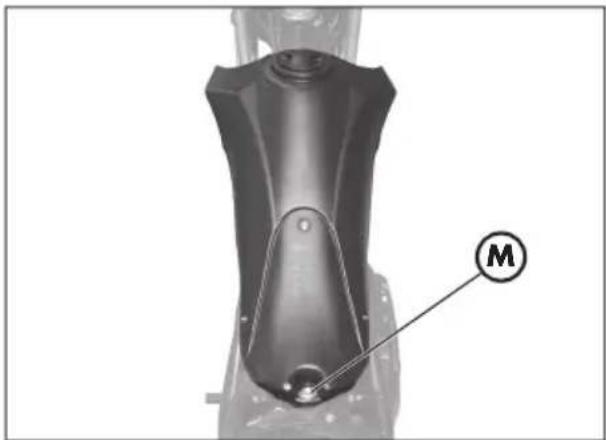
Close-up of a motorcycle's side profile showing front wheel, rear wheel, and side-mounted blade (no text or symbols)How to remove the tank cover
After removing the saddle, the passenger handles and the under-saddle plastic shield, loosen the screw M that fastens it to the frame, remove the pipe of the fuel tap, then remove the tank by pulling it out of the back of the motorbike.
natural_image
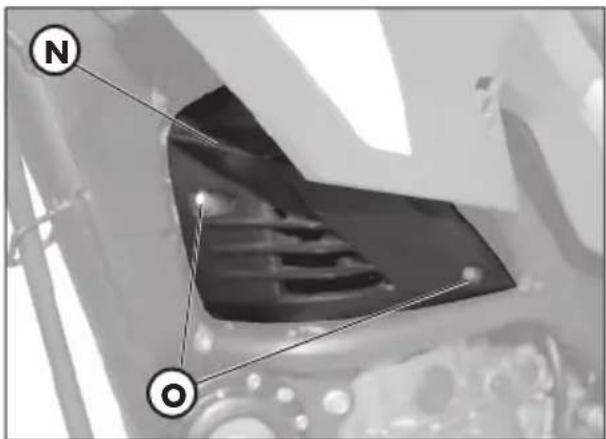
Mechanical component with labeled part M, no visible text or symbols beyond the labelHow to remove the side frames
To remove the two side frames N under the tank on both sides of the motorbike, just remove the two screws O.
text_image
N O3
How to remove the plate holder
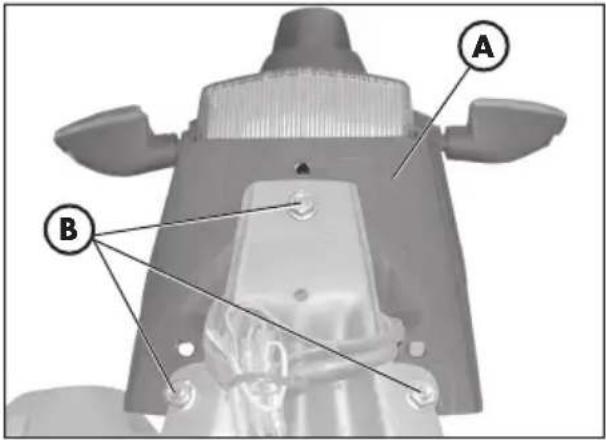
To remove the back plate holder A including the lights and indicators, first remove the saddle, then the tank cover and the under-saddle plastic shield (see previous page), then:
- loosen the three screws and the fixing nuts B of the back plate holder.
- disconnect the electric connections of the back lights and remove the plate holder A.
text_image
A B
WARNING:
The motorbike cannot be driven without a plate holder and/or lights. It can only be driven in private tracks and/or traffic c-barred areas.
natural_image
Mechanical assembly diagram showing a wheel with a labeled component 'C' (no text or symbols beyond the label)Removing the front mudguard
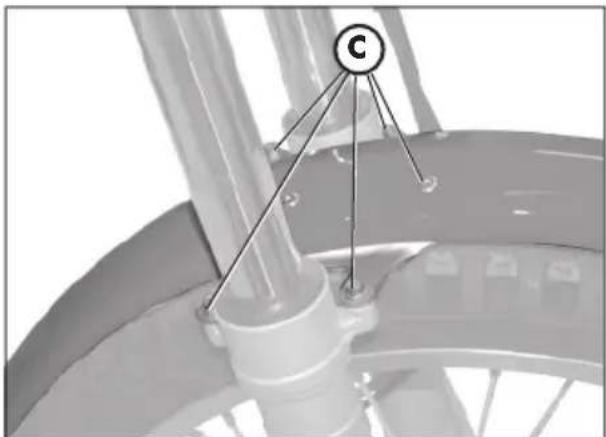
Remove the front mudguard by unscrewing the 4 fi xing screw C.
Removing the stand
- Remove the fixing system D (screw and nut).
- Pull out the stand E while taking care not to lose the draw spring F.
Notes:
while disassembling the motorbike, take care not to damage the magnet and the stand sensor G.

text_image
G D E FRemoving the passenger's footrests
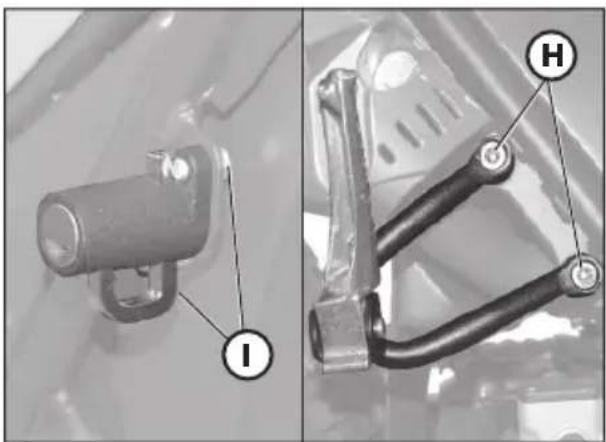
- Loosen the two screws H shown in the figure and remove the passenger's footrest complete with the frame fixing support.
How to remove the helmet lock
To remove the helmet lock, just remove the two screws I.
natural_image
Two mechanical components with labeled parts (I and H), no visible text or symbols beyond labels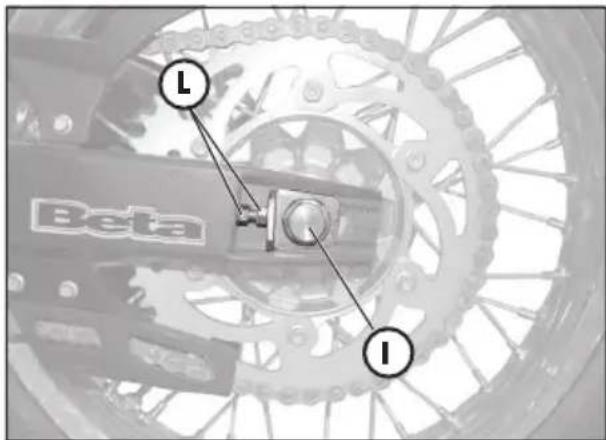
text_image
Beta I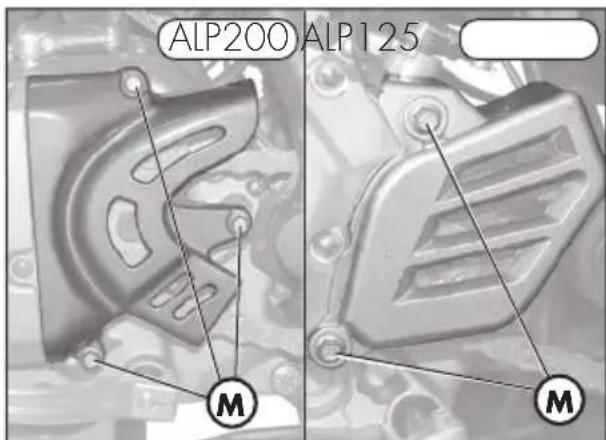
text_image
ALP200 ALP125 M M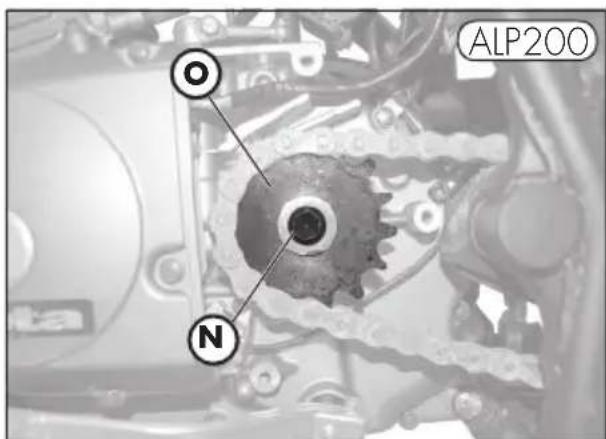
text_image
OL ALP200 N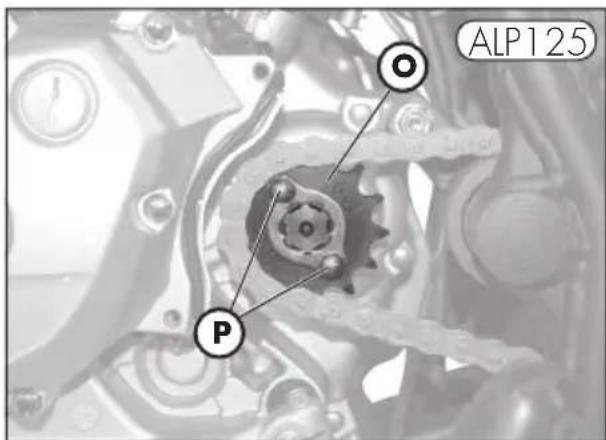
text_image
OL ALP125 PReplacing the front sprocket
A description of the procedure for replacing the front chain sprocket is provided for information purposes only. The operation should always be performed by an authorized BETAMOTOR dealer.
- Turn the wheel until it reaches the stop, while loosening the nuts I (on both sides) and the chain adjusters L, so as to be able to loosen the chain.
- Remove the three chain guard fi xing screws M (2 screws for ALP125 models).
- Remove the chain from the sprocket.
- Engage first gear and loosen the pinion-fixing nut N anticlockwise for the ALP200, and the two clamps P for the ALP125.
- Replace the sprocket O .
• To reassemble, follow the same procedure in reverse order.
Note:
We recommend replacing the front sprocket along with the whole drive unit.
3
CLEANING AND CHECKING THE VEHICLE
Use a low-pressure water jet to soften the dirt and mud accumulated on the paintwork, then remove them with a soft bodywork sponge soaked in water and shampoo (2-4 percent shampoo in water). Rinse generously with water and wipe dry with chamois leather. For the outside of the engine use a brush soaked in petroleum and clean rags. Petroleum damages the paintwork. Always wash the vehicle before waxing it with silicon waxes.

Detergents pollute the waters. Always wash the vehicle in areas equipped for the collection and purification of the washing liquids.

Never wash the vehicle in the sun, particularly during the summer when the bodywork is hot. The shampoo would dry before being rinsed off and cause damage to the paintwork. Do not clean the plastic surfaces with cloths soaked in petrol or naphtha as they would lose their shine and mechanical properties.

Water jets can damage the instruments; do not direct the jet towards the electric parts, especially the LCD display.
CHECKS AFTER CLEANING
After cleaning the motorcycle, it is advisable to:
- Clean the air filter (refer to the procedure described on page 54).
- Grease the chain.
SCHEDULED MAINTENANCE
| 4-Stroke Motorcycles - Alp 200Alp125 | end of running-in1,000 km | 1° service 5.000 km | 2° service 10.000 km | 3° service 15.000 km | 4° service 20.000 km | 5° service 25.000 km | 6° service 30.000 km | 7° service 35.000 km | 8° service 40.000 km | 9° service 45.000 km |
| engine | spark plug | ch | r | ch | r | ch | r | ch | r | ch | |
| engine oil filter | cl | cl | cl | cl | r | cl | r | cl | r | r | |
| cluctch | ch | ch | ch | ch | r | ch | ch | ch | r | ch | |
| play of valves | ch | ch | ch | ch | ch | ch | ch | ch | ch | ch | |
| engine oil and oil filter | a | a | a | a | a | a | a | a | a | a | |
| idle speed adjustment | ch | ch | ch | ch | ch | ch | ch | ch | ch | ch | |
| engine oil lines | ch | ch | ch | ch | ch | ch | ch | ch | ch | ch |
| cycle parts | rear sheck absorber | ch | ch | ch | ch | ch | |||||
| battery | ch | ch | ch | r | ch | ch | ch | r | ch | ||
| nuts and bolts * | t | t | t | t | t | t | t | t | t | t | |
| steering bearings and steering play | ch | ch | ch | ch | ch | ch | ch | ch | ch | ch | |
| air filter | clear every 1000km | a | a | a | a | ||||||
| front fork | ch | ch | ch | ch | ch | ||||||
| electrical system | ch | ch | ch | ch | ch | ch | ch | ch | ch | ch | |
| braking syntem | ch | ch | ch | ch | ch | ch | ch | ch | ch | ch | |
| brake fluid (renew every 2 years) | ch | ch | ch | ch | ch | ch | ch | ch | ch | ch | |
| drive chain | clear every 1000 km | ||||||||||
| tyre pressure and condition | ch | ch | ch | ch | ch | ch | ch | ch | ch | ch | |
| drive chain tension and lubrication (every 1000 km) | ch | ch | ch | ch | ch | ch | ch | ch | ch | ch | |
| brake lines (replace every 2 years) | ch | ch | ch | ch | ch | ch | ch | ch | ch | ch | |
| fuel lines (replace every 2 years) | ch | ch | ch | ch | ch | ch | ch | ch | ch | ch | |
* Tightening recommended after each off-road ride
Key:
ch - check (clean, adjst, lubricate or
replace/renew as necessary)
r - replace/renew
a- adjust
cl - clean
t - tighten
Note
For any service requirements, please contact Betamotor's Authorized Service Network.
3
PROLONGED INACTIVITY
A few simple operations should be performed to keep the vehicle in good condition whenever it is to remain inactive for a long period (e.g. during the winter):
• Thoroughly clean the vehicle.
- Reduce the tyre pressures by approximately 30 percent, and if possible raise the tyres off the ground.
- Remove the spark plug and pour a few drops of engine oil into the spark plug hole. Make the engine turn a few times by operating the kick-start (where available) and then replace the spark plug.
- Cover the unpainted parts, excepting the brakes and the rubber parts, with a film of oil or spray silicone.
- Remove the battery and keep it in a dry place. Recharge the battery once a month.
- Protect the vehicle with a dust cover.
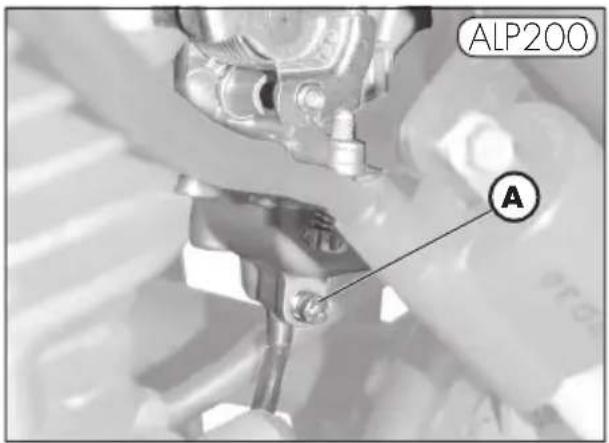
- Drain the carburettor float chamber by loosening screw A. The fuel drained from the chamber through a suitable pipe must be collected in a container and poured into the fuel tank. Do not dispose of the fuel in the environment.
- Retighten the screw.
text_image
ALP200 A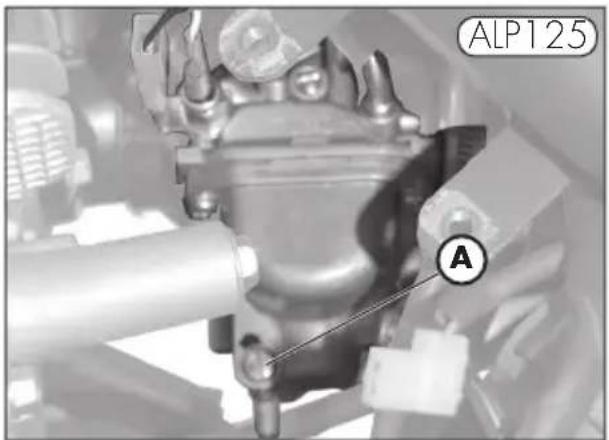
text_image
ALP125 AAFTER PROLONGED INACTIVITY
- Reinstall the battery.
- Restore the tyre inflating pressures.
- Check the tightening of all the screws having an important mechanical function.
- Start the vehicle for the first time by means of the kick-start (where available).
Note
Periodically check the tightening of the screws.
CONTENTS
CHAPTER 4 ADJUSTMENTS
Adjusting the brakes
Adjusting the clutch
Adjusting the slow running
Fuel flow adjustment
Adjusting the throttle play
Checking and adjusting the steering play
Tensioning the chain
Adjusting the headlight
natural_image
Mechanical tool with handle and lever assembly (no visible text or symbols)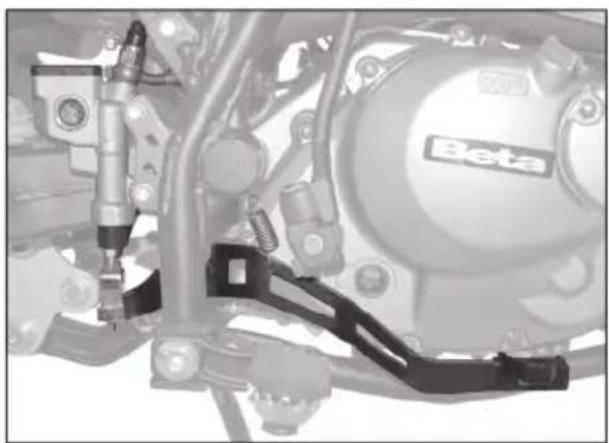
natural_image
Mechanical assembly diagram showing components like a Beta valve and brake bracket (no text or symbols visible)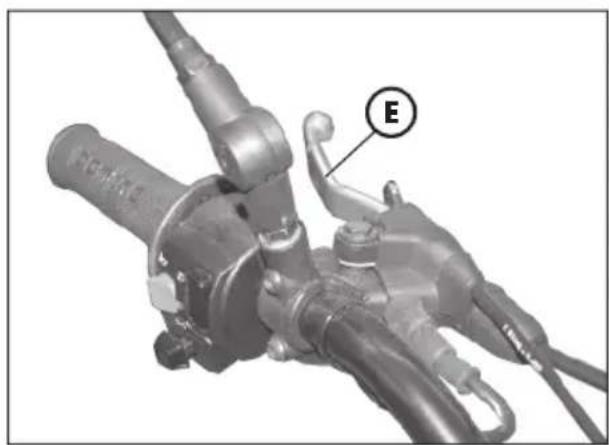
natural_image
Mechanical component with labeled section E, showing hoses and tubing (no readable text or symbols beyond label)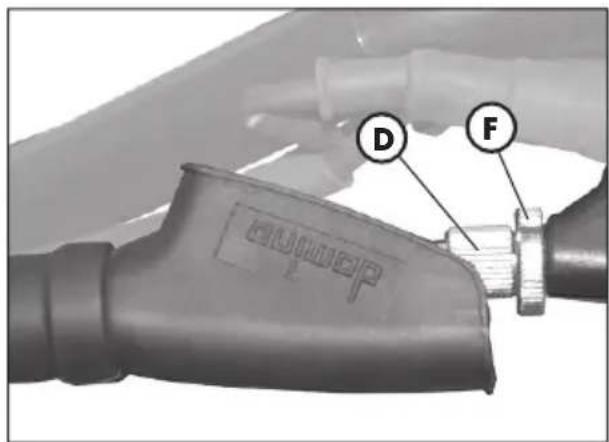
text_image
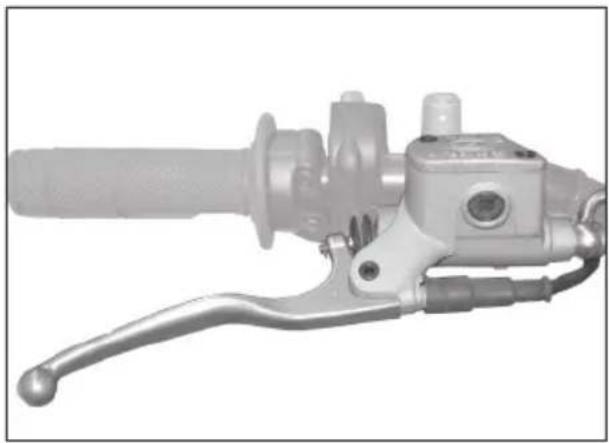
D FThe front brake is a hydraulically operated disc brake, and therefore requires no adjustment.
Rear brake
The rear brake is a hydraulically-operated disk brake, so it needs no adjustment.
ADJUSTING THE CLUTCH
The only operation that may be required is the adjustment of the position of clutch lever E.
The adjustment is obtained by means of adjuster D.
After adjusting the lever with the adjusting screw, be sure to tighten stop F so as to lock the screw in the desired position.
Note:
The play of the clutch should range from 0.4 to 0.6 mm.
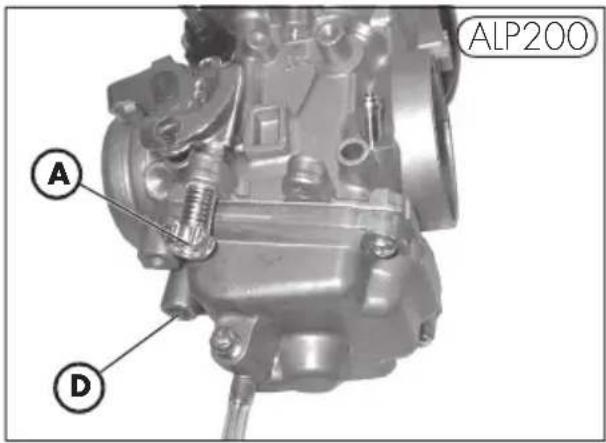
ADJUSTING THE SLOW RUNNING ALP 200
The slow running should be adjusted when the engine is hot. Connect an electronic revolution counter to the spark plug cable. Tune up using adjusting screw A (idle speed = 1,400 ± 100 rpm).
ADJUSTING THE SLOW RUNNING ALP 125
The slow running should be adjusted when the engine is hot. Connect an electronic revolution counter to the spark plug cable.
Then turn adjusting screw C with a screw-driver until the engine idles at 1900 rpm.
FUEL FLOW ADJUSTMENT
To adjust the fuel flow, loosen screw D by one and a half turns from the fully closed position.
Standard setting of adjuster: turn the adjuster all the way in (clockwise), then slacken 1,5 turns.
ADJUSTING THE THROTTLE PLAY
If the throttle control idle travel exceeds 3 mm as measured on the rim of the twist grip, adjust the play by acting on adjuster B.
text_image
ALP200 A D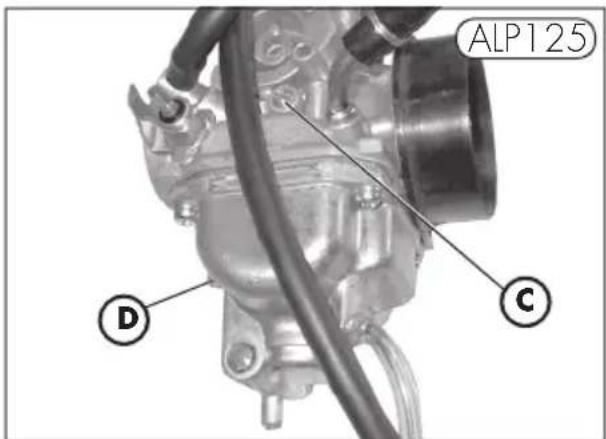
text_image
ALP125 D C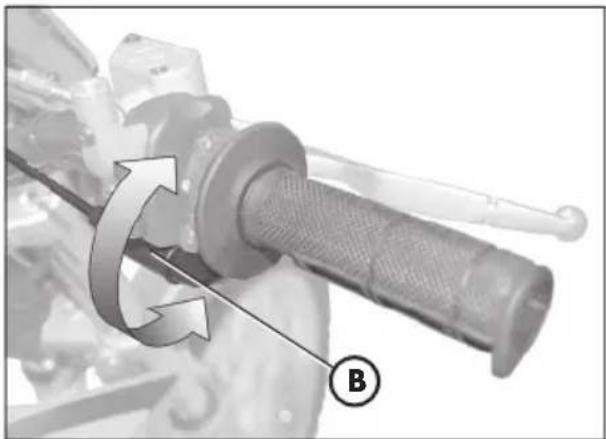
natural_image
Mechanical component with rotational arrow and labeled point B (no text or symbols beyond label)4
CHECKING AND ADJUSTING THE STEERING PLAY
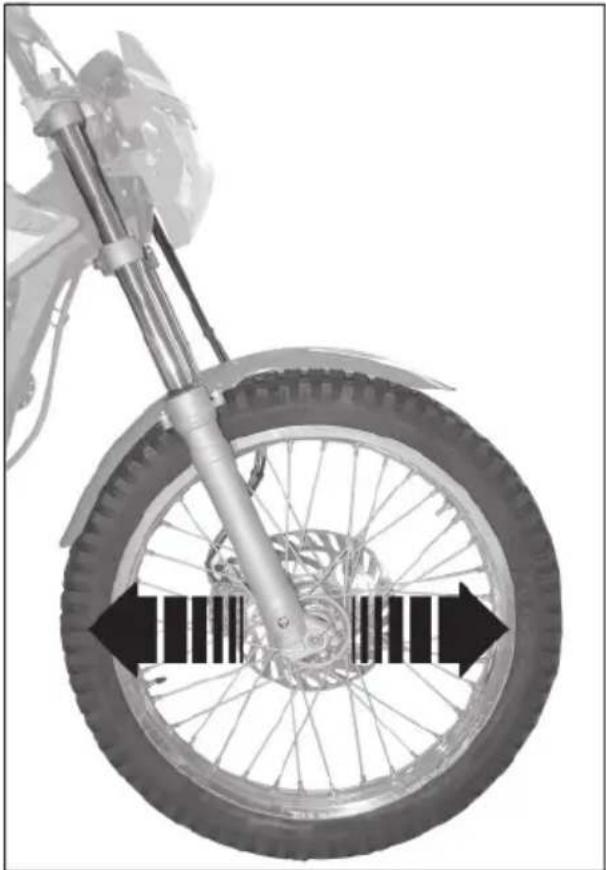
Periodically check the play of the steering head tube by moving the forks backwards and forwards as shown in the figure. If any play is felt, carry out the adjustment by following these steps:
- Unscrew the four screws A.
- Pull out handlebar B, paying special attention to clevises C.
- Loosen nut D.
- Reduce the play by turning ring E.
To refi t the parts, follow the reverse procedure.
Note:
Proper adjustment must leave no play and cause no stiffness, and allow the steering to rotate smoothly. Check the fitting direction of the clevises as it can alter the geometry of the handlebar.
natural_image
Mechanical diagram of a motorcycle wheel and suspension system, showing tire alignment with no text or symbols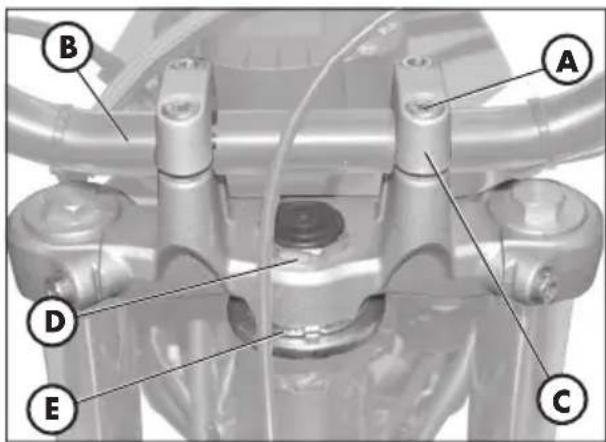
text_image
B A D E CTENSIONING THE CHAIN
text_image
C A B Beta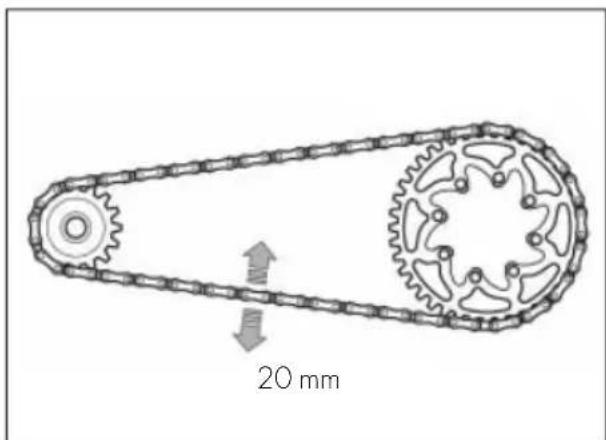
text_image
20 mmTo ensure the drive chain a longer life, it is advisable to periodically check its tension.
Always maintain the chain clean and lubricated.
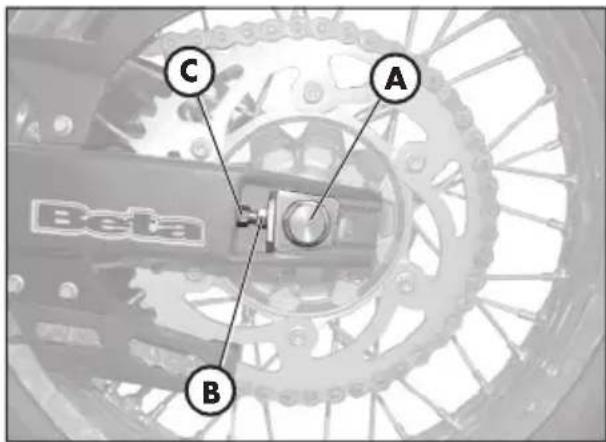
If the chain play exceeds 20 mm, tension the chain by following these steps:
- Loosen the nuts A on both branches of the fork.
- Loosen the nut B on both branches of the fork.
- Turn the nut C until the chain is properly stretched.
- Do the same with the nut C, which is on the other branch of the fork, until the wheel is perfectly aligned.
- Tighten the nuts B and A on both branches of the fork.
4
ADJUSTING THE HEADLIGHT
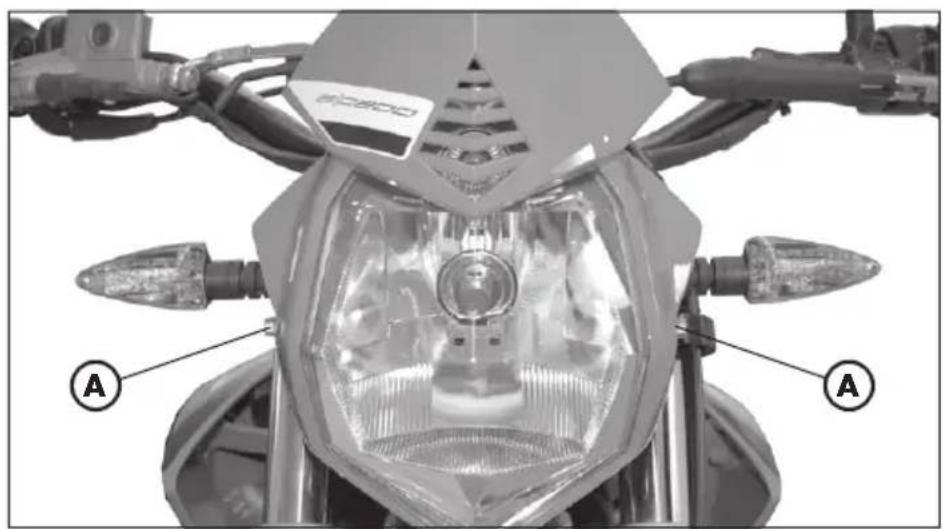
- The headlight beam is adjusted manually after loosening the screws on either side of the headlight with an Allen key.
- Periodically check the direction of the beam. The beam can only be adjusted vertically.
- Place the vehicle on level ground (but not on the stand) 10 metres from a vertical wall.
- Measure the height of the headlight centre above the ground and then draw a cross on the wall at 9/10 of the height of the headlight centre.
- Turn on the low beam, get on the motorbike and check that the headlight beam on the wall is slightly lower than the cross drawn previously.
text_image
A B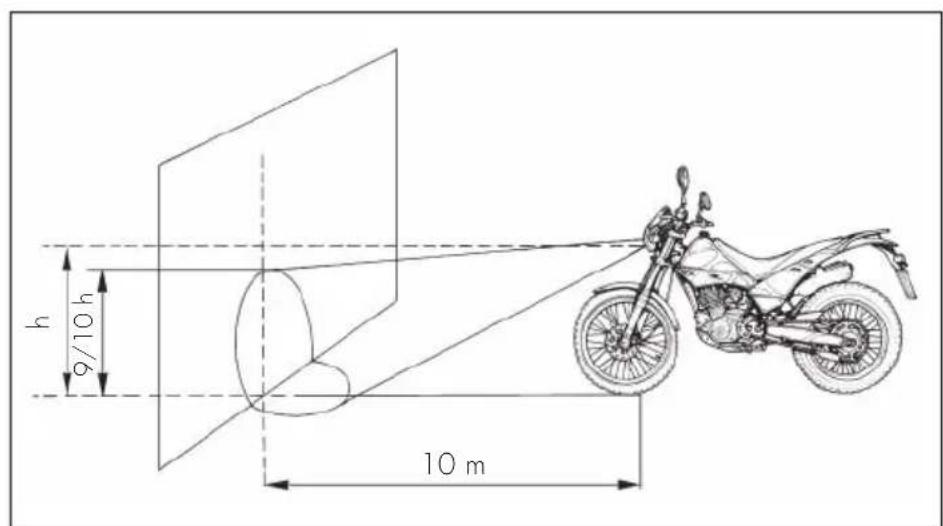
text_image
h 9/10 h 10 mCONTENTS
CHAPTER 5 REPLACEMENTS
Replacing the brake pads
Replacing the headlight bulb
Replacing the rear light bulb
Replacing the plate number light
Replacing the turn indicator bulbs
Bulbs characteristics
text_image
A B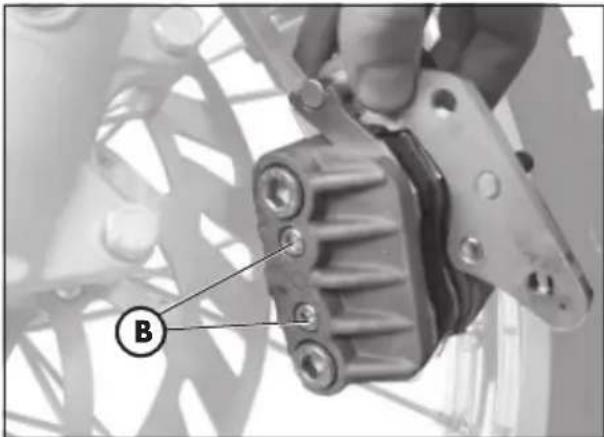
natural_image
Close-up of a mechanical component with labeled parts (B), no readable text or symbols present.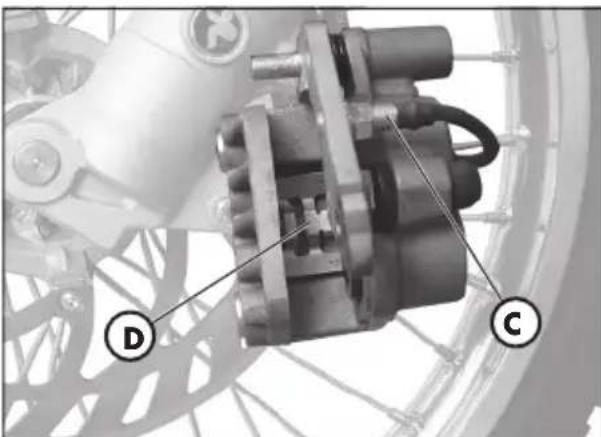
natural_image
Mechanical assembly diagram showing a motor and gear components (no text or symbols visible)REPLACING THE BRAKE PADS
The procedure for replacing the brake pads is provided only for information. We recommend having the operation performed by a BETAMOTOR authorized workshop.
Front brake
To replace the front pads, proceed as follows:
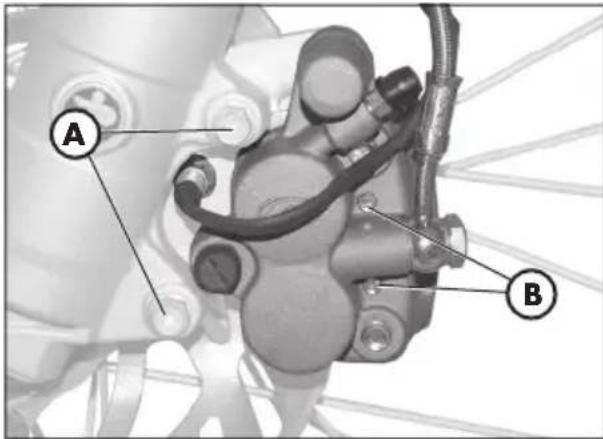
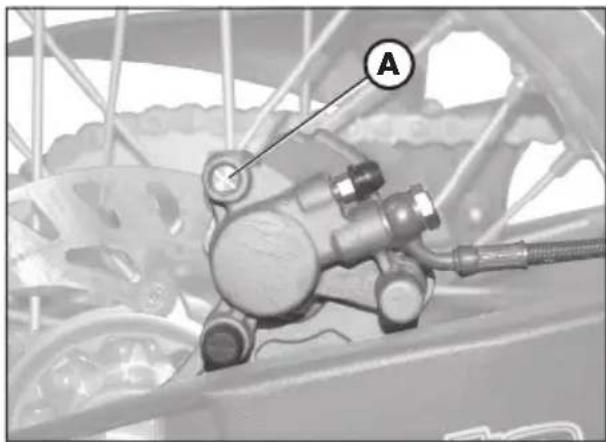
- Loosen the two screws A and remove the brake caliper.
- Unscrew the two screws B.
Note:
Screws B are secured very tightly and should be loosened before removing the caliper from the fork.
- Extract the brake pads.
- To refi t the parts, follow the reverse procedure.
Note:
Ensure that the spring D shown in the figure is properly seated by checking that it offers some resistance to the insertion of the brake pads.
To avoid braking problems, take special care in ensuring that the screws are refi-ted properly.
Whenever the brake disc is removed, apply Loctite to the screw when refi tting.

ATTENZIONE:
When removing the brake caliper, take care not to damage reed C, as it is extremely fragile.
natural_image
Mechanical assembly diagram showing a motor and linkage component (no text or symbols visible)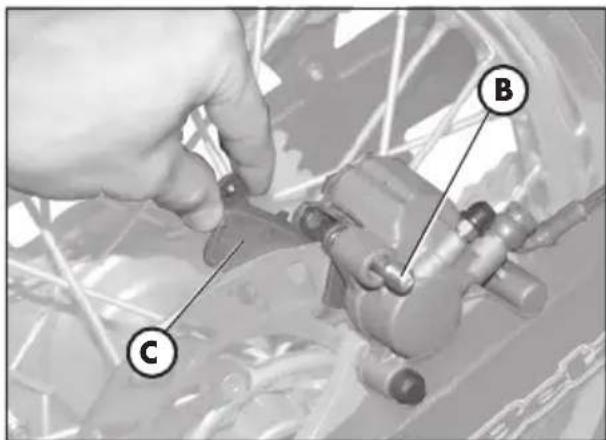
text_image
Technical diagram showing a hand adjusting a mechanical component with labeled parts C and BRear brake
To replace the rear pads, proceed as follows:
- Remove the safety dowel A
- Loosen the pad holder pin B
- Remove the pads C.
• To fit it all back in, proceed in reverse, taking care of properly placing the pads in their housings.
Note:
Whenever the brake disc is removed, apply Loctite to the screw when refi tting.
5
REPLACING THE HEADLIGHT BULB
To replace the front lights, proceed as follows:
- remove the two screws A that secure the light unit to the light holder.
- disconnect the electric connector B.
- lift the rubber casing C.
- release the spring D.
- remove the faulty light and fit in a new one, taking care not to touch the bulb to avoid reducing its efficiency.
• to replace a parking light, just pull out the bulb E and take out the faulty light.
• to fit it all back in, proceed in reverse.
Note:
Any replacement lamp must meet the same specifications as the original ones (see section, "Light specifications", page 76).
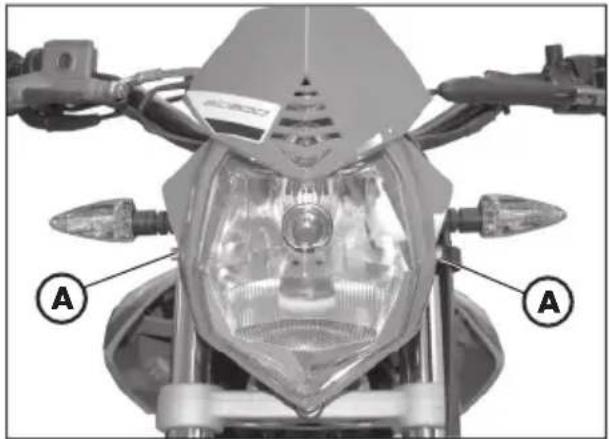
natural_image
Front view of a motorcycle's head with labeled points A (no text or symbols on the body)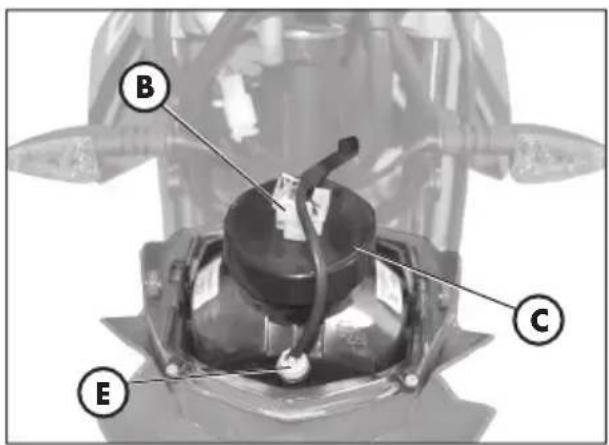
text_image
B C E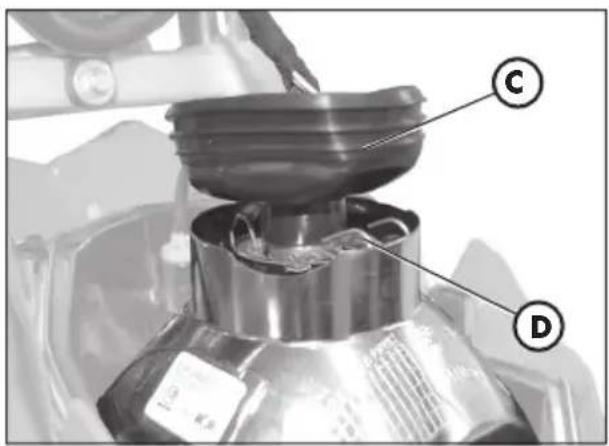
text_image
Labeled diagram of a mechanical device showing component C and D with parts of a container or housing.REPLACING THE REAR LIGHT BULB
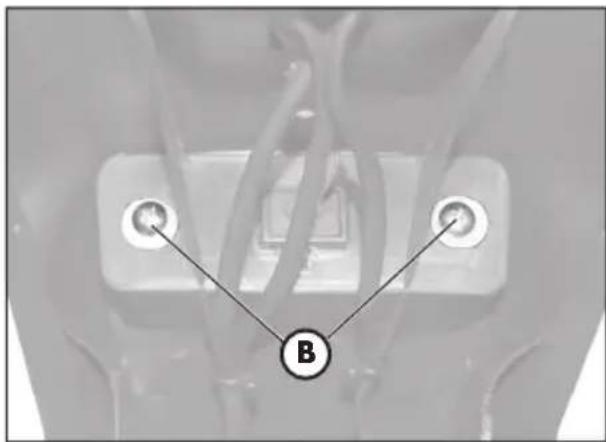
text_image
B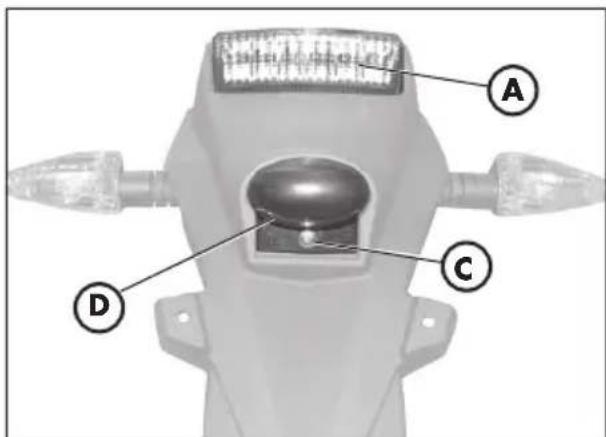
text_image
A C DTo replace the back light unit A, proceed as follows:
- Remove the plate holder as described in the section, "Removal of body parts" on page 60.
- Disconnect all electric connections.
- Loosen the two screws B under the fender.
- Pull out the faulty light unit A and replace it with a new one.
• To fit it all back in, proceed in reverse.
Note:
Any replacement lamp must meet the same specifications as the original ones (see section, "Light specifications", page 76).
REPLACING THE PLATE NUMBER LIGHT
To replace the plate number light, proceed as follows:
- Loosen the screw C.
- Remove the transparent screen D.
- Pull the faulty light out of the bulb and replace with a new one.
• To fit it all back in, proceed in reverse.
Note:
Any replacement lamp must meet the same specifications as the original ones (see section, "Light specifications", page 76).
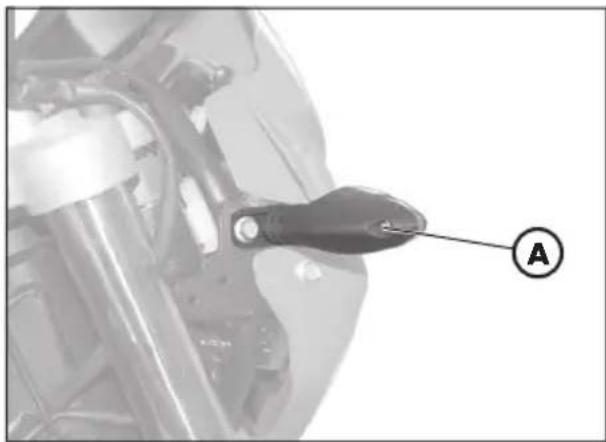
natural_image
Close-up of a mechanical component with a labeled tool or probe (A), no visible text or symbols beyond the label.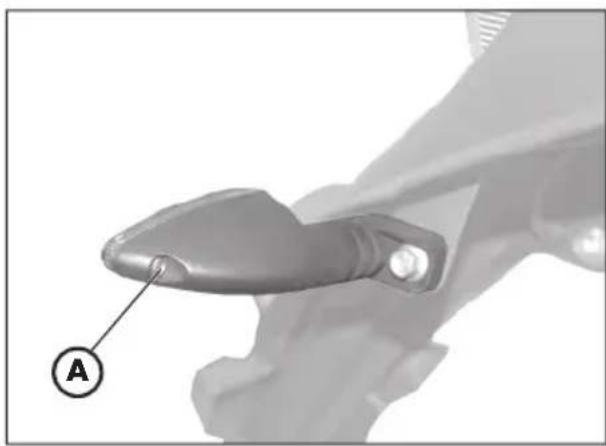
natural_image
Close-up of a mechanical component with a labeled section (A) and a circular marker, no readable text or symbols present.REPLACING THE TURN INDICATOR BULBS
To replace the indicator lights, proceed as follows:
- Loosen screw A and remove the lens.
- Remove the faulty light and replace with a new one.
Note:
Any replacement lamp must meet the same specifications as the original ones (see Table below).
BULBS CHARACTERISTICS
| Headlamp bulb 12V-55/60W | |
| Position bulb 12V-5W | |
| Traffi cator lights bulbFront/Rear | 12V-6W |
| Taillight/stop bulb LED | |
| Number plate light 12V-5W |
CONTENTS
CHARTER 6 TROUBLESHOOTING
INDEX
| PROBLEM CAUSE | REMEDY | |
| Engine does not start | - Fuel system clogged (fuel lines, fuel tank, fuel cock). | Clean the system. |
| - Air fi lter dirty. | Proceed as described on page 54. | |
| - No current supplied to spark plug. | Clean or replace the spark plug. If the problem persists, contact a BETAMOTOR dealer. | |
| -Engine flooded. | Open the throttle wide and try starting the engine for a few moments. If this does not solve the problem, remove the spark plug and dry it. | |
| Engine misfi res | - Spark gap wrongly adjusted. | Restore the spark gap. |
| - Spark plug dirty. | Clean or replace the spark plug. | |
| Engine knocks | - Spark advance excessive. | Check the ignition timing. |
| - Carbon formation in cylinder or on spark plug. | Contact a BETAMOTOR dealer. | |
| Engine overheats and loses power | - Silencer partly clogged. | Contact a BETAMOTOR dealer. |
| - Exhaust port clogged. | Contact a BETAMOTOR dealer. | |
| -Ignition de layed. | Check the timing. | |
| Front braking poor | - Brake pads worn. | Follow the procedure described on page 72. |
| - Air or humidity in the hydraulic circuit. | Follow the procedure described on page 52. | |
| Rear braking poor | - Brake pads worn. | Follow the procedure described on page 72. |
| - Air or humidity in the hydraulic circuit. | Follow the procedure described on page 52. | |
Adjusting the brakes 66
Adjusting the clutch 66
Adjusting the headlight 70
Adjusting the slow running 67
Adjusting the throttle play 67
After prolonged inactivity 64
Air filter 54
AIS valve 40
Battery 57
Brake pump oil - Bleeding the brakes 51
Bulbs characteristics 76
Checking and adjusting the steering play 68
Checks after cleaning 62
Checks and maintenance operations before and after off-road use 42
Cleaning and checking the vehicle 62
Delivery....8
Ecologic guide....5
Electrical devices....38
Engine oil and oil filter ALP 125 50
Engine oil and oil filter ALP 200 48
Familiarizing with the vehicle 10
Forkoil 53
Front brake 56
Fuel flow adjustment 67
Fume collecting pipe 51
Helmetlock 12
How to remove body parts 58
Ignition switch / Steering lock 12
Instrument panel and controls 13
Keys and locks 12
Load 9
Odometer operating instructions 14
Operating notes 5
Prolonged inactivity 64
Rear brake 56
Recommended lubricants and fluids.... 43
Refuelling 46
Replacing the brake pads 72
Replacing the headlight bulb 74
Replacing the plate number light 75
Replacing the rear light bulb 75
Replacing the turn indicator bulbs 76
Riding safety 6
Running-in 43
Scheduled maintenance 63
Shutting off the engine 45
Spark plug 55
Specifications 30
Starter 45
Starting the engine 44
Tensioning the chain 69
TRIAL trim option 11
Tyres 9
Vehicle identifi cation data 8
Wiring diagram ALP 125 34
Wiring diagram ALP 200 36

natural_image
Abstract geometric logo with a stylized arrow inside an oval (no text or symbols)
the play bike
ALP 125/200 cc
natural_image
Close-up of a mechanical assembly with a circular component and labeled point A (no readable text or symbols)IDENTIFICATION DU MOTEUR ALP 125
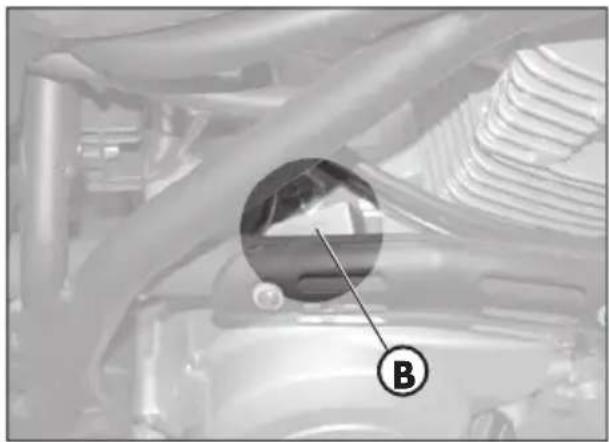
natural_image
Close-up of a car engine bay with a circular inset highlighting a component labeled 'B' (no text or symbols beyond label)EQUIPEMENT
natural_image
Close-up of mechanical components with a magnified inset showing a detail (labeled B), no readable text or symbols present.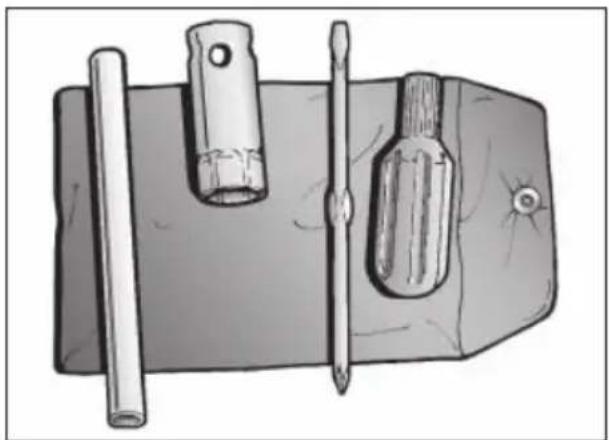
natural_image
Illustration of a mechanical tool with a cylindrical rod, two screwdrivers, and a flat base (no text or symbols)CHARGE
text_image
Labeled diagram of a motorcycle with numbered parts for identification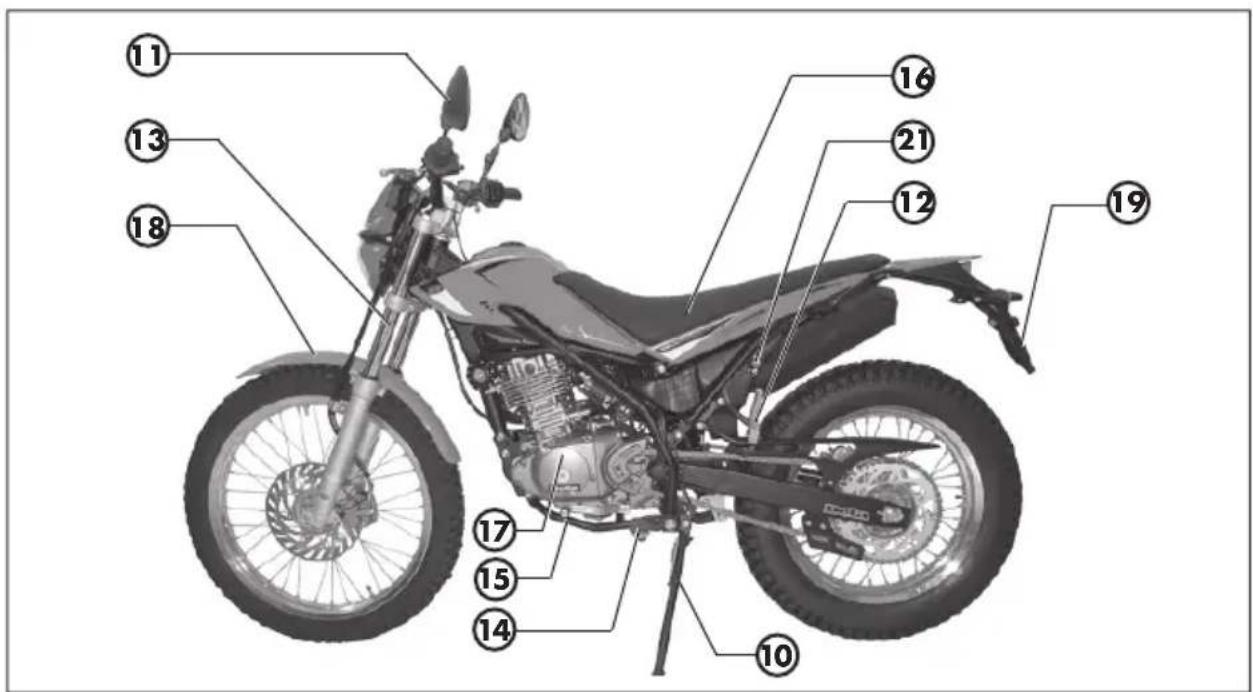
text_image
Labeled diagram of a motorcycle with numbered parts for identificationASSIETTE POUR LA VERSION TRIAL
natural_image
Two black industrial-style keys with circular end caps, one with a handle and the other with a textured tip (no text or symbols visible)CONTACTEUR PRINCIPAL/VERROUILLA- GE DE DIRECTION
natural_image
Close-up of a mechanical component with a cylindrical pin and mounting bracket (no visible text or symbols)TABLEAU DE BORD ET COMMANDES
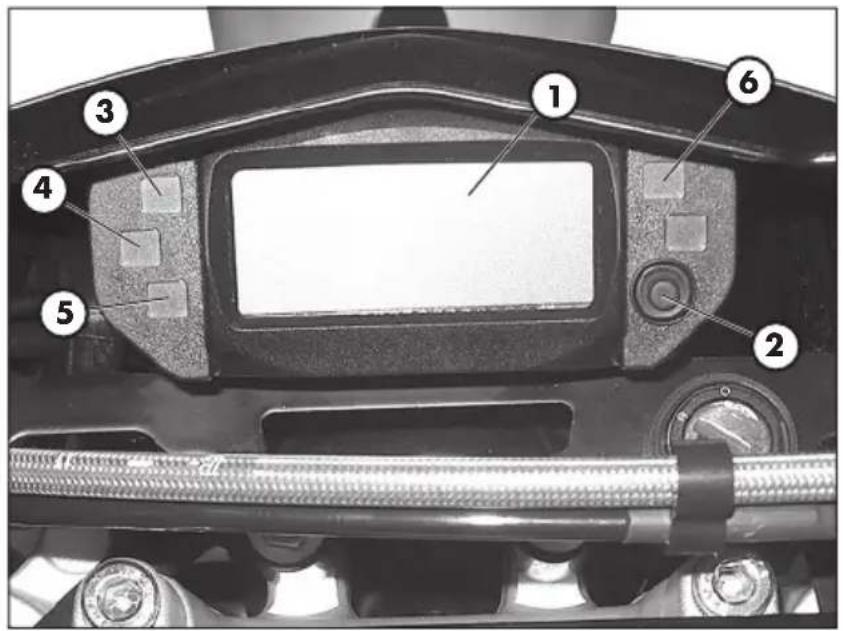
text_image
Labeled mechanical component diagram showing numbered parts for assembly or maintenance reference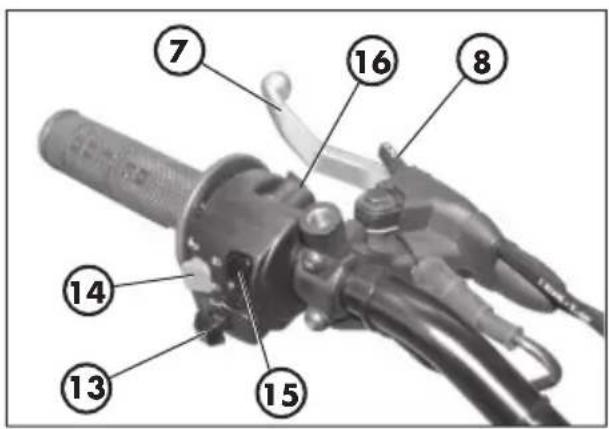
text_image
Labeled diagram of a mechanical device with numbered parts for identification1-LCD
2 - Bouton MODE
text_image
Labeled mechanical component diagram showing numbered parts for assembly or maintenance referencetext_image
① ⑧ ⑩ ⑪ ⑫ ⑭ ⑬ ⑦ ⑪ ⑪ 8888.8" TOTAAL TD LAP MAX mph km/h 888 ④ ⑥ ⑤ ③ 8888.8" TOTAAL TD LAP MAX mph km/h 888 ② ⑨2.2. Distance totale (TOTAL)
text_image
nAE mph km/hFig. 16
text_image
12345" 8:00 TOTAL TD LAP MAX H L 888 mph km/h 10 11 12Fig. 18
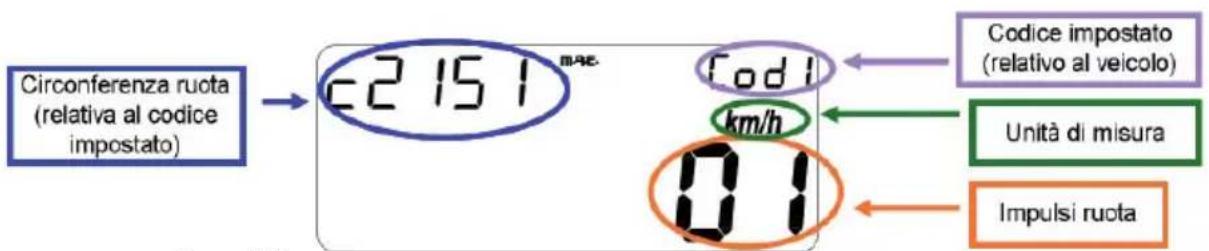
text_image
Electrical schematic diagram with labeled components and connections, including motors, relays, and wiring pathsSCHÉMA ÉLECTRIQUE ALP 125
flowchart
Electrical circuit diagram with 39 labeled components, showing connections between power lines, relays, switches, and meters.SCHÉMA ÉLECTRIQUE ALP 200
natural_image
Close-up of a mechanical component with visible wiring and a labeled section marker (E), no readable text or symbols present.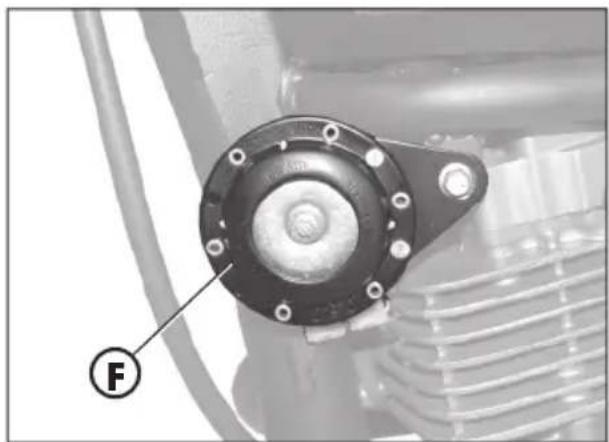
natural_image
Close-up of a mechanical component with a circular housing and threaded end, labeled with a circled number F (no text or symbols on the main subject)INTERMITTENCE
natural_image
Close-up of a mechanical assembly with a labeled component (G) and no visible text or symbols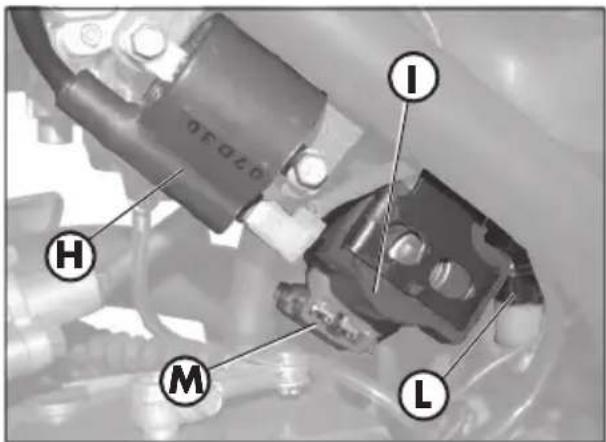
text_image
I H M L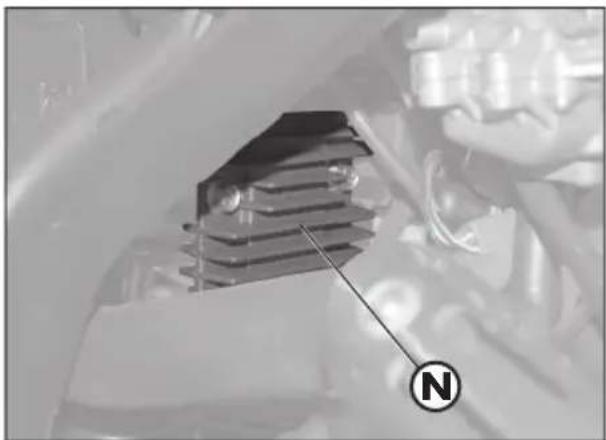
natural_image
Close-up of a mechanical component with a labeled circular indicator (N) pointing to it, no readable text or symbols present.1
SOUPAPE AIS
natural_image
Close-up of mechanical components with a labeled section A (no readable text or symbols)TABLE DES MATIÈRES
CHAP. 2 UTILISATION DU VÉHICULE
natural_image
Mechanical component diagram showing a lever and labeled section (C), no readable text or symbols present.STARTER
natural_image
Mechanical component with labeled part D, showing hoses and connectors (no readable text or symbols)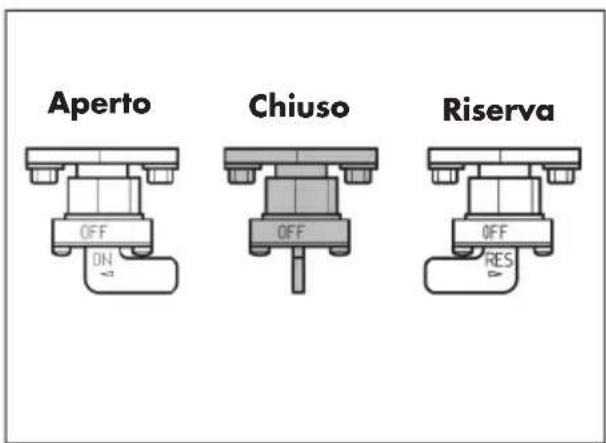
text_image
Aperto Chiuso Riserva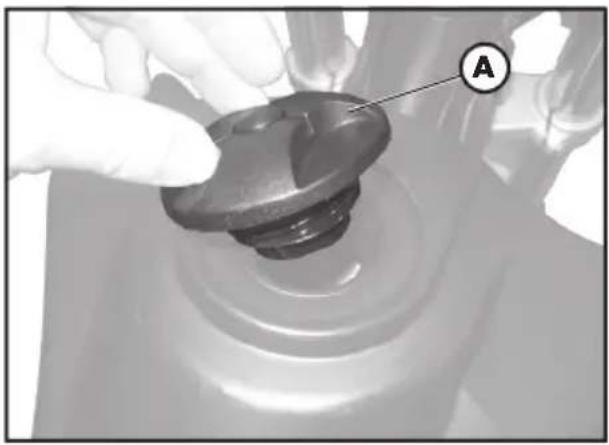
natural_image
Close-up of a gloved hand adjusting a mechanical component with a labeled section A (no text or symbols on the object itself)APPROVISIONNEMENT EN CARBU- RANT
natural_image
Mechanical assembly diagram showing a component labeled 'D' with no visible text or symbolsnatural_image
Close-up of a car engine bay with Beta branding and a labeled component (A), no readable text or symbols beyond the logo.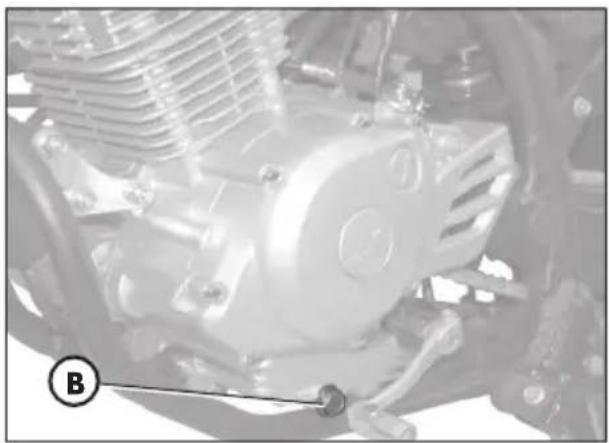
natural_image
Close-up of a mechanical engine component with visible gears and springs (no text or symbols)TUYAU DE RÉCUPÉRATION DES FUMÉES
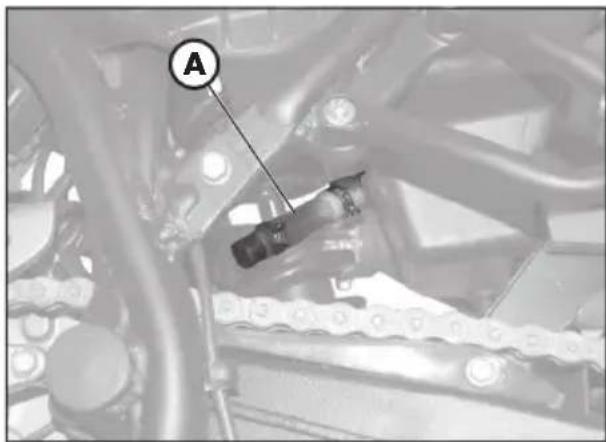
text_image
A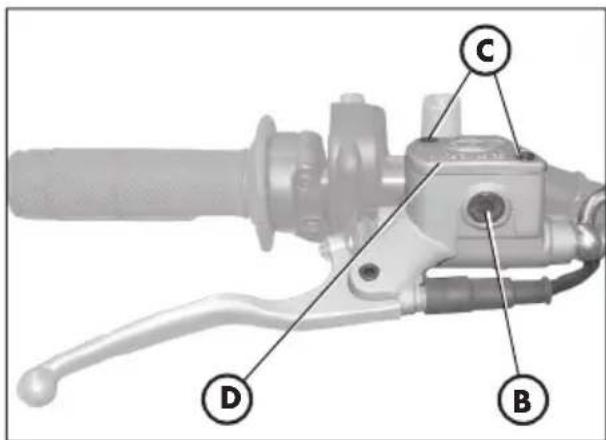
text_image
Technical diagram of a mechanical lever with labeled parts D, B, and C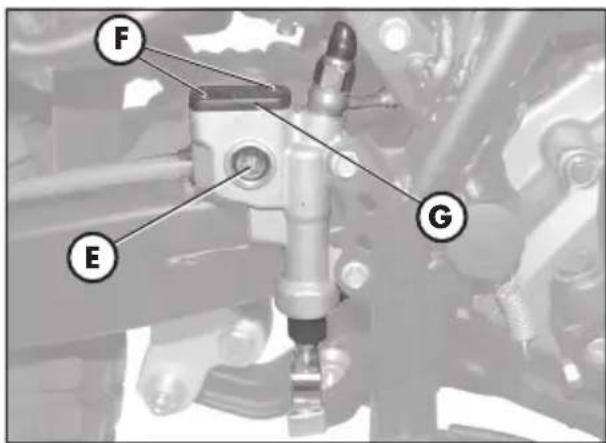
text_image
F E Gtext_image
Technical diagram of a mechanical assembly with labeled parts A and B, likely for automotive or industrial control.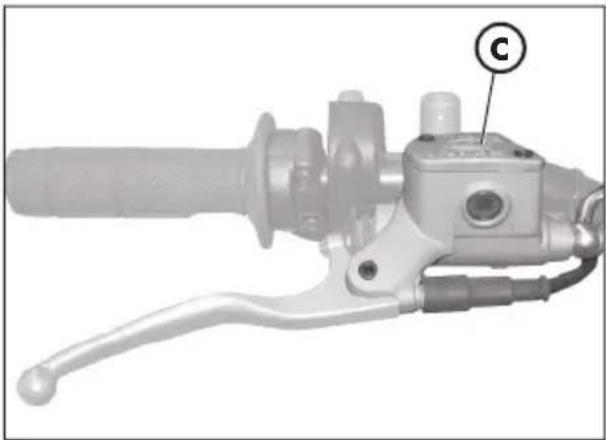
natural_image
Mechanical component with handle and lever mechanism, labeled 'C' (no text or symbols beyond label)natural_image
Mechanical assembly diagram showing a mechanical component with labeled section E (no readable text or symbols beyond label)HUILE DE FOURCHE
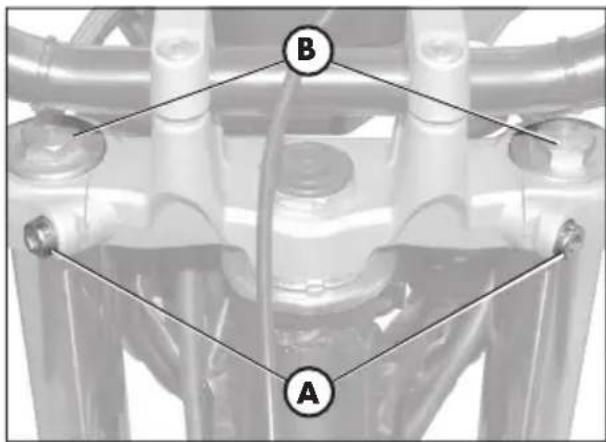
text_image
B A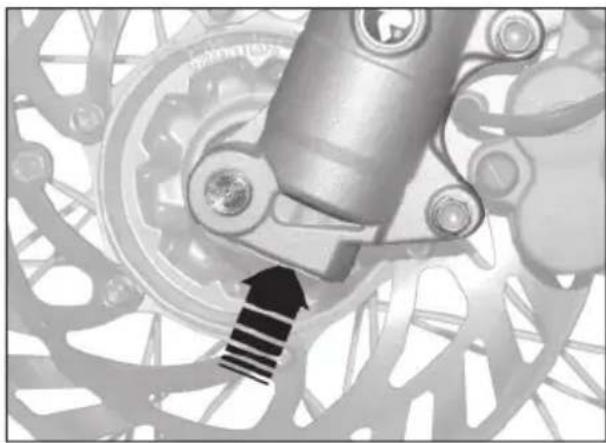
natural_image
Mechanical gear assembly with a mechanical component and a black arrow indicating motion direction (no text or symbols)Tubes droit
natural_image
Close-up of a hand holding a black plastic component, with an arrow pointing to it (no visible text or symbols)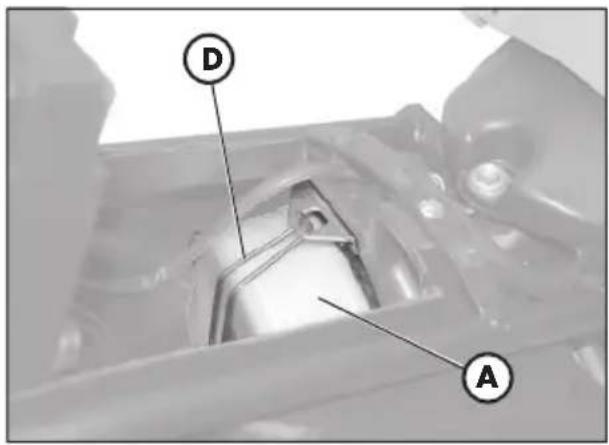
text_image
D A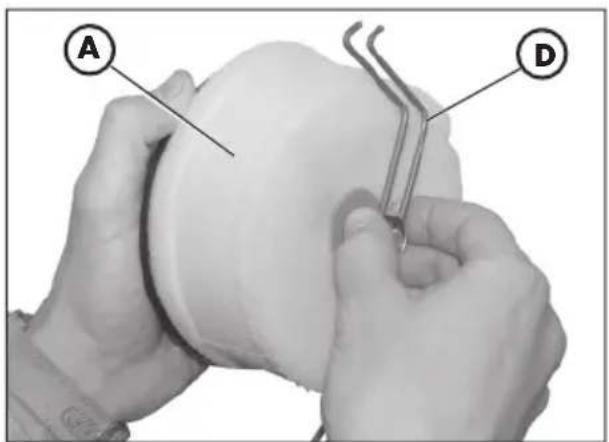
text_image
A DFILTRE À AIR
text_image
9.8×0.7 mmNota:
natural_image
Exterior view of a black automotive battery with visible charging and recycling symbols (no text or numbers on body)3
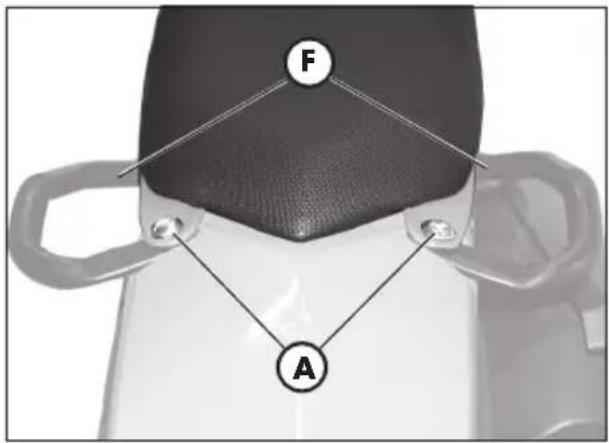
text_image
F A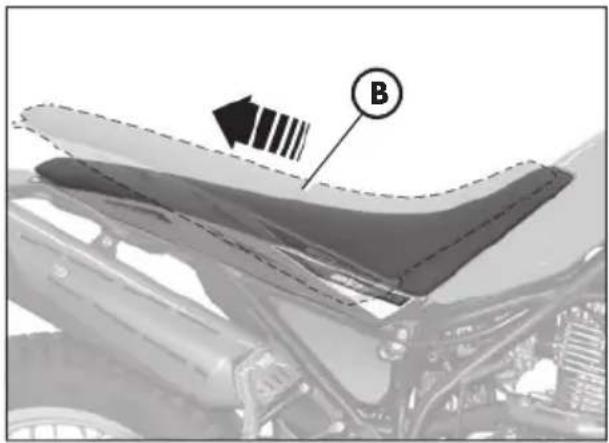
natural_image
Close-up of a car hood with visible structural lines and a labeled component (B), no readable text or symbols present.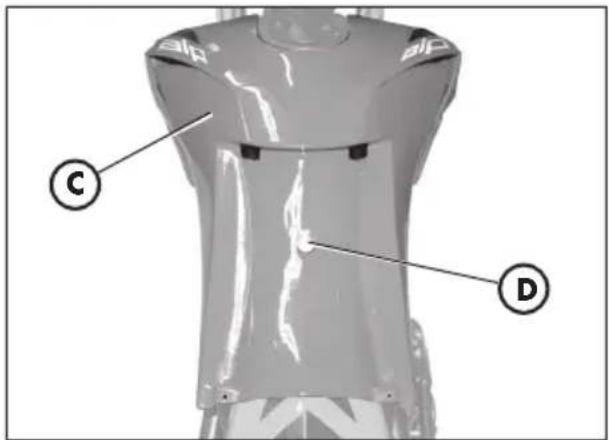
text_image
Technical diagram of a mechanical component with labeled parts C and D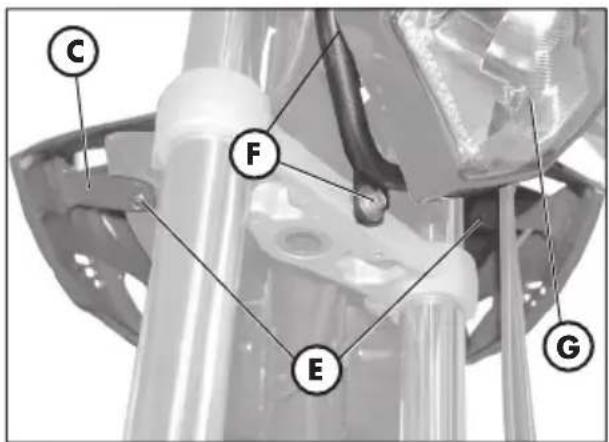
text_image
C F E GDEMONTAGE DU CHASSIS
natural_image
Mechanical component diagram showing a bracket with labeled parts and an arrow indicating direction (no text or symbols present)natural_image
Mechanical component with labeled part M, no visible text or symbols beyond the labelnatural_image
Mechanical assembly diagram showing a wheel with labeled component 'C' (no text or symbols beyond label)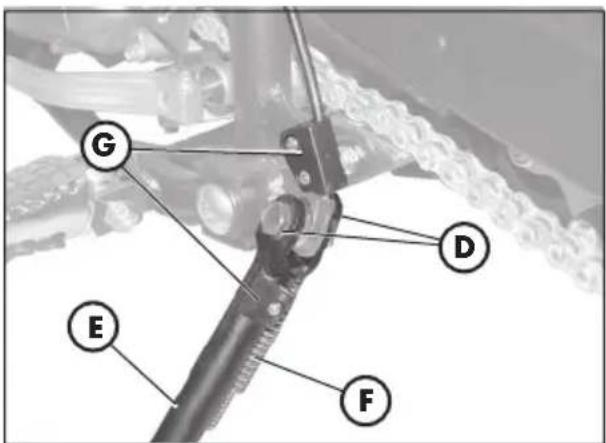
text_image
G D E F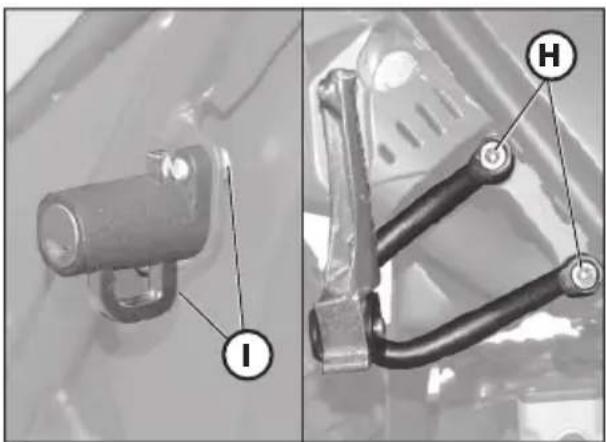
natural_image
Two mechanical components with labeled parts (I and H), no visible text or symbols beyond labels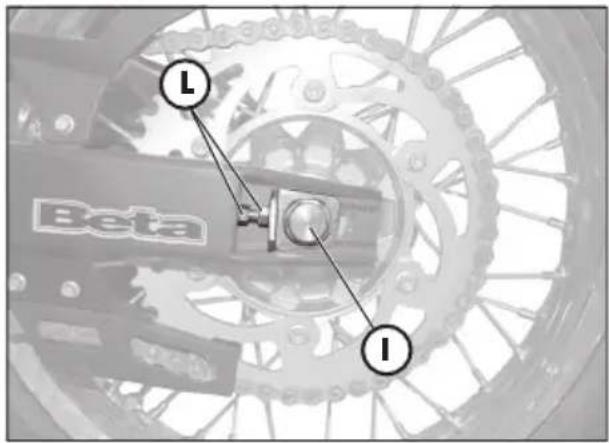
text_image
Beta I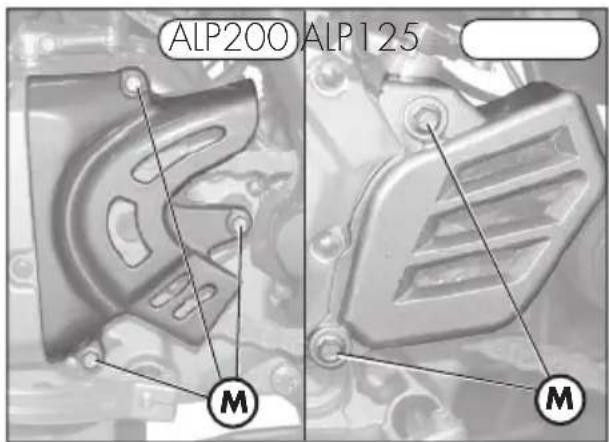
text_image
ALP200 ALP125 M M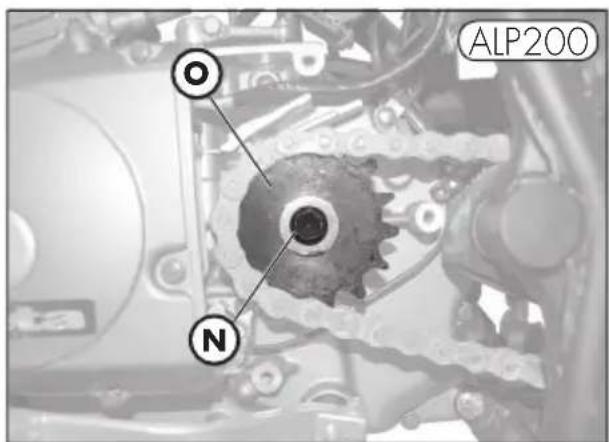
text_image
OL ALP200 N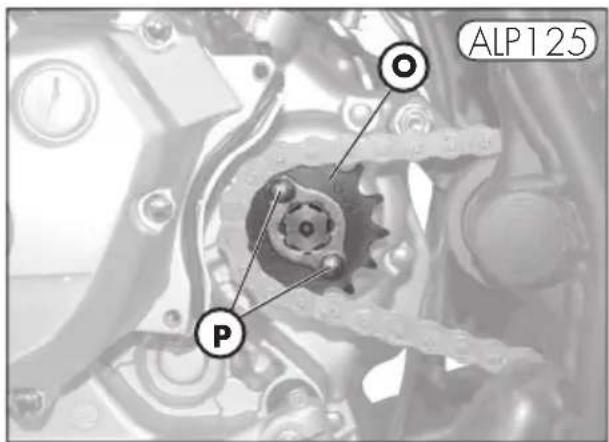
text_image
ALP125 Pnatural_image
Mechanical tool with handle and lever assembly (no visible text or symbols)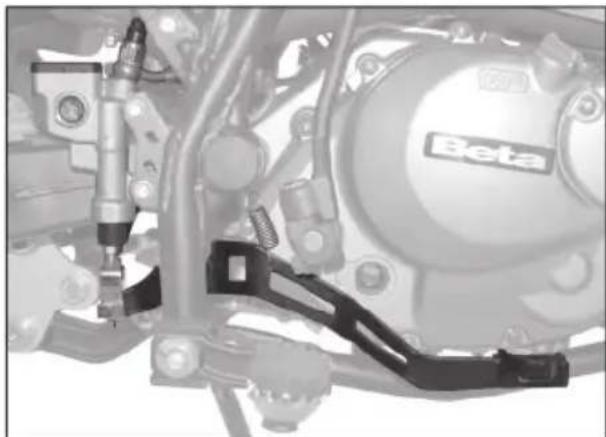
natural_image
Mechanical assembly diagram showing components like a Beta valve and brake system (no readable text or symbols)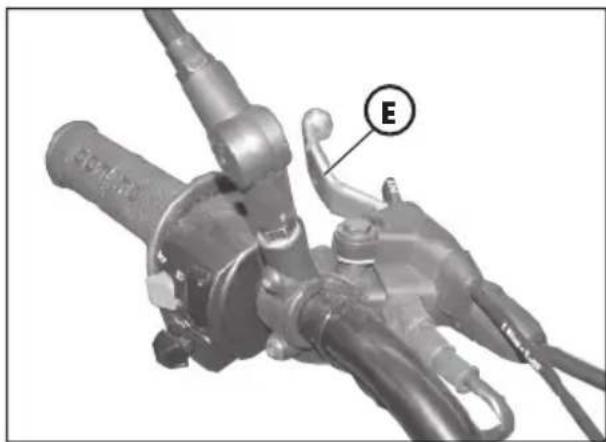
natural_image
Mechanical component with labeled section E, showing hoses and connectors (no readable text or symbols beyond label)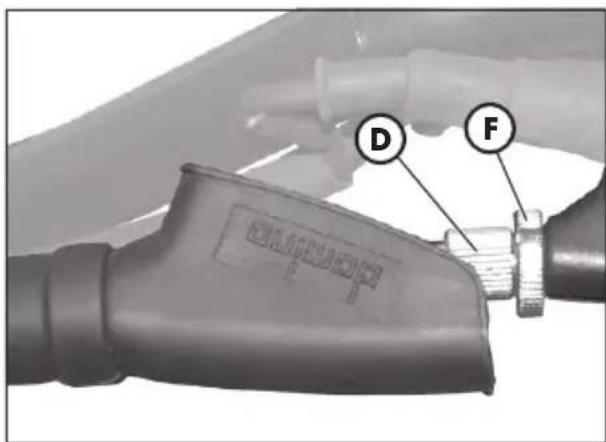
text_image
D FRÉGLAGE DES FREINS
Frein avant
text_image
ALP200 A D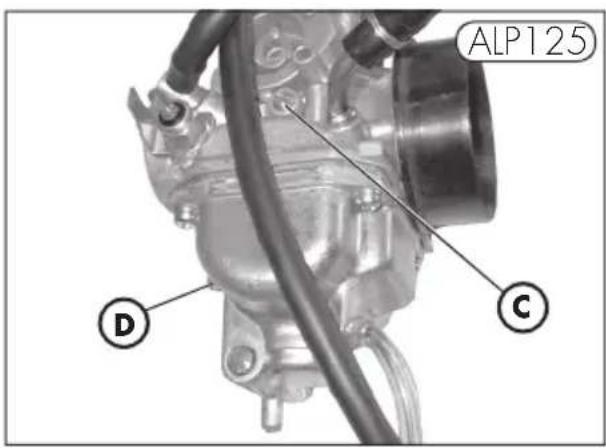
text_image
ALP125 D C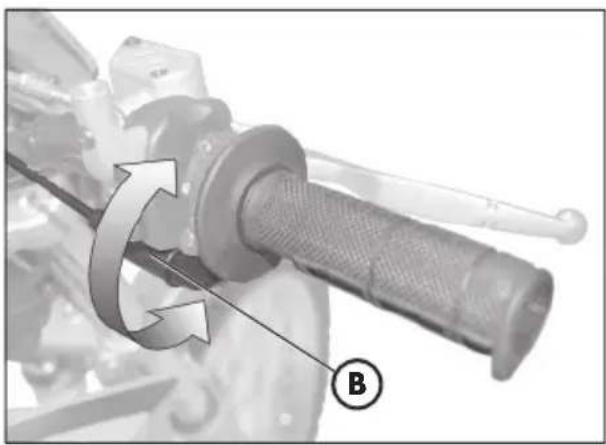
natural_image
Mechanical component with rotational arrow and labeled point B (no text or symbols beyond label)4
CONTRÔLE ET RÉGLAGE DU JEU À LA DIRECTION
natural_image
Mechanical diagram of a motorcycle wheel and suspension system, showing tire alignment with no text or symbols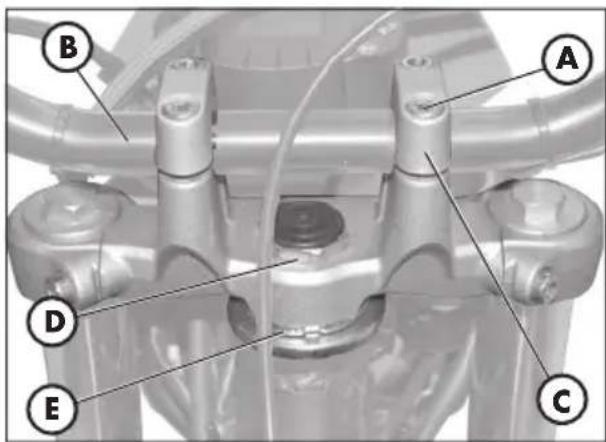
text_image
B A D E CTENSION DE LA CHAÎNE
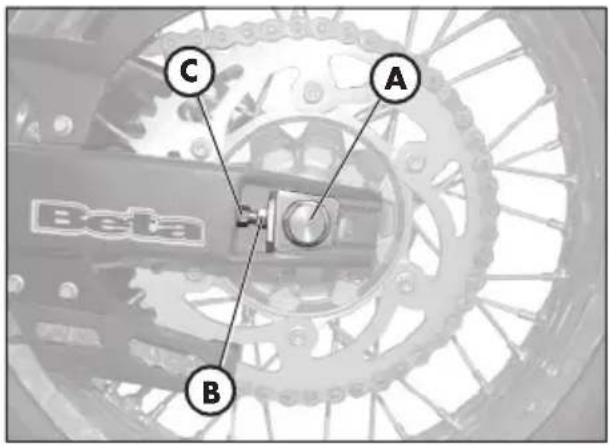
text_image
C A B Beta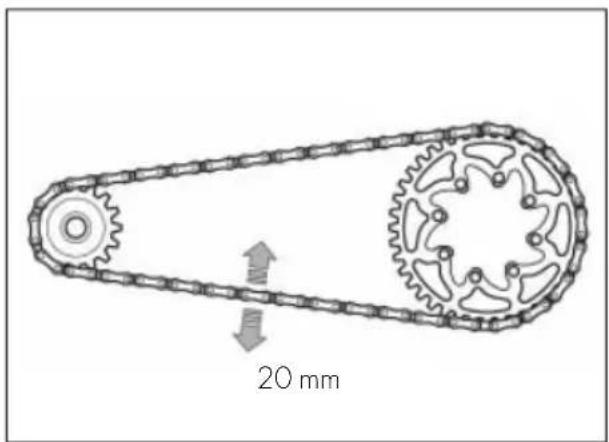
text_image
20 mmnatural_image
Close-up of a mechanical component with labeled point B, no visible text or symbols beyond the label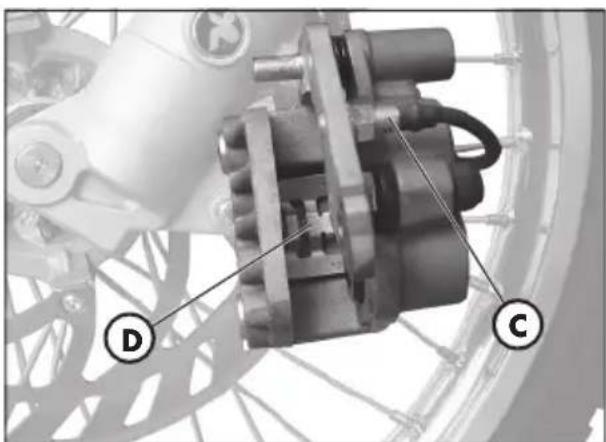
natural_image
Mechanical assembly diagram showing a motor and gear components (no text or symbols visible)REMPLACEMENT DES PLAQUETTES DES FREINS
natural_image
Mechanical component with labeled section A, showing internal components and wiring (no readable text or symbols)
text_image
Technical diagram showing a hand operating a mechanical component with labeled parts C and BFrein arrière
natural_image
Front view of a motorcycle head with labeled points A (no text or symbols on the subject itself)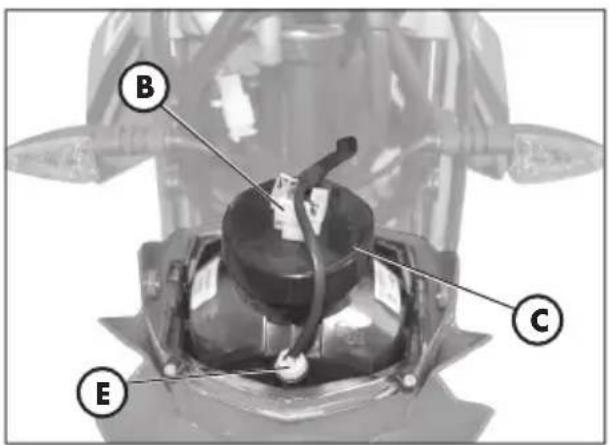
text_image
B C E
text_image
Technical diagram of a mechanical device with labeled parts C and D, showing a component with a lid and internal structure.REMPLACEMENTE DE L'AMPOULE DU PHARE ARRIÈRE
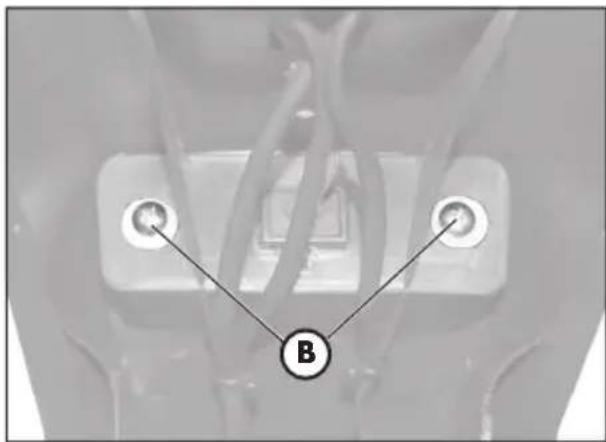
text_image
B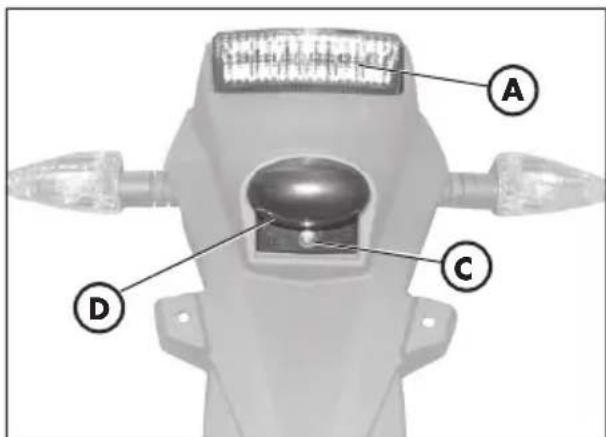
text_image
A C Dnatural_image
Close-up of a mechanical component with a labeled tool (A) pointing to a feature, no visible text or symbols beyond the label.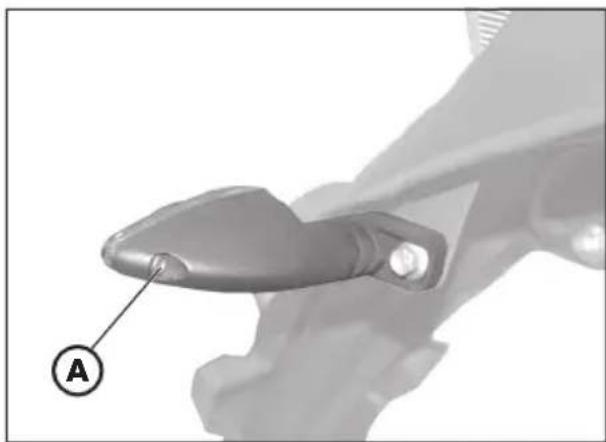
natural_image
Close-up of a mechanical component with a labeled point A pointing to a feature (no text or symbols beyond label)REEMPLACEMENT DES AMPOULES DES CLIGNOTANTS
natural_image
Abstract geometric logo with arrow-like shape inside an oval (no text or symbols)
the play bike
ALP 125/200 cc
natural_image
Close-up of a mechanical assembly with a circular component and labeled section A (no readable text or symbols)MOTORNUMMER ALP 125
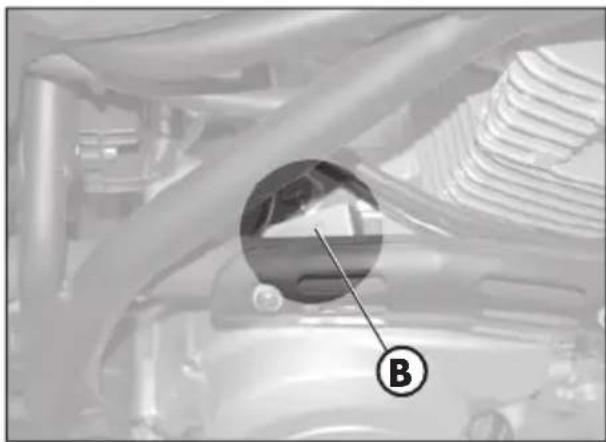
natural_image
Close-up of a car engine bay with a circular inset showing a mechanical component, labeled 'B' (no text or symbols on the main subject)MOTORNUMMER ALP 200
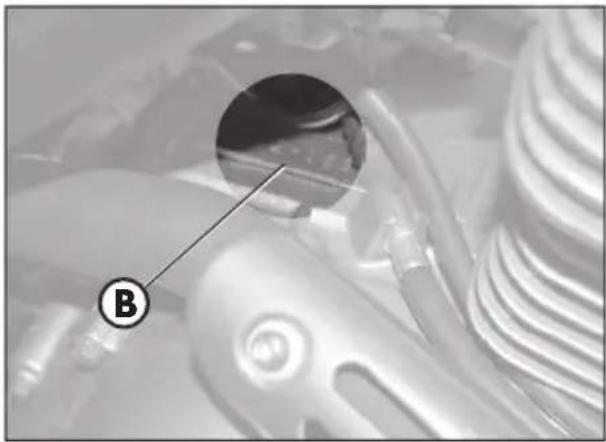
natural_image
Close-up of a mechanical component with a magnified inset showing a detail labeled 'B' (no readable text or symbols)AUSLIEFERUNG
natural_image
Illustration of a mechanical tool with a cylindrical rod, two screwdrivers, and a base (no text or symbols)ZULADUNG
text_image
Labeled diagram of a motorcycle with numbered parts for identification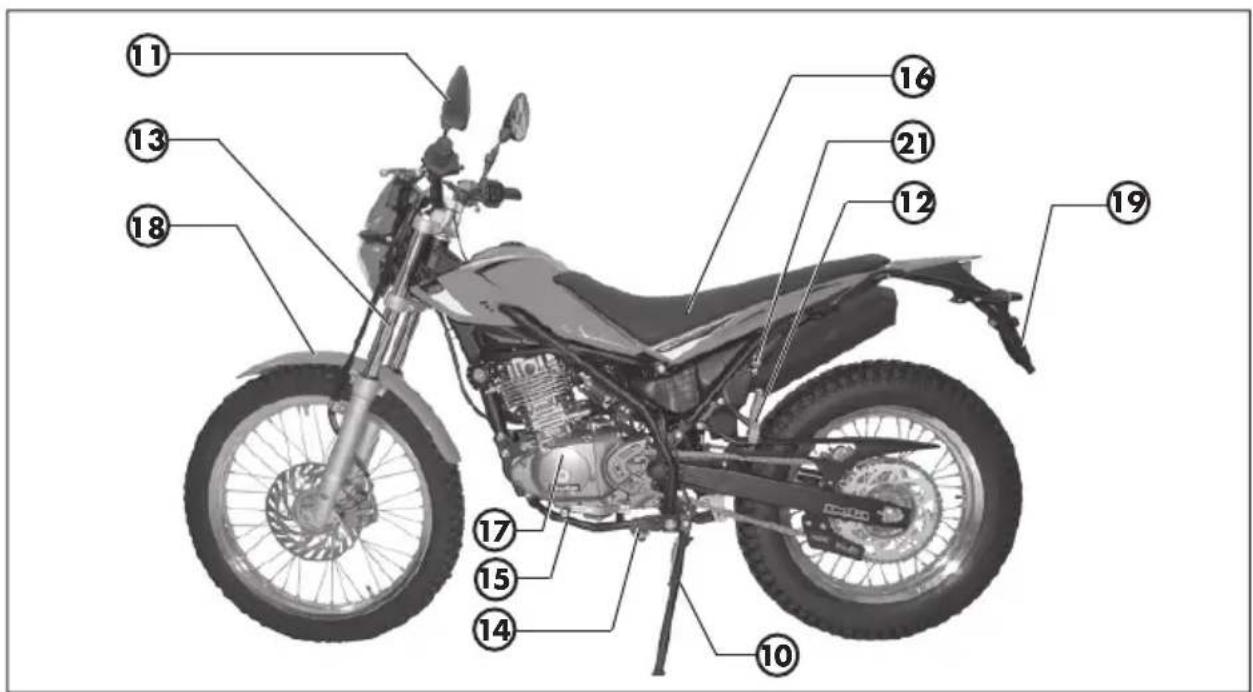
text_image
Labeled diagram of a motorcycle with numbered parts for identificationnatural_image
Two black keys with metallic handles and a textured handle, no visible text or symbols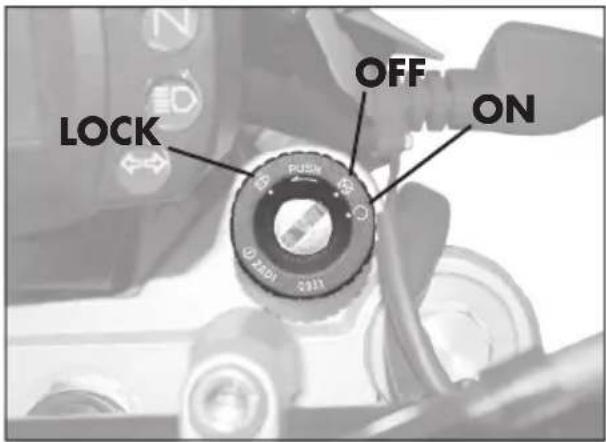
text_image
LOCK OFF ON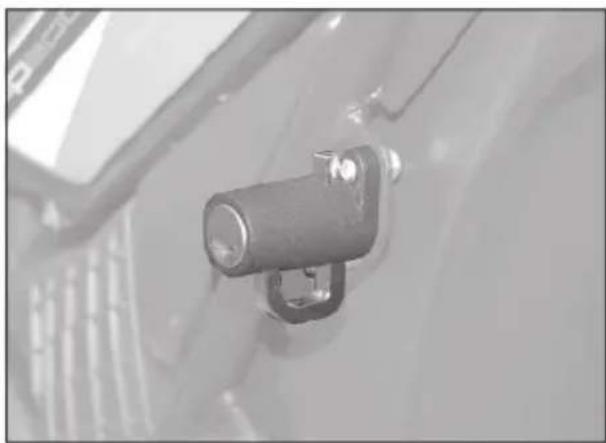
natural_image
Close-up of a mechanical component with a cylindrical pin and mounting bracket (no visible text or symbols)ARMATURENBRETT UND BEDIENUNGSELEMENTE
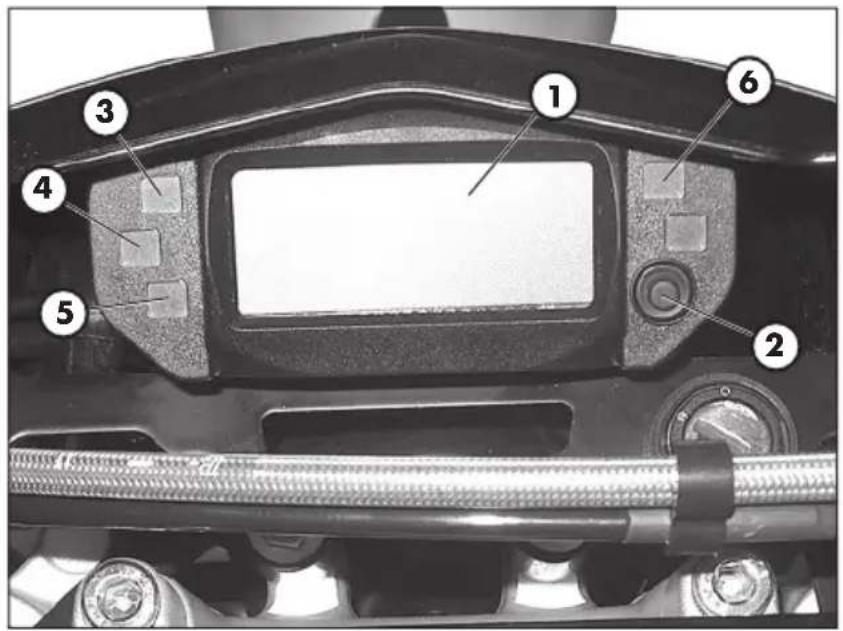
text_image
Labeled mechanical component diagram showing numbered parts for assembly or maintenance reference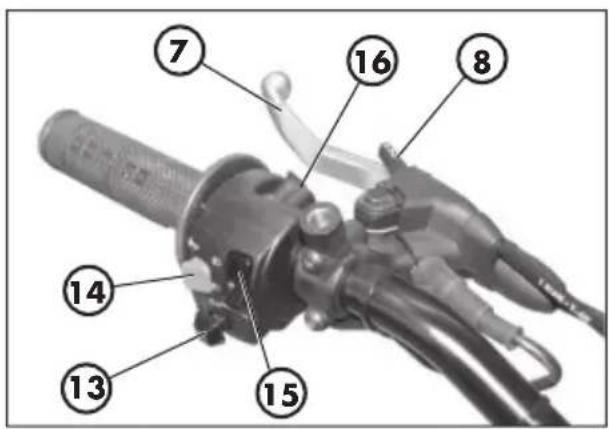
text_image
Labeled diagram of a mechanical device with numbered parts for identificationtext_image
Labeled mechanical component diagram showing numbered parts of a lever handle assemblytext_image
① ⑧ ⑩ ⑪ ⑫ ⑭ ⑫ ⑦ ⑬ ③ ④ ⑤ ⑥ ⑨ 88:88 88:88 TOTAL TD LAP MAX mph km/h 888 888.00" MAE. TOTAL TD LAP MAX 88.00" MAE. LAP MAX 10 11 12 H Lbar
| Metric | Value | | :--- | :--- | | MAE | 08788 | | TOTAL | | | km/h | 08:23 | | H | 38 | | L | | | Bar heights | | | Bar heights | | | Bar heights | | | Bar heights | | | Bar heights | | | Bar heights | | | Bar heights | | | Bar heights | | | Bar heights | | | Bar heights | | | Bar heights | | | Bar heights | | | Bar heights | | | Bar heights | | | Bar heights | | | Bar heights | | | Bar heights | | | | Bar heights | 38 | | km/h | 38 |Abbildung 12
text_image
mas 11:10 AN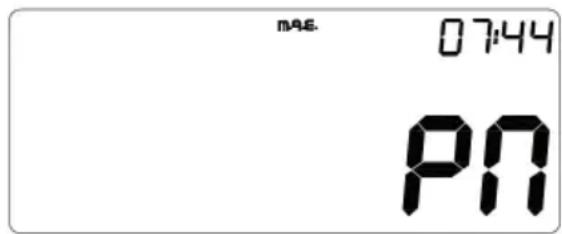
text_image
mas. 07:44 PNAbbildung 14
1
3. ALARMVERWALTUNG
text_image
nAE mph km/hAbbildung 16
text_image
888'4.8" MRE- 88:88 TOTAL TD LAP MAX mph km/h H 10 11 12 L 888Abbildung 18

Gabel ...... NGK R CR7 HSA
text_image
Electrical schematic diagram with labeled components and connections, including motors, relays, and wiring pathsnatural_image
Close-up of a mechanical component with visible wiring and a labeled section marked 'E' (no readable text or symbols beyond label)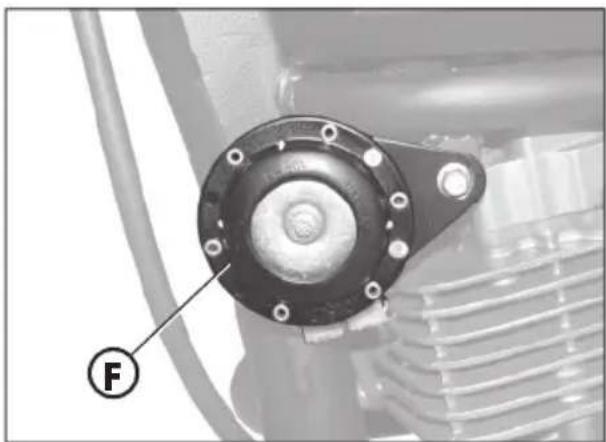
natural_image
Close-up of a mechanical component with a circular housing and threaded shaft, labeled with a circled number F (no text or symbols on the main subject)LINKGEBER
natural_image
Close-up of a mechanical assembly with a labeled component (G) pointing to a component inside a vehicle frame (no visible text or symbols)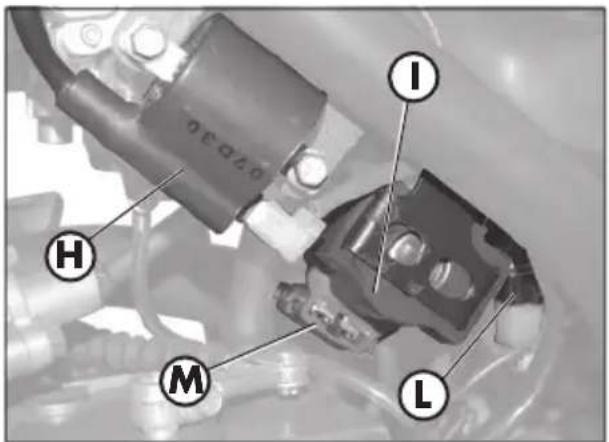
text_image
I H M L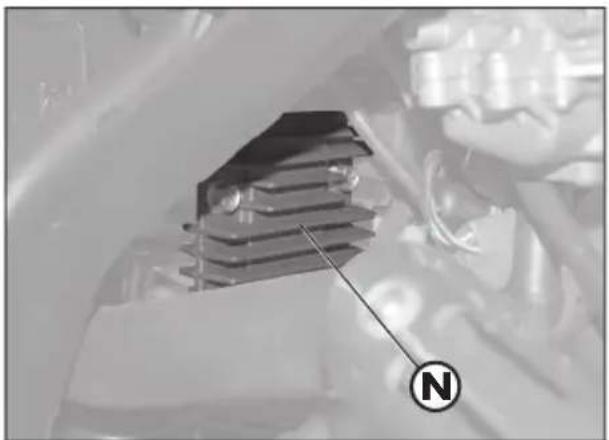
natural_image
Close-up of a mechanical component with a compass needle pointing to it, no visible text or symbols1
AIS-VENTIL
natural_image
Close-up of mechanical components with a labeled section A (no readable text or symbols)INHALTSVERZEICHNIS
text_image
Technical diagram of a mechanical component with labeled parts A and B, showing a handle and lever mechanism.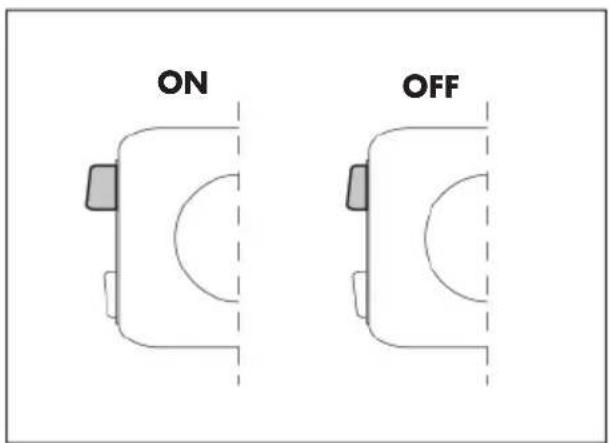
text_image
ON OFF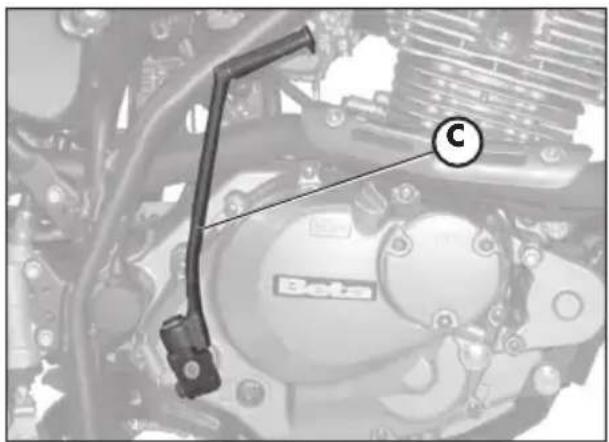
natural_image
Mechanical component diagram showing a lever and labeled part (c), no readable text or symbols present.CHOKE
natural_image
Mechanical component with labeled part D, showing hoses and brackets (no readable text or symbols)ABSTELLEN DES MOTORS
natural_image
Close-up of a gloved hand holding a mechanical component, labeled 'A' with no visible text or symbols on the object itself.TANKEN
natural_image
Mechanical assembly diagram showing a component labeled 'D' with no visible text or symbolsMOTORÖL UND ÖLFILTER ALP 200
Kontrolle
natural_image
Close-up of a car engine bay with Beta brand logo and labeled component (A), no readable text or symbols beyond branding.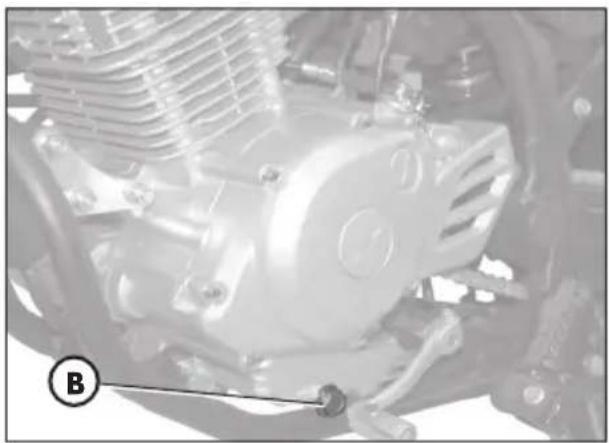
natural_image
Close-up of a mechanical engine component with visible gears and springs (no text or symbols)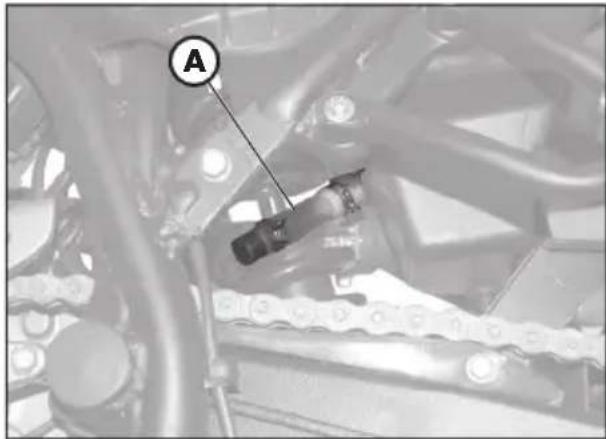
natural_image
Mechanical assembly diagram showing a linkage mechanism with labeled component A (no readable text or symbols beyond label)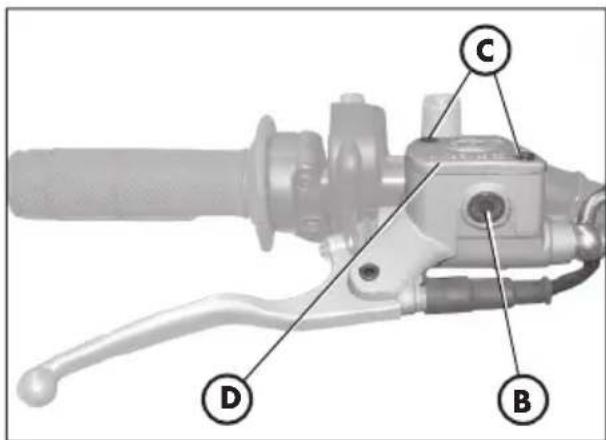
text_image
Technical diagram of a mechanical lever with labeled parts D, B, and C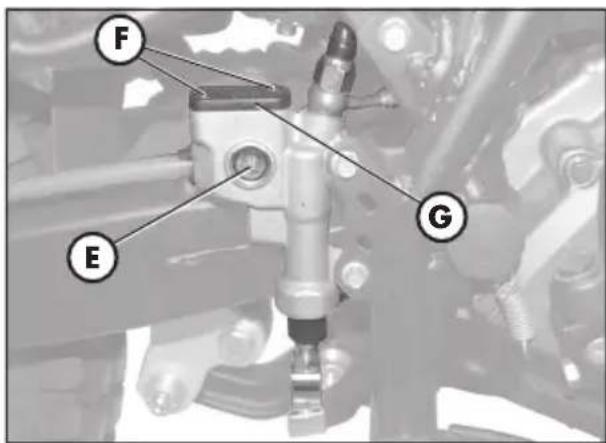
text_image
F E Gtext_image
Technical diagram of a mechanical assembly with labeled parts A and B, likely for automotive or industrial control.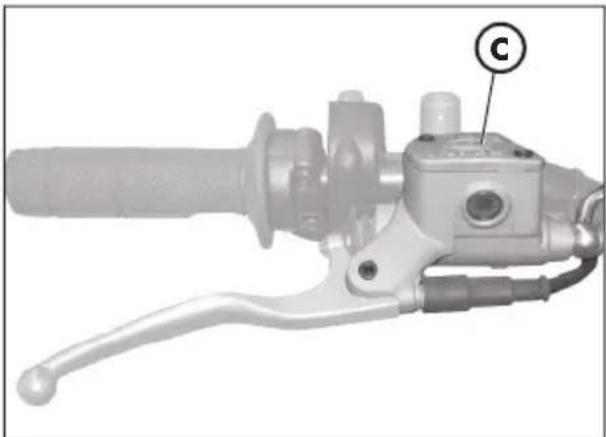
natural_image
Mechanical component with handle and lever mechanism, labeled 'C' (no text or symbols beyond label)natural_image
Mechanical assembly diagram showing a mechanical component with labeled parts (E), no readable text or symbols present.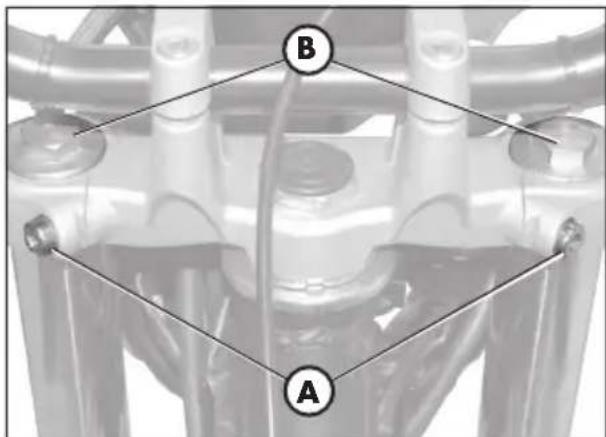
text_image
B A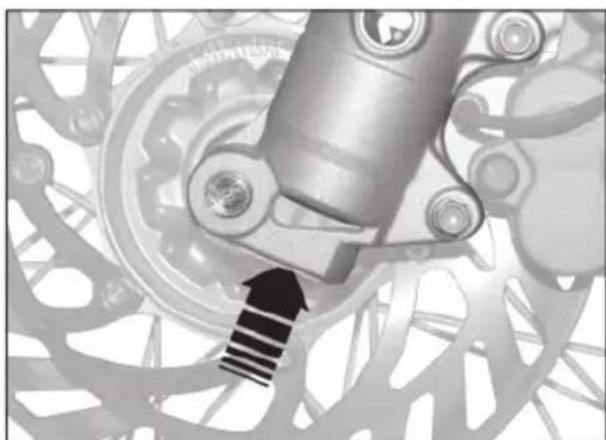
natural_image
Mechanical assembly diagram showing a rotating gear and shaft mechanism (no text or symbols)GABELÖL
Rechter Gabelschaft
natural_image
Close-up of a hand holding a black mechanical component, with an arrow pointing to it (no visible text or symbols)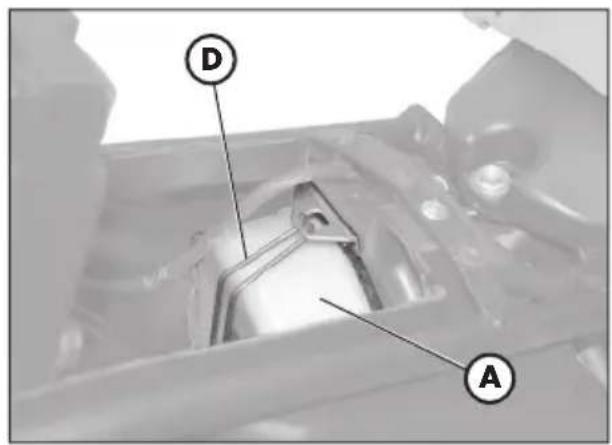
text_image
D A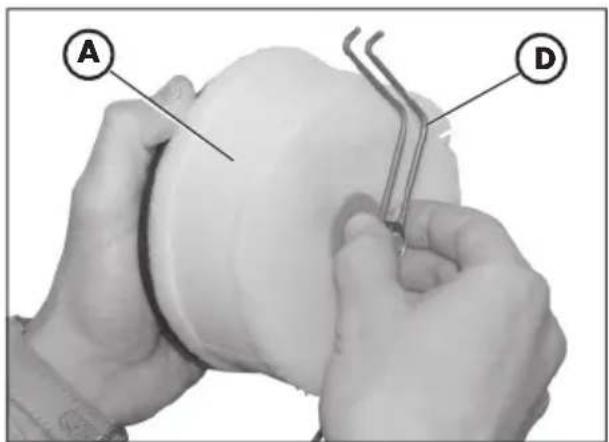
text_image
A DLUFTFILTER
ALP 200 = NGK DR8 EA
ALP 125 = NGK CR7 HSA
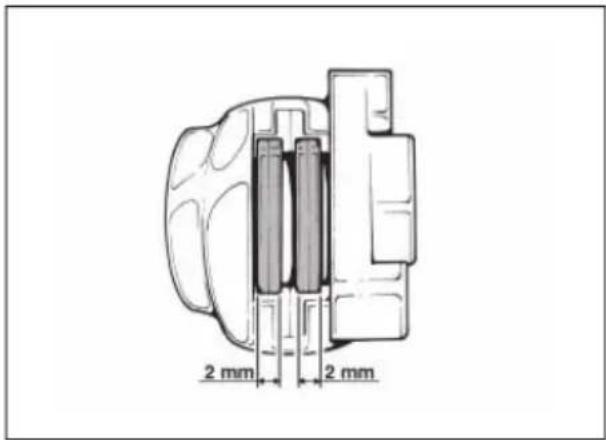
text_image
2 mm 2 mm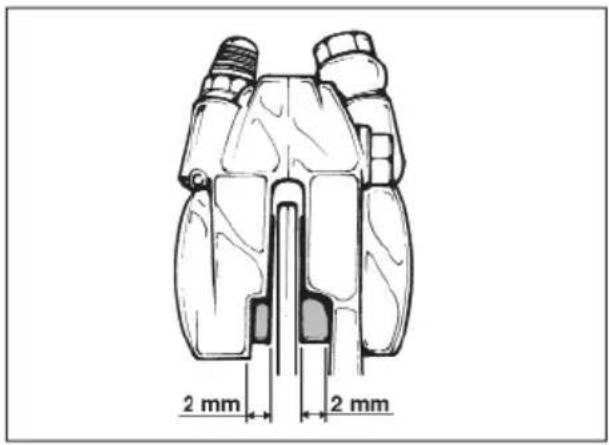
text_image
2 mm 2 mm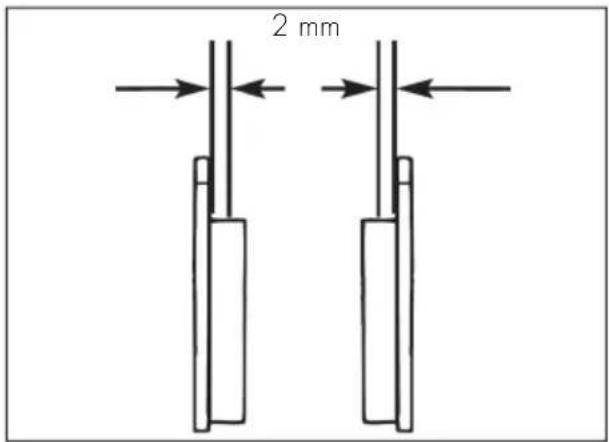
text_image
2 mmVORDERRADBREMSE
Kontrolle
natural_image
Exterior view of a black automotive battery with visible charging and recycling symbols (no text or numbers on body)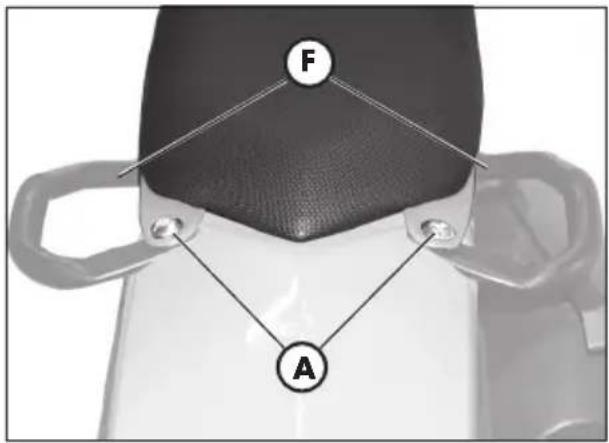
text_image
F A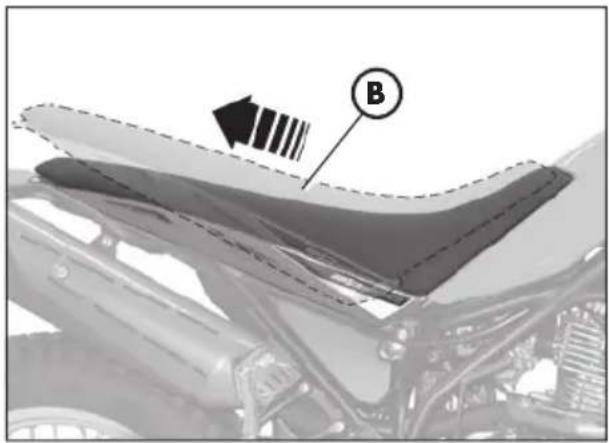
natural_image
Close-up of a car's hood with visible structural details and a labeled component (B), no readable text or symbols present.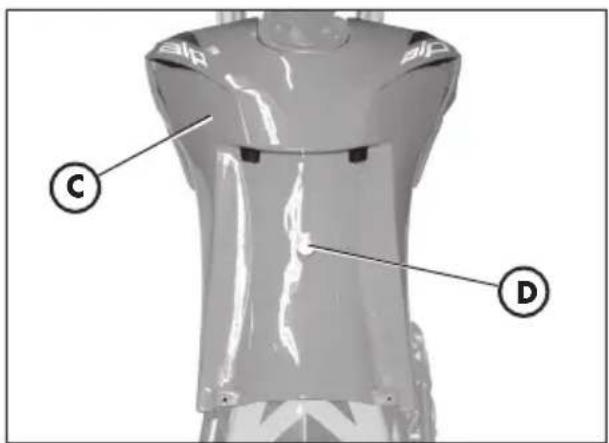
text_image
Technical diagram of a mechanical component with labeled parts C and D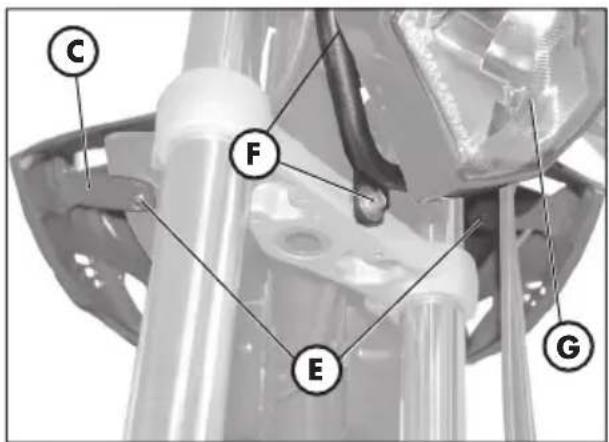
text_image
C F E GAUSBAU DER KAROSSERIE
natural_image
Mechanical component diagram showing a bracket with labeled parts and an arrow indicating direction (no text or symbols present)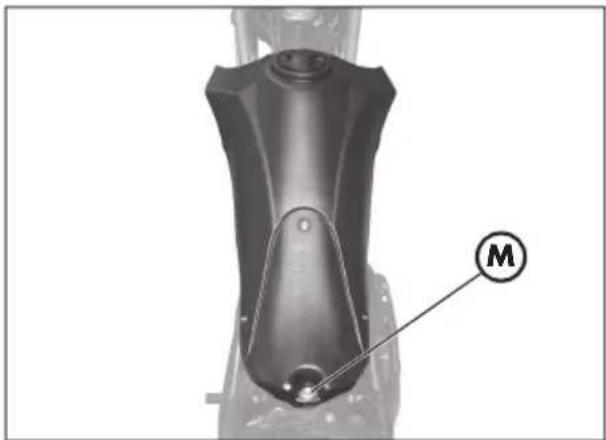
natural_image
Mechanical component with labeled part M, no visible text or symbols beyond the label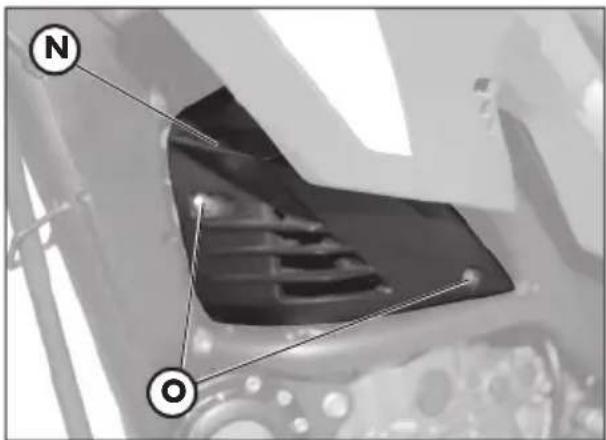
natural_image
Close-up of a mechanical component with labeled points N and O (no readable text or symbols beyond labels)3
natural_image
Mechanical assembly diagram showing a wheel with a labeled component (C), no readable text or symbols present.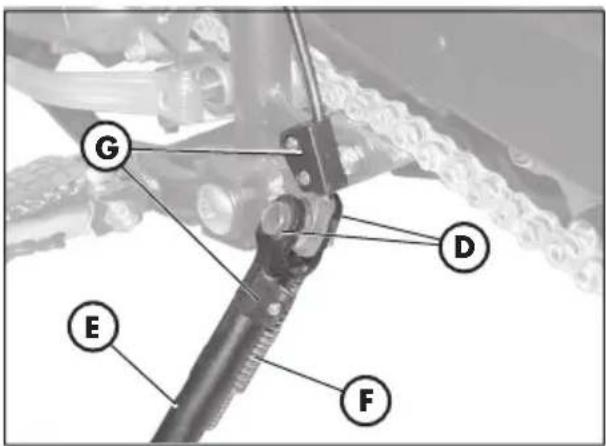
text_image
G D E F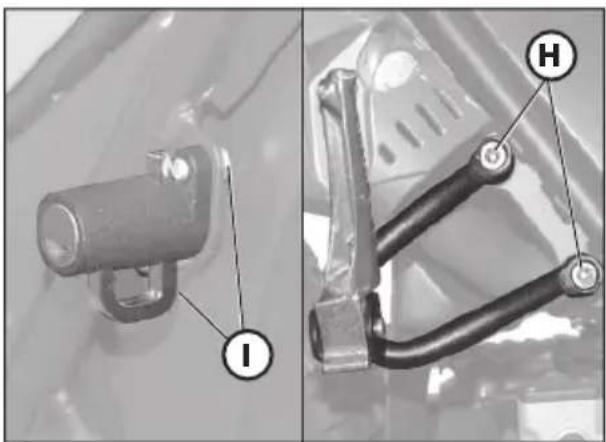
natural_image
Two mechanical components with labeled parts (I and H), no visible text or symbols beyond labels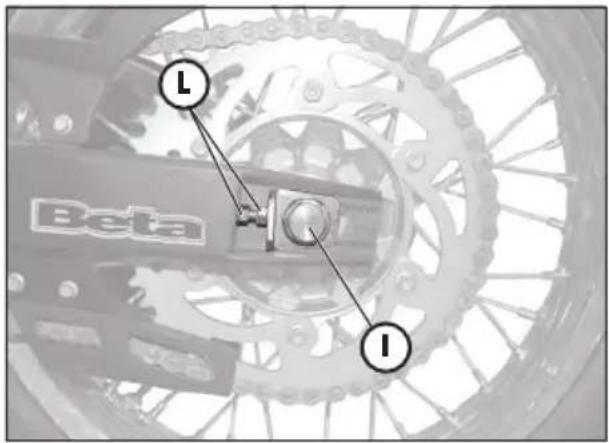
text_image
Beta I I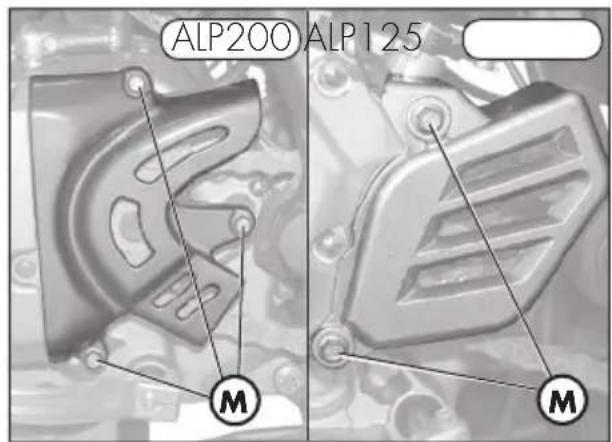
text_image
ALP200 ALP125 M M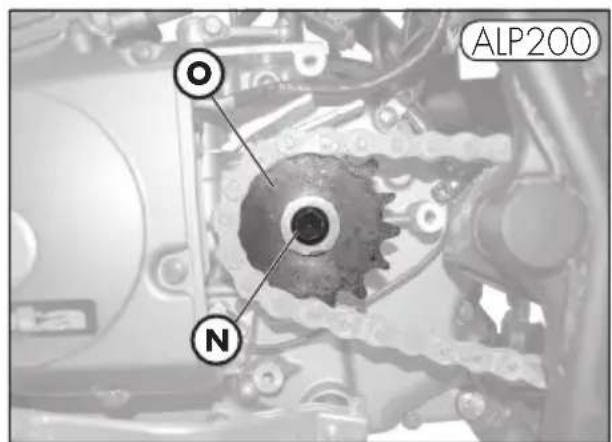
text_image
ALP200 O N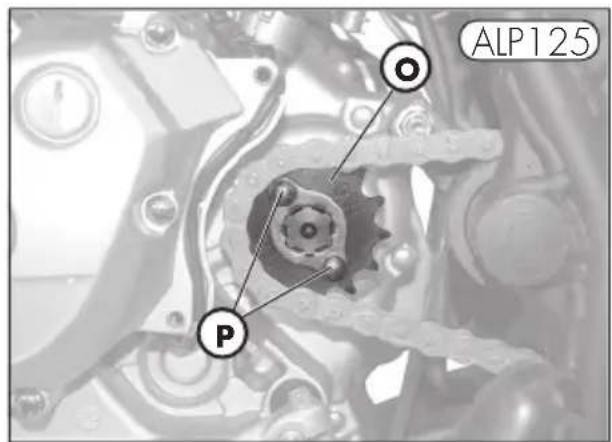
text_image
ALP125 Pnatural_image
Mechanical tool with handle and lever assembly (no visible text or symbols)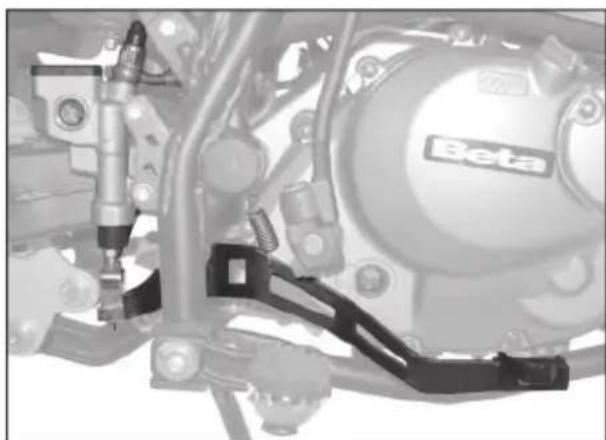
natural_image
Mechanical assembly diagram showing components like a Beta motor and suspension bracket (no readable text or symbols)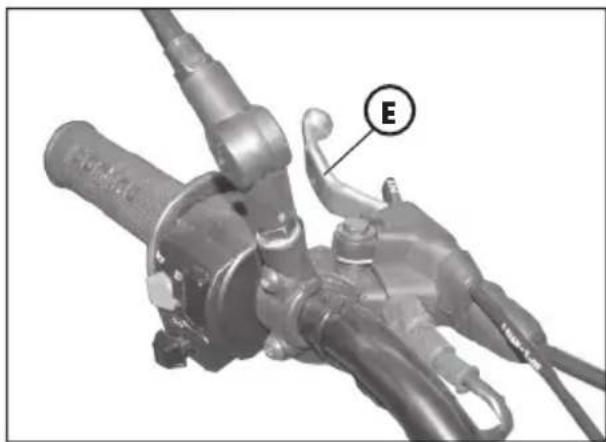
natural_image
Mechanical component with labeled section E, showing hoses and brackets (no readable text or symbols beyond label)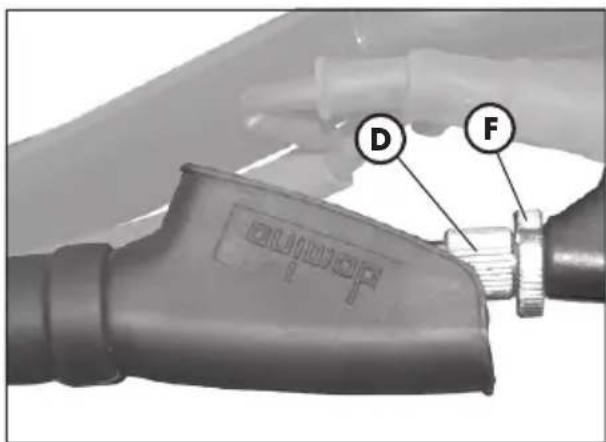
text_image
D Ftext_image
ALP200 A D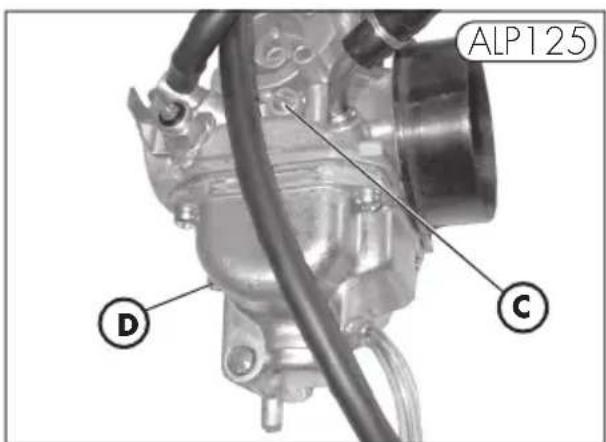
text_image
ALP125 D C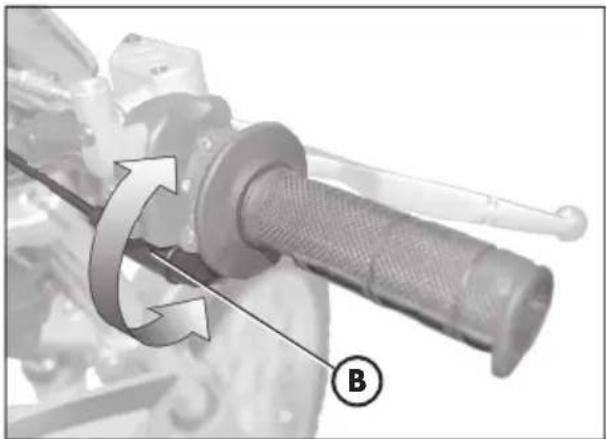
natural_image
Mechanical component with rotational arrow and labeled point B (no text or symbols beyond label)4
natural_image
Mechanical bicycle wheel with visible tire and suspension rod, showing front wheel and side wheel alignment (no text or symbols)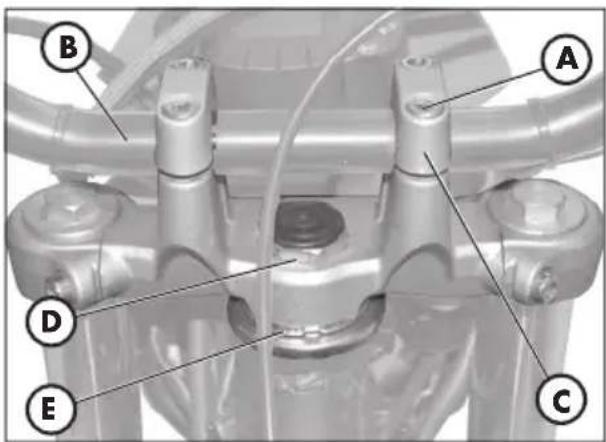
text_image
B A D E CSPANNEN DER KETTE
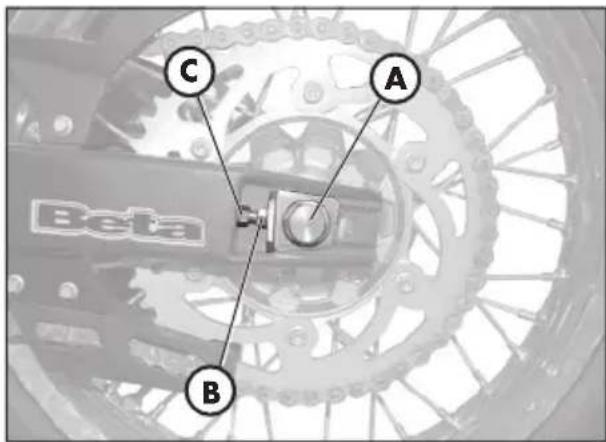
text_image
C A B Beta
text_image
20 mmnatural_image
Close-up of a mechanical component with labeled point B, no visible text or symbols beyond the label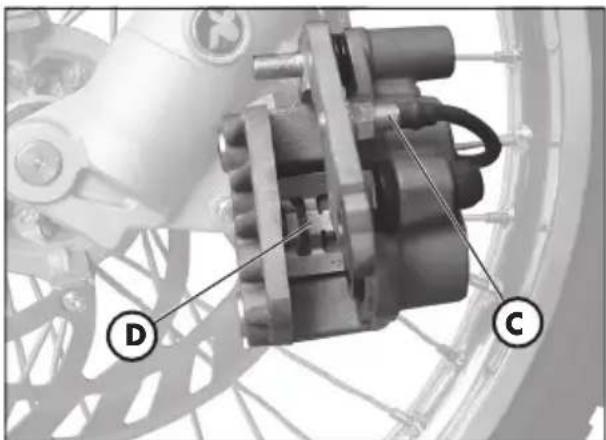
natural_image
Mechanical assembly diagram showing a motor and gear components (no text or symbols visible)AUSWECHSELN DER BREMSBELÄGE VORDERRADBREMSE
natural_image
Mechanical component with labeled section A, showing internal components and wiring (no readable text or symbols)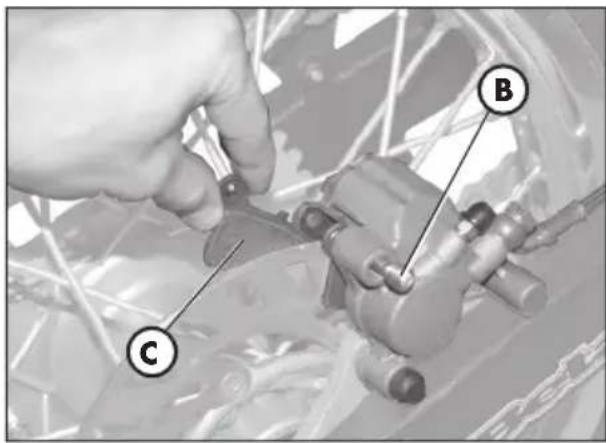
text_image
Technical diagram showing a hand operating a mechanical component with labeled parts C and BHinterradbremse
natural_image
Front view of a motorcycle's head with labeled points A (no text or symbols on the body)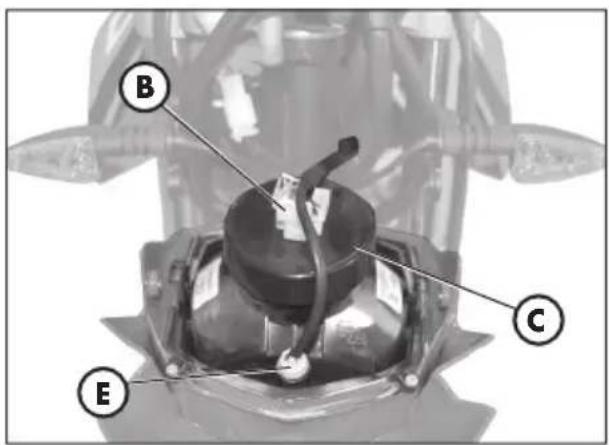
text_image
B C E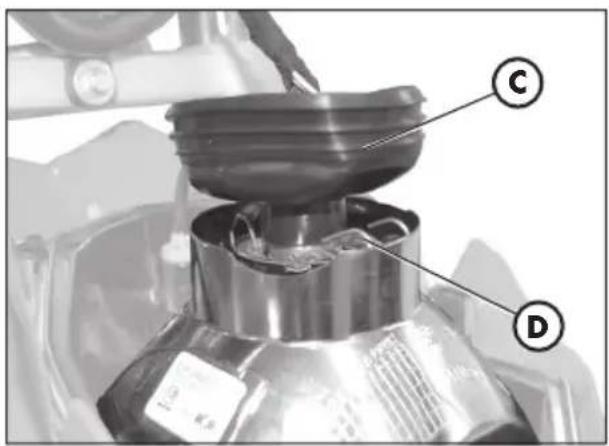
text_image
Labeled diagram of a mechanical device showing components C and D with annotations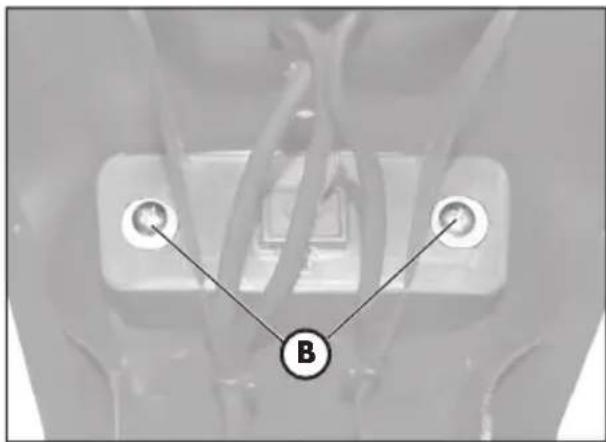
text_image
B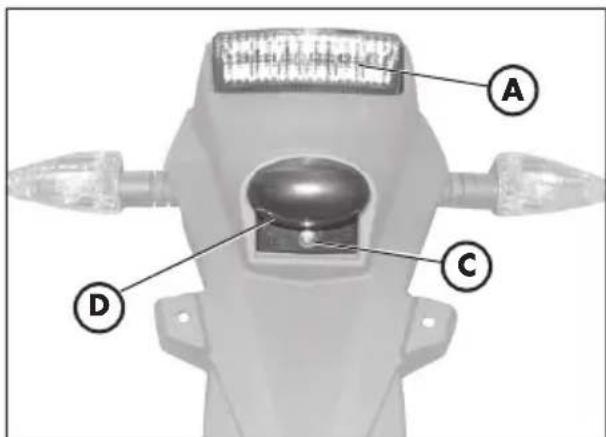
text_image
A C Dnatural_image
Close-up of a mechanical component with a labeled tool (A) pointing to a feature, no visible text or symbols beyond the label.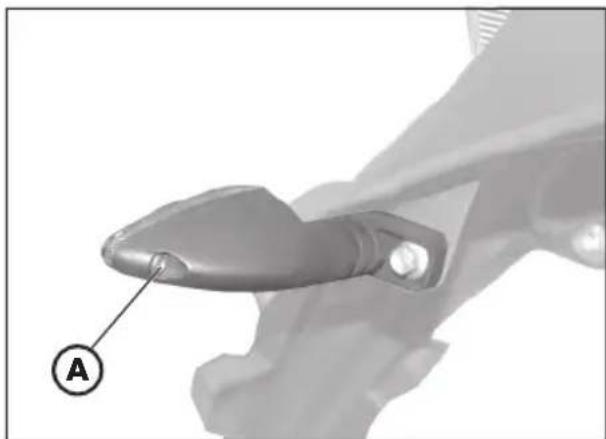
natural_image
Close-up of a mechanical component with a labeled section (A) and no visible text or symbolsCHARAKTERISTISCHE LAMPEN
natural_image
Abstract geometric logo with a stylized arrow inside an oval (no text or symbols)
the play bike
ALP 125/200
natural_image
Close-up of a mechanical assembly with a circular inset showing a component labeled 'A' (no readable text or symbols beyond label)natural_image
Close-up of a mechanical component with a circular inset showing a spherical object, labeled 'B' (no readable text or symbols beyond label)natural_image
Close-up of a mechanical component with a magnified inset showing a circular detail (labeled B), no readable text or symbols present.SUMINISTRO
natural_image
Illustration of a mechanical tool with a cylindrical rod, two screwdrivers, and a flat screwdriver (no text or symbols)CARGA
text_image
Labeled diagram of a motorcycle with numbered parts for identification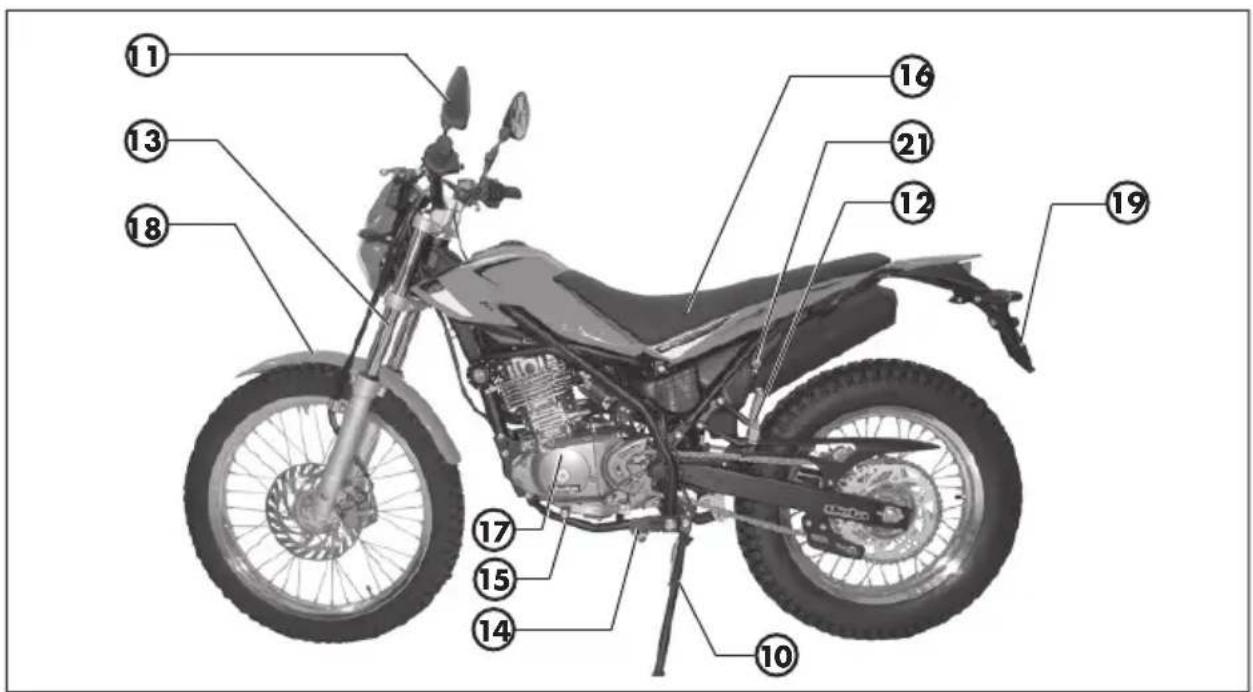
text_image
Labeled diagram of a motorcycle with numbered parts for identificationnatural_image
Two black-and-white photo of two key holders, one with a circular head and the other with a crown and handle (no text or symbols visible)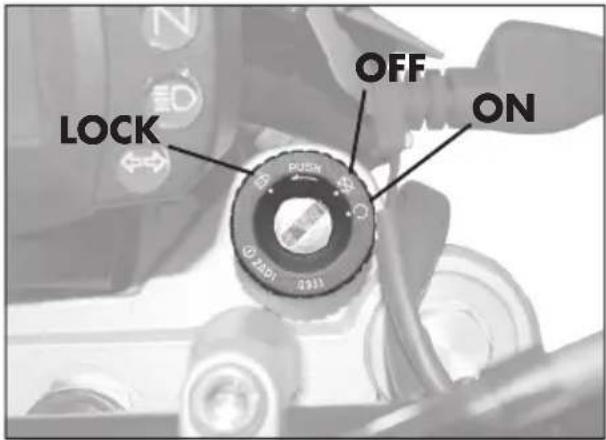
text_image
LOCK OFF ON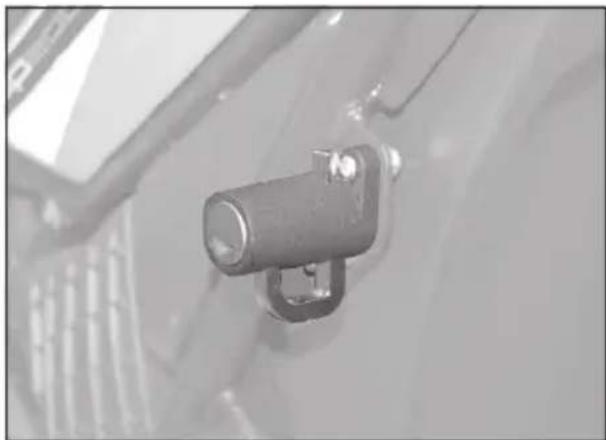
natural_image
Close-up of a mechanical component with a metallic ring and attached bracket (no visible text or symbols)TABLERO Y MANDOS

text_image
Labeled mechanical component diagram showing numbered parts for assembly or maintenance reference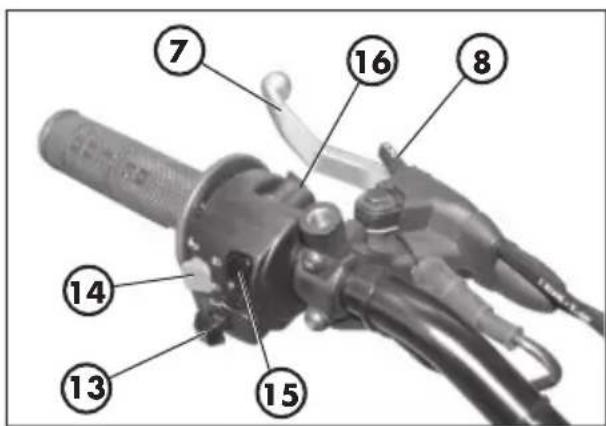
text_image
Labeled diagram of a mechanical device with numbered parts for identification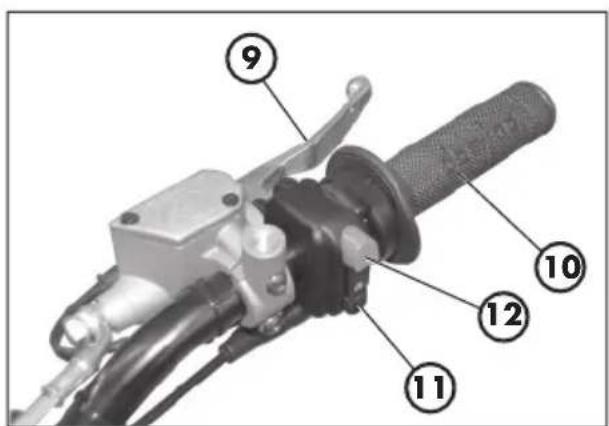
text_image
Labeled mechanical component diagram showing numbered parts for assembly or maintenance reference1-LCD
2 - Pulsador MODE
8 SLEEP-MODE Y WAKE-UP
text_image
① ⑧ ⑩ ⑪ ⑫ ⑭ ⑦ ⑬ ③ ④ ⑤ ⑥ ⑨ 88:88 88:88 TOTAL TD LAP MAX mph km/h 888 888.8.8" MHC 88:88 H N TOTAL TD LAP MAX mph km/h H Ltext_image
MAS 11:10 AN MAS 07:44 PNFig. 14
text_image
12345" 888'8.8" TOTAL TD LAP MAX H L MAE- 88:88 mph km/h 10 11 12 888Fig. 18
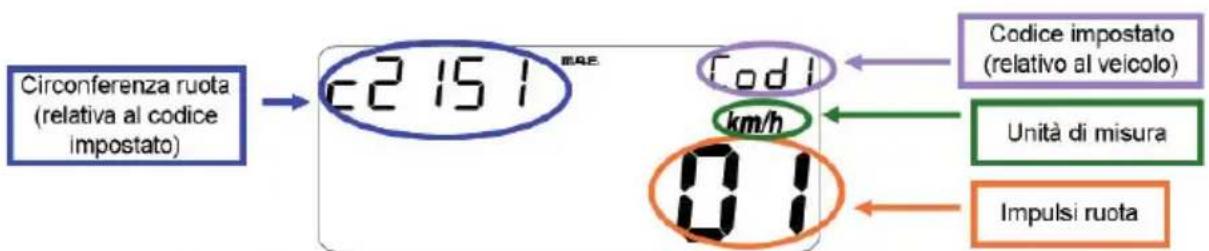
8. SLEEP-MODE Y WAKE-UP
text_image
A D 36.45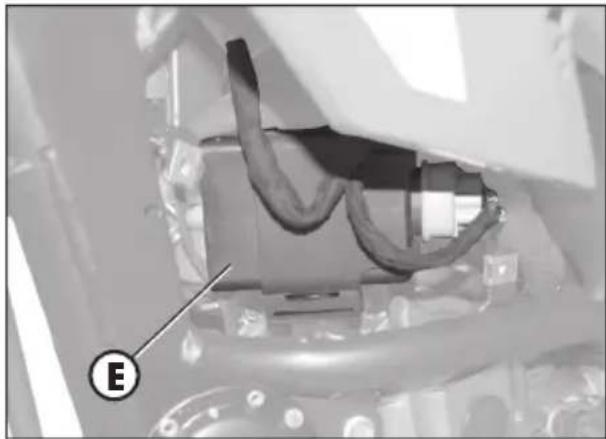
natural_image
Close-up of a mechanical component with visible wiring and a labeled section (E), no readable text or symbols present.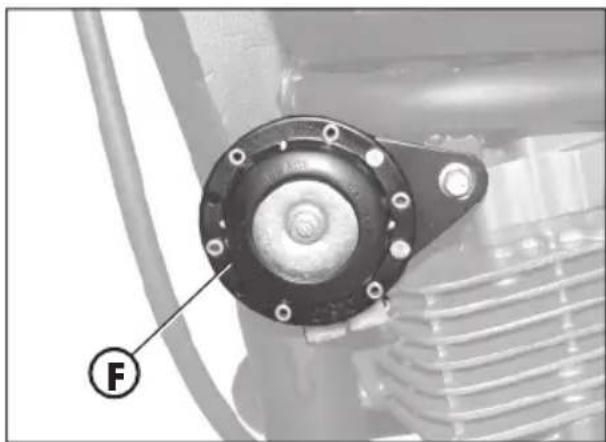
natural_image
Close-up of a mechanical component with a circular housing and threaded shaft, labeled with a circled number F (no text or symbols on the main subject)INTERMITENCIA
natural_image
Close-up of a mechanical component with a labeled connector (G), no visible text or symbols beyond the label.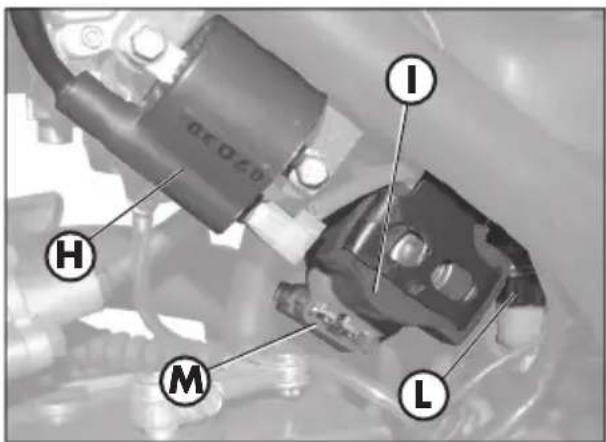
text_image
I H M L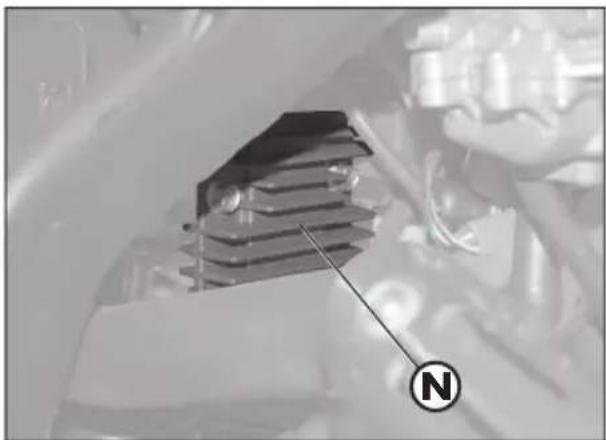
natural_image
Close-up of a mechanical component with a compass needle pointing to it, no visible text or symbols1
VÁLVULA AIS
natural_image
Close-up of mechanical components with a labeled section A (no readable text or symbols)INDICE ARGUMENTOS
natural_image
Mechanical component diagram showing a lever and labeled section (C), no readable text or symbols beyond the labelSTARTER
natural_image
Mechanical component with labeled part D, showing hoses and connectors (no readable text or symbols)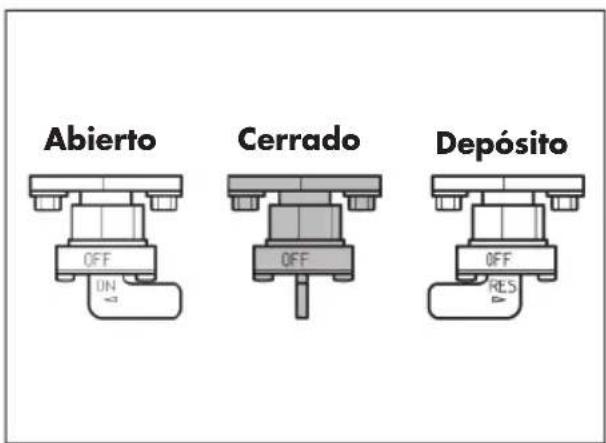
natural_image
Close-up of a gloved hand adjusting a mechanical component with a labeled section A (no text or symbols on the object itself)ABASTECIMIENTO DEL COMBUSTIBILE
natural_image
Mechanical assembly diagram showing a component labeled 'D' with a circular marker (no readable text or symbols beyond label)natural_image
Close-up of a car engine bay with Beta branding and a labeled component (A), no readable text or symbols beyond the logo.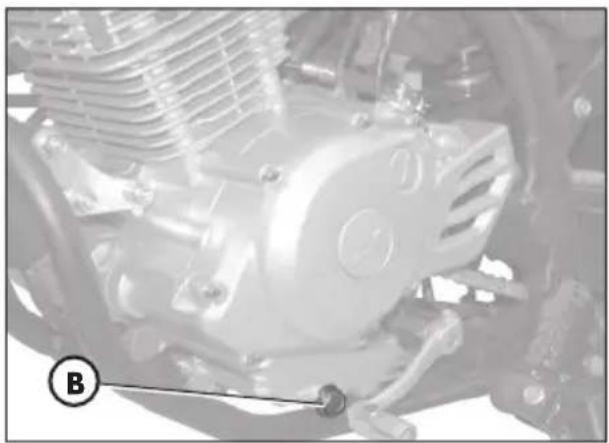
natural_image
Close-up of a mechanical engine component with visible gears and springs (no text or symbols)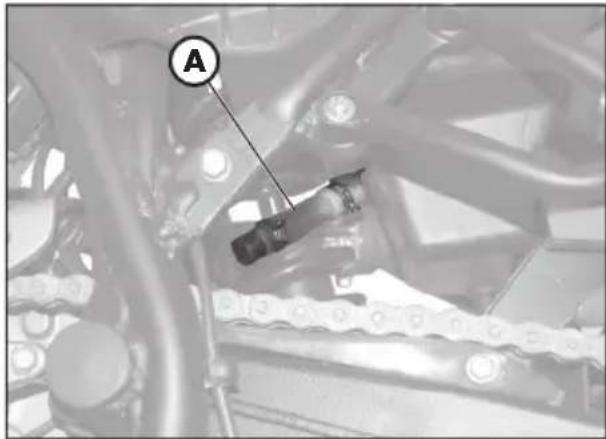
natural_image
Mechanical assembly diagram showing a chain link and labeled component A (no readable text or symbols)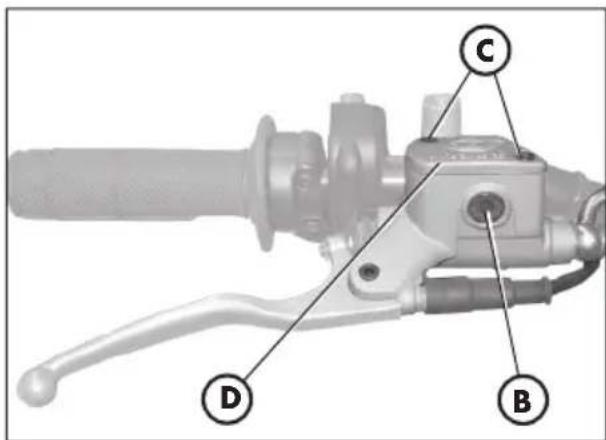
text_image
Technical diagram of a mechanical lever with labeled parts D, B, and C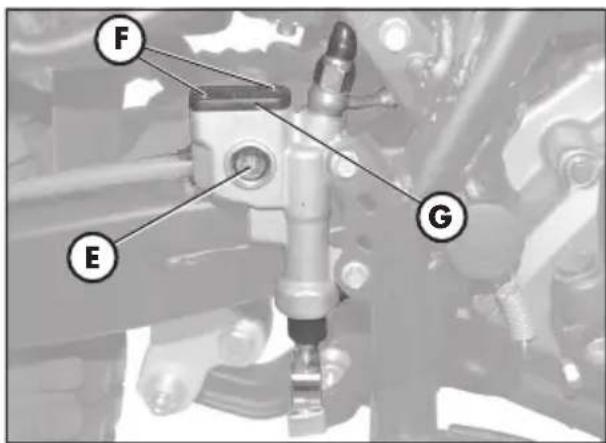
text_image
F E Gtext_image
Technical diagram of a mechanical assembly with labeled parts A and B, likely for automotive or industrial control.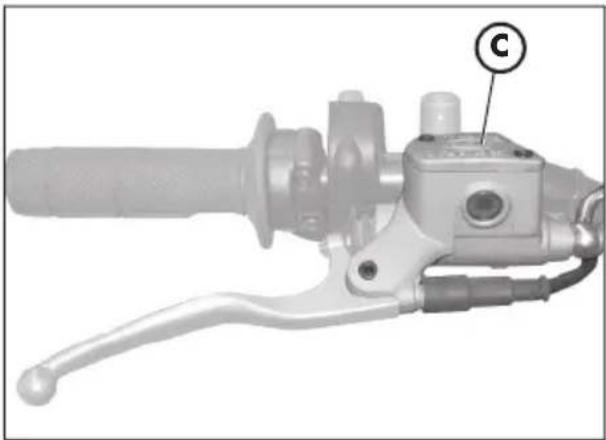
natural_image
Mechanical component with handle and lever mechanism, labeled 'C' (no text or symbols beyond label)Espurgo freno trasero
natural_image
Mechanical assembly diagram showing a mechanical component with labeled section E (no readable text or symbols beyond label)ACEITE HORQUILLA
Barra derecha
natural_image
Mechanical assembly diagram showing a rotating gear and shaft mechanism (no text or symbols)natural_image
Close-up of a hand holding a black plastic component, with an arrow pointing to it (no visible text or symbols)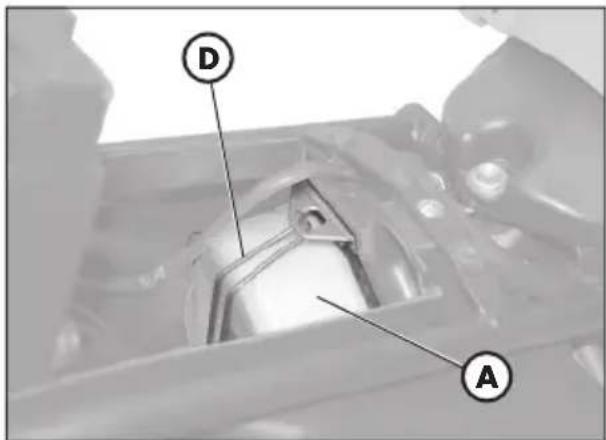
text_image
D A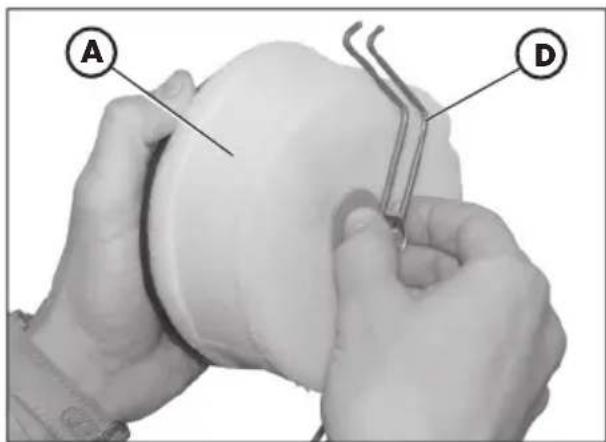
text_image
A DFILTRO AIRE
text_image
9.8×0.7 mmNota:
natural_image
Exterior view of a black automotive battery with visible model number 200 and branding (no text or symbols on body)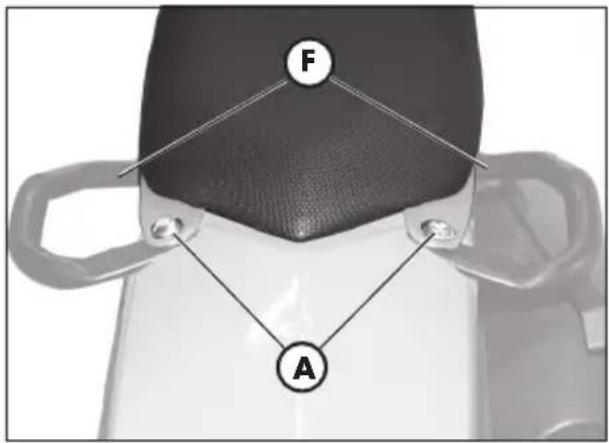
text_image
F A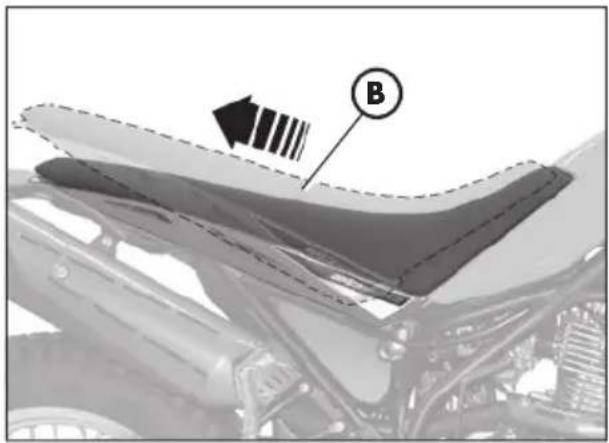
natural_image
Close-up of a car's roof structure with a labeled component (B) and an arrow pointing to it, no readable text or symbols present.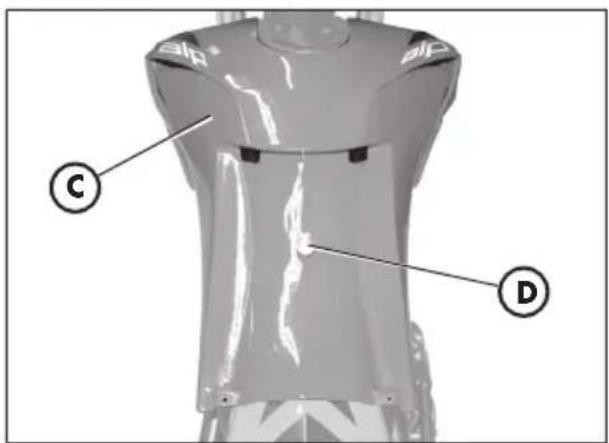
text_image
C D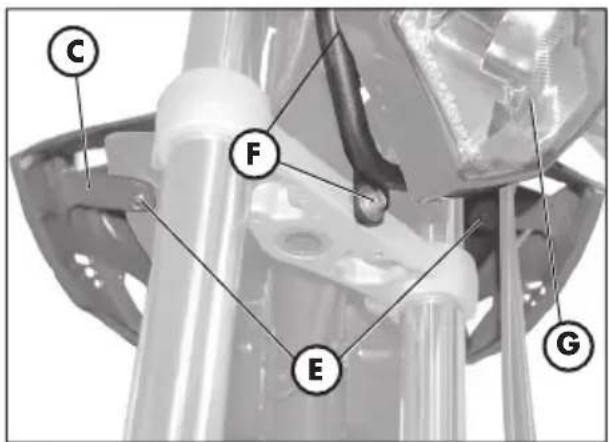
text_image
C F E GDESMONTAJE DE LA CARROCERÍA
natural_image
Mechanical component diagram showing a cam or conveyor system with a labeled arrow and circular symbol (no text or symbols present)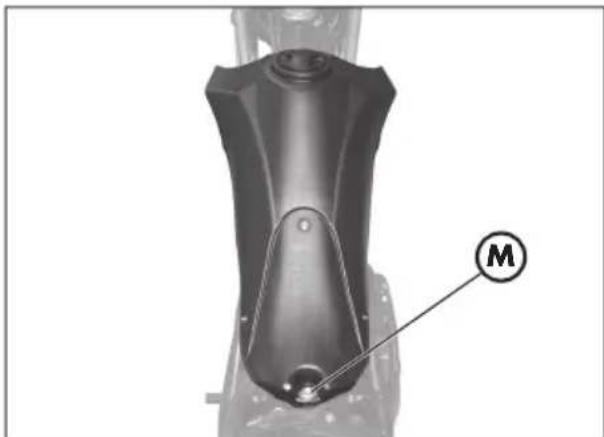
natural_image
Mechanical component with labeled part M, no visible text or symbols beyond the label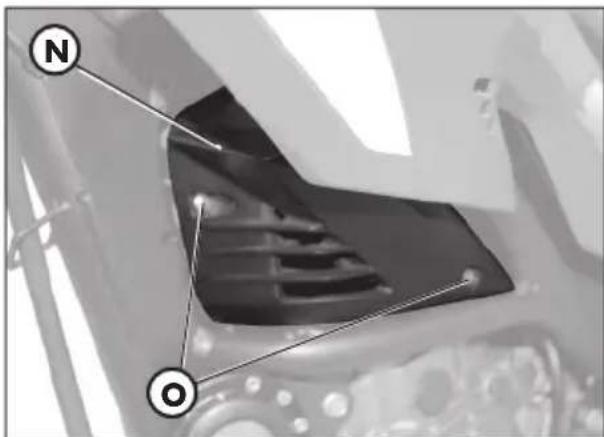
text_image
N O3
natural_image
Mechanical assembly diagram showing a wheel with a labeled component (C), no readable text or symbols present.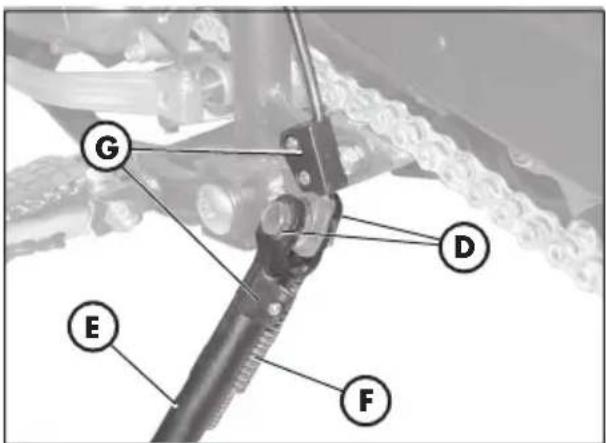
text_image
G D E F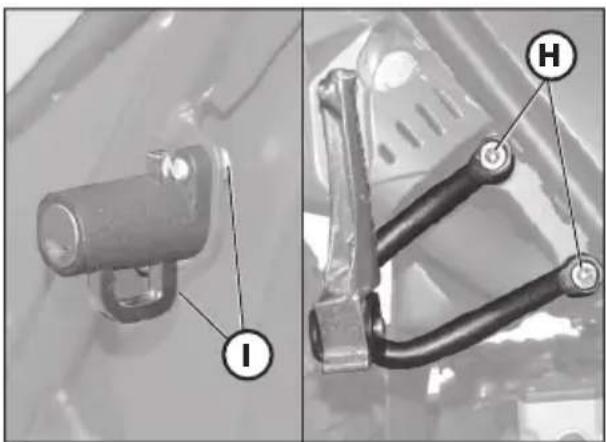
natural_image
Two mechanical components with labeled parts (I and H), no visible text or symbols beyond labels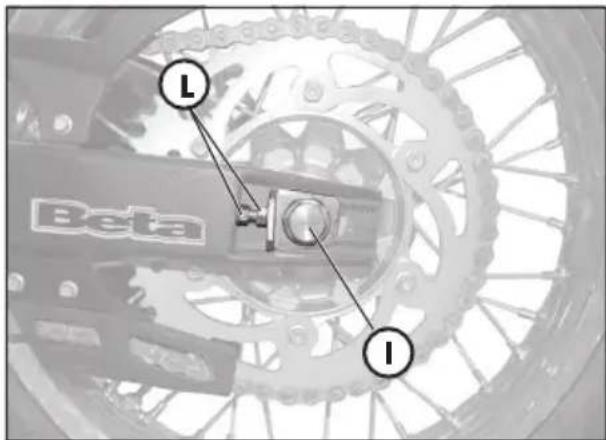
text_image
Beta L I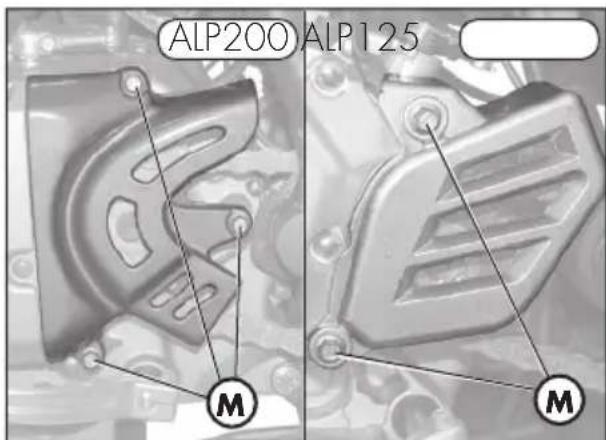
text_image
ALP200 ALP125 M M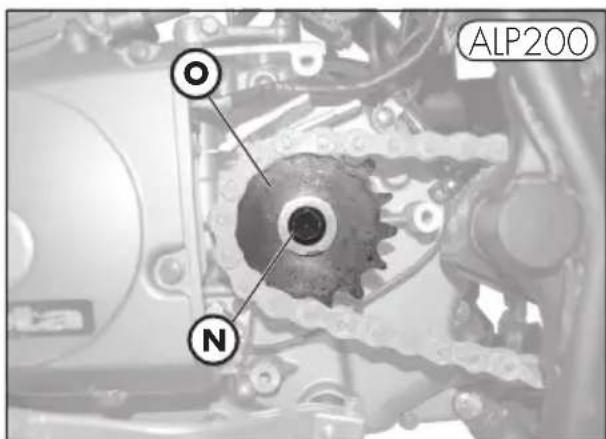
text_image
OL ALP200 N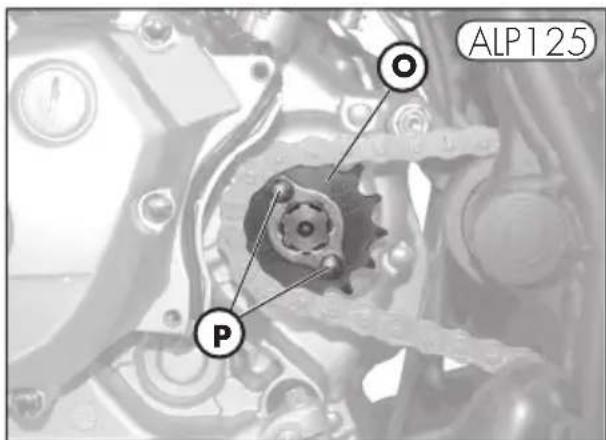
text_image
ALP125 Pnatural_image
Mechanical tool with handle and lever assembly (no visible text or symbols)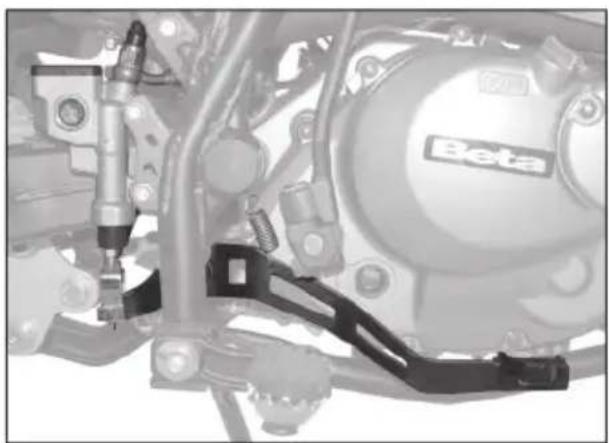
natural_image
Mechanical assembly diagram showing components like a Beta motor and suspension bracket (no readable text or symbols)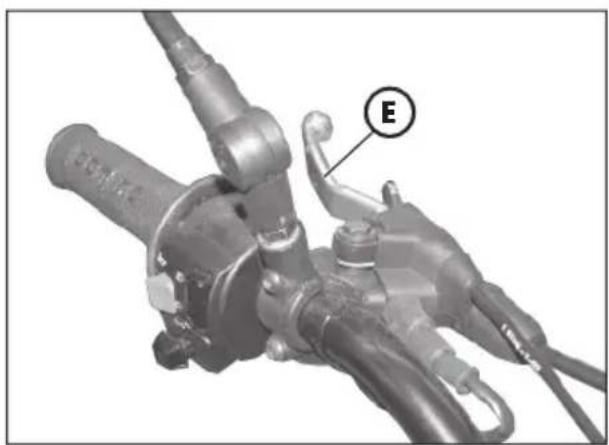
natural_image
Mechanical component with labeled section E, showing hoses and connectors (no readable text or symbols beyond label)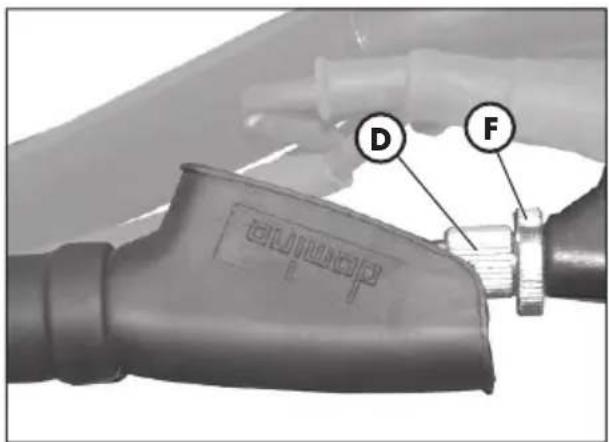
text_image
D FREGULACIÓN FRENOS
Freno delantero
text_image
ALP200 A D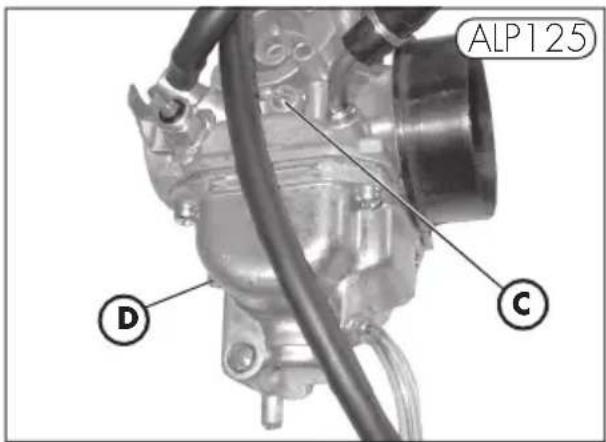
text_image
ALP125 D C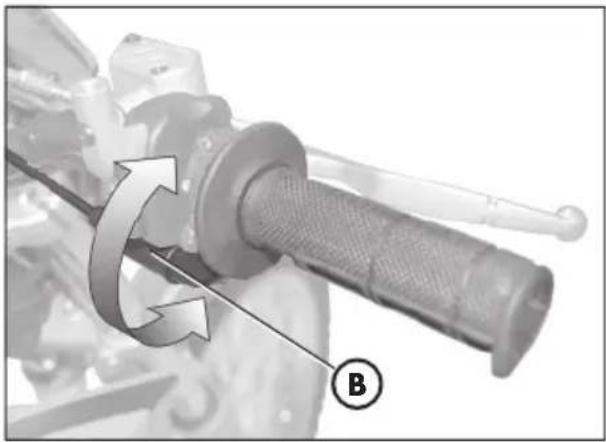
natural_image
Mechanical component with rotational arrow and labeled point B (no text or symbols beyond label)4
natural_image
Mechanical bicycle wheel assembly with visible tire, suspension rod, and directional arrows indicating motion (no text or symbols)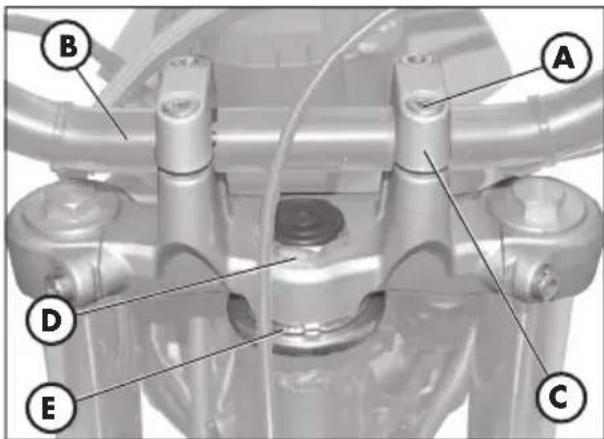
text_image
B A D E Ctext_image
EC800 A A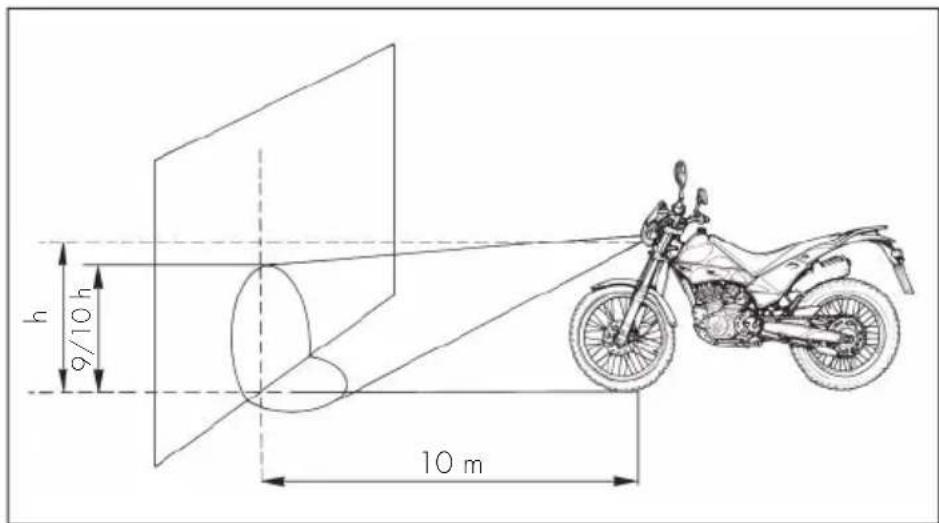
text_image
h 9/10 h 10 mnatural_image
Close-up of a mechanical component with labeled point B, no visible text or symbols beyond the label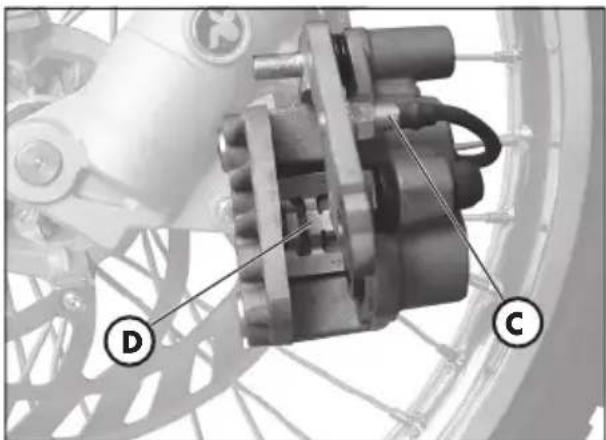
natural_image
Mechanical assembly diagram showing a motor and gear components (no text or symbols visible)natural_image
Mechanical assembly diagram showing a motor and linkage component (no text or symbols visible)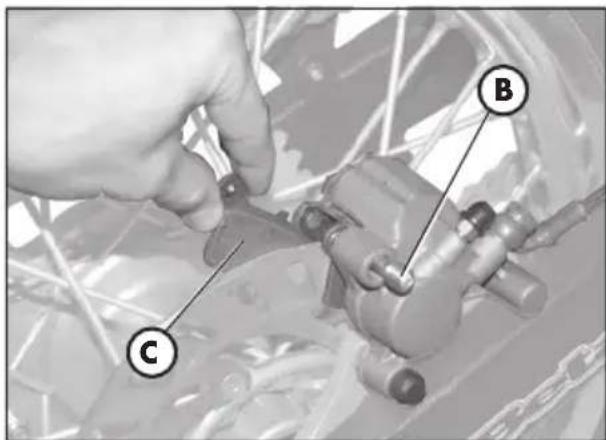
text_image
Technical diagram showing a hand adjusting a mechanical component with labeled parts C and Bnatural_image
Front view of a motorcycle's headlight with labeled points A (no text or symbols beyond labels)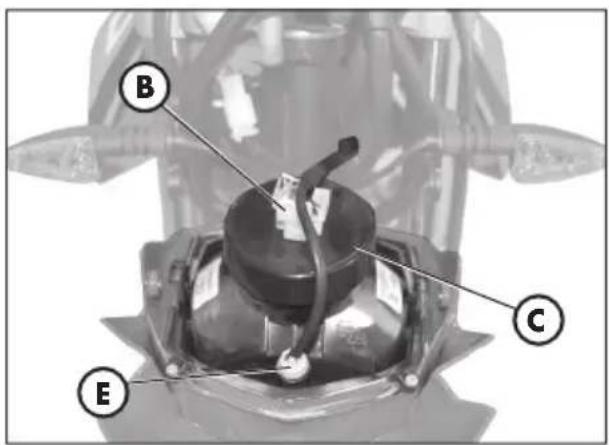
text_image
B C E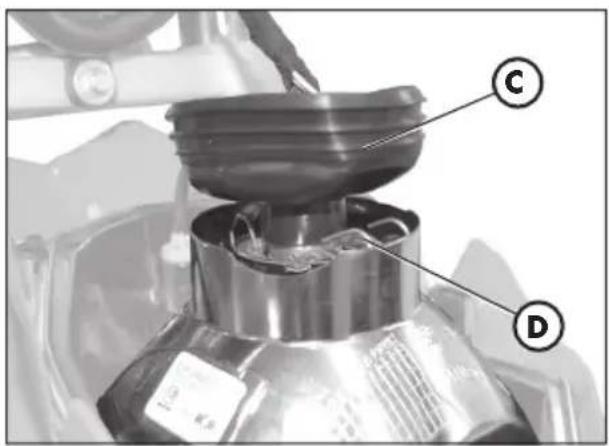
text_image
C D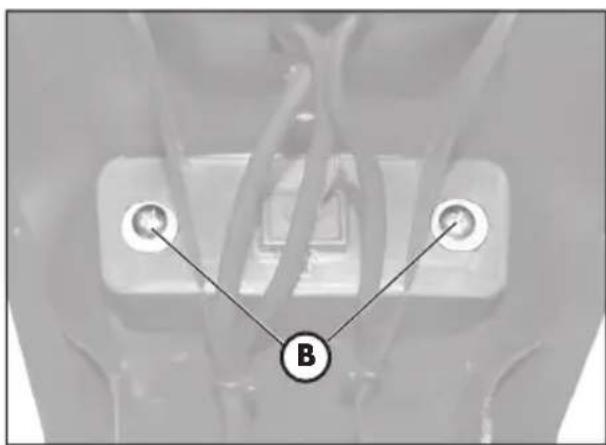
text_image
B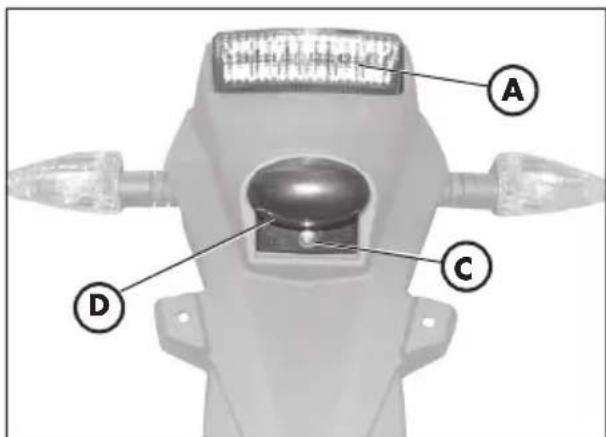
text_image
A C Dnatural_image
Close-up of a mechanical component with a labeled tool (A) pointing to a small component, no visible text or symbols beyond the label.