
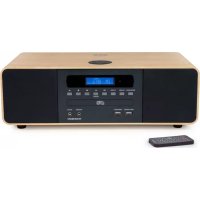
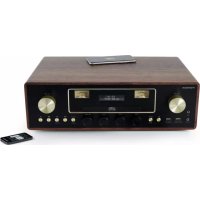
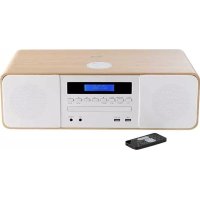
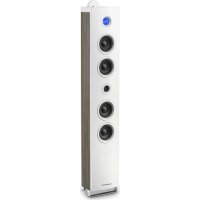
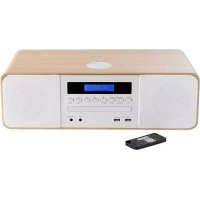
MIC122DABBT - Hi-Fi System THOMSON - Free user manual and instructions
Find the device manual for free MIC122DABBT THOMSON in PDF.
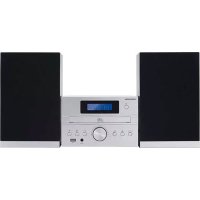



| Product type | Hi-Fi System |
| Power supply | 230 V, 50 Hz |
| Max. power consumption | 30 W |
| Total audio output power | 10 W x 2 |
| Speaker impedance | 6 ohms |
| Signal-to-noise ratio (A) | 86 dB |
| Total harmonic distortion (1 kHz, 1 W) | 0.5% |
| Frequency response | 20 Hz - 20 kHz |
| Main functions | DAB/FM radio, CD player, USB port, Bluetooth, Line-in input |
| Supported audio sources | CD, USB, Bluetooth, DAB, FM, Line-in |
| Wireless connectivity | Bluetooth, band 2402-2480 MHz |
| DAB radio | Frequencies 174.928 - 239.200 MHz |
| FM radio | Frequencies 87.5 - 108.00 MHz |
| CD playback | Audio CD and MP3 |
| USB playback | MP3 audio files |
| Bluetooth | Version not specified, typical range 10 m |
| Auxiliary input | Line-in 3.5 mm |
| Remote control | Included, operates with 2 AAA batteries |
| Alarm and timer | Programmable alarm, sleep timer (15/30/45/60/90 min) |
| Maintenance | Unplug before cleaning, use a soft dry cloth |
| Safety | Do not expose to water, do not open the casing |
| Repairability | Refer to a qualified repair technician |
Frequently Asked Questions - MIC122DABBT THOMSON
User questions about MIC122DABBT THOMSON
0 question about this device. Answer the ones you know or ask your own.
Ask a new question about this device
Download the instructions for your Hi-Fi System in PDF format for free! Find your manual MIC122DABBT - THOMSON and take your electronic device back in hand. On this page are published all the documents necessary for the use of your device. MIC122DABBT by THOMSON.
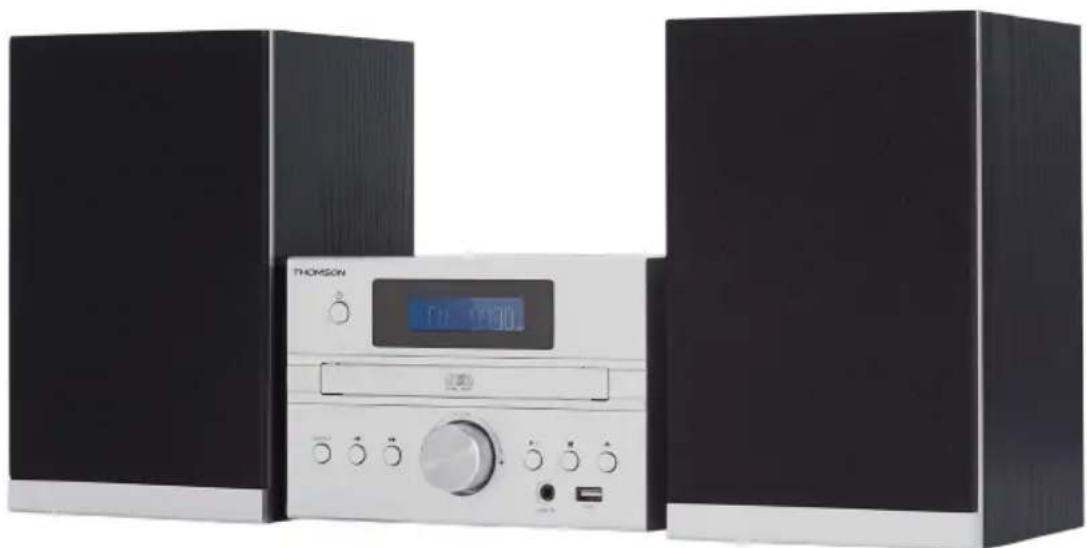
USER MANUAL MIC122DABBT THOMSON
CD STEREO SYSTEM WITH BLUETOOTH AND DAB
MODEL NO. MIC120DABBT
MIC122DABBT
MIC125DABBT
USER MANUAL
READ THIS USER MANUAL COMPLETELY BEFORE USING THIS DEVICE AND KEEP THIS BOOKLET FOR FUTURE REFERENCE
Technical specifications:
Preset Recall 90.50MHz St P1 (1:90.50MHz [No RadioText]
EN: https://www/bigben-interactive.co.uk/support/
IT: https://www.bigbeninteractive.it/supporto-technico/
OTHER LANGUAGES: https://www.bigbeninteractive.com/support/
OPERATING THIS UNIT AND RETAIN FOR
FUTURE REFERENCE
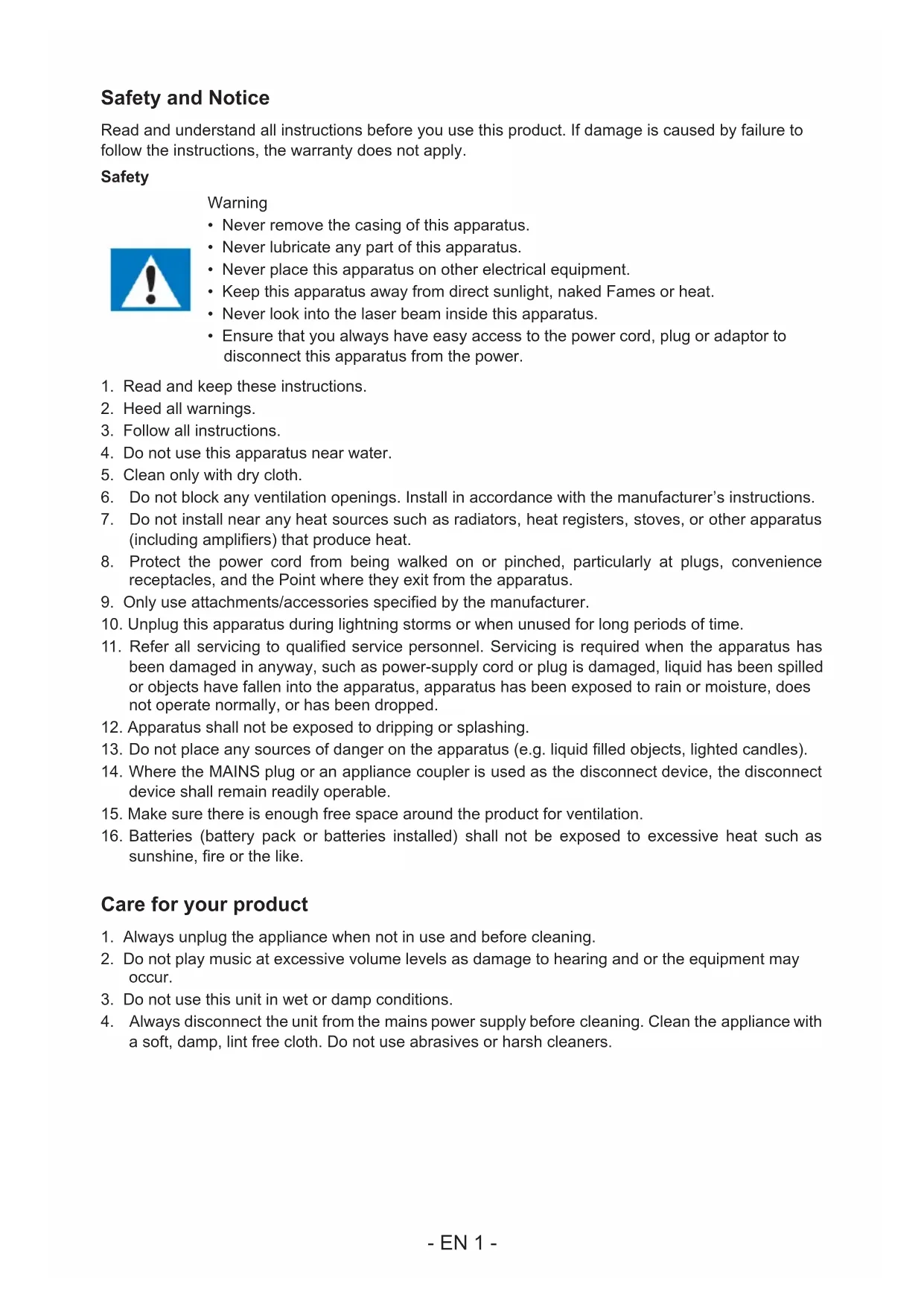
Safety and Notice
Read and understand all instructions before you use this product. If damage is caused by failure to follow the instructions, the warranty does not apply.
Safety
Warning
- Never remove the casing of this apparatus.
- Never lubricate any part of this apparatus.
- Never place this apparatus on other electrical equipment.
- Keep this apparatus away from direct sunlight, naked flames or heat.
- Never look into the laser beam inside this apparatus.
- Ensure that you always have easy access to the power cord, plug or adaptor to disconnect this apparatus from the power.

- Read and keep these instructions.
- Heed all warnings.
- Follow all instructions.
- Do not use this apparatus near water.
- Clean only with dry cloth.
- Do not block any ventilation openings. Install in accordance with the manufacturer's instructions.
- Do not install near any heat sources such as radiators, heat registers, stoves, or other apparatus (including amplifiers) that produce heat.
- Protect the power cord from being walked on or pinched, particularly at plugs, convenience receptacles, and the point where they exit from the apparatus.
- Only use attachments/accessories specified by the manufacturer.
- Unplug this apparatus during lightning storms or when unused for long periods of time.
- Refer all servicing to qualified service personnel. Servicing is required when the apparatus has been damaged in any way, such as power-supply cord or plug is damaged, liquid has been spilled or objects have fallen into the apparatus, the apparatus has been exposed to rain or moisture, does not operate normally, or has been dropped.
- The apparatus shall not be exposed to dripping or splashing.
- Do not place any sources of danger on the apparatus (e.g., liquid-filled objects, lighted candles).
- Where the MAINS plug or an appliance coupler is used as the disconnect device, the disconnect device shall remain readily operable.
- Make sure there is enough free space around the product for ventilation.
- Batteries (battery pack or batteries installed) shall not be exposed to excessive heat such as sunshine, fire or the like.
Care for your product
- Always unplug the appliance when not in use and before cleaning.
- Do not play music at excessive volume levels as damage to hearing and/or the equipment may occur.
- Do not use this unit in wet or damp conditions.
- Always disconnect the unit from the mains power supply before cleaning. Clean the appliance with a soft, damp, lint-free cloth. Do not use abrasives or harsh cleaners.
Care of the environment

Your product contains batteries covered by the European Directive 2006/66/EC,
When this crossed-out wheeled bin symbol is attached to a product it means that the product is covered by the European Directive 2002/96/EC. Please inform yourself about the local separate collection system for electrical and electronic products.
Please act according to your local rules and do not dispose of your old products with your normal household waste. Correct disposal of your old product helps to prevent potential negative consequences for the environment and human health.
Compliance

This product complies with the radio interference requirements of the Europe Community.
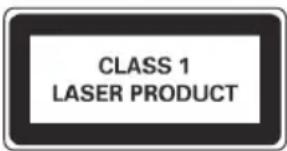
This apparatus includes this label.
Technical specifications:
Power supply: 230V~50Hz Max consumption: 30W - Input sensitivity: LINE IN 700MV - Speaker impedance: 6 ohms S/N (A): 86db - THD(1kHz,1W): 0.5% Frequency response:20Hz-20KHz - Bluetooth frequency band: 2402-2480MHz FM frequency: 87.5-108.00MHz DAB frequency: 174.928MHz-239.200MHz Total music output: 10W X2
What's in the box
Check and identify the contents of your package:
1 Main unit 1 Remote control 1 User manual 1 Indoor antenna 1 Line in cable 1 AC power cable
Getting Started
- Remove the appliance from the box.
- Remove any packaging from the product.
- Place the packaging inside the box and either or dispose of safe.
Description of Parts
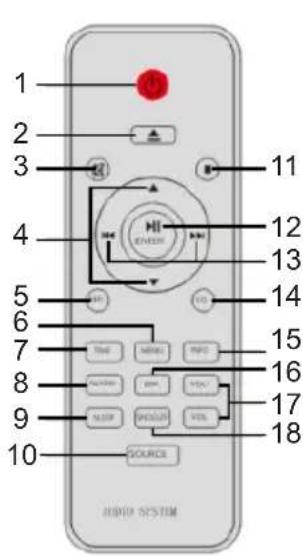
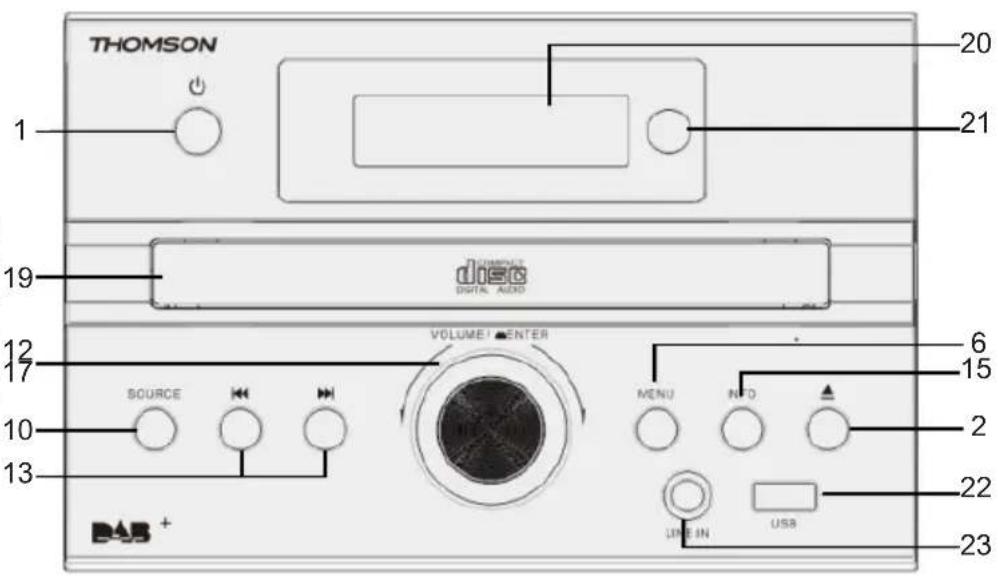
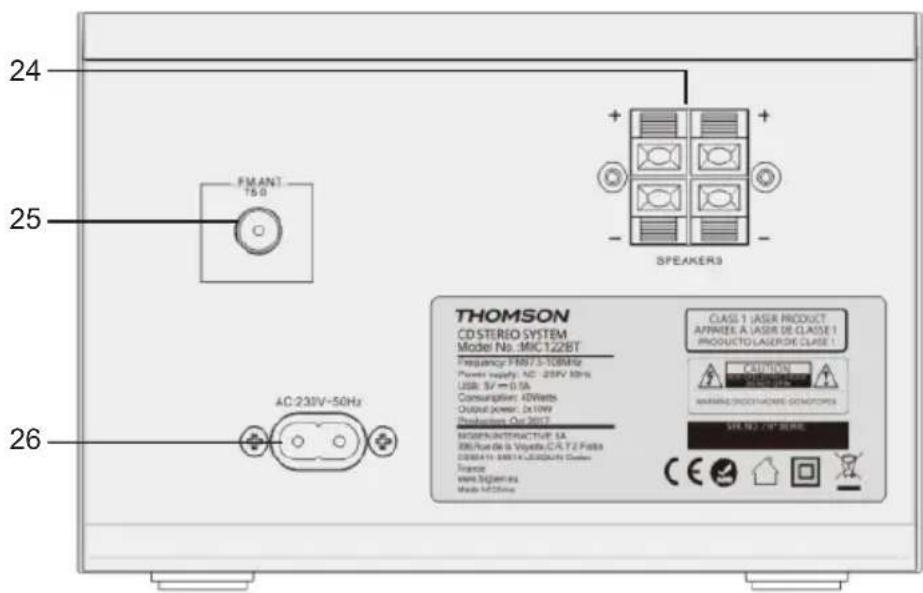
1) Standby/Power on switch
Press to switch the unit from on to standby mode or vice versa. In standby mode, the unit still consumes a small amount of power.
2) Open or close the disc tray 3) Mute the sound
To cancel, press the button again.
7) Select the time setup 8) Select the alarm setup 9) Select the sleep timer setup 10) Select the audio source: DAB-FM-CD-USB-BT-LINE 11) Stop the play 12) Play or pause plays the disc Select or confirm the option. 13) Skip to the next track or previous track. Tune to a radio station.
Press and hold the key to search within a track / USB.
- Risk of product damage! Make sure that the power voltage corresponds to the voltage printed on the back label.
- Risk of electric shock! When you unplug the AC power cord, always pull the plug from the socket. Never pull the cord.
- Before connecting the AC power cord, ensure you have completed all other connections.
Place the unit in the desired position and unravel the mains cable. Insert the cable into the supply socket and switch on if applicable.
Auto standby
When playing media from a connected device, the Tower automatically switches to standby if:
- No button is pressed for 10 minutes,
- No audio from a connected device for 10 minutes.
Connecting up
- Connect the FM/DAB indoor antenna.
- Place the antenna where reception is best.
- Connect the AC mains lead only after all the other connections have been made.
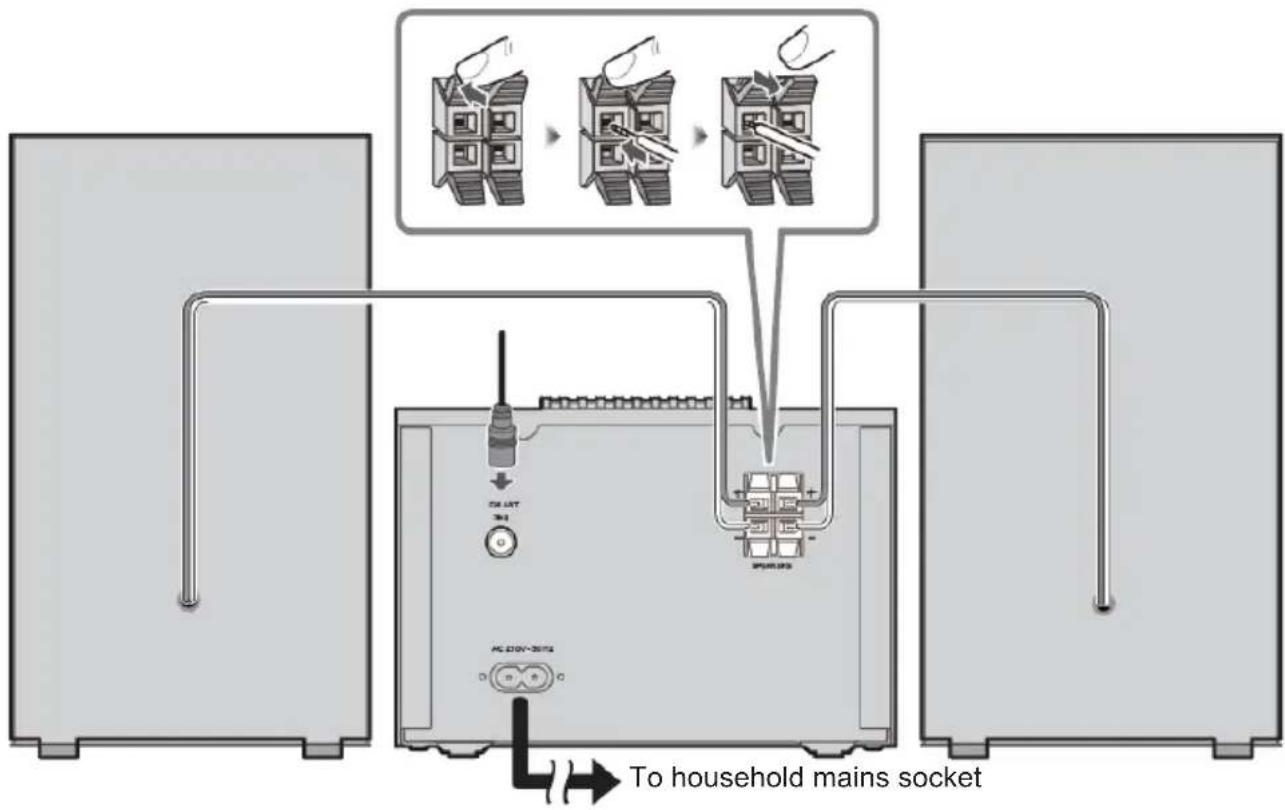
Preparing the remote control
Requires 2 AAA batteries
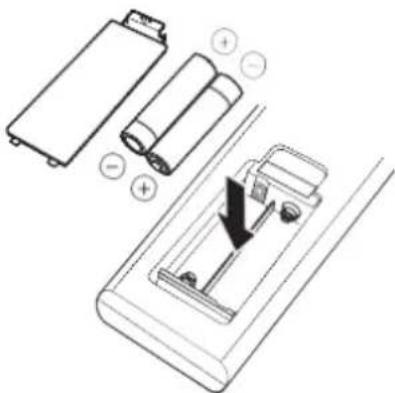
Use alkaline or manganese battery.
Install the battery so that the poles (+ and -) align with those in the remote control.
Close the battery compartment.
Note: dispose of properly. Batteries contain chemical substances, so they last a long time. Remove the battery if you are not going to use the remote control for a long time.
WARNING: Danger of explosion if the batteries are not inserted correctly.
Clock and timers
Setting the clock
After the unit is plugged into a mains supply or following a mains power failure, the display will show "0:00" on the LCD display. The unit should be in standby mode to set the current clock.
- Press the [TIME] button. The digits for the display will blink.
- Press the ▲/▼ button repeatedly until the correct hour is set. Press [ENTER] to confirm the hour setting.
- The minute digits on the display will blink.
- Press the ▲/▼ button repeatedly until the correct minute is set. Press [ENTER] to confirm the minute setting.
Setting the alarm
This unit can be used as an alarm clock. The Bluetooth device, USB and FM are activated to play at a preset time.
- Press switch the unit to standby mode.
- Make sure that you have set the clock correctly.
- Press the [ALARM] button in shutdown mode. The display will flash ON to select alarm setting, and the display will blink.
- Press [ENTER] to confirm. The time display will blink.
- Press the ▲ button repeatedly to set the hour. Press [ENTER] to confirm.
- Press ▲ to set the minutes.
- Press [ENTER] to confirm, and then press ▲/▼ to select CD/DAB/FM/USB status. Press [ENTER] to confirm.
- The volume turns up from 0 to 20 gradually.
- Press the [ALARM] button in shutdown mode. The display will flash ON to select the alarm setting, and the display will blink.
- Press ◀ to select OFF to cancel the alarm.
Snooze
- Press to set the alarm; it re-sounds after 9 minutes.
Sleep timer
- Press the [SLEEP] button. The display will blink. Press the button until the display shows the minute you want to set. You can set 90/60/45/30/15 minutes.
- It blinks three times to confirm, and then returns to the previous interface. If you want to cancel the sleep mode, press OFF. After blinking three times, sleep mode will cancel.
Playing the media
Disc
Play a disc
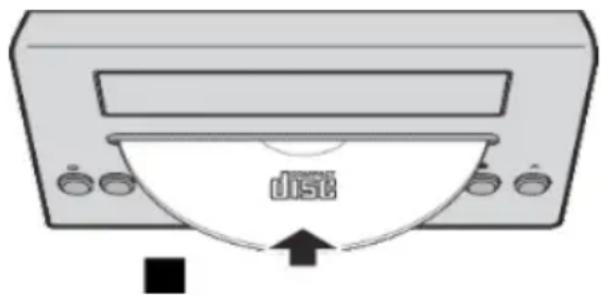
- Press [SOURCE] repeatedly to select DISC source.
- Insert a disc with the printed side facing upward.
- Play starts automatically, if not, press
- Press the [VOL+/VOL-] to adjust the volume.
Pause / resume play
- During play, press pause/resume play. During play, long press the button to fast forward/rewind.
Skip to a track
For CD:
- Press I to play another track.
- Press the [VOL + / VOL - ] to adjust the volume.
For MP3 disc:
- Press △ to select an album or a folder.
- Press I to select a track or a file.
- Press the [VOL+/VOL-] to adjust the volume.
USB
Reduce the volume and connect the USB device to the USB port.
Hold the main unit when connecting or disconnecting the USB device.
- Press [SOURCE] repeatedly to select "USB". The USB will play automatically.
- Press the to select the folder. Press the / to select a track.
- Press the [VOL + / VOL - ] to adjust the volume.
Bluetooth®
You can connect and play an audio device wirelessly through Bluetooth®
Preparation
- Switch on the Bluetooth feature of the device and put the device near the system.
- Read the device's operating instructions for details.
- Press [SOURCE] repeatedly to select the Bluetooth mode; "PAIRING" blinks.
- Select "MIC120DABBT/MIC122DABBT/MIC125DABBT" from the Bluetooth menu of the device. If prompted for a passkey, input "0000".
The device connects with this system automatically after pairing is complete.
The name of the connected device is shown for a few seconds.
- If this system is connected to a Bluetooth device, press and hold ▶ to disconnect it, until [NO BT] is shown.
- Start playback on the device.
- Press to skip tracks.
- Press [VOL+/VOL-] or rotate the VOLUME knob to adjust the volume.
Audio in
You can play music from an external audio device such as an MP3 player through this unit.
Line in Jack (Requires a 3.5mm cable)
- Connect a 3.5mm cable to the Line in jack on the top panel. Connect the other end of the 3.5mm cable to an MP3 player or other audio device.
- Press the [SOURCE] button repeatedly to select Line In mode.
- Use the controls on the connected device to begin playing audio.
DAB radio
Carefully extend the telescopic aerial
Auto scan
- Press [SOURCE] to select "DAB MODE".
If this is the first time the unit has gone into DAB Mode, it will automatically start an 'Auto Scan' to search for available stations. (Once DAB mode has been used before, the MIC120DABBT/MIC122DABBT/MIC125DABBT will automatically select the previously played station)
- Press the [ENTER] key. It will automatically start auto scan to search for available stations. During the scanning process, the lower line of the display shows a bar-graph indicating the progress of the scan.

Manual scan
- Press [SOURCE] on the main unit to select "DAB MODE".
- Press or to select "Manual tune". Press the [ENTER] key to access the DAB frequency selection.
- Press to the desired channel. The graph will indicate the signal strength.
- Press [MENU] or exit scan.
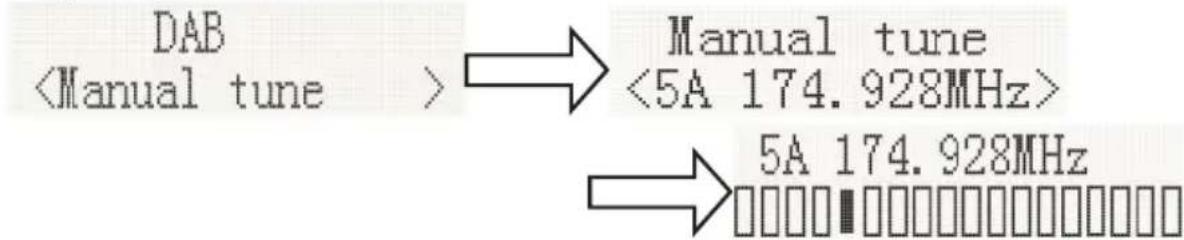
- If no stations are found, please ensure the aerial is extended and test the reception by doing another auto scan in a different location.
DRC (Dynamic range control)
Dynamic Range Control (also known as DRC) is a technology used to help make quieter sounds easier to hear in a noisy environment.
- Under DAB mode, press or to select "DRC". Press the [ENTER] key and **" will be displayed on the top right.
- Press MENU to confirm the setting. The display will return to normal.
DRC OFF - DRC is switched off, Broadcast DRC will be ignored.
DRC LOW - DRC level is set to 1/2 that sent by broadcaster.
DRC HIGH - DRC level is used as sent by broadcaster.
Prune (To remove stations which are listed but unavailable)
Under DAB mode, press to show the submenu "Prune". Press the [ENTER] button to access the Prune option.

System (DAB)
Under DAB mode, press to show the "SYSTEM" submenu. Press the ENTER button to enter the system setting.
1. Language
Press [ENTER] to set the language. The source language is English and the selected language will have "*" displayed on the top right.
It's available in a choice of "Deutsch", "Italiano", "Français".

2. Factory Reset
Press [ENTER] for factory reset. If you wish to perform the reset operation, push or until "YES" is highlighted on the display and press [ENTER]. A full reset of your radio will be performed. All presets and station lists will be erased.

3. SW Version
Press [ENTER] to view the DAB software version. Press [Menu] oThe display will return to normal.

*If no buttons are pressed after 30 seconds, the display will return to normal.
Preset
1. Preset recall
Under DAB mode, press to select "Preset recall", then press [ENTER] to tune to the station stored in the preset memory.

Note: If you have not previously stored a preset station and the preset button is pressed, "Empty preset" will be displayed.
2. Preset Store
You may store your preferred DAB stations to the pre-set station memories. There are 20 memory presets in your radio. Presets are remembered by your radio in the event of a power failure.
The procedure for setting presets and using them to tune stations is the same for DAB modes: Under the DAB mode, select the desired wave band. Press . You can view the stored stations. Press to take the required station as previously described, and then press [ENTER] for the desired pre-set number to which you wish to store the station. Press [ENTER] to confirm.

FM Radio
Carefully extend the telescopic aerial fully
Auto scan
- Press [SOURCE] to select "FM Mode"
- Long press the ▸ key. Your radio will scan and stop automatically when it finds a station of sufficient strength.
- After a few seconds the display will update. The display will show the station frequency. If the signal is strong enough and the station has RDS data present, then the radio will display the station name.
- To find other stations, press and hold the button as before.
- To scan the FM band in the opposite direction (high frequency to low frequency), press the button and hold for 2 seconds.
- When the waveband end is reached, your radio will recommence tuning from the opposite waveband end.

Manual scan
- Press [SOURCE] on the main unit to select "FM Mode".
- Select FM mode as previously described if required.
- Press or to tune to a station. With each press, the frequency will go up or down by 50 kHz.
- When the waveband end is reached, the radio will recommence tuning from the opposite waveband end. If no stations are found, please ensure the aerial is extended and test the reception by doing another auto scan in a different location.
Menu
1. Scan setting
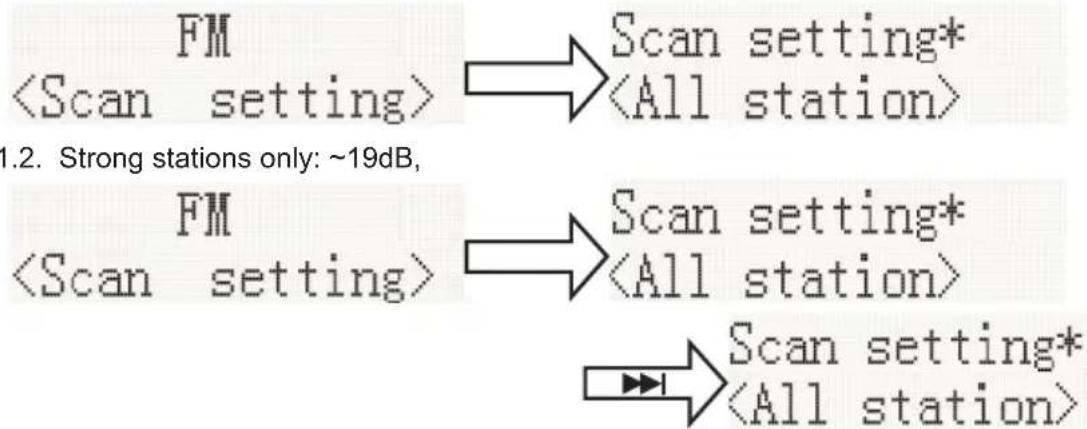
Under FM mode, press [MENU] to enter the FM menu setting, then press the down arrow to select [Scan setting], then press [ENTER] for the sensitivity setting:
1.1. All stations: ~15dB
2. Audio setting
2.1. Stereo allowed

2.2. Forced mono
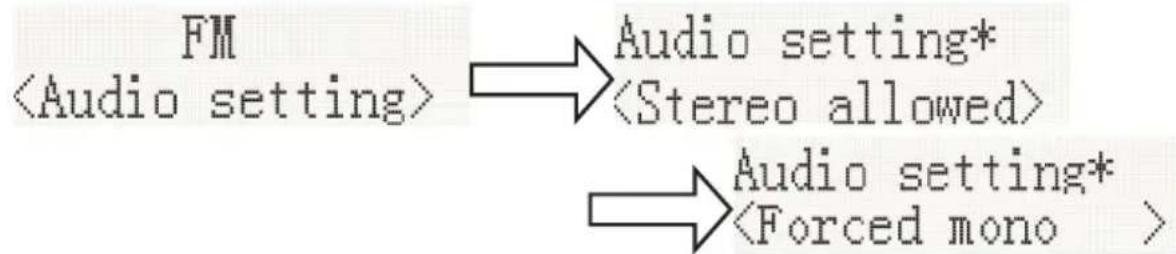
2.3. System (FM system) same DAB system setting
3. PRESET:
3.1. Preset Recall (choose the station):
Press [ENTER] to tune to the station stored in the preset memory.

3.2. Preset Recall (choose the station):
You may store your preferred FM stations to the pre-set station memories. There are 20 memory presets in your radio. Presets are remembered by your radio in the event of a power failure.
The procedure for setting presets and using them to tune stations is the same for DAB modes:
Under the FM mode, select the desired wave band. Press /▲ to view the stored stations, press to the required station as previously described, and then press [ENTER] for the desired pre-set number to which you wish to store the station. Press [ENTER] to confirm.

Remarks:

Don't discard the electrical and electronic appliances in the regular waste disposal.
- Take them to a collection point.
- Some components in these appliances may be hazardous to health and the environment.
In order to save energy when the unit has no sound output for a while, the unit will be switched to stand-by automatically. It can be switched ON by using the POWER selector again.
If there is an incoming call while MIC120DABBT/MIC122DABBT/MIC125DABBT is connected to your cell phone for music playback, it will pause at once when you answer the call and resume after the call ended. (Sometimes it will pause after the call, it depend on your cell phone.)
The Bluetooth® word, mark and logo are registered trademarks owned by Bluetooth SIG, Inc. and any use of such marks by Bigben Interactive is under license. Other trademarks and trade names are those of their respective owners.
THOMSON is a trademark of TECHNICOLOR SA or its affiliates used under license to Bigben Interactive.
The undersigned, Bigben Interactive declares that the radio equipment of the MIC120DABBT/MIC122DABBT/MIC125DABBT type complies with the 2014/53/EU directive.
The complete text is available at www/bigben.fr/support
To download the full statement, please visit our website:
EN:https://www/bigben-interactive.co.uk/support/
IT : https://www.bigbeninteractive.it/supporto-technico/
OTHER LANGUAGES : https://www.bigbeninteractive.com/support/
Manufactured by BIGBEN INTERACTIVE SA
396, Rue de la Voyette
CRT2-FRETIN
CS 90414
59814 LESQUIN Cedex - France
www/bigben.eu
Made in China








Manufacturer: Bigben Interactive FRANCE
396, Rue de la Voyette, C.R.T. 2 Fretin, CS 90414 - 59814 LESQUIN Cedex, France
Preset Recall 90.50MHz St P1 (1:90.50MHz [No RadioText]
3.2. "Preset Recall" (selecting the station):
EN: https://www/bigben-interactive.co.uk/support/
DE: https://www.bigben-interactive.de/support/
ES: https://www.bigbeninteractive.es/asistencia-tecnica/
IT: https://www.bigbeninteractive.it/supporto-tecnico/
OTHER LANGUAGES: https://www.bigbeninteractive.com/support/
STEREO SYSTEM WITH DAB BT
MODEL MIC120DABBT
MIC122DABBT
MIC125DABBT
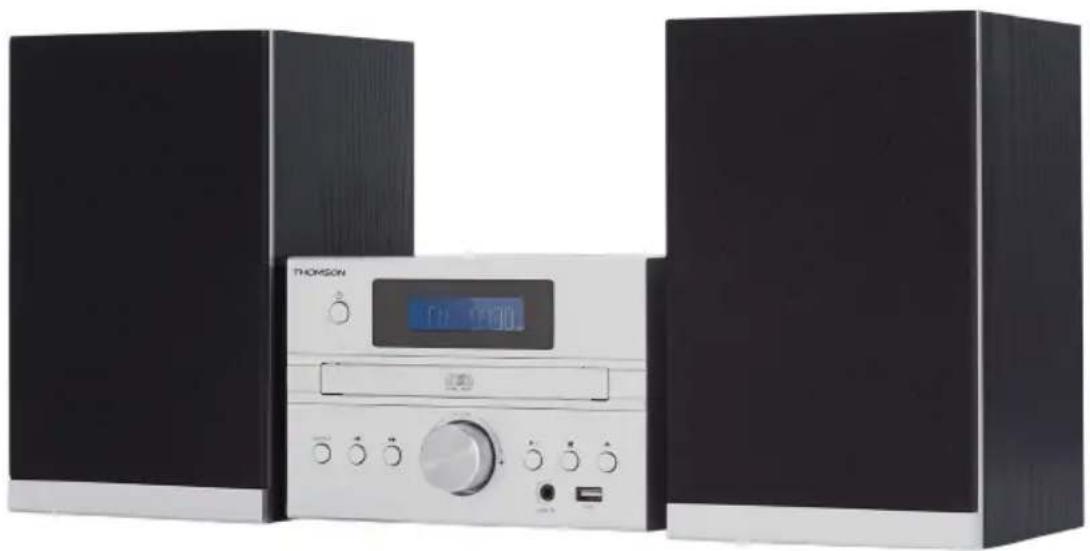
INSTRUCTIONS FOR USE
BEFORE USING THE DEVICE, READ THIS MANUAL IN FULL AND KEEP IT FOR FUTURE REFERENCE.
EN: https://www/bigben-interactive.co.uk/support/
DE: https://www.bigben-interactive.de/support/
ES: https://www.bigbeninteractive.es/asistencia-tecnica/
IT: https://www.bigbeninteractive.it/supporto-tecnico/
OTHER LANGUAGES: https://www.bigbeninteractive.com/support/
Manufactured by BIGBEN INTERACTIVE SA
396, Rue de la Voyette
CRT2-FRETIN
CS 90414
59814 LESQUIN Cedex - France
www.bigben.eu
Made in China









Manufacturer: Bigben Interactive FRANCE
396, Rue de la Voyette, C.R.T. 2 Fretin, CS 90414-59814 LESQUIN Cedex, France
Preset Recall 90.50MHz St P1 (1:90.50MHz [No RadioText]
EN: https://www/bigben-interactive.co.uk/support/
DE: https://www.bigben-interactive.de/support/
ES: https://www.bigbeninteractive.es/asistencia-technical/
IT: https://www.bigbeninteractive.it/supporto-technico/
OTHER LANGUAGES: https://www.bigbeninteractive.com/support/
CLASS 1 LASER PRODUCT
1.1. All stations: ~15 dB
FM Scan setting* All station>
1.2. Strong stations only: ~19 dB,
FM Scan setting* All station> Scan setting*
FM Audio setting* Audio setting*
EN: https://www.bigben-interactive.co.uk/support/
DE: https://www.bigben-interactive.de/support/
ES: https://www.bigbeninteractive.es/asistencia-tecnica/
IT: https://www.bigbeninteractive.it/supporto-tecnico/
OTHER LANGUAGES: https://www.bigbeninteractive.com/support/
EN: https://www.bigben-interactive.co.uk/support/
DE: https://www.bigben-interactive.de/support/
ES: https://www.bigbeninteractive.es/asistencia-tecnica/
IT: https://www.bigbeninteractive.it/supporto-tecnico/
OTHER LANGUAGES: https://www.bigbeninteractive.com/support/
EN: https://www.bigben-interactive.co.uk/support/
DE: https://www.bigben-interactive.de/support/
ES: https://www.bigbeninteractive.es/asistencia-tecnica/
IT: https://www.bigbeninteractive.it/supporto-tecnico/
OTHER LANGUAGES: https://www.bigbeninteractive.com/support/
- Scan setting
IFM mode: press [MENU] to enter FM settings, then press | << or >> to select [Scan setting], then press [ENTER] to set sensitivity:
1.1. All stations: ~15 dB
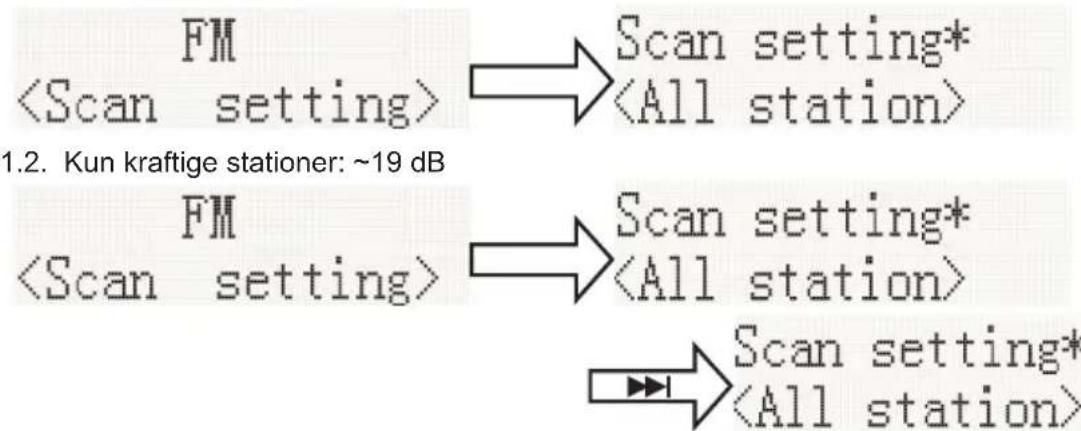
- Audio settings
2.1. Stereo possible

2.2. Forced mono
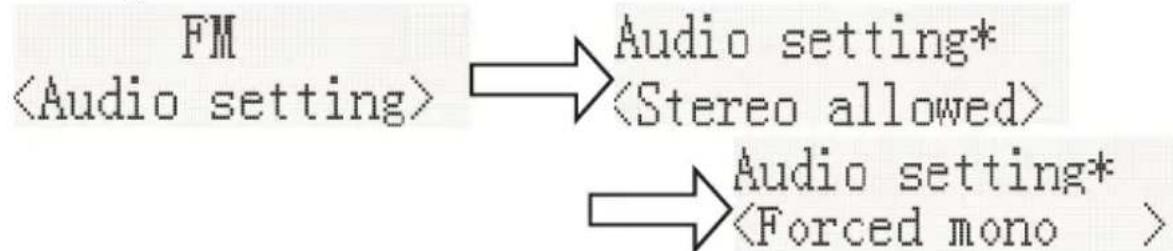
2.3. System (FM system), same as DAB system setting
- PRESET:
3.1. Recall presets (select station):
Press [ENTER] to set the preset station saved in memory.

3.2. Recall presets (select station):
EN: https://www/bigben-interactive.co.uk/support/
DE: https://www.bigben-interactive.de/support/
ES: https://www.bigbeninteractive.es/asistencia-technical/
IT: https://www.bigbeninteractive.it/supporto-technico/
ANDRE SPROG: https://www.bigbeninteractive.com/support/
Produced by BIGBEN INTERACTIVE SA
396, Rue de la Voyette
CRT2-FRETIN
CS 90414
59814 LESQUIN Cedex - France
www.bigben.eu
Made in China







Manufacturer: Bigben Interactive FRANCE
396, Rue de la Voyette, C.R.T. 2 Fretin, CS 90414 - 59814 LESQUIN Cedex, France
2.3. System (FM system) same DAB system setting
- PRESET:
EN: https://www.bigben-interactive.co.uk/support/
DE: https://www.bigben-interactive.de/support/
ES: https://www.bigbeninteractive.es/asistencia-technical/
IT: https://www.bigbeninteractive.it/supporto-technico/
OTHER LANGUAGES: https://www.bigbeninteractive.com/support/
Produced by BIGBEN INTERACTIVE SA
396, Rue de la Voyette
CRT2-FRETIN
CS 90414
59814 LESQUIN Cedex - France
www.bigben.eu
Made in China








Manufacturer: Bigben Interactive FRANCE
396, Rue de la Voyette, C.R.T. 2 Fretin, CS 90414-59814 LESQUIN Cedex, France
EN: https://www.bigben-interactive.co.uk/support/
DE: https://www.bigben-interactive.de/support/
ES: https://www.bigbeninteractive.es/asistencia-technica/
IT: https://www.bigbeninteractive.it/supporto-technico/
OTHER LANGUAGES: https://www/bigbeninteractive.com/support/
CLASS 1 LASER PRODUCT
EN: https://www.bigben-interactive.co.uk/support/
DE: https://www.bigben-interactive.de/support/
ES: https://www.bigbeninteractive.es/asistencia-technical/
IT: https://www.bigbeninteractive.it/supporto-technico/
MORE LANGUAGES: https://www.bigbeninteractive.com/support/
Manufacturer: BIGBEN INTERACTIVE SA
396, Rue de la Voyette
CRT2-FRETIN
CS 90414
59814 LESQUIN Cedex - France
www/bigben.eu
Made in China






REACH

Manufacturer: Bigben Interactive FRANCE
396, Rue de la Voyette, C.R.T. 2 Fretin, CS 90414 - 59814 LESQUIN Cedex, France
EN: https://www.bigben-interactive.co.uk/support/
IT: https://www.bigbeninteractive.it/supporto-tecnico/
OTHER LANGUAGES: https://www.bigbeninteractive.com/support/
- CD STEREO SYSTEM WITH BLUETOOTH AND DAB
- USER MANUAL
- TECHNICAL SPECIFICATIONS
- SAFETY AND NOTICE
- SAFETY
- WARNING
- CARE FOR YOUR PRODUCT
- CARE OF THE ENVIRONMENT
- COMPLIANCE
- WHAT'S IN THE BOX
- GETTING STARTED
- DESCRIPTION OF PARTS
- AUTO STANDBY
- CONNECTING UP
- PREPARING THE REMOTE CONTROL
- CLOCK AND TIMERS
- SETTING THE CLOCK
- SETTING THE ALARM
- SNOOZE
- SLEEP TIMER
- PLAYING THE MEDIA
- DISC
- USB
- BLUETOOTH®
- AUDIO IN
- DAB RADIO
- AUTO SCAN
- MANUAL SCAN
- DRC (DYNAMIC RANGE CONTROL)
- PRUNE (TO REMOVE STATIONS WHICH ARE LISTED BUT UNAVAILABLE)
- SYSTEM (DAB)
- LANGUAGE
- FACTORY RESET
- SW VERSION
- PRESET
- PRESET RECALL
- PRESET STORE
- FM RADIO
- MENU
- SCAN SETTING
- AUDIO SETTING
- REMARKS
- STEREO SYSTEM WITH DAB BT
- MODEL MIC120DABBT
- MIC122DABBT
- MIC125DABBT
- INSTRUCTIONS FOR USE
Brand : THOMSON
Model : MIC122DABBT
Category : Hi-Fi System