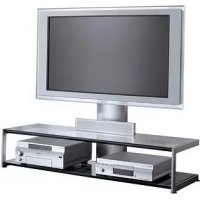
SURS51U - TV Stand SONY - Free user manual and instructions
Find the device manual for free SURS51U SONY in PDF.



User questions about SURS51U SONY
0 question about this device. Answer the ones you know or ask your own.
Ask a new question about this device
Download the instructions for your TV Stand in PDF format for free! Find your manual SURS51U - SONY and take your electronic device back in hand. On this page are published all the documents necessary for the use of your device. SURS51U by SONY.
USER MANUAL SURS51U SONY
Thank you for purchasing this product.
This TV stand is designed for use with the Sony SXRD Projection TV, and can accommodate a VCR, DVD player, etc. Please read the following instructions thoroughly and follow them carefully when installing the TV. Retain this manual for future reference.
WARNING
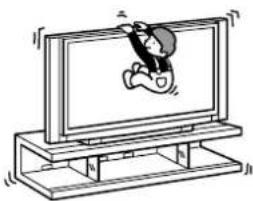
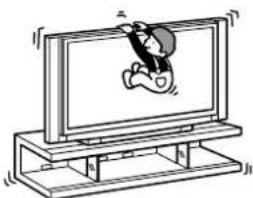
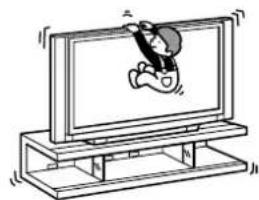
Do not lean on or hang from the TV when the TV is placed on the stand.
The TV may fall from
the stand causing an accident resulting in serious injury or death.
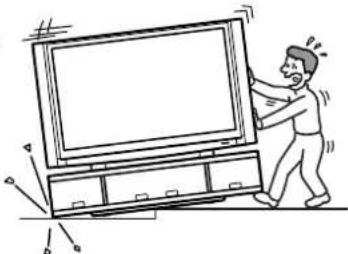
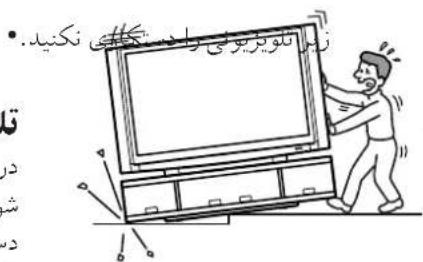
Do not move the stand with the TV or other equipment installed on it.
Be sure to remove the TV and other equipment when moving the stand. If you fail to do so, the stand may lose balance and topple over resulting in serious injury.
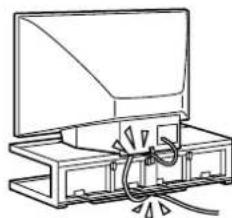
Do not allow the mains lead or the connecting cable to be pinched between the TV and the stand.
-
The mains lead or the connecting cable may be damaged resulting in fire or electric shock.
-
When moving the stand, be careful not to step on the mains lead or the connecting cable with the stand.
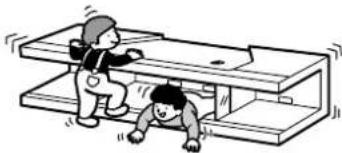
Do not climb on the stand.
The top front cover may become loose and may fall from the stand causing an accident resulting in serious injury.
CAUTION
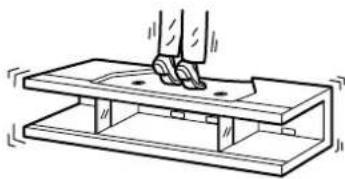
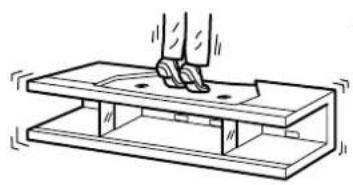
Do not step on the stand.
If you do so, you may fall from the stand resulting in injury.
This stand is only for the specified TV.
- Do not place unspecified objects, such as a flower vase or pottery on the stand.
- Do not make alterations to the stand.
Secure the TV to the stand.
If you fail to do so, the TV may fall or the stand may topple over. This may cause injury. Following the instructions in this manual, use the support belt to prevent the TV from toppling over.
Note on load capacity
Do not place any equipment exceeding the specified maximum weight on the stand, as indicated in the illustration below. Otherwise, it may fall or break.
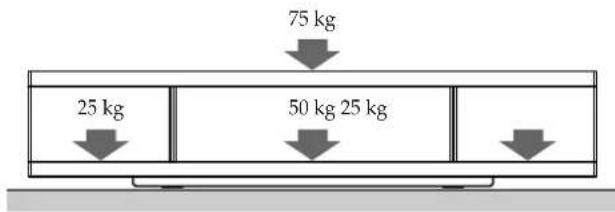
Notes on installation
- Be careful not to pinch your hand or fingers between the TV and the stand.
-
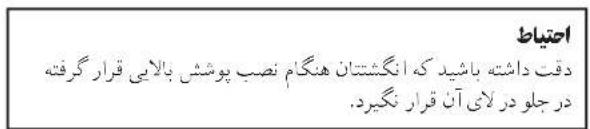
Be careful not to pinch your fingers when attaching the top front cover after placing the TV on the stand.
T o prevent the stand from distorting, observe the following: -
Install the stand on a solid and flat surface.
- If you install the stand on a soft surface such as a mat, first lay a board under the stand.
- Do not install the stand in a place subject to direct sunlight or near a heater.
- Do not install the stand in a hot or humid place, or outdoors.
- Moving the stand requires four people or more. Move the stand only after removing the TV. If you fail to do so, the TV may fall from the stand resulting in serious injury. Do not hold the top front cover as it may detach from the stand resulting in serious injury.
Notes on use
- Do not place any heated objects on the stand. If you do so, the stand may discolour or distort.
- T o keep the stand clean, occasionally wipe the stand gently with a dry, soft cloth. Stubborn stains may be removed with a cloth slightly dampened with diluted detergent, followed by a soft dry cloth. Do not use any type of chemicals, such as thinner or benzine, as they may damage the finish of the stand.
- When placing the top front cover on the floor after removing it from the stand, cover the floor with a cloth, etc., beforehand to protect the floor from damage.
When moving the TV stand
- Hold the bottom front cover when moving the stand. If you try to move the stand forcibly, the stand may topple over and cause injury.
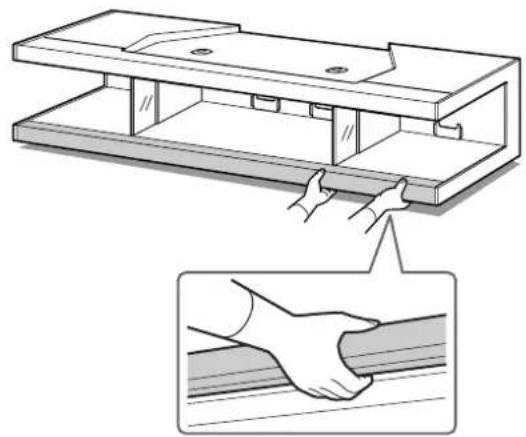
- When moving the stand over an uneven floor, release the support belt and uninstall the TV from the stand.
- Be careful not to allow your hand or feet to be pinched under the bottom plate.
- Do not hold the stand by the top front cover as it may detach from the stand resulting in serious injury.
Check the part
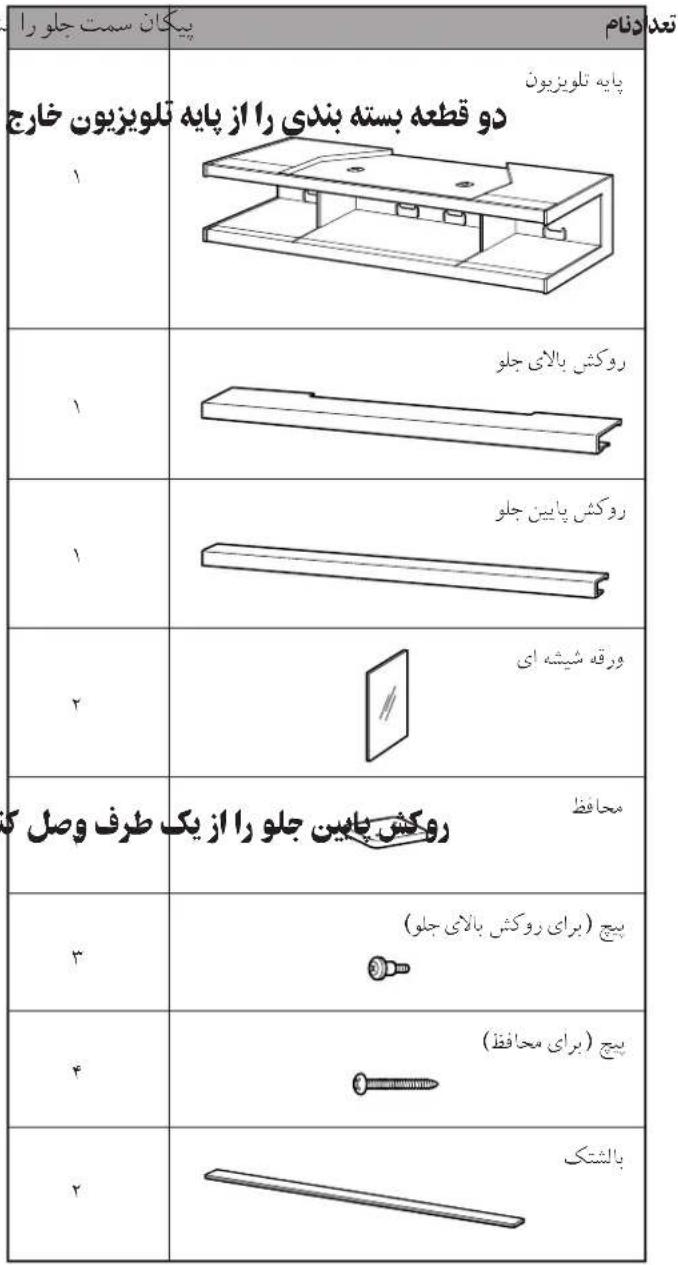
Name Quantity

TV Stand
1

Top Front Cover
1

Bottom Front Cover
1

Sheet Glass
2

Protector
2

Screw (for Top Front Cover)
3

Screw (for Protector)
4
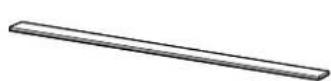
Cushion
2
Install a TV

Arrow indicates front side.
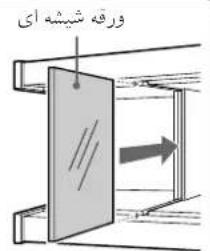
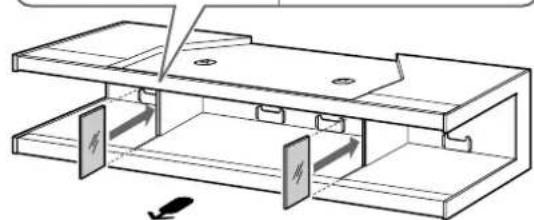
1 Remove the two packaging material from the TV stand and, replace the two sheets of glass.
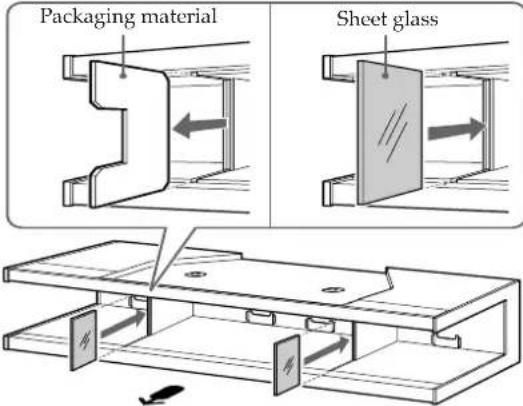
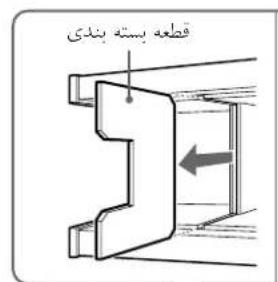
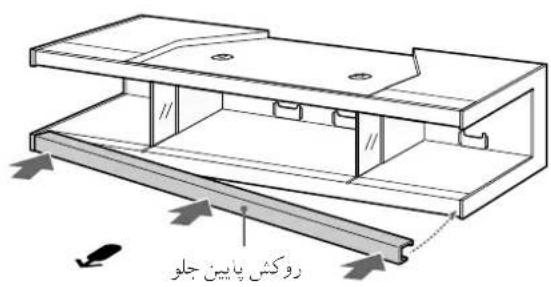
2Attach the bottom front cover to one side and then slip on as shown below.
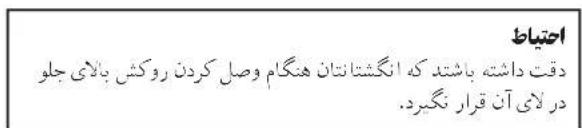
Be careful not to pinch your fingers when attaching the bottom front cover.
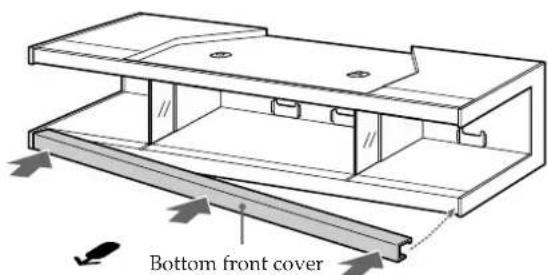
CAUTION
Notes
- Be sure to attach the bottom front cover after installing the sheet glass.
- Insert the bottom front cover until it clicks into place.
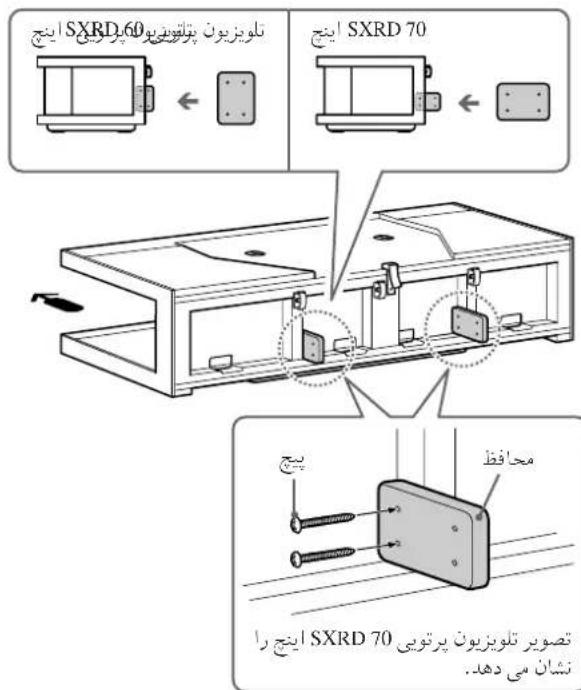
3Attach the two protectors with the four screws (supplied).
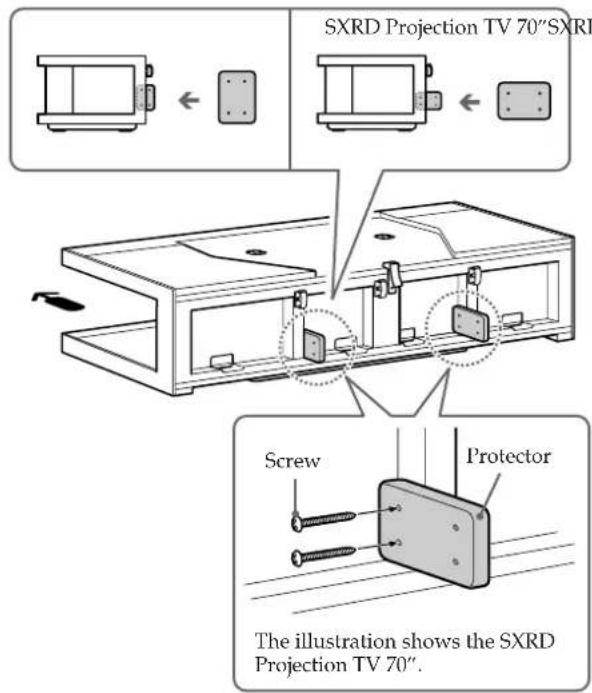
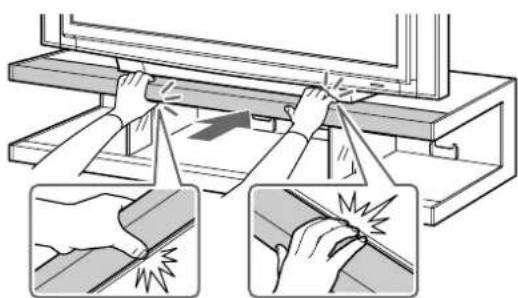
5Attach the top front cover.
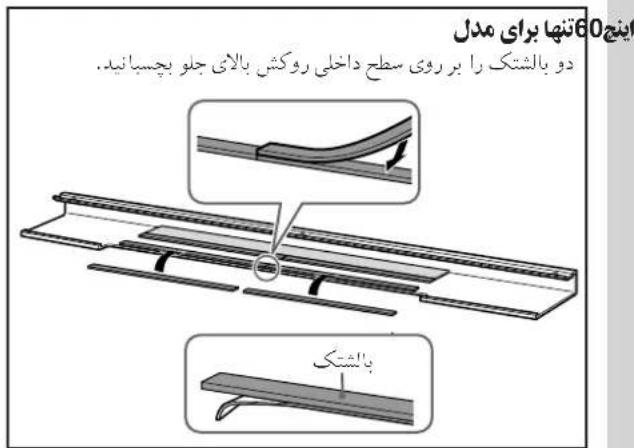
Stick the two cushions on the inner side of the top front cover.
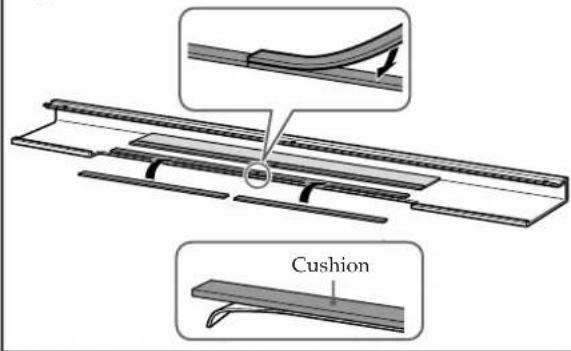
For the 60" model only
CAUTION
Be careful not to pinch your fingers when attaching the top front cover.
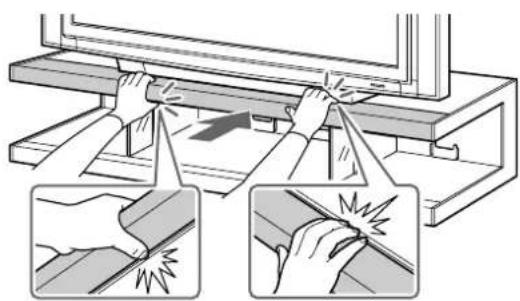
Note
Insert the top front cover until it clicks into place.
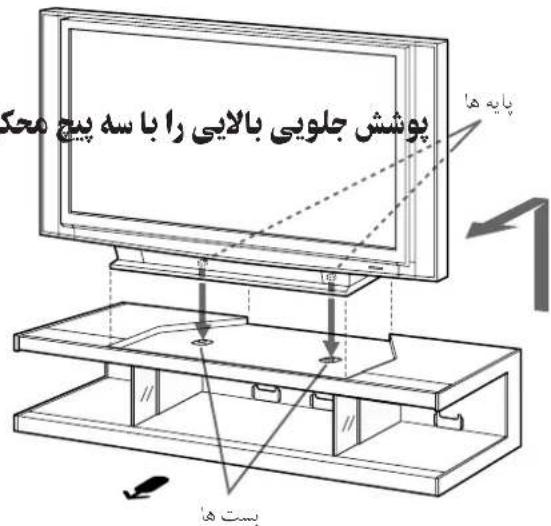
4Place the TV.
Aligning the front corners of the TV pedestal with the inner sides of the stand, place the TV with the feet on the TV pedestal's base in the stoppers.
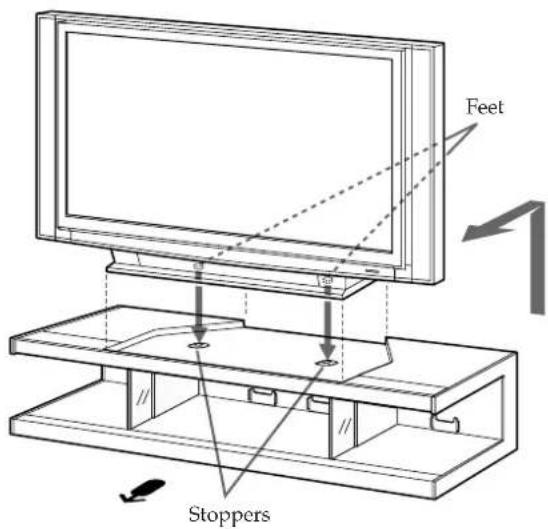
Notes
- Be sure at least three people carry the TV.
- Hold the TV in the manner specified in the operating instructions of the TV.
- A void placing the TV on the raised side portions of the stand's top panel or giving any strong shock to the stand.
Make sure that the feet on the TV pedestal's base are properly seated in the stoppers.
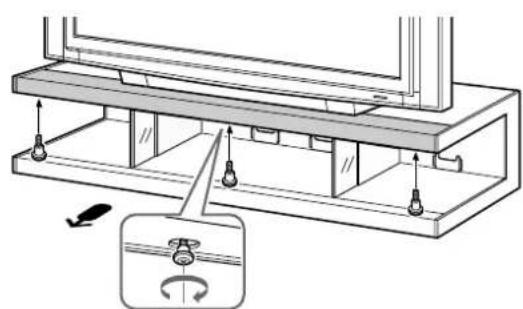
6Secure the top front cover with three screws.
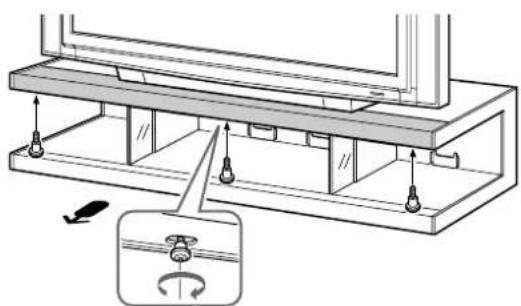
Note
Secure the screws at the centre first.
7Secure the TV.
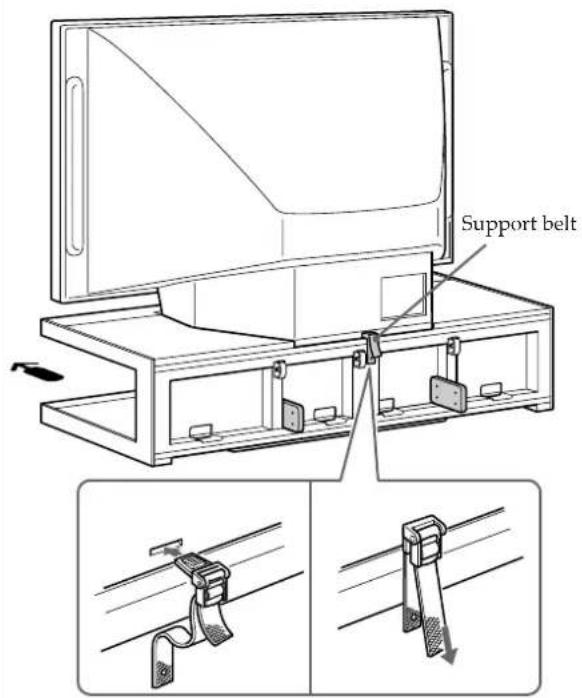
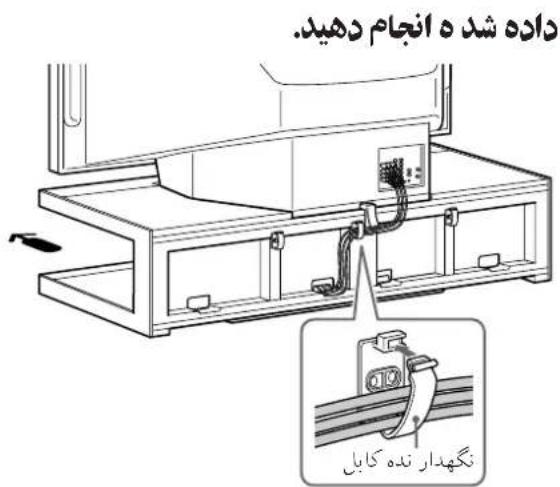
Connect the cables
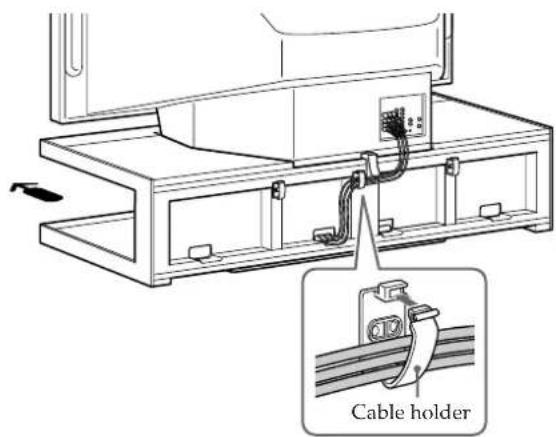
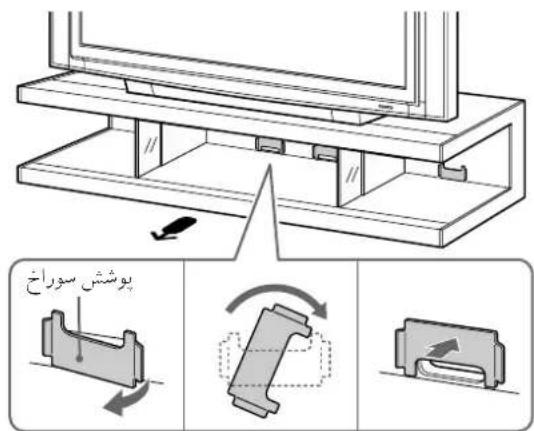
When threading the equipment's cables through the cables hole of the stand, detach the hole covers, rotate them and replace in their former positions.
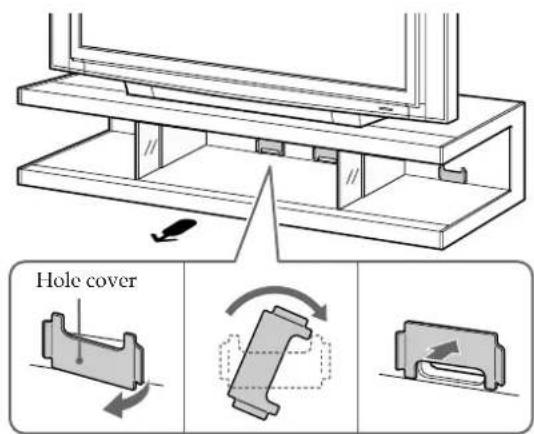
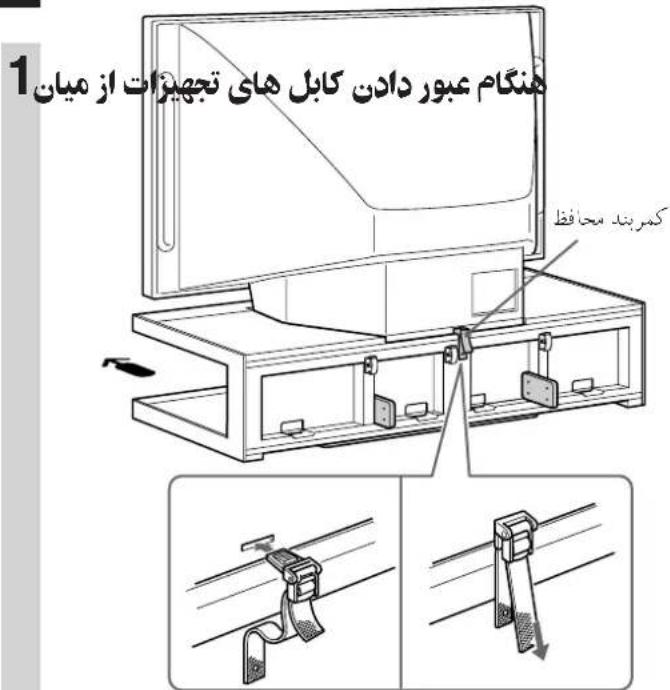
2Run the connecting cables as illustrated below.
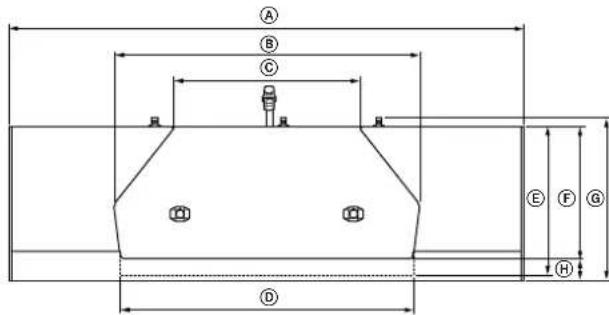
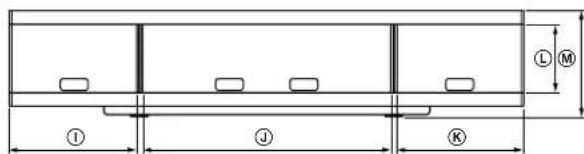
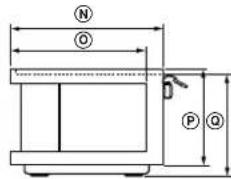
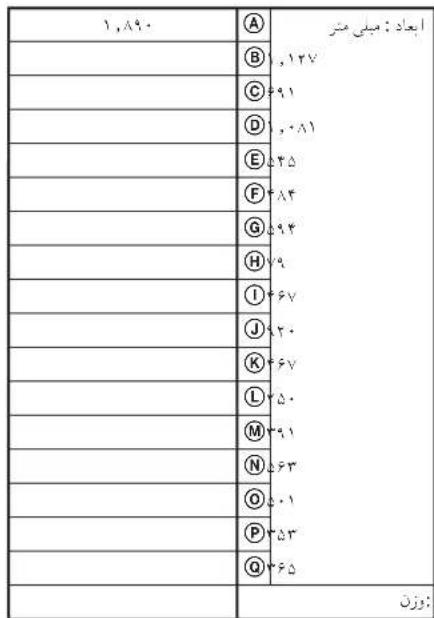
Specifications
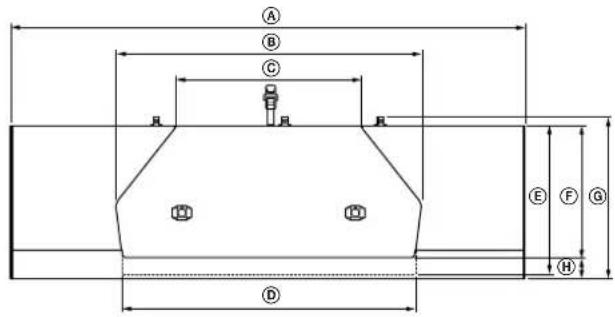
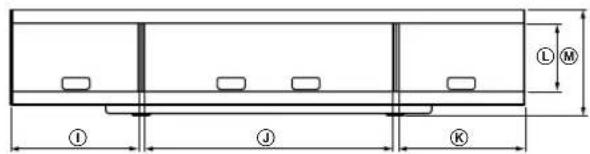
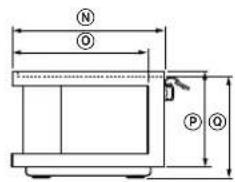
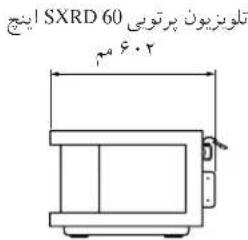
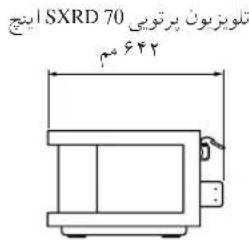
SXRD Projection TV 70" SXRD Projection TV 60"
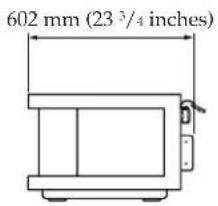
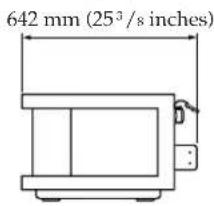
| Dimensions: A1 mm (inches) B1 | 890 (74 1/2) |
| 127 (44 3/8) | |
| 691 (27 1/4) | |
| .081 (42 5/8) | |
| 545 (21 1/2) | |
| 484 (19 1/8) | |
| 594 (23 1/2) | |
| 79 (3 1/8) | |
| 167 (18 1/2) | |
| 920 (36 1/4) | |
| 467 (18 1/2) | |
| 250 (9 7/8) | |
| 891 (15 1/2) | |
| 563 (22 1/4) | |
| 501 (19 3/4) | |
| 353 (14) | |
| 665 (14 3/8) | |
| Weight: kg | |
Design and specifications are subject to change without notice.
Instalar o television

A seta indica o lado frontal.
TV SsTnN 5XRD FIOJROJcEYTVWbHc
VCR,VDIeAeIeIeDIOH
SAUHd SuOuNi.
FRIiRiRiRiRiRiRiRiRiRiRiRiRiRiRiRiRiRiRiRiRiRiRiRiRiRiRiRiRiRiRiRiRiRiRiRiRiRiRiRiRiRiRiRiRiRiRiRiRiRiRi R
#
TVがスムで等は在はTV
S3EATTVF 1
k( x - 1) = 0
Jolol 1 0g jalil
S OBC = S COD + S_ BOC
S =
1
y
.
- c ÷ s^1 - b
中
1
jyjdtlaaas 1111111111
yol yol 100000000000000000000000000000000
.0j1 1
Jaxy Jg
21j1
0
aIe Jaaeae aee aeae aeae aeae aeae aeae aeae aeae aeae aeae aeae aeae aeae aeae aeae aeae aeae aeae aeae aeae aeae aeae aeae aeae aeae aeae aeae aeae aeae aeae aeae aeae aeae aeae aeae aeae aeae aeae aeae aeae aeae aeae aeae aeae aeae aeae aeae aeae aeae aeae aeae ae
aaiiaaa aaii jai iai ai j kai
aolj aol jalabai Jlao Jglas
J 1
Jolov-U. j 1 j 1 j 1 j 1 j 1
jooji jaoi jai jai jai jai jai jai jai jai jai jai jai jai
SxRD 1J DvD VCR S Wg G
15
y
J 1
a
S 1000000000000000000000000000000000000000000000000
0000 000000000000000000000000000000000
y j 598000000000000000000000000000000000000000000
1
S ACD = S COD + S_ DCE
j j j j j j j j j j j j j j j j j j j j j j j j j j j j j j j j j j j j j j j j j j j j j j j j j j j j j j j j j j j j j j j j j j j j j j j j j j j j j j j j j j j
#
J 1
J 1
J 1
J 1
J 1
J 1
J 1
J 1
J 1
J 1
J 1
J 1
J 1
J 1
J 1
J 1
J 1
J 1
J 1
J 1
J 1
J 1
J 1
J 1
J 1
J 1
. 1 1 1 1 1 1 1 1 1 1 1
a 100000000000000000000000000000000000000000
1
#
.2g 1
5.
3.1og(0)

2

15p001,500,200
()
(PR)
4.
y jyjgl 11 11 11 11 11 11 11 11 11 11 11 11 11 11 11 11 11 11 11 11 11 1

25
S BCD = S COD + S BDO - S BOC
jy
·
2
- 气体
L
- bis
1 1 1 1 1 1 1 1 1 1 1 1 1 1 1 1 1 1 1 1 1 1 1 1 1 1 1 1 1 1 1 1 1
2g j 15 aigilao 1,la Jds
a 1