10 Plus - Smartphone TCL - Free user manual and instructions
Find the device manual for free 10 Plus TCL in PDF.



| Product Type | Connected smart glasses |
| Model | TCL NXTWEAR G (10 Plus) |
| Brand | TCL Communication Ltd. |
| Connectivity | USB Type-C (DisplayPort Alt Mode) |
| Main Functions | Display, brightness adjustment, 2D/3D mode, firmware update |
| Included Accessories | Prescription lens frame, 3 nose pads, cleaning cloth, USB-C cable |
| Phone Compatibility | Smartphones with USB Type-C port and DisplayPort Alt Mode |
| Required App | Smart Glasses (downloadable from TCL website) |
| Power | By phone via USB OTG |
| Optical Adjustment | Interchangeable nose pads |
| Prescription Lenses | Not included, separate purchase from optician (magnetic attachment) |
| Care and Cleaning | Soft dry cloth; avoid harsh chemicals |
| Safety | Precautions: do not use in water, avoid high heat, consult a doctor if discomfort |
| Minimum Age | 14 years (under adult supervision) |
| Operating Temperature | 0 °C to 50 °C |
| Repairability | Spare parts available: nose pads, lens frame |
| Regulatory Information | Compliant with directive 2014/30/EU; CE declaration available online |
| Manufacturer | TCL Communication Ltd., Hong Kong Science Park |
| Support Website | https://www.tcl.com/global/en/mobile-support.html |
| Recycling | Follow local sorting instructions (Triman marking) |
Frequently Asked Questions - 10 Plus TCL
User questions about 10 Plus TCL
0 question about this device. Answer the ones you know or ask your own.
Ask a new question about this device
Download the instructions for your Smartphone in PDF format for free! Find your manual 10 Plus - TCL and take your electronic device back in hand. On this page are published all the documents necessary for the use of your device. 10 Plus by TCL.
USER MANUAL 10 Plus TCL
Contents
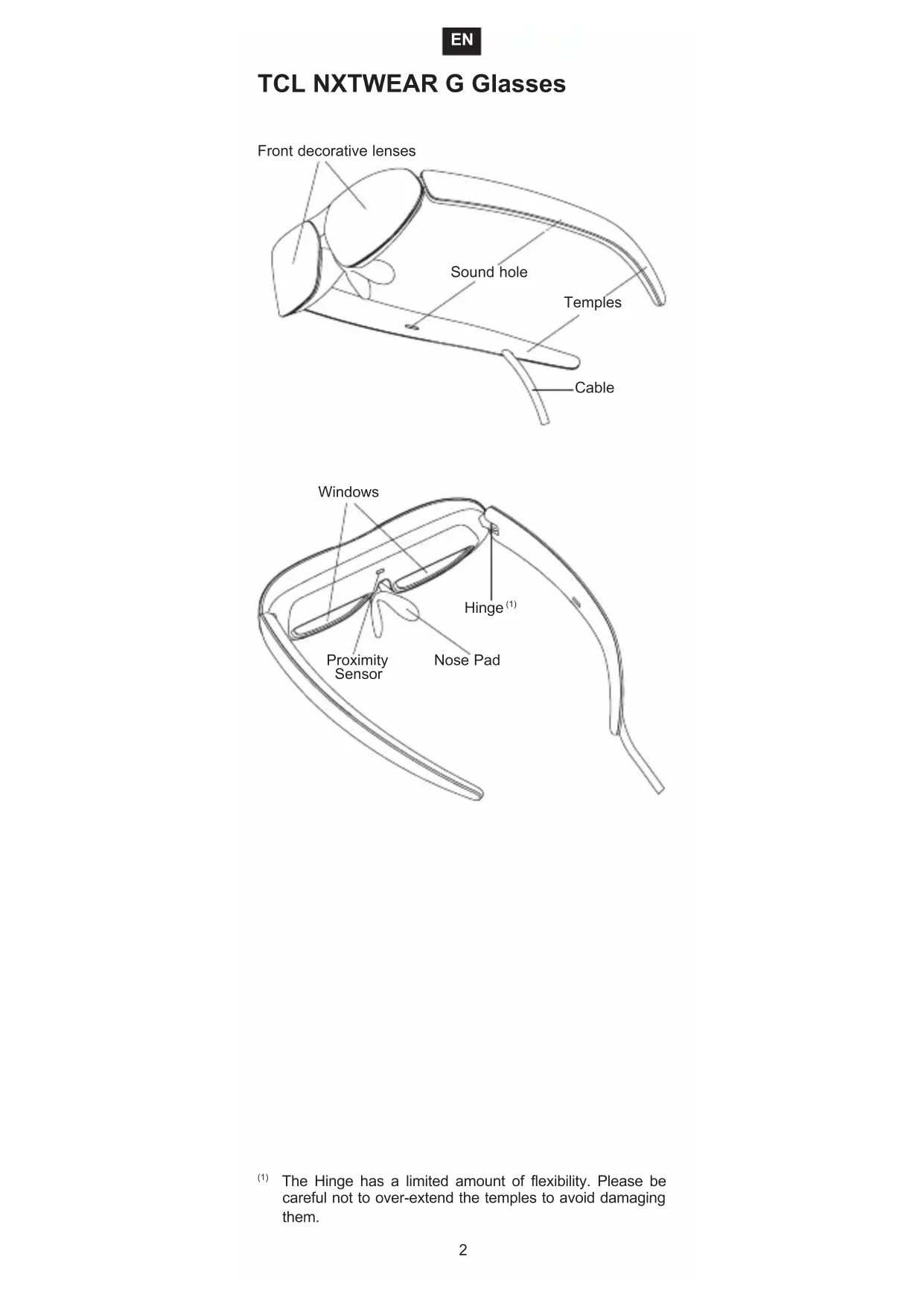
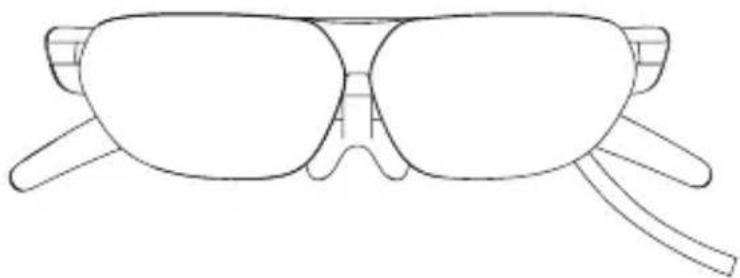
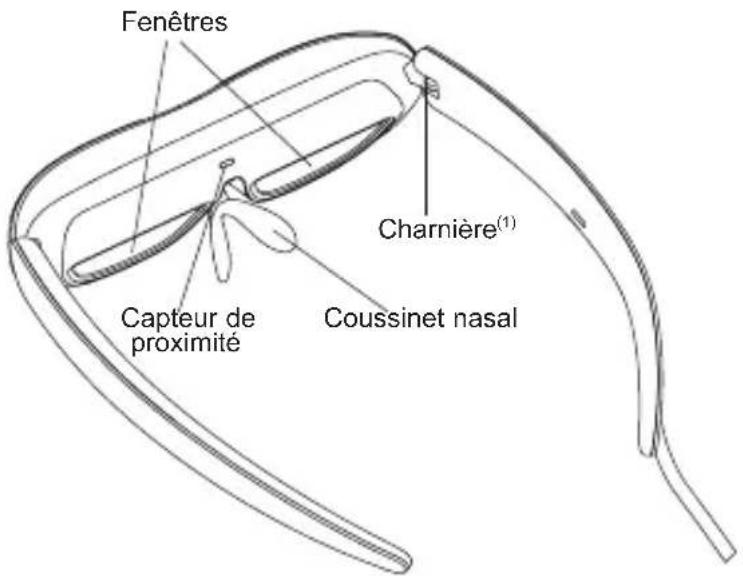
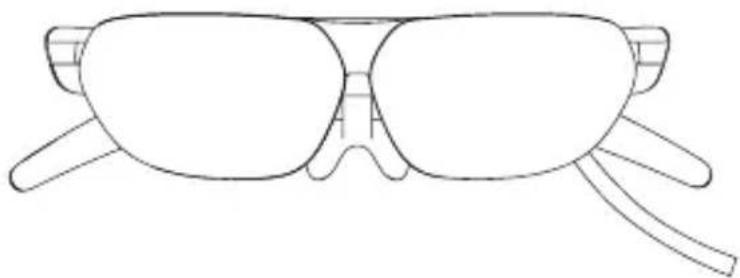
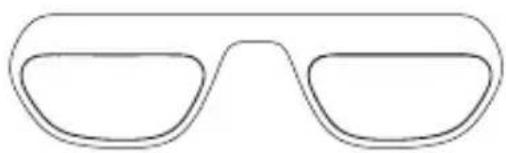
TCL NXTWEAR G Glasses
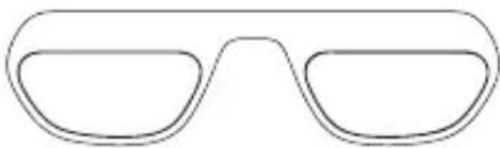
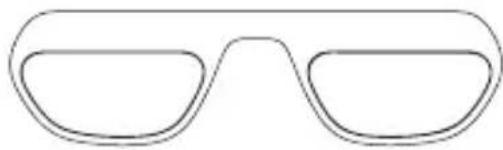
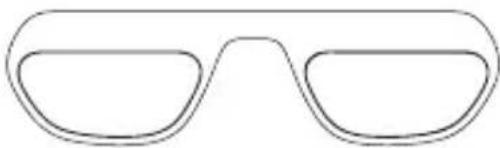
Corrective Lens Frame
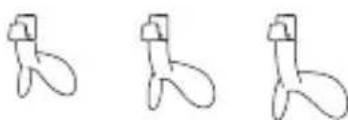
3 Nose Pads
Cleaning Cloth
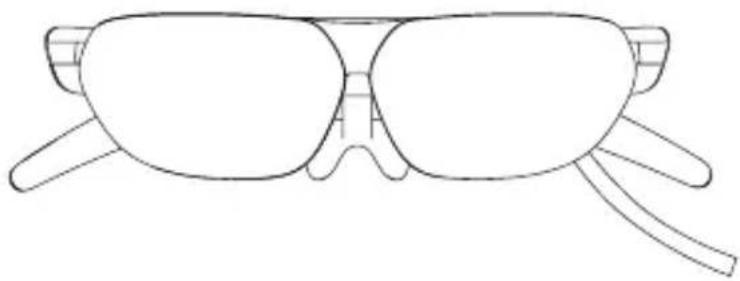
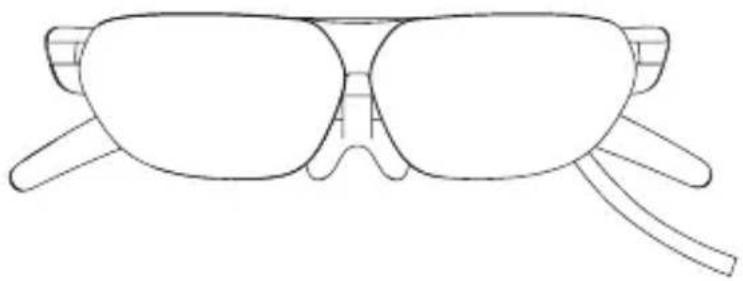
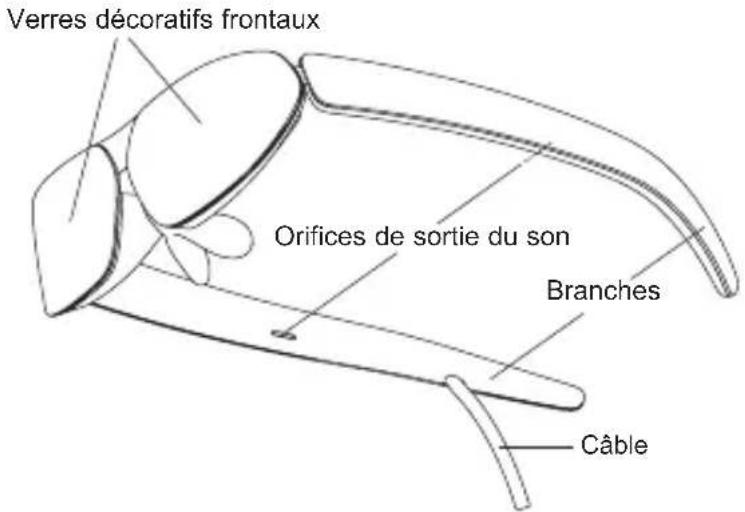
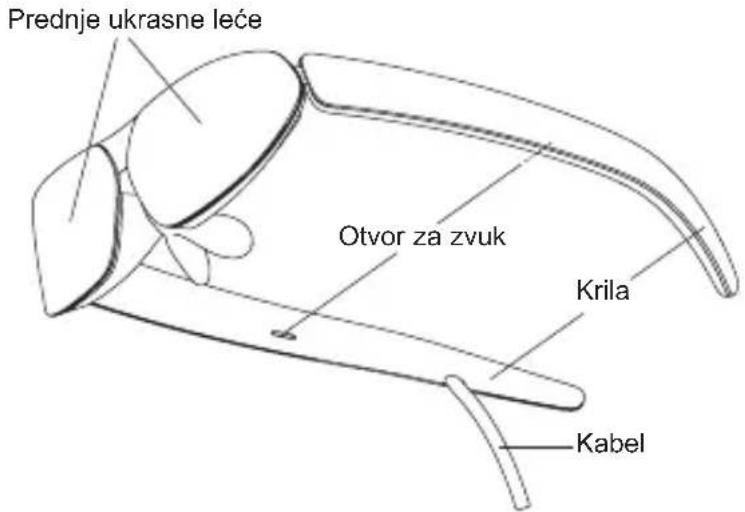
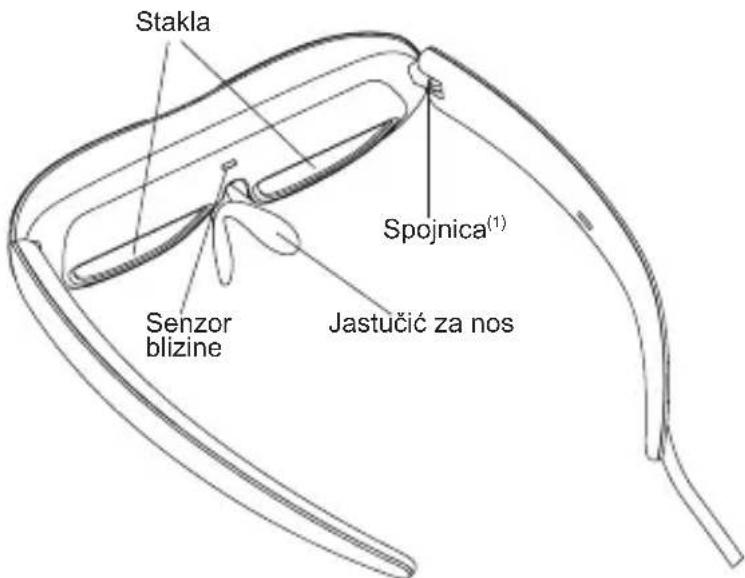
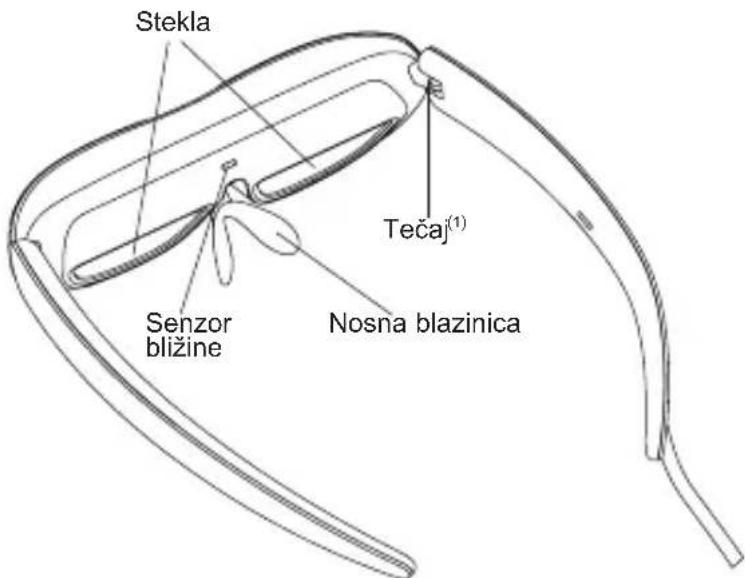
TCL NXTWEAR G Glasses
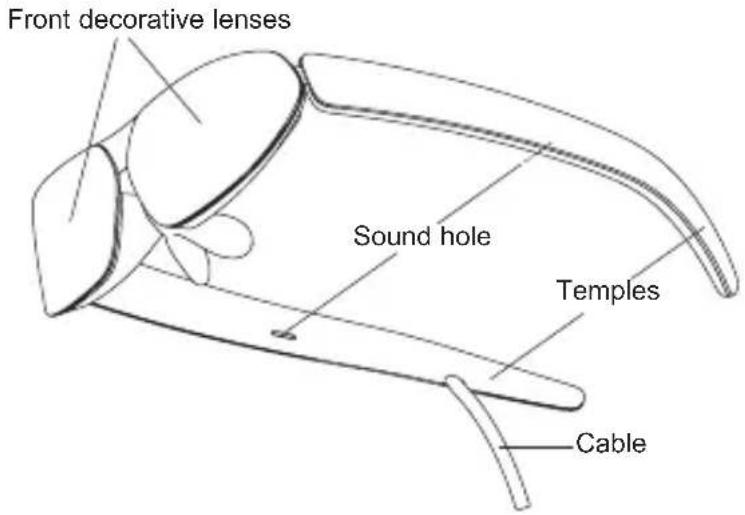
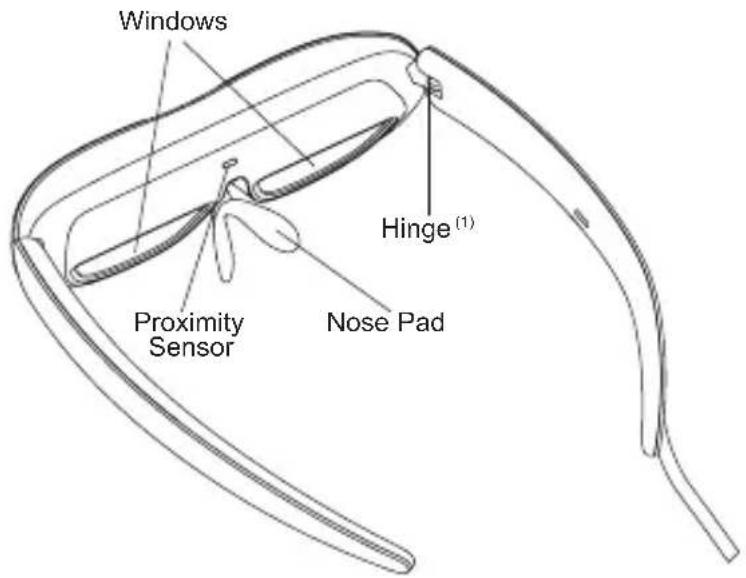
(1) The Hinge has a limited amount of flexibility. Please be careful not to over-extend the temples to avoid damaging them.
Selecting the Nose Pad
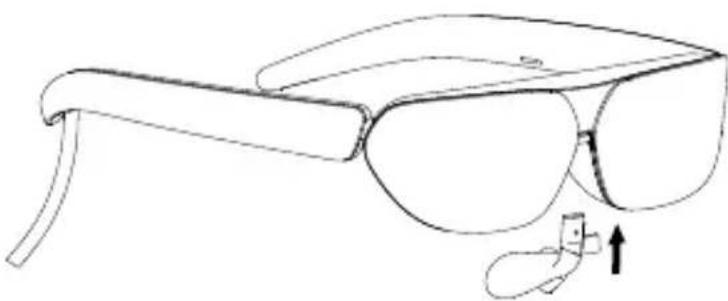
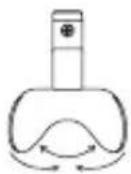
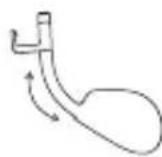
Select a nose pad that best fits your nose shape, and install it onto the Glasses.
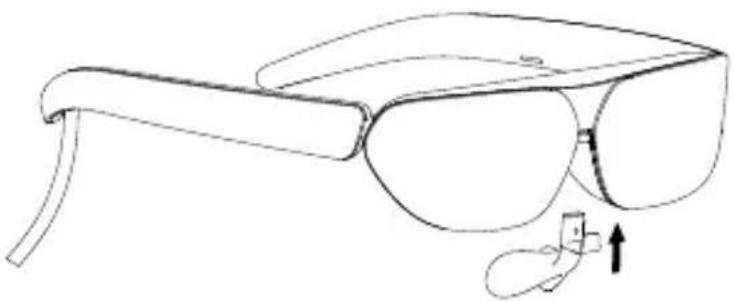
You may slightly adjust the position and width of the nose pad, according to your personal preference.
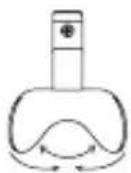
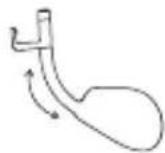
Note: It is recommended that you avoid frequent adjustments and vigorous activities, which may cause the nose pad to break.
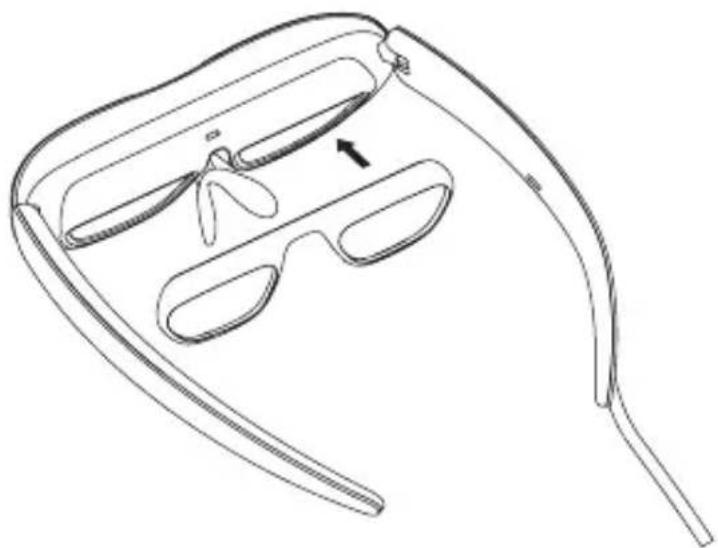
Prescription Lenses (If Needed)
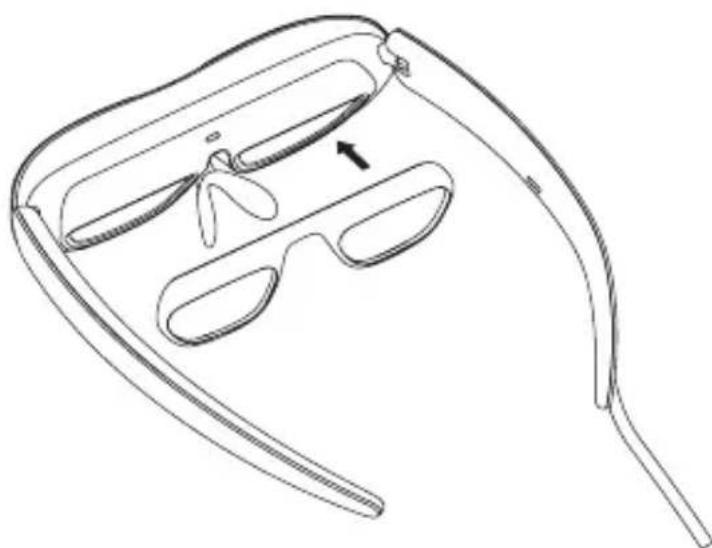
If necessary, please bring the Corrective Lens Frame to your local optical store to purchase suitable correction lenses. Then magnetically attach them onto the inner side of the Glasses.
Connecting to the mobile phone
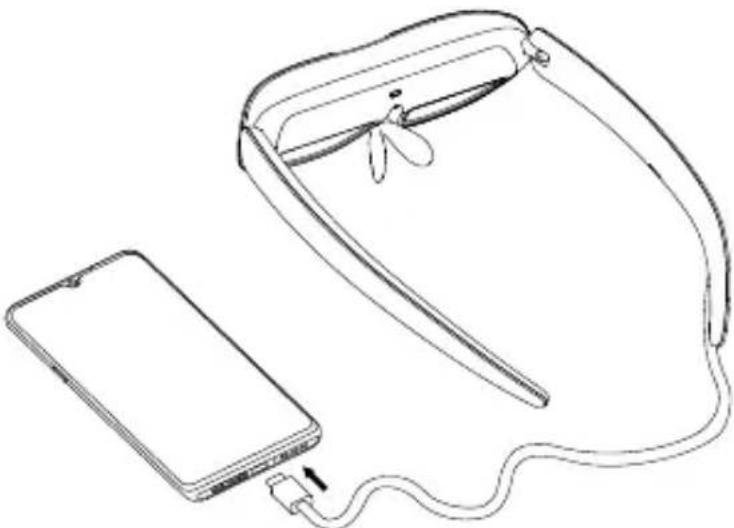
Connect the cable of the Glasses to the USB Type-C connector of your mobile phone.
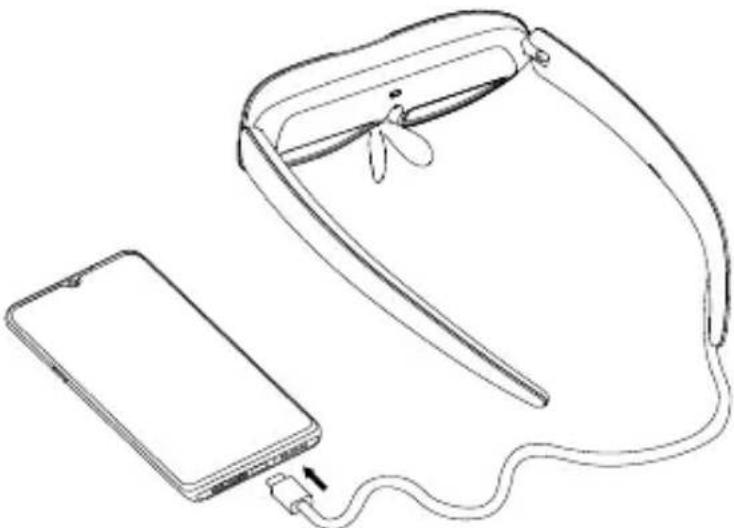
If your device is equipped with USB Type-C With DisplayPort Alternate Mode, you may connect the Glasses with the device directly. Please download and install the Smart Glasses app from the website: https://www.tcl.com/global/en/ mobile-support.html.
Smart Glasses app provides the following functions:
- Brightness adjustment
- 2D/3D mode switch
- Product firmware Update
Tip: The maximum brightness will be adjusted according to your device's OTG output capacity.
Wearing the Glasses
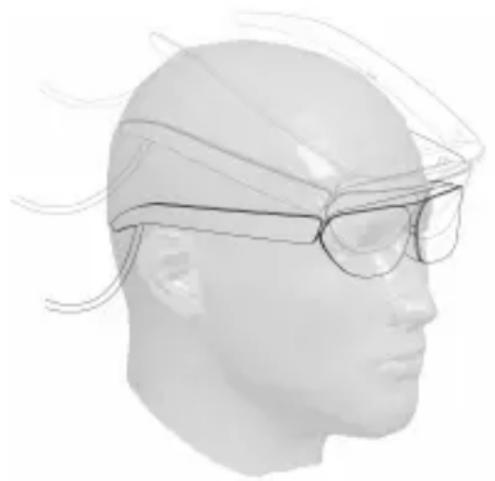
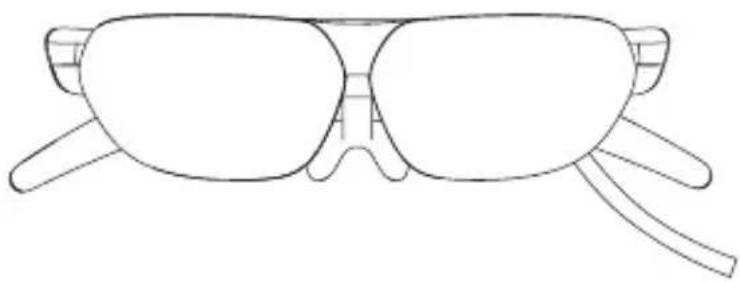
When putting on the Glasses, open the temples completely and slide onto your face from your forehead to ears, as in illustration below.
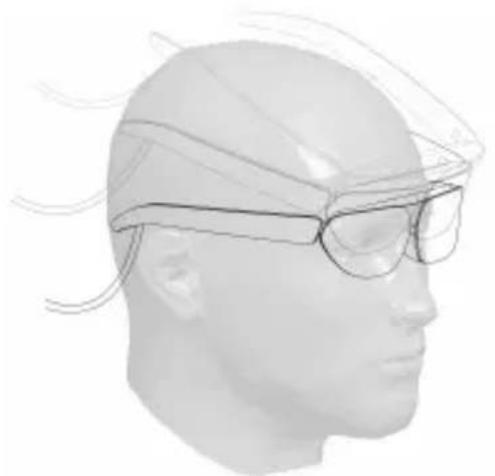
Notes:
- Do not bend the temples when they open outwards.
- Please make sure that the temples are fully open before wearing to avoid pinching your hands or hair during this process.
Warning
To use TCL NXTWEAR G Glasses, users must read the entire user manual to become familiar with the features of this product before using it. Failure to use this product in a safe and responsible manner within its intended purpose could result in personal injury or damage to the product or other property.
This product is not intended for use by children under the age of 14 without direct adult supervision.
Disclaimer
Congratulations on purchasing our TCL NXTWEAR G Glasses.
There may be certain differences between the user manual description and the phone's operation, depending on the software release of your phone and the Glasses or specific carrier services.
TCL Communication Ltd. shall not be legally responsible for such differences.
Safety information
TO REDUCE THE RISK OF PERSONAL INJURY, DISCOMFORT OR PROPERTY DAMAGE, PLEASE ENSURE THAT YOU HAVE READ THE BELOW SAFETY INFORMATION CAREFULLY BEFORE USING OUR TCL NXTWEAR G GLASSES.
Use only in a safe environment.
To prevent possible hearing damage, do not listen at high volume levels for long periods.
Do not use these Glasses during sudden or intensive activity.
If your Glasses feel hot to the touch or are uncomfortably warm, stop using and allow them to cool down.
Immediately discontinue using these Glasses if you are experiencing eye strain or dizziness.
Please immediately stop using these Glasses if they are damaged.
Do not expose to liquid.
Consult your doctor before using these Glasses. Do not use these Glasses if you are sick, fatigued, under the influence of intoxicants/drugs, or are not feeling generally well.
Do not squeeze these Glasses during use to avoid damage to the Glasses or cause the lenses to become extruded which could risk damaging the wearer's face.
Stop using these Glasses if you notice swelling, itchiness, skin irritation or other discomforts of your skin that is in contact with them. If symptoms persist, please contact a doctor.
Do not use strong chemicals, cleaning agents or strong detergents to clean the Glasses, otherwise it may lead to material changes, thus affecting eye health. Please use a clean, dry, soft cloth to wipe the Glasses.
Please stop using the Glasses and disconnect all connections or cables with other equipment before cleaning and maintenance.
Do not let children or pets bite the Glasses to avoid injury or failure of the Glasses.
Do not place these Glasses in direct sunlight, such as car wash dashboard or window sill.
Do not treat these Glasses as ordinary domestic waste.
Please comply with the local ordinance for these Glasses and support recycling initiatives.
These Glasses are not equipped with prescription spectacle lenses by default, users who need corrective lenses should purchase them by themselves.
These Glasses are not a waterproof product, please do not use them in water or rain.
The manufacturer's recommended operating temperature range is 0^ (32^) to 50^ (122^) .
General information
- Internet address: https://www.tcl.com/global/en/mobile-support.html. On our website, you will find our FAQ (Frequently Asked Questions) and Smart Glasses app etc.
Manufacturer: TCL Communication Ltd. - Address: 5/F, Building 22E, 22 Science Park East Avenue, Hong Kong Science Park, Shatin, NT, Hong Kong
Regulatory information
Hereby, TCL Communication Ltd. declares that the product type TCL NXTWEAR G is in compliance with Directive 2014/30/EU.
The full text of the EU declaration of conformity is available at the following internet address: www.tcl.com/global/en/service-support-mobile/eu-doc.html
Additional information
The description of accessories and components, including software, which allow the product to operate as intended, can be obtained in the full text of the EU declaration of conformity at the following internet address: www.tcl.com/global/en/service-support-mobile/eu-doc.html
KPATKO PьКОВОДСТВО
CbDpbxahanne
OuTnA TCL NXTWEAR G
Pamka c Kopu npaun neu
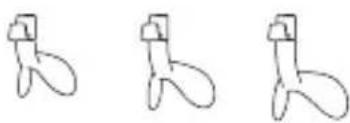
3 nOIOJOKK 3a HOC
ПочntВацкьрna
Oueta TCL NXTWEAR G
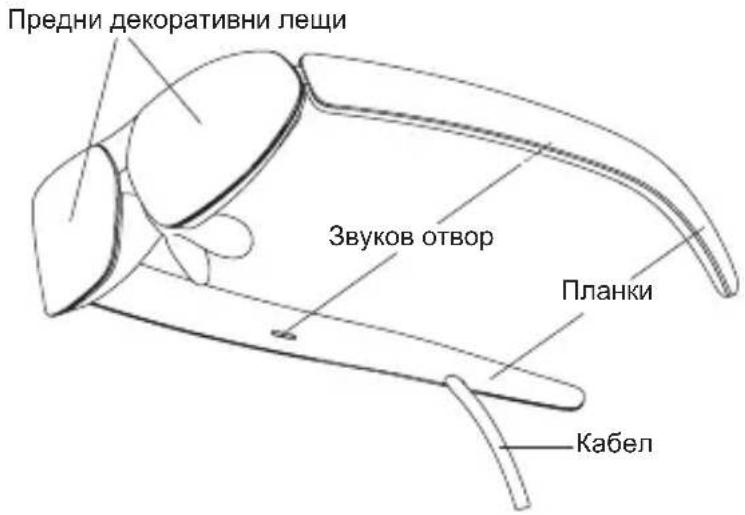
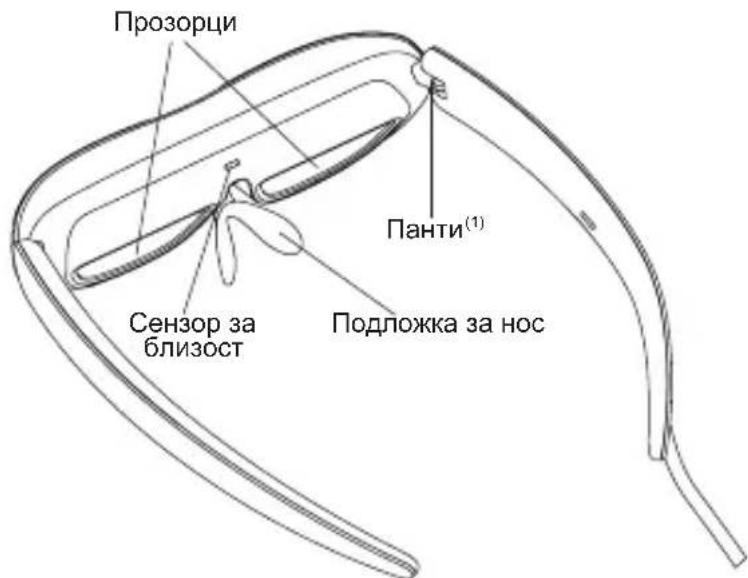
(1) ПаNTATA ИмА ORpaHnueHa TbBkABOCT. MoЯ, BHMaBaIte Da He pa3TЯrTe npeKaIeHo ПlaHKnTe, 3a Дa He rN NOBpeINe.
H36op Ha noДLOЖka 3a Hoc
I36epete noJnoKka 3a Hoc, KOrTo Ha-Do6pe noXoxJa Ha fOpMaTa Ha HOca Bn, I r NoCTaBeTe Ha OUnnata.
Moxete neko da perynnapate no3nunra n u npnhata ha nIOIOKKATA 3a HOC cnopei JnHHTe cn npeINoHTAHN.
3a6eexka: PpenopbHTenHO e da n36yBaTe YecTN HAcTpoKn I eHeprHuN DeHocT, KOITo MOraT Da DOBeDaT Do ChyIbaHe Ha NOJIOxKaTa 3a HOC.
PpeDncaHn leu (ako e Heo6xOdmo)
Ako e Heo6xOdmo, 3aHeceTe paMkata 3a KopnnpauJneuB MeCTHnOITNueH Maar3H, 3a Da 3akynite NODXoJnKopnnpauJneu. CneT TOBa r npnkpenTe C mArHNT KbMBbTpewHaTa cTpaHa Ha OyNJata.
Cbbp3BaHe c mo6nHnTepeoh
Cbpxte Ka6ena Ha ouynta KbM KOHeKTopa USB Type-C Ha MOuHnCu TenefoH.
Ako yctpoiCTBOTO Bn e obopydBaHO c aITepeHaTHBeH peXHM USB Type-C C DisplayPort, Moxete Da CBpXeTe Ounnata dIpuKeTHO C yctpoiCTBOTO. Mon, n3TeJIte N HCTaIIpaTte npInOxoHeNoTo INHTenREHTH No OUnna ot ye6caNtta: https:// www.tcl.com/global/en/mobile-support.html.
PpnoJoxeHneToHHTeNnreHTn OuJa npedocTabr CneHNTE cyHKU:
- PerynupaHe Ha rpkocTtA
2.П repBknIyBaTeN 3a 2D/3D reXnM - NaICTpoIka Ha φbpyepa Ha npOyKTa
CbBET: MakcmaJHata npKoCT ue 6bde perynupaHa cnopek kanaunTeHa HTG n3XoHa BaWeto yctpoiCTBO.
Hoche Ha ouhJaTa
Korato cnaRate ouHnata, OTBopeTe HAnbJHo PnHaHKnTe n rnoctabeTe Ha IuCeTo CN OYeNoTo Do yWInTe, KaKTo e NOKa3aHo Ha NIOCTpaunraTa No-DoNy.
3a6eJekn:
He orbbaIte nlaHKeTc, KOraTo Te Ce OTBaPrt HABbH.
MOnr, yBepete ce, ye nlaHknte ca HanbJHo OTBopeHn npedn HocHe, 3a da n36erHeTe npTuNcKaHe Ha pbuTe nn Kocata cn no BpeMe Ha To3n IpOec.
PpeDynpexKdene
3a da n3no3BaT ouHnata TCL NXTWEAR G, notpe6nteIte Tp86ba da npoyeTa TAnoto pkoBOcTBO 3a noTpe6nteIra 3a da ce 3ao3HaT C yHKunTe Ha To3n npOyKT, npEn Da ro n3no3BaT. Ako He n3no3BaTe To3n npOyKT No 6e3onaceH OTROBOpEN HauHH B paMKITE Ha npEdHa3NaehneTo My, TOBA MOKe Da DOBeE Do TeLeCHN HapaHbAHN INIOBpeDa Ha npOyKTA INI dpyro IMyueCTBO.
To3n npOdyKT He e npEHa3HaueH 3a n3noJ3BaHe oT deua no14-roDmHa Bb3pact 6e3 npK HAd3Op ot cTpaHa Ha Bb3pacTeH.
OTka3 OT OTROBOPHOCT
No3dpablenHa nokykata Ha haunTe ouHnTc TCL NXTWEAR G.
Bb3MOxHO e da nMa n3BeCTHn pa3Nnue MEXy OnncAHneTo B pKoBOcTBOTO 3a Notpe6nteJn paobota Ha TeJeΦoHa B 3aBNCIMOCT OT CoTpyepHata BepCnHa TeNeΦoHa nOuHnata nn CneUΦnHn OepaTopCKn ycnyn.
TCL Communication Ltd. He Hocn npaBHa OTROBOPHOCT 3a TaKINbpa3JInKu.
HΦopmaζη 3a 6e3oNaCHOCT
3A DA HAMAJITE PNCKA OT JIuHn HAPAHBAHn, DnCKOMΦOPT NIN MATEPNAJIHN UETN, MOJ, YBEPETE CE, YE CTE IPOUeIN BHIMATEJIHO IOCOUEHATA NO-IOJY INΦOPMAUry 3A 6E3OJNACHOCT, INPEIN DA N3NOJ3BATE HAUNTE OUYJA TCL NXTWEAR G.
I3noI3BaIte cMoB 6e3oIacHa cpeIa.
3a da npedotbpatnte yBpejdahe Ha cnyxa, He cnywaTe cnneH 3Byk npoDbJnxIteNHO BpeMe.
He n3noJI3BaIte Te3n OuIna no BpeMe Ha BHe3aIIHa INN HHTeH3NBHa DeHOCT.
Ako ounilata Bn ca ropeuHa donnp nn ca Hn pHTO TOnnn, cnpTe da nN 3no3BaTe n n OCTaBeT da N3ctnHaT.
He3a6abHNO npeKpaTe TE 3n0J3BaHeTo Ha Te3n OUYJa, aKO n3NTBaTe HAnpeXeHne B OChTE NIN 3aMaYBaHe.
Mojra, He3a6abHo cnpeTe da n3noJ3BaTe Te3n OuJna, aKo ca noBpeDeH.
Ha He ce n3nara Ha Bb3JeICTBneTo Ha TeuHocTn.
KoHcyItpaIte ce c Baun Jekap, npedn da n3no3BaTe Te3n OUnna. He n3no3BaIte Te3n OUnna, aKO CTe 60Nn, yMopeHN, NOB Bb3deJCTBHeTO Ha yNoBaUN BeueCTBa/ HApKOTnU INn HE CE CyBCTBaTe Do6pe KaTOnIO.
He npntnckaute Te3n Ounna no BpeMe Ha ynotpe6a, 3a da n36eHHTe NOBpeDa Ha OUnnata Nnn Da npedn3BnKaTe n3nbKBAhe Ha JeuNTe, KOeTo MoKe Da DOBeDe Do yBpeXdane Ha NnCteTOHaNoTpe6nteTn.
Cnpete da n3non3BaTe Te3n OuJna, aKo 3a6eJKeNTe NodyBaHe, cbp6ek, dpa3HeHe Ha Koxkata Hn Dpyr DnCKOMΦOpT Ha Koxkata, KOTo E B KOtAekt C TEx. Ako CmMTOMITE npOdbIgKaBAt, MOJI, CbBpKeTe Ce C nekap.
He n3noI3BaIte cINHn XIMKaII, noOuNCTBaUIn npenapatn IIN CNHN DeTePReHTn 3a NOUcTBAHe Ha OUnlata, B IPOTNBEH Cnyau Toba MoKe Da DOBeE Do IpomEnB MaTEpnaIa N da 3acerHe 3dpabeto Ha ouHt. MoJr, n3noI3BaIte YnCTa, cyxa N MEka KbpNa, 3a Da n3bPseTe OUnlata.
MOnIa, cnpTe da n3noJI3BaTe OunlaTa n npekbcHeTe BCnK Bpb3Kn nn Ka6eN C pyro o6OpyDbaHe npedn nouCTBaHe n noDpBxka.
He no3B0JbAaTe Ha Deua Nn DOMaUH NIO6mUd a XanrO OuJlata, 3a Da n36erHeTe HapaHbAe Nn NOBpeHa Ho OUnIata.
He nocTabraTe Te3n OcHna Ha npKa CbHYeBa CBeTnHa, Hapmep Ha Ta6NTo Ha ABTomNBkata Nn Ha nepBa3a Ha npO3opeua.
He TpeTnpaIte Te3n CTbKna KaTO 06uKHOBEHn 6uTOBn OTnAdbu.
MOnI, cna3BaIte MeCTHata Hape6a 3a Te3n Ovnila n IOnKpeNJIte INHcuaNTBUTe 3a peuNKInpaHe.
Te3n Ouynla He ca obopydBaHn C neu 3a Ouyna no
noopa3bnpahe, a Notpe6nteJNTe, KOtO ce HykdaT OT
Kopnnpaunneu, Tp6Ba da n 3aKyjrt camn.
Te3n Ounna He ca BOOyocToNvB npOyKT, MoN, He nI 3nON3BaIte BbB BOa IIN Dbxk.
PpeOpbuaHnTe OT npou3BODnteIra paoTHN TeMnepaTpyu ca Mejdy 0^ (32^) n 50^ (122^)
Osha nHΦopMaζη
- INTepheT aDpec: https://www.tcl.com/global/en/mobile-support.html. Ha Naшу e6caT ige otkpneTe pa3dela, "YeTo 3aDaBaHn Bbnpocn" n n npInoXeHne Smart Glasses n dp.
- Поньовпел: TCL Communication Ltd.
Ampec: 5/F, Building 22E, 22 Science Park East Avenue, Hong Kong Science Park, Shatin, NT, XoHr KoHr.
HopmatNBHa HΦopMaζη
C HacToaTo TCL Communication Ltd. DeKnapupa, Ye TnBt npOyKT TCL NXTWEAR G OTROBApHa DnpeKtnBa 2014/30/EC.
Пьня TeKCT Ha EC DeKnapaunra 3a CbOTBeTCTBne MOxKeTe Da OTKpHeTe Ha CNeHnI INHTepHET aDpec: www.tcl. com/global/en/service-support-mobile/eu-doc.html
DOnbHnTeHa HOpMaun
OnicaHnraHa akcecoapnte N KOMnoHEHTne, BKNIOHTeNHO coftyepa, KOHTo nO3BOJRABat Ha npOdyKT da fYHKUOHnpa no npEHa3HaueHne, Morat Da 6bDaT HamepeHn B nbHnA TeKCT Ha dKnapaunTa 3a cbOTBeTcTBne B EC Ha cNeDnna INHTepHeT aDpec: www.tcl.com/global/en/service-supportmobile/eu-doc.html
STRUČNÁ PRÍRUČKA
Obsah
Bryle TCL NXTWEAR G
Lunettes TCL NXTWEAR G
Naocale TCL NXTWEAR G
Okvir za Korekcijske lece
3 jastučica za nos
Krpza ciscenje
Naoçale TCL NXTWEAR G
He n3noxyBajTe nHa TeuHOCT.
KoHcyItnpajTe ce co Baunot nekap nped da rN KopnCTnte OBne ouyna. He KopncTeTe rN OBne ouyna aKO cTe 60JHn, yMOpHn, noD dejeCTBO Ha onNJaTN/NeKOBu INn aKO reHepaJIHO He ce cyUbCTByBaTe do6po.
He CTnckajTe nOBne Ounna 3a Bpeme Ha yNtpe6ata 3a da
n36erHete OWTetyBaHe Ha OUnnata Nn Da He PpeIN3BnKATE
n3o6nHyBaHe Ha JeKeIte WTO Bo MOKeNo Da DOBeDe Do
pN3NK OOn OTyBaHe Ha IIneToHa JInHOCTa WTO Tn Hocn.
IpeCTaHete da m KOpNCTte OBe Ounna aKo 3a6eJeknte OTeKyBaHe, YeShaHe, npTaunja HnN dpyrH HenpjuatHOCTn Ha Koxkata wTo DoaFa BO Donnp Co HNB. Ako CmMTOMnte npDoJxByaAT, KOHTaKTnpajTe Jekap.
He Kopnctete jaXeMknai, cpeCTBa 3a qunctbe nnjakn deTepreHTn 3a da n qn Tte Ounlata, BO CnpOTNBHO TOa MOKe Da DOBeDe Do npomEn Ha MaTepnjAnot, UTo Ke BnJaee Ha 3dpabjeTo Ha OUnTe. Kopnctete uNcTo, cyBO, Meko KpIne 3a 6pnuehe Ha OUnnata.
PpeTaHete da rKOpNCTnTe OcHnata H NCKnyUeTe rCtTe npNKnyUOuI nn Ka6Jn CO dpyra onpema npeq uNCTeHe oDpxkyBaHe.
He Do3BOJyBajTe IM Ha Deuata Nn DOMaHHTe MInJeHNuHbA Da Tn rpu3aT OUnNata 3a Da N36erHete NOBpeDa INN HeCyHKUOHpaBe Ha OUnNata.
He cTabajte nOOBne OUYnHa HINpeKTHa COHYeBa CBeTJInHa, KaKO ITO e INHCTpyMeHT TaBNaTa Ha aBTOMo6NJOT NIN nepBa3OT Ha np03opeuot.
He TpeTnpajTe r n OBne Ounna KaKo 0nueH OTnad OJDOMaKINHCTBOTO.
NoHTyBajTe nI NOkAJHnTE npONNC 3a OBne OUYNA n NoDpKjTe rN HnCJnJaTnBNTe 3a peuKnIpaHe.
Obnne ouHnHa He ce cTaHdApDHo onPemEn Co Jek 3a ouHn H3daJeHN Ha peuENT, Na KopncnUte Ha KOn IM Ce notpe6Hn KopeKTHBn Jek Tpe6a Da cn n Kynat Camn.
OBe ouHnHa He ce BOHOHeIpOnyCTJINB IpON3BO, Na He KopNCTeTe Hn Ha BOda Nn DOxKd.
Poun3BOUNTeNoT npenopayBa pa6oTeH TemnepaTypeH oncer od 0^ (32^) do 50^ (122^)
OnTu HOpMaun
- INHTepHET-aDpeca: https://www.tcl.com/global/en/ mobile-support.html. Ha haWata Be6-CTpaHnca, Ke rHajTe HaWnte YPi (YecTo noCTaByBaHn npaHaBa) n anJnKaunjata PAmEtHn OUnla NTH.
- Поньюнтел: TCL Communication Ltd.
Ampeca: 5/F, Building 22E, 22 Science Park East Avenue, Hong Kong Science Park, Shatin, NT, Hong Kong
PerylaToPhn HhOpMaucn
Co oBa, TCL Communication Ltd. Из jabува Deka TINOT На пponьов TCL NXTWEAR G e BO COO6pa3HOCT co ДиpeктNBata 2014/30/EU.
LcIIOCHNt TEKCT Ha 13jabata 3a coo6pa3HocT 3a EY eDocTaneH Ha CneDnaba HHTepHeT-apeca: www.tcl.com/ global/en/service-support-mobile/eu-doc.html
DOnonHnTeJIHHnHOpMaun
Onncot Ha donoHnTeJHaTa onpema N KOMnoHeHTnte, BKnyBajKn ro coOpTBePoT, KoJ OBO3MOxyBa npOn3BoDoT Da pa60Tu KaKo uTo e npeBnDeHo, MoKe da ce Hajde Bo UeNoCHNt TekCT Ha n3jabata 3a coo6pa3HocT 3a EY Ha CneDnaba INHTepHeT-Adpeca: www.tcl.com/global/en/service-support-mobile/eu-doc.html
NAVODILA ZA HITRO
UPORABO
Vsebina
Ocala TCL NXTWEAR G
Okvir za korektivne lece

3 nosne blazinice
Cistilna krpica
Ocala TCL NXTWEAR G
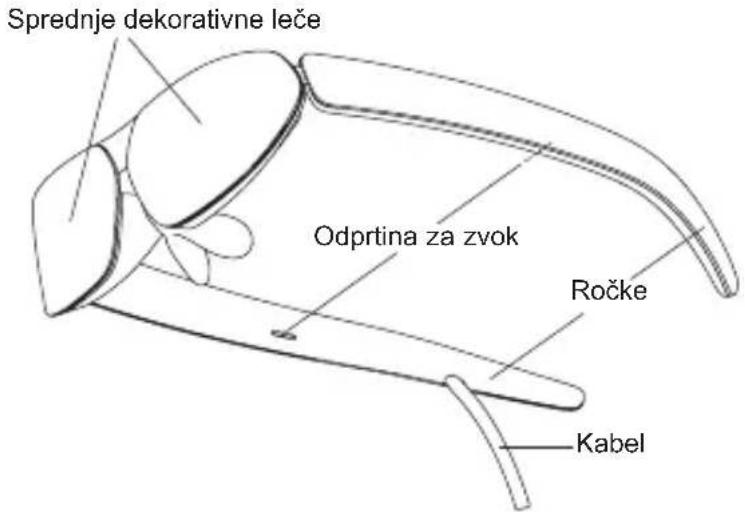
Okuliare TCL NXTWEAR G
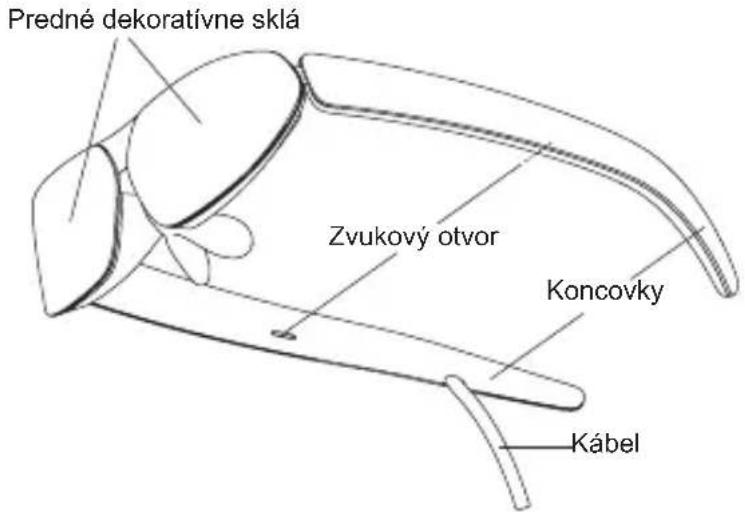
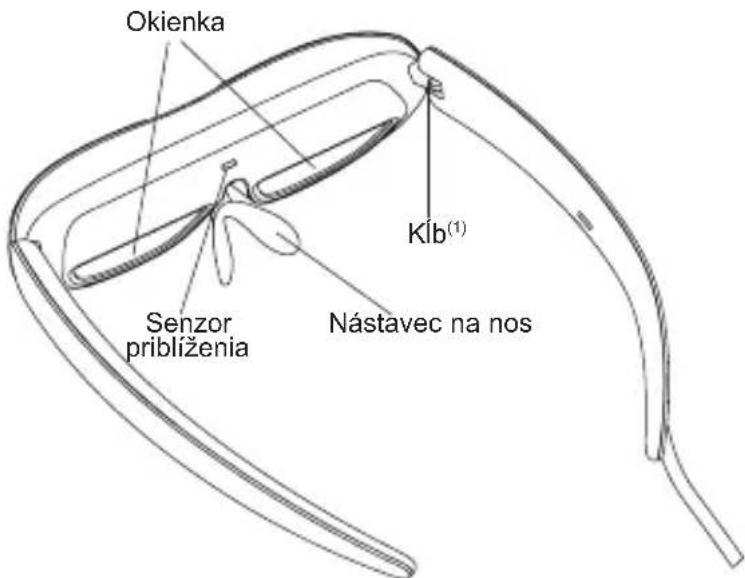
(1) Ohybnost' kIbu je obmedzena. Koncovky prfliš nenata'ahujte, inak ich možete poskodit'.
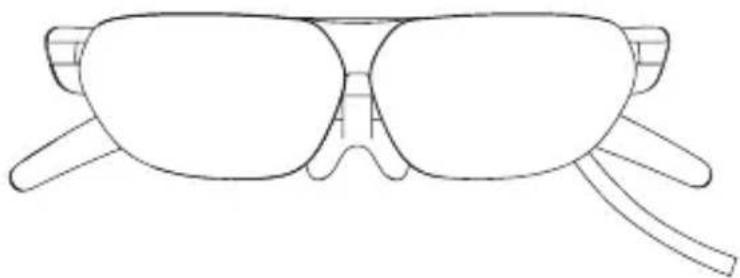
TCL NXTWEAR G naocare
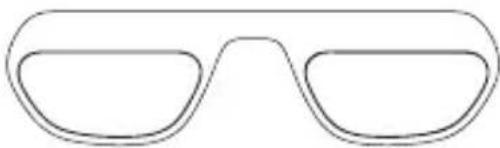
Ram za Korektivna stakla
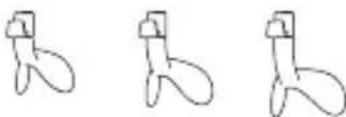
Jastučić za nos
Krpa za brisanje
TCL NXTWEAR G naocheck
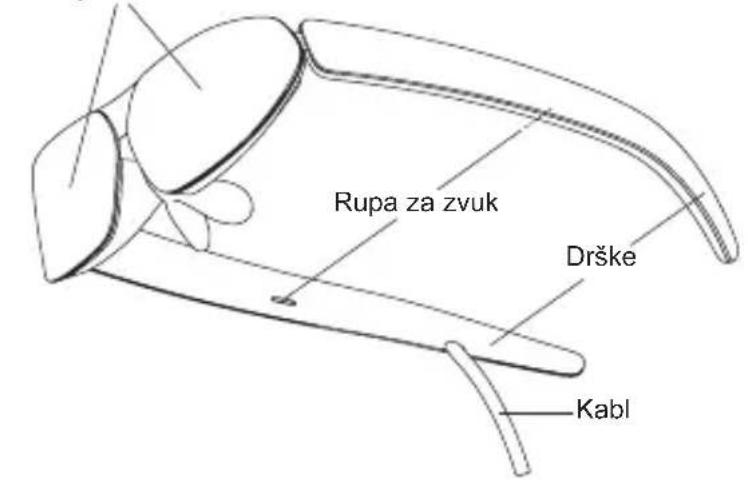
Prednja dekorativna stakla
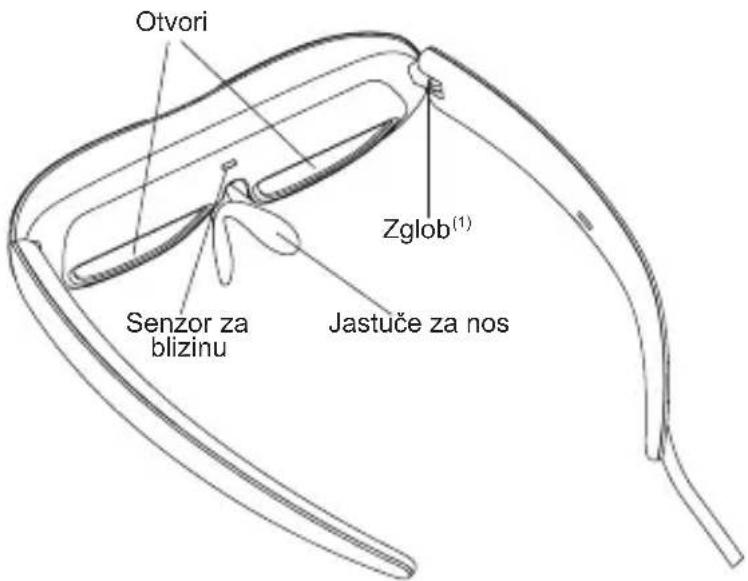
(1) Zglob ima ogranicenuPokretljivost.Pazite da ne otvarate drske previse da ih ne biste ostetili.
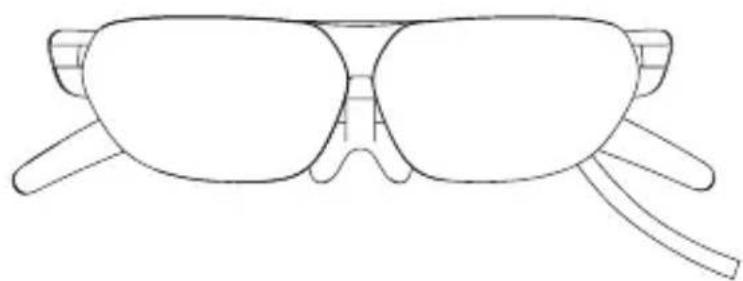
TCL NXTWEAR G Gozlugu
- Internet adresi: https://www.tcl.com/global/en/mobile-support.html. Web sitemizde SSS (Sik Sorulan Sorular) ve Akili Gözlük uygulamamizi vb. bulacaksınüz.
- Uretici: TCL Communication Ltd.
Adres: 5/F, Building 22E, 22 Science Park East Avenue, Hong Kong Science Park, Shatin, NT, Hong Kong

- TCL NXTWEAR G Glasses
- Selecting the Nose Pad
- Prescription Lenses (If Needed)
- Connecting to the mobile phone
- Wearing the Glasses
- Notes:
- Warning
- Disclaimer
- Safety information
- General information
- Regulatory information
- Additional information
- KPATKO PьКОВОДСТВО
- Oueta TCL NXTWEAR G
- H36op Ha noДLOЖka 3a Hoc
- PpeDncaHn leu (ako e Heo6xOdmo)
- Cbbp3BaHe c mo6nHnTepeoh
- Hoche Ha ouhJaTa
- 3a6eJekn:
- PpeDynpexKdene
- OTka3 OT OTROBOPHOCT
- HΦopmaζη 3a 6e3oNaCHOCT
- Osha nHΦopMaζη
- HopmatNBHa HΦopMaζη
- DOnbHnTeHa HOpMaun
- STRUČNÁ PRÍRUČKA
- Lunettes TCL NXTWEAR G
- Naoçale TCL NXTWEAR G
- OnTu HOpMaun
- PerylaToPhn HhOpMaucn
- DOnonHnTeJIHHnHOpMaun
- NAVODILA ZA HITRO
- UPORABO
- Ocala TCL NXTWEAR G
- Okuliare TCL NXTWEAR G
- TCL NXTWEAR G naocheck
Brand : TCL
Model : 10 Plus
Category : Smartphone