
20 A 5G - Smartphone TCL - Free user manual and instructions
Find the device manual for free 20 A 5G TCL in PDF.
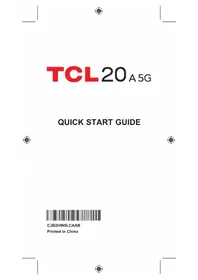


| Product Type | Smartphone |
| Brand | TCL |
| Model | 20 A 5G |
| Dimensions | 164.3 x 75.0 x 8.4 mm |
| Weight | 182 g |
| Display | 6.52-inch IPS LCD, 720 x 1600 pixels |
| Processor | MediaTek Dimensity 700 (7 nm) |
| RAM | 4 GB |
| Internal Storage | 64 GB (expandable via microSD) |
| Rear Camera | 13 MP (main) + 2 MP (macro) + 2 MP (depth) |
| Front Camera | 8 MP |
| Battery | 5000 mAh, non-removable |
| Charging | USB-C, 10W charging |
| Operating System | Android 11 |
| Connectivity | 5G, Wi-Fi 802.11 a/b/g/n/ac, Bluetooth 5.0, GPS, NFC |
| SIM | Dual Nano-SIM |
| Security | Fingerprint sensor (side-mounted), Face unlock |
| Audio Jack | 3.5 mm headphone jack |
| Special Features | FM radio, Splash resistant |
| Maintenance & Cleaning | Wipe with dry cloth; avoid liquids |
| Spare Parts & Repairability | Available through TCL service centers |
| General Information | User manual available for download in PDF format |
Frequently Asked Questions - 20 A 5G TCL
User questions about 20 A 5G TCL
0 question about this device. Answer the ones you know or ask your own.
Ask a new question about this device
Download the instructions for your Smartphone in PDF format for free! Find your manual 20 A 5G - TCL and take your electronic device back in hand. On this page are published all the documents necessary for the use of your device. 20 A 5G by TCL.
USER MANUAL 20 A 5G TCL
Printed in China

About your Phone
Not all features, apps or services may be available with your plan, device operating system and software version. Please contact your wireless service provider for more information.
NOTE: Devices and software are constantly evolving—the screen images and icons you see here are for reference only.

Getting started
Installing or removing the SIM card and microSD™ card
If you need to install or remove your SIM card, follow the steps below.
① Use the provided SIM pin to open the SIM tray. ② Place the SIM/microSD™ card with the chip facing down in the tray and then slide the tray into its slot. Micro SD (TM) cards may be purchased separately (up to a capacity up of 512GB). ③ To remove SIM/microSD card, push up on the gold side of the cards inside the SIM tray.

①

②

③
Charging the battery

It is advised that you fully charge your battery to 100% before first use. Charging status is indicated by the percentage on screen while the phone is powered off. The percentage increases as the phone is charged.
Insert the small end of the cable into the charger port on the phone as shown. Then insert the large end of the USB cable into the wall charger and plug into a wall outlet.
WARNING: Only use the charger and cable supplied with the phone. Using incompatible chargers or tampering with the charging port could damage your phone and void the warranty.
Turning your phone on/off
To turn on your phone, press and hold the Power/Lock key.
NOTE: The first time you turn on your phone, you may need to activate it. Follow the on-screen instructions to set up your device.
To turn off your phone, press and hold the Power/Lock key, and tap Power Off on the screen when it appears.
Locking/unlocking the screen: To turn on your screen, press the Power/Lock key. Then swipe up on the screen to unlock it.
Lock/Unlock your screen
To protect your phone and privacy, you can lock the phone screen by creating a variety of patterns, PINs or passwords.
• To lock the phone screen
If your phone remains inactive for a period of time, it will automatically lock the screen and enter sleep mode to save power. Go to Settings > Display > Sleep and select a screen timeout period.
You can also manually lock the screen by pressing the Power key once.
• To unlock the phone screen
Press the Power key once to light up the screen, swipe up and unlock the screen with the method you have set.


Touch screen tips
Use touch gestures to move around the screen, open menus, select items, zoom in and out of web pages and more.
There are several touch gestures recognized by your phone:
Tap — To open an application, tap it with your finger.
Touch and Hold — Touch and hold the item to view options for the item, such as Remove, and more.
Drag — Place your finger on the screen to drag an object to another location.
Double tap — Double tap to zoom in/out on a web page or picture.
Multi-touch — Pinch or spread your thumb and index finger to zoom in or out.
Home screen
You can bring all of the items (applications, shortcuts, folders) that you use most frequently to your Home screen for quick access.
Tapping Home always takes you back to the main Home screen.

Status bar
• Status/notification indicators - Drag down to open the Notification panel.
Tap an icon to open an application, folder, etc.
Favorite Applications tray
- Tap to open the application.
- Touch and hold to move or change applications.
From the Home Screen, swipe down from the top of the screen to view notifications and phone settings.
① Swipe down to view the Notification panel and access all pending notifications. Swipe down again to view Quick Access settings options.
② Tap to access the complete Settings menu.


Phone call
Placing a call
Touch Phone from the Home screen.


Enter the desired number from the keyboard directly or select a contact from Favorites, Contacts or Recents, then touch to place the call.
Answering or rejecting a call
When you receive a call:
- Swipe up to answer.
- Swipe down to reject.
- Swipe to reject the call by sending a preset message.
To mute the ringtone volume of an incoming call, press the volume up/down key or Power key.
Contacts
Contacts enables quick and easy access to the people you want to reach. You can view and create contacts on your phone.
To access this feature, swipe up on the Home screen, then select Contacts.
Adding a contact

Editing a contact
To edit contact information, touch the edit icon in the contact details screen. When finished, touch SAVE.
Importing and exporting contacts
From the Contacts screen, touch the menu icon to open the options menu, touch Settings > Import/Export, then select to import/export contacts from/to your SIM card, phone, micro SD card, etc.
Share a single contact or multiple contacts with others by sending the contact's vCard to them via Bluetooth, Gmail, etc.
Messaging
You can create, edit, send, and receive SMS and MMS.
An SMS will be converted to MMS automatically when media files (image, video, audio, slides, etc.) are attached, when a subject is added to the message, or an email address is used for a recipient.

① Tap to send the SMS or MMS message. ② Touch and hold to switch language (if additional language keyboards are activated). ③ Insert a picture from gallery or shoot one directly. ④ Insert a GIF, sticker, location, voice memo, contact, or other file. ⑤ Tap to input a comma. Touch and hold to access keyboard settings, input an emoticon, and enter left or right hand input mode. ⑥ Tap to access the symbols and numbers keyboards.
Camera & Video
Your phone's camera is equipped with multiple modes for taking photos and videos. From the home screen, touch the camera icon to access.

To take a picture:
The screen acts as the viewfinder. First, position the object or landscape in the viewfinder, touch the screen to focus if necessary. Touch the shutter button to capture, the photo will be automatically saved. You can also touch and hold the shutter button to take burst shots, the maximum number is 20.
To take a video:
Touch VIDEO to change the camera mode to video. Touch to start video recording. Touch the left part of this icon to take a picture during video recording.
Touch the right part of this icon to pause video recording and touch to continue. Touch to stop recording. The video will be automatically saved.
Apps and more
Customize your phone with music, wallpapers, apps and games. We've got apps that help you do it all. Data charges may apply.
Installing apps
From the Home screen, tap Play Store and search for apps and games.
Web browsing
From the Home screen or within the App Tray, tap Chrome
Google Assistant
Google Assistant is built into your phone. When activated, Google Assistant will pop-up on your screen to let you know it is listening- speak your command when ready.
There are multiple ways to access it:
- Push the Google Assistant button on the left side of your phone.
- Press and hold the Home Button.
- Tap the Microphone icon on the Google Search bar located at the top of the Home screen.
- Simply say out loud "Hey Google".
- Tap the Assistant Icon on the Home Screen and begin to speak your command or say "Hey Google".


Transferring data from your previous device
When you activate your new phone, you could see the "Copy apps & data" option in the Setup wizard. Based on the instructions, you could transfer your apps, photos, contacts, Google Account, and more from your previous device.
Learning more

For questions about your service, please visit visible.com.
For questions about your device, please visit www.tcl.com.
Managing your account

Log into your account on the Visible Phone Service app or at visible.com.

Chat with a care agent at visible.com.
Twitter @Visible and @visiblecare
Instagram: @visiblemobile
Additional information
Your wireless device and third-party services
Visible Wireless is the mobile carrier associated with this wireless device, but many services and features offered through this device are provided by or in conjunction with third parties. Visible Wireless is not responsible for your use of this device or any Visible Wireless applications, services, and products, including any personal information you choose to use, submit, or share with others. Specific third-party terms and conditions, terms of use, and privacy policies apply. Please review carefully all applicable terms, conditions, and policies prior to using this wireless device and any associated application, product, or service.
Hearing aid compatibility information
This phone has been tested and rated for use with hearing aids for some of the wireless technologies that it uses. However, there may be some newer technologies that have not been tested yet for use with hearing aids. It is important to try the different features of this phone thoroughly and in different locations, using your hearing aid or cochlear implant, to determine if you hear any interfering noise. Ask your service provider or the manufacturer of this phone for information on hearing aid compatibility. If you have questions about return or exchange policies, ask your service provider or phone retailer.
TCL20A5G
INSTRUCTIVO DE USO
Impreso en China
Acerca del teléfono
①

②

③

Carga de la batería

Barra de estado
Llamada telefónica


- GETTING STARTED
- CHARGING THE BATTERY
- TURNING YOUR PHONE ON/OFF
- LOCK/UNLOCK YOUR SCREEN
- TOUCH SCREEN TIPS
- HOME SCREEN
- STATUS BAR
- FAVORITE APPLICATIONS TRAY
- PHONE CALL
- PLACING A CALL
- ANSWERING OR REJECTING A CALL
- CONTACTS
- ADDING A CONTACT
- EDITING A CONTACT
- IMPORTING AND EXPORTING CONTACTS
- MESSAGING
- CAMERA & VIDEO
- TO TAKE A PICTURE
- TO TAKE A VIDEO
- APPS AND MORE
- INSTALLING APPS
- WEB BROWSING
- GOOGLE ASSISTANT
- TRANSFERRING DATA FROM YOUR PREVIOUS DEVICE
- LEARNING MORE
- MANAGING YOUR ACCOUNT
- ADDITIONAL INFORMATION
- YOUR WIRELESS DEVICE AND THIRD-PARTY SERVICES
- HEARING AID COMPATIBILITY INFORMATION
- TCL20A5G
- INSTRUCTIVO DE USO
- CARGA DE LA BATERÍA
- BARRA DE ESTADO
- LLAMADA TELEFÓNICA
Brand : TCL
Model : 20 A 5G
Category : Smartphone