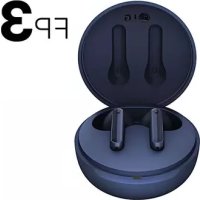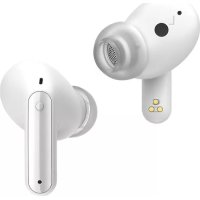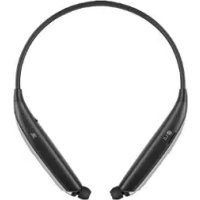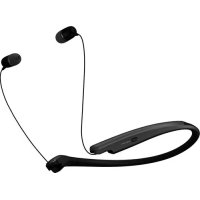
Tone Flex XL7 - Wireless Earbuds LG - Free user manual and instructions
Find the device manual for free Tone Flex XL7 LG in PDF.



User questions about Tone Flex XL7 LG
0 question about this device. Answer the ones you know or ask your own.
Ask a new question about this device
Download the instructions for your Wireless Earbuds in PDF format for free! Find your manual Tone Flex XL7 - LG and take your electronic device back in hand. On this page are published all the documents necessary for the use of your device. Tone Flex XL7 by LG.
USER MANUAL Tone Flex XL7 LG
Additional explanation of how to use
Contact office for compliance of this product :
LG Electronics Inc.
EU Representative, Krijgsman 1, 1186 DM Amstelveen, The Netherlands
English
Copyright © 2020 LG Electronics Inc. All Rights Reserved
NOTE: For the best performance and to prevent any damage to, or misuse of the headset, please read all of the information carefully prior to using the headset.
Any modifications or changes to this manual due to typographical errors or inaccuracies of stated information shall only be made by LG Electronics Inc.
Safety Cautions

CAUTION
Do not disassemble, adjust, or repair the product arbitrarily.
Do not place the product near excessive heat or flammable material.
Do not arbitrarily replace the battery, as it may explode.
The product may be damaged if an incompatible charger is used.
Make sure that an infant or child does not swallow a magnet or a small component of the product.
Make sure that foreign objects do not enter the charger's connectors (charging port and power plug). Failure to do so may result in fire or electric shock.
For your safety, do not wear the product while it is being charged.
If you have a medical device implanted, contact your doctor before using this device.
Do not pull the earphone cable with excessive force.
For your safety, do not remove the battery incorporated in the product.
The lithium-ion polymer battery is a hazardous component that can cause injury.
Battery replacement by an unqualified professional can cause damage to your device.
Do not replace the battery by yourself. The battery can be damaged, which can cause overheat and injury. The battery must be replaced by authorized service provider. The battery should be recycled or disposed separately from household wastes.
In order to prevent unnecessary energy consumption, disconnect the device when fully charged.
Always use an easily accessible power-outlet for charging your device.

WARNING
Do not drop the product from a high place.
Make sure there is no water, alcohol, or benzene in contact with the product.
Do not store the product in a wet or dusty place.
Do not place heavy objects on the product.
This product is not waterproof. Avoid humidity and water.

NOTE
If the product is exposed to excessive sweat, clean the product.
Keep the earbuds clean.
Make sure authentic LG Electronics components are used. Using a non Authentic component may damage the product and thus void the warranty.
To prevent hearing loss, a control sound is played twice or at length when controlling the volume at high volumes.
Actual product design may differ from images shown in manual.
The appearance and specifications of the actual product may differ depending on the model.
LG Tone & Talk™
Tone & Talk supports various functions, including text & voice directions and calling. To install Tone & Talk, scan the QR code to the right or go to the Google Play store and search for "LG Tone & Talk."
NOTE: Tone & Talk can be used on Android™ smartphones.

Fast Pair
1 From the mobile phone's Settings menu, turn on Bluetooth.
2 On the headset, press and hold the MFB for two seconds to turn on the power.
3 The blue Indicator Lamp turns on, and the headset enters Search mode.
4 Place the mobile phone whose screen is unlocked or a device to be connected nearby and connect it to the headset according to the instructions on the screen.
5 A voice message will indicate that the connection is completed.
NOTE: It only supports AndroidTM 5.0 or higher.
Before connecting the headset, configure the mobile device or the device to be connected to use the location information.
The Google Assistant
You can use the feature you want right away by pressing the Google Assistant Button dedicated for the Google Assistant even without looking at the screen of your mobile device or the connected mobile device.
Installation and Usage Requirements of the Google Assistant
To use this feature, your device must be connected to the Internet and logged into your Google account. The Google Assistant feature may not be supported for some countries and languages. Make sure you are in a country where the Google Assistant is available.
The language that is set to your mobile device is set and used as the default language of the Google Assistant.
NOTE: To learn more about the Google Assistant, visit: g.co/headphones/help If you change the language that is used to speak to the Google Assistant, the language of your mobile phone is also changed accordingly.
| Android™ | iOS |
| • Android ™ 5.0 or higher • On tablets, you need Android ™ 6.0-7.0 • Google app 6.13 or higher • Google Play services (The latest version of the Google app) • A Google account • 1.4 GB of memory and 720p screen resolution | • iPhone with iOS 10 or higher • Google Assistant app • A Google account • The latest version of the Google app |
Set up the Google Assistant
1 Connect the headset to the mobile device or the device to connect to by referring to the Pairing and Connecting section.
2 Configure the Google Assistant using the mobile device or the device that is connected to.
-
In the case of an Android device, the Google Assistant notification pop-up appears after the connection is established for configuring the Google Assistant of the mobile device. Select the pop-up and configure the Google Assistant according to the guideline on the screen.
-
In the case of an iOS device, download and execute the latest version of the Google Assistant, and then configure the headset according to the guideline on the screen.
Using the Google Assistant
Once the Google Assistant is configured, its functions can be used by pressing the dedicated Google Assistant Button.
NOTE: To learn more about the Google Assistant, visit: g.co/headphones/help
| Function Usage Method | |
| Talk to the Google Assistant | While holding down the Google Assistant Button, say a command such as "Tell me about my day", and then release the Google Assistant Button. |
| Get your Notifications Press the | Google Assistant Button once. |
| Stop the Google Assistant Press | the Google Assistant Button twice. |
Using Google Translate through the Google Assistant
NOTE: To use the Conversation mode, install the Google Translate app first.
1 Press the Google Assistant Button on the headset, speak "Help me interpret Spanish", and release the Google Assistant Button. The Google Translate app will open.
2 If you press the Google Assistant Button on the headset, speak, and release the Google Assistant Button, the voice that is translated will be played through the mobile device. (The contents that are spoken will be displayed on your device's screen.)
3 If your counterpart speaks while pressing the ( ) of the device, you can hear the translation through the headset.
The language that is set to your mobile device is set and used as the default language of the Google Assistant.
To learn more about Google Translate, visit: https://support.google.com/translate
The Google Assistant Troubleshooting
The Google Assistant not responding: Check the Installation and Usage Requirements of the Google Assistant that are described in the Google Assistant. Make sure you are in a country where the Google Assistant is available. For additional support, visit: g.co/headphones/help
Specifications and Features
| Item Comments | |
| Bluetooth Specifications V 5.0 (Headset/Hands-Free/A2DP/AVRCP) | |
| Battery Battery 3.7 V / 75 mAh, | Lithium-ion polymer |
| Standby Time Up to 250 hours* | |
| Talk Time Up to 8 hours* | |
| Music Play Time Up to 10 hours* | |
| Charging Time Less than 1 hour | |
| Rated Input Voltage DC 4.75 V ~ 5.3 V, 400 mA | |
| Operating Temperature 0°C (+32°F) ~ +35°C (+95°F) | |
| Dimensions/Weight 155 mm (W) X 180 mm (L) X 14 mm (H) / 44 g | |
| Frequency range 2402 MHz to 2480 MHz | |
| Output power (Max.) 10 dBm | |
*Duration of use may vary depending on the connected mobile device, features being used, settings, signal strength, operating temperature, frequency band, and other methods of use.
François
Declaration of Confirmation
DECLARATION OF CONFORMITY:
Hereby, LG Electronics declares that the radio equipment type this headset is in compliance with Directive 2014/53/EU. The full text of the EU declaration of conformity is available at the following internet address: http://www/lg.com/global/declaration
Bluetooth® is a registered trademark of Bluetooth SIG, Inc. worldwide.
Google, Google Play, Google Translate, Android and other related marks and logos are trademarks of Google LLC.
Bluetooth
CE
Additional Information
1. Radio frequency exposure
This Bluetooth Wireless Stereo Headset is a radio transmitter and receiver. When in operation it communicates with a Bluetooth equipped mobile device by receiving and transmitting radio frequency (RF) electromagnetic fields (microwaves) in the frequency range 2.4 to 2.4835 GHz. Your Bluetooth headset is designed to operate in compliance with the RF exposure guidelines and limits set by national authorities and international health agencies when used with any compatible LG Electronics mobile phone.
2. Bluetooth Connection Precautions
The following environments affect the range and reception of Bluetooth signals:
- When walls, metal, human bodies, or other obstacles exist between the Bluetooth device and the connected device
- When equipment that uses 2.4 GHz frequency signals (Wireless LANs, wireless phones, microwave ovens, etc.) is placed near the devices being used
3. Potentially explosive atmosphere
Turn off your electronic device when in any area with a potentially explosive atmosphere. It is rare, but your electronic device could generate sparks. Sparks in such areas could cause an explosion or fire resulting in bodily injury or even death. Areas with a potentially explosive atmosphere are often, but not always, clearly marked.
4. Battery information
A rechargeable battery has a long service life if treated properly. A new battery or one that has not been used for a long period of time could have reduced capacity the first few times it is used. Do not expose the battery to extreme temperatures, never above +50^ or below -10^ . For maximum battery capacity, use the battery in room temperature. If the battery is used in low temperatures, the battery capacity will be reduced. The battery can only be charged in temperatures between +10^ and +45^ .
5. Recycling the battery in your Bluetooth Headset
The battery in your Bluetooth Headset must be disposed of properly and should never be placed in municipal waste.
6. Conditions
-
The warranty is valid only if the original receipt issued to the original purchaser by the dealer, specifying the date of purchase and serial number, is presented with the product to be repaired or replaced. LG Electronics reserves the right to refuse warranty service if this information has been removed or changed after the original purchase of the product from the dealer.
-
If LG Electronics repairs or replaces the product, the repaired or replaced product shall be warranted for the remaining time of the original warranty period or for ninety (90) days from the date of repair, whichever is longer. Repair or replacement may involve the use of functionally equivalent reconditioned units. Replaced parts or components will become the property of LG Electronics.
-
This Warranty does not cover any failure of the product due to normal wear and tear, or due to misuse, including but not limited to use in other than the normal and customary manner, in accordance with instructions for use and maintenance of the product. Nor does this warranty cover any failure of the product due to accident, modification or adjustment, acts of God or damage resulting from liquid.
-
This warranty does not cover product failures due to improper repair installations, modifications or service performed by a non-LG Electronics authorized person. Tampering with any of the seals on the product will void the warranty.
Limited Warranty
SUBJECT TO THE CONDITIONS OF THIS LIMITED WARRANTY, LG ELECTRONICS WARRANTYS THIS PRODUCT TO BE FREE FROM DEFECTS IN DESIGN, MATERIAL AND WORKMANSHIP AT THE TIME OF ITS ORIGINAL PURCHASE BY A CONSUMER, AND FOR A SUBSEQUENT PERIOD OF ONE (1) YEAR. SHOULD YOUR PRODUCT NEED WARRANTY SERVICE, PLEASE RETURN IT TO THE DEALER FROM WHOM IT WAS PURCHASED OR CONTACT YOUR LOCAL LG ELECTRONICS CONTACT CENTER TO GET FURTHER INFORMATION.
Important Safety Information
Avoiding hearing damage
Permanent hearing loss may occur if you use your Handsfree car kit at a high volume. Set the volume to a safe level. You can adapt over time to a higher volume of sound that may sound normal but can be damaging to your hearing.
If you experience ringing in your ears or muffled speech, stop listening and have your hearing checked. The louder the volume, the less time is required before your hearing could be affected. Hearing experts suggest that to protect your hearing:
- Limit the amount of time you use Headset at high volume.
- Avoid turning up the volume to block out noisy surroundings.
- Turn the volume down if you can't hear people speaking near you.
Please refer to your handset user guide for more information on how to adjust listening levels on your handset.
Using headsets safely
Use of Headset to listen to music while operating a vehicle is not recommended and is illegal in some areas. Be careful and attentive while driving. Stop using this device if you find it disruptive or distracting while operating any type of vehicle or performing any other activity that requires your full attention.
Open Source Software Notice Information
To obtain the source code under GPL, LGPL, MPL, and other open source licenses, that is contained in this product, please visit http://opensource.lge.com.
In addition to the source code, all referred license terms, warranty disclaimers and copyright notices are available for download.
LG Electronics will also provide open source code to you on CD-ROM for a charge covering the cost of performing such distribution (such as the cost of media, shipping, and handling) upon email request to opensource@lge.com.
This offer is valid for a period of three years after our last shipment of this product. This offer is valid to anyone in receipt of this information.
François
DECLARATION DE CONFORMITE:
Disposal of waste batteries/accumulators
1 This symbol may be combined with chemical symbols for mercury (Hg), cadmium (Cd) or lead (Pb) if the battery contains more than 0.0005% of mercury, 0.002% of cadmium or 0.004% of lead.
2 All batteries/accumulators should be disposed separately from the municipal waste stream via designated collection facilities appointed by the government or the local authorities.
3 The correct disposal of your old batteries/accumulators will help to prevent potential negative consequences for the environment, animal and human health.
4 For more detailed information about disposal of your old batteries/ accumulators, please contact your city office, waste disposal service or the shop where you purchased the product. (http://www/lg.com/global/ sustainability/environment/take-back-recycling/global-network-europe)
Removal of waste batteries and accumulators (Product with embedded battery ONLY)
-
In case this product contains a battery incorporated within the product which cannot be readily removed by endusers, LG recommends that only qualified professionals remove the battery, either for replacement or for recycling at the end of this product's working life. To prevent damage to the product, and for their own safety, users should not attempt to remove the battery and should contact LG Service Helpline, or other independent service providers for advice.
-
Removal of the battery will involve dismantling of the product case, disconnection of the electrical cables/contacts, and careful extraction of the battery cell using specialized tools. If you need the instructions for qualified professionals on how to remove the battery safely, please visit http://www.lge.com/global/sustainability/environment/take-back-recycling.
CESKY
Likvidace použitych baterii/akumulatoru
1 Tento symbol muzhe byt kombinovan s chemickymi značkami rtuti (Hg), kadmia (Cd) nebo olova (Pb),Pokud baterie obsahuje vice než 0,0005 % rtuti, 0,002 % kadmia nebo 0,004 % olova.
2 Vsechny baterie/akumulatory by mely byt likvidovany oddelene od bezného komunalniho opadu prostreindnictvim sbernych zaizeni zrzenych za timto ucelem vladou nebo mistni samospravou.
3 Správný zpúsob likvidace starych baterii/akumulatoru pomáhá zamezit možnám negativném vlivum naživotné prostřéda zdraví zviřat a lidí.
4 Blizsi informace o likvidaci starych baterii/akumulatoru ziskate u mistrni samospravy, ve sbernem zaizeni nebo v obchodve, ve kterem jste vyrobek zakoupili. (http://www/lg.com/global/sustainability/environment/takeback-recycling/global-network-europe)
Vyjmuti starych baterii a akumulatoru (POUZE pro vyrobek s integrovanou baterii)
N3XBbPnHe Ha 6aTeepn/aKymyNaTOpn CneI n3TuHaHe Ha Cpoka NM Ha rOndHocT
1 Ako 6aTepeTcBdIbPka HAd 0,0005% XnBaK, 0,002% KaMn nn 0,004% OJBO, To3n CmBoN MoKe da e npndpyKeH OT XmUeCKn 3HaK, 06o3NaJaBaun XnBaK (Hg), KaMn (Cd) nn OJBO (Pb).
2 Bcunkn 6aTeepn/aKymyIaTopn Tp86Ba Da 6bDaT n3xBbpIHH OTdEJIHO OT 6ntOBITE OTNaDbuN Upe3 OnpedeJeHn 3a TOBA OT npabNTeJCTBOTO IN MeCTHIne Bnactn CbOpjXeHn.
3 IpaBnHTo N3XbPnA He Ha HEnoTpe6HnTe 6aTeepn/ aKymyIaTopn 1e NOMOrHe 3a IpeDOTbPaTBAHe Ha Bb3MOxHn HeraTnBn NocJeDuu 3a OKoJHaTa CpeDa, XNBOTHnTe n OBeWKOTO 3dpaBe.
4 3a no-noDpo6ha nHΦopMaζηra 3a n3XbBpIηHeTo Ha hEnoTpe6Hn 6bAePm/n/AkymyIaTOPn ce obbpHeTe KbM MeCTHaTa oBuNHa, ycLyrnte no n3XbBpIηHe Ha OTnaDbu Nl mRa3NuHa, OTKbDeTo cTe 3akynnn npOdyKta. (http://www.lg.com/global/sustainability/ environment/take-back-recycling/global-network-europe)
N3XbBpJrHe Ha OtnaDbuCbDbPkaa6aTeepn n aKymyIaTopn
(CAMO 3a npodyktn c BrpaedeHa 6aTepey)
-B cnya, ye To3n npodykt cbdbpxka 6atepyra BkIIOueHa B Hero, KOrTO He MOKe IecHO da 6bde OTCTpaHeHa OT kpaHInTe Ntpe6nteH, LG npenopbyBa cAmo KBaHINΦuHpaHcneuaNACTN Da n3BaxDaT 6atepyra H da J 3aMeHr, INpOyKbT da ce daJe 3a peUKNIPAhe B KpaH pa6OTHnca XNBOT. 3a Da npedotbpaTt NobpeHa Ha npOyKa, KaKTo H 3a co6CTBeHaTa cn 6e3OpacHocT, Notpe6nteJIte He Tpr6Ba Da ce ONITBa DA n3BaxDaT 6atepyra Ta Tpr6Ba Da ce Cbpxkat CG Service ,Tope7a nnHna", NNn dpyn He3aBNCIMM DOCTABuHcH Na yCnyr 3a cbBET.
-ИЗваданeto Ha 6atepyra BKNIOUba DeMOHTaK Ha KUTnTa Ha npOdykta, pa3eINHBAHe Ha eJektpnuecknTe KaBeJIu/KoHTaKTN, BHIMaTeJIH N3BInuHaHe Ha KneTKata Ha 6atepyra, KaTO Ce n3NoI3BaT CNEuNAIn3nPaHn INCTpyMeHTN. Ako IMATE Hjxda OT INCHTpkyuInTe 3a KBaJIInΦuInpauHn CNEuNAJInCTn OTHOCHO TOBa, Ka Da n3BaInTe 6atepyra 6ezOnacHo, MoJЯ NOcETe: http://www.lge.com/global/sustainability/environment/take-back-recycling.
HRVATSKI
Odaganje starih baterija/akumulatora
1 Taj simbol moze biti u kombinaciji sa simbolom za zivu (Hg), kadmij (Cd) ili olovo (Pb) ako baterija sadrzi vise od 0,0005% zive, 0,002% kadmija ili 0,004% olova.
2 Sve baterije/akumulatori trebali bi se odlagati odvojeno od komunalnog. OTPada na posebnim miestima koje je odredila vlada ili lokalne vlasti.
3 Ispravno odlaganje starih baterija/akumulatora pomaze u sprječavanju potencijalnih negativnih posljedica po okoliš te zdravlježivotinja i lijudi.
4 Više informacija o odlaganju starih baterija/akumulatora zatražite od gradskog ureda, sluzbe za odlaganje OTPada ili trgovine u kojoj ste kupili proizvod. (http://www/lg.com/global/sustainability/environment/takeback-recycling/global-network-europe)
Uklanjanje potrošenih baterija/akumulatora
(SAMO uredaji s ugradenim baterijama/akumulatorima)
-
U slučaju kada urežaj sadrži ugradenu bateriju/akumulator unutar proizvoda koju ne moze izvaditi krajni korisnik, LG preproučuje neka bateriju/akumulator izvadi samo kvalificirano osoblje, bilo radi zamjene ili recikliranja na kraju vijeka trajanja proizvoda. Radi sprječavanja oštećenja proizvoda i radi vastite sigurnosti, korisnici ne smiju pokušavati izvaditi bateriju/akumulator i trebaju kontaktirati Telefonsku liniju za pomoć LG servisa ili druge nezavisne pruzatelje servisa i zatražiti savjet.
-
Uklanjanje baterije/akumulatora uključuje rastavljanje kuciša proizvoda, odspajanje elektricnih kabela/prklijucaka i pažljivo vadenje celije baterije pomocu posebnog alata. Ako trebate upute kualificiranih profesionalaca kako izvaditi bateriju na siguran način, molimo posjetite http://www.lge.com/global/sustainability/environment/take-back-recycling.
EESTI
Akude/patareide kasutuselt körvaldamine
BnMaHnBaKOpncTaHx 6aTapeu Ta akymyIaTopiB
(JIINUEIJIABNPO6iB i3 B6yIDoBaHO 6aTapeEIO)