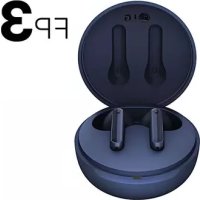
USER MANUAL TONE Free FP3 LG

Google Play App Store
Rev 3.0 EUF
www.lg.com
Using LG TONE Free™
Copyright © 2021 - 2022 LG Electronics Inc. All Rights Reserved

NOTE: For the best performance and to prevent any damage to, or misuse of the headset, please read all of the information carefully prior to using the headset.
Any modifications or changes to this manual due to typographical errors or inaccuracies of stated information shall only be made by LG Electronics Inc.
The LG TONE Free (TONE-FP3) is a lightweight wireless headset that uses Bluetooth technology.
This product can be used as an audio accessory for devices supporting either the A2DP or Hands-Free Bluetooth Profile.
Safety Precautions
The following safety precautions are provided to prevent any unexpected accident or damage. Please familiarise yourself with the safety precautions.
The safety precautions are classified into "WARNING" and "CAUTION".

WARNING: Failing to comply with the instructions may result in serious injury or death.

CAUTION: Failing to comply with the instructions may result in minor injury or product damage.

WARNING
Do not drop the product from a high place.
Make sure there is no water, alcohol, or benzene in contact with the product.
Do not store the product in a wet or dusty place.
Do not place heavy objects on the product.
This product is waterproof to the IPX4 level (daily life waterproof).
(The IPX4 waterproof rating applies to the earbud product only.)
Do not put the product under the water or use it in a humid location such as a bathroom.

CAUTION
Do not disassemble, adjust, or repair the product arbitrarily.
Do not place the product near excessive heat or flammable material.
The product may be damaged if an incompatible charger is used.
Make sure that an infant or child does not swallow a magnet or a small component of the product.
Make sure that foreign objects do not enter the charger's connectors (charging port and power plug). Failure to do so may result in fire or electric shock.
If you have a medical device implanted, contact your doctor before using this device.
This product has a built-in battery, and the battery cannot be removed or replaced arbitrarily.
For your safety, do not remove the battery incorporated in the product. If you arbitrarily replace the battery or don't replace it correctly, it may explode.
The lithium-ion battery is a hazardous component that can cause injury. Battery replacement by an unqualified professional can cause damage to your device.
Do not replace the battery by yourself. The battery can be damaged, which can cause overheat and injury. The battery must be replaced by authorised service provider. The battery should be recycled or disposed separately from household wastes.
Do not discard the battery arbitrarily. Follow the local procedure for discarding batteries.
In order to prevent unnecessary energy consumption, disconnect the device when fully charged. Always use an easily accessible power outlet for charging your device.
Risk of fire or explosion if the battery is replaced by an incorrect type.
Do not store or transport at pressures lower than 11.6 kPa and at above 15000 m altitude.
Replacement of a battery with an incorrect type that can defeat a safeguard (for example, in the case of some lithium battery types).
Disposal of a battery into fire or a hot oven, or mechanically crushing or cutting of a battery, that can result in an explosion.
Leaving a battery in an extremely high temperature surrounding environment that can result in an explosion or the leakage of flammable liquid or gas.
A battery subjected to extremely low air pressure that may result in an explosion or the leakage of flammable liquid or gas.
Do not carelessly throw away old batteries. It can cause an explosion or fire. The disposal method may vary by country and region. Dispose of it in an appropriate manner.

NOTE
If the product is exposed to excessive sweat, clean the product.
Keep the earbuds clean.
Wearing earbuds for a long time may cause pain, and if humidity inside ears continues for a long time, it may cause skin trouble.
HD Speaker
If the communication network of the device you are connecting to supports HD Voice Calling, you can enjoy making voice calls and listening to music in high definition.
Product Components

natural_image
Simple line drawing of an open and closed mechanical component (no text or symbols)
LG TONE Free™
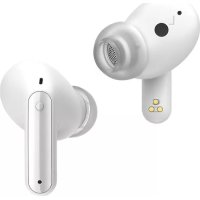
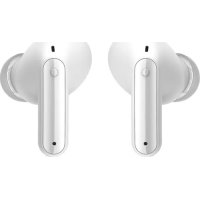
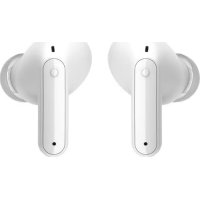
Earbuds (medium eargels installed)
Charging Case

natural_image
Four identical circles arranged in a 2x2 grid, no text or symbols present
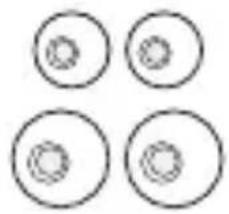
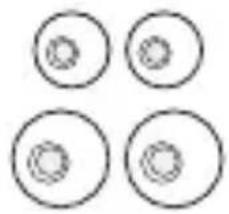
Extra Ear Gels (small & large)

Reference guide

Simple Owner's Manual WEEE Card (Europe Only)

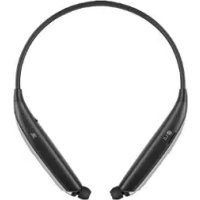
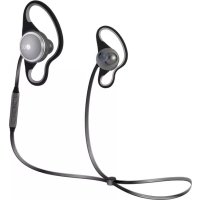
NOTE: Actual product design may differ from images shown in manual.

CAUTION
Make sure authentic LG Electronics components are used. Using a non-authentic component may damage the product and thus void the warranty.
Overview
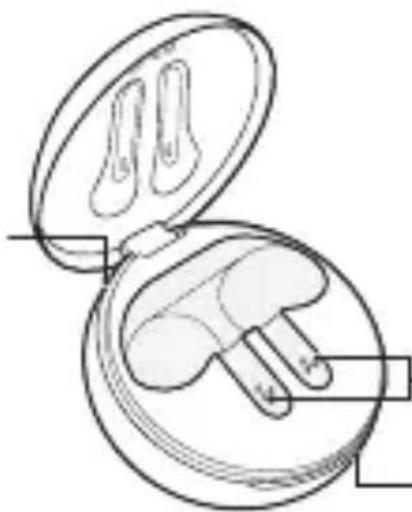
Charging Case
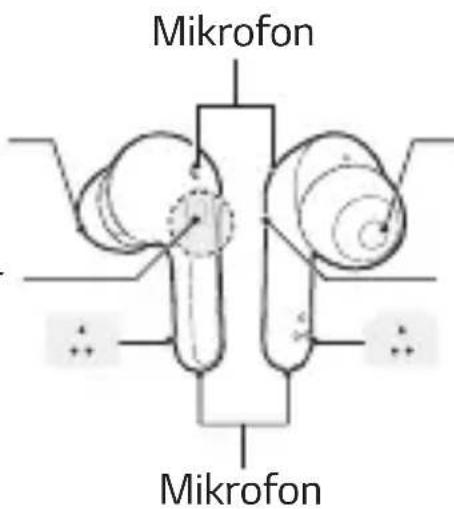
Charging case
charging port
natural_image
Line drawing of an open and closed package containing two small objects, possibly earphones or earbuds (no text or symbols)
Earbud charging terminals
Battery status indicator
Earbuds

*Make sure that the charging terminal is not soiled with foreign substance.
*The appearance and specifications of the actual product may differ depending on the model.
Pairing and Connecting
Fast Pair
flowchart
graph LR
    A["Smartphone"] --> B["Bluetooth Device"]
    B --> C["~1m Signal"]
    C --> D["Network Connectivity"]
    D --> E["Car icon with arrow indicating connectivity"]
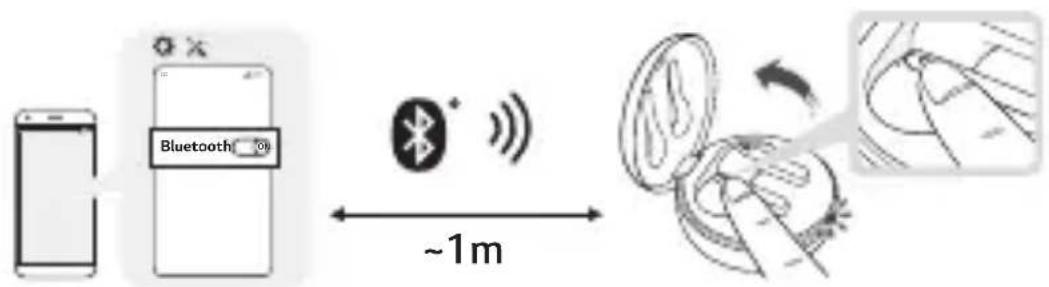
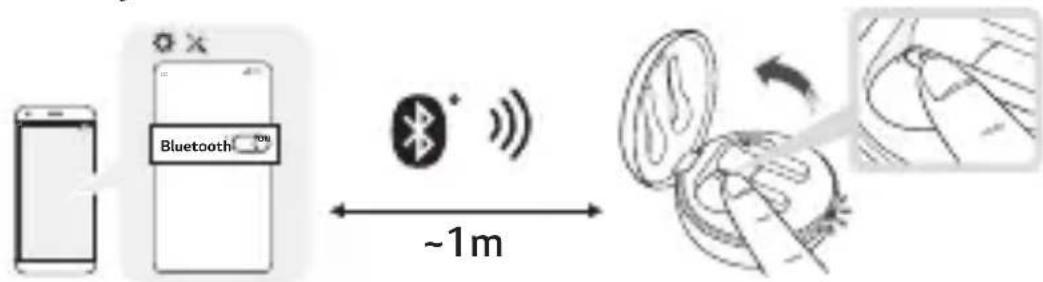
1 Turn on the Bluetooth function on the mobile phone or the device to be connected.
2 Open the cover of the charging case with the earbuds mounted on the case. Press and hold the touchpad of the left or right earbud for 3 to 5 seconds until the battery status indicator blinks in blue.
3 When a Fast Pair pop-up appears on the bottom of the smartphone screen, touch "Connect" to establish connection. (It only supports Android™ 6.0 or higher, and requires configuring Bluetooth and location information settings of the mobile device.)
4 If the pop-up does not appear, select [LG-TONE-FP3] from the Bluetooth menu on the mobile phone and connect it (for users of iOS or Android 5.0 or lower versions).
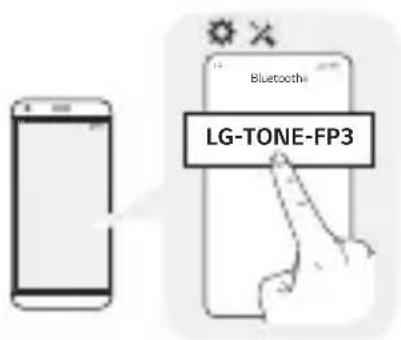

CAUTION: In the list of Bluetooth connected devices, LG-TONE-FP3_LE is not the correct model name for connection. Check the model name in use and connect with the model name without "LE". If the earbud model name is abnormally displayed on the Android device, change the model name in the Bluetooth menu of Connected Device Settings.

NOTE: To connect with another device, perform the above procedure again.
Automatic Reconnection
The earbuds are connected automatically when you open the cover of the charging case. If you close the cover of the charging case with both earbuds mounted in the charging case, the earbuds are disconnected.
Wearing Earbuds
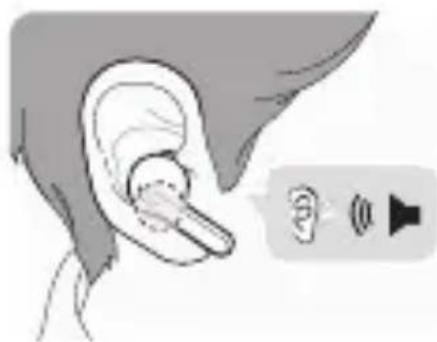
1 Separate the earbuds from the charging case and adjust them so that they fit comfortably in your ears.

NOTE: You can easily separate the earbuds from the charging case by turning the part with dotted line in the image below to left or right and lifting the earbuds.

2 When you wear the earbuds, you will hear a wearing detection alarm.

natural_image
Illustration of a human ear with a finger inserted, accompanied by a speaker icon (no text or symbols)
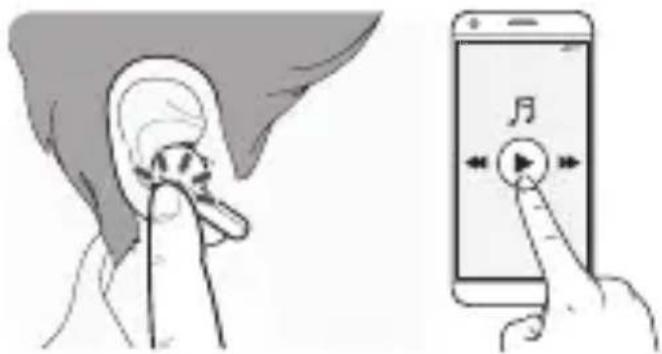
Playing Music

| Function Description | |
| Play / Pause | : Touch the left or right earbud once. |
| Adjusting the Volume | : Touch the left(Decrease volume) or right(Increase volume) earbud twice. |
| Play Next | : Touch the left or right earbud three times. |

NOTE: You can change the operation method of the function in the touchpad settings of the LG TONE Free app.
Mobile Calling Functions

| Function Status | Description | |
| Answering Calls | Ringing Touch the left or right earbud once. |
| Ending Calls | Talking | Touch the left or right earbud twice. |
| Making Calls Idle | If you make a call using a mobile phone, the call is automatically connected to the headset. |
| Receiving Calls while on the Phone | Talking | If you touch the left or right earbud once, the current call will go on hold, and you will be able to answer an incoming call.If the previous call is on hold, you can finish the current call on the mobile phone.(It works differently depending on the mobile phone settings.) |
| Rejecting Calls | Ringing Touch and hold the left or right earbud. |
Listen to the Ambient Sound (LAS)

The Listen to the Ambient Sound (LAS) function allows you to listen to the ambient sound so that you can recognize the surrounding situation and any potential risks.
Touch and hold the left or right earbud to turn on or off the Listen to the Ambient Sound (LAS).
In the LG TONE Free app, you can choose Listen to the Ambient Sound (LAS).
You can configure the Listen to the Ambient Sound mode and Conversation mode using the LG TONE Free app.
Using the LAS results in reduced usable time compared to when it is off.
The LAS operates while the phone is in the standby mode or music play mode.

CAUTION: When the LAS mode is enabled, you may hear the ambient sound become loud suddenly.
Charging
Wired Charging

When the charging cable is connected, the charging status is displayed in the charging case.

NOTE: The earbuds and the charging case are charged at the same time.
The charging port on the charging case cannot be used to supply power to mobile phones, etc.
Purchase a charging cable separately.
Checking the Battery Status
If earbuds are mounted in the charging case, the earbuds' battery status is displayed. Otherwise, the charging case's battery status is displayed.

natural_image
Line drawing of an open cushion with two small objects inside, no text or symbols present
| Battery Status Indicator | Remaining Battery (charger not connected) | Charging State (charger connected) |
| Red 20% or lower Charging | |
| Yellow 20% - 80% - | |
| Green 80% or higher Fully charged | |

NOTE: When the charging case lid is closed, charging case battery status is displayed. If the charging case has no remaining charge, there will be no display and it cannot function. We recommend you keep the charging case charged at all times as the earbuds are not able to be turned on and turned off independently.
Battery Status Indicator
| Status Description | |
| Bluetooth Search Mode | The battery status indicator flashes in blue. |
| Battery below 20% | The battery status indicator turns on and off in red. |
| Battery 20% - 80% | The battery status indicator turns on and off in yellow. |
| Battery 80% or more | The battery status indicator turns on and off in green. |
| When there is a problem while charging | The battery status indicator flashes in red. |
| Charging (charger connected) | The battery status indicator turns on in red. |
| Charging complete (charger connected) | The battery status indicator turns on in green. |
Out of Range
If the device connected to the product is out of effective communication range, the communication signal becomes weak and the communication is lost. The effective communication range may vary depending on surrounding and other conditions.
If the device comes back within effective communication range, the product automatically reconnects to the device. If the device is not automatically reconnected, touch the left or right earbud once to connect them.
LG TONE Free App
If you install the "LG TONE Free" app, you can use Check Earbud Battery, Voice Alert, Change Equalizer Mode, Check Last Connected Location Information, and Find My Earbuds functions. Check out the app for more details.
To install the "LG TONE Free" app, search LG TONE Free in the Google Play Store or App Store or scan the QR code below.
It supports Android 7.0 or higher and iOS 11 or higher.

Google Play App Store

Troubleshooting
If you see any of the following symptoms while using the product, make sure to recheck it. It may not be a malfunction.
| Symptom Cause and Solution |
| The power does not turn on | Check the battery level and charge it. |
| If unable to make a call with earbuds | If the mobile phone does not support headset and hands-free functions, you cannot use the calling features.Check the battery level and charge it. |
| If unable to register earbuds to mobile phone | Check whether earbuds are turned on.Check if the earbuds have entered the search mode.- While the earbuds are inserted in the charging case, press and hold the touch pad on the left or right earbud for 3 to 5 seconds to switch to the search mode. |
| If you replaced the earbuds or there is a problem with the operation (Factory reset) | While the earbuds are inserted in the charging case, press and hold the touch pad on the left or right earbud for 10 seconds or more.- The battery status indicator of the charging case flashes red and the initialization to the factory status is carried out. After initialization to the factory status, reconnect the earbuds. |
Specifications and Features
| Item Comments | |
| Bluetooth Specifications | V 5.1 (Headset/Hands-Free/A2DP/AVRCP) |
| Battery | Earbud : 3.7 V / 55 mAh, Lithium-ionCharging case : 3.7 V / 210 mAh, Lithium-ion |
| Music Play TimeEarbuds & With Charging case | Up to 7 & Up to 15 hours* |
| Charging Time | Earbud : within 1 hour and 30 minutes /Charging case : within 2 hours10 min charge for up to 60 min playtime*※ When charging wired at room temperature |
| Rated Input Voltage | Earbud : 5 V ---, 80 mACharging case : 5 V ---, 500 mA |
| Operating Temperature | 0 °C ~ +40 °C |
| Operating Humidity | 5 % ~ 60 % |
| Dimensions(mm) /Weight (g) | Earbud : 16.1 mm (W) X 32.65 mm (L) X 25.7 mm(H) / 5.3 g (One earbud)Charging case : 54.5 mm (W) X 54.5 mm (L) X30 mm (H) / 33 g |
| Frequency range Output Power (Max) |
| 2402 MHz to 2480 MHz 13.5 dBm | |
*Duration of use may vary depending on the connected mobile device, features being used, settings, signal strength, operating temperature, frequency band, and other methods of use.
natural_image
Simple line drawing of an open and closed mechanical component (no text or symbols)
natural_image
Four identical circles arranged in a 2x2 grid, each with a smaller inner circle (no text or symbols)
natural_image
Diagram of an open and closed package with two small objects inside, no text or symbols present
natural_image
Illustration of a human ear with a finger and sound wave indicator (no text or symbols)
Přehrávání hudby

natural_image
Line drawing of a closed cushion with two small objects inside, no text or symbols present
Google Play App Store

Řešení potíží
natural_image
Line drawing of an open cylindrical device with internal components (no text or symbols)
natural_image
Four identical circles arranged in a 2x2 grid, no text or symbols present
natural_image
Line drawing of an open and closed button with two small objects inside, no text or symbols present
flowchart
graph LR
    A["Smart Phone"] --> B["Bluetooth ON"]
    B --> C["Wireless Signal"]
    C --> D["Hand gestures with motion arrows"]
    D --> E["Close-up of Hand Icon"]
natural_image
Illustration of a human ear with a small earbuds and sound waves, no text or symbols present
natural_image
Line drawing of a closed button with two small objects inside, no text or symbols present
Google Play App Store

Dépannage
natural_image
Simple line drawing of an open and closed mechanical device (no text or symbols)
WEEE-Karte (nur Europa)

natural_image
Line drawing of an open cushion with two small objects inside, no text or symbols present
Touchpad
LadeanschlüsseLadeanschlüss
natural_image
Illustration of a human ear with a microphone and sound wave icon, no text or symbols present
Musik wiedergeben
natural_image
Illustration showing ear manipulation technique: before ear compression, after ear retraction with sound waves (no text or symbols)
natural_image
Line drawing of a closed pouch with two small objects inside, no text or symbols present
Google Play App Store

Fehlerbehebung
natural_image
Simple line drawing of an open closed button or socket with internal slots (no text or symbols)
natural_image
Four identical circles arranged in a 2x2 grid, no text or symbols present
natural_image
Illustration of a human ear with a sound wave icon pointing to the ear (no text or symbols present)
Zene lejátszása

natural_image
Line drawing of a closed button with two small objects inside, no text or symbols present
Google Play App Store

Hibaelhárítás
Copyright © 2021 - 2022 LG Electronics Inc. All Rights Reserved

natural_image
Simple line drawing of an open pill with a lid and bulb (no text or symbols)
natural_image
Four identical circles arranged in a 2x2 grid, no text or symbols present
natural_image
Line drawing of an open cushion case with two small objects inside, no text or symbols present
natural_image
Illustration of a human ear with a sensor and sound wave icons (no text or symbols)
natural_image
Line drawing of a closed cushion with two small objects inside, no text or symbols present
Google Play App Store

natural_image
Simple line drawing of an open pill case with internal compartments (no text or symbols)
natural_image
Four identical circles arranged in a 2x2 grid, no text or symbols present
natural_image
Diagram of an open earbuds with a clamped device inside (no text or labels)
Laadklemmen
oordoppen
Batterijstatusindicator
Oordoppen

flowchart
graph LR
    A["Smartphone"] --> B["Bluetooth 00"]
    B --> C["~1m Signal Transmission"]
    C --> D["Hand gestures with motion arrows"]
    D --> E["Hand gesture pointing to a location"]
natural_image
Illustration of a human ear with a sensor and sound wave icons (no text or symbols)
Muziek afspelen
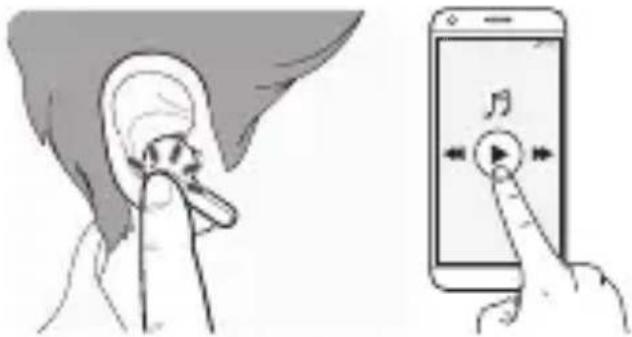
natural_image
Line drawing of a closed cushion with two small objects inside, no text or symbols present
Google Play App Store
Probleemoplossing
natural_image
Simple line drawing of an open pill with a button (no text or symbols)
natural_image
Four identical circles arranged in a 2x2 grid, no text or symbols present
natural_image
Line drawing of an open earring case with two small earbuds and a central device (no text or symbols)
natural_image
Illustration of a human ear with a finger pointing to the ear and sound wave icons below (no text or symbols)
Odtwarzanie muzyki
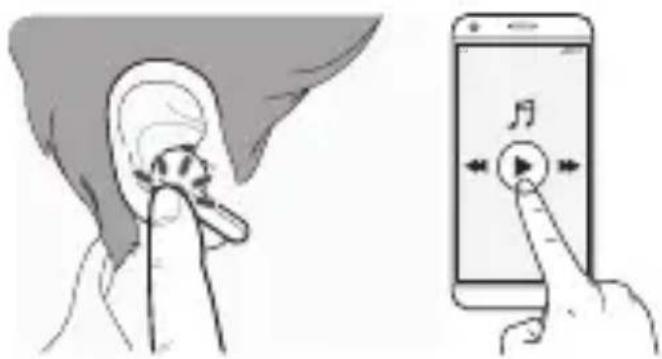
natural_image
Line drawing of a closed button with two small objects inside, no text or symbols present
Google Play App Store

natural_image
Simple line drawing of an open closed button or socket with internal slots (no text or symbols)
natural_image
Four identical circles arranged in a 2x2 grid, each with a smaller inner circle (no text or symbols)
Tarjeta RAEE (solo en Europa)

natural_image
Line drawing of an open cushion with two small objects inside, no text or symbols present
flowchart
graph LR
    A["Smart Phone"] --> B["Bluetooth"]
    B --> C["~1 m Signal Transmission"]
    C --> D["Hand-drawn Sketch with Arrow"]
    D --> E["Hand-drawn Slice with Arrow"]
natural_image
Illustration of a human ear with a finger inserted, accompanied by a speaker icon (no text or symbols)
natural_image
Illustration of a closed pouch with two small objects inside, no text or symbols present
Google Play App Store
natural_image
Simple line drawing of an open cylindrical object with internal components (no text or symbols)
natural_image
Four identical circles arranged in a 2x2 grid, each with a smaller inner circle (no text or symbols)
Referenčná príručka

Karta WEEE (iba Európa)

natural_image
Line drawing of an open cushion with two small objects inside, no text or symbols present
Slúchadlá nabíjacie konektory
natural_image
Illustration of a human ear with a finger inserted, accompanied by a speaker icon (no text or symbols)
Prehrávanie hudby

natural_image
Line drawing of an open cushion with two small objects inside, no text or symbols present
Google Play App Store

Riešenie problémov
natural_image
Simple line drawing of an open pill with a circular base and two cutouts (no text or symbols)
LG TONE Free™
Slušalice (postavljene srednje naušnice)
Kutija za punjenje
natural_image
Four identical circles arranged in a 2x2 grid, no text or symbols present
Extra naušnice (male i velike)
Referentni vodič

Jednostavni priručnik za vlasnike

WEEE Kartica (Samo Europa)

ZABILJEŠKA: Stvarni proizvod se može razlikovati od slika prikazanih u priručniku.

OPREZ
Pazite da se koriste originalne LG Electronics komponente. Uporabom neoriginalne komponente možete oštetiti proizvod čime se poništava jamstvo.
Pregled
Kutija za punjenje
Utor za punjenje kutije za punjenje

natural_image
Line drawing of an open and closed package containing two small objects, possibly earphones or earpieces (no text or symbols)
.Terminali za punjenje slušalica
Pokazivač statusa baterije
Slušalice

*Pazite da terminal za punjenje nije zaprljan stranim supstancama.
*Izgled i specifikacije stvarnog proizvoda mogu se razlikovati ovisno o modelu.
Uparivanje i povezivanje
Brzo uparivanje
flowchart
graph LR
    A["Smart Phone"] --> B["Bluetooth"]
    B --> C["~1m Signal Transmission"]
    C --> D["Token Exchange"]
    D --> E["Arrow to Token Exchange"]
    style A fill:#f9f,stroke:#333
    style B fill:#ccf,stroke:#333
    style C fill:#cfc,stroke:#333
    style D fill:#fcc,stroke:#333
    style E fill:#ffc,stroke:#333
1 Uključite funkciju Bluetooth na mobilnom telefonu ili uređaj koji se povezuje.
2 Otvorite pokrov kutije za punjenje sa slušalicama montiranim na kutiju. Pritisnite i držite jastučić na dodir na lijevoj ili desnoj slušalici 3 do 5 sekundi dok pokazivač statusa baterije ne zatreperi plavo.
3 Kada se na dnu zaslona pametnog telefona pojavi skočni prozor za brzo uparivanje, dodirnite „Poveži" za uspostavljanje veze. (Podržava samo Android™ 6.0 ili više i zahtijeva konfiguriranje Bluetootha i postavke informacija o lokaciji mobilnog uređaja.)
4 Ako se skočni prozor ne pojavi, odaberite [LG-TONE-FP3] iz Bluetooth izbornika na mobilnom telefonu i povežite ga (za korisnika iOS-a ili Androida 5.0 ili nižih inačica).


OPREZ: Na popisu uređaja povezanih na Bluetooth
LG-TONE-FP3_LE nije ispravan naziv modela za povezivanje.
Provjerite naziv modela koji se koristi i povežite s nazivom modela bez „LE“.
Ako naziv modela slušalica nije uobičajeno prikazan na Android uređaju, promijenite naziv modela u Bluetooth izborniku Postavki povezanog uređaja.

ZABILJEŠKA: Za povezivanje s drugim uređajem, obavite ponovo gore navedeni postupak.
Automatsko ponovno povezivanje
2 Kada nosite slušalice čut ćete alarm za otkrivanje nošenja.

natural_image
Illustration of a human ear with a finger inserted, accompanied by a speaker icon (no text or symbols)
Pokretanje glazbe

| Funkcija Opis | |
| Pokretanje/zaustavljanje | : Dodirnite lijevu ili desnu slušalicu jednom. |
| Namještanje glasnoće | : Dodirnite lijevu (smanjenje) ili desnu slušalicu (pojačanje) dva puta. |
| Pokrenite Sljedeće | : Dodirnite lijevu ili desnu slušalicu tri puta. |

| Funkcija Status Opis | | |
| Javljanje na pozive | Zvonjava Dodirnite lijevu ili desnu slušalicu jednom. | |
| Završavanje poziva | Razgovor Dodirnite lijevu slušalicu dva puta. | |
| Pozivanje Odsutan | Ako pozivate koristeći mobilni telefon, poziv se automatski povezuje na slušalice. | |
| Primanje poziva dok ste na telefonu | Razgovor | Ako dodirnete lijevu ili desnu slušalicu jednom, trenutačni poziv će preći na čekanje i vi ćete moći odgovoriti na dolazeći poziv. Ako je prethodni poziv na čekanju, možete završiti trenutni poziv na mobilnom telefonu. (Radi različito u ovisnosti o postavkama mobilnog telefona). |
| Odbijanje poziva | Zvonjava Dodirnite i držite lijevu ili desnu slušalicu. | |
Funkcija Slušajte ambijentalni zvuk (LAS) omogućava vam da slušate okolni zvuk tako da možete prepoznati okolnu situaciju i bilo kakve potencijalne rizike.
natural_image
Line drawing of an open cushion with two small objects inside, no text or symbols present
| Pokazivač statusa baterije | Preostala baterija (punjač nije povezan) | Stanje punjenja (punjač povezan) |
| Crveno 20% ili niže Punjenje | |
| Žuto 20% - 80% - | |
| Zeleno 80% ili više | Do kraja napunjeno |
ZABILJEŠKA: Kada je poklopac kutije za punjenje zatvoren, prikazuje se status baterije kutije za punjenje. Ako je kutija za punjenje potpuno bez napajanja neće biti prikaza i ne može raditi. Mi preporučamo da kutiju za punjenje držite napunjenom u svako vrijeme jer slušalice se ne mogu uključiti i isključiti neovisno.
Pokazivač statusa baterije
| Status Opis | |
| Bluetooth Način pretraživanja | Pokazivač statusa baterije treperi plavo. |
| Baterija ispod 20% Pokazivač statusa baterije pali se i gasi crveno. |
| Baterija 20% - 80% Pokazivač statusa baterije pali se i gasi žuto. |
| Baterija 80% ili više | Pokazivač statusa baterije pali se i gasi zeleno. |
| Gdje je problem s punjenjem | Pokazivač statusa baterije treperi crveno. |
| Punjenje (punjač povezan) | Pokazivač statusa baterije pali se crveno. |
| Punjenje završeno (punjač povezan) | Pokazivač statusa baterije pali se zeleno. |
Izvan opsega
Ako je uređaj povezan na proizvod izvan efektivnog opsega komunikacije, signal komunikacije postaje slab i komunikacija se gubi. Efektivni opseg komunikacije može varirati ovisno o okolišu i drugim uvjetima.
Ako se uređaj vrati u okviru efektivnog opsega komunikacije, proizvod se automatski ponovo povezuje na uređaj. Uređaj se ne povezuje ponovo automatski, dodirnite lijevu ili desnu slušalicu jednom za njihovo povezivanje.
Aplikacija LG TONE Free
Ako instalirate aplikaciju "LG TONE Free" možete koristiti funkcije Check Earbud Battery, Voice Alert, Change Equalizer Mode, Check Last Connected Location Information, i Find My Earbuds. Provjerite aplikaciju za više pojedinosti.
Kako biste postavili aplikaciju "LG TONE Free", pretražite LG TONE Free u Google Play Store ili App Store i skenirajte donji QR kod.
Podržava Android 7.0 ili veći i iOS 11 ili veći.

Google Play App Store

Rješavanje problema
Ako, koristeći proizvod, naidete na bilo koji od sljedećih simptoma pazite na to. Možda i nije kvar.
natural_image
Simple line drawing of an open pill with a circular base and two cutouts (no text or symbols)
LG TONE Free™
Slušalice (instalirane srednje slušalice)
Kutija za punjenje
natural_image
Four identical circles arranged in a 2x2 grid, no text or symbols present
Dodatni silikonski
ulošci za uvo
(male i velike)

Referentni vodič

Jednostavni priručnik za korisnike
WEEE kartica (Samo Europa)

NAPOMENA: Stvarni dizajn proizvoda može da se razlikuje od slika prikazanih u priručniku.

OPREZ
Proverite da li su korišćene autentične LG Electronics komponente. Korišćenje neautentične komponente može da ošteti proizvod i time poništiti garanciju.
Pregled
Kutija za punjenje
Port za punjenje
na kućištu za
punjenje

natural_image
Line drawing of an open and closed package containing two small objects, possibly earphones or earpieces (no text or symbols)
Terminali za punjenje slušalica
Indikator statusa baterije
Slušalice
Jatučić na dodir
flowchart
graph LR
    A["Smartphone"] --> B["Bluetooth"]
    B --> C["~1 m"]
    C --> D["Coin with signal transmission"]
    D --> E["Handover with signal transmission"]
1 Uključite Bluetooth funkciju na mobilnom telefonu ili uređaju koji želite povezati.
2 Otvorite poklopac kutije za punjenje s slušalicama postavljenim na kutiju. Pritisnite i držite touchpad leve ili desne slušalice 3 do 5 sekundi dok indikator statusa baterije ne zatreperi plavo.
3 Kada se iskačući prozor za brzo uparivanje (Fast Pair) pojavi na dnu ekrana pametnog telefona, dodirnite „Poveži se“ da biste uspostavili vezu. (Podržava samo Android™ 6.0 ili noviju verziju i zahteva konfigurisanje Bluetooth i postavki informacija o lokaciji mobilnog uređaja.)
4 Ako se prozor ne pojavi, odaberite [LG-TONE-FP3] iz Bluetooth menija na mobilnom telefonu i povežite ga (za korisnike iOS-a ili Androida 5.0 ili nižih verzija).

! OPREZ: Na listi Bluetooth povezanih uređaja,
LG-TONE-FP3_LE nije tačan naziv modela za povezivanje.
Proverite naziv modela koji se koristi i povežite se s nazivom
modela bez "LE".
Ako se naziv modela slušalica nenormalno prikazuje na Android
uređaju, promenite naziv modela u Bluetooth meniju u Postavke
povezanog uređaja.

2 Kada nosite slušalice, čućete alarm za otkrivanje nošenja.

natural_image
Illustration of a human ear with a finger inserted, accompanied by a speaker icon (no text or symbols)
Pokretanje muzike

| Funkcija Status Opis | | |
| Javljanje na pozive | Zvonjava Dodirnite levu ili desnu slušalicu jednom. | |
| Završavanje poziva | Razgovor Dodirnite levu ili desnu slušalicu dva puta. | |
| Pozivanje Odsutan | | Ako uputite poziv putem mobilnog telefona, poziv se automatski povezuje sa slušalicama. |
| Primanje poziva dok ste na telefonu | Razgovor | Ako dodirenete levu ili desnu slušalicu jednom, trenutni poziv će biti na čekanju, a vi ćete moći odgovoriti na dolazni poziv. Ako je prethodni poziv na čekanju, možete da završite trenutni poziv na mobilnom telefonu. (Radi drugačije zavisno od postavki mobilnog telefona.) |
| Odbijanje poziva | Zvonjava Dodirnite i držite levu ili desnu slušalicu. | |
natural_image
Line drawing of a closed cushion with two small objects inside, no text or symbols present
| Indikator statusa baterije | Preostala baterija (punjač nije spojen) | Stanje punjenja (punjač povezan) |
| Crveno 20% | ili niže Punjenje | |
| Žuto 20% - | 80% - | |
| Zeleno 80% | ili više | Do klraja napunjeno |

Google Play App Store

Otklanjanje problema
natural_image
Simple line drawing of an open cylindrical object with internal cutouts (no text or symbols)
natural_image
Four identical circles arranged in a 2x2 grid, each with a smaller inner circle (no text or symbols)
natural_image
Diagram of an open earring case with two earbuds and a central connector (no text or labels)
flowchart
graph LR
    A["Smartphone"] --> B["Bluetooth"]
    B --> C["~1m"]
    C --> D["Payment to wireless payment"]
    D --> E["Hand holding a circular object with arrow indicating motion"]
natural_image
Illustration of a human ear with a finger inserted, accompanied by a speaker icon (no text or symbols)
natural_image
Line drawing of a closed button with two small objects inside, no text or symbols present
Google Play App Store

Copyright © 2021 - 2022 LG Electronics Inc. All Rights Reserved

natural_image
Simple line drawing of an open cylindrical object with internal compartments (no text or symbols)
natural_image
Four identical circles arranged in a 2x2 grid, each with a smaller inner circle (no text or symbols)
WEEE картичка (само за Европа)

flowchart
graph LR
    A["Smartphone"] --> B["Bluetooth"]
    B --> C["~1m"]
    C --> D["Payment to wireless payment"]
    D --> E["Hand holding a wallet with arrow indicating payment path"]
natural_image
Illustration of a human ear with a finger pointing to the ear, accompanied by a speaker icon (no text or symbols)
natural_image
Line drawing of a closed cushion with two small objects inside, no text or symbols present
Google Play App Store

Решавање проблеми
natural_image
Simple line drawing of an open pill with a circular base and two cutouts (no text or symbols)
natural_image
Four identical circles arranged in a 2x2 grid, no text or symbols present
Dodatne blazinice (majhne in velike)

Kartica WEEE (samo Evropa)

natural_image
Line drawing of an open cushion with two small objects inside, no text or symbols present
2 Ko nosite slušalke, boste zaslišali alarm za zaznavanje nošenja.

natural_image
Illustration of a human ear with a finger inserted, accompanied by a speaker icon (no text or symbols)
Predvajanje glasbe

| Delovanje Opis | |
| Predvajaj / premor | : Enkrat se dotaknite leve ali desne slušalke. |
| Prilagoditev glasnosti | : Dvakrat se dotaknite leve (Zmanjšaj glasnost) ali desne (Povečaj glasnost) slušalke. |
| Predvajaj naprej | : Trikrat se dotaknite leve ali desne slušalke. |

natural_image
Line drawing of an open cushion with two small objects inside, no text or symbols present
Google Play App Store

Odpravljanje težav
Copyright © 2021 - 2022 LG Electronics Inc. All Rights Reserved

natural_image
Simple line drawing of an open cylindrical object with internal slots (no text or symbols)
natural_image
Four identical circles arranged in a 2x2 grid, no text or symbols present
flowchart
graph LR
    A["Smartphone"] --> B["Bluetooth 0%"]
    B --> C["~1 m"]
    C --> D["Laptop with Bluetooth signal and wireless signal"]
    D --> E["Image of laptop with hand and cable diagram"]
natural_image
Illustration of a human ear with a finger pointing to the ear and sound wave icons below (no text or symbols)
Dëgjimi i muzikës

natural_image
Line drawing of a closed cushion with two small feet, no text or symbols present
Google Play App Store
natural_image
Simple line drawing of an open pill with a circular base and two cutouts (no text or symbols)
LG TONE Free™
Slušalice (instalirane srednje slušalice)
Kutija za punjenje
natural_image
Four identical circles arranged in a 2x2 grid, no text or symbols present
Extra slušalice (male i velike)

Referentni vodič

Jednostavni priručnik za korisnike

WEEE kartica (Samo Europa)

NAPOMENA: Stvarni dizajn proizvoda može da se razlikuje od slika prikazanih u priručniku.

OPREZ
Proverite da li su korišćene autentične LG Electronics komponente. Korišćenje neautentične komponente može da ošteti proizvod i time poništiti garanciju.
Pregled
Kutija za punjenje
Port za punjenje
na kućištu za
punjenje

natural_image
Line drawing of an open and closed package containing two small objects, possibly earphones or earbuds (no text or symbols)
Terminali za punjenje slušalica
Indikator statusa baterije
Slušalice

*Uverite se da terminal za punjenje nije zaprljan stranim tvarima.
*Izgled i specifikacije stvarnog proizvoda mogu da se razlikuju u zavisnosti od modela.
Uparivanje i povezivanje
Brzo uparivanje

flowchart
graph LR
    A["Smartphone"] --> B["Bluetooth"]
    B --> C["~1 m"]
    C --> D["Coin with signal icon"]
    D --> E["Car with hand gesture"]
1 Uključite Bluetooth funkciju na mobilnom telefonu ili uređaju koji želite povezati.
2 Otvorite poklopac kutije za punjenje s slušalicama postavljenim na kutiju. Pritisnite i držite touchpad leve ili desne slušalice 3 do 5 sekundi dok indikator statusa baterije ne zatreperi plavo.
3 Kada se iskačući prozor za brzo uparivanje (Fast Pair) pojavi na dnu ekrana pametnog telefona, dodirnite „Poveži se“ da biste uspostavili vezu. (Podržava samo Android™ 6.0 ili noviju verziju i zahteva konfigurisanje Bluetooth i postavki informacija o lokaciji mobilnog uređaja.)
4 Ako se skočni prozor ne pojavi, odaberite [LG-TONE-FP3] iz Bluetooth menija na mobilnom telefonu i povežite ga (za korisnike iOS-a ili Androida 5.0 ili nižih verzija).

! OPREZ: Na listi Bluetooth povezanih uređaja,
LG-TONE-FP3_LE nije tačan naziv modela za povezivanje.
Proverite naziv modela koji se koristi i povežite se s nazivom
modela bez "LE".
Ako se naziv modela slušalica nenormalno prikazuje na Android
uređaju, promenite naziv modela u Bluetooth meniju u Postavke
povezanog uređaja.

2 Kada nosite slušalice, čućete alarm za otkrivanje nošenja.
natural_image
Illustration of a human ear with a sensor and sound wave icons (no text or symbols)
Pokretanje muzike

| Funkcija Status | Opis | |
| Javljanje na pozive | Zvonjava Dodirnite levu ili desnu slušalicu jednom. |
| Završavanje poziva | Razgovor Dodirnite levu ili desnu slušalicu dva puta. |
| Pozivanje Odsutan | Ako uputite poziv putem mobilnog telefona, poziv se automatski povezuje sa slušalicama. |
| Primanje poziva dok ste na telefonu | Razgovor | Ako dodirenete levu ili desnu slušalicu jednom, trenutni poziv će biti na čekanju, a vi ćete moći odgovoriti na dolazni poziv.Ako je prethodni poziv na čekanju, možete da završite trenutni poziv na mobilnom telefonu. (Radi drugačije zavisno od postavki mobilnog telefona.) |
| Odbijanje poziva | Zvonjava Dodirnite i držite levu ili desnu slušalicu. |
natural_image
Line drawing of a closed cushion with two small objects inside, no text or symbols present
| Indikator statusa baterije | Preostala baterija (punjač nije spojen) | Stanje punjenja (punjač povezan) |
| Crveno 20% | ili niže Punjenje | |
| Žuto 20% - | 80% - | |
| Zeleno 80% | ili više | Do klraja napunjeno |

Google Play App Store

Otklanjanje problema
Ako primetite bilo koji od sledećih simptoma tokom korišćenja proizvoda, svakako ga ponovno proverite. Može da bude kvar.
| Simptom Uzrok i rešenje | |
| Napajanje se ne uključuje. | Proverite nivo baterije i napunite je. |
| Ako ne možete da nazovete sa slušalicama | Ako mobilni telefon ne podržava funkcije slušalica i hands-free, ne možete da koristite osobine pozivanja.Proverite nivo baterije i napunite je. |
| Ako ne možete da registrujete slušalice na mobitel | Proverite da li su uključene slušalice.Proverite da li su slušalice ušle u način pretraživanja.- Dok su slušalice umetnute u kutiju za punjenje, pritisnite i držite dodirnu pločicu na levoj ili desnoj slušalici 3 do 5 sekundi da biste se prebacili na način pretraživanja. |
| Ako ste zamenili slušalice ili postoji problem s radom (Vraćanje na fabričke postavke) | Dok su slušalice umetnute u kutiju za punjenje, pritisnite i držite dodirnu ploču na levoj ili desnoj slušalici 10 sekundi ili više.- Indikator statusa baterije na kutiji za punjenje treperi crveno i provodi se inicijalizacija na fabrički status. Nakon inicijalizacije na fabrički status, ponovno spojite slušalice. |
Specifikacije i osobine
| Stavka Kokmentari |
| Bluetooth specifikacije | V 5.1 (Slušalice/Hands-free/A2DP/AVRCP) |
| Baterija | Slušalice: 3,7 V / 55 mAh, litij-ionskaKutija za punjenje: 3,7 V / 210 mAh, litij-ionska |
| Slušalice za vreme reprodukcije muzike i kutija za punjenje | Do 7 i do 15 časa* |
| Vreme punjenja | Slušalice: unutar 1 časa i 30 minuta / Kutija za punjenje: unutar 2 časa10 minuta punjenja za do 60 minuta igranja** Prilikom ožičenog punjenja na sobnoj temperaturi |
| Nazivna ulazna voltaža | Slušalice: 5 V ---, 80 mAKutija za punjenje: 5 V ---, 500 mA |
| Radna temperatura | 0 °C ~ +40 °C |
| Radna vlažnost 5 | % ~ 60 % |
| Dimenzije (mm) / Težina (g) | Slušalice: 16,1 mm (Š) X 32,65 mm (D) X 25,7 mm (V) / 5,3 g (Jedna slušalica)Kutija za punjenje: 54,5 mm (Š) X 54,5 mm (D) X 30 mm (V) / 33 g |
| Frekventni opseg Izlazna snaga (maks.) |
| 2402 MHz do 2480 MHz 13,5 dBm | |
*Trajanje upotrebe može da varira u zavisnosti od povezanog mobilnog uređaja, korišćenih osobina, postavki, jačine signala, radne temperature, frekvencijskog pojasa i drugih metoda korišćenja.
Reference guide
Referenční příručka
Manuel de référence
Referenzhandbuch
Kezelési útmutató
Declaration of Confirmation
Hereby, LG Electronics declares that the radio equipment type this headset is in compliance with Directive 2014/53/EU. The full text of the EU declaration of conformity is available at the following internet address: http://www.lg.com/global/support/cedoc/cedoc#
Bluetooth ^® is a registered trademark of Bluetooth SIG, Inc. worldwide.
Android, Google Play, the Google Play logo, and other related marks and logos are trademarks of Google LLC.

Bluetooth®
CE
1. Radio frequency exposure
This Bluetooth LG Stereo Headset is a radio transmitter and receiver. When in operation it communicates with a Bluetooth equipped mobile device by receiving and transmitting radio frequency (RF) electromagnetic fields (microwaves) in the frequency range 2402 to 2480 MHz. Your Bluetooth headset is designed to operate in compliance with the RF exposure guidelines and limits set by national authorities and international health agencies when used with any compatible LG Electronics mobile phone.
2. Bluetooth Connection Precautions
The following environments affect the range and reception of Bluetooth signals:
- When walls, metal, human bodies, or other obstacles exist between the Bluetooth device and the connected device
- When equipment that uses 2.4 GHz frequency signals (Wireless LANs, wireless phones, microwave ovens, etc.) is placed near the devices being used
- When using a Bluetooth device (TV, laptop, etc.) other than the mobile phone, the sound quality may be affected by the specifications and performance of the device
3. Potentially explosive atmosphere
Turn off your electronic device when in any area with a potentially explosive atmosphere. It is rare, but your electronic device could generate sparks. Sparks in such areas could cause an explosion or fire resulting in bodily injury or even death. Areas with a potentially explosive atmosphere are often, but not always, clearly marked.
A rechargeable battery has a long service life if treated properly. A new battery or one that has not been used for a long period of time could have reduced capacity the first few times it is used. Do not expose the battery to extreme temperatures, never above +50° or below -10°. For maximum battery capacity, use the battery in room temperature. If the battery is used in low temperatures, the battery capacity will be reduced. The battery can only be charged in temperatures between 0° and +45°.
5. Recycling the battery in your Bluetooth Headset
The battery in your Bluetooth Headset must be disposed of properly and should never be placed in municipal waste.
6. Conditions
- The warranty is valid only if the original receipt issued to the original purchaser by the dealer, specifying the date of purchase and serial number, is presented with the product to be repaired or replaced. LG Electronics reserves the right to refuse warranty service if this information has been removed or changed after the original purchase of the product from the dealer.
- This Warranty does not cover any failure of the product due to normal wear and tear, or due to misuse, including but not limited to use in other than the normal and customary manner, in accordance with instructions for use and maintenance of the product. Nor does this warranty cover any failure of the product due to accident, modification or adjustment, acts of God or damage resulting from liquid.
- This warranty does not cover product failures due to improper repair installations, modifications or service performed by a non-LG Electronics authorised person. Tampering with any of the seals on the product will void the warranty.
Limited Warranty
SUBJECT TO THE CONDITIONS OF THIS LIMITED WARRANTY, LG ELECTRONICS WARRANTS THIS PRODUCT TO BE FREE FROM DEFECTS IN DESIGN, MATERIAL AND WORKMANSHIP AT THE TIME OF ITS ORIGINAL PURCHASE BY A CONSUMER, AND FOR A SUBSEQUENT PERIOD OF TWO (2) YEAR. SHOULD YOUR PRODUCT NEED WARRANTY SERVICE, PLEASE RETURN IT TO THE DEALER FROM WHOM IT WAS PURCHASED OR CONTACT YOUR LOCAL LG ELECTRONICS CONTACT CENTER TO GET FURTHER INFORMATION.
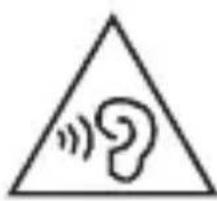
Avoiding hearing damage
Permanent hearing loss may occur if you use your Headset at a high volume. Set the volume to a safe level. You can adapt over time to a higher volume of sound that may sound normal but can be damaging to your hearing.
If you experience ringing in your ears or muffled speech, stop listening and have your hearing checked. The louder the volume, the less time is required before your hearing could be affected. Hearing experts suggest that to protect your hearing:
- Limit the amount of time you use Headset at high volume.
- Avoid turning up the volume to block out noisy surroundings.
- Turn the volume down if you can't hear people speaking near you.
natural_image
Warning symbol with a triangle containing a stylized ear and sound waves (no text or numbers)
Please refer to your handset user guide for more information on how to adjust listening levels on your handset.
Using headsets safely
Use of Headset to listen to music while operating a vehicle is not recommended and is illegal in some areas. Be careful and attentive while driving. Stop using this device if you find it disruptive or distracting while operating any type of vehicle or performing any other activity that requires your full attention.
To obtain the source code under GPL, LGPL, MPL, and other open source licenses that have the obligations to disclose source code, that is contained in this product, and to access all referred license terms, copyright notices and other relevant documents please visit https://opensource.lge.com.
LG Electronics will also provide open source code to you on CD-ROM for a charge covering the cost of performing such distribution (such as the cost of media, shipping, and handling) upon email request to opensource@lge.com.
This offer is valid to anyone in receipt of this information for a period of three years after our last shipment of this product.
The output level shall automatically return to an output level not exceeding RS1 when the power is switched off.
Referenční příručka
Prohlášení o shodě
PROHLÁŠENÍ O SHODĚ:
natural_image
Warning symbol with a sine wave inside a triangle (no text or numbers)
natural_image
Warning symbol with a sine wave inside a triangle (no text or numbers)
natural_image
Warning symbol with a triangle containing an ear and sound waves (no text or numbers)
natural_image
Warning symbol with a triangle containing a stylized ear and sound waves (no text or numbers)
natural_image
Warning symbol with a triangle containing a stylized ear and sound waves (no text or numbers)
natural_image
Warning symbol with a triangle containing an ear and sound waves (no text or numbers)
natural_image
Warning symbol with a sine wave inside a triangle (no text or numbers)
natural_image
Warning symbol with a triangle containing an ear and sound waves (no text or numbers)
natural_image
Warning symbol with a sine wave inside a triangle (no text or numbers)
Za više informacija o tome kako podesiti razinu slušanja na vašoj slušalici, pogledajte korisnički priručnik svoje slušalice.
natural_image
Warning symbol with a sine wave inside a triangle (no text or numbers)
Za više informacija o tome kako da podesite nivo slušanja na svojoj slušalici, pogledajte korisnički priručnik svoje slušalice.
natural_image
Warning symbol with a triangle containing an ear and sound waves (no text or numbers)
natural_image
Warning symbol with a triangle containing a stylized ear and sound waves (no text or numbers)
natural_image
Warning symbol with a sine wave inside a triangle (no text or numbers)
natural_image
Warning symbol with a triangle containing an ear and sound waves (no text or numbers)
natural_image
Warning symbol with a triangle containing a stylized ear and sound waves (no text or numbers)
Za više informacija o tome kako podesiti nivo slušanja na vašoj slušalici, pogledajte korisnički priručnik svoje slušalice.
Disposal of waste batteries/accumulators
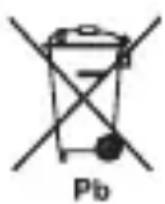
1 This symbol may be combined with chemical symbols for mercury (Hg), cadmium (Cd) or lead (Pb) if the battery contains more than 0.0005% of mercury, 0.002% of cadmium or 0.004% of lead.
2 All batteries/accumulators should be disposed separately from the municipal waste stream via designated collection facilities appointed by the government or the local authorities.
3 The correct disposal of your old batteries/accumulators will help to prevent potential negative consequences for the environment, animal and human health.
4 For more detailed information about disposal of your old batteries/accumulators, please contact your city office, waste disposal service or the shop where you purchased the product. (http://www.lg.com/global/sustainability/environment/take-back-recycling/global-network-europe)
Removal of waste batteries and accumulators
(Product with embedded battery ONLY)
-In case this product contains a battery incorporated within the product which cannot be readily removed by endusers, LG recommends that only qualified professionals remove the battery, either for replacement or for recycling at the end of this product's working life. To prevent damage to the product, and for their own safety, users should not
attempt to remove the battery and should contact LG Service Helpline, or other independent service providers for advice.
-Removal of the battery will involve dismantling of the product case, disconnection of the electrical cables/contacts, and careful extraction of the battery cell using specialized tools. If you need the instructions for qualified professionals on how to remove the battery safely, please visit http://www.lge.com/global/sustainability/environment/take-back-recycling.
- ČESKY
(http://www.lg.com/global/sustainability/environment/take-back-recycling/global-network-europe)
Nederigo bateriju un akumulatoru iznemšana
Disposal of your old appliance
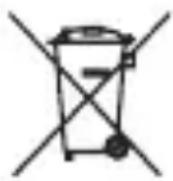
1 This crossed-out wheeled bin symbol indicates that waste electrical and electronic products (WEEE) should be disposed of separately from the municipal waste stream.
2 Old electrical products can contain hazardous substances so correct disposal of your old appliance will help prevent potential negative consequences for the environment and human health. Your old appliance may contain reusable parts that could be used to repair other products, and other valuable materials that can be recycled to conserve limited resources.
3 You can take your appliance either to the shop where you purchased the product, or contact your local government waste office for details of your nearest authorised WEEE collection point. For the most up to date information for your country please see www.lg.com/global/recycling
• ČESKY

www.lg.com/global/recycling
- HRVATSKI
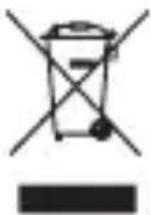
Zbrinjavanje starog uređaja
1 Ovaj simbol prekrižene kante za smeće na kotačićima označava kako se otpadni električni i električni proizvodi (WEEE) moraju zbrinjavati odvojeno od komunalnog otpada.
| ~ | Refers to alternating current (AC). |
| --- | Refers to direct current (DC). |
| Refers to class II equipment. |
| Refers to stand-by. |
| Refers to “ON” (power). |
| Refers to dangerous voltage. |
LG Electronics France, Immeuble Workstation