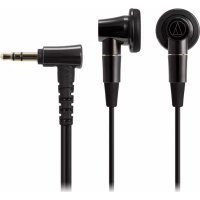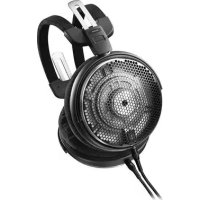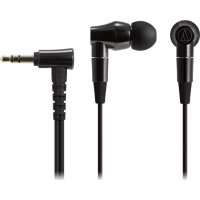
ATHCK2000Ti - Earphones AUDIO TECHNICA - Free user manual and instructions
Find the device manual for free ATHCK2000Ti AUDIO TECHNICA in PDF.



User questions about ATHCK2000Ti AUDIO TECHNICA
0 question about this device. Answer the ones you know or ask your own.
Ask a new question about this device
Download the instructions for your Earphones in PDF format for free! Find your manual ATHCK2000Ti - AUDIO TECHNICA and take your electronic device back in hand. On this page are published all the documents necessary for the use of your device. ATHCK2000Ti by AUDIO TECHNICA.
USER MANUAL ATHCK2000Ti AUDIO TECHNICA
natural_image
Simple geometric diagram with a triangle inside a circle and the text 'audio-technica' below (no other text or symbols)IN-EAR HEADPHONES
ATH-CK2000T i
User Manual
インナーイヤーヘッドホン
In-Ear Headphones
This earphone comes with a pair of Comply™ foam eartips "Ts-500".
お手入れのしかた
Cleaning the eartips
Remove eartips from the in-ear headphones, and wipe their surfaces with a moistened cloth that has been wrung out well. Do not wash these eartips in water.
交換のしかた
Replacing the eartips
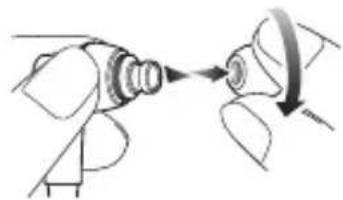
Remove the eartips with a twisting motion as shown in the figure. Mount the new eartip over the stem to the base of the stem.
*When mounting the COMPLY™ foam eartips, use the flat parts of your fingers and do not use your nails so as to avoid damaging the surface of the eartips.
natural_image
Diagram of a mechanical component being inserted into a housing, showing tool path and rotation (no text or symbols)購入のしかた
To order COMPLY™ foam eartips (except for Japan)
Visit www.complyfoam.com and select the COMPLY™ foam eartips "Ts-500".
*The pair of Comply™ foam eartips included is a Medium, but you change the size as needed.
COMPLY™ is a trademark of Hearing Components, Inc.
Thank you for purchasing this product. Before using the product, read through the user manual to ensure that you will use the product correctly. Please keep this manual for future reference.
Caution
- Follow applicable laws regarding mobile phone and headphone use if using the product while driving.
- Do not use the product in places where the inability to hear ambient sound presents a serious risk (such as at railroad crossings, train stations, construction sites).
- The product effectively shields external sound, so you may not hear sound around you clearly while wearing the product. Adjust the volume to a level where you can still hear background sound and monitor the area around you while listening to music.
- Store the eartips out of the reach of small children.
- If you begin to feel unwell while using the product, discontinue use immediately.
- To prevent damage to your hearing, do not raise the volume too high. Listening to loud sound for an extended period may cause temporary or permanent hearing loss.
-
Discontinue use if skin irritation results from direct contact with the product.
-
Do not disassemble, modify or attempt to repair the product.
- When removing the product from your ears, check to make sure the eartips are still attached to the main unit. If the eartips become lodged in your ears and you are unable to remove them, consult a physician at once.
Notes on use
- To ensure compatibility and correct usage, always consult the user manual of any device before connecting the product to it.
- Audio-Technica will not be liable in any way for any loss of data in the unlikely event that such losses should occur while using the product.
- On public transport systems or in other public places, keep the volume low so as not to disturb other people.
- Minimize the volume on your audio device before connecting the product in order to avoid hearing damage from sudden exposure to excessive volume.
- When using the product in a dry environment, you may feel a tingling sensation in your ears. This is caused by static electricity accumulated on your body, not by product malfunction.
- Do not subject the product to strong impact.
- Do not store the product under direct sunlight, near heating devices or in a hot, humid or dusty place. Do not allow the product to get wet.
-
When the product is used for a long time, the product may become discolored due to ultraviolet light (especially direct sunlight) or wear.
-
The included cable may become caught or severed if the product is placed in a bag or pocket without adequate protection.
- Connect/disconnect the cable by holding the plug. Pulling directly on the cable can result in a broken wire and the risk of electric shock.
• Always store the product in the included case. - Do not wind the cable around your portable audio device. This may damage or sever the cable.
- Use only the included cable. Using a different cable may result in product malfunction.
- Lengthening the headphone cable requires a separate extension cable available from your dealer.
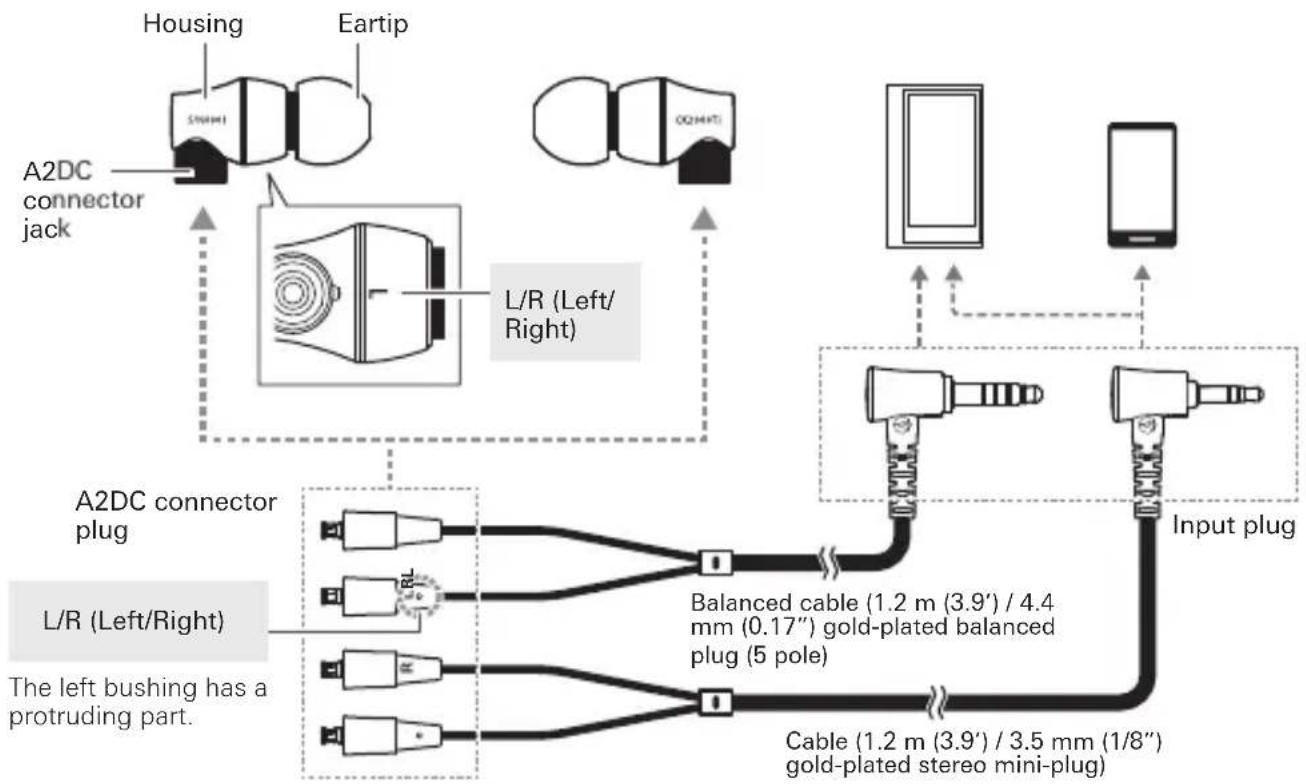
■ Name of each part
Confirm each part before using the product.
flowchart
graph TD
    A["A2DC connector jack"] --> B["L/R (Left/Right)"]
    C["Housing"] --> B
    D["Eartip"] --> B
    E["O2MHT"] --> B
    F["Smartphone"] --> G["Input plug"]
    H["Mobile Device"] --> I["Cable (1.2 m (3.9') / 3.5 mm (1/8'') gold-plated stereo mini-plug"]
    J["A2DC connector plug"] --> K["Balanced cable (1.2 m (3.9') / 4.4 mm (0.17'') gold-plated balanced plug (5 pole)"]
    L["L/R (Left/Right)"] --> M["The left bushing has a protruding part."]
    N["A2DC connector jack"] --> O["Left/Right"]
    P["Input plug"] --> Q["Cable (1.2 m (3.9') / 3.5 mm (1/8'') gold-plated stereo mini-plug"]
■ Using the headphones
- Identify the left (L) and right (R) connectors on the included detachable cable and plug each into the appropriate connector jack until it clicks.
- Refer to "About the detachable cable" for detailed information.
-
Lower the volume on the device you intend to use, then connect the "Input plug" to the device's headphone jack.
-
Make sure to place each eartip (LEFT/RIGHT) in the correct ear.
-
Turn on your audio device, and adjust volume as necessary.
- Also read the user manual of your audio device.

natural_image
Line drawing of an ear with a microphone and ear cap (no text or symbols)Care
Get into the habit of regularly cleaning the product to ensure that it will last for a long time. Do not use alcohol, paint thinners or other solvents for cleaning purposes.
- Use a dry cloth to clean the headphones. Do not allow the cloth to touch the sound producing area because it is more susceptible to damage.
- Use a dry cloth to clean the cable of any sweat or dirt. Failure to clean the cable may cause it to deteriorate and harden over time, resulting in malfunction.
- Wipe the plugs on cable with a dry cloth if dirty. Using the plugs without cleaning them can cause sound interruption or distortion.
- For long-time storage, keep the product in a well-ventilated place without high temperatures and humidity.
- Refer to "Cleaning the eartips" in "About the eartips" to learn how to clean the eartips.
■ About the detachable cable
The cable on the product is detachable. If there are signs of deterioration, replace the cable (sold separately).
* Do not detach the cable except when replacing it with a new cable.
How to replace the detachable cable
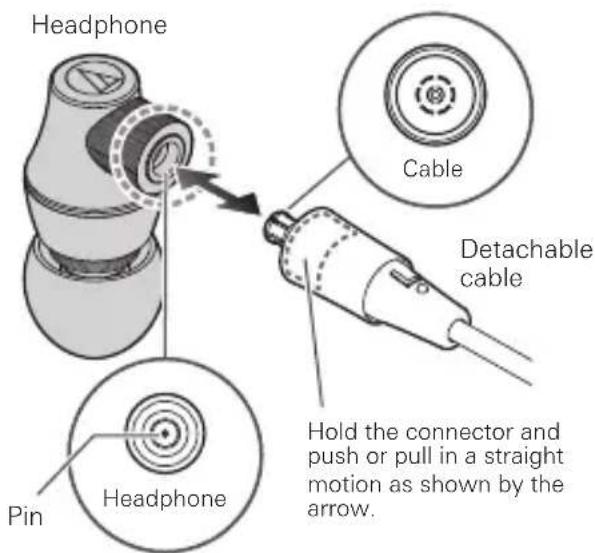
The detachable connector is very delicate. Only pull or attach in a straight motion to prevent malfunction.
How to detach the cable
Hold the connector and pull straight out in the direction shown by the arrow.
How to attach the cable
Plug the left or right connector in as shown in the illustration until it clicks.
text_image
Headphone Cable Detachable cable Pin Headphone Hold the connector and push or pull in a straight motion as shown by the arrow.* Take care not to damage the pin in the headphone.
■ About the eartips
Sizes
The product comes with silicone eartips in four sizes (XS, S, M and L). At the time of purchase, the M size silicone eartips are attached.
To ensure the best sound quality, select the eartip size that is best suited for you, and adjust the eartips inside your ears for a snug fit. It may be difficult to hear bass sounds if the eartips do not fit snugly in your ears.
- Refer to the another included leaflet "About COMPLY™ foam eartips" for use of COMPLY™ foam eartips.
Cleaning the eartips
Remove eartips from the product and clean them with a diluted detergent. After cleaning, dry before use.
Replacing the eartip
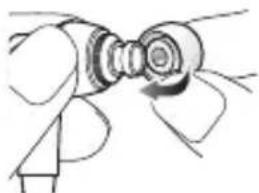
Remove each old eartip, and mount the new eartip over the stem up to the base of the stem.
- The eartips are designed to fit tightly to the product so that they will not come loose unintentionally.
natural_image
Simple line drawing of a hand holding a circular object with a curved handle (no text or symbols)Specifications
| Type | Dynamic | |
| Driver | 8.8 mm, 9.8 mm | |
| Sensitivity | 102 dB/mW | |
| Frequency response | 5 to 45,000 Hz | |
| Maximum input power | 100 mW | |
| Impedance | 10 ohms | |
| Input jack | A2DC connector jack | |
| Weight (without cable) | Approx. 12.4 g (0.43 oz) | |
| Included accessories | Cable (1.2 m (3.9') / 3.5 mm (1/8") gold-plated stereomini-plug (L-shaped)),Balanced cable (1.2 m (3.9') / 4.4mm (0.17") gold-plated balanced plug (5 pole / L-shaped)),Case, Cleaning cloth | |
| Sold separately | Eartips, Balanced cable, Cable | |
For product improvement, the product is subject to modification without notice.
natural_image
Line drawing of a ear with a medical device inserted (no text or symbols)Entretien
natural_image
Simple line drawing of a hand holding a mechanical component (no text or symbols)natural_image
Line drawing of a ear with a medical device inserted (no text or symbols)Pflege
natural_image
Simple line drawing of a hand holding a mechanical component (no text or symbols)natural_image
Line drawing of an ear with a medical device inserted (no text or symbols)Cura
natural_image
Line drawing of a hand holding a mechanical component (no text or symbols)natural_image
Line drawing of a ear with a medical device inserted (no text or symbols)Cuidados
natural_image
Line drawing of a hand holding a mechanical component (no text or symbols)Especificaciones
natural_image
Line drawing of a ear with a medical device inserted (no text or symbols)Cuidados
natural_image
Simple line drawing of a hand holding a mechanical component (no text or symbols)Especificações
flowchart
Wireless sensor network diagram showing connections between A2DC, L/R modules, and various shtekers with capacity specifications.natural_image
Line drawing of a ear with a medical device inserted (no text or symbols)Уход за изделием
natural_image
Simple line drawing of a hand holding a mechanical component (no text or symbols)
natural_image
Line drawing of a ear with a medical device inserted (no text or symbols)■ 保养
natural_image
Line drawing of a hand holding a circular object with a ring (no text or symbols)规格
natural_image
Line drawing of a ear with a medical device inserted (no text or symbols)■ 保養
natural_image
Line drawing of a hand holding a mechanical component (no text or symbols)■ 產品規格