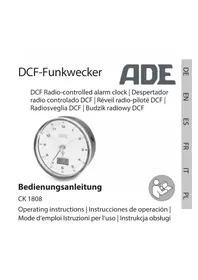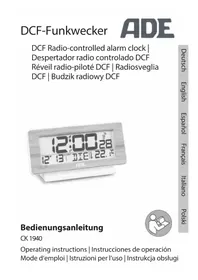
CK 1709 - Alarm clock radio ADE - Free user manual and instructions
Find the device manual for free CK 1709 ADE in PDF.



| Product Type | DCF Radio Alarm Clock |
| Brand | ADE |
| Model | CK 1709 |
| Mains Power Supply | 5 V, 2 A (power adapter included) |
| Backup Batteries | 2 LR6 (AA) 1.5 V batteries |
| Time Reception | DCF77 (77.5 kHz) |
| FM Radio Range | 87.5 - 108 MHz |
| Audio Power | 3 W RMS |
| Number of Alarms | 2 (A1 and A2) |
| Alarm Source | Radio or buzzer |
| Snooze Function | Yes, adjustable duration (default 5 min) |
| USB Ports | 2 charging ports (5 V) |
| Display | Ambient temperature and humidity |
| Screen | Backlit with multiple brightness levels |
| Standby Power Consumption | Max. 0.4 W |
| Warranty | 3 years (material or manufacturing defects) |
| Cleaning | Soft, slightly damp cloth, unplug before cleaning |
Frequently Asked Questions - CK 1709 ADE
User questions about CK 1709 ADE
0 question about this device. Answer the ones you know or ask your own.
Ask a new question about this device
Download the instructions for your Alarm clock radio in PDF format for free! Find your manual CK 1709 - ADE and take your electronic device back in hand. On this page are published all the documents necessary for the use of your device. CK 1709 by ADE.
USER MANUAL CK 1709 ADE
text_image
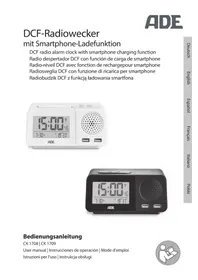
15:00 46 7:30 8:37 ADEBedienungsanleitung
CK 1708 | CK 1709
User manual | Instrucciones de operación | Mode d'emploi
natural_image
Icon of a person using a laptop inside a circle (no text or symbols)SLEEPTIMER nutzen (Auto-off)....13
Wecken....14
22089 Hamburg, Germany
22089 Hamburg, Germany

Garantie
You have chosen to purchase a high-quality product from the brand ADE, which combines intelligent functions with an exceptional design.
With this radio alarm clock, you always have the exact time in view. The many years of experience of the brand ADE ensures a high technical standard and proven quality.
We wish you easy timing at any time!
Your ADE Team
Scope of delivery
- DCF radio alarm clock
- Mains adaptor
- 2x LR6 (AA)/1.5 V batteries
- Operating Manual
Table of Contents
Scope of delivery 20
General information 22
Intended Use....22
Safety 23
What the DCF radio alarm clock with smartphone charging function provides ....25
At a glance 26
Start-up 28
Insert batteries....28
Connecting the mains adapter ....28
Starting signal reception....28
Checklist when data is missing in the display....29
Setting the time and date manually....29
Starting signal reception of the time signal manually....30
Choosing a location 30
About the time signal transmitter DCF77 31
Radio operation ....31
Listening to the radio 31
Using the SLEEPTIMER (auto-off) 31
Alarm....32
Setting the alarm time 32
Select alarm source 33
Being awakened....33
Charging function via USB 34
Other functions 34
Setting/using the display lighting....34
Switching between summer and winter time 34
Switching between seconds and day shortcut display 34
Cleaning....34
Fault/Remedy 35
Technical Data 35
Declaration of Conformity....36
Guarantee....36
Disposal....37
About this manual

This operating manual describes how to safely use and care for your products. Keep this operating manual in a safe place in case you would like to refer to it later. If you pass this item on to someone else, pass on this manual as well.
Failure to observe the recommendations in this operating manual can lead to injuries or damage to your product.
Explanation of symbols

This symbol, combined with the word DANGER, warns against serious injury.

This symbol, combined with the word WARNING, warns against moderate and mild injuries.

This symbol, combined with the word NOTE, warns against material damage.

This symbol signifies additional information and general advice.
Intended Use
- This radio alarm clock receives its time signal from the German time signal transmitter DCF77. The alarm clock is designed exclusively for private use in dry indoor areas.
- The radio alarm clock receives FM radio stations, displays the date, room temperature and humidity and has a charging function for devices that are suitable for this purpose (e.g. smartphones and MP3 players).
Safety
- This device can be used by children 8 years of age and older, as well as by persons with reduced physical, sensory, or mental capabilities or lacking experience and/or knowledge, if they are being supervised or have been instructed in the safe use of the device and understand the dangers that may arise.
- The device and the mains adaptor must be kept away from children younger than 8 years.
- Cleaning and maintenance by the user must not be carried out by children unless they are 8 years of age or older and are being supervised.
- Children must be supervised to ensure that they do not play with the device.
- The radio alarm clock and mains adaptor must not be submerged in water or other liquids. Risk of electric shock! You should therefore not use the radio alarm clock in the vicinity of sources of moisture, such as wash basins.
- Only use the supplied mains adaptor and replace it only with one of the same type. The mains adaptor may only be used in dry indoor spaces and must be protected from moisture.
DANGER for children
- Batteries, when swallowed, can be life-threatening. You should therefore keep the radio alarm clock and batteries out of reach of small children. If a battery is swallowed, medical assistance must be sought immediately.
- Keep children away from packaging material and other small parts included in the scope of delivery. Risk of choking if swallowed.
Danger from electricity (for mains adapter operation)
- Connect the device to a correctly installed socket that has a voltage corresponding to that described under "Technical Data".
- Ensure that the socket is easily accessible, so that the mains adaptor can be pulled out quickly if necessary.
- Do not use the radio alarm clock if the mains adaptor or mains adaptor cable are damaged.
- Do not cover the mains adaptor with curtains, newspapers, etc., and ensure sufficient ventilation. The mains adaptor can become hot.
- Completely uncoil the mains adaptor cable before connecting it. In doing so, take care to keep the cable from being damaged by sharp corners or hot objects.
- Pull the mains adaptor out of the socket:
-before cleaning the radio alarm clock, -if, during operation, there appears to be interference, -during a storm.
When doing so, always pull on the mains adapter, not on the cable.
- Do not make any modifications to the item. Only allow repairs to be carried out at a specialist workshop, since inexpertly repaired devices can present hazards to the user.
- Do not replace the mains adaptor cable. When the cable or mains adaptor is damaged, it must be disposed of and replaced with a mains adaptor of the same type.
Risk of injuries
- Attention: Risk of explosion if batteries are improperly used. Batteries must not be recharged, reactivated by other means, dismantled, thrown into fire, or short-circuited.
- Avoid contact of the battery fluid with skin, eyes, and mucosa. If you do come into contact with the fluid, you must immediately flush the affected areas thoroughly with clean water and promptly see a doctor.
Note on material damage
- Protect the radio alarm clock from dust, impacts, extreme temperatures and direct sunlight.
- Protect the radio alarm clock from moisture. Place it exclusively in a dry, closed room.
- Remove the batteries from the radio alarm clock once they have been consumed or when you are no longer using the device. You will thus avoid damage that may result from the leakage of battery acid.
- Do not expose the batteries to any extreme conditions, e.g. by storing them on heaters or under direct sunlight. Increased risk of leakage!
- Clean the battery and device contacts, as needed, before inserting the battery.
- Always exchange all of the batteries at the same time.
-
Only insert batteries of the same type; do not use different types or used and new batteries with each other.
-
Do not make any modifications to the device. Only allow repairs to be carried out at a specialist workshop and pay attention to the guarantee conditions.
- There are feet on the underside of the radio alarm clock. Since furniture surfaces are made of various materials and are treated with various care products, it cannot be completely ruled out that some of these substances contain ingredients that attack and soften the feet of the device. If necessary, place a non-slip pad underneath the device.
- Do not under any circumstances use hard, scratching, or abrasive cleaning agents or the like in order to clean the weather station. Doing so may scratch the surfaces.
What the DCF radio alarm clock with smartphone charging function provides
- FM radio reception
- Precise time display via the DCF time signal
- Alarm function by radio or buzzer
- 2 alarm times
- SNOOZE function
- Calendar function
- Display of room temperature and humidity
- Charging function via USB (2x)
- Display lighting in several brightness levels
- Sleep timer
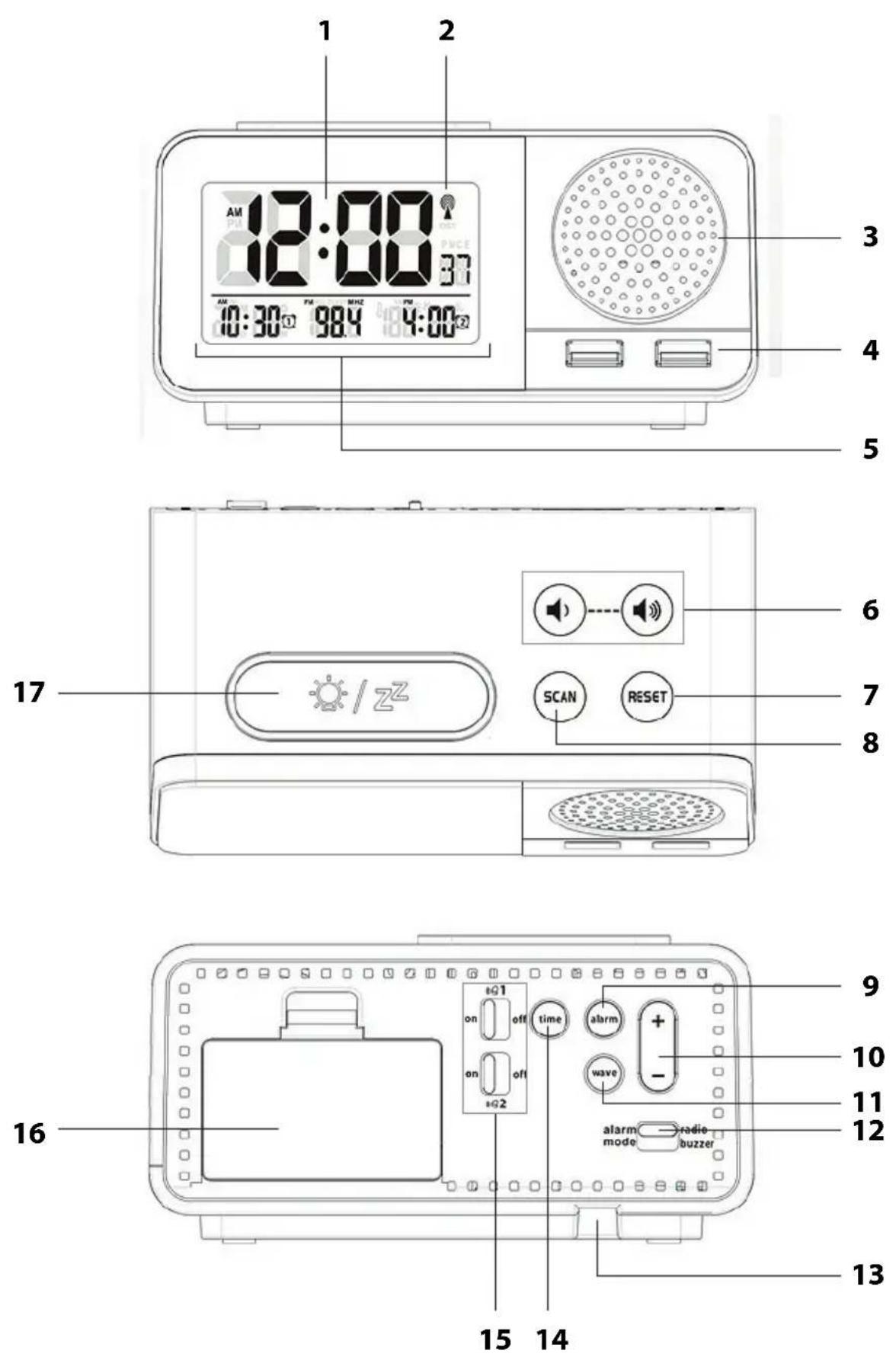
1 Display
2 Radio signal symbol for time signal transmitter
3 Speaker
4 USB ports Connection ports for charging external devices (smartphones, MP3 players, etc.) via USB
5 Depending on the device mode and the functions selected, different information is displayed, e.g.:
- Time/temperature/humidity or
- Alarm time 1/radio frequency received/alarm time 2
6 Buttons
7 Button RESET
Decrease/increase the volume
- Stop radio reception
- Start/stop station search
- Call up and play 87.5 MHz frequency
8 Button SCAN Set radio station
9 Alarm button Set alarm times
10 +/- button Increase or decrease values
11 Wave button Start/interrupt signal reception to the time signal transmitter
12 Alarm mode switch Select alarm source
13 DC 5V —— 2A Connection socket for mains adaptor
14 Time button · Enable manual setting mode
- Switch between seconds and weekday display
15 Button 1 and
16 Battery compartment
17 Button /zz
Enable (on) and disable (off) alarm functions
2x LR6 (AA), 1.5 V
- Turn on display lighting
- Start radio playback
- Enable snooze function
- Enable SLEEPTIMER
Not depicted: Mains adaptor
Start-up
You can only operate the radio alarm clock with batteries or with the mains adapter. For purely battery operation, some functions such as radio and the charging function via USB are not available. Once you have connected the mains adapter, power is supplied via the mains, even if batteries are inserted.
Insert batteries
- Push the closing flap of the battery compartment cover down and remove the cover.
- Insert 2 batteries of the type LR6 (AA)/1.5 V as depicted on the bottom of the battery compartment. Pay attention to the correct polarity of the batteries (+/-).
- Replace the battery compartment cover. The closing flap must engage audibly.

Notes on changing the battery:
- Only use the type of battery that is specified in the "Technical Data".
- Always exchange all of the batteries at the same time.
- Dispose of batteries in an environmentally appropriate way (see "Disposal").
Connecting the mains adapter

NOTE on material damage
-Use only the supplied mains adapter.
- Insert the plug of the supplied mains adapter into the DC 5V —— 2A connection socket.
- Plug the mains adaptor into a socket that has a voltage corresponding to that described under "Technical Data".
Starting signal reception
As soon as the radio alarm clock is powered (battery or mains adapter), all displays are shown for a brief moment and a beep is heard. The room temperature and humidity are displayed shortly afterwards.

The number of radio waves in the display indicates the quality of reception to the time signal transmitter: The more radio waves shown on the display, the better is the reception.
As soon as the signal has been received in sufficient strength, the display also shows the time, the date and the weekday shortcut.
The alarm clock automatically switches to receiving mode several times every night. During this process, the displayed time is compared with that received from the time signal transmitter and, if necessary, corrected.
If a sufficiently strong signal has not been received, the alarm clock will cancel the receiving process after a few minutes and the radio tower symbol goes out. The receiving process is started again at a later point in time.
In this case, the time proceeds as usual (beginning with the start time of "00:00").
Checklist when data is missing in the display
| 1. Check whether the location of the radio alarm clock is suitable, see “Choosing a location”. |
| 2. Restart reception manually, see "Manually starting signal reception". |
| 3. Wait until the alarm clock automatically switches back to receiving mode at a later time. The reception is usually better at night. |
| 4. Manually perform the settings if reception is not possible at your location, see "Setting the time and date manually". |
Setting the time and date manually

If there is more than approx. 20 seconds between two pushes of a button, the setting process automatically ends and you will have to repeat it. Settings you have already made remain saved.
- Press and hold the time button until "C" flashes in the display.
- Use the +/- button to set the desired unit of measure for temperature (degrees Celsius "C" or degrees Fahrenheit "F").
- Press time in order to save the settings. "24 Hr" flashes in the display for the desired time format (24-hour or 12-hour display).
- Proceed as previously described.
- Use the +/- button to set the desired value.
-Press time each time to save the settings.
- You should set the following:
- Time zone ("00" is a standard setting for mainland Europe).
-Hours
-Minutes
-Date format
-Year
-Month
-Day
–Language (relates exclusively to the weekday indicator)
- Finally, press time to conclude the procedure.
Starting signal reception of the time signal manually

If the radio signal symbol to the left is no longer displayed, the radio signals from the time signal transmitter are no longer being received. The time indicator nevertheless continues precisely.
- Press and hold the WAVE button until the radio signal symbol is displayed again. The signal reception is thus started manually.
Pay attention to the following:
- If the reception was not successful, the reception symbol fades out after a few minutes and the time on the display continues normally.
- Upon successful signal reception, the radio alarm clock adjusts itself to the time of the time signal transmitter. If you have already made manual settings, these are automatically adjusted.
Choosing a location

NOTE on material damage
Protect the radio alarm clock from dust, shocks, extreme temperatures, direct sunlight and moisture. Only place the radio-controlled clock in a dry, closed room.
- Maintain distance from TV sets, computers, and monitors. Base stations of cordless telephones should also not be in the immediate vicinity of the radio-controlled alarm clock.
- The reception is generally better at night. If the radio alarm clock did not have reception during the day, it may well be that the signal will be immediately and fully received at night.
- Depending on your location, it may occur in rare individual cases that the radio alarm clock receives signals from another time signal transmitter or even alternately from two time signal transmitters. This is not a fault in the device. In this case, change the location of the radio-controlled alarm clock.
- The weather, e.g. a heavy storm, can cause interference with the reception.
- Temporary shutoffs of the transmitter can sometimes happen, e.g. because of maintenance work.
- Place the radio alarm clock as close to a window as possible. Here, the reception will generally be best.
About the time signal transmitter DCF77
This radio-controlled alarm clock receives its radio signals from the time signal transmitter DCF77. This broadcasts the precise and official time of the Federal Republic of Germany on the long-wave frequency of 77.5 kHz.
The transmitter is located in Mainflingen near Frankfurt am Main and, with its range of up to 2000 km, supplies the majority of radio-controlled clocks in western Europe with the necessary radio signals.
As soon as the alarm clock is supplied with power, it switches to receiving mode and searches for the signal from the transmitter DCF77. If the time signal is received, the display shows the time, the date and the day shortcut.
The radio-controlled alarm clock switches to receiving mode several times a day and synchronises the time with the radio signal from the transmitter DCF77. In the event the signal is not received, e.g. during a strong storm, the alarm clock continues to run precisely and then switches to receiving mode again at the next scheduled time.
Radio operation
To use the radio function, you must operate the device via the mains using the mains adapter.
Listening to the radio
- Press and hold the button for approx. 3 seconds to start radio reception. The display shows the set frequency.

When you call up the radio function for the first time, a search starts automatically, starting at 87.5 MHz. Once a radio station has been found, the search is stopped and the radio station is played.
-Tap SCAN SCAN repeatedly to select other radio stations.
-If you briefly tap RESET Ⓗ, the search is stopped, by tapping RESET Ⓗ again, the frequency jumps back to 87.5 MHz.
-Tap 📋 or repeatedly to decrease or increase the volume. The selected volume is also shown on the display (max. 15).
- Press and hold the RESET Ⓗ button for a few seconds to stop radio reception.
Using the SLEEPTIMER (auto-off)
- While the radio is playing, press and hold the button until a number is shown on the display, e.g. "120".
- Press ⚙/z ^Z repeatedly to set the desired time value in minutes (120, 90, 60, 30, 15, OFF).
After the set time has elapsed, the device switches off automatically.

- When the timer is enabled, "SLEEP" flashes in the display.
- If you want to deactivate the function again, select the option "OFF" instead of a time value.
Alarm
You can set two different alarm times with the radio-controlled alarm clock: A1 and A2. The procedures for setting are identical.
Setting the alarm time

- If there is more than approx. 20 seconds between two pushes of a button, the setting process automatically ends and you will have to repeat it. Settings you have already made remain saved.
- Observe the display during setup. There you will also see which settings you are currently making: A1 and A2 = alarm times, SN = snooze time.
-
If you press and hold + or – button, the displayed values change more quickly.
-
Press and hold the alarm button.
The display shows ① and the hour digit flashes.
If you wish to set alarm time "2", repeatedly press alarm until ②s displayed.
- Use +/- to set the desired alarm hour.
- Press alarm to confirm the setting.
The minute indicator flashes in the display.
- Use +/- to set the desired alarm minute.
- Press alarm to confirm the setting.
The "snooze time" (the time between two alarm repetitions) flashes in the display.
- Use +/- to set the desired snooze time (default setting: 5 minutes)
- Press alarm to confirm the setting
The hour indicator for alarm time 2 flashes in the display.
- Proceed as described to set the second alarm time or press alarm repeatedly until the display shows the normal time again.
- Enable the respective alarm function (or both) by sliding the 🔊 1 or 🔊 switch to on.
The set alarm time and the corresponding alarm symbol ① or ② are shown on the display.
The alarm function is enabled, the setting process is finished.
Select alarm source
- After setting the alarm time(s), select the desired alarm source using the alarm mode switch (at the back):
Radio position: You are awakened by the last radio station you listened to.
Buzzer position: You are awakened by a buzzer.

If you are already listening to the radio at the alarm time, the buzzer will always sound regardless of the position of the alarm mode switch.
Being awakened
At the set time, you will be woken by the selected alarm source (buzzer or radio), with the alarm signal becoming more intense.
Interrupting the alarm for 24 hours
- Buzzer alarm source: Press any button (except ⚙/zz) to stop the alarm. After 24 hours, the alarm will be triggered again.
- Radio alarm source: Press and hold the RESET button to stop the alarm and turn off the radio. After 24 hours, the alarm will be triggered again.
Auto-stop function
- If you have selected buzzer as the alarm source, the alarm switches off automatically after approx. 1 minute if you do not press a button. After 24 hours, the alarm will be triggered again.
- Radio alarm source: You must turn off the radio manually (press and hold the RESET button).
Repeat alarm (snooze function)
-Press the button once when the alarm signal sounds.
The alarm signal stops and the alarm symbol ① or ② flashes in the display.
According to the setting you made for the snooze time, the device will switch on again and wake you up again (default setting = 5 minutes).
This procedure can be repeated multiple times.
Turning the alarm off completely
- Slide the 🔊 1 or 🔊 2 switch to off to completely turn off the respective alarm function.
Charging function via USB
Via the USB ports, you can charge devices such as smartphones or MP3 players when the radio-controlled alarm clock is being operated via mains power.

- Pay attention to the manufacturer's instructions for the device you are connecting.
- Do not use the charging function during radio operation, as this may result in noise interference.
- Connect the USB socket and the external device using a USB cable (not included).
Other functions
Setting/using the display lighting
- For battery operation: Press the ⚙️/z ^2 button to turn on the display lighting for approx. 15 seconds.
-When operated via the mains adapter: Press the ☐/zz button repeatedly to select the desired brightness level or completely turn off the display lighting.
Switching between summer and winter time
Switching between summer and winter time, or vice versa, takes place automatically with good time signal reception. When daylight saving time is active, the display shows "DST" (Daylight Saving Time).
Switching between seconds and day shortcut display
- Press the time button to switch between seconds and day shortcut display.
Cleaning
- Disconnect the radio-controlled alarm clock from the mains.
- Wipe the radio-controlled alarm clock clean with a lightly-dampened cloth.
- Dry the device completely before you reconnect it with the mains adaptor.
Fault/Remedy
| Fault Possible Cause | |
| The DCF77 signal for the time cannot be received. | · Check the chosen location.· Start the signal reception manually, if necessary.· Adjust the time manually. |
| Temperature indication appears too high. | · Check whether the device is exposed to direct sunlight. |
| Instead of showing the measured values for temperature or humidity, the display shows H.HH or LL.L. | · The values lie above or below the measurement range. |
| The indicator is illegible, the function is unclear, or the values are obviously false. | · Disconnect the radio alarm clock for a few moments from the power supply. |
| The time differs by exactly one, two, three, etc. hours. | · You have probably set an incorrect time zone. |
Technical Data
General
Model: DCF Radio Alarm Clock CK 1708 (white), CK 1709 (black)
Input: 5 V
Battery: 2x L06 (AA)/1.5 V
Rated current: < 2 A at 5 V
Max. power consumption: approx. 10 W
Standby: max. 0.4 W
Measuring range
- Temperature: -10 °C - 50 °C (14.2 °F - 122 °F)
- Humidity: 20% - 95%
Mains adaptor
Type: HX12-0502000-AG
Input: 100-240 V\~, 50/60 Hz
Output: 5 V ____/2 A
Protection class: Ⅱ
Radio
Frequency range: 87.5 -108 MHz
Audio output power: 3 W RMS
Distributor: Waagen-Schmitt GmbH
Hammer Steindamm 27-29
22089 Hamburg, Germany
Our products are constantly being developed and improved. For this reason, design and technical modifications are possible at any time.
Declaration of Conformity
Waagen-Schmitt GmbH hereby declares that the DCF radio alarm clock
CK 1708/CK 1709 complies with the directives 2014/53/EU, 2014/30/EU, 2014/35/EU
and 2011/65/EU. The full text of the EU Declaration of Conformity is available at the following Internet address:
The declaration loses its validity if modifications have been made to the device without our approval.
Hamburg, June 2017
Waagen-Schmitt GmbH
Hammer Steindamm 27-29
22089 Hamburg, Germany

Guarantee
The company Waagen-Schmitt GmbH guarantees for 3 years from the purchase date the cost-free rectification of defects on the basis of material or fabrication errors through repair or exchange.
In the event of a guarantee claim, please return the product with the proof of purchase (stipulating the reason for claim) to your dealer.
Disposing of the packaging

Dispose of the packaging with similar materials. Put cardboard with waste paper, films with recyclable materials.
Disposing of the product
Dispose of the product in accordance with the regulations that apply in your country.
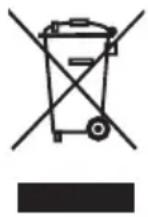
Devices must not be disposed of in normal household waste
At the end of its life, the product must be disposed of in an appropriate way. In this way, valuable materials contained in the device will be recycled and the burden on the environment avoided. Hand in the old device at a collection point for electronic waste or at a recycling depot.
For more information, contact your local waste disposal firm or your local administrative body.

Recyclable and disposable batteries do not belong in household waste
All batteries must be handed in at a collection point in your community, suburb, or at the retailer. Such batteries can thus be disposed of in an environmentally friendly way.
22089 Hamburg, Germany
22089 Hamburg, Germany